


codeblue's stats
- Review count196
- Helpfulness votes234
- First reviewMarch 3, 2015
- Last reviewOctober 1, 2026
- Featured reviews0
- Average rating4.8
Reviews comments
- Review comment count0
- Helpfulness votes0
- First review commentNone
- Last review commentNone
- Featured review comments0
Questions
- Question count0
- Helpfulness votes0
- First questionNone
- Last questionNone
- Featured questions0
Answers
- Answer count0
- Helpfulness votes0
- First answerNone
- Last answerNone
- Featured answers0
- Best answers0
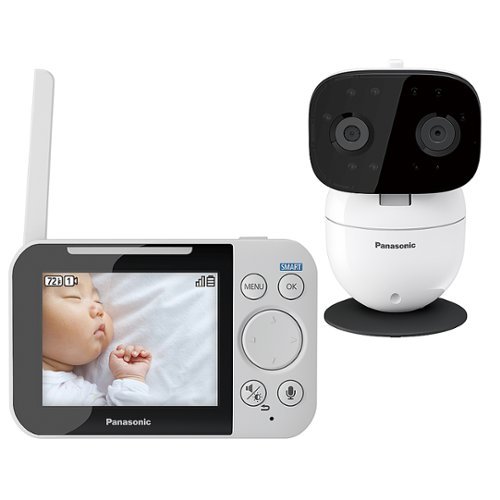
Watch over your infant with this Panasonic long-range baby monitor. It comes with a pan-and-tilt night vision camera with smart sensor alerts to keep your child~s environment in check, and two-way communication, lullaby and white noise functions let you soothe your baby. The DECT technology of this Panasonic long-range baby monitor provides strong wireless signal reception.
Customer Rating

4
does everything as advertised
on October 23, 2018
Posted by: codeblue
from Fishers
We've spent hundreds of dollars trying to find a decent, not the best even, baby monitor. We started with budget, then tried going more expensive, but we haven't found one that hit the sweet spot. The panasonic is our latest addition.
We generally trended with mostly wifi-enabled baby monitor so theoretically, while I was at work, I could watch what mommy and the LO are playing. We've actually never used that function as we typically send pics or facetime when the chance is there. So, that left a huge possible vulnerability to outside hackers for very little realworld beneft.
The panasonic uses what they call a DECT system, but basically it's self-contained so nobody is supposed to be able to hack into the connection and start being creepy. The connection works well in our small place, but I can't speak to people who live in big houses. The features are well thought out and work decently well. The one gripe is the video quality isn't as crisp as some of our other monitors, but it's "good enough" and not bad for the price.
We still haven't found one monitor that is the perfect one, but this one checks all the boxes with at least above average satisfaction overall and is safer than a internet connected monitor to boot. FWIW, it's currently still the monitor in use at our place.
Mobile Submission: False
I would recommend this to a friend!
Share this review:


0points
0of 0voted this as helpful.
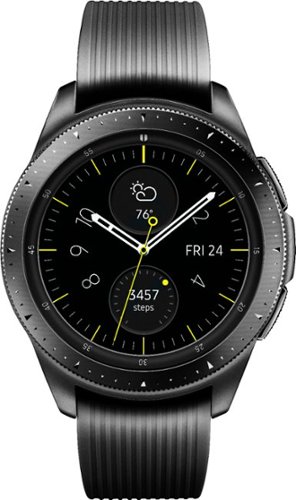
Manage your time more effectively with this Samsung Galaxy Watch. The Samsung Health app helps keep you on track with fitness goals, and it pairs with both Android and iPhone devices. This Samsung Galaxy Watch comes with small and large straps to ensure a good fit, and the battery lasts up to six days after a wireless charge.
Customer Rating

5
the smartwatch I was waiting for
on October 1, 2018
Posted by: codeblue
from Fishers, IN
I've been waiting for years now to buy a smartwatch because I felt they were all with critical shortcomings, either the battery life was too short to make wearing the "watch" worth it, or they didn't offer enough smart functions for me to give up my Tag.
Finally, Samsung's latest galaxy watch has a nice form factor, >2days battery life, and with their watchface app store, I can find a watchface that looks just like my analog watches.
Ticked all the boxes I needed, and the watch actually looks nice enough for me to wear to work comfortably. Finally.
Mobile Submission: False
I would recommend this to a friend!
Share this review:


0points
0of 0voted this as helpful.
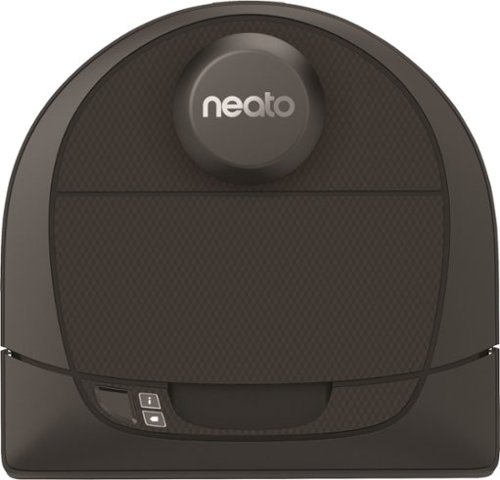
Clean your carpet, hardwood and tile floors remotely with this self-navigating Neato Botvac D4 robotic vacuum. Customize its path through an app on your phone so it avoids certain areas while it expertly cleans others. This Neato Botvac D4 robotic vacuum operates for up to 75 minutes on a single charge.
Customer Rating
4
Good vacuum with spotty connection
on September 17, 2018
Posted by: codeblue
from Fishers, IN
We’re upgrading from a less expensive robot vacuum, so this is mostly a comparo.
The Neato has remarkably strong pickup, as we can tell it’s getting all the nitty gritty from deep in our carpets that our previous vacuum never got. The mapping functionality is fairly accurate, and you can use the app to draw “no-go” lines on a blueprint of your home which the Neato follows. Navigation is strong due to a more organized cleaning pattern than the random zig-zag used by cheaper vacuums.
The only minus, which YMMV, was the app for us. The vacuum seems to lose its connection, and reconnecting the vac to WiFi was sometimes pretty frustrating.
Still, when the WiFi works, the vacuum works like a dream, easily controlled via your phone using the Neato app.
Mobile Submission: True
I would recommend this to a friend!
Share this review:


0points
0of 0voted this as helpful.

Control the battlefield with the exceptionally engineered RIG 500 PRO HS headset, designed for PlayStation . With its lightweight exoskeleton, precisely-tuned acoustic chambers, powerful 50 mm drivers and the first-ever RIG game audio dial delivering intuitive volume control.
Customer Rating
5
Comfortable gaming headphones
on August 20, 2018
Posted by: codeblue
from Fishers, IN
Everything works as described. The mic is detachable and flips up and down on a clean swivel. The auto-adjusting band works better than one would expect, and the large sponge cuffs are comfortable and feel fine even after extended use. The headphone cable is also detachable, meaning you don't have to replace the entire set of cans if you mess up the cable, which is also a huge plus.
Mobile Submission: False
I would recommend this to a friend!
Share this review:


0points
0of 0voted this as helpful.
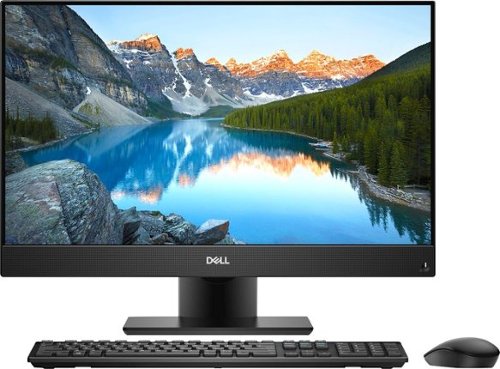
Keep up with work using this Dell Inspiron all-in-one computer. A 23.8-inch Full HD touchscreen hides away the Intel Core i7 processor and 12GB of RAM, so you only have one unit to contend with. A huge 1TB hard drive and wireless-AC Wi-Fi ensure data storage and transfer remain simple on this Dell Inspiron all-in-one computer.
Customer Rating
5
Perfect for a home station
on July 25, 2018
Posted by: codeblue
from Fishers, IN
So with any desktop review, I’m sure the first thought is, “can’t I build a rig for cheaper?” And the answer is always yes. Yes, you can build a rig with the same (often better) specs as a production rig for cheaper.
But I’m not a college student looking to max out my settings on the latest games. I need a solid work station with good enough specs to let me play a few games here and there.
And this is perfect. The 23.8 in screen is a great size to be productive on. I’m able to play a few rounds of overwatch.
The touchscreen feature I’m a bit skeptical of on desktops, but hey for those that need it, it was pretty responsive the few times I tested (...before immediately wiping my screen bc I’m ocd and leaving smudges on my screen is crazy to me)
All in all, a nice convenient one stop shop setup that gets everything done well.
Mobile Submission: True
I would recommend this to a friend!
Share this review:


0points
0of 0voted this as helpful.
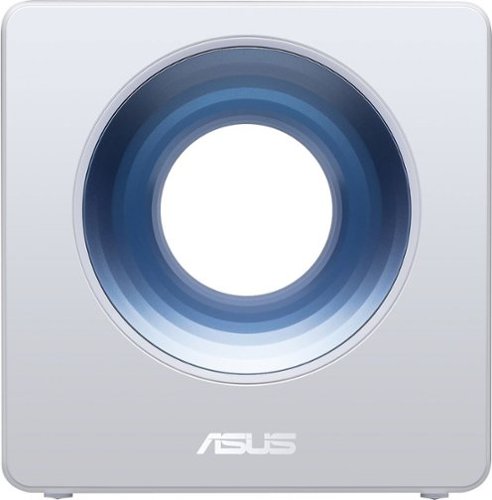
Manage your home network with this dual-band ASUS Blue Cave wireless router. It uses Intel Wi-Fi and 802.11ac 4x4 technology for advanced network throughput, and it delivers blazing-fast data speeds of up to 2600 Mbps for optimal performance. This ASUS Blue Cave wireless router is built to perform, thanks to its dual-core Intel CPU.
Customer Rating
5
aesthetically pleasing router that works well
on June 24, 2018
Posted by: codeblue
from Fishers, IN
My current router is pushing almost 10 yrs of age, so numerous wifi bands have been added since I got it. It also looks like a router from the early 2000s, which isn't necessarily negative, but it's not eye-catching, let's put it that way. The ASUS AC2600 looks like it could be a part of Apple's new homekit line of hardware, with its clean design. The max speed I pay for was definitely not what I was getting at home except when I ran an ethernet wire directly from the modem. Now, I'm getting at least 10 mbps more than I was before. The parental controls on locking down usage will be useful really soon as my kid's starting to get more and more interested in playing online instead of playing with his toys.
Mobile Submission: False
I would recommend this to a friend!
Share this review:


0points
0of 0voted this as helpful.
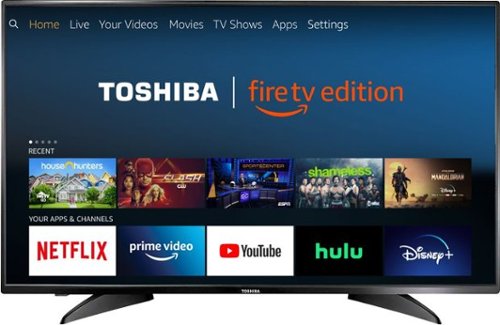
Toshiba 4K UHD Fire TV Edition is a new generation of smart TVs featuring the Fire TV experience built-in and including a Voice Remote with Alexa. With true-to-life 4K Ultra HD picture quality and access to all the movies and TV shows you love, Toshiba Fire TV Edition delivers a superior TV experience that gets smarter every day. The Voice Remote with Alexa lets you do everything you'd expect from a remote~plus, easily launch apps, search for TV shows, play music, switch inputs, control smart home devices and more, using just your voice.
Posted by: codeblue
from Fishers, IN
I have a 65 in curved Samsung 4K TV in the living room which is amazing, but it's definitely way too big for any other room. The 43 in size is pretty much perfect, if a little big for the smaller room. I found Fire TV to be just fine, but the star here is Alexa's functionality built in to the remote. I didn't expect much, but it turned out to be really convenient and accurate. I guess if you have a bunch of other IoT appliances that you are Alexa-compatible, you could build a nice hub, but I don't, so I only experienced the TV uses.
Mobile Submission: False
I would recommend this to a friend!
Share this review:


0points
0of 0voted this as helpful.
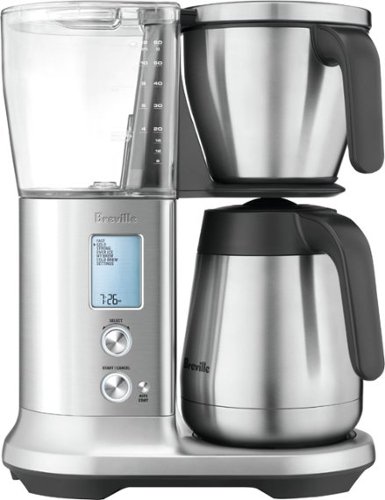
Enjoy a morning beverage with this Breville drip coffee maker. It has six modes for achieving the taste you prefer, and it includes flat bottom and cone filter baskets for making small or large batches. This Breville drip coffee maker has cold brew and iced coffee settings for preparing refreshing beverages from the brewed extract.
Customer Rating
5
best coffee maker I've ever used
on May 10, 2018
Posted by: codeblue
from Fishers, IN
I love coffee. In search of a grand cup of coffee at home I've read several reviews, purchased multiple coffee makers, and talked to everyone I know that shares a love of coffee. The best-tasting coffee probably goes to my Aeropress, but the downside is the manual nature requiring precious minutes in the morning as I'm scrambling to get ready for work.
The Breville precision brewer is amazing. Aesthetically, the brushed stainless steel looks phenomenal with all of our other modern-style appliances, and is easy to clean. But most importantly, the system makes great coffee. The programmable brew option lets me have a cup of coffee ready at the same time every morning for me, so I can grab it and head out the door.
Easy to use, easy on the eyes, and well-planned design. Lots of options for different brews based on your preferences.
My Best Buy number: 2019113313
Mobile Submission: False
I would recommend this to a friend!
Share this review:


0points
0of 0voted this as helpful.
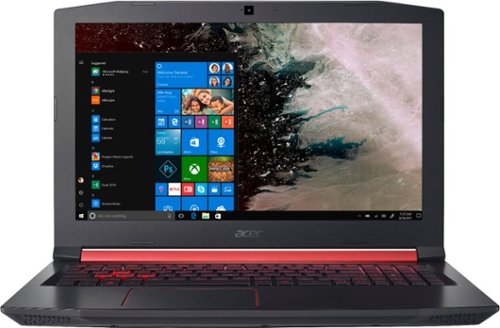
Only at Best BuyEnter the RPG arena with this Acer Nitro 5 gaming laptop. It has 1TB of storage, and its NVIDIA GeForce GTX 1050 graphics card loads dynamic in-game visuals and Full HD movies smoothly. The quad-core Intel Core i5 processor and 8GB of DDR4 RAM let this Acer Nitro 5 gaming laptop perform efficiently.
Customer Rating
4
decent gaming specs in a not-so-flashy casing
on April 28, 2018
Posted by: codeblue
from Fishers, IN
TL;DR: decent spec gaming laptop that doesn't scream L33T gamer.
I'm a working adult now, and I can't carry an Alienware laptop to my workplace. I'd get lots of funny looks, to say the least. But that doesn't mean I've given up on games. I still really enjoy playing games, and now, I don't have the luxury of building a dedicated gaming rig. I've got a toddler that likes to rummage, and the LEDs on most gaming cases would paint a giant target for him to play with.
The Nitro, in my configuration of a 1TB hard drive and GTX1050 handled all of the games I currently play. Witcher 3, Overwatch, the framerates stayed pristine. However, I had to turn the settings usually to medium to keep the best balance between visuals and framerates. That being said, the best part is, it's a decent enough system that let's me play anything without having to worry about compatibility, and furthermore, it comes in a case that looks subdued enough to pass as a "grownup" laptop.
My Best Buy number: 2019113313
Mobile Submission: False
I would recommend this to a friend!
Share this review:


0points
0of 0voted this as helpful.

Brush your teeth with precision by using this Philips Sonicare DiamondClean toothbrush. It has smart sensor technology and connects to a smartphone app that coaches you about coverage, ideal pressure and scrubbing. This Philips Sonicare DiamondClean toothbrush comes with several brush heads that include microchips, which optimize performance for cleaner teeth.
Customer Rating
5
an upgrade to the original sonicare
on April 11, 2018
Posted by: codeblue
from Fishers, IN
The overall aesthetic is greatly improved, with a matte coloring that feels smoother in the hand while not being slick, if that makes sense. Improvements over previous Sonicare models may not be immediately noticeable, but they become more obvious as you use the toothbrush. One of the touted features is an accompanying app that uses sensors in the toothbrush to let you know when you're correctly brushing. Honestly, I don't find the app much of a perk because I don't typically carry my phone into the bathroom.
However, there are a lot of nice touches in the accessories. The included clear charging base looks really nice, while keeping a reasonably small footprint. The travel case also looks nice, and comes with a usb connector that let's you charge your toothbrush base while in the case.
The different cleaning modes I can't tell if they feel different from previous models, or if it's more of the updated toothbrush heads. Subjectively, I feel like my teeth are "squeakier" clean after using this new model. Then, the smart sensor which automatically flashes a light at the base of the toothbrush while simultaneously decreasing the strength of the motor teaches you to not use more force than necessary brushing.
Overall, a very good looking toothbrush, especially with the gold accents, with nice accessories making this more travel-friendly.
My Best Buy number: 2019113313
Mobile Submission: False
I would recommend this to a friend!
Share this review:


-1point
0of 1voted this as helpful.
codeblue's Review Comments
codeblue has not submitted comments on any reviews.
codeblue's Questions
codeblue has not submitted any questions.
codeblue's Answers
codeblue has not submitted any answers.