


nickcal's stats
- Review count355
- Helpfulness votes1,301
- First reviewApril 12, 2014
- Last reviewSeptember 5, 2026
- Featured reviews0
- Average rating4.7
Reviews comments
- Review comment count0
- Helpfulness votes0
- First review commentNone
- Last review commentNone
- Featured review comments0
Questions
- Question count0
- Helpfulness votes0
- First questionNone
- Last questionNone
- Featured questions0
- Answer count4
- Helpfulness votes0
- First answerMay 23, 2016
- Last answerSeptember 7, 2020
- Featured answers0
- Best answers0

Automate your home lighting with this Peace by Hampton smart color LED light bulb. A full spectrum of colors and shades of white deliver custom ambiance. The Peace By Hampton app lets you control, dim, create scenes and automations from anywhere. Use vacation mode for security when you~re away. You can even use Amazon Alexa or Google Assistants to control the lights with your voice.
Customer Rating

5
Great option for smart lights
on September 30, 2020
Posted by: nickcal
from Evansville, IN
I was an early adopter of all things smart home. One of my first purchases was actually smart lighting. I loved the idea of being able to have my phone control the lights in my house and not having to worry about forgetting to turn them off when I left the house. My phone connected to the lights seamlessly and I was able to have control of the devices even when I was away from the home. Because I was an early adopter, I have seen smart lighting evolve over the years and new products emerge. The Peace by Hampton Light Bulbs is a welcome addition to the market. They are easy to set-up and produce bright, vibrant light.
The light bulbs are standard A19 sized bulbs. They should work in most standard light sockets in your home. The bulbs come in a 4-pack and cost 25-30% less than other popular smart lights. Another differentiator for the lights is that they don’t require a hub to work. They will connect to your Wi-Fi network independently and communicate directly with the app on your mobile device. One thing that I noticed right away was that this set is not compatible with Apple HomeKit set-up, but it does work with Google Assistant and Amazon Alexa services. Even though it’s not compatible with HomeKit, the app to control the lights is still available for iOS devices as well was Android-based ones.
The light bulbs are very lightweight. They seem to be made out of plastic or another composite material rather than actual glass. The specs for the lights on their product page state that they are dimmable, but the information on the box clarifies that the light bulbs are only dimmable by using the app. They are not supposed to be used with a dimmer switch. Most smart lights are like this so it didn’t phase me in the least. We decided to install the light bulbs into a light bar that’s located over a bar in our kitchen. The light bar happens to hold 4 light bulbs, which was perfect for this kit. The lights were replacing some basic efficiency light bulbs that always had to be controlled by the light switch. I had been looking at swapping them out for quite some time, but didn’t want to spend nearly 3 times as much as these bulbs to match my other lights. The lights do everything my other lights do - they just don’t connect to my digital assistant of choice — Apple HomeKit. Since they were so easy to install and so easy to work with, I was willing to overlook the difference.
I was actually shocked at how colorful these light bulbs ended up being. Since I have used other types of smart lights, I was expecting the lights to be close to what the others look like. I was surprised by how vibrant the colors were. The light bulbs do feature a full-color spectrum of 16 million colors and shades of white so that you can make the colors as cool or warm as you want. The lights will last up to 25,000 hours, which is equivalent to 3,125 days (or 8.5 years) of use at 8 hours a day. That is a vast difference from older incandescent bulbs that only last 1,000-2,000 hours.
When I first installed them I had a firmware update that needed to take place. I thought for sure it was going to be clunky but to my surprise, the update was super quick and I had no issues even with four bulbs updating. it was awesome. I would like to see Siri control intergraded but I can see myself moving all my home lights over to these because the color is just so good.
The set-up was very easy. The app walks you through the process and once the lights are connected, you can set up automations and create groups to make it easier to control them. Because I’ve had experience with some other smart lighting I was completely blown away by these lights. Not only are they cost-effective (as far as smart lighting goes), they are also very easy to work with. I would for sure recommend these and look forward to seeing how these evolve in the future.
Mobile Submission: False
I would recommend this to a friend!


Share this review:


+1point
1of 1voted this as helpful.
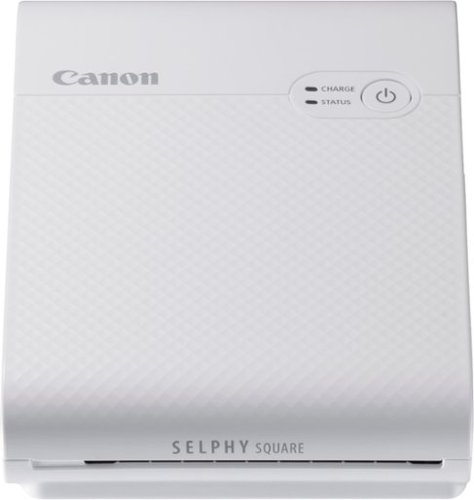
Print your memorable photos with this Canon SELPHY Square QX10 compact photo printer. The compact, lightweight design offers easy portability, while the dye-sublimation technology delivers quality quick-drying 2.7 x 2.7-inch prints that last for a long time. This Canon SELPHY Square QX10 compact photo printer has a built-in battery for cordless hassle-free printing.
Customer Rating

3
Produces nice prints; Lacks good app support
on September 24, 2020
Posted by: nickcal
from Evansville, IN
I come from a time when photos were captured on film and you had no idea what your image was going to look like until you get the film developed, which sometimes took 7 days for processing. I remember in my college days (20 years ago now) when we were still making scrapbooks with printed photographs. When smartphones became commonplace, we started seeing photos transition to the digital realm instead of the paper-based one. So what happens when you want to print your memories out to share? Do you go to a drugstore every time? What if you could just print the photos out at home? That’s what the Canon Selphy Square QX10 Wireless Photo Printer can do for you.
The printer comes in a Canon-branded box and is well-identified for the consumer. The unit comes with a multilingual user manual, Micro USB charging cable, a starter pack of photo paper, and the starter ink cartridge. Before I even set-up the printer, I found things I would upgrade immediately — the charging cable and the starting kit. The charging cable is Micro USB, which in my mind is ‘old technology’. It doesn’t seem very forward-thinking of Canon to release a new product with this older type of charging cable. Is it more cost-effective? Probably - but it’s not future-proof. The other issue I have is that the manual calls out using a wall adapter to charge the printer, but they don’t include one.
The other issue I had out of the box was the miniature starter set of paper and ink. The starter ink cartridge is only enough ink to cover the 3 sheets of paper included in the starter kit. According to the specs of the device, the printer can hold up to 10 sheets of paper. I think the sample kit should include at least that much and the ink cartridge should match that. It seems silly to me for the consumer to have to purchase those items right off the bat in order to get the most out of their device. Imagine if this was received as a gift and the giver didn’t realize that what was included was such a small sample? They would effectively be telling the recipient that they had to spend money to enjoy their gift. It looks like Canon sells the set for around $15 so I’m not sure why they wouldn’t just include one set with the printer when it ships.
The user manual booklet that comes in the box with the printer provides you with details on the device and then directs you to download the mobile app to complete the set-up. As it turns out, you can only print images directly from your Android or iOS smartphone (or tablets). The printer is not compatible with desktop computers. The first device I attempted to connect to the printer (via the app) was my iPhone 11 Pro. The instructions in the app tell you to scan a QR code that’s found inside the printer cartridge compartment. The QR code is supposed to connect you to the printer’s internal Wi-Fi network. I am assuming the code contains the Wi-Fi name and password for the device’s network. I tried a couple of dozen of times to get this process to work and my iPhone would never connect. I tried to scan directly from the QR code on the plastic door of the compartment; I tried to scan the QR code from an enlarged photo I took; I tried to enter the information manually; I even tried deleting the app and reinstalling it AND resetting the printer, but I could never get the iPhone to connect to it. I kept getting a failure to connect message. Just as I was about to throw in the towel, I decided to pick up my iPad and give it a try. I downloaded the app onto the iPad and scanned the QR code and within a few seconds, the printer connected to the iPad. I still can’t figure out why there was a problem with the iPhone/printer connection, but I was at least able to use the printer.
Once the printer was connected, registered, and set-up, I selected a few photos of our family dog to print. The design interface of the Canon SELPHY app is pretty basic. You select your photo, choose a border size, the position of your photo, whether or not you want a date printed on the photo, choose a frame, add stamps or text, paint on the photo, select filters or embellishments, and then you print.
Photos take approximately 45 seconds to print. The SELPHY Square uses a process called dye sublimation. With this process, the ink ribbon is heated and transfers the dye to a special photo paper. This process gives printed photos a much longer life (up to 100 years in some cases) than Zink-based prints. Once you send a photo from the app to print on the paper, the paper actually makes four passes through the printer ribbon. On each pass, the printer lays down a color. It goes in this order - yellow, magenta, and cyan. The fourth pass is actually a clear coat that helps to highlight the photo and protects the image.
The quality of the photos is actually very good. So, even though it seems as though I have had a lot to complain about in this review, I can’t deny that the product the printer creates is very nice. One thing I wish the software would do a bit better is to allow for some color/brightness adjustments. On the screen, I thought the photos looked fine, but when they printed out, they were a bit darker than I expected.
As far as cost goes, photo paper and printer ribbon kit is around $15 for 20 sheets. That would mean that each print (not including this the device charge) costs approximately $0.75. To me, this is a tad on the expensive side of things since you can order larger photo prints from drugstores for about half the cost (4x4 print on standard photo paper is $0.39 per print).
The Canon SELPHY Square is a unique mobile printer, but I think the software really needs some upgrades to make it an exceptional product. I also think the support for it should be beefed up, too since I had a lot of trouble finding answers for issues I had when I was setting it up. I hope that Canon refines this product and its offerings so that the next version is better than the first.
Mobile Submission: False
No, I would not recommend this to a friend.


Share this review:


+2points
4of 6voted this as helpful.

Feel relief aid anywhere, anytime with Compex~ Ayre~ compression boots. Designed for therapists, coaches, elite and recreational athletes on-the-go, Ayre is a therapeutic product using intermittent pneumatic compression. When exercising, the body builds up lactic acid as a biproduct of muscle contraction. Ayre compression boots work to break up these small molecules and send stimulus to your nervous system. These compression boots are designed to help improve blood flow and circulation in the legs by mobilizing lactic acid, access fluids, and other toxins. Compex Ayre uses a dynamic pulsing compression up the limbs in waves for the duration of its use, which helps promote quick healing. Sit back, power up the boots, and enjoy your recovery for up to 60 minutes anywhere on a single charge.
Customer Rating

4
Amazing option for pain/discomfort due to sports
on September 17, 2020
Posted by: nickcal
from Evansville, IN
More than 20 years I was working as Taekwodo instructor. An unfortunate accident during a demonstration resulted in a torn ACL which required 2 surgeries to repair. Ever since that time I’ve been fighting constant pain in my leg that I can’t seem to get relief for. I’ve tried every type of physical therapy possible, attempted various exercises, tried different types of medicinal therapies, went through several rounds of injections into the knee, and even had another surgery recently to try to alleviate the discomfort I feel every single day. Nothing ever seems to really help except for compression. My fiancé tries to help by massaging the muscles in the leg, but she can only do so much. I’ve been to various masseuses and right after the massage, I have temporary relief. So, when I saw the information on these compression boots, I thought it would be worth a try since compression therapy has proven to help those recovering from ACL injuries.
There are a couple of things I want to point out right off the bat. First, the boots can be used independently from each other, which was a big plus for me. Even though both of my legs exhibit some throbbing sensations, the injured leg is my left one. So, it was a big help to me to be able to use just one boot at a time, or be able to use both depending on how my legs were feeling. Second, these boots are wireless! This is a big deal to me because other compression devices I’ve used tend to have multiple wires and tubes leading to it and trying to get all of those hooked up is quite miserable when you are already in pain. The boot slides on and is adjustable so it can work for different sizes quite easily.
To say I was skeptical when I first tried the boots out is an understatement. I’ve just had so many products let me down — especially ones that ‘claim’ to compress. Those products just never seem to provide enough pressure for me to find relief. These boots provide powerful compression and in fact, I haven’t had them turned up full power yet, which is something I typically have to do in order to get any relief from compression devices. The Ayre boots are beneficial to me because they can provide compression for the entire leg at one time. That’s something that’s been hard to come by for me.
The boots store very easily. They come with a storage case and when deflated, they fold up nice and neat into that box. There is enough space for the charging cable and manual, too. I have found the boots very easy to use, but I do wish there was a deflate button on the control panel. There has been more than one occasion that I’ve needed to stop a session midway and when you turn the boots off, then don’t automatically deflate. It would be nice to be able to press ‘stop’ and then ‘deflate’ to return the boots to a flattened state.
Even though these boots are designed to help athletes recover from workouts, they have done a great job reliving me of pain that has been plaguing me for years.
Mobile Submission: False
I would recommend this to a friend!


Share this review:


+3points
3of 3voted this as helpful.
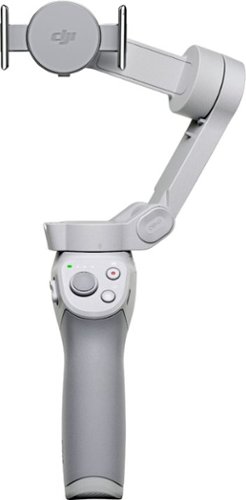
Life~s extraordinary moments deserve to be captured with smooth video. DJI OM 4 is a magnetic gimbal designed to complement your smartphone, allowing you to start recording right away. Ultra-compact, easy to use, and bursting with intelligent features, OM 4 is the ultimate solution for capturing and sharing your world.
Customer Rating
4
A nice smartphone stabilizer with lots of features
on September 7, 2020
Posted by: nickcal
from Evansville, IN
A few years ago I was introduced to my first camera gimbal. At the time, I didn’t have a strong use for them, but as I grew into my photography, I found more and more uses for a stabilizer. Since I’ve tried to make stabilizers part of my standard camera equipment - or at least have one available - I’ve done a lot of research and tests with different types of gimbals and have finally landed on the DJI OM4.
The box is a nicely branded DJI package. If I saw this on a retail shelf, I would immediately recognize it as a DJI product. The front of the box clearly identifies the OM4 and there is a nice photo of the product in use. The bottom of the box outlines the serial number, UPC, EAN, and DJI Care. The back of the box reads “Create Magnetic Moments” - a nod to the newest feature of the magnetic quick mount. Also shown on the back of the box are the logos for Google Play and the Apple App Store indicating that the DJI Mimo app is available for both operating systems.
When you open the box, you will notice a simple illustrated guide for gimbal operation. The first step is to attach the magnetic quick mount to your phone and then connect that to the magnet on the OM4. Finally, you are instructed to unlock the gimbal arm and power it on. There are several items included in the box with the OM4 — a quick start guide, a magnetic ring user guide, DJI disclaimer and safety guidelines, a USB-C charging cable, the magnetic ring that users can attach to the back of their phone instead of attaching the magnetic quick mount, a riser pad for smaller phones, a packet of various adhesive options, an alignment guide for the magnetic ring, a storage pouch for the gimbal, and the stabilizer itself.
The OM4 is resting just inside the box and you can immediately use it. I pulled it out of the box and started playing around with it just to see how well its basic operation/stabilization worked without the advanced controls in the app. I was very impressed with how smooth its movements are. Even without the app, you can switch from portrait to landscape mode using the MODE button on the OM4 controls. The gimbal will still balance the phone and work as a basic stabilizer and be able to control the direction of the stabilizer arm with the handle’s joystick. You will not have access to control your phone though, or be able to use modes like ActiveTrack or DynamicZoom without the app.
The app seems to work extraordinarily well alongside the gimbal. I didn’t have any connection problems between the device and the app at all and after the initial set-up, my phone was immediately recognized when the OM4 was turned on. To test out the remote features, I followed my dog around for a little while. The DynamicZoom feature worked really well although users should be aware that it’s not a smooth zoom; it’s incremental because it’s a digital zoom function.
The app seems to work extraordinarily well alongside the gimbal. I didn’t have any connection problems between the device and the app at all and after the initial set-up, my phone was immediately recognized when the OM4 was turned on. To test out the remote features, I followed my dog around for a little while. The DynamicZoom feature worked really well although users should be aware that it’s not a smooth zoom; it’s incremental because it’s a digital zoom function.
The ActiveTrack didn’t work quite as well as I had hoped either. The app allows users to draw a box around an object they want to follow and the gimbal tracks it and keeps the camera on the phone balanced as that object moves. This works well as long as the object you’re following doesn’t leave that box. As I said, I was following my dog around and when he walked out of the room, the ActiveTrack box turned red and I had to remap the dog when I turned the corner and he was in view again. I sort of expected that to happen when he walked completely out of range, but it also happened when he was still in frame. I found that ActiveTrack works best when you can actively follow your subject so that it doesn’t leave the ActiveTrack frame.
One of the first things I noticed about the OM4 was its weight. I’ve worked with several styles of stabilizers that are made out of very heavy materials. The OM4 feels solid, but also does not feel weighed down. I looked at another brand’s stabilizer for smart phones and it weighed more than 3 times as the OM4. To me, I want something that’s lighter - making it more portable - for use with smartphones. And since this is the OM4’s primary application, I love that DJI eliminated excess weight from the device.
One of the newest features of the OM4 is the magnetic clip. This makes attaching and removing a smartphone from the OM4 super easy. The only downside to it is that the quick mount is designed for use with phones that are not in a case. If you have a small enough case, you might be able to get the phone to stay put. I had some issues with this because I have a leather case on one of my phones and it kept popping off the mount. DJI also includes a magnetic ring that is similar to a pop-socket. You can attach this to the bare back of a phone and use it to mount to the OM4 instead of using the quick mount. The downside to this option is that you won’t be able to use a wireless charger with the magnet mounted to the back of your phone. So, while both of these mounts make it easy to connect with the OM4, neither is 100% practical with standard use of a smartphone.
I’ve seen other reviews state the OM4 doesn’t live up to their expectations. I have to say that I’ve been quite impressed with it. While there is still room for improvement, I’m happy with its operation, design, accessories, and overall value it adds to my video projects. Even though this is my first DJI gimbal, I’ve used other brands before and feel that the OM4 is a nice upgrade from previous models I’ve used.
Mobile Submission: False
I would recommend this to a friend!


Share this review:


+6points
6of 6voted this as helpful.
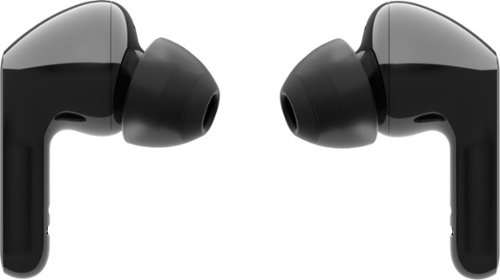
Extraordinary sound and style are yours with the LG TONE Free HBS-FN6 true wireless earbuds. The UVnano charging case kills 99.9% of bacteria* for total confidence~plus save time by refueling your earbuds and case simultaneously with wireless charging capabilities. Ergonomically designed buds, encased in medical-grade silicone, deliver in-ear comfort, while Meridian~ technology ensures rich, true-to-life audio. Premium form and high fidelity~the LG TONE Free HBS-FN6 true wireless earbuds are the total packag
Customer Rating
4
Comfortable, high-quality earbuds with added bonus
on August 14, 2020
Posted by: nickcal
from Evansville, IN
The LG TONE Free Wireless Stereo Earbuds come in a compact box. There is an image of the earbuds on the cover. The back of the box includes an image of earbuds in the charging case and a list of what’s included in the package. The side of the box includes some of the main features including: MERIDIAN Advanced Audio Technology, Clear Voice Call Quality with Dual Microphones, Wireless Charging Case, Fast Charging (5 minutes for 60 minutes of playtime), IPX4 Water and Sweat Resistant, and Playtime Earbuds 6 hours/18 hours with the charging case.
When you open the box, you will find the charging case with the word “TONE” stamped on the top. TONE describes a line of audio products from LG. The LG TONE Free is one of the products in that family. Since the earbuds ship inside their charging case, they come pre-charged and ready to use out of the box. In order to activate the earbuds, you have to open the case and press the pairing button (located on the side of the case) for 3-5 seconds until the LED on the front blinks. Then you look for the device in your Bluetooth menu (LG HBS-FN6) and select it. For me, I connected the earbuds to my iPhone and turned on some music on Apple Music. I typically judge earbuds in three areas: comfort, sound quality, and functionality/features.
COMFORT: The earbuds are very lightweight. According to the product specs, they only weigh 1.38 ounces (that’s 0.23 ounces lighter than Apple AirPods Pro). The earbuds come with three sets of ear gels - small, medium, and large - with the medium ones already installed. The majority of the time I will immediately swap out the ear gels for a smaller size, but this time, I tried on the earbuds with the default ones in place. The fit was ok, but it wasn’t perfect. In my experience, if you don’t have just the right fit, the sound quality is effected as well as the comfort. Since I thought the earbuds didn’t fit as good as they could, I replaced the medium ear gels with the smalls, and was able to get a much more stable, secure fit. I’ve not felt as though the earbuds might fall out of my ears in fact, I haven’t even felt them shift as I’ve been using them. Even though they have a tight fit, they aren’t too tight and I haven’t noticed a vacuum effect like I get with a lot of earbuds. I did get to a point (after a couple of hours of continuous use) where I wanted to take a break from using these earbuds and switch to a different style (one that doesn’t have ear gels).
SOUND QUALITY: As I mentioned above, fit effects sound quality. At first, I would have rated these earbuds with a solid 2-stars for sound quality because with the medium ear gels, the earbuds didn’t fit far enough into my ear canal or have a tight enough fit to seal sound into my ears. Therefore, sound was quite hollow and there was a bad echo. After I switched the ear gels though, I was much happier and bump the star rating up to a 4 for sound. They still aren’t perfect in my mind because the bass depth just isn’t there (at least not enough for me). That said, sound - no matter where it’s coming from - has been incredibly clear and the earbuds have a powerful volume. They do not have Active Noise Cancelling, but they isolate ambient noise quite well. Because of that, LG included an Ambient Noise feature that allows you to hear noise more clearly around you. I tested this feature out by typing for a little while with the filter turned on and then I turned it off. The thing I noticed the most was the sound from my mechanical keyboard. It’s not a 100% sound buffer and the earbuds still block some ambient noise even with the filter turned off, but with the filter turned on, I can’t hear the clicks from the keyboard. With it turned off, I can. It’s actually one of the best ambient sound filters I’ve experienced because the sound quality/volume of the music you are listening to is barely effected by the filter. All it does is block or unblock sound.
FUNCTIONALITY/FEATURES: The LG TONE Free earbuds work vey well. I’ve not had any issues with connectivity or staying connected to the earbuds. The touch controls are intuitive and fairly responsive. I think one of the best features that the earbuds have is the wireless charging case as well as the UVnano cleaning feature of the case. I don’t have a way to test how clean the earbuds get using the charging case, but given the fact that the case uses UV light to sanitize the earbuds is refreshing.
The LG TONE Free Wireless earbuds are an incredible option for people on the go. With the exception of bass depth being subpar (you can hear bass, but it’s not as strong I would prefer), these earbuds are pretty much perfect in my mind. I didn’t have any major issues with them and they come with some interesting features that you don’t typically find on earbuds.
Mobile Submission: False
I would recommend this to a friend!


Share this review:


+1point
5of 9voted this as helpful.
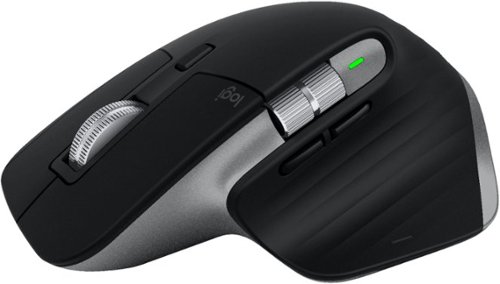
Get more out of your Mac and iPad with MX Master 3 for Mac ~ optimized for macOS, and iPad compatible. Finished in Space Gray, MX Master 3 for Mac is our fastest, most precise, and most comfortable experience yet. MagSpeed scrolling is our quietest, and most addictive scroll wheel ever. Button customizations speed up your macOS and iPadOS workflows, and a 4000 DPI sensor means you can track virtually anywhere ~ even on glass. You~ll get the advanced functionality of MX Master 3 for Mac, while keeping the macOS gestures you love. And Flow allows you to work across multiple Mac computers ~ transferring files, images, and folders in one fluid workflow. Ready for video calls - predefined settings for Microsoft Teams and Zoom let you instantly mute and Start/Stop your video call. Requires Logitech Options software, available for macOS and Windows.
Customer Rating
5
One-of-a-kind mouse designed with Mac in mind
on July 14, 2020
Posted by: nickcal
from Evansville, IN
When it comes to third party accessories for Apple products you can find nearly anything you want for the iPhone and iPad but for the Mac peripherals are a bit hit and miss for me. Most gear will work with both PC and Mac operating systems, but it’s primarily designed as a PC product first with the Mac as an afterthought. So, when I find accessories that are create specifically to work with Mac systems, I jump on them. One such product is the MX Master 3 for Mac. It’s an amazing product and my experience with it has been stellar.
Logitech always seems to do a decent job of packaging their products. I find they don’t use too much cardboard and in this case, Logitech used ‘responsible packaging.’ It uses only FSC-certified paper and uses 90% less packaging plastic so that it’s environmentally-friendly. The box has a nice image of the product on the front as well as some decent information on the product. The box contains the mouse, a warranty pamphlet, and a USB-C cable for charging the mouse. When you first open the box there is a folded piece of cardboard that is used to help hold the mouse in place. It does appear that there should be something else in the box based on this style of packaging, but in truth, it’s simply holding the mouse in place.
The MX Master 3 has a great shape and feel to it. It’s finished in Space Gray so it matches Apple products quite nicely. Users are able to pair the mouse with up to three devices and switch between them seamlessly thanks to the Easy-Switch button. This is great because it gives users the option to use one mouse for multiple devices rather than having to have a separate mouse for each individual device. The mouse has a newly designed MagSpeed Electromagnetic scrolling wheel. It’s very comfortable to use and with it, users can scroll up to 1,000 lines per second. It can toggle between precision mode and free-spinning mode. One of the things I like best about the wheel is that it’s nearly silent. The MX Master 3 is meant to be ergonomic and fit the shape of your hand. In addition to the standard right and left buttons as well as the scroll wheel, the MX Master 3 also features back/forward and gesture buttons and a thumb wheel. While I know this might not be the case for all users, the mouse fits my hand beautifully. I can rest the palm of my hand on the top while my thumb wraps around the left side of the mouse. My fingers reach all the interface buttons and wheels with ease. It’s been refreshing to be able to use the same type of mouse that PC users have and have it work with my Mac without modifications to it.
The biggest complaint I have with mouses is that they are usually customizable, but only if you have a PC. The apps that are built for customizations just aren’t made to work with Apple computers and so we get the short end of the stick. Thankfully, Logitech has remedied this issue with the Logitech Options for Mac. With it, users can customize the MX Master 3 for their specific workflows. Several creative apps like Adobe Photoshop, Adobe Premiere Pro, and PowerPoint already have predefined customizations. So it makes for a great accessory for Mac users and not just a device that happens to work with a Mac. Function-wise, the MX Master 3 has done everything I’ve wanted it to do. I used it with both my MacBook Pro and my iPad Pro. It worked really well with both systems. I didn’t have any trouble pairing them. I did, however, have a little bit of a hiccup on the MacBook Pro. When I first got the mouse connected, I noticed that fluid movements across a screen weren’t as smooth as they should be. I thought that maybe it was because the mouse needed a charge or I just didn’t have a strong Bluetooth connection. So, I waited until the next day to try using it again and there were no more jitters. I’m still not sure what the issue was, but I’m thinking it had something to do with Bluetooth interference.
Finally, we Mac users have a professional-grade mouse to match our professional-grade computers. The MX Master 3 is a great compliment to macOS and iPadOS systems.
Mobile Submission: False
I would recommend this to a friend!


Share this review:


+8points
8of 8voted this as helpful.
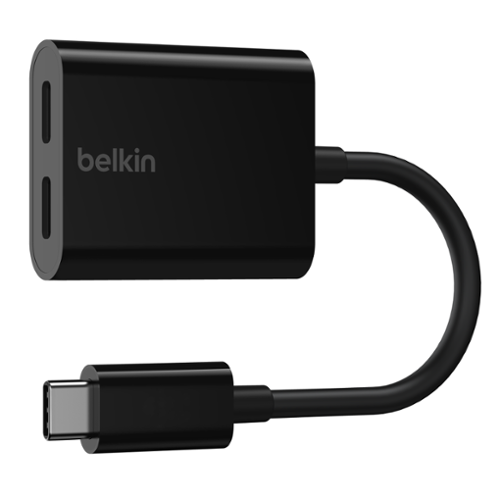
There~s no need to switch between charging and streaming audio. You can listen to music without draining your battery or charge while taking your calls, all from a single USB-C. Pass-through power of up to 60W means you~ll get full charging even when using your device. You can plug in worry-free, as each port can be used for either function. It supports fast charging, so you~ll get it done quickly, too.
Customer Rating
5
A capable adapter for USB-C devices
on July 6, 2020
Posted by: nickcal
from Evansville, IN
One of the things that can be so frustrating when you are using an electronic device is lack of ports. Docks are being made now to help solve this problem for people using tablets, but what about mobile phones? This is the reason Belkin has developed the USB-C Audio + Charge Adapter — so that people can use their mobile phones alongside their wired headphones while the phone is being charged at the same time.
The box is a simple Belkin-style retail package. The front of the box has a picture of the adapter along with some printed details of the product. The back of the box has a lot of fine print listed and points out that the adapter supports pass-through charging up to 60W. Since this adapter is really designed for mobile devices, I was surprised to find that it could potentially charge my 2016 13-inch MacBook Pro. Once I opened the box I found the adapter housed inside a cardboard inset in the box. Normally I’m a little critical of packaging if it seems to be excessive, but in the case, I don’t have a good suggestion on what else could be used. In addition to the cable, the package includes a regulatory statement, which I think could be provided electronically on Belkin’s website rather than printing it out.
The adapter is an appropriate size. It’s 5.5. inches long so it’s quite easily pocket-sized. With it being so compact there is no reason to leave it at home when you go to work remotely. I like that Belkin actually made this a cable and not just a flat-fitting hub because it gives users flexibility on how and where they charge rather than being restricted to a rigid accessory. The USB-C Audio + Charge Adapter does its job well. I tested it by plugging it into my 11-inch iPad Pro. At first, it stated that the iPad was ‘not charging.’ I assessed my connections and finally discovered that the USB-C to USB-A cable I was using was the problem. I pulled out my USB-C to USB-C cable from Apple and used it to connect the adapter to a wall charger. The iPad began charging immediately. After 48 minutes of charging, the iPad gained 33% battery life for a charging rate of 0.69% per minute. I was able to also use the adapter to connect a set of USB-C headphones to the iPad although I must admit that I feel like wired headphones are being phased out for mobile devices since most mobile devices are missing a headphone jack. Still, I think this adapter is a great option for people who have those wired headphones that they want to use.
The USB-C Audio + Charge Adapter is a good accessory for users of USB-C devices. It’s compact and functions well. I do wonder how long adapters like this will continue to be developed since wireless connections for charging and listening devices are becoming more and more common-place these days.
Mobile Submission: False
I would recommend this to a friend!


Share this review:


+2points
2of 2voted this as helpful.

G915 TKL is a new class of wireless mechanical gaming keyboard with three selections of low-profile GL switches and pro-grade 1 ms LIGHTSPEED wireless. Capable of delivering up to 40 hours of non-stop gaming on a full charge. Fully customizable per-key and advanced LIGHTSYNC RGB technology to synchronize lighting with any content.
Customer Rating
5
Amazing keyboard for gaming and everyday use
on June 25, 2020
Posted by: nickcal
from Evansville, IN
Keyboards are sort of a collector’s item for me. have a nice collection of them because I’ve been searching for the ideal mechanical keyboard for gaming as well as my everyday uses. Mechanical keyboards are widely popular with gamers worldwide, but they can also be great for regular computer tasks. So, for a number of years I have been testing out a variety of keyboards trying to find one that has a lengthy battery life, connects wirelessly to my MacBook Pro and Windows laptop, is compact in size, provides a remarkable clicky sound and feel from the keys, and, of course, built-in RGB backlight. The most recent keyboard I’ve tried out is the G915 TKL from Logitech. It’s a tenkeyless Wireless RGB Mechanical Gaming Keyboard that features LIGHTSPEED wireless technology.
The Logitech G915 TKL Wireless Mechanical Keyboard is designed to enhance the gameplay experience for gamers. It features low-profile mechanical switches (half the height of standard mechanical switches) and is made with aircraft-grade aluminum for durability. Users have the choice of three different switches — Clicky for tactile feedback, Linear for smooth keystrokes, and Tactile for a discernible bump. On a single charge, the G915 TKL can have up to 40 hours of use time and it provides low battery warnings at 15% via the keyboard LED indicator and a pop-up notification from the G Hub software. The keyboard has dedicated media controls for easy access to play, pause, advance, rewind or mute your media.
There is a G915 keyboard that includes the number pad, but part of the reason this keyboard was developed was to provide more room for mouse movement while gaming. The keyboard is designed to work with a wide array of computers included both Window and Mac operating systems. This is one of the reasons I continually seek out new keyboards. I want to have one that can work seamlessly with my Windows laptop (used exclusively for gaming) and my MacBook Pro (used for both gaming and productivity). I don’t like having to bounce back and forth between two keyboards when I switch between systems. The G915 TKL provides me the option to switch back and forth between systems easily with either the Bluetooth connection or the LIGHTSPEED Wireless USB receiver.
SOFTWARE
Logitech provides a software package called “G Hub” for users to customize their keyboard experience. This is pretty typical for gaming keyboards and even though I use my for ‘everyday’ use and not just gaming, I had some fun customizing different profiles and changing the function keys around. I do want to point out that in order to use the functionality of G Hub you must remain connected to it. That means, you have to be connected using the LIGHTSPEED wireless feature either through the USB receiver or by direct wired connection through the provided Micro USB cable.
I found it interesting that Logitech does not have the G915 TKL or its predecessor listed as support keyboards in the list for G Hub. Once I figured out that Bluetooth mode was incompatible, I didn’t have any issues with using G Hub. Therefore, I assume that Logitech just hasn’t updated their compatibility list in a while.
One of the main features I really appreciate with the G Hub software is the dashboard. With the dashboard, you can view all the details of your connected devices and make quick updates to firmware with just a few clicks. The main settings you can control within G Hub (at least for the G915 TKL) include:
LIGHTSYNC: The ability to customize lighting effects and control how they are displayed on your computer.
ASSIGNMENTS: This was probably the feature I had the most fun with. Within Assignments, you can map the F keys to control different system commands, create macros, assign actions (if available), place commands on a specific key, and even drag/drop system controls onto the keyboard.
GAME MODE: The third main feature within G Hub for the G915 TKL was customizing Game Mode. This feature really just allows you to ignore keys for gaming that normally ‘get in the way.’
FORM
Because I like to keep my desk set-up clean and free of clutter, I LOVE the low-profile nature of the keyboard. It sits approximately one inch tall and doesn’t have a large case surrounding the main keyboard. I really love this design choice. The media keys are a nice touch, but since you can customize your F keys in the G Hub software, they could essentially be eliminated. There is a scroll wheel included for the volume control and a place on the underside of the keyboard to store the USB receiver when it’s not in use. I also really like the choice to use aluminum for the case because it makes the keyboard lightweight while still being very robust and well-weighted. There are small feet that angle the keyboard approximately 4º, which is great for typing and gaming.
As far as the switches go, my personal preference is usually geared towards Blue switches or switch types that are similar. The mechanical switches that are included in the G915 TKL are Logitech’s advanced mechanical switches designed specifically for gaming. They are called “GL” and they come in a few varieties. Since I typically prefer the Blue switch variety, GL Clicky is the version I chose for this keyboard. It has a gentle tactile feedback when you press down on it and the best ‘clicky’ sound as you type.
The keyboard does not come with a key puller and from what I’ve read, isn’t really designed for easy key replacement. One article I found stated that the legs beneath the keys are easy to snap off and it may be unlikely to find replacement keys if they get broken. For that reason, I did not include a photo beneath the key caps as I didn’t want to chance ruining the keyboard for future use.
The lighting effects are stunning on this keyboard. It shows off vibrant colors and the brightness can’t be beat. I love that you have the option to customize these effects (even on a Mac) to your specific preference. One of the reasons that I love being able to customize the lighting effects is because the RGB settings can greatly effect the battery life of the keyboard. That said, I typically keep my keyboard at 100% brightness (what can I say? I like colored lights) and I’ve still been very happy with my battery life.
ROOM FOR IMPROVEMENT
One of the features of this keyboard that really surprised me was the fact that it charges with Micro USB and not USB-C. Since most modern devices are moving toward USB-C as the ‘standard’ for charging and connectivity, it’s really shocking that such a state-of-the-art keyboard like the G915 TKL would take such a monumental step into the past for it’s main method of external charging and connection. Now, if you look at other Logitech gaming peripherals it’s clear that they haven’t embraced it as a charging standard yet, but I am still going to wonder why because other Logitech products have embraced USB-C.
Another feature that would really make Mac users happy is if this were a ‘true’ Apple keyboard. Even though the keyboard works with macOS computers, it doesn’t have Mac keys included. While this is a very minor criticism, I feel like it’s something that would really make this keyboard spectacular for all users.
JUST PLAYING AROUND
When it comes to gaming, this keyboard is the best option around for one big reason — timing. Thanks to the ultra slim profile of the keyboard, a gamer’s travel distance is much shorter than traditional mechanical keyboard. It’s also great to have lag-free wireless connectivity thanks to the LIGHTSPEED wireless technology. With that wireless boost, users can actually move a decent distance away from the computer and still have a lag-free experience. Another factor that makes this keyboard ideal for gamers is the absence of the num pad and G Programmable buttons. The full size G915 measures in at 475mm wide and the TKL version is only 368mm wide. That big of a difference does make it easier for gamers to coordinate between the keyboard and mouse in an action scenario.
EVERYDAY FUNCTIONALITY
In addition to gaming, the G915 TKL is also an amazing daily-driver. It’s comfortable to type on and because of its compact size it is perfect in an active workspace. I know that throughout the day I will sometimes spread out paperwork and other items across my desk. With that in mind, it’s wonderful to be able to have a smaller footprint on my desk so that I can still work actively and not have to rearrange my desk in order to do it. As far as typing speed goes, I was able to average around 60WPM on the G915 TKL. This is slightly slower than I normally type at, which is an average of 65WPM. I think this has more to do with getting used to the keyboard. The keys are comfortable to type even after long periods of time and long-form documents.
PRICE
There is no doubt that this a premium mechanical keyboard and you will pay a premium price for it. At $230 (at the time of publishing), the G915 TKL is currently Logitech’s second highest priced keyboard - second only to its predecessor, the G915. There are certainly more expensive mechanical gaming keyboards out there, but most of them that are of the same caliber as the G915 TKL are between $150-$200. As an afterthought, I don’t think the price would bother me so much if USB-C were used over Micro USB.
FINAL THOUGHTS
I’ve been very happy with the G915 TKL. It’s got remarkable battery life and despite the fact that it uses Micro USB to charge, it’s a very solid keyboard for any type of use. Aside from the price, it’s probably the best wireless low-profile keyboard around and gamers should be incredibly excited about it since Logitech is answering a call that has been out there for quite some time. I can recommend this amazing keyboard to any type of user. It is worth the investment.
Mobile Submission: False
I would recommend this to a friend!


Share this review:


+2points
2of 2voted this as helpful.
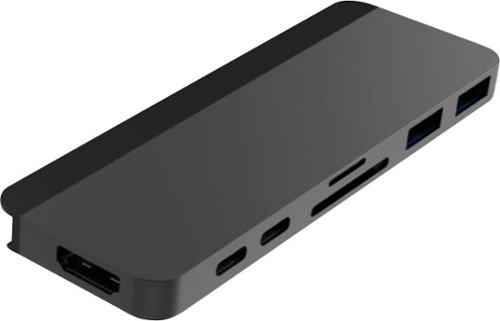
Expand connectivity on your Apple MacBook Pro or Air with this gray HyperDrive DUO seven-in-two USB Type-C hub. Two USB Type-C ports support Power Delivery for charging mobile devices rapidly, while the HDMI output lets you connect a UHD display. This HyperDrive DUO seven-in-two USB Type-C hub has USB Type-A ports and microSD and SD card slots for fast data transfer.
Customer Rating
3
Nddoice concept for a hub, but not full functional
on June 24, 2020
Posted by: nickcal
from Evansville, IN
When I upgraded my laptop in 2016 to a 13-inch MacBook Pro, I was hesitant for one reason — the lack of ports. That model laptop only has USB-C/Thunderbolt 3 ports and I was worried that I wouldn’t be able to easily enjoy peripherals as I had in the past. Fortunately, technology prevailed and companies began designing docks to assist MacBook Pro users. One of the most revolutionary options available was the HyperDrive.
When it was originally released in 2017, the HyperDrive was the first and only dock to feature Thunderbolt 3 as one of its connectivity ports. The dock was designed to tap into two Thunderbolt 3/USB-C ports on the MacBook Pro for maximum bandwidth delivery for users while maintaining a small footprint. The goal was to provide MacBook Pro users with the same UI they were used to on the 2015 model of the laptop. The hub was an innovative product that solved a lot of problems for MacBook Pro users including eliminating the need for multiple dongles.
Early in May this year, Hyper released an updated version of the HyperDrive — the HyperDrive Duo — a 7-in-2 USB-C Hub for Mac Notebooks. This new HyperDrive includes the same wide variety of expansion ports as the original model. In total there are 7 ports to use for connection to your laptop. Those ports include two (2) USB-A, one (1) SD card slot, one (1) Micro SD card slot, one (1) HDMI, and two (2) USB-C ports (one capable of Thunderbolt 3 with 100W power delivery). These are the same ports that were included in the original HyperDrive, but the HDMI connection now supports 4K 60Hz HDMI.
In addition to the updated HDMI technology support, the HyperDrive Duo comes equipped with a removable magnetic insert that rests between the dock and the connected computer. It’s designed to increase the sturdiness of the dock to decrease the number of accidental disconnects a user might experience. Hyper has included a similar grip with their iPadPro USB-C Hub. One of the reasons Hyper provided this extension grip is because the hub itself has longer than usual USB-C connectors. This was included to be able to accommodate different models of notebooks and any covers/cases they might have equipped.
The HyperDrive Duo can be utilized with single-port USB-C devices by connecting the USB-C extension that is provided. This gives users with non-MacBook USB-C devices the opportunity to take advantage of all the features of the hub. Hyper also includes a vegan leather pouch for storage of the hub, its extension cable, and grip. Hyper is offering the HyperDrive Duo in two colors — silver and space grey.
FIRST IMPRESSIONS
I’ve been waiting a long time to try the HyperDrive. In the past 4 years, I’ve tested out a lot of hubs and docks that mimic what HyperDrive does, but they aren’t the original product. The HyperDrive Duo comes in a nicely designed retail box. A clear image of the product is provided on the front with a diagram of the different types of connections that are available with the hub. The cover of the package also highlights the magnetic strip feature. The back of the box has some additional details provided in multiple languages. I have to admit that I actually found this a little confusing because, at first glance, it looks like a lot more detail than it really is simply because there is so much text.
I’ve been waiting a long time to try the HyperDrive. In the past 4 years, I’ve tested out a lot of hubs and docks that mimic what HyperDrive does, but they aren’t the original product. The HyperDrive Duo comes in a nicely designed retail box. A clear image of the product is provided on the front with a diagram of the different types of connections that are available with the hub. The cover of the package also highlights the magnetic strip feature. The back of the box has some additional details provided in multiple languages. I have to admit that I actually found this a little confusing because, at first glance, it looks like a lot more detail than it really is simply because there is so much text.
The inside of the box is a pretty standard plastic molding that houses the hub and its extension cable. The vegan leather case is stored below the plastic. There is no manual or paperwork included with the device. This isn’t really a problem since the hub is essentially plug-n-play.
FORM
The hub is designed to be sleek, simple, and portable. It’s also designed to fit flush against the MacBook Pro when it’s connected along with the magnetic insert. I did connect it to my 13-inch MacBook Pro with and without the insert. I don’t currently have any sort of case installed on my laptop so I was directly connecting the dock to the laptop. There is a sizable gap between the body of the hub and the body of the laptop. This is by design though. As previously mentioned, Hyper wanted users to be able to use the hub no matter what type of computer is being used and whether or not it is housed in a case. Therefore, I wasn’t surprised that there was a gap.
The hub is designed to be sleek, simple, and portable. It’s also designed to fit flush against the MacBook Pro when it’s connected along with the magnetic insert. I did connect it to my 13-inch MacBook Pro with and without the insert. I don’t currently have any sort of case installed on my laptop so I was directly connecting the dock to the laptop. There is a sizable gap between the body of the hub and the body of the laptop. This is by design though. As previously mentioned, Hyper wanted users to be able to use the hub no matter what type of computer is being used and whether or not it is housed in a case. Therefore, I wasn’t surprised that there was a gap.
Next, I connected the insert to the dock and reconnected it to the MacBook Pro. The first thing I noticed was that the ‘magnetic’ function of the insert isn’t very magnetic. It’s really only magnetic on the ends and it’s very easy to detach the insert from the hub. In fact, the magnet resides in the hub itself. The insert is really just a simple piece of plastic. To me, this was a disappointing discovery. I expected the magnetic insert to really stay connected to the hub almost as if it were one piece.
Since the two pieces detach from each other so easily, the dock as a whole doesn’t stay connected well. In addition to that, the design of the insert makes it impossible to close your screen when it’s attached. This causes two problems — one, working remotely and needing to travel from place to place and two, you can’t use the hub while the laptop is in closed-clamshell mode while connected to the computer. Since I frequently use my laptop in that mode, this was automatically a turn-off for me.
FUNCTION
Even though I had some issues with the form of the HyperDrive Duo, I have to say that its function worked remarkably well. I ended up using it in a couple of different ways. First, I used it with a ThinkPad T570 15-inch laptop running Windows 10. The laptop has a single USB-C/Thunderbolt 3 port and so I was able to use the USB-C extension cable with it. I had an issue where I had to use a very short HDMI cable to connect the Lenovo laptop to an external monitor. I plugged the USB-C extension into the laptop and then the other end onto the hub. Then I connected the HDMI cable into the hub and voila! The laptop synced up to the external monitor immediately. It was a pretty quick and painless process.
Even though I had some issues with the form of the HyperDrive Duo, I have to say that its function worked remarkably well. I ended up using it in a couple of different ways. First, I used it with a ThinkPad T570 15-inch laptop running Windows 10. The laptop has a single USB-C/Thunderbolt 3 port and so I was able to use the USB-C extension cable with it. I had an issue where I had to use a very short HDMI cable to connect the Lenovo laptop to an external monitor. I plugged the USB-C extension into the laptop and then the other end onto the hub. Then I connected the HDMI cable into the hub and voila! The laptop synced up to the external monitor immediately. It was a pretty quick and painless process.
With my MacBook Pro, I ran through some additional tests including disk speed tests with a USB-A flash drive, USB-C SSD, and an SD card. One thing I noticed right away is that the HyperDrive Duo is ill-supported. What I mean by that is it just doesn’t fit on the MacBook Pro well and can easily come apart from the computer. I noticed when I went to remove the USB-A stick I had plugged in that the wiggling to get it free caused the HyperDrive to become loose on the computer. It’s just not a tight fit.
I’ve seen on other reviews that users report the HyperDrive Duo gets warm after extended use. I can confirm that this is true for me as well. When I was using it just to connect the external monitor, it was slightly warm, but when I connected it to the MacBook Pro and ran several devices through it — including power — the hub warmed up quickly. It never got ‘hot’ to the touch, but it was noticeably warmer than room temperature. In addition to the comments I noted in the FORM section of this review, I want to add that connected devices also had a gap between their body and the body of the hub. Again, I’m not a big fan of this since I believe that it can be easier for a device to become detached suddenly, and then there is a risk of data loss.
As far as speed goes, I was encouraged by the results the Blackmagic Speedtest provided. I tested a SanDisk Ultra 8GB Class 6 SD card, 64GB Flash Drive by Silicon Power, and an external SSD by RAVPower.
As far as speed goes, I was encouraged by the results the Blackmagic Speedtest provided. I tested a SanDisk Ultra 8GB Class 6 SD card (0.9MB/s WRITE & 42.3MB/s READ), 64GB Flash Drive by Silicon Power (31.4MB/s WRITE & 38.4MB/s READ) and an external SSD by RAVPower (396.6MB/s WRITE & 412.5MB/s READ)
Each media type transferred at a rate that I was expecting based on the spec of the HyperDrive and the individual device.
Each media type transferred at a rate that I was expecting based on the spec of the HyperDrive and the individual device.
FINAL THOUGHTS
While I love the concept of the HyperDrive Duo, I feel that there are still some improvements that can be made on it. When you look at the Form and Function of the device and compare that to the Features, it just doesn’t add up to a 5-star product in my mind. The hub being loose when connected to the MacBook Pro is a major con in my opinion. I want docks to be a tight fit because I don’t want there to ever be a concern that data might be lost. I hope that Hyper takes a good look at the design of this hub and improves on it for a next-generation option. When it was connected properly, the hub functioned really well. I do think it’s price-point of $79 (at the time of writing this review) is a little on the high side considering the faulty connection between the hub, insert, and computer.
While I love the concept of the HyperDrive Duo, I feel that there are still some improvements that can be made on it. When you look at the Form and Function of the device and compare that to the Features, it just doesn’t add up to a 5-star product in my mind. The hub being loose when connected to the MacBook Pro is a major con in my opinion. I want docks to be a tight fit because I don’t want there to ever be a concern that data might be lost. I hope that Hyper takes a good look at the design of this hub and improves on it for a next-generation option. When it was connected properly, the hub functioned really well. I do think it’s price-point of $79 (at the time of writing this review) is a little on the high side considering the faulty connection between the hub, insert, and computer.
Mobile Submission: False
I would recommend this to a friend!


Share this review:


+2points
8of 14voted this as helpful.

Drink or serve the wine you want with the Coravin Model Six Wine Preservation System. Featuring a luxurious color palette enhanced by sleek chrome accents, and innovative SmartClamps~, Model Six is a fusion of elegance and technology. Its additional premium accessories offer a complete Coravin experience. Simply insert, tip, and pour as much wine as you and your guests desire~then save the rest of the bottle for weeks, months, or even years! Includes 3 Coravin Pure Capsules, 2 Coravin Screw Caps, and a Carry Case.
Customer Rating
5
an expensive investment that’s worth saving for
on May 25, 2020
Posted by: nickcal
from Evansville, IN
I rarely indulge in a bottle of wine at home. There was a time in my life when I would purchase a nice red wine to share amongst friends, but as we’ve all gotten older, I don’t find myself buying wine to drink alone. One of the main reasons for that is because it typically goes bad before I finish the bottle. Fortunately, the Coravin Model Six Wine Preservation system exists and solves the problem of wine going bad.
The idea behind the Coravin system is that you don’t expose the contents of a bottle of wine to the open air, which causes oxidation to occur. Oxidation causes an unpleasant taste once its been open for only a day or two and thus, the bottle is ruined. This is the reason that Coravin is worth the investment. The system makes it possible for you to be able to keep the cork in the bottle so that oxidation doesn’t occur.
The system arrives preassembled with the exception of the Coravin Pure Capsules. Similar to inserting a battery into a toy on Christmas morning, you do have to place the capsule into the Coravin assembly before using it. The capsule contains 99.99% ultra-pure argon gas. I found it interesting that argon gas is what’s used to pressurize the system since that’s the same element that is used to fill incandescent and flourescent light bulbs. That said, once it’s placed and primed by pressing the trigger, you can use the system.
The process of using the Coravin is very simple. You simply slide the SmartClamps around the mouth of the bottle and insert the needle through the cork (or screw cap). Then, you tip the bottle over a glass and press the trigger to pour the wine. Once you are done, remove the Coravin from the bottle and rinse it off according to the instructions in the user guide.
So far, I really like the Coravin. I haven’t been able to use it much but the bottle that I used it on is still good 5 days after I first opened it and it usually goes bad in 3. I also really love that Coravin provides special twist caps for those bottles that don’t have a cork.
Mobile Submission: False
I would recommend this to a friend!


Share this review:


0points
0of 0voted this as helpful.
nickcal's Review Comments
nickcal has not submitted comments on any reviews.
nickcal's Questions
nickcal has not submitted any questions.
nickcal's Answers
Life~s extraordinary moments deserve to be captured with smooth video. DJI OM 4 is a magnetic gimbal designed to complement your smartphone, allowing you to start recording right away. Ultra-compact, easy to use, and bursting with intelligent features, OM 4 is the ultimate solution for capturing and sharing your world.
Does the magnetic sticker phone attachment interfere with wireless phone charging?
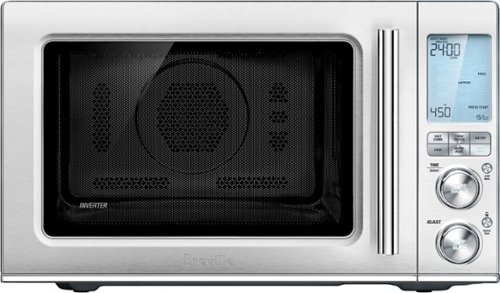
Ensure meals are cooked evenly with this Breville the Combi Wave 3-in-1e microwave. The grill, convection oven and microwave functions provide a variety of cooking options, while the Element IQ technology precisely delivers the right cooking temperature for optimal results. This Breville the Combi Wave 3-in-1 microwave features a Power Smoothing inverter for automatic adjustment of power to enable even heat distribution.
Is this an air fryer, microwave and convection oven

Simplify your everyday life with the Google Home, a voice-activated speaker powered by the Google Assistant. Use voice commands to enjoy music, get answers from Google and manage everyday tasks. Google Home is compatible with Android and iOS operating systems, and can control compatible smart devices such as Chromecast or Nest."
Will Google Home work with ECOBEE Thermostat?
No. Unfortunately, Google has limited functionality to only the Nest thermostat. At this time, I don't see them opening up support for third parties as they are probably trying to push it with their own hardware, but that could always change.
9 years, 10 months ago
by
nickcal
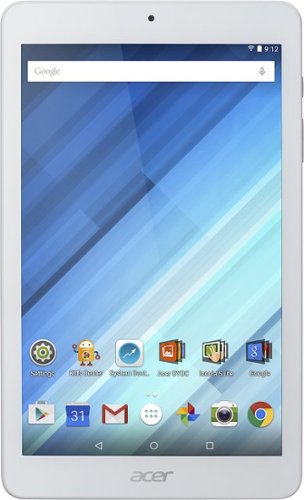
Enjoy a compact tablet that fits neatly in your pocket with this Acer Iconia One 8-inch tablet. It includes a quad-core processor and 1GB of RAM that deliver powerful processing to play all your games and apps, and the 16GB of flash memory ensure this Acer Iconia One 8-inch tablet and store your files.
can i download skype
Depends on the Google Play store. If Microsoft has a version of Skype for Android then yes.
10 years, 4 months ago
by
nickcal