


Posted1's stats
- Review count329
- Helpfulness votes2,745
- First reviewAugust 15, 2012
- Last reviewOctober 23, 2026
- Featured reviews0
- Average rating4.3
Reviews comments
- Review comment count0
- Helpfulness votes0
- First review commentNone
- Last review commentNone
- Featured review comments0
Questions
- Question count0
- Helpfulness votes0
- First questionNone
- Last questionNone
- Featured questions0
- Answer count3
- Helpfulness votes4
- First answerJanuary 25, 2020
- Last answerJune 27, 2021
- Featured answers0
- Best answers1
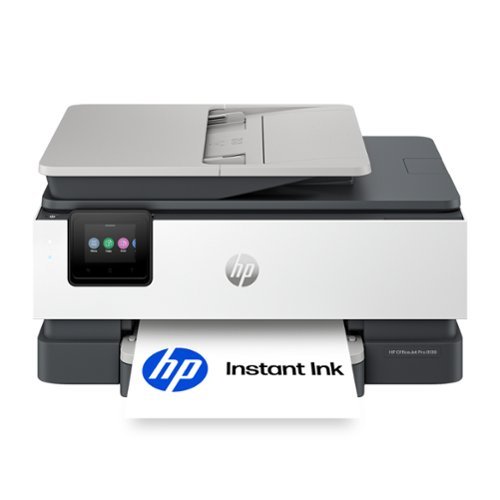
The HP OfficeJet Pro 8139 All-in-One Printer delivers fast color, water-resistant, smear-resistant, and fade-resistant prints, 225-sheet paper capacity, and scan, copy capabilities, plus fax, perfect for your home office. Navigate this printer with the 2.7" color touchscreen and phone-like user interface. It includes wireless and printer security features to keep your multifunction printer up to date and secure, and is made with more than 45% recycled plastic content. Optimize print formatting with HP AI, that easily removes unwanted content from emails and web pages so your prints are just the way you want~no wasted pages or unwanted content. Subscribe to Instant Ink delivery service and get 1 year of free ink delivered directly to the door of your office. The HP OfficeJet Pro 8139 All-in-One also lets you print from anywhere with the HP app.
Customer Rating

3
Mmmeeehhhhh, It's a printer...
on July 29, 2026
Posted by: Posted1
It's a printer. As a printer, it prints well. That's about the highest praise I can give. I mean, if you are reviewing a cup, sure it delivers fluids fine, right? Same here.
Over the years, I have tested countless printers, and if I am to be honest, HP's are generally my least favorite. Why? Well, ink, for one thing. It's original HP r4eplacement cartridges are always on the higher price point. And in most modern HP printers, they require HP original cartridges to work. And their HP subscription "service".
As for the printer itself, setup was as expected. Just a few minutes, and you are good to go. The control "panel" is simple, but navigating through it's menus ca be a little tedious, especially if you have big ole clumsy man-hands like I do. I wish even a slight bit larger, that would make navigation a wee-bit better.
End of the day, it is a printer. It does what it's supposed to do.
Just given the flawed print cartridge situation, I would probably at the very least, make them aware of the flaws.
No, I would not recommend this to a friend.
Share this review:


0points
0of 0voted this as helpful.
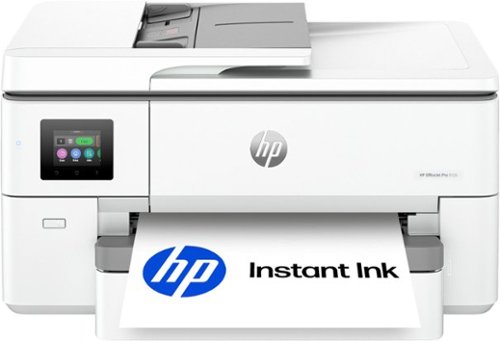
The HP OfficeJet Pro 9720 Wide-Format All-in-One Printer delivers fast color, fade-resistant prints, 250-sheet paper capacity, and scan and copy capabilities perfect for your office. Print up to 11 x 17 inches, and scan legal-size documents on the flatbed scanner. Navigate this printer with the 2.7" color touchscreen and phone-like user interface. It includes wireless and printer security features to keep your multifunction printer up to date and secure, and is made with more than 30% recycled plastic content. Optimize print formatting with HP AI, that easily removes unwanted content from emails and web pages so your prints are just the way you want~no wasted pages or unwanted content. Subscribe to Instant Ink delivery service and get 3 months of free ink delivered directly to the door of your office. The HP OfficeJet Pro 9720 Wide-Format All-in-One also lets you print from anywhere with the HP app.
Customer Rating
3
Decent Printer, Horrid Instant Ink Program
on July 27, 2026
Posted by: Posted1
I mean... It's a printer. Nothing more, nothing less, And as a printer? Sure, it's fine.
Setup was pretty straight forward. It helps if you get the app, but you can do it manually if you'd like. Depending which route you choose, I would say typical box to print time for the average user would be 10 to 15 minutes. I have set a TON up over the years, so I was sub-10 minutes.
As for the printing itself, typical HP quality, pretty good. 22 page-per-minute black, and color, 18 PPM. Not bad. This a multi-use printer so you can scan as well, if you need to.
In all, it's re;atively quiet, which an be a good thing, but not necessarily. My other machine a was a little bit louder, and that advantage for me, was if I printed something rom my den to my office, if doors were open, I could hear the old printer start to print, so I knew it was working. This one is noticeably quiter. You can hear it, but you'll need to turn the radio or TV down.
Why I only gave it 3 stars? Because I HATE HP's Insant Ink program. I bought the printer. I shouldn't have to provide a credit card in porder for them to mointor my printing, AND charge me monthly for it. I HATE that! I would reccomend not signing up for that.
Secondly, HP replacement ink cartridges are generally more exensive than that of their competors. To replace all cartridges, you could be looking at $125 to $200.
Secondly, most HP printer cartridges have a biult in chip that the printer has to read in order to print. Whay does this matter? Well, without the chip from HP's more expensive replacement costs, the printer will not print. This costs you money! You can't use generic or other branded (less expensive cartridges.
End of the day, a decent wide-body printer, BUT their INstant Ink program stinks, AND the requirement to use OEM HP expensive ink is lame.
No, I would not recommend this to a friend.
Share this review:


0points
0of 0voted this as helpful.
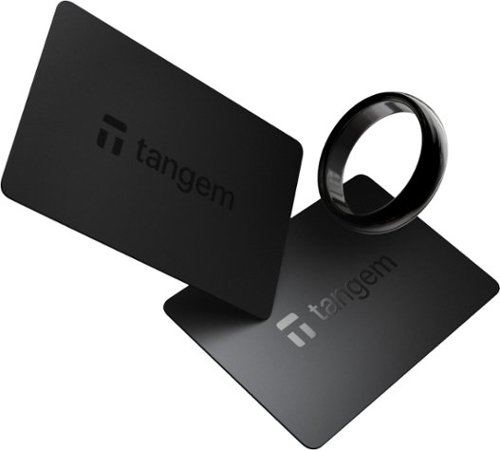
Tangem Ring Size 10 (US) ~ Secure Cold Wallet for Crypto Storage, No Seed Phrase Needed. Experience next-level security and convenience with the Tangem Ring, a revolutionary cold wallet solution for managing your digital assets. Designed with military-grade encryption and Swiss-engineered security, this sleek, ring-shaped wearable device offers you full self-custody of your crypto ~ without the risks of traditional seed phrase storage. Each Tangem Ring set includes Ring and two identical smart cards, allowing you to securely back up your wallet and eliminate single-point failure. Lose one card or Ring? No worries ~ you can still access your funds with the remaining ones. Activate the wallet in under 3 minutes using your smartphone and the Tangem app, with no personal information required. Compatible with Bitcoin, Ethereum, Solana, XRP, USDT, and over 6,000 cryptocurrencies, the Tangem Wallet also supports NFTs and integrates with DeFi, dApps, and WalletConnect. It's waterproof, tamper-resistant, and designed to last more than 25 years ~ giving you peace of mind and true financial sovereignty. Whether you're a seasoned crypto investor or just getting started, the Tangem Ring is the most user-friendly, secure, and durable cold storage solution available today. Key Features: Ring and Set of 2 smart backup cards for maximum security. IP69K. Durable and lightweight material ~ Zirconia ceramic. Highly resistant to scratches, dust, water, and extreme temperatures. Perfect for daily wear, adding a touch of elegance to your everyday life. No seed phrase ~ secure your assets without memorizing or storing anything. Supports 10,000+ cryptocurrencies, NFTs, and DeFi platforms. NFC-enabled, works with iOS and Android. Tamper-proof, waterproof, and built to last 25+ years. Made in Switzerland with the highest security certifications. Upgrade your crypto security today with the Tangem Ring ~ your trusted cold wallet for the digital future.

Posted by: Posted1
I have never given a one star rating to a product before, but I honestly feel painted into a corner with this wallet... I'll tell you why.
First off, I am not a "Crypto Bro". I got a Ledger device a few years ago, deposited like $70, and it's worth maybe $400 now. Yay. But other than that, crypto is a very passive hobby, at best, so take that for what it's worth.
Secondly, the ring itself is kind'a cool. The ceramic is deep, dark, and attractive. But as a wallet? Nope.
OK, I downloaded the app, and setup was pretty simple. Entered basic info, registered the ring, registered the 2 backup cards was pretty simple. Maybe 5 minutes from opening box to having to ready to go... Then everything went south, big time.
OK, I have the app, ring and both cards registered, I should be good to go, right? I went to add funds in the Tangem app, and I flat out couldn't. I tried from multiple platforms using Google Pay and Google Wallet... Nope. Every single time, on every single platform, when I hit the "confirm Order" button, nothing happened, and I mean NOTHING. It would not process the order. Again, this happened several times, and with no less than 6 different platforms.
OK, I'm not going to give up, 'cuz that's not me. OK, cool... I chose the "credit Card" option... Added my card, went to purchase and got the error message "It is highly unlikely the card provider will let you purchase crypto funds." For the record, this card is not some Bank Of Central Juarez, off brand sketch provider, it's Chase. But the same error, multiple times, on multiple platforms...
Am I ready to give up? Nope. Did the same thing with my American Express card, and guess what? Same error. A waste 1.5 hours, and measured frustration.
Looking at the screen-shots, one might ask, "Well sire, you should have paid with your PayPal or Venmo account." NOPE. NEVER. NOT GOIN G TO HAPPEN. I DO NOT and I WILL NOT, EVER, have one of those platforms for ANY financial transactions. I DO NOT trust them. "Well, how about a debit card?", one might ask. Again, same answer... I DO NOT and I WILL NEVER have a debit card. I am cash only, and credit for travel and when credit is the only payment option. Nope.
End of the day, this was a waste of two hours. I have the equivalent of a $60 zirconia ceramic, halfway decent ring, but I have no crypto wallet.
Not cool. Not enjoyable. Actually, the opposite... Left me with a bad taste. I might fiddle with it tomorrow, but honestly, I am not sure if I care enough. I might just shred the cards and keep the ring for when the "fashion" mood strikes.
Sorry, but so far, a waste of my time.
No, I would not recommend this to a friend.






Share this review:


0points
0of 0voted this as helpful.
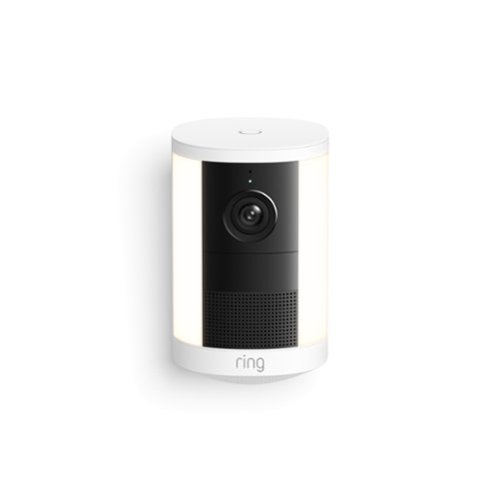
Bring bright, motion-activated lights and crisp Retinal 2K 1 video to key spaces all around your property. Easy to power and mount, Spotlight Cam (2nd Gen) automatically lights up out-of-sight areas and delivers instant alerts when it detects motion - helping you see what~s up and deter intruders at all hours.
Posted by: Posted1
OK, in my house, I have a mixture of Ring camera's and Google Nest cameras. Being a part of this program, I have a, you lot of experience testing many brands of camera's, and in my experience, you truly do get what you pay for. The premium is worth it with the Ring.
My experience with battery camera's is mixed. With some battery camera's, maintaining the battery can feel like a part-time job. The cool feature with these camera's is two-fold: first, the batteries are big, and hold more charge than most. Second, these camera's have two battery slots. So when one goes low, the camera automatically switches to the other battery. Then you can replace the low battery with a previously charged one. Twice the life, half the time managing batteries. Great design.
The mounting options for these cameras are great. You can put them almost anywhere, inside or out, basement, garage, pool, pool house, greenhouse... Pretty much anywhere.
If you don't have the Ring app already, you'll need to get it and get an account. If you do have one, adding the unit is simple.
The picture is great. The light is, well... It's bright enough.
The app offers tons of control, is intuitive, and offers great options.
End of the day, I would reccomend to a friend.
I would recommend this to a friend!




Share this review:


+4points
4of 4voted this as helpful.
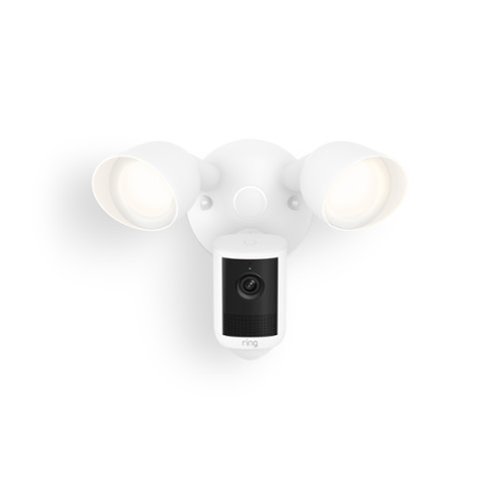
Wide-Angle Retinal 2K with up to 6x Enhanced Zoom, Motion-Activated Floodlights, Built-In Siren, Live View & Two-Way Talk, Motion Detection, Mount-Anywhere Versatility; Scare off intruders in a flash and light up all the crucial details. As soon as something goes down, Floodlight Cam (2nd Gen) gets going, switching on floodlights to brighten the scene and sending crisp Retinal 2K1 video straight to your phone. Essential protection for any large spaces around your property.
Customer Rating

5
Excellent Spotlight and Camera
on July 7, 2026
Posted by: Posted1
Being a part of this program, I have had the opportunity to use A LOT of camera systems. For me, I have two favorites, with a running tie between Ring and Nest. With my current system being these two, they are both great systems and they do different things very. This Ring Floodlight camera fits right in.
install was pretty straightforward, especially if you have an existing wired mount. I did not. I had to tie into another exterior light's power and run a few feet through the attic. If you have an existing mount and are just repolacing an old light with this, you should really only need a ladder, a couple screwdriver and three wire nuts. For a replacement, you shoukd be able to di it in 15 to 20 minutes.
Once installed, adding it to an existing system is a cinch. Just go into the app, add a new product, and follow the simple instructions. If this is your first foray into Ring, you'll need to download the app first.
One note: In order to get cloud storage and AI, you will need a paid subscription plan with Ring. I already have this for unlimited cameras, so it's straight forward for me. The good news, is the yearly fee is pretty reasonable compared to some competitors.
You will also need the subscription to get the AI event descriptions. I have found the AI to be pretty accurate, and honestly, sometimes, entertaining. For example, we have a large, grey, fluffy cat that roams the neighborhood. Sometimes the AI will see her and say "A racoon is walking near the pathway". But usually, it's pretty spot-on.
As for motion detection, it's honestly maybe TOO good. I had to adjust the motion detection down, and adjust for what it was looking to detect. I don't need to know that bee or a fly came by. But that's not a complaint, that's a compliment.
Video quality is excellent. I have the "Pro" version of this in 4K, and to my eye, the video between the two is a difference without a distinction. Again, a compliment.
The spotlight is also excellent. Compared to the Pro, again, I can't tell a difference.
One thing I do prefer Ring over Google Nest, is the app for Ring is a little more intuitive than the Nest. You have a lot of control and choices for what get's detected, area's to be detected, timing on lights, etcetera.
In all, an excellent choice, and yes, I would reccomend to a friend.
I would recommend this to a friend!




Share this review:


+4points
4of 4voted this as helpful.
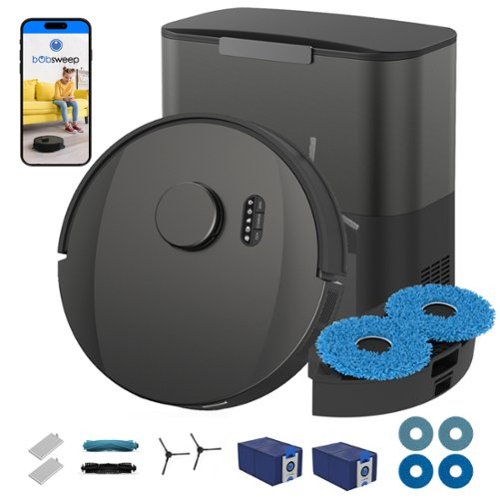
Shed happens! And when it does, UltraVision Pet Combo is your best friend. With 25,000Pa suction, DualScrub auto-lift mops, a 180-day auto-empty dock, activated-charcoal-lined dust bags, and a high-resolution object-detection camera, this bot is the heavy lifter that provides the best relief for pet owners who love their pets but not their mess. The extra-large 6 L (1.5 gal) dust bags hold pet hair, dust, dander, litter, and stray kibble that furry family members leave behind ~ making UltraVision Pet Combo ideal for homes with pets and high-traffic areas. The disposable bags are reinforced with activated charcoal to neutralize odors, so there~s no stinky dock in your home. Each bot includes two bags, and refills are economical and easy to replace. Powered by bObsweep~s proprietary QSLAM navigation software, UltraVision Pet Combo scans and maps your space in real time, navigating under and around furniture with precision. As he moves, the bot builds a detailed floor map that you can customize, save, and edit in the bObsweep mobile app. Maps are stored only locally on the bot, and multi-storey floor maps are supported. Above all, with UltraVision Pet Combo you can rest assured about your home~s privacy. bObsweep bots are engineered never to send images of your home anywhere~and the hardware architecture precludes transmitting data-heavy content such as images or videos from the device. bObsweep builds privacy into the design, protecting you against breaches.
Customer Rating

4
Good For Some Environment, Not Great For Others
on June 22, 2026
Posted by: Posted1
OK, this is an OK robovac. Over the years, I have had multiple opportunities to test and review several Robovac's from multiple ,anufacturers. End of the day, my experience has been that... Well... They're OK. I can't think of a single robovac that is particulary remarkable or memorable. Most of them are decent at vacuuming, and OK at mapping, but they all do better in static environments. This one is no different.
Set up was pretty simple. Out of the box and ready to go, 15, maybe 20 minutes. As expected. Load the app, pretty simple. Operational in 30 minutes or so. Set it loose and wanted to see how it was as a vacuum/. How was it? It was OK. I will say, this one is advertised as a pet specialty, and it was good. Honestly better than mrectangle ost others. We have a small 20 pond dog, and then we have 3 average size cats. They are all short hair, except one of the cat's is a medium hair. After 3 straight days of running tests in a simple, lightly furnished rectangle room, it learned pretty quickly, and did do a good job on the pet hair. BUt then, the real test...
We have a relatively large house, with 3 wings and 2800 sqaure feet on th emain level, 1500 square feet with a long hallway, an open office, and 3 beds, 2 baths upstairs. It's a pretty straightforward lay out. In the basement, we have another 1500 square feet that has one bedroom, one bath, and the rest a wide-open area with a pool table, a couple coiuches and a couple recliners.
OK, now that we have a the lay-of the land, this vacuum did great upstairs, as long as we kept bedroom doors closed. With the bedroom doors open, not so much. It seemed to get confused (as most vacs do, whe doors are open. As I expected.
Moving to the main floor, I'll say it's this robovac, (or any robovacs, really), our priumary level is just not set up for robovac's... We have two steps down to the den, three sectional sofas, and three seperate sets of French doors. This, and really all robos struggled with not only the size, but the complexity.
Now lets go down to the finished, but mainly wide open basement and it did great, but given the simplicity of the layout, that is what I expected.
End of the day, this operated as expected. A decent robovac FOR THE RIGHT ENVIRONMENTS, but not at all good in larger, more complex environment.
If you have the former, probably a decent choice. If you have the latter, this, or most other's are probably not the best.
Share this review:


+4points
4of 4voted this as helpful.
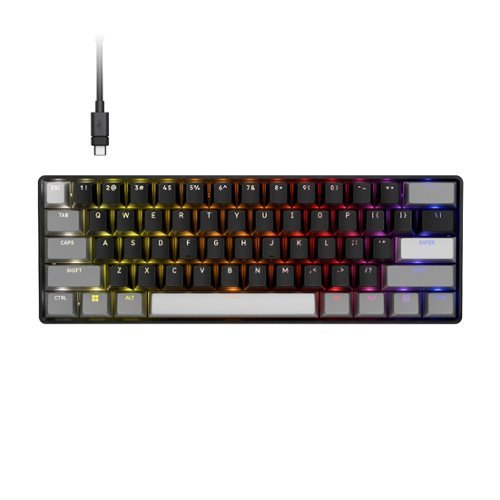
Power up your performance with CLIPPER PRO MINI 60~s enhanced Hall Effect tech. MGX HYPERDRIVE CORE magnetic switches unlock Rapid Trigger and next-generation Hall Effect features: Multi Action, Tap Lock, and Smart Tap so players can dominate the competition with game-changing speed and precision. Combined with 8,000Hz hyper-polling for near-instantaneous inputs and FlashTap SOCD for enhanced movement techniques, this supercompact 60% layout delivers a pro-level advantage in a small footprint. This incredibly water and dust-resistant mechanical keyboard is IP57-rated, built to withstand the toughest grind. Connect via USB-C to USB-A cable for enhanced control on PC, Mac, or console
Customer Rating
5
Very Cool LITTLE Gaming Keyboard!
on June 17, 2026
Posted by: Posted1
This a very cool LITTLE gaming keyboard!
My first takeaway was how truly small and compact the keyboard. I was concerned it would be difficult to type on (yes, I realize it's a tageted gaming keyboard), but it wasn't. The feel was fanatastic!
The typing feel was great, as was the gaming feel. For gaming, I prefer smaller keyboard. This one is one of my favorites. I have used several gaming keyboards, from ones that cast less than $100, to ones that are over $500. While you generally get what you pay for, I honestly believe this one is near the higher end. It's a high quality keyboard, for a good price.
The lightong on it is pretty cool. As you can see from the pics, you have several patterns you can choose from, from color thesmes that "move", to solid color. Persoanlly, I prefer the solid colors. My 24-year-old US Navy Nuclear Engineer and avid gamer, likes the colors. This unit gives you both.
This keyboard has "Hall effect" keys. Most people who would read this already know what Hall effect is, but for those who don't, Hall effect uses magnets and sensors, and not mechanical contact. The advantages? Keys will last a very long time, they are adjustable, no debounce (huge for hardcore gamers), and a smooth and consistant feel.
Couple oif notes: This is a wired keyboard, and to get full value, download the Corsair app. The app is pretty clean, and easy to use. Not the deepest in the world, but clean, intuitive, and good enough.
In all, this is an excellent keyboard, especially for the price and feature set.
I woulkd reccomend to a friend.
I would recommend this to a friend!






Share this review:


+6points
6of 6voted this as helpful.
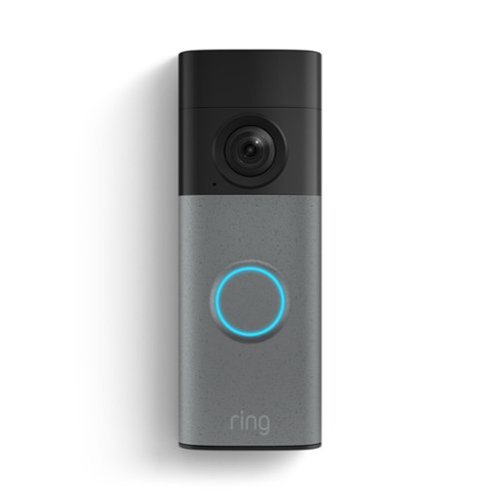
With a built-in rechargeable battery and simple installation, our redesigned Battery Doorbell 2K gives you the protection you need, where you need it. See every moment that happens at your front door in Retinal 2K video sent straight to your phone.
Posted by: Posted1
Great doorbell!
I have a combiniation/hybrid system between the Ring ecosystem and the Nest system. They both are great systems in their own regard, but one place where this beats the other, is in the mount for removal and recharging of the bell cam. The nest uses a plate that can be pretty finicky, but this one, is a cinch.
The mounting was simple. Two screws, and then snap it right on. Great!
Already having the Ring ecosystem, adding the doorbell was also simple. Simply go to your devices, hit the blue "+" button, choose your product, name it, and you are good to go.
The camera quality itself is great. Between the two systems, the Ring has slightly better digital zoom. As for motion detection, they are both very good. I do always move the motion detection to the lower end of the range on my battery products. End of the day, I really only care about mammals and package delivery. No need for it to go off when a bee flys by.
The battery life has also been in line with the other system. I chose to mount this one on the garage door, where it wouldn't be constantly triggerd by passing cars and the battery has so far barely budged.
End of the day, great product, whether you already have the Ring system or would like to use this as your base to build around.
I would recommend this to a friend!






Share this review:


+8points
8of 8voted this as helpful.

BlueParrott Pro B350 is a lightweight, comfort-first Bluetooth~ headset engineered for clear calls and easy communication throughout long, multi-stop driving days. Its industry-leading AI voice isolation microphones deliver 98% noise cancellation, while passive noise reduction in the earcup ensures clear calls on busy roads and around the vehicle. An ultra-light design with a soft ear cushion and T-bar pad reduces pressure for all-day comfort, plus up to 40 hours of talk time without interruption, Bluetooth~ connectivity and an extended, reliable wireless range help drivers stay connected in and out of the truck allowing you to leave your phone in the vehicle while dropping off orders or taking a break~ideal for long-haul truckers, food delivery drivers, regional drivers, ride-share drivers, farmers, landscapers, RV drivers, off-road enthusiasts, or anyone on the move. With simple voice control to answer and reject calls and the customizable BlueParrott Button~ for one-touch Push-to-Talk or mute, the Pro B350 enables quick, distraction-free communication that keeps attention on the road. Rugged IP54-rated protection ensures dependable performance for everyday driving conditions.
Posted by: Posted1
Decent headset, for what it is.
This is not my first foray into the BlueParrott family line. Just for reference, BlueParrott is a sister company to Jabra. Jabra also has some good products that I have previously used and reviewed.
This BlueParrott - Pro B350 Wireless Bluetooth Mono offers good utility, with great noise-cancelling microphone, and mono audio. This is not designed for music, it's designed for utility. Having the audio enter in only one ear allows for the other audio channel to be aware of surrounding auditory cues, (sirens, horns, radio chatter, etcetera), and that is a huge advantage for those who drive alot.
Set up was as expected. Download the app, (I already had it), pair the unit, and you are good to go.
The controls on the side are good. My experience is that all too often, the controls can be "too cute by half". In this case, they are fairlu intuitive, and tactile feedback is understandable and accurate.
In several conversations with my wife, friends and employees, the sound quality to them was great. And I had no problems understanding and hearing them.
Quality was good for consumer grade, as was comfort level.
In all, a good choice, for a good price. I would reccomend to a friend.
I would recommend this to a friend!
Share this review:


+4points
4of 4voted this as helpful.
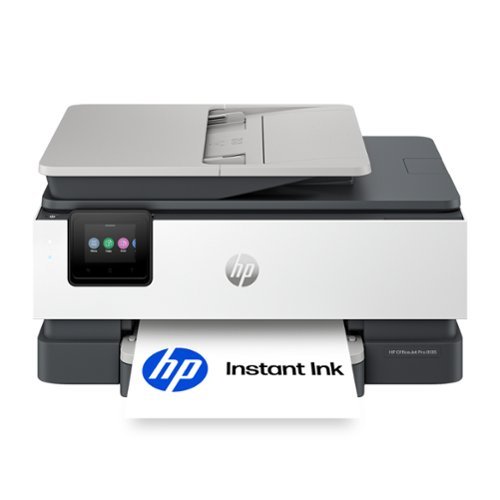
The HP OfficeJet Pro 8135 All-in-One Printer delivers fast color, water-resistant, smear-resistant, and fade-resistant prints, 225-sheet paper capacity, and scan, copy capabilities plus fax, perfect for your home office. Navigate this printer with the 2.7" color touchscreen and phone-like user interface. It includes wireless and printer security features to keep your multifunction printer up to date and secure, and is made with more than 45% recycled plastic content. Optimize print formatting with HP AI, that easily removes unwanted content from emails and web pages so your prints are just the way you want~no wasted pages or unwanted content. Subscribe to Instant Ink delivery service and get 3 months of free ink delivered directly to the door of your office. The HP OfficeJet Pro 8135 All-in-One also lets you print from anywhere with the HP app.
Customer Rating
3
Decnt Printer, HORRIBLE Subscription Plans!
on June 3, 2026
Posted by: Posted1
I mean... It's a printer. And it does what printers do. Yay.
The good? Well, like I said, it's a printer. It prints. And it prints fast enough for any home, and / or home-office, printer. Great. Can't really give more than 4 stars, for a printer doing what a printer is supposed to do, print. Great. So why did I give it a three star rating instead of four? Read on, and I'll explain later.
The setup was as expected. Load paper, load ink, scan QR, follow instructions for WiFi, test page...
Here is where it loses a star. I DO NOT RECOMMEND signing up for the "HP Instant Ink". A monthly SUBSCRIPTION FOR PRINTER INK?!?!?! NO. HP has been pushing HARD for the "subscription model" for YEARS. I am NOT paying a monthly fee to print a few pages every few months. Nope.
The other caveat, HP uses chips in their cartridges to try to farce you to use HP ink cartridges. Non-HP cartridges MAY not work. Is that the case with every non-HP cartridges? I don't know, and I'm not going to spend $60 to find out.
End of the day, decent printer, but HP tries to force you into a subscription, AND force you to use their more expensive cartridges. NOT cool.
Black and white, printing is quick, clean, and clear. Color printing, is again, fine. It's not photograph quality, but it's not supposed to be. So again, fine.
Setup was as expected. It's a printer
No, I would not recommend this to a friend.
Share this review:


0points
0of 0voted this as helpful.
Posted1's Review Comments
Posted1 has not submitted comments on any reviews.
Posted1's Questions
Posted1 has not submitted any questions.
Posted1's Answers
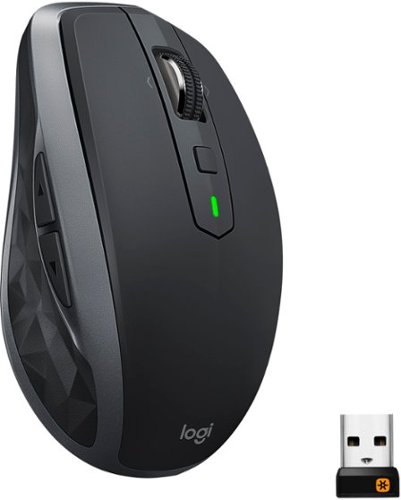
The advanced mobile mouse for power users. Harness the power of Logitech Flow and seamlessly move content between three devices. Scroll through documents and web pages faster and easier with the hyper-fast scroll wheel. Powers up for an entire day in just three minutes. A compact, sculpted shape crafted to fit your hand and provide the control you need anywhere.
how do I get my mouse to move properly on my intel computer screen
I'm not sure I understand the question. You should be able to plug the USB into your PC, turn your mouse to the "on" position and have it operate no problems.
5 years, 3 months ago
by
Posted1
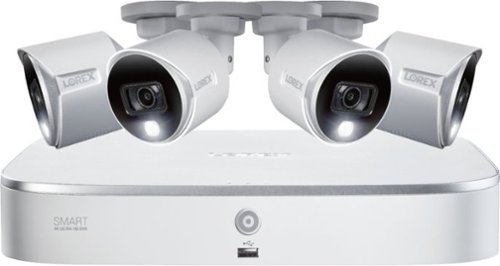
Record and view impressive video with this powerful security system, providing 4K Ultra HD resolution with superior definition and detail. This system also features Smart Motion Detection on all channels, so you only receive notifications that are important to you. Smart search technology allows you to quickly and easily filter motion events, saving time when reviewing footage. With convenient voice control and smart home compatibility, 4K Ultra HD resolution, and Smart Motion Detection, this security system has everything you need to start protecting what's important to you.
Is this surveillance system 4K
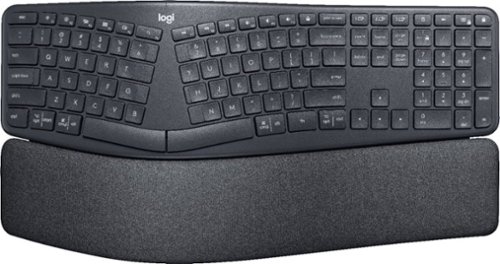
Type more naturally with ERGO K860 ~ an advanced ergonomic keyboard that promotes a more relaxed typing posture ~ reducing wrist bending and offering wrist support. A curved keyframe helps reduce wrist strain, while a pillowed wrist rest keeps your forearms elevated to help prevent excessive bending. This Logitech ERGO keyboard features Perfect Stroke keys for quiet performance and responsiveness, and the 2-year battery life offers long-lasting use.