


banjo's stats
- Review count146
- Helpfulness votes649
- First reviewJuly 12, 2016
- Last reviewSeptember 7, 2026
- Featured reviews0
- Average rating4.7
- Review comment count1
- Helpfulness votes1
- First review commentDecember 21, 2016
- Last review commentDecember 21, 2016
- Featured review comments0
Questions
- Question count0
- Helpfulness votes0
- First questionNone
- Last questionNone
- Featured questions0
- Answer count16
- Helpfulness votes119
- First answerJuly 7, 2016
- Last answerFebruary 3, 2021
- Featured answers0
- Best answers6
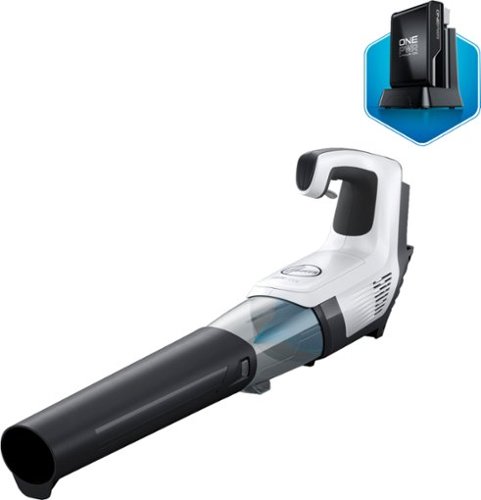
Make yard work easier with this Hoover ONEPWR Cordless High-Performance Blower. A heavy-duty turbo fan blasts away leaves with up to 270 cfm of airflow, and an integrated scraper easily removes stuck-on debris. This Hoover ONEPWR Cordless High-Performance Blower includes a charger and a battery and is ready to run right out of the box.
Customer Rating

5
Handy for touch-ups when leaves are falling...
on December 23, 2019
Posted by: banjo
from macon, ga
This handy cordless blower makes it much easier to keep the driveway, deck, and walkways clean – especially now with leaves dropping down as soon as you have put the blower back in the toolbox. A heavy or wet accumulation of leaves and pine straw is better handled by a corded blower, but this cordless blower makes quick work of a light layer of newly fallen leaves and pine straw. An unexpected bonus is having the cordless blower for use on the roof, as it helps make keeping the roof blown off so much easier and safer.
Best features are (of course) cordless, so no messing with the long and limiting extension cord – helps get all the front curb blown off without having to change outlets on an extension cord; light weight and easy to handle; variable speed trigger to help the battery last a little longer but provide maximum velocity when needed. All these together make it much easier and much much much more convenient to grab the blower and do a quick touch-up to keep everything clean. Battery will last a good 30 minutes of use - with the variable speed helping with the run time - plenty of time to blow everything off and dust off the cars, too. Also should mention the noise level is much less than the corded blower, and not so much of a disturbance to the neighbors and their pets.
Overall, I wouldn’t say that this totally replaces a corded blower – those are sometimes needed if the leaves and pine straw build up for a few weeks, but the Hoover cordless makes it so quick and easy to keep surfaces blown off that the corded blower may not see much use in the future.
Best features are (of course) cordless, so no messing with the long and limiting extension cord – helps get all the front curb blown off without having to change outlets on an extension cord; light weight and easy to handle; variable speed trigger to help the battery last a little longer but provide maximum velocity when needed. All these together make it much easier and much much much more convenient to grab the blower and do a quick touch-up to keep everything clean. Battery will last a good 30 minutes of use - with the variable speed helping with the run time - plenty of time to blow everything off and dust off the cars, too. Also should mention the noise level is much less than the corded blower, and not so much of a disturbance to the neighbors and their pets.
Overall, I wouldn’t say that this totally replaces a corded blower – those are sometimes needed if the leaves and pine straw build up for a few weeks, but the Hoover cordless makes it so quick and easy to keep surfaces blown off that the corded blower may not see much use in the future.
Mobile Submission: False
I would recommend this to a friend!
Share this review:


0points
0of 0voted this as helpful.
Keep your computers, phones, and tablets in peak performance with this AVG software. AVG TuneUp will help you free up precious disk space, remove unnecessary junk files, and get your devices running smoother and faster than before.
Customer Rating

3
One-Stop Shop – if you need it...
on November 26, 2019
Posted by: banjo
from macon, ga
I reviewed the AVG Internet Security software about a month ago, and was pretty hard on AVG for using their Internet Security software to promote the purchase of the TuneUp package. Well, I now have tried the TuneUp package and although it is a pretty reasonable price for a 5-device license, it still leaves a little to be desired. More on that shortly.
The TuneUp package basically makes it pretty easy to clean up your computer (or android) without having to fish around for different functions that are already built in to the operating systems. In other words, just about everything that TuneUp does can be done with what you already have, but TuneUp puts it all together in one place and handles the tasks more efficiently. A word of advice, if you have a brand new computer, you won’t get much benefit – as TuneUp is made to clean up the bits and pieces that reside on an older machine after longer periods of use. Items such as abandoned links, downloaded installation files, browser caches, and duplicate file clutter are identified and can be deleted. Personally, I advise against the TuneUp (or any other) “registry cleaner” as messing with the registry willy nilly can boink your system pretty quickly – and the registry entries that are no longer needed don’t take up much room or slow down your computer as some would have you believe. In other words, I totally ignore the recommendations to “clean” the umpy bazillion registry items that are flagged as “not needed” in favor of the peace of mind that comes with leaving the registry alone under any and all circumstances.
Anyway, about half of the functions of TuneUp are either not really needed (such as disk maintenance/scanning on a solid state drive) or cleaning the registry. Clicking a few buttons on TuneUp to scan for broken links (they really don’t slow down the system) helps a little, and deleting garbage and ancient installation files helps a little, and CAREFULLY deleting duplicate files helps a little. All in all, if you have a decent sized hard drive and don’t load your system up with a bunch of crappy shareware that you use once and then forget, TuneUp does a little for you, but doesn’t make a huge difference.
The best function I could find in the package was analysis of programs that were running in the background and using up memory. I was surprised at how many little things were percolating in my system, but it is rather tedious to go through and decide which of them can be “put to sleep” by TuneUp and which of them were needed. Again, if you have a system with 8 gig of ram, there is not a great deal to be gained by putting background services to sleep as they mostly sit and bubble without taking up much memory.
AVG got me soured with their Internet Security program that kept insisting that I needed to get their TuneUp program- and after trying out the TuneUp I still don’t have a happy attitude towards the whole AVG marketing program. I guess I am a good example of how hard it is to get a customer on your side once you have ticked them off or left them feeling like their expectations have been unfulfilled. As far as TuneUp goes, it is something nice to run to see where your system is at, and to clean things up a little bit to get a little faster (a little faster) boot time and free up some hard drive space or memory if you have pushed your system to the edge of storage capacity or need to free up some RAM. Personally, I would rather spend the money to add another hard drive or put in another stick of RAM. Maybe on a laptop with limited expansion capability – I could see it being worth the time to run TuneUp.
On a final note, having run the TuneUp and picking through the options to clean up my system a little bit, I have to mention that the software is only good for one year. Sorry I’m old school and prefer the “buy it and it’s yours forever” model and don’t look forward to the flurry of emails and popups that will come next year to remind me again and again and again that my subscription is fixing to run out and I am in danger of my computer exploding if I don’t ante up for another year’s subscription with “special offers” and such and such.
Sorry for the negative attitude. AVG is well known and makes good products as far as that goes, I just don’t really need the help when you get down to it, and don’t care for being subjected to their marketing strategy. My computers run just fine, and when they start bogging down it works much better just to re-install the operating system and have a fresh start. Don’t fix it if it ain’t broke, and if it does break – then fix it right.
Peace
Mobile Submission: False
No, I would not recommend this to a friend.
Share this review:


0points
0of 0voted this as helpful.
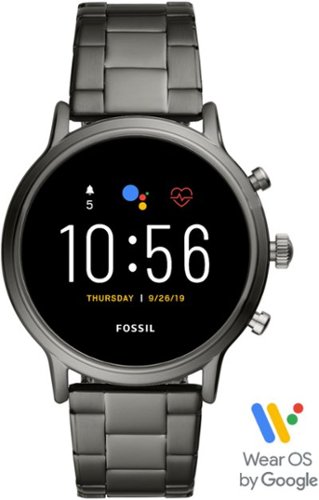
Train like a pro with this 44mm Fossil Carlyle HR smartwatch. Bluetooth functionality enables syncing with your smartphone, while the internal storage lets you work out with your favorite tunes. This swimproof Fossil Carlyle HR smartwatch features GPS to track your activity outdoors, and the heart monitor keeps tabs on your cardiac rate.
Customer Rating
5
A VERY nice watch with excellent build quality…
on November 25, 2019
Posted by: banjo
from macon, ga
WearOS has finally arrived! What a difference a few years can make.
Do yourself a favor, be sure your watch has all the updates before starting to install apps. Do yourself another favor, install and set up ONE app at a time to avoid buggy apps and conflicts. Not a complaint, just some advice to save you from having to go back and start all over if you cram a bunch of apps on the phone before checking them out. Patience with updating and installing apps will keep you smiling and give you something to do. I am comfortable with setting up apps and watches, and “knowing what I want on my watch” led me to doing too much at once and having to purge the system and start over with setting up the watch. Take your time and update first. Nuff said.
This watch is replacing a Tizen-based watch I have had for about 3 years. Of course it is going to be a little different and have a learning curve, as with most smart watches – but once all the updates are installed (plan to spend a few hours going through this process) and desired apps installed, I can say that the Wear OS system is as good, if not better, than the Tizen system. Getting used to the button (or swipe) system as opposed to the rotating crown (or swipe) system is a learning curve, but that is a result of what I am used to doing and not a complaint about the Fossil watch. In daily use, I actually resort to the screen swipe more than rotating bezels or pushing buttons except for the button push to clear the screen and go back to the watch face – which works the same way on both my old phone and the new Fossil. No problems, either one just takes some practice and getting-used-to time on the wrist.
The appearance and style of this watch are very nice – definitely masculine size and the watch itself is about the same weight as others I have used or tried on. I thought this would be a little heavy for the ladies, but several female friends have tried it on and most don’t seem to mind the size and weight. One said she actually liked the size as the screen was easier to read than her A**le and the watch felt more durable. Your mileage may vary and I would suggest trying one on from the display cabinet if you are concerned about have a smart watch that is “too big” for your comfort. Personally, I am used to the size and weight from my previous watch and find that the Fossil is a step up in style and appearance.
The Wear OS has come a long way since earlier days when I first had a look at it before getting my first smart watch, and being able to directly access Google Play without having to go to a separate site for apps is definitely a time-saver. Do yourself a favor and read the app reviews and install/setup one app at a time, as some of the available apps are a little buggy and don’t work as well as they could. This is advice that I give having learned the “hard way” by loading up several apps that look interesting and then having to go back and do a factory reset to clean the slate – one or two of the apps were messing up the whole system and if you don’t set them up and try them out one at a time you might end up spending more time than you would like troubleshooting some buggy apps.
Although this is not a designed “fitness” watch, there are most of the monitors such as heart rate and GPS that are needed for keeping track of daily activity, walking, jogging, and light workouts. I would suggest that you don’t want to use this watch in the weight room when you are hanging and banging, mostly to preserve the stylish appearance and avoid scratches. If you are dead set on using this for regular fitness tracking, then a flexible steel mesh or silicone band may be more suited than the metal link band that comes with it. A recent update to WearOS also has added sleep tracking through the Google Fit app, but personally I have a lighter and more “sleep comfortable” watch that I wear at night while my daytime watch is charging.
On a personal note, the band that comes with the watch is very nice, but I may replace it with a Milanese Loop band with magnetic clasp, which I absolutely love on my old Tizen. Probably a case of preferring what I am used to, but I love those magnetic clasps as they are so easy to make a quick adjustment if my wrists puff up a little or get a little “touchy” during the day.
The display is a definite improvement over my older Tizen watch and is easy to read in all but direct sunlight. Colors are bright and crisp, which allows for some really nice choices for watch faces – again available from Google Play directly without having to install a series of separate apps on your phone and watch to get a new watch face that catches your eye.
The availability of Google Assistant is also a nice feature, as the B*xby function on my older watch got used (and crashed) a few times before I had to give up on voice prompts through my watch. This Fossil is actually functional with Google Assistant, and allows me to send texts, make and receive calls, and get a quick weather report while driving without having to get a ticket for violating the “hands free” law in my state. I am used to a built-in speaker for alarm tones and notifications, and have been OK with the quality of voices when making phone calls (good, not great) on the older Tizen watch. The Fossil is a definite improvement in speaker quality for voice messages and phone calls, but I would not get too excited about being able to play music on your watch, as none that I have tried are much good for more than carrying a tune in general or listening to a podcast in a pinch.
Battery life seems sufficient to get me through the day, with the recommendation that “always on” is not running to pull the battery down. The wrist-action activation is nicely responsive when you raise your hand to check the time, about the same as what I am used to with my Tizen watch, so whoever is using “always on” and complaining about the battery life would have the same problem no matter what watch they are using. Battery life for daily use (other than the first days of massive fiddling around to get the phone set up) is sufficient to go through a 6AM to 5PM day with not problems, and plenty of battery to spare for evening hours. I charge my watch overnight, since I have a lighter fitness watch for evening and sleeping, so don’t anticipate any issues with getting a good full day out of the Fossil. If I need the watch to take me into the wee hours of the evening, a quick 30 minute connection to the charger takes care of going through an 18 hour day with plenty of reserve. Again, there are those that will be constantly fiddling with their watch and making phone calls and texting and using the weather radar and playing a game or two, and that might be problematic for battery life. If you are a moderate user of the watch and make a few calls and send a few texts and check the weather from time to time, you should be just fine with the battery. Keep the brightness set to “automatic” or dim it down a little and that will make the difference if your battery time is on the edge of acceptable. Also want to mention there are several battery modes that can be pretty quickly changed to conserve battery power if you see that you are getting in a pinch. My older Tizen watch goes to “saver mode” from time to time on a long day or after heavy usage, but not very often and when you need it on the Fossil, it is there to use. Personally I have a watch face installed that displays both phone and watch battery charge, which makes it easy to keep track of battery drain to drop the watch to lower power consumption if it’s going to be a long day with no charger nearby.
Bluetooth and wireless setup are very smooth and no problems connecting to the phone, home wireless, open wireless (if needed), or Bluetooth headsets (if your phone is nearby why would you do this but thought I would mention that my headsets connect OK). Some folks recommend leaving the wireless off to conserve battery life, but I haven’t found this necessary with my daily usage pattern. Your mileage may vary and if you are concerned about battery life you can always turn off the wireless and location functions to save some juice when needed.
Pricing on the top-end Tizen and WearOS watches are about the same. I have used Tizen for several years and admittedly once you get it set up, it works pretty well except for the poor voice recognition. WearOS struggled along for several years but with the Fossil Gen5 seems to have closed the gap and offers the advantages of direct access to Google Play (admittedly with less choice of apps but gaining ground quickly) and excellent voice recognition. Both are about the same price, and both work about equally as well. The tipping point for me comes with having several “Google Voice” devices around the house, and the comfort and familiarity with interacting with the Google ecosystem. Having a watch that ties right in with both my phone and the smart home system is the clincher for me. Another way to put it would be that the few things that disappointed me about the Tizen system are well satisfied with the WearOS system. These are nice benefits for me personally, and other than that either the Tizen or the WearOS are competing against each other hard enough to provide similar functions for their smart watches. Again, if you are looking for a hard-core fitness watch, keep looking, but for daily fitness and health tracking, the Fossil will not disappoint, and the “missing” features of the Tizen (if you want them) are well met by the WearOS.
All in all, if you want to have a stylish watch that keeps good track of basic fitness functions, makes good use of the Google ecosystem, and allows you to keep your phone tucked away when you want to send a text message or make a call, this Fossil will satisfy.
Mobile Submission: False
I would recommend this to a friend!
Share this review:


+1point
1of 1voted this as helpful.
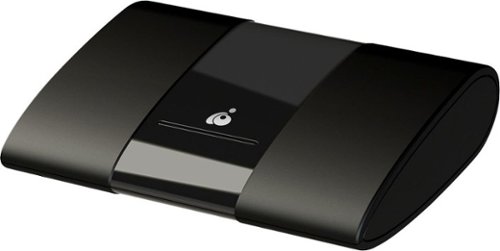
Extend the display of your Android or Windows devices with this IOGEAR wireless mobile and PC to HDTV screen-sharing receiver. Compatibility with Miracast enables direct content streaming to HD displays. This IOGEAR wireless mobile and PC to HDTV screen-sharing receiver supports Full HD playback to provide an immersive audiovisual experience and connects to devices up to 50 feet away for convenience.
Customer Rating

4
Good solution to sharing at a good price point...
on November 25, 2019
Posted by: banjo
from macon, ga
This unit was intended for the specific purpose of allowing my students to stream research results, programming lessons. and presentations from their laptops and phones to a classroom wall-panel monitor. This application works fairly well, as students were able to download the app to their phones (android only) and then connect and cast their research and presentations to the wall panel for the entire class to easily see. There is an intermittent lag of a few seconds between the phones and the display, so the best use seems to be for “slow moving” presentations and web pages or other research results on a “screen by screen” basis. Students were excited to think that they might be able to share their gaming experiences during slack time, but the lag somewhat impedes following game play smoothly.
This device might be redundant for more modern TV panels that have “smart” capability or wireless connectivity built in, but when comparing the W10 Miracast performance to this device (a comparison that was part of the class ‘research’ involved in setting up and using this device) the built-in Miracast running through the school wireless network was less effective and had significantly more lag and screen tearing.
Overall, for the application described above, this device is a good solution especially considering the modest cost of equipment. As long as you are using laptops with Windows 10 (avoids having to download and install additional drivers) or an android phone 4.2 or higher, this is a very cost-effective way of sharing laptop and phone displays to a large audience.
This device might be redundant for more modern TV panels that have “smart” capability or wireless connectivity built in, but when comparing the W10 Miracast performance to this device (a comparison that was part of the class ‘research’ involved in setting up and using this device) the built-in Miracast running through the school wireless network was less effective and had significantly more lag and screen tearing.
Overall, for the application described above, this device is a good solution especially considering the modest cost of equipment. As long as you are using laptops with Windows 10 (avoids having to download and install additional drivers) or an android phone 4.2 or higher, this is a very cost-effective way of sharing laptop and phone displays to a large audience.
Mobile Submission: False
I would recommend this to a friend!
Share this review:


0points
0of 0voted this as helpful.
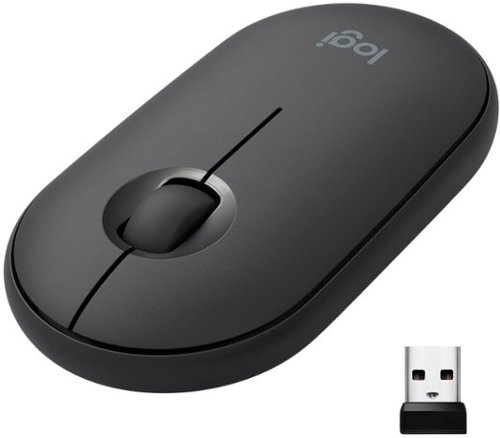
Own your space with Logitech Pebble M350 ~ a modern, slim, and silent portable mouse designed for your curated lifestyle. Make a statement with a slim mouse that can easily be scooped up and brought to the cafe or library. Silent clicking and scrolling means you can stay focused without disturbing those around you. And the Logitech Pebble stays powered for up to 18-months on a single AA battery so you don~t have to worry about losing power.
Customer Rating
5
Logitech keeps coming up with winners!
on November 2, 2019
Posted by: banjo
from macon, ga
With this new M355 model, Logitech now provides the best solution for all my mousing needs. All my desktops and work/gaming laptops have various Logitech mice, but the missing mouse has been a compact and portable mouse that travels well and will connect with Windows laptop and Pixelbook (Chromebook) using Bluetooth, without needing to take up a USB port with a receiver.
The best solution to this point has been a MS Arc, which has worked well but is problematic with the scrolling function, not having the control provided by a scrolling wheel. Other small/portable mice I have tried all had the ergonomic “hump” which matches a desktop mouse but takes away from a slim shape that fits in a carrying case pouch or pocket without the “bump” sticking out too much for my liking. All my needs are now met by the M355. It is smooth, trim, and compact, fitting nicely into the carrying pocket on my laptop/Chromebook cases.
Pairing with Bluetooth has worked without any problems on all my laptops, desktops, and Chromebook. If needed, the Logitech universal USB receiver is always available inside the case of the mouse. The small size takes a few minutes to get used to since I have a MX Master, Marathon Mouse, and MX Ergo for daily use with different computers (except the Chromebook) – and all these are “full hand” mice. Not a complaint, just an observation – and since the M355 is a “travel case” mouse, the smaller size is desirable.
The only function I noticed was missing is the ability to jump from desktop to desktop by shifting the scroll button to the left or right. This is something that can be set up on several different Logitech mice using the Logitech Options software. To this point, I can’t get the software to detect the M355, so this capability may be missing altogether, or perhaps will be provided in the future with a software update. Not a deal-breaker, but would be nice to have one-hand shift for desktop screens using the mouse.
Overall, particularly considering the low price of the M355, this is the best solution I have found for a compact and portable mouse that can be used with all my computers (including Chromebook).
The best solution to this point has been a MS Arc, which has worked well but is problematic with the scrolling function, not having the control provided by a scrolling wheel. Other small/portable mice I have tried all had the ergonomic “hump” which matches a desktop mouse but takes away from a slim shape that fits in a carrying case pouch or pocket without the “bump” sticking out too much for my liking. All my needs are now met by the M355. It is smooth, trim, and compact, fitting nicely into the carrying pocket on my laptop/Chromebook cases.
Pairing with Bluetooth has worked without any problems on all my laptops, desktops, and Chromebook. If needed, the Logitech universal USB receiver is always available inside the case of the mouse. The small size takes a few minutes to get used to since I have a MX Master, Marathon Mouse, and MX Ergo for daily use with different computers (except the Chromebook) – and all these are “full hand” mice. Not a complaint, just an observation – and since the M355 is a “travel case” mouse, the smaller size is desirable.
The only function I noticed was missing is the ability to jump from desktop to desktop by shifting the scroll button to the left or right. This is something that can be set up on several different Logitech mice using the Logitech Options software. To this point, I can’t get the software to detect the M355, so this capability may be missing altogether, or perhaps will be provided in the future with a software update. Not a deal-breaker, but would be nice to have one-hand shift for desktop screens using the mouse.
Overall, particularly considering the low price of the M355, this is the best solution I have found for a compact and portable mouse that can be used with all my computers (including Chromebook).
Mobile Submission: False
I would recommend this to a friend!
Share this review:


0points
0of 0voted this as helpful.

Defend your PC against hackers and viruses with the AVG Internet Security software. Its artificial intelligence uses real-time analysis to block rootkits and spyware. Protect your private data, photos, and passwords against ransomware with this AVG Internet Security software.
Customer Rating

2
If you like a nagging hassle, here you go...
on October 23, 2019
Posted by: banjo
from macon, ga
I'm sure there are some very nice things about this software package, but I simply can't use it without having to babysit the scanning checks, closing the program when the "advanced threats" scan locks up, and then have to close out nag screens trying to sell me an upgrade after letting me know of "performance issues" and "security issues" and "privacy issues" that have been found. I'm sorry but when I use security software I expect it to work smoothly and fix the alleged problems it detects.
BABYSITTING: when starting a scan, there are 4 sections of the scan "browser threats" > "viruses & other malware" > "advanced issues" > "performance issues". Each one of these will run and then stop, waiting for a "next" button click to move on to the next section of the scan.
LOCKUPS: when the "advanced issues" scan starts, it will lock up the computer or freeze at about 50%-ish and I have to close out the program, re-open the program, and then see the results. Some may say "low specs" on my computer, but hey this is an I5 with 16gbRAM and solid state drive, Windows 10 Pro with all updates... sorry but if this software won't run smoothly without locking up on my computer I don't think I will be the only one having this issue...
NAG NAG NAG: well after babysitting the scans, restarting the program to get the results >> I am informed that I have oodles of "system junk" + "broken registry items" + "programs slowing down your PC" >> and drum roll please when I click the "Resolve All" button I get an advertisement to "Get AVG TuneUp to resolve your PC issues"... sheesh I have just fiddled with non-user-friendly software for the privilege of getting a nag screen to purchase more software.
IP ADDRESS VISIBLE: (nag screen spoiler alert) >> OK I am seeing that my IP address is visible and my online activity is not secret. Well just click the "Resolve" button and you get ANOTHER nag screen for the "AVG Secure VPN" - good grief! Hey no kidding I now have TWO NAG SCREENS going at once, both trying to sell me something.
BROWSER HIJACKING: Well my default browser just got changed to the AVG-protected browser, which is swell I am sure but all my stuff is on the browser I have been using without issues for some years >> didn't know I would need to change browsers as part of the deal >> no thanks and nobody asked for my permission anyway. Geez...
ANDROID PROTECTION - MEH: I am sincerely trying to give all this a chance to so I can fairly evaluate the software package, and it seems to me that the "included" android protection is something I can already get for free and as a matter of fact is essentially an "app" that came with my Sony phone that I found to be bothersome and uninstalled the first week I had the phone. Maybe I am mistaken but by this point I honestly don't care enough to fiddle with it any more.
BABYSITTING: when starting a scan, there are 4 sections of the scan "browser threats" > "viruses & other malware" > "advanced issues" > "performance issues". Each one of these will run and then stop, waiting for a "next" button click to move on to the next section of the scan.
LOCKUPS: when the "advanced issues" scan starts, it will lock up the computer or freeze at about 50%-ish and I have to close out the program, re-open the program, and then see the results. Some may say "low specs" on my computer, but hey this is an I5 with 16gbRAM and solid state drive, Windows 10 Pro with all updates... sorry but if this software won't run smoothly without locking up on my computer I don't think I will be the only one having this issue...
NAG NAG NAG: well after babysitting the scans, restarting the program to get the results >> I am informed that I have oodles of "system junk" + "broken registry items" + "programs slowing down your PC" >> and drum roll please when I click the "Resolve All" button I get an advertisement to "Get AVG TuneUp to resolve your PC issues"... sheesh I have just fiddled with non-user-friendly software for the privilege of getting a nag screen to purchase more software.
IP ADDRESS VISIBLE: (nag screen spoiler alert) >> OK I am seeing that my IP address is visible and my online activity is not secret. Well just click the "Resolve" button and you get ANOTHER nag screen for the "AVG Secure VPN" - good grief! Hey no kidding I now have TWO NAG SCREENS going at once, both trying to sell me something.
BROWSER HIJACKING: Well my default browser just got changed to the AVG-protected browser, which is swell I am sure but all my stuff is on the browser I have been using without issues for some years >> didn't know I would need to change browsers as part of the deal >> no thanks and nobody asked for my permission anyway. Geez...
ANDROID PROTECTION - MEH: I am sincerely trying to give all this a chance to so I can fairly evaluate the software package, and it seems to me that the "included" android protection is something I can already get for free and as a matter of fact is essentially an "app" that came with my Sony phone that I found to be bothersome and uninstalled the first week I had the phone. Maybe I am mistaken but by this point I honestly don't care enough to fiddle with it any more.
Sorry but this package just hits all the wrong buttons with me, even if it does a good job and helps keep my computer protected and so forth... Just my personality I guess but I don't care to use software that rubs me the wrong way in several different directions every time I use it. "Hey thanks for letting us scan your computer and here are a couple advertisements for something that our scan has shown that you should buy!" NO THANK YOU.
How it works: click/wait > click/wait > click/freeze > close/restart > click/NAG > click/NAG > click/goodbye.
Honestly I am used to a nag screen if I use "freeware" or similar, but not after shelling out money to buy the latest and greatest, only to find that I opened the door for for a marketing campaign.
Thanks, but no thanks.
How it works: click/wait > click/wait > click/freeze > close/restart > click/NAG > click/NAG > click/goodbye.
Honestly I am used to a nag screen if I use "freeware" or similar, but not after shelling out money to buy the latest and greatest, only to find that I opened the door for for a marketing campaign.
Thanks, but no thanks.
Mobile Submission: False
No, I would not recommend this to a friend.
Share this review:


+1point
1of 1voted this as helpful.

Enhance your creativity potential with this Adobe Photoshop Elements 2020 and Premiere Elements 2020 bundle. The Adobe Sensei AI technology powers automated options to get a starting point for creative exploration, and the Quick Edit mode allows you to easily put clips, transitions, and effects into your movies. The Adobe Photoshop Elements 2020 and Premiere Elements 2020 bundle lets you quickly upload your creations to YouTube or Vimeo for versatile use.
Customer Rating
5
Between "Free & Easy" and "Professional"...
on October 21, 2019
Posted by: banjo
from macon, ga
No question that Adobe has some excellent software. This package falls between the "free and easy" versions you can find and the "professional" versions costing much more and having a very steep learning curve.
This package is a good "tool kit" for managing photos and videos, and one of its strong points is the ability to handle just about any format for photo/video and to combine photo/video files in one presentation.
As with all Adobe (and other) software for photo/video editing, there is a learning curve to get good results. Fortunately there are several levels of interaction with the software, started with "guided" with lots of step-by-step instruction going all the way to "free form" that starts with a blank palette and lets you do your thing.
For both the photo and video editing and effects, there is a good library of tutorials, including videos and "step by step" instruction, so the most frequently used techniques are well documented and once you go through them a time or two, pretty easy to remember for the next go round.
One of the best benefits to me of this package is the license that comes with it that allows an "I own this" installation that does not have to be supported by a monthly or annual subscription. Also the package can be installed on several computers, as long as they are not in use at the same time you are OK to have on home desktop, travel laptop, and work desktop. Kind of "old school" for this type of software, but nice to have something that stands alone and does not have to be renewed on a regular basis.
Having tried this package for a few weeks, there are still many features and functions that I haven't had a chance to try out. Each time I use it I will try something new to see how it works and how it looks, and have found many interesting effects for both photo and video editing. Looks like this will be all I need for just about anything needed.
Overall both the photo and video software meet most needs for basic editing and creating pretty nice photo albums and videos. I don't have a problem with learning how to use and get the most out of this editing package, as I believe it will meet most of my personal and work needs without having to learn several different software programs from several different companies. It's hard to go wrong with Adobe products.
This package is a good "tool kit" for managing photos and videos, and one of its strong points is the ability to handle just about any format for photo/video and to combine photo/video files in one presentation.
As with all Adobe (and other) software for photo/video editing, there is a learning curve to get good results. Fortunately there are several levels of interaction with the software, started with "guided" with lots of step-by-step instruction going all the way to "free form" that starts with a blank palette and lets you do your thing.
For both the photo and video editing and effects, there is a good library of tutorials, including videos and "step by step" instruction, so the most frequently used techniques are well documented and once you go through them a time or two, pretty easy to remember for the next go round.
One of the best benefits to me of this package is the license that comes with it that allows an "I own this" installation that does not have to be supported by a monthly or annual subscription. Also the package can be installed on several computers, as long as they are not in use at the same time you are OK to have on home desktop, travel laptop, and work desktop. Kind of "old school" for this type of software, but nice to have something that stands alone and does not have to be renewed on a regular basis.
Having tried this package for a few weeks, there are still many features and functions that I haven't had a chance to try out. Each time I use it I will try something new to see how it works and how it looks, and have found many interesting effects for both photo and video editing. Looks like this will be all I need for just about anything needed.
Overall both the photo and video software meet most needs for basic editing and creating pretty nice photo albums and videos. I don't have a problem with learning how to use and get the most out of this editing package, as I believe it will meet most of my personal and work needs without having to learn several different software programs from several different companies. It's hard to go wrong with Adobe products.
Mobile Submission: False
I would recommend this to a friend!
Share this review:


-1point
0of 1voted this as helpful.

Create nutrient-rich meals with this NutriBullet blender combo. The 64 oz. blending pitcher shreds tough skins, pulverizes stems and crushes seeds to deliver creamy snacks, smoothies and soups. This NutriBullet blender combo features a powerful 1200W motor that operates quietly, so you can engage in conversations while blending fruits and vegetables.
Customer Rating
5
Great combo for both personal and family servings!
on September 1, 2019
Posted by: banjo
from macon, ga
Covers all the bases for personal or family servings...
This is my first juicer/extractor/blender/smoothie device, and it made the most sense to get one that could do both personal servings in a small container and family servings with a traditional large pitcher. Fortunately NutriBullet came out with this "combo" package, which handles either personal sized or family sized containers very nicely. This unit will handle both sizes of containers and is exceptionally easy to use and clean.
The unit is nicely packaged, and easy to set up and start using in a matter of minutes. Construction seems very rugged, with plenty of power, firm buttons, and a very stable base.
The controls are very simple, with multiple speeds and a separate "pulse" button to use with any speed setting.
For blending and juicing large quantities, a nice "tamping" utensil is included, and is cleverly designed to prevent the utensil from going down too far and getting chewed up by the blades. A nice touch and something that prevents a full pitcher of ingredients from being spoiled by plastic flakes.
The personal sized blending and serving cups have been the most used, as they are just the right size for individual servings and quick to set up, use, and clean. Some quick uses of the family size for some home made salsa at dinner and a big pitcher of milkshakes for movie time. No problems with swapping out the containers and they twist on and off easily, but are held in place securely when using the unit.
Plenty of power with this unit, and hasn't slowed down or hesitated when working with a full container of ingredients. Very stable on the counter with addition of small suction cups for the feet. No wobbling or dancing when running at high speed on a full blending pitcher.
Overall this is a nice package for all sizes of jobs, very sturdy in construction, and easy to use and clean up afterwards. This was a good choice for meeting different family needs.
Mobile Submission: False
I would recommend this to a friend!
Share this review:


0points
0of 0voted this as helpful.

Achieve the deep-fried flavor you love, without all the oil and added calories. The Chefman TurboFry~ Air Fryer allows you to bake, fry and roast like a pro. This airfryer requires little to no oil, so there~s less of that fried oil smell lingering in the house and less fat that you~re consuming. It~s large 3.5-liter capacity and flat basket gives you the ability to cook enough for a hungry crowd all at once. Skip the microwave! Reheat soggy leftovers in the air fryer to return them to their original texture. Make better-for-you fries that are just as crispy and tasty, roast chicken thighs, or heat up leftovers for a quick and easy meal. The temperature control with 60-minute timer automatically shuts off once food is done, so you never have to worry about burning or drying out your food. Its space saving basket is removable and dishwasher safe for easy clean-up, so you~ll have more time to dream up your next air-fried meal!
Customer Rating
5
Wings, rings, fries, cheese sticks in ½ the time…
on August 15, 2019
Posted by: banjo
from macon, ga
Wings, rings, fries, cheese sticks in ½ the time…
This was purchased with the idea of a “snack machine” to whip up orders of wings, rings, fries, cheese sticks >> all kinds of snacky finger-food without having to fire up the oven and deal with a lot of different pans. Mission accomplished as this little convection oven cooks up food in ½ the time of a conventional oven, keeps the kitchen from heating up, and is VERY easy to clean up afterwards. Dishwasher safe container and drainage screen, but really it is so quick to clean up that a quick wipe with the soapy cloth and rinse just takes a minute.
For a family meal, this works best for the items that would normally go in the oven or deep-fry cooker, as long as you keep in mind the overall capacity and plan what to use the Chefman for and what order to put in the different items.
For a single person, no problem putting a whole meal in at once for quick and oil-free cooking. For a couple of people, still plenty of room to make a couple of good platefuls of food. More than that, and a little planning is needed.
This model does not have some of the bells and whistles of the more expensive models, but that’s actually a nice thing as there is a temperature knob and a timer and off you go. A digital display might be nice, like you have on most microwaves, but actually who pays much attention other than “set it” and “it’s done” – so extra bells and whistles don’t really get much use after all.
Love the way the “crispy” foods are really, really crispy – and the bar-b-que chicken wings are well-cooked and very moist inside since they cook so quickly. Actually, the more we use this, the more we like it as we learn what cooks best and how best to cook.
NOTE: I saw a review or two saying that there was not way to turn off the unit without unplugging it? Easy peasy just turn the timer knob back to “0” and listen for the bell “ding” – you have to turn the timer knob firmly, so maybe those reviewers were a little shy about turning the timer knob back.
Bottom line >> the wife is happy, which means I am too!
Mobile Submission: False
I would recommend this to a friend!
Share this review:


+1point
1of 1voted this as helpful.
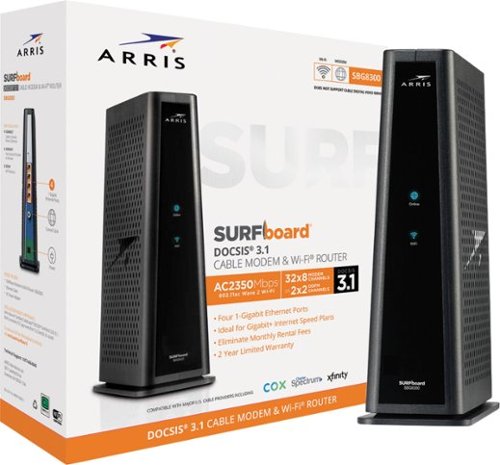
Maximize internet speeds with this ARRIS SURFboard wireless cable modem. Four Gb Ethernet ports offer rapid wired connections, and advanced wireless technology delivers fast long-range 2.4GHz and 5GHz Wi-Fi connections. This ARRIS SURFboard wireless cable modem offers easy plug-and-play installation and lets you manage networks with voice commands via Amazon Alexa.
Customer Rating
5
Future-Proof good combo unit…
on August 13, 2019
Posted by: banjo
from macon, ga
Future-Proof good combo unit… please note there is no phone jack on this unit, so landline will not be coming from your ISP through a traditional phone connection. For those who are looking to drop traditional land-lines, this should not be an issue. NOTE: ISP is COX – this unit is on their list of approved equipment.
Before installing be sure to get your HFC MAC ID off the bar code label on the package, you will need that when you call the cable company to authorize this modem/router or when swapping out for previous equipment.
Some have reported that it is a “plug and connect” system where the ISP will automatically pick up the DOCSIS signal and synchronize with the new modem signal to swap your service over without intervention by a human being. This may work for some but I highly recommend getting on the phone with your service provider to ensure a smooth activation and/or equipment switch.
This unit replaced a separate ISP-provided modem linked to a WRT3200ACM router. The router was dual-band and a fairly recent model, so there was no significant improvement in bandwidth or service to the electronic devices (TV, tablet, phone, laptop, chromebook) already in use. Please understand I am not saying that the Arris is not faster than the router it replaced, I am saying that the old router was providing needed bandwidth FOR THE MOMENT, although the specs for the Arris very definitely indicate that the need for higher bandwidth and speeds in the future will be adequately handled by this gateway device.
That being said, this unit was not an absolute necessity at the moment, as it replaced a system that was working well, but included the land-line capability. The reason for the upgrade was two-fold:
1 – dropping the land-line and would have to swap modems anyway, with a rental fee on the “non-phone” modem provided by the ISP (your mileage may vary) – so this unit eliminated the monthly fees for the ISP modem;
2 – upgrade to DOCSIS 3.1 capability that isn’t a game-changer at the moment but will come into play with ISP offerings for super-bandwidth and super-speed capabilities. The DOCSIS 3.1 will be the roll-out for the next few years (at least) so if one is purchasing new equipment, why not go ahead and get settled in with a unit that won’t need replacing or upgrading for many years.
1 – dropping the land-line and would have to swap modems anyway, with a rental fee on the “non-phone” modem provided by the ISP (your mileage may vary) – so this unit eliminated the monthly fees for the ISP modem;
2 – upgrade to DOCSIS 3.1 capability that isn’t a game-changer at the moment but will come into play with ISP offerings for super-bandwidth and super-speed capabilities. The DOCSIS 3.1 will be the roll-out for the next few years (at least) so if one is purchasing new equipment, why not go ahead and get settled in with a unit that won’t need replacing or upgrading for many years.
Bottom line, if you are going to drop the land-line and would like to invest in equipment that is simpler to use, more compact (1 unit instead of 2 separate units), and ready for future upgrades, then this is a good choice to meet those needs.
Mobile Submission: False
I would recommend this to a friend!
Share this review:


+2points
5of 8voted this as helpful.
banjo's Review Comments
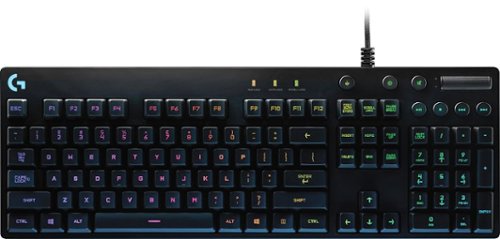
Logitech Orion Spectrum RGB Keyboard: This keyboard's Romer-G mechanical switches respond quickly to your keystrokes to minimize lag time during fast-action game sequences. Plus, you can create a custom look with programmable intelligent RGB illumination.
Overall5 out of 5
5 out of 5Great for older geeks who don't need the "sizzle"
By banjo
from macon, ga
Actually the "top of the line" G910 gaming keyboard was marked down to a lower price when I got this, but too much "gamer" stuff on the G910 and not for an 'older professional' who wants to appear more mature than his 13-year-old gaming son. IMO the G910 wasn't selling as well as hoped, and the G810 is (to me) the superior model in design, appearance, and performance.
This G810 looks professional on the desk, has OUTSTANDING color display (note that the 'special' keys on the number keys are also illuminated -- missing on many of the other illuminated keyboards - aren't these ! @ # $ % ^ & * ( ) the ones you can never remember when typing in the dark?), no "bottom of the keys" light spillover that takes away from the illumination focus, superior engineering on the Romer-G switches (Check out the tour of the Romer-G factory in Japan on YouTube), and feels like a BRICK in the hand (a GOOD BRICK) with heavy-duty construction. The 3-way adjustable tilt and huge rubber feet on the bottom will keep this from sliding around on any desk, including glass-tops. The only thing that makes this look like a "gamer rig" is the FABULOUS and CRISP color displays... which are easy to see even with the lights on in the room > fully adjustable to get it just the way you want at home or at work. I may be an old-timer, but I don't mind showing off a little bit and this keyboard is an EYE-CATCHER when the lights start doing the 'wave' across the keyboard!
I read all the reviews and fiddled with the keyboards on display and there seem to be "Logitech Nay-Sayers" who can't bear the idea of using anything other than the older design "cherry" keys. I have gone from manual touch-typing > to I B M Selectric > to I B M 'clicky' keyboard (still one of my favorites) > to membranes > to whatever-cheapo-keyboard Dell includes in their educational computers > to a Saitek PK17U Cyborg > to this keyboard. This one is the best by FAR! Re: keys... you get a little 'click' so the sound and some tactile/touch reinforcement for keyboarding (typing) is there, but not too loud and for me just enough to let me know I hit the key. Yes it feels different from the cheapo Dell keyboard i just unplugged and replaced, but every keyboard is different and this one feels like driving a luxury car!
Speaking of my son, he is now looking over at my new keyboard and looking at his illuminated keyboard and I think I know what he will be asking for come Christmas. Fortunately, the box still had the promotion of free download and activation code for "The Division" so the kid has something to keep him busy until Santa Claus comes.
If you are an old crab like me, but like a little 'sizzle' when using your computer and want to treat yourself to a smooth-as-silk keyboard... this is the one I would recommend. Leave the "whoopee" keyboards to the kids.
PS - you can hit a quick button on the keyboard and turn off the light display if you want to turn off the light show for a while.
This G810 looks professional on the desk, has OUTSTANDING color display (note that the 'special' keys on the number keys are also illuminated -- missing on many of the other illuminated keyboards - aren't these ! @ # $ % ^ & * ( ) the ones you can never remember when typing in the dark?), no "bottom of the keys" light spillover that takes away from the illumination focus, superior engineering on the Romer-G switches (Check out the tour of the Romer-G factory in Japan on YouTube), and feels like a BRICK in the hand (a GOOD BRICK) with heavy-duty construction. The 3-way adjustable tilt and huge rubber feet on the bottom will keep this from sliding around on any desk, including glass-tops. The only thing that makes this look like a "gamer rig" is the FABULOUS and CRISP color displays... which are easy to see even with the lights on in the room > fully adjustable to get it just the way you want at home or at work. I may be an old-timer, but I don't mind showing off a little bit and this keyboard is an EYE-CATCHER when the lights start doing the 'wave' across the keyboard!
I read all the reviews and fiddled with the keyboards on display and there seem to be "Logitech Nay-Sayers" who can't bear the idea of using anything other than the older design "cherry" keys. I have gone from manual touch-typing > to I B M Selectric > to I B M 'clicky' keyboard (still one of my favorites) > to membranes > to whatever-cheapo-keyboard Dell includes in their educational computers > to a Saitek PK17U Cyborg > to this keyboard. This one is the best by FAR! Re: keys... you get a little 'click' so the sound and some tactile/touch reinforcement for keyboarding (typing) is there, but not too loud and for me just enough to let me know I hit the key. Yes it feels different from the cheapo Dell keyboard i just unplugged and replaced, but every keyboard is different and this one feels like driving a luxury car!
Speaking of my son, he is now looking over at my new keyboard and looking at his illuminated keyboard and I think I know what he will be asking for come Christmas. Fortunately, the box still had the promotion of free download and activation code for "The Division" so the kid has something to keep him busy until Santa Claus comes.
If you are an old crab like me, but like a little 'sizzle' when using your computer and want to treat yourself to a smooth-as-silk keyboard... this is the one I would recommend. Leave the "whoopee" keyboards to the kids.
PS - you can hit a quick button on the keyboard and turn off the light display if you want to turn off the light show for a while.

banjo
Central Georgia
Update @ Christmas 2016
December 21, 2016
Mentioned that my son was keeping an eye on my G810 from the get-go... first time I let him 'test drive' my G810 he says "ooooh, that feels nice" and decided he wanted to go to mechanical keyboard. He has a 'gamer' RBD keyboard (non-mechanical) with extra bells and whistles he has been using for a year or two, but instantly fell in love with the mechanical feel. Just gave him a "Week before Christmas" present of his own G810. He had his pick of the models available, and after tapping some keys and looking at the different models chose to get the G810. Just goes to show the "fancy schmancy" keyboards might look more-cooler-better but the proof is in the feel of the keys. It's a keyboard, after all.
+1point
1of 1voted this comment as helpful.
banjo's Questions
banjo has not submitted any questions.
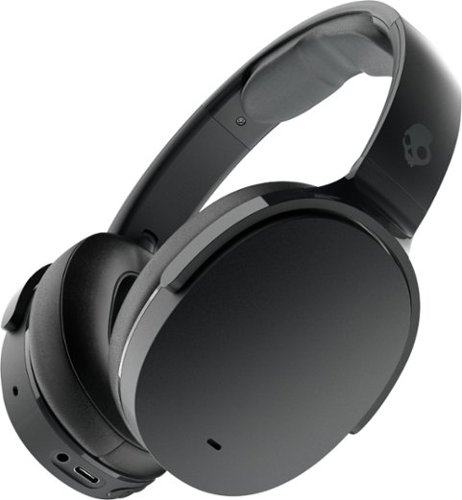
Meet the unrivaled, everyday noise canceling headphone for people who want to keep it simple. Hesh ANC is engineered with just the right amount of added features to make your life a little easier without a lot of additional technology that you might not need.
Does the headphone have a mic built into the headset where you can make phone calls?
yes there are actually 4 built-in microphones for the "ambient" function and for phone calls. i was using a "boom mic" gaming headset for my virtual meetings and phone calls, and when switching back and forth during a phone call and a meeting to check out the difference, the people in the meeting and on the phone call said they could not tell much difference between "boom mic" gaming headset and the Skullcandy headset. considering the comfort and battery life of the Skullcandy headset (see my review) i prefer the Skullcandy to the gaming headset, and also don't have to "switch" to earbuds when going back and forth from virtual meetings and classes and making or receiving phone calls. the Skullcandy headset works very nicely for all things all day long.
5 years, 7 months ago
by
banjo
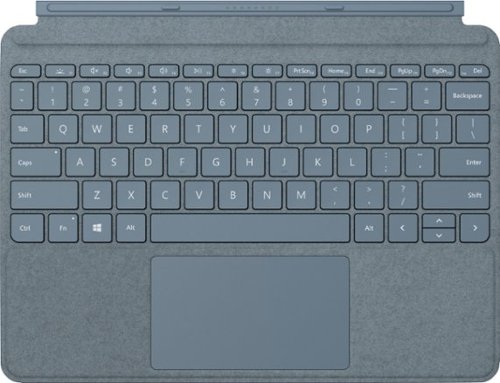
Pair Surface Go Type Cover with Surface Go* for a full keyboard experience anywhere. Ultra-compact, yet it includes a complete mechanical keyset, backlit keys, and extra-large trackpad. Plus, three colors are covered in rich Alcantara material~ for an added touch of luxury and comfort.
What is the power source for the Microsoft Surface Go type cover?
the keyboards do not have a built-in battery that needs to be charged separately. the keyboard draws power (for the BACKLIGHTING - very nice!) from the computer battery when it is "popped" on. Nothing to worry about like forgetting to charge your keyboard, or losing the Bluetooth connection - it is all direct connection for power and signal. The Microsoft Surface keyboard seems to be something that everyone agrees is well designed and "one of the best" out there for a detachable keyboard/trackpad. Hope this helps and Stay Safe!
6 years, 1 month ago
by
banjo
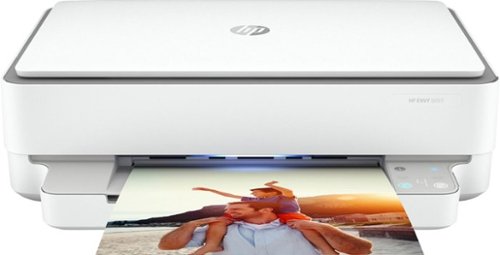
Designed to make printing easier for the whole family, the HP ENVY 6055 all-in-one printer lets everyone print, scan, and copy everyday documents, schoolwork, borderless photos and more. This wireless picture printer can order ink for you and deliver it to your door with up to 50% savings on ink using the HP Instant Ink delivery service, so you can print high-quality documents and photos when you need them (subscription required). Set up, and connect the all-in-one printer to your family's mobile devices in a few easy steps for remote scanning and sharing using the HP Smart app. And keep connected, and reduce interruptions with self-healing Wi-Fi and Bluetooth 5.0 technology. Prints up to 10 ISO ppm* in black and up to 7 ppm* in color.
Is this printer compatible with a Microsoft surface pro?
yes. any device that connects to the same network will print using the HP app.
6 years, 2 months ago
by
banjo
Designed to make printing easier for the whole family, the HP ENVY 6055 all-in-one printer lets everyone print, scan, and copy everyday documents, schoolwork, borderless photos and more. This wireless picture printer can order ink for you and deliver it to your door with up to 50% savings on ink using the HP Instant Ink delivery service, so you can print high-quality documents and photos when you need them (subscription required). Set up, and connect the all-in-one printer to your family's mobile devices in a few easy steps for remote scanning and sharing using the HP Smart app. And keep connected, and reduce interruptions with self-healing Wi-Fi and Bluetooth 5.0 technology. Prints up to 10 ISO ppm* in black and up to 7 ppm* in color.
I have an IMAc with OS X El Capitan version 10.11.6 - is this printer compatible?
the printer is compatible with any device that connects to your network - desktop, laptop, chromebook, tablet, phone, ummmm maybe even and Kindle but haven't tried that out.
6 years, 2 months ago
by
banjo
Designed to make printing easier for the whole family, the HP ENVY 6055 all-in-one printer lets everyone print, scan, and copy everyday documents, schoolwork, borderless photos and more. This wireless picture printer can order ink for you and deliver it to your door with up to 50% savings on ink using the HP Instant Ink delivery service, so you can print high-quality documents and photos when you need them (subscription required). Set up, and connect the all-in-one printer to your family's mobile devices in a few easy steps for remote scanning and sharing using the HP Smart app. And keep connected, and reduce interruptions with self-healing Wi-Fi and Bluetooth 5.0 technology. Prints up to 10 ISO ppm* in black and up to 7 ppm* in color.
Do yoou have to use an app on your phone to install it?
phone app, tablet app or computer app - one or the other is needed to set up the printer. there is no "touch screen" display like other models, so you will need phone, laptop, desktop, chromebook, tablet.... anything will do as long as it connects to your home network (or the same network as the printer).
6 years, 2 months ago
by
banjo
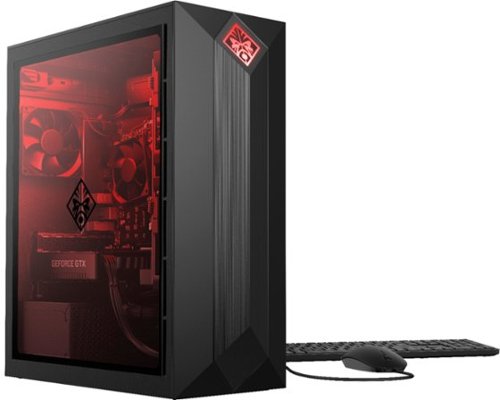
HP OMEN Obelisk by HP Desktop: Play graphically intense games with this HP OMEN Obelisk desktop computer. You can easily store large amounts of media and other data on the 1TB hard drive and install games and programs on the 256GB SSD for fast access. This HP OMEN Obelisk desktop computer has 16GB of memory for multitasking effectively, and the Intel Core i7-9700 processor handles resource-intense programs efficiently.
Is the storage (and other features, I suppose) upgradeable? If I wanted to install higher storage (a 2TB HDD or a 500g SSD, for example) is that doable? If so, is it easily doable?
very easy to swap or add hard drives - the solid panel pops right off and there are two drive bays ready to go. i did what you are asking about by pulling the 1TB drive that came with the system out, and replacing with a 2TB drive that already had my game files on it (steam stuff - you know what i mean) and adding a 1TB SSD in the second bay. Transferred the system settings from the "old" computer to this new one using TransWiz to migrate the windows 10 user profiles from the old machine and this freed up the 1TB SSD from the "old" machine to be used for game files on the Obelisk.
7 years, 1 month ago
by
banjo
HP OMEN Obelisk by HP Desktop: Play graphically intense games with this HP OMEN Obelisk desktop computer. You can easily store large amounts of media and other data on the 1TB hard drive and install games and programs on the 256GB SSD for fast access. This HP OMEN Obelisk desktop computer has 16GB of memory for multitasking effectively, and the Intel Core i7-9700 processor handles resource-intense programs efficiently.
Are both side panels removable? I know the windowed one will come off, but is the other side detach as well? Thanks in advance for your answers!
yes both side pop off very easily. the clear side panel for access to the motherboard, the solid side panel gives you access to the quick-change slots for 2 hard drives. I swapped out the provided hard drive with one that already had game files on it, and the popped in a SSD in the blank bay. just use the rails to mount the hard drives and leave the little tiny screws in the tool box. easy peasy!
7 years, 1 month ago
by
banjo
Store data on this 128GB SanDisk Ultra Fit USB flash drive. The low-profile casing prevents damage by keeping it snug to the port, making it a great fit for use with tablets, laptops and game consoles. This SanDisk Ultra Fit USB flash drive uses USB 3.1 technology to deliver up to 10 times the transfer speed of older drives.
Is the file format FAT 32?
yes the drive comes pre-formatted as FAT32. if you want to transfer files larger than 4GB then you will need to re-format NTSF.
7 years, 5 months ago
by
banjo
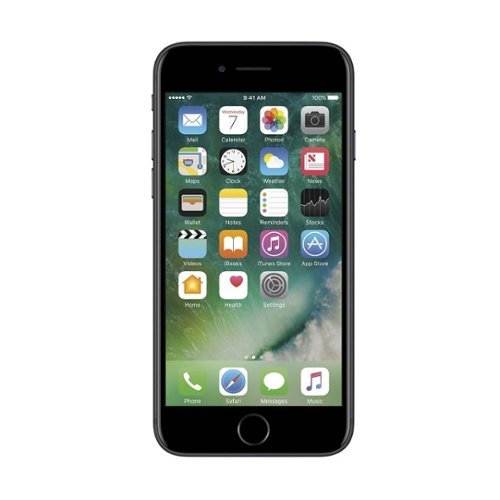
Stay connected with this Apple pre-owned unlocked iPhone 7, which features a quad-core processor to handle apps and functions. The wide 4.7-inch Retina display delivers crystal clear images for streaming video or scrolling social media, while a 12MP camera combines 5x zoom with optical image stabilization for incredibly professional photographs. This Apple pre-owned unlocked iPhone 7 has an IP67 splash, water and dust resistance rating to keep up with an active life.
Is the model of this phone 1660 or 1778? I know this question was asked, but not answered. I know they were having trouble with the audio in these two models.
i got 10+ couple days ago and it says model I3223. software is most current 53.0.A.4.79 so no update needed as i have heard about some Xperia 10 early shipments. from what i have heard some issues were from software that needed updating, and i have had no issues with audio, bluetooth, or other concerns.
7 years, 5 months ago
by
banjo
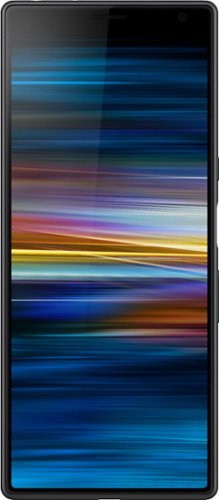
Upgrade your connectivity and entertainment with this Sony Xperia 10 plus smartphone. A Qualcomm Snapdragon 1.8GHz octa-core processor combines with the 4GB RAM to power the device for seamless running of programs and applications, while the 6.5-inch Full HD display provides crystal-clear images. This Sony Xperia 10 plus smartphone features dual 12MP and 8MP cameras for capturing high-quality pictures and videos.
i saw an ad at UK store that said "free case from SONY" that ships with the phone. i expect it will be hard to find a case (or screen protector) for this new phone. does anyone have an idea if the BestBuy package comes with "free case" ??
well i will answer my own question. got my 10+ and no 'free case' for US customers. box came with phone, charger, USB cable, and micro-documentation.
7 years, 5 months ago
by
banjo