


nickcal's stats
- Review count355
- Helpfulness votes1,301
- First reviewApril 12, 2014
- Last reviewSeptember 5, 2026
- Featured reviews0
- Average rating4.7
Reviews comments
- Review comment count0
- Helpfulness votes0
- First review commentNone
- Last review commentNone
- Featured review comments0
Questions
- Question count0
- Helpfulness votes0
- First questionNone
- Last questionNone
- Featured questions0
- Answer count4
- Helpfulness votes0
- First answerMay 23, 2016
- Last answerSeptember 7, 2020
- Featured answers0
- Best answers0
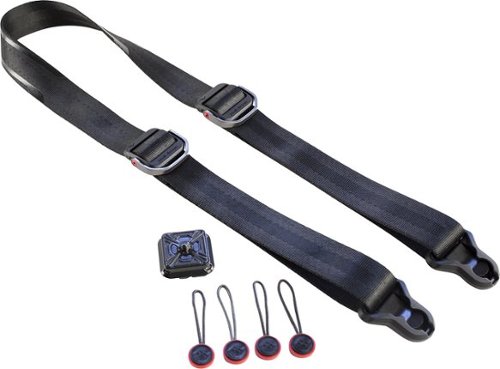
Keep your camera safe and secure with this Peak Design SlideLITE camera strap. Two aluminum adjusters let you lengthen or shorten the strap so you can comfortably wear it around your neck or over your shoulder. An Anchor Link connection system ensures you can quickly attach and detach the strap on this Peak Design SlideLITE camera strap as needed.
Customer Rating

5
Best stap for a DSLR i've used
on October 16, 2017
Posted by: nickcal
from Evansville, IN
Verified Purchase:Yes
If I had more time to write this article, I would go into detail on why I believe it’s the best option for neck strap on the market. Since I don’t, I will simply cover off on a few features that really jump out to me.
First, I want to state that comfort is key when it comes to neck straps. The standard Canon neck strap cuts into my neck for some reason. I don’t know why, but it’s always irritated my skin. The SlideLITE has never bothered me while wearing it.
Second, I am able to use the SlideLITE with an Arca Swiss plate. That means, I never have to take the SlideLITE off my camera to slap a plate on it and vice-versa. That my friends is a huge time saver for me.
Now let us jump into something I'm not a fan of. When I first started looking into the SlideLITE I emailed the company to ask if there was a difference between the SlideLITE and the Pro model. They told me, no but, I would be better off with the Pro version due to the size of my camera. This confused me as I read that both models can handle full-size cameras. I went back and forth with them before getting a straight answer that the SlideLight can handle a full body without any problems but the Pro would give me a wider strap and thicker padding. Now if I planned on keeping the strap on me all day for hours at a time I would think a thicker and wider strap would be useful but for the most part, the strap that comes with the SlideLITE is perfect. I can simply roll it up and put it in my camera bag without taking up much space. I really wasn't a fan of getting the run around from support about if the SlideLITE would handle the weight of a Canon 5D Mark IV. Needless to say, it's working flawlessly and I'm super happy I saved money going with the SlideLITE over the Pro.
I would absolutely recommend this to anyone with a camera. Also, I can't forget to mention how Peak Design has made all of the there straps interchangeable. The system is brilliant and being able to so quickly with a push of my thumb click it off my camera and back on is amazing. I do however wish they would find a better way for the Clutch to come off the camera. Being able to quickly remove it in the same form as the SlideLITE would be wonderful.
My Best Buy number: 2677435109
My Best Buy number: 2677435109
Mobile Submission: False
I would recommend this to a friend!
Share this review:


+1point
1of 1voted this as helpful.
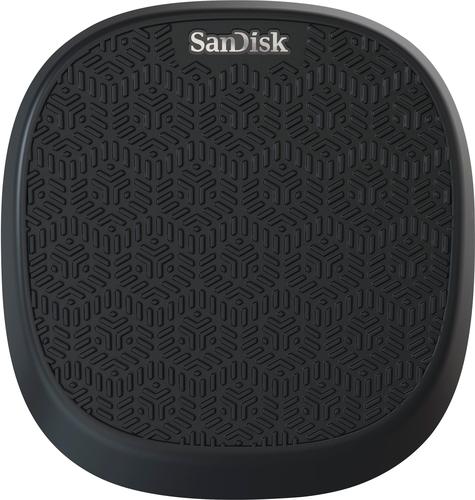
Protect your iPhone's data with this 64GB iXpand charger and backup base. It charges your iPhone quickly with 15W of power, and it backs up photos and videos as it charges to ensure precious memories are always safe. This iXpand charger and backup base also backs up your stored contacts, so you can restore them when needed.
Customer Rating
5
A great way to recharge and backup your iOS device
on October 6, 2017
Posted by: nickcal
from Evansville, IN
The battle for storage is a constant one. No sooner do we obtain the larger capacity mobile devices that we find ourselves with full hard drives and needing to back up our data so that we can continue taking photos and videos of our precious memories. iOS devices have the option of being backed up to iCloud, but if you don’t pay the premium option for the larger amount of storage, what are you to do? SanDisk has a pretty interesting option in the iXpand Base.
This device is designed to allow iOS users the ability to charge and back up their phones at the same time. This charging base will not work with Android phones and it is not a wireless charging base. The ‘base’ is simply a place to lay your phone while it charges and transfers data. On the back, you will find two ports - one Micro USB for the power adapter and one SD card slot for backups. There is a standard USB port on the bottom for you to plug a Lightning cable into. This is not included with the base, but I would have liked to see SanDisk provide all the cables needed.
The packaging is simple and includes SanDisk branding along with some description of the device. The base works in conjunction with an app that you download for your phone. The app acts as a backup manager and gives you options and settings to tweak for your device. The base comes with an SD card already installed and you can get capacities of 32GB, 64GB, 128GB, or 256GB.
Setup was very easy. Once I downloaded the app and accepted the different permissions, the phone automatically backed up when I plugged it into the base. I actually do backup my photos to iCloud so I decided to backup my contacts to the base. I have over 240 contacts on my phone so I thought it might take a little time to backup to the card. The data transfer was over in less than a minute.
I do want to note that you cannot use the base without the app. When I first plugged into the base, I got a warning that the app was not installed. It will only work with the iXpand app. One of the things I really like about this device is that it will pick up where it left off. You will do an initial backup and after that, the app will recognize where the end was before and backup from that point on. I don’t believe you can do a ‘full’ backup of a device (apps and all) but the app definitely allows you to download images, videos, and contacts to the SD card.
The iXpand base is a really nice way to not only backup your phone, but also charge it. I love the concept of being able to do both functions at once and I love that SanDisk created such a nice looking product for just that purpose. The iXpand Base is great for any iOS user. I would love to see it be a more integrated stand where you actually dock your phone to it vertically rather than have it look like a wireless charging pad, but other than that, I think this is a great product.
My Best Buy number: 2677435109
Mobile Submission: False
I would recommend this to a friend!


Share this review:


+9points
9of 9voted this as helpful.
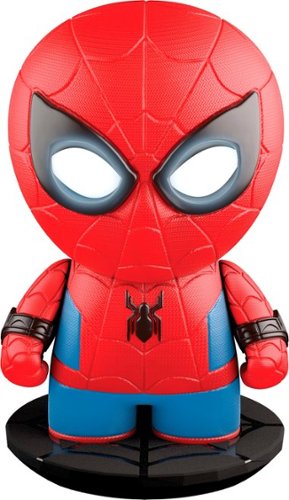
Keep enemies out of your room with this fully animated Spider-Man toy. His LED eyes light up when he detects movement with his motion-detection technology, and speech recognition lets him engage in two-way conversations. Hook this Spider-Man toy up to the Internet via Wi-Fi for new adventures, missions and updates.
Customer Rating

3
A bit of a let down, but could be cool for kids
on October 6, 2017
Posted by: nickcal
from Evansville, IN
It wasn’t too long ago that I saw my first Sphero robot. It was fun to play with although a little tough to get used to movement-wise. That experience was with the first generation Sphero and since that time, the company has branched out into licensed devices like the droids from Star Wars. When I had the opportunity to try out Spider-man by Sphero I thought, “How cool! My very own superhero!” Unfortunately, the experience was less exciting than my anticipation.
The packaging is quite impressive and I have to say that it is adorned in the red/blue branding of Spider-man. It’s very classy looking and has a lot of great graphics on the outside of it. Spider-man himself is one solid piece. Other than plugging in his charging base with the Micro USB cable that is provided (no power adapter included), there is no other assembly required. Getting started with Spider-man is very easy, too. Once you have him plugged into power and charging, you download the app from the App Store (iTunes or Android) and power him on.
The first thing you will go through is a short warm-up to get you familiar with interacting with the hero. This is where the experience sort of fell flat with me. Spider-man does not move. Other than his eyes, which are small LED panels, there is no animation whatsoever. The app is very well-developed and gives users several ways to interact with the statue, but I personally would have liked to see some additional moving parts. I didn’t expect him to swing around the room with a web, but I did think that maybe his head would turn and his arms would be controllable. Spider-man does sense when you move him around, for example, if you pick him up and swing him around the room, but other than that, he’s basically just a free-standing statue.
All that said, Spider-man does look really cool. I was amazed with the detailing on the device and the soft silicone feel of the device. His voice rings through loud and clear and he did understand me pretty well when I talked back to him. The main part of this experience happens in the app. Spider-man can stand guard in a room (he will just report to you that there was motion/activity), act as an alarm, tell you jokes, and even watch TV with you (Spider-man animated series only). For an adult, it’s a little cheesy especially for the price you pay for it, but for, but for a kid, I could see this being a good experience for learning how to interact with an artificial intelligence-driven device.
Spider-man by Sphero is a unique version of ‘create your own adventure’ for the next generation. He looks cool and does work as he should. I just expected a bit more on interactivity from the device itself.
My Best Buy number: 2677435109
Mobile Submission: False
I would recommend this to a friend!


Share this review:


+10points
10of 10voted this as helpful.
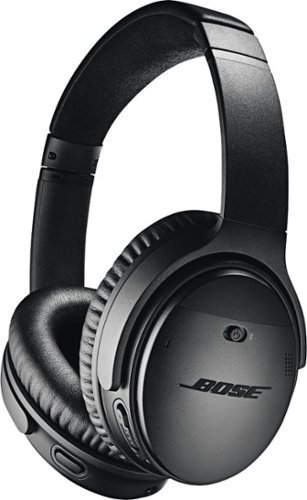
Bose QuietComfort 35 II Wireless Noise Cancelling Headphones are over-ear headphones from Bose featuring world-class noise cancelling technology, and now they're optimized with Amazon Alexa and the Google Assistant. Enjoy balanced audio performance at any volume with volume-optimized EQ. And you can make or receive clear phone calls, even in loud environments with the noise reduction dual-microphone system in these Bluetooth headphones. Connect to your devices wirelessly with Bluetooth and NFC pairing, with voice prompts for easy Bluetooth pairing. Thanks to Amazon Alexa and the Google Assistant you can keep in touch, get answers and manage your day using just your voice with one-button access to the voice assistant of your choice. You can also access your phone's default virtual assistant, like Siri through your headphones. Together, they can create astonishing real-world experiences and fundamentally new ways to work, travel, exercise, learn, play, and more. Wear these comfortable headphones all day because they're built with premium materials. Listen to your wireless headphones for up to 20 hours of long battery life from a rechargeable lithium-ion battery. Keep listening without battery power by connecting the included audio cable. Unlock more features and access future updates through the Bose Connect app.
Customer Rating
5
Straight up my new favorite headphones
on September 24, 2017
Posted by: nickcal
from Evansville, IN
I’ve long been a fan of noise cancelling headphones, but it wasn’t until this past year that I really started appreciating the scope of their use. I traveled across the country on a crowded airplane. While thousands of people do this everyday, I can’t say that I was totally prepared for it the first time around. All the ambient noises really took their toll on me and one year later, when I flew for a second time, I had an excellent pair of noise cancelling headphones in-hand to make the flight bearable. At that time, I was rocking the Sony 1000X Wireless Noise Cancelling headphones and I never thought I would find a better, more comfortable pair of headphones. This past week, I was introduced to the QuietComfort 35 II headphones by Bose. I’ve been a fan of Bose products for many years because they have a reputation for designing great, high-end audio gear. I’m happy to say that the QuietComfort 35 II’s don’t disappoint and they really live up to the Bose quality name.
UNBOXING
The headphones arrived in a standard Bose branded box. The outside covering of the box included some basic details of the product in multiple languages. You will also notice the MFi icon along with the Android logo and the Google Assistant built-in graphic. The QuietComfort 35 II are the first Bose headphones to come with built-in Google Assistant support. That is in fact the biggest difference between the QuietComfort 35 II and the original version of the headphones according to Bose’s website. When you look at the specs of the two headphone models, you will see that they are nearly identical except for the weight (version II is 2.6 ounces heavier) and the fact that the original QuietComfort headphones come packaged with an airline adapter.
The headphones arrived in a standard Bose branded box. The outside covering of the box included some basic details of the product in multiple languages. You will also notice the MFi icon along with the Android logo and the Google Assistant built-in graphic. The QuietComfort 35 II are the first Bose headphones to come with built-in Google Assistant support. That is in fact the biggest difference between the QuietComfort 35 II and the original version of the headphones according to Bose’s website. When you look at the specs of the two headphone models, you will see that they are nearly identical except for the weight (version II is 2.6 ounces heavier) and the fact that the original QuietComfort headphones come packaged with an airline adapter.
The QuietComfort 35 II’s package includes a carrying case, charging cable, and audio cable. When you first open the box, you will see the carrying case. All the other pieces are tucked away inside. The case is built very well. There is an exterior mesh pocket that could be used for extra cables or even your smartphone. When you open the case, you will find another interior mesh pocket and the mail compartment where the headphones lay. They actually fold up in a very specific way, but Bose was kind enough to include a small illustration that shows you how to place them in the case.
BUILD QUALITY
The headphones are lightweight and flexible. I really like that the earpieces aren’t static and can swivel around a bit. It makes it easier to wear in my opinion. The headband extends easily and the materials used to build it feels very solid. The padding on the headband is probably the only thing I would change. It’s soft and comfortable to wear, but it’s covered in some sort of suede fabric, which leads me to think that over time, it will soak up sweat and other oils and wear down. I would have preferred to see this padding covered in leather instead.
The headphones are lightweight and flexible. I really like that the earpieces aren’t static and can swivel around a bit. It makes it easier to wear in my opinion. The headband extends easily and the materials used to build it feels very solid. The padding on the headband is probably the only thing I would change. It’s soft and comfortable to wear, but it’s covered in some sort of suede fabric, which leads me to think that over time, it will soak up sweat and other oils and wear down. I would have preferred to see this padding covered in leather instead.
The inside of the ear pieces are marked with a “L” and “R” to show you which way to wear the headphones. One thing I noticed was that the actual speaker on the inside of the ear cup seems to be angled toward your ear. Many of my other headphones just have a flat speaker. I haven’t been able to find out this sort of orientation would affect sound quality or volume, but I am sure the design was done with purpose. The padding on the ear cups is very nice and seems to wear well. I did notice that the foam segments don’t pull off of the cups as magnets, but it does appear that they might snap off the ear cups. Not wanting to damage the foam, I didn’t try to pry them off.
These headphones have physical switches on them which is a bit of an oddity these days. Most of the headphones I’ve been around lately seem to utilize touch controls (the Sony headphones only have touch controls). So, the tactile nature of the buttons and switches on the Bose headphones was a nice departure from what I was used to. I’m sometimes not a fan of physical switches because they will get caught on things like hoodies, but the on/off switch on the right ear cup was designed in such a way that it avoided that usual problem. In addition to the on/off switch, you will also find the volume up/down buttons, and the play/pause button on the right ear cup. On the left ear piece, you will find the Google Assistant/ANR settings button.
On the bottom of the two earpieces, there is also a port for plugging in the Micro USB charging cable and the audio cable for a wired connection. Even though Micro USB has been a standard for quite some time for charging devices of this nature, I feel with a brand new product like this, Bose should have taken the opportunity to switch over to USB-C for charging.
USER EXPERIENCE
As soon as the headphones arrived, I paired them to my phone. They had 70% battery life out of the box, which made me happy that I could go ahead and start using them. I put the headphones on my head and found very quickly that they were more comfortable than my Sony headphones and they caused less strain on my head, too. I’ve used the headphones for a couple of days off and on and not had any issue with the battery life.
As soon as the headphones arrived, I paired them to my phone. They had 70% battery life out of the box, which made me happy that I could go ahead and start using them. I put the headphones on my head and found very quickly that they were more comfortable than my Sony headphones and they caused less strain on my head, too. I’ve used the headphones for a couple of days off and on and not had any issue with the battery life.
The buttons and functions I were very easy to pick up on without reading the manual but for more in depth features, you will need to read the manual because they are not as intuitive as the ones listed above. For example you have no dedicated button for changing songs. For us iPhone users we can easily remedy this by simply pressing in and holding the play/pause button to activate Siri and asking her to switch to the next track or calling up a totally different album. All the Siri commands that work on your iPhone work via this button so no worries here.
Even though I’ve only had these remarkable headphones for a few days, I’ve been incredibly impressed with them. The comfortable design and sound quality both live up to the Bose name. I’ve worn them for several hours and don’t perceive any earaches or headaches from wearing them too long.
Making and receiving calls is pretty simple. making calls again takes the use of Siri. I found this to be super simple and had no issues with Siri hearing or understanding what I asked of her to do. I don’t currently have Google Assistant installed so the dedicated Google button was used for the ANR settings instead. The sound quality is amazing. I am hard of hearing and I didn’t have any issues with hearing music or spoken words. Music and sounds were crisp and dynamic.
As noice cancelling headphones go, I really like how the Bose headphones block out ambient noise with little effort. I love that the noise canceling is activated by flipping a switch. I've not had the chance to use these on a plane yet like I did with the Sony's but with noise canceling turned up to high I can almost not hear anything else around me so I'm assuming they will work just as well if not better for travel.
CONCLUSIONS
I think the Bose QuietComfort 35 II are the best wireless headphones on the market right now. I’ve officially made the switch over to them as my primary listening companions. If you had the QuietComfort 35 that were released last year, I don’t know that the Google Assistant feature is enough to upgrade, but if you are using a different style or brand of headphone, I think you will be happy with the Bose QuietComfort 35 II.
I think the Bose QuietComfort 35 II are the best wireless headphones on the market right now. I’ve officially made the switch over to them as my primary listening companions. If you had the QuietComfort 35 that were released last year, I don’t know that the Google Assistant feature is enough to upgrade, but if you are using a different style or brand of headphone, I think you will be happy with the Bose QuietComfort 35 II.
My Best Buy number: 2677435109
Mobile Submission: False
I would recommend this to a friend!


Share this review:


+27points
46of 65voted this as helpful.

Simplify daily cleaning tasks with this Shark cordless vacuum. It uses DuoClean technology to remove stuck-on dirt and grime from carpets and floors, and it operates using a powerful lithium-ion battery, so you can use it anywhere. This Shark cordless vacuum includes a duster crevice attachment for cleaning in tight, narrow places.
Customer Rating
5
A Great Investment in household tools
on September 21, 2017
Posted by: nickcal
from Evansville, IN
Over the years, I’ve had a real love-hate relationship with vacuum cleaners. When I got my first apartment, I was very impressed with my selection of carpet sweeper, but it wasn’t very portable or easy to store because of its size. Nowadays, I’ve really taken a liking to the more compact floor cleaners because they are easier to get in and out of our storage closet. This makes it easier to do a quick sweep at the end of every day instead of letting dust and dirt pile up. The one issue I’ve still had with these compact vacuums is that they have cords. This cord-free vacuum from Shark is just what I needed.
When you open the box, you will find that all the pieces of the cleaner are individually wrapped up in plastic or boxed for shipment to consumers. It took me approximately 10 minutes to pull out all the pieces and lay them out for assembly. There are several attachments for different types of cleaning that can actually be stored away until you need them. The main part of the device is only three pieces - the floor nozzle, MultiFlex Wand, and the handheld vacuum. To assemble the vacuum, you slide the wand into the floor nozzle, and then lock the handheld vacuum element onto the other end of the wand. Assembly took far less than unboxing all the parts did.
Using the vacuum is quite easy, too. The battery arrived with a small charge on it (one bar) so I plugged it in and started sweeping. The first area I did was a tile entryway that always seems to hide dirt in between the individual tile pieces. The Shark did a great job of pulling up the hiding dirt without having to use any special attachments. After the entryway, I moved into our kitchen/dining room area and was amazed at how easily the Shark turned corners and slid beneath cabinets. It picked up everything from dry spaghetti to toothpicks. Finally, I moved on to the carpet in our living room and a small areas in our bedroom before the battery died.
Moving between surfaces is easy because it only takes a button push. The vacuum does a good job of not only picking up the dirt, but also being easy to store. Clean up meant cleaning off the front roller that trapped hairs and carpet fibers and emptying the dirt trap. I found that you actually have to remove the handheld vacuum segment from the wand in order to open the trap door for the dirt reservoir.
The Shark is a really nice investment in household tools. I would recommend it to anyone who wants to keep their house clean.
My Best Buy number: 2677435109
Mobile Submission: False
I would recommend this to a friend!


Share this review:


+9points
9of 9voted this as helpful.
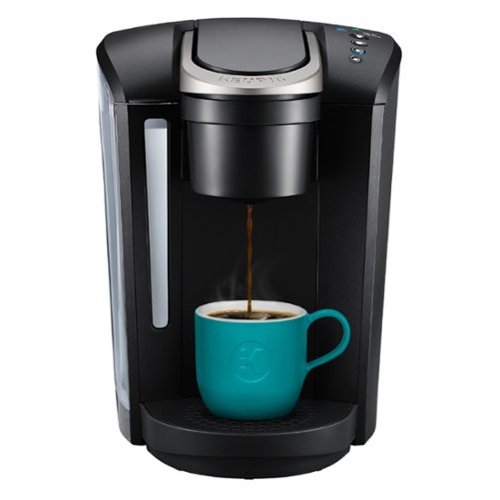
The Keurig K-Select single serve coffee maker in Matte Black combines sleek design and more intuitive features to help you brew your perfect cup every single time. It features four brew sizes, so you can brew 6, 8, 10, or up to 12 oz. of your favorite coffee, tea, hot cocoa, or iced beverage with the touch of a button. And for those who like a stronger cup of coffee, the Keurig K-Select brewer is the perfect choice. The Strong Brew feature kicks up your coffee~s strength and intensity, so you can enjoy a bolder brew. Choose from hundreds of delicious varieties of K-Cup pods, or brew your own ground coffee with the My-K-Cup Universal Reusable Coffee Filter (sold separately). With the K-Select brewer, you can brew 5 cups between refills of the large 52 oz. water reservoir.
Customer Rating
5
Makes a great cup of coffee
on September 4, 2017
Posted by: nickcal
from Evansville, IN
Over the past few years, I’ve become a fan of coffee. The thing that I don’t really like is all the preparation that goes into making a single cup. This is why I really like single serve coffee pots like the Keurig K-Select. For a few years, I had the huge Keurig system, but it started giving out on us and wasn’t making coffee correctly. When it was time to swap it out, we decided on this smaller version. It’s much more compact and still makes a wonderful cup of coffee. I really like that there are more options for coffee cup sizes. On the previous version I had there was small, medium, and large. Now there is Small, Medium, Large, and Extra Large.
Operation is very simple. You fill the reservoir up with water (I recommend bottled water as tap water might have too many minerals that will clog up the maker over time) and then select your K-Cup. One you place the K-Cup in the receptacle, you lock it into place and select your cup size. Then, you sit back and watch the coffee pot do the work. One thing that was a big difference between this model and the previous model I had is the water filtration system. This K-Select system has a charcoal-based water filter, which is a great option because it ensures that you will be using the best possible water for your coffee. It’s very similar to having a Brita water filter. You have to replace the filter after so many uses and the preparation is similar in that you have to soak it in water before using it. It’s one extra step for setup, but it’s not a deal breaker to me.
The Keurig K-Select brews a cup of coffee fairly quickly. I’ve actually had a couple of generic brands of single serve coffee makers that are very slow to brew. The Keurig brews a cup of coffee within about 15 seconds once the water is heated. The K-Select is very convenient and really does make a great cup of coffee. I can recommend this to any coffee lover.
My Best Buy number: 2677435109
Mobile Submission: False
I would recommend this to a friend!


Share this review:


+1point
2of 3voted this as helpful.
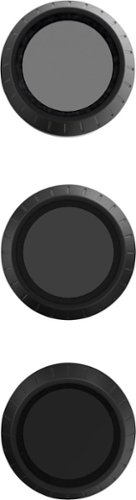
Add an array of effects to your DJI Mavic drone with this pack of three PolarPro filters. It includes a gradient neutral-density filter for extraordinary sunsets, an ND8 filter and a circular polarizing filter to cut down on reflected light. Easy compatibility with your drone ensures these PolarPro filters are simple to use.
Customer Rating
5
No one makes them better then polarpro
on September 1, 2017
Posted by: nickcal
from Evansville, IN
Verified Purchase:Yes
I have a DJI Mavic Pro, and I wanted to make sure the video I take with it is going to be good. The sun can cause the video to look washed out so I checked out these filters and can't tell you how much of a difference I noticed right off the bat.
The video and photos I took without the filters on could not be used because of how bright it was that day.
The photo in I have here is with one of the filters on the drone and as you can see it's like putting sun glasses on your drone.
My Best Buy number: 2677435109
My Best Buy number: 2677435109
Mobile Submission: False
I would recommend this to a friend!

Share this review:


+1point
1of 1voted this as helpful.

The perfect gift for anyone who loves to play - including you. Give the gift of fun with the Nintendo eShop Card.
Customer Rating
5
Protect your card and use eShop
on August 26, 2017
Posted by: nickcal
from Evansville, IN
Verified Purchase:Yes
Many years ago I had an issue with Xbox live charging my card over and over again in one month. It was a glitch and I understand things happen but the real problem was when I reached out to them I got nothing but a run around from a call center located someone out of the US. I got no help and after many attempts, I had to call my bank to have them cancel the card. It was a very frustrating day and I vowed to never let that happen again. Ever since that point, I always buy my game cards via a gift card.
The eShop allowed me to buy my games for the Nintendo Switch without needing to put a card on file with Nintendo. I know the issues I experienced before was with Microsoft but it's a lesson that can be applied to any console gaming system where you need real money to buy games.
The eShop allowed me to buy my games for the Nintendo Switch without needing to put a card on file with Nintendo. I know the issues I experienced before was with Microsoft but it's a lesson that can be applied to any console gaming system where you need real money to buy games.
My Best Buy number: 2677435109
My Best Buy number: 2677435109
Mobile Submission: False
I would recommend this to a friend!
Share this review:


+1point
1of 1voted this as helpful.
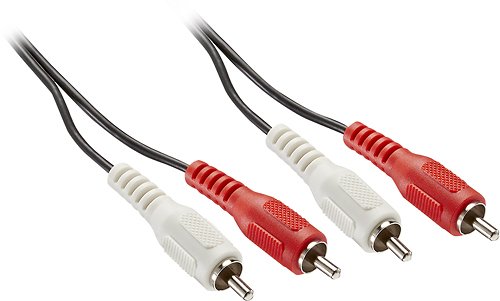
Only @ Best BuyThis Insignia NS-HZ501 cable sends analog stereo audio signals through RCA jacks, so you can easily connect most analog stereo audio components. The 6' length offers flexible placement options.
Customer Rating
5
RCA to the rescue
on August 26, 2017
Posted by: nickcal
from Evansville, IN
Verified Purchase:Yes
I got my hands on a pair of amazing studio monitors but needed RCA cables to hook them up to my DAC. These happened to be the last in the store and just the right length.
No complaints as they are working fine for what I needed them to do.
My Best Buy number: 2677435109
My Best Buy number: 2677435109
Mobile Submission: False
I would recommend this to a friend!
Share this review:


0points
0of 0voted this as helpful.
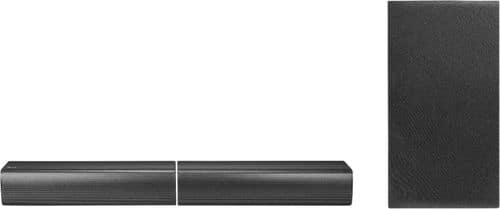
LG~s SJ7 Sound Bar Flex offers endless entertainment from a versatile dual-speaker design: The two main speakers can be placed in front of the TV, or to the left/right vertically or in front of and behind the listener for an even more cinematic experience. Both speakers are Bluetooth, and the right unit has a built-in battery, so it can work independently just about anywhere.
Customer Rating
5
A great set up with premium sound
on August 12, 2017
Posted by: nickcal
from Evansville, IN
I really like a variety of audio options. I also really like wireless options for home entertainment. A few years ago, we installed a really nice 5.1 surround sound system in our living room, but there are wires everywhere. We were able to get a wireless receiver for our back speakers, but there are still speaker wires running to it. There just isn’t a lot of flexibility. This awesome sound bar setup from LG is quickly winning me over. It’s a nice cross between what I would want for my home office and a nice amplification system for a smaller home theater.
Set up is very easy. Each speaker has a power cable. Once you have power connected, you connect the two sound bar speakers to each other wirelessly and then the subwoofer will automatically connect to the primary speaker. From here, you actually have the option to connect to the speakers wirelessly through Bluetooth. This is actually the first test I ran. I connected my iPad Pro to the set up through Bluetooth and played some music from Pandora. The sound quality is absolutely remarkable. It’s clear and crisp and honestly, it made me rethink my home office set up.
In addition to connecting through Bluetooth, you can also connect to the setup through HDMI or Digital Optical cable. I do wish there was a little more control over the volume on the subwoofer, but there are a lot of ‘sound effects’ that make it a bit punchier. In general, the sub really adds a nice depth to the sound that a standard 2-speaker setup wouldn’t have.
I actually really like this sound bar setup rather than some of its competitors because for the price point, you really get a lot of flexibility with how you want to set it up.
My Best Buy number: 2677435109
Mobile Submission: False
I would recommend this to a friend!


Share this review:


+2points
2of 2voted this as helpful.
nickcal's Review Comments
nickcal has not submitted comments on any reviews.
nickcal's Questions
nickcal has not submitted any questions.
nickcal's Answers
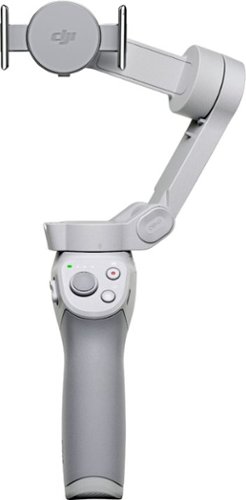
Life~s extraordinary moments deserve to be captured with smooth video. DJI OM 4 is a magnetic gimbal designed to complement your smartphone, allowing you to start recording right away. Ultra-compact, easy to use, and bursting with intelligent features, OM 4 is the ultimate solution for capturing and sharing your world.
Does the magnetic sticker phone attachment interfere with wireless phone charging?
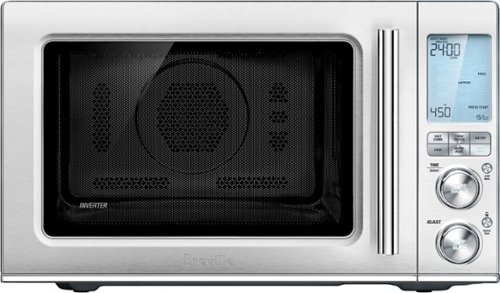
Ensure meals are cooked evenly with this Breville the Combi Wave 3-in-1e microwave. The grill, convection oven and microwave functions provide a variety of cooking options, while the Element IQ technology precisely delivers the right cooking temperature for optimal results. This Breville the Combi Wave 3-in-1 microwave features a Power Smoothing inverter for automatic adjustment of power to enable even heat distribution.
Is this an air fryer, microwave and convection oven
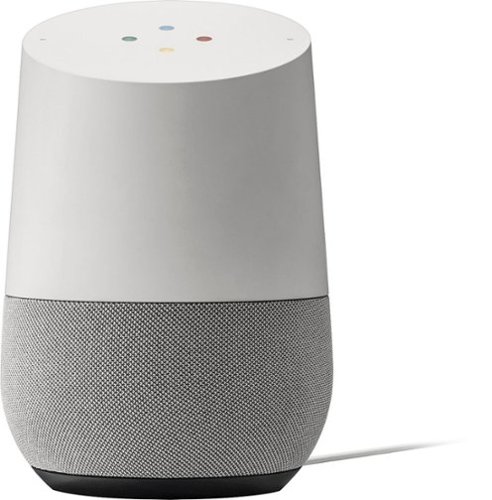
Simplify your everyday life with the Google Home, a voice-activated speaker powered by the Google Assistant. Use voice commands to enjoy music, get answers from Google and manage everyday tasks. Google Home is compatible with Android and iOS operating systems, and can control compatible smart devices such as Chromecast or Nest."
Will Google Home work with ECOBEE Thermostat?
No. Unfortunately, Google has limited functionality to only the Nest thermostat. At this time, I don't see them opening up support for third parties as they are probably trying to push it with their own hardware, but that could always change.
9 years, 10 months ago
by
nickcal
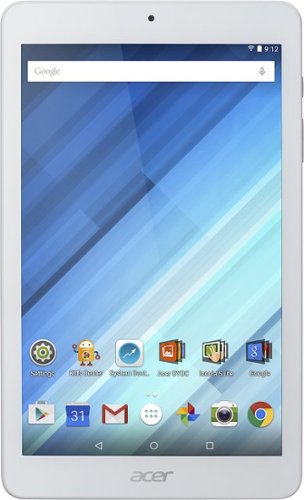
Enjoy a compact tablet that fits neatly in your pocket with this Acer Iconia One 8-inch tablet. It includes a quad-core processor and 1GB of RAM that deliver powerful processing to play all your games and apps, and the 16GB of flash memory ensure this Acer Iconia One 8-inch tablet and store your files.
can i download skype
Depends on the Google Play store. If Microsoft has a version of Skype for Android then yes.
10 years, 4 months ago
by
nickcal