


nickcal's stats
- Review count355
- Helpfulness votes1,301
- First reviewApril 12, 2014
- Last reviewSeptember 5, 2026
- Featured reviews0
- Average rating4.7
Reviews comments
- Review comment count0
- Helpfulness votes0
- First review commentNone
- Last review commentNone
- Featured review comments0
Questions
- Question count0
- Helpfulness votes0
- First questionNone
- Last questionNone
- Featured questions0
- Answer count4
- Helpfulness votes0
- First answerMay 23, 2016
- Last answerSeptember 7, 2020
- Featured answers0
- Best answers0
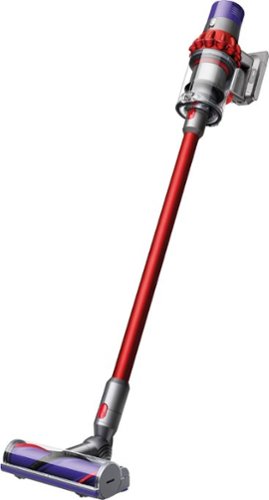
Big machine suction power*. But with cord-free versatility. The Dyson Cyclone V10 Motorhead cord-free vacuum has up to 60 minutes of fade-free runtime. The Dyson Cyclone V10 Motorhead cord-free vacuum quickly transforms to a handheld for quick cleanups, spot cleaning and cleaning difficult places.*Suction tested to ASTM F558 at the flexible inlet.
Customer Rating

5
A powerful vacuum in a small package
on March 6, 2018
Posted by: nickcal
from Evansville, IN
A few months ago, I was introduced to the cordless stick vacuum as a home maintenance device. I fell in love with them. I hate cords and so the cordless option for floor cleaning was an ideal product for me. The only issue I’ve had with the stick vacuums I’ve used is power. That problem has been solved with the release of the V10 cordless stick vacuum from Dyson.
This vacuum is designed to be just as strong (suction-wise) as the bigger vacuums from Dyson. You can use it for small jobs or the entire house. Dyson considers it to be a ‘true’ replacement for traditional full-size vacuums. It’s flexible and can twist around obstacles in your home. It is rechargeable and will be fully charged within 3.5 hours.
The V10 arrives in a brightly colored Dyson-branded box. I was actually surprised that the V10’s outer shipping box also had the ‘Dyson’ name on it. The box was easy to open and all the parts were packaged inside cushioned cardboard cartons. There is assembly required, but the main engine body is all one piece. Dyson makes putting the vacuum together very easy. They not only include an illustrated guide for the wall mount, but there is also an illustration for assembly of the main unit on the cover of the operating manual.
The manual includes a full illustrated guide with written instructions in both English and Spanish languages I really like how both types of instructions are included. Some people work better with drawings and pictures than just words. So, it’s great that both are available.
Putting together the vacuum is really very easy. The engine section snaps together with the stick body, which in turn snaps into the head of the vacuum. Even though the vacuum comes with a partial charge, it’s best to charge it up full before using it. After I charged the vacuum, I ran it around our house. There are three levels of power on the vacuum — one, two, and MAX. When I was on carpeted areas in our house, I used the MAX setting since a lot of our floors have thick carpet. We do have both carpeted and non-carpeted floors in our home though, so I had the opportunity to use setting 1 as well. Dyson referred to this as the ‘base’ setting.
Suction-wise the V10 works great. I’ve had no problems with it cleaning the floors in our house. There have been a few times that debris hasn’t been picked up 100%. Sometimes it will blow debris around instead of being sucked into the vacuum. So, I have had to go over areas more than once in non-carpeted floors. That actually wasn’t a surprise though as most of my cordless stick vacuum experiences have caused that to happen.
There are two features of the V10 that I feel are lacking. First, the vacuum won’t stand up on its own. While this isn’t really a big deal until you want to store it, I still wanted to note it here. Second, you have to hold in the power button the entire time you are vacuuming. I’ve had other cordless vacuums that allow you to lock the trigger in place so that you don’t have to keep it held in the entire time you are vacuuming. It’s not such a big deal if you are cleaning a small spot in the house, but if you are doing all the floors, it can become a chore to keep it held in.
Other than those two things, I’ve really enjoyed getting to know the V10. It’s a very capable vacuum and it has become a replacement for our full size vacuum. We typically vacuum the house — the high traffic areas — every other day with the V10 and then on the weekends we use the full size vacuum everywhere. This helps keep dirt and dust to a minimum in the house. Truth be told, the V10 can do the job, but it does take a bit longer because the canister has to be emptied. It’s a great vacuum and a welcome addition to our home.
My Best Buy number: 2677435109
Mobile Submission: False
I would recommend this to a friend!


Share this review:


+12points
22of 32voted this as helpful.
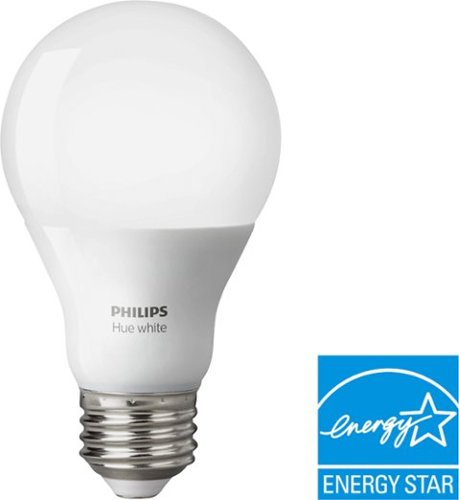
Provide smart illumination for your space with this Philips Hue white light bulb. The equivalent to a 60W standard bulb, this advanced bulb can be used as a regular LED light or to enhance your enjoyment with the Philips Hue app. This Philips Hue white light bulb is compatible with Alexa, Apple HomeKit and Google Assistant.
Customer Rating
5
Smart bulbs all the way
on February 18, 2018
Posted by: nickcal
from Evansville, IN
Verified Purchase:Yes
I have around 28 smart bulbs in my home. I spent the last few years when I had extra money to spend buying them for my house. My wife thought I was crazy at first but now she uses Alexa and Siri to turn the lights on and off just as much as I do. I have used a few different brands of smart bulbs over the years but have found the Hue bulbs to be the best. They work with Google Home, Amazon Alexa, and Apple's Siri.
The Hue bulbs have given me a few headaches here and there but for the most part, they have been the best daily use bulbs I could ask for. The reason I picked up the White A19 Smart LED Bulb was for my closet. I did not think the extra cash needed for a color bulb made since using it in the closet to find pants and shirts to wear. The White A19 bulb has been as rock solid as the colored bulbs that I have everywhere else in the house. I have no complaints and I would recommend it to anyone looking to get into smart home tech.
My Best Buy number: 2677435109
My Best Buy number: 2677435109
Mobile Submission: False
I would recommend this to a friend!
Share this review:


0points
0of 0voted this as helpful.
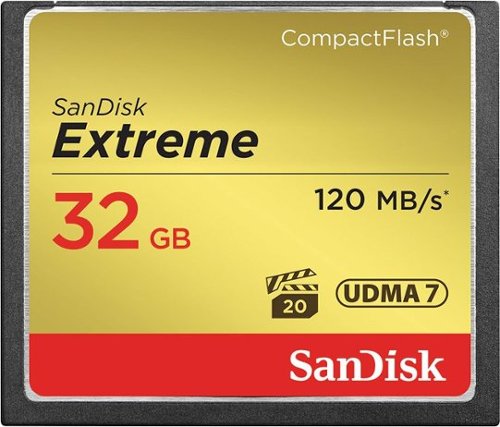
Store up to 32GB of photos and videos on this SanDisk Extreme memory card that is designed for use with select CF-enabled devices, including most DSLR cameras. An up to 85MB/sec. write speed ensures rapid performance
Customer Rating
5
Perfect for my needs
on February 18, 2018
Posted by: nickcal
from Evansville, IN
Verified Purchase:Yes
I have the 128GB version of this card but felt I would need more storage while on my trip so my wife picked up this 32gb card for me. It's the same card as the bigger one I already owned just smaller size. I love SanDisk CF cards.
I use the Canon EOS 5D Mark IV for all my photo and video projects and I've never had any issues with these types of cards. My one complaint is that the store does not carry the bigger cards unless you order online. I, however, waited until the last minute so I'm grateful Robyn was able to find a 32GB. A word to the wise, always take spare cards when going on a week-long shoot.
As for as speed goes, this is the fastest card available for the 5D Mark IV. My experience with these cards is they hold up very well. I have no complaints and would recommend them.
My Best Buy number: 2677435109
My Best Buy number: 2677435109
Mobile Submission: False
I would recommend this to a friend!
Share this review:


0points
0of 0voted this as helpful.
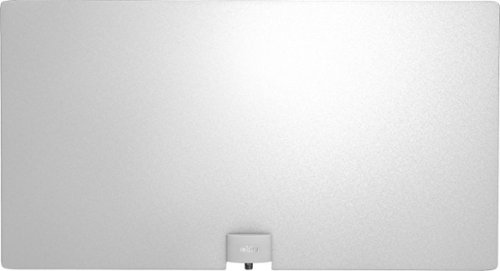
Only at Best BuyCut the cable with this Mohu Leaf Supreme indoor antenna. It has a 65-mile range to pick up HD over-the-air channels for an enhanced entertainment experience, and its unique SignaLift technology brings in UHF and VHF channels with a clear picture. This Mohu Leaf Supreme indoor antenna has a discreet appearance to blend in with your living space.
Customer Rating
5
Cut the cord and be free with your TV programs
on January 26, 2018
Posted by: nickcal
from Evansville, IN
I grew up in a time when TVs had antennas. That was, in fact, the only way to get any TV channels. Back then they were referred to as 'rabbit ears' because they stuck out from the top of the television set like a pair of ears. You had to move them around depending on which channel you wanted to see. Only about 10 years ago, when Netflix started to gain popularity, I 'cut the cable' and started watching all my programs over the air and supplementing with streaming video programs. Unfortunately, television upgraded its technology and soon my old analog rabbit ears couldn't keep up with today's digital demands. Enter Mohu's Leaf Supreme Indoor Amplified HDTV Antenna.
UNBOXING AND SETUP
The box of the antenna is green and branded with Mohu materials. There is a decent amount of information about the product on it. In our particular case, the box was somewhat damaged because it was not shipped inside another carton. The shipping label was slapped right on the exterior of the Mohu box and sent to us. The box also has an image of the product on the exterior and it shows the logos of various local networks that can be picked up by the antenna (if they happen to be in range). When you open the box, you will discover a somewhat strong smell of plastic and other elements. The antenna is wrapped around the interior of the box and falls flat when you take it out. In addition to the antenna piece, there is a package that includes the amplifier, 2 x 10ft coaxial cables, USB power adapter, hook and loop tabs, and push pins.
The instructions are also included in this packet of accessories and they are pretty succinct. You attach the antenna to the amplifier and the amplifier to the TV. You could just connect the antenna directly to the TV, but that sort of defeats the purpose of acquiring this particular package. The amplifier must be powered to function -- hence why a USB plug is included. You can plug the USB power cable from the amplifier into a USB port on the TV if your TV has one. One thing you have to be sure to do with your TV is to set it to 'Antenna' or 'Air' for the tuner mode. Your TV will then scan for channels and then display channels within range.
USER EXPERIENCE
Since I'm a child of 'bunny ears' run televisions, the set up of this antenna was really no problem at all. I love that it has an amplifier with it to extend its range. We live in a rather close-knit area so the local networks are all within a 65-mile radius (most are within 10-20 miles). It was a breath of fresh air to see crisp, clear over-the-air reception that HDTV can provide. I had the antenna connected to a smaller HD television. It did have a coaxial input plug as well as a USB port so I could power the amplifier. Scanning for channels only took about 2 minutes and I had more than 15 channels that came in very clear and I believe I was picking up the most over-the-air channels for our area.
The instructions state that you may still have to move the antenna around if reception is 'sporadic'. I had it mounted on an interior wall of our home and it didn't seem that the receptions were wavering as I flipped through the stations. I was very pleased with how well the stations came in both with video and audio.
CONCLUSIONS
In the past year or so, we have been constantly battling with our cable/satellite provider over a stable bill. They keep tacking on 'hidden' fees and charges that we didn't authorize. This leads us to long, drawn-out conversations with retention reps that results in a lower bill for a certain period of time. This is a tiresome dance and one we don't want to continue. We have looked into options and while cutting the cable may not be the solution for us at this particular time, it could be in the near future. The Mohu Leaf Supreme Indoor Amplified HDTV Antenna is a great option for connecting to local network channels. The reception was clear and there was no delay in connecting. It's very easy to use and provides its service as advertised.
My Best Buy number: 2677435109
Mobile Submission: False
I would recommend this to a friend!


Share this review:


+17points
25of 33voted this as helpful.

This double feature includes Pitch Perfect and the sequel Pitch Perfect 2 a musical comedy franchise about a college acapella group that stars Anna Kendrick and Rebel Wilson.
Customer Rating
5
wonderful option for mother/daughter movie night
on January 23, 2018
Posted by: nickcal
from Evansville, IN
Verified Purchase:Yes
While I was out of town on a business trip, my wife and daughter decided to make a small purchase for a movie night. My daughter had seen Pitch Perfect 2, but not the original. So, my wife tried to find the original movie to show my daughter. It wasn’t available on regular On Demand television, Netflix, or any other streaming services. It was available on the Apple TV, but only for rent/buy and the rental fee was $4.00. My wife checked local Red Box locations, but because the movie is a bit on the older side, it wasn’t available anywhere. She finally decided to visit our local Best Buy and purchase the movie. She was delighted to find it not only on BluRay, but also packaged with the second movie as well. It was a wonderful price and the quality of the product was superb. There were no issues with the BluRay disc playing in our XBox One. My wife is delighted to have this set of movies in our collection because it’s a favorite of hers.
My Best Buy number: 2677435109
My Best Buy number: 2677435109
Mobile Submission: False
I would recommend this to a friend!
Share this review:


0points
0of 0voted this as helpful.
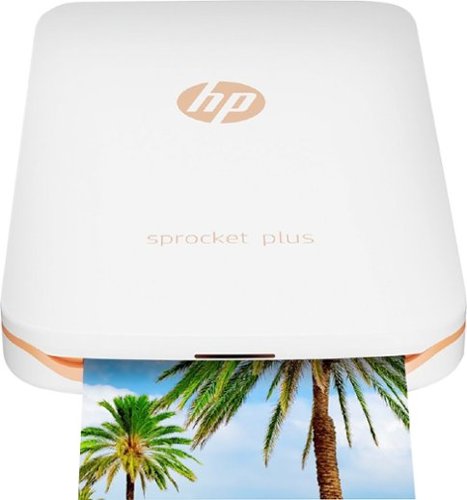
Produce physical copies of smartphone image files with this Bluetooth-enabled HP Sprocket Plus photo printer. Its compact form fits 10 sheets of 2.3 x 3.4-inch photo paper, and it lets you edit photos creatively via the HP Sprocket app. This portable HP Sprocket Plus photo printer also scans its printed images to quickly locate their digital sources.
Customer Rating

4
Easy mobile printing with a compact printer
on January 18, 2018
Posted by: nickcal
from Evansville, IN
Years ago, when I was in high school, the big thing to do was have miniature photo albums to carry all your precious memories in. My friends and I would get prints of our photos and share them. Now, all photos are all digital. But what happens if you want a print out of really good photos that you take with your phone? Typically, you have to send the digital file to a photo lab like at Walgreens or Wal-Mart. It’s not a particularly difficult process, but sometimes you just want to print out photos at home. I’ve used standard printers before, but just haven’t been happy with the quality. One of the simplest solutions is to invest in a personal photo printer like this one from HP.
The HP Sprocket Plus Printer is a compact printer for mobile photos. It’s designed to work directly with your smartphone and is just about the same size, too. The printer comes packaged with 10 sheets of HP Sprocket Plus Zink photo paper and a short (about 12 inches) Micro USB cable for charging/powering the printer. With the printer, you can print 2.3 x 3.4-inch photos directly from your phone in just a few seconds.
Setup is easy. You download the Sprocket app for your mobile platform (iOS or Android) and connect to the printer using Bluetooth. When you start up the printer, you will get a notification on your phone (if you already have the app installed) that says that the app wants to connect to the printer. If you allow it, you will be able to see your Camera Roll and other albums in your Photo library. I have an iPhone 7 and didn’t have any issues connecting to it. You can also connect to Instagram, Facebook, and Google to print photos stored in Social Media accounts without having to download them first.
The only thing I noticed that was a little slow was the app’s connection to my phone’s photo library. I would save a photo from a shared library and reload the app photo list and it would take a few seconds for the new photos to appear. Once you select a photo, you can edit it in the Sprocket app. You can do the ‘magic’ fix tool, which automatically adjusts brightness and color. You can also manually adjust brightness, contrast, and exposure. The Sprocket app has some built-in filters, too, and you have the ability to add text and drawings to photos. Once you make your edits, you simply send it to the printer.
I tested this out with a few different photos. I found that the colors were not exactly what I had hoped for. The reds aren’t quite as vibrant as they show on the phone and even black and white photos have a purplish tint to them. Overall though, I’m happy with the prints. It’s a nice way to display memories without having to visit a photo lab. The Sprocket Plus Printer is easy to connect to and communicates well with the mobile app.
The HP Sprocket Plus Printer is a compact printer for mobile photos. It’s designed to work directly with your smartphone and is just about the same size, too. The printer comes packaged with 10 sheets of HP Sprocket Plus Zink photo paper and a short (about 12 inches) Micro USB cable for charging/powering the printer. With the printer, you can print 2.3 x 3.4-inch photos directly from your phone in just a few seconds.
Setup is easy. You download the Sprocket app for your mobile platform (iOS or Android) and connect to the printer using Bluetooth. When you start up the printer, you will get a notification on your phone (if you already have the app installed) that says that the app wants to connect to the printer. If you allow it, you will be able to see your Camera Roll and other albums in your Photo library. I have an iPhone 7 and didn’t have any issues connecting to it. You can also connect to Instagram, Facebook, and Google to print photos stored in Social Media accounts without having to download them first.
The only thing I noticed that was a little slow was the app’s connection to my phone’s photo library. I would save a photo from a shared library and reload the app photo list and it would take a few seconds for the new photos to appear. Once you select a photo, you can edit it in the Sprocket app. You can do the ‘magic’ fix tool, which automatically adjusts brightness and color. You can also manually adjust brightness, contrast, and exposure. The Sprocket app has some built-in filters, too, and you have the ability to add text and drawings to photos. Once you make your edits, you simply send it to the printer.
I tested this out with a few different photos. I found that the colors were not exactly what I had hoped for. The reds aren’t quite as vibrant as they show on the phone and even black and white photos have a purplish tint to them. Overall though, I’m happy with the prints. It’s a nice way to display memories without having to visit a photo lab. The Sprocket Plus Printer is easy to connect to and communicates well with the mobile app.
My Best Buy number: 2677435109
Mobile Submission: False
I would recommend this to a friend!


Share this review:


+19points
19of 19voted this as helpful.
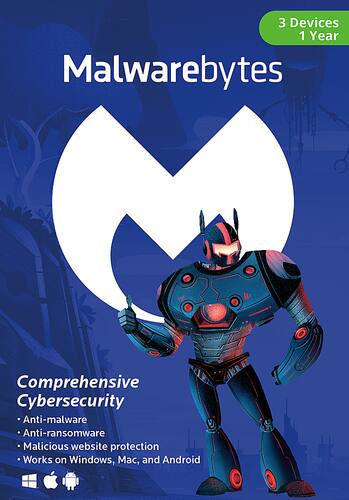
Keep your computer and information safe with Malwarebytes software. It provides protection against multiple attack types, including ransomware that hijacks your computer and demands payment and traditional spyware, and offers fast scanning so your device isn't tied up. Malwarebytes software detects fake websites and prevents you from accessing them or downloading infected programs.
Customer Rating
4
Easy to use cybersecurity option
on January 16, 2018
Posted by: nickcal
from Evansville, IN
Being that my primary personal machine is an Apple MacBook Pro, I don't find a whole lot of use for PC virus protection. Do Macs get infected? Yes. They certainly can, but they aren't as susceptible to attacks as PCs. That said, my work computer is a PC tower and I do have a personal HP laptop that runs Windows 10. And, even though I use it sparingly, I do want to ensure it's protected. So, I installed Malwarebytes on my machine.
The cybersecurity software is designed as anti-malware, anti-ransomware, anti-exploit, and as malicious website protection. The package I ordered and received is good for 1-year of service on up to 3 PCs. The funny thing to me is that the software is still delivered inside a box - just like it used to be when users had to have a CD or DVD of the software for installation. Today, you can still request that from the manufacturer, but you are expected to download the software package from the Malwarebytes website and then use the license key, which is provided on a card that arrives inside the box. In fact, that is all that is inside the box other than some supportive cardboard on the sides. In my opinion, this is a completely unnecessary. If you place an order for this product or purchase a license, I feel like it could easily be sent to you by email or at the most, in an envelope. There is no need to produce an entire box just to hold one piece of paper.
I had a few false starts getting the software package downloaded. As it turned out, my computer was trying to do Windows updates in the background. I want to point out that the software package is around 80MB in size so it could potentially clog your internet connection if your system is trying to update in the background. After I ended that task, the software downloaded with no problems.
I opened and installed the software and then entered the license key. It worked flawlessly and I ran the scan within a few seconds. Fortunately for me, there were no problems detected. As a default, all the protections are turned 'on'. You can choose to turn them off, but I don't know why you would want to do that. Inside the app settings, you can adjust the scan schedule, level of protection, application settings, exclusions, and you can also view your account details. I like that you have so many different ways to view the protection on your computer. I've seen some cybersecurity applications that have overly complicated menus and they just seem confusing to me. Malwarebytes is easy to use and easy to read. I probably would have given this product a 5-star rating had it not been for the packaging.
My Best Buy number: 2677435109
Mobile Submission: False
I would recommend this to a friend!


Share this review:


+1point
2of 3voted this as helpful.
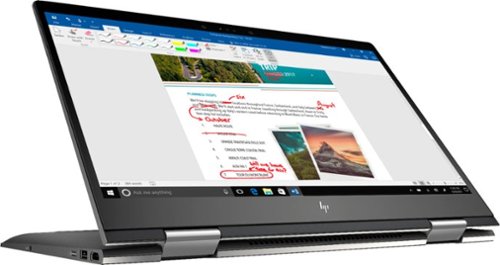
Optimize your productivity and entertainment experience with this 15.6-inch HP Envy convertible laptop. Its AMD Ryzen 5 processor and 8GB of RAM provide smooth performance, and its AMD Radeon graphics loads stunning gaming visuals. This HP Envy convertible laptop has 1TB of storage, and its Windows Ink feature lets you work with a digital pen. Learn more.
Customer Rating
4
A powerful, workhorse laptop
on December 15, 2017
Posted by: nickcal
from Evansville, IN
Even though I am partial to Apple computers, I do enjoy working with other operating systems on occasion. I'm particularly intrigued by the convertible laptops that can act as tablets or a laptop computer. This class of machine is typically more powerful than your typical tablet, which is the basis of its appeal to me.
My first impression of the HP Envy was good. It's a sleek-looking laptop and fits with the modern style that most companies are following. The color is called "Dark Ash Silver," which is similar to the Space Gray from Apple. It is a shade darker though. The next thing I noticed was the computer's weight. It weighs 4.74 pounds. This is almost a full pound more than the 15-inch MacBook Pro. It may not seem like much to most people, but when you are talking about portability and laptops, 1 pound is quite a lot. When I got the laptop opened up, I have to admit that it 'feels' bigger than my MacBook Pro, too. It almost feels like the difference between a 13-inch laptop and a 17-inch laptop. Weird right?
Set-up for the laptop was very easy. I turned it on and after I connected it to WiFi, Cortana took over and walked me through the entire set-up process. You are encouraged to connect the computer to an online Microsoft account. This is not mandatory to set-up the computer though. You can skip this step and just create a login ID for the computer without it being connected to the cloud. Once I was 100% connected and ready to start working, the Envy flew through the tasks I put before it. Most people might end up using this for standard office tasks and with a 1TB hard drive (7200 RPM -- it's not solid state) and 8GB of memory, you won't be disappointed with this laptop's performance.
The keyboard took a little getting used to for me. I think that's because it's a full-size keyboard with the number keypad included. That means that the main part of the keyboard is offset from the center of the screen. Therefore, I found myself mistyping quite a bit until I got used to the keyboard. The other thing I was really impressed with right off the bat was the screen. It's a full 1080P HD widescreen LED display. The screen is smooth and clear. It's also quite fragile. When I first received this laptop, I powered it on and connected it to my WiFi. At that particular time, I could not finish the set-up so I closed the lid with the protective fabric provided by HP. There were no wrinkles or folds when I closed the lid and the next time I opened it, I noticed a sizeable scratch on the screen. No one else had used the laptop so the only thing I can think of is that the fabric somehow caused the scratch. This was indeed disappointing considering that this is a convertible laptop and can also be used as a tablet. You would think a touchscreen laptop would have a more durable screen.
Switching to tablet mode is an automatic process. When you flip the keyboard around on its axis, the computer detects that it's been rotated around and asks you if you want to switch over to tablet mode or exit it if you are switching back to laptop mode. When you answer 'yes', the screen enters the full-screen mode for the tablet use. Even when you are in laptop mode, you have the option to still use the touchscreen and the other tablet features. Typing in tablet mode is easy. The on-screen keyboard is very responsive -- more so than even my 12-inch iPad Pro. This is one feature I really enjoy. At times, I actually felt as though I was typing faster in tablet mode than with the keyboard. I have two main concerns about using this particular laptop in tablet mode. First, even though I like typing with the on-screen keyboard, the screen tends to shake quite a bit. This is really unavoidable since the computer is as stable and locked in as it can be, but it's still something that bothered me a bit. The other issue I have is the sensitivity of the screen to scratches. Working on this computer in tablet mode concerns me because I feel that the screen could become easily damaged.
I like that this computer has 2 USB-A ports, an HDMI port, an SD card reader and a USB-C port. This makes for a very versatile laptop. Because it does have a standard USB port, I was able to connect a USB mouse quickly and easily so that I had maximum functionality.
The HP Envy x360 is a really great option for most types of users. It came pre-loaded with Microsoft Office (subscription required after trial) and a few other standard utility applications, but I think that this powerful laptop could handle other applications easily. I believe it could even handle being a design-driven laptop. It's great for presentations and a powerful workhorse.
My Best Buy number: 2677435109
Mobile Submission: False
I would recommend this to a friend!


Share this review:


+13points
13of 13voted this as helpful.
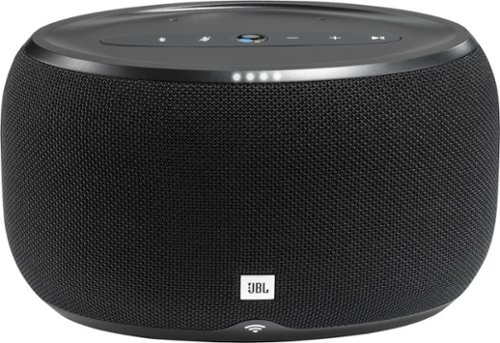
Achieve impressive sound from this JBL Link voice-activated speaker. Bluetooth technology ensures solid connectivity to your smartphone to play your favorite music, and the built-in Google Assistant provides hands-free operation on a variety of tasks. This JBL Link voice-activated speaker works with both iOS and Android devices for optimal convenience.
Customer Rating
5
A great speaker with voice assistant
on December 12, 2017
Posted by: nickcal
from Evansville, IN
For the past year or so, I’ve been trying out different digital assistants. I love the voice activated speakers that you can install around the house that integrate the assistants as a feature. It’s wonderful to be able to ask Siri or Alexa to turn off lights around the house or asking Google about the weather, calendar, or to play a game. The voice-activated speakers with digital assistant have become a staple around our house and a very welcome addition.
So, when I started looking at this new line of JBL speakers, I was very excited to see that Google was included. JBL is a quality name when it comes to speakers. It’s sometimes left behind other consumer brands because they focus a lot of professional users, but this speaker, the Link 300, is a really nice example of a classy, quality speaker.
For starters, it’s a standard Bluetooth speaker with a traditional set-up. When you turn it on, it automatically enters Bluetooth pairing mode and for me, it appears immediately in my Bluetooth device menu on my iPhone. I tapped on the device name and was connected. In subsequent uses, I’ve noticed a bit of a delay in connecting, but no more than I usually do with Bluetooth speakers. One nice feature of the Link 300 is that it will also connect via WiFi, which does have a stronger connection than Bluetooth. I found the sound to be of similar quality for either type of connection, but the delay was much less when connected to the WiFi than the Bluetooth.
I love the look of this speaker. It’s a sleek black speaker and is about the size of a child-size football. It fits nicely on our coffee table and because it’s such a classic design, it blends in with the rest of our décor. Even though it's voice-activated, the speaker also has tactile controls on the top of it. You can play/pause music or increase/decrease the volume using the +/- buttons.
One thing I want to point out is that within my collection of smart devices is a Google Home speaker. While the speaker works very well and the microphone is sensitive enough to pick up commands from our TV, it’s meant more for the Google Assistant than the speaker. JBL designed the speaker first and added in the assistant. This makes for a higher quality speaker. There are full bass sound and clear, crisp treble. Even without the Google Assistant built-in, this is a very nice speaker that would make a welcome addition to any home or office.
Even though the price of this speaker is a bit higher than others in its class, I think you really get what you pay for. Set up is simple and you get a very capable digital assistant.
So, when I started looking at this new line of JBL speakers, I was very excited to see that Google was included. JBL is a quality name when it comes to speakers. It’s sometimes left behind other consumer brands because they focus a lot of professional users, but this speaker, the Link 300, is a really nice example of a classy, quality speaker.
For starters, it’s a standard Bluetooth speaker with a traditional set-up. When you turn it on, it automatically enters Bluetooth pairing mode and for me, it appears immediately in my Bluetooth device menu on my iPhone. I tapped on the device name and was connected. In subsequent uses, I’ve noticed a bit of a delay in connecting, but no more than I usually do with Bluetooth speakers. One nice feature of the Link 300 is that it will also connect via WiFi, which does have a stronger connection than Bluetooth. I found the sound to be of similar quality for either type of connection, but the delay was much less when connected to the WiFi than the Bluetooth.
I love the look of this speaker. It’s a sleek black speaker and is about the size of a child-size football. It fits nicely on our coffee table and because it’s such a classic design, it blends in with the rest of our décor. Even though it's voice-activated, the speaker also has tactile controls on the top of it. You can play/pause music or increase/decrease the volume using the +/- buttons.
One thing I want to point out is that within my collection of smart devices is a Google Home speaker. While the speaker works very well and the microphone is sensitive enough to pick up commands from our TV, it’s meant more for the Google Assistant than the speaker. JBL designed the speaker first and added in the assistant. This makes for a higher quality speaker. There are full bass sound and clear, crisp treble. Even without the Google Assistant built-in, this is a very nice speaker that would make a welcome addition to any home or office.
Even though the price of this speaker is a bit higher than others in its class, I think you really get what you pay for. Set up is simple and you get a very capable digital assistant.
My Best Buy number: 2677435109
Mobile Submission: False
I would recommend this to a friend!


Share this review:


+4points
4of 4voted this as helpful.
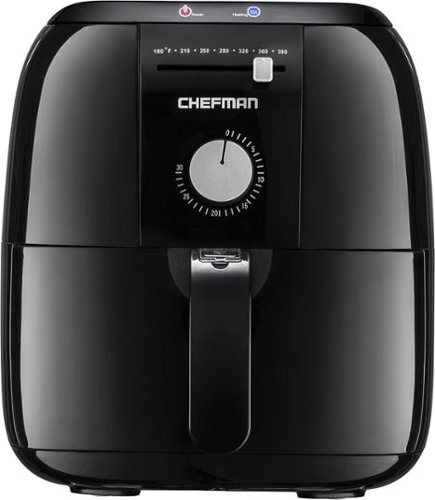
Chefman Express 2.5L Air Fryer : Quickly prepare fried favorites like shrimp and onion rings with this air fryer, which features adjustable temperature control and a 30-minute timer for flexible cooking. The dishwasher-safe basket makes cleanup quick and easy.
Customer Rating
5
Does the trick
on December 10, 2017
Posted by: nickcal
from Evansville, IN
Verified Purchase:Yes
Ok, so I'm new to the air frying business so all I can say about this little thing is that it does a really great job of cooking without oil. No complaints on my end.
My Best Buy number: 2677435109
My Best Buy number: 2677435109
Mobile Submission: False
I would recommend this to a friend!
Share this review:


0points
0of 0voted this as helpful.
nickcal's Review Comments
nickcal has not submitted comments on any reviews.
nickcal's Questions
nickcal has not submitted any questions.
nickcal's Answers
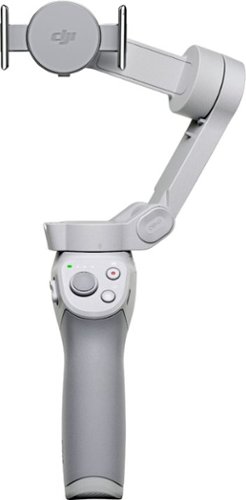
Life~s extraordinary moments deserve to be captured with smooth video. DJI OM 4 is a magnetic gimbal designed to complement your smartphone, allowing you to start recording right away. Ultra-compact, easy to use, and bursting with intelligent features, OM 4 is the ultimate solution for capturing and sharing your world.
Does the magnetic sticker phone attachment interfere with wireless phone charging?
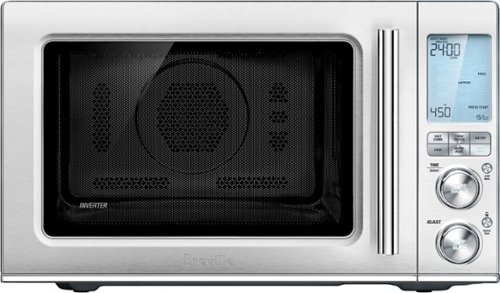
Ensure meals are cooked evenly with this Breville the Combi Wave 3-in-1e microwave. The grill, convection oven and microwave functions provide a variety of cooking options, while the Element IQ technology precisely delivers the right cooking temperature for optimal results. This Breville the Combi Wave 3-in-1 microwave features a Power Smoothing inverter for automatic adjustment of power to enable even heat distribution.
Is this an air fryer, microwave and convection oven
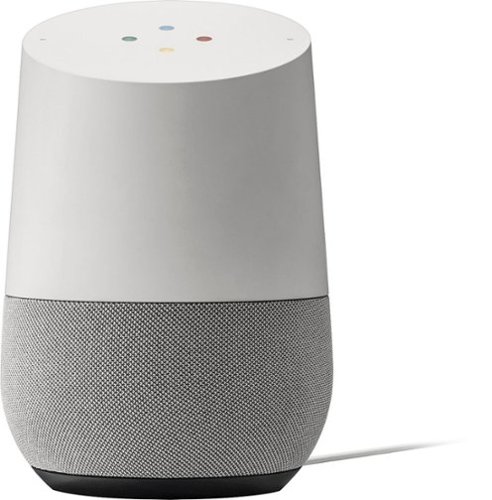
Simplify your everyday life with the Google Home, a voice-activated speaker powered by the Google Assistant. Use voice commands to enjoy music, get answers from Google and manage everyday tasks. Google Home is compatible with Android and iOS operating systems, and can control compatible smart devices such as Chromecast or Nest."
Will Google Home work with ECOBEE Thermostat?
No. Unfortunately, Google has limited functionality to only the Nest thermostat. At this time, I don't see them opening up support for third parties as they are probably trying to push it with their own hardware, but that could always change.
9 years, 10 months ago
by
nickcal
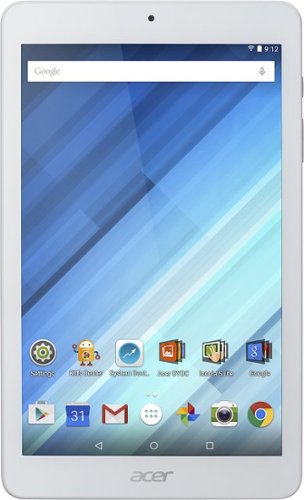
Enjoy a compact tablet that fits neatly in your pocket with this Acer Iconia One 8-inch tablet. It includes a quad-core processor and 1GB of RAM that deliver powerful processing to play all your games and apps, and the 16GB of flash memory ensure this Acer Iconia One 8-inch tablet and store your files.
can i download skype
Depends on the Google Play store. If Microsoft has a version of Skype for Android then yes.
10 years, 4 months ago
by
nickcal