


callmeageeth's stats
- Review count383
- Helpfulness votes1,301
- First reviewJune 23, 2014
- Last reviewAugust 18, 2026
- Featured reviews0
- Average rating4.4
Reviews comments
- Review comment count0
- Helpfulness votes0
- First review commentNone
- Last review commentNone
- Featured review comments0
Questions
- Question count0
- Helpfulness votes0
- First questionNone
- Last questionNone
- Featured questions0
- Answer count25
- Helpfulness votes50
- First answerOctober 20, 2014
- Last answerDecember 15, 2021
- Featured answers0
- Best answers7
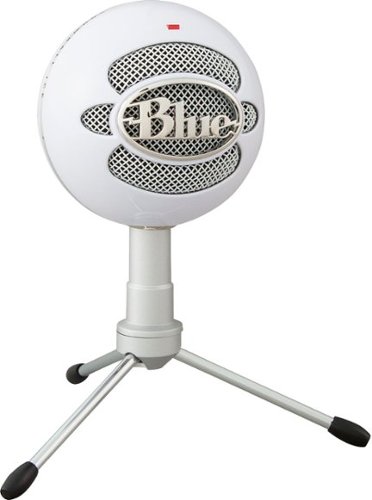
With Blue~s Snowball iCE you get high-quality sound for gaming, streaming, podcasting, YouTube videos and more. Its custom cardioid condenser capsule delivers crystal-clear audio quality that~s light-years ahead of your built-in computer microphone. The adjustable tripod lets you position the microphone in relation to the sound source. Plug ~n play USB connection works with any software or computer.
Customer Rating

5
Great quality but large
on March 16, 2018
Posted by: callmeageeth
from Louisville, KY
Verified Purchase:Yes
I ordered this online without seeing it in person and I was a little disappointed by how large it was, but the quality and ease of use more than made me forget about it's size. I use it for conference calls over video conferencing apps and it does an amazing job. Best of all, it's literally plug and play. If you need a USB microphone that is not only a great price, but great quality, this is the one
My Best Buy number: 2706404977
My Best Buy number: 2706404977
Mobile Submission: False
I would recommend this to a friend!
Share this review:


0points
0of 0voted this as helpful.

Live stream with outstanding clarity with the Logitech C922 webcam, designed and built for streamers who take their game seriously. With a choice of 30 fps at 1080p or the hyperfast 60 fps at 720p, you can record or go live with vibrant, true-to-life video on channels like Twitch and YouTube. Broadcast masterfully with reliable no-drop audio, autofocus, and a 78~ diagonal field of view. Two omni-directional microphones accurately capture your voice from multiple angles for greater nuance. Go pro with features for XSplit, or customize your stream with Logitech Capture.
Customer Rating
5
Excellent Quality
on March 16, 2018
Posted by: callmeageeth
from Louisville, KY
Verified Purchase:Yes
This is an awesome webcam. Great picture and sound quality. I don't use the included software to live stream (I use it for traditional video chat services). It is super easy to set up, literally plug in play. I like the included tripod as it is the perfect height to sit on a table when recording someone other than yourself
My Best Buy number: 2706404977
My Best Buy number: 2706404977
Mobile Submission: False
I would recommend this to a friend!
Share this review:


0points
0of 0voted this as helpful.
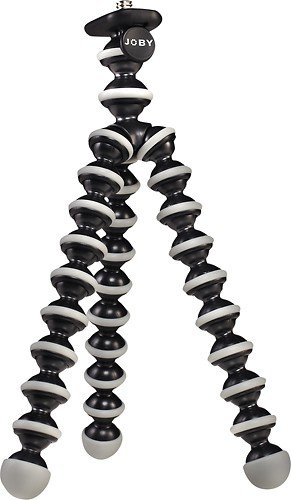
The gorillapod tripod can be adjusted to secure your camera or camcorder to a variety of surfaces, so you can capture the perfect shot.
Customer Rating
5
Tiny and compact
on March 16, 2018
Posted by: callmeageeth
from Louisville, KY
Verified Purchase:Yes
These flexible tripods are terrific and are extremely functional. This one is a small version which is perfect for small point and shoots or smart phones.
My Best Buy number: 2706404977
My Best Buy number: 2706404977
Mobile Submission: False
I would recommend this to a friend!
Share this review:


0points
0of 0voted this as helpful.
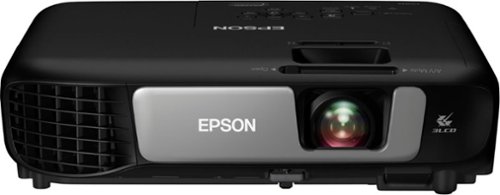
Share projects and presentations with this Epson 3LCD projector. Wireless connectivity means you can place this device virtually anywhere in a conference room or classroom, while the onscreen QR code lets you quickly connect your laptop or mobile device for remote operation. Featuring 3600 lumens of equal color and bright whiteness, this Epson 3LCD projector delivers crisp, clear images to your screen.
Customer Rating

4
Nice, bright, sharp picture, but loud
on March 15, 2018
Posted by: callmeageeth
from Louisville, KY
We use projectors at work a lot for mediation presentations. We show a variety of information, from PowerPoints, to PDFs, to videos all in the same presentation. Sometimes these are in our office, but often we take our equipment elsewhere. We were using a large projector and that was bulky and heavy. The first thing I noticed about this Epson projector was the weight (very light) and the fact that it comes with a carrying bag. I would have taken it without the bag, but man is it convenient for travel. NOTE: the bag doesn't offer a great deal of protection, so don't throw it around.
In addition to the bag, you also get a VGA cable, power cable, USB cable and remote. Missing is an HDMI cable, but luckily they're pretty ubiquitous nowadays so you likely have an extra laying around.
Set up is pretty simple. There aren't too many ports in the back, simple composite inputs (red yellow and white plugs), HDMI, VGA, USB A and B, and power input. Simple plug the power in, tap the power button twice and off you go.
This projector is advertised as 720p, but that's with a VGA cable. Using a HDMI cable gets you 1080p picture. I plug the HDMI cable from the projector directly into my computer.
Once the computer is plugged in and the power is on, it's time to adjust the picture. The zoom on the lens (or throw) is pretty good. The picture can extend out to 320 inches which is pretty large.I doubt you'll need anything that big, but it's nice to have. The picture is EXTREMELY bright and colorful. When I plugged my computer in, the desktop really popped.I was very impressed. I ran through some documents and videos and it was gorgeous. No complaints on that front. As with ANY projector, you'll want an alternative source for sound. While it's nice to have a speaker built in, in case you ever forget speakers, you don't want to use it unless you absolutely have to.
One thing I noticed though, this thing was loud and got really hot. When playing videos you can't hear the projector, but when showing still pictures in a quiet room, I found it to be distracting. Obviously all projectors make some noise, but this seemed a little too loud for me. Not a deal breaker since you get over the noise, but it was a little concerning at first.
This projector has additional features, which on paper sound good, but are lacking in execution. You can project images directly from your phone or computer. But there are a lot of hoops to jump through. It's not as simple as casting a screen on Chromecast or Mirroring on AppleTV. On my Android phone I had to download the Epson Projection app, then scan a QR code. But then it wouldn't work. After a number of tries it finally worked. From there, you have to control what you want to project through the app. So if you want to project a document fromyour phone, or picture, you have to navigate to it from your phone. There was a way to straight mirror your phone, but it was difficult to find and hard to explain. I hit a button and then a prompt showed up on my phone saying the whole screen would be mirrored. I watched a movie and scrolled through my phone, and while it worked admirably when I got it working, it was a hassle. And I don't want an additional app on my phone.
Projecting directly to the projector from a computer was even worse. I had to navigate the network settings on the projector, learned that you needed to turn the password off (the projector essentially creates an unsecured WiFi network) and then I could connect. Oh, I forgot that you have to download an extension on your Chrome browser, download Epson Projection software, and enter in the IP address of the projector (which you have to find on the projection settings). Yeah, it was a pain. When it does work, I'm left connected to the projector with no internet. So your stuck with what's stored locally on your computer and the picture was very grainy.
When connecting to your phone and computer, I was able to stream both screens to the projector at once, but I personally can't come up with a time when I would need that functionality. All in all, the networking features simply weren't worth the hassle.
At the end of the day, you have a light travel friendly projector that can produce a large, bright and colorful picture, which is an absolutely necessity for anyone needing projector. While the network features were blah (even though they sound cool) what really matters is the picture quality. Just remember it runs loud.
My Best Buy number: 2706404977
Mobile Submission: False
I would recommend this to a friend!
Share this review:


+1point
1of 1voted this as helpful.
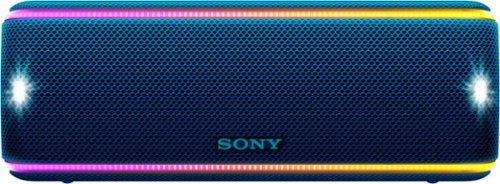
Dance the night away with this Sony portable wireless speaker. Its interactive Party Booster sound effects and multicolor lights bring another dimension to the music, and its Party Chain technology lets you wirelessly connect up to 100 speakers. This Sony portable wireless speaker is resistant to rust, dust and waterproof for reliable use outdoors.
Customer Rating
4
Nice bass and fun lights
on March 13, 2018
Posted by: callmeageeth
from Louisville, KY
Bluetooth speakers are a dime a dozen and it's hard to stand out in a crowded field. In my opinion, most speakers have similar sound quality (in the midtier to upper level market, I can't speak for the cheap, non-name brand speakers). What I look for is loudness, battery life, battery life and durability. This speaker nails it on those and offers a little bit more.
The build quality is classic Sony. It is great. It is hefty but not too heavy. The fabric on the outside is tight (as in it doesn't slide around) and is very durable. You get anything on it, you can wipe it off. The sound quality is good, nice highs and lows. I'm no audiophile but the average joe will be very satisfied with the sound quality.
It claims to have extra bass, but I don't notice much extra bass. Don't get me wrong, I like the lows this speaker offers, but I don't hear any major emphasis on the bass. Maybe someone else will notice, but I don't.
The speaker is plenty loud. In fact, at top volume it gets too loud, which you can't say about a lot of speakers. I had about 8 people over with the speaker playing in a distant corner of the room and it was on about 70% volume and that still seemed too loud to hear over everyone's conversations. I took it outside on the porch and i was amazed how far the sound traveled. I can confidently say that the volume of this speaker (keep in mind there's a bigger model) will handle most situations. Small parties, small outdoor venues, you name it.
I don't generally take my speakers out in the wilderness, or in the rain, but I do occasionally take them to the pool or hot tub. I took this to the hot tub and while I can't say tested it, it wasn't bothered by the cold weather and moisture in the air. Sony claims it can handle dust and water splashes. I have to take that at face value. I don't really intend on putting it through any crazy rigors
What makes this speaker stand a part is the battery life and lights. First, the battery life. It is advertised at 24 hours. While I haven't played it for 24 hours straight, I charged it completely, and listened to it for a week with the lights on and at about a 50% level and it never died. Now I wished it had a battery level indicator on the speaker, but it took a week before it finally clonked out. That was with the lights on.
The other feature I really appreciated but never thought I would, was the party lights. Look, that didn't appeal to me too much, but I find myself liking them more and more. No you won't be staring at the speaker and no it shouldn't be the only reason you buy any speaker, but it is kinda cool. The lights go to the beat for the most part and aren't too overbearing. It's a nice little addition that I think sets the mood of the party. Best of all, you can turn it off.
The speaker has the ability to charge your phone via USB, I never used that, but it is a nice feature if you get to the pool (or wherever) and need to juice up your phone.
All in all, given the sound quality and battery life alone I highly recommend this speaker. You can get similar audio quality in most other speakers in this price range, but you are getting party lights and durability that aren't standard in most speakers, which in my opinion sets it apart from the crowd.
My Best Buy number: 2706404977
Mobile Submission: False
I would recommend this to a friend!
Share this review:


0points
0of 0voted this as helpful.
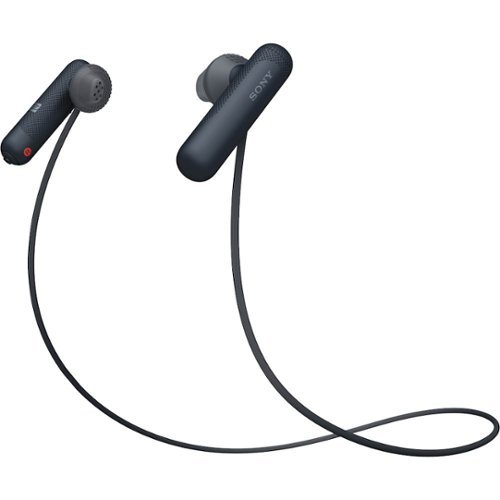
Listen for up to eight hours with these comfortable sports-fit Sony wireless headphones. A quick tap on NFC-compatible devices performs Bluetooth setup, and the convenient earpiece-based button and microphone enable hands-free calling. These Sony wireless headphones have open-type drivers, so you can enjoy your music while remaining aware of the surroundings.
Customer Rating
5
Light buds and quality sound
on March 12, 2018
Posted by: callmeageeth
from Louisville, KY
I've been looking for the perfect pair of workout headphones, and while these aren't perfect, they are IMO close.
They look like thicker black Apple Airpods with cord connecting the two. That's not really a bad thing. The tube shape design makes them easy to grab and the rubber tips have a nice textured feel that hold them in your ear. And they're really light
In terms of fit, I think these are great. They come with medium tips and small tips (no large). I made due with the medium tips. At first they don't feel secure, it's a tough feeling to describe, but the never once came out during my 10 mile runs. I think this is in large part due to the lightness of the headphones and the textured tips. They are so light you almost forget your wearing them.
The bad part though, the buttons are small and hard to touch by feel. If you're the type that ALWAYS changes songs or volume on the headphones themselves, I might give these pause. The fast forward and rewind button is difficult to locate by touch, the raised indention of the symbols are easy to miss. Luckily, the power button is on the end at the bottom of the "black tube" and you can't miss that. I tend to adjust songs and volume on my phone so this is not an issue to me.
In terms of sound quality, in typical Sony fashion they're great. The music is tight and responsive. The bass isn't too overwhelming. You can get more bass if you get a tighter seal in your ear, but I can only accomplish this by holding the ear piece into my ear, which for obvious reasons isn't doable. NOTE this last comment does not affect their fit nor the ability to stay in my ear. I never felt like these are going to fall out.
In terms of phone quality, I received one call during a workout and they worked great. As for connection, i have NOT ONCE had the signal break up or skip. I cannot say this for other sport headphones. This is the biggest endorsement of these headphones.
The few knocks are typical knocks of other small headphones. They use micro-USB. Most of my devices now use USB-C. Not a deal breaker. They don't have a case. Bose does it right when they include carrying bags for their headphones. Their sport headphones have a nice, small neoprene bag with carbaniner hook that is extremely convenient. These headphones do not. They come with a nifty little piece of plastic that allows you to wrap the cord around the headphones, but this makes them even smaller and easier to lose and I've simply resigned myself to the fact that I will lose this piece of plastic (see the photos).
Battery life is good, but there's no battery announcement when turning them on. For example, when you turn any BT Bose headphones on, they announced the battery percentage. This is an overlooked feature that should be required in any high quality headphones. Having said that, I generally charge mine once a week and I have yet to lose power in the middle of a work out.
But these minor quirks are absolutely no deal breakers. These are great sounding headphones, that stay in your ear. The battery life is quite good (although only way to check power level is on your phone). They're small and prone to losing, but you can say that for ANY small workout BT headphones. These are a great buy
My Best Buy number: 2706404977
Mobile Submission: False
I would recommend this to a friend!


Share this review:


+7points
7of 7voted this as helpful.
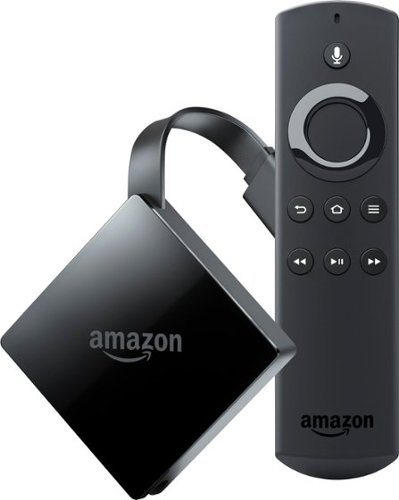
Fire TV connects you to a world of entertainment. With a compatible 4K Ultra HD and High Dynamic Range (HDR) TV, watch as thousands of movies and shows come to life in vibrant colors and detailed contrast. Find your favorites with universal voice search across more than 140 channels and apps or discover new content with personalized recommendations on the home screen.
Customer Rating
4
Fast and Easy to Use
on March 10, 2018
Posted by: callmeageeth
from Louisville, KY
Verified Purchase:Yes
Like most Amazon products, this is easy to setup and use. I prefer the UI over AppleTV, but that's personal preference. What makes the biggest difference is App selection. The gap is narrowing now that AppleTV has Prime Video now, but Amazon still has the better selection of apps. But honestly, you can't go wrong. If you're heavily invested in Amazon (Prime membership) I think this is the best option especially taking into account the price. But Apple TV isn't a bad choice either (and Google doesn't have dedicated remote that still bothers me).
My Best Buy number: 2706404977
My Best Buy number: 2706404977
Mobile Submission: False
I would recommend this to a friend!
Share this review:


0points
0of 0voted this as helpful.
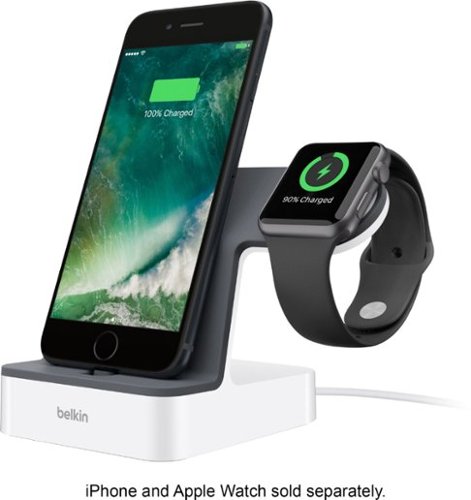
Power your Apple devices with this Belkin charge dock. It comes with a Lightning connector that charges iPhones and an integrated magnetic charger that provides Apple watches with more juice when needed. The single built-in cable of this Belkin charge dock lets you charge both devices simultaneously, saving you the inconvenience of using multiple cords.
Customer Rating
4
Great Execution but High Price
on March 10, 2018
Posted by: callmeageeth
from Louisville, KY
Verified Purchase:Yes
I bought this for my wife and she absolutely loves it. It is sturdy and durable. It's just the right size in my opinion. But two big knocks, the outlet to plug it in is huge and it is pricey. It's nice to have, but not sure worth $100. Not saying I have buyer's remorse, but I am wondering if I shouldn't have looked around a little more....
My Best Buy number: 2706404977
My Best Buy number: 2706404977
Mobile Submission: False
No, I would not recommend this to a friend.
Share this review:


0points
0of 0voted this as helpful.
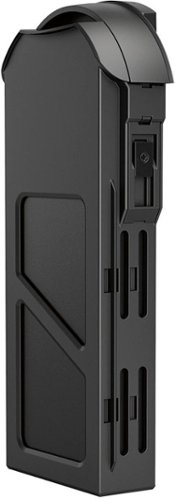
Keep your GoPro Karma in the air with this extra battery. One charge provides up to 20 minutes of use, letting you extend flight time.
Customer Rating
5
Consider it Necessary Accessory
on March 6, 2018
Posted by: callmeageeth
from Louisville, KY
Verified Purchase:Yes
Look, GoPro Karma is a great value (no matter what you think about the drone) given the inclusion of the grip and the camera itself. So it's a little bit of a bummer to spend $100 on a battery, but it's worth it, almost necessary. 18 minutes its not long flying a drone on one battery!
My Best Buy number: 2706404977
My Best Buy number: 2706404977
Mobile Submission: False
I would recommend this to a friend!
Share this review:


0points
0of 0voted this as helpful.
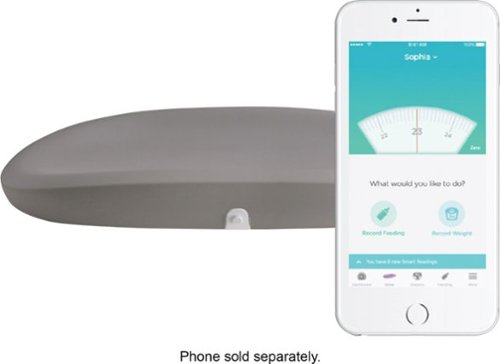
Keep tabs on your little one's development with this Hatch Grow Smart changing pad and scale. This innovative unit wraps a changing pad and a wireless smart scale into one compact device, making it easy to monitor your baby's weight gain. Made of soft-touch water-resistant foam, this Hatch Grow Smart changing pad and scale is easy to clean.
Customer Rating

3
Works well but expensive for limited purpose
on February 23, 2018
Posted by: callmeageeth
from Louisville, KY
Verified Purchase:Yes
This scale runs off 3 included AA batteries which is nice. It is high quality and it connects to your phone in no time. But even after I purchased it and went through the Hatch Baby App, I find myself scratching my head as to why I spent so much money on it. The magic is in the free app. You can buy a cheap scale and "manually" enter the weight of your little one into the app. Or, you can spend money on this scale that does it for you.
Honestly, what really bothers me is the odd shape of the changing table. I have a table top on my kid's dresser that fits a square changing pad. The Hatch is smaller and leaves a lot of open space.
My Best Buy number: 2706404977
My Best Buy number: 2706404977
Mobile Submission: False
No, I would not recommend this to a friend.
Share this review:


0points
0of 0voted this as helpful.
callmeageeth's Review Comments
callmeageeth has not submitted comments on any reviews.
callmeageeth's Questions
callmeageeth has not submitted any questions.
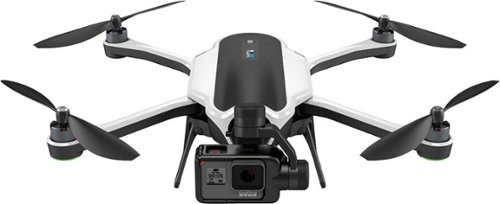
Take aerial shots with this GoPro Karma drone. Its Karma Stabilizer lets the included HERO5 Black action camera capture shake-free videos, while the Karma Grip provides reliable stabilization for handheld and mounted filming. The game-style controller with an integrated touch display makes Karma easy and fun to fly.Fly Responsibly:Before takeoff, update all software and firmware, and read the instructions thoroughly.See the FAA website for registration requirements and information about flying a drone safely: https://www.faa.gov/uas/getting_started/. Additional state or local requirements may apply. Check your local jurisdiction. The following websites may help you make informed decisions about flying your drone: www.knowbeforeyoufly.org and www.modelaircraft.org.
Just curious what the flight time experience has been like. Says 20 minutes with no payload; however, is the camera considered "payload"? Is it 20 minutes WITH the camera? Also, how close to 20 minutes is the "actual" flight time?
Given that the camera is required to fly I wouldn't think that the camera is considered payload. I've never tried to fly with any payload mostly because I haven't needed to and it doesn't seem equipped to hold anything (you would have to use some ingenuity to attach something to it). I can speak as to how long it flies without any payload but obviously with the camera. And in my use, it's been between 18-19 minutes of flight time. The very first time I flew it, it landed itself due to low battery around the 18 minutes mark, even though on the handheld controller, the screen said there was 2 minutes of flight time left. I haven't flown it enough while taking video/stills to determine how much that drains the battery. Hope that helps.
9 years, 5 months ago
by
callmeageeth
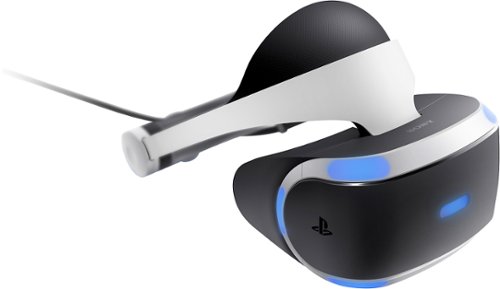
Sony PlayStation VR Launch Bundle:Immerse yourself in a virtual-reality gaming world with this Sony PlayStation VR bundle. Experience body-responsive gaming with the two PlayStation Move motion controllers. The built-in camera lets you take clear photos, and the stereo headphones provide rich sound. Challenge your gaming ability with the VR Worlds game included with this Sony PlayStation VR bundle.
Is the camera of this bundle the latest one? The ps4 camera? Or the ps3 camera?
Yes, the bundle comes with the newest model camera. The packaging and promotions for the PSVR actually show the older model (which as I understand, will still work). This camera is completely different than the PS3 version.
9 years, 9 months ago
by
callmeageeth
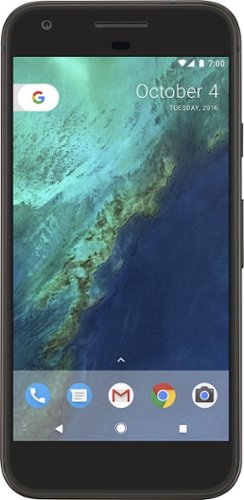
Bring the power of Google directly to your fingertips with the Google Pixel. A large 32GB of storage keep data secure, while unlimited cloud storage transfers data as needed, and it's completely automatic. The large 5-inch screen is protected by Corning Gorilla Glass 4 to ensure the Google Pixel remains scratch-free.
It is an unlocked phone, so I assume it is compatible with SIM card from other countries - is that correct?
I can't confirrm that it will work sims from other countries (depends on bandwidths) but I can absolutely confirm that putting a T-Mobile sim into this phone will work. Sorry couldn't give you a better answer!
9 years, 10 months ago
by
callmeageeth
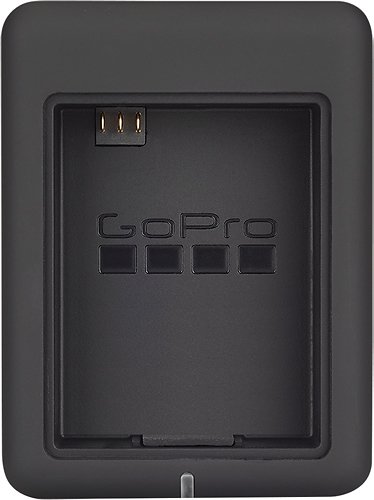
Charge 2 GoPro lithium-ion batteries simultaneously with this GoPro AHBBP-301 charger that reliably draws power from select USB chargers, USB-enabled computers or GoPro wall or vehicle chargers (not included), so you can keep your camera ready for use.
Does this have the cable to connect charger to computer? Is there a cord that connects camera directly to computer or wall charger for charging? I think we lost ours.
It comes with a mini-USB cable which you can plug into your computer (I wouldn't recommend because of slow charging) and a wall charger. The same mini-USB cable plugs directly into the camera itself
10 years ago
by
callmeageeth
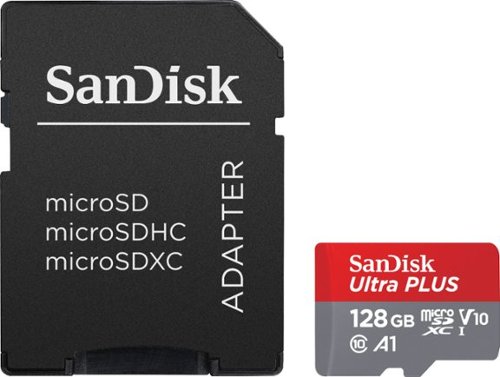
Expand the storage of your compatible device with this SanDisk Ultra PLUS microSDXC memory card that features a 128GB capacity to hold your photos and videos and a Class 10 rating to ensure speedy data transfer. The rugged design resists damage.
compatibility
I have a Dell Venue 8 Pro.Would this work with it for storage?also is it compatible with android devices?...thank you
Double check your specific Android device. Most newer devices accept it, I believe this card was intended for Android devices, but again, I know some devices only accept up to 64 GB card
11 years, 10 months ago
by
callmeageeth
Louisville, KY