


callmeageeth's stats
- Review count389
- Helpfulness votes1,301
- First reviewJune 23, 2014
- Last reviewOctober 29, 2026
- Featured reviews0
- Average rating4.4
Reviews comments
- Review comment count0
- Helpfulness votes0
- First review commentNone
- Last review commentNone
- Featured review comments0
Questions
- Question count0
- Helpfulness votes0
- First questionNone
- Last questionNone
- Featured questions0
- Answer count25
- Helpfulness votes50
- First answerOctober 20, 2014
- Last answerDecember 15, 2021
- Featured answers0
- Best answers7
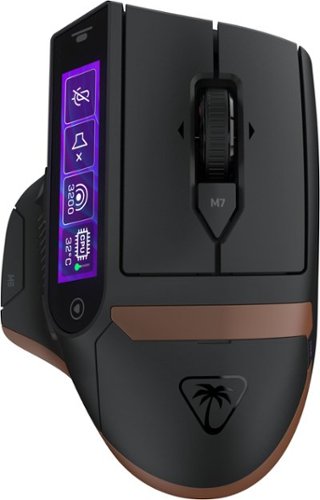
The Turtle Beach Command Series MC7 wireless gaming mouse delivers seamless control for gaming, streaming, and productivity. The Command Touch Display provides intuitive fingertip control without layered software or excess buttons. Quickly adjust DPI, switch profiles, trigger macros, or control apps without breaking focus. For streamers and creators, it becomes a powerful command hub for OBS control, mic muting, and app launches without interruption. With tri-mode connectivity, seamlessly switch between 2.4GHz wireless, Bluetooth, and wired. True 8K polling delivers ultra-low 0.125ms latency, paired with an Owl Eye 30K DPI optical sensor and Titan Optical Switches for flawless tracking and long-term durability. Enjoy zero downtime with dual 1000 mAh hot-swappable batteries and the included charging dock. Each battery delivers up to 10 hours out of the box and up to 15 hours at 8K with LED and LCD lighting off. Even better, these are the same batteries used in Stealth Pro II. Designed for stability and precision, the MC7~s ergonomic right-handed shape supports confident, controlled play with comfortable palm and claw grip support. Paired with an adaptive 4D scroll wheel, customizable RGB lighting, 11 programmable buttons, and onboard profiles, The MC7 is a core component of the Command Series ecosystem.
Customer Rating

2
Innovative, but not practical
on October 29, 2026
Posted by: callmeageeth
The Turtle MC7 mouse holds a lot of promise. And on paper, what it promises to do is pretty cool. The touch screen allows you to map buttons to the small touch screen. It has hot swappable batteries (similar to the Turtle Stealth Pro II headset, my absolute favorite headset). It has multiple programmable buttons. It has 8K polling. In practice, however, it falls a little flat. I hate talking negative about a product that takes big swings (which I love), but at the end of the day, I just don’t think it’s practical for most people.
IN THE BOX
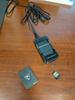
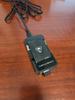
You get the mouse, two batteries, a USB-C cable, extra battery, battery dock that has a front facing USB port so you can plug in the USB receiver. You can plug it in so it’s always powered. Or you can plug the battery dock into your PC, leave that on your desk (so you have a swappable battery at the ready) with the USB receiver plugged to eliminate most interference.
You get the mouse, two batteries, a USB-C cable, extra battery, battery dock that has a front facing USB port so you can plug in the USB receiver. You can plug it in so it’s always powered. Or you can plug the battery dock into your PC, leave that on your desk (so you have a swappable battery at the ready) with the USB receiver plugged to eliminate most interference.
Getting started is simple, you simply plug in the receiver and put a battery inside (there are two to be clear). It starts working immediately. But to get all the features, you have to download the Swarm app. Another downside, the Swarm app only works with Windows. So Mac users are limited to using it as a point and click mouse.
GETTING STARTED
Obviously, plugging it will get you going. But to use all the features you’ll have to download the Turtle Beach Swarm application. Downloading it was easy, and I was immediately prompted to update the firmware. That process was relatively straightforward and easy.
Obviously, plugging it will get you going. But to use all the features you’ll have to download the Turtle Beach Swarm application. Downloading it was easy, and I was immediately prompted to update the firmware. That process was relatively straightforward and easy.
The Swarm II app is pretty easy to understand and navigate, even for novices. As expected, you can assign the various buttons to handle different tasks depending on your needs and preferences. You select one of the buttons through the program and assign a function. The defaults are changing the DPI rate, and browser back and forward functions. You can adjust the lighting underneath, choosing from a variety of effects and brightness. FWIW, the light is on the bottom, so in a bright room it’s tough to see, but it’s a cool effect at night or in a darker room.
But the big feature is the display editor. Here you have up to 5 profiles. You can start with the default pages (one of them is media controls, another are copy/paste functions). I wouldn’t necessarily your options are infinitely customizable, but there are a lot of things you can do. There are 4 buttons you can program on the display. One could be locking your PC, others might be remapping keys. Other options are Windows gamebar functions. There are some built in 3rd party apps, like Counter Strike (which would show rounds won/lost, health/armor). There are built in macro functions, but they seem to be limited to certain games (about 2 dozen) and some of those are older games, like Battlefield 3 and 4, Battlefield 6 is not listed.
The point is, you have a lot of flexibility into how to program the various physical buttons and the touchscreen on your mouse. The menus in Swarm II weren’t the most user friendly, but also not the worst I’ve seen. Once I spent a little time in the menus, I was able to figure it out.
REAL WORLD USE
The premise is straightforward - have 4 programmable buttons sitting by your thumb for easy access (in addition to the physical buttons). And the ability to hit the touch sensitive buttons to the left and right of that screen to switch profiles depending on what you’re doing. The problem is, you have to look at the mouse to see what you’re hitting. And accidental presses.
The premise is straightforward - have 4 programmable buttons sitting by your thumb for easy access (in addition to the physical buttons). And the ability to hit the touch sensitive buttons to the left and right of that screen to switch profiles depending on what you’re doing. The problem is, you have to look at the mouse to see what you’re hitting. And accidental presses.
First, a little about the ergonomics. The shape of the mouse is similar to the top of the class Logitech MX Master series. The big difference being the length of the top click buttons due to the screen on the left. Your thumb rests underneath the screen surrounded by 3 physical buttons (M4, M5, and M6). I find it comfortable to rest my hand on.
Reaching the touchscreen button with your thumb is difficult for several reasons. To hit the widget to the furthest left, you have to raise your thumb up and curl it and reach to the far end of the screen. If you just lift your thumb and try to use the middle of your thumb, you will most certainly hit the wrong button (or be unsure of what button you’re hitting). And because it’s a flat screen, it’s difficult to hit the right button without looking down at the mouse itself. While looking at the mouse doesn’t necessarily seem like a big deal, I think it is. If you’re gaming, you don’t want to look away from your screen to ensure an accurate button press. Even if using the Word copy/paste functions, I find myself defaulting to keyboard shortcuts because they are quicker. (although the copy/past functions on the widgets on the mouse work great). And then there’s accidental presses where moving your thumb can hit a button on the screen when you had no intention of hitting any button.
For me, I just found myself not using the screen at all. It’s cool in theory, but it’s just not helpful at the end of the day.
And back to ergonomics, the mouse is heavy. For day to day computing needs this probably isn’t a big deal, but I know for serious gamers, the weight of the mouse matters a great deal. Plus, picking it up and sliding it over is difficult because there’s not much of a lip on the thumb rest to grab it and when you do, you risk accidentally hitting one of the myriad of buttons that surround the area where you rest your thumb.
OTHER CONSIDERATIONS
I mentioned the hot swappable batteries. This is wicked cool. I like not having to charge and taking but just a second to swap batteries out for a full charge. But the battery life on this mouse -as one might expect when using the screen and RGB lights - is abysmal. If you are using all the features you might get 10-15 hours. I didn’t mind it because of the hot swappable batteries, but it felt like I was doing it every other day, if not every day.
I mentioned the hot swappable batteries. This is wicked cool. I like not having to charge and taking but just a second to swap batteries out for a full charge. But the battery life on this mouse -as one might expect when using the screen and RGB lights - is abysmal. If you are using all the features you might get 10-15 hours. I didn’t mind it because of the hot swappable batteries, but it felt like I was doing it every other day, if not every day.
I also found the top left and right click buttons to sound really squeaky, almost like an old board with a loose nail. It doesn’t offer a satisfying click (which isn’t a big deal) it just sounds weird. But functionally, it works fine.
CONCLUSION
I love when companies take risks and Turtle Beach did with the MC7 mouse. It’s unique and certainly separates itself from the myriad of gaming mice out there. So I want to give them huge props in taking a big swing. I think it just comes down to the simple fact that we don’t really need screens everywhere, including our mouse. The mouse is intended to function by touch and without looking at it, and you simply cannot use the touchscreen (accurately) without looking at the mouse.
I love when companies take risks and Turtle Beach did with the MC7 mouse. It’s unique and certainly separates itself from the myriad of gaming mice out there. So I want to give them huge props in taking a big swing. I think it just comes down to the simple fact that we don’t really need screens everywhere, including our mouse. The mouse is intended to function by touch and without looking at it, and you simply cannot use the touchscreen (accurately) without looking at the mouse.
No, I would not recommend this to a friend.




Share this review:


0points
0of 0voted this as helpful.

Great sound should be easy~and never stuck in one room. On its own or part of an intuitive whole-home sound system, the JBL Cove X1 Wi~Fi speaker makes immersive listening feel effortless. Powered by Dolby Atmos Music, JBL Cove X1 surrounds you with grand, ultra~wide sound that immerses you in incredible depth and dimension. Want to hear the same playlist in another room? Just long-press the Moment button on any speaker and the music follows you like magic. With legendary JBL sound, every spot becomes the best seat in the house~especially when you spread the experience throughout your home. Just pair Cove X1 with other Cove and JBL Bar MK2 devices for your dream whole-home audio setup, or add a second Cove X1 for rich stereo sound that wraps all around you. With the JBL One app, it all comes together in just three easy steps. And it's built to grow with you~add more products anytime.
Customer Rating

3
Amazing Sound, Seeking a Purpose
on October 25, 2026
Posted by: callmeageeth
This is one the best sounding dedicated home speakers I’ve ever heard. I truly was blown away with the “room filling” sound. The bass and clarity is amazing. While I recommend it for that reason alone, the Wi-Fi connectivity features (which is a selling point) leaves me wondering who this product is for. To take advantage of all its potential, it will require a little know-how (nothing complicated) and some investment in other speakers (unless you already have some that support Auracast).
I’ve never owned Sonos products, but am familiar with the idea of whole home audio. I’ve been using Google Home products for years (various home devices, old chromecast audio devices) to blare music in multiple rooms throughout my house. While my current setup got the job done of playing music in multiple areas of the house, those speakers don’t hold a candle to the quality of the JBL Cove X1. The Cove line of JBL products seem to function similarly to Sonos (and other internet speakers). But they’re flexible, you can use it as a single speaker, you can connect a second speaker to have stereo audio, and you can connect it to other brand internet speakers to play audio throughout your house.
But going back to the speaker itself, it’s simple to setup. You get the speaker in the box and a power cable. The speaker has some heft, it’s pretty heavy (at least heavier than it looks - 13 pounds). But that’s because it’s housing 4 tweeters and 2 woofers, putting out 200 watts. There are only two ports, one for power and one for USB (to play audio files if you have them on a thumb drive). Once you plug the power cable you go to your phone and download the JBL One app. After accepting some permissions to find devices, I found the Cove X1 immediately. I then added it to my Wi-Fi network and paired it via Bluetooth. It then tweaked the sound (for Dolby Atmos) based on your room. From that point I was off and running.
I first tested the sound by playing music through Bluetooth. Controlling the music was just like any other experience with headphones or speakers. I started by playing some rock, rap with some heavy bass and even classical. The sound, like I said, was terrific across all genres. The speaker gets incredibly loud. I wouldn’t say shake the house, but pretty darn close. Given the multi-driver array of speakers, the sound was very dimensional. In some ways, it felt like the vocals float in the room without getting covered by the low bass.
Now, the features beyond its musical prowess. This is not a smart home device. You won’t be asking Alexa or Google to play music. You still need to control it from your phone (personally, since I live in the Google Home ecosystem, I wish it had it). But you can play music, podcasts, or audiobooks from virtually any service. I didn’t test out all the services (because I don’t have them) so I’ll stick to how I use it within the Google Home system.
I added it to a room in my Google Home - this was of course, after I connected it to the internet. From there, it just becomes another device I can cast audio to. I created a whole house group that allows me to cast music to multiple devices. I can cast it just to this device, it’s just a casting option within any app on your phone. In that sense, it fits seamlessly into my house.
It has Auracast which allows the Cove X1 to stream audio to other devices that utilize Auracast. I don’t use this feature because I rely on the whole home audio Wi-Fi/Google Home solution I mentioned above, but I can see where this would work if you were using the speaker outside your home Wi-Fi (i.e. took it to a party) and had other compatible devices. It’s more of a feature you can use when the moment arises vs. replacing whole home audio.
It has Auracast which allows the Cove X1 to stream audio to other devices that utilize Auracast. I don’t use this feature because I rely on the whole home audio Wi-Fi/Google Home solution I mentioned above, but I can see where this would work if you were using the speaker outside your home Wi-Fi (i.e. took it to a party) and had other compatible devices. It’s more of a feature you can use when the moment arises vs. replacing whole home audio.
There’s a Moment button on the Cove X1 that allows you to send music from another room to where the speaker is (assuming you started on another device). But to me, this is of little use. Sure, it’s nice to have in the off chance the need arises, but most people that get this device will likely utilize whole home audio.
I mentioned the audio quality and the networking features, so what’s the problem? To me, the price point is extremely high. While I do think the audio quality is terrific, it’s a high price to pay. Especially when it’s really marketed as a piece of your audio system (i.e. you’ll want to purchase more speakers). You also can’t pair it with any soundbars for surround sound - even JBL brands. But to me, the real criticism is the lack of voice control. I get it, some people don’t like virtual assistants (and I’m not hear to debate that) but it’s tough going back to pulling out your phone or finding it in your house, when you want to start music when you can just give a verbal command.
It’s best suited for a platform agnostic household, meaning someone has an iPhone, another has Android and maybe someone uses Spotify Connect. All will work with this device as it’s connected via Wi-Fi. But that rings true for Bluetooth speakers as well. Point being, you’re paying a lot for features that are pretty standard for typical Bluetooth speakers.
CONCLUSION
I do believe the sound quality is great, but you’re paying a lot of money for network features that aren’t that much more inconvenient than a typical Bluetooth speaker. If you have a large household with a variety of platforms and you are dead set on creating whole home audio (music in multiple rooms at once) and either have speakers already or are willing to invest in new ones, this is a terrific choice.
I do believe the sound quality is great, but you’re paying a lot of money for network features that aren’t that much more inconvenient than a typical Bluetooth speaker. If you have a large household with a variety of platforms and you are dead set on creating whole home audio (music in multiple rooms at once) and either have speakers already or are willing to invest in new ones, this is a terrific choice.
I would recommend this to a friend!




Share this review:


0points
0of 0voted this as helpful.
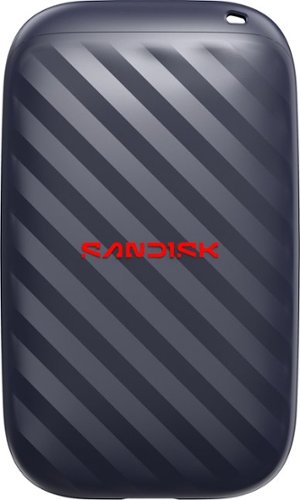
Introducing the SANDISK Portable Drive that~s made for anyone stuck with a bulky, slow portable hard drive and ready for a smart, tough alternative. Up to 4x faster than old-school portable hard drives, drop-resistant for up to 2-meters, and pocket-sized to carry every single day~solving the speed and fragility of moving parts in one affordable upgrade.
Customer Rating

5
Small and light with drop protection
on October 19, 2026
Posted by: callmeageeth
If you want an ultra-portable external drive that you can slide into a pocket or bag without worrying about it breaking, this drive hits the mark. It’s less than 3 inches long and barely an ounce in weight (honestly, I wish it had a little more heft to it) and it’s noticeably smaller than a credit card. It’s unlike the traditional “stick” USB thumb drives that we’ve all come to know.
The solid state drive inside and the plastic covering purportedly give you about 2 meters worth of drop protection. Now, if I’m being honest, I never thought much about dropping plastic USB thumbdrives (I’m not talking about hard drives) and causing them to break. At the same time, I’m also not very careful, often just throwing them in my bag and treating them as disposable. Given how I treat mine, I am pleased to see companies making an effort to make them more durable. One caveat is that this is not Sandisk’s Extreme series. It does not have water/dust resistant of those models, so it may not be suited for those out in the field, but for the desk warrior or commuters, the impact resistance is surely more than adequate.
In the box you get the drive itself and a really short USB C cable (it’s approximately 3-4 inches long). It’s rocking USB 3.2 Gen 2 storage. Putting technical mambo jumbo aside, USB 3.2 Gen 2 basically allows external solid state storage to catch up to the speed of internal drives (which have always been faster).
I ran CrystalDiskMark on the drive and got 648.71 MB/s read speeds and 639.29 MB/s write speeds which is extremely fast. I transferred 16 video files (totaling 8.2 GBs) from my laptop to the drive. It transferred so fast I was unable to capture a screenshot. It literally took less than 15 seconds. That speed is virtually unheard of with our traditional thumb drives. The high speeds are even more important the larger the drive. Not once did the drive feel warm (and it isn’t expected to).
Most computers/laptops have USB-C ports out in the wild, but to the extent you only have USB-A (the rectangle port) you will need an adapter or your own cable.
Another potential downside is no hardware encryption for security. It is completely reliant on software solutions, such as Bitlocker, to encrypt and protect your data in the event you lose it.
All in all, a terrific little drive that has more than enough speed to quickly move files. It’s a little bigger than a traditional thumb drive (which I like, as the small sticks are easy to lose) but is still light as a feather with a small footprint.
I would recommend this to a friend!



Share this review:


0points
0of 0voted this as helpful.

DESLOC V150 Plus is a self-charging solar smart lock built for secure, low-maintenance front door access. Designed around solar-powered convenience, it helps reduce battery anxiety while keeping a 10,000mAh backup lithium battery and Type-C emergency power port available for extra peace of mind. V150 Plus combines 3D face recognition with liveness detection, a curved surface fingerprint sensor and smart app control for flexible keyless entry. The lock is designed to recognize users quickly and securely, while offering multiple access options for family members, guests and daily routines. A magnetic smart door sensor provides real-time door status, instant alerts and auto-lock on close, helping users confirm whether the door is properly secured. Built with IP65 weather resistance and BHMA Grade 3 durability, V150 Plus is made for everyday residential use across changing weather conditions. Its modern black finish and advanced biometric access make it a strong hero product for consumers looking for a smart lock that combines security, convenience and long battery life.
Customer Rating
5
Terrific lock with peace of mind
on October 12, 2026
Posted by: callmeageeth
I have to say, so far, this is one of the best smart home devices I’ve used. There are many smart locks out there, with August being one of the first to the market. That’s the device I was replacing with the Desloc. My old August lock was fine, it looked good, and when it worked, it worked well. But it required 4 AA batteries and a wireless adapter plugged in nearby. I can’t tell you how many times it would die on me (the batteries needed to be replaced every few months) and without a notification. And the Wi-Fi connection was spotty. Frankly, it was unreliable (others might have a different experience). While I haven’t had this lock long enough to truly test out the battery functions, it’s performance thus far has been superb and if I can get at least a few more months usage without charging/changing batteries, I’ll be extremely happy.
IN THE BOX
I’ll get to it in a moment, but the installation was an absolute breeze, in large part to the packaging itself. The box is smartly designed with everything labeled. You’ll find little boxes with labels such as “battery” “accessories” “deadbolt and keys.” This smart design choice just makes it so much easier when putting everything together.
I’ll get to it in a moment, but the installation was an absolute breeze, in large part to the packaging itself. The box is smartly designed with everything labeled. You’ll find little boxes with labels such as “battery” “accessories” “deadbolt and keys.” This smart design choice just makes it so much easier when putting everything together.
But included is everything you possibly need - with a few little replacement parts. There’s the lock (which comes in two pieces if your unfamiliar), the battery, deadbolt, striker, a set of keys, and all the screws you need.
INSTALLATION
The physical installation process was dead simple (this assumes you’re replacing a lock or otherwise have doors with predrilled holes, which most do). I unscrewed my old lock - leaving only the strikeplate from my old lock. Following the instructions I easily installed the deadbolt, affixing it with the included screws, and then placing the lock on the door. A few screws later, and plugging in the cord to connect the front to the back, it was firmly attached to my door. Then you simply affix the magnetic guide to the door frame (which the lock uses to tell if the door is open or not).
The physical installation process was dead simple (this assumes you’re replacing a lock or otherwise have doors with predrilled holes, which most do). I unscrewed my old lock - leaving only the strikeplate from my old lock. Following the instructions I easily installed the deadbolt, affixing it with the included screws, and then placing the lock on the door. A few screws later, and plugging in the cord to connect the front to the back, it was firmly attached to my door. Then you simply affix the magnetic guide to the door frame (which the lock uses to tell if the door is open or not).
The only minor complaint was when I got to the point of putting the battery in, I was finally told in the instructions to fully charge it before using it. To make sure it was full charged, I let it charge overnight.
APP SETUP
I downloaded the Desloc app without issue. The setup process there was pretty simple. Once the battery was charged and installed, I was able to locate the lock within the app on my phone via Bluetooth. I then connected it to the Wi-Fi. At this point, I tested the auto-locking feature, basically making sure the deadbolt opened and closed without issue (in some older doors, like mine, overtime the alignment can be off). Once it was connected to my network, I added it to Google Home without any issues (and assigned it a room so I could use voice commands). Next was setting up the fingerprint and face scanner.
I downloaded the Desloc app without issue. The setup process there was pretty simple. Once the battery was charged and installed, I was able to locate the lock within the app on my phone via Bluetooth. I then connected it to the Wi-Fi. At this point, I tested the auto-locking feature, basically making sure the deadbolt opened and closed without issue (in some older doors, like mine, overtime the alignment can be off). Once it was connected to my network, I added it to Google Home without any issues (and assigned it a room so I could use voice commands). Next was setting up the fingerprint and face scanner.
This too, was very simple. You click on the “assign access” button which is where you’ll see all authorized users. Setting up a fingerprint is the same process as I’m sure most people have performed with older iPhones that had touch ID - you lift your finger up and down multiple times. Once that’s confirmed, you simply save the “fingerprint” under the authorized user and you’re good to go. It does ask you if you want to add a 3D face scan. You do not need to bend down and put your face at eye level (although I did, it seemed natural to do so given the height!); it will scan your face while standing tall. Rinse and repeat for all authorized users.
I should add that granting access to people can be done in two ways; 1) always (where that person can always unlock the door); and 2) schedule. For the latter, you can pick times of day and days of the week to permit certain people in your house (I’m imagining a cleaning lady).
DAILY USE
We don’t access our house through the front door very often, but we found the door to be super responsive and accurate with fingerprints when we tested it. It recognizes fingerprints in less than a second. The 3D face scanner, however, was a little more hit and miss. I presumably unlocks when you get close enough for the door. It worked for some of my family but not all. But we’ve had zero issues with the fingerprint scanner so we typically just use that.
We don’t access our house through the front door very often, but we found the door to be super responsive and accurate with fingerprints when we tested it. It recognizes fingerprints in less than a second. The 3D face scanner, however, was a little more hit and miss. I presumably unlocks when you get close enough for the door. It worked for some of my family but not all. But we’ve had zero issues with the fingerprint scanner so we typically just use that.
The notifications are nice - knowing when the door is unlocked and locked - and isn’t overbearing. You can set the lock to lock itself out and even initiate an alarm after so many failed attempts. Which is a nice feature. And like other smart locks, it will tell you when the door is left ajar.
CONCLUSION
I wouldn’t call it a budget lock, but it’s on the lower end in the market pricewise, but packs a lot of cool features like fingerprint and 3D face scanning. But the real boon here is the solar panel that helps keep the lock charged - eliminating fears that your lock will die and not be able to operate without a key. And so far, it’s been extremely accurate and reliable with the notifications, unlike my previous lock. It just works.
I wouldn’t call it a budget lock, but it’s on the lower end in the market pricewise, but packs a lot of cool features like fingerprint and 3D face scanning. But the real boon here is the solar panel that helps keep the lock charged - eliminating fears that your lock will die and not be able to operate without a key. And so far, it’s been extremely accurate and reliable with the notifications, unlike my previous lock. It just works.
I would recommend this to a friend!






Share this review:


0points
0of 0voted this as helpful.
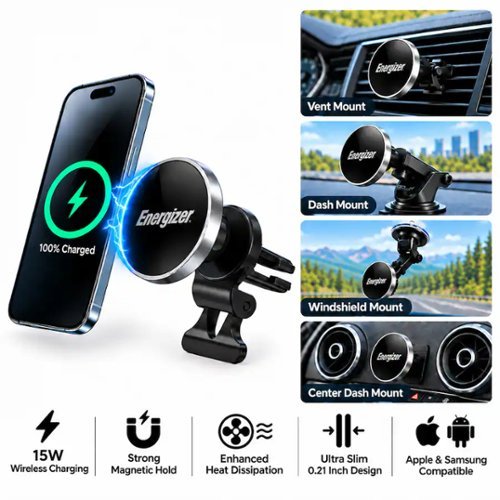
The Energizer MagSafe wireless car charging dash mount provides wireless fast charging at up to 15W for your device. A Dash, Vent, and Windshield mount are included in the box to cover all placement needs. Works with all MagSafe and magnetic iPhones and Androids with compatible magnetic cases. The magnet provides a secure attachment and prevents any risk of slipping or accidental detachment, ensuring an uninterrupted and efficient wireless charging experience. Place your phone horizontally or vertically on the mount based on your preference. Charging will also work with both horizontal and vertical placement. An integrated LED light indicator provides a quick and convenient glance at the charging status. With Energizer's PowerSafe Management, your devices are protected against short circuits, overcurrent, overcharging, and overdischarging, ensuring a safe and reliable charging solution. USB-C charging cable included. CAR CHARGER NOT INCLUDED.
Customer Rating

4
Budget friendly wireless charger
on October 1, 2026
Posted by: callmeageeth
I’m still driving a car without Apple Carplay/Android Auto, so I need a place to put it on my dash when using navigation. I used to have a clamp, which was fine, but it required me to manually plug in a wired charging cable. Not a big deal, but it would be nice to just have my phone start charging once it’s on my mount. I’m rocking a Pixel 10 Pro which has magnets. Most iPhone users will have them, but Android is a little scattershot. If you have magnets and desire charging your phone while mounted on your dash/windshield, this is a good product to go with - especially given its price point.
IN THE BOX
Conveniently, you get a wide range of ways to mount the charger to your car. It includes a vent clip, a dash mount (adhesive backing that sticks to your dash), and a suction cupped arm that can attach to the inside of your windshield. You obviously get the magnet and a USB-C cable. Not included, probably to keep the price down, is a car charger adapter. You’ll need to make sure you pick one up that has a USB-C cable/port. I did find the included USB-C cable a little short, I would have appreciated a longer cable (I like to hide the cable in the dash and route it to the charging port).
Conveniently, you get a wide range of ways to mount the charger to your car. It includes a vent clip, a dash mount (adhesive backing that sticks to your dash), and a suction cupped arm that can attach to the inside of your windshield. You obviously get the magnet and a USB-C cable. Not included, probably to keep the price down, is a car charger adapter. You’ll need to make sure you pick one up that has a USB-C cable/port. I did find the included USB-C cable a little short, I would have appreciated a longer cable (I like to hide the cable in the dash and route it to the charging port).
DISCUSSION OF FEATURES
This delivers 15W fast charging via magnet. This is the Qi2 standard. There are some wireless chargers pushing even faster charging at 25W but I find the 15W to be sufficient. For me, I’m not trying to fast charge my phone, I primarily want to keep the battery from draining while having GPS open and the screen on. It does a good job of that.
This delivers 15W fast charging via magnet. This is the Qi2 standard. There are some wireless chargers pushing even faster charging at 25W but I find the 15W to be sufficient. For me, I’m not trying to fast charge my phone, I primarily want to keep the battery from draining while having GPS open and the screen on. It does a good job of that.
The magnet is pretty powerful. I was not concerned in the least about my phone falling off in the least. Marketing on the box of the device claims it can hold 6 iPhones (not sure how to verify that). In any event, it was not an issue.
I like how the magnet itself is plug and play, meaning there’s not a power cable soldered into it, so you can use your own, longer cable if you’d like.
What it doesn’t have, is a fan to cool your device. Using other similar chargers, I found my device cooling down and not charging well because of heat (I had mine attached to the windshield. Now this was the hot summer months. What I found with this other charger, it would keep my battery at the same level when I put it on but it wouldn’t charge it anymore.
So, with the Energizer, I was interested in the vent mount, whereby my vents would be blowing cold air onto my phone to keep it cool and allow it to charge. I first clipped it onto my vent, which was dead simple. And for a few days it worked great, I had my phone to the right side of the wheel (I used my vent near the center console of my Honda Pilot). However, my audio started acting finicky. My audio was turning on and off. Come to realize, the magnet was interfering with my radio. Once I moved the magnet, my radio acted normal. This interference issue might only cause problems with certain cars (I really have no idea) and while it wasn’t a dealbreaker by any means, I found it annoying. I moved my vent clip to the left side of the steering wheel but the USB-C cable didn’t quite reach my charger. I wanted to avoid windshield mounting (for the reasons I explained above) and attaching it to my dash would cause problems with interference (the only flat part of my dash is immediately above my radio). But once I put a longer cable in, I was able to keep my phone hooked to my left vent, cooled by the A/C, and charging appropriately without any interference. I don’t think the magnetic interference is something attributable to this particular device, I imagine it’s a problem that applies to all magnetic chargers. Just something to consider when making your purchase.
CONCLUSION
This is a convenient magnetic charger at a great price with various mounting options. You will need to get a car charger adapter if you don’t have one, and you will need to keep in mind placement of the device depending on your car and the prospect of interference.
This is a convenient magnetic charger at a great price with various mounting options. You will need to get a car charger adapter if you don’t have one, and you will need to keep in mind placement of the device depending on your car and the prospect of interference.
I would recommend this to a friend!





Share this review:


0points
0of 0voted this as helpful.

Lightweight, comfortable, and available in versatile colors to match your style, the WH-CH530 wireless headphones are made for everyday listening. With up to 55 hours of battery life and AI noise reduction for clearer calls, they~re ready for work, commutes, and everything in between.
Customer Rating
4
Sony Audio Quality at Budget Price
on September 21, 2026
Posted by: callmeageeth
While the XM line of headphones are top tier, they carry an exorbitant price. The CH350 is a budget friendly pair of headphones that has terrific sound that will satisfy most everyone’s needs. Not to mention the fun colors you can get.
IN THE BOX
Sony does a pretty good job of minimal packaging. You get the headphones and that’s it. Part of me wishes it came with a cable, but let’s be honest, at this point we should all have lots of charging cables.
Sony does a pretty good job of minimal packaging. You get the headphones and that’s it. Part of me wishes it came with a cable, but let’s be honest, at this point we should all have lots of charging cables.
SETUP
I use a Google Pixel phone. I’m confident the setup is similar for iPhones and other Android devices; but it was dead simple as most every Bluetooth headphones/earbuds.. I turn it on, and my phone instantly connects. Of course, it asks me to download the Sony Connect app (which I already had). But it’s not necessary. It just gives you a little more control (see below about the app).
I use a Google Pixel phone. I’m confident the setup is similar for iPhones and other Android devices; but it was dead simple as most every Bluetooth headphones/earbuds.. I turn it on, and my phone instantly connects. Of course, it asks me to download the Sony Connect app (which I already had). But it’s not necessary. It just gives you a little more control (see below about the app).
DESIGN
Admittedly, the headphones feel “cheap.” They’re made of plastic and are ridiculously light. There’s cushions on the headband as well as the ear cups. They don’t go around your ear, but rest on them. There’s three tactile buttons on the right ear cup - a big plus as they’re easy to locate with your fingers. There’s obviously a USB-C charging port on the right ear cup as well. There’s convenient lettering in the inside of the ear cup so you know which way to wear them. Not truly necessary - you know the ear cup with the buttons goes on the right, but a nice touch.I love the colors, they bring a little character and charm to otherwise blah black colored headphones. Mine was the mint green which I really like. The headphones, while small, do not fold up. I didn’t find that to be too big of an issue, but I’m always worried about stuffing them in a bag -simply because they feel cheap. The earcups themselves rotate and flex to provide some type of contour fit to your head.
Admittedly, the headphones feel “cheap.” They’re made of plastic and are ridiculously light. There’s cushions on the headband as well as the ear cups. They don’t go around your ear, but rest on them. There’s three tactile buttons on the right ear cup - a big plus as they’re easy to locate with your fingers. There’s obviously a USB-C charging port on the right ear cup as well. There’s convenient lettering in the inside of the ear cup so you know which way to wear them. Not truly necessary - you know the ear cup with the buttons goes on the right, but a nice touch.I love the colors, they bring a little character and charm to otherwise blah black colored headphones. Mine was the mint green which I really like. The headphones, while small, do not fold up. I didn’t find that to be too big of an issue, but I’m always worried about stuffing them in a bag -simply because they feel cheap. The earcups themselves rotate and flex to provide some type of contour fit to your head.
COMFORT
Oddly, I find these comfortable to wear - in other words, I don’t really feel them or have fatigue - but when I take them off, my ears feel a tad sore. See, these earcups sit on your ears and don’t cover them in their entirety. I’m used to ear buds and/or large noise cancelling headphones where the earcups wrap around my ears in their entirety. For pure comfort, I prefer over the ear and/or earbuds.
Oddly, I find these comfortable to wear - in other words, I don’t really feel them or have fatigue - but when I take them off, my ears feel a tad sore. See, these earcups sit on your ears and don’t cover them in their entirety. I’m used to ear buds and/or large noise cancelling headphones where the earcups wrap around my ears in their entirety. For pure comfort, I prefer over the ear and/or earbuds.
SOUND QUALITY
First, these do not have active noise cancellation. In most headphones with ANC you can turn it on and off. Not here. It relies on seal. So long as they’re sitting on my ears, I really can’t hear much. Granted, I’m not wearing them out in a busy/noisy city. But testing them around my house, I couldn’t hear people talking to me - I could hear a little voice, but couldn’t make out the words. In my office, it blocks most noise out, and I can barely notice my mechanical, clicky keyboard. The sound quality is superb and the reason I would recommend these. Of course this is somewhat dependent on the person and is subjective, but for the casual user, you’ll find these to be really good. It has a nice amount of bass with clean vocals. There’s a lot of details when listening to rock bands and classical music (which I listen to when working) sounds crystal clear.
First, these do not have active noise cancellation. In most headphones with ANC you can turn it on and off. Not here. It relies on seal. So long as they’re sitting on my ears, I really can’t hear much. Granted, I’m not wearing them out in a busy/noisy city. But testing them around my house, I couldn’t hear people talking to me - I could hear a little voice, but couldn’t make out the words. In my office, it blocks most noise out, and I can barely notice my mechanical, clicky keyboard. The sound quality is superb and the reason I would recommend these. Of course this is somewhat dependent on the person and is subjective, but for the casual user, you’ll find these to be really good. It has a nice amount of bass with clean vocals. There’s a lot of details when listening to rock bands and classical music (which I listen to when working) sounds crystal clear.
Sound quality on phone calls is a little worse. When making calls, everything sounds good on my end, but the other person said my sound was a little muted.
BATTERY LIFE
The battery life is pretty solid. It’s rated for 50 hours. I’ve been using mine primarily at the office for the past week and the battery is still at 90%. It has a quick charge feature whereby a few minutes’ charge gets you about 1.5 hours of battery which is convenient.
The battery life is pretty solid. It’s rated for 50 hours. I’ve been using mine primarily at the office for the past week and the battery is still at 90%. It has a quick charge feature whereby a few minutes’ charge gets you about 1.5 hours of battery which is convenient.
SONY CONNECT APP
The app isn’t necessary and it’s light on features. About the only thing you can do is adjust the EQ - which some people like others may not care. The only gripe I had with the app is that it kept telling me there was a firmware update but I could not figure out how to install it. I wasn’t sure if it was a bug or not. But the headset works fine, firmware update or not.
The app isn’t necessary and it’s light on features. About the only thing you can do is adjust the EQ - which some people like others may not care. The only gripe I had with the app is that it kept telling me there was a firmware update but I could not figure out how to install it. I wasn’t sure if it was a bug or not. But the headset works fine, firmware update or not.
CONCLUSION
These headphones are a terrific budget option. It has a few limitations which are understandable given the price range; including the inability to fold, there’s no wired connection (which I would prefer to use on my PS Portal and Switch 2), can be uncomfortable to some over long periods. But the sound quality more than makes up for it.
These headphones are a terrific budget option. It has a few limitations which are understandable given the price range; including the inability to fold, there’s no wired connection (which I would prefer to use on my PS Portal and Switch 2), can be uncomfortable to some over long periods. But the sound quality more than makes up for it.
I would recommend this to a friend!





Share this review:


0points
0of 0voted this as helpful.
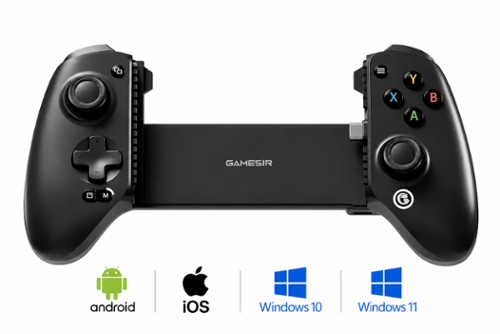
Introducing the GameSir G8 SE, a lightweight addition to the G8 series that maintains the high standards gamers expect. With a low-latency wired connection and GameSir~s anti stick-drift Hall Effect sticks, the G8 SE delivers precise, reliable control. Lightweight in design yet uncompromising in quality, it~s the ideal choice for seamless mobile gaming.
Customer Rating
4
Console feel, budget price, growing pains
on August 19, 2026
Posted by: callmeageeth
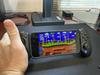
I’m a big gamer, but have been late to the party with mobile gaming. Reason being, touchscreen controls (outside of simple touch friendly games). I need a controller. The Gamesir G8 SE is the budget conscious model compared to the G8. It tackles the biggest gripe I have with mobile gaming, giving you a console control - with Xbox ergonomics - to play games on the go with a device (phone) that everyone already has.
When you pair it with Xbox Game Pass, it turns your phone into a legitimate console. But not everything was smooth sailing - from lag and connection speeds (not necessarily because of the controller) and difficulties integrating with mobile games (i.e. Call of Duty mobile doesn’t natively support USB-C controllers).
WHAT’S IN THE BOX
The packaging is lean, you’ll get the controller (no additional sticks or caps) and a user manual. You’ll also have a few extra rubber bumpers for your phone. Best I can tell, they’re the same thickness - they’re just there if yours wear out. On the one hand, I like the simplicity, but some might prefer swappable faceplates or thumb caps which are included in other versions of Gamesir controllers.
The packaging is lean, you’ll get the controller (no additional sticks or caps) and a user manual. You’ll also have a few extra rubber bumpers for your phone. Best I can tell, they’re the same thickness - they’re just there if yours wear out. On the one hand, I like the simplicity, but some might prefer swappable faceplates or thumb caps which are included in other versions of Gamesir controllers.
DESIGN AND BUILD QUALITY
In terms of the design, I like it. It’s a full sized controller. It’s not bulky to carry around - for what it is - and if it were any smaller, I would defeat the purpose. It’s a solid build that feels rigid with no creaking or flexing. It feels extremely light, almost cheap feeling, but again, it’s sturdy. And I like that it weighs what feels like, next to nothing.
In terms of the design, I like it. It’s a full sized controller. It’s not bulky to carry around - for what it is - and if it were any smaller, I would defeat the purpose. It’s a solid build that feels rigid with no creaking or flexing. It feels extremely light, almost cheap feeling, but again, it’s sturdy. And I like that it weighs what feels like, next to nothing.
The USB-C connector pivots which is a huge benefit. It doesn’t force you to put your phone in an awkward angle as the connector moves with the angle you put your phone in. And it pivots smoothly. There are nice rubber bumpers on both sides where you insert your phone to keep it protected. Note that leaving a case on your phone could cause problems, but I was able to make my case on my Pixel 10 Pro XL work, but it was finicky at times.
It has two programmable back buttons, but no way to physically lock them to present accidental presses. But you could deactivate them in the app.
It does include a USB-C pass through charger and 3.5 mm headphone jack on the bottom. I use bluetooth headphones, but very much appreciate the pass through charger.
PERFORMANCE AND CLOUD STREAMING
The joysticks and buttons themselves are awesome. The joy sticks utilize hall effect sensors which almost eliminates stick drift and gives you smooth and accurate responses. The triggers offer full analog travel (think throttling the gas on a racing game) to give you more precision. And because it connects directly with your phone, there’s no latency.
The joysticks and buttons themselves are awesome. The joy sticks utilize hall effect sensors which almost eliminates stick drift and gives you smooth and accurate responses. The triggers offer full analog travel (think throttling the gas on a racing game) to give you more precision. And because it connects directly with your phone, there’s no latency.
It really shines with Xbox streaming simply because the controller is mapped as an Xbox controller.
USABILITY QUIRKS AND REAL WORLD FRUSTRATIONS
While the physical controller is great, navigating mobile gaming ecosystems - at least to the uninitiated - is a pain.
While the physical controller is great, navigating mobile gaming ecosystems - at least to the uninitiated - is a pain.
The controller isn’t necessarily plug and play. It supports multiple operating modes - signaled by the colors around the home button on the controller. If your phone doesn’t recognize the inputs you’ll have to hold a specific button combination to change it. Something that required me to use the manual for, or look it up online.
Not all games have native USB-C controller support. Call of Duty Mobile is the big one. It only recognizes Bluetooth controllers. While there are supposedly fixes or work arounds, it’s a pain it doesn’t just work. You could use the app to map touch screen controls to the button, but that’s a pain (more on the app in a moment).
Large cases can be a problem given that it creates space between the USB-C connector and the phone’s port. Mine works most of the time, but sometimes it doesn’t. To remove your case each time is, and would be, a pain. Large camera bumps could cause some issues, but my Pixel 10 Pro XL was fine - the sliding mechanism on the back actually leaves a little room for camera bumps. I’m not sure what phones might have bigger camera bumps than mine, but something to consider.
The Gamesir app. I’ll be honest, I don’t like it. It’s buggy. I was using the controller, but the app still wouldn’t recognize. I couldn’t even check to see if there was a firmware update. The screen just froze. Sometimes I could get into changing the buttons - or frankly, just exploring what all I could do - but it wouldn’t always work. While I could still play games, it was a frustrating experience because I wasn’t able to use the app to better understand how to use the controller to its full potential.
Finally, just a note about mobile gaming. This might be user error, internet connectivity, or my phone, but it was just a hassle to get playing at times. And your mileage will vary depending on what games you have, what streaming services you pay for, and what you’re willing to pay for. I’m lucky, have access to Netflix games and Xbox. I was able to mostly get up and running with those games (outside of a few crashes with the Netflix games). But unless I had a really good internet connection, some of the Xbox games - namely FPS - were to laggy to play. Not the controller but the app/connection. This made for an all around frustrating experience. It’s tough to say that’s the controller’s fault; it’s more of a criticism of mobile gaming in general when you’re relying on streaming. But when you can download a game and play it from your phone and get the controller to respond/work, it’s a pretty great gaming experience. There were just a lot of bumps to get there.
CONCLUSION
If you are a hardcore mobile gamer (who doesn’t yet have a controller) or you’re willing to invest the time to get the controller settings to match a particular app (i.e. not just simple plug and play) then this is a great controller at a great price. The hardware itself is great, but be prepared for some bumps in using it along the way given the fractious nature of mobile games and their respective platforms.
If you are a hardcore mobile gamer (who doesn’t yet have a controller) or you’re willing to invest the time to get the controller settings to match a particular app (i.e. not just simple plug and play) then this is a great controller at a great price. The hardware itself is great, but be prepared for some bumps in using it along the way given the fractious nature of mobile games and their respective platforms.
I would recommend this to a friend!




Share this review:


0points
0of 0voted this as helpful.

The ROG Zephyrus G16 features a premium aluminum CNC-machined chassis that delivers exceptional durability in a slim 0.7" profile and a lightweight 4.30 lbs build. Powered by the latest Intel Core Ultra 9 386H processor and an NVIDIA GeForce RTX 5070 Ti Laptop GPU, the Zephyrus G16 delivers the performance needed to play games, create content, and multitask. The 16" OLED ROG Nebula Display HDR brings gaming experience to life with a 240Hz refresh rate, ultra-fast 0.2ms response time, 1100 nits peak brightness in HDR, and VESA DisplayHDR TrueBlack 1000 for deeper contrast and richer colors. Dolby Atmos audio with dual woofers delivers immersive sound, while ROG Intelligent Cooling~paired with an upgraded exhaust vent design~improves airflow to help sustain performance during intense gaming sessions.
Customer Rating
5
A near perfect gaming machine
on August 18, 2026
Posted by: callmeageeth
I’ve owned many laptops and gaming desktops over the year, and this year’s ASUS ROG G16 absolutely hits it out of the park. The specs are incredible, the design (which is always subjective) is on point, and it’s relatively thin and light given what’s on the inside. Honestly, there’s little to complain about - outside the price. The biggest knock for all gaming devices nowadays, is the price. But if you are in the market and have the budget, you really can’t beat this laptop.
WHAT’S IN THE BOX
Inside you’ll find the laptop itself - neatly wrapped in plastic - as well as the 240W power adapter. The laptop is remarkably thin (relatively speaking) but the charging brick is a beast (not quite Xbox 360 huge, but pretty bulky). That’s it.
Inside you’ll find the laptop itself - neatly wrapped in plastic - as well as the 240W power adapter. The laptop is remarkably thin (relatively speaking) but the charging brick is a beast (not quite Xbox 360 huge, but pretty bulky). That’s it.
DESIGN AND BUILD QUALITY
First, a few comments on the design and build quality. With this laptop, Asus has moved away from aggressive gaming designs, opting instead to use an aluminum chassis that fits into the office as easily as it does a gaming setup.
First, a few comments on the design and build quality. With this laptop, Asus has moved away from aggressive gaming designs, opting instead to use an aluminum chassis that fits into the office as easily as it does a gaming setup.
It’s only 0.70 inches thick and 4.3 pounds. The laptop has virtually no flex. When you rest your hands on it and/or are typing, there’s no bend whatsoever. It just feels outright sturdy. The matte finish does a pretty decent job at hiding fingerprints and oily palms, but they will still show up (but they’re easy to wipe off).
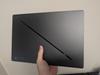
The back of the lid has what Asus calls, “slash lighting.” It’s a diagonal LED slash that you can customize (or turn off) with subtle lighting effects. As it’s on the back of the lid, you really can’t see it when using the laptop, so it’s really for the benefit of those around you.
The keyboard has plenty of space with large keys and a generous - and very responsive - touchpad. I found the typing experience to be quite enjoyable and the touchpad was an absolute pleasure given how responsive it was. Part of me wishes Asus would have included a full number keypad, but that would mess up the symmetry of the keyboard and take up space for one of my favorite features - the sound.
I normally play games with headsets, but when I tried out the speakers on this laptop (I was playing the new Halo Campaign Evolved), I was floored by the 6 speaker setup. Obviously it by no means touches true surround sound, but for a laptop, man did it get close, offering rich bass and clear dialogue.
The OLED display is an absolute work of art - it’s the centerpiece of the laptop. It has the inky blacks you expect of OLED screens, 500 nits peak HDR brightness, and a 0.2 ms pixel response time. Games, photos, and text alike are all razor sharp with zero motion blur or smearing.
UPGRADEABILITY
I do want to mention upgradeability. The RAM is nonupgradeable, so whatever you get when you buy the device, that’s what you’re stuck with. Obviously I would recommend going for the 32 GB of DDR5 RAM if you can swing it. There are two full size M.2 PCIe Gen 4x4 SSD slots. One is reserved for the drive that comes with the device, but it’s nice to know you can easily expand your storage (something that wasn’t possible on older ROG devices). The WiFi 7 card is on a standard M.2 slot and is user replaceable, but I can’t imagine a scenario where anyone would want to do that anytime soon.
I do want to mention upgradeability. The RAM is nonupgradeable, so whatever you get when you buy the device, that’s what you’re stuck with. Obviously I would recommend going for the 32 GB of DDR5 RAM if you can swing it. There are two full size M.2 PCIe Gen 4x4 SSD slots. One is reserved for the drive that comes with the device, but it’s nice to know you can easily expand your storage (something that wasn’t possible on older ROG devices). The WiFi 7 card is on a standard M.2 slot and is user replaceable, but I can’t imagine a scenario where anyone would want to do that anytime soon.
PERFORMANCE
This baby is rocking an Intel Core Ultra 9 386H with NVIDIA RTX 5070Ti laptop GPU. It has a generous amount (12GB of VRAM). And back to the monitor, it has 240Hz G-Sync panel to deliver fluid animation and eliminate screen tearing.
This baby is rocking an Intel Core Ultra 9 386H with NVIDIA RTX 5070Ti laptop GPU. It has a generous amount (12GB of VRAM). And back to the monitor, it has 240Hz G-Sync panel to deliver fluid animation and eliminate screen tearing.
The VRAM is helpful in getting rid of bottlenecks in some AAA games on higher graphical settings. I was able to play Cyberpunk 2077, Halo Campaign Evolved, and Wolfenstein at native 1600p with ultra settings and DLSS frame regeneration and consistently hitting over 75+ FPS.
Frankly, it’s a beast in the gaming department. The high refresh rate on the OLED panel is just a treat and eliminates virtually all input lag.
This laptop gets hot under stress - as you’d expect - but does a decent job of dissipating heat. It utilizes a vapor chamber colling plate and three fans to keep it cool. The area above the number row does get hot (near the hinge) and the fans do get pretty loud in turbo mode, I never felt any discomfort on the palm rest or using the WASD letters for movement.
As a day-to-day work laptop - the Intel Ultra 9 handles everything you could throw at it. My work mostly consists of drafting documents, reviewing emails, looking at images, but I was also able to edit videos without any issues. And when putting the laptop in Silent mode (i.e. when not gaming) the system became virtually silent and cool to the touch.
OTHER CONSIDERATIONS
Asus comes with Armoury Crate software which is the program you can use to control the GPU operating modes, fan curves, and Slash lighting patterns. But it’s a resource hog with numerous background services. I’d recommend G-Helper, a lightweight open source alternative that controls all the things you’d want (power limits, screen refresh, lighting, etc.) without the extra background bloat.
Asus comes with Armoury Crate software which is the program you can use to control the GPU operating modes, fan curves, and Slash lighting patterns. But it’s a resource hog with numerous background services. I’d recommend G-Helper, a lightweight open source alternative that controls all the things you’d want (power limits, screen refresh, lighting, etc.) without the extra background bloat.
Asus does include OLED care utilities to help prevent screen burn in - which is a nice touch - which is pixel shift, screen saver dimming and taskbar transparency tools. These settings are found within the Armoury Crate app.
In terms of battery life, it’s a Windows gaming laptop, so one cannot expect it to last as long as others. When switching to Eco Mode on battery (which turns off the GPU completely) and turning down the screen refresh rate, I think you can expect 7-9 hours of basic computing needs including media consumption. For fun, I played Halo on battery and after 20 minutes, I lost 25% of the battery. So don’t expect to be gaming on battery too long. Finally, the full 240W brick is pretty much necessary for gaming, know that you the laptop supports 100W USB-C power delivery which allows you to leave the charging brick behind when you just need the laptop for general use.
CONCLUSION
Gaming has become expensive recently. This laptop is no exception, but if you’re in the market, it really delivers in all aspects, from its sleek design, power, and features. I highly recommend it for anyone who wants to game or even edit videos on a laptop.
Gaming has become expensive recently. This laptop is no exception, but if you’re in the market, it really delivers in all aspects, from its sleek design, power, and features. I highly recommend it for anyone who wants to game or even edit videos on a laptop.
I would recommend this to a friend!





Share this review:


0points
0of 0voted this as helpful.
Experience the speed, precision, and control of the Razer Huntsman V3 HE Magnetic Mini 65% 8KHz, a compact esports keyboard built for cleaner, faster execution. Powered by Razer~ Hall Effect Magnetic Switches, it delivers incredible precision with Rapid Trigger for lightning-fast repeated inputs, adjustable actuation from 0.1~4.0 mm, and a 100-million keystroke lifespan for lasting competitive performance. Execute every input with greater confidence through advanced controls made for competitive play. Razer~ Snap Flex lets you trigger precise actions on key release for tighter control and faster response, while Razer~ Snap Tap prioritizes the latest input between two selected keys for near-instant directional changes. With Dynamic Keystroke, assign up to 4 actions to a single keystroke and cancel instantly to adapt on the fly. Stay ahead of every play with true 8000 Hz HyperPolling, delivering a polling rate 8 times faster than the industry standard for near-zero latency response. Its compact 65% form factor gives you more room to maneuver your mouse while remaining easy to position and tournament-ready. Finished with textured doubleshot PBT keycaps, a durable 5052 aluminum alloy top case, and hybrid onboard storage for up to 6 profiles, this keyboard is built to perform wherever competition takes you.
Posted by: callmeageeth
Razer is essentially a household brand at this point, with its iconic triple snake logo. There brand has been built on gaming hardware, especially for competition.
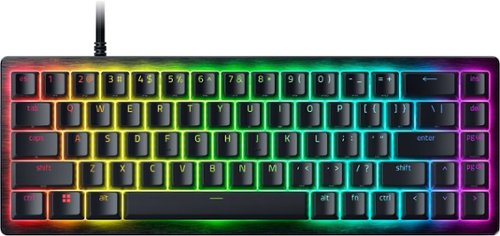
The new buzz word amongst gaming - most notably in controllers - is the use of hall effect switches. Hall effect switches are magnetic vs. magnetic switches. In keyboards, hall effect magnetic switches can track the exact height of the key and how much it’s traveled compared to the traditional key that just activates after it gets to a fixed point. This Razer Huntsman keyboard brings magnetic hall effect switches, paired with an extremely fast polling rate. And all in a compact design. While some might miss the full keyboard layout with the dedicated number pad, this keyboard opted for the 65% layout approach meaning it has the QWERTY keyboard along with full arrows and a vertical row of navigation buttons (INS, DEL PG UP and PG DN). So it remains compact for gaming - and for those who prefer a minimalist layout or have cramped space - while still serving as a good keyboard for traditional computer work.
DESIGN
As stated, and as you can see in the picture, the keyboard is very compact. It’s built with brushed aluminum and there is absolutely no flex in the keyboard. It just doesn’t move. It has dual stage feet to give you a total of three angles. The keys are resistant to oils, and fingerprint shine and are intended not to wear over time. Frankly, I think the keyboard looks really classy, even with the backlighting.
As stated, and as you can see in the picture, the keyboard is very compact. It’s built with brushed aluminum and there is absolutely no flex in the keyboard. It just doesn’t move. It has dual stage feet to give you a total of three angles. The keys are resistant to oils, and fingerprint shine and are intended not to wear over time. Frankly, I think the keyboard looks really classy, even with the backlighting.
GAMING PERFORMANCE
This keyboard, using the hall effect switches, allows you to adjust the point at which the key registers within a fraction. This means that when using the keys to move your character on screen (while gaming) you stop moving the instant your finger starts to relax off the button. Same for triggering a response like moving, your character begins moving the instant the key starts to register. This results in quick reflexes that can give you the edge in multiplayer games.
This keyboard, using the hall effect switches, allows you to adjust the point at which the key registers within a fraction. This means that when using the keys to move your character on screen (while gaming) you stop moving the instant your finger starts to relax off the button. Same for triggering a response like moving, your character begins moving the instant the key starts to register. This results in quick reflexes that can give you the edge in multiplayer games.
Now, you don’t always want this type of actuation. If you’re typing an email or the like, you don’t necessarily want that much sensitivity as you might be prone to accidentally hitting a key by mistake (resting your hand on the keyboard). But you can swap profiles quickly using keyboard shortcuts or through the Razer Synapse app. The default setting sets the actuation at 2 MM while the FPS profile is much lower - allowing for those quick, lightning fast movements.
The 8000K hyperpolling is a terrific feature, but admittedly, not one the average gamer (like myself) will truly appreciate. It’s intended to be paired with a high refresh rate gaming display with no delays at all between a key press and the on-screen frame update. I can’t say that this is something I can notice in my gaming - which does consist of multiplayer FPS - but I’d like to think it makes a difference. It’s truly a feature intended for high stakes competitive gaming.
DAILY DRIVING
I’m on a computer all day and the typing experience matters to me. I admittedly prefer keyboards with a number keypad, this keyboard ended up on my desk due to wanting more room. And while it was a little bit of an adjustment, I almost prefer it now.
I’m on a computer all day and the typing experience matters to me. I admittedly prefer keyboards with a number keypad, this keyboard ended up on my desk due to wanting more room. And while it was a little bit of an adjustment, I almost prefer it now.
In terms of the sound, I really enjoy the “clack” of keyboards, but some can be annoying to people around you. This keyboard has sound dampening foam that absorbs some sound but it delivers a satisfying “clack” that I enjoy.
SOFTWARE AND LIGHTING
I have a general disdain for downloading apps, both on my phone and computer that take up precious resources. Razer’s software - to me - is just that. I have it on my computer to control the few Razer peripherals I own, which doesn’t irk me so much since it does control more than one device. For me, though, I find the Razer Synapse software a bit overwhelming. On the one hand, I appreciate the ability to tweak things, but it’s a lot. For those that really enjoy or want to tweak every setting they certainly can. But this is where you’d go to tune the actuation settings (how far the key travels before it registers), calibrate your keyboard, save profiles, and even adjust the lighting.
I have a general disdain for downloading apps, both on my phone and computer that take up precious resources. Razer’s software - to me - is just that. I have it on my computer to control the few Razer peripherals I own, which doesn’t irk me so much since it does control more than one device. For me, though, I find the Razer Synapse software a bit overwhelming. On the one hand, I appreciate the ability to tweak things, but it’s a lot. For those that really enjoy or want to tweak every setting they certainly can. But this is where you’d go to tune the actuation settings (how far the key travels before it registers), calibrate your keyboard, save profiles, and even adjust the lighting.
However, most functions can be done on the fly on the keyboard itself because the profiles are stored on the keyboard. You can cycle through the profiles (the one for default is where I keep it when not gaming) and there’s one for FPS for example. There are of course others and you can create your own in Synapse.
To adjust the lighting, you’ll have to also download the Razer Chroma software. There you can adjust the lighting. Again, I didn’t download it as I use the keyboard shortcuts to cycle through the colors, which is enough for me. But know that there are infinite possibilities. Chroma will also allow you to integrate colors into other games and gear. The lighting is crisp insomuch as the lights really shine through the keys and highlight the characters.
CONCLUSION
This keyboard strikes a decent balance on size - being compact while full size characters. It truly excels in offering ultra fast polling and hall effect switches, although that might be a bit much for casual gamers as it’s intended for those seeking a real competitive edge. It’s also extremely well built and is extremely durable. Its primary downside is not being wireless (although the USB cable is plenty long) and it does demand a high price. And its loud noise might be too much for some who prefer a more quiet keyboard. All in all, if you’re remotely serious about PC gaming, and can afford the premium price, it should be high on your list.
This keyboard strikes a decent balance on size - being compact while full size characters. It truly excels in offering ultra fast polling and hall effect switches, although that might be a bit much for casual gamers as it’s intended for those seeking a real competitive edge. It’s also extremely well built and is extremely durable. Its primary downside is not being wireless (although the USB cable is plenty long) and it does demand a high price. And its loud noise might be too much for some who prefer a more quiet keyboard. All in all, if you’re remotely serious about PC gaming, and can afford the premium price, it should be high on your list.
I would recommend this to a friend!




Share this review:


0points
0of 0voted this as helpful.

The Shark Vertex Pet Powered Lift-Away upright vacuum combines advanced cleaning technology and the convenience of Powered Lift-Away with powerful suction to clean your whole home. Shark~s DuoClean PowerFins HairPro nozzle grips and captures more dirt, debris, and hair for powerful pickup of all types of debris. Large piles, fine dust, short hair, and long hair are no match for DuoClean PowerFins HairPro. To clean above-floor areas, just lift off the detachable pod to vacuum stairs, furniture, windowsills, and more. With Lift-Away, you can transform your upright vacuum into a stick vac for easy cleaning under furniture and above the floor. Odor Neutralizer Technology guards against bad odors inside your vacuum, while Anti-Allergen Complete Seal with HEPA filtration traps and seals dust, dander, and allergens inside the vacuum, keeping them out of the air you breathe. LED headlights on the nozzle reveal hidden debris and pet hair as you clean, so you won't miss a spot. This powerful Shark upright vacuum is perfect for homes with pets. It comes with specialized cleaning tools, including the Pet Crevice Tool, Pet Multi-Tool, and the Pet Power Brush, designed to eliminate pet messes and handle tough cleaning challenges all around your home.
Customer Rating
5
Power, precision and portability
on July 22, 2026
Posted by: callmeageeth
The Shark Performance Powered Lift-Away Vacuum is my new favorite vacuum and is easily one of the best designed vacuums on the market. It blends the heavy duty suction of a plug in upright vacuum with the flexibility of a portable canister. Whether vacuuming thick carpet or vacuuming of corners on hard surfaces, it consistently delivers a hassle-free clean.
IN THE BOX
Inside the box you’ll get the vacuum unit; duster crevice device; pet multi-tool/upholstery attachment; self cleaning pet power brush; odor cartridge; and the owner’s manual.
Inside the box you’ll get the vacuum unit; duster crevice device; pet multi-tool/upholstery attachment; self cleaning pet power brush; odor cartridge; and the owner’s manual.
Putting it together was a breeze. Not only is it easy to figure it out on your own, Shark smartly puts the instructions on the box as you open it to walk you through it.
DESIGN
Shark really prioritized ergonomics. At the push of a button, the canister lifts off the floor nozzle wand while keeping power supplied directly to the canister. This allows you to carry the canister (which is relatively light) while holding the wand. You can hold the handheld wand to get under things (or I like it to vacuum carpeted steps). You can even remove the canister and keep the handle on the floor nozzle to get underneath smaller spaces - that the canister would otherwise block.
Shark really prioritized ergonomics. At the push of a button, the canister lifts off the floor nozzle wand while keeping power supplied directly to the canister. This allows you to carry the canister (which is relatively light) while holding the wand. You can hold the handheld wand to get under things (or I like it to vacuum carpeted steps). You can even remove the canister and keep the handle on the floor nozzle to get underneath smaller spaces - that the canister would otherwise block.
The brushroll is self cleaning. It has special technology that continuously removes wrapped hair as you vacuum. I haven’t had the vacuum long enough to truly test this out, but so far, it’s remained clean with nothing wrapped around the brushroll.
It has anti-allergen complete seal so it trusts virtually all dust, dander and airborne particles inside the vacuum rather than releasing them back into your living space. This is a big deal as it’s one of the big knocks on canister dustbins. Most of the time, you have to use bags to get this type of filtration (and bags are still better if you have serious allergies - which this vacuum does not utilize).
It has bright lights integrated on the floor nozzle. This might not sound like a big deal, but I was pleasantly surprised as it highlights dust, especially on hard surfaces so you can see what your vacuuming.
And the controls on the handle are simple and straightforward to use. There’s the power button, and a slider to control whether you are on bare floor, low carpets, or thick carpets. Other vacuums have similar features, but you’re required to bend down to the floor nozzle to make those adjustments.
PERFORMANCE AND USAGE
In day-to-today cleaning, this vacuum shines primarily because of its usefulness. One device can vacuum for all scenarios. Whether you’re vacuuming dirts out of the corners of baseboards, or heavy area rugs, or vacuuming carpeted stairs, you can easily and quickly move from scenario-to-scenario to quickly vacuum up all areas of your living space. I was impressed with its ability to pick up dirt and dropped crumbs on the baseboards. It picks things up on a single pass without scattering dirt. I find the vacuum easy to maneuver and use. I had to push a little harder on one of our thick area rugs, but this particular rug causes problems for all sorts of vacuums. But what impressed me the most vs. our battery operated cordless vacuum was getting more dirt and debris out of the rug on a single pass.
In day-to-today cleaning, this vacuum shines primarily because of its usefulness. One device can vacuum for all scenarios. Whether you’re vacuuming dirts out of the corners of baseboards, or heavy area rugs, or vacuuming carpeted stairs, you can easily and quickly move from scenario-to-scenario to quickly vacuum up all areas of your living space. I was impressed with its ability to pick up dirt and dropped crumbs on the baseboards. It picks things up on a single pass without scattering dirt. I find the vacuum easy to maneuver and use. I had to push a little harder on one of our thick area rugs, but this particular rug causes problems for all sorts of vacuums. But what impressed me the most vs. our battery operated cordless vacuum was getting more dirt and debris out of the rug on a single pass.
I do want to add that while I like the odor neutralizer cartridge (it does leave a nice scent) it’s not something I intend on buying more of. But you might feel differently. My point is, it does actually work in leaving a subtle clean scent.
CONCLUSION
While not the cheapest vacuum and not even the cheapest Shark model, I think this is an excellent value proposition for its versatility and performance. It’s bigger than stick vacuums that you might use for small areas or quick jobs, it can handle quick jobs easily and be there for when you need more power. One vacuum to rule them all so to speak. It’s earned its keep and I’m glad to have it in my household.
While not the cheapest vacuum and not even the cheapest Shark model, I think this is an excellent value proposition for its versatility and performance. It’s bigger than stick vacuums that you might use for small areas or quick jobs, it can handle quick jobs easily and be there for when you need more power. One vacuum to rule them all so to speak. It’s earned its keep and I’m glad to have it in my household.
I would recommend this to a friend!

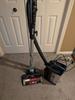

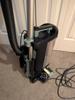
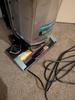
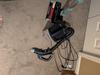
Share this review:


0points
0of 0voted this as helpful.
callmeageeth's Review Comments
callmeageeth has not submitted comments on any reviews.
callmeageeth's Questions
callmeageeth has not submitted any questions.
Take aerial shots with this GoPro Karma drone. Its Karma Stabilizer lets the included HERO5 Black action camera capture shake-free videos, while the Karma Grip provides reliable stabilization for handheld and mounted filming. The game-style controller with an integrated touch display makes Karma easy and fun to fly.Fly Responsibly:Before takeoff, update all software and firmware, and read the instructions thoroughly.See the FAA website for registration requirements and information about flying a drone safely: https://www.faa.gov/uas/getting_started/. Additional state or local requirements may apply. Check your local jurisdiction. The following websites may help you make informed decisions about flying your drone: www.knowbeforeyoufly.org and www.modelaircraft.org.
Just curious what the flight time experience has been like. Says 20 minutes with no payload; however, is the camera considered "payload"? Is it 20 minutes WITH the camera? Also, how close to 20 minutes is the "actual" flight time?
Given that the camera is required to fly I wouldn't think that the camera is considered payload. I've never tried to fly with any payload mostly because I haven't needed to and it doesn't seem equipped to hold anything (you would have to use some ingenuity to attach something to it). I can speak as to how long it flies without any payload but obviously with the camera. And in my use, it's been between 18-19 minutes of flight time. The very first time I flew it, it landed itself due to low battery around the 18 minutes mark, even though on the handheld controller, the screen said there was 2 minutes of flight time left. I haven't flown it enough while taking video/stills to determine how much that drains the battery. Hope that helps.
9 years, 8 months ago
by
callmeageeth
Sony PlayStation VR Launch Bundle:Immerse yourself in a virtual-reality gaming world with this Sony PlayStation VR bundle. Experience body-responsive gaming with the two PlayStation Move motion controllers. The built-in camera lets you take clear photos, and the stereo headphones provide rich sound. Challenge your gaming ability with the VR Worlds game included with this Sony PlayStation VR bundle.
Is the camera of this bundle the latest one? The ps4 camera? Or the ps3 camera?
Yes, the bundle comes with the newest model camera. The packaging and promotions for the PSVR actually show the older model (which as I understand, will still work). This camera is completely different than the PS3 version.
9 years, 11 months ago
by
callmeageeth
Bring the power of Google directly to your fingertips with the Google Pixel. A large 32GB of storage keep data secure, while unlimited cloud storage transfers data as needed, and it's completely automatic. The large 5-inch screen is protected by Corning Gorilla Glass 4 to ensure the Google Pixel remains scratch-free.
It is an unlocked phone, so I assume it is compatible with SIM card from other countries - is that correct?
I can't confirrm that it will work sims from other countries (depends on bandwidths) but I can absolutely confirm that putting a T-Mobile sim into this phone will work. Sorry couldn't give you a better answer!
10 years ago
by
callmeageeth
Charge 2 GoPro lithium-ion batteries simultaneously with this GoPro AHBBP-301 charger that reliably draws power from select USB chargers, USB-enabled computers or GoPro wall or vehicle chargers (not included), so you can keep your camera ready for use.
Does this have the cable to connect charger to computer? Is there a cord that connects camera directly to computer or wall charger for charging? I think we lost ours.
It comes with a mini-USB cable which you can plug into your computer (I wouldn't recommend because of slow charging) and a wall charger. The same mini-USB cable plugs directly into the camera itself
10 years, 2 months ago
by
callmeageeth
Expand the storage of your compatible device with this SanDisk Ultra PLUS microSDXC memory card that features a 128GB capacity to hold your photos and videos and a Class 10 rating to ensure speedy data transfer. The rugged design resists damage.
compatibility
I have a Dell Venue 8 Pro.Would this work with it for storage?also is it compatible with android devices?...thank you
Double check your specific Android device. Most newer devices accept it, I believe this card was intended for Android devices, but again, I know some devices only accept up to 64 GB card
12 years ago
by
callmeageeth
Louisville, KY