


emiliosic's stats
- Review count244
- Helpfulness votes1,320
- First reviewJune 21, 2013
- Last reviewOctober 15, 2026
- Featured reviews0
- Average rating4.6
Reviews comments
- Review comment count0
- Helpfulness votes0
- First review commentNone
- Last review commentNone
- Featured review comments0
Questions
- Question count0
- Helpfulness votes0
- First questionNone
- Last questionNone
- Featured questions0
- Answer count88
- Helpfulness votes175
- First answerJuly 8, 2016
- Last answerNovember 4, 2021
- Featured answers0
- Best answers17
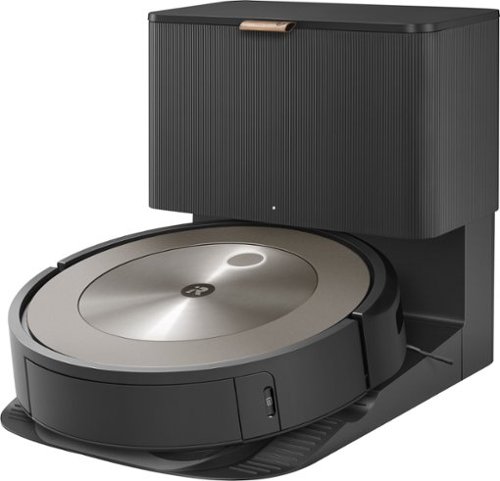
The Roomba j9+ robot vacuum delivers 100% stronger suction* and adjustable cleaning power to lift even trapped pet hair from carpets. Equipped with the most thoughtful, pet-friendly features, this smart vacuum has dual rubber brushes to sweep up dust after the dog park, the know-how to steer around pet toys and food bowls, and our P.O.O.P. guarantee** to avoid accidental pet messes or you get a replacement. Dirt Detective, powered by iRobot OS, keeps track of cleaning settings and frequency to auto-customize where and how it cleans so your home is always at its freshest. Go ahead and love your pet~your Roomba robot will handle their mess. *Compared to Roomba i Series robots **See iRobot website for details
Customer Rating

4
Good object detection, good suction
on November 4, 2023
Posted by: emiliosic
We already have a much older Roomba in a different floor in the house and also used a different brand. The advancement in how this works is really impressive. We also use a j7+ in a different place and differences are negligible.
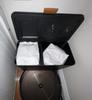
Initial setup was straightforward. Everything else came ready. It even came with dirt bag already installed in the charging base and a spare bag as well.
App onboarding takes a few minutes. Already had the iRobot app installed because of the other vacuum. It detected the new vacuum and connected without issues.
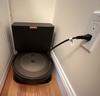
After finding a good spot for the charging base with a good outlet, it's ready to learn the floor plan.
Keep in mind that the docking base draws a good amount of power when emptying the trash from the vacuum into the base, and it can easily trip a circuit. If there are lights on the same circuit it will flicker (This is on a new construction, 15 Amp circuit).
App onboarding takes a few minutes. Already had the iRobot app installed because of the other vacuum. It detected the new vacuum and connected without issues.
After finding a good spot for the charging base with a good outlet, it's ready to learn the floor plan.
Keep in mind that the docking base draws a good amount of power when emptying the trash from the vacuum into the base, and it can easily trip a circuit. If there are lights on the same circuit it will flicker (This is on a new construction, 15 Amp circuit).
The vacuum has to be trained first: The first or two times it runs, it will map the floor and rooms. It will first bump into a few things, although there is a setting in the app that applies additional logic to prevent of the unnecessary bumping. The second time we ran a mapping run, the floorplan started to take shape in the app.
After a few cleaning jobs, the floorplan is more or less complete, and the phone app will eventually ask to start organizing the map into rooms. This takes a bit of effort as it might not be immediately intuitive, and in our case it got room divisions incorrectly. Note that I had previous experience setting a similar model on a different floor. Even though the maps will not be perfect it should be good enough to instruct it to clean specific rooms, and over time sections of each room.
Once the rooms are divided, it will prompt to name the rooms, from a long list of pre-assigned names, or it can be customized.
It will then move to the next training level and start taking pictures of what it think are obstacles. The vacuum has a front camera that has a narrow view of the floor level. It doesn't see much beyond a the height of shoes. With that the app will ask if the vacuum found a new obstacle, and if it's permanent, or temporary. If permanent, it will start adding exclusion zones to the map. Some of the examples are cables and power strips it finds on the floor. Temporary obstacles can be shopping bags or socks or shoes left on the floor. It's smart enough to not go over cables, which was an annoying problem with other vacuums we used before, but it might still ask you to confirm a loose cable almost every vacuuming room, via the app, which can be ignored though.
After a few cleaning jobs, the floorplan is more or less complete, and the phone app will eventually ask to start organizing the map into rooms. This takes a bit of effort as it might not be immediately intuitive, and in our case it got room divisions incorrectly. Note that I had previous experience setting a similar model on a different floor. Even though the maps will not be perfect it should be good enough to instruct it to clean specific rooms, and over time sections of each room.
Once the rooms are divided, it will prompt to name the rooms, from a long list of pre-assigned names, or it can be customized.
It will then move to the next training level and start taking pictures of what it think are obstacles. The vacuum has a front camera that has a narrow view of the floor level. It doesn't see much beyond a the height of shoes. With that the app will ask if the vacuum found a new obstacle, and if it's permanent, or temporary. If permanent, it will start adding exclusion zones to the map. Some of the examples are cables and power strips it finds on the floor. Temporary obstacles can be shopping bags or socks or shoes left on the floor. It's smart enough to not go over cables, which was an annoying problem with other vacuums we used before, but it might still ask you to confirm a loose cable almost every vacuuming room, via the app, which can be ignored though.
It integrates very well with Alexa and also with Google Home.
With Alexa it has a rich integration. I can tell it which of the two Roomba vacuums to use and which room.
With Google Home the integration is quite basic, allowing one to start and stop vacuuming the whole floor.
There is no integration with Apple HomeKit, and I don't think any robot vacuum works wit it yet, but it supports Siri shortcuts.
From the app, one can customize the order on which rooms are cleaned with the option to save the routine as a favorite to reuse later.
If using the vacuum on different places (or different floors), it can be done because the app can switch between multiple vacuums each with maps.
With Alexa it has a rich integration. I can tell it which of the two Roomba vacuums to use and which room.
With Google Home the integration is quite basic, allowing one to start and stop vacuuming the whole floor.
There is no integration with Apple HomeKit, and I don't think any robot vacuum works wit it yet, but it supports Siri shortcuts.
From the app, one can customize the order on which rooms are cleaned with the option to save the routine as a favorite to reuse later.
If using the vacuum on different places (or different floors), it can be done because the app can switch between multiple vacuums each with maps.
Vacuuming: It picked everything and went under beds and cabinets without a problem. We have teenagers in the house so there is a good amount of hair to be cleaned on the floor. I was impressed that the main brushes did not get clogged with hair. In fact there was nothing else to clean from the rollers. However the first two times it ran it collected considerable amount of hair that made it fail the job.
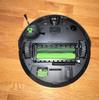
Cleaning the vacuum: The base does a great job of emptying the dustbin from the vacuum. As I mentioned, it's very powerful (And also very loud). Only takes a few seconds to complete though. However, debris that is larger than a grain of rice will have to be picked up manually from the vacuum's internal dustbin. The brushes are very easy to clean and as I said their design does not collect much hair at all. There is also a caster wheel to be cleaned but it pulls right out. Then the front-side brush will generally get some hair, and I had to unscrew it to pick all the hair from it. But things should be easier if using the vacuum consistently. The first time it will pick up a lot of dirt that the handheld vacuum missed (mostly under cabinets, sofas, etc.).
It seems to stumble on legs and chairs more than necessary. With all its smarts it continuously gets stuck on the horizontal frame of an IKEA Poang armchair. I might have to exclude that area from its cleaning cycle.
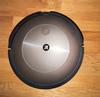
It does handle transitions between bare floors and carpets with ease. The app will show the rough area where it detected carpets.
Overall I'm very impressed. Very well designed. Note that have to give it about a week to train it to each space. The docking base works well at emptying the dirt from the vacuum. The phone app is very well designed. iRobot has been making improvements for years, and I'm impressed how much smarter it got since their older vacuums. Integration with Alexa is very good. Compared to our j7 vacuum, the difference in smarts and vacuum power seems negligible in my experience.
I also had issues with their support over time, for example waiting for a week to reply and then tell me that the warranty expired four days before submitting a request for a pre-existing issue, so an extended warranty might be worth with this.
So it's great but If I had to choose again I'd choose the mid-level model instead.
I also had issues with their support over time, for example waiting for a week to reply and then tell me that the warranty expired four days before submitting a request for a pre-existing issue, so an extended warranty might be worth with this.
So it's great but If I had to choose again I'd choose the mid-level model instead.
I would recommend this to a friend!
Share this review:


0points
0of 0voted this as helpful.
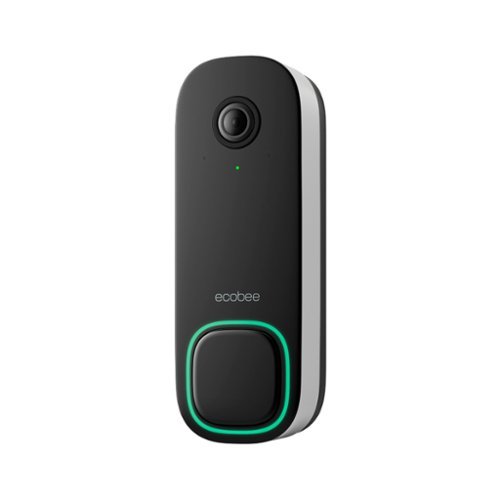
The ecobee Smart Doorbell Camera (wired) sees what others can~t by letting you see more of what~s really happening at your door, day or night. Get real-time notifications for people and packages whether you~re home or away, and get the full picture with our industry-leading field of view. Automatically track, pan, and zoom-in on important activity at your front door in full 1080p HD quality. That~s something to get excited about.
Customer Rating
4
Great camera, requires subscription for recording
on November 2, 2023
Posted by: emiliosic
I'm already using the Ecobee premium thermostat, and this doorbell works great with it (Although it's not required).
The hardware on this camera is great. Images are clear, wide angle with image in a portrait orientation, so one can see a full body image while holding the phone normally.
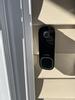
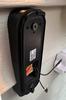
The front of the camera is all black. The big doorbell button has an LED ring around it that plays a circling pattern when someone approaches.. The sides of the camera are white with the mounting bracket black, It also comes with an angle adapter that tilts the doorbell around 15 degrees. It all looks very slick.
The front of the camera is all black. The big doorbell button has an LED ring around it that plays a circling pattern when someone approaches.. The sides of the camera are white with the mounting bracket black, It also comes with an angle adapter that tilts the doorbell around 15 degrees. It all looks very slick.
Installation was fairly simple and went about as expected, however keep in mind that if using a physical doorbell like in my case where I have a mechanical doorbell, one has to install a small power adapter that goes inside the doorbell and in my case it fits just fine. It then uses the doorbell power (20V AC in my case). The doorbell comes with all the necessary hardware to install in a flat surface like the trim around the door. In my case I needed to install it in vinyl siding, so I had to get a custom mount elsewhere. This was very inconvenient but I knew I'd have this issue. This is the same for every other doorbell camera on the market. Once I got all the pieces, it takes about 30 minutes to install. It also comes with cable extenders and the whole process is documented step by step on the Ecobee app very clearly.
The rest of my house relies heavily on Apple Home (HomeKit) and we also have a bunch of Amazon echo devices. Integration with both systems works great.
With Apple Home, doorbell notifications can be received by both Ecobee app and Apple Home, and able to answer the doorbell with two-way audio by holding the notification. Any HomePod in the house can be set to play a chime as well, and it works very fast, right after the physical doorbell. Any apple TV will show live video from the doorbell and on-screen notification of someone ringing at the door.
With Amazon Echo, every Echo device can play a chime, and it's configurable with several pre-set sounds. Echo show will also start showing video from the camera as well, and it also integrates with FireTV. However, notifications via Alexa sometimes are played too late, not very consistent.
Then the Ecobee app does all of this as well, and if one happens to have a compatible Ecobee thermostat, it does a lot more: Our Ecobee premium thermostat will also show the doorbell on its screen, with two-way audio (One has to press a button on the thermostat's screen to talk back).
Ecobee offers a home security subscription, called "Smart Security" which uses the thermostat as an alarm panel. The auxiliary temperature sensors are also movement sensors and there are optional window and door sensors as well, and an indoor camera completes the offer, hardware-wise. The doorbell camera can record and has package and person detection, but these functions only work through the Ecobee app with an active subscription. Apple's HomeKit Secure Video functionality is disabled with this camera, no the person detection and iCloud recording doesn't work, only live video. Even with an active subscription, package and person notifications only work via the Ecobee app.
With Apple Home, doorbell notifications can be received by both Ecobee app and Apple Home, and able to answer the doorbell with two-way audio by holding the notification. Any HomePod in the house can be set to play a chime as well, and it works very fast, right after the physical doorbell. Any apple TV will show live video from the doorbell and on-screen notification of someone ringing at the door.
With Amazon Echo, every Echo device can play a chime, and it's configurable with several pre-set sounds. Echo show will also start showing video from the camera as well, and it also integrates with FireTV. However, notifications via Alexa sometimes are played too late, not very consistent.
Then the Ecobee app does all of this as well, and if one happens to have a compatible Ecobee thermostat, it does a lot more: Our Ecobee premium thermostat will also show the doorbell on its screen, with two-way audio (One has to press a button on the thermostat's screen to talk back).
Ecobee offers a home security subscription, called "Smart Security" which uses the thermostat as an alarm panel. The auxiliary temperature sensors are also movement sensors and there are optional window and door sensors as well, and an indoor camera completes the offer, hardware-wise. The doorbell camera can record and has package and person detection, but these functions only work through the Ecobee app with an active subscription. Apple's HomeKit Secure Video functionality is disabled with this camera, no the person detection and iCloud recording doesn't work, only live video. Even with an active subscription, package and person notifications only work via the Ecobee app.
Overall it's a great doorbell with solid functionality if planning on subscribing to Ecobee's cloud security offering, otherwise it’s limited to real-time video and doorbell notifications, since basic functions still work without the subscription. I really like how well it integrates with the thermostat as well including video feed from the camera as well as announcements.
The doorbell comes with a 60-day security service trial.
The service itself is interesting. There are two tiers: The first only covers recordings and notifications with one camera and the second tier covers unlimited cameras (The doorbell and Ecobee's indoor camera) and offers a professional security service that's connected to 911 and can potentially be used as an insurance deduction (which could potentially pay for itself).
The doorbell comes with a 60-day security service trial.
The service itself is interesting. There are two tiers: The first only covers recordings and notifications with one camera and the second tier covers unlimited cameras (The doorbell and Ecobee's indoor camera) and offers a professional security service that's connected to 911 and can potentially be used as an insurance deduction (which could potentially pay for itself).
I would recommend this to a friend!




Share this review:


0points
0of 0voted this as helpful.
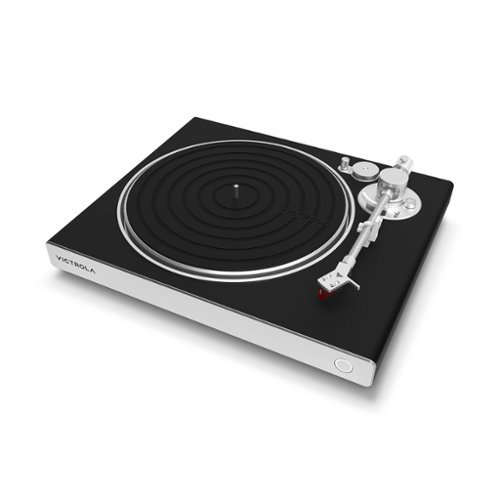
Enjoy the rich sound of vinyl records with the Victrola Hi-Res Carbon turntable. Go wireless with best-in-class aptX Adaptive Bluetooth connectivity or wired with switchable preamp and standard RCA outs (RCA cables included), allowing you to listen to your favorite Vinyl records with stunning clarity. Stylish aesthetic and simple setup result from a purpose-built design focused on the listener experience. For the highest sonic clarity, the Hi-Res Carbon features an Ortofon 2M Red moving magnetic cartridge and a carbon fiber tonearm featuring a custom-designed, removable head shell. With the Victrola Hi-Res Carbon, you can effortlessly lower the tonearm and enjoy listening to your records with exceptional quality; Connect wirelessly to any Bluetooth or aptX enable speakers, headphones, or wired to your favorite amplifier or powered speakers.
Customer Rating

5
Entry into audiophile territory
on October 29, 2023
Posted by: emiliosic
I was looking for a while to replace an entry level turntable that's connected to a decent amplifier and tower speakers.
This makes a world of difference.
This makes a world of difference.
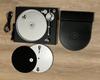
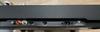
The turntable is very solidly constructed with an aluminum base and aluminum plate. The arm is made of carbon fiber with a straight design, precisely built with a fairly accurate pre-set weight and an Ortofon 2M Red cartridge. It plays at 33-1/2 and 45 RPM.
The cover goes over the plate and arm, it's not an acrylic shell like on other turntables.
The cover goes over the plate and arm, it's not an acrylic shell like on other turntables.
It uses a belt-drive mechanism (suitable for higher end turntables) with servo motor and implements manual tonearm controls. It stops at the end of the LP but does not lift the arm. I prefer a fully automatic turntable for casual listening, however one might argue that the process of setting the tonearm has its charm. It has anti-skate control.
The power supply is built into the turntable. It has a removable 110V cable and RCA inputs (with ground feed) that is selectable for either Phono or Line.
Power supply is AC 100-240V ~ 50HZ/60HZ.
Quality RCA cables (with ground) are included as well.
Power supply is AC 100-240V ~ 50HZ/60HZ.
Quality RCA cables (with ground) are included as well.
It also has high end Bluetooth connectivity: Using the latest Qualcomm BT chip, it support the latest BT 5.4 standard with Adaptive Apt-X and HD Apt-X. Not every high end headphone supports these non-standard codecs. The SBC codec is also available for the rest. (AAC doesn’t seem to be supported).
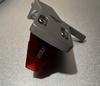
The Ortofon 2M Red is a very decent entry to audiophile quality audio. The 2M line is very good, and considered a reference line and since the cartridge between the 'Red' and 'Blue' lines is the same, one can just replace the Red stylus with a 2m Blue stylus for more open sound. In addition, the headshell is replaceable, and the cartridge is mounted on Verso posts and connects via four cables, so the turntable supports replacing the Ortofon 2M series for Audio Technica AT-VM95E or Ortofon OM Series. Note that the counterweight has marks for either the 2M Red/Blue or the AT cartridge. For other cartridges, one would need to measure the counterweight and adjust it with a force scale.
Also note that replacing the 2M stylus is the simplest. It comes off by firmly pulling it with no clips and nothing else that could break. The cartridge itself should last for many years.
Also note that replacing the 2M stylus is the simplest. It comes off by firmly pulling it with no clips and nothing else that could break. The cartridge itself should last for many years.
As for sound, in my very biased listening session to records including a heavy press of Pink Floyd's The Dark Side of The Moon, using Phono out with a modern Hi-Def amplifier, provides very detailed sound with a touch or warmth, and very good stereo separation. On this album, one can clearly hear the hushed voices and metal clings that are hallmarks of this album as well as the brass through the album.
For Apt-X headphones, used a newer press of U2's The Best Of 1990-2000, compared with a High-Res stream as a reference, and very pleased with the sound quality.
Now why would I want to use Bluetooth with a turntable? Wireless convenience. Having the Bluetooth circuitry directly on the turntable bypasses the circuitous path to the pre-amp, completely eliminating the need of phono cables.
For Apt-X headphones, used a newer press of U2's The Best Of 1990-2000, compared with a High-Res stream as a reference, and very pleased with the sound quality.
Now why would I want to use Bluetooth with a turntable? Wireless convenience. Having the Bluetooth circuitry directly on the turntable bypasses the circuitous path to the pre-amp, completely eliminating the need of phono cables.
What caught my attention compared to other models is that this already comes with an Ortofon cartridge.
Overall, this is a very good starter audiophile turntable. By no means this is an entry level. Being able to properly drive Ortofon cartridges, properly weighed tonearm and solid Aluminum/MDF construction with the latest Bluetooth codecs.
Overall, this is a very good starter audiophile turntable. By no means this is an entry level. Being able to properly drive Ortofon cartridges, properly weighed tonearm and solid Aluminum/MDF construction with the latest Bluetooth codecs.
I would recommend this to a friend!


Share this review:


+1point
1of 1voted this as helpful.

Protect and monitor your home from anywhere with the Tapo TC73 Pan/Tilt Camera. This indoor home security solution provides a seamless out-of-the box experience with easy installation and a 360~ field of view of pets and people within the home. Experience 2K QHD Clear View, Smart Motion Tracking, AI Detection and much more directly from your smartphone through the Tapo App.
Customer Rating
5
Good camera, local storage and optional cloud
on October 21, 2023
Posted by: emiliosic
This is a good and affordable indoor camera.
It has a 2K sensor, far and near IR nightlight, 2-way audio and pan-scan.
It has a 2K sensor, far and near IR nightlight, 2-way audio and pan-scan.
What interested me most in getting this camera is that is has native Apple Home support, and it works: Using Apple Home, from an iPhone, one scans the code on the back of the camera and within a few minutes, Apple Home configures the camera including Wi-Fi credentials. All of this without using any other app nor creating any other accounts. If one subscribes to iCloud, it uses it for storing recordings (HKSV). Apple Home is also used to configure when to record and what to detect. It works very well.
However, if one wants to upgrade firmware, configure Pan-Scan auto tracking (Where the camera automatically rotates to follow movement) one has to download the TP-Link Tapo app and create an account.
The TP-Link Tapo app is fairly simple to use and works well. It has the usual notification settings, package, vehicle, human and pet detection, configurable recording and privacy zones. The camera has a MicroSD slot for local storage. That's optional. There is also the option of cloud recording subscription for which TP-Link advertises it uses Amazon AWS, not its own servers, in an attempt to appease privacy concerns.
It also integrates with Amazon Alexa and Google Home. Both services are straightforward.
On Amazon Alexa, it also works from the phone app as well as Echo devices with screens and Fire TV.
On Google Home, the camera does not show up from the Google Home App (even on a Pixel tablet) but it does show up on a Google TV.
The SmartThings integration connects to the TP-Link Tapo account but did not display the camera.
There is also an IFTTT integration.
The TP-Link Tapo app is fairly simple to use and works well. It has the usual notification settings, package, vehicle, human and pet detection, configurable recording and privacy zones. The camera has a MicroSD slot for local storage. That's optional. There is also the option of cloud recording subscription for which TP-Link advertises it uses Amazon AWS, not its own servers, in an attempt to appease privacy concerns.
It also integrates with Amazon Alexa and Google Home. Both services are straightforward.
On Amazon Alexa, it also works from the phone app as well as Echo devices with screens and Fire TV.
On Google Home, the camera does not show up from the Google Home App (even on a Pixel tablet) but it does show up on a Google TV.
The SmartThings integration connects to the TP-Link Tapo account but did not display the camera.
There is also an IFTTT integration.
Also, the camera supports local streaming via RTSP and ONVIF. This comes disabled from the factory but can be enabled via the Tapo app, by creating a username and password.
Connectivity is via Wi-Fi only, and 2.4G only, although it does support Wi-Fi 6 (AX) and WPA3.
Connectivity is via Wi-Fi only, and 2.4G only, although it does support Wi-Fi 6 (AX) and WPA3.
There is a privacy button on the camera, that when pressed it moves the camera inside the body, and the top of the camera becomes flat. Same can be accessed from the camera.
The camera has a wall mount or ceiling bracket. It's a flat clip that attaches to the bottom of the camera.
The camera is powered by a 12V barrel type plug, and comes with it's own wall adapter and long cable. There is no option to power it via USB, which limits how it can be installed.
The camera is powered by a 12V barrel type plug, and comes with it's own wall adapter and long cable. There is no option to power it via USB, which limits how it can be installed.
Overall it's a good indoor pan/tilt camera, with well thought of privacy. It supports common integrations including Apple Home, Google and Alexa as well as RTSP for local recording and microSD recording. The cloud offer is available via TP-Link but optional. The 2K sensor works well during the day and the night vision is fairly good (Black and white). Has two way-audio. Note that it can be a tad noisy when the camera moves and I don't like that it doesn't use USB for power. Price is reasonable for this type of camera.
I would recommend this to a friend!




Share this review:


0points
0of 0voted this as helpful.

Level up with QuietComfort Ultra headphones ~ immersive, personalized sound meets premium, next-level noise cancelling headphones in striking colors. Pushing the boundaries with breakthrough spatial audio, these wireless headphones take what you~re hearing inside your head and place it in front of you for more natural, real sounding music. Whatever your music source, it~s just like listening to it live when you~re wearing the QC Ultra headphones. Unique to Bose, the QC Ultra headphones feature CustomTune technology which analyzes your ear~s shape and adapts the audio performance so everything you listen to hits exactly as it should. You won~t want to take them off because of the refined and premium materials. The cushions wrap your ears in a soft hug. The headband spreads pressure evenly. And sleek metal arms add a statement of sophisticated design. Connect to your devices with advanced Bluetooth 5.3 headphones and keep track of what you have paired in the Bose app. It also walks you through setup, gives you access to Adjustable EQ settings, and more. The QuietComfort Ultra headphones, sound just got real.
Customer Rating
5
Very comfortable, crisp sound, quiets surroundings
on October 17, 2023
Posted by: emiliosic
This is Bose's current flagship over the ear headphones.
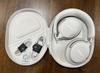
I'm reviewing the White Smoke edition.
I'm reviewing the White Smoke edition.
Style and comfort:
Very comfortable, can wear these for hours without any discomfort.
The headband is very well cushioned, with links that are metal, in a brushed nickel finish.
The styling is very much like traditional Bose products, with more refined lines and the metal links giving it a more modern and appealing look.
Very comfortable, can wear these for hours without any discomfort.
The headband is very well cushioned, with links that are metal, in a brushed nickel finish.
The styling is very much like traditional Bose products, with more refined lines and the metal links giving it a more modern and appealing look.
Sound:
Like with other Bose products, the sound is very natural and crisp. The large drivers provide a lot of detail and nuance. There is a three-band Eq through the app. In it's basic setting, adjusting the Eq to my liking provides a very enjoyable soundstage.
Like with other Bose products, the sound is very natural and crisp. The large drivers provide a lot of detail and nuance. There is a three-band Eq through the app. In it's basic setting, adjusting the Eq to my liking provides a very enjoyable soundstage.
Controls:
Everything can be controlled through the Bose app, which is very clean and intuitive. However most of the time I'd be using the controls from the headphones. Bose went back to the drawing board with this and is now much simplified and intuitive.
First of all, the headphones automatically play and pause when putting them on or removing them. Then there are only two buttons: The smaller on the bottom is the Bluetooth and power: One press turns the headphones on or off, and holding it goes into pairing mode.
Removing the headphones goes into standby after 10 minutes and stays in standby for 24 hours, however I changed it through the app to power off instead of standby. The amount of time is configurable.
The other, larger button controls everything else: Click once for play/pause, 2-click for FF and 3-click for REV. Holding it changes the audio modes.
For volume control there is a touch-sensitive strip that's clearly marked and can be easily felt. I usually dislike touch controls on headphones but I have to say, this works very well. It's on an indentation on the back side of the right headphone and it's very easy to use.
Also, holding this strip instead of swiping enables an optional shortcut that's configurable via the app or disabled. For example, can be used to invoke the phone's assistant.
The multi-function button also works for phone calls.
Everything can be controlled through the Bose app, which is very clean and intuitive. However most of the time I'd be using the controls from the headphones. Bose went back to the drawing board with this and is now much simplified and intuitive.
First of all, the headphones automatically play and pause when putting them on or removing them. Then there are only two buttons: The smaller on the bottom is the Bluetooth and power: One press turns the headphones on or off, and holding it goes into pairing mode.
Removing the headphones goes into standby after 10 minutes and stays in standby for 24 hours, however I changed it through the app to power off instead of standby. The amount of time is configurable.
The other, larger button controls everything else: Click once for play/pause, 2-click for FF and 3-click for REV. Holding it changes the audio modes.
For volume control there is a touch-sensitive strip that's clearly marked and can be easily felt. I usually dislike touch controls on headphones but I have to say, this works very well. It's on an indentation on the back side of the right headphone and it's very easy to use.
Also, holding this strip instead of swiping enables an optional shortcut that's configurable via the app or disabled. For example, can be used to invoke the phone's assistant.
The multi-function button also works for phone calls.
Charging is via USB-C and also has a 2.5mm analog audio jack.
Audio modes:
The hallmark of QuietComfort headphones is the noise cancellation. This works very well. I used it while using a gas lawnmower and the noise became a faint hum and I was able to listen at normal levels.
I also very much like the aware mode which amplifies external sounds in a very unobtrusive way, and will also mute very loud sounds. I generally use this around the house or when walking.
One of the improvements on these headphones are the immersive audio modes: There are basically two of these:
- The still immersive mode maxes up noise cancellation and adds soundstage to the audio. It gives a small echo and some equalization to make it sound more present; it automatically adjusts fade as one moves the head left and right to make the sound feel like coming in front of you. It's interesting and works very well.
- The motion immersive mode is similar but for when walking, so the center stage effect is not as pronounced.
The hallmark of QuietComfort headphones is the noise cancellation. This works very well. I used it while using a gas lawnmower and the noise became a faint hum and I was able to listen at normal levels.
I also very much like the aware mode which amplifies external sounds in a very unobtrusive way, and will also mute very loud sounds. I generally use this around the house or when walking.
One of the improvements on these headphones are the immersive audio modes: There are basically two of these:
- The still immersive mode maxes up noise cancellation and adds soundstage to the audio. It gives a small echo and some equalization to make it sound more present; it automatically adjusts fade as one moves the head left and right to make the sound feel like coming in front of you. It's interesting and works very well.
- The motion immersive mode is similar but for when walking, so the center stage effect is not as pronounced.
The Bose Music app is the same app that works for all of their recent Smart Speakers and other Bluetooth devices. Pretty much everything can be customized from the app: Controls, Eq, sound modes, and Bluetooth connections. The app is very simple to use and very intuitive, with a clean design that obviously Bose put a lot of thought into it.
The Bluetooth implementation on Bose headphones is to me among the best: One can rename the headphones, and it allows for multipoint connections: It can pair to two devices at the same time, like a phone, tablet computer or a newer Bose soundbar (which I use and works as intended). The list of paired and connected devices can be controlled from the app. It's very easy to remove a device from the app itself. Great if lending the headphones and don't want to reset them afterwards. One doesn't have to mess with combinations of clicks on the Bluetooth buttons as everything is logically organized in the app.
Phone calls work very well as expected, and the headphones announce the calling number on top of the phone's ring tone and calling name. The mics on the headphone work well as expected.
Some specs: Up to 24 hours battery, BT 5.3 with LE, and Bose now uses Qualcomm chips so it also supports APT-X.
It also comes with a color-matching semi-rigid case, as well as color-matching USB-C to USB and 3.5mm audio cable. The earcups are replaceable.
The case is minimalistic and doesn't take a whole lot of space. The headphones fold flat.
The case is minimalistic and doesn't take a whole lot of space. The headphones fold flat.
Overall, excellent, top of the line headphones (with a price to match).
I would recommend this to a friend!




Share this review:


+3points
4of 5voted this as helpful.

The Velox Mini is our most compact wireless air vent mount yet! Designed exclusively for MagSafe compatible iPhones and cases, the Velox Mini delivers up to 7.5W of power. Just tap your phone against the mount face and powerful magnets will hold it in place in perfect alignment. Easily install the Velox Mini by sliding the prongs onto your vehicle~s air vent blade, where silicone grips prevent it from slipping. A versatile ball joint allows you to adjust the cradle for an ideal and safe viewing position while you drive. A series of ventilation holes constructed around the mount help to dissipate heat and maintain airflow. Now it~s easier than ever to keep your phone powered up on the go.
Posted by: emiliosic
Used other iOttie products before and have consistently been good quality products.
The phone dock is the size of the MagSafe ring on the back of the iPhone. Because it's round, I can put the phone in either horizontal or vertical positions.
The prongs that slide into the vent are hard so it won't move and coated in a rubberized material that doesn't scratch the vehicle.
The phone dock is the size of the MagSafe ring on the back of the iPhone. Because it's round, I can put the phone in either horizontal or vertical positions.
The prongs that slide into the vent are hard so it won't move and coated in a rubberized material that doesn't scratch the vehicle.
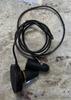
It has a long, non-removable cable that is thin and flexible. The connection is USB-C and it comes with a lighter to USB-C connector as well.
It also works if the vehicle has an USB connector. I'm using an USB to USB-C adapter and connecting it to the vehicle because I don't have an extra lighter plug, which will charge more slowly but works fine.
Although it's round and doesn't have the extra magnet on the bottom, it holds the phone securely.
There is a small vent behind the charger that helps dissipate heat from the wireless charger.
I'm using it on iPhone Pro Max 13 with a MagSafe case.
It also works if the vehicle has an USB connector. I'm using an USB to USB-C adapter and connecting it to the vehicle because I don't have an extra lighter plug, which will charge more slowly but works fine.
Although it's round and doesn't have the extra magnet on the bottom, it holds the phone securely.
There is a small vent behind the charger that helps dissipate heat from the wireless charger.
I'm using it on iPhone Pro Max 13 with a MagSafe case.
The max charge capacity when using the provided lighter adapter is 7.5W, which is not as fast as Apple's desktop MagSafe charger, but it does work with any USB-C plug even if it doesn't provide as much power.
I would recommend this to a friend!


Share this review:


0points
0of 0voted this as helpful.
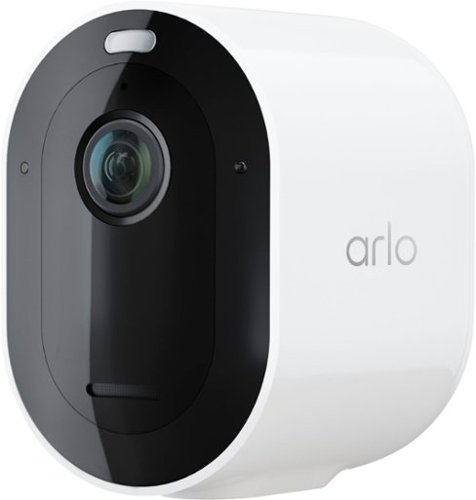
Leave your worries at the door with cutting-edge clarity and powerful protection with the Arlo Pro 5S 2K Wireless Security Camera. Installation is easier than ever with a wire-free setup. Plus, the camera's smart Wi-Fi with dual-band connection automatically connects to either the 2.4 or 5 GHz network, whichever is stronger, for faster video loading and less buffering. See details that matter with 2K HDR video that~s twice the resolution of HD cameras, 12x zoom to make out details like faces or license plates, and a wide 160~ field of view to see the bigger picture. Never miss a detail with clearer video, even at night, with color night vision and enhanced low light video with an advanced image sensor. You can also spend less time charging and more time protecting with additional rechargeable batteries and a dual battery charging station.~ Your cameras will also always stay secured with the included anti-theft mounts, and you can send a message that you~re protected with the included yard sign. The Pro 5S 2K is also built to work with the Arlo Home Security System, providing enhanced battery life, a more robust connection with Arlo SecureLink, and image verification when power or Wi-Fi is down.~ Get smarter notifications on your phone when the Pro 5S 2K spots people, vehicles, animals, or packages, and view live or recorded video clips directly from your phone with a free 30-day trial of Arlo Secure service included.~ Personalize your notifications and create custom activity zones to ensure you only get alerts for what matters most, reducing less important notifications.
Customer Rating

3
Reliable with a subscription, not for Apple users
on September 30, 2023
Posted by: emiliosic
I'm already using older (End of Life as per Arlo) Pro and Pro 2 cameras that served me well. These cameras connect to a base station and the base station has an USB drive serving as local storage. Arlo's cloud offering for these cameras provided 7-day recording and they integrate with HomeKit as well as Alexa and Google Home and SmartThings. These cameras don't support Apple's Secure Video storage but otherwise works for my needs.
The Pro 5S camera improves in almost every way. The hardware specs are great:
- Integrated spotlight
- Selectable B/W or Color night vision (Color uses the spotlight).
- Can be used with no base station, supports 2.4Ghz and 5Ghz Wi-Fi, and direct connection to Arlo's Alarm panel.
- 2K recording and streaming.
- Built-in Siren.
- Package, Person and Animal detection, but only with a subscription.
- 2-Way audio via the Arlo app and some integrations.
- Integrated spotlight
- Selectable B/W or Color night vision (Color uses the spotlight).
- Can be used with no base station, supports 2.4Ghz and 5Ghz Wi-Fi, and direct connection to Arlo's Alarm panel.
- 2K recording and streaming.
- Built-in Siren.
- Package, Person and Animal detection, but only with a subscription.
- 2-Way audio via the Arlo app and some integrations.
However, after dealing with Arlo's overseas support for about a week, someone in escalation support realized that these cameras, unlike their end-of-life sibilings, do not support HomeKit.
This implies no Apple TV support, and anyone in the family that would like access to the camera's livestream needs to install the Arlo app, which is not simple because it requires two factor authentication tied to the main user, meaning I need to sign in anybody that needs to use it. They cannot access the feed from the Apple Home app from their phones nor Apple watches.
They do however integrate with Amazon's Alexa and the integration works a lot quicker than with the older cameras. We have some Amazon Echos with screens through the house and it works well.
It also works with SmartThings, Google Home and IFTTT integrations (Use it to turn lights on when the camera detects movement).
This implies no Apple TV support, and anyone in the family that would like access to the camera's livestream needs to install the Arlo app, which is not simple because it requires two factor authentication tied to the main user, meaning I need to sign in anybody that needs to use it. They cannot access the feed from the Apple Home app from their phones nor Apple watches.
They do however integrate with Amazon's Alexa and the integration works a lot quicker than with the older cameras. We have some Amazon Echos with screens through the house and it works well.
It also works with SmartThings, Google Home and IFTTT integrations (Use it to turn lights on when the camera detects movement).
These cameras do not support any type of recording without subscription, except for the local recording to USB on the base station (that I happened to already have), but that local recording does not work through the app. I have to access them disconnecting the USB drive and finding the recording on the computer. Useful for emergencies but hardly convenient. These cameras are designed to be used with an active subscription.
This is why it comes with a 30-day trial of their subscription, because they're not very useful without it.
It's worth it if one buys into Arlo's security packages and uses their alarm panel, which works better with their top tier subscription (Yes there are different subscription plans).
This is why it comes with a 30-day trial of their subscription, because they're not very useful without it.
It's worth it if one buys into Arlo's security packages and uses their alarm panel, which works better with their top tier subscription (Yes there are different subscription plans).
Battery life is good for 3 to 4 months. There's an optional solar panel for these and Arlo offers additional mounts including magnetic and ceiling mounts, as well as white, black and camo enclosures. The cameras are waterproof even when connected to power. They use a magnetic connector that works very well. If using a permanent mount, one can leave the enclosure attached to the mount and remove the camera body with a push of a button. The battery is nested inside. Very simple to change the battery, and much better than older models.
Overall, great cameras if an Arlo subscription is good for you and you're not relying on Apple's offerings.
I would recommend this to a friend!


Share this review:


+5points
5of 5voted this as helpful.

Ideal for creative professionals, the sleek Thunderbolt 4 Slim Hub can provide 40Gbps bandwidth for connecting external displays and high-speed peripherals while simultaneously delivering 60W of charging to the host device. It features three Thunderbolt 4 downstream ports that support daisy chaining up to six Thunderbolt devices to maximize your creative space.
Customer Rating
4
Compact desktop TB4/USB-C hub
on September 23, 2023
Posted by: emiliosic
This is a true Thunderbolt 4 hub: It supports direct memory access and has three TB4 outputs that support video and up to 40 GB/s and one USB 3 port at 10 GB/s.
There are no other ports except the three Thunderbolt/USB4 ports and the single USB 3.
Video is through any of the Thunderbolt ports. The number of monitors will depend on the host computer.
Video is through any of the Thunderbolt ports. The number of monitors will depend on the host computer.
It's important to recognize that this is a desktop hub: Although it's very small, it requires its own power supply. The power supply is rather large, rated for 100W output (20 Volts) with a barrel connector. The hub does not work without its power supply, and because the power supply uses a barrel connector, the hub cannot be powered by the computer's USB-C charger. I think this is a big drawback because I didn't realize the power supply is required and unlike a portable hub, it cannot draw power from the laptop.
Further, it does charge a laptop but up to 60W when connecting it via the front TB4 port on the hub, and provides up to 15W on the three rear Thunderbolt ports.
Further, it does charge a laptop but up to 60W when connecting it via the front TB4 port on the hub, and provides up to 15W on the three rear Thunderbolt ports.
I subjectively find the design of the hub to be nice, with a thick aluminum enclosure, with a color that's similar to a current MBP. I also like the rounded edges on the enclosure with no sharp corners.
Overall it's a nice although limited desktop hub.
I would recommend this to a friend!


Share this review:


0points
0of 0voted this as helpful.
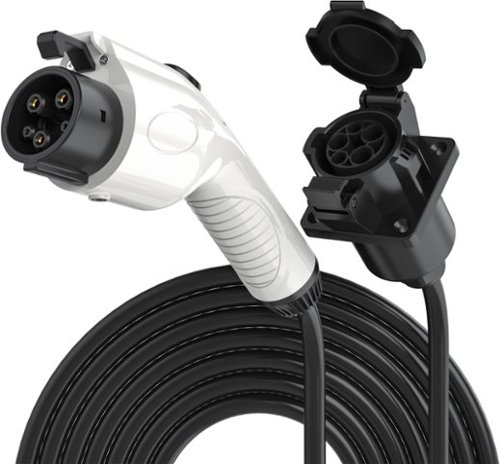
Rexing J1772 Extension Cable - 17ft - Compatible with All J1772 EV Chargers - Flexible Charging for Your Electric Vehicle
Posted by: emiliosic
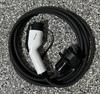
Very convenient extension cable for SAE J1772 electric vehicle charger.
It's been useful for me when parking further away from our home charger.
It's also very portable, and it comes with a storage bag.
It's been useful for me when parking further away from our home charger.
It's also very portable, and it comes with a storage bag.
Because it's made to be portable, the electrical cable is thinner than the one from the wall charger, and it's rated for up to 32A (Hardwired home chargers are typically rated for 50A), which in retrospect I didn't consider.
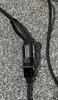
The vehicle side connector seems well made, comparable to the one from the wall charger.
The female side that ties into the wall charger seems custom made and works well, with good solid connections.
The vehicle is able to lock the plug while charging.
The female side that ties into the wall charger seems custom made and works well, with good solid connections.
The vehicle is able to lock the plug while charging.
The female side has a hinged cover and the vehicle side has a rubber cup that’s attached to the handle to cover the contacts when not in use.
Overall, great to have. Lightweight and easy to roll back into its storage bag. Remember it's rated for 32A and 17 ft. long. I would've preferred a 48A extension cable instead but this will do.
I would recommend this to a friend!



Share this review:


0points
0of 0voted this as helpful.

Meet Bose's premium soundbar that~s here to pull you deep into the heart of all your favorite content. Bose Smart Ultra Soundbar with Dolby Atmos and Bose TrueSpace technology separates music, dialogue, and effects, and places them in different parts of a room for a truly immersive spatial audio experience like you~ve never heard it before. Having a hard time hearing what your favorite characters are saying? A.I. Dialogue Mode automatically balances voice and surround sound for ultra-crisp vocal clarity. Plus, two upward firing dipole speakers work with Bose technologies to make it feel like your space is filled with sound from every direction ~ even overhead. Available in Black and Arctic White.
Posted by: emiliosic
This top of the line Bose soundbar not only sounds great but has so many ways to listen to music as well and it's so simple to use.
My setup is a recent Sony TV (with eARC support) and an AppleTV 4K.
Initial setup was straightforward: Connected the Soundbar to the HDMI output with eARC support, and power cable. The eARC connection allows sound from the TV to the Soundbar and it's the only option that supports Dolby Atmos. The Soundbar also has an optical connector which I did not use. It comes with the power, HDMI and optical cables.
There is no sound from the soundbar yet. One needs to install the Bose music app on a mobile phone or tablet. I already have a Bose Smart Speaker and Bluetooth headphones so my account was already set up. The install process though the app was quick and simple, until the step where one has co wear a headband with a mic on, that is used just once to calibrate the soundbar to the room and where one would be sitting while watching TV. I wish this could've been done using the cell phone itself but the wired mic on a headband must be more accurate. This is done once so that's fine (It can be re-run from the app though). Bose calls this 'ADAPTiQ'.
There is no sound from the soundbar yet. One needs to install the Bose music app on a mobile phone or tablet. I already have a Bose Smart Speaker and Bluetooth headphones so my account was already set up. The install process though the app was quick and simple, until the step where one has co wear a headband with a mic on, that is used just once to calibrate the soundbar to the room and where one would be sitting while watching TV. I wish this could've been done using the cell phone itself but the wired mic on a headband must be more accurate. This is done once so that's fine (It can be re-run from the app though). Bose calls this 'ADAPTiQ'.
The size is right for a 55" or larger TV. Anything smaller and the soundbar will be wider than the TV.
It has a nice finish with matte finish on the sides and a glass top.
There are no buttons on the soundbar except for mic mute and voice assistant buttons that are touch-sensitive from the glass top.
It has a nice finish with matte finish on the sides and a glass top.
There are no buttons on the soundbar except for mic mute and voice assistant buttons that are touch-sensitive from the glass top.
One of the distinguishing features is that it has actual height speakers (For Dolby Atmos) which are cut through the glass top and fire upwards.
It also works as an Amazon Alexa assistant, and supports playing from the TV, Bluetooth, with an excellent device management from the app, Apple Airplay 2 with Apple Home support, DLNA, Chromecast (with direct play support from a server), Spotify Connect and from the Bose Music app, which itself supports some of the most common sources like Amazon Music, iHeart Radio, TuneIn, Pandora, SiriusXM and Spotify. When playing through the Bose app, the phone doesn’t need to be near the soundbar once it starts playing, as it connects directly.
It has a simple remote control with a few buttons but if used with a TV, volume can be controlled from either the TV remote or the AppleTV remote (Or other HDMI connected streamer), as well as from the Bose app on the phone.
When watching TV, the app indicates what kind of audio it's receiving, like PCM or Dolby Atmos.
So to the sound: As expected, sound is very crisp with good amount of bass. Bass, treble, center and height controls are on the app.
To test stereo separation, streamed some tracks with good stereo separation and I'm impressed how it's obviously distinct between left and right.
Sound is very detailed. Subtleties in audio tracks can be heard at lower volumes.
It can (and should) be set to also enhance speech content, which I've also seen in other high end soundbars.
To test stereo separation, streamed some tracks with good stereo separation and I'm impressed how it's obviously distinct between left and right.
Sound is very detailed. Subtleties in audio tracks can be heard at lower volumes.
It can (and should) be set to also enhance speech content, which I've also seen in other high end soundbars.
An external wireless (power cord only) bass module and rear speaker are also available.
This is Bose's best soundbar, and it's truly excellent for both TV and music and excellent connectivity options.
I would recommend this to a friend!



Share this review:


+9points
9of 9voted this as helpful.
emiliosic's Review Comments
emiliosic has not submitted comments on any reviews.
emiliosic's Questions
emiliosic has not submitted any questions.

Game on the go with this Dell Inspiron laptop. An NVIDIA GeForce GTX 1660 Ti runs most titles, while the two tuned speakers and 15.6-inch Full HD anti-glare narrow-border display deliver an immersive experience. This Bluetooth-compatible Dell Inspiron laptop has a 9th-gen Intel Core i5 processor and 8GB of RAM, handling multitasking without issue, and the 512GB NVMe SSD offers exceptional data access speeds.
which wifi card is there in this laptop? does it have bluetooth 5 or 4? and does it have a ips display with 45% NTSC? the dell website says it has WVA panel
It has a Qualcomm QCA9377 that provides BT 5 and WiFi 802.11ac
Ethernet is a Realtek Gigabit PCIe based
WVA: Wide View Angle. It's not technically IPS, it's a (better) version of TN, and it's not calibrated.
The angle is pretty good, similar to my IPS monitor
Ethernet is a Realtek Gigabit PCIe based
WVA: Wide View Angle. It's not technically IPS, it's a (better) version of TN, and it's not calibrated.
The angle is pretty good, similar to my IPS monitor
7 years, 2 months ago
by
emiliosic
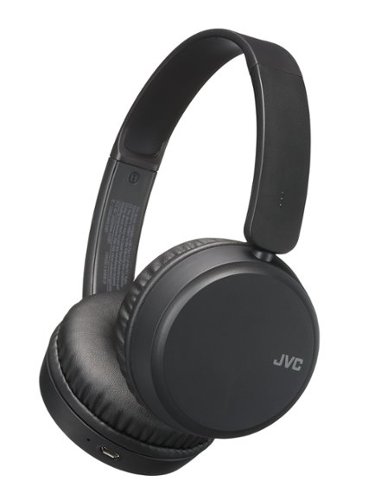
isten to music and talk hands-free with these JVC Deep Bass wireless headphones. Powerful drivers deliver sharp, lifelike audio, while the Bass Boost feature helps you feel the beat by enhancing low-end frequencies. These JVC Deep Bass wireless headphones have integrated microphones and on-ear controls for making and receiving hands-free calls.
Also what color does the headphones change to when fully charged ?
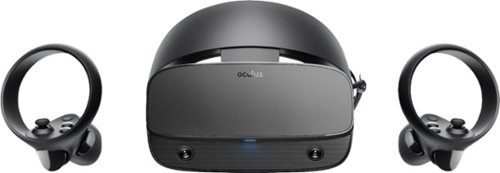
Step into virtual reality with this Oculus Rift S PC-powered headset. The advanced optics produce a sharp display with bright, vivid colors, and Oculus Insight tracking removes the need for external sensors to convert movements into virtual reality. This Oculus Rift S PC-powered headset has a fit wheel that secures the headset with a quick twist.
My Gaming PC has no display port output, just HDMI. Will this work with a converter (HDMI to DVI)? Which one is recommended by Oculus?
It would be odd that a gaming PC doesn't have a DisplayPort. If it has USB-C or Tunderbolt ports, get an adapter from USBC-C to DisplayPort. I'm not sure it will work with HDMI because of the refresh rates
7 years, 4 months ago
by
emiliosic
Step into virtual reality with this Oculus Rift S PC-powered headset. The advanced optics produce a sharp display with bright, vivid colors, and Oculus Insight tracking removes the need for external sensors to convert movements into virtual reality. This Oculus Rift S PC-powered headset has a fit wheel that secures the headset with a quick twist.
Will this work for someone with an IPD greater than 70? What is your IPD and how is it working for you?
It has a single display, and IPD can be adjusted in software. Not ideal, but can work
7 years, 4 months ago
by
emiliosic
Step into virtual reality with this Oculus Rift S PC-powered headset. The advanced optics produce a sharp display with bright, vivid colors, and Oculus Insight tracking removes the need for external sensors to convert movements into virtual reality. This Oculus Rift S PC-powered headset has a fit wheel that secures the headset with a quick twist.
Does the oculus rift s come with the sticks to move your hands with?
Yes, it comes with two wireless controllers (Left and Right). Each controller has thumbsticks

7 years, 4 months ago
by
emiliosic
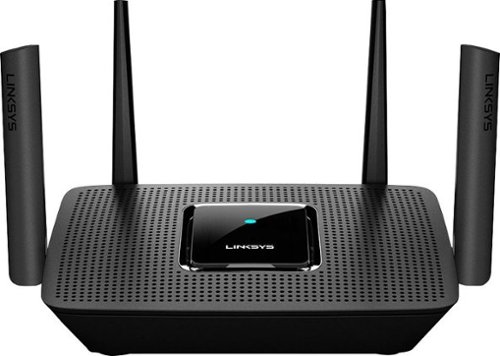
The MR8300 Max Stream~ AC2200 is a high-performance Tri-Band router. Perfect for households that thrive on entertainment, it delivers up to 2.2 Gbps of superior speed throughout your entire home. The Tri-Band and MU-MIMO technology make it ideal for simultaneous streaming of HD movies, online gaming, video calling and supporting all of your smart home devices. MR8300 also grows as your needs do. With its built-in mesh Wi-Fi, instead of investing in a new router, you can expand coverage by simply adding Linksys Velop~ Mesh Wi-Fi nodes for seamless Wi-Fi everywhere.The MR8300 serves as the master router and must connect directly to your modem to create your network. Sets up in minutes with the Linksys app.
Will this work with CenturyLink? I didn't see anything on this
Yes , but it depends. I currently have Verizon Fios, so I think it's the same setup.
I initially ordered Fios without a router, with Ethernet directly from the ONT. This definitely works. Connect the ONT's Ethernet cable directly to the internet port. You might have to call the provider to 'release DHCP', for it to work, if replacing another router, or it should work on its own overnight.
If the account is set up so you're required to use their router, then you still can disable WiFi on their router and connect this to one of the ethernet ports on the router. Once you set it up initially via the phone app, change the connection type to 'Bridge Mode' (From the app is simpler, but it can also be done from the desktop).
Note that this is more or less the same with any other WiFi router.
If you then add more mesh nodes, then there isn't anything else special to do here. It will work.
I initially ordered Fios without a router, with Ethernet directly from the ONT. This definitely works. Connect the ONT's Ethernet cable directly to the internet port. You might have to call the provider to 'release DHCP', for it to work, if replacing another router, or it should work on its own overnight.
If the account is set up so you're required to use their router, then you still can disable WiFi on their router and connect this to one of the ethernet ports on the router. Once you set it up initially via the phone app, change the connection type to 'Bridge Mode' (From the app is simpler, but it can also be done from the desktop).
Note that this is more or less the same with any other WiFi router.
If you then add more mesh nodes, then there isn't anything else special to do here. It will work.
7 years, 8 months ago
by
emiliosic
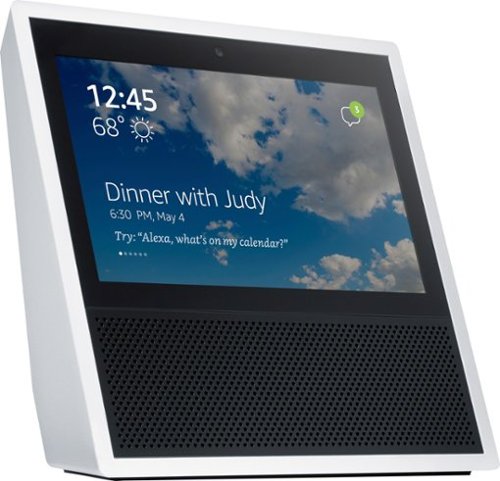
See what you hear on the Echo Show, and enjoy sing-alongs on Amazon Music. Eight microphones on the device pick up your voice from anywhere in the room, meaning you get exactly what you're asking for. The Echo Show is compatible with Alexa for seamless visual enhancement of your experience.
Will it allow multiple timers with a different name, i.e. "Alexa set timer for six hours for meatloaf" and then "Alexa set timer for 4 hours for cake" Then Alexa will in six hours will say meatloaf, and in four hours will say cake.
Yes, Alexa devices support multiple, simultaneous timers. This is how the Alexa platform works, it's not specific to particular speakers.
7 years, 11 months ago
by
emiliosic
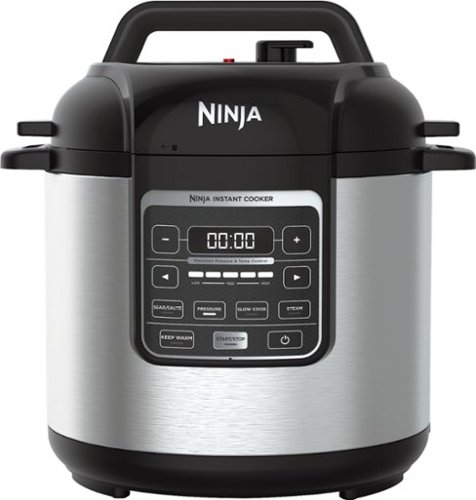
Prepare a variety of meals faster with this nonstick Ninja cooker. It operates as much as 70 percent faster than traditional methods, and the digital control panel lets you select the function your recipe needs. This 1000W Ninja cooker holds up to 6 quarts and includes a stainless steel rack for steaming.
Can you fry chicken in it?
While it can fit a whole chicken, it does not fry. Look at the "Ninja Foodi" models that are similar to this but add Air Fry and crisp modes.
8 years ago
by
emiliosic

Get more out of your home theater setup with this Sonos Beam compact smart soundbar. A 5-speaker with five amplifier setup delivers rich, big sound to your room, while the single-cable connection allows for fast, easy setup. Compatible with Amazon Alexa and Google Assistant voice control, this Sonos Beam compact smart soundbar lets you control the volume and power with the just sound of your voice.
Can I connect a turntable to the Beam? If so, which ones are compatible?
The beam doesn't have an analog input. It can be done, but you'll need a turntable with a line out (Not phono out) and an analog to TOSLINK adapter (TOSLINK is a digital optical cable).
The Play:5 from Sonos have analog input than can be connected directly to a turntable..
The Play:5 from Sonos have analog input than can be connected directly to a turntable..
8 years, 2 months ago
by
emiliosic
Get more out of your home theater setup with this Sonos Beam compact smart soundbar. A 5-speaker with five amplifier setup delivers rich, big sound to your room, while the single-cable connection allows for fast, easy setup. Compatible with Amazon Alexa and Google Assistant voice control, this Sonos Beam compact smart soundbar lets you control the volume and power with the just sound of your voice.
Will this device pair well with the vizio m50-e1? Not sure if my tv has the necessary ports for this device.
You'll need to either use the HDMI port that's labeled 'ARC' on the TV to connect to the soundbar, or use the audio output of the TV with an extra SPDIF to TOSLINK adapter.
8 years, 2 months ago
by
emiliosic