


Aaronxx7's stats
- Review count185
- Helpfulness votes779
- First reviewDecember 16, 2015
- Last reviewAugust 28, 2026
- Featured reviews0
- Average rating4.8
Reviews comments
- Review comment count0
- Helpfulness votes0
- First review commentNone
- Last review commentNone
- Featured review comments0
Questions
- Question count0
- Helpfulness votes0
- First questionNone
- Last questionNone
- Featured questions0
- Answer count97
- Helpfulness votes133
- First answerMarch 10, 2018
- Last answerSeptember 28, 2021
- Featured answers0
- Best answers6
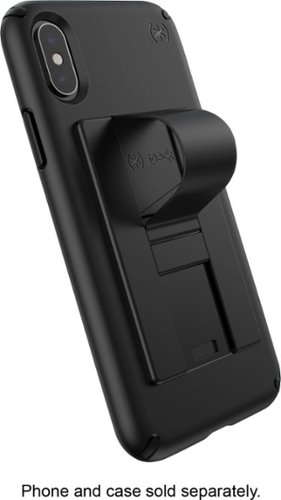
Embellish your device with a functional attachment by using this black Speck GrabTab phone accessory. It~s compatible with most brands and cases, and the card-sized, flat design slips smoothly into your pocket. Use the hanging loop on this Speck GrabTab phone accessory as a grip for a secure hold or as a kickstand for hands-free viewing.
Customer Rating

5
sleek yet effective phone stand
on January 2, 2019
Posted by: Aaronxx7
from central new york
this phone stand is actually pretty nice offering a sturdy stand that is extremely low profile, and feels pretty durable.
the stand is easily formed by placing your fingernail in the groove , and pulling towards the center of the device. A click can be felt, once the groove reaches the lock in point. You can either use the resulting arch on the back of the phone as a finger grip, or place the phone on it's side to use it as a kickstand. The glue used creates a very reliable bond on either the back of a phone, or phone case. I love just how slim this is, it barely adds any thickness to the phone at all.
So far, it's been great!
the stand is easily formed by placing your fingernail in the groove , and pulling towards the center of the device. A click can be felt, once the groove reaches the lock in point. You can either use the resulting arch on the back of the phone as a finger grip, or place the phone on it's side to use it as a kickstand. The glue used creates a very reliable bond on either the back of a phone, or phone case. I love just how slim this is, it barely adds any thickness to the phone at all.
So far, it's been great!
Mobile Submission: False
I would recommend this to a friend!
Share this review:


0points
0of 0voted this as helpful.

Hear and feel the difference of Dolby Atmos audio with this 3.1.2-channel VIZIO home theater sound system. The 46-inch five-channel soundbar has two upward-firing speakers for immersive surround sound, and the 10-inch wireless subwoofer provides dynamic bass. This VIZIO home theater sound system has Chromecast built in for seamless online music streaming and supports Google Assistant for convenient voice control.
Customer Rating
5
Impressive directional sound quality!
on January 2, 2019
Posted by: Aaronxx7
from central new york
This system is definitely one that you can hear and feel!
The sound quality is most impressive, with extremely deep bass and overwhelming object based sound. This sound bar comes with 3 straight firing speakers, 1 wireless subwoofer, and 2 upward firing speakers. Dolby Atmos in the theaters can provide up to 128 different sound objects, creating an incredible level of depth and sound direction. While home systems are a little more limited, they can mimic virtually the same amount of depth and direction, based on the quality and amount of speakers included in your system, up to 24.1.10. This system is 3.1.2, yet it delivers the impact of a system at least twice as large. The bass literally vibrates through my floor and can be felt at least 2 rooms away. The sound at just 30% is enough to start to hurt sensitive ears, yet everything comes
through very clear, and full of impact. Videos that actually utilize the directional sound are amazingly very accurate with the sound direction. It's crazy how easy this system throws sound around the room.
The sound quality is most impressive, with extremely deep bass and overwhelming object based sound. This sound bar comes with 3 straight firing speakers, 1 wireless subwoofer, and 2 upward firing speakers. Dolby Atmos in the theaters can provide up to 128 different sound objects, creating an incredible level of depth and sound direction. While home systems are a little more limited, they can mimic virtually the same amount of depth and direction, based on the quality and amount of speakers included in your system, up to 24.1.10. This system is 3.1.2, yet it delivers the impact of a system at least twice as large. The bass literally vibrates through my floor and can be felt at least 2 rooms away. The sound at just 30% is enough to start to hurt sensitive ears, yet everything comes
through very clear, and full of impact. Videos that actually utilize the directional sound are amazingly very accurate with the sound direction. It's crazy how easy this system throws sound around the room.
For true Dolby Atmos output, it is recommended to connect your sound bar directly via HDMI. If you are connecting from your HDTV, you can use the optical or coaxial outputs, however the best and full potential of the system will only be heard through the HDMI(ARC) input. To enable the audio return through the HDMI, you must have the (HDMI Anynet+ /CEC)feature enabled on your tv. If you were using this port as an actual input, you will need to plug that cable into the HDMI input slot on the sound bar, and plug the other HDMI cable from your HDTV with ARC to the other HDMI slot in the sound bar. Make sure to select the HDMI source in your sound bar settings. The system also comes with a Blu-Ray sampler disc, that will help you to sample some true Dolby Atmos, or Dolby Digital plus. If you have everything configured correctly, you should be able to hear the Atmos tracks on the disc, otherwise you will only hear the Digital Plus audio.
The system also has a Bluetooth receiver to stream music from phones or other sources, it also works with Chromcast, and your Google Assistant. The sound bar also has an ir learning feature, that lets it learn your TVs volume controls, so that you can easily change the volume of the sound bar with your regular TV remote. Vizio really did a great job with this sound system, it's full of high quality audio and features!
Mobile Submission: False
I would recommend this to a friend!
Share this review:


+10points
10of 10voted this as helpful.
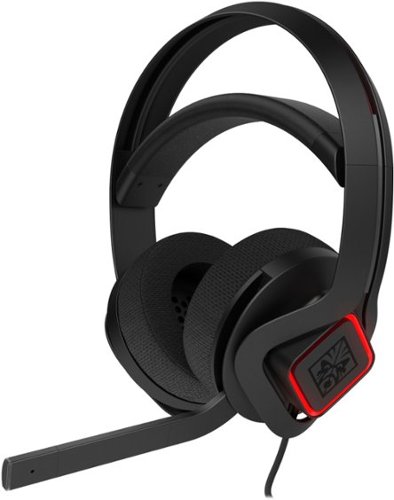
Immerse yourself in an engaging gaming experience with this HP OMEN Mindframe headset. FrostCap technology provides thermoelectric cooling for comfortable use during long hours of cyber battles, and the 7.1 virtual surround sound keeps you alert when any virtual enemy attacks. Real-time voice feedback and an on-ear cup volume control add essential functionality to this HP OMEN Mindframe headset.
Customer Rating
5
Coolest headset ever! seriously
on December 8, 2018
Posted by: Aaronxx7
from central new york
This was part of a Gaming package with 3 of HP's hardware devices designed for PC gaming:
HP- Pavilion Gaming Desktop, model 690-0024
HP - 25x LED FHD monitor, model HP 25x and
HP- OMEN - Mindframe 7.1 gaming headset , model 3XT27AA#ABL
When combined together these three devices really take advantage of each others strengths.
It's always better and easier to use devices that compliment each other, as opposed to fighting with incompatibilities.
Plus all three of these devices come with green LED accent lighting that completes the overall look of this bundle.
HP- Pavilion Gaming Desktop, model 690-0024
HP - 25x LED FHD monitor, model HP 25x and
HP- OMEN - Mindframe 7.1 gaming headset , model 3XT27AA#ABL
When combined together these three devices really take advantage of each others strengths.
It's always better and easier to use devices that compliment each other, as opposed to fighting with incompatibilities.
Plus all three of these devices come with green LED accent lighting that completes the overall look of this bundle.
This headset is one of the most comfortable pairs I have ever used.
The best feature is it's COOLING technology, to make wearing headphones
for prolonged time, way more tolerable.
The best feature is it's COOLING technology, to make wearing headphones
for prolonged time, way more tolerable.
The feature is called "Frostcap" :
Thermoelectric coolers inside the earcups cool the aluminum speaker
grille plates near the ears, which then transfers heat from inside the
acoustic chambers to the outside
Thermoelectric coolers inside the earcups cool the aluminum speaker
grille plates near the ears, which then transfers heat from inside the
acoustic chambers to the outside
The design of this pair of headphones is really top notch. The headband is a self adjusting
strap that is both comfortable, and looks very durable. Actually everything about this pair
looks like it was built to last. The ear cups are made from a soft fabric, instead of that
shiny vinyl like material most ear cups are covered in. I actually don't like the vinyl
material because, it ends up flaking off, and getting stuck in your hair or ears, after
about a year. So, I am very excited to see how much longer these cloth cups will last.
strap that is both comfortable, and looks very durable. Actually everything about this pair
looks like it was built to last. The ear cups are made from a soft fabric, instead of that
shiny vinyl like material most ear cups are covered in. I actually don't like the vinyl
material because, it ends up flaking off, and getting stuck in your hair or ears, after
about a year. So, I am very excited to see how much longer these cloth cups will last.
The volume dial is conveniently located under the right ear cup, for quick access to volume adjustments,
and the mic can be simply turned on or off, just be lifting or lowering the mic lever. ( an audible tone can be heard
to confirm the switch in the mic position )
and the mic can be simply turned on or off, just be lifting or lowering the mic lever. ( an audible tone can be heard
to confirm the switch in the mic position )
There is an app, that can be downloaded to your PC (The Omen Command Center) to incorporate more control over the
headset. Including changing the lighting accents on the outside of the ear cups with animated effects and 16.8 million
color options. You can even adjust the Frostcap cooling intensity through the app.
headset. Including changing the lighting accents on the outside of the ear cups with animated effects and 16.8 million
color options. You can even adjust the Frostcap cooling intensity through the app.
Probably the only thing I could see missing on this headset is a chat vs game, mixing capability.
To adjust the sound levels of the chat over the sounds of the game, or vice versa.
I actually find this feature helpful, as sometimes people in chat lobbies are very loud, while others
are slightly lower in volume. Although this is a nice feature, I do not consider it that important, that
it be included on the headset, as most games have this as an option in the game settings.
To adjust the sound levels of the chat over the sounds of the game, or vice versa.
I actually find this feature helpful, as sometimes people in chat lobbies are very loud, while others
are slightly lower in volume. Although this is a nice feature, I do not consider it that important, that
it be included on the headset, as most games have this as an option in the game settings.
The USB cable is of moderate length, and a nice braided material that is usually more flexible
and durable than the plastic alternative. The cord itself is about 6.5ft long, but if you need a longer
connection, USB extension cables are pretty easy to acquire in various lengths.
and durable than the plastic alternative. The cord itself is about 6.5ft long, but if you need a longer
connection, USB extension cables are pretty easy to acquire in various lengths.
The 7.1 virtual surround sound, is way more important, especially if you are playing online
competitive games. The directional sound is key in staying alive, it helps so much in locating
players trying to attack you. Plus sometimes, it's just crazy how much audio game developers
pack into a game. A lot of things you can't hear just by using tv/external speakers. I was in
awe the first time I put on a pair of headphones like these, and heard flies buzzing around
my character, or the faint music playing from an abandoned car on the side of a road.
The ambient sounds are so realistic with this pair of headphones, that you might find yourself
actually looking for a fly swatter.
competitive games. The directional sound is key in staying alive, it helps so much in locating
players trying to attack you. Plus sometimes, it's just crazy how much audio game developers
pack into a game. A lot of things you can't hear just by using tv/external speakers. I was in
awe the first time I put on a pair of headphones like these, and heard flies buzzing around
my character, or the faint music playing from an abandoned car on the side of a road.
The ambient sounds are so realistic with this pair of headphones, that you might find yourself
actually looking for a fly swatter.
The volume this headset can put out, is ear shattering. I have not moved the slider up past 30%,
and even that is sometimes too intense for me.This set can really pound out the sounds, and
yet everything still sounds clear and realistic! Awesome sound quality!
and even that is sometimes too intense for me.This set can really pound out the sounds, and
yet everything still sounds clear and realistic! Awesome sound quality!
Mobile Submission: False
I would recommend this to a friend!
Share this review:


0points
0of 0voted this as helpful.
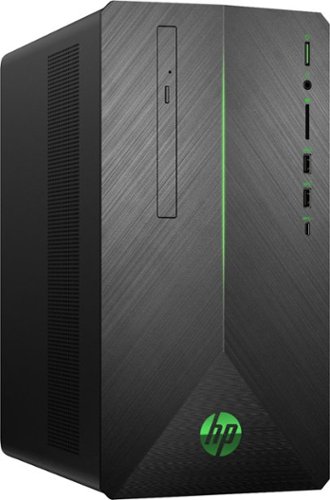
Enjoy totally immersive gameplay with this bold and powerful HP Pavilion gaming desktop. Lag is nonexistent thanks to AMD Radeon RX 580 graphics, while high-speed performance is provided by an AMD Ryzen processor and 8GB of DDR4 RAM. Interior expansion slots allow for upgrades that ensure your HP Pavilion gaming desktop remains up to date.
Customer Rating
5
very fast, great gaming PC
on December 7, 2018
Posted by: Aaronxx7
from central new york
This was part of a Gaming package with 3 of HP's hardware devices designed for PC gaming:
HP- Pavilion Gaming Desktop, model 690-0024
HP - 25x LED FHD monitor, model HP 25x and
HP- OMEN - Mindframe 7.1 gaming headset , model 3XT27AA#ABL
When combined together these three devices really take advantage of each others strengths.
It's always better and easier to use devices that compliment each other, as opposed to fighting with
incompatibilities. The 3 devices also come with matching accented green LED lights, for a modern look.
HP- Pavilion Gaming Desktop, model 690-0024
HP - 25x LED FHD monitor, model HP 25x and
HP- OMEN - Mindframe 7.1 gaming headset , model 3XT27AA#ABL
When combined together these three devices really take advantage of each others strengths.
It's always better and easier to use devices that compliment each other, as opposed to fighting with
incompatibilities. The 3 devices also come with matching accented green LED lights, for a modern look.
This is a PC that was actually made for gaming, with just enough of all the goodies to
get the job done right, but not break the bank, like some of the other options out there.
get the job done right, but not break the bank, like some of the other options out there.
The 128GB solid state drive, provides lightning fast boot times, and system operations.
While the 1 Terabyte hard drive does all the grunt work of actually housing all your extra data
and game installs. The hard drive is actually pretty fast too with a 7200rpm rotational speed.
With 1000GB of hard drive space, that's the potential for a ton of games housed all in the same box.
While the 1 Terabyte hard drive does all the grunt work of actually housing all your extra data
and game installs. The hard drive is actually pretty fast too with a 7200rpm rotational speed.
With 1000GB of hard drive space, that's the potential for a ton of games housed all in the same box.
The AMD Ryzen5-2400G has 4 cores and runs at 3.6 to 3.8GHZ, with a CPU cache of 4MB L3
with integrated AMD Radeon RX Vega 11 graphics
with integrated AMD Radeon RX Vega 11 graphics
8GB of DDR4 RAM is installed with the possibility to upgrade to 32GB, for some more intense
applications. (however this ran everything I gave it great!)
applications. (however this ran everything I gave it great!)
combine all that with the AMD Radeon RX580 graphics card( 4GB of GDDR5 memory with clock speeds of 8gbs / 7.8gbs )
and it spells out a PC that is configured to run virtually any current game out there
I ran the"Witcher 3: the Hunt", at it's highest video capabilities (except 4k)
and the game ran great, it maintained a frame rate just over 50fps, for the duration
of the game with no stutter. (which is very good, as this is one of the more labor intensive games out there)
"Call Of Duty: Black Ops 3" ran super smooth, with no lag and 60fps
and the game ran great, it maintained a frame rate just over 50fps, for the duration
of the game with no stutter. (which is very good, as this is one of the more labor intensive games out there)
"Call Of Duty: Black Ops 3" ran super smooth, with no lag and 60fps
"Fortnite" also ran lag free with 60fps
The PC also comes with a CD/DVD burner, to back up data, install games or watch movies on
While the graphics card supports 4k resolution, I tested this with the HP 25x monitor for zero lag
performance.
While the graphics card supports 4k resolution, I tested this with the HP 25x monitor for zero lag
performance.
While the keyboard feels pretty solid, some more serious gamers might want to get a specialized
keyboard and mouse, depending on their gaming preferences.
I used an Xbox One controller, as they are simply plug and play on virtually any windows machine.
keyboard and mouse, depending on their gaming preferences.
I used an Xbox One controller, as they are simply plug and play on virtually any windows machine.
Overall I was very impressed with the level of performance this machine was able to put out,
for this price, I was expecting a lot of games to run slowed down, or at lower frame rates, but
this held it's own, and held it high. (Very Impressive!)
for this price, I was expecting a lot of games to run slowed down, or at lower frame rates, but
this held it's own, and held it high. (Very Impressive!)
Mobile Submission: False
I would recommend this to a friend!
Share this review:


+4points
4of 4voted this as helpful.
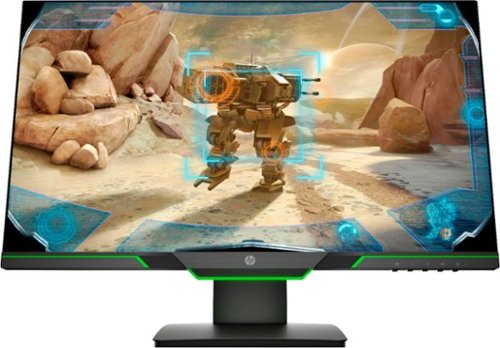
Experience the ultimate in FHD gaming graphics with this 24.5-inch HP 25X display. A smoother gaming experience with sharper, cleaner details is provided by a display that refreshes 144 times per second, while the micro-edge design provides ultra-wide, seamless viewing. The stand on this HP 25X display has a 100mm range of motion, making it easy to position for your comfort level.
Customer Rating
5
Excellent gaming monitor
on December 7, 2018
Posted by: Aaronxx7
from central new york
This was part of a Gaming package with 3 of HP's hardware devices designed for PC gaming:
HP- Pavilion Gaming Desktop, model 690-0024
HP - 25x LED FHD monitor, model HP 25x and
HP- OMEN - Mindframe 7.1 gaming headset , model 3XT27AA#ABL
When combined together these three devices really take advantage of each others strengths. It's always better and easier to use devices that compliment each other, as opposed to fighting with incompatibilities. Plus all three of these devices come with green LED accent lighting that completes the overall look of this bundle.
HP- Pavilion Gaming Desktop, model 690-0024
HP - 25x LED FHD monitor, model HP 25x and
HP- OMEN - Mindframe 7.1 gaming headset , model 3XT27AA#ABL
When combined together these three devices really take advantage of each others strengths. It's always better and easier to use devices that compliment each other, as opposed to fighting with incompatibilities. Plus all three of these devices come with green LED accent lighting that completes the overall look of this bundle.
The monitor is lightning fast with a 1ms response rate. That means that it refreshes the screen
144 times per second. Just as a side note,most people can not see the difference in refresh
above 90hz. So this monitor will definitely provide the smooth lag free game play, any gamer
would want.
144 times per second. Just as a side note,most people can not see the difference in refresh
above 90hz. So this monitor will definitely provide the smooth lag free game play, any gamer
would want.
The screen is FHD, which means that it offers Full High Defintion at 1080p. 4k displays are nice,
but for anything less than 32" 4k isn't really necessary, this is also a minute difference that probably
only a handful of people might be able to detect. So, with that said , everything else
about this display is top notch. The sharpness of the images is very high, and looks very smooth
with the 144hz refresh rate. Colors are very deep, and vibrant depending on the "Viewing mode"
selected. This offers 7 pre-programmed viewing modes, and 1 custom mode, so that you can set your
own preferences. The viewing modes are easily selected by one of the buttons on the bottom right
of the monitor. I personally like that the buttons protrude just slightly out enough to be easily felt,
but not enough where they are noticeable. I also like the fact that when you press any of the buttons,
a small slim pop up window floats above the buttons to indicate which button does what, so you
don't have to waste time guessing and pressing the wrong options. This monitor also has a low
blue light viewing mode, Flicker free technology, as well as a "Gaming- FreeSync" mode.
but for anything less than 32" 4k isn't really necessary, this is also a minute difference that probably
only a handful of people might be able to detect. So, with that said , everything else
about this display is top notch. The sharpness of the images is very high, and looks very smooth
with the 144hz refresh rate. Colors are very deep, and vibrant depending on the "Viewing mode"
selected. This offers 7 pre-programmed viewing modes, and 1 custom mode, so that you can set your
own preferences. The viewing modes are easily selected by one of the buttons on the bottom right
of the monitor. I personally like that the buttons protrude just slightly out enough to be easily felt,
but not enough where they are noticeable. I also like the fact that when you press any of the buttons,
a small slim pop up window floats above the buttons to indicate which button does what, so you
don't have to waste time guessing and pressing the wrong options. This monitor also has a low
blue light viewing mode, Flicker free technology, as well as a "Gaming- FreeSync" mode.
FreeSync by AMD is an adaptive synchronization technology for LCD displays that
support a dynamic refresh rate aimed at reducing tearing and stuttering caused by
misalignment with the content's frame rate.
support a dynamic refresh rate aimed at reducing tearing and stuttering caused by
misalignment with the content's frame rate.
This monitor also has a very adaptable stand, to easily adjust the height and tilt angle of the
screen, to fit most likely everyone's preference. It also supports a 170 degree horizontal
and 160 degree vertical viewing angle, with an anti-glare screen for great clarity at almost any angle.
screen, to fit most likely everyone's preference. It also supports a 170 degree horizontal
and 160 degree vertical viewing angle, with an anti-glare screen for great clarity at almost any angle.
The only drawback might be for some, about this monitor is that it doesn't have any speakers, hence the
gaming headset. To be fair, there is no way any speaker in a monitor would ever be able to reproduce
the level of depth that a high quality pair of headphones can give you, for sound direction, bass, or clarity.
gaming headset. To be fair, there is no way any speaker in a monitor would ever be able to reproduce
the level of depth that a high quality pair of headphones can give you, for sound direction, bass, or clarity.
Overall this monitor was made for gaming with the speed and quality of the display, it even puts out
400 cd/m2 brightness, with a dynamic contrast ratio of 10000000:1 , so that every detail in any game can easily be seen.
400 cd/m2 brightness, with a dynamic contrast ratio of 10000000:1 , so that every detail in any game can easily be seen.
Mobile Submission: False
I would recommend this to a friend!
Share this review:


+2points
4of 6voted this as helpful.
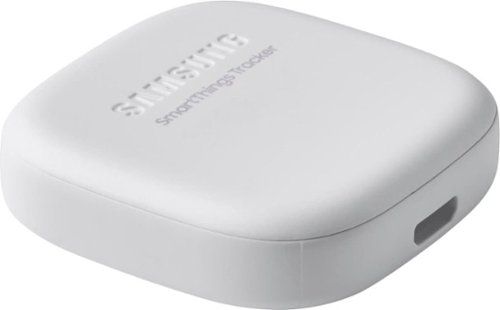
Secure yourself, a loved one or valuables with this smart, versatile Samsung SmartThings tracker. Its geo-fencing feature triggers smart home automations or alerts you when a pet or person who has it leaves or enters your designated zone. Double-press the button of this IP68-rated Samsung SmartThings tracker to notify authorized persons of your current location.
Customer Rating

3
nice idea, but battery life kills it
on December 6, 2018
Posted by: Aaronxx7
from central new york
This tracker is great in the idea, that it will help you keep track of a loved one, or item. It works off of AT&T's cellular LTE service, so for the most part, it has pretty good coverage. It also comes with a year of FREE cellular service. If you like the device and want to continue using it past the year date, it's only $5.00 per month, which is actually pretty reasonable for this service.
the kicker here is that the real time GPS eats up the battery life.
The website says that you can expect 4-5 days of typical use, and up to 10 days in standby. However, I was unable to make it 2 full days, on a full charge. I probably hit the "live tracking" button twice, which to be fair, it warns you that this feature is straining on the battery.
this feature can only be activated for 10 minutes at a time. So if you are looking for a detailed check sheet of where this has been all day, it's not gonna happen. Your best bet is to set up the "Zones" that you would like this device to be monitored going into and out of. I did receive automatic notices from the device, as it entered and left each area, within 1 minute of it happening. (which this worked good, but you can only set up 2 zones for the device), So this part is just as limiting as the other features.
So after probably a dozen, position updates, and two live tracking runs, this unit was dead in about 30 or so hours. I got a notice this morning before I sent it out, that the device was low on battery. It lasted 4 hours with only 1 update. I did a position check at noon, and it returned a message that it was dead.
The website says that you can expect 4-5 days of typical use, and up to 10 days in standby. However, I was unable to make it 2 full days, on a full charge. I probably hit the "live tracking" button twice, which to be fair, it warns you that this feature is straining on the battery.
this feature can only be activated for 10 minutes at a time. So if you are looking for a detailed check sheet of where this has been all day, it's not gonna happen. Your best bet is to set up the "Zones" that you would like this device to be monitored going into and out of. I did receive automatic notices from the device, as it entered and left each area, within 1 minute of it happening. (which this worked good, but you can only set up 2 zones for the device), So this part is just as limiting as the other features.
So after probably a dozen, position updates, and two live tracking runs, this unit was dead in about 30 or so hours. I got a notice this morning before I sent it out, that the device was low on battery. It lasted 4 hours with only 1 update. I did a position check at noon, and it returned a message that it was dead.
I think you can get at least 24 hours of moderate use on these. It also has an ip rating of 68, so it can be placed on a pet, I guess, but that rating is only good for 30 minutes in up to 5 feet of water..So you better trust your pet, not to submerge himself in water all day.
The size is acceptable, especially for having a built in GPS. Looks wise, it is pretty nice, with the rounded edges. .and very plane markings.
The only redeeming use for this, would be to put it in a car, where it can be constantly plugged in, and then manually keep hitting the live tracking button for a better description of it's daily where abouts.
Otherwise, whomever you have it attached to , is gonna have to charge it everyday before they go out.
Otherwise, whomever you have it attached to , is gonna have to charge it everyday before they go out.
So, just to recap, this is perfect for someone that wants to be located and monitored, as they would need to charge and maintain it everyday. OR left plugged into a constant power source in a van or car - so that it can handle the constant position requests, and live tracking hits( foronly ten minutes at a time)
Mobile Submission: False
I would recommend this to a friend!
Share this review:


+2points
2of 2voted this as helpful.
For families and small businesses who want classic Office apps and email installed on one Windows 10 PC or Mac for use at home or work. Classic 2019 versions of Office apps including Word, Excel, PowerPoint, and Outlook. Plus, OneNote for Windows 10.
Customer Rating
5
experienced dependable software
on November 23, 2018
Posted by: Aaronxx7
from central new york
Microsoft Office continues to be one of the best choices for office suite products. This version is perfect for individuals looking for SOHO software. This suite gets you access to most of Office's products including : Word, Excel, PowerPoint, OneNote, and Outlook. The plus with buying this version over the 365 version is that you don't need to maintain a monthly bill, you pay at the time of purchase and then that's it. However the downside, for some people would be that you don't get Microsoft's online services like : SharePoint, Exchange, OneDrive, or Access.
I don't have to share document creation or edits with anyone else, so this version is perfect for my needs, and most likely will continue to be good for me for several more years to come.
The software is very reliable, and has tons of great templates for virtually any project you can think of. It is so simple to just pick one, and enter in your own text, but still keep the same font, position and accents to the form or document. I made a custom flyer in less than 5 minutes, that looked like I ordered it from the local print shop or copy center. I also like that the software constantly backs up your project, as you are working on it, so if something does go haywire with your pc you don't have to start over completely from scratch.
I don't have to share document creation or edits with anyone else, so this version is perfect for my needs, and most likely will continue to be good for me for several more years to come.
The software is very reliable, and has tons of great templates for virtually any project you can think of. It is so simple to just pick one, and enter in your own text, but still keep the same font, position and accents to the form or document. I made a custom flyer in less than 5 minutes, that looked like I ordered it from the local print shop or copy center. I also like that the software constantly backs up your project, as you are working on it, so if something does go haywire with your pc you don't have to start over completely from scratch.
Overall there are way to many features to list, but Microsoft Office continues to be a solid choice for all of your office type needs. Still one of the leaders in the industry, that everyone else tries to emulate.
Very dependable software with professional results!
Very dependable software with professional results!
Mobile Submission: False
I would recommend this to a friend!
Share this review:


0points
0of 0voted this as helpful.

Dive right in and do something amazing with your photos. Auto-generated photo and video slideshows and collages are created just for you and delivered upon launch. Get up and running quickly with the new home screen - see what's new since your last version, discover fun things to try, and get inspiring ideas, help, and tutorials. Effortlessly organize, edit, and create thanks to photo and video automation powered by Adobe Sensei AI technology. Try artistic techniques and effects with 73 step-by-step guided edits. Easily make movies in the redesigned Quick Edit mode. And share your favorite memories in everything from fun memes and animated GIFs to printed artwork and full-length movies.
Customer Rating
5
Great software for beginners, and moderate users
on November 21, 2018
Posted by: Aaronxx7
from central new york
This software package installs easy with Adobe's new installation process. The process seems very fast and clean. After installation, the app will show you the new features in this version compared to the last version you used, to help you get familiar with the software.
Starting the app, takes you to a nice menu interface that highlights tips, and creation suggestions, as well as direct links to Photoshop Elements, Premiere Elements, and an Organizer app.
The suggestions and tips seem to be endless, you can continue to click through these if you are interested or, jump right into a project.
Both Photoshop and Premiere have great features to edit pictures and videos that might seem a little overwhelming for beginners, but Adobe has done a great job with including a "Guided" feature, that quite simply guides you through the entire process with ease, for any of the editing processes. All edits have real time results, and previews. You can even choose split screen for a "before" and "after" comparison on your edits. Adobe has always been great for editing digital media, and while the elements' versions don't come with all the bells and whistles as Adobe's professional versions, there is enough power here to get pretty much everything done, any regular user would want. Quick and simple edits for ; red eye, pet eye, blemish removal, color and contrast adjustments, text and drawing features, special effect objects, and so much more.
Starting the app, takes you to a nice menu interface that highlights tips, and creation suggestions, as well as direct links to Photoshop Elements, Premiere Elements, and an Organizer app.
The suggestions and tips seem to be endless, you can continue to click through these if you are interested or, jump right into a project.
Both Photoshop and Premiere have great features to edit pictures and videos that might seem a little overwhelming for beginners, but Adobe has done a great job with including a "Guided" feature, that quite simply guides you through the entire process with ease, for any of the editing processes. All edits have real time results, and previews. You can even choose split screen for a "before" and "after" comparison on your edits. Adobe has always been great for editing digital media, and while the elements' versions don't come with all the bells and whistles as Adobe's professional versions, there is enough power here to get pretty much everything done, any regular user would want. Quick and simple edits for ; red eye, pet eye, blemish removal, color and contrast adjustments, text and drawing features, special effect objects, and so much more.
It will take a some time to discover all the possibilities and features available, but until then the guided features can help anyone put out results that look like a professional did it.
Very impressed with the features and quality, and ease of use!
Mobile Submission: False
I would recommend this to a friend!
Share this review:


+1point
1of 1voted this as helpful.

HP Spectre x360 Convertible 2-in-1 Laptop: Embrace your creativity with this 15.6-inch HP Spectre x360 convertible laptop. Featuring a 15.6-inch 4K touch display and an HP digital pen, this laptop lets you write, make notes and express yourself with precise touch controls. This HP Spectre x360 convertible laptop provides a fast, responsive user experience with an Intel Core i7 processor.
Customer Rating

4
Great features, decent performance
on November 18, 2018
Posted by: Aaronxx7
from central new york
This laptop is full of great features but just slightly misses the mark with it's execution
The screen is stunning with 4k capabilities, the colors are very vibrant, and the contrast is pretty high. The screen quality is pretty evident as soon as it starts up. It's hard not to get lost in how nice everything looks. Even the keyboard looks very fancy with the lit keys and background. (which can be quickly set, with the "f5" key, to max brightness ,low brightness, or off)
The body of the laptop is all metal, giving it a much sturdier feel. While this device feels well constructed and very rugged, it also feels a little bit heavy with all the metal and a 15" screen.
To add to this devices ruggedness, the screen is protected by the ever durable Gorilla Glass.
I personally like the rugged feel, even if the unit is 4.59lbs. Some might find it tiresome to lug the extra weight around, so keep that in mind when choosing the right 2-in-1 for yourself.
To add to this devices ruggedness, the screen is protected by the ever durable Gorilla Glass.
I personally like the rugged feel, even if the unit is 4.59lbs. Some might find it tiresome to lug the extra weight around, so keep that in mind when choosing the right 2-in-1 for yourself.
The fingerprint scanner works great, it's very fast and discrete when logging in. No longer do I need to look over my shoulder to see if anyone is watching my keystrokes to hack into my pc , while it's unattended.
The web cam is actually pretty nice with Full HD resolution and a wide angle lens. It
even does well in low light settings.
even does well in low light settings.
The screen easily folds backwards onto the back of the keyboard to give you the full tablet feel. When doing so, the device will ask if you would like to switch to "tablet" mode for more of a touch driven interface. the screen is pretty responsive with finger gestures and touches, but sometimes it's too sensitive with interpreting the palm or other parts of the hand, as finger swipes.
The pen is an excellent addition to this pc, but lacks the precision of a true drawing tablet, and also lacks a good storage place in the actual pc, it does however have a sleeve in the leather case it can be placed in. I found that several times, my pen movements, did not register during sketches. So I would need to repeat the strokes to get the desired mark. I do like how they have tried to mimic some of the higher end drawing tablets with the variable pressure on the pen, creating lighter or heavier marks on the drawings. I also like how easy it is to create straight lines and circles using the virtual ruler, and compass in the app. The drawing tools would seem very useful for someone looking to do sketches for architecture, or general drawings. But without a way to fix the occasional missed strokes, or over sensitive hand movements, serious enthusiast might want to look for something more specific to their needs.
The specs on this pc seem high enough to handle most anything. It's very quick at start up, and works well for most applications, however it doesn't quite hit the mark when it comes to higher end video games(but to be fair this is not marketed as a video game pc). However, I did have to try it, considering the specs were so nice. I tried "Witcher 3: the Hunt" in full 4k mode, the game looked great but slowed down to less than 10 frames per second. Even with all the other graphic options dropped to the lowest setting, and 4k res. the game still staggered around 10fps. I had to reduce the resolution to 1080p in order to get a frame rate over 30. This was with microsoft's game boost on, best performance(power option), and the ac cord plugged in.
I'm sure that less strenuous games will play fine. Higher end games would need some hardware modification, and tweaks to run smoother, but no guarantee on even how well.
I'm sure that less strenuous games will play fine. Higher end games would need some hardware modification, and tweaks to run smoother, but no guarantee on even how well.
So overall I think this is a great "general purpose" 2-in-1 laptop, it offers enough in every area to keep "most" people satisfied.
Mobile Submission: False
I would recommend this to a friend!
Share this review:


+1point
1of 1voted this as helpful.
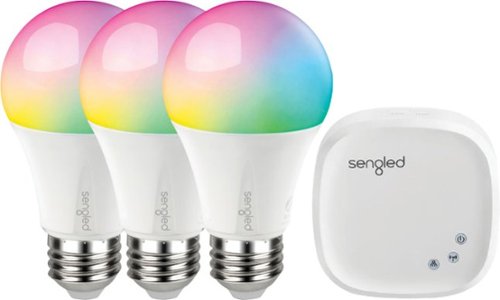
Create custom lighting schemes with this Sengled Smart LED Starter kit. More than 16 million hues provide endless choices for every occasion, and a range of whites lets you mimic daylight or brighten your space. Compatible with most personal assistant programs, including Amazon Alexa and Google Assistant, this Sengled light bulb integrates seamlessly with your smart lighting setup.
Posted by: Aaronxx7
from central new york
These lights are tons of fun, and so easy to use. I also love the fact that they are LEDs so they hardly use any power.
I had no problems connecting the hub to my network. I have seen others stating that they can't connect to the hub from their phone. But it was very easy. Especially if you follow the included directions. It probably also helps to have somewhat of a relatively new router. I could see some connection issues if maybe your router was super old, but honestly almost any should work, if done correctly.
The biggest mistakes I can see would be not having your phone's wifi connected to the same router/device that you have your Sengled hub hard wired to.
A lot of houses use more than one router, switches or repeaters, to expand their wifi coverage. So for the best chances of an easy connection, make sure both the phone and hub ard connected to the same router. Then just launch the app and connect. After that you can, go into the app seetings for the hub, and put your wifi info in. This would give you more flexability in chosing a location for your hub, and bulbs, as you can remove the ethernet cord afterwards and still have control over your bulbs.
The biggest mistakes I can see would be not having your phone's wifi connected to the same router/device that you have your Sengled hub hard wired to.
A lot of houses use more than one router, switches or repeaters, to expand their wifi coverage. So for the best chances of an easy connection, make sure both the phone and hub ard connected to the same router. Then just launch the app and connect. After that you can, go into the app seetings for the hub, and put your wifi info in. This would give you more flexability in chosing a location for your hub, and bulbs, as you can remove the ethernet cord afterwards and still have control over your bulbs.
From the app (as long as the light bulbs have power,… nothing will work if you have your light switches off), you can choose from a large color spectrum, to change the bulbs color. You can even organize a group of bulbs for ie. Kitchen, and a group for livingroom. I can quickly select all the kitchen bulbs to bright natural light, and all the livingroom lights to dark red, for a horror movie. You could mix n match also. Say I'm watching Star Wars with the family, the left side of the livingroom can be all red, for the Siths. While the right side of the livingroom could be green for the Jedi.
You could do the same for sports teams,… and pretty much anything you want.
You could do the same for sports teams,… and pretty much anything you want.
The app, is also great for controlling your house lighting while on vacation, or just being gone for the weekends. You can open the app, and turn on bulbs in any rooms either manually, or with the schedule feature in the app.
Or your kid just tells you, after you are two hours away from home that he probably forgot to turn the lights off in the bedroom, livingroom, kitchen, and den.
Just pop the app open and check, then turn off what you want.
Just pop the app open and check, then turn off what you want.
So again, these bulbs are super convenient, and tons of fun!
Mobile Submission: True
I would recommend this to a friend!
Share this review:


0points
0of 0voted this as helpful.
Aaronxx7's Review Comments
Aaronxx7 has not submitted comments on any reviews.
Aaronxx7's Questions
Aaronxx7 has not submitted any questions.
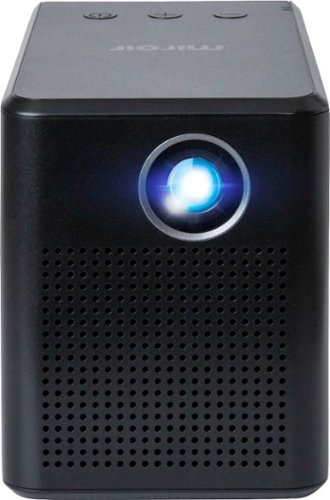
Stream HD content anywhere with this Miroir SYNQ mini projector. The powerful LED lamp projects bright, detailed images in native 720p resolution, and a 5W speaker adds accurate audio to your viewing experience. This Miroir SYNQ mini projector offers up to 3 hours of use per charge and includes an AC adapter for battery-free streaming.
How do you stream videos to your projector?
the only input is a HDMI port, which can be used to plug pretty much any streaming device like Roku, Firestick, Chromecast, etc.. into.
There is a USB power input right next to the HDMI port to be used with the streaming sticks, to make this more convenient and portable.
From here you can use the streaming functions of whichever device you plugged in.
There is a USB power input right next to the HDMI port to be used with the streaming sticks, to make this more convenient and portable.
From here you can use the streaming functions of whichever device you plugged in.
6 years, 8 months ago
by
Aaronxx7
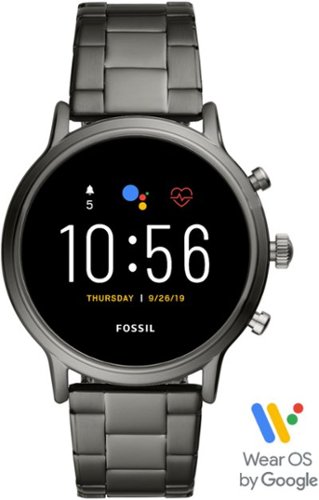
Train like a pro with this 44mm Fossil Carlyle HR smartwatch. Bluetooth functionality enables syncing with your smartphone, while the internal storage lets you work out with your favorite tunes. This swimproof Fossil Carlyle HR smartwatch features GPS to track your activity outdoors, and the heart monitor keeps tabs on your cardiac rate.
I am just starting to look at smartwatches and this caught my eye. I have a Samsung android smartphone and I would like to be able to download my iTunes library from my computer or ipod to it. Is this possible? Then can I sync it to my wireless beats?
Actually you can easily transfer media from your pc to Samsung by dragging and dropping files into the phone storage.
You must first connect the phone to your pc with the included charging cable, and wait for all the drivers to finish loading.
Then open a file location on your phone and start transferring the music.
Alternatively, if you have all your music in itunes, you could download the "Apple Music" app, from the google play store directly to your Samsung phone, and get all your music that way.
You should be able to listen through your wireless beats, and control the music through the smartwatch or your phone
You must first connect the phone to your pc with the included charging cable, and wait for all the drivers to finish loading.
Then open a file location on your phone and start transferring the music.
Alternatively, if you have all your music in itunes, you could download the "Apple Music" app, from the google play store directly to your Samsung phone, and get all your music that way.
You should be able to listen through your wireless beats, and control the music through the smartwatch or your phone
6 years, 9 months ago
by
Aaronxx7
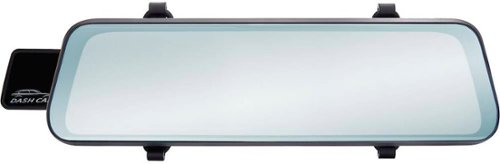
Record high-definition road footage with this Rexing dual-channel rearview mirror camera system. The 1296p front mirror and 720p HD rear cameras capture traffic incidents at different perspectives, and the 10" touch-screen display provides simple control. The G-sensor on this Rexing dual-channel rearview mirror camera system ensures that videos recorded during detected collisions are locked.
Do you install mirror front and rear dash cams
the mirror dash cam fits over your existing mirror with rubber straps, so there is no real installation for this part.
the rear camera actual needs to be installed by mounting the camera to a spot on the back of the vehicle (usually near the license plate), and running wires along your baseboards and interior to reach the front rear view mirror. There is also a red wire by the rear camera that needs to be spliced into your reverse light wires.
So yes, there is a certain amount of installation that needs to be done, maybe 30 minutes to an hour time frame
the rear camera actual needs to be installed by mounting the camera to a spot on the back of the vehicle (usually near the license plate), and running wires along your baseboards and interior to reach the front rear view mirror. There is also a red wire by the rear camera that needs to be spliced into your reverse light wires.
So yes, there is a certain amount of installation that needs to be done, maybe 30 minutes to an hour time frame
6 years, 10 months ago
by
Aaronxx7

Type on your Chromebook or smartphone for effortless multitasking with this Logitech slim wireless keyboard. The built-in easy switch lets you pair and alternate multiple devices quickly, while the slim keys offer a comfortable, quiet typing experience. This Bluetooth-enabled Logitech slim wireless keyboard includes an auto-sleep feature that is activated when you're not typing to ensure long battery life.
Is this keyboard backlit at all?
no, there is no backlight, probably because it has a very low power usage.
With 2 standard AAA batteries you can get 24 months of use.
With 2 standard AAA batteries you can get 24 months of use.
6 years, 10 months ago
by
Aaronxx7
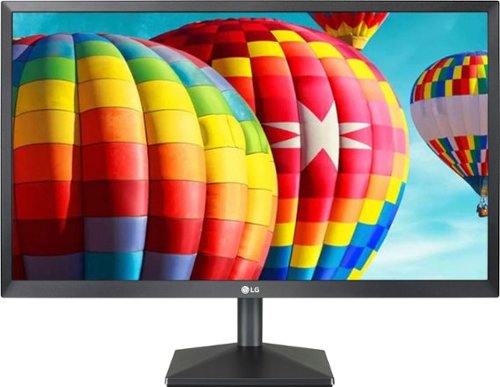
Set up a gaming station with this LG 24-inch Full HD monitor. AMD Radeon FreeSync technology eliminates screen tearing and stuttering, letting you play AAA titles smoothly, while the IPS display with a wide viewing angle delivers bright, vivid visuals from almost any direction. This LG 24-inch Full HD monitor has an antiglare coating for minimizing reflections.
Best buy shows this monitor as having 2 HDMI inputs, but the LG webpage for model number 24ML44B-B states it has only 1 HDMI and also shows only 1 in their pictures. Can someone clarify if this monitor has 1 or 2 HDMI inputs?
the LG - 24" IPS LED FHD FreeSync Monitor - Black
Model:24ML44B-B
does in fact have 2 HDMI inputs, as well as 1 VGA
Model:24ML44B-B
does in fact have 2 HDMI inputs, as well as 1 VGA
6 years, 11 months ago
by
Aaronxx7
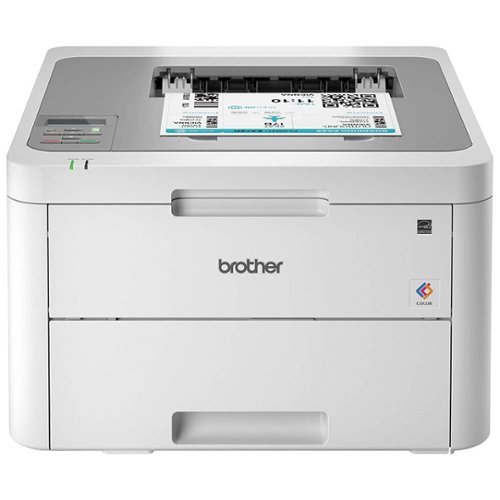
The reliable Brother HL-L3210CW compact digital color printer is a great choice for the busy home or small office. Quick print speeds of up to 19 pages per minute~ plus manual feed slot accommodates varied printing needs and can handle a variety of paper types and sizes including card stock, envelopes and more. Connect with versatile options including built-in wireless or USB interfaces and print wirelessly from mobile devices. The 250-sheet capacity adjustable paper tray helps improve efficiency with fewer refills and handles letter or legal sized paper. Brother Genuine high-yield replacement toner cartridges help lower printing costs. Comes with a 1-year limited warranty and free online, call or live chat support for the life of your product. Prints up to 19 ppm~ in black and up to 19 ppm~ in color.
Does this printer have two trays, one letter and one legal?
no, there is only one tray with adjustable levers to accommodate the different types of media
6 years, 11 months ago
by
Aaronxx7
Exercise equip.
Do you no longer stock exercise equipment? Website only shows DVDs.
yes, Best Buy still offers a variety of exercise equipment :
https://www.bestbuy.com/site/health-fitness-sports/exercise-equipment/pcmcat243800050005.c?id=pcmcat243800050005
you can even type "exercise equipment" into the search bar, if the link doesn't work
https://www.bestbuy.com/site/health-fitness-sports/exercise-equipment/pcmcat243800050005.c?id=pcmcat243800050005
you can even type "exercise equipment" into the search bar, if the link doesn't work
7 years ago
by
Aaronxx7
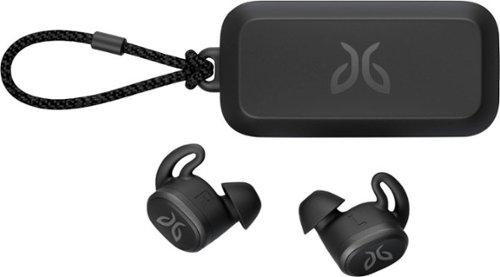
Pair your workout with these black Jaybird Vista wireless headphones. The rechargeable lithium-ion battery provides up to 6 hours of listening time, while the waterproof, sweatproof design helps prevent fluid damage. These Jaybird Vista wireless headphones have ear hooks and three pairs of soft interchangeable eartips for a secure fit and added comfort during extended periods of use.
Not only do I like to workout in my earbuds, but also use them for mowing. Are these loud enough to hear over the mower engine?
They are loud enough, but to protect your hearing, and make the music sound better, I always use a cheap pair of noise cancelling ear muffs with the ear buds, while mowing.
( you can get cheap noise cancelling ear muffs for around 5 dollars )
( you can get cheap noise cancelling ear muffs for around 5 dollars )
7 years, 1 month ago
by
Aaronxx7
Pair your workout with these black Jaybird Vista wireless headphones. The rechargeable lithium-ion battery provides up to 6 hours of listening time, while the waterproof, sweatproof design helps prevent fluid damage. These Jaybird Vista wireless headphones have ear hooks and three pairs of soft interchangeable eartips for a secure fit and added comfort during extended periods of use.
What is the play time on a full charge.
6 hours for each bud. so if you are using them simultaneously then its a total of 6 hours.
The buds can be used individually, so if you are just using one at a time, then you could get 12 hours total, before needing any type of recharging.
The buds can be used individually, so if you are just using one at a time, then you could get 12 hours total, before needing any type of recharging.
7 years, 1 month ago
by
Aaronxx7
Pair your workout with these black Jaybird Vista wireless headphones. The rechargeable lithium-ion battery provides up to 6 hours of listening time, while the waterproof, sweatproof design helps prevent fluid damage. These Jaybird Vista wireless headphones have ear hooks and three pairs of soft interchangeable eartips for a secure fit and added comfort during extended periods of use.
When I receive calls they sound far away. I even raised the volume all the way up. They also said they can't hear me well. Is there a setting in the app that I need to adjust that I can't find?
Try just using one bud for calls. These buds do not have an ambient noise pass through, because they are more used for cancelling out ambient noises while working out, so it's easier to enjoy your music.
If you use just one bud during a call it will sound more natural to you, and you will be speaking at a normal level, making it easier for others to hear you.
If you use just one bud during a call it will sound more natural to you, and you will be speaking at a normal level, making it easier for others to hear you.
7 years, 1 month ago
by
Aaronxx7