


TechnicallyCorrect's stats
- Review count230
- Helpfulness votes808
- First reviewFebruary 13, 2015
- Last reviewSeptember 7, 2026
- Featured reviews0
- Average rating3.5
Reviews comments
- Review comment count0
- Helpfulness votes0
- First review commentNone
- Last review commentNone
- Featured review comments0
Questions
- Question count0
- Helpfulness votes0
- First questionNone
- Last questionNone
- Featured questions0
- Answer count20
- Helpfulness votes23
- First answerDecember 2, 2016
- Last answerJune 1, 2021
- Featured answers0
- Best answers2
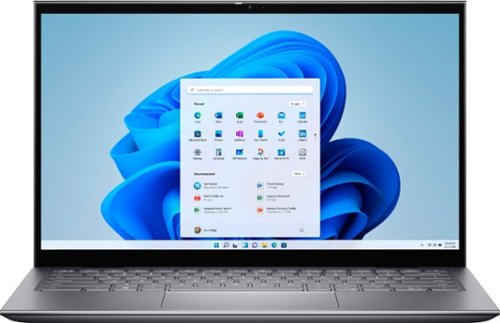
The Inspiron range of laptops and 2-in1s are thoughtfully designed so you can stay connected wherever you are with long-lasting battery life. Equipped with the latest processors, graphics, and thermal solutions; your PC runs quickly and smoothly as you connect with confidence. Optimized with technology that simplifies your life, Inspiron laptops and 2-in-1s offer a range of easy-to-use features all packaged in a minimalist and modern design. A newly designed and ergonomically positioned lift hinge increases comfort for a better typing experience when on chat, writing lengthy emails or connecting to your world. And that~s not all, your Inspiron, is now environmentally conscious ~ The Inspiron compliments not just your style but also your values.
Customer Rating

3
Screen is not bright enough, sub par battery life.
on May 24, 2021
Posted by: TechnicallyCorrect
from Farmingdale, NY
I have owned a lot of Dell’s over the years, from desktops to gaming laptops. Most are decent but the one thing I learned is never pay attention to just the specs. After using the Dell - Inspiron 5000 2-in-1 for the past week or so, I found that statement holds true. On paper, the Dell 5410 has everything you could ever need in a 14 inch two in one – 16 GB of ram, newest i7 processor, fast 512G SSD, 1080p touch screen and more. For the most part, the 5410 meets all the expectations of the specs but it does fall short in several areas. In review –
Build –
In a word – fantastic. Well milled aluminum, thin profile, no flex - top notch quality. The 5410 was heavier than I expected for such a small package – a testament to its quality. It has a unique hinge design that raises the laptop off a flat surface. That puts the keyboard at a more natural angle. Additionally, the angle the hinge gives enables airflow substantially enhances the speaker sound. At first, I was not crazy about the speakers, but I was using is on a couch and it muffled the down firing speakers. Once I put laptop on a flat, hard surface - the sound got much better.
In a word – fantastic. Well milled aluminum, thin profile, no flex - top notch quality. The 5410 was heavier than I expected for such a small package – a testament to its quality. It has a unique hinge design that raises the laptop off a flat surface. That puts the keyboard at a more natural angle. Additionally, the angle the hinge gives enables airflow substantially enhances the speaker sound. At first, I was not crazy about the speakers, but I was using is on a couch and it muffled the down firing speakers. Once I put laptop on a flat, hard surface - the sound got much better.
Performance –
There is nothing you are going to throw at this laptop that it cannot handle. Of course, this is not a gaming laptop, but it will pass any memory intensive application. I tested some very complex spreadsheets that can bog down systems and there was no slow down. I was going to post some of the metrics from stress tests, but I really do not think it is meaningful anymore because systems have become so powerful.
There is nothing you are going to throw at this laptop that it cannot handle. Of course, this is not a gaming laptop, but it will pass any memory intensive application. I tested some very complex spreadsheets that can bog down systems and there was no slow down. I was going to post some of the metrics from stress tests, but I really do not think it is meaningful anymore because systems have become so powerful.
Keyboard –
Backlit with good travel. No complaints other than a bit more cramped than I like. That is not because of a design flaw, 14-inch laptops tend to have more cramped even though they are tenkeyless.
Backlit with good travel. No complaints other than a bit more cramped than I like. That is not because of a design flaw, 14-inch laptops tend to have more cramped even though they are tenkeyless.
Battery life –
Average at best. In an entirely unscientific measurement, the Dell 5410 lasted about 5 hours with mixed use. Not great but I think I can tweak it further in Dell Power Manager program.
Average at best. In an entirely unscientific measurement, the Dell 5410 lasted about 5 hours with mixed use. Not great but I think I can tweak it further in Dell Power Manager program.
Front camera –
I was disappointed in the camera. Washed out colors, 720p , .9 MP, everything has a yellow tint. Hey Dell, have you learned anything about remote working, Zoom, Teams in the last year? Duh. I tried every setting; it was just disappointingly bad.
I was disappointed in the camera. Washed out colors, 720p , .9 MP, everything has a yellow tint. Hey Dell, have you learned anything about remote working, Zoom, Teams in the last year? Duh. I tried every setting; it was just disappointingly bad.
Screen –
This is where is fell short for me. It is perfectly clear and colors are decent – it is just too dim compared to other laptops in this segment. I’ve included a picture comparing it to a 3 year old LG Gram and TV in the background. Yes , the Gram is a much more expensive laptop but there is noticeable difference. I have the Dell 5410 set to the highest brightness setting with no settings that would lower the brightness according to the ambient conditions. In most home settings, it will be okay. It is not useable in sunlight.
This is where is fell short for me. It is perfectly clear and colors are decent – it is just too dim compared to other laptops in this segment. I’ve included a picture comparing it to a 3 year old LG Gram and TV in the background. Yes , the Gram is a much more expensive laptop but there is noticeable difference. I have the Dell 5410 set to the highest brightness setting with no settings that would lower the brightness according to the ambient conditions. In most home settings, it will be okay. It is not useable in sunlight.
Software –
I am usually not a fan of vendor supplied software. It tends to bloat the system up. However, Dell Support Assist program is top notch for keeping your computer up to date and optimizing performance. It has a simple, clean interface and hits all the marks.
The Dell 5410 has so many things you are going to like – plenty of power, beautiful build quality, large drive and more. But it falls short in the key categories for a laptop – screen, battery life and camera. I could forgive the battery life, there are a lot of variables to affect that. The camera is usable, but it should be much better in today’s times. The screen is problem, it is just not bright enough. It does not matter what setting Dell is going to suggest for settings, it is just disappointing. Take a look at the picture accompanying this review - to me it is very telling. My only hope is there is some type of limiting brightness factor in the firmware that Dell can update. With a couple of changes, this could be a 5-star laptop and one that I could easily recommend it. However, as it stands, this is a 3-star laptop that I cannot recommend.
I am usually not a fan of vendor supplied software. It tends to bloat the system up. However, Dell Support Assist program is top notch for keeping your computer up to date and optimizing performance. It has a simple, clean interface and hits all the marks.
The Dell 5410 has so many things you are going to like – plenty of power, beautiful build quality, large drive and more. But it falls short in the key categories for a laptop – screen, battery life and camera. I could forgive the battery life, there are a lot of variables to affect that. The camera is usable, but it should be much better in today’s times. The screen is problem, it is just not bright enough. It does not matter what setting Dell is going to suggest for settings, it is just disappointing. Take a look at the picture accompanying this review - to me it is very telling. My only hope is there is some type of limiting brightness factor in the firmware that Dell can update. With a couple of changes, this could be a 5-star laptop and one that I could easily recommend it. However, as it stands, this is a 3-star laptop that I cannot recommend.
Mobile Submission: False
No, I would not recommend this to a friend.
Share this review:


+11points
13of 15voted this as helpful.
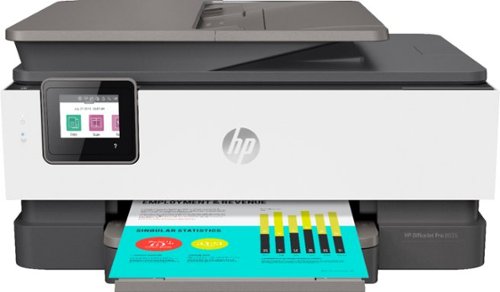
The HP OfficeJet Pro 8035e delivers increased productivity with fast speeds and custom mobile shortcuts. It includes the optional HP+ Smart Printing System that keeps itself up to date, secure, and ready to print from virtually anywhere at any time. Optional HP+ system requires an HP account, internet connection, and use of only Original HP Ink for the life of the printer.
Customer Rating
3
HP take heed,you are off the mark with Instant Ink
on May 9, 2021
Posted by: TechnicallyCorrect
from Farmingdale, NY
Printers, particular inkjet , are a dying business. People are just not printing as much and printer companies have been desperate to claim a larger share of shrinking market with more and more competition. They have done this buy making cheaper printers, different options for ink and increased proprietary technologies for ink cartridges. All have somewhat backfired, and this holds true for the HP OfficeJet Pro 8035e. In this case, HP’s latest answer to the problems they created to begin is to offer a subscription service for ink. How it works is HP Instant Ink printers send information about print volume, ink volume, and other printer data back to HP. They use this data to know when it is time to send you ink and what to bill you. Why would anyone want this? Then to make it more unappealing, there is all types of warnings about you must use HP ink cartridges and there is a special chip – blah, blah, blah. Before I continue with rant about the foolish directions HP is taking, let’s dive into the p
rinter.
Set up –
You are literally pushed into setting this printer up wirelessly with their app for mobile devices. I know we are a mobile world but this is unnecessary. The first few tries failed to find printer. The software did finally find the printer and installed it. Unfortunately, it still had some connections issues and I could not print. I disconnected the printer from my 5ghz network and reconnected to a 2.4 ghz. No difference. Next. the screen froze on the printer and nothing was happening. After a few seconds I received an error message of “ A printer error has occurred. If the problem persists, contact support.” The screen remained frozen as did the entire printer. I could not even power off the printer so I ended up unplugging it. I then ran through the process again and it finally worked. As part of the final set up, you have to align the heads and it scans what it printed for alignment to verify it worked. It is interesting approach and seems to work well.
So I indicated, you must set this up via a mobile wireless option, you cannot just plug a USB cable in and you are done. HP even warns you not to plug the printer in until you run through the wireless set up process. During the wireless setup process, HP wants you to register for their ink service , HP + , log onto your HP account. I declined all of it except logging onto my account.
rinter.
Set up –
You are literally pushed into setting this printer up wirelessly with their app for mobile devices. I know we are a mobile world but this is unnecessary. The first few tries failed to find printer. The software did finally find the printer and installed it. Unfortunately, it still had some connections issues and I could not print. I disconnected the printer from my 5ghz network and reconnected to a 2.4 ghz. No difference. Next. the screen froze on the printer and nothing was happening. After a few seconds I received an error message of “ A printer error has occurred. If the problem persists, contact support.” The screen remained frozen as did the entire printer. I could not even power off the printer so I ended up unplugging it. I then ran through the process again and it finally worked. As part of the final set up, you have to align the heads and it scans what it printed for alignment to verify it worked. It is interesting approach and seems to work well.
So I indicated, you must set this up via a mobile wireless option, you cannot just plug a USB cable in and you are done. HP even warns you not to plug the printer in until you run through the wireless set up process. During the wireless setup process, HP wants you to register for their ink service , HP + , log onto your HP account. I declined all of it except logging onto my account.
Build and size –
It is built moderately well, better than the $60 garbage printers but still not stellar. The foot print is huge and bigger than the competition. I am not sure of the reasons why , maybe to reduce the height or something but I do not like the overall size.
It is built moderately well, better than the $60 garbage printers but still not stellar. The foot print is huge and bigger than the competition. I am not sure of the reasons why , maybe to reduce the height or something but I do not like the overall size.
Function –
It takes about 10 to 15 seconds to print the first page. Printing is accurate and colors pop. I can say that HP pretty much has it down pat when it comes to print quality. For a $200 printer, I did find the 20 pages per minute to be slow: especially for an OfficeJet. Scanning was spot on with no issues.
It takes about 10 to 15 seconds to print the first page. Printing is accurate and colors pop. I can say that HP pretty much has it down pat when it comes to print quality. For a $200 printer, I did find the 20 pages per minute to be slow: especially for an OfficeJet. Scanning was spot on with no issues.
In summary, this a capable printer that is oversized and has an unnecessarily complex set up. It’s entirely geared to get you to sign up for their ink service that no one really needs. HP and other companies need to wake up. Build a printer with decently priced ink options that do not require a subscription and easily installs by just plugging a USB cable. You know – like it used to be. Sure, you can have all the wireless options but keep in mind who your target demographic truly is for a printer like this.
Sorry HP, you lost me on this one and ones like it. This is not for me and I would pass.
Sorry HP, you lost me on this one and ones like it. This is not for me and I would pass.
Mobile Submission: False
No, I would not recommend this to a friend.
Share this review:


+4points
4of 4voted this as helpful.
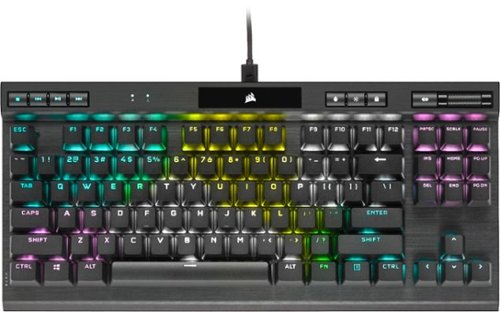
The CORSAIR K70 RGB TKL CHAMPION SERIES Mechanical Gaming Keyboard will carry you to victory with a compact tenkeyless form-factor, pro-level performance powered by CORSAIR AXON hyper-processing technology, and world-renowned CHERRY MX keyswitches. Win in style with a durable aluminum frame and dynamic per-key RGB backlighting, and flip the tournament switch to instantly disable macros and swap to distraction-free lighting. PBT double-shot keycaps with 1.5m-thickness resist wear, fading and shine for years. Powerful iCUE software on both PC and macOS enables custom macro programming and key remaps, while dedicated media keys and an aluminum volume roller offer convenient control over media. The K70 RGB TKL is a portable powerhouse thanks to a detachable USB Type-C cable and 8MB onboard storage for up to 50 profiles, so you can easily take pro performance to your next competition.
Customer Rating

4
Great keyboard - make sure form factor is for you
on April 15, 2021
Posted by: TechnicallyCorrect
from Farmingdale, NY
There are so many gaming keyboards it is getting hard to distinguish them apart. However, Corsair has always made great keyboards in terms of quality and function and the Corsair Gaming K70 RGB TKL Champion Series keyboard right there. You may recognize some of their PC’s, memory, storage as well as their other brand Elgato. I’m not going to go over all the specs of Corsair Gaming K70 Champion Series but will look at the key features, functions and benefits –
Construction, fit and finish:
The keyboard is well built with a strong aluminum frame . While it is plastic on the frame, there is no flex whatsoever. The keys are top notch with “PBT doubleshot keycaps.” That is a manufacturing method where pieces of plastic that molded together instead printed on. This resists wear that plagues frequently used keys. The keyboard has full RGB lighting that can be customized. For me, the lighting is a novelty that just gets annoying.
The keyboard is well built with a strong aluminum frame . While it is plastic on the frame, there is no flex whatsoever. The keys are top notch with “PBT doubleshot keycaps.” That is a manufacturing method where pieces of plastic that molded together instead printed on. This resists wear that plagues frequently used keys. The keyboard has full RGB lighting that can be customized. For me, the lighting is a novelty that just gets annoying.
Ergonomics and features:
The Corsair Gaming K70 has everything you would expect in a top notch keyboard – dedicated media controls, 8 mb on board storage for configurations, height and angle adjustment etc.. The next part is important. This is a mid to small size keyboard. I found the keys to be a bit smaller than I like and the spacing to be more cramped that I would like in a gaming keyboard. For reference, I would say it is about 65% the size of my full size gaming keyboard. I did find myself having to be more precise in hitting the correct key. The keys are about 9/16 inch across whereas my other keyboard is a little more than 5/8 inch. That 1/16 inch does make a difference for me.
The Corsair Gaming K70 has everything you would expect in a top notch keyboard – dedicated media controls, 8 mb on board storage for configurations, height and angle adjustment etc.. The next part is important. This is a mid to small size keyboard. I found the keys to be a bit smaller than I like and the spacing to be more cramped that I would like in a gaming keyboard. For reference, I would say it is about 65% the size of my full size gaming keyboard. I did find myself having to be more precise in hitting the correct key. The keys are about 9/16 inch across whereas my other keyboard is a little more than 5/8 inch. That 1/16 inch does make a difference for me.
Performance :
You will see all types of marketing nonsense such as “ Axon 8000Hz “hyperpolling” that gives the quickest response ( .125 milliseconds. ) None of this hype really means much, most keyboards are
1000hz and have no meaningful noticeable differences. Regardless, I found the K70 very responsive .
iCue software:
There is barely a mention of it in the instructions. In fact, so little a mention that I have been using the keyboard for a week and just downloaded. The software is huge – 741 mb.
Control Lighting (which I could not care less about – Corsair and other manufacturers should stop wasting money on flare over function. We are not all 14-year-old gamers.)
Easily assignable keys - macros, keystrokes, total remaps – just about everything you can think of. Great for games and everyday tasks. You can assign it from a software side or hardware side. Hardware assignment works when iCue software is off, software is only when the iCue software is active.
Multiple profiles – what is point of having all different options for settings if you need to reassign them for different games or users. Corsair’s software has that covered – easily change profiles that have their own options.
You will see all types of marketing nonsense such as “ Axon 8000Hz “hyperpolling” that gives the quickest response ( .125 milliseconds. ) None of this hype really means much, most keyboards are
1000hz and have no meaningful noticeable differences. Regardless, I found the K70 very responsive .
iCue software:
There is barely a mention of it in the instructions. In fact, so little a mention that I have been using the keyboard for a week and just downloaded. The software is huge – 741 mb.
Control Lighting (which I could not care less about – Corsair and other manufacturers should stop wasting money on flare over function. We are not all 14-year-old gamers.)
Easily assignable keys - macros, keystrokes, total remaps – just about everything you can think of. Great for games and everyday tasks. You can assign it from a software side or hardware side. Hardware assignment works when iCue software is off, software is only when the iCue software is active.
Multiple profiles – what is point of having all different options for settings if you need to reassign them for different games or users. Corsair’s software has that covered – easily change profiles that have their own options.
So the big question is would I recommend the Corsair Gaming K70 RGB TKL Champion Series Keyboard? Maybe. It is feature rich, well built and priced right. The software is also top notch. But for me, I prefer a full-size gaming keyboard with bigger keys. However, keep in mind that this is a tenkeyless keyboard. It is designed to be more compact and maybe that is exactly what you are looking for. If it is, you cannot wrong with the Corsair Gaming K70 RGB TKL Champion Series Keyboard.
Mobile Submission: False
I would recommend this to a friend!
Share this review:


0points
0of 0voted this as helpful.
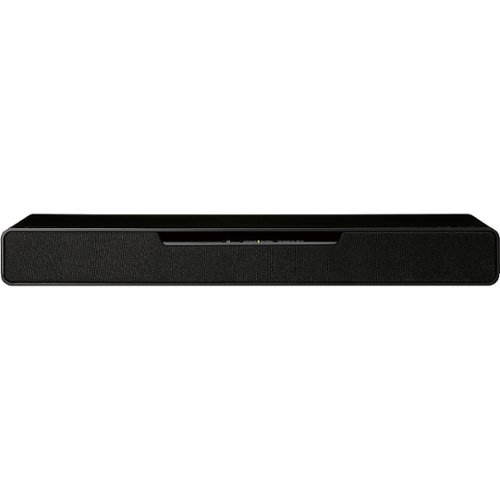
Immerse yourself in the future of gaming with Soundslayer Gaming Speaker, featuring the Dolby Atmos soundbar. SoundSlayer with Dolby Atmos puts you in the middle of the action by placing crystalline sound all around you with three-dimensional precision even overhead and behind you bringing you all the way into the story and fostering a deeper connection to your gaming, video and audio experience. Compatible with 4k Pass Through, the SoundSlayer Gaming Speaker lets you enjoy high-definition 4K content with no loss in image quality, as video source passes through the system to your PC or TV. This compact, yet powerful speaker brings gaming into the future for unprecedented level of intensity, tension, and connection.
Customer Rating
4
Great sound and power in a compact package.
on March 28, 2021
Posted by: TechnicallyCorrect
from Farmingdale, NY
The Panasonic Soundslayer is a compact gaming centric sound bar. The first thing you will notice is how small it is – just about 17 x 2 x 5 inches. I always get concerned when I see a sound bar this small – I found that others (albeit less costly) are just subpar in both sound and quality. That is the not the case with the Panasonic Soundslayer, it is rock solid with a high-quality fit and finish. In terms of sound, it is surprisingly powerful and clear. The Panasonic Soundslayer also supports 3D sound. With this option, it creates sound effects that make it appear that the sounds are coming from different areas of the room. Now it is not the same as a multi speaker system but I was shocked on how well it worked; particularly for the sound bar’s size. Keep in mind that your mileage may vary, the height of your ceiling, room dimensions and composition of the walls and ceiling can drastically affect the 3D capability. There are 3 audio modes for the home theater option and 3 audio modes dedicated to gaming. The home theater options are what you would expect but the game modes are interesting. I found the first-person shooter mode to be the best. In summary -
Pros
Powerful sound in a small package.
Supports many of the current audio modes.
Clean and crisp sound.
Easy remote control.
Great deal
Powerful sound in a small package.
Supports many of the current audio modes.
Clean and crisp sound.
Easy remote control.
Great deal
Cons
One input.
No Wi-Fi connectivity.
No option, at least that I could figure out, to support additional speakers.
One input.
No Wi-Fi connectivity.
No option, at least that I could figure out, to support additional speakers.
The Panasonic Soundslayer offers a lot of sound in a small package. I found the sound to be on par with soundbars that are a lot more expensive. That brings me to price – it is only $300. Try to find another soundbar that has comparable features at that price. Just a great deal. The sound bar does take a few hits for lack of inputs and wi-fi but I still easily recommend it and give it 4 out of 5 stars.
Mobile Submission: False
I would recommend this to a friend!
Share this review:


0points
0of 0voted this as helpful.

Unleash the power of AI~ with the Epson RapidReceipt RR-70W mobile business scanner. Driven by Epson ScanSmart AI PRO technology, you~ll quickly and intelligently convert scanned information into smart digital data ~ making your documents AI-ready for Microsoft Copilot, Apple Intelligence, ChatGPT workflows and more. Going beyond simple document capture, the RapidReceipt RR-70W mobile scanner utilizes an extensive data model of various invoices and receipts to quickly turn stacks of unorganized paperwork into categorized digital data that easily integrates into financial applications such as QuickBooks and TurboTax~. The lightest wireless mobile single-sheet document scanner in its class~, the RapidReceipt RR-70W helps increase your productivity with scan speeds up to 15 ppm~ and the ability to create searchable and editable PDFs. Plus, this portable scanner can be charged via USB or battery for added convenience. One of the smartest investments you can make for your business, the Epson RapidReceipt RR-70W mobile business scanner, powered by ScanSmart AI PRO, enables you and your business to stay organized and efficient by unleashing the power of AI.
Customer Rating
4
Feather light, high performing, great scanner.
on February 17, 2021
Posted by: TechnicallyCorrect
from Farmingdale, NY
The Epson RapidReceipt RR-70W is the third Epson portable scanner that I have owned. As with my other models, it does a great job for what it is designed to do. The emphasis has to be on “designed to do,” you have to set the proper expectations. This is a portable scanner designed for small jobs, receipts, credit cards etc. It is tiny and measures about 1.5 by 11 by 2 inches. It only weighs 11 ounces. That is correct – 11 ounces. If you never held an Epson mobile scanner, you will be shocked at how light it is.
Set up –
The instructions for set up are basic – connect the USB cable and download the software. Well, it was not as simple as that. At first, I could not get it to scan no matter what I tried. After updating the software and the firmware (about another 10 minutes,) I was up and running. The issue was nothing major but worth noting.
The instructions for set up are basic – connect the USB cable and download the software. Well, it was not as simple as that. At first, I could not get it to scan no matter what I tried. After updating the software and the firmware (about another 10 minutes,) I was up and running. The issue was nothing major but worth noting.
Features –
The scanner is feature rich with two-sided color scanning and easy Wi-Fi, Wi-Fi AP and USB connectivity ( no Bluetooth but who cares.) You can feed one document at a time or it has automatic feeding mode. It is not really designed to handle too many sheets at one time so it is not strong suit
The scanner is feature rich with two-sided color scanning and easy Wi-Fi, Wi-Fi AP and USB connectivity ( no Bluetooth but who cares.) You can feed one document at a time or it has automatic feeding mode. It is not really designed to handle too many sheets at one time so it is not strong suit
Battery or USB powered.
Software-
Receipt management software – scan directly into financial programs, easily manage receipts etc
Scan to email, Dropbox, Google Drive etc.
Simple and efficient.
Receipt management software – scan directly into financial programs, easily manage receipts etc
Scan to email, Dropbox, Google Drive etc.
Simple and efficient.
Performance –
The Epson RapidReceipt RR-70W is fast for it’s size. The specs state it scans in 4 seconds, I was seeing slightly faster times than that on small documents. The scans are accurate , clear and automatically position perfectly in the software. Not one hiccup – great as always.
The Epson RapidReceipt RR-70W is fast for it’s size. The specs state it scans in 4 seconds, I was seeing slightly faster times than that on small documents. The scans are accurate , clear and automatically position perfectly in the software. Not one hiccup – great as always.
In conclusion, the Epson RR-70W portable receipt and document scanner is a fast, well built, feature-rich and super portable device. It is priced well, the software is top notch and is probably the best on the market.
Mobile Submission: False
I would recommend this to a friend!
Share this review:


0points
0of 0voted this as helpful.
Customer Rating
3
Too loud, too expensive, not enough features.
on February 14, 2021
Posted by: TechnicallyCorrect
from Farmingdale, NY
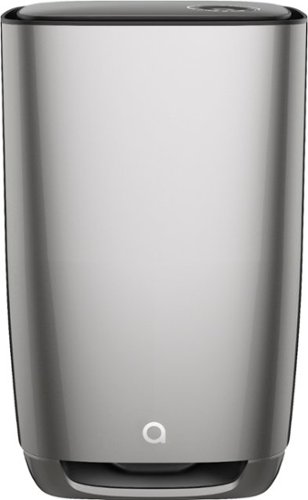
The Aeris Cleantec - Aair 3-in-1 Pro HEPA Air Purifier is one of many high-end home air filtration systems that have hit the market over the past few years. Unfortunately, it does fall short compared to the competition in both features and value. I currently own Blueair and Levoit air purifiers so I have a good baseline to review. I’ve been using Aesis unit for over a week and really put it through the paces. Let’s dive into review.
Build, fit and finish:
For some reason, there are a lot of air purifiers from Sweden and they always seem to be built well. The Aeris is no different. The plastic is well finished and “machined” (for lack of a better word.) It is heavy at about 40 lbs. Heavy is not a bad thing, it shows how hefty the filter is. Smartly, Aeris put wheels for easy moving. The filter is easily accessible through the top of the unit. When you remove the top cover (no tools required,) the units powers off and you pull the filter out with two tabs (emblazoned with the Swedish flag.) The display is small at about 3 inches round. It is clear and functional but Blueair does a better job on their latest units.
The Aeris Cleantec - Aair 3-in-1 Pro large and essentially a big box. Basically, the size of the small trash can. You have to make that large in order to move the volume of air that it does. Where it falls short is the intake and the filter placement. The air intakes are small and have nearly useless pre-filters on them. Here is where Aeris really falls short. The main filter is placed after the blower assembly. It is called a push through design. What that means is the fan is pushing the air through the air filter. At this point, you may be asking so what? But think about this, all the dirty air is going across the fan motor and fan blades. What happens over time is you will have a build up of dust, grime and just about everything else. Have you ever opened up an old computer and looked at the fans – dust everywhere. Think about the level of dust that can build up on the fan on this air purifiers in a few years. Getting in to clean the blower assembly thoroughly is going to be very difficult. If Aeris had simply put the blower assembly after the filer and pulled the air through the filter, it would have eliminated a need to clean it entirely.
For some reason, there are a lot of air purifiers from Sweden and they always seem to be built well. The Aeris is no different. The plastic is well finished and “machined” (for lack of a better word.) It is heavy at about 40 lbs. Heavy is not a bad thing, it shows how hefty the filter is. Smartly, Aeris put wheels for easy moving. The filter is easily accessible through the top of the unit. When you remove the top cover (no tools required,) the units powers off and you pull the filter out with two tabs (emblazoned with the Swedish flag.) The display is small at about 3 inches round. It is clear and functional but Blueair does a better job on their latest units.
The Aeris Cleantec - Aair 3-in-1 Pro large and essentially a big box. Basically, the size of the small trash can. You have to make that large in order to move the volume of air that it does. Where it falls short is the intake and the filter placement. The air intakes are small and have nearly useless pre-filters on them. Here is where Aeris really falls short. The main filter is placed after the blower assembly. It is called a push through design. What that means is the fan is pushing the air through the air filter. At this point, you may be asking so what? But think about this, all the dirty air is going across the fan motor and fan blades. What happens over time is you will have a build up of dust, grime and just about everything else. Have you ever opened up an old computer and looked at the fans – dust everywhere. Think about the level of dust that can build up on the fan on this air purifiers in a few years. Getting in to clean the blower assembly thoroughly is going to be very difficult. If Aeris had simply put the blower assembly after the filer and pulled the air through the filter, it would have eliminated a need to clean it entirely.
Filter:
The thick filter is designed for removing airborne particulates and odors. Aeris states the filter has charcoal carbon and activated alumina. It is listed as 13 or 14 HEPA filter depending on what you read and filters out particulate downs to .1 micron. At .1 microns, it will filter out viruses. Aeris states its kills Covid 19 – I find that questionable and surprising. There is no UV lights, no peroxide generation, no ionization – nothing that would actively kill COVID 19. I am in the HVAC industry and I deal with a litany of different commercial and residential air purification systems. I am not seeing anything that is close in this unit in terms of actively killing viruses. I am not saying it will not capture viruses, a filter of this quality will absolutely capture nearly everything that passes through it.
The thick filter is designed for removing airborne particulates and odors. Aeris states the filter has charcoal carbon and activated alumina. It is listed as 13 or 14 HEPA filter depending on what you read and filters out particulate downs to .1 micron. At .1 microns, it will filter out viruses. Aeris states its kills Covid 19 – I find that questionable and surprising. There is no UV lights, no peroxide generation, no ionization – nothing that would actively kill COVID 19. I am in the HVAC industry and I deal with a litany of different commercial and residential air purification systems. I am not seeing anything that is close in this unit in terms of actively killing viruses. I am not saying it will not capture viruses, a filter of this quality will absolutely capture nearly everything that passes through it.
App and sensors –
The app is simple and basic. It tells you the overall indoor air quality but is very nonspecific. The competition simply blows them away. Competitors like Blueair show tVOC’s, humidity, temperature, particle levels. Aeris tells you none of this – very disappointing. It does have an intelligent sensor that automatically adjusts air flow and it definitely works . However, for this price, I would expect the best of all the bells and whistle. There is no Google Home nor Alexa integration ( currently.)
The app is simple and basic. It tells you the overall indoor air quality but is very nonspecific. The competition simply blows them away. Competitors like Blueair show tVOC’s, humidity, temperature, particle levels. Aeris tells you none of this – very disappointing. It does have an intelligent sensor that automatically adjusts air flow and it definitely works . However, for this price, I would expect the best of all the bells and whistle. There is no Google Home nor Alexa integration ( currently.)
Sound –
On night mode, it is relatively quiet. Anything above that, it is loud. On high, it sounds like a jet engine and you have to speak loudly over it. This is worse than average on high end purifiers and is mostly due to the unit moving more air that is reasonable for a residential application.
On night mode, it is relatively quiet. Anything above that, it is loud. On high, it sounds like a jet engine and you have to speak loudly over it. This is worse than average on high end purifiers and is mostly due to the unit moving more air that is reasonable for a residential application.
In summary -
Pros
Enormous, thick filter.
Well built.
App is easy to set up.
Moves a lot of air.
Enormous, thick filter.
Well built.
App is easy to set up.
Moves a lot of air.
Cons
Too big.
Too loud.
Too expensive.
Not enough metrics in the app.
Filters are over $200 to replace.
Poor overall design for cleaning the unit itself.
Aeris needs to release data on how it supposedly kills Covid 19.
Too big.
Too loud.
Too expensive.
Not enough metrics in the app.
Filters are over $200 to replace.
Poor overall design for cleaning the unit itself.
Aeris needs to release data on how it supposedly kills Covid 19.
Conclusion -
A note on air purifiers in general, don’t buy one thinking it will suck all the virus and bacteria out of the air. Unless you are strapping it to your face, regular air purifiers do little to remove pathogens from the air. Think about it, where are the air intakes on this and most air purifiers like this? At the bottom. The air stream is circulating all over the places in a room due to movement, stratification, normal air flow etc. For the most part, room air purifiers do a great job at removing dust, allergens and odors. The Aeris Cleantec - Aair 3-in-1 Pro does just that. However, it’s $1000 price tag, high filter price, subpar app features and loud sound make it hard to recommend. I would recommend getting a smaller air purifier and buy more of them. It will be quieter, more effective and, frankly, the competition does a better job on features.
A note on air purifiers in general, don’t buy one thinking it will suck all the virus and bacteria out of the air. Unless you are strapping it to your face, regular air purifiers do little to remove pathogens from the air. Think about it, where are the air intakes on this and most air purifiers like this? At the bottom. The air stream is circulating all over the places in a room due to movement, stratification, normal air flow etc. For the most part, room air purifiers do a great job at removing dust, allergens and odors. The Aeris Cleantec - Aair 3-in-1 Pro does just that. However, it’s $1000 price tag, high filter price, subpar app features and loud sound make it hard to recommend. I would recommend getting a smaller air purifier and buy more of them. It will be quieter, more effective and, frankly, the competition does a better job on features.
Mobile Submission: False
No, I would not recommend this to a friend.
Share this review:


+2points
2of 2voted this as helpful.
Boost cell signal where you need it most ~ at home. The weBoost Home Studio Cell Signal Booster is an excellent value for instantly improving talk, text, and data at home. The multi-user cell signal booster is designed to increase cellular connectivity and signal strength in one large room, like a home office, living room, or studio apartment (up to 1,500 sq. ft. depending on outside signal strength). The integrated booster antenna works on all U.S. carrier networks and is compatible with all phones and cellular devices. You~ll enjoy fewer dropped calls, uninterrupted texts, better voice quality, improved hotspot capability, faster internet speeds, better streaming, and more. The booster meets all FCC guidelines and won~t interrupt or harm any cell carriers' signals to and from the cell tower. The booster kit is backed by our 2-year manufacturer~s warranty and a 30-day money-back guarantee with U.S.-based customer service. Stay connected, where it matters most, with the weBoost Home Studio Cellular Signal Booster Kit.
Customer Rating
3
Does what it supposed to but at a high price.
on February 3, 2021
Posted by: TechnicallyCorrect
from Farmingdale, NY
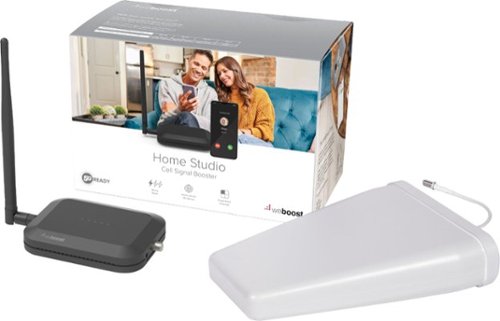
The weBoost - Home Studio by Wilson Electronics is one of their latest signal boosters that works with all carriers and 5G. This version is designed for large rooms /studio apartments ( at least in terms of size.) weBoost uses the same basic premise - an outside antenna that does not require any power that is connected via cable coaxial to a relatively unobtrusive inside antenna . The main antenna mounts to a poll outside. I live in an apartment and it fit perfectly on a terrace poll. When you first install the outside antenna, you should not tighten it completely because you will need to rotate it in the direction of nearest cell tower. I used the recommended app Opensignal to find the direction the cell tower. It worked perfectly and I was able to align the antenna relatively fast. I did not initially read the directions thoroughly enough and it states to only rotate the antenna an 1/8 of an inch at a time. I was moving it way too much and it was making the signal worse. Setting the antenna on the outside is the most important step and try trickiest. All told, it took me about an hour to install and configure everything. Unfortunately, I had to make it a temporary installation because I could not route the coaxial cable without cutting into a wall and ceiling. Because I live in an apartment, I am not permitted to do that. I could not route it through a window like some of the other kits because weBoost did not include a window entry cable. It is simply a flat cable that lets you connect two traditional sized cables through the bottom of the window. I cannot understand why they would not include this adapter when they include 60 feet of traditional cable. Very disappointing. I plan to order the window entry cable at a later time. This product was sent to me for no charge to review so that is why I am reviewing without the cable.
There are not a lot of reviews for the weBoost - Home Studio but there are reviews of similar models. You will see there are some who had difficulty setting the antenna in the right spot for a signal increase. I really did not have any major issues in getting a better signal. My signal went from 2 to 3 bars to a consistent 5 bars. To be fair, I live in an area where there are a lot of cell towers and I have a direct line of sight to one. Your mileage may vary in that regard. One thing that is important to keep in mind, this is not going to cure for very weak signal strength. It will make it stronger but the weBoost - Home Studio needs something to work with.
I like the weBoost - Home Studio overall but it does fall short by not including a simple window cable adapter. At a high price of $350, this should have included everything needed for an install. I still recommend it as I think Wilson Electronics makes the best signal boosters around.
Mobile Submission: False
I would recommend this to a friend!
Share this review:


+1point
1of 1voted this as helpful.
Protect provides 24/7 protection against viruses and bacteria.~ Designed for maximum performance, quiet, clean air delivery, energy efficiency, and smart features. Independently tested and AHAM verifide for a Clean Air Delivery Rate of 270 CFM smoke, 280 CFM pollen, and 275 CFM dust. Best for medium rooms, master bedrooms, and living rooms. Completely filters room air about every 12.5 minutes (approx. 4.8x an hour at 418 ft~) on high. HEPASilent Ultra technology filters 99.97% airborne particles, like viruses and bacteria;~ dust, pollen, dander, and mold~, then kills 99%~ of the germs caught in the filter.~ An activated carbon layer removes gases and odors. GermShield technology proactively monitors conditions and activates to kill germs and prevent growth on the filter.~ Quieter than a whisper on low (22 dB) and up to 45 dB on high, and ENERGY STAR rated using less energy than an incandescent lightbulb (up to 47 W) even at high speed. Advanced sensors track airborne particles, Volatile Organic Compounds (VOC), temperature, humidity, and filter usage and display on the premium LCD interface. Adjust settings like Auto mode remotely from the app. ~24/7 protection refers to the key function of GermShield technology, activated when the unit is in standby mode. Tested on Staphylococcus Albus & MS2 bacteriophage. This air purifier is not tested against Coronavirus & Blueair does not claim to capture, remove, or kill SARS-CoV-2. ~Third-party tests of airborne viruses & bacteria (H1N1, Staphylococcus aureus, Escherichia coli) using GB/T18801-2015 standards. ~Based on third-party testing of removal rate of fine particles according to GB/T18801-2015 standard and pollen removal rate according to AHAM AC/1-2019 standard. ~Deactivation of bacteria (Staphylococcus Albus) & virus (MS2 bacteriophage). ~Tested on natural flora (bacteria only - excluding viruses) on filter media under normal temperature & humidity conditions
Customer Rating
4
You won't feel blue going with the Blueair 7470i
on February 2, 2021
Posted by: TechnicallyCorrect
from Farmingdale, NY
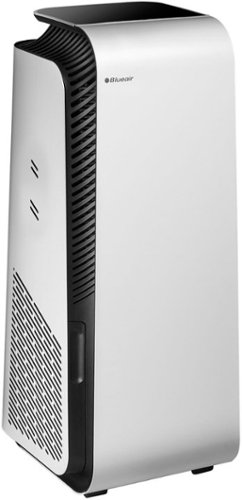
The first thing to consider for indoor air quality products like these is understanding the difference between air purifiers and air cleaners. Air cleaners remove particle and pollutants from from the air but do not inactivate/kill pathogens whereas air purifiers both clean the air and sanitize the air using some type of additional function (UV lights, electricity etc.) The Blueair - HealthProtect 7470i falls under the air purifier category. Let’s take a look at the setup , features, functions , strengths and weaknesses:
Setup –
Scan the QR code, download the app and connect the air purifier. I’ve seen a few reviews that people had some difficulty with setting up, but I had none. The whole process only took a few minutes.
Scan the QR code, download the app and connect the air purifier. I’ve seen a few reviews that people had some difficulty with setting up, but I had none. The whole process only took a few minutes.
App –
The app is everything in control and sensors. It tells you temperature, humidity and pollutants. You can control fan speed, automatic control and you can even turn off the LED panel ( great feature if you have the air purifier in a bedroom.)
I did run into in terms of integration. The Blueair - HealthProtect 7470i is advertised to work with both Alexa and Google Assistant. No matter what I tried, there was no option for in the Blue Air app nor in the Google Home app. After going back and forth with BlueAir customer service team, I requested it to be escalated because I could not get answer to the problem. Finally, it was determined there is a problem in the US with integrating with the Google Assistant.
The app is everything in control and sensors. It tells you temperature, humidity and pollutants. You can control fan speed, automatic control and you can even turn off the LED panel ( great feature if you have the air purifier in a bedroom.)
I did run into in terms of integration. The Blueair - HealthProtect 7470i is advertised to work with both Alexa and Google Assistant. No matter what I tried, there was no option for in the Blue Air app nor in the Google Home app. After going back and forth with BlueAir customer service team, I requested it to be escalated because I could not get answer to the problem. Finally, it was determined there is a problem in the US with integrating with the Google Assistant.
Air changes –
Filters the air at a rate of about 5 changes an hour in a 418 ft² room. This is important measure, pollutants can enter the air from a myriad of sources and time frames. The higher the exchange the better.
Filters the air at a rate of about 5 changes an hour in a 418 ft² room. This is important measure, pollutants can enter the air from a myriad of sources and time frames. The higher the exchange the better.
Air purification –
Although it is impossible for a user to measure this, Blueair claims to “remove 99.97% of viruses and bacteria,³ dust, pollen, dander and mold,⁴ and traps VOC and odors. Once caught in the filter, this unique technology then kills 99%⁵ of germs.” What I can say is the wedge design of the air filter and overall filter quality looks like it should do a good job. The wedge design gives it a larger surface area in small area. I ran the unit for approximately two weeks and took the filter out and shook it over white paper. While my apartment is very clean and I do run other air purifiers, the Blueair removed a decent amount of particles based on what dropped on the paper.
Although it is impossible for a user to measure this, Blueair claims to “remove 99.97% of viruses and bacteria,³ dust, pollen, dander and mold,⁴ and traps VOC and odors. Once caught in the filter, this unique technology then kills 99%⁵ of germs.” What I can say is the wedge design of the air filter and overall filter quality looks like it should do a good job. The wedge design gives it a larger surface area in small area. I ran the unit for approximately two weeks and took the filter out and shook it over white paper. While my apartment is very clean and I do run other air purifiers, the Blueair removed a decent amount of particles based on what dropped on the paper.
Sound –
Very, very quiet. The decibel rating is 25 DB to 53 DB. To give you a reference point, 53 DB is about the same level as normal conversation and 25 DB is a whisper. Now there are a lot of factors that come into determine the overall sound - how far away are you, the room structure, what is the octave band of the sound etc. Trust me, it is quiet.
Very, very quiet. The decibel rating is 25 DB to 53 DB. To give you a reference point, 53 DB is about the same level as normal conversation and 25 DB is a whisper. Now there are a lot of factors that come into determine the overall sound - how far away are you, the room structure, what is the octave band of the sound etc. Trust me, it is quiet.
In summary, I like the Blueair - HealthProtect 7470i. It is well built and feature rich. It is not as industrial looking at some of the other Blueair products (I think some of them look dated.) I have seen some complaints that it is large. That is a matter of perspective, it is bit taller than average (27 inches) but only has a 1 foot by 1 foot. It fit easier than the Levoit it replaced. It should be noted that there is a lot of marketing leeway on what a purifier actually does. This only cleans the air stream that is going into the unit. It is not going to do anything for germs that someone is breathing out that is near you (unless you strap the air cleaner to your face. ) The 7470i is a bit on the expensive side at $640 but the quality is definitely there and in line with the better air purifiers.
The Blueair - HealthProtect 7470i comes in at 4 out of 5 stars. It could have been 5 stars if the price was a bit lower and erroneous advertisement of that it works with the Google Assistant. Regardless, I recommend this air purifier for quality, sound and function.
Mobile Submission: False
I would recommend this to a friend!
Share this review:


0points
0of 0voted this as helpful.

Get organized fast with the WorkForce ES-400 II duplex desktop document scanner. This reliable, easy-to-use performer speeds through scans up to 35 ppm/70 ipm1, capturing both sides of each sheet in one pass. Its 50-sheet Auto Document Feeder allows you to breeze through stacks of documents of varying sizes. Intuitive Epson ScanSmart Software2 means you can easily preview, email and upload your scans. The included TWAIN driver ensures compatibility with most document management software. Scan to cloud storage accounts2 or searchable PDFs. Color and image adjustment features such as auto crop, dirt detection, staple protection and paper-skew correction help ensure remarkable image quality, whatever the scan.
Customer Rating
4
Good bang for the buck and Epson precision.
on January 27, 2021
Posted by: TechnicallyCorrect
from Farmingdale, NY
If you have a need for document scanning, you cannot go wrong with sheet fed scanner. In fact, once you start using a sheet fed documents scanner, you will not want to go back to a flatbed scanner. This holds true of the Epson WorkForce ES-400 II. It takes up far less space than a flatbed ( this is only 11 inches by 7 inches) and offers greater performance than most , if not all, flatbeds in the same price range. If you look at the specifications, you will see it can scan 35 PPM (pages per minute) of 70 IPM (images per minute.) The IPM reflects that the ES-400 II scans both sides of the document at the same time. To be honest, the scanner is so fast that it seems even faster. I have a Fujitsu from 10 years ago and it was one of the best at the time, the Epson WorkForce ES-400 II blows it away. Let’s take a look at basics -
Installation :
First, read the instructions. I didn’t and just plugged it in. It looked like the scanner installed but it could not find the drivers. The instructions clearly state you need to download the software first so I uninstalled the scanner and followed the instructions. No issues after that, it was up and running in 5 minutes.
First, read the instructions. I didn’t and just plugged it in. It looked like the scanner installed but it could not find the drivers. The instructions clearly state you need to download the software first so I uninstalled the scanner and followed the instructions. No issues after that, it was up and running in 5 minutes.
Features :
Auto document feeder, easy to use controls, includes USB cable, solid weight and good fit and finish.
Auto document feeder, easy to use controls, includes USB cable, solid weight and good fit and finish.
Performance :
As I stated this scanner is really fast. I think anything over 30 PPM is not noticeable for everyday use. The paper did jam once because the paper was folded at one time. The jam is easily accessible through the front of the unit. The WorkForce ES-400 II is also relatively quiet.
As I stated this scanner is really fast. I think anything over 30 PPM is not noticeable for everyday use. The paper did jam once because the paper was folded at one time. The jam is easily accessible through the front of the unit. The WorkForce ES-400 II is also relatively quiet.
Software –
The Epson SmartScan software is adequate and does the job. You can scan directly to the full Microsoft Office suite as well as Dropbox and other services. For some reason , I could never get the scan directly email to work no matter what I tried ( I am using the current version of Outlook.)
The Epson SmartScan software is adequate and does the job. You can scan directly to the full Microsoft Office suite as well as Dropbox and other services. For some reason , I could never get the scan directly email to work no matter what I tried ( I am using the current version of Outlook.)
In conclusion, I really like the scanner. At first I was disappointed that it was not the upgraded wireless version but I quickly found that wireless really is not necessary for my needs. For the savings, I would stick with the USB version. Overall, I really like the WorkForce ES-400 II. It does what it says and the price is right. It will be bargain when it goes on sale. It does take a knock because I could not get it to scan directly to Outlook. I realize that is probably a configuration error but there is really nothing I could find in Epson support to figure out what the issue is. I do have other scanners that work fine with Outlook. Regardless, that is minor since it automatically saves the file and I can easily attach it to an email.
Recommend – good bang for the buck and Epson precision.
Mobile Submission: False
I would recommend this to a friend!
Share this review:


+1point
1of 1voted this as helpful.
The Brydge 12.3 Pro+ wireless keyboard with touchpad matches the quality and functionality of the Surface Pro 4,5,6, and 7 seamlessly. Designed to meet the standards set by Microsoft, the Brydge 12.3 Pro+ features a precision touchpad, adjustable viewing angles and 3-level backlit keys, bringing a laptop-like experience to your Surface Pro.
Customer Rating
4
Another great Brydge product.
on December 27, 2020
Posted by: TechnicallyCorrect
from Farmingdale, NY
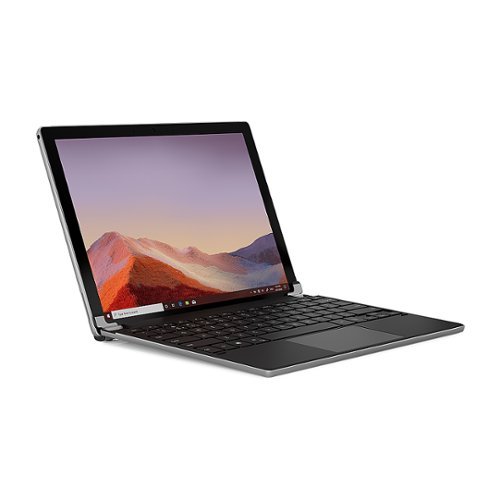
This is 5th Brydge keyboard I have owned, the 3rd iteration for the Surface Pro 4. All the Brydge products have been top notch – good quality, well thought out and ergonomic. However, the latest version Brydge - 12.3 Pro+ wireless keyboard does take a step back from the prior version in a few areas (and some steps forward.) First, it is a good keyboard. Far better than the OEM Surface Pro keyboard. What I like about the all the Brydge keyboards, the tactile feel and experience of the keys. In this latest version, the keys are even better, albeit slightly, than the prior version. Travel is good with the keys offering just the right resistance. One of the problems with OEM keyboards is the total lack of resistance and limited key travel – something you will find is not an issue with the Brydge Pro keyboards. The biggest improvement was the large track pad, far larger than prior versions. I do find it a far easier to use and the pad seems more responsive. So far, these are all positives and I mentioned earlier that this keyboard is a step back. Two things that really stand out as steps back compared to prior Brydge Pro keyboards – the hinge and partial plastic construction. There is nothing wrong with plastic, it is strong and lightweight. The prior version I have is all aluminum. It is heavier and thicker but I find it more premium looking and a bit more stable as I am typing ( less flex.) The hinge, while still good, seems less robust and smaller than prior versions. I did not have any issues but I can see some differences and the older version was a tighter fit.
So , the all important question of would I recommend the current version of the Brydge - 12.3 Pro+ wireless keyboard? Absolutely. It is a great keyboard. The track pad is great and the keys give a much better experience than the OEM keys. I would have liked for Brydge to stick with the all-aluminum contruction of the prior version but if I had to buy latest keyboard for my Surface, it would be this one.
So , the all important question of would I recommend the current version of the Brydge - 12.3 Pro+ wireless keyboard? Absolutely. It is a great keyboard. The track pad is great and the keys give a much better experience than the OEM keys. I would have liked for Brydge to stick with the all-aluminum contruction of the prior version but if I had to buy latest keyboard for my Surface, it would be this one.
Mobile Submission: False
I would recommend this to a friend!
Share this review:


0points
0of 0voted this as helpful.
TechnicallyCorrect's Review Comments
TechnicallyCorrect has not submitted comments on any reviews.
TechnicallyCorrect's Questions
TechnicallyCorrect has not submitted any questions.
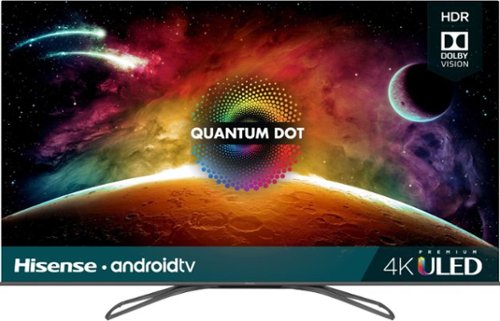
Access multiple streaming apps with this Hisense 4K smart TV. The FALD display supports HDR imaging for vivid colors and excellent brightness. Connect multiple devices simultaneously using the four HDMI ports, and access the USB 2.0 and USB 3.0 ports to support storage device access. This Hisense 4K smart TV features Wi-Fi, Bluetooth and Ethernet connectivity for increased versatility.
The specs say the tv with stand is 11.1 in. deep. I would like to put the tv on a fireplace mantle that is only 10 in. deep. Any chance the TV would still be stable if the stand overhung the end of the mantle by 1 in.?
No, I think the stand will be unstable. I measured between the two grommets on the stand legs and they are 10 1/4 inches. I think 10 in mantle would cause the TV to have a very good chance of tipping over.
7 years, 1 month ago
by
TechnicallyCorrect

Pump up the volume with these Sony wireless on-ear headphones. Advanced drivers produce clear high-fidelity audio, while the EXTRA BASS feature helps you feel the beat by enhancing low-end frequencies. A 30-hour battery life keeps the music coming. With a lightweight construction and soft swiveling earcups, these Sony wireless on-ear headphones keep you comfortable while you listen.
Does it come with an actual headphone cord or is it just Bluetooth
The headset is completely wireless out of the box with Bluetooth and NFC. However, it does a 3.5 mm jack for an input.
7 years, 4 months ago
by
TechnicallyCorrect
Keep your files in one place with this 2.5-inch Samsung 2TB internal solid-state drive. Boasting read speeds of up to 550MB/sec., this solid-state drive improves system performance by reducing startup and file loading times. This Samsung internal solid-state drive accommodates large numbers of files and programs with its 2TB capacity.
Can this drive be used in a Lenovo Yoga 910 80VF?
This drive should not be used with the Yoga 910. The Yoga 910 has a 512GB PCIe SSD. While it has smaller capacity than Samsung - 860 QVO 2TB, the PCIe SSD is much faster .
7 years, 6 months ago
by
TechnicallyCorrect

Dive right in and do something amazing with your photos. Auto-generated photo and video slideshows and collages are created just for you and delivered upon launch. Get up and running quickly with the new home screen - see what's new since your last version, discover fun things to try, and get inspiring ideas, help, and tutorials. Effortlessly organize, edit, and create thanks to photo and video automation powered by Adobe Sensei AI technology. Try artistic techniques and effects with 73 step-by-step guided edits. Easily make movies in the redesigned Quick Edit mode. And share your favorite memories in everything from fun memes and animated GIFs to printed artwork and full-length movies.
How any licenses does this have?
This is a single user license, it is tied to your user id and password.
7 years, 11 months ago
by
TechnicallyCorrect
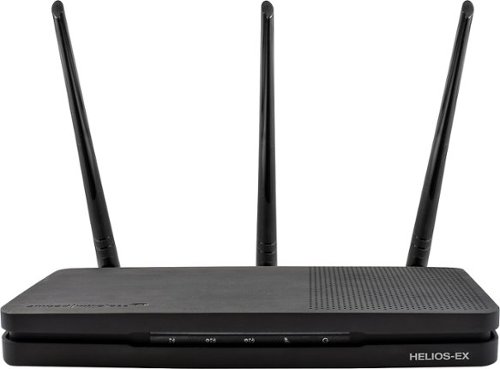
Add stability to your home network with the Amped Wireless HELIOS-EX Wi-Fi Extender. With DirectLink technology, it avoids signal loss by adding another 5GHz Wi-Fi channel to the standard setup, which it then uses strictly for receiving signal from the source. This Amped Wireless HELIOS-EX Wi-Fi Extender covers an area of up to 12,000 sq. ft. and includes four Gigabit network ports.
Can it use the same SSID as my TWC modem?
You can use the same SSID as an existing modem or router. However, you should make sure that you have the correct security in place.
9 years, 5 months ago
by
TechnicallyCorrect
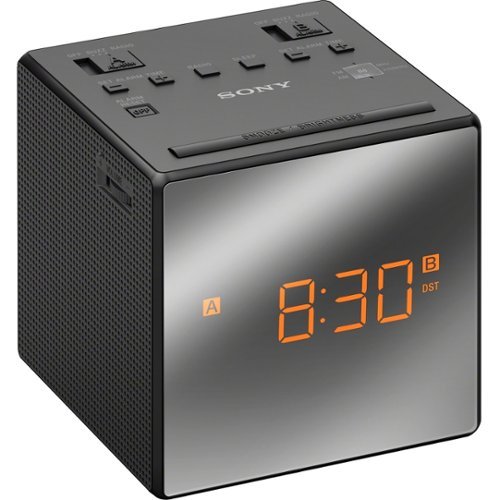
Wake up in the morning to this Sony ICFC1TBLACK AM/FM dual-alarm clock radio that features a gradual wake alarm to gently bring you out of sleep. The large, easy-to-read LCD ensures you can view the time in a variety of lighting environments.
Can I connect an AUX cable to this?
Wake up in the morning to this Sony ICFC1TBLACK AM/FM dual-alarm clock radio that features a gradual wake alarm to gently bring you out of sleep. The large, easy-to-read LCD ensures you can view the time in a variety of lighting environments.
My Sony clock radio is randomly going off in the middle of the night. I have it set at 5:30am. Why is it doing this?
You probably have the second alarm set by accident .
9 years, 10 months ago
by
TechnicallyCorrect
Wake up in the morning to this Sony ICFC1TBLACK AM/FM dual-alarm clock radio that features a gradual wake alarm to gently bring you out of sleep. The large, easy-to-read LCD ensures you can view the time in a variety of lighting environments.
Just had a power failure - the screen went dark. But when the power came back - the time was accurate and alarm times were still set. Is that normal for the display to go away even with with battery backup?
Yes. Displays take a lot of energy so the battery is not intended to power the display.
9 years, 10 months ago
by
TechnicallyCorrect
Wake up in the morning to this Sony ICFC1TBLACK AM/FM dual-alarm clock radio that features a gradual wake alarm to gently bring you out of sleep. The large, easy-to-read LCD ensures you can view the time in a variety of lighting environments.
Does the alarm work on the battery backup?
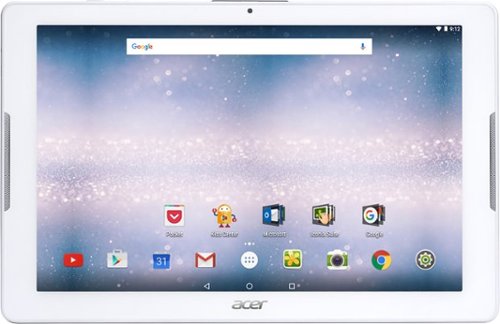
Browse the internet or play your favorite apps on this Acer tablet. It runs on an Android operating system and is powered by a quad-core 64-bit processor for full functionality. Google Mobile Services and Microsoft Office Suite are preloaded on this Acer tablet for out-of-the-box work or play capabilities, and DTS-HD Premium Sound lets you enjoy videos.
Does it have an office program like Word, Excel and Powerpoint?
Yes, the Acer Iconia One 10 does have the Microsoft Office Suite - Word, Excel and Powerpoint.
9 years, 10 months ago
by
TechnicallyCorrect