


TechnicallyCorrect's stats
- Review count230
- Helpfulness votes808
- First reviewFebruary 13, 2015
- Last reviewSeptember 7, 2026
- Featured reviews0
- Average rating3.5
Reviews comments
- Review comment count0
- Helpfulness votes0
- First review commentNone
- Last review commentNone
- Featured review comments0
Questions
- Question count0
- Helpfulness votes0
- First questionNone
- Last questionNone
- Featured questions0
- Answer count20
- Helpfulness votes23
- First answerDecember 2, 2016
- Last answerJune 1, 2021
- Featured answers0
- Best answers2

Cut the competition down to size and dazzle them all with the Razer Cobra Pro~a wireless gaming mouse powered by Razer Chroma RGB. Featuring Razer HyperSpeed Wireless and 11 individually programmable lighting zones, color your play with an illuminating level of freedom and immersion.
Customer Rating

4
Great quality, RGB madness ruins it.
on August 15, 2023
Posted by: TechnicallyCorrect
I’ve owned many Razor products; some are hits and some are misses. The Razer Cobra Pro is a bit of both. The Razor quality is there but it just falls short in a few key areas. In review:
Design and build quality –
Build quality is top notch as expected for a mouse in this high price range. The symmetrical shape is my preferred shape for mice; I’ve always hated the large overly complex mice with a myriad of buttons. The Razor Cobra Pro has 5 main buttons. Each button is responsive and requires just the right amount pressure. Textured rubber sides have a great feel and add to high end feel. It is heavier than some of the other Razer mice I own – a lot heavier. For me, I prefer a mouse with some heft and this weight of the Razor Cobra Pro is perfect. For others , they may not like the a back heavy mouse.
Build quality is top notch as expected for a mouse in this high price range. The symmetrical shape is my preferred shape for mice; I’ve always hated the large overly complex mice with a myriad of buttons. The Razor Cobra Pro has 5 main buttons. Each button is responsive and requires just the right amount pressure. Textured rubber sides have a great feel and add to high end feel. It is heavier than some of the other Razer mice I own – a lot heavier. For me, I prefer a mouse with some heft and this weight of the Razor Cobra Pro is perfect. For others , they may not like the a back heavy mouse.
RGB -
I hate it , enough of RGB . 11 independently customizable RGB zones, all designed to ruin battery life. I am so sick of companies catering to 12-year-olds. Razer – WE DO NOT CARE ABOUT RGB LIGHTS ON A MOUSE. It does nothing but suck battery life. Case in point, the Razer Cobra Pro is supposed to get 100 hours of use via the Hypespeed. With the RGB light on, I was less than 30 hours. There are a lot of things that can affect the battery life but the drastic difference must be because of the light. However, I did not have time to test the 100 hour claim with the RGB lights off.
I hate it , enough of RGB . 11 independently customizable RGB zones, all designed to ruin battery life. I am so sick of companies catering to 12-year-olds. Razer – WE DO NOT CARE ABOUT RGB LIGHTS ON A MOUSE. It does nothing but suck battery life. Case in point, the Razer Cobra Pro is supposed to get 100 hours of use via the Hypespeed. With the RGB light on, I was less than 30 hours. There are a lot of things that can affect the battery life but the drastic difference must be because of the light. However, I did not have time to test the 100 hour claim with the RGB lights off.
Performance –
In a word, flawless. The Razer Cobra Pro gliders easily over a mouse pad. Reactivity is spot on with no lag. Very smooth and never missed a beat. This is not really just this Razer mouse; I have found all Razer mice to be absolute perfection in basic operation.
In a word, flawless. The Razer Cobra Pro gliders easily over a mouse pad. Reactivity is spot on with no lag. Very smooth and never missed a beat. This is not really just this Razer mouse; I have found all Razer mice to be absolute perfection in basic operation.
In conclusion, there are no glaring flaws in design and performance for the Razer Cobra Pro. I do think the heavy weight might be an issue for some but not for me. The RGB is severely overdone and it is way overpriced. It is nice that is is dock capable but not included. Buying the dock will add almost 60% to the total buy price. If the dock is something you really want, look to the bundle of the Cobra Pro with the dock. I am not quite sure who the target customer is for the Razer Cobra Pro, there is no reason to upgrade if you already own a Razer mouse and the Razor Deathadder is only a bit more money. I would still recommend it, it is a great mouse . Hopefully, you will find it on sale and then it will be a slam dunk.
.
.
I would recommend this to a friend!
Share this review:


0points
0of 0voted this as helpful.
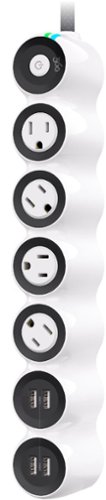
The new PowerCurve24 makes work-from-anywhere easy. Four USB-A ports and four surge-protected, patented, rotating AC outlets make everywhere you work more productive. A premium, double-woven, nylon-jacketed 5~ cord puts power right where you need it.
Customer Rating
4
Great for tabletops and every day charging.
on June 29, 2023
Posted by: TechnicallyCorrect
There usually is not much to say about a power strip with a surge suppressor, they are pretty much the same old same old. Does the 360 Electrical PowerCurve24 change that? In a word, no – but it does have some unique design features that make stand out. The standout unique feature is the rotating outlets that the 360 Electrical brand is famous for. Each of the four outlets rotates with a positive “ratcheting” feel that locks the outlet into place. The mechanism works well and far better than some of the competition and gives you the flexibility of moving bulky transformer power cord heads out of the way. The Powercurve24 offers 4 USB outlets for a total of 24V charging. The max output of 1 USB outlet is limited to 12 watts; far too low for today’s fast charging phones. My phone’s wireless charging is 15 watts, and my wired charger is 45 watts. I know 360 Electrical was trying to keep the price down since this is their entry level strip but I think the next model up (the PowerCurve77) would be better for most people if they were looking for a strip that can be used for fast charging. It is over twice the price so may prefer the PowerCurve24 and just use the charger that came with their phone or tablet. The 1080 joule rating is not very high so I would not use this for any type of expensive computers or electronics. Most of the surge suppressor I own are well over 2000 joules with several topping out over 5000 joules. Many manufacturers play with the meaning of joule rating so you should not take the joule rating to be the end all. Most professionals will recommend a well-built surge suppressor with 2000 joule and over for the more sensitive electronic equipment. Hover, I do not think that 360 Electrical is trying to target a power strip for high end equipment (even though they give “$100,000” in protection.) The entire PowerCurve series is designed to provide an ergonomic alternative for power strips in an attractive package. It is also includes “Charge Sense” that is supposed to “intelligently distribute power between ports while charging “ and “EMI/RFI Power Filtration that provides clean, noise-free power for connected video and audio devices.” I will have to take their word for it; I would have to break out the oscilloscope and meters to truly test that. In terms of build quality, the body is above average but a bit lighter than I would expect ( not usually a good sign for power strips.) The cord is very heavy duty and the plug is a slim line designed to take up minimal space.
So, after a relatively favorable review, would I buy PowerCurve24? Probably not but not for any reason you would first think of. I do like the design a lot, but I would spend the extra money on the model above it. Not everyone would want to spend nearly twice as much so this is a matter of preference. Regardless, I would still recommend the PowerCurve24 for most users.
I would recommend this to a friend!
Share this review:


0points
0of 0voted this as helpful.
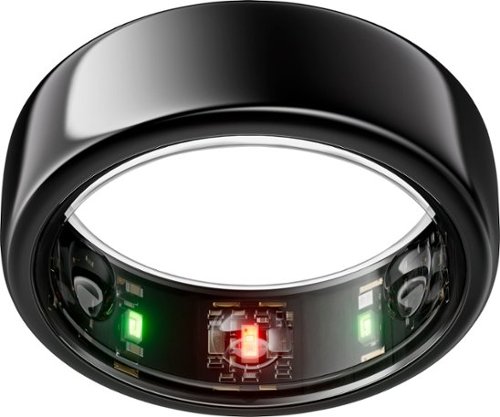
The Oura Ring Gen3 and the Oura Membership ($5.99/mo plus tax) work hand-in-hand to help you feel your best. Monitor your sleep, activity levels, temperature, stress, heart rate, and more with the most trusted Smart Ring. Whether you~re focusing on your fitness or want to improve your sleep, Oura helps you take control of your health ~ in style.
Customer Rating

1
The best device you should NEVER buy.
on June 26, 2023
Posted by: TechnicallyCorrect
The best device you should never buy.
First, to be perfectly clear - DO NOT BUY THIS PRODUCT. I will go into the details at the end of this review why, but I will first go over features, functions and benefits of the Oura Ring 3 sans the deal breaker. I’ve been using the Oura Ring Gen3 for almost 3 weeks now and it is nothing short of amazing. The Oura Ring has multiple temperature sensors, a green LED heart rate sensor, an accelerometer and a SpO2 sensor to record blood oxygen levels. All of in a sleek, attractive little package. It’s too bad that I cannot recommend it, in fact I would steer clear of it altogether. Before we get to the reason why, let’s get into the specifics about the ring.
Set up –
This was interesting. The first thing you need to do is to check your ring size before you buy. Oura has a kit that has different plastic ring sizes. You pick what fits best, then go to Oura’s website to pick your ring. When the ring arrived, it fit exactly as I expected. The rest is a standard set up - charge the ring, download the app and follow the instructions. I was up and running in 30 minutes (it was charged full in 25 minutes.) A note on the charging, Oura uses a proprietary charging stand that matches the size to the ring. If you need a replacement, it is costly and is listed on Oura’s website. There are no other options.
Build quality –
There are various colors to choose from and I picked the silver color. I was impressed with the outstanding initial fit and finish. It looks like a decent piece of jewelry. I have only been using it for 3 weeks so I cannot speak to how well it holds up but it appears to be solid. I do see a possibility of the surface being scratched from everyday wear and tear so keep that in mind. Oura literally tells you that will happen on their website. The ring is water resistant to 100 meters. Most people will not be disappointed by the look and feel but I can see some people with smaller hands being turned off by the extra bulk. For me, it was not an issue.
Battery life –
At first, I was concerned. In one day, it went from a 100% charge to only 60%. A far cry from the week that is listed in Oura’s specifications. After that it lost about 10 to 15% per day . I charged it back up and it easily lasted a week on a full charge. I think it uses more battery initially when it is learning your patterns or something similar because the battery life is definitely on par with the specifications.
App and functions –
Well since a ring has no screen, everything is controlled through the app. There is a tremendous amount of data in the app.
Heart beat monitor:
Finicky and inconsistent at first. Too often ii would read in the high 50’s for me when I had multiple other devices that were showing in the 70’s. It seemed to even out over time but every once in a while, it will show in the 50’s when I am definitely not that low. Be sure your ring is sized properly, and you are not moving for it to take any semblance of an accurate reading.
Set up –
This was interesting. The first thing you need to do is to check your ring size before you buy. Oura has a kit that has different plastic ring sizes. You pick what fits best, then go to Oura’s website to pick your ring. When the ring arrived, it fit exactly as I expected. The rest is a standard set up - charge the ring, download the app and follow the instructions. I was up and running in 30 minutes (it was charged full in 25 minutes.) A note on the charging, Oura uses a proprietary charging stand that matches the size to the ring. If you need a replacement, it is costly and is listed on Oura’s website. There are no other options.
Build quality –
There are various colors to choose from and I picked the silver color. I was impressed with the outstanding initial fit and finish. It looks like a decent piece of jewelry. I have only been using it for 3 weeks so I cannot speak to how well it holds up but it appears to be solid. I do see a possibility of the surface being scratched from everyday wear and tear so keep that in mind. Oura literally tells you that will happen on their website. The ring is water resistant to 100 meters. Most people will not be disappointed by the look and feel but I can see some people with smaller hands being turned off by the extra bulk. For me, it was not an issue.
Battery life –
At first, I was concerned. In one day, it went from a 100% charge to only 60%. A far cry from the week that is listed in Oura’s specifications. After that it lost about 10 to 15% per day . I charged it back up and it easily lasted a week on a full charge. I think it uses more battery initially when it is learning your patterns or something similar because the battery life is definitely on par with the specifications.
App and functions –
Well since a ring has no screen, everything is controlled through the app. There is a tremendous amount of data in the app.
Heart beat monitor:
Finicky and inconsistent at first. Too often ii would read in the high 50’s for me when I had multiple other devices that were showing in the 70’s. It seemed to even out over time but every once in a while, it will show in the 50’s when I am definitely not that low. Be sure your ring is sized properly, and you are not moving for it to take any semblance of an accurate reading.
Movement/activity count:
This function is the least robust in the Oura Ring. I found it to be way off compared to both a simple fitness tracker and smart watch. For example, one day it has walking 1.1 miles and 2365 steps. My smartwatch had over 4 miles and 10,000+ steps. I knew that the smart watch was so much closer because of the level of activity I had that day.
This function is the least robust in the Oura Ring. I found it to be way off compared to both a simple fitness tracker and smart watch. For example, one day it has walking 1.1 miles and 2365 steps. My smartwatch had over 4 miles and 10,000+ steps. I knew that the smart watch was so much closer because of the level of activity I had that day.
Sleep and recovery tracking –
These functions are the gem of the whole Oura ecosystem. It is simply amazing. It will tell you your total sleep, sleep efficiency, restfulness, REM sleep, deep sleep and more. It was surprising dead on. I am a terrible sleeper; some nights are awful. The days that I felt the worse were reflected by equally bad sleep data; particularly deep sleep. The ring nailed it every time. The question is how helpful the data it. I know the reasons why my sleep is bad , the ring is just confirming my crappy sleep habits.
These functions are the gem of the whole Oura ecosystem. It is simply amazing. It will tell you your total sleep, sleep efficiency, restfulness, REM sleep, deep sleep and more. It was surprising dead on. I am a terrible sleeper; some nights are awful. The days that I felt the worse were reflected by equally bad sleep data; particularly deep sleep. The ring nailed it every time. The question is how helpful the data it. I know the reasons why my sleep is bad , the ring is just confirming my crappy sleep habits.
Blood 02 sensor-
During your sleep cycle, it will keep track of your average blood oxygen. The ring tended to be 1% lower than a very high end pulse oximeter I have ( it costs more than the Oura itself) but it is totally acceptable. I would not consider this function a medical grade device but it will give you a good reading on what your breathing is during your sleep cycle.
During your sleep cycle, it will keep track of your average blood oxygen. The ring tended to be 1% lower than a very high end pulse oximeter I have ( it costs more than the Oura itself) but it is totally acceptable. I would not consider this function a medical grade device but it will give you a good reading on what your breathing is during your sleep cycle.
Google Fit and Health Connect integration –
The Oura offers the ability to sync your data with a number of third-party apps. The Google Fit and Health Connect by Android integration are available for Oura members with an active membership, using Android devices. Remember the words “active membership” – it comes into play later.
The Oura offers the ability to sync your data with a number of third-party apps. The Google Fit and Health Connect by Android integration are available for Oura members with an active membership, using Android devices. Remember the words “active membership” – it comes into play later.
Guided meditation and learning videos –
I was hesitant to even mention this function because I am not a big fan of it. However, I know a lot of people are and I can see the benefits. In the section called “Explore,“ There are several guided meditations of varying life. They seem well thought out, but it is not for me. In this same section of the app there is learning videos that tell you about some of the metrics the Oura keep track of.
I was hesitant to even mention this function because I am not a big fan of it. However, I know a lot of people are and I can see the benefits. In the section called “Explore,“ There are several guided meditations of varying life. They seem well thought out, but it is not for me. In this same section of the app there is learning videos that tell you about some of the metrics the Oura keep track of.
So, this seems like a pretty good review so far, right? Well, as I alluded to earlier, this is where is quickly goes downhill – the subscription. About a week into using the device, the app starts to warn you that your subscription is about to expire. I did not think much of it at first, but the warnings kept on coming so I started to delve into it further. Nearly all the great functions you see above are lost if you do not have a subscription. Best Buy will not let me list the exact cost of the subscription. That is shame because that is where this really falls apart. Suffice it to say, it is expensive. If you add your total cost over a 3-year period is nearing the price of a top line gaming system. You can buy an excellent smart watch for a lot less and that does more. Even worse, I personally feel that Oura does not make this very clear intentionally. Even Bestbuy’s details do not clearly spell out all that you lose (I doubt that Bestbuy even knows the level of how much you lose, they are just publishing PIM data from the manufacturer.) If you compared this to the functions you get for the life of the Gen 2 ring , you would be shocked on how much you lose if you do not pay for a subscription to Oura. Here is what Oura states in the FAQ section of their website –
“Without a membership, the Oura Ring Gen3 can be used only with limited functionality. You’ll be to see your three daily Oura scores, ring battery, basic profile information, app settings, Apple Health and Google Fit integrations, and the Explore Tab. Without membership, you cannot access the Oura API, but you can still download all of your personal data through Oura on the Web.”
Now keep in mind that I had to dig into their website to find this. I would ask you to go to the Oura main website and look yourself, I bet that most you will not be able to find it unless you Google search “ can I use my Oura without a membership.” Regardless, this tells you are only going to get your three daily scores and some basic ring information – that is it. Are you kidding me? Ridiculous.
This is a terrible business model and is borderline dishonest. Oura, if you are reading these reviews, you are ruining your reputation. You handicap your products functionality and make it unclear how much. This is what killed the Amazon Halo and it is going to hurt your business.
With that said, I cannot recommend this product due to it basically being a shiny toy that serves no purpose with an exorbitant subscription. Perhaps I will hang it in my bird cage for my bird to peck at every once in a while, because this is worthless to me. For those still considering buying, I would encourage you to search on Youtube for in depth long term reviews and subscription – it will be eye opening.
Oura – this is so disappointing, and you should be ashamed of yourselves.
“Without a membership, the Oura Ring Gen3 can be used only with limited functionality. You’ll be to see your three daily Oura scores, ring battery, basic profile information, app settings, Apple Health and Google Fit integrations, and the Explore Tab. Without membership, you cannot access the Oura API, but you can still download all of your personal data through Oura on the Web.”
Now keep in mind that I had to dig into their website to find this. I would ask you to go to the Oura main website and look yourself, I bet that most you will not be able to find it unless you Google search “ can I use my Oura without a membership.” Regardless, this tells you are only going to get your three daily scores and some basic ring information – that is it. Are you kidding me? Ridiculous.
This is a terrible business model and is borderline dishonest. Oura, if you are reading these reviews, you are ruining your reputation. You handicap your products functionality and make it unclear how much. This is what killed the Amazon Halo and it is going to hurt your business.
With that said, I cannot recommend this product due to it basically being a shiny toy that serves no purpose with an exorbitant subscription. Perhaps I will hang it in my bird cage for my bird to peck at every once in a while, because this is worthless to me. For those still considering buying, I would encourage you to search on Youtube for in depth long term reviews and subscription – it will be eye opening.
Oura – this is so disappointing, and you should be ashamed of yourselves.
No, I would not recommend this to a friend.
Share this review:


+15points
23of 31voted this as helpful.
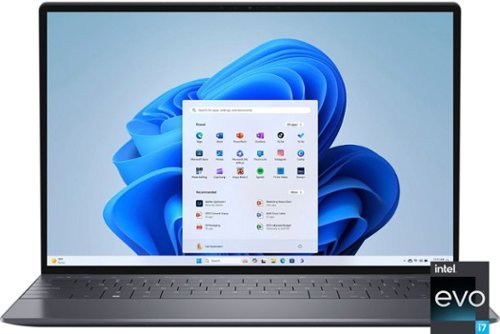
Bring ideas to life with our most powerful 13-inch XPS laptop, built with the latest processors and featuring innovative, modern design.
Customer Rating
4
Almost great , needs a bigger battery .
on June 25, 2023
Posted by: TechnicallyCorrect
I have owned Dell laptops for over 20 years, boy have they come a long way. Gone is the chunky design with large bezels and horrendous battery life. The Dell XPS 13 Plus 13.4" OLED is a slim, well refined laptop with a gorgeous, decently bright OLED screen. It is the pinnacle of all Dell has learned about making laptops; albeit not perfect as a result of pushing the design. I am not going to go into the detailed specs, there are plenty of reviews for that. What’s important is how it performs and how does it look. Let’s take a look at all the important categories:
Display -
4k, 400 nits and OLED? There are only a few laptops of this size with comparable numbers. Colors pop off the screen and HDR movies look fantastic. With only a tiny bezel, the screen has a lot of realistic. Could it be a bit brighter? Sure, but at the cost of battery life.
4k, 400 nits and OLED? There are only a few laptops of this size with comparable numbers. Colors pop off the screen and HDR movies look fantastic. With only a tiny bezel, the screen has a lot of realistic. Could it be a bit brighter? Sure, but at the cost of battery life.
Design and build –
A solid, well refined design build. Nearly all metal with perfect fit and finish. It is only .6 inches thick at its deepest point – very thin. I do get concerned about fl,ex on very thin laptops with OLED screens but that is not a problem. There is no flex – literally. This is one solid laptop.
A solid, well refined design build. Nearly all metal with perfect fit and finish. It is only .6 inches thick at its deepest point – very thin. I do get concerned about fl,ex on very thin laptops with OLED screens but that is not a problem. There is no flex – literally. This is one solid laptop.
Keyboard and touchpad –
I am usually not a fan on most keyboards on 13-inch laptop keyboards, but the XPS 13 Plus has an interesting design. The FN keys are gone and replaced with a touch bar. I know, I know – it usually not great when a company does this ( hello Apple,) but it definitely works for Dell. It looks like it enabled additional space to put a 3 / 4 keyboard with full size keys. The typing experience is excellent – just the right amount of tactile feedback with perfect key spacing.
The touch pad might be another matter for some people. You are either going to love it or hate it. Dell decided to make the touch pad large but there are no lines to where it starts and ends. I found myself miss clicking or not hitting the touch pad in the correct place. It does have gesture capabilities and unique ways of clicking ( such as right click can be accomplished by tapping with two fingers.) It does take some time to get used to and I can see it be a turn off for some. It is not a deal breaker, but I would have liked something a bit more traditional.
I am usually not a fan on most keyboards on 13-inch laptop keyboards, but the XPS 13 Plus has an interesting design. The FN keys are gone and replaced with a touch bar. I know, I know – it usually not great when a company does this ( hello Apple,) but it definitely works for Dell. It looks like it enabled additional space to put a 3 / 4 keyboard with full size keys. The typing experience is excellent – just the right amount of tactile feedback with perfect key spacing.
The touch pad might be another matter for some people. You are either going to love it or hate it. Dell decided to make the touch pad large but there are no lines to where it starts and ends. I found myself miss clicking or not hitting the touch pad in the correct place. It does have gesture capabilities and unique ways of clicking ( such as right click can be accomplished by tapping with two fingers.) It does take some time to get used to and I can see it be a turn off for some. It is not a deal breaker, but I would have liked something a bit more traditional.
Speakers –
The speakers are what you would expect from a laptop in this price range. Crisp, clean with no discernable distortion. It could be a bit louder; Apple does have an advantage in this category. Regardless, perfectly capable in most environments.
The speakers are what you would expect from a laptop in this price range. Crisp, clean with no discernable distortion. It could be a bit louder; Apple does have an advantage in this category. Regardless, perfectly capable in most environments.
Connectivity and camera –
A bit disappointing for both. The video cam is 720P at 30 FPS, 10-year-old technology. For this price range, I would expect 1080P at 60 FPS. To compound things, the laptop has only two Thunderbolt 4 ports. Since you also charge from this port, it basically leaves only one to work with while charging. I know most manufacturers are moving to this minimalistic design but I think a third port would have been much better.
A bit disappointing for both. The video cam is 720P at 30 FPS, 10-year-old technology. For this price range, I would expect 1080P at 60 FPS. To compound things, the laptop has only two Thunderbolt 4 ports. Since you also charge from this port, it basically leaves only one to work with while charging. I know most manufacturers are moving to this minimalistic design but I think a third port would have been much better.
Performance –
Since this Dell does not have a dedicated video card , this is not a laptop for gaming. However, it does have the latest i7 chipset, a whopping 32 gb of ram and blazing 1TB SSD. There is nothing from a productivity standpoint that you can overtax this laptop. Web pages and apps open and close nearly instantaneously. I tested the system with some rather complex spreadsheets and there were no slowdowns. Very powerful.
Since this Dell does not have a dedicated video card , this is not a laptop for gaming. However, it does have the latest i7 chipset, a whopping 32 gb of ram and blazing 1TB SSD. There is nothing from a productivity standpoint that you can overtax this laptop. Web pages and apps open and close nearly instantaneously. I tested the system with some rather complex spreadsheets and there were no slowdowns. Very powerful.
Battery life –
Middle of the road. I got about 8 hours of mixed use. Perfectly usable, but I expected a bit more. Most of the competition in this price range does a bit better.
Middle of the road. I got about 8 hours of mixed use. Perfectly usable, but I expected a bit more. Most of the competition in this price range does a bit better.
In conclusion, the Dell XPS 13 Plus 13.4" OLED Touch Laptop is a great little machine. It hits most of the key points. The only negatives besides what I mentioned above is the laptop does get a bit hot after prolonged heavy use. Not blazing, but enough to notice. For me, it does not really bother me. However, that level of heat makes me wonder about the long-term durability. That is concerning since the warranty is a paltry 1 year. I wish Dell would separate themselves from the pack and start including 3 year warrantees. If they feel their product is so good, they should back it accordingly. Regardless, if you are in the market for sleek Windows laptop, you cannot go wrong with the XPS.
I would recommend this to a friend!
Share this review:


0points
0of 0voted this as helpful.
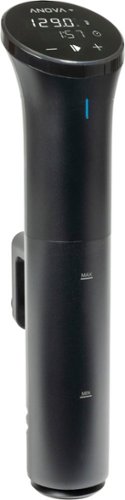
Intro-level price. Pro-level results. For food nerds, by food nerds. Our most compact cooker is still huge on results. This latest iteration of our entry-level sous vide circulator adds key improvements as requested by food nerds, for an even sweeter deal on perfect meals.
Customer Rating
4
Anova is king - everyone else is a distant second.
on May 1, 2023
Posted by: TechnicallyCorrect
Anova - Precision Cooker Nano 3.0
Let me start out that I love Anova products. They work exactly as advertised and offer great quality at an affordable price. The Precision Cooker Nano 3.0 does not disappoint and continues that tradition in most facets. That is not to say there are some shortcomings compared to some of its big brothers. In review:
Construction, fit and finish –
The first thing you notice is that it is small - very small. Hence the name “Nano.” It is the smallest and lighter cooker in the Anova line up. It is about 1 inch smaller in every dimension and nearly half the weight compared to the Cooker Pro (of which I own two.) That makes this only 12.8 inches tall and weighs only 1.54 lbs. The display is clear but it is on the smallish side compared to some other models. Those with large fingers may not find it as usable. However, this is not overly important since it is app controlled as well ( which I only use on all the Anova cookers.) The Nano 3.0 is made of sleek black plastic with a tight fit and finish. I do prefer the Pro design that uses a lot of metal.
Set up and the app-
You have a choice to operate the unit with or without the app. If you are in a hurry , you can remove the protective plastic , put it in a water filled pot and plug it in. You will be up and running in a few minutes. Of course, the Nano 3.0 is designed to work best with the app. Simply download the app, create an account and connect to the Nano 3.0. The app immediately identifies the Nano when you reach the connecting phase, very simple. After connecting, the app will probably tell you there is new firmware for the unit. It only takes about 2 minutes to update and then you are up and running. From there, you can choose to set the temperature and time based on a recipe or choose from the multitude of guides and recipes. When you choose a guide for a meat, it will show you various pictures for doneness and take you through the steps. While you can choose to not use the app, there is whole another world when you do. The app is well thought out with an easy-to-use UI.
The first thing you notice is that it is small - very small. Hence the name “Nano.” It is the smallest and lighter cooker in the Anova line up. It is about 1 inch smaller in every dimension and nearly half the weight compared to the Cooker Pro (of which I own two.) That makes this only 12.8 inches tall and weighs only 1.54 lbs. The display is clear but it is on the smallish side compared to some other models. Those with large fingers may not find it as usable. However, this is not overly important since it is app controlled as well ( which I only use on all the Anova cookers.) The Nano 3.0 is made of sleek black plastic with a tight fit and finish. I do prefer the Pro design that uses a lot of metal.
Set up and the app-
You have a choice to operate the unit with or without the app. If you are in a hurry , you can remove the protective plastic , put it in a water filled pot and plug it in. You will be up and running in a few minutes. Of course, the Nano 3.0 is designed to work best with the app. Simply download the app, create an account and connect to the Nano 3.0. The app immediately identifies the Nano when you reach the connecting phase, very simple. After connecting, the app will probably tell you there is new firmware for the unit. It only takes about 2 minutes to update and then you are up and running. From there, you can choose to set the temperature and time based on a recipe or choose from the multitude of guides and recipes. When you choose a guide for a meat, it will show you various pictures for doneness and take you through the steps. While you can choose to not use the app, there is whole another world when you do. The app is well thought out with an easy-to-use UI.
Performance –
I tested the Nano 3.0 cooking chicken cutlets that were vacuumed sealed with seasoning a small amount of broth. Anova makes an affordable great vacuum sealer that is perfect to use with the Nano. I set the timer on an hour at 150 degrees. The first thing the app and the Nano told me is that I did not have enough water in the pot. I knew that as I was already adding more water to pot. It is a nice safety feature. The first thing I noticed is that it did take considerably longer than my Anova Cooker Pro did to heat up water – like a lot longer. I probably used a larger pot that I had to ( 12 quarts,) but it is also because the Nano 3.0 is 850 watts as opposed to the 1200 watts I am used it. The Nano 3.0 also did not circulate the water as fast as the larger Anova units. However, it did maintain temperature just as well – barely fluctuating by .1 degrees are so. Impressive for such a small unit. In the end, it took about 1 hour and 20 minutes to cook the chicken including the time it took to reach the temperature set point. You can check the app along the way and it will alert you once the cooking cycle is complete. The chicken came out exactly as intended – juicy, tender and not stringy.
I tested the Nano 3.0 cooking chicken cutlets that were vacuumed sealed with seasoning a small amount of broth. Anova makes an affordable great vacuum sealer that is perfect to use with the Nano. I set the timer on an hour at 150 degrees. The first thing the app and the Nano told me is that I did not have enough water in the pot. I knew that as I was already adding more water to pot. It is a nice safety feature. The first thing I noticed is that it did take considerably longer than my Anova Cooker Pro did to heat up water – like a lot longer. I probably used a larger pot that I had to ( 12 quarts,) but it is also because the Nano 3.0 is 850 watts as opposed to the 1200 watts I am used it. The Nano 3.0 also did not circulate the water as fast as the larger Anova units. However, it did maintain temperature just as well – barely fluctuating by .1 degrees are so. Impressive for such a small unit. In the end, it took about 1 hour and 20 minutes to cook the chicken including the time it took to reach the temperature set point. You can check the app along the way and it will alert you once the cooking cycle is complete. The chicken came out exactly as intended – juicy, tender and not stringy.
In conclusion, the Anova Nano 3.0 does not disappoint. The unit does exactly as advertised; albeit slower than I like. The Nano 3.0 is designed for smaller meals and perfect for one two people. I can see it falling short for larger items or larger batches of foods. If you look at the specifications, it shows it has a flow rate of 7 liters a minute whereas the Anova Pro Cooker has 12 liters a minute. That is a big difference and could impact the evenness. However, that probably will not matter for most people who are only cooking for two. Another big difference is the price. The Nano 3.0’s regular price is nearly 25% less than the top of the line Anova and well within line of other competitors. Overall, I think this is one best values you can get and will be an unbelievable deal if you find it on sale. Putting the Anova cookers aside , I’d like to point out how great the app is. It is simply the best on the market and the main reason I love the Anova Cookers. If this is first try in the sous vide world, I highly recommend the Nano 3.0. If you are a bit more experienced or cooking larger meals, look to some of the Anova Pro units. Bottom line, you cannot go wrong with Anova.
I would recommend this to a friend!
Share this review:


+1point
1of 1voted this as helpful.
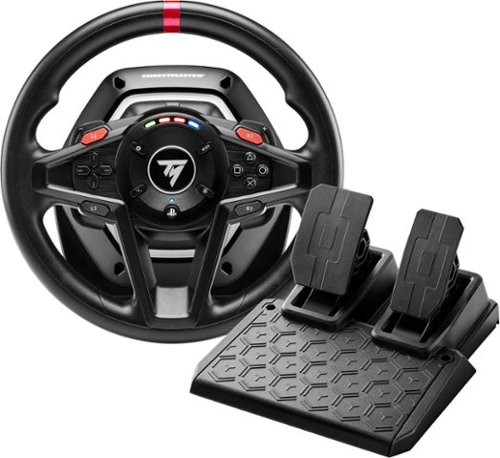
Get your first feel of racing thrills with this Thrustmaster T128 Racing Wheel for PlayStation 4/5 and PC. Optimized Force Feedback system with a lightweight wheel rim renders fun, intuitive racing sensations in different types of vehicle-oriented games. Precise T-MP magnetic paddle shifters gives you clear activation feel. Gear up for your next racing adventure with this T128 Racing Wheel!
Customer Rating

2
Too many pitfalls - only for beginners
on April 25, 2023
Posted by: TechnicallyCorrect
I have never been much of a fan of gaming wheels. I have found that most I like were way too expensive and affordably priced ones were just not good. As a result, the standard controller worked just fine for me. Unfortunately, the Thrustmaster 128 does not change my position. If anything, it reinforces it. In review:
Build quality and ergonomics –
Well, the best way to describe is it just feels cheap. Everything is hard plastic . The pedals are very lightweight, and you can easily move them around by accident. I had to put them against the edge of heavy box and even then, they just would not stay in place. I also found the pedals too close together. The steering wheel itself is hard plastic and uncomfortable, they could have at least put some type of soft touch plastic. It is also too small for my liking. The clamping mechanism works well and keeps the wheel in place on a table. The button arrangement is well thought out and spaced out relatively well for the size of the unit. I would have liked a bit more space between the buttons on the right side, but I think most people will find it decent. The paddle shifters behind the wheel have just the right amount of tightness and spring back into position solidly.
Well, the best way to describe is it just feels cheap. Everything is hard plastic . The pedals are very lightweight, and you can easily move them around by accident. I had to put them against the edge of heavy box and even then, they just would not stay in place. I also found the pedals too close together. The steering wheel itself is hard plastic and uncomfortable, they could have at least put some type of soft touch plastic. It is also too small for my liking. The clamping mechanism works well and keeps the wheel in place on a table. The button arrangement is well thought out and spaced out relatively well for the size of the unit. I would have liked a bit more space between the buttons on the right side, but I think most people will find it decent. The paddle shifters behind the wheel have just the right amount of tightness and spring back into position solidly.
Feel and performance –
The wheel had some decent haptic feedback and offers resistance in turning of the wheel depending on the conditions of the game. I tested the Thrustmaster T128 on Gran Turismo and WRC and you can actually feel the differences on the type of road you are on ; especially if you go off road. If another car collides with your vehicle, you can feel it in the wheel and in some cases; lose control a bit. The wheel itself lets you turn more than a complete circle giving the feel of a true car. As I mentioned earlier, the pedals are a disappointment. I simply could not get them to stay in place for the desk arrangement and floor I have. It really ruined the experience for me.
The wheel had some decent haptic feedback and offers resistance in turning of the wheel depending on the conditions of the game. I tested the Thrustmaster T128 on Gran Turismo and WRC and you can actually feel the differences on the type of road you are on ; especially if you go off road. If another car collides with your vehicle, you can feel it in the wheel and in some cases; lose control a bit. The wheel itself lets you turn more than a complete circle giving the feel of a true car. As I mentioned earlier, the pedals are a disappointment. I simply could not get them to stay in place for the desk arrangement and floor I have. It really ruined the experience for me.
I realize this is on the low end of scale for racing wheel but there are just too many pitfalls for me. I guess if you are an early teen or younger, this might be a decent starter wheel. If Thrustmaster fixed the issue of the pedals, I would rethink my position since most of the other functionality is good for the money. But for now, I cannot recommend Thrustmaster 128 for most people.
No, I would not recommend this to a friend.
Share this review:


+1point
1of 1voted this as helpful.
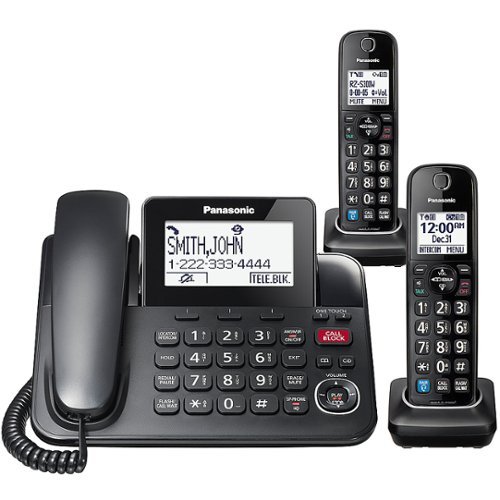
KX-TGF892B corded telephone lets you enjoy all the benefits of landline-level clarity with incredible wireless freedom! Pair up to 4 of your favorite Bluetooth headphones, earbuds, or lightweight headsets with this phone to take calls or meetings hands-free and multitask, relax, or move easily around the home. Two cordless handset is included.
Customer Rating

5
Panasonic phones are simply the best.
on April 16, 2023
Posted by: TechnicallyCorrect
I have been buying Panasonic cordless phones for almost 35 years and I can say they have always been great. The KX-TGF892B continues that tradition and earns top marks in every category. In review:
Features –
Like almost every top line home phone, the KX-TGF892B has all the features - speaker phone, caller ID, intercom, transfer, Bluetooth etc. However, there are three stand out features – the Automated Call Block, One-Ring Scam Alert and 1-touch Call Block Button. While it is impossible to tell how well these features were working , I can say I did not receive any scam calls. The point is that these features are a comprehensive system to minimize scam calls.
Performance –
In a word – perfect. The sound was loud and clear in the head set and the speaker phone. The screens are large and easy to read. At first, I was not sure I would like a basic black and gray screen since my current Panasonic had a large color screen. It turns out a simpler backlit black and gray screen is better. A minor complaint is the screen, while wider than my older Panasonic (KX-PRLA20, ) it is not as tall. That makes you scroll through more of the data when reading. One the corded handset, the screen is quite large and easily seen from across the room.
An interesting aspect of the Panasonic - KX-TGF892B is the handset is taller by ¾ inch than my Panasonic KX-PRLA20. I know that does not sound like a positive, but it turns out to make difference if the sound quality. The increased height moves the microphone on the receiver closer to your mouth. As a result, the handset seems to pick up less background sound and more of your voice.
An interesting aspect of the Panasonic - KX-TGF892B is the handset is taller by ¾ inch than my Panasonic KX-PRLA20. I know that does not sound like a positive, but it turns out to make difference if the sound quality. The increased height moves the microphone on the receiver closer to your mouth. As a result, the handset seems to pick up less background sound and more of your voice.
Build quality –
The overall design and build quality has not changed much over the years. I’ve only been using the KX-TGF892B for about a week so I can attest to its long term durability but it does feel well built. My prior Panasonic handset’s buttons had a bit better tactile feel but I doubt this will affect the long term durability.
Cons -
The only downside I can see with the KX-TGF892B is the 17-minute recording time for the answering machine. The competition has longer time and I would prefer to have something longer
In conclusion, Panasonic phones are virtually unimprovable and have no discernable flaws. There is really no innovation or stand out features that Panasonic can come up with to improve their phones anymore. Therein lies a problem, Panasonic has an increasing share of a shrinking market with great devices that one day will not have much of a place in the world. I hope that does not lead to Panasonic phones disappearing one day, they are really the best. If I were them, I would concentrate on a merging of technologies of their IP cameras with VOIP/landline phones. Keep up the good job Panasonic
I would recommend this to a friend!
Share this review:


0points
0of 0voted this as helpful.

The Philips Norelco OneBlade 360 is a revolutionary new electric grooming technology designed for men who wear facial styles, beards, or stubble. Its dual- protection system, a glide coating combined with rounded tips, makes shaving easier and comfortable. Its shaving technology features a fast-moving cutter (12000x per min) so it's efficient, even on longer hairs. The innovative 360 Blade can flex in all directions to adjust to the curves of your face. The design enables constant skin contact and control. Easily trim and shave hard~to~reach areas, with fewer strokes and greater comfort. Create precise edges with the dual-sided blade. You can shave in either direction to get great visibility and see every hair that you're cutting. Line up your style in seconds! OneBlade doesn't shave as close as traditional blade - so your skin stays comfortable. Unique 5-in-1 open comb design provides an efficient trim without clogging and interrupting your routine, even on long and thick hair. OneBlade is fully waterproof, so it is easy to clean. Just rinse it under the tap. You can shave wet or dry, even in the shower. No shaving foam needed. Stainless steel blade lasts up to 4 months of use** to keep that fresh feel. An eject icon will appear on the blade when it's time to consider changing the blade for the best shaving experience.
Customer Rating
2
Better options out there for the same price
on February 15, 2023
Posted by: TechnicallyCorrect
I have mixed feelings for the Philips Norelco OneBlade 360, most of which puts me in the minority based on the reviews I have seen. On the surface, the OneBlade is high on features and low on cost. How it performs is another matter. For me, I found it only useful for touch up work around the ear and side burns. I could see the same for those who have a beard. When using the blade, it feels like is could cut or pinch you but that did not happen to me on flat skin. For other areas of the body, I would watch out . Trust me, you fill in the blanks… With that said, let’s look at the pros and cons .
Pros
Long battery life. The battery lasted longer than the 45 minutes than advertised.
Lightweight.
Main body is (not including head and attachment mechanism) built surprisingly well.
Small size is good for finishing work.
Inexpensive initial cost.
Waterproof.
Cons –
You have to make several passes over the same area to remove all the hair.
Where the blade attaches is very flimsy and probably will not hold up.
Awkward feeling during use.
Blade life is questionable, replacement blades can add up fast.
The trim length attachment is nearly useless. Difficult to use and cheap.
I used the Philips Norelco OneBlade 360 for a week and it is just not for me. I am not sure what the demographic is for the OneBlade 360 and what is purpose. The reason I say that is there are far better trimmers made by Philips that do a superior job in everyway and cost nearly the same. The only advantage the OneBlade 360 has is when you are doing very fine detail work. Sorry Philips, you make great products ( which I own) and this is one I do not like.
No, I would not recommend this to a friend.
Share this review:


0points
0of 0voted this as helpful.
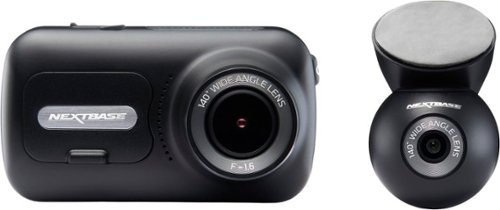
The Nextbase 320XR and Rear Window Camera is the ideal solution for all-around protection on the roads in full HD quality. The front cam captures every detail in 1080p full HD at 30fps, with the aid of a 140~ wide viewing angle. It utilizes the latest 2.5" screen with IPS technology for easy menu selection and playback. The 320XR uses the exclusive Click&Go PRO mount with integrated neodymium magnetic power connectors for easy installation and removal using just one hand. The 320XR Rear Window Camera connects to your front facing Dash Cam via a supplied 6.5m cable. It fits directly to your rear window with an easy to install self-adhesive pad. The magnetic, adjustable fixture means that it's suitable for angled windows in cars or more vertical van windows. The Rear Window Camera records in full 1080p HD with a wide 140 degree viewing angle to guard against everything from hit-and-run impacts to knocks and bumps in a car park. The 320XR also includes Intelligent Parking, which automatically starts recording when motion is detected, keeping your car safe when parked. For this feature, we recommend hardwiring in the Dash Cam using the Nextbase Hardwire Kit. Footage must be played back on a PC/Mac using Mynextbase Player or online using the free MyNextbase Cloud service (minimum requirements: Windows 10/OSX 10.9). The 320XR is not Bluetooth, and will NOT sync directly with the MyNextbase cell phone application.
Customer Rating

3
Great on paper, short on performance.
on December 12, 2022
Posted by: TechnicallyCorrect
The Nextbase 320XR Dash Camera is an entry tier product in the Nextbase line up. On paper, it looks like you get a lot of important features for very little money 1080P, 140 degree field of vision, front and rear cams etc. However, there are shortcomings in performance that are not for everyone. In review :
Installation –
The mounting system is semi-permanent with an adhesive mount that magnetically locks the cams. Very solid and secure – far more preferable than the suction mount systems. It took less than 15 minutes to install the system.
The mounting system is semi-permanent with an adhesive mount that magnetically locks the cams. Very solid and secure – far more preferable than the suction mount systems. It took less than 15 minutes to install the system.
Features –
I am not going to go into the nitty gritty details of features, you can see that in specs . In summary, the Nextbase 320XR is very barebones. No Wi-Fi, no Bluetooth, no GPS, no voice control. For the price point, it is no the end of the world but I did miss Wi-Fi of some of the other units I have tried.
I am not going to go into the nitty gritty details of features, you can see that in specs . In summary, the Nextbase 320XR is very barebones. No Wi-Fi, no Bluetooth, no GPS, no voice control. For the price point, it is no the end of the world but I did miss Wi-Fi of some of the other units I have tried.
Performance –
In a word – disappointing. During a bright day the video capture appears decent at first. Colors do pop and appear rich. However, you start to notice that the fine details are not there. Street signs are tough to see and license plates at 4 car lengths are hard to see at all. When the light drops a bit, licenses become very difficult to see. At nighttime, forget about seeing writing on anything.
In a word – disappointing. During a bright day the video capture appears decent at first. Colors do pop and appear rich. However, you start to notice that the fine details are not there. Street signs are tough to see and license plates at 4 car lengths are hard to see at all. When the light drops a bit, licenses become very difficult to see. At nighttime, forget about seeing writing on anything.
Screen –
The screen is a both a pro and con depending on your preference. The screen is of the non-touch variety. While that is a bummer for a lot of people, I did not find myself missing it . I have reviewed several dash cams with screens about the size of the Nextbase 320XR and found those units with a touch screen to be difficult to use. There is something to be aid for tactile buttons for a screen that is half the size of your phone. In terms of screen performance, it is middle of the road – not terribly bright and colors are a bit washed out.
The screen is a both a pro and con depending on your preference. The screen is of the non-touch variety. While that is a bummer for a lot of people, I did not find myself missing it . I have reviewed several dash cams with screens about the size of the Nextbase 320XR and found those units with a touch screen to be difficult to use. There is something to be aid for tactile buttons for a screen that is half the size of your phone. In terms of screen performance, it is middle of the road – not terribly bright and colors are a bit washed out.
Build quality –
As with all Nextbase, the fit and finish of the 320XR is excellent. Far better than I would expect in this price range. It reminds me a mid tier camera.
As with all Nextbase, the fit and finish of the 320XR is excellent. Far better than I would expect in this price range. It reminds me a mid tier camera.
Even thought I would rate this this product at 3 starts, I just cannot recommend it. The detail performance is just too poor – anything with letters is barely readable. Low light performance in general is subpar. I could not find what image sensor the 320XR uses but I would guess it uses that same old Sony that is 5 years old or more than far too many dash cam companies use on their lower tier products. Not all is lost on the 320XR, if you catch on sale at Bestbuy and are on a budget, it may be for you.
No, I would not recommend this to a friend.
Share this review:


-1point
0of 1voted this as helpful.
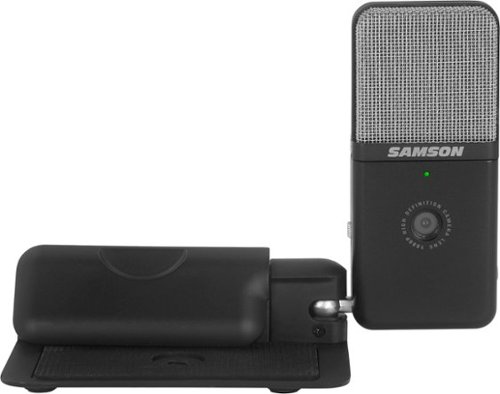
Create media from any location that both looks and sounds professional with Go Mic Video. The portable condenser microphone of Samson~s innovative Go Mic is paired with a crisp and clear Full HD 1080p/30fps webcam to create the ultimate solution for anyone looking to make high quality digital recordings. Perfect for live streams, podcasts, video conferencing or working from home, Go Mic Video can be quickly set up and configured to ensure your presentations make the most impact with your audience.
Customer Rating
4
Good upgrade for laptop.
on December 5, 2022
Posted by: TechnicallyCorrect
When I first received the Samson - Go Mic Video, I thought what the point was. My laptops are only a few years old with my work laptop only a few months old. The video and audio quality is decent. However, the Samson Go Mic Video proved had inadequate the built in cams and mics are. In review:
Build quality and design –
The Go Mic Video is well made and solid. The main body is plastic and the base is metal. It is designed to clip onto a laptop screen or a standard monitor. There are thick rubber pads on the clipping mechanism to prevent damage to anything you may clip it on. It is smart design that lets you clip either on the top or the side of a screen. The clamping mechanism is surprisingly strong, weak hands may have trouble opening it. Do not want to clip it on a screen? Samson has it covers – the base can also be used as a free-standing video cam. There is a 3.5mm headphone connector in the side of device. Light weight and a compact design that I really like.
The Go Mic Video is well made and solid. The main body is plastic and the base is metal. It is designed to clip onto a laptop screen or a standard monitor. There are thick rubber pads on the clipping mechanism to prevent damage to anything you may clip it on. It is smart design that lets you clip either on the top or the side of a screen. The clamping mechanism is surprisingly strong, weak hands may have trouble opening it. Do not want to clip it on a screen? Samson has it covers – the base can also be used as a free-standing video cam. There is a 3.5mm headphone connector in the side of device. Light weight and a compact design that I really like.
Set up –
Plug in and go. No special software. I used it on two laptops - a 4-year-old LG Gram and new Surface Pro 7. There were no issues whatsoever. I did read some a review that stated they had a problem with the Surface Pro but that was not my experience.
Plug in and go. No special software. I used it on two laptops - a 4-year-old LG Gram and new Surface Pro 7. There were no issues whatsoever. I did read some a review that stated they had a problem with the Surface Pro but that was not my experience.
Video quality –
Excellent and noticeably better than my Surface Pro 7 and LG Gram. Using both Zoom and Teams, I switched back and forth between the built-in camera and Go Mic Video. You will immediately notice a less grainy, richer picture on the Samson. There is little to no latency and colors are decent ( although not as a good as a cell phone video cam.)
Excellent and noticeably better than my Surface Pro 7 and LG Gram. Using both Zoom and Teams, I switched back and forth between the built-in camera and Go Mic Video. You will immediately notice a less grainy, richer picture on the Samson. There is little to no latency and colors are decent ( although not as a good as a cell phone video cam.)
Mic audio quality –
The mic sounds excellent and does a great job of capturing rich vocals while minimizing background noise. There is switch on the side of the mic that makes a huge difference in sound clarity. The switch allows user to choose a cardioid or omni pattern. Since I was using it for Team and Zoom meetings here I am the only person in the room, I chose the cardioid . That significantly cut down on the mic picking up unnecessary background sound.
The mic sounds excellent and does a great job of capturing rich vocals while minimizing background noise. There is switch on the side of the mic that makes a huge difference in sound clarity. The switch allows user to choose a cardioid or omni pattern. Since I was using it for Team and Zoom meetings here I am the only person in the room, I chose the cardioid . That significantly cut down on the mic picking up unnecessary background sound.
There is a lot of thought and quality in the Samson Go Mic Video. For a bargain price, you get a perfectly competent video cam and mic that is great for today’s video conferencing. There is not much not to like but there is some room for improvement. I would put a power button on the unit rather than relying on unplugging the unit to shut it down. The colors could be richer and makes me wonder if the Samson Go Mic Video would benefit with some software tuning. Other than that, this is a great product with a solid 2 year warranty. .
I would recommend this to a friend!
Share this review:


0points
0of 0voted this as helpful.
TechnicallyCorrect's Review Comments
TechnicallyCorrect has not submitted comments on any reviews.
TechnicallyCorrect's Questions
TechnicallyCorrect has not submitted any questions.
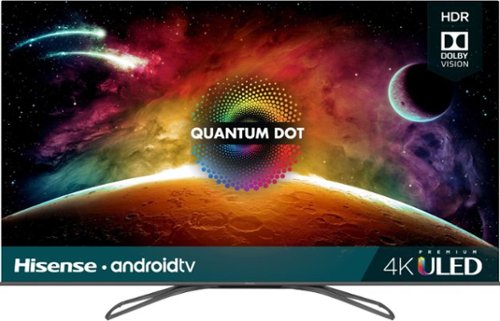
Access multiple streaming apps with this Hisense 4K smart TV. The FALD display supports HDR imaging for vivid colors and excellent brightness. Connect multiple devices simultaneously using the four HDMI ports, and access the USB 2.0 and USB 3.0 ports to support storage device access. This Hisense 4K smart TV features Wi-Fi, Bluetooth and Ethernet connectivity for increased versatility.
The specs say the tv with stand is 11.1 in. deep. I would like to put the tv on a fireplace mantle that is only 10 in. deep. Any chance the TV would still be stable if the stand overhung the end of the mantle by 1 in.?
No, I think the stand will be unstable. I measured between the two grommets on the stand legs and they are 10 1/4 inches. I think 10 in mantle would cause the TV to have a very good chance of tipping over.
7 years, 1 month ago
by
TechnicallyCorrect

Pump up the volume with these Sony wireless on-ear headphones. Advanced drivers produce clear high-fidelity audio, while the EXTRA BASS feature helps you feel the beat by enhancing low-end frequencies. A 30-hour battery life keeps the music coming. With a lightweight construction and soft swiveling earcups, these Sony wireless on-ear headphones keep you comfortable while you listen.
Does it come with an actual headphone cord or is it just Bluetooth
The headset is completely wireless out of the box with Bluetooth and NFC. However, it does a 3.5 mm jack for an input.
7 years, 4 months ago
by
TechnicallyCorrect
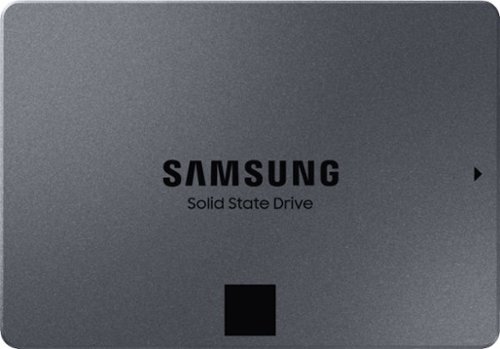
Keep your files in one place with this 2.5-inch Samsung 2TB internal solid-state drive. Boasting read speeds of up to 550MB/sec., this solid-state drive improves system performance by reducing startup and file loading times. This Samsung internal solid-state drive accommodates large numbers of files and programs with its 2TB capacity.
Can this drive be used in a Lenovo Yoga 910 80VF?
This drive should not be used with the Yoga 910. The Yoga 910 has a 512GB PCIe SSD. While it has smaller capacity than Samsung - 860 QVO 2TB, the PCIe SSD is much faster .
7 years, 6 months ago
by
TechnicallyCorrect

Dive right in and do something amazing with your photos. Auto-generated photo and video slideshows and collages are created just for you and delivered upon launch. Get up and running quickly with the new home screen - see what's new since your last version, discover fun things to try, and get inspiring ideas, help, and tutorials. Effortlessly organize, edit, and create thanks to photo and video automation powered by Adobe Sensei AI technology. Try artistic techniques and effects with 73 step-by-step guided edits. Easily make movies in the redesigned Quick Edit mode. And share your favorite memories in everything from fun memes and animated GIFs to printed artwork and full-length movies.
How any licenses does this have?
This is a single user license, it is tied to your user id and password.
7 years, 11 months ago
by
TechnicallyCorrect
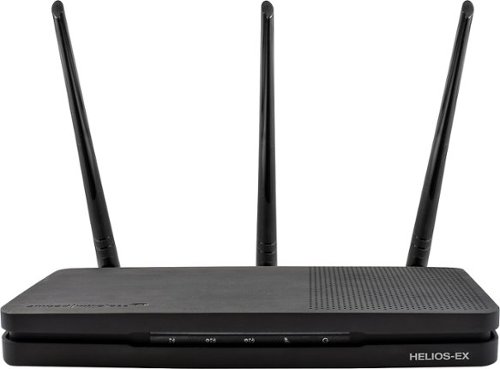
Add stability to your home network with the Amped Wireless HELIOS-EX Wi-Fi Extender. With DirectLink technology, it avoids signal loss by adding another 5GHz Wi-Fi channel to the standard setup, which it then uses strictly for receiving signal from the source. This Amped Wireless HELIOS-EX Wi-Fi Extender covers an area of up to 12,000 sq. ft. and includes four Gigabit network ports.
Can it use the same SSID as my TWC modem?
You can use the same SSID as an existing modem or router. However, you should make sure that you have the correct security in place.
9 years, 5 months ago
by
TechnicallyCorrect
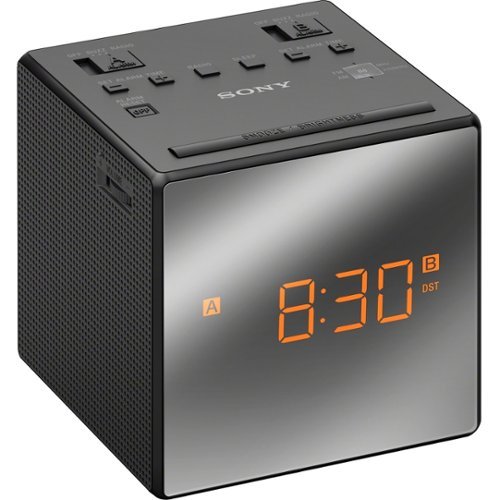
Wake up in the morning to this Sony ICFC1TBLACK AM/FM dual-alarm clock radio that features a gradual wake alarm to gently bring you out of sleep. The large, easy-to-read LCD ensures you can view the time in a variety of lighting environments.
Can I connect an AUX cable to this?
Wake up in the morning to this Sony ICFC1TBLACK AM/FM dual-alarm clock radio that features a gradual wake alarm to gently bring you out of sleep. The large, easy-to-read LCD ensures you can view the time in a variety of lighting environments.
My Sony clock radio is randomly going off in the middle of the night. I have it set at 5:30am. Why is it doing this?
You probably have the second alarm set by accident .
9 years, 10 months ago
by
TechnicallyCorrect
Wake up in the morning to this Sony ICFC1TBLACK AM/FM dual-alarm clock radio that features a gradual wake alarm to gently bring you out of sleep. The large, easy-to-read LCD ensures you can view the time in a variety of lighting environments.
Just had a power failure - the screen went dark. But when the power came back - the time was accurate and alarm times were still set. Is that normal for the display to go away even with with battery backup?
Yes. Displays take a lot of energy so the battery is not intended to power the display.
9 years, 10 months ago
by
TechnicallyCorrect
Wake up in the morning to this Sony ICFC1TBLACK AM/FM dual-alarm clock radio that features a gradual wake alarm to gently bring you out of sleep. The large, easy-to-read LCD ensures you can view the time in a variety of lighting environments.
Does the alarm work on the battery backup?
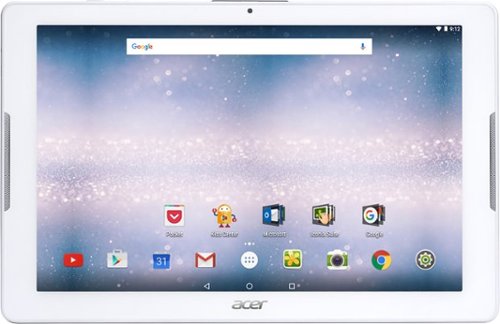
Browse the internet or play your favorite apps on this Acer tablet. It runs on an Android operating system and is powered by a quad-core 64-bit processor for full functionality. Google Mobile Services and Microsoft Office Suite are preloaded on this Acer tablet for out-of-the-box work or play capabilities, and DTS-HD Premium Sound lets you enjoy videos.
Does it have an office program like Word, Excel and Powerpoint?
Yes, the Acer Iconia One 10 does have the Microsoft Office Suite - Word, Excel and Powerpoint.
9 years, 10 months ago
by
TechnicallyCorrect