


banjo's stats
- Review count146
- Helpfulness votes649
- First reviewJuly 12, 2016
- Last reviewSeptember 7, 2026
- Featured reviews0
- Average rating4.7
- Review comment count1
- Helpfulness votes1
- First review commentDecember 21, 2016
- Last review commentDecember 21, 2016
- Featured review comments0
Questions
- Question count0
- Helpfulness votes0
- First questionNone
- Last questionNone
- Featured questions0
- Answer count16
- Helpfulness votes119
- First answerJuly 7, 2016
- Last answerFebruary 3, 2021
- Featured answers0
- Best answers6

Elevate your entertainment experience with these dark gray Jabra Elite 3 true wireless earbuds. The waterproof design withstands light splashes, while the secure fit offers lasting comfort for all-day use. These Jabra Elite 3 true wireless earbuds charge fast to save time and feature Bluetooth technology to promote hands-free use.
Customer Rating

5
Can't beat the price for the included features!
on September 2, 2021
Posted by: banjo
from macon, ga
Jabra Elite 3 Wireless Earbuds - Nice price point for the features!
I love me some wireless earbuds, so I can confidently compare these to some more expensive pairs that I keep on hand. Looks like Jabra is “renewing” its earbud product line, and these are the low end of the newer models, but at the price the E3 has a lot to offer.
Most of what I am looking for in wireless buds comes with the Jabra E3, with only a few compromises vs. the higher price points that you may want to consider.
FIT >> no matter how good, the buds must fit and stay fitted or the rest of the features don’t really matter. The E3 design has a narrower stem that goes a little deeper in the ear. This is good in some ways, as it keeps the buds in more securely and reduces outside noise. I would not say “bad” but you want to consider this if you like to use your buds for hours at a time. Me, I have no problem but could see someone with “sensitive” ear canals being uncomfortable with the deeper fit. There are no “wings” to keep the buds in like in a sport or workout set, but they stay in well for me and I can walk, run, or fall asleep while listening and they stay in nicely.
SOUND >> can’t complain and there are better sounding buds for twice or thrice the price, but these sound good and maybe a little soft on the mid-range but there are several sound profiles to choose on the phone app and Jabra has advertised more selections to come. Honestly I have tried switching profiles while listening to several different kinds of music and there is not an extreme difference, but there is enough of a difference in the pre-sets to play around with them and find one that sounds best to you. If you are a picky high-end audiophile, why are you shopping this price point? You know better.
BATTERY >> run time is not an issue with the E3, and the “quick charge” feature really does pump up the batteries a LOT in just a few minutes. I can pop them in the case, go walk the dog, and come back having gone from 50% to 85% in maybe 15 minutes. The case, like everyone else, carries a charge and 2 or 3 recharges on the case can be expected, depending on how low the buds are when you pop them in the case to refresh. Something new for me in earbuds is the automatic “cut off” that will shut down the buds if they don’t detect any sound for 15 minutes or so. For me, that makes me swap out these for another set when I go to sleep (listening to audio books) because they shut off when the audio book stops, and then I don’t get my alarms and “wake up” music in the morning unless I press the button to turn them back on. A small consideration and one that might not apply to your use, but thought I would mention it.
CONTROLS >> I really like the controls in the E3. They have a button control instead of touch-sensitive, which seems to work better for me and I don’t have to wonder if I tapped the bud in the correct way to make changes. I have a sport pair of buds that has buttons, but you have to push the buttons so hard it crams them into your ear – not the case with the E3 as the buttons are easy to push and have a nice “click” feel. These are the best buttons I have used.
ONE at a TIME or BOTH >> These really make it easy to use one or the other earbud, and changing from one to the other is smooth and seamless. The flow of music just pauses briefly when you take one out and put the other in and right or left side makes no difference. The “one bud” use for me is mostly when listening to podcasts or news broadcasts, so going from stereo to mono is not an issue. Also comes in handy when using navigator app when driving, as one ear gets the navigation directions and the other ear can be “aware” of surroundings.
PHONE APP >> A good phone app comes to help with equalizer adjustments, battery status, and a “locator” function if you drop a bud.
PAIRING >> No problem here, my buds are used with several desktops, several laptops, and a phone. The E3 will pair up with the “most recent” that has a signal available. If I am switching devices, then the E3 needs to be “disconnected” from the current device and “connected” to the new device. It would be nice to have a button press to disconnect and wait for another device to connect, but you can’t have it all at this price.
ANC >> Nope, not available at this price. I have several more expensive buds that have the ANC, and of course there is a difference, but the E3 buds fit very snugly so the ANC might be nice but I am not missing it that much. Higher priced models will get you the ANC, but with the E3 the price point is one of the best things about it.
HEAR-THROUGH >> a quick “one press” on the left bud will activate the “hear-through” which uses the microphones to pick up outside noise so you can hear what’s going on without taking out a bud. It works OK, but is not as finely tuned and sensitive as a more expensive pair I use. Again, a higher price gets more goodies, so nothing new about that.
DURABILITY >> again, the price point gets you water-resistant which is enough to protect from sweat during activities and waking in the rain. Don’t wear them in the shower, or wash them off in the sink. The overall build seems sturdy enough to not have to worry about dropping them on the floor. Not “military grade” indestructible, but that’s the price thing again.
RECOMMENDATION? OK my thoughts are that if you are looking for the “one that does it all” you might want to look at an upgrade (higher price) that has ANC, is totally waterproof, has the “wings” on the earpiece to keep them from ever falling out, and is “crush proof” construction. With that said, I find the E3 to have a VERY attractive price that gives you the most important features and is a perfectly comfortable, useable and durable set of buds. Since I love me some wireless buds, I will use them whenever I can. This calls for more than one set of buds, and I already have a few “high-ish” sets but I can honestly say these Jabra E3 buds are nice to have around for swapping out during the day, and it really makes me no never mind whether I have on the E3 buds, or another pair that is 2 or 3 times the price. There is really not that much of a difference other than having a totally waterproof set of buds with ANC. Other than that, they are pretty much the same, and at half to third of the price – the Jabra E3 buds are a sweet deal!
Stay Safe from Central Georgia!
Mobile Submission: False
I would recommend this to a friend!
Share this review:


+4points
4of 4voted this as helpful.
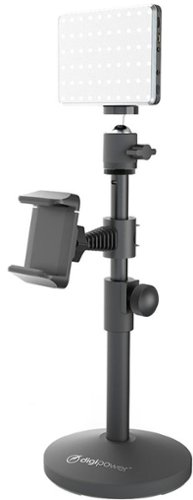
Add that professional touch to your video calls with this set which features a 60 LED light that illuminates your videos and helps you shine on social media. True to its name, the achiever is perfect for experienced or aspiring social media bloggers, travel, working professionals and journalists.
Customer Rating
5
Excellent accessory for "pro" look at meetings...
on August 19, 2021
Posted by: banjo
from macon, ga
Digipower - The Achiever - Video Call Pro kit with 60 LED Light, Stand & Smartphone Holder – Black
OK this adds a nice touch to those TEAMs and ZOOM meetings – which is why I wanted to try it out. There are plenty of ways to customize the stand and light, and my use was to hold a webcam and provide good lighting for online meetings and recording class sessions for my students.
Best feature is the heavyweight base and sturdy clamps that stay right where you put them. Lots of adjustments are available on the shade, angle, and intensity of the light to provide the best lighting and even hide the wrinkles of the old professor a little bit. I must say that the highest settings were VERY bright, and there was no reason for my purposes to go full throttle. This helps out with the battery life, which was really the only limitation I found on the video call kit. It’s nice not to need a power cable to run the lights, since it is battery powered, but that will limit the “off the cord” time to several hours before you might need to run a charging cable to keep the light going. I have really never had that problem as meetings and class lectures don’t last “all day” (even if some of them seem to go on forever) and the light can be turned down or off when I am not recording or meeting in “face time” mode.
Even though I very seldom (or ever) use my phone to record video sessions or for online meetings, I tried my OP7T which is 6.5” screen and also a Sony Xperia 10+ which is 6.5” screen and both of these “bar” phones fit very nicely and were held firm, with full access to the power and volume buttons.
I think the best benefit of including this type of lighting when doing video calls, meetings, and recordings is the “professional” look of having a constant and adjustable light instead of having to depend on the overhead room light or the computer screen “coming and going” in brightness during the face-time video. I like to look and sound professional when doing those meetings with colleagues and students, and this adds a very nice touch. Almost makes me look like a PRO!
Overall, this is a good accessory for enhancing your online video presence, and the price is a “no brainer” when considering the build quality, durability, and flexibility of this conference lighting kit. The next step up to a “ring light” and such bring a significant increase in price, and I don’t really see the benefit unless you do online video for a living, and if that is you I expect you have already dropped a bundle on your sound and lighting. For the rest of us “wannabe’s” and rising stars… this would be a good investment to get started as an online influencer.
Stay safe from Central Georgia!
Mobile Submission: False
I would recommend this to a friend!
Share this review:


+1point
1of 1voted this as helpful.

Featuring SurroundSense and ANC, Vista 2 allows athletes to amplify ambient sounds for safety or stay focused with Active Noise Cancellation. Along with Jaybird signature fit, function, and Earthproof durability, Vista 2 creates the ultimate true wireless audio experience.
Customer Rating
5
Great improvements cover all the bases!
on July 15, 2021
Posted by: banjo
from macon, ga
Great improvement over previous model… covers all the bases!
Jaybird - Vista 2 True Wireless Noise Cancelling In-Ear Headphones - Midnight Blue
OK I love me some Bluetooth earbuds, and these are the best I have tried so far! Up until now, for active use and long-term comfort, the Jaybird RUN XT Sport were a good choice, except for a few issues with lag, ANC, and pocketability that have been totally improved upon by the Vista 2 model.
SOUND is fully customizable with the Jaybird app, and with literally hundreds of customizations available to choose from, you should be able to find the ones that are best for your listening. Phone calls are not a problem – sound coming and going seems to be as good as any I have tried. Please note there is NO LAG if you are watching video, which was a bummer to me when using the RUN XT Sport buds.
PULL-OUT STOPS PLAYBACK – this is a nice feature that might take you by surprise if you are not expecting it. If you remove one of the buds to talk to someone or for whatever reason, it will automatically pause playback on your device until you put the bud back in, then the playback resumes.
ONE BUD will work just fine if you want to keep an ear open. Pop in EITHER the right or the left bud to listen or to use for phone calls. Either one works just as well as the other. The other bud can stay in the case – and hey you can swap out the right for the left or the left for the right and double your listening time if you are in the habit of only using one bud.
FIT is excellent, with a low profile that doesn’t stick out from the ear and is comfortable even laying your head on a pillow for times of rest after exercise. The buds do not fall out when active, and can tolerate a lot of movement while keeping a secure fit.
BATTERY runs for 5 or 6 hours per charge on the buds using ANC, and longer without. The case holds a couple of additional charges with a “quick charge” that gives you another hour to finish up with only 5 or 10 minutes in the case. The buds have a magnetic connection to the charging terminals, so they pop right in and line up properly to get a charge. There are indicator lights on the case to let you know you have a secure connection for charging.
POCKETABILITY is very comfortable, with a slimmed down case that is comfortable in the pocket. There is also a pretty strong cord on the case if you want to hang them on a hook or clip, and I pop a thick band around the case just to be sure I don’t lost an earbud when using the cord instead of putting in the pocket. The case has a good magnetic closure, but I don’t want to run the risk of losing a bud so the heavy band is just to be sure I’m not worrying about it.
CONTROLS are also customizable with the app if you don’t care for the default setup. I particularly like being able to “tap tap” on the buds without having to push down on a button to switch between modes.
NOISE CANCELLING and SurroundSense both work well for me. The ANC works well, and is comparable to my headphones. Some reviews indicate that there is better ANC available on buds that are a higher price, but no surprise here and these are totally satisfactory to me. Tapping on the buds will switch from ANC ON to ANC OFF to SurroundSense. The SurroundSense is good when you want to hear what is going on around you, like when talking to someone or out on the road jogging or walking, and it seems like the ambient sounds are actually increased by the microphones. There are also settings for how much amplification you want to have using the app. I have read some reviews about wind noise with the SurroundSense when biking or running at a fast pace, but those are not my activities so no experience with this particular issue. If you don’t have earbuds in at all, and are riding or running at high speed, then your ears are going to “hear the wind” going by so maybe that’s just how it has to be?
DURABILITY is the best I have found. Waterproof – so they can be washed off to remove sweat. I have read the advertised claims of “crushproof” which is nice to know but I hope there will not be a need to see how “crushproof” these are – but accidents happen and a cheaper pair that gets crunched if one falls out does not seem to be something to worry about with the “Earthproof Durability” design.
Wireless CHARGING is coming on for many portable electronics, and the wireless plate for my wife’s phone seems to work just fine for the Vista 2 earbuds. I mostly use the USB-C port to charge, and either way these get charged up in just a few hours and then you are good for a day’s activities.
JAYBIRD APP does just about everything except sell popcorn and make change. You can adjust the sound settings, adjust the “tap” settings, adjust the button settings, check the charge on each earbud and also the case, locate the last signal received from an earbud if you happen to lose a bud and need to retrace your route to find it, and even the case can be tracked to the last point that the case was open and sent a signal.
Overall, this is the best set of true wireless buds I have tried – and I have gone through a good number of makes and models! I honestly cannot think of anything that is missing from the Vista 2 model. You can drop them, wash them, use one at a time, block out the noise or let it come through, low profile in the ears, easy to put in the pocket and lasts all day away from the charger.
Mobile Submission: False
I would recommend this to a friend!
Share this review:


0points
0of 0voted this as helpful.
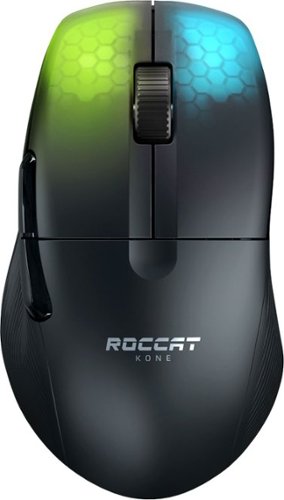
The ROCCAT Kone Pro Air Ergonomic Optical Performance Wireless Gaming Mouse with RGB Lighting is the first ever wireless Kone, and the result of over 14 years of devoted craftmanship. It is the most advanced gaming mouse we~ve ever created. After meticulous global research into hand sizes and grip styles, the result is one shape to fit any hand. It~s the iconic Kone shape, perfected. Providing supreme comfort without compromising on performance, the feeling of using the Kone Pro Air is unrivalled. It seamlessly fuses with your hand, virtually disappearing, keeping you focused and immersed. The Kone Pro Air utilizes our advanced Titan Switch Optical. With a satisfying and responsive tactile click, it~s reliable, fast, and durable. No double-click issues and no learning curve. Thanks to advancements in our extreme lightweight engineering, the Kone Pro Air weighs in at just 75g. The ROCCAT Bionic Shell keeps the weight down and provides a comfortable and consistent surface, whilst keeping dust and dirt out. It transitions into a beautiful translucent finish on the main buttons, allowing vivid AIMO 16.8 color RGB lighting to shine through, creating the signature look. The Kone Pro Air features our state-of-the-art 19K DPI Owl-Eye Sensor which delivers incredible responsiveness and precision. It also utilizes the ROCCAT USB-C PhantomFlex charging cable, which virtually disappears when in use ~ no friction, no distractions. Everything rests on our best-in-class pure PTFE heat-treated skates. They offer sublime glide right out of the box, with a spare pair thrown in for good measure
Customer Rating
5
Good gaming mouse? It depends on YOU
on June 3, 2021
Posted by: banjo
from macon, ga
Good gaming mouse >> yes no maybe – it depends on YOU
Out of the box this is absolutely the lightest gaming mouse I have used. Gaming mice come in all sorts of configurations for weight – many with weights you can add or take away to get the feel that is just right for you. If you want your mouse to provide some “damping” to your movement from having some weight and heft – this is not for you. If you want the mouse to “disappear” and not affect your hand movement – this mouse does exactly that! The shape allows you to have a secure grip without having to clamp down and tire out your hand.
This is a very clean and straightforward mouse. There are two thumb buttons on the left side which are very responsive and can be programmed. A switch on the bottom of the mouse allows you to switch gaming profiles – which are pretty easy to set up using the software that comes with the mouse. Other than that, there are no extra buttons, switches, rockers for adding macros and shortcuts. Clean, lean, and mean. Again – what are you after that is best for YOUR gaming experience.
Wireless/Bluetooth – I have had some pretty “meh” experiences with Bluetooth gaming mice – this one is the best so far, perhaps due to the improvement with Bluetooth connectivity in general, but here you will have the best possible Bluetooth connection. I keep wondering if I ought to settle on the wireless dongle, but my Bluetooth has held up fine and I’m not going to use the dongle unless I have to – which hasn’t happened so far.
Precision – every gaming mouse I have tried needs some calibration and tweaking to be as precise as possible. There is a “Swarm” software package to get set up, and also some additional settings for fine tuning.
Clicky Buttons – very nice click feel, sound, and response. I have not used a mouse with better click response.
Battery Life – OK it’s wireless, so how long between having to charge the battery? A long long time. I have been using this a week and still yet to need a recharge. Hey no big deal to plug in the mouse overnight for a charge, but I’m not concerned about this one needing a charge in the middle of a day off for gaming therapy.
RGB Colors – well I left this for last as it is nice to have an RGB mouse, but with the black shell the colors are somewhat dull. The RGB doesn’t “pop” for brightness, but it is a nice touch. The RGB can be turned off if you like for longer battery life. It is so quick and easy to recharge that I just leave it on and let it add a little more variety to my desktop.
Overall, this is a good gaming mouse if you want a “light as a feather” mouse. That really really depends on what YOU want – but if you are thinking you want a heavier mouse because that is what you are used to… giving this mouse a try might be worth it to see if that picks up your gaming experience.
Stay Safe from Central GA!
Mobile Submission: False
I would recommend this to a friend!
Share this review:


0points
0of 0voted this as helpful.
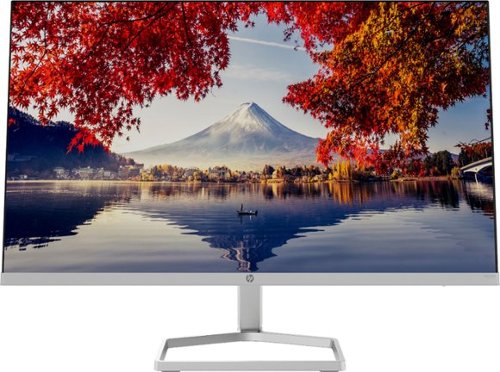
The New Definition of High Definition: This FHD monitor feels as good as it looks, packing IPS technology for 178 degrees ultra-wide viewing angles, 99% sRGB color gamut for color accuracy, and AMD FreeSync to keep your eyes up to speed with your imagination.
Customer Rating
5
Looks more expensive than it is…
on June 3, 2021
Posted by: banjo
from macon, ga
Looks more expensive than it is…
So many monitors to choose from, and this may be a good one for you in a business or home setting – as it has good refresh, very crisp colors, and a very stylish appearance.
Before going further, there are a few critical questions that may sort out whether this monitor is a good choice for your needs:
1 – Heavy Gaming >> probably not as the maximum refresh rate is 70Hz, the response time is 5ms, and there is no HDR support.
2 – Light Gaming >> no problems – this is my category and I have enjoyed the display color and have not noticed any frame skipping, smearing, or response lags.
3 – Daily internet, email, videos, social media, streaming – all of these look great, nice color, crisp text.
4 – Size – 24” screen which has plenty of room for most people. If you are looking at multiple monitors then 2 x 24” screens provides a lot of real estate and at this price point getting two for a new and stylish work area appearance might be a good idea!
5 – Connectivity – you get 1 HDMI and 1 VGA port – so if you only have display port on your computer you may have some connection limitations.
5 – Adjustability – OK the viewing angle has a good bit of adjustment, but there is no height adjustment. If you have two of these for multiple monitors – no problems, but if you already have one monitor set up and want to add this one to the mix, you get what you get for height and you may want to be sure you can adjust height on your other monitor if that is how you like them.
1 – Heavy Gaming >> probably not as the maximum refresh rate is 70Hz, the response time is 5ms, and there is no HDR support.
2 – Light Gaming >> no problems – this is my category and I have enjoyed the display color and have not noticed any frame skipping, smearing, or response lags.
3 – Daily internet, email, videos, social media, streaming – all of these look great, nice color, crisp text.
4 – Size – 24” screen which has plenty of room for most people. If you are looking at multiple monitors then 2 x 24” screens provides a lot of real estate and at this price point getting two for a new and stylish work area appearance might be a good idea!
5 – Connectivity – you get 1 HDMI and 1 VGA port – so if you only have display port on your computer you may have some connection limitations.
5 – Adjustability – OK the viewing angle has a good bit of adjustment, but there is no height adjustment. If you have two of these for multiple monitors – no problems, but if you already have one monitor set up and want to add this one to the mix, you get what you get for height and you may want to be sure you can adjust height on your other monitor if that is how you like them.
I mentioned style a few times already, and this is a very modernistic style monitor down to the base – and unbelievably light since there are no built-in speakers to add to the width. If you are particular about how your desktop looks, this will add a very modern touch. If you are adding this as a second monitor to your desktop, it will definitely stand out and might be best “in the middle” where you keep your primary monitor.
Getting a new monitor usually comes down to what looks best to you, and what fits best on your desktop. Best Buy will have these on display along with other monitors, so I recommend getting up close and personal before buying a monitor… your choice is going to be right in front of you for a long time, so to me it is worth the time to go and have a look before making the final decision.
Stay Safe from Central GA!
Mobile Submission: False
I would recommend this to a friend!
Share this review:


0points
0of 0voted this as helpful.

The HP OfficeJet Pro 8035e delivers increased productivity with fast speeds and custom mobile shortcuts. It includes the optional HP+ Smart Printing System that keeps itself up to date, secure, and ready to print from virtually anywhere at any time. Optional HP+ system requires an HP account, internet connection, and use of only Original HP Ink for the life of the printer.
Customer Rating
5
Does it all from home or while out and about...
on May 9, 2021
Posted by: banjo
from macon, ga
This HP printer is a great solution for a household that has phones, Chromebooks, laptops, iPads, and desktops all going at one time or another. Every one of these devices can connect wirelessly for printing anything and everything! There is also the USB printing if you just have some printing from a computer that isn’t on the system but don’t want to go through making a connection… just copy the files to a USB stick and plug it in to do your print jobs.
HP has really worked on their printer setup, and getting everything connected and working has become very simple using the HP software and apps. Of course now that everyone can print everything whenever they want, the ink consumption has increased. Fortunately the ink cartridges are pretty much goof-proof, and there is the HP+ ink replacement system that I really suggest you try out.
The HP+ automatic ink replacement had me wondering if it was going to be a good deal or not, but HP lets you try it out without charge for the first few months so you can get a feel for how many pages will be printed, and you can easily adjust your monthly plan to match the total household pages that get printed. I kind of don’t like to get too many “automatic billing” subscriptions going, but looking at ink cartridge replacement cost, and the usual situation where I need to print pages (especially in color) and find that I’m running low on ink, then have to go out and get some ink cartidges all of a sudden, and then the cost of the cartridges…. Well for me it is much simpler and really not as costly to do the monthly rate with HP+ and not have to remember to “check the ink” when I need to print something important. I really do recommend that you go ahead and use the subscription service when you set up the printer. It doesn’t cost anything for the first few months and you can check your printer use to see if you want to continue with the subscription, adjust your usage plan, or just go back to buying your own cartridges as needed. I expect you will find the monthly subscription as convenient as I have.
For everything that this printer does and considering the pretty large paper tray, the footprint of the printer is small enough to easily fit on a desktop or side table. A lot of other “home business” printers with the same features look a lot larger.
I haven’t tried printing photos on photo paper yet, but the color on regular copy paper is good and it’s nice to be able to print color copies without having to worry about using up the ink. A little touch of color on an otherwise black and white page really does make things look better. My wife is especially happy because she can print out cupons, recipes, flyers, etc. and have them in color – they just look nicer and no worries about using up the ink!
Overall, this is a good unit that does pretty much everything and can be used to print something even if you are out and about. Your print job will be waiting on you when you get home!
Stay Safe from Central GA!
Mobile Submission: False
I would recommend this to a friend!
Share this review:


0points
0of 0voted this as helpful.
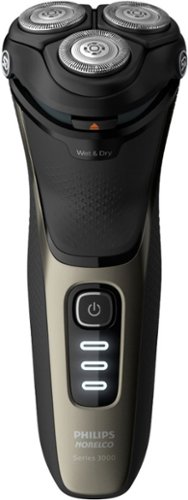
Philips Norelco CareTouch, Rechargeable Wet & Dry Shaver with Pop-Up Trimmer, S3210/51
Customer Rating
5
Good rotary at an excellent price point!
on April 22, 2021
Posted by: banjo
from Central Georgia
Good rotary at an excellent price point!
I have been using a more expensive Philips rotary shaver for several years and thought this CareTouch would be a good one to keep in the car for those “running late” days to catch a shave in the car to work, or do a late afternoon “touch up” when work spilled over to the early evening hours.
Much to my surprise, I really cannot tell the difference between the more expensive rotary and this “mid-range” rotary. I have recently sharpened the blades on the older rotary, so old vs. new blades is not the answer. The blade speed of this Philips seems the same as the more expensive model, the closeness seems the same, and both rotary shavers are wet/dry.
With that said, if you are looking to see if an electric rotary might be something to try, this is a good choice to get you started. After that, if you want some extra “bells and whistles” by taking a step or two up in design features, you can move up to a high-end rotary if that is your desire. I predict that you will not feel the need to upgrade from this Philips, as it covers all the bases and does everything a rotary shaver should do – including giving a nice, close shave.
The shaver feels nice in the hand, not too heavy, and is easy to keep clean with a quick rinse every day or two. The pop-up trimmer is an advantage over my more expensive rotary, as it is built in and doesn’t require swapping out the heads – which actually keeps me from using the trimmer as often as I could/should on my more expensive rotary. The only thing missing is a “stand up” charging stand, which would be nice but really more something I am used to – and definitely not a “deal breaker” that I cannot do without.
I honestly have no complaints and do not see much if any reservations for using this CareTouch wet/dry rotary as my daily device. If I had gotten this rotary first, I don’t think I would be looking for anything fancier or more expensive. This nicely priced rotary does the job and leaves me with a good shave and no skin irritation.
Stay Safe from Central Georgia!
Mobile Submission: False
I would recommend this to a friend!
Share this review:


0points
0of 0voted this as helpful.

This H&R Block Premium Tax software provides everything a homeowner, investor, rental property owner, or self-employed Schedule C filer needs to easily complete federal and state taxes. It includes a free online chat with a tax professional, step-by-step assistance on hundreds of credits and deductions, in-person representation in the unlikely event of an audit, and tax calculators to help determine the cost basis of a home sale, dividend, gift, and inheritance assets.
Customer Rating
5
For those that have a good idea about their taxes…
on February 28, 2021
Posted by: banjo
from macon, ga
For those that have a good idea about their taxes…
The H&R Block software has a good reputation, and this package has the additional forms needed for the self-employed, even if you only get ‘some’ income from side jobs or independent work that would require a 1099. It seems for most online and downloadable software, as soon as you are dealing with the need for a 1099, you will want to go with the “Premium” package so you don’t find the need to ‘upgrade’ in the middle of working on your tax return. Those who have rental income to include already know they will need the premium packages from most vendors.
The H&R Block “Premium” package seems best suited to those who are comfortable with doing their own taxes, as the software is more straight-forward to use and has less “see if you need this” questions that someone doing taxes for the first time might need to be sure they have covered all the bases. This is not a criticism, as this is the premium package and designed for those that have a business or business income on the side. No need for a lot of side-trips to see what might be needed. With that said there is a good questioning path that helps you be sure you haven’t overlooked anything – but it is a much more streamlined process than the “first timer” tax preparation software. Another way to make this point might be to say that the H&R Block does not try to present a lot of impressive “sizzle” – but gets to the point without trying to put on a show – if that makes sense. It’s tax time, let’s get it done, and get straight to the point. Nothing seems to have been overlooked, as the questioning is thorough, and it does seem to make sure you have covered all the bases without taking a lot of time going through the questioning branches.
The Federal section is a good bit more comprehensive than the State (GA in my case), but that seems to be typical with most of the tax-preparation packages I have looked at.
Overall, if you have a pretty good idea with preparing your own taxes, especially if you have done it before, the H&R Block “Premium” should cover all the bases and move you through completing this year’s return efficiently.
Stay Safe!
Mobile Submission: False
I would recommend this to a friend!
Share this review:


0points
0of 0voted this as helpful.

Wahl~ Bump-Free Rechargeable Shaver gives you a close, bump free shave. It features a built-in pop-up trimmer for edging, detailing and touching up necklines. Hypoallergenic titanium foils reduce irritation to prevent bumping up. Up to 60 minutes of run time.
Customer Rating

4
Good way to try out a foil shaver...
on February 28, 2021
Posted by: banjo
from macon, ga
Favorably compares to a rotary, actually better for softer skin.
I have been using a rotary shaver for a few years and wanted to give this foil shaver a try to see how they compared. Several reviews have mentioned a “breaking in” period before they got a close and pull-free shave, and I think that’s normal any time you switch from blade shaving to an electric – whatever type you use. I had no issues with the foil shaver, and I think that is because my skin was already used to an electric. I must say that the foil head has much less hair-pulling and gives a slightly closer shave. This model is not built for wet shaving, so I was honestly surprised that a dry shave could get so close.
Please be advised that using this daily will minimize the hair pulling and provide the best shave. Both my rotary and this Wahl foil shaver do not like having to deal with 3 days of growth, so grab it and give a quick shave even on those days that you don’t particularly need to shave for appearances. The upside of this is you can grab the shaver and give yourself a quick going-over when going to the kitchen to make some coffee, having your morning constitutional, or out walking the dog. If you have not shaved for a few days, don’t expect a “pull free” experience – especially if you have sensitive skin.
The trimmer is OK but you need to take your time getting it seated properly. Not the most powerful for cutting barbed wire sideburns or ear hair but works OK for a touch-up.
Cleaning takes some practice, as with all devices. You want to take your time and be careful with the foil head until you get the hang of the cleaning. Popping it up and giving a good puff pretty much takes care of it - as long as you do that after each shave to keep from getting any buildup inside the head. The shaver is not made to get wet, so doing that little “daily puff” is important to keep the heads clean. There is an assortment of brushes for a good cleaning when needed and keep the little bottle of oil handy as the blades work much better (and quieter) if you put a drop of lubricant on every so often. There is a nice little case to keep everything together, so you don’t lose track of the cleaning brushes, foil tool, and the blade lubricant.
One last thing - OK guys I really need to tell you that if you get up before your partner and are going to shave while they are still in bed asleep – do not. Take the shaver and go to another room – it is a powerful little machine but doggone it does make some noise. There is a story behind this, but you probably don’t need me to tell it….
Overall, considering the price point I would say this is a good way to see how you and a foil shaver get along – particularly if you have sensitive skin. The 4 stars are not a criticism, as this is not the top-of-the-line shaver so there are some things missing that you will find on the more expensive models, like battery charge light, dry/wet shaving, quieter motor, and larger cutting heads. If you like the results and then want to make more of an investment – maybe then get the "5 Star" high-end foil shaver to keep at home for daily use and move this one to the car or office for use when you are “running late” or “working late” during the work week.
Stay safe!
Mobile Submission: False
I would recommend this to a friend!
Share this review:


+2points
2of 2voted this as helpful.
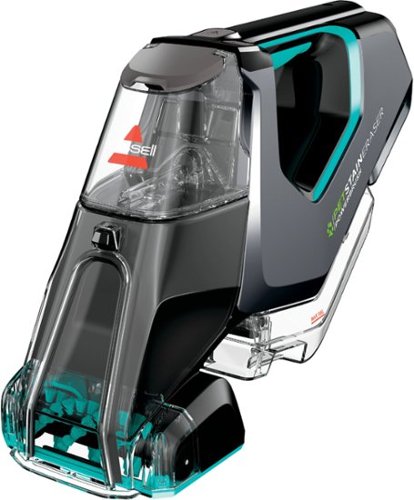
BISSELL Pet Stain Eraser PowerBrush Plus cordless portable carpet cleaner is always ready to remove tough pet messes on the go, making it perfect for families in the little mess maker phase of pet parenthood and beyond. The powerful rotating DirtLifter PowerBrush helps loosen, lift and remove tough pet stains while the lithium-ion battery provides an extended run time for cordless cleaning. Unlike many other portable carpet cleaners, this machine allows you to store the formula in the tank when it's not in use, so there's no water, no mixing and no hassle. Get instant pet stain removal with the included OXY formula and enjoy grab-and-go cleaning for pet messes and other stains on carpet, stairs, upholstery, area rugs, car interiors, and more, right when they happen. BISSELL has products that make cleaning messes in any stage of pet parenthood easy. Plus, every purchase helps save pets. BISSELL proudly supports BISSELL Pet Foundation and its mission to help save homeless pets. When you buy a BISSELL product, you help save pets, too. We~re proud to design products that help make pet messes, odors and pet homelessness disappear.
Customer Rating
5
Absolutely essential if you have pets (or kids)
on February 28, 2021
Posted by: banjo
from macon, ga
Absolutely essential if you have pets (or kids)
I have a good Bissell full-sized carpet extractor for a good “deep cleaning” for the carpets from time to time, but this “Pet Stain Eraser” is the perfect accessory to have to get a quick quick cleanup for those little accidents, and is very nice to use for upholstery and even for the car seats. This replaces an older spot cleaner and is a welcome upgrade with the rotating brush or cleaning bar (easy to swap out), better capacity for cleaning solution and recovery tank, better suction from the cleaning head, and much easier to empty, clean, and flush.
It’s easy to fill and use:
1 - the tank can be filled without having to remove it from the machine.
2 – spray the area to be cleaned.
3 – use either the rotating brush or the “scrub bar” to work the carpet and loosen up any sticky material.
4 – vacuum up the cleaning solution.
5 – empty and rinse the recovery tank.
1 - the tank can be filled without having to remove it from the machine.
2 – spray the area to be cleaned.
3 – use either the rotating brush or the “scrub bar” to work the carpet and loosen up any sticky material.
4 – vacuum up the cleaning solution.
5 – empty and rinse the recovery tank.
The rotating brush is a nice idea, and it is not so aggressive that I am worried about it pulling the pile out of my carpet. The brush seems more suited to loosening the stain and working the cleaning solution further down into the carpet. It is very easy to swap the spinning brush for the scrub bar – so it is worth trying both of them to see what works best for your carpet and different “types” of pet accidents.
Cleaning solution that comes with the Pet Stain Eraser is already diluted, so there isn’t any measuring or mixing. I was tempted to dilute it a little bit to keep from having too much cleaning residue left in the carpet, but found that using the solution out of the bottle and then coming back with a clean water “rinse” really worked better to get the stain removed.
The only limitation I found on using the device was when trying to clean the vertical surfaces of sofa or chair (not a big problem as most accidents happen on the floor or the seat cushions) as you have to hold the machine pretty much at a horizontal position to get everything to work properly. Again, no big deal and you can spray the cushion and then come back and vacuum if you take your time.
Keep an eye on your run-time, as there were several spots I wanted to get cleaned up when trying out the Bissel for the first time, and if you really do a thorough cleaning job on a spot, you might get 2 or 3 done before you need to stop and recharge. That’s not a big deal as for daily use it’s “hey there’s an accident on the carpet” one at a time and it’s very nice to be able to grab the Pet Stain Eraser and get a good spot clean-up done without having to get the sponges and towels and deal with all that.
The suction is not as powerful as the full-sized machine, but that is no surprise and really to be expected. I found that how dry the carpet gets depends a lot on the angle that you hold the suction head, how slowly you move the head (you can see the solution being sucked up into the machine, so it’s easy to keep an eye on that). I was used to an older model that needed replacement, and each type of machine takes a little experimentation to get the best results. I must say that the carpet is always going to be damp after cleaning, so putting a towel over the area if it is in a “high traffic” spot to keep shoes from leaving footprints is recommended – and then uncover the area when the traffic dies down or for good drying time overnight.
After a full charge, the battery still seems to keep the full charge so it’s ready and charged up when you need it.
Overall – the “Pet Stain Eraser” is very handy so you have something immediately available to “catch those accidents” before they have too long to set-in on the carpet.
Stay Safe!
Mobile Submission: False
I would recommend this to a friend!
Share this review:


0points
0of 0voted this as helpful.
banjo's Review Comments
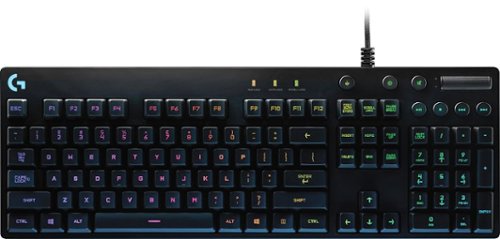
Logitech Orion Spectrum RGB Keyboard: This keyboard's Romer-G mechanical switches respond quickly to your keystrokes to minimize lag time during fast-action game sequences. Plus, you can create a custom look with programmable intelligent RGB illumination.
Overall5 out of 5
5 out of 5Great for older geeks who don't need the "sizzle"
By banjo
from macon, ga
Actually the "top of the line" G910 gaming keyboard was marked down to a lower price when I got this, but too much "gamer" stuff on the G910 and not for an 'older professional' who wants to appear more mature than his 13-year-old gaming son. IMO the G910 wasn't selling as well as hoped, and the G810 is (to me) the superior model in design, appearance, and performance.
This G810 looks professional on the desk, has OUTSTANDING color display (note that the 'special' keys on the number keys are also illuminated -- missing on many of the other illuminated keyboards - aren't these ! @ # $ % ^ & * ( ) the ones you can never remember when typing in the dark?), no "bottom of the keys" light spillover that takes away from the illumination focus, superior engineering on the Romer-G switches (Check out the tour of the Romer-G factory in Japan on YouTube), and feels like a BRICK in the hand (a GOOD BRICK) with heavy-duty construction. The 3-way adjustable tilt and huge rubber feet on the bottom will keep this from sliding around on any desk, including glass-tops. The only thing that makes this look like a "gamer rig" is the FABULOUS and CRISP color displays... which are easy to see even with the lights on in the room > fully adjustable to get it just the way you want at home or at work. I may be an old-timer, but I don't mind showing off a little bit and this keyboard is an EYE-CATCHER when the lights start doing the 'wave' across the keyboard!
I read all the reviews and fiddled with the keyboards on display and there seem to be "Logitech Nay-Sayers" who can't bear the idea of using anything other than the older design "cherry" keys. I have gone from manual touch-typing > to I B M Selectric > to I B M 'clicky' keyboard (still one of my favorites) > to membranes > to whatever-cheapo-keyboard Dell includes in their educational computers > to a Saitek PK17U Cyborg > to this keyboard. This one is the best by FAR! Re: keys... you get a little 'click' so the sound and some tactile/touch reinforcement for keyboarding (typing) is there, but not too loud and for me just enough to let me know I hit the key. Yes it feels different from the cheapo Dell keyboard i just unplugged and replaced, but every keyboard is different and this one feels like driving a luxury car!
Speaking of my son, he is now looking over at my new keyboard and looking at his illuminated keyboard and I think I know what he will be asking for come Christmas. Fortunately, the box still had the promotion of free download and activation code for "The Division" so the kid has something to keep him busy until Santa Claus comes.
If you are an old crab like me, but like a little 'sizzle' when using your computer and want to treat yourself to a smooth-as-silk keyboard... this is the one I would recommend. Leave the "whoopee" keyboards to the kids.
PS - you can hit a quick button on the keyboard and turn off the light display if you want to turn off the light show for a while.
This G810 looks professional on the desk, has OUTSTANDING color display (note that the 'special' keys on the number keys are also illuminated -- missing on many of the other illuminated keyboards - aren't these ! @ # $ % ^ & * ( ) the ones you can never remember when typing in the dark?), no "bottom of the keys" light spillover that takes away from the illumination focus, superior engineering on the Romer-G switches (Check out the tour of the Romer-G factory in Japan on YouTube), and feels like a BRICK in the hand (a GOOD BRICK) with heavy-duty construction. The 3-way adjustable tilt and huge rubber feet on the bottom will keep this from sliding around on any desk, including glass-tops. The only thing that makes this look like a "gamer rig" is the FABULOUS and CRISP color displays... which are easy to see even with the lights on in the room > fully adjustable to get it just the way you want at home or at work. I may be an old-timer, but I don't mind showing off a little bit and this keyboard is an EYE-CATCHER when the lights start doing the 'wave' across the keyboard!
I read all the reviews and fiddled with the keyboards on display and there seem to be "Logitech Nay-Sayers" who can't bear the idea of using anything other than the older design "cherry" keys. I have gone from manual touch-typing > to I B M Selectric > to I B M 'clicky' keyboard (still one of my favorites) > to membranes > to whatever-cheapo-keyboard Dell includes in their educational computers > to a Saitek PK17U Cyborg > to this keyboard. This one is the best by FAR! Re: keys... you get a little 'click' so the sound and some tactile/touch reinforcement for keyboarding (typing) is there, but not too loud and for me just enough to let me know I hit the key. Yes it feels different from the cheapo Dell keyboard i just unplugged and replaced, but every keyboard is different and this one feels like driving a luxury car!
Speaking of my son, he is now looking over at my new keyboard and looking at his illuminated keyboard and I think I know what he will be asking for come Christmas. Fortunately, the box still had the promotion of free download and activation code for "The Division" so the kid has something to keep him busy until Santa Claus comes.
If you are an old crab like me, but like a little 'sizzle' when using your computer and want to treat yourself to a smooth-as-silk keyboard... this is the one I would recommend. Leave the "whoopee" keyboards to the kids.
PS - you can hit a quick button on the keyboard and turn off the light display if you want to turn off the light show for a while.

banjo
Central Georgia
Update @ Christmas 2016
December 21, 2016
Mentioned that my son was keeping an eye on my G810 from the get-go... first time I let him 'test drive' my G810 he says "ooooh, that feels nice" and decided he wanted to go to mechanical keyboard. He has a 'gamer' RBD keyboard (non-mechanical) with extra bells and whistles he has been using for a year or two, but instantly fell in love with the mechanical feel. Just gave him a "Week before Christmas" present of his own G810. He had his pick of the models available, and after tapping some keys and looking at the different models chose to get the G810. Just goes to show the "fancy schmancy" keyboards might look more-cooler-better but the proof is in the feel of the keys. It's a keyboard, after all.
+1point
1of 1voted this comment as helpful.
banjo's Questions
banjo has not submitted any questions.
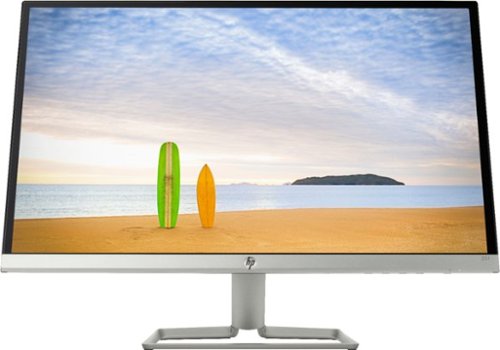
Enjoy Full HD viewing with this 25-inch HP micro-edge display. It has one VGA and two HDMI inputs for versatile, high-definition connectivity, and its edge-to-edge panel lets you opt for a clean-looking multi-monitor setup. Play video games smoothly thanks to the AMD FreeSync technology of this thin HP micro-edge display.
There was no vga cable in the box. Should I go to best buy or hp?
Any 15-pin VGA cable will do. Find your best deal and have at it.
8 years ago
by
banjo
Enjoy Full HD viewing with this 25-inch HP micro-edge display. It has one VGA and two HDMI inputs for versatile, high-definition connectivity, and its edge-to-edge panel lets you opt for a clean-looking multi-monitor setup. Play video games smoothly thanks to the AMD FreeSync technology of this thin HP micro-edge display.
What vesa mount adapter do I need to mount this display?
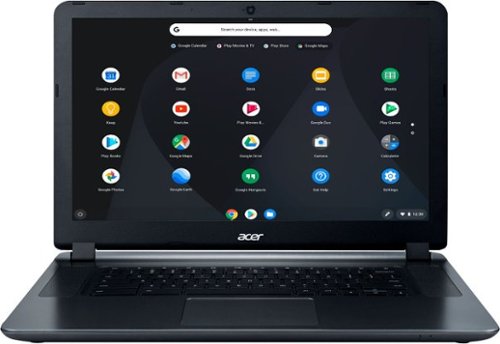
Acer 15 Chromebook: Enjoy up to 12 hours of battery life with this 15.6-inch Acer Chromebook. Its Intel Celeron processor and 4GB of RAM load webpages quickly and provide lag-free streaming, and the 16GB of internal storage holds documents and photos. This Acer Chromebook has an HDMI port for connecting to a larger display.
Does this device allow you to create file folders that I can be accessed while on a website? I need to transfer pics from my notepad and then upload them by accessing the folder from my companies website.
Set it up with a Google Drive for cloud storage and sharing of files.
8 years, 2 months ago
by
banjo
Acer 15 Chromebook: Enjoy up to 12 hours of battery life with this 15.6-inch Acer Chromebook. Its Intel Celeron processor and 4GB of RAM load webpages quickly and provide lag-free streaming, and the 16GB of internal storage holds documents and photos. This Acer Chromebook has an HDMI port for connecting to a larger display.
My screen is upside down, how do I fix?
Oh my goodness! You must have been shipped the Australian model that is used south of the equator! LOL but seriously folks simply hit ctrl+shift+refresh. The refresh key is the one with the spinning arrow. It'll rotate the screen 90 degrees. Do that again since 90+90=180 degrees which is half-way round the circle. Peace out...
8 years, 2 months ago
by
banjo
Logitech Orion Spectrum RGB Keyboard: This keyboard's Romer-G mechanical switches respond quickly to your keystrokes to minimize lag time during fast-action game sequences. Plus, you can create a custom look with programmable intelligent RGB illumination.
Does this game as of 7/15/16 still come w/ a free The Division key?
I just picked one up 8/21/16 and it had the "Offer" logo on the box and a cupon inside.... should be good to go as long as your box has the "Offer" logo on it....
10 years ago
by
banjo
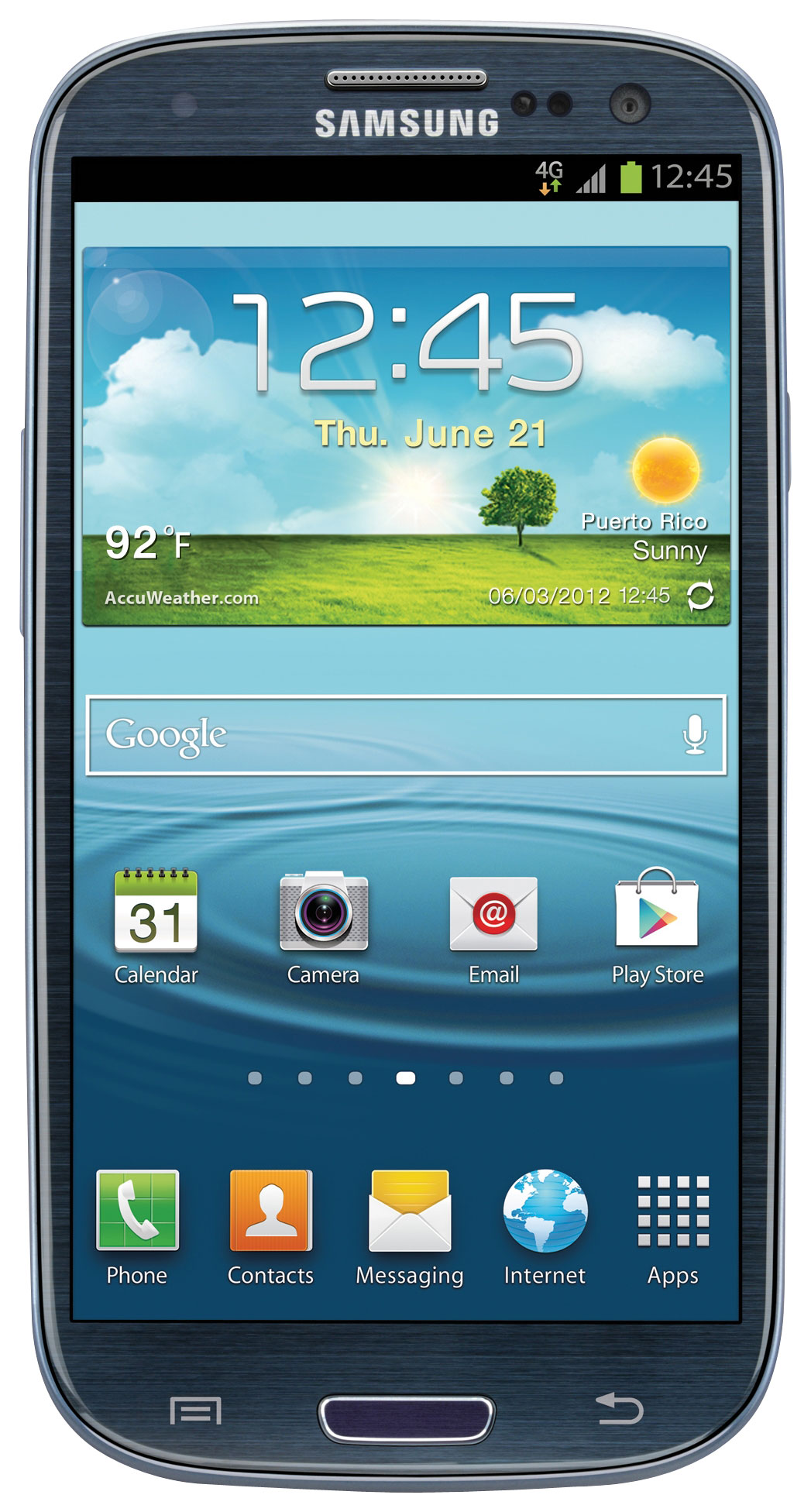
With a Super AMOLED capacitive touch screen and built-in Wi-Fi, this Samsung Galaxy S III I747 BLUE cell phone makes it easy to navigate Web content while you're on the go. The 8.0MP camera lets you snap photos to share with friends and relatives.This device is not warrantied through the manufacturer. This device has a limited 1 year warranty provided by CCR Warranty. To obtain technical or warranty assistance, please contact CCR Warranty at 866-579-8436.
s dis fon new or refurbished n does it take simple mobile Sim card
mine arrived late June and it looked brand new in original packaging with "bumper strips" on the case. i would say "brand new" for the one i got.
10 years, 2 months ago
by
banjo