


cjviscito's stats
- Review count221
- Helpfulness votes667
- First reviewNovember 1, 2012
- Last reviewAugust 18, 2026
- Featured reviews0
- Average rating4.2
Reviews comments
- Review comment count0
- Helpfulness votes0
- First review commentNone
- Last review commentNone
- Featured review comments0
Questions
- Question count0
- Helpfulness votes0
- First questionNone
- Last questionNone
- Featured questions0
- Answer count23
- Helpfulness votes23
- First answerFebruary 8, 2010
- Last answerMay 27, 2021
- Featured answers0
- Best answers1
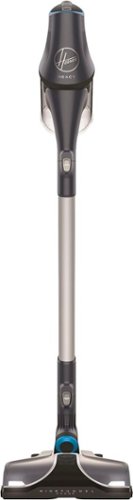
Clean fur, dust and dander quickly with this Hoover REACT cordless pet vacuum. Integrated sensors automatically adjust the level of suction and the brush roll speed to handle different floor types. This Hoover REACT cordless pet vacuum uses a long-lasting lithium battery, so you can clean the whole room without a recharge.
Customer Rating

4
Loud, Powerful Stick Vacuum
on November 12, 2017
Posted by: cjviscito
from Little Elm, TX, USA
Since we have several animals in the house, I’m always on the look out for a tool to clean the house and get all their hair off the couches, chairs and floors.
Hoover is a trusted name in the vacuum space, my parents have had Hoovers for years and continue to sing their praises. I was curious to try out the Hoover React since I really don’t like corded vacuums. My biggest issue with standard vacuums is they’re corded.
I was a bit overloaded by all the additional tools that the React came with. Once I got it all set up, I was ready to test it out! I’ve used a cordless stick vacuum before, but I was really surprised by how loud the Hoover was. It was just as loud as my regular upright vacuum.
The React has a feature called Floor Sense. When on a flat surface like tile, the beater brush bar doesn’t spin. When I went from the tile to the carpet, I could hear and feel the beater brush bar kick of. This is nice because I can basically turn it on and go without worrying about switching modes or changing heads.
Another nice feature of the React is the ability to double click the trigger. This turns on the vacuum without the requirement to hold the trigger down. Combined with Floor Sense, this makes the React a set-it-and-forget-it cleaning option.
My biggest issue with the React is the size of the charging base. It’s not discreet, it’s about the same size as a Bose Soundstation Dock. In a house where storage space for items like this is at a premium, the React’s dock basically is so big that it has to sit out.
Additionally, something the React is missing compared to others is the ability to adjust the power of the suction. There are other vacuums that are not as expensive that allow you to adjust how much power the vacuum uses. I was disappointed to find out the React has one speed: on.
All in all, the Hoover React is an awesome vacuum. There are a few compromises that you’ll have to contend with, such as the large battery dock and single speed. If you have a house full of pets and mixed flooring materials, the React might be the vacuum you’re looking for.
My Best Buy number: 0960017711
Mobile Submission: False
I would recommend this to a friend!


Share this review:


0points
0of 0voted this as helpful.
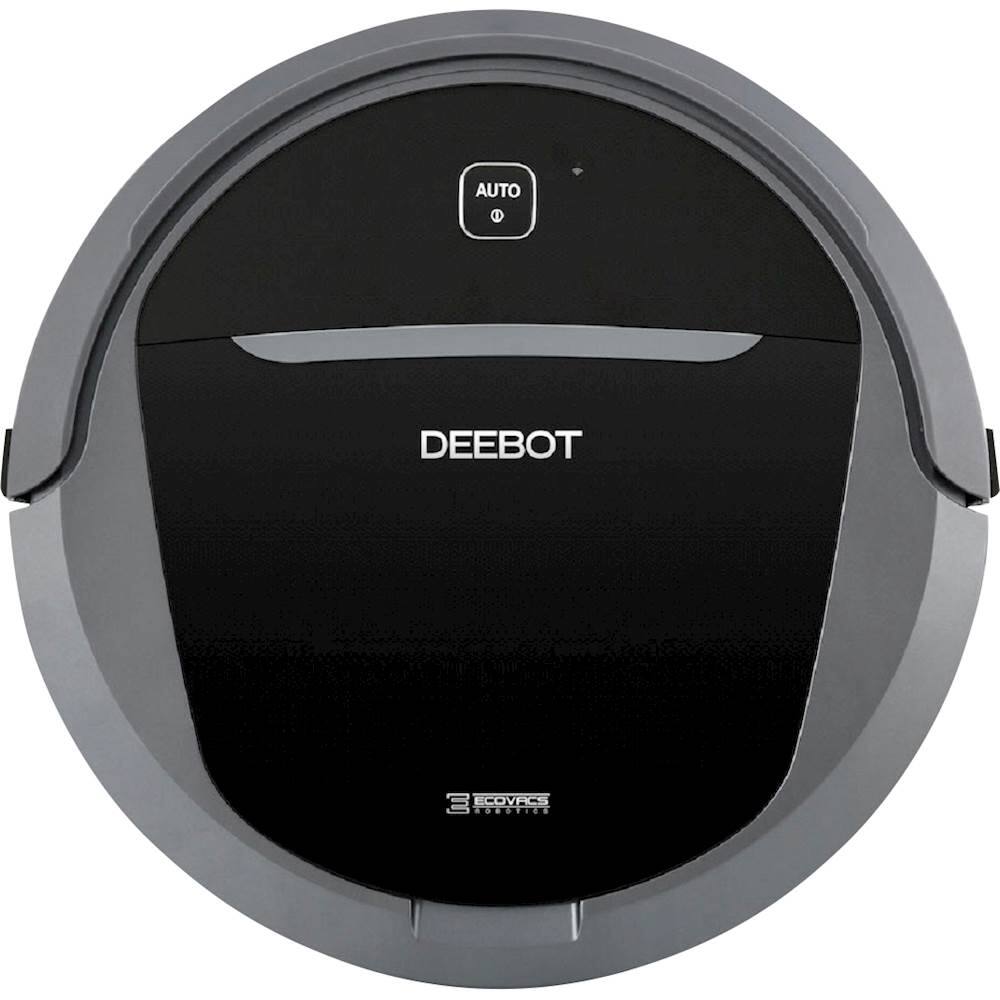
Vacuum and mop your floors for a deep clean with this DEEBOT floor cleaning robot. The obstacle detection technology prevents damage to your furniture, and the automatic charging feature returns the cleaner to the charging station when the battery gets low. This DEEBOT floor cleaning robot has a large dustbin for clearing big messes.
Customer Rating
4
Budget Robot Cleaner with Promise
on October 26, 2017
Posted by: cjviscito
from Little Elm, TX, USA
The DeeBot M81 Pro shows some promise, with a wide array of robot vacuums to choose from, there's bound to be trade offs somewhere.
From a plus side, the M81 has a dual brush setup, making it easier to clean the floor and capture dirt and debris easier than a single brush option. It also comes with a remote to enable executing the different cleaning modes and WiFi setup.
The real values for me in the M81 were in the ability to make it a robot mopper using the included mop attachment and the location of the dust bin. Where most robot vacuums have their dust bins located at the rear and sometimes prompt the user to turn the unit over, the M81's dust bin is located conveniently on the top of the unit for easy empty.
The M81 also comes with a companion app that you need to install if you want to create an account and link the Alexa skill to use with Alexa. I’ve found this interaction to be somewhat clunky. I’ve tried renaming my robot several times and even though the skill is linked, Alexa still can’t find the M81 to start cleaning.
That’s where the trade offs come in, from a purely robot vacuum stance, this thing works fine with some additional perks. If you’re replacing or purchasing your first robot vacuum, then the M81 is a great contender for homes without Alexa.
For those like me who have come to rely on smart home automated and executed tasks, it’s a detractor when a marquee feature doesn’t work as advertised.
My Best Buy number: 0960017711
Mobile Submission: False
I would recommend this to a friend!


Share this review:


0points
0of 0voted this as helpful.
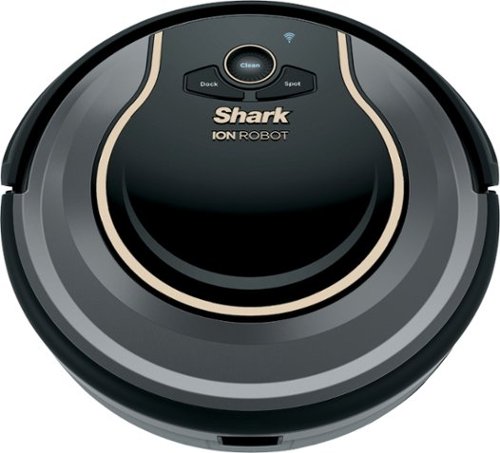
The Shark ION Robot is designed with a Tri-Brush System, combining side brushes, channel brushes, and a multi-surface brushroll to handle debris on all surfaces, corners, and edges. Use the SharkClean app or voice control with Alexa or Google Assistant to start cleaning from anywhere Shark ION Robot.
Customer Rating

5
Robot Cleaning Minion!
on October 24, 2017
Posted by: cjviscito
from Little Elm, TX, USA
My other name brand robot vacuum died less than 2 years into owning it, yet conveniently outside of the manufacturer warranty. A quick search online revealed that the model I had was prone to defects rendering them junk. I've had good luck with Shark vacuums in the past and thought I'd give this guy a try.
First off - you get bonus points if you offer Alexa integration. This thing has a skill to enable you to control the Shark 750 with Alexa. Simply say, "Alexa, tell Shark to start cleaning" and the little guy fires right up and starts cleaning away. I tested it out today asking Shark to start cleaning as I walked out of the door for work. When I got home tonight, the floor was clean and the Shark was charging on it's base station. A quick check of the dust bin confirmed that it had been running today.
Second, the remote App for controlling the Shark isn't a true-remote control. You can issue commands, like "Clean, Charge, etc". The cool part of the App is using it to set a schedule. This enables me to literally set it and forget it. The Shark will fire off and start cleaning based on a set schedule which is great.
From a cleaning perspective, the 750 offers a twin brush design, compared to my old name brand one that was a single brush design. Compared to my old one, this thing is whisper quiet. DOn't get me wrong, you can certainly tell it's running, but it's not as loud as the one it replaced.
The 750 also comes with a tape that you can put down to establish cleaning boundaries. This is helpful if you have areas that are too often cluttered with cords, small toys, etc that you want the Shark 750 to avoid. While it's not as elegant as the radio node that my older one had, the fact that it works out weighs the minor site of a tape on the floor.
I'm very happy we picked this up - it's another quality product from Shark, just like I've come to expect!
My Best Buy number: 0960017711
Mobile Submission: False
I would recommend this to a friend!


Share this review:


0points
0of 0voted this as helpful.
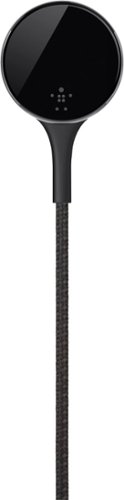
Provide ample battery power for your Apple Watch with this Belkin MIXIT DuraTek charge cable. Its inner fiber liner adds strength and durability, and the 4-foot length offers plenty of leeway between the wall and your nightstand. This Belkin MIXIT DuraTek charge cable has protective insulation to shield the wires from damage as it bends and flexes.
Customer Rating
5
Tough Cable
on October 22, 2017
Posted by: cjviscito
from Little Elm, TX, USA
Belkin has added another premium Apple Watch accessory with the Duratek Cable. Unlike the regular Apple Watch cable, the Duratek Cable is protected by Kevlar and is very flexible. I'm not sure if I would've thought of bulletproof vest material for an Apple Watch cable, but it's nice.
I like to go camping, and I love taking my Apple Watch with me to track my steps when I go hiking. It's nice that I can leave the regular cables at home and have a strong, sturdy one I can take on the road with me. I put it through the ringer on a recent camping trip and my buddy used the regular Watch cable.
His cable ended up frayed and part came off at the puck connection, but the Duratek cable came through like a champ. Not sure if that's a testament to the cable's strength or that I just take better care of my stuff. If you do a lot of outdoor stuff, then the Duratek Cable is a great addition - the price is a bit steep, but Belkin has a habit of putting out quality products. I'd rather spend a bit more for a tougher cable that will last than keep buying regular ones that don't last.
My Best Buy number: 0960017711
Mobile Submission: False
I would recommend this to a friend!


Share this review:


0points
0of 0voted this as helpful.
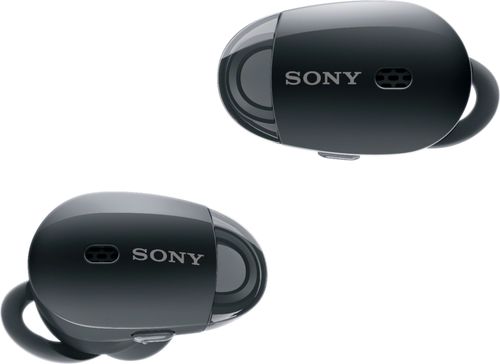
Tune out the world and lose yourself in music with these Sony 1000X wireless noise-cancelling headphones. Equipped with SENSE ENGINE technology, these earbuds make it easy to adjust sound modes with a single touch, so you control what you hear. Compact and intuitive, these Sony 1000X wireless noise-cancelling headphones stay comfortable for hours.
Customer Rating
4
Wireless Freedom
on October 22, 2017
Posted by: cjviscito
from Little Elm, TX, USA
It seems like everyone is coming out with wireless earbuds nowadays. The WF-1000x is Sony's entry into the premium earbud space. While the WF-1000x is a nice earbud set, it does have its quirks and compromises.
First off, like with most accessories, you can unlock more tweaks and settings with Sony's companion app called Headphone Connect. Usually, I automatically dock a star on a review if I have to download software to use it, but Headphone Connect unlocks enough extra functions that it's worth the space it takes up in my Utilities folder. The WF-1000x is compatible with both iOS and Android devices - but I used my iPhone 7 Plus for the purposes of this review.
From a call perspective, the Wf-1000x supports HD Voice. This is nice since many headsets don't - I realized how much I missed the clarity of HD Voice until I had to get on a conference call. Everything was crystal clear and it was nice to not be tangled up by cords while on the call. I was truly able to multitask, which was nice. From a battery stance, the WF-1000x states that it can last up to 3 hours for music playback. I didn't check the time, but I think that HD Voice uses more battery life, because I had to charge these things again and I'm not sure I got a solid 3 hours.
The case is nice, sturdy and metallic. Like most wireless earbuds, the WF-1000x's case also doubles as a recharging station for the earbuds. It comes with a standard USB cord, so you can charge both the case and the earbuds at once. It also comes with several different sizes of earbud tips to try out. The medium ones worked best for me - my wife tried the small ones, but they didn't stay in her ear.
That's my biggest gripe with the WF-1000x. From a design stance, they actually sit out further from my ear than other brands that seem to fit fine and use some vertical weight to keep them secure. There's a little rubber piece that's supposed to help keep it in your ear, but I seemed to dislodge them without really trying.
Finally, a nice additional feature, and probably the biggest selling point, is that they are noise cancelling - and that setting is customizable. You can use total noise cancellation, or let ambient sounds through. You can use the Headphone Connect app to set it to automatic, which means the earbuds will actually listen to the environment and adjust for you.
If you're in the market for some premium earbuds and don't mind ones that poke out of your ears a bit, then the WF-1000x are a great set. They're priced competitively with others in the market and also offer Google Assistant / Siri functionality. I think I'll end up using them primarily at work so that I can listen to music and hear when people are yelling my name!
My Best Buy number: 0960017711
Mobile Submission: False
I would recommend this to a friend!


Share this review:


0points
0of 0voted this as helpful.

Go for a spin with this Sphero Ultimate Lightning McQueen car. It has expressive LCD eyes and a hi-fi speaker to embody the spirit of the Cars character, and its dedicated app lets you control it from your mobile device. This Sphero Ultimate Lightning McQueen car provides over 2 hours of play on a full charge.
Customer Rating
4
Lightning McQueen! Ka-CHOW!
on October 8, 2017
Posted by: cjviscito
from Little Elm, TX, USA
Sphero is a brand that's known for making cool toys - just look at their BB8! My kids love the Cars movie and when I saw that Sphero was making an "Ultimate Lightning McQueen", I had to try it out!
First thing is this toy is expensive - like $300 expensive. That aside, there's a crazy amount of detail that Sphero has put into Lightning.
When he arrives, you'll notice how solid and sturdy he is. Sphero could've gone on the cheap and used sticker decals, but everything on Lightning is painted on - except for his awesome eyes!
His eyes are actually a small screen and his eyes respond to where you drive him and what he's doing. Want to put the pedal to the metal? Lightning revs up and his eyes go all serious!
When my kids test drove him, they obvious knocked him into things. It was really funny to hear Lightning yell out "OUCH!" when the kids ran him into the kitchen table. For the voice, they went straight to the source - Owen Wilson voices Lightning McQueen and the speakers they put into him make it sound like Owen's actually in the room with you.
The other cool thing when he speaks is his mouth - it actually moves in sync with the audio! Lightning's body is solid except for the soft, pliable material around his mouth that lets him move and express himself just he does in the movies!
The app that you download to control him also comes with some cool games - but my kids had more fun running him all over the house. I tried to upload a video of him speaking, but I couldn't get it to work for some reason.
Here's a quick run down of his specs:
* 3 processors and 6 motors
* Ambient light sensor controls headlights
* Pivoting, suspension wheel system
* Responsive screen for eyes
* Articulated mouth that moves with audio
* 3 processors and 6 motors
* Ambient light sensor controls headlights
* Pivoting, suspension wheel system
* Responsive screen for eyes
* Articulated mouth that moves with audio
If you're a fan of Cars, or have kids that are, then Sphero's Ultimate Lightning McQueen needs to be on your list. The only reason I rated it 4 stars was due to the price. At $300, it's definitely one of the most expensive toys, if not the most expensive, in our house.
My Best Buy number: 0960017711
Mobile Submission: False
I would recommend this to a friend!

Share this review:


0points
2of 4voted this as helpful.
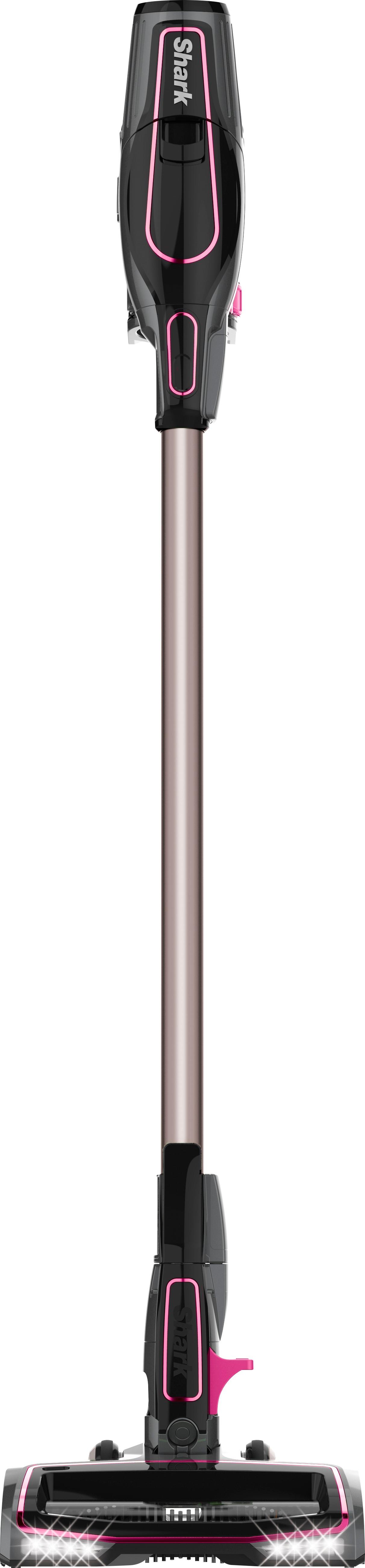
Clean from floor to ceiling with this Shark ION Rocket vacuum cleaner. It quickly converts to a handheld unit to provide flexible cleaning options, and the 8-inch crevice tool lets you thoroughly clean hard-to-reach places. This Shark ION Rocket vacuum cleaner is equipped with a LiIon battery pack for cord-free cleaning.
Customer Rating
5
Awesome little Rocket
on September 23, 2017
Posted by: cjviscito
from Little Elm, TX, USA
I've always been a little leery of battery powered tools, such as vacuums. I've never felt that they could really match the power that a corded item can give you. We have a traditional, corded vacuum and a cordless one. But with our carpet being a thicker grade carpet, I've always had to swap from corded to cordless when going from our tile to our carpet. With pets, there's hair literally everywhere too. So I was excited to try out the Shark Rocket since all my friends who've had Shark products speak highly of them.
The vacuum arrived and was put together with three clicks, that's it. You connect the head to the neck and the neck to the trigger piece. One thing I really appreciate about the design of the Shark is that the battery pack is removable. That means, you can store the vacuum while having the battery charge elsewhere if, like us, your storage closet doesn't have an outlet. It's nice to not have an entire vacuum assembly sitting out just to charge a battery. Shark also makes a rapid charging dock that you can buy if you want something that charges faster.
Compared to our other name-brad cordless vacuum the Shark handles just as well and even feels a bit lighter without the sense of being less sturdy. There are a total of four settings you can use:
* Carpet
* Tile / Hardwood
* Extended Run
* Max Power
* Tile / Hardwood
* Extended Run
* Max Power
You can alternate these settings with a press of a button that is conveniently located by the ignition switch so you can change your settings real time as you clean without having to stop or change a head. That means that when I'm cleaning our tile kitchen, I can quickly pivot the settings when I reach the kid's carpeted bedroom without having to stop. The Shark handles our carpet so well, I was surprised that a cordless vacuum did the job almost as well as our top-of-the-line corded one!
The shark also comes with other attachments that you can use for cleaning those hard to reach places, like under bookcases, entertainment centers or armoires where cat hair just loves to congregate. Another cool feature of the Shark is there's small headlights so you can see what you're cleaning in lower light situations - plus, as an added bonus, you can now chase your cats with it like you used to do with older vacuums!
The Shark has a smart setting that is indicated by a green light on the head so you can take a quick glance and make sure you're getting the best cleaning you can. The Shark's battery lasts about as long as other vacuums in this class, but again, your milage may vary depending on what settings you use.
Bottom line - we love this vacuum! It's lightweight, easy to use and most importantly, it cleans!
My Best Buy number: 0960017711
Mobile Submission: False
I would recommend this to a friend!

Share this review:


+7points
7of 7voted this as helpful.
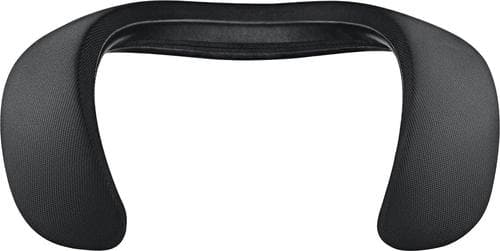
Wearable and comfortable, with deep, clear sound. The SoundWear Companion speaker is designed to keep you connected to your music, calls, and the world around you. It's packed with technologies that give you immersive experience while limiting what others can hear. Use it for clear, natural-sounding phone calls, or accessing your phone's Siri or your Google Assistant. Up to 12 hours per charge.
Customer Rating
4
Solid Personal Speaker
on September 23, 2017
Posted by: cjviscito
from Little Elm, TX, USA
Personal speakers like the Bose SoundWear Companion have always perplexed me. On the one hand, I like the idea of having my music or phone call follow me around while my hands are free and I can still hear what's going on around me. On the other hand, it seems like the use cases for these are for times when you're on your own, with no other people around. I work from home on occasion and that's really where I found the value for these things.
As with all things Bose puts out, the design is top notch. The collar design fit snugly around my neck and the weight of the device helped keep it in place, even as I moved around bouncing from call to call. A cool feature that Bose has done with the SoundWear is that you can put various cases on it. Think of it as a sleeve that wraps around the unit and zips shut while still providing easy access to the buttons that control it.
I initially had some issues pairing it with my phone, but once I restarted the Bluetooth on my phone, it paired almost instantly. There was a software update for the device as soon as it paired and 40 minutes later, the software was ready to install. The nice thing was, while it was downloading, I was still able to listen to music. The installation of the new firmware was done in a matter of minutes and I was back up and running.
The audio quality is amazing, which is something you'd expect when paying a premium price for a premium product. I could feel the bass in my shoulders. Something that Bose has done with the SoundWear is that the speakers help direct the music or audio towards your ears and not outwards or upwards. This might not seem like much, but it helps keep the full sound field focused on you and not outwards towards anyone else. I noticed this when I was playing music and then had my wife wear it - it sounded much different hearing someone else wear it than when I was wearing it myself.
Again, the biggest selling point for me on personal speakers is that I can listen to music or take a call while not putting something in my ear that makes me oblivious to what's going on around me. I even paired this with my PS4 so I could play games after the kids went to bed, but could still hear when one of them got out of bed.
That being said, I wouldn't recommend these to listen to music if you work in a space that's shared with a lot of other people as music can be an extremely personal taste.
Bottom line, if you like Bose products and appreciate the sound they produce and want something that's doesn't get in your way while you bounce from task to task or call to call, then the SoundWear might be just the thing you're looking for.
My Best Buy number: 0960017711
Mobile Submission: False
I would recommend this to a friend!


Share this review:


+2points
2of 2voted this as helpful.

Take precise, intuitive control of digital projects with this wireless Logitech Craft advanced keyboard. Its creative input dial lets you make accurate object size adjustments, zoom images quickly and perform other shortcut functions with design tools in multimedia and office applications. The backlit keys of this Logitech Craft advanced keyboard automatically adjust their brightness to your environment.
Customer Rating
5
Keyboard King complete with Crown
on September 21, 2017
Posted by: cjviscito
from Little Elm, TX, USA
It's no surprise that Logitech makes awesome accessories. They're pretty much the only accessory maker that I trust to work 100% of the time. Since I do a lot of design work at home, I was really keen to try the new Craft keyboard. While some might question the design aesthetic of a large crown, it's usefulness has already won me over.
Let's start by addressing one of the biggest things about the Craft keyboard - it can support up to 3 different devices simply with the press of a button. I've paired it to my Mac, PC and iPad and have been able to swap back and forth without a hitch. This adaptability is a killer feature because it means I can use the Craft whenever and where ever I need to.
Typing on it felt very pleasant, much more pleasant than on the Magic Keyboard Get 1 it replaced. The keys are slightly concave, so your fingers naturally fall to the center of the key for a smooth typing experience. The keyboard itself is a full keyboard including a 10-key. I forgot how much I missed that having used Apple's wireless keyboard for years.
Another beautiful feature, at least for me, is that I can pair the keyboard right out of the box with Bluetooth, or I can use the included Logitech universal adapter and also link my other Logitech devices to it if needed. As nice as battery powered, wireless keyboards are, part of me still longs for the security of a physical connection. The Craft comes equipped with a fairly long USB-C-to-USB-A charging cable that also doubles as a physical connection.
That means that if the MacOS beta I'm running decides to stop responding to my Bluetooth paired keyboard, like it just did for my Apple one, I can rely on it having a physical connection to the machine.
The Crown is the big selling point for the keyboard. Logitech has paired with Google and Adobe to make specialized features available in Chrome and certain Creative Cloud products. Want to zoom in on that image you're editing in Photoshop? The Crown can handle it. Want to turn up the volume on that iTunes track? The Crown can handle it. The best part of the Logitech companion software is that you can also create custom actions for the Crown to control. Out of the box on MacOS, it supports volume and brightness.
The FN keys re also mapped to common MacOS / Windows 10 functions like media and brightness control. You can also adjust the level of the keyboard's backlight as well.
There are some drawbacks, if you can call them that. First, there's no adjustable height to the keyboard. The angle you get is the angle you get. There's also no palm or wrist rest. That's not a total deal breaker, but the Microsoft Ergonomic keyboard I had previously had that cushion and I never realized how spoiled I was.
The other major drawback is the price. At $200, it's a pretty steep investment for most general users. The Craft is really going after the creative niche or people who want to use the same keyboard with more than one device without relying on a KVM switch. Compared to Apple's new 10-key Magic Keyboard 2, the Logitech just feels better and I'm honestly excited to see what other actions I can get the Crown to handle.
My Best Buy number: 0960017711
Mobile Submission: False
I would recommend this to a friend!


Share this review:


0points
0of 0voted this as helpful.
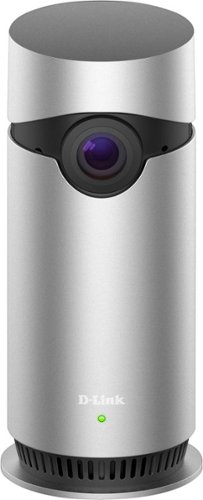
Secure your home and connect with pets or the babysitter with the Omna Cam 180. Featuring a full 180-degree view, this sleek camera setup gives you the skinny on everything that's happening when you can't be there. A built-in microphone on this Omna Cam 180 lets you interact with your kids or even the family dog.
Customer Rating

3
Decent Cam Marred by Limiting Software
on September 17, 2017
Posted by: cjviscito
from Little Elm, TX, USA
As home automation and home security continue to merge, I'm always curious about new tech. D-Link is an established name in home networking, so when I heard they were coming out with the Omni 180, I was very curious and wanted to test it out.
I wish the testing had performed to my hopes, but as nice of a camera as the Omni 180 is, it's marred by the limiting software that D-Link packages with it.
From a design aesthetic, the Omni 180 is a sleek aluminum cylinder that's only about 2 or 5 inches tall. It's honestly about the same size as a toilet paper roll. The power cord is cut specifically to fit a notch in the rear of the camera. This is nice because it keeps the power constantly connected and doesn't protrude from the back. That being said, you have to align it perfectly and it, like most USB items, took me more tries to connect than I'd care to admit.
If you turn the Omni 180 over, there's a slot on it's base for an SD card. Cool, I thought, I can store local recordings. In truth, that's the only way you can record them. There's no cloud option! Zero, zip, zilch... this means that if someone were to break into your house and take the camera, they've also taken the only recording as well. From that aspect, I was immediately disappointed. As far as video goes, you can stream in 1080p, which looks fantastic and there was no lag. Recording is limited to 720p which isn't really a bad thing, but given that D-Link touts this for it's 180 degree view, hence the name, I would've liked to have seen 1080p recording as well.
The Omni software that accompanies the camera doesn't provide the features found in their competitors'. But before I go there, let's talk about HomeKit. Setting up the camera with HomeKit was a breeze, and I was up and running in less than 3 minutes. The Omni 180 also appears in HomeKit as a motion sensor - great, I thought, I can get alerts if we're out of town or only during the times when we're not at home. As cool as HomeKit integration is, I was shocked to learn that was the only platform D-Link is supporting. There's no way to connect this with any other Smart Home service, such as Alexa, Nest, Google Home, etc.
Nope - the Motion Sensor setting has only 2 functions: On and Off. I was really disappointed that what's being touted as a high-end home camera with motion detection doesn't even have the basic ability to set a schedule. My Apple Watch and iPhone were constantly buzzing with alerts, so I ended up having to turn motion detection off to save my watch's and phone's batteries. Most other home video providers have the ability to set a scheduled monitoring window - so I would hope that D-Link has this on their product roadmap because I have a hard time seeing it's use until they do.
Pros:
* Sleek, compact design
* 1080p streaming without lag
* Ability to turn off LED light
* HomeKit integration
* Sleek, compact design
* 1080p streaming without lag
* Ability to turn off LED light
* HomeKit integration
Cons:
* No cloud recording option
* No motion detection scheduling
* Limited software options in Omna app
* No Android support
* No IFTTT integration
* Limited to HomeKit smart home platform
* No cloud recording option
* No motion detection scheduling
* Limited software options in Omna app
* No Android support
* No IFTTT integration
* Limited to HomeKit smart home platform
My Best Buy number: 0960017711
Mobile Submission: False
No, I would not recommend this to a friend.


Share this review:


0points
0of 0voted this as helpful.
cjviscito's Review Comments
cjviscito has not submitted comments on any reviews.
cjviscito's Questions
cjviscito has not submitted any questions.
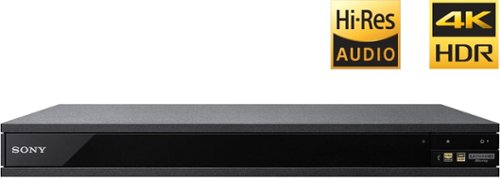
Experience immersive entertainment options with this Sony 4K Blu-ray player. Its Ultra HD resolution provides exceptionally detailed screen images with increased brightness and more realistic color, and its support of Dolby Atmos and DTS:X provides cinema-quality sound. This Sony 4K Blu-ray player supports high-resolution audio formats for more accurate music reproduction.
Can this Sony Player connect to a soundbar receiver with blue tooth?
According to the specs, yes, you should be able to pair a unit with a Bluetooth soundbar - but to be fair, I didn't try it.
9 years, 4 months ago
by
cjviscito
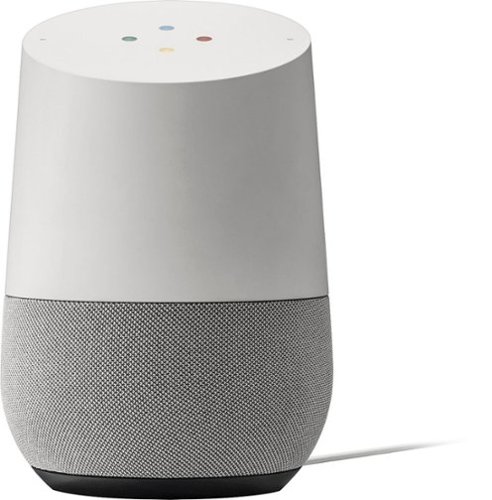
Simplify your everyday life with the Google Home, a voice-activated speaker powered by the Google Assistant. Use voice commands to enjoy music, get answers from Google and manage everyday tasks. Google Home is compatible with Android and iOS operating systems, and can control compatible smart devices such as Chromecast or Nest."
What other device is need to turn lights off in your home?
You need a smart switch. Home natively supports Philips Hue - but if you have a WeMo switch like I do, you need to rely on the IFTTT app and write some if-then guidelines.
9 years, 10 months ago
by
cjviscito
Which HDMI cable is the best? Audio Quest,Monster Cable,RocketFish
There's really no difference right now between HDMI cables. With Monster, you're paying for the brand and really nothing else when it comes to HDMI cables.
Best Buy has some cables that are online only and are a great value. No noticable difference between the value cable and a 3' Monster cable that I had.
Best Buy has some cables that are online only and are a great value. No noticable difference between the value cable and a 3' Monster cable that I had.
16 years, 7 months ago
by
cjviscito
Dallas, TX