


cjviscito's stats
- Review count221
- Helpfulness votes667
- First reviewNovember 1, 2012
- Last reviewAugust 18, 2026
- Featured reviews0
- Average rating4.2
Reviews comments
- Review comment count0
- Helpfulness votes0
- First review commentNone
- Last review commentNone
- Featured review comments0
Questions
- Question count0
- Helpfulness votes0
- First questionNone
- Last questionNone
- Featured questions0
- Answer count23
- Helpfulness votes23
- First answerFebruary 8, 2010
- Last answerMay 27, 2021
- Featured answers0
- Best answers1

Oura Ring 4 sizes are slightly different from standard ring sizes, so it is important to size yourself using our tools and to follow our sizing instructions. The Oura Ring 4 Sizing Kit allows for you, and those around you, to find the ideal fit before purchasing. You can also size yourself in stores where there is an Oura Ring 4 display. A properly fitting Oura Ring will result in the highest possible data accuracy, comfort, and overall experience.
Customer Rating

5
Nice Sizing Kit Upgrade from Gen 3
on August 18, 2026
Posted by: cjviscito
If you're new to the Oura system, one of the things that I appreciate is the sizing kit, and instructions they send out to ensure you end up getting the right size. The ring sizing kit was different and more improved from the Oura Gen 3 version I got a few years ago.
The Oura Gen 5 sizing kit comes with 12 different size options. Our recommends you wear a ring for at least a day, since our fingers literally flex in size throughout the day. Fingers and knuckles expand when it's hot, and they contract when it's colder.
They also recommend you wear it on, in order of recommendation, your index finger, then middle finger, then ring finger. Compared to the harder plastic versions I had with the Gen 3, the Gen 5 versions were actually more pleasant to wear. I ended up picking the size 12.
My wife is also an Oura user, so we picked the sizing kit up, and then we were both able to get an idea of the sizes we needed. So 2 birds with one stone. As a side note, they also make fun dress up toys for my younger kids after we were done figuring out our Gen 5 sizes.
I would recommend this to a friend!
Share this review:


0points
0of 0voted this as helpful.
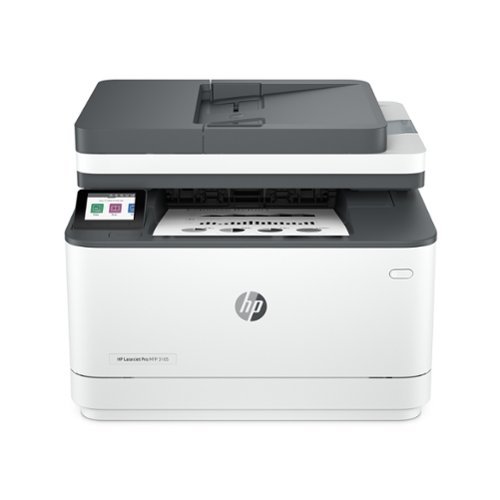
From America's most trusted printer brand~, the LaserJet Pro MFP 3105sdw delivers compact design with reliable performance. Get fast black-and-white printing speeds, high-volume scanning, and easy management tools designed for the office.
Customer Rating
5
The printer I've been looking for!!
on August 4, 2026
Posted by: cjviscito
This is the printer that I've been looking for! I've been on the hunt for a reliable, laser jet printer that can support copy and scan functionality, wireless printing, and most importantly work with my daughters Chromebooks from school!
Let me run down each of those reasons why I appreciate the functionality and simplicity of this printer.
First, it's a laser jet printer. We made the investment in a laser jet printer after dealing with the fun of buying expensive ink only for the canisters to dry and then requiring new cartridges and the fun of realigning to get a good print job. The thing that I love about laser jets is that because they're toner based, there's no ink to dry or gum up the machine. Sure, toner's expensive also, but I find that over time, the laser jet and toner approach is more cost effective. This is a basic, black and white laser jet printer, so it prints black-and-white and greyscale images quickly and beautifully, with no ink to dry.
Next, it has the scan and copy functionality that I've come to believe is required in a modern printing device. If you've never experienced the sheer panic of not being able to manage a scan or copy situation, just trust me, they're worth it. Scanning PDFs to our financial advisor, to my kids's schools, to my work, all of it is a simple process.
Third up is wireless printing. Long gone are the days where a ribbon cable or USB cable was required for a printer to be right next to your workspace. With a wireless printer, I can set this thing up in our basement, out of the way, so when the kids need to print something off for school, they can run down from their bedrooms to the basement, pick it up, and get back to whatever shenanigans they were into.
Finally, the reason why I'm so happy I found this is because it supports Chromebook devices! We've gone through several other brands of printers. One had a hardware security flaw, the other was too big, and neither of them would allow printing from a Chromebook. I tried all the hacks ways around it, but once I ran into the wall of the managed settings on their school-issued devices, I bit the bullet and looked for one that worked with Chromebooks out of the gate.
So now we have a multi-user, laser jet, wireless printer that works with Macs, Windows PCs, and Chromebooks. What more could you want?
I would recommend this to a friend!
Share this review:


0points
0of 0voted this as helpful.
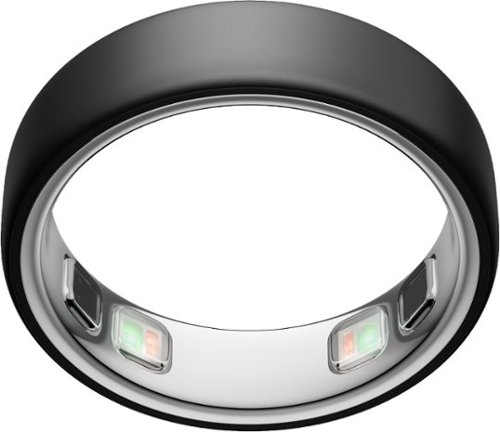
Introducing the world~s smallest smart ring~Oura Ring 5, built with even more sensing power than previous generations. 40% smaller and ultra lightweight, Oura Ring 5 fits seamlessly in with your life and your style. The updated all-titanium design is more scratch-resistant and comfortable than ever, Oura Ring 5 delivers 50+ health metrics with research-grade accuracy. With 6-9 days of battery life you can even forget it~s on. No more compromises when it comes to tracking your health. IMPORTANT: Size yourself with the Oura Ring 5 Sizing Kit before you buy ~ Oura Rings are not US standard sizing and other Oura Ring generations, and finding the right size will result in the best experience possible. With an Oura Ring 5 Sizing Kit purchase, you will receive a $10 Best Buy gift card to use towards your Oura Ring 5 purchase.
Posted by: cjviscito
I've used Oura's since my first Gen 3 Heritage edition several years ago. The improvements they've made to the amount of health tracking and data in the Oura app has been impressive, and I knew I'd want to upgrade my Gen 3 at some point. When I read that the Gen 5's were supposed to be smaller and thinner, I knew I wanted to make the move.
Just with other Oura products, the first thing you'll want to do is get a sizing kit, find your size, and wear it for about a day. This ensures that you pick the right size. Oura also recommends, in order, using your index, middle, or ring fingers. My Gen 3 was sized for my right hand's ring finger, but I knew that Oura really recommends the index, so I opted for the 12 for my right index finger.
I've worn it for over a week now, and compared to the Gen 3, I can definitely say that this is much smaller and more lightweight. It's also worth noting that the charging base was redesigned for the Gen 5, so you can't use an older charging stand for your Gen 5. You can also pick up a portable battery charging case for an extra purchase if you want.
The health insight from this thing are great! I also have it synced with Apple Health and Apple Fitness. This means that health and exercise tracking is shared across multiple fronts. My favorite feature of the Ouras is the Symptom Radar. Introduced earlier, the Symptom Radar helps give you a heads up when your body is under a degree of strain and change in body temperature.
I would recommend this to a friend!
Share this review:


+1point
1of 1voted this as helpful.
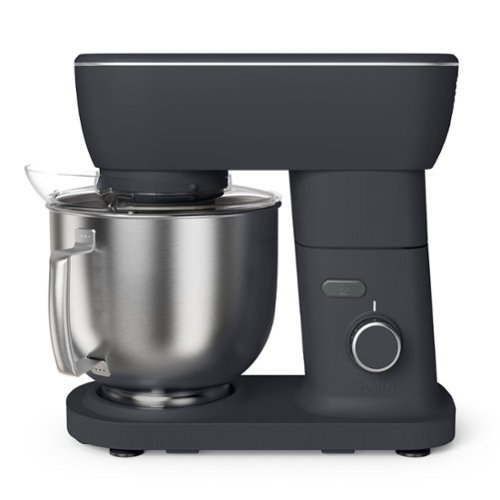
Designed for everyday mixing, the bella STIR 5.3-qt. Tilt-Head Stand Mixer combines built to last performance with thoughtful design. The 500-watt motor and 12 speeds handle a range of tasks, from light batters to thicker doughs, while the soft-touch control helps guide gradual speed changes for more controlled mixing. Full-coverage planetary mixing supports even incorporation around the bowl. The 5.3-quart stainless steel bowl includes a handle for easier lifting and pouring. A lightweight design, suction cup base for stability, and a splash shield with access port help simplify use and cleanup, making it easier to mix, add ingredients, and move between.
Customer Rating
5
Really Happy with this Mixer
on July 12, 2026
Posted by: cjviscito
My wife's been using a hand mixer for the past few years and has been wanting to get a stand mixer. Her general opinion can be summed up as "this is a massive upgrade from my hand mixer". The biggest feature of the Bella that she liked was the size and weight.
The stand mixer is a standard size compared to others, but it's also lightweight enough that it makes taking it out for use and storage much more enjoyable to manage. The Bella also has suction cups on the bottom of the device which help keep it secure while in operation. My wife said that you would've assume the Bella was much heavier than it was because of how it stayed in place while using it.
It also doesn't hurt that she finds the design to be really nice and clean.
She said that using the mixer was easy and intuitive. She just clipped on the attachment you need, press a button and off it goes. The Bella comes with 3 different attachments: a dough hook, whisk, and paddle.
With any stand mixer, there's going to be some noise. These are not silent or quiet devices, but she said it sounded less noisy than our blender, so she was happy with that. Cleaning was also pretty straight forward, no complicated or special cleaning requirements. The bowl, attachments, and shield are all dishwasher safe. That last part's a requirement for me because I hate complicated, hand washing instructions.
My wife told me to say that she highly recommends the mixer for it's results, design, and how easy it is to use.
I would recommend this to a friend!





Share this review:


0points
0of 0voted this as helpful.
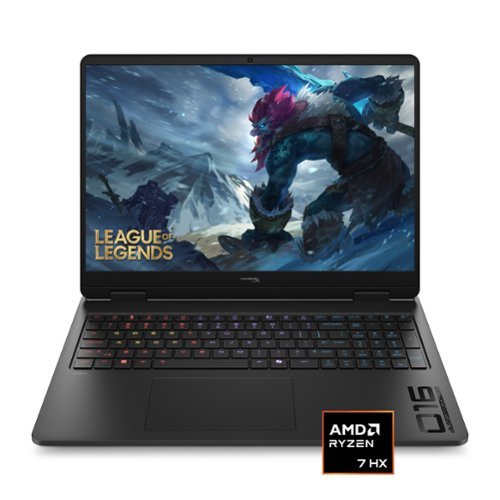
Quickness beyond power, victory beyond doubt. This HP gaming laptop, is engineered specifically to give gamers the competitive advantage. With the combined performance of a NVIDIA 50 series GPU and an AMD Ryzen processor, you're not only guaranteed the power, but also the speed to give you the upper hand in any situation.
Customer Rating

4
Heavy Duty Gaming on the Go
on July 11, 2026
Posted by: cjviscito
We were shopping for a gaming laptop for our daughter, and I recognized the OMEN brand so we grabbed this up for her. It checked a lot of the boxes, but also has some trade-offs. For most light gaming, this thing will be plenty, however I also tested it against some of the beefier games in my Steam library and was not really surprised by the results.
First off - out of the box, this thing is a big beefy boy. I've had several gaming laptops in the past, but this thing is by far the largest and heaviest. The screen is a big, beautiful 16" OLED screen with a 165Hz refresh rate. That means that most games will display beautifully and smooth as butter. The OLED ensures you get true, deep blacks and the 2K display provides a ton of detail and image depth.
The very first thing I had to do after getting it setup, was add an additional NVME drive. By default, the OMEN comes with a 512GB M.2 2280 stick. There's also an additional NVME slot that will fit a M.2 2230 stick. I ended up adding a 1TB stick so that the main OS runs off the 512GB drive, and the games and data is stored on the 1TB drive. This provided plenty of space for Steam games that have a larger install size, like Final Fantasy VII: Rebirth.
Playing anything like Dark Souls 3, Batman Arkham Knight, or Devil May Cry 5 were all great, and played very smoothly. Where I ran into some performance tweaks were when I fired up Elden Ring: Shadow of Eritrea, Doom: The Dark Ages, or Final Fantasy VII: Rebirth. I think this is largely because of the available VRAM and 16GB system RAM. I didn't look for the RAM when I added the additional storage, but according to HP's website, it is user upgradable and not soldered on. Maybe when RAM doesn't cost and arm and a leg, I'll consider upgrading the RAM to something more like 24 or 32GB.
I also appreciate how the majority of the ports are on the back of the machine, so the power, HDMI, and network cables all connect towards the back of the unit instead of sticking out of the side. That makes it perfect for sitting on a table top, without a ton of cables sticking out of the sides while you're trying to play.
Overall, I'm happy with this thing and so is my daughter. She doesn't play as demanding of titles as I do, but she also likes Vampire Survivors, and if you've played that, and you're good, you know that can cause a lot of frame drops.
I would recommend this to a friend!
Share this review:


-1point
0of 1voted this as helpful.
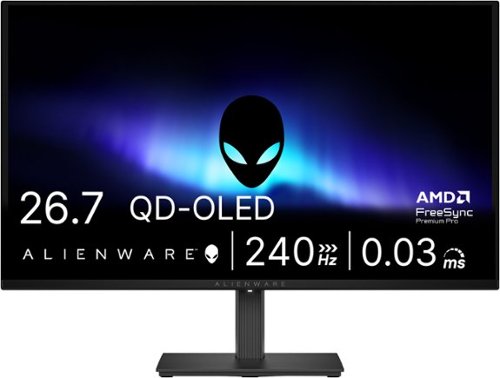
Alienware 27 240Hz QD-OLED Gaming Monitor. Take in superb QD-OLED visuals and fluid gameplay on the 27" flat panel monitor featuring a fast 240Hz refresh rate.
Customer Rating
5
The Perfect Gaming Monitor for My Setup
on June 5, 2026
Posted by: cjviscito
I've been on the watch for a good deal on an OLED monitor with specific specs. It had to:
- Be 27", I've tried larger monitors, and 27" is the sweet spot for my desk setup.
- 120Hz or higher refresh rate for gaming
- Support both DP and HDMI
- Be VESA compatible out of the box
- Be under $400
- 120Hz or higher refresh rate for gaming
- Support both DP and HDMI
- Be VESA compatible out of the box
- Be under $400
I was very impressed to see that the Alienware AW2726DM monitor checked all the boxes. I had this thing out of the box, mounted, and up in running in less than 10 minutes. Inside the box, you'll find the monitor, a height-adjustable arm, and all the cables you need. The box was larger compared to the box that my previous 27" monitor arrived in. I was happy to see that the packaging inside was sturdy, and recyclable.
The monitor itself is extremely lightweight, and lighter than the older HP model that it replaced. That made mounting it on a monitor arm all the easier. I have another arm behind the monitor arm that holds my webcam, so it was nice to see that all the ports pointed down, so no cables sticking out perpendicular, forcing me to change my entire setup.
I immediately fired up Steam and launched Doom: The Dark Ages to see how well the contrast and refresh rates held up. My PC immediately picked up on the 240Hz refresh rate which makes the action look buttery smooth with no noticeable ghosting or tearing effects.
When it comes to contrast, there's no beating an OLED because of how the image is produced. LED monitors still use some light when producing black colors, which can lead to a washed out look. OLED is different in that the pixels are not even turned on to produce black. That means you're getting "true black" which makes the image pop. Doom was noticeably different, in all the right ways.
I also use a docking station on my desk to swap between my PC laptop for gaming, and my MacBook Pro for work. The Mac also immediately registered the higher refresh rate, but it was capped at 144Hz. Not sure if that is a limitation of my docking station, or MacOS but a good FYI. Watching movies on the Mac with this screen turned my home office into a mini home theater.
The price point for this monitor hit the sweet spot as well, coming in under $400. Similar gaming monitors with a 240Hz refresh rate are closer to $1,000 than this, so definitely feels like a great bang for the buck. I couldn't be happier with this!
I would recommend this to a friend!
Share this review:


0points
0of 0voted this as helpful.
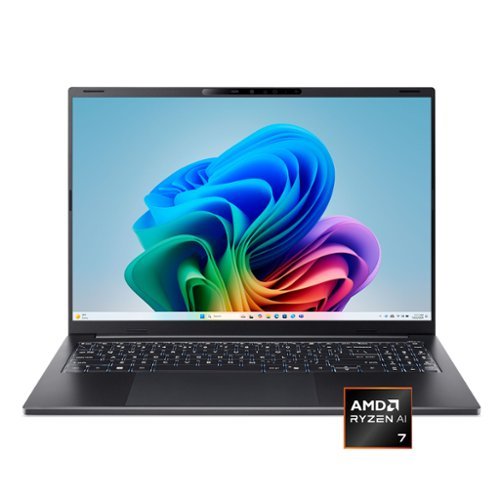
Wherever life takes you, the Acer Swift Go 16 AI is designed to move with you. Its slim, ultra~thin design slips effortlessly into your day, while all~day battery life and the powerful AMD Ryzen~ AI 7 445 processor deliver seamless performance ~ so you can work, create, and stay connected effortlessly, wherever you go. A stunning WUXGA (1920 x 1200) touch matte display makes every moment more immersive, while built~in AI performance helps ideas take shape so you can stay one step ahead.
Customer Rating
4
Great Choice for First Windows Laptop
on May 17, 2026
Posted by: cjviscito
I picked this up for my 15 year old teenager, who wanted a computer that could handle simple day-to-day emails, web browsing, while also allow them to play games on Steam. I didn’t want to over-invest on a gaming laptop for their first one, I wanted to start them off with a good foundation.
In the box, you get the laptop, a carrying case, and the power cord. That’s really all you need to get cooking. After playing around with it a bit before giving it to my kid, here’s what I ended up liking about it, and other aspects that might make you consider something different.
I really do like the overall industrial design of the laptop. It’s a large, 16” screen, but doesn’t feel like you’re carrying a brick. For a teenager who will probably be carting this around, it solves 3 core needs: it needed a big screen, it needed to be light, and decent battery life.
So here’s what I ended up liking about the Swift Go 16:
- The screen is also a touchscreen, nice to have option for a kid who’s used to tablets.
- The layout and sizeof the keyboard and trackpad are easy to use.
- It runs fairly quiet, because it’s not designed to be a resource hog.
- 16GB of RAM is more than enough for day-to-day tasks without feeling sluggish.
- 1TB of hard drive space means more room for games.
- The screen is also a touchscreen, nice to have option for a kid who’s used to tablets.
- The layout and sizeof the keyboard and trackpad are easy to use.
- It runs fairly quiet, because it’s not designed to be a resource hog.
- 16GB of RAM is more than enough for day-to-day tasks without feeling sluggish.
- 1TB of hard drive space means more room for games.
Now, all that out of the way, I want to make it clear that this is not, nor is it marketed as a gaming device. Again, I wanted something not overly expensive or laden with features that my kid wouldn’t use. Bearing that in mind:
- No extra GPU, there’s only the integrated GPU.
- Not really ideal for more recent, higher-resource dependent games.
- The screen has a gloss to it, which makes working in bright rooms a challenge.
- Speakers are OK, but not great. Not a deal breaker because that’s what headphones are for.
- No extra GPU, there’s only the integrated GPU.
- Not really ideal for more recent, higher-resource dependent games.
- The screen has a gloss to it, which makes working in bright rooms a challenge.
- Speakers are OK, but not great. Not a deal breaker because that’s what headphones are for.
All that in mind, I’m really happy with the performance at the price point of this thing. It’s great for everyday use, school work, and casual gaming. My kid was thrilled beyond the stars when they got their hands on it. So if you’re looking for a good intro laptop that feels a bit more premium without breaking the bank, this is a great option.
I would recommend this to a friend!
Share this review:


+1point
1of 1voted this as helpful.
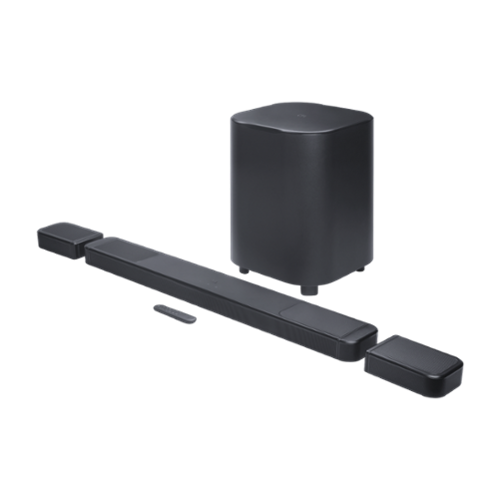
Get ultimate 3D spatial sound in seconds ~ without the wires. You can get a cinematic sound experience in seconds. One that fills your entire room with true Dolby Atmos and DTS:X for vivid, immersive 3D spatial audio that you can customize to fit any moment. Just pick up the detachable wireless speakers from either end of the JBL BAR 1300MK2 soundbar and put them behind where you~re sitting. Far apart for family movie night with the new superhero hit or closer for a cozy romantic playlist~ chosen from hundreds of available streaming services. Feel deep, punchy bass from a mighty 12~ subwoofer and enjoy the widest, most cinematic soundstage with MultiBeam 3.0. When you~re not watching TV, pair one or both of the detachable speakers to any Bluetooth device for portable and powerful sound anywhere in your home. And all of this works seamlessly with your TV. Your TV just can~t offer the rich, powerful sound you deserve, but JBL has meant great sound for cinemas, recording studios, and concert halls for nearly a century. Bring our level of craft to your own home.
Posted by: cjviscito
I've been a fan of JBL speakers since I was introduced to them in college when I started running a local karaoke show for a bar across from the campus. I've expanded my JBL lineup in recent years with the JBL Authentics 500 and have been blown away. So when my sound bar in my family room started to interimitetnly drop the HDCP connection between my AppleTV 4K and my LG OLED, I decided to pick this set up and it has blown me away again!
In the box, you get the soundbar, which is overall longer than my previous one if you have both the removable speakers attached. You also get the 2 removable speakers, the giant subwoofer, as well mounting hardware if you want to wall mount your sound bar.
That last piece seems a bit odd to call out, but as someone who's wall mounted several sound bars, it was great to see a premium, all-in-one solution. It eliminates the need to find a 3rd party mount, or pay extra for a first party one.
I had this thing out of the box, wired up, and fired up in less than 10 minutes and it should go without saying that this thing is LOUD. If we're watching casual TV, we typically keep the volume set around 10 which is perfectly loud enough.
The subwoofer was to me, comically bigger compared the woofer for the sound bar I was replacing. I joked with my wife that it looks like a big black end table that should be next to a chair. Luckily, I was able to set it up out of the way, so that the room still enjoys the rich, full booming bass.
The removable speakers were an incredible cool part of this set up. You can leave them docked with the main sound bar to charge, and use regular, or you can detach them, and use them as rear surrounds. This is awesome for those movie nights were you want the immersive feel, with the freedom to move speakers around, and not have to figure out how to mount them or run power to them. In our current family room, that would've been a challenge, so I love this idea!
You can also use the detachable surrounds as bluetooth speakers, so you can pair your phone and you have an instant portable bluetooth speaker. I haven't played with that feature as much for now, mostly because I have a cheaper, portable bluetooth speaker that I use in our backyard and don't really mind if something were to happen to it. For me, the detachable surround speakers are way more useful as surrounds versus portable bluetooth speakers.
The whole setup can be managed in the JBL One app on your mobile phone. Once I had everything set up, the app prompted some area sound test set up. The beeps drove my dog nuts, but after a few minutes, the bar was up, connected to WiFi, and ready to rock and roll... literally.
I love this setup and would heartily recommend it to anyone who wants a premium home theater audio setup that can be easily adapted to any room space without the need of speaker mounts or running wires, wants something that just works out of the box, and delivers rich, booming sound.
I would recommend this to a friend!
Share this review:


0points
0of 0voted this as helpful.
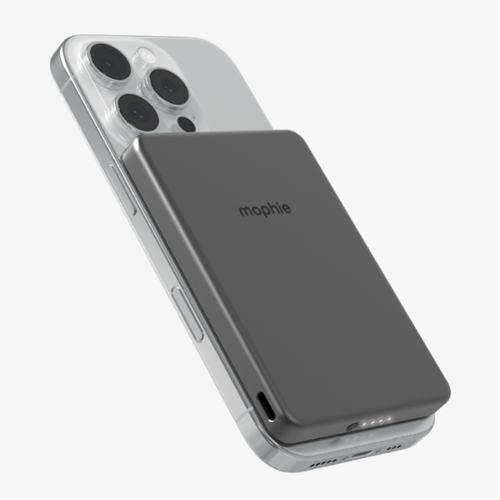
Charge your phone fast with Qi2-certified Powerstation Wireless Slim. This ultra-slim power bank has a 15W magnetic charging surface and a 20W USB-C PD port. It~s also MagSafe-compatible. Powerstation Wireless Slim contains a 5,000mAh internal battery, so it has the capacity to meet the demands of your day
Customer Rating
5
Perfect for my Teenager
on January 1, 2026
Posted by: cjviscito
I have a 15 year old who both manages to drain the battery on their iPhone 15 on the regular while also managing to habitually never remember to charge it. Many a time have been the sad song sung to me of "Hey Dad, my phone's dead. Can I have your charger?"
So I opted to remedy this with a MagSafe battery pack that would allow them to simply slap it on to keep their phone charged. We also recently tested this out on a road trip to Texas and although the problematic behavior of forgetting to charge the phone remains, this battery pack added much appreciated life to their device.
Out of the box, it's pretty straightforward, you get the battery pack and a charging cable. As with most devices nowadays, there is no charging brick, so you'll need to figure that out for yourself. I have a reliable and robust charging station set up, so I charged this thing up in no time using the same power cord that charges my iPad Pro.
Here's what I appreciate about the simplicity of the design: it just works. So long as you have either a bare phone, or a case that supports MagSafe accessories, you're good to go! The only hang up my kid had was the new wallet case they wanted for their iPhone doesn't work with any MagSafe accessories, but take it out of the wallet case and bam - instant juice.
Something else I appreciated, as someone who grew up with land line phones in the kitchen, is the heft that this adds to the phone. Not sure why, but I appreciate that the phone felt more sturdy in my hand with this pack. The weight doesn't seem to matter to my kid, so long as the phone has power.
If you're always on the go, away from a reliable charging source, or have a 15 year old who for the life of them, can't remember to charge their device, then I really recommend picking this up.
I would recommend this to a friend!
Share this review:


0points
0of 0voted this as helpful.
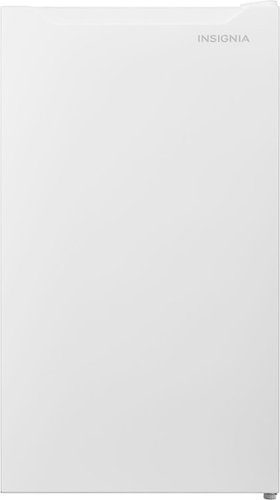
Find a home for this Insignia 3.3 Cu. Ft. Mini Fridge with Door Storage and ENERGY STAR Certification in your office, mini bar, dorm, or other small spaces. Its compact design is ideal for limited square footage. Three glass shelves, a crisper drawer, and seven door racks keep your refrigerator organized and ready to store your food. It~s also Energy Star certified to save costs on your electric bill.
Customer Rating
4
Great Additional Mini Fridge
on December 6, 2025
Posted by: cjviscito
We recently moved into a house that has 2 stories and a basement. We wanted to have an extra mini fridge on the second story in our guest room, so that guests could have access to cold drinks, and have a place to keep anything they wanted cooled without having to contend with the mess in our regular refrigerator in the kitchen.
We have an Insignia mini fridge in our basement, but that one has a see-through door, and we wanted something neutral that would not stick out in the room, or keep our guests awake. So we picked up this 3.3 cu ft. mini fridge and it's worked out great!
There's plenty of storage space inside, and the door's wire rack is designed for water bottles, or cans of sodas. There's plenty of space for drinks and odds and ends. Since it's in the guest bedroom, something I was happy to hear was how quiet it is. When the fridge kicks on to cool, you can tell, but it's not distracting, just fades into the background like white noise.
The temperature control on the insider is basic enough to understand without being over complicated which is nice. I left it at the default setting, and haven't had a reason to change it. Out of the box, the hinges are pre-installed on the right, so the door will open that way. You can change the hinges if you want to open the door from the left. I'm right handed, so I also left that as is.
Inside, there are 3 glass shelves and the bottom has a little mini drawer. So like I said, plenty of room. I've actually been considering picking up another one of these and putting it in the garage for our neighborhood poker nights. Only knock against it is that there's only refrigerator space, so if you're wanting something that also has a mini freezer, then this isn't the one you're looking for.
I would recommend this to a friend!
Share this review:


0points
0of 0voted this as helpful.
cjviscito's Review Comments
cjviscito has not submitted comments on any reviews.
cjviscito's Questions
cjviscito has not submitted any questions.
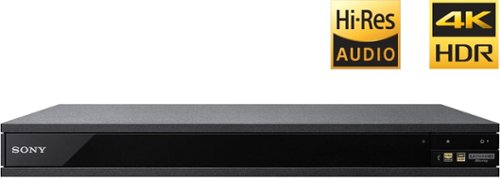
Experience immersive entertainment options with this Sony 4K Blu-ray player. Its Ultra HD resolution provides exceptionally detailed screen images with increased brightness and more realistic color, and its support of Dolby Atmos and DTS:X provides cinema-quality sound. This Sony 4K Blu-ray player supports high-resolution audio formats for more accurate music reproduction.
Can this Sony Player connect to a soundbar receiver with blue tooth?
According to the specs, yes, you should be able to pair a unit with a Bluetooth soundbar - but to be fair, I didn't try it.
9 years, 4 months ago
by
cjviscito

Simplify your everyday life with the Google Home, a voice-activated speaker powered by the Google Assistant. Use voice commands to enjoy music, get answers from Google and manage everyday tasks. Google Home is compatible with Android and iOS operating systems, and can control compatible smart devices such as Chromecast or Nest."
What other device is need to turn lights off in your home?
You need a smart switch. Home natively supports Philips Hue - but if you have a WeMo switch like I do, you need to rely on the IFTTT app and write some if-then guidelines.
9 years, 10 months ago
by
cjviscito
Which HDMI cable is the best? Audio Quest,Monster Cable,RocketFish
There's really no difference right now between HDMI cables. With Monster, you're paying for the brand and really nothing else when it comes to HDMI cables.
Best Buy has some cables that are online only and are a great value. No noticable difference between the value cable and a 3' Monster cable that I had.
Best Buy has some cables that are online only and are a great value. No noticable difference between the value cable and a 3' Monster cable that I had.
16 years, 7 months ago
by
cjviscito
Dallas, TX