


explore42's stats
- Review count222
- Helpfulness votes626
- First reviewFebruary 26, 2016
- Last reviewOctober 11, 2026
- Featured reviews0
- Average rating4.3
Reviews comments
- Review comment count0
- Helpfulness votes0
- First review commentNone
- Last review commentNone
- Featured review comments0
Questions
- Question count0
- Helpfulness votes0
- First questionNone
- Last questionNone
- Featured questions0
- Answer count23
- Helpfulness votes237
- First answerFebruary 26, 2016
- Last answerDecember 23, 2021
- Featured answers0
- Best answers8
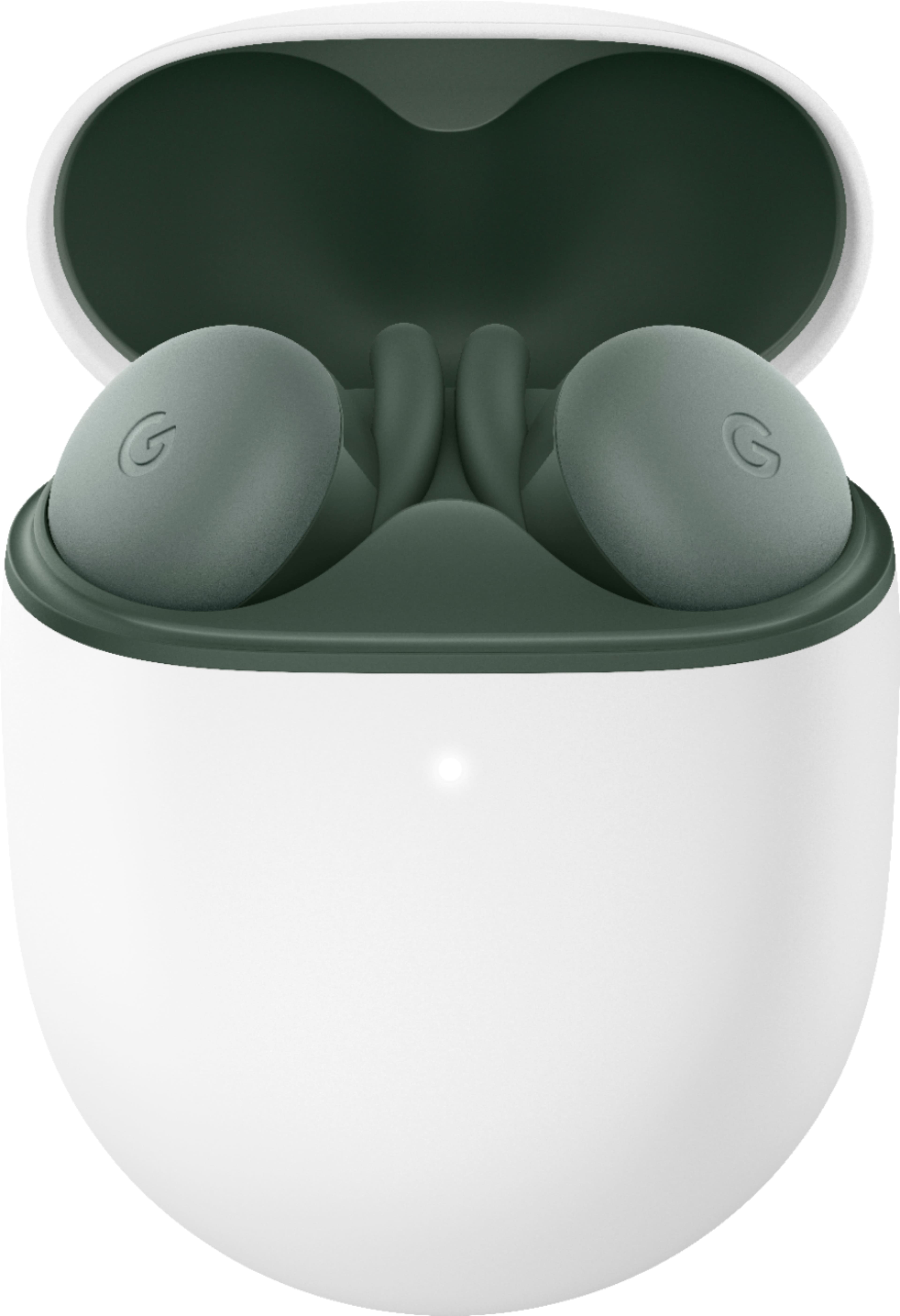
Pixel Buds A-Series bring you rich, high-quality sound for a lot less than you~d expect. Their beamforming mics help make calls crystal clear.*** The flush-to-ear design is stylish, and the stabilizer arc keeps them in place so you can wear them even during the sweatiest workout.**
Posted by: explore42
from Cincinnati Ohio
The Pixel A Buds are comfortable to wear, great for taking phone calls but the audio quality can be too bright and they lack bass when it comes to music. Because of their tight fit and sweat resistance they are my primary earbuds for workouts.
Pros:
- Comfortable fit that doesn’t move when you do
- IPX4 Sweat and water resistant
- Great for phone calls, high quality microphone
- Easy set up and fast pairing with Google or Android phones
- Integrated Google assistant
- Auto pause when earbud is removed from the ear
- Comfortable fit that doesn’t move when you do
- IPX4 Sweat and water resistant
- Great for phone calls, high quality microphone
- Easy set up and fast pairing with Google or Android phones
- Integrated Google assistant
- Auto pause when earbud is removed from the ear
Cons:
- Lack of bass even with the Bass Boost turned on
- No volume control via earbud touch
- No ability to re-assign touch functions
- No built- in equalizer in the Pixel Buds app
- No Pixel Buds app for Pixel Chromebooks or IOS devices
- No ANC – Active Noise Cancellation
- Lack of bass even with the Bass Boost turned on
- No volume control via earbud touch
- No ability to re-assign touch functions
- No built- in equalizer in the Pixel Buds app
- No Pixel Buds app for Pixel Chromebooks or IOS devices
- No ANC – Active Noise Cancellation
Performance: The earbuds feel solid and the low profile allows it to sit comfortably in your ear. As soon as you open the case the earbuds automatically pair with an Android phone which is great. There is also a pairing button on the back of the case to turn on pairing if your device is not an Android. Operating the play, pause, forward/reverse functions as well as phone call control is simple and fairly intuitive however you cannot change the volume nor can you change the button’s assigned function. The earbuds use Adaptive Volume if you have an Android phone and this automatically adjust the volume to the environment. I found that often the Adaptive control would set the volume too low for my liking and I eventually just turned the feature off. The auto-pause when one ear bud is removed worked well and it’s a great feature to have especially if you are using these in an office or a gym where people may interrupt you. The battery life of 5 hours for the earbuds and 24 hours for the case are typical of what you get in this price range. There is a light on the front of the case that indicates the charging and paring status of the earbuds.
Pixel Buds App: This is a very minimalistic app that is only available on Android phones. It’s not available for Pixel Chromebook or IOS devices. Sadly, it doesn’t include touch function management or an equalizer. You can check the battery levels of each ear bud and the case. There are four areas in the app, Find Device, Touch Controls, Sound and In Ear Detection. In Find Device you can use location info to help locate a missing earbud as well as turn on a ringing sound within the earbud if it’s within range. In Touch Controls you can turn the Touch control on or off but you cannot reassign the functions. In Sound you can turn Bass Boost on or off which is the only equalize control you have in this app. You can also turn Adaptive Sound on or off which automatically adjust the volume based on your environment. In Ear Detection you can turn on or off the detection of the earbud being out of your ear.
Mobile Submission: False
I would recommend this to a friend!


Share this review:


+8points
13of 18voted this as helpful.
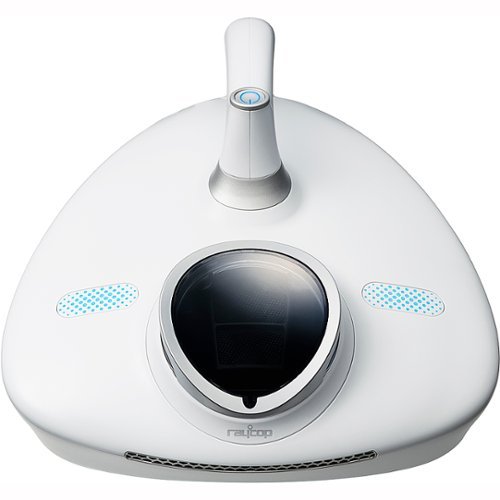
The newly developed pulsating brush removes more hair and pet hair than our other models. The flexible, vibrating and rotating brush performs 18,000 pulsations per minute.
Posted by: explore42
from Cincinnati Ohio
The Raycop RN UV Handheld Vacuum does an adequate job cleaning flat bedding and flat upholstery. Sadly, many of the things I would like to clean with this vacuum like some of my bedding, chairs and sofa are not flat. After using the vacuum on several beds and pieces of furniture I have come to the conclusion that this is a very unique product but it has some shortcomings that limit its overall value.
Overall: The build quality of the vacuum seems to be solid with easy access to the primary filter, the dust box and the HEPA filter. The cord is slightly over 16 feet long so I had no cord length issues vacuuming a king size bed or a long sofa. The pulsating brush and UV light can be accessed and removed when necessary with minimal effort. The instruction manual recommends using the vacuum on a flat surface and compares the required effort to “ironing”. I don’t know too many people who like to iron but luckily using this vacuum isn’t quite as tedious. The downside is that the vacuum and UV light lose their effectiveness if the surface is not perfectly flat and many upholstered chairs and sofas and some pillow top beds can never be flattened enough to meet that recommendation. The UV light is automatically turned off for safety reasons if the vacuum believes it is not in full contact with the surface. I don’t know if the vacuum is actually picking up dust mites since I can’t see them nor do I know if the light is strong enough or exposed long enough to kill bacteria and viruses so I have to trust Raycom on that claim.
Shape: The shape of the vacuum and the handle make it very convenient to clean the surface of a bed but to clean the sides of the bedding you may need to reposition the bedding so the sides are on top of the bed and sitting flat. Chairs and sofas are even more difficult to clean. Due to its odd shape you can never vacuum into the corners or close to where two surfaces meet. There are no attachments to reach into the corners or crevices. At my house that is usually where everything settles including the dust. When you try to vacuum any curved surface the UV light turns off due to the vacuum not being in full contact with the surface. So when I tried to vacuum the upper sections of the sofa and chairs the light would come on and go off regularly. My couch and chair backs are not flat surfaces, there are hills and valleys where there is decorative pillowing. When I used the vacuum over those areas only the areas in direct contact with the vacuum were cleaned. When I tried to clean some decorative pillows I could vacuum the middle of the pillow but the edges were difficult to manage as they became more curved.
Filter: The primary filter and dust box are extremely small. This is fine for picking up dust and small particles but anyone with a pet that sheds will have to empty the dust box and clean the filter often. The filter is made up of small squares and the vacuumed particles start to clog these squares which affects the vacuum effectiveness. The plus side is this filter is plastic and reusable, the downside is Raycom recommends emptying the filter and cleaning it in water which is not convenient. The vacuum also has a replaceable HEPA filter that filters the exhausted air from the vacuum. The filter is easy to replace and the vacuum does give you an indication when it needs to be replaced.
Mobile Submission: False
No, I would not recommend this to a friend.


Share this review:


+8points
8of 8voted this as helpful.

Mini version of Tweezermans award-winning slant tweezer. Famous for its precision, the Mini Slant Tweezer features perfectly aligned hand-filed tips for expert brow shaping. Grabs every hair, every time.

Posted by: explore42
from Cincinnati Ohio
These Tweezerman mini tweezers are perfect for anyone who uses tweezers. The tweezers are solidly built and have a nice feel to them so they don’t slip when you try to use them. The ends aligned perfectly and the force required to clamp the arms together wasn’t excessive. Because of the solid build you can clamp down hard on what you are trying to pull out. With lower quality tweezers the hairs can slip from the clamp when you pull – not the case with these. They come with a nice plastic tube container for storage which is great for a purse or travel kit. Lastly because they are the mini version it lets you get more clamping power closer to the ends which I think is a definite advantage.
Mobile Submission: False
I would recommend this to a friend!
Share this review:


0points
0of 0voted this as helpful.
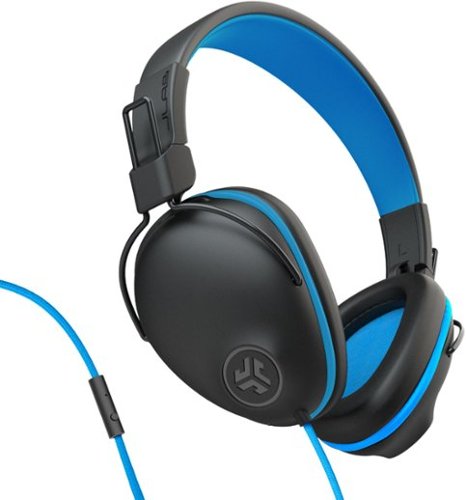
Great for older kids with a large, over-ear design, the JBuddies Pro offer the ultimate focus for home or school. With all day comfort and a volume regulator to keep young ears safe, these headphones are perfect for sensitve and growing kids ears.
Customer Rating

4
Good Value with a Solid Build
on June 3, 2021
Posted by: explore42
from Cincinnati Ohio
I like JLab products because they are a good value especially when you are outfitting kids. These headphones have a nicely padded headband that is easy to adjust up or down. The earcups are soft and molded for smaller ears so they don’t slip off easily. The cable that goes from the headband to each earcup is a rubberized ribbon cable which is much sturdier than many headphones which just use a thin single wire. The main cable is a braided nylon cable and I like it much better than the typical thin rubberized cable you get on headphones in this price range. Overall the build quality is quite impressive for the price. Inside the earcup there is a volume limiter switch which is easy enough to find but not easy to identify whether its on or off so I made sure the limit switch was on by listening to them myself. With the pc volume on high I noticed quite a difference when I turned the limiter switch on. There is also a track control built into the main cable but its lacking a volume control which I think might have been more useful. The only downside with these headphones is the length of the primary cable which seems about a foot shorter than the other headphones I have bought for the kids.
Mobile Submission: False
I would recommend this to a friend!
Share this review:


0points
0of 0voted this as helpful.
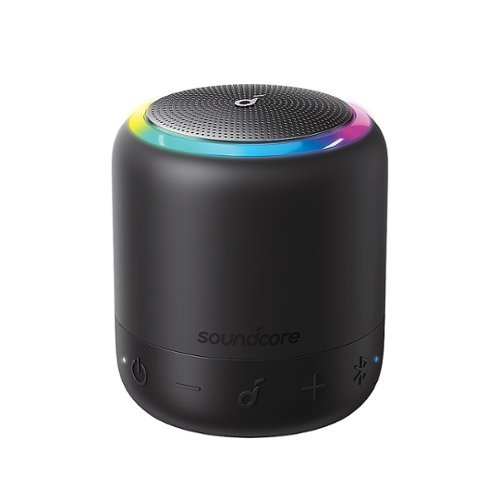
Soundcore by Anker Mini 3 Pro is a perfect pocket portable bluetooth speaker! Get 360~ of ear-dazzling audio squeezed into something smaller than a coffee cup. With a 15-hour battery life on a single charge and IPX7 waterproof, who says beach and pool parties can't get as wild as you want? It's your sound, your rules, so connect the Mini 3 to the Soundcore app to turn it on, off, adjust the volume, change the sound profile, and much more. A USB-C charging port is included for fast-charging with the latest technologies and Bluetooth 5.0 can keep your audio experience crystal clear with a strong connection.
Posted by: explore42
from Cincinnati Ohio
For such a small speaker this versatile Bluetooth speaker has a lot to like. Combined with the Soundcore app and Party cast this speaker offers more options and outperforms most other speakers in its class. The new light ring in this Pro model adds another level of fun to Bluetooth portable speakers.
Pros:
- Good sound quality for a speaker this size. The speaker output is via the top so the sound is top heavy versus other speakers that are side or bottom firing.
-Light Ring adds fun to the music
- Soundcore App offers total control and flexibility. One of the better Bluetooth speaker apps out there.
- Water proof and very portable with a carry strap
- Ability to Party Cast to 100 other speakers and it does Party Cast to other Soundcore models
- Good speaker phone and microphone audio quality
- Good sound quality for a speaker this size. The speaker output is via the top so the sound is top heavy versus other speakers that are side or bottom firing.
-Light Ring adds fun to the music
- Soundcore App offers total control and flexibility. One of the better Bluetooth speaker apps out there.
- Water proof and very portable with a carry strap
- Ability to Party Cast to 100 other speakers and it does Party Cast to other Soundcore models
- Good speaker phone and microphone audio quality
Cons:
- Buttons on the side are hard to find. The control buttons are rubberized black icons on a black background which makes it tough to find them intuitively or in low light.
Speaker: The speaker looks and feels solid. It has some weight but its round sides makes it easy to grasp . It’s too big to fit in a jean’s pocket but drops easily into the cargo pockets on my cargo pants. I’ve carried it around the house while doing projects. Using this speaker I can keep my phone safely tucked away from the action and set out the speaker so I can enjoy an audible book or music while I work. Since its water proof its the go-to speaker for a beach or pool day. It’s a great solution for adding music to the patio when the kids want to dance. The speaker provides good sound dispersion and provides a fair amount of bass with the bass boost on for a speaker this size. Because the speaker is top firing these are great to set on a table or even on the ground. The controls are on the sides towards the bottom and it is the only issue I have with this speaker. The power, volume down, multifunction, volume up and Bluetooth buttons are rubberized mechanical buttons that have icons molded over the button. They are extremely difficult to locate in low lighting and not the easiest to find even though the power button does have a small led light next to it. The rubberized coating is good for water proofing but it makes it more difficult to locate the buttons. This can really a problem if you are using the speaker as a speaker phone because the multipurpose button is the answer button. The audio quality and microphone quality are quite good as a speaker phone. The advertised battery life is 15 hours but I think the actual number of hours depends on the user and the use of the light ring, The speaker has a light ring that really make this speaker stand out. There are multiple light functions in the app to choose from and you can actually pick the colors to use in the rings. I also have a Soundcore Flare 2 and its fairly easy to have it and this Mini 3 Pro party cast together playing the same music.
- Buttons on the side are hard to find. The control buttons are rubberized black icons on a black background which makes it tough to find them intuitively or in low light.
Speaker: The speaker looks and feels solid. It has some weight but its round sides makes it easy to grasp . It’s too big to fit in a jean’s pocket but drops easily into the cargo pockets on my cargo pants. I’ve carried it around the house while doing projects. Using this speaker I can keep my phone safely tucked away from the action and set out the speaker so I can enjoy an audible book or music while I work. Since its water proof its the go-to speaker for a beach or pool day. It’s a great solution for adding music to the patio when the kids want to dance. The speaker provides good sound dispersion and provides a fair amount of bass with the bass boost on for a speaker this size. Because the speaker is top firing these are great to set on a table or even on the ground. The controls are on the sides towards the bottom and it is the only issue I have with this speaker. The power, volume down, multifunction, volume up and Bluetooth buttons are rubberized mechanical buttons that have icons molded over the button. They are extremely difficult to locate in low lighting and not the easiest to find even though the power button does have a small led light next to it. The rubberized coating is good for water proofing but it makes it more difficult to locate the buttons. This can really a problem if you are using the speaker as a speaker phone because the multipurpose button is the answer button. The audio quality and microphone quality are quite good as a speaker phone. The advertised battery life is 15 hours but I think the actual number of hours depends on the user and the use of the light ring, The speaker has a light ring that really make this speaker stand out. There are multiple light functions in the app to choose from and you can actually pick the colors to use in the rings. I also have a Soundcore Flare 2 and its fairly easy to have it and this Mini 3 Pro party cast together playing the same music.
Soundcore App: This has to be one of the best apps for portable speakers. Its simple to understand and it offers great control over the speaker and light ring. The app has three main pages; Equalizer, Home and Light settings. The home page allows you to power off the speaker, check the battery level, play or pause the music and set the volume. The equalizer page has four preset equalizer settings as well as a custom preset that lets you fully customize the equalizer. You can also turn on the bass boost which really does make an impact on the sound quality. The light page has 5 preset lighting patterns. Within some of the patterns you can choose which colors to use which makes the light rings totally customizable to your taste.
Mobile Submission: False
I would recommend this to a friend!


Share this review:


+1point
1of 1voted this as helpful.
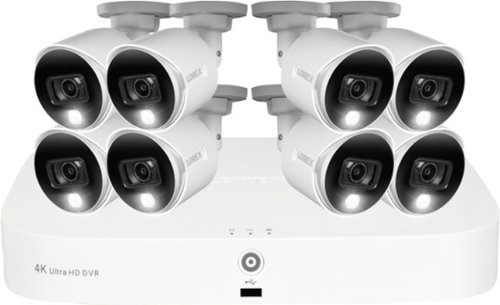
Record and view impressive 4K video with this innovative recorder, providing superior clarity when it comes to your security. Customize your experience with a smarter security solution thanks to Smart Motion Detection, which sends notifications when motion from a person or vehicle is detected or when a familiar face is recognized ~ all directly through the Lorex Home~ App. With the Virtual Fence option, extended property monitoring beyond what the cameras motion detection can provide and receive notifications when the Fence line or Area has been crossed. With convenient smart home compatibility and voice control, remote viewing, and Smart Motion Detection, this recorder gives you next-level security to fit your everyday needs.
Posted by: explore42
from Cincinnati Ohio
The primary reason to purchase this system vs another brand is the speed with which the Lorex Mobile Home App opens and displays the actual video. I have used other brand’s wired and wireless outdoor cameras and I would get so frustrated because by the time the app would actually display the video on my iphone the delivery guy was in the next zip code! I have timed other apps versus the Lorex Home App on my iphone using my home wi-fi network and the Lorex Home App will consistently show the camera video within 4 seconds of launching the app. This is at least twice as fast as other wired systems I have used and nearly 3 to 4 times faster than all of the wireless cameras I have used. But this Lorex system certainly has some short comings due to the lack of flexibility in camera resolution and frame rate, there is no audio recording by the cameras and it’s difficult to set up email notifications. If you can get past these this is a decent Security Camera system that is quick to respond in the Lorex Home App and it has no monthly fees.
While this system uses 4k cameras that resolution is at a slow 7 frames per second so the video can be choppy especially if there are fast moving items in the video. Also that 4k resolution is only available when viewing the video on a 4k monitor directly attached to the DVR. What you see on your phone, tablet or pc is the sub-stream video at a far lower resolution. The actual default resolution sent to the mobile device is 704x480 with a max resolution of 960x480. They do this to limit the bandwidth required to use remote devices. Its quite a difference from the 4k resolution of 3840x2160 which is the mainstream video that is stored on the DVR. Because the mobile device’s screen is small the image is still quite sharp even at the lower resolutions. To actually gain all the benefit of the 4k cameras you need to be looking at a 4k monitor attached to the DVR via an hdmi cable. Sadly I found no way to lower the resolution on the Lorex cameras so that I could increase the frame rate. The cameras that come with this system actually support up to 15 frames per second per Lorex’s tech specs but the software in the DVR limits you to 7 frames per second no matter what resolution you select.
What I liked about this system:
- Speed, it’s the fastest from notification to viewing video of any camera or system I have tested
- No monthly subscription fees
- 4k video quality is really clear and the viewing angle is wide with minimal distortion. The night vision was clear but not the most colorful under normal night lighting.
- The Smart Motion Sensing worked well and setting up the motion detection zones was simple.
- There is a home and away setting as well as an “alarm all/disarm all” type setting in the Lorex Home App
- The system supports face recognition on two cameras
- The system supports a virtual fence setting which allows you to refine your alert zones for example you can put a virtual fence around your pool that will alert you if anyone crosses the fence and enters the pool.
- The ability to access the video locally on the DVR or remotely using a pc, tablet or phone is plus. You can access the DVR from a PC using Microsoft’s Edge browser and the DVR’s IP address.
- The setup was fairly straight forward as long as you stay with the default settings.
- The Lorex Mobile Home App is very stable, quick to launch, easy to use and navigate.
- Speed, it’s the fastest from notification to viewing video of any camera or system I have tested
- No monthly subscription fees
- 4k video quality is really clear and the viewing angle is wide with minimal distortion. The night vision was clear but not the most colorful under normal night lighting.
- The Smart Motion Sensing worked well and setting up the motion detection zones was simple.
- There is a home and away setting as well as an “alarm all/disarm all” type setting in the Lorex Home App
- The system supports face recognition on two cameras
- The system supports a virtual fence setting which allows you to refine your alert zones for example you can put a virtual fence around your pool that will alert you if anyone crosses the fence and enters the pool.
- The ability to access the video locally on the DVR or remotely using a pc, tablet or phone is plus. You can access the DVR from a PC using Microsoft’s Edge browser and the DVR’s IP address.
- The setup was fairly straight forward as long as you stay with the default settings.
- The Lorex Mobile Home App is very stable, quick to launch, easy to use and navigate.
What I disliked about this system:
- To get email notifications you have to register your system with Lorex and then set up a DDNS. Doing this can be technically challenging. This is the only company that I am aware of that makes you go through this to get email notifications. Luckily the Lorex Home App does provide notifications to your mobile device without having to set up anything special but these are notifications and not emails.
- No audio recording built into the cameras
- As mentioned above the cameras are defaulted to 4k at 7 fps and the software will not allow you to configure a different resolution with a higher frame rate.
- Lorex’s user manual covers the “what” the configuration options are but provides very little information on what the settings actually do, why you would want to use them and what impact they have on the system performance.
- The use of BNC cables and analog cameras are becoming outdated in the digital world
- To get email notifications you have to register your system with Lorex and then set up a DDNS. Doing this can be technically challenging. This is the only company that I am aware of that makes you go through this to get email notifications. Luckily the Lorex Home App does provide notifications to your mobile device without having to set up anything special but these are notifications and not emails.
- No audio recording built into the cameras
- As mentioned above the cameras are defaulted to 4k at 7 fps and the software will not allow you to configure a different resolution with a higher frame rate.
- Lorex’s user manual covers the “what” the configuration options are but provides very little information on what the settings actually do, why you would want to use them and what impact they have on the system performance.
- The use of BNC cables and analog cameras are becoming outdated in the digital world
Mobile Submission: False
I would recommend this to a friend!


Share this review:


+19points
22of 25voted this as helpful.
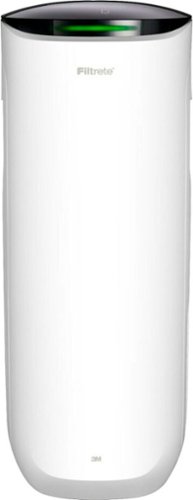
Say Hello to Cleaner, Fresher Indoor Air~24/7.Monitor and clean your air 24/7 with the Filtrete~ 310 Sq. Ft. Smart Air Purifier for Large Rooms from the most trusted HVAC filter brand in America*. These easy-to-use connected devices automatically improve the quality of the air you breathe, taking action when air quality issues arise at home. The devices also integrate seamlessly with the Filtrete~ Smart App, Amazon Alexa, Google Assistant and other smart home products.With so much bad stuff in our indoor air, why not choose an air purifier and filter to help keep your home~s air cleaner and fresher?Included with each Filtrete~ Smart Air Purifier is a True HEPA filter, which captures 99.97% of airborne particles**, such as allergens, dust, lint, mold spores, bacteria, viruses and pet dander. Plus, every filter is electrostatically engineered to pull in and trap microscopic airborne particles. Many of those particles are 1000x smaller than you can see.Give yourself some peace of mind with a sleek Filtrete~ Smart Air Purifier that automatically monitors, reacts and purifies air in large rooms.
Customer Rating
4
Good Filter but can be Noisy and no Scheduling
on May 8, 2021
Posted by: explore42
from Cincinnati Ohio
This Filtrete Air Purifier does a good job cleaning the air without taking up a lot of space. The overall design, controls and smart capabilities make this a well-rounded Air Purifier. The downsides to this Air Purifier is that it is noisy at the higher speeds and although it has a timer it does not have a scheduling feature. I would like to set up a schedule where the filter runs at a higher speed at specific times throughout the day. One thing to note is that the purifier takes air in from the sides and blows it out through the top so both sides and the top need to be in open areas.
Overall Thoughts: The rounded design is good looking and its small footprint allow you to put it in a less conspicuous spot. The Filtrete is constructed with mostly plastic parts which keep it light and manageable. The built-in handles make it easy to move around. The plus side of the plastic walls is there isn’t any additional rumble caused by vibrating metal parts when the fan is running on high. The purifier has three filters, two slide-out pre-filters which are basically screens and then one large HEPA filter which is accessed via a rear door. The pre-filters can be cleaned and reused however the HEPA filter is supposed to be replaced every six months. There are two open grills on the side of the unit which allows the air to be pulled through the pre filters and then the blower forces the air through the HEPA filter and out the top of the unit. As stated above you need to keep the sides open as well as be mindful of the air flow out of the top of the unit. Also because the top grill is directly above the HEPA filter you want to make sure nothing falls down through the grill and into the unit.
Operation: The controls are intuitive and easy to use. They even included a color-coded light that gives you an indication of the air quality without having to think about the numbers. The fan has four speeds, there is a timer, a filter reminder, an on/off switch, a wi-fi indicator, an indicator light control and the air quality number. If you set the fan to auto it will automatically increase the fan speed based upon the air quality. This is a nice feature but it can catch you off guard because the fan goes from near quiet to roaring without you doing anything. The Filtrete has a timer which allows you to set a count down type of timer but it does not have any scheduling capabilities. I would like to have been able to set a schedule so that the filter would run at a higher speed at specific times of the day without my interaction to help the overall circulation and filtration of the air in the room. The indicator light control lets you set the intensity (High, Medium, Off) of the control lights which is important for use in a bedroom. Again, this is something I would like to have had in a scheduling feature so that the lights go off during the night but back on during the day. The Filtrete app is simple to set up, you key in the unit’s code and set up your wifi using your mobile device. The app does give you slightly more information on the air quality, it includes PM 1, PM 2.5 and PM 10 along with the temperature. It also allows you to access the same controls that are on the units control panel. There are Alerts and Tips pages in the app that will give you alerts about your air quality and tips on air quality control. Both Alexa and Google Assistant can be used to interact with the filter if you would like to use a voice assistant.
Mobile Submission: False
I would recommend this to a friend!


Share this review:


0points
1of 2voted this as helpful.
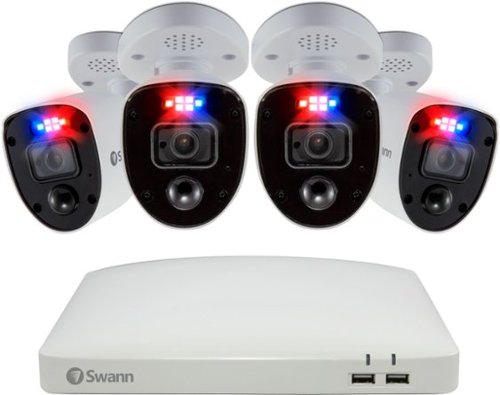
Only at Best Buy The SwannForce~ has crime-fighting features other security systems dream about. Heat and motion-based activity triggers red and blue flashing lights, bright spotlights and loud sirens to intimidate intruders and prevent crime from happening. Activity can trigger push notifications to let you know what~s happening and recording to ensure you have video evidence when you need it. Imagine being able to see faces, tattoos, and license plates with state-of-the-art 4K Ultra HD video and powerful digital zoom to actively watch over entrances, yards, driveways, parking lots, shop floors, storerooms, and customer service areas. With the Swann Security app, you can even watch live or playback video on your smartphone from anywhere in the world. In fact, you can view any of the cameras on your smart TV, and speak to see hands-free via Hey Google or via Alexa devices. Know what~s happening at any hour with powerful infrared night vision and the ability to see color video at night. Swann~s True Detect~ heat and motion detection senses people and cars for more reliable monitoring and fewer false alarms. Mount the cameras inside or outdoors as their weatherproof design is built to withstand rain, snow and heat, all year round. With the SwannForce~ System you~ll get free local recording for up to 180 days+ onto the massive 2TB hard drive with no subscription fees ever and the option to backup video to your Dropbox account. That~s the SwannForce DVR Security System ~ the ultimate crime fighting solution from Swann.
Customer Rating
4
Great System with a not so great Mobile App
on April 19, 2021
Posted by: explore42
from Cincinnati Ohio
After installing and using the Swann Enforcer system I have found the overall system performs fairly well but there are some shortcomings especially in the mobile app. Below I have tried to list out everything that I really liked about this set up as well as the items that I felt were problematic. This system uses analog cameras and bnc cables – old school cctv, the downside is they aren’t as flexible as most of the newer digital wireless cameras or even ethernet based wired camera systems (NVRs) but on the plus side this system is far less expensive. One thing to keep in mind when looking at these 4k camera systems is that the resolution you see on your phone app is not 4k. What you see on your phone is the substream video at a far lower resolution. The actual default resolution sent to the mobile device is 362x240 with a max resolution of 704x480. Quite a difference from the 4k resolution of 3840x2160 which is the mainstream video that is stored on the DVR. Because the mobile device’s screens are small the image is still quite sharp even at the lower resolutions. To actually gain all the benefit of the 4k cameras you need to be looking at 4k monitor attached to the DVR via an hdmi cable. Also when recording in 4k the frames per second fps drop to 8 which means the image can be very choppy when viewing anything that is moving fast. If you lower the camera resolution to HD 1980x1080 you can then record at 15 fps so it’s a trade off of resolution vs frames per second. Luckily Swann gives you the ability to vary each camera’s resolution and frames per second so you can configure the cameras to meet your requirements.
What I liked about the system:
- Swann provides good documentation on getting the system initialized and its relatively straight forward. If you don’t feel comfortable installing the cameras and system Swann also provides information on how to contact professionals to do the installation.
- The information provided for configuring the cameras within the DVR application is fairly comprehensive and the downloaded manual offers even more details. I highly recommend looking at the manual and checking out on line videos for additional help.
- The 4k video images are clear and there are options to help enhance the image quality.
- The Motion detection worked well and setting up the motion detection zones were easy.
- Setting up alerts and email notifications was simple and they work really well.
- The Enforcer alarm and blinking lights definitely draw attention when set off.
- The night vision is bright and clear but not very colorful under normal night lighting.
- The mobile app was easy to use but its slow opening and buggy as explained below.
- Swann uses “modes” which allow you to set up different configurations for home, night and away.
- The camera head can be rotated and angled on the mount to meet nearly any type of installation.
- No additional cost since the video is recorded and saved locally on the hard drive.
- Swann provides good documentation on getting the system initialized and its relatively straight forward. If you don’t feel comfortable installing the cameras and system Swann also provides information on how to contact professionals to do the installation.
- The information provided for configuring the cameras within the DVR application is fairly comprehensive and the downloaded manual offers even more details. I highly recommend looking at the manual and checking out on line videos for additional help.
- The 4k video images are clear and there are options to help enhance the image quality.
- The Motion detection worked well and setting up the motion detection zones were easy.
- Setting up alerts and email notifications was simple and they work really well.
- The Enforcer alarm and blinking lights definitely draw attention when set off.
- The night vision is bright and clear but not very colorful under normal night lighting.
- The mobile app was easy to use but its slow opening and buggy as explained below.
- Swann uses “modes” which allow you to set up different configurations for home, night and away.
- The camera head can be rotated and angled on the mount to meet nearly any type of installation.
- No additional cost since the video is recorded and saved locally on the hard drive.
What I don’t like about the system:
- The mobile app takes a long time to fully load. First you get the Swann home page and spinning wheel, then you get an image of a DVR and the spinning wheel, then you get camera icons and the spinning wheel then eventually you get your camera images. The app usually takes between 15 to 30 seconds to display images. This is using an Iphone 12 pro on my home wi-fi network using the default substream of 360x240 resolution. Comparatively another wired system I own takes 5 seconds consistently to load. Both my wireless doorbell and wireless outside camera take about 15 seconds to activate and load images so the Swann app is the slowest.
- The mobile app doesn’t work correctly on all settings. Using the app I configured a camera’s motion detection and hit save. When I went back to check the setting I found that it is back to the default setting with no explanation as to why. Because of this issue I do all my configuration directly in the DVR.
- The mobile app doesn’t include all the options that are available in the main DVR configuration page nor does it match or mimic DVR configuration screens.
- The cameras have a small viewing angle of 90 degrees. Many of todays newer cameras have a 130 degree or more viewing angle which means they see a wider view of what is in front of it.
- These cameras use BNC type cables with Siamese power taps and they can be a pain to run through the house. The cables provided are approved for in wall use so you cannot expose the cable or connections to the outside environment.
- The supplied wired mouse is cheap and limits the distance you can sit from the controller.
- There is not a pc app that works with this model. I tried to get the Swann Home Safe View app to work on my windows pc but it does not recognize the DVR. When I checked the Swan support page it does not show the DVR8-5680X as being compatible with the Home Safe View app.
- The mounting hardware and the screws to lock the camera head to the mount are cheap and you can strip out the heads without much force.
- There is not an all camera Alarm On/Off setting in the Mobile App. There are times when I would like to be able to Arm or Unarm all the cameras at once with a single button without having to use one the three mode settings. It does have a Do Not Disturb but that is not the same as being able to arm/unarm all the cameras with a single button.
- The cameras do not have microphones so they do not record any audio.
- The mobile app takes a long time to fully load. First you get the Swann home page and spinning wheel, then you get an image of a DVR and the spinning wheel, then you get camera icons and the spinning wheel then eventually you get your camera images. The app usually takes between 15 to 30 seconds to display images. This is using an Iphone 12 pro on my home wi-fi network using the default substream of 360x240 resolution. Comparatively another wired system I own takes 5 seconds consistently to load. Both my wireless doorbell and wireless outside camera take about 15 seconds to activate and load images so the Swann app is the slowest.
- The mobile app doesn’t work correctly on all settings. Using the app I configured a camera’s motion detection and hit save. When I went back to check the setting I found that it is back to the default setting with no explanation as to why. Because of this issue I do all my configuration directly in the DVR.
- The mobile app doesn’t include all the options that are available in the main DVR configuration page nor does it match or mimic DVR configuration screens.
- The cameras have a small viewing angle of 90 degrees. Many of todays newer cameras have a 130 degree or more viewing angle which means they see a wider view of what is in front of it.
- These cameras use BNC type cables with Siamese power taps and they can be a pain to run through the house. The cables provided are approved for in wall use so you cannot expose the cable or connections to the outside environment.
- The supplied wired mouse is cheap and limits the distance you can sit from the controller.
- There is not a pc app that works with this model. I tried to get the Swann Home Safe View app to work on my windows pc but it does not recognize the DVR. When I checked the Swan support page it does not show the DVR8-5680X as being compatible with the Home Safe View app.
- The mounting hardware and the screws to lock the camera head to the mount are cheap and you can strip out the heads without much force.
- There is not an all camera Alarm On/Off setting in the Mobile App. There are times when I would like to be able to Arm or Unarm all the cameras at once with a single button without having to use one the three mode settings. It does have a Do Not Disturb but that is not the same as being able to arm/unarm all the cameras with a single button.
- The cameras do not have microphones so they do not record any audio.
Mobile Submission: False
I would recommend this to a friend!


Share this review:


+11points
12of 13voted this as helpful.
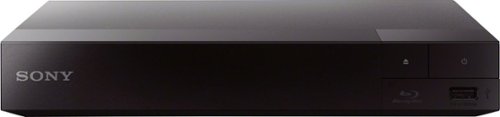
Whether you~re streaming your favorite show, watching movies, or listening to your favorite music ~ do it all from one device. Take movie night to the next level and with full HD, built-in wifi and fast, high-definition streaming. Get started in seconds with an included HDMI cable for seamless setup.
Customer Rating

3
Great Disc Player but Outdated Steamer
on April 7, 2021
Posted by: explore42
from Cincinnati Ohio
I would only recommend this player if you are looking to play CD, DVD or non-4k Blu-ray disc . If you own a 4k TV or 4k Blu-ray disc then you definitely want to pass on this model. Also the streaming capability is very limited due to the lack of common apps – no Amazon, Spotify, Hulu, Discovery, Disney or many other popular apps that you can find on the vast majority of streaming devices today. Because of this I would not recommend this player for streaming purposes.
Setup And Streaming: Getting the player operational was fairly straight forward. Once I connected the hdmi cable and powered it up I was able to connect it to my wireless network without issue. This is where the disappointment started because the home screen has very few of the popular streaming apps and there is no way to add ones that are missing. I also noticed that the app selection process was slow and tedious, its definitely not in the same class as even the lower cost Roku or Amazon sticks available today. The remote control’s size and functionality were good and it worked well with the player.
Playing: This is where this player really shined. The DVD and Blu-ray load times were very fast. I was able to play music CDs that were purchased as well as created on my pc. I was able to play every type of DVD including home videos I created on DVDs using my pc. The player did a reasonably good job upscaling the DVDs to HD but it was definitely obvious that it was being upscaled due to the clarity of the resolution. I was also able to play Blu-ray content and the HD resolution was fantastic. The clarity and colors were great and typical of what you would expect from a Sony device. The player has a USB port on the front of the unit and I was able to play music, display photos and play videos from a USB drive. The only downside of this player is that there are no controls (play, stop, fast forward, rewind, pause) on the front of the player so you are totally reliant on the remote control. If you ever lose the remote any universal remote should work but its definitely an inconvenience to not have the standard function buttons on the front of the player.
Pros:
- Played every CD, DVD and non-4k Blu-ray disc that I tried.
- Played music files, photos and video files using the USB port
- Compact design and small footprint
- Fast at loading DVD and Blu-ray disc
- Supports wi-fi as well as hard wired ethernet connections
- Played every CD, DVD and non-4k Blu-ray disc that I tried.
- Played music files, photos and video files using the USB port
- Compact design and small footprint
- Fast at loading DVD and Blu-ray disc
- Supports wi-fi as well as hard wired ethernet connections
Cons:
- Doesn’t support many popular apps and there is no way to add them
- No front panel control buttons (Play, Stop, Fast Forward, Rewind, Pause)
- Doesn’t upscale to 4k or support 4k content
- Streaming functions were tedious and slow
- Doesn’t support many popular apps and there is no way to add them
- No front panel control buttons (Play, Stop, Fast Forward, Rewind, Pause)
- Doesn’t upscale to 4k or support 4k content
- Streaming functions were tedious and slow
Mobile Submission: False
I would recommend this to a friend!


Share this review:


+24points
24of 24voted this as helpful.
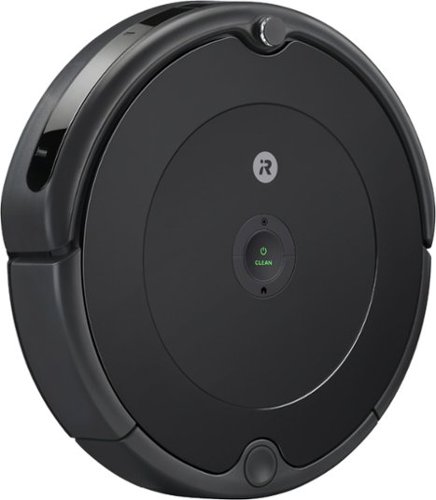
The Roomba 600 series robot vacuum is a great way to begin cleaning your home smarter. It learns your cleaning habits and then offers up custom cleaning schedules~taking on daily dirt, dust, and debris from carpets and hard floors. It even has an edge-sweeping brush to get into corners and along edges. Google Assistant and Alexa compatibility let you start a cleaning session with just your voice, or simply use the iRobot Home App. When your area~s pollen count is high or during pet shedding season, the Roomba 600 series robot vacuum can even suggest extra cleanings ~to help keep your floors clean every day of the year. *(Alexa and all related logos are trademarks of Amazon.com or its affiliates. Google is a trademark of Google LLC)
Posted by: explore42
from Cincinnati Ohio
The iRobot Roomba 694 is not the fanciest or smartest Roomba vacuum available but it does an adequate job vacuuming. It has most of the typical iRobot features like the Roomba avoidance sensors, 3 stage vacuuming, it can be controlled and scheduled using the iRobot Home app via wi-fi, its compatible with all flooring types and it can interface with Alexa and Google home. While this unit is missing some of the more advanced features found on the more expensive models it is capable of doing the standard vacuum chores around the house. It uses random cleaning patterns vs a mapped out cleaning pattern. The plus here is that you don’t have vacuum marks left in your carpet where the vacuum has run week after week. The downside is that this vacuum is more apt to run into things and because of its random nature there is no guarantee it will vacuum the entire area before the battery is depleted. If you have an older Roomba like I do you will be surprised to find that the dustbin is smaller and the filter is curved vs the old style rectangle. Due to the smaller bin size you definitely want to empty the dustbin after every use especially if you have pets. The dustbin filter, the corner brush and the rollers are easily accessible and easy to replace when worn out. So far I am able to get about 80 minutes of carpet vacuuming between charges. Unlike the more expensive models this Roomba will randomly vacuum until its battery is low and then it returns to the base unit. It does not go back out once recharged to cover any areas that were not vacuumed in the first round. Overall I like this vacuum but it is more prone to get stuck because of its random pattern of vacuuming and it is definitely noisier than previous models which I have owned.
Pros:
- Typical iRobot Roomba quality
- Works on hardwood as well as carpet
- Easy to access brushes and easy to empty the dustbin
- Works with iRobot virtual Wall Barriers
- Compatible with iRobot Home app via wi-fi
- Compatible with Google Home and Alexa
Pros:
- Typical iRobot Roomba quality
- Works on hardwood as well as carpet
- Easy to access brushes and easy to empty the dustbin
- Works with iRobot virtual Wall Barriers
- Compatible with iRobot Home app via wi-fi
- Compatible with Google Home and Alexa
Cons:
- This Roomba is louder than previous models
- No Virtual Barriers are included
- Random pattern of vacuuming is more prone to miss areas
- Can have a difficult time docking
- Small dustbin with an oddly hinged dustbin door
- Not compatible with older iRobot filters
- This Roomba is louder than previous models
- No Virtual Barriers are included
- Random pattern of vacuuming is more prone to miss areas
- Can have a difficult time docking
- Small dustbin with an oddly hinged dustbin door
- Not compatible with older iRobot filters
Mobile Submission: False
I would recommend this to a friend!


Share this review:


0points
1of 2voted this as helpful.
explore42's Review Comments
explore42 has not submitted comments on any reviews.
explore42's Questions
explore42 has not submitted any questions.
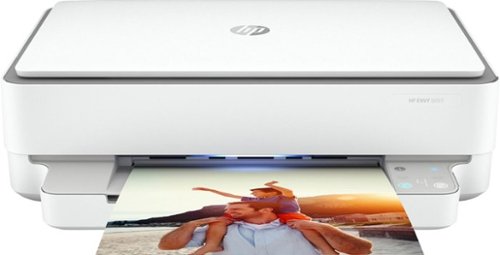
Designed to make printing easier for the whole family, the HP ENVY 6055 all-in-one printer lets everyone print, scan, and copy everyday documents, schoolwork, borderless photos and more. This wireless picture printer can order ink for you and deliver it to your door with up to 50% savings on ink using the HP Instant Ink delivery service, so you can print high-quality documents and photos when you need them (subscription required). Set up, and connect the all-in-one printer to your family's mobile devices in a few easy steps for remote scanning and sharing using the HP Smart app. And keep connected, and reduce interruptions with self-healing Wi-Fi and Bluetooth 5.0 technology. Prints up to 10 ISO ppm* in black and up to 7 ppm* in color.
is this self healing?
I assume you are asking about wireless self healing. According to the specs it is self healing. I have this on my 2.4 wireless network and so far its been rock solid.
6 years, 3 months ago
by
explore42
Designed to make printing easier for the whole family, the HP ENVY 6055 all-in-one printer lets everyone print, scan, and copy everyday documents, schoolwork, borderless photos and more. This wireless picture printer can order ink for you and deliver it to your door with up to 50% savings on ink using the HP Instant Ink delivery service, so you can print high-quality documents and photos when you need them (subscription required). Set up, and connect the all-in-one printer to your family's mobile devices in a few easy steps for remote scanning and sharing using the HP Smart app. And keep connected, and reduce interruptions with self-healing Wi-Fi and Bluetooth 5.0 technology. Prints up to 10 ISO ppm* in black and up to 7 ppm* in color.
Is this printer good for home use from a computer and my iPhone?
As long as you are printing about 100 to 200 pages per month this printer should work for you. The HP Smart software works on my Ipad so it should work on your iphone. Download the app from the Apple store and check it out. I have the software on my ipad and my windows laptop and can print without any issues. There are also buttons on the printer if you would prefer to use them vs the software app. This printer can scan, print and copy but it cannot receive faxes. You can send a fax using HP's cloud services but it cannot receive a fax. Also if you do a lot of color printing realize that the colors are in a single cartridge with this printer so if one color is used up you have to replace the entire color cartridge.
6 years, 3 months ago
by
explore42

Enhance your mobile play experience with these Emerge gaming triggers. They can be added to smartphones to provide more satisfying left and right buttons, and the tactile switches are great for use with first-person shooters. These Emerge gaming triggers have suction cups to hold them securely in place during use.
Will they work on an iPad mini???
As long as you can download the HP Sprocket software from the Apple store and you can turn on the Bluetooth connectivity on your IPAD the printer should work fine.
6 years, 8 months ago
by
explore42
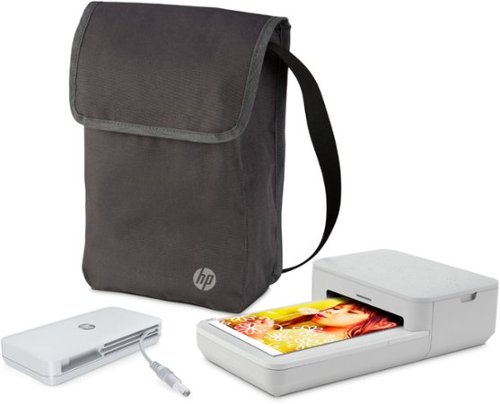
Turn moments from your phone into effortless photo creations. Designed to use with Bluetooth and the HP Sprocket app, plus the included power bank, you can easily transform photos from your camera roll or social media into sharable memories.Creates a 4" x 6" photo-quality print in as little as 61 seconds*
Does this version print 2x3 sticky back photos too, or just the 4x6 size?

Experience hands-free phone usage with this LG TONE Flex wireless stereo headset. The integrated Meridian Technology, 32-bit Hi-Fi DAC and multilayer metal construction deliver fine-detailed audio with high resolution, while retractable earbuds and a flexible neckband offer comfort. This LG TONE Flex wireless stereo headset is Bluetooth enabled for effortless syncing with your smartphone.
Are these sweat resistant?
They are not water or sweat proof. I would not recommend using them in any type of workout activity.
6 years, 9 months ago
by
explore42

Game on the go with this Dell Inspiron laptop. An NVIDIA GeForce GTX 1660 Ti runs most titles, while the two tuned speakers and 15.6-inch Full HD anti-glare narrow-border display deliver an immersive experience. This Bluetooth-compatible Dell Inspiron laptop has a 9th-gen Intel Core i5 processor and 8GB of RAM, handling multitasking without issue, and the 512GB NVMe SSD offers exceptional data access speeds.
Can I add Ram to it?
It comes with 8gb in two slots. According to Dell's specs you can upgrade to 32gb.
6 years, 10 months ago
by
explore42
Game on the go with this Dell Inspiron laptop. An NVIDIA GeForce GTX 1660 Ti runs most titles, while the two tuned speakers and 15.6-inch Full HD anti-glare narrow-border display deliver an immersive experience. This Bluetooth-compatible Dell Inspiron laptop has a 9th-gen Intel Core i5 processor and 8GB of RAM, handling multitasking without issue, and the 512GB NVMe SSD offers exceptional data access speeds.
How much ram is there?
It comes with 8gb in two slots. These can be upgraded up to 32gb per Dell's specs.
6 years, 10 months ago
by
explore42
Game on the go with this Dell Inspiron laptop. An NVIDIA GeForce GTX 1660 Ti runs most titles, while the two tuned speakers and 15.6-inch Full HD anti-glare narrow-border display deliver an immersive experience. This Bluetooth-compatible Dell Inspiron laptop has a 9th-gen Intel Core i5 processor and 8GB of RAM, handling multitasking without issue, and the 512GB NVMe SSD offers exceptional data access speeds.
Is this a 144hz screen?
Game on the go with this Dell Inspiron laptop. An NVIDIA GeForce GTX 1660 Ti runs most titles, while the two tuned speakers and 15.6-inch Full HD anti-glare narrow-border display deliver an immersive experience. This Bluetooth-compatible Dell Inspiron laptop has a 9th-gen Intel Core i5 processor and 8GB of RAM, handling multitasking without issue, and the 512GB NVMe SSD offers exceptional data access speeds.
There is another slot for solid or hard drive?

Say goodbye to cords and cables with these Skullcandy Sesh true wireless headphones. Bluetooth technology seamlessly connects to your smartphone, tablet or PC, letting you stream music or take phone calls with the built-in microphone. These water-resistant Skullcandy Sesh true wireless headphones come with a charging case, providing up to an extra 7 hours of listening time.
What is the maximum distance that the blue tooth works before it disconnects from your phone??
The documentation for the Skullcandy Sesh says 30 feet but that varies with the device you are connected to and the environment you are in. I found that I could easily go to over 30 ft when connected to my IPAD but my at that same distance I would get drop outs when connected to my Samsung phone. The things to consider are the environment - thickness of walls and floors as well as other electronics that may be supplying interference.
6 years, 11 months ago
by
explore42