


explore42's stats
- Review count222
- Helpfulness votes626
- First reviewFebruary 26, 2016
- Last reviewOctober 11, 2026
- Featured reviews0
- Average rating4.3
Reviews comments
- Review comment count0
- Helpfulness votes0
- First review commentNone
- Last review commentNone
- Featured review comments0
Questions
- Question count0
- Helpfulness votes0
- First questionNone
- Last questionNone
- Featured questions0
- Answer count23
- Helpfulness votes237
- First answerFebruary 26, 2016
- Last answerDecember 23, 2021
- Featured answers0
- Best answers8
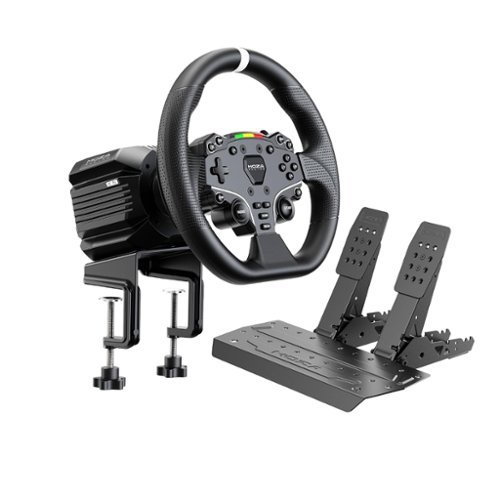
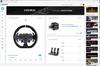
Building on the proven MOZA R5 Bundle, the R5 Pro Bundle elevates the complete direct drive experience with enhanced 6 Nm torque, an ultra-precise 21-bit magnetic encoder, a 600 MHz high-performance CPU, and MOZA NexGen Force Feedback Algorithm 5.0. Paired with the ES Lite steering wheel and SR-P Lite2 two-pedal set, it delivers more detailed road feel, faster response, and smoother torque transitions in a compact, ready-to-race package. Fine-tune your setup through MOZA Pit House or the MOZA Racing App.
Customer Rating

5
Direct Drive with Realistic Feedback
on October 11, 2026
Posted by: explore42
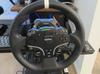
Moza’s R5 Pro bundle has the new upgraded wheelbase that provides much more realistic feedback with 6 nm of Torque than the original R5 bundle. It is great for beginner or casual racers who are looking for a direct drive wheelbase that provides enough forced feedback to make the driving experience exciting. The pedals are spring loaded and functional but I would recommend getting Moza’s load cell upgrade for the brake pedal. The Moza ecosystem continues to grow and there are upgrades and optional equipment you can get to enhance your simulator.
Pros:
- Direct Drive wheelbase has 6 nm of torque in a small wheelbase footprint
- Steering wheel has a sturdy quick release
- Moza ecosystem has upgrades and optional equipment
- Pit House software lets you refine your driving experience
- Direct Drive wheelbase has 6 nm of torque in a small wheelbase footprint
- Steering wheel has a sturdy quick release
- Moza ecosystem has upgrades and optional equipment
- Pit House software lets you refine your driving experience
Cons:
- The brake pedal is spring loaded but there is a load cell upgrade
- The on/off switch is a small button on the back which can be difficult to find
- The steering wheel wrap/coating isn’t the best
- The brake pedal is spring loaded but there is a load cell upgrade
- The on/off switch is a small button on the back which can be difficult to find
- The steering wheel wrap/coating isn’t the best
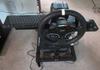
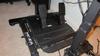
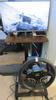
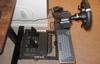
Setup and Racing: I mounted the wheelbase and pedals to a racing stand that I own. Although this wheelbase can be mounted on a table I like the ability to adjust its height and angle which you cannot do with a table I had everything mounted and cabled in a very short time. The biggest Frustration in sim racing occurs when you try to get your game to recognize your wheel and then once that is done getting the game to allow you to assign the correct features and buttons to your wheel and wheelbase. Moza’s Pit House provides the basic configuration needed to launch the game and the Moza web pages/guides offer suggested sim racing settings for specific games. Below I have listed my experience getting the games launched and configured.
Experience: One thing I noticed right away was the extra vibration at low levels that the wheelbase provides. I can feel the engine shift when racing in Dirt Rally 2 and there seems to be more road feel when driving in most of the games I play This direct drive bundle outperforms any belt or gear drive system and its 6 nm torque is enough to make the entire driving experience more fun. Using Moza’s Pit House software and their recommended settings per game can really enhance the overall driving experience.
Experience: One thing I noticed right away was the extra vibration at low levels that the wheelbase provides. I can feel the engine shift when racing in Dirt Rally 2 and there seems to be more road feel when driving in most of the games I play This direct drive bundle outperforms any belt or gear drive system and its 6 nm torque is enough to make the entire driving experience more fun. Using Moza’s Pit House software and their recommended settings per game can really enhance the overall driving experience.
Games Played just using Pit House’s setup
- Assetto Corsa
- Assetto Corsa Competizione
- Forza Horizon 5 on Steam
- BeamNG.drive
- Assetto Corsa
- Assetto Corsa Competizione
- Forza Horizon 5 on Steam
- BeamNG.drive
Games Played using Pit House’s setup but needed additional configuration
- F1 2023
- F1 2022
- F1 2018
- Dirt Rally 2
- F1 2023
- F1 2022
- F1 2018
- Dirt Rally 2
Games Played that needed more setup than Pit House provided to get it functional
- Forza Horizon 4 on Microsoft
- Automobilista 2
- Dirt Rally
- Forza Horizon 4 on Microsoft
- Automobilista 2
- Dirt Rally
I would recommend this to a friend!
Share this review:


0points
0of 0voted this as helpful.
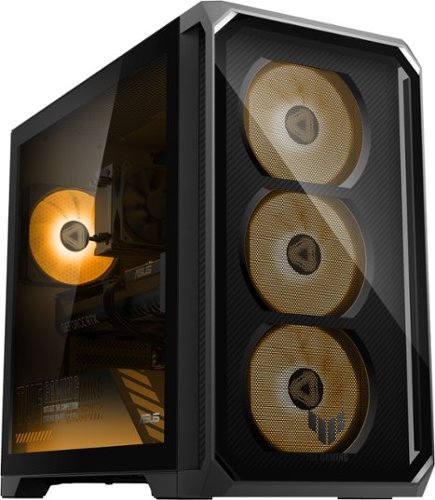
The TUF Gaming TM700 is engineered for elite performance, powered by up to a next-gen NVIDIA GeForce RTX GPU and the latest high-performance AMD Ryzen processors. Equipped with high-speed DDR5 memory and lightning-fast PCIe Gen 4 storage, the TM700 crushes heavy multitasking and delivers flawless, ultra-high-FPS gameplay. True to the TUF heritage, it features military-grade MIL-STD-810H durability wrapped in a rugged, mecha-inspired chassis designed for maximum airflow. With a striking front-panel design and customizable RGB accents, the TM700 is the ultimate blend of raw power, rock-solid reliability, and futuristic style.
Customer Rating
5
Well Designed Mid-Tier Gaming Desktop
on October 10, 2026
Posted by: explore42
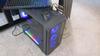
Bottom Line: This is a well-designed mid-tier gaming desktop that can handle most games at a FHD resolution at a respectable refresh rate. The single stick of 16 gbs of DDR5 ram and the older Ryzen 5 8400 processor are limited but they are adequate enough to play most games. The case and RGB lighting are top notch and the fans stay quiet even when the system is running all out. The RGB keyboard and mouse are an improvement over what most companies include in their prebuilt systems. The only thing I miss is the handle that Asus used to have built into their desktop systems.
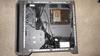
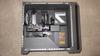
Components and Upgradeability: Asus kept the cost down by using a single stick of 16 gb of DDR5 ram that is fast at 5600 MHz and it’s enough memory for most games and business apps. If memory prices ever drop it is possible to easily upgrade the memory to dual 16 gb of DDR5 for increased performance. The storage is a 1 Tb M2.280 NVMe Gen 4 card which is fast and has plenty of storage for most users. There is a second M2 slot available for adding additional storage but it requires you to remove the video card to access the port. There are also Sata ports available on the motherboard for anyone who would like to add a 2.5” SSD drive or an old fashion hard drive. The chassis is very open but it does not offer much in the way of hard drive mounts so you will need to be creative. The AMD Ryzen 5 8400F is an older mid-tier processor that is adequate for game playing and most home apps. The Nvidia RTX 5060 is the best part of this gaming desktop. While the AMD Ryzen 5 8400F is a tad underwhelming the RTX 5060 is a good performer for a gaming desktop at this level. The system has 3 Display Ports, 1 HDMI port and multiple USB-A and USB-C ports on the top as well as the back of the case. The Asus Armoury Crate and My Asus software included allow you to control and monitor the system including updates, fans speeds and RGB lighting. It allows you set up gaming profiles that are tuned to your specific gaming needs.
After setting up the system and going through all the updates I put it through some benchmarks to see how it would perform. During the benchmarks the fans stayed relatively quiet even when pushing the RTX 5060 hard. I played several racing games with fast moving backgrounds at 1080p and didn’t experience any issues. The fans over time got slightly louder but not annoying. The multiple fans and the open top ventilation kept the system relatively cool as well. The benchmark results are below.
Geekbench 7
Single Core score = 2216
Multi-Core score = 10513
Open CL = 101129
Single Core score = 2216
Multi-Core score = 10513
Open CL = 101129
I would recommend this to a friend!

Share this review:


0points
0of 0voted this as helpful.

Posted by: explore42
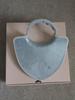
My wife and I have been using the Therabody LED Neck and Chest now for about six weeks and we feel like it has made our skin smoother – note that this is strictly subjective. I don’t have a lot of wrinkles in my neck or chin area and I don’t have any before and after photos to compare but I do feel like my skin is softer and smoother than before. Bottom line is that it has convinced us to continue to use it for the recommended 12 weeks. I have tried all three options; LEDs, vibration and heat and they all worked without issue. There is a clear protective coating over the LEDs that is made of a tacky feeling rubberish material. This material helps stabilize the device when worn and makes it easier to clean however it feels a bit odd when first getting used to wearing it.
Pros:
- Easy to use
- Has red LED, vibration and heat options
- Self-timed so you don’t have to worry about how long you should use it
- USB charging good for several uses before needing to be recharged
- Easy to use
- Has red LED, vibration and heat options
- Self-timed so you don’t have to worry about how long you should use it
- USB charging good for several uses before needing to be recharged
Cons:
- The neck adjustments aren’t the easiest to set
- The plastic can feel quite cold when first put on the skin
- It is large and covers the upper chest which may not be optimal for all users
- The neck adjustments aren’t the easiest to set
- The plastic can feel quite cold when first put on the skin
- It is large and covers the upper chest which may not be optimal for all users
Setup and Use: You charge the device by connecting it to an existing USB charger. Note that it is a USB-C port on the device. The control buttons are located in the center of the device and they are easy to access even while using it. There is an on/off button as well as buttons to turn on the vibration and heat modes. There are three levels of vibration and heat to meet your individual taste. The device has two ratcheting arms that go around your neck and connect in the back. These arms are what centers the device and holds it close to your neck. Because the two arms are fully adjustable you have to take time to be sure its close to your neck and still centered. There is single button on the back of the neck area for removal and its easy to access and use.
I would recommend this to a friend!

Share this review:


0points
0of 0voted this as helpful.
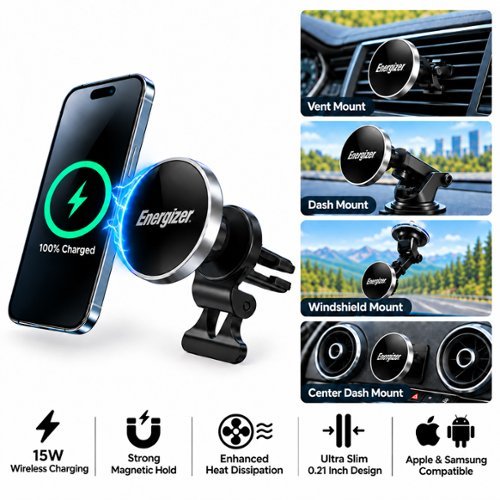
The Energizer MagSafe wireless car charging dash mount provides wireless fast charging at up to 15W for your device. A Dash, Vent, and Windshield mount are included in the box to cover all placement needs. Works with all MagSafe and magnetic iPhones and Androids with compatible magnetic cases. The magnet provides a secure attachment and prevents any risk of slipping or accidental detachment, ensuring an uninterrupted and efficient wireless charging experience. Place your phone horizontally or vertically on the mount based on your preference. Charging will also work with both horizontal and vertical placement. An integrated LED light indicator provides a quick and convenient glance at the charging status. With Energizer's PowerSafe Management, your devices are protected against short circuits, overcurrent, overcharging, and overdischarging, ensuring a safe and reliable charging solution. USB-C charging cable included. CAR CHARGER NOT INCLUDED.
Customer Rating

4
Strong Magnet and Vent Mount
on September 28, 2026
Posted by: explore42
Bottom line: The vent mount is easy to attach and easy to align for my viewing while driving. My iphone pro is held solidly by the magnet and the charger works as expected. The cons with this set up is that it can block the air flow from the vent and they only supply a USB-C to USB-C cable so if you only have USB-A ports in your car you will need an adaptor or a different cable. My cars have USB-A ports listed as 2.1 amp outputs so the most it can deliver to the charger is 10 watts so even though the box says 20 watts the charging capacity is limited by the car’s USB ports.
I am using the Energizer car vent mount which attaches to my center console vent. Although a windshield mount and a dash mount are included I only used the vent mount. I am not a fan of using windshield mounts and I didn’t want to attach/glue a mount to the top of the dashboard. The vent clip is very strong and it clipped right onto my vent’s louver. The ball joint where the magnet charger attaches to the mount gives you flexibility in the angle in which the phone is positioned. Installation is easy, first you attach the clip to the vent – preferably the lowest louver to avoid blocking the vent. Then you attach the magnet holder to the clip mount and tighten the ball joint once you have everything aligned for the best viewing angle. Also because it’s a clip mount it is easy to move between cars without any hassles.
I would recommend this to a friend!

Share this review:


0points
0of 0voted this as helpful.
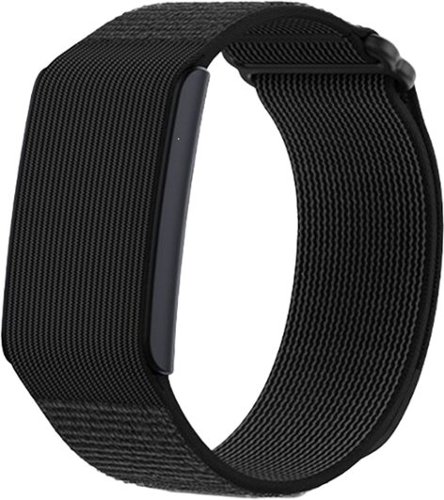
The Helio Strap is built for those who train hard and recover smarter. Designed for precision, endurance, and everyday versatility, it delivers industry leading accuracy, extended battery life, and a lightweight, comfortable fit that moves with you. Worn all day, it provides continuous heart rate monitoring and deep health insights without the hassle of subscriptions. More than just a fitness tracker, the Helio Strap is a vital part of the Amazfit ecosystem. Seamlessly integrating with Amazfit smartwatches, the Helio Ring, and the Zepp App, it powers a complete training system designed to help you train with purpose, recover effectively, and repeat with confidence.
Customer Rating
4
Better Carry your Phone
on September 22, 2026
Posted by: explore42
Bottom Line: If you want to get accurate data the Helio Strap requires you to use the Zepp app and your phone to start, stop and categorize every activity. If you don’t want to carry your phone I recommend the Amazfit watches which give you control via the watch face.
I have worn the Amazfit Helio Strap for several days and through several workouts. Overall it gives accurate data but interpreting the information is somewhat problematic if you don’t use your phone and the Zep app while working out. Because the strap does not have a display the only way it can categorize your workout is by sensing the workout or you have to directly enter the information into the Zepp app via your phone. For example I did an hour long gym session, drove home and had a quick drink and bite then headed out for a 40 minute walk. When I checked the Zepp app later that day it included all that time into one single workout including my drive time and my stop for a bite to eat! I was also wearing a smart watch and smart ring and both of them detected the difference in exercise sessions as well as location change. So to get accurate data you have to carry your phone and use it while exercising. Using the Zep app you will need to start, stop and categorize every workout session. As a sleep monitor it performs well because it does sense your sleep accurately. Note that this strap is only slightly smaller than a smart watch so for someone who doesn’t like to wear a watch to sleep this may not be much better. To validate the accuracy of the Helio strap I compared it to the information recorded during various workouts to my smart watch, smart ring and a heart strap style monitor and for the most part the heart rates recorded were close to each other.
Zepp Mobile App: The Zepp mobile app does a good job of analyzing your workouts and sleep information and providing you with some core metrics to guide your daily activities. All the analysis is free in the app except the Sleep/Aura analysis which is a subscription cost. The app does provide basic sleep information but anything more than that comes at a cost.
Fit and Feel: I don’t have large wrist or hands but I found that I had to nearly unhook the entire strap just to get my hand in and out. Anyone with large hands will certainly need to fully undo the strap to get the band on and off.
Fit and Feel: I don’t have large wrist or hands but I found that I had to nearly unhook the entire strap just to get my hand in and out. Anyone with large hands will certainly need to fully undo the strap to get the band on and off.
I would recommend this to a friend!

Share this review:


0points
0of 0voted this as helpful.
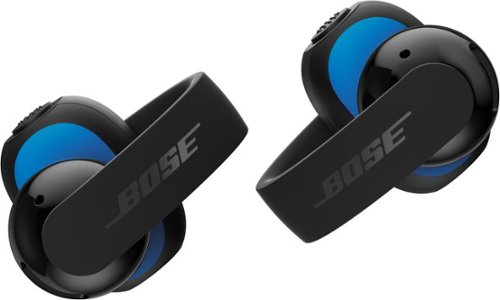
Made for music. Designed for movement. Hear more and go further with Bose Sport Open Earbuds. The secure cuff-like style gently anchors around your ear for a stable, locked-in feel through every rep, run, and training session. The open fit and soft silicone finish keep you comfortable and fully open to your surroundings while delivering rich, balanced audio you can fine-tune with Adjustable EQ. Get up to 7 hours* of play time on a single charge, with an additional 22 hours** inside the case, plus wireless charging for effortless power-ups. Made to keep up through every lift and sprint, they feature an IP54 rating for sweat, splash, and dust resistance and come housed in a pocket-sized case built to move with you. SpeechClarity Tech delivers clear, reliable call quality, keeping you connected post-workout so you can hear and be heard.
Customer Rating
4
Purpose built – good for Sporting Activities
on September 19, 2026
Posted by: explore42
Overall these Bose Sport earbuds are comfortable to wear when working out hard and provide good quality audio for an open ear design. They stayed secure whether I was doing interval work on an elliptical or doing hyper back extensions where my head drops towards the floor and then raise back up quickly. They allow in external sounds enough to keep you aware so they are great for running outside as well. The Bose app is bare minimum with very limited customization so you cannot reassign the earbud buttons. Bottom line is these are great for working out but I’ll stick with my Bose Quiet Comfort earbuds when it comes to listening to music while relaxing.
Pros:
- Secure fit that’s comfortable
- Audio quality is very good for open earbuds
- Sweat and water resistant which is great for workouts
Pros:
- Secure fit that’s comfortable
- Audio quality is very good for open earbuds
- Sweat and water resistant which is great for workouts
Cons:
- No auto pause when you remove an earbud
- Function control buttons on the earbud are not customizable
- Limited 3 band preset equalizers in the app
- No Mute function while in a phone call
- No auto pause when you remove an earbud
- Function control buttons on the earbud are not customizable
- Limited 3 band preset equalizers in the app
- No Mute function while in a phone call
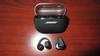
The ear buds wrap around your ear lobe with a small speaker just outside the ear canal. The larger control section sits just behind your ear lobe and the function button on each earbud is mechanical which means you actually push the button in for it to function. I found the buttons were easy to access and use however they have very limited to no customization. You can only configure the Left Shortcut button to either access the Voice Assistant or to access Spotify – no other functions are changeable. The overall audio quality is good for a open earbud however there is limited adjustability in the app. There are four preset equalizer settings and one that is customizable but its only a 3 band setting so you have limited ability to change the overall sound quality. The Bose app does allow you to turn on Auto Volume which automatically increases the volume in noisy environments. I found this worked very well when wearing them in the gym however I had to turn it off in quieter environments so that I could get the volume low enough for my liking.
I would recommend this to a friend!

Share this review:


0points
0of 0voted this as helpful.
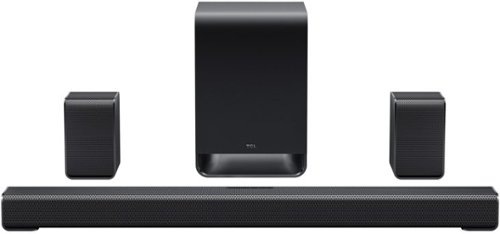
Bring the theater home and feel every moment. The TCL S-Class S65K 5.1 Dolby Atmos soundbar transforms your living room into a cinematic escape, wrapping you in deep, emotional sound. Powered by RAY~DANZ~ III technology, real 5.1 channel separation, and dual-mode satellite speakers, it delivers an expansive, incredibly accurate soundstage. Dolby Atmos~ and DTS:X~ make scenes leap off the screen, while a dedicated center channel ensures you never miss a whispered word. Complete with a wireless subwoofer for room-shaking bass and Ai Sonic auto room calibration for effortless setup, this sleek system doesn't just play audio; it makes you feel like you~re truly there.
Customer Rating
4
Good Value for a Home Theatre Solution
on September 5, 2026
Posted by: explore42
This TCL S65K soundbar provides better than average sound quality at this price point and would work well for most small to mid-sized rooms. It definitely gives you a more immersive sound quality over standard TV speakers. Using the TCL Home app you can use Ai Sonic to optimize the soundbar and remote speakers for your room. Setup is easy because the subwoofer and remote speakers pair with the soundbar automatically. When using the HDMI eArc functionality the soundbar can be controlled from your TV’s remote. On the downside the bass lacks umph when it comes to punchy bass sounds like explosions or drums. The highs can sound tinney at times losing some of the clarity. The mids and voice ranges are solid and are the soundbars strongest feature. The surround sound depending on the mode selected adds too much reverb to enhance the immersive effect giving it more of a concert hall echo vs true surround sound. The soundbar has an LED display to give you feedback on what the setting are, the volume level and the type of input it is receiving like Dolby Atmos or DTS-X. Overall it’s a good value for a home theatre solution on a budget or for a TV gaming solution.
Setup: The soundbar, subwoofer and rear speakers all paired automatically and using the HDMI eARC functionality they powered on and off with the TV remote without issue. I downloaded the TCL Home mobile app on my iPhone and struggled to get the app to recognize the soundbar even though I could play music through the soundbar using just Bluetooth connectivity. Eventually the issues resolved and I was able to then update the firmware on the soundbar. Next I performed the Ai Sonic function which sets the speakers output based upon your room configuration. The Ai Sonic calibration uses the app and your mobile device’s microphone to measure the sound quality at your typical seated position. Lastly I went into the Sound settings and used the Custom Equalizer setting to set the 7 point equalizer to match my taste. TCL does include 6 preconfigured equalizer settings that are geared for the type of media you are playing.
Setup: The soundbar, subwoofer and rear speakers all paired automatically and using the HDMI eARC functionality they powered on and off with the TV remote without issue. I downloaded the TCL Home mobile app on my iPhone and struggled to get the app to recognize the soundbar even though I could play music through the soundbar using just Bluetooth connectivity. Eventually the issues resolved and I was able to then update the firmware on the soundbar. Next I performed the Ai Sonic function which sets the speakers output based upon your room configuration. The Ai Sonic calibration uses the app and your mobile device’s microphone to measure the sound quality at your typical seated position. Lastly I went into the Sound settings and used the Custom Equalizer setting to set the 7 point equalizer to match my taste. TCL does include 6 preconfigured equalizer settings that are geared for the type of media you are playing.
I would recommend this to a friend!

Share this review:


0points
0of 0voted this as helpful.
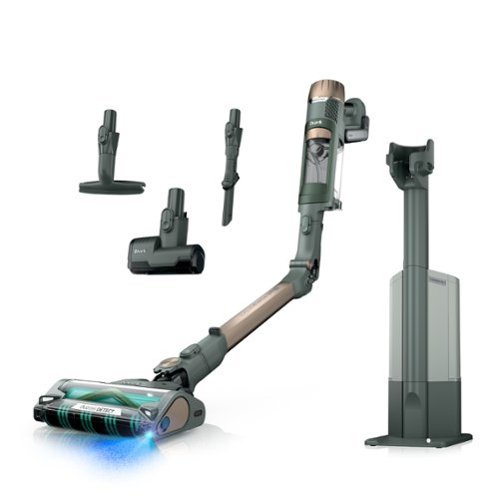
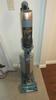
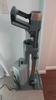
Meet the Shark~ PowerDetect~ Reveal XL Clean & Empty (IP3266), the ultimate cordless solution for powerful, intelligent, whole-home deep cleaning. It features an XL Auto-Empty system that charges & empties your vacuum after every clean and holds up to 60 days of dirt and debris. PowerDetect~ is powered by Shark~~s most powerful cordless suction* PLUS a redesigned DuoClean Detect~ nozzle with dirt-detecting intelligence and direction detect technology, making it THE BEST debris cleaning** of ANY cordless vacuum. While most vacuums push around debris in the back-stroke, the redesigned DuoClean Detect~ nozzle eliminates this problem by capturing more*** dirt, dust, and debris in forward AND reverse for faster cleaning****. PowerDetect~ has an impressive 70min of runtime***** and a MultiFlex~ wand for effortless under-furniture reach and flex storage. Now with Reveal Technology, to reveal hidden dust and debris with precise blue light. (*Based on ASTM F558, measured at the hand vacuum, tested in Boost mode)(**Based on Geomean of ASTM F2607, and IEC62885-2 (5.5) vs cordless market)( ***vs. original DuoClean~ nozzle)( ****vs. Shark~ Stratos~ IZ862H)( *****measured at the handvac in ECO mode)
Posted by: explore42
This Shark PowerDetect stick vacuum has it all, it comes with a charging/storage station, it auto empties into the base and it has auto detect on floor type as well as level of dirt. The indicator lights on the handle let you know the battery status, the level of suction and the level of dirt detected. The head unit has dual brush rollers that pick up dirt on a forward and backward motion so you spend less time vacuuming an area. The head unit has multiple LED lights to help you see the floor and its contents. The handle is comfortable and the weight is balanced between the head unit and vacuum handle to make this an easy grab and go vacuum.
For me a stick vacuum has to be convenient to use but powerful enough to be able to clean up any type of mess. The auto detect feature allows me to go from our hardwood floors to the tiled areas to the carpet without having to do anything. The auto detect dirt feature lets me know that it’s finding something and that the area needs more attention to pick up everything. The vacuum strength is impressive compared to our other stick vacuums and the boost feature really ramps up the vacuum strength. It even raises the carpet trail that our robot vacuum leaves along the baseboards. Even with this extra vacuum power the handle doesn’t feel any heavier than other stick vacuums we own. This makes using the flex mode – letting the vacuum stick bend - easier when vacuuming under furniture. The stick section, the flex joint and the accessories are tight when connecting/removing and do require some hand/finger strength to engage the release buttons. The battery life will vary depending on how often you engage the boost mode and how dirty it detects the floor to be thus turning up the vacuum power. Because it sits in the base on a charger it has always had enough power for our daily needs.
For me a stick vacuum has to be convenient to use but powerful enough to be able to clean up any type of mess. The auto detect feature allows me to go from our hardwood floors to the tiled areas to the carpet without having to do anything. The auto detect dirt feature lets me know that it’s finding something and that the area needs more attention to pick up everything. The vacuum strength is impressive compared to our other stick vacuums and the boost feature really ramps up the vacuum strength. It even raises the carpet trail that our robot vacuum leaves along the baseboards. Even with this extra vacuum power the handle doesn’t feel any heavier than other stick vacuums we own. This makes using the flex mode – letting the vacuum stick bend - easier when vacuuming under furniture. The stick section, the flex joint and the accessories are tight when connecting/removing and do require some hand/finger strength to engage the release buttons. The battery life will vary depending on how often you engage the boost mode and how dirty it detects the floor to be thus turning up the vacuum power. Because it sits in the base on a charger it has always had enough power for our daily needs.
The storage and auto-emptying base takes up about 12” by 19” with the handle in the upright position. The vacuum is lowered into a holster style mount which then engages the cleaning cycle as well as the charging station. The debris container is quite large and will not need to be emptied very often. The base station has a single mount for storing the crevice tool so the extra upholstery tool and the small motorized hand tool have to be stored separately.
I would recommend this to a friend!

Share this review:


0points
0of 0voted this as helpful.
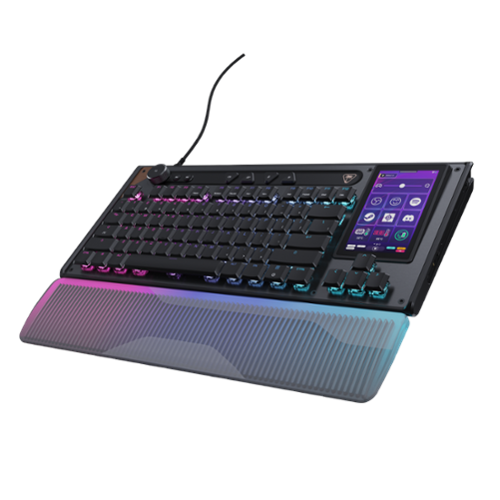
The Turtle Beach Command Series KB7 isn~t just another keyboard. It~s your command center. At the core of the KB7 is an ultra-responsive 4.3~ Command Touch Display that lets you switch profiles, trigger macros, monitor system stats, and manage key functions instantly. Adjust audio, launch apps, and control system or stream functions directly from the display, all while staying locked in. Titan low-profile Hall-Effect switches rated for 100 million clicks deliver fast, precise input with adjustable actuation. Built to last, KB5~s premium double~shot PBT keycaps maintain a clean matte finish for a superior tactile feel. Additional textured WASD keys add enhanced grip and control. A slim aluminum~reinforced chassis and a detachable wrist rest ensure lasting comfort and durability. True 8K polling, an integrated Action Bar, and per~key RGB lighting elevate the experience even further. Dual modular rails expand functionality with Command Series accessories like the Command Series KP7 keypad, making the KB7 the centerpiece of the Command Series ecosystem.
Customer Rating
4
Low Profile with Whole New Level of Customization
on August 27, 2026
Posted by: explore42
This Command Series keyboard is a low profile keyboard which means it lays very flat compared to typical gaming keyboards. It’s not as flat as a membrane keyboard but definitely doesn’t have a step-up pattern between rows. Because of this I find myself more tentative when typing fast but it’s not as big an issue when playing games. The Swarm 2 software gives you total customization of the keyboard functions, the extended control functions at the top of the keyboard and the side display which takes customization to whole new level. The display shows 12 function buttons per page that can be configured for widgets, functions or even launching 3rd party apps. So you can flip between a display page full of gaming functions, office functions or even Photoshop functions! Swarm 2 includes several templates to use or build on. Overall this is the most customizable keyboard I have ever used but you have to be someone who likes a low profile keyboard.
Pros:
- Configurable touch screen
- Tunable Actuation point on HE switches
- Configurable macros as well as some preconfigured included in software
- Intuitive Swarm 2 software
- Very quiet keys
Pros:
- Configurable touch screen
- Tunable Actuation point on HE switches
- Configurable macros as well as some preconfigured included in software
- Intuitive Swarm 2 software
- Very quiet keys
Cons:
- Requires two USB-A port or single USB-C port
- Low profile feels flat
- RGB lighting even on high seems dim
- Requires two USB-A port or single USB-C port
- Low profile feels flat
- RGB lighting even on high seems dim
The keyboard looks and feels very solid. It is a low profile keyboard which means there is very little slope even when the legs on the bottom are fully extended. Because of this it took me some time to get used to the key placement especially when typing quickly. The key caps are nicely cupped and they produce very little sound when being actuated. Compared to a mechanical keyboard it’s nearly silent. Using the Swarm 2 software you can adjust the HE switch actuation/sensitivity individually to get the fastest response for gameplay. The keyboard also has an extended command bar that can be customized to your match your application. You can use it for media control, launch macros/profiles or perform certain Windows based functions. The 4.3 inch touch screen is also customizable or you can choose to use one of the templates provided in the Swarm 2 software. There are media, work flow and gaming templates that you can customize to your exact needs. Keep in mind that there are 12 possible buttons on the touch screen so it cannot include all the functions of a full sized keyboard.
I would recommend this to a friend!





Share this review:


0points
0of 0voted this as helpful.
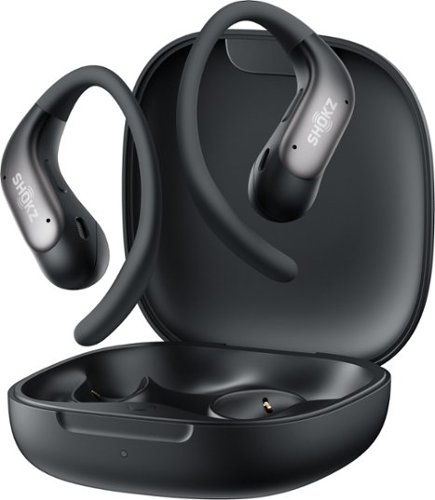
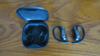
Lighter. Smaller. No compromise. OpenFit Air 2 features a compact, featherlight build with a refined ear-hook curve for a secure, comfortable fit that holds all day. Like all Shokz open earbuds, it keeps you aware of your surroundings while your music plays on ~ whether you're mid-hike, mid-commute, or mid-anything.
Posted by: explore42
Overall I found that the Shokz OpenFit Air 2 have a comfortable and secure fit. The audio quality was better than I expected and the Shokz mobile app gives you the ability to customize the earbud audio and control functions. The OpenFit Air 2 earbuds do not provide any type of sound isolation or noise cancellation, so you are aware of the noises around you. The earbuds do not contact the ear canal so they cause less irritation and discomfort after long use or playing high volume audio. Anyone who is looking for an open earbud that lets you be aware of your surroundings should consider these Shokz OpenFit Air 2 earbuds.
Pros:
- Lightweight and feel secure
- Audio quality is good for open air earbuds
- Can connect to two devices via Bluetooth
- IP55 water resistant – good for workouts
Cons:
- No auto pause when one earbud is removed
- Touch controls aren’t the easiest to find
- Mounting the earbuds can be problematic
- No Mute function when on a phone call
- Limited success in loud environments
- Lightweight and feel secure
- Audio quality is good for open air earbuds
- Can connect to two devices via Bluetooth
- IP55 water resistant – good for workouts
Cons:
- No auto pause when one earbud is removed
- Touch controls aren’t the easiest to find
- Mounting the earbuds can be problematic
- No Mute function when on a phone call
- Limited success in loud environments
Performance: The ear buds hang just outside the ear canal so you don’t feel anything pressing on your ear canal. The overall audio quality is what you expect from earbuds in this price range – the bass is limited but the mids and highs are crisp. In the Shokz mobile app you can select from 4 preset equalizers or you can create your own custom 5 point equalizer. Because the earbuds are open you can play the volume at a higher level without feeling the pressure in your ear. These earbuds do not provide any type of isolation from the outside environment. This is good for anyone who wants to be aware of the surroundings but is problematic in noisy environments. There are control buttons on each ear bud that have preassigned functions but with the Shokz mobile app you can customize the functions to meet your needs. The controls are touch sensitive buttons and give a clicking sound in the earbud when engaged to let you know you have pressed it. Setting up Bluetooth pairing was easy – with the earbuds in the case you press the button in the case until the LED flashes showing its in pairing mode.
Fit and Feel: Anyone who likes ear loop style earbuds will be very pleased with the comfort and fit of these earbuds. The ear loop is mid-length so it doesn’t fully wrap the ear but it is long enough to secure the earbud firmly. The ear wrap didn’t interfere with my glasses but I found it easier to mount them first and then put on the glasses.
I would recommend this to a friend!

Share this review:


0points
0of 0voted this as helpful.
explore42's Review Comments
explore42 has not submitted comments on any reviews.
explore42's Questions
explore42 has not submitted any questions.
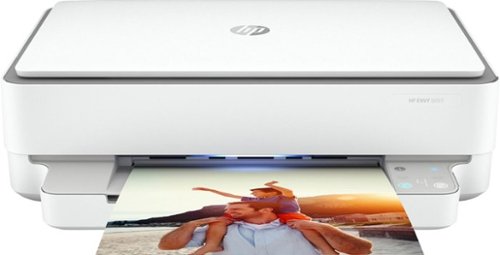
Designed to make printing easier for the whole family, the HP ENVY 6055 all-in-one printer lets everyone print, scan, and copy everyday documents, schoolwork, borderless photos and more. This wireless picture printer can order ink for you and deliver it to your door with up to 50% savings on ink using the HP Instant Ink delivery service, so you can print high-quality documents and photos when you need them (subscription required). Set up, and connect the all-in-one printer to your family's mobile devices in a few easy steps for remote scanning and sharing using the HP Smart app. And keep connected, and reduce interruptions with self-healing Wi-Fi and Bluetooth 5.0 technology. Prints up to 10 ISO ppm* in black and up to 7 ppm* in color.
is this self healing?
I assume you are asking about wireless self healing. According to the specs it is self healing. I have this on my 2.4 wireless network and so far its been rock solid.
6 years, 3 months ago
by
explore42
Designed to make printing easier for the whole family, the HP ENVY 6055 all-in-one printer lets everyone print, scan, and copy everyday documents, schoolwork, borderless photos and more. This wireless picture printer can order ink for you and deliver it to your door with up to 50% savings on ink using the HP Instant Ink delivery service, so you can print high-quality documents and photos when you need them (subscription required). Set up, and connect the all-in-one printer to your family's mobile devices in a few easy steps for remote scanning and sharing using the HP Smart app. And keep connected, and reduce interruptions with self-healing Wi-Fi and Bluetooth 5.0 technology. Prints up to 10 ISO ppm* in black and up to 7 ppm* in color.
Is this printer good for home use from a computer and my iPhone?
As long as you are printing about 100 to 200 pages per month this printer should work for you. The HP Smart software works on my Ipad so it should work on your iphone. Download the app from the Apple store and check it out. I have the software on my ipad and my windows laptop and can print without any issues. There are also buttons on the printer if you would prefer to use them vs the software app. This printer can scan, print and copy but it cannot receive faxes. You can send a fax using HP's cloud services but it cannot receive a fax. Also if you do a lot of color printing realize that the colors are in a single cartridge with this printer so if one color is used up you have to replace the entire color cartridge.
6 years, 3 months ago
by
explore42
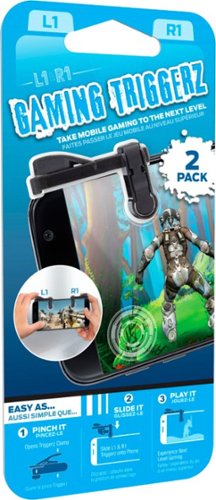
Enhance your mobile play experience with these Emerge gaming triggers. They can be added to smartphones to provide more satisfying left and right buttons, and the tactile switches are great for use with first-person shooters. These Emerge gaming triggers have suction cups to hold them securely in place during use.
Will they work on an iPad mini???
As long as you can download the HP Sprocket software from the Apple store and you can turn on the Bluetooth connectivity on your IPAD the printer should work fine.
6 years, 8 months ago
by
explore42
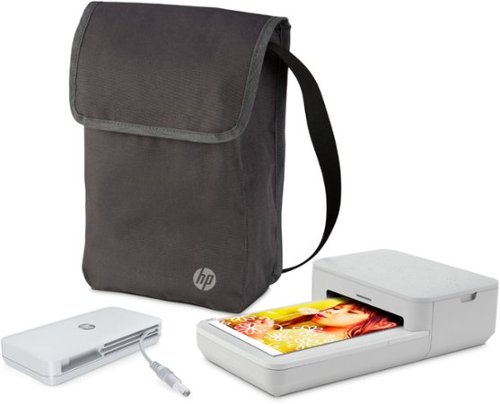
Turn moments from your phone into effortless photo creations. Designed to use with Bluetooth and the HP Sprocket app, plus the included power bank, you can easily transform photos from your camera roll or social media into sharable memories.Creates a 4" x 6" photo-quality print in as little as 61 seconds*
Does this version print 2x3 sticky back photos too, or just the 4x6 size?
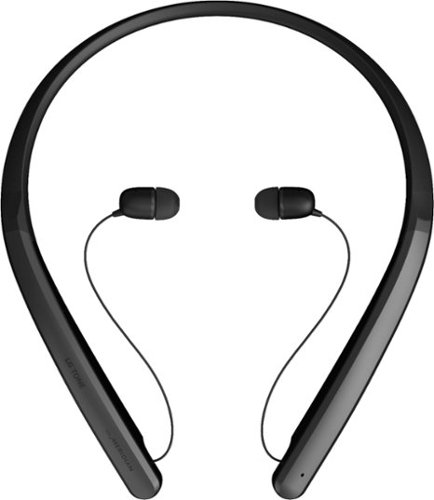
Experience hands-free phone usage with this LG TONE Flex wireless stereo headset. The integrated Meridian Technology, 32-bit Hi-Fi DAC and multilayer metal construction deliver fine-detailed audio with high resolution, while retractable earbuds and a flexible neckband offer comfort. This LG TONE Flex wireless stereo headset is Bluetooth enabled for effortless syncing with your smartphone.
Are these sweat resistant?
They are not water or sweat proof. I would not recommend using them in any type of workout activity.
6 years, 9 months ago
by
explore42

Game on the go with this Dell Inspiron laptop. An NVIDIA GeForce GTX 1660 Ti runs most titles, while the two tuned speakers and 15.6-inch Full HD anti-glare narrow-border display deliver an immersive experience. This Bluetooth-compatible Dell Inspiron laptop has a 9th-gen Intel Core i5 processor and 8GB of RAM, handling multitasking without issue, and the 512GB NVMe SSD offers exceptional data access speeds.
Can I add Ram to it?
It comes with 8gb in two slots. According to Dell's specs you can upgrade to 32gb.
6 years, 10 months ago
by
explore42
Game on the go with this Dell Inspiron laptop. An NVIDIA GeForce GTX 1660 Ti runs most titles, while the two tuned speakers and 15.6-inch Full HD anti-glare narrow-border display deliver an immersive experience. This Bluetooth-compatible Dell Inspiron laptop has a 9th-gen Intel Core i5 processor and 8GB of RAM, handling multitasking without issue, and the 512GB NVMe SSD offers exceptional data access speeds.
How much ram is there?
It comes with 8gb in two slots. These can be upgraded up to 32gb per Dell's specs.
6 years, 10 months ago
by
explore42
Game on the go with this Dell Inspiron laptop. An NVIDIA GeForce GTX 1660 Ti runs most titles, while the two tuned speakers and 15.6-inch Full HD anti-glare narrow-border display deliver an immersive experience. This Bluetooth-compatible Dell Inspiron laptop has a 9th-gen Intel Core i5 processor and 8GB of RAM, handling multitasking without issue, and the 512GB NVMe SSD offers exceptional data access speeds.
Is this a 144hz screen?
Game on the go with this Dell Inspiron laptop. An NVIDIA GeForce GTX 1660 Ti runs most titles, while the two tuned speakers and 15.6-inch Full HD anti-glare narrow-border display deliver an immersive experience. This Bluetooth-compatible Dell Inspiron laptop has a 9th-gen Intel Core i5 processor and 8GB of RAM, handling multitasking without issue, and the 512GB NVMe SSD offers exceptional data access speeds.
There is another slot for solid or hard drive?
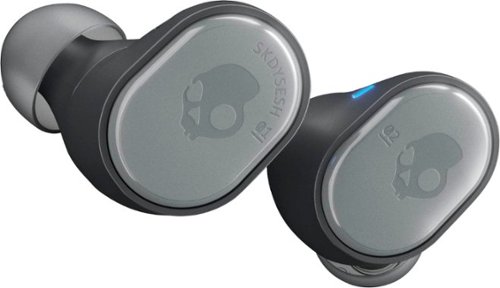
Say goodbye to cords and cables with these Skullcandy Sesh true wireless headphones. Bluetooth technology seamlessly connects to your smartphone, tablet or PC, letting you stream music or take phone calls with the built-in microphone. These water-resistant Skullcandy Sesh true wireless headphones come with a charging case, providing up to an extra 7 hours of listening time.
What is the maximum distance that the blue tooth works before it disconnects from your phone??
The documentation for the Skullcandy Sesh says 30 feet but that varies with the device you are connected to and the environment you are in. I found that I could easily go to over 30 ft when connected to my IPAD but my at that same distance I would get drop outs when connected to my Samsung phone. The things to consider are the environment - thickness of walls and floors as well as other electronics that may be supplying interference.
6 years, 11 months ago
by
explore42