


explore42's stats
- Review count222
- Helpfulness votes626
- First reviewFebruary 26, 2016
- Last reviewOctober 11, 2026
- Featured reviews0
- Average rating4.3
Reviews comments
- Review comment count0
- Helpfulness votes0
- First review commentNone
- Last review commentNone
- Featured review comments0
Questions
- Question count0
- Helpfulness votes0
- First questionNone
- Last questionNone
- Featured questions0
- Answer count23
- Helpfulness votes237
- First answerFebruary 26, 2016
- Last answerDecember 23, 2021
- Featured answers0
- Best answers8
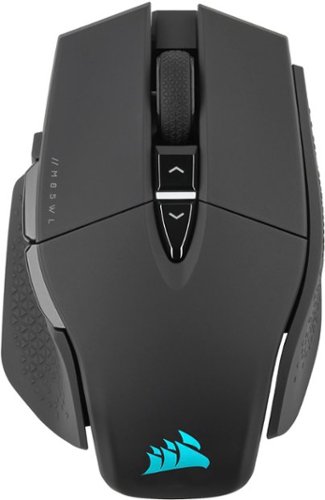
The CORSAIR M65 RGB ULTRA WIRELESS Tunable Gaming Mouse boasts a durable aluminum frame and connects with sub-1ms SLIPSTREAM WIRELESS or low-latency Bluetooth. Experience pinpoint accuracy powered by a 26,000 DPI MARKSMAN optical sensor and optical OMRON switches, while a six-axis gyro enables convenient tilt gestures for in-game actions. 2,000Hz Hyper-polling registers your actions up to 2x faster than other wireless mice. With customizable weight between 110g and 128g and CORSAIR QUICKSTRIKE buttons, all your movements and actions register with the utmost speed. Take control with iCUE software to program the M65 RGB ULTRA~s eight buttons, customize its dynamic RGB backlighting, and save your profiles to onboard storage to take on the go. With up to 120 hours of rechargeable battery life, the M65 RGB ULTRA WIRELESS makes all your clicks count.
Posted by: explore42
from Cincinnati Ohio
As soon as I unboxed and charged up this mouse I went into Corsair’s iCUE software and performed a surface calibration. After that I went into Steam and started benchmarking the mouse using AIM Lab’s game. If you aren’t familiar with AIM labs you might want to try it out because it really does allow you to compare your ability with your mouse in consistent sets. I compared my performance using different weights and DPI settings and based on these I was able to figure out what worked best for me with this mouse. The bottom line is that after customizing the mouse I was about 10% better using this mouse than any other mouse that I have used to play games with. While I am not at the top of any charts I can see actual numbers that justify me saying this mouse has improved my performance.
This mouse looks and feels solid due to its aluminum base. It glides easily and the quick strike buttons engage with a solid click and release which makes these buttons feel super-fast. I found myself using more of a palm grip due to its overall shape. Using it in a claw grip I felt like I lost some of the thumb support and tackiness you get from the sides of the mouse. The Sniper button on the side of the mouse is little farther forward that I would have preferred but with a little time I got used to its position.
Setup and Customizing: This mouse has lots of options to let you customize it to your liking. You can operate the mouse in a wired mode, wireless mode or Bluetooth mode. I tried all three but settled on the wireless mode because it offers a few more options than Bluetooth and doesn’t require a wire. You can adjust the weight by adding or removing three screws with or without the extra donut style weights. This gives you seven different weight settings to try out from 110 to 128 grams. There are eight programmable buttons that you can customize with macros using Corsair’s iCUE software. You can save a customized mouse profile in the mouse with the use of the supplied USB cable. There are five different DPI stages preprogrammed and there is an indicator LED on the top of the mouse to indicate what you have selected. The preprogrammed levels are 400, 800, 1200, 1600 and 3000 but you can change all of these in the iCUE software. You can also do On-the-Fly DPI tuning by increasing or decreasing the value by 50 using short cut keys. If that isn’t granular enough you can use the iCUE software to adjust the DPI by 1 DPI steps. I mostly play in the 400 to 1200 range and found that the preprogrammed DPI up and down buttons with the corresponding color LED made the changes simple and quick. The RGB lighting is controlled by the iCUE software and there are lots of color and lighting pattern options to choose from. The lighting shows up in the Corsair icon on the mouse as well as the lower rear of the mouse. Corsair includes a long USB-C cable for charging the mouse and downloading profiles. The rechargeable battery should last up to 120 hours but that will depend on how the mouse is configured for RGB lighting and sleep time. Corsair’s iCUE software gives you a lot flexibility. Using iCUE you can adjust the dpi settings, configure your button assignments including custom macros and create your RGB lighting effects and colors. Also you can do a surface calibration test. The software does have a tutorial option which does help explain the software options.
I would recommend this to a friend!
Ease of Use

5
Quality
5




Share this review:


0points
0of 0voted this as helpful.

Upgrade to smarter scrolling, better comfort, and more productivity with the Signature M650. The versatile mouse features an adaptive scroll SmartWheel that delivers line-by-line precision, and auto-switches to super-fast free spin mode with the flick of a finger. A choice of sizes for smaller, larger and left hands means there's a perfect fit for anyone. Seamless wireless connectivity, customizable side buttons, and a comfort shape keep you comfortably and productive hour after hour. Logitech~s SilentTouch technology delivers silent clicks to keep you focused ~ while the up to 24-month battery life and universal operating system compatibility ensure hassle-free performance.
Posted by: explore42
from Cincinnati Ohio
Just when I started to love the silent switches on this mouse I hit the Back button on the slide and heard a loud click. The only reason it sounded loud was because the top switches are silent and you get spoiled with this very quickly. Also the feel and activation of the top switches are nearly perfect where as the side buttons are the typical ones you find on most mice today. Its still a great mouse but I sure wish Logitech would have used the same silent switches on the side buttons. On a positive note, I’ve never had a mouse nearly install itself the way this M650 did. I connected the battery to power up the mouse and I suddenly got a notice on my laptop asking me if I want to install the Logitech M650! Normally I have to go into Bluetooth devices in Windows to add a device so I was shocked how easy it was to pair this mouse. I wish all Bluetooth devices connected this easily. I have used Logitech mice before so I am quite familiar with their fit and feel. This M650 is the medium/small size so its slightly smaller than a typical mouse and its geared for smaller hands but I also think it makes it perfect for laptops and Chromebooks. I like the fact that its small enough to sit on my laptop below the keyboard and not get in the way of my typing. The mouse has a very solid feel and it has some weight which makes moving it accurately an easy task. The sides have ridges built in and are made of a grippier substance so you get a firm grip with your hand resting over the mouse. Overall the ergonomics are perfect for what I like in mouse. The top two switches and the scroll wheel are quiet when clicked which is a definite improvement over other mice I have used however the forward and back switches on the side are as noisy as ever. Not sure why Logitech didn’t make all the switches quiet! The switches that are quiet have a very distinct activation so you don’t miss or need the clicking sound when clicking. The scroll wheel is also quiet and the detents are easy to feel so scrolling with this mouse is top notch. There are the typical five buttons and you can configure them if you don’t like the preprogramed settings by using Logitech’s app. To use the software you have to install the usb receiver which is stored next to the battery inside the mouse. The only issue I have had so far is that the battery cover can be difficult to open due to its small size. Since Logitech claims that you can get nearly two years out of a single battery its not an issue I’ll be fighting very often.
Mobile Submission: False
I would recommend this to a friend!

Share this review:


-1point
0of 1voted this as helpful.
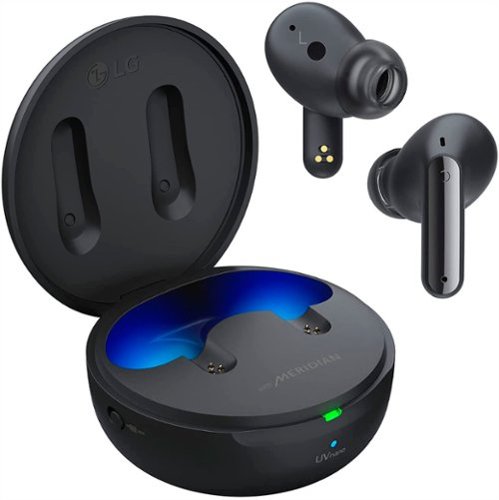
Free your travel with the LG TONE Free FP9. Connect to in-flight entertainment systems even without Bluetooth capabilities. Get peace of mind with a UVnano charging case that kills 99% of bacteria on the speaker mesh~ and medical grade ear gels.~ Plus, get better clarity for calls on the go.
Customer Rating

4
Good Fit and Audio but ANC can be lacking
on January 4, 2022
Posted by: explore42
from Cincinnati Ohio
I’ve been using these headphones when I jog and exercise and the fit and function are great. The audio quality is better than most when paired with the 3D Sound Stage equalizer on the LG Tone app. The ANC with the included ear gels is not so great because they are thin and let in too much outside noise.
Performance: To get the best audio quality out of these headphones I had to turn on the 3D Sound Stage equalizer in the LG Tone App. The app has five preset equalizers and two that you can customize. I played with the customization but 3d Sound Stage also adds some “depth” to the sound quality which is more than you get from just the equalizer. Voice call quality for me was good but some people told me that they had to increase their volume to hear me. The earbuds have Active Noise Cancellation (ANC) and Ambient Sound options. The Ambient Sound setting lets you hear outside sounds so that you can be aware of your surroundings. The ANC was not that great because of the ear gels. The ear gels that come with the headphones are very thin and because of that they do not seal off outside noises very well. I have an air purifier in the room where I work and with it running on medium the ANC would reduce the motor sound by about 30%. I found some improvement by using the included largest ear gels but they were too uncomfortable to wear. When I replaced the stock ear gels with some 3rd party foam ear gels the quality of the ANC was substantial and cut the motor sound by at least 80%. In the end I decided to go back to the original ear gels and when I need high levels of ANC I will swap out the ear gels. In the LG Tone app there is a High and a Low ANC setting but I didn’t notice much difference so I keep mine on High.
Fit and Function: The ear buds are light weight have a low profile so they reside mostly in your ear without looking unsightly. When I jog and work out they don’t move around much and because the ear gels are thin and flexible I didn’t hear any rubbing sound that I have gotten from other headphones. Each earbud has a control switch that is touch sensitive which is really nice because you don’t have to push anything to actuate it. Also the ear bud provides a clicking sound when you activate the switch so you get positive feedback when using them. The only downside is that you have to be aware of the switches when you are putting the earbuds in or when you adjust them because you can easily hit the switch inadvertently. In the LG Tone app you can configure the button functionality for both the right and left earbud for Media and Active Assistant but you cannot change the call control functions nor is there a Mute function for phone calls. The earbuds have auto pause capability when one of the earbuds are removed. They are IPX4 rated so they will handle sweat and moisture. The battery life is up to 10 hours per charge and up to 24 hours when combined with the case. The case is small and very portable. It has a USB-C charging port and there is a colored led on the case to show the battery level. When you open the case there are blue lights that turn on which can be helpful when removing the headphones in the dark. The case has UV lights that clean the ear gels when they are in the charging case. The LG Tone app has lots of features and controls but it can be a little buggy. At first it had trouble finding the earbuds but once it did it starting working problem free.
Wired to Wireless Function: The headphone case can be connected to a non-Bluetooth device using the included USB-C to 3.5mm audio jack as show in the photo. You plug the audio jack into the component and then the USB-C into the case and then the case becomes a Blue Tooth transmitter for the headphones. Since most modern components support Bluetooth this is a limited use feature but it definitely makes these headphones unique.
Mobile Submission: False
I would recommend this to a friend!


Share this review:


+1point
2of 3voted this as helpful.
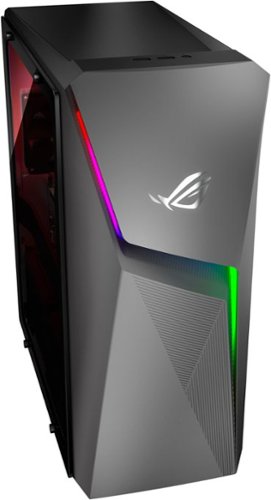
Upgrade from the last generation with the new ROG Strix G10CE, a Windows 11 gaming desktop that delivers exhilarating gaming experiences powered by an 11th Gen Intel~ Core~ i7-11700F processor and NVIDIA~ GeForce RTX~ 3060 graphics.
Customer Rating

5
Great Components with Limitations
on December 23, 2021
Posted by: explore42
from Cincinnati Ohio
On paper this Asus prebuilt gaming machine has a lot of potential because it has a 512 gb NVMe SSD, NVIDIA RTX 3060 video card, Intel’s i7 11700F CPU, 16 gb of 3200 ddr4 ram, 1 tb 7200 rpm Hard Drive, WiFi 6 and Bluetooth support as well as built in RGB lighting. But once I started digging into to it I realized that its not quite as nice as I had hoped. Don’t get me wrong I still think it’s a five star deal because of the components and their performance for the dollar but some of the build makes me wonder what Asus had in mind. None of the items below are show stoppers and the system performs quite well considering the build. Overall I think the system even with its quarks is great deal. When you are looking in this price range for a good gaming desktop its hard to find anything better.
Here are the things that caught me by surprise.
- The ddr4 ram is 3200 mhz but it’s a single module so it doesn’t use dual channel memory. The existing module works fine but having two modules using dual channels is better for gaming.
- The included hard drive is a Toshiba 1 tb drive which isn’t enough space for my games and videos. Sadly, there is not a second drive bay even though there are plenty of Sata connectors on the motherboard. The only option is to swap out the existing drive for a larger one.
- There are two M2 NVMe PCIe slots, the first M2 slot holds the WD 512 gb SSD but the second slot is missing the standoff and screw so to add another SSD you have to purchase the mounting hardware.
- The chassis has no front or top ventilation and if you install the clear side panel it only leaves a small gap for air to enter via the side. Overall this chassis lacks good ventilation.
- The chassis fan and the cpu fan meet the requirements but are small thus when running full speed which happens often due to the temperatures they can be rather noisy.
- There are no USB-C or Thunderbolt ports however there are PS-2 connectors! I have no idea why anyone would include PS-2 connectors. I also am shocked they didn’t include at least one USB-C for high speed transfers. On the plus side there are lots of USB-A ports.
- The enclosed mouse and keyboard are bare minimum so expect to replace them.
- The ddr4 ram is 3200 mhz but it’s a single module so it doesn’t use dual channel memory. The existing module works fine but having two modules using dual channels is better for gaming.
- The included hard drive is a Toshiba 1 tb drive which isn’t enough space for my games and videos. Sadly, there is not a second drive bay even though there are plenty of Sata connectors on the motherboard. The only option is to swap out the existing drive for a larger one.
- There are two M2 NVMe PCIe slots, the first M2 slot holds the WD 512 gb SSD but the second slot is missing the standoff and screw so to add another SSD you have to purchase the mounting hardware.
- The chassis has no front or top ventilation and if you install the clear side panel it only leaves a small gap for air to enter via the side. Overall this chassis lacks good ventilation.
- The chassis fan and the cpu fan meet the requirements but are small thus when running full speed which happens often due to the temperatures they can be rather noisy.
- There are no USB-C or Thunderbolt ports however there are PS-2 connectors! I have no idea why anyone would include PS-2 connectors. I also am shocked they didn’t include at least one USB-C for high speed transfers. On the plus side there are lots of USB-A ports.
- The enclosed mouse and keyboard are bare minimum so expect to replace them.
Performance: I spent the better part of a day running this desktop through benchmark testing to see how well it would perform and how well the temperature of the motherboard, GPU and CPU would be maintained with the limited amount of air flow in the chassis. While performing all these test I used Armoury Crate to set the system to the TURBO setting – this is the ASUS recommended setting for gaming. Using the 3DMARK stress test the GPU ran at 100% utilization and the temps of the GPU and CPU averaged around 75 degrees Celsius. Throughout all the other test as well as when playing games I would check the CPU temp and it again stayed in the mid 70s. Per the 3DMARK testing this build is slightly below average for its component level which I suspect is due to the single ram module. The Graphics score was 8608 and the CPU score was 7437. Here are some of the estimated game performance scores I got while testing with 3DMARK as well as some Geekbench5 scores.
3DMARK
Graphics Score = 8608
CPU Score = 7437
Battlefield V @1080p Ultra = 105+ FPS
Battlefield V @ 1440p Ultra = 85+ FPS
Apex Legends@1080p Ultra = 140+ FPS
Apex Legends@ 1440p Ultra = 95+ FPS
GTA V @1080p Ultra = 80+ FPS
GTA V @ 1440p Ultra = 50+ FPS
Fortnite @1080p Ultra = 125+ FPS
Fortnite @ 1440p Ultra = 90+ FPS
Red Dead Redemption 2 @1080p Ultra = 40+ FPS
Red Dead Redemption 2@ 1440p Ultra = 30+ FPS
3DMARK
Graphics Score = 8608
CPU Score = 7437
Battlefield V @1080p Ultra = 105+ FPS
Battlefield V @ 1440p Ultra = 85+ FPS
Apex Legends@1080p Ultra = 140+ FPS
Apex Legends@ 1440p Ultra = 95+ FPS
GTA V @1080p Ultra = 80+ FPS
GTA V @ 1440p Ultra = 50+ FPS
Fortnite @1080p Ultra = 125+ FPS
Fortnite @ 1440p Ultra = 90+ FPS
Red Dead Redemption 2 @1080p Ultra = 40+ FPS
Red Dead Redemption 2@ 1440p Ultra = 30+ FPS
Geekbench5
Single Core Score = 1545
Multi Core Score = 6831
Open CL Score = 99577
Cuda Score = 100343
Vulkan Score = 70989
Single Core Score = 1545
Multi Core Score = 6831
Open CL Score = 99577
Cuda Score = 100343
Vulkan Score = 70989
Setup: The setup was straight forward with no issues. I connected the monitor to the HDMI port and the mouse and keyboard to the rear USB ports. There are also 3 Display port connectors available if you want to connect multiple monitors. The system comes with a medal side panel that can be replaced with the enclosed clear plastic panel. You just remove the medal side panel, screw in four standoffs and then attach the clear panel with four large screws. The unit powered on and it went through several updates both Windows 11 and ASUS generated. The system comes with MyASUS and Armoury Crate apps already installed but both needed multiple updates. Using Armoury Crate you can manage the components as well as set the RGB lighting throughout the chassis. Setting the color schemes was simple and overall looked good with the plastic side panel installed.
Mobile Submission: False
I would recommend this to a friend!


Share this review:


+6points
14of 22voted this as helpful.
![Webroot - Security for Chromebook Antivirus (1 Device) (1-Year Subscription) - Windows [Digital]](https://pisces.bbystatic.com/prescaled/500/500/image2/BestBuy_US/images/products/76bb7cd0-4cfc-43ea-9638-94951e9607ea.jpg)
Webroot Security for Chromebook is enhanced antivirus protection that is always-on, running seamlessly in the background and proactively alerting you about malicious activity, websites, apps and extensions. Included, Webroot Web Threat lets you browse safely and be alerted of dangerous sites in Google Chrome.
Customer Rating
4
Securing the Chromebook
on November 30, 2021
Posted by: explore42
from Cincinnati Ohio
I’m glad that Webroot has come out with a security program aimed at protecting Chromebooks. We have two Chromebooks that are used by the family for general web surfing, learning apps and video watching. Now with the Webroot Security installed I feel a little less worried about using the Chromebooks. This software is supposed to provide Antivirus protection against malware and spyware as well as preventing access to unsafe web sites. It provides live scanning as well as virus scans on demand. The main software installation was simple and quick. I downloaded the app from the Google store and entered in my software key. Once it is installed it will scan your Chromebook and from that point on it does live scans on its own. To get the Secure Web Browsing you have to use the Webroot browser which is included in the software or add the Threat Shield extension to your existing Chrome browser which takes some additional downloading and software registration. This makes the installation process a little more tedious if you want the full protection. I couldn’t see any performance hits on my Chromebook or browser so I think its light on the resource demands. So far we haven’t seen any security warnings but I am glad that the Webroot software is there protecting us.
Mobile Submission: False
I would recommend this to a friend!

Share this review:


+1point
1of 1voted this as helpful.
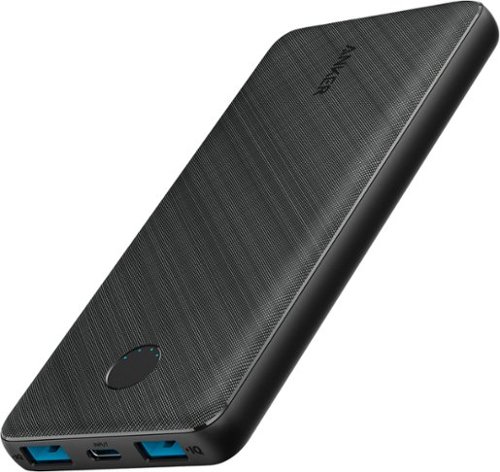
PowerCore III 10K is a slim and powerful portable 10000mAh battery. With two USB-A port PowerIQ outputs for high-speed dual device charging and one USB-C PD input for incredibly fast recharging. This is all you need as your charging companion.
Customer Rating
5
Slim, Light and a Perfect gift
on November 24, 2021
Posted by: explore42
from Cincinnati Ohio
I have several of the larger Anker PowerCore chargers but I wanted a slimmer lighter one for carrying around for day-to-day use. The bigger versions are great for overnight travel, backpacking and general back up for electrical outages but they are tad heavy to carry around in a pocket or a purse. This 10,000 mah model is definitely lighter and thinner. For perspective it is about the size and depth of my iphone . It has two USB-A ports to charge devices and a single USB-C port used to charge the PowerCore. The two USB-A ports supply an output of 5v at up to 2.4 amps. The two ports allow me to charge my phone and earbuds at the same time. There is a switch on the top that allows you to turn on trickle charging for your smaller items like earbuds. Around the switch there are four LEDs which indicate the battery level when its charging as well as lighting up to indicate when its charging a device. Anker includes a nice carry bag for storing the charger and the included USB-A to USB-C cable. I’ve now used this to charge my Iphone, Ipad Pro and several brand earbuds without any issue. I think it’s a great gift for anyone because who doesn’t need a good back up power supply for their phone and tablet.
Mobile Submission: False
I would recommend this to a friend!


Share this review:


-3points
0of 3voted this as helpful.
![Adobe - Photoshop Elements 2022 & Premiere Elements 2022 - Windows [Digital]](https://pisces.bbystatic.com/prescaled/500/500/image2/BestBuy_US/images/products/6475/6475053_sd.jpg)
Discover the fun of creative editing and storytelling. Adobe Sensei AI technology* and automated options do the heavy lifting so you can instantly turn photos into art, warp photos to fit any shape, reframe your video subjects, and more. Add moving overlays or 3D camera motion to take your photos to a whole new level, and save them as MP4s for easy sharing on social. Grow your skills with 87 Guided Edits that step you through how to create perfect pet pics; extend, remove, or replace photo backgrounds; add fun animated overlays to your videos; bring out details in video shadows and highlights; and more. Edit and export videos in social-friendly vertical and square aspect ratios, and compress videos for easy sharing. Effortlessly organize your photos and videos, and craft personalized creations like dynamic photoand video slideshows with all-new styles, inspirational quote graphics, and animated social posts. Transform your favorite photos into gallery-quality wall art, beautiful prints, and unique keepsakes with the built-in prints and gifts service .~And enjoy an updated look that makes the software even easier to use and navigate. *Adobe Sensei is the technology that powers intelligent features across all Adobe products to dramatically improve the design and delivery of digital experiences, using artificial intelligence and machine learning in a common framework. ~FUJIFILM Prints & Gifts service is available in the U.S. only.
Customer Rating
5
Easy way to Improve your videos & photos
on November 7, 2021
Posted by: explore42
from Cincinnati Ohio
I am not a professional blogger or photographer but I do take a lot of videos and photographs while capturing images of my friends and family. I capture life’s moments using everything from 4k video cams to my iphone. A lot of times those shots/videos are taken in the spur of the moment so they may not be framed correctly or at the right exposure or even include things I wish were not in the photo. Because of this I started buying Adobe’s Photoshop Elements and Premier Elements long ago. I’ve always felt that this software matches my expertise level, it guides me through things that I don’t use often enough to be proficient at but also gives me total control in the expert mode for when I really want to edit my photos or videos. If you have used either Photoshop Elements or Elements Premier in the past you will feel right at home with this new version. The other plus of this software is the enormous number of tutorials, videos and documents on the web by Adobe and 3rd parties to help teach you how to get the most out of it.
The home page allows you to select Photoshop Elements, the Organizer or Premier Elements. The Organizer does what it says by helping you organize all your photos and videos using several tools built into the software. If you select Photoshop Elements or Premier Elements you will open to the project page where you can select Quick, Guided and Expert mode. This 2022 version includes 87 new Guided options which includes some new features over the standard guides of past versions. Some of the newer features like adding moving overlays to photos or movies were pretty straight forward but I found the Auto Reframe that allows you to resize your video a tad confusing. I am sure within the next 30 days someone will be posting videos on using the Auto Reframe feature that will show me what I need to do better. Doing all the typical editing or adding special effects is pretty straight forward and I think this is where the Guided options really pay off. The Guide takes the numerous options included in the software and helps you chose the right ones. The only downside I have found with using the Expert mode is that there are so many help guides on the web that you have to make sure you find one that is specific to the 2022 version. Adobe keeps automating and improving the software so I think it was worth upgrading so I could use the latest features like adding the cool overlays and extending the backgrounds and creating perfect pet photos.
Mobile Submission: False
I would recommend this to a friend!


Share this review:


+1point
1of 1voted this as helpful.
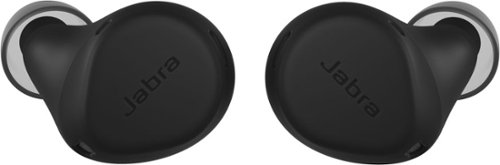
Jabra Elite 7 Active is engineered with our unique Jabra ShakeGrip~ technology, sweat and waterproof durability, and ultra-compact design, they~ll stay in place through even the toughest workouts. Active Noise Cancellation (ANC) and HearThrough features allow a customized level of immersion, so you can be in control of your workout and your sound. If you need to keep an ear free, mono mode lets you use either bud independently. Stash the one you~re not using in the case, and you can even extend your battery by using one and charging the other. And Alexa Built-in and Google Assistant are at your command with just the tap of the bud. Multipoint connects to two devices at once, lets you seamlessly switch between devices, and is available as a firmware update via the Jabra Sound+ app.
Customer Rating
5
Great for Active Workers - Has a Mute button!
on November 1, 2021
Posted by: explore42
from Cincinnati Ohio
I use my earbuds when working from home, while commuting and while working out. Nothing is more annoying than not having a mute function built into the earbuds. With these Jabra earbuds I can finally just tap the left earbud and mute my microphone if the dog barks or the kids start screaming or if the background noise is bothering others on the call. Yes, I can do this with my phone but often my phone is sitting in my pocket or on my desk and getting to the phone and unlocking it every time I want to mute and unmute is royal pain. If you are an active worker or live/work in an active environment these Jabra Elite 7 Earbuds are definitely something you should consider. The overall sound quality is better than most and the Jabra Sound + app gives you total control of the earbuds.
Performance: For me these earbuds have a nice balance for music. They produce clear and crisp mids and highs while providing an adequate bass response for earbuds. Using the Jabra Sound + app you can adjust the equalizer to meet your personal taste. Voice call quality was good but slightly low on volume. No matter where I was everyone I talked to said I sounded good. The earbuds have Active Noise Cancellation and Hear Through capabilities. I found that the noise cancellation worked but wasn’t totally isolating. If I used the largest ear tips I could get better noise isolation but that was at the cost of more discomfort. I have an air filter in the room where I work and with it running on medium the ANC would reduce the motor sound by about 70%. I haven’t used these on a plane yet but I would guess that it would reduce the engine drone to a soft background hum. For me this isn’t that big of an issue because it does lessen the environmental noise to an acceptable level. The Hear Through capability worked as expected. You can easily select between ANC and Hear Through by using the earbud button. I was able to Bluetooth pair with my phone, ipad and laptop without any issues. The Jabra Sound + app is one of the best I have used and the documentation Jabra provides via the app is top notch.
Fit and Function: The ear buds are thick but have a low profile so they reside mostly in your ear without looking unsightly. Jabra has covered the earbuds with a silicone rubber cover that is supposed to help keep the earbud stationary in your ear. This works pretty well but I found that the rubber coating also causes more of a rubbing sensation and thumping sound when I jog which can be quite annoying. This is not an issue when working out in the gym or walking around. The Jabra Sound + app has an interesting feature named My Fit that actually does a test to see if your earbuds are properly fitted. Using this feature it helps you decide which ear tip to use and how well the earbuds are installed in your ear. Also in the app the My Controls section lets you fully configure the button functionality for both the right and left earbud for Media, Incoming Calls and Active Calls. The earbuds have mechanical buttons on them which means you physically have to push to engage the button. I found that the buttons in these earbuds were engaged without much pressure so I didn’t feel like I was poking myself every time I used them. You can choose your preferred voice assistant via the Jabra Sound + app and then access the voice assistant with a single push on the earbud. The earbuds have auto pause capability when one of the earbuds are removed. They can also be used independently if you only want to use a single earbud. They are IP57 rated so they will handle sweat and moisture. The battery life is up to 8 hours per charge and 30 hours when combined with the case. The case has a USB-C charging port but also can be charged using a wireless charger. There is a colored led on the case to show the battery level but you can also use the Jabra Sound + app to check the levels.
Mobile Submission: False
I would recommend this to a friend!


Share this review:


+6points
6of 6voted this as helpful.
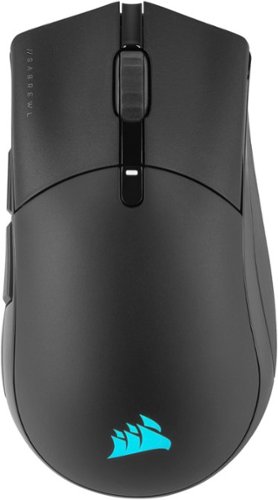
The CORSAIR SABRE RGB PRO WIRELESS Gaming Mouse is designed for and tested by esports pros, weighing an ultra-light 79g and equipped with SLIPSTREAM WIRELESS technology to achieve lightning-fast response times and 2,000Hz hyper-polling. CORSAIR QUICKSTRIKE buttons provide zero gap for fast and responsive clicks, The SABRE RGB PRO WIRELESS boasts a 26,000 DPI MARKSMAN optical sensor customizable in 1 DPI steps, with a dedicated button to cycle through five DPI presets on-the-fly. Finished with high-quality materials such as 50 million click-rated OMRON switches and 100% PTFE glide pads, the SABRE RGB PRO WIRELESS cuts through the competition.
Customer Rating
4
Responsive but not easiest to Grip
on October 23, 2021
Posted by: explore42
from Cincinnati Ohio
The Corsair Sabre RGB Pro mouse has taken me some time to get comfortable with. Yes its super quick and all the buttons react lightning fast but the mouse just doesn’t seem to feel right in my hand. I generally use a palm grip but as things get more intense I find myself using more of a claw grip and its then that the mouse feels less grippy and less comfortable. The upper part of the mouse has a slightly rough matte finish which feels good but the sides are smoother without any type of grip pads on them. The smooth finish helps with the transition from thumb grip to button but the lack of a grippier surface on the sides lessens the feel of a solid grip especially in more rapid movements. If you have large hands and like using a palm grip this may be a perfect mouse for you.
There are a lot of things that I like about this mouse. It has 7 fully configurable buttons that can be customized with macros using the iCUE software. The short travel distance to engage and the solid click and release makes these switches feel like they are super-fast. This along with the hyper-polling, adjustable DPI range and its light weight improved my response time and accuracy in game. Changing dpi settings is super quick using the dpi switch on top of the mouse with its built in led indicator. The led indicates via color which dpi preset you have selected. Although the mouse supports both Bluetooth and wireless connectivity you need to use the wireless USB receiver to get Corsair’s sub 1ms transmission speed and 2000hz hyper-polling speed. I have used the mouse in Bluetooth mode on my gaming laptop and I still felt like the mouse was very responsive. When using Bluetooth you can store the wireless dongle inside the mouse so it doesn’t get lost. The rechargeable battery last up to 90 hours without using the RGB lighting. The battery is charged via the usb cable that is provided. The RBG backlighting has some limitations since the only lighting is a Corsair icon on the base of the mouse where your palm sits. So even though you can use the iCUE software to do some customizable color and effects its generally not worth it since your palm hides the lighting.
The iCUE software for this mouse is a powerful app and gives you a lot flexibility but its not the most intuitive to use. Using iCUE you can adjust the dpi settings, configure your button assignments including custom macros and create your RGB lighting effects and colors. Also you can do a surface calibration test. The software does have a tutorial option which does help explain the software options. Note that the mouse profiles are saved in the mouse thus to save the mouse profiles you have to hard wire the mouse via the supplied usb cable to your computer.
Mobile Submission: False
I would recommend this to a friend!


Share this review:


+2points
2of 2voted this as helpful.
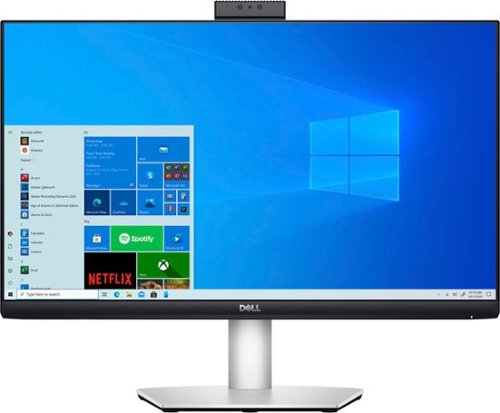
Connecting virtually with friends and co-workers gets a major upgrade with the monitor~s built-in camera, noise-cancelling microphones and dual 5W speakers. You~ll enjoy amazing video clarity and crystal-clear sound. Versatile USB-C connectivity delivers video, audio and data, and charges your laptop. Plus, with just one cord, you'll have a clutter-free desk space. A super clear 5MP IR pop-up camera features facial recognition through Windows Hello for convenient, instant sign-on to Windows. The best part? The camera stays hidden until you're ready for video chatting or selfies. A height-adjustable stand and a monitor that tilts, swivels and pivots so you look your best and feel your best for all-day conferencing.
Customer Rating
5
Must have for Video Calls
on October 22, 2021
Posted by: explore42
from Cincinnati Ohio
Doing video calls can be such a hassle especially if you are collaborating with the caller at the same time. Dell’s S2422 HZ monitor eliminates those hassles whether you are using a desktop or a laptop. This monitor was designed around and excels at video conferencing.
Features: The display is an IPS panel which supports FHD 1920 x 1080 with a refresh rate up to 75 hz. It has a 1000:1 contrast ratio and a 4ms response time which is great for general use. The monitor has the typical Dell stand which gives you total control over the display height and angle. There is a 5 MP IR webcam with a 2560 x 1920 resolution at 30 frames per second that is built into the top of the monitor and it is retractable. To use the webcam you just push down on the top panel to release it and it raises up above the center of the display. To store the webcam you just push the webcam down until it locks into place again. This is a great feature because there is no confusion as whether the webcam is on or not since its concealed when not in use. The webcam has IR capability which helps for video calls when the overhead lighting isn’t very bright. There is a small white LED IR indicator that comes on next to the lens when the IR webcam is working. The monitor has two 5 watt speakers that are down firing. Because the speakers are built into the monitor and face downward the monitor has some depth to it towards the bottom of the display. The audio quality is good enough for video calls and above the quality of the typical laptop speakers. At the top of the monitor there are built in microphones that have noise cancelling capabilities. Note that you need to make sure the microphones are correctly set up to get the benefit of the noise cancellation. The Dell user manual explains this in detail.
Setup: There are several ways to connect this monitor to a laptop or pc. You can use the supplied USB-C cable if your computer supports USB-C otherwise you will need a HDMI or Display Port cable. The HDMI or Display port cable will support the audio as well as the video to the monitor but you will need to also connect a USB cable between the monitor and computer to get the webcam operational. I tested mine with using the USB-C cable as well as using a HDMI with an USB-A cable and both scenarios were plug and play with my laptop. The Dell user manual explains the possible connections in detail so its worth downloading it. On the back of the monitor there is a HDMI port, Full size Display Port, USB-C with 65 watt charging capabilities, audio out jack and a USB-A port which can charge a phone. Note both USB ports are version 3.2. To set up the monitor there are four selector buttons and an on/off switch on the bottom of the right side of the monitor. While having the buttons on the bottom allows you to mount multiple monitors edge-to-edge it also makes it more difficult to operate them. Why Dell doesn’t put these buttons on the front of the monitor is beyond reason! The default functions for the buttons are Mute, Preset Display mode, Menu, and select. Via the menu button you can fully personalize the monitor and all its functions. You can also download Dell’s Display Monitor app which gives you like functionality without having to hunt and peck at the little buttons on the bottom of the display. Once I had the monitor cabled, I checked out the monitors performance using the Eizo monitor test. The panel was perfect with no pixel issues and the colors and gray scales were uniform across the panel. Basically the image quality is what you expect from a quality monitor. Next I tested the webcam capabilities and I found the image quality from the camera to be acceptable. I did not perceive any choppiness when moving around in the image so the 30 frames per second was sufficient to provide smooth video. The noise cancellation was helpful but this won’t mute out a barking dog on a conference call. Overall I liked the monitor and it is well designed for its purpose of supporting video calls.
Mobile Submission: False
I would recommend this to a friend!


Share this review:


0points
0of 0voted this as helpful.
explore42's Review Comments
explore42 has not submitted comments on any reviews.
explore42's Questions
explore42 has not submitted any questions.
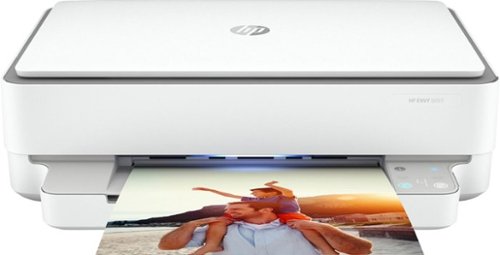
Designed to make printing easier for the whole family, the HP ENVY 6055 all-in-one printer lets everyone print, scan, and copy everyday documents, schoolwork, borderless photos and more. This wireless picture printer can order ink for you and deliver it to your door with up to 50% savings on ink using the HP Instant Ink delivery service, so you can print high-quality documents and photos when you need them (subscription required). Set up, and connect the all-in-one printer to your family's mobile devices in a few easy steps for remote scanning and sharing using the HP Smart app. And keep connected, and reduce interruptions with self-healing Wi-Fi and Bluetooth 5.0 technology. Prints up to 10 ISO ppm* in black and up to 7 ppm* in color.
is this self healing?
I assume you are asking about wireless self healing. According to the specs it is self healing. I have this on my 2.4 wireless network and so far its been rock solid.
6 years, 3 months ago
by
explore42
Designed to make printing easier for the whole family, the HP ENVY 6055 all-in-one printer lets everyone print, scan, and copy everyday documents, schoolwork, borderless photos and more. This wireless picture printer can order ink for you and deliver it to your door with up to 50% savings on ink using the HP Instant Ink delivery service, so you can print high-quality documents and photos when you need them (subscription required). Set up, and connect the all-in-one printer to your family's mobile devices in a few easy steps for remote scanning and sharing using the HP Smart app. And keep connected, and reduce interruptions with self-healing Wi-Fi and Bluetooth 5.0 technology. Prints up to 10 ISO ppm* in black and up to 7 ppm* in color.
Is this printer good for home use from a computer and my iPhone?
As long as you are printing about 100 to 200 pages per month this printer should work for you. The HP Smart software works on my Ipad so it should work on your iphone. Download the app from the Apple store and check it out. I have the software on my ipad and my windows laptop and can print without any issues. There are also buttons on the printer if you would prefer to use them vs the software app. This printer can scan, print and copy but it cannot receive faxes. You can send a fax using HP's cloud services but it cannot receive a fax. Also if you do a lot of color printing realize that the colors are in a single cartridge with this printer so if one color is used up you have to replace the entire color cartridge.
6 years, 3 months ago
by
explore42
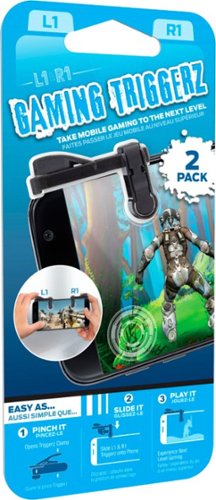
Enhance your mobile play experience with these Emerge gaming triggers. They can be added to smartphones to provide more satisfying left and right buttons, and the tactile switches are great for use with first-person shooters. These Emerge gaming triggers have suction cups to hold them securely in place during use.
Will they work on an iPad mini???
As long as you can download the HP Sprocket software from the Apple store and you can turn on the Bluetooth connectivity on your IPAD the printer should work fine.
6 years, 8 months ago
by
explore42
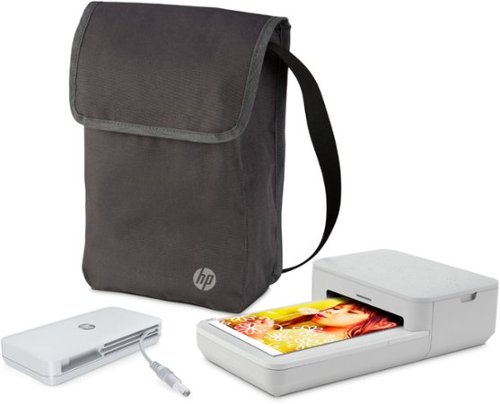
Turn moments from your phone into effortless photo creations. Designed to use with Bluetooth and the HP Sprocket app, plus the included power bank, you can easily transform photos from your camera roll or social media into sharable memories.Creates a 4" x 6" photo-quality print in as little as 61 seconds*
Does this version print 2x3 sticky back photos too, or just the 4x6 size?
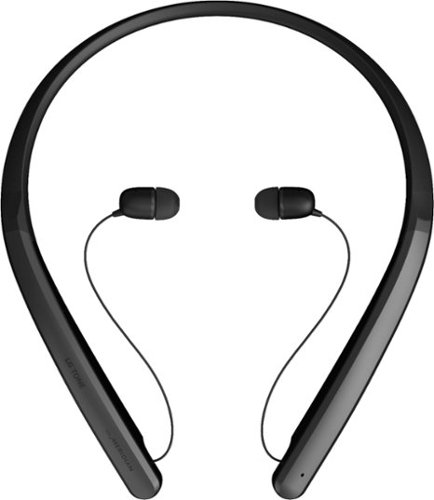
Experience hands-free phone usage with this LG TONE Flex wireless stereo headset. The integrated Meridian Technology, 32-bit Hi-Fi DAC and multilayer metal construction deliver fine-detailed audio with high resolution, while retractable earbuds and a flexible neckband offer comfort. This LG TONE Flex wireless stereo headset is Bluetooth enabled for effortless syncing with your smartphone.
Are these sweat resistant?
They are not water or sweat proof. I would not recommend using them in any type of workout activity.
6 years, 9 months ago
by
explore42

Game on the go with this Dell Inspiron laptop. An NVIDIA GeForce GTX 1660 Ti runs most titles, while the two tuned speakers and 15.6-inch Full HD anti-glare narrow-border display deliver an immersive experience. This Bluetooth-compatible Dell Inspiron laptop has a 9th-gen Intel Core i5 processor and 8GB of RAM, handling multitasking without issue, and the 512GB NVMe SSD offers exceptional data access speeds.
Can I add Ram to it?
It comes with 8gb in two slots. According to Dell's specs you can upgrade to 32gb.
6 years, 10 months ago
by
explore42
Game on the go with this Dell Inspiron laptop. An NVIDIA GeForce GTX 1660 Ti runs most titles, while the two tuned speakers and 15.6-inch Full HD anti-glare narrow-border display deliver an immersive experience. This Bluetooth-compatible Dell Inspiron laptop has a 9th-gen Intel Core i5 processor and 8GB of RAM, handling multitasking without issue, and the 512GB NVMe SSD offers exceptional data access speeds.
How much ram is there?
It comes with 8gb in two slots. These can be upgraded up to 32gb per Dell's specs.
6 years, 10 months ago
by
explore42
Game on the go with this Dell Inspiron laptop. An NVIDIA GeForce GTX 1660 Ti runs most titles, while the two tuned speakers and 15.6-inch Full HD anti-glare narrow-border display deliver an immersive experience. This Bluetooth-compatible Dell Inspiron laptop has a 9th-gen Intel Core i5 processor and 8GB of RAM, handling multitasking without issue, and the 512GB NVMe SSD offers exceptional data access speeds.
Is this a 144hz screen?
Game on the go with this Dell Inspiron laptop. An NVIDIA GeForce GTX 1660 Ti runs most titles, while the two tuned speakers and 15.6-inch Full HD anti-glare narrow-border display deliver an immersive experience. This Bluetooth-compatible Dell Inspiron laptop has a 9th-gen Intel Core i5 processor and 8GB of RAM, handling multitasking without issue, and the 512GB NVMe SSD offers exceptional data access speeds.
There is another slot for solid or hard drive?
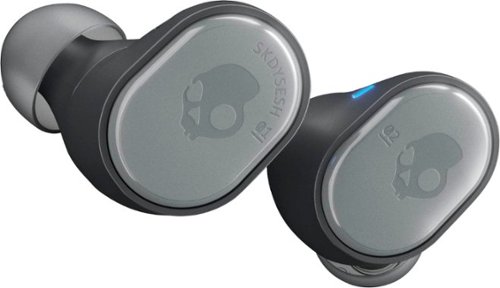
Say goodbye to cords and cables with these Skullcandy Sesh true wireless headphones. Bluetooth technology seamlessly connects to your smartphone, tablet or PC, letting you stream music or take phone calls with the built-in microphone. These water-resistant Skullcandy Sesh true wireless headphones come with a charging case, providing up to an extra 7 hours of listening time.
What is the maximum distance that the blue tooth works before it disconnects from your phone??
The documentation for the Skullcandy Sesh says 30 feet but that varies with the device you are connected to and the environment you are in. I found that I could easily go to over 30 ft when connected to my IPAD but my at that same distance I would get drop outs when connected to my Samsung phone. The things to consider are the environment - thickness of walls and floors as well as other electronics that may be supplying interference.
6 years, 11 months ago
by
explore42