
Customer reviews from Samsung US
Samsung - 65" Class The Terrace Series QLED Outdoor Full Sun 4K UHD Smart Tizen TV (2021)
Average customer rating

4.6
(932 Reviews)

Rating breakdown 932 reviews
5 Stars
694
4 Stars
160
3 Stars
35
2 Stars
15
1 Star
28
44%of customers recommend this product.
(
32 out of
73)
Customer Reviews for Samsung - 65" Class The Terrace Series QLED Outdoor Full Sun 4K UHD Smart Tizen TV (2021)
Customer Rating

4
TV is great, apps need work
on January 11, 2022
Posted by: Marcus
my wife really wanted a tv we could try to blend in with our 100 year old home. we also looked at the comparable lg tv but settled on the 55” frame. i love the flush wall mount and was able to install it myself with no issues, you’ll just need one additional person to help you lift the tv up and hang it on the wall. the picture quality is excellent and we connected it to a sonos surround system and love the dolby atmos quality sound from the earc channel. our only gripe with it is that the smart tv features are sluggish and sometimes the apps simply do not work or will crash (paramount plus was a big issue). we ended up getting a roku ultra for 4k streaming and that solved our issue.
I would recommend this to a friend!
Features

4
Performance
4
Design

5
Value
5
Response from Samsung USBy Samsung Specialist, Samsung Brand Ambassador, January 11, 2022
Marcus,
Thank you for your review of The Frame TV and sharing your experience with delayed response time.
To optimize the Smart TV performance, please try Device Care option under the Support Menu. Go to Settings > Support > Device Care > Start Device Care
This service checks memory and frees up unused cached memory and closes background apps.
Please also be sure you are running the latest firmware. You can check to see what software version your TV is using and if there is an available update through the settings on your TV. Go to: Settings > Support > Software Update.
Should you need further assistance, please contact Samsung Customer Support at 1-800-SAMSUNG (ask for TVs), available 8AM - 12AM EST, 7 days a week.
For additional support resources, visit us on the Samsung website and click on the ‘Support’ link in the upper right corner of the homepage for:
1) Chat with Us/Product Help: To begin a chat or find solutions, choose ‘TVs & Home Theater’ and select your model & topic.
2) Manuals, Software, & Warranty Info
~ Samsung Specialist
Thank you for your review of The Frame TV and sharing your experience with delayed response time.
To optimize the Smart TV performance, please try Device Care option under the Support Menu. Go to Settings > Support > Device Care > Start Device Care
This service checks memory and frees up unused cached memory and closes background apps.
Please also be sure you are running the latest firmware. You can check to see what software version your TV is using and if there is an available update through the settings on your TV. Go to: Settings > Support > Software Update.
Should you need further assistance, please contact Samsung Customer Support at 1-800-SAMSUNG (ask for TVs), available 8AM - 12AM EST, 7 days a week.
For additional support resources, visit us on the Samsung website and click on the ‘Support’ link in the upper right corner of the homepage for:
1) Chat with Us/Product Help: To begin a chat or find solutions, choose ‘TVs & Home Theater’ and select your model & topic.
2) Manuals, Software, & Warranty Info
~ Samsung Specialist
Written by a customer while visiting Samsung US

Customer Rating

5
Simple Install, Great Features and Picture
on January 10, 2022
Posted by: Jiles
from castle rock, co
Expertise:Expert
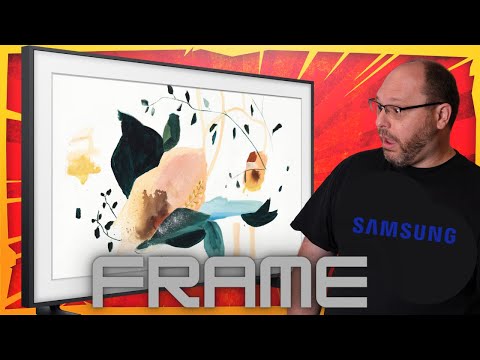
We added a 55" frame in our dining area and it made a huge difference in the room. The artwork looks amazing and we can use the tv for news in the mornings. The integration with ring is also super cool. The rotating artwork with the turn on sensor is worth the price of admission.
I would recommend this to a friend!
Features
5
Performance
5
Design
5
Value
5
(click to see the video)

Written by a customer while visiting Samsung US
Customer Rating

1
Broke within a Month
on January 6, 2022
Posted by: Peter G
Expertise:Intermediate
My TV broke within a month. I cannot say much more than that because Big Brother will not let me.
No, I would not recommend this to a friend.
Features

1
Performance
1
Design
1
Value
1
Response from Samsung USBy Samsung Specialist, Samsung Brand Ambassador, January 10, 2022
Peter G ,
We appreciate you sharing the issues you were having with your new Frame TV and your experience with Customer Service. Looking further into this, our records indicate that Samsung has been contacted and we are glad a resolution was reached in December.
Please know that Samsung is committed to providing the best possible product experience, quality, and value, and your feedback will be shared with our product and customer care teams.
Should you ever decide to give Samsung TVs another try and have questions or need assistance with settings, setup, or features, please know we are always here to help. Call us at 1-800-SAMSUNG (ask for TVs), available 8AM - 12AM EST, 7 days a week.
For additional support resources, visit us on the Samsung website and click on the ‘Support’ link in the upper right corner of the homepage for:
1) Chat with Us/Product Help: To begin a chat or find solutions, choose ‘TVs & Home Theater’ and select your model & topic.
2) Manuals, Software, & Warranty Info
We hope to regain you as a customer in the future.
~ Samsung Specialist
We appreciate you sharing the issues you were having with your new Frame TV and your experience with Customer Service. Looking further into this, our records indicate that Samsung has been contacted and we are glad a resolution was reached in December.
Please know that Samsung is committed to providing the best possible product experience, quality, and value, and your feedback will be shared with our product and customer care teams.
Should you ever decide to give Samsung TVs another try and have questions or need assistance with settings, setup, or features, please know we are always here to help. Call us at 1-800-SAMSUNG (ask for TVs), available 8AM - 12AM EST, 7 days a week.
For additional support resources, visit us on the Samsung website and click on the ‘Support’ link in the upper right corner of the homepage for:
1) Chat with Us/Product Help: To begin a chat or find solutions, choose ‘TVs & Home Theater’ and select your model & topic.
2) Manuals, Software, & Warranty Info
We hope to regain you as a customer in the future.
~ Samsung Specialist
Written by a customer while visiting Samsung US
Customer Rating
1
I value most a tv that works
on January 3, 2022
Posted by: susieq
from mississippi
this has been a nightmare.. the tv continues to buffer and black out. ... what a shame!! i ordered the 55 frame.
i will not recommend.
i will not recommend.
No, I would not recommend this to a friend.
Features
1
Performance
1
Design
1
Value
1
Response from Samsung USBy Samsung Advisor, Samsung Brand Ambassador, January 4, 2022
susieq:
Thank you for purchasing The Frame TV and for your review. I am very sorry to hear that you are experiencing issues with your screen randomly going blank. There are a number of reasons this may be happening.
• Cable connection problem: Your Samsung Smart TV is likely to have a black screen issue due to the cable connection problem. Loose connections, damaged cables or inactive power sources are the probable cause of the problem on your TV.
• Sources issue: Moreover, the issue could be caused by the problems associated with the sources such as DVD player, cable box or other external sources. To find out whether the problem is with the sources, press the Menu button on your remote. If the menu appears on the screen of your TV, then the problem is with the sources.
• Inputs setting problem: The black screen issue could be due to the inputs setting problem. Your TV might be set on a wrong input. Ensure that your TV is set to the correct input to avoid this issue.
• Firmware update issue: Your TV screen might be having a black display due to the obsolete firmware. The firmware, therefore, needs to be updated to solve this issue.
• Sleep timer/power saver mode: In cases where your TV randomly goes black, the issue could be due to the sleep timer or energy-saving mode being on. Consider turning them off to see whether the problem is solved. (30 minute intervals)
• Hardware failure: Also, your TV might be displaying a black screen due to the hardware failure. This could be a faulty circuit board, faulty TV panel or faulty LED on TV. For this case, you will need to seek for professional service to have your TV fixed.
Should you need further assistance, please contact Samsung Customer Support.
Call us at 1-800-SAMSUNG (ask for TVs), available 8AM - 12AM EST, 7 days a week.
For additional support resources, visit us on the Samsung website and click on the ‘Support’ link in the upper right corner of the homepage for:
1) Chat with Us/Product Help: To begin a chat or find solutions, choose ‘TVs & Home Theater’ and select your model & topic.
2) Manuals, Software, & Warranty Info
Samsung is committed to providing the best possible product experience, quality, and value. We back this TV with a 1-year limited manufacturer's warranty if purchased brand-new directly from an authorized seller.
- Samsung Advisor
Thank you for purchasing The Frame TV and for your review. I am very sorry to hear that you are experiencing issues with your screen randomly going blank. There are a number of reasons this may be happening.
• Cable connection problem: Your Samsung Smart TV is likely to have a black screen issue due to the cable connection problem. Loose connections, damaged cables or inactive power sources are the probable cause of the problem on your TV.
• Sources issue: Moreover, the issue could be caused by the problems associated with the sources such as DVD player, cable box or other external sources. To find out whether the problem is with the sources, press the Menu button on your remote. If the menu appears on the screen of your TV, then the problem is with the sources.
• Inputs setting problem: The black screen issue could be due to the inputs setting problem. Your TV might be set on a wrong input. Ensure that your TV is set to the correct input to avoid this issue.
• Firmware update issue: Your TV screen might be having a black display due to the obsolete firmware. The firmware, therefore, needs to be updated to solve this issue.
• Sleep timer/power saver mode: In cases where your TV randomly goes black, the issue could be due to the sleep timer or energy-saving mode being on. Consider turning them off to see whether the problem is solved. (30 minute intervals)
• Hardware failure: Also, your TV might be displaying a black screen due to the hardware failure. This could be a faulty circuit board, faulty TV panel or faulty LED on TV. For this case, you will need to seek for professional service to have your TV fixed.
Should you need further assistance, please contact Samsung Customer Support.
Call us at 1-800-SAMSUNG (ask for TVs), available 8AM - 12AM EST, 7 days a week.
For additional support resources, visit us on the Samsung website and click on the ‘Support’ link in the upper right corner of the homepage for:
1) Chat with Us/Product Help: To begin a chat or find solutions, choose ‘TVs & Home Theater’ and select your model & topic.
2) Manuals, Software, & Warranty Info
Samsung is committed to providing the best possible product experience, quality, and value. We back this TV with a 1-year limited manufacturer's warranty if purchased brand-new directly from an authorized seller.
- Samsung Advisor
Written by a customer while visiting Samsung US
Customer Rating
1
No happy with The Frame TV
on December 13, 2021
Posted by: Brian
from Detroit, MI
Expertise:Intermediate
Overall TV performance is average at best. User interface is clunky. I purchased The Frame for its ART features, however I am having difficulty accessing the “Samsung Collection", "an exclusive selection of 100 artworks from 37 renowned artists and spanning 10 categories,” as listed on the website. I can only find the "Complementary Art" selection of 23 pieces. The Samsung Collection was a key decision point in my purchase of The Frame TV and I am not happy with the features without this product feature.
No, I would not recommend this to a friend.
Features
1
Performance

2
Design
2
Value
1
Response from Samsung USBy Samsung Specialist, Samsung Brand Ambassador, December 14, 2021
Hi Brian,
Thank you for choosing The Frame TV and for your review. Please know the Samsung Collection not only refers to the pre-loaded artwork, but the Art Store as well. The Art Store gives you access to over 1,400 classic and modern masterpieces, as well as stunning digital art and photography from galleries around the world.
Additionally, Samsung has partnered with Xbox to bring stunning new artwork to our Art Store Collection, allowing you to further personalize your setup with art from Halo, Gears of War, Fallout and more.
When you subscribe to The Art Store Membership, you can use the Art Store unlimitedly and enjoy various art works and replace them with new ones according to your preferences. Navigate to Art Store > Membership and follow the on-screen instructions to complete your subscription. You can also subscribe to the Art Store using the SmartThings app as well.
I hope this helps! Should you ever have questions or need help, please call us at 1-800-SAMSUNG (ask for TVs), available 8AM - 12AM EST, 7 days a week.
For additional support resources, visit us on the Samsung website and click on the ‘Support’ link in the upper right corner of the homepage for:
1) Chat with Us/Product Help: To begin a chat or find solutions, choose ‘TVs & Home Theater’ and select your model & topic.
2) Manuals, Software, & Warranty Info
~ Samsung Specialist
Thank you for choosing The Frame TV and for your review. Please know the Samsung Collection not only refers to the pre-loaded artwork, but the Art Store as well. The Art Store gives you access to over 1,400 classic and modern masterpieces, as well as stunning digital art and photography from galleries around the world.
Additionally, Samsung has partnered with Xbox to bring stunning new artwork to our Art Store Collection, allowing you to further personalize your setup with art from Halo, Gears of War, Fallout and more.
When you subscribe to The Art Store Membership, you can use the Art Store unlimitedly and enjoy various art works and replace them with new ones according to your preferences. Navigate to Art Store > Membership and follow the on-screen instructions to complete your subscription. You can also subscribe to the Art Store using the SmartThings app as well.
I hope this helps! Should you ever have questions or need help, please call us at 1-800-SAMSUNG (ask for TVs), available 8AM - 12AM EST, 7 days a week.
For additional support resources, visit us on the Samsung website and click on the ‘Support’ link in the upper right corner of the homepage for:
1) Chat with Us/Product Help: To begin a chat or find solutions, choose ‘TVs & Home Theater’ and select your model & topic.
2) Manuals, Software, & Warranty Info
~ Samsung Specialist
Written by a customer while visiting Samsung US
Customer Rating

3
Great design, but clunky interface
on December 9, 2021
Posted by: Lija
i love the look of this tv, and the fact that it has a minimalist stand although i wish that the stand was a bit taller. the picture quality is nice too.
but i am disappointed in the interface. lots of bloatware and apps that can't be uninstalled. adds that cannot be opted out of.
additionally, i could not find a way to make my most frequently used apps to show up first in the app row.
the voice assistant does not have a voice wake feature (this was not made clear in the product description). so every time i want to use the voice assistant, i have to have the remote in my hand and press the microphone button. talk about useless... in that regard, my old non-smart tv with amazon's fire cube connected to it provided a better experience...
No, I would not recommend this to a friend.
Features

3
Performance
4
Design
5
Value
3
Response from Samsung USBy Samsung Specialist, Samsung Brand Ambassador, December 9, 2021
Lija,
Thank you for your review of The Serif TV and for sharing your experience with the voice assistant feature, as well as moving apps. Please know you can customize the Smart Hub (which launches at the bottom of your TV screen) by removing apps from or adding apps to the home screen.
To remove an app from the TV's Smart Hub, navigate to the app you want to remove. Then, press and hold the ‘Enter’ button in the middle your remote’s directional button pad and select Remove. Select Remove again to confirm. You can also move an app to another location by selecting Move.
To add an app that may not already be on your Smart Hub, go to: Home > Apps > Select the desired app. From there, you can add to home, lock, move, reinstall or delete.
I hope this helps! Should you ever have questions or need help, please call us at 1-800-SAMSUNG (ask for TVs), available 8AM - 12AM EST, 7 days a week.
For additional support resources, visit us on the Samsung website and click on the ‘Support’ link in the upper right corner of the homepage for:
1) Chat with Us/Product Help: To begin a chat or find solutions, choose ‘TVs & Home Theater’ and select your model & topic.
2) Register a Product: For access to easy warranty support, convenient opt-in to special promos and offers, faster troubleshooting and service, and quick notification of system updates.
3) Manuals & Software
4) Warranty Info
5) Contact Us
~ Samsung Specialist
Thank you for your review of The Serif TV and for sharing your experience with the voice assistant feature, as well as moving apps. Please know you can customize the Smart Hub (which launches at the bottom of your TV screen) by removing apps from or adding apps to the home screen.
To remove an app from the TV's Smart Hub, navigate to the app you want to remove. Then, press and hold the ‘Enter’ button in the middle your remote’s directional button pad and select Remove. Select Remove again to confirm. You can also move an app to another location by selecting Move.
To add an app that may not already be on your Smart Hub, go to: Home > Apps > Select the desired app. From there, you can add to home, lock, move, reinstall or delete.
I hope this helps! Should you ever have questions or need help, please call us at 1-800-SAMSUNG (ask for TVs), available 8AM - 12AM EST, 7 days a week.
For additional support resources, visit us on the Samsung website and click on the ‘Support’ link in the upper right corner of the homepage for:
1) Chat with Us/Product Help: To begin a chat or find solutions, choose ‘TVs & Home Theater’ and select your model & topic.
2) Register a Product: For access to easy warranty support, convenient opt-in to special promos and offers, faster troubleshooting and service, and quick notification of system updates.
3) Manuals & Software
4) Warranty Info
5) Contact Us
~ Samsung Specialist
Written by a customer while visiting Samsung US
Customer Rating
1
Stopped working after 6 months
on December 3, 2021
Posted by: Connie
from Rossmoor, CA
Expertise:Intermediate
6 months after I purchase it stopped turning on. It would not recommend this TV.
No, I would not recommend this to a friend.
Features
1
Performance
1
Design
1
Value
1
Response from Samsung USBy Samsung Specialist, Samsung Brand Ambassador, December 3, 2021
Connie,
Thank you for your review of The Frame TV and for sharing your experience. Samsung is committed to providing the best possible product experience, quality, and value. We back this Samsung TV with a 1-year limited manufacturer's warranty, including authorized repair for manufacturer defect, if purchased brand-new directly from an authorized seller.
Please give us the opportunity to assist you by contacting Samsung Customer Support at 1-800-SAMSUNG (ask for TVs), available 8AM - 12AM EST, 7 days a week.
For additional support resources, visit us on the Samsung website and click on the ‘Support’ link in the upper right corner of the homepage for:
1) Chat with Us/Product Help: To begin a chat or find solutions, choose ‘TVs & Home Theater’ and select your model & topic.
2) Manuals, Software, & Warranty Info
We hope to hear from you.
~ Samsung Specialist
Thank you for your review of The Frame TV and for sharing your experience. Samsung is committed to providing the best possible product experience, quality, and value. We back this Samsung TV with a 1-year limited manufacturer's warranty, including authorized repair for manufacturer defect, if purchased brand-new directly from an authorized seller.
Please give us the opportunity to assist you by contacting Samsung Customer Support at 1-800-SAMSUNG (ask for TVs), available 8AM - 12AM EST, 7 days a week.
For additional support resources, visit us on the Samsung website and click on the ‘Support’ link in the upper right corner of the homepage for:
1) Chat with Us/Product Help: To begin a chat or find solutions, choose ‘TVs & Home Theater’ and select your model & topic.
2) Manuals, Software, & Warranty Info
We hope to hear from you.
~ Samsung Specialist
Written by a customer while visiting Samsung US
Customer Rating
3
NOT workingwith Xbox Series X
on November 25, 2021
Posted by: Tony
if you plan to play your xbox series x with this tv, hold on.
many customers have complained that since firmware 1506 upgrade, the hdmi port 4 a.k.a. game port doesn't work. tv would suddenly start complaining that it lost signal from the xbox.
see the discussion at samsung community.
https://eu.community.samsung.com/t5/tv/the-frame-2021-xbox-series-x-and-firmware-1506/td-p/3479612/
https://eu.community.samsung.com/t5/tv/the-frame-2021-xbox-series-x-and-firmware-1506/td-p/3479612/
you still can use other hdmi ports for xbox series x, however they don't support better graphics. no 120hz / 4k / hdr / vrr. it's like you're still playing the older xbox one.
samsung didn't release the firmware fix yet although it's been months. until it is fixed, don't buy this tv for gaming.
No, I would not recommend this to a friend.
Features
5
Performance
3
Design
5
Value
3
Response from Samsung USBy Samsung Specialist, Samsung Brand Ambassador, November 29, 2021
Tony,
Thank you for choosing Samsung’s The Frame TV and for sharing the issues you are experiencing with connected devices. Please be sure your firmware is up to date with version 1805.4 which includes input device performance updates. You can check this by going to: Settings > Support > Software Update.
If the issue persists, here are a few additional troubleshooting steps you can try:
- Connect your console to HDMI port number 4.
- Turn on Input Signal Plus. Press Home and navigate to Settings> General > External Device Manager > Input Signal Plus and turn it on for HDMI 4.
I hope this helps. Should you need further assistance, please reach out to Samsung Customer Support at 1-800-SAMSUNG (ask for TVs), available 8AM - 12AM EST, 7 days a week.
For additional support resources, visit us on the Samsung website and click on the ‘Support’ link in the upper right corner of the homepage for:
1) Chat with Us/Product Help: To begin a chat or find solutions, choose ‘TVs & Home Theater’ and select your model & topic.
2) Manuals, Software, & Warranty Info
~ Samsung Specialist
Thank you for choosing Samsung’s The Frame TV and for sharing the issues you are experiencing with connected devices. Please be sure your firmware is up to date with version 1805.4 which includes input device performance updates. You can check this by going to: Settings > Support > Software Update.
If the issue persists, here are a few additional troubleshooting steps you can try:
- Connect your console to HDMI port number 4.
- Turn on Input Signal Plus. Press Home and navigate to Settings> General > External Device Manager > Input Signal Plus and turn it on for HDMI 4.
I hope this helps. Should you need further assistance, please reach out to Samsung Customer Support at 1-800-SAMSUNG (ask for TVs), available 8AM - 12AM EST, 7 days a week.
For additional support resources, visit us on the Samsung website and click on the ‘Support’ link in the upper right corner of the homepage for:
1) Chat with Us/Product Help: To begin a chat or find solutions, choose ‘TVs & Home Theater’ and select your model & topic.
2) Manuals, Software, & Warranty Info
~ Samsung Specialist
Written by a customer while visiting Samsung US