


Aaronxx7's stats
- Review count185
- Helpfulness votes779
- First reviewDecember 16, 2015
- Last reviewAugust 28, 2026
- Featured reviews0
- Average rating4.8
Reviews comments
- Review comment count0
- Helpfulness votes0
- First review commentNone
- Last review commentNone
- Featured review comments0
Questions
- Question count0
- Helpfulness votes0
- First questionNone
- Last questionNone
- Featured questions0
- Answer count97
- Helpfulness votes133
- First answerMarch 10, 2018
- Last answerSeptember 28, 2021
- Featured answers0
- Best answers6
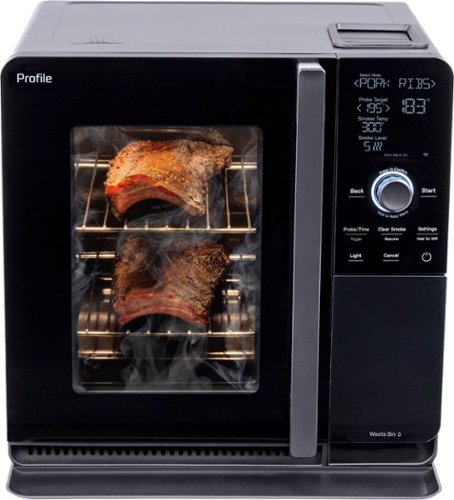
GE Profile provides modern design and the latest features in home appliances. Designed for today~s smart home, GE Profile provides features that allow you to do more, through remote monitoring, voice activation and technology that takes the guess work out of cooking and cleaning. Now the advanced engineering you've come to expect from Profile is available in an indoor smoker that delivers modern styling and exceptional performance. This innovative smoker offers the convenience of indoor smoking, while still delivering delicious, wood smoke flavor. Active Smoke Filtration turns real-wood smoke into warm air so you can prepare smoked brisket, pork butt and more at any time from the comfort of your kitchen. The Flavorful Smoke Generation system precisely controls pellet temperature to release the best aromatic compounds possible. Includes six pre-set food settings and an auto warm option that make it easy to prepare real wood smoked foods whenever you want. Includes a built-in temperature probe for precise food preparation and has a pellet capture system for easy disposal and clean-up. Plus, GE Profile Connect+ lets you set your favorite smoke mode and monitor cooking process from anywhere via the SmartHQ app. With the GE Profile Smart Indoor Smoker anyone can create amazing results from the comfort of their kitchen.
Customer Rating

5
Excellent for all weather Outdoor Flavor
on January 10, 2024
Posted by: Aaronxx7
The idea of an indoor BBQ has been around for a while,
and GE seems to have gotten it right. The smoker uses two heat
sources to cook with. a coil at the bottom of the unit heats the food
while the Active Smoke Filtration turns the pellet smoke into warm air
that enters the unit through the vents, spreading the smoke flavor.
There are no smoke clouds inside or outside the unit. However, you can
smell the smoked food after a while of cooking similar to how you
can smell something cooking in the oven.
and GE seems to have gotten it right. The smoker uses two heat
sources to cook with. a coil at the bottom of the unit heats the food
while the Active Smoke Filtration turns the pellet smoke into warm air
that enters the unit through the vents, spreading the smoke flavor.
There are no smoke clouds inside or outside the unit. However, you can
smell the smoked food after a while of cooking similar to how you
can smell something cooking in the oven.
The smoker is small enough to fit under the counter but large enough to cook 8 lbs of
beef and more. It has a sleek design with easy to use buttons. The display is large enough
for anyone to read, and has a nice friendly interface with touch sensitive buttons and a dial.
beef and more. It has a sleek design with easy to use buttons. The display is large enough
for anyone to read, and has a nice friendly interface with touch sensitive buttons and a dial.
Assembly is very quick, as the rack supports just pop in. The drip pan slides into the lower
rack slot, and the three cooking racks can go in at different heights as needed. The included
meat thermometer pops into the top right side of the interior. The thermometer slot is covered by
a spring hinged flap to help keep food debris from entering the hole.
rack slot, and the three cooking racks can go in at different heights as needed. The included
meat thermometer pops into the top right side of the interior. The thermometer slot is covered by
a spring hinged flap to help keep food debris from entering the hole.
The cooking coil on the bottom of the smoker is protected by a tin cover, keeping the coils from
getting mucked up. After the racks and rack supports are removed, the coil and cover swing up
to clean the bottom of the smoker.
getting mucked up. After the racks and rack supports are removed, the coil and cover swing up
to clean the bottom of the smoker.
It's very easy to select the different cooking profiles, or use the custom setting to enter
your own temp and smoke levels. Each preset cooking profile also gives you the option to
change the desired smoke level. There is a pamphlet included with the manual that has
several recipes with cooking instructions and how to use the smoker for each one.
your own temp and smoke levels. Each preset cooking profile also gives you the option to
change the desired smoke level. There is a pamphlet included with the manual that has
several recipes with cooking instructions and how to use the smoker for each one.
The manual tells you how to set up the cooker. It comes with enough smoker pellets
to cook probably 2 different meals. The manual tells you the importance of priming
the pellet auger when the hopper has been completely empty. It is also very important
to make sure the water reservoir is full to the correct line. The smoker should not be used
without water to cool the used smoker pellets.
to cook probably 2 different meals. The manual tells you the importance of priming
the pellet auger when the hopper has been completely empty. It is also very important
to make sure the water reservoir is full to the correct line. The smoker should not be used
without water to cool the used smoker pellets.
It's very important to stick with the recommended cooking instructions until you get
familiar with how the smoker works, and how the different foods turn out.
I cooked a pork loin with the recommended settings and it came out fantastic.
The meat was nice and tender with plenty of smoke flavor. Everybody loved it.
familiar with how the smoker works, and how the different foods turn out.
I cooked a pork loin with the recommended settings and it came out fantastic.
The meat was nice and tender with plenty of smoke flavor. Everybody loved it.
For my second attempt I tried the chicken wing recipe. I had a few pounds of
chicken wings I froze a few months ago. I thawed the wings and put them
in the smoker with the recommended settings. This time, things didn't turn
out very well. The chicken had a nice smoked flavor on the outside, but the
inside seemed overcooked and rubbery. I don't think it was the smoker,
but most likely an effect of trying to use the frozen wings.
chicken wings I froze a few months ago. I thawed the wings and put them
in the smoker with the recommended settings. This time, things didn't turn
out very well. The chicken had a nice smoked flavor on the outside, but the
inside seemed overcooked and rubbery. I don't think it was the smoker,
but most likely an effect of trying to use the frozen wings.
I later tried to cook some chicken breasts that I soaked in a marinated.
I put 4 pieces of chicken in (about 4.5lbs) and set the smoker at the chicken
setting and inserted the thermometer into the largest breast. It took over 5 hours
for the probe to reach the correct temperature. I took the chicken out, and it
looked well with a nice smoked color to it, but the chicken was way too dried out.
The flavor was very good with just enough smoke, however, I ended up throwing it out
because it was just too tough.
I put 4 pieces of chicken in (about 4.5lbs) and set the smoker at the chicken
setting and inserted the thermometer into the largest breast. It took over 5 hours
for the probe to reach the correct temperature. I took the chicken out, and it
looked well with a nice smoked color to it, but the chicken was way too dried out.
The flavor was very good with just enough smoke, however, I ended up throwing it out
because it was just too tough.
For my forth attempt, I followed the book and cooked a brisket. That came out
just as good as my first attempt. Everything worked perfect and came out
just as perfect.
just as good as my first attempt. Everything worked perfect and came out
just as perfect.
Someone with more smoking experience might have better results with
different foods, but I will stick with the basics for a while longer.
different foods, but I will stick with the basics for a while longer.
There are a lot of different smoking pellets out there to choose from,
try to find the best quality food grade pellets for better smoking results.
Virtually any smoker pellets should work though, but try to get a flavor that
can basically go with anything to start with, so that you don't have to
keep trying to swap out the pellets all the time.
try to find the best quality food grade pellets for better smoking results.
Virtually any smoker pellets should work though, but try to get a flavor that
can basically go with anything to start with, so that you don't have to
keep trying to swap out the pellets all the time.
The smoker will notify you when you should check the water tray
or add more pellets to continue cooking.
or add more pellets to continue cooking.
Overall, this smoker is a great appliance that can offer amazing indoor
smoked foods all year round, if used correctly.
smoked foods all year round, if used correctly.
I would recommend this to a friend!
Share this review:


-1point
0of 1voted this as helpful.
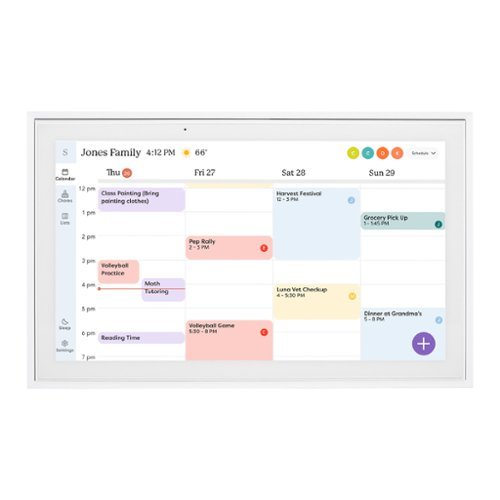
Skylight Calendar is an innovative touchscreen display for all your calendar events, to-do~s, grocery list, and chores to help you organize your family~s busy schedule. It has a 15~ touch screen that displays your family~s schedule in HD clarity making it a beautiful centerpiece for your home. It is the perfect size for a kitchen counter or can be mounted on a wall. High-quality metal stand and wall mount included.
Customer Rating
5
Great Idea and Very Useful
on December 16, 2023
Posted by: Aaronxx7
I had been hoping for something like this for years. Like a lot of families we used to use a whiteboard calendar on our refrigerator and constantly wipe away the old month and write in the new month, and then get everyone to add their appointments and events to the appropriate days.
The bad thing about this is that not everyone would update the days. Future events would sometimes get missed because we would later forget to add them to the next month's calendar when that month pops up. It was also impossible to go back a month and check for a past event.
The Skylight Calendar has finally brought us the answer to better family organization. The whole family can sync their phones and personal calendars with the Skylight Calendar. Once synced everything updates on its own, you never need to push/send appointments from one device to another. Events that are entered on anyone's phone are automatically transferred to the calendar and vice versa.
It's very easy to add appointments and events directly on the calendar through the touch screen. The great thing here is that the kids don't need accounts to add things to the calendar, like their sporting events, school activities, days off or anything else needing to be scheduled.
The kids can also add anything wanted or needed to the shopping lists. We keep the frame in our kitchen near the main door, so we all see it every time we go out. It's also very convenient being in the kitchen because then anyone can add directly to the shopping list when we are out of milk, cereal, or anything else. I also like that I can add things quickly from my phone whenever I see that we are low on toothpaste or other supplies throughout the house. Everything updates on all devices so that I do not need to send a text or call my wife to ask her to pick stuff up at the store after work, because she would already have the list.
The convenience in sharing all this information with the right people eliminates the issues of bad communication between families concerning appointments and needed groceries. You can also set up "dinner plans" for specific days or everyday if needed. So that everyone knows what's for dinner and at what time.
Aside from keeping your calendars in sync, the Skylight Frame can help to set up chores. Here you can create a chore chart and add participants and specific chores. You can set the chores up to repeat daily or by specific days. So you could have one chore setup to repeat every other day or every other week or even month. This way you can swap the chores around with each kid on a regular basis. Once this is setup you don't need to mess with it, unless you want to edit it or add something else, otherwise it will be good to go every month automatically. No more needing to write it in every month on a white board.
You can also create as many lists as needed for any purpose. I have a general one for stuff to do, house repairs, maintenance on the cars, work projects and things needed for our next vacation trip. They are easy to use and pretty helpful.
If you pay for the premium plan you can also turn your calendar into a digital photo frame! this part is great, because it could also save your fridge from being the world's messiest photo collage. You can set up albums to sync with the frame showing off all your favorites with no limits.
With the premium plan you can also send doodles (created in the app), pics or videos to anyone else connected to your calendar.
With the premium plan you can also send doodles (created in the app), pics or videos to anyone else connected to your calendar.
This calendar is great and like I said, just what I was waiting for. The convenience and ease of use can work for anyone. I could even see this being set up at an older person's house to update the rest of the family on needed supplies and upcoming doctors appointments, as well as the rest of the family being able to send new photos to the frame for the grandparents to see.
The frame itself is a good size at 15", I wouldn't pick anything smaller unless it was to sit at someone's desk. The frame comes in all white, but you can buy actual frame borders in different colors to accommodate different decors. It comes with the necessary hardware to mount it to the wall, or prop on a table. The metal base is nice and heavy to make the calendar very sturdy no matter where you place it. The added weight keeps it from getting knocked around when pressing the touch screen. The touchscreen is very responsive and it's easy to type with the onscreen keyboard. They really did a good job making this a durable and useful item.
I would recommend this to a friend!
Share this review:


0points
0of 0voted this as helpful.
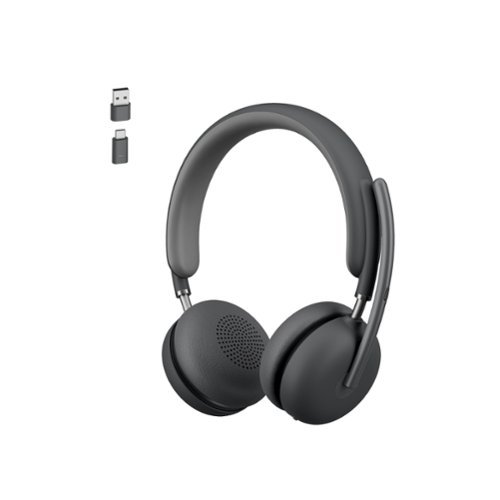
Enjoy exceptionally clear sound with the Logitech Zone 950 Premium Noise Canceling Headset, our best wireless headset. Work from anywhere and ensure you can hear and be heard in busy environments ~ like open offices and cafes. The Zone 950 noise canceling headphones feature Advanced Call Clarity technology, which uses AI to make it easier to hear the person you~re talking to by suppressing ambient noise. Hybrid active noise cancellation (ANC) blocks distracting background sound. Noise canceling mics elevate your voice while suppressing other sounds. 40 mm speakers deliver premium audio for meetings and music. The free Logi Tune app offers a dynamic and personalized equalizer (EQ) that automatically adjusts the audio to your own hearing range or lets you customize the sound to your preferences. Designed for comfort and a longer life with replaceable earpads and battery.
Customer Rating
5
Lightweight, Versatile , Clear Audio !!
on November 10, 2023
Posted by: Aaronxx7
The Logitech Zone 950 is built for comfort and clarity.
Weighing in at only 0.51 lbs it's hardly noticeable when wearing it. The ear cuffs are made from a breathable material to keep the air circulating around your ears so that your ears don't sweat as easily Your ears also don't get sore listening for long durations like what happens with other headsets that block air and noise from crossing back and forth through the headset ear cuffs.
The boom mic can rotate about a full 180 degrees, allowing you to use the mic on either side of your head. There are actually 4 noise-cancelling mics in the unit. Logitech took it another couple steps further with Ai noise suppression and 2 levels of ANC features to make sure you get the cleanest sound possible not only for you, but also for the person on the other side of the call or chat.
These features work great at reducing background noises at different volumes and distances. However, loud close noises are difficult to isolate out, as I'm sure the Ai would think these noises were supposed to be there. As long as you can do something to put a little distance between yourself and the other noises either physically or audibly the headset will do it's best to try to phase these sounds out. You can control how aggressive this is with the ANC button.
You can set it for off, low and high Active Noise Cancellation.
You can set it for off, low and high Active Noise Cancellation.
The 40mm speakers sound amazingly clear during calls and very immersive when listening to music. The default EQ auto adjusts to the type of audio being used, whether it's for chat or music.
Through the app, you can manually change the EQ and the profiles to suit your specific preferences.
Through the app, you can manually change the EQ and the profiles to suit your specific preferences.
The headset covers almost all the ways to connect to virtually any source. The headset itself has Bluetooth - so it can connect directly to any other Bluetooth device. It also has a dongle that supports both regular USB and USB C devices. I hooked it up directly to my phone, and then used the dongle to swap over to my PS5 and then back to my PC.
The mic worked great on all the devices.
It's so convenient to be able to use the same quality headset virtually everywhere you go.
The mic worked great on all the devices.
It's so convenient to be able to use the same quality headset virtually everywhere you go.
This headset is marketed for business calls but it easily fits so many more applications.
On the PC it worked great with any calling or meeting software. People in the meetings could hear me much better over the default PC mic, and I could hear everyone else great, even with my kids and our pets doing their usual routines.
I no longer have to stress as much thinking how unprofessional it sounds to work from home, now that those background noises are much more limited.
I no longer have to stress as much thinking how unprofessional it sounds to work from home, now that those background noises are much more limited.
The volume controls are super easy to use by just sliding your finger up or down on the outside ear cuff without the mic.
The mic mutes with either a quick raise of the boom, or by removing the headset and putting it down ( activate this feature in the app settings ). No need to fumble around looking for a button.
I didn't officially test the 170ft wireless distance promised by Logitech, but I was able to roam my house with ease and keep a solid connection upstairs and in the basement.
Amazingly this lightweight headset can last all day before needing to be charged.
It boasts 12 to 18hours of talk time, depending on the ANC and clarity settings. Which seems to be pretty accurate so far. If you are only interested in listening to audio you can squeeze out an impressive 40hrs out of these with the right settings and reduced features.
Either way you should be able to go all day doing what you need to before plugging these in.
It boasts 12 to 18hours of talk time, depending on the ANC and clarity settings. Which seems to be pretty accurate so far. If you are only interested in listening to audio you can squeeze out an impressive 40hrs out of these with the right settings and reduced features.
Either way you should be able to go all day doing what you need to before plugging these in.
Overall these sound amazing, and are great for work and play (no need to carry 2 separate headsets ). They are very comfortable around the ears, and last all day. Plus it even has replaceable parts, so if anything breaks it can easily be fixed. My only concern is the headband, it is adjustable but seems to lack a solid grip around my head. If I try to pickup something or turn my head quick, I feel the headset slide. It's easy to just hold in place, but I'd prefer a tighter grip possibly ??? Although that might make my hair look flattened out. So I guess the plusses with the strap being lightweight and not as flattening on my hair outweigh the tighter grip. 😁
I would recommend this to a friend!
Share this review:


0points
0of 0voted this as helpful.
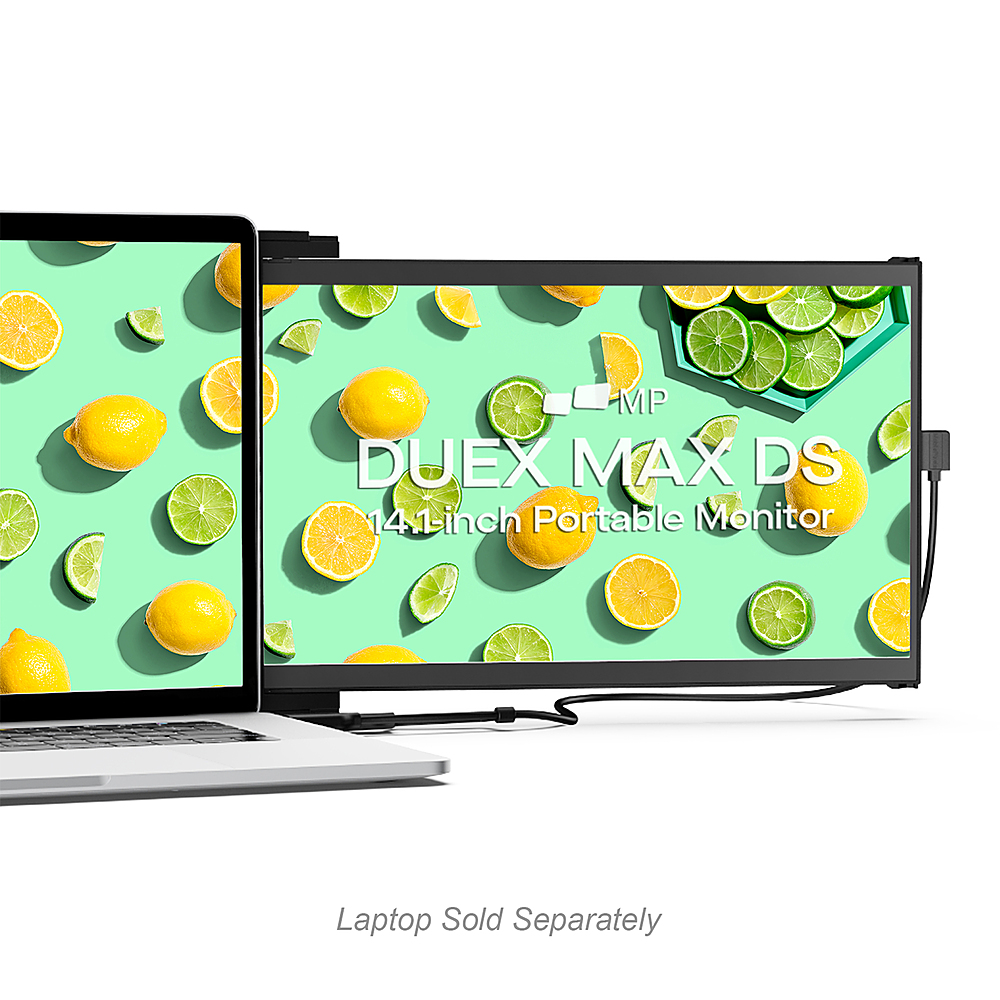
The DUEX Max DS is Mobile Pixels' most upgraded, portable dual-screen laptop accessory that makes multitasking effortless. It is ideal for 14" and larger laptops. The iconic portable, external monitors complement mobile work, entertainment on the go, and everything in between.
Customer Rating
5
Best 2nd Screen Ever !
on November 4, 2023
Posted by: Aaronxx7
Mobile Pixels was established in 2018 with the thought in mind to
increase the work area in a laptop's display like it can so easily be
done on a desktop.
increase the work area in a laptop's display like it can so easily be
done on a desktop.
Which is why the Duex Max is such a convenient option for anyone
using a laptop or other mobile computing device.
using a laptop or other mobile computing device.
The Duex Max is made from durable ABS and Aluminum materials
which not only gives it strength but also keeps the weight down.
It's only 1.8lbs and pretty slim at about .58 inches at the highest points
and only 0.25 inches for the lower points and the majority of the body.
which not only gives it strength but also keeps the weight down.
It's only 1.8lbs and pretty slim at about .58 inches at the highest points
and only 0.25 inches for the lower points and the majority of the body.
The display is 14.1 inches with an 85% screen to body ratio.
With a high brightness level of 300 nits the contrast and
colors really pop. The 60Hz refresh rate is good enough to
play games and enjoy your favorite videos or photos on.
With a high brightness level of 300 nits the contrast and
colors really pop. The 60Hz refresh rate is good enough to
play games and enjoy your favorite videos or photos on.
Everything actually looks better on the Mobile Pixel screen vs my
laptops default screen with the contrast, color and sharpness.
laptops default screen with the contrast, color and sharpness.
Despite the high brightness and Full HD display, the screen is designed for
low power drain(4.5watts), to help keep your connected devices running as long as possible.
low power drain(4.5watts), to help keep your connected devices running as long as possible.
The "Eye Care Mode" helps to reduce Blue Lights to protect eyes and eye fatigue.
This can be turned on from the onscreen menu. There are three buttons on the
back of the monitor to activate and navigate through the menu.
This can be turned on from the onscreen menu. There are three buttons on the
back of the monitor to activate and navigate through the menu.
Magnetic mounting gives you the extra freedom other options don't.
You can leave the screen attached to your laptop all the time, or separate it
for easier storage while traveling.
You can leave the screen attached to your laptop all the time, or separate it
for easier storage while traveling.
The magnetic mounts only take a minute or two to install. There are extra
sticky pads included if needed, as well as a template. The template just gets
centered on the back of your laptop screen. If you have a 15" screen or smaller
this method of installing works pretty well. However, if you have a larger screen
laptop, you might want to line up about where and what side you are going to
be using the 2nd screen on. The reason I say this is because the magnetic mounts
actually let the screen slide to the left or right before or after you actually open it.
On larger displays, centering the magnets will actually make it difficult to see the
closest edge of the 2nd screen, because it will end up being blocked by the bezel
on your laptop. To avoid this mistake, try taping the template onto the back of your
laptop first, and then hold the 2nd screen up against it to try to figure out how it
will look once the screen is displayed. I use my 2nd screen on the left, so I had to
place the template closer to the left border of my laptop screen.
sticky pads included if needed, as well as a template. The template just gets
centered on the back of your laptop screen. If you have a 15" screen or smaller
this method of installing works pretty well. However, if you have a larger screen
laptop, you might want to line up about where and what side you are going to
be using the 2nd screen on. The reason I say this is because the magnetic mounts
actually let the screen slide to the left or right before or after you actually open it.
On larger displays, centering the magnets will actually make it difficult to see the
closest edge of the 2nd screen, because it will end up being blocked by the bezel
on your laptop. To avoid this mistake, try taping the template onto the back of your
laptop first, and then hold the 2nd screen up against it to try to figure out how it
will look once the screen is displayed. I use my 2nd screen on the left, so I had to
place the template closer to the left border of my laptop screen.
The included cables are pretty durable, but not flexible enough. I would have liked to
have seen thinner, more flexible cables to better hide them during use. Although,
I do understand that thicker grade cables usually put out higher quality.
have seen thinner, more flexible cables to better hide them during use. Although,
I do understand that thicker grade cables usually put out higher quality.
The plug and play feature mixed with Auto Rotate really makes this thing a breeze
to hook up. It takes more time to stick the magnets on, then to get this up and
running. Once the cables are plugged in, the next step is to go to your display
settings on your laptop/device and set up how you want to use the 2nd screen.
Either as a duplicate to your main screen for presentations (in which you can
flip the screen all the way around, so that people on the other side of your laptop
can see what you are doing on the main screen).
to hook up. It takes more time to stick the magnets on, then to get this up and
running. Once the cables are plugged in, the next step is to go to your display
settings on your laptop/device and set up how you want to use the 2nd screen.
Either as a duplicate to your main screen for presentations (in which you can
flip the screen all the way around, so that people on the other side of your laptop
can see what you are doing on the main screen).
Or you can also set the 2nd screen as an extension of your current desktop, doubling the
workable area, allowing you to keep more apps and windows open at the same time.
workable area, allowing you to keep more apps and windows open at the same time.
The Duex Max can also be removed from the back of the laptop, and positioned in
portrait mode by opening the screen all the way and tilting it backwards to the desired angle.
The Portrait Mode can also be used as an extension of your desktop. This formation typically
benefits coders, web developers, writers, editors or anyone else looking to have more vertical
space for their display vs horizontal.
portrait mode by opening the screen all the way and tilting it backwards to the desired angle.
The Portrait Mode can also be used as an extension of your desktop. This formation typically
benefits coders, web developers, writers, editors or anyone else looking to have more vertical
space for their display vs horizontal.
Because of the lightweight and compact design, this screen can be used for tons of different
applications. It can be directly hooked up to Samsung phones that offer the DEX feature, turning
your phone into a mobile desktop. It can also be plugged into the Nintendo Switch or any other
gaming system or device that offers an HDMI output.
applications. It can be directly hooked up to Samsung phones that offer the DEX feature, turning
your phone into a mobile desktop. It can also be plugged into the Nintendo Switch or any other
gaming system or device that offers an HDMI output.
The screen itself uses a mini HDMI plug. The included cable has a regular HDMI on one end
and a Mini HDMI on the other. There is also an included USB C cable with a USB 3 adapter.
The USB C cable can be used to power the screen when using the HDMI cable.
and a Mini HDMI on the other. There is also an included USB C cable with a USB 3 adapter.
The USB C cable can be used to power the screen when using the HDMI cable.
However some devices can send power and video through USB C, so for these devices the HDMI
cable is not necessary, like with most Chrome Books.
cable is not necessary, like with most Chrome Books.
Even if the cables are connected and the screen is in it's closed or docked state, the screen will
remain off.
remain off.
Incase you are curious there are no speakers in the Duex Max, but in most applications you
will be using the audio on the connected device anyway. Devices like the Switch and
some other gaming consoles can utilize a headset, as most of them connect to the
controllers for additional audio.
will be using the audio on the connected device anyway. Devices like the Switch and
some other gaming consoles can utilize a headset, as most of them connect to the
controllers for additional audio.
Overall the Duex Max is a great option for a 2nd screen. It's less than 2 lbs and thinner
than most laptops. It's durable, tilts for varies viewing angles, has great image quality,
is plug and play, and has it's own controls for display adjustments.
than most laptops. It's durable, tilts for varies viewing angles, has great image quality,
is plug and play, and has it's own controls for display adjustments.
I would recommend this to a friend!






Share this review:


0points
0of 0voted this as helpful.
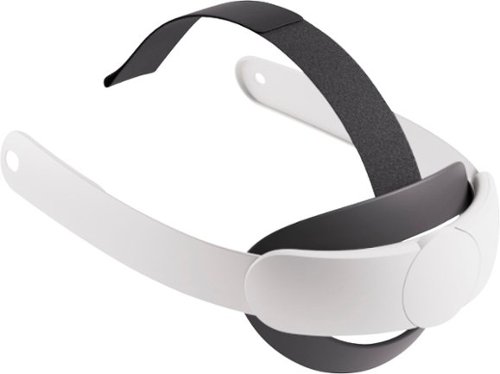
Play in comfort with this adjustable, ergonomic head strap that fits most head sizes with the quick turn of a dial. This Elite Strap upgrades your fit by taking pressure off your face for increased comfort and weight distribution. The soft and flexible silicone support cradles the back of your head, reducing fatigue. This premium Meta accessory features easy installation and a secure fit every time you play, create and explore in mixed reality and VR.
Posted by: Aaronxx7
The Quest 3 Elite Strap might not seem like a necessity if you are using your Quest 3 for minimal activity apps and games, but if you are using the Quest 3 for exercise or like very active games than you are going to want to get this additional strap.
It offers so much more stability over the stretchy included straps. The included strap just slips over your head and only has the top velcroed strap to use for adjusting the fit. It is light and does accommodate a lot of different hair styles but it lakes the stability and confidence one needs for the more active apps and games out there.
The Elite strap uses a thick plastic band that goes around the sides and back of the Quest 3.
The Straps pop on and off the sides of the unit, and it only takes a couple minute to change out the straps. No special tools are needed for any purpose during the swap out.
The Straps pop on and off the sides of the unit, and it only takes a couple minute to change out the straps. No special tools are needed for any purpose during the swap out.
The top band is a quality fabric strap with a rubber coated velcro hook end. The end slides right into the top slot above the nose bridge on the Quest 3 and is quickly returned by the contour of the slot.
At the back of the strap is a rubber cradle that helps to further secure the Quest 3 around your head. It is a somewhat thick but soft rubber and seems very sturdy.
At the outside back of the strap is a dial. This dial expands the strap when turned counter clockwise and contracts the strap when turned clockwise. When you turn it clockwise, it clicks as it ratchets into place, providing the most secure fit you are going to get with one of these VR headsets.
Overall the quality is great and the tighter more secure feeling works out great for the higher intensity games and apps.
I would recommend this to a friend!
Share this review:


0points
0of 0voted this as helpful.
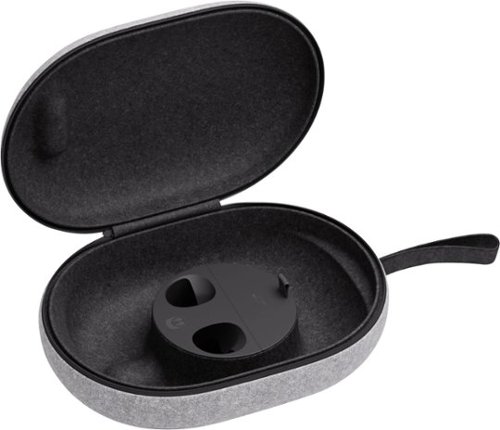
Take your headset and accessories on the go with style and protection. Designed to fit your headset, Touch Plus Controllers, charging cable, adapter, headstrap (standard or Elite), and Active Straps, this case features an outer felt shell and contoured inner compartments to keep your gear organized and secure. With its lightweight construction, soft hand strap, zipper opening, and rounded profile, the case makes it easy to carry and access your Meta Quest 3 and accessories on the go. This genuine Meta Quest accessory ensures a perfect fit, durability and convenience for your VR setup.
Customer Rating
5
Very Strong and Lightweight
on October 25, 2023
Posted by: Aaronxx7
This carry case is surprisingly strong for something that is so light.
The exterior has a soft clothe like finish, but the interior is lined with a hard lightweight shell.
Leaning on it, and pushing on it feels almost like it is a wooden case with minimal give.
Leaning on it, and pushing on it feels almost like it is a wooden case with minimal give.
The zipper seems high quality and unzips around 90% of the case leaving just enough of a connection between the top and bottom pieces to form a nice fabric hinge.
Inside the center bottom portion is a built in compartment to hold the charging cable and maybe a few other very small items. There is also two precut holes for the two controllers to slip into.
Everything holds together very well, and I feel 100% secure in knowing that my Quest 3 is safe from the elements. The case is not water tight, so I would be cautious about letting it get soaked, but a little rain or water splash should be able to yield no damage to the interior items.
The case is surprisingly stronger than it looks, and works fantastic to fit it's purpose!!!
I would recommend this to a friend!
Share this review:


0points
0of 0voted this as helpful.
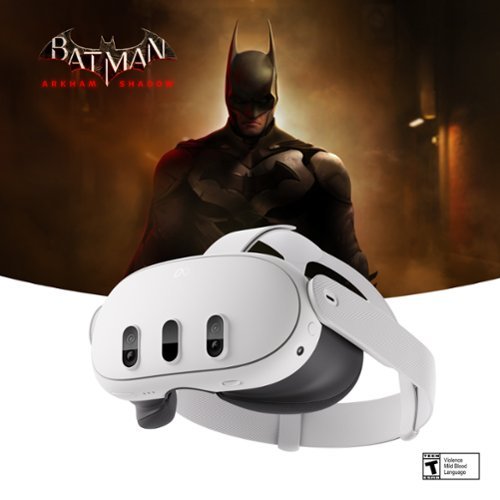
Get ready for the most powerful Meta Quest yet*. With mixed reality, stream shows on giant vibrant screens that you can adjust to the perfect size ~ all while you see the world around you. Dive into full immersion, where you~ll feel like you~re actually inside your favorite games, thanks to brilliant 4K resolution and rich spatial audio. With Infinite Display, enjoy the widest field of view of any Quest for the most immersive experiences yet. The slim, wireless design offers you premium comfort to move freely in workouts, or easily take your headset on the go. From complex games to vibrant movies, enjoy the ultimate experience with the power of Meta Quest 3. *Based on the graphic performance of the Qualcomm Snapdragon XR2 Gen 2 platform vs the Meta Quest 2 platform. Batman: Arkham Shadow is rated Teen with violence, mild blood and language. Offer valid on Qualifying Products purchased from September 25, 2024 through April 30, 2025.Terms apply. [See child safety guidance online [at meta.com/quest/parent-info]; Accounts for 10+. ] MQ+ for 13+. Eligibility and auto-renewal terms apply for trial subscription. See full terms https://www.meta.com/legal/quest/meta-quest-plus-terms/
Customer Rating
5
Incredible - Mixed Reality !!
on October 25, 2023
Posted by: Aaronxx7
It’s difficult for most people to understand just how much fun virtual reality headsets can be if they have never used one before. Especially if the headset has all the new features of the Quest 3.
We currently own all three models of the Quest VR headsets. The latest edition is pretty much better in every way, and it even fits better. Two of the most exciting upgrades are the mixed reality capabilities and the much better hand recognition. Advanced hybrid computer vision and machine learning sensors follow your gestures, with 4 IR cameras and 2 RGB cameras cameras to enable controller-free navigation and more intuitive control. Simply move your hands to tap, scroll, navigate and play.
3D sound with 40% louder audio.
4K display with infinite display resolution with 25PPD and 1218 PPI ( nearly a 30% increase in resolution)
It also has an increased field of view of 104° horizontal/96° vertical vs 90° &90° for the Quest 2.
Resulting in better peripheral vision in virtual worlds for the Quest 3.
Resulting in better peripheral vision in virtual worlds for the Quest 3.
Better processor, XR2 Gen2 and increased RAM from 6GB to 8GB for faster load times and sharper images
TruTouch variable haptics provide tactile feedback, enabling a more holistic range of in-experience sensations so you can touch, move and react realistically within the virtual environments
The slimmer optic profile grants extra versatility and lets it work with eye glasses out of the box, no need for additional adapters. The wider open straps help it to accommodate different types of hairstyles. You can easily adjust the facial interface closer or farther from your face to improve comfort and field of view. Pancake optics create a 40% slimmer optic profile for a more comfortable wear.The included head strap is pretty comfortable out of the box but doesn’t offer the stability of the Elite Strap. The included strap is stretchy on the sides, and velcro adjustable on the top. The elite strap offers a contoured cup for the back of the head, which is slightly adjustable. Solid plastic bands that run around the back and sides of the unit are actually adjustable through a dial at the back of the strap. It clicks into place as you tighten it for a more secure and adjustable hold around your head. The top strap is also adjustable with a velcro fastener. Both options work well, but the Elite strap is better for more active games and content.
The Quest 3’s Mixed reality passthrough uses 2 RGB Color cameras and depth a projector for improved depth and resolution.of your surroundings. The Quest 2 offered a lower quality grayscale image for passthrough.
The 5060 mAh battery length is a little over 2 to 2.5 hours depending on the activity and usage.
This Quest is also Backwards Compatible.
The facial interface is adjustable and has 4 different settings. The facial interface is the black part of the Quest with the foam liner that presses up against your face. Adjusting the distance of this between your face and the lenses can give you a better fit and less light leaking into your view from larger gaps.
The facial interface is adjustable and has 4 different settings. The facial interface is the black part of the Quest with the foam liner that presses up against your face. Adjusting the distance of this between your face and the lenses can give you a better fit and less light leaking into your view from larger gaps.
I would like to say that even though the Quest 3 can display 4k images, the passthrough feed is not in 4k, but it is in color and extremely useful. There are so many games out already that utilize the passthrough video for the Mixed Reality experience. It’s such an amazing thing to be able to see your physical surroundings be used as backgrounds, stationary items or workable objects in different apps.
The controllers even got an upgrade with a smaller profile and variable TruTouch haptic feedback. They are very easy to use and work great for anything you are doing. There are still a lot of games out there that require the controllers.
Cubism is one of the mixed reality games for the Quest 3. It’s a puzzle game based on different shapes that you need to move around and place accordingly into different cubes. The play area does not take up a lot of room , so you could use this app while sitting or standing. Standing does offer an advantage by being able to walk a 360 view around the puzzle and its pieces.
The controllers are not necessary. I was able to spin, toss and maneuver up to 2 pieces at a time, one with each hand. The accuracy is really pretty good. I was able to select/activate items and even pick them up with my hand motions. The cameras and sensors in the Quest 3 are even just as capable in lower lighting settings, not missing a beat as long as your hands are within the field of view of the cameras.
The controllers are not necessary. I was able to spin, toss and maneuver up to 2 pieces at a time, one with each hand. The accuracy is really pretty good. I was able to select/activate items and even pick them up with my hand motions. The cameras and sensors in the Quest 3 are even just as capable in lower lighting settings, not missing a beat as long as your hands are within the field of view of the cameras.
There is a free demo called “First Steps” that showcases a lot of different ways the controllers and the headsets can be used. You can actually pick up a remote control for a small air balloon replica, using dual or single guns to eliminate different threats. Pickup and toss random objects in the room including paper airplanes, blocks and paddle ball items. There is even a virtual video game system on the table in front of you, that takes cartridges. Once the cartridges are picked up and inserted into the game system, your environment changes and you are in the game. A robot comes out and starts mimicking your hand movements, and then proceeds to dance with you. There are a few different ways in which you can interact with him, like holding his hand, pulling him from one side to the other, and even spinning him.
The Demeo app lets you basically get down into a role playing game somewhat similar to a dungeon or turn based strategy/action game. Here you can move around the outside of a board game seemingly to be around 8 to 10 ft squared. You can pick up your character and move him around the map. You must place him on top of items you want to interact with. Once you let go, the character reacts to whatever it is you placed him on. There are die and cards for attacks and other aspects of the game.
Arkio is somewhat of an architecture app. It lets you design and manipulate houses and buildings. It also lets you enter these buildings to place and decorate with different objects.
IT’s really pretty neat to be able to place a whole house down with your hand, and then project yourself into that house and just start moving furniture around like you are a superhuman.
IT’s really pretty neat to be able to place a whole house down with your hand, and then project yourself into that house and just start moving furniture around like you are a superhuman.
There are some work and meeting apps that let you do collaborations on certain types of projects.
It looks like this will be catching on fast with the Quests new advancements, and wide variety of applications.
If you just want to chill at the movies by yourself you can open the YouTube app, and set the screen to the largest size and just start watching videos.The sound is just as good as the picture. You can even opt for the curved screen. I must have watched over a dozen videos the first day. It really is an amazing experience.
There is a built-in browser in the app library. It looks like this browser has all the same functionality as your desktop browsers. I was able to cascade several windows across my view, all with different web pages. The browser works great. My only complaint about it, is that I would have liked the option to be able to throw the browser to the wall and make it a large screen cinema experience as well. It would also be neat if you could take the cascaded windows and place them anywhere at any height.
It was very easy to navigate through YouTube and the browser with or without the controllers.
I really like my hands free, so using gestures is very pleasing. The typing takes a bit to get used to because it looks like you are always a bit off of a few numbers while trying to type free handed. You can use both hands to type, but you can not type like you can in the physical world. But using each forefinger works out pretty well.
I really like my hands free, so using gestures is very pleasing. The typing takes a bit to get used to because it looks like you are always a bit off of a few numbers while trying to type free handed. You can use both hands to type, but you can not type like you can in the physical world. But using each forefinger works out pretty well.
Honestly for what you get with the Quest 3 vs other PC VR headsets, you are getting a whole lot of value for half as much as some of the competition. The gameplay and use in general is very addicting, and I find myself moving my hands around in the real world as if I am in a VR realm.
I will tell you that it is easy to get motion sickness and lose your balance a lot. So be careful on how you play until you adjust better. Even though a lot of the games use lower or cartoonish graphics the 3D effect just pulls you in and tricks your brain into believing that you are in a real environment, I was hovering above a building earlier and I couldn't help but have that feeling like in your dreams when you are falling through the sky. It was kinda disorienting at first, but easy to recover from with a quick acknowledgement of what you are doing.
If you have the feature activated in the settings for Passthrough with 2 taps, you can tap the side strap twice to flip from a virtual realm to reality in a second without taking off the gear.
It is possible to cast your VR experience to a phone through the app, if you are logged in properly and have the two devices paired, Bluetooth pairing is not the same as what is needed for the screen sharing.
In the app you can create or adjust the appearance of your Meta Quest avatar. You can also check out the VR app store.
Overall the Quest 3 is just so much fun with the new features. The Passthrough and Immersive game play is just awesome to be able to swap that on the fly and have it be interactive for mixed reality apps and games! The new controller free hand recognition is top notch. It works fantastic and is super fun and addicting to use. The Quest 3 is so much fun, I can not wait to see how many other apps there will be for it in the near future. They are currently at over 100 titles for the Quest 3 and something like 400 still available to download for the past versions. As this is backwards compatible you can enjoy them all on the latest model!!
I would recommend this to a friend!
Share this review:


0points
0of 0voted this as helpful.
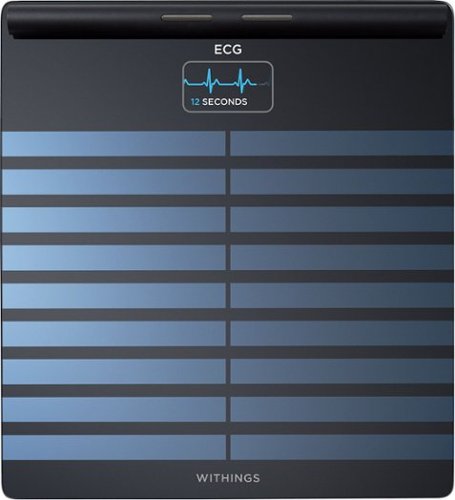
Experience a full health check-up at home, in just 90 seconds. Body Scan is the first connected health station of its kind. The integration of new technology supports breakthrough metrics like segmental body composition, which can precisely measure fat and muscle imbalances. It is also designed to identify changes in cardiovascular health, and it offers a variety of cardiovascular measurements at every weigh-in, including 6-Lead ECG, Vascular Age and standing heart rate. Body Scan can evaluate your sweat glands response to stimulation and unlock your EDA score, an insightful metric to better manage your health on a daily basis. Embrace the Withings Scale Experience, and seamlessly make better health part of your daily life. Body Scan features a 12-month battery life, a high-resolution color screen, and automatic tracking for multiple users. Plus, explore dedicated modes for pregnancy*, babies* and athletes. Enjoy Wi-Fi or Bluetooth connectivity and sync all your health data directly to our highly-rated app. View trends, progress, and daily inspiration for long-term improvement. Thanks to best-in-class data privacy standards, your data is always secure.*ECG is not intended for use for pregnant women and babies*
Customer Rating
5
A New Way to Manage your health
on October 24, 2023
Posted by: Aaronxx7
Withings continues to impress us with more products focused
on monitoring the aspects of our health to help us reach
new strides in a type of self-health-awareness and proactive body conditioning.
on monitoring the aspects of our health to help us reach
new strides in a type of self-health-awareness and proactive body conditioning.
If used appropriately, this body scan scale should be able to not only lengthen
but also improve the quality of life for most people.
but also improve the quality of life for most people.
Of course with anything there is that factor of discipline and commitment
needed to make this body scan as valuable as it can be.
needed to make this body scan as valuable as it can be.
The body scan will help you identify key factors in your health that you
should focus on improving, or give you the peace of mind that you are
doing what you should be.
should focus on improving, or give you the peace of mind that you are
doing what you should be.
It starts with the obvious, your actual weight. The scale can be set to kg or lbs, and can be used with up to 8 different users, all users are capable of creating their own separate profiles and health plans through the companion app.
After it grabs your actual weight, it goes a step further and calculates the percentages of body fat and muscle throughout the major sections of your body. It's really quite fascinating
to get a picture of your body's fat vs muscle mass. Now, most of us can
tell just by looking in the mirror where the majority of our muscle composition and fat resides.
However, the body scan actually gives you real percentages that could help you target
specific areas for change.
to get a picture of your body's fat vs muscle mass. Now, most of us can
tell just by looking in the mirror where the majority of our muscle composition and fat resides.
However, the body scan actually gives you real percentages that could help you target
specific areas for change.
The app also gives you a metabolic age based on your muscle to fat percentages. Reducing the fat percentages and increasing your muscle mass will help to improve this rating.
Track your hydration level and boost your metabolism by achieving an optimal lean mass as shown by your Water percentage score.
However, everyone's major area of concern should be our torso fat composition,
this is called Visceral Fat. Having a high visceral fat percentage has been known to cause several different health concerns, and can often lead to heart disease, diabetes and other issues. The scale will give you a Visceral Fat percentage everytime you weigh yourself. In the app, you can even get tips on exercise and diet to help reduce your visceral fat.
this is called Visceral Fat. Having a high visceral fat percentage has been known to cause several different health concerns, and can often lead to heart disease, diabetes and other issues. The scale will give you a Visceral Fat percentage everytime you weigh yourself. In the app, you can even get tips on exercise and diet to help reduce your visceral fat.
The app is great at keeping a history of all your measurements so that you can check your current day's progress to past entries. It even has a separate chart to keep track of your BMI.
….
….
One of the other readings the body scan takes is an EDA reading. The Electrodermal Activity score is actually based off of the sweat glands on your feet.
With breakthrough embedded sensors, Body Scan is the first-ever smart scale that can measure and assess this parameter. With different levels of emotional responses, the sweat glands in our feet actually react differently. Withings has studied these responses and has been able to come up with an EDA score to help people recognize their own emotional stress and mental health. Some people become so used to certain things in their lives that they accept them as normal, and while it might be normal for them over a period of time, it is still a health concern. The EDA score gives us an unbiased look at our own mental health.
Withings understands that a person’s emotional responses can vary from day to day, but this helps to look at these readings over a period of time and gives you an average or pattern to look at. A person’s mental health is a huge factor in their physical health, so I applaud Withings for coming up with a way to try to turn that into a measurable number we can work with.
Withings understands that a person’s emotional responses can vary from day to day, but this helps to look at these readings over a period of time and gives you an average or pattern to look at. A person’s mental health is a huge factor in their physical health, so I applaud Withings for coming up with a way to try to turn that into a measurable number we can work with.
With breakthrough embedded sensors, Body Scan is the first-ever smart scale that can measure and assess this parameter, delivered via an Electrodermal Activity Score assessing your sweat gland activity
….
….
The ECG feature is a big draw for most people to devices like this, because it can help to identify potential heat issues. At home ECG's mainly detect AFib, heart beat and rhythm.
Most at home ECGs usually have only a couple of leads, and they contact the same generalized area. The body scan uses 6 leads between the feet and hands to give a broader and more accurate set of readings.
Most at home ECGs usually have only a couple of leads, and they contact the same generalized area. The body scan uses 6 leads between the feet and hands to give a broader and more accurate set of readings.
The 6 lead ECG is similar in functionality to the EKG machines at your doctor's office, in the fact that they both use electricity to read heart activity and function. The doctor's office EKG usually has 12 leads that connect to the major areas of your body. This yields a much better understanding of what's going on with your heart on several different levels. Including what an at home ECG does, but also shows evidence of heart attack or heart damage, thickening of the heart wall, and sometimes it might show clues to other heart disease or artery problems.
All our ECG readings through the scale are sent to licensed professionals, automatically over the internet (all data is private and secure), to review this data and determine if it is abnormal or not. So it might take a day or two to get your first ECG result.
It is possible to get false positive readings (as in evidence of heart attacks/damage/or issue) with virtually any type of recording device of this nature, whether it’s a doctor’s office EKG or at home ECG. Additional tests can help determine a false reading or if more attention is needed, but this should be determined by a professional.
The Withings devices are meant to be an added tool to help you and your doctor keep track of and understand what is going on with your body. These tools should never be looked at as a replacement to what your doctors can provide for you.
….
….
Another marvel that Withings has managed to bring to our homes is a Vascular Age reading and score.This feature measures the speed at which heartbeat-generated waves move along the arteries. These readings can help determine how well your heart and arteries are functioning. Higher amounts of plaque and reduced function will yield higher than normal scores. If your Vascular Age is higher than your physical age then you might be at risk of vascular diseases.
If you get a Vascular Age score less than your physical age, they call it Supernormal Vascular Aging and this means you are at the lower end of the scale for potential vascular diseases.
…….
Withings uses Bioelectrical Impedance to get most of its readings with the scale.
The different masses and compositions in our body effect how these low level
electrical impulses are carried throughout the body. Withings has used data it’s collected for over 15 years to understand these readings and how they affect our health.
The different masses and compositions in our body effect how these low level
electrical impulses are carried throughout the body. Withings has used data it’s collected for over 15 years to understand these readings and how they affect our health.
……..
In the app you can also do manual entries for other measurements like blood pressure and workouts, it also pairs up great with other Withings devices like their watches and other monitors.
……….
I would like to point out that the set up of the body scan was a little bit difficult. However, it was partly an issue on my behalf. I set up the scale through the app, and entered the WIFI details for the scale as directed. Although, I could not get any of the readings to enter under my profile. It took a few more tries of this to realize that my WIFI was off on the phone. Even though the initial connection between the phone and scale was through the Bluetooth, all the readings are transferred over the WIFI. So Make sure you are connected to the same WIFI network as the scale after you set it up to start recording measurements under your profile.
I also took quite a bit of time to get the Visceral Age feature to get successful readings. It needs 5 good readings before it can offer a Visceral Age score. I had tried several different things to try to increase the connection between myself and the contact points like adding lotions to my feet and hands to increase the moisture and even gripping the handle tighter, but I still kept coming up with an error on the Visceral Age reading. After contacting tech support they suggested some of the following ideas:
• Ensure that the Vascular Age screen is enabled for any user that wishes to receive Vascular Age measurements. You can do this in the Withings app by selecting Devices → Selecting the scale → Screen Customization → Selecting the user and then adding the Vascular Age Screen
• Ensure that at least one body composition screen is enabled for the scale. This can be either fat mass, muscle mass, bone mass, or water content. These can also be enabled from the 'Screen Customization' menu. If none of these body composition screens are enabled, you will not receive Vascular Age measurements.
• Be barefoot when on the scale
• Remain still and do not speak the entire time that you are on the scale
• Ensure that the scale's surface is cleaned (instructions for doing this are found here).
• Have your feet properly positioned on the scale's surface as shown in the image below:
• It is important that you remain still and not speak the entire time that you are on the scale for Vascular Age measurements to be taken, not just during the heart rate measurement. If necessary you can lightly hold yourself in place against a wall to ensure that you are fully steady
• As dry feet and calluses can prevent Vascular Age measurements from being successful, we recommend that you weigh yourself after a shower
After trying these ideas, the most effective attempts happened 20 minutes after a shower and making sure I had as much of the metal contact points on the handle covered as possible.
I see a cardiologist on a regular basis, and the Vascular Age provided by the Withings Body Scan was very close in accuracy to what my doctor had told me the last time I was there.
So, good job for Withings, bad for me that I am a bit on the higher scale. But hopefully, with this scale and some better choices my physical age vs Vascular Age ratio will improve over time.
So, good job for Withings, bad for me that I am a bit on the higher scale. But hopefully, with this scale and some better choices my physical age vs Vascular Age ratio will improve over time.
The app has excellent tips on how to improve health by exercise and nutritional changes.
But instead of just telling us to eat better and lose weight, it actually gives you suggestions on what types of foods to eat. If you subscribe to Withings+ you get a more engaging experience incl
But instead of just telling us to eat better and lose weight, it actually gives you suggestions on what types of foods to eat. If you subscribe to Withings+ you get a more engaging experience incl
I would recommend this to a friend!
Share this review:


+3points
3of 3voted this as helpful.

Shark CarpetXpert with Stainstriker, 2-in-1 deep carpet cleaner and handheld spot & stain eliminator, combines Shark's powerful suction & PowerSpray high pressure spray to deliver the best tough stain elimination**and unbeatable deep carpet cleaning~. Two unique chemicals mix and activate on contact in the built-in tool to deliver 20X more stain-striking power*. ~Shark CarpetXpert models vs. consumer carpet cleaners based on ASTM F2828 using included cleaning solution as of May 15, 2024. **Based on TM110, vs. extractor market, using included stain cleaner and best-performing accessory. *vs. Shark Deep Clean Pro Formula.
Posted by: Aaronxx7
Shark Vacuum cleaners are always in the top tier for suction and performance,
so it stands to reason that their carpet cleaners would be just as good.
so it stands to reason that their carpet cleaners would be just as good.
The CarpetXpert has almost a 12" wide cleaning path with great suction and
a 30.4fl oz recovery tank. This stand up unit not only has a rotating brush roller
to help scrub away stains, but it also has a built in hand tool that gives you 3
additional cleaning tools which can be used almost on the fly by just flipping a lever.
a 30.4fl oz recovery tank. This stand up unit not only has a rotating brush roller
to help scrub away stains, but it also has a built in hand tool that gives you 3
additional cleaning tools which can be used almost on the fly by just flipping a lever.
The hand tool hose stays attached to the unit, but can be removed to clean out
if necessary. The default tool is the Crevise Tool.
if necessary. The default tool is the Crevise Tool.
The Crevise Tool is pretty small and has an opening of an inch wide with three
small rows of bristles for scrubbing. Because of the size of this tool, you could easily
use it clean a lot of other unconditional things that you wouldn't typically use a floor
cleaner for. For example clothing.
small rows of bristles for scrubbing. Because of the size of this tool, you could easily
use it clean a lot of other unconditional things that you wouldn't typically use a floor
cleaner for. For example clothing.
It's easier to remove certain stains if you have a way to pull them out of the fabric
the crevise tool is perfect for this. You can even use the included solutions and spray
jet to treat the stain, and then scrub it with the bristles.
the crevise tool is perfect for this. You can even use the included solutions and spray
jet to treat the stain, and then scrub it with the bristles.
The Crevise tool could also be used on stairs, couches, chairs, and even car interiors.
It fits almost everywhere.
It fits almost everywhere.
The 3.5" Hand Tool gives you a wider cleaning path and more bristles for bigger
areas and bigger stains. It works great to spot clean carpets, couches and chairs.
This snaps over the crevise tool for use and the bristles on this tool can be reversed
if they become too flattened in any direction.
areas and bigger stains. It works great to spot clean carpets, couches and chairs.
This snaps over the crevise tool for use and the bristles on this tool can be reversed
if they become too flattened in any direction.
The included Pet Tool snaps into place over the crevise tool as well. This tool
has a 4" width and has rubber bristles. The rubber bristles can be used to
agitate stains on more delicate fabrics. They also help with trying to clean up
wet pet messes. Because of their shape they will not get caked with materials
like the bristles typically do. The Pet Tool even has it's one little recovery tank
to help to keep some of the messier and stinkier messes out of the entire
unit, making it easier to clean up afterwards.
has a 4" width and has rubber bristles. The rubber bristles can be used to
agitate stains on more delicate fabrics. They also help with trying to clean up
wet pet messes. Because of their shape they will not get caked with materials
like the bristles typically do. The Pet Tool even has it's one little recovery tank
to help to keep some of the messier and stinkier messes out of the entire
unit, making it easier to clean up afterwards.
Basically everything on this carpet cleaner can come apart for easy cleaning
and maintenance. The crevise tool even comes with a clear plastic cover
that can mount over it to help spray away and clean debris from itself.
and maintenance. The crevise tool even comes with a clear plastic cover
that can mount over it to help spray away and clean debris from itself.
The Stain Striker feature includes 2 separate cleaning chemicals and tanks
that only mix when applying them to the stain. Both have a pleasant aroma (not overpowering)
and made my carpet and house not only look good but smell pretty nice as well.
that only mix when applying them to the stain. Both have a pleasant aroma (not overpowering)
and made my carpet and house not only look good but smell pretty nice as well.
The Oxy Multiplier sits in it's own tank because it is not always needed for most
of your carpet cleaning. It does make sense for it to be automatically dispensed
while using the hand tool. as that tool would probably be used typically to treat
and attack actual stains, not just a large area like an entire rug.
of your carpet cleaning. It does make sense for it to be automatically dispensed
while using the hand tool. as that tool would probably be used typically to treat
and attack actual stains, not just a large area like an entire rug.
The clean water fill tank can be loaded with heated water up to 140 degrees
Fahrenheit. Anything hotter could cause damage to the machine and your
cleaning surface. Heat is great at accelerating the stain fighting process,
but it can also force colors to run and damage some materials. Make sure
you test small areas of any area to be treated to make sure you do not ruin it.
Fahrenheit. Anything hotter could cause damage to the machine and your
cleaning surface. Heat is great at accelerating the stain fighting process,
but it can also force colors to run and damage some materials. Make sure
you test small areas of any area to be treated to make sure you do not ruin it.
Just as an FYI there are no triggers that need to be held down to dispense the
detergents from the main tank. So you don't have to worry about your fingers
going numb from holding onto a trigger for too long. Shark tried to automate
this process for you, so that the machine sprays the cleaning solution when
pushing the it forward, and then uses just the suction when pulling backwards.
The brush rollers keep turning in both the forward and reverse motions to
continue scrubbing during the whole process. Once you are done applying the
cleaning solvents to the floor, you can change the mode on the carpet cleaner
to quick dry mode. This mode turns off the spray jets so it wont matter in which
direction you are moving the unit around.
detergents from the main tank. So you don't have to worry about your fingers
going numb from holding onto a trigger for too long. Shark tried to automate
this process for you, so that the machine sprays the cleaning solution when
pushing the it forward, and then uses just the suction when pulling backwards.
The brush rollers keep turning in both the forward and reverse motions to
continue scrubbing during the whole process. Once you are done applying the
cleaning solvents to the floor, you can change the mode on the carpet cleaner
to quick dry mode. This mode turns off the spray jets so it wont matter in which
direction you are moving the unit around.
The machine has great suction. The first time I emptied the dirty water tank,
the filled amount was pretty close to the dispensed amount used from
the clean water and detergent tank. I had vacuumed the floor before running
the carpet cleaner accross it, yet I still had plenty of actual dirt/sand , fabric
and hairs that got pulled into the recovery tank. That just proves how good
this machine works at pulling everything out of the carpets.
the filled amount was pretty close to the dispensed amount used from
the clean water and detergent tank. I had vacuumed the floor before running
the carpet cleaner accross it, yet I still had plenty of actual dirt/sand , fabric
and hairs that got pulled into the recovery tank. That just proves how good
this machine works at pulling everything out of the carpets.
This carpet cleaner worked great on my rugs and furniture. It made my chairs
look almost like new, and brightened the rug in areas I treated.
look almost like new, and brightened the rug in areas I treated.
It was able to easily remove a ketchup stain and several other unidentified stains very well.
However the machine is not magic, no matter how good the suction and rotating brushes
are it was not able to remove an old very aged stain in my oriental rug.
However the machine is not magic, no matter how good the suction and rotating brushes
are it was not able to remove an old very aged stain in my oriental rug.
Aged stains are some of the hardest to remove because of all the other elements
that may have compounded onto them.
that may have compounded onto them.
Bleaches and other oxidizing chemicals are great for removing stains in the fact that
we can no longer see them. Most cleaning solvents have enzymes and surfactants
that can break down and lift out stains, but when those fail, most people will turn to
bleaches. Bleaches don't actually remove many stains, instead what they do is change the color properties of the element they are interreacting with. Basically making them invisible to us.
we can no longer see them. Most cleaning solvents have enzymes and surfactants
that can break down and lift out stains, but when those fail, most people will turn to
bleaches. Bleaches don't actually remove many stains, instead what they do is change the color properties of the element they are interreacting with. Basically making them invisible to us.
While there is a large array of things that bleaches can interact with, these chemicals
do not have any effect on grease based stains and sometimes don't always work on
all tannins or proteins.
do not have any effect on grease based stains and sometimes don't always work on
all tannins or proteins.
There are mainly two types of stains most people will encounter non water based stains
(grease/oil) and water based stains ( virtually everything else)
(grease/oil) and water based stains ( virtually everything else)
Normally non water based stains should be treated with degreasers and other oil removers
before trying any type of water based cleaners.
Water based plant stains should be treated with acidic cleaners like vinegar. Protein based
stains can be treated with any type of soaps,
but might need a bleaching agent like hydrogen peroxide to remove completely.
before trying any type of water based cleaners.
Water based plant stains should be treated with acidic cleaners like vinegar. Protein based
stains can be treated with any type of soaps,
but might need a bleaching agent like hydrogen peroxide to remove completely.
It's usually helpful if you can identify the type of stain before trying to clean it. Although most cleaning solvents today try to include a little of everything, so that the consumer doesn't need to be an expert in stain identification or removal. In most cases, all we have to do is point and shoot.
Because of the easy to use hand tools, you might be tempted to try to clean your drapes as well.
I would not recommend it. The solvents included are water based. They might be very capable of removing the intended stain, but then will most likely make a water ring around the treated
area, which will only prompt you to make more of a mess. Make sure you are cautious about
using this on dry clean only items, as it is not recommended.
I would not recommend it. The solvents included are water based. They might be very capable of removing the intended stain, but then will most likely make a water ring around the treated
area, which will only prompt you to make more of a mess. Make sure you are cautious about
using this on dry clean only items, as it is not recommended.
Overall this carpet cleaner exceeded my expectations with it's ease of use, and suction capabilities.
The included solvents worked great for most everything. My only complaint would be that I would like the spray jets on the hand tool to be adjustable. It sprays out pretty strong and dispenses a lot at a time.
The included solvents worked great for most everything. My only complaint would be that I would like the spray jets on the hand tool to be adjustable. It sprays out pretty strong and dispenses a lot at a time.
I would like to soften that to a finer mist for smaller projects. But other than that it works great!
I would recommend this to a friend!






Share this review:


+14points
15of 16voted this as helpful.
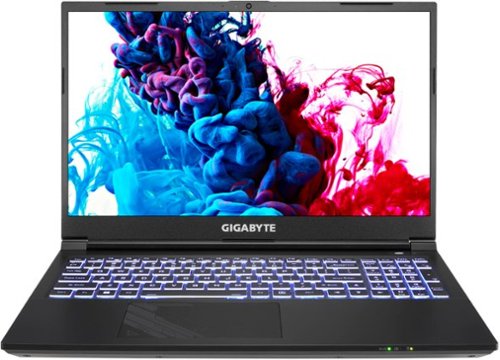
The G5 gaming laptop powered by NVIDIA GeForce RTX 40 Series GPU combines gaming, entertainment, work and more! Its powerful 12th Gen Intel Processor allows you to effortlessly handle multiple tasks at the same time. It features a 3 screen display output, built-in SD card slot, and next-gen Wi-Fi 6 technology; with a tool for every task, this laptop provides great balance between gaming, entertainment, and work capabilities. Welcome to your new go-to laptop.
Customer Rating
5
The G5 KF5 is a great mid ranged gaming laptop.
on October 2, 2023
Posted by: Aaronxx7
The G5 KF5 is a great mid ranged gaming laptop.
It's much lighter than most other gaming laptops in it's range. With a 15.6" FHD screen, this laptop is small enough to be portable
but also large enough to still put out a nice gaming experience. At about 4.5lbs it's light enough to sit on your lap and play,
or carry around pretty much anywhere. It even has a slimmer profile at 0.89 inches tall. I really like the smaller lighter design,
it really brings back the idea of a laptop being portable.
It's much lighter than most other gaming laptops in it's range. With a 15.6" FHD screen, this laptop is small enough to be portable
but also large enough to still put out a nice gaming experience. At about 4.5lbs it's light enough to sit on your lap and play,
or carry around pretty much anywhere. It even has a slimmer profile at 0.89 inches tall. I really like the smaller lighter design,
it really brings back the idea of a laptop being portable.
Even though the cooling system takes up less space than other gaming laptops, it's actually pretty efficient.
With the exclusive WINDFORCE cooling technology, there are 2 fans with 59 blades each, 4 heat pipes and 4 exhaust vents.
I was able to play some high performance games for hours without degradation of play or overheating. The GPU temp
remained between 75 to 77 degrees Celsius the whole time. Under 80 degrees Celsius is considered a normal operating temperature.
Anything over 90 degrees Celsius could be damaging for your system. The fan was on during most of the play at the higher settings, while it's not silent it is quieter than most other gaming laptops.
With the exclusive WINDFORCE cooling technology, there are 2 fans with 59 blades each, 4 heat pipes and 4 exhaust vents.
I was able to play some high performance games for hours without degradation of play or overheating. The GPU temp
remained between 75 to 77 degrees Celsius the whole time. Under 80 degrees Celsius is considered a normal operating temperature.
Anything over 90 degrees Celsius could be damaging for your system. The fan was on during most of the play at the higher settings, while it's not silent it is quieter than most other gaming laptops.
(( please keep in mind that most gaming laptops draw air from the bottom surface of the laptop, so you should always make sure those vents are free from paper or fabrics, as those items can get sucked up into or against the vents, blocking the normal airflow. If this happens your computer could overheat. - make sure to use a flat solid surface to rest your laptop on or make sure it's propped up in a way to keep those vents clear. If I am using the G5 in my actual lap, I always place it on a book or board first, and never directly on my jeans or other fabrics like a couch or sheets.))
The G5 KF5 comes with an i7 processor and 16GB of RAM and a 512GB SSD which is a good start on processing power and performance.
The GeForce RTX 4060 is NVIDIA's successor to the RTX 3060 which was a solid mid range GPU. NVIDIA has made a huge improvement
with the 4000 series RTX cards by adding enhanced AI features. Through their MAX-Q technology suite NVIDIA can push a higher level of
performance out of their GPUs, bumping your computers performance and battery life over what would normally be expected.
The GeForce RTX 4060 is NVIDIA's successor to the RTX 3060 which was a solid mid range GPU. NVIDIA has made a huge improvement
with the 4000 series RTX cards by adding enhanced AI features. Through their MAX-Q technology suite NVIDIA can push a higher level of
performance out of their GPUs, bumping your computers performance and battery life over what would normally be expected.
The AI fueled features include:
DLSS 3 which can improving visual performance and FPS up to 4X and acoustics and battery life by up to 2X
High Efficiency On-Chip Memory vastly improves power efficiency with double the bandwidth, over 10X the capacity, and improved clock gating.
Ultra-Low Voltage GDDR6 Boosts GPU efficiency with the lowest voltage graphics memory ever.
Tri-Speed Memory Control Enables the GPU to switch to new, lower power memory states dynamically.
I have to admit that I was a little skeptical over the dramatic claims Gigabyte and NVIDIA were promising
with this laptop, but I was pleasantly surprised once I got the chance to actually play around with it.
First off, I would like to say that in its default settings this laptop does a good job out of the box, but with
changing the settings to maximum performance, it does a lot better.
with this laptop, but I was pleasantly surprised once I got the chance to actually play around with it.
First off, I would like to say that in its default settings this laptop does a good job out of the box, but with
changing the settings to maximum performance, it does a lot better.
Through the system settings and graphics card settings you want to change your power mode to max while plugged in
and you will also want to change the preferred graphics processor to NVIDIA. From here if you want to take advantage
of the MAX-Q features you need to enable Hardware Accelerated GPU Scheduling in the Windows Display settings.
and you will also want to change the preferred graphics processor to NVIDIA. From here if you want to take advantage
of the MAX-Q features you need to enable Hardware Accelerated GPU Scheduling in the Windows Display settings.
Some games that are capable of using this feature will do it automatically, but others will need to be set up to do so.
So for those you’ll also have to turn on the “Frame Generation” settings in the actual games settings. in some cases
you'll further have the option to set Reflex to additional “Boost" or change how intense you want the DSLL 3
enhanced visuals to be.
So for those you’ll also have to turn on the “Frame Generation” settings in the actual games settings. in some cases
you'll further have the option to set Reflex to additional “Boost" or change how intense you want the DSLL 3
enhanced visuals to be.
While playing Cyberpunk 2077 on one of the highest graphic settings - "Ray Tracing: Ultra" my FPS went from
48FPS to 83FPS with Frame Generation turned on. The game played fine in both modes without graphical tears,
glitching or slowed down/laggy performance. At 83FPS the game looked great and continue to handle just as well.
48FPS to 83FPS with Frame Generation turned on. The game played fine in both modes without graphical tears,
glitching or slowed down/laggy performance. At 83FPS the game looked great and continue to handle just as well.
I was also able to get similar results playing The Witcher 3: Wild Hunt, with "Ultra+" graphics enabled
I was able to go from around 60FPS to over 110FPS.
I was able to go from around 60FPS to over 110FPS.
Everything I played on this laptop played great at virtually any graphic setting I wanted. Obviously one can
increase FPS by downgrading the visuals, and as this is not a 4K screen, some visuals would be lost pressing the
machine to perform that high, but it is capable of running at higher than expected FPS and graphical settings.
increase FPS by downgrading the visuals, and as this is not a 4K screen, some visuals would be lost pressing the
machine to perform that high, but it is capable of running at higher than expected FPS and graphical settings.
Now, not all games out there can fully utilize the all the features of MAX-Q and it's DSLL 3 technology.
As of right now the compatible DLSS 3 games are:
A Plague Tale: Requiem
Atomic Heart
Black Myth: Wukong
Bright Memory: Infinite
Chernobylite
Conqueror's Blade
Cyberpunk 2077
Dakar Desert Rally
Deliver Us Mars
Destroy All Humans! 2 - Reprobed
Dying Light 2 Stay Human
F1Ⓡ 22
F.I.S.T.: Forged In Shadow Torch
Frostbite Engine
HITMAN 3
Hogwarts Legacy
ICARUS
Jurassic World Evolution 2
Justice
Loopmancer
Marauders
Marvel's Spider-Man Remastered
Microsoft Flight Simulator
Midnight Ghost Hunt
Mount & Blade II: Bannerlord
Naraka: Bladepoint
NVIDIA Omniverse
NVIDIA Racer RTX
PERISH
Portal with RTX
Ripout
S.T.A.L.K.E.R. 2: Heart of Chornobyl
Scathe
Sword and Fairy 7
SYNCED
The Lord of the Rings: Gollum
The Witcher 3: Wild Hunt
THRONE AND LIBERTY
Tower of Fantasy
Unity
Unreal Engine 4 & 5
Warhammer 40,000: Darktide
Atomic Heart
Black Myth: Wukong
Bright Memory: Infinite
Chernobylite
Conqueror's Blade
Cyberpunk 2077
Dakar Desert Rally
Deliver Us Mars
Destroy All Humans! 2 - Reprobed
Dying Light 2 Stay Human
F1Ⓡ 22
F.I.S.T.: Forged In Shadow Torch
Frostbite Engine
HITMAN 3
Hogwarts Legacy
ICARUS
Jurassic World Evolution 2
Justice
Loopmancer
Marauders
Marvel's Spider-Man Remastered
Microsoft Flight Simulator
Midnight Ghost Hunt
Mount & Blade II: Bannerlord
Naraka: Bladepoint
NVIDIA Omniverse
NVIDIA Racer RTX
PERISH
Portal with RTX
Ripout
S.T.A.L.K.E.R. 2: Heart of Chornobyl
Scathe
Sword and Fairy 7
SYNCED
The Lord of the Rings: Gollum
The Witcher 3: Wild Hunt
THRONE AND LIBERTY
Tower of Fantasy
Unity
Unreal Engine 4 & 5
Warhammer 40,000: Darktide
Also just another note to mention is that the higher FPS is AI enhanced, so I'm not sure if that might create
a millisecond of "lag" in visuals and reaction time. I didn't notice any delay in my gameplay but it is something
to consider whether or not you want to enable this for certain games if it becomes compatible with games like
Call of Duty or similar intense shooters.
a millisecond of "lag" in visuals and reaction time. I didn't notice any delay in my gameplay but it is something
to consider whether or not you want to enable this for certain games if it becomes compatible with games like
Call of Duty or similar intense shooters.
I was also able to play the following games (at highest graphics qualities) with these FPSs:
Destiny 2 - 100FPS
Horizon 5 - 111FPS
Fortnite - - 100+FPS
Call of Duty - 75FPS
Halo Infinite - 80FPS
Assassin's Creed Valhala - 80FPS
Horizon 5 - 111FPS
Fortnite - - 100+FPS
Call of Duty - 75FPS
Halo Infinite - 80FPS
Assassin's Creed Valhala - 80FPS
Honestly, everything I played looked good, and played very well. I didn't experience any freezing of
the system nor did I experience any glitches or bogged down gameplay.
the system nor did I experience any glitches or bogged down gameplay.
I also ran several different types of benchmark software. All of them came back with decent scores for
a mid level gaming laptop.
a mid level gaming laptop.
3DMark CPU Max Threads 6943
VRMark Orange room ranked 10990
PCMark 10 ranked 7053 after adjusting and 5704 in default settings
3DMark Time Spy ranked 9258 after adjusting and 8466 in default settings
3DMark Speed Way ranked 2252 after adjusting and 2015 in default settings
NovaBenchmark ranked 3101 after adjusting and 2699 in default settings
UserBenchmark ranked 110/102/110 after adjusting and 95/101/95 in default settings
VRMark Orange room ranked 10990
PCMark 10 ranked 7053 after adjusting and 5704 in default settings
3DMark Time Spy ranked 9258 after adjusting and 8466 in default settings
3DMark Speed Way ranked 2252 after adjusting and 2015 in default settings
NovaBenchmark ranked 3101 after adjusting and 2699 in default settings
UserBenchmark ranked 110/102/110 after adjusting and 95/101/95 in default settings
Gigabyte has been around since 1986. They have been one of the leading manufacturers of Motherboards for many years and
have combined business relationships with ASUS and they own brand AORUS. These are some of the worlds leading companies in laptops,
PCs and gaming systems and components. So, it's not a surprise that the G5 performs so well at it's level.
have combined business relationships with ASUS and they own brand AORUS. These are some of the worlds leading companies in laptops,
PCs and gaming systems and components. So, it's not a surprise that the G5 performs so well at it's level.
The only thing I would have liked to have seen different in this laptop would have been a 1TB SSD instead of the 512GB.
At 512 you can only install a few good sized games. If that's all you play, then the 512GB will be fine for you. Otherwise
you will find yourself constantly re-downloading and installing from your game library if you stay with the 512GB.
At 512 you can only install a few good sized games. If that's all you play, then the 512GB will be fine for you. Otherwise
you will find yourself constantly re-downloading and installing from your game library if you stay with the 512GB.
Luckily for us the G5 is upgradeable. It comes with (2) M.2 2280 slots for storage with a MAX capacity of up to 6TB
and if you are curious the RAM is upgradeable to an impressive 64GB of DDR5-4800 (2 slots as well)
Unfortunately you do have to remove the whole bottom plate, on the laptop but it's worth the small amount of time
if you are interested in upgrading.
and if you are curious the RAM is upgradeable to an impressive 64GB of DDR5-4800 (2 slots as well)
Unfortunately you do have to remove the whole bottom plate, on the laptop but it's worth the small amount of time
if you are interested in upgrading.
I really love the lighter design and performance of this laptop. The RGB keyboard can be set to virtually any color. It has
an RJ45 port (still the best option for online gaming), MicroSD slot, 2x USB C port, mic and headset jacks, 2x USB (3.2&2.0)
a Mini DP and HDMI ports, (basically all the essentials most anyone would want.)
an RJ45 port (still the best option for online gaming), MicroSD slot, 2x USB C port, mic and headset jacks, 2x USB (3.2&2.0)
a Mini DP and HDMI ports, (basically all the essentials most anyone would want.)
Overall I think this laptop is a very capable gaming system, and I am very pleased with it's performance.
I would recommend this to a friend!





Share this review:


+16points
16of 16voted this as helpful.
Aaronxx7's Review Comments
Aaronxx7 has not submitted comments on any reviews.
Aaronxx7's Questions
Aaronxx7 has not submitted any questions.
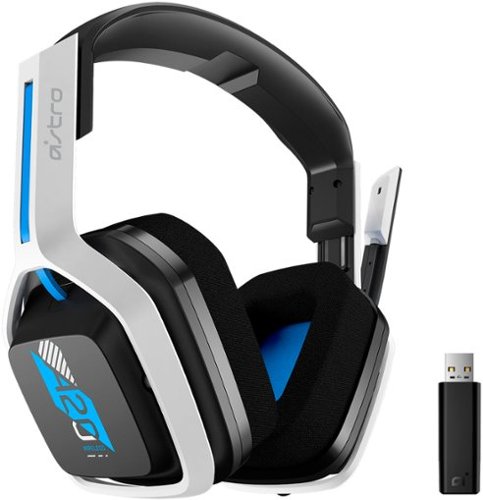
The A20 Wireless headset Gen 2 is designed to give you gaming audio freedom on several levels. Its 2.4 GHz signal provides an extended wireless range and with the flip-to-mute microphone you can easily choose if you want to be heard or not. Additionally, the headset~s long lasting comfort and battery life allow you to game through those marathon sessions.
Does everything come in the box for it to work correctly with the ps5 or do i need the purchase the hdmi adapter on astro website that is sold separately?
yes, the included dongle will work on the PS5
5 years, 11 months ago
by
Aaronxx7
The A20 Wireless headset Gen 2 is designed to give you gaming audio freedom on several levels. Its 2.4 GHz signal provides an extended wireless range and with the flip-to-mute microphone you can easily choose if you want to be heard or not. Additionally, the headset~s long lasting comfort and battery life allow you to game through those marathon sessions.
Do you need to update the headset when you get it in order to use it
no, you do not need to update it before use.
It's plug and play
It's plug and play
5 years, 11 months ago
by
Aaronxx7

Juicing at home means great nutrition and delicious drinks whenever you want them, and saving money, too. Now we've made it easier than ever to turn healthy fruits and vegetables into delicious, colorful, vitamin-packed juices right at home, with faster cleaning and more convenience. With patented auto-clean technology, this Oster Self-Cleaning Juice Extractor rinses and scrubs hard-to-clean pulp and fiber from the filter in just seconds, for hands-free cleanup. This versatile Oster juicer has an extra-large food chute that fits most whole fruits and vegetables~that means less prep work for you. The power-performance, 1000-watt dual-speed motor easily extracts both soft and hard ingredients in seconds. The convenient drip-stopper nozzle prevents dripping after juicing, and the stainless steel locking arm ensures the juicer works only when locked and secure. The parts are BPA-free and dishwasher-safe.
What are the dimensions of the juicer unit fully assembled? I looked for this information in the "specs" section but it isn't listed.
The overall width and depth are about 7.5" x 11.5", and the height is 18.5"
5 years, 11 months ago
by
Aaronxx7

Brew coffee at your leisure with this Breville Vertuo Next Classic espresso machine. Centrifusion technology with spin rates of up to 7000 rpm ensure thorough coffee extraction, and the included 12 Vertuo coffee capsules introduce you to a variety of coffee flavors. This Breville Vertuo Next Classic espresso machine is Bluetooth-enabled for easy updates, installation and synchronizing with the Nespresso mobile app.
Does this machine with Bluetooth auto brew?
No, the wireless feature is for updating software only (at this time)
6 years ago
by
Aaronxx7

Power disturbances can cause equipment damage and lessen your electronic devices lifespan. During power disturbances, you also risk losing connection to your critical devices. Ensure you keep connected to what matters the most with APC Back-UPS.
What replacement battery does the UPS take?
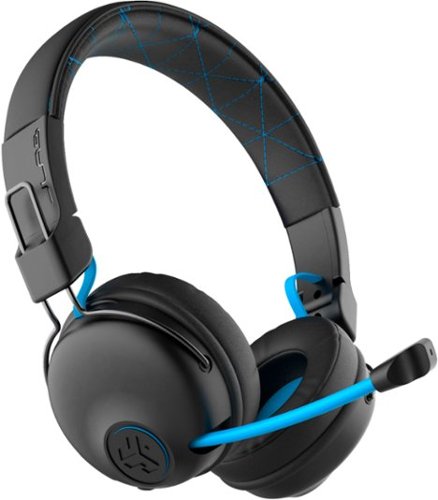
Hear all your games in high-quality sound with this JLab Play wireless gaming headset. With an increased mid to high frequency response and super-low 60 ms latency, this headset is able to deliver clear vocals and enhance spatial awareness without lag. JLab~s Play wireless gaming headset delivers over 22 hours of playtime and compatibility with PCs, consoles and mobile devices to handle every session.
where is the micro phone? can it be used for a call center?
the microphone pulls out of the right earphone.
It could probably be used in a call center, if your phone base has a 3.5mm headphones plug
It could probably be used in a call center, if your phone base has a 3.5mm headphones plug
6 years, 1 month ago
by
Aaronxx7
Hear all your games in high-quality sound with this JLab Play wireless gaming headset. With an increased mid to high frequency response and super-low 60 ms latency, this headset is able to deliver clear vocals and enhance spatial awareness without lag. JLab~s Play wireless gaming headset delivers over 22 hours of playtime and compatibility with PCs, consoles and mobile devices to handle every session.
Is it compatible with ps4 & xbox?
yes, with the included aux cable you can plug it into your controller
- no third party wireless devices can connect wirelessly to the console, because Sony , Microsoft and Nintendo do not allow it
- no third party wireless devices can connect wirelessly to the console, because Sony , Microsoft and Nintendo do not allow it
6 years, 1 month ago
by
Aaronxx7
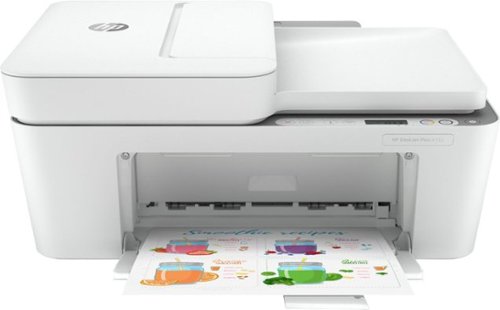
Reliability meets modern multitasking with the HP DeskJet Plus 4155 all-in-one printer. Designed to save you time, this all-in-one printer helps you quickly tackle print, scan, and copy jobs with the 35-page automatic document feeder. Send secure faxes from virtually anywhere with your smartphone. With HP Instant Ink, this wireless printer automatically orders ink and delivers it straight to your door with up to 50% savings on ink (subscription required). Get better range and fast, reliable connections using dual-band Wi-Fi with self-reset. Set up your color printer in a few easy steps, then connect, and print from any device using the HP Smart app. The HP Smart app also lets you scan and share your documents to Dropbox, Google Drive, e-mail, or the cloud.
Is this printer compatible with an Acer Chromebook?
yes, it should be, as this works with Android devices.
6 years, 2 months ago
by
Aaronxx7
Reliability meets modern multitasking with the HP DeskJet Plus 4155 all-in-one printer. Designed to save you time, this all-in-one printer helps you quickly tackle print, scan, and copy jobs with the 35-page automatic document feeder. Send secure faxes from virtually anywhere with your smartphone. With HP Instant Ink, this wireless printer automatically orders ink and delivers it straight to your door with up to 50% savings on ink (subscription required). Get better range and fast, reliable connections using dual-band Wi-Fi with self-reset. Set up your color printer in a few easy steps, then connect, and print from any device using the HP Smart app. The HP Smart app also lets you scan and share your documents to Dropbox, Google Drive, e-mail, or the cloud.
how many pages will it print before needing to replace ink?
with standard sized ink cartridges, between 100 to 120 pages
6 years, 2 months ago
by
Aaronxx7
Reliability meets modern multitasking with the HP DeskJet Plus 4155 all-in-one printer. Designed to save you time, this all-in-one printer helps you quickly tackle print, scan, and copy jobs with the 35-page automatic document feeder. Send secure faxes from virtually anywhere with your smartphone. With HP Instant Ink, this wireless printer automatically orders ink and delivers it straight to your door with up to 50% savings on ink (subscription required). Get better range and fast, reliable connections using dual-band Wi-Fi with self-reset. Set up your color printer in a few easy steps, then connect, and print from any device using the HP Smart app. The HP Smart app also lets you scan and share your documents to Dropbox, Google Drive, e-mail, or the cloud.