


TechnicallyCorrect's stats
- Review count230
- Helpfulness votes808
- First reviewFebruary 13, 2015
- Last reviewSeptember 7, 2026
- Featured reviews0
- Average rating3.5
Reviews comments
- Review comment count0
- Helpfulness votes0
- First review commentNone
- Last review commentNone
- Featured review comments0
Questions
- Question count0
- Helpfulness votes0
- First questionNone
- Last questionNone
- Featured questions0
- Answer count20
- Helpfulness votes23
- First answerDecember 2, 2016
- Last answerJune 1, 2021
- Featured answers0
- Best answers2
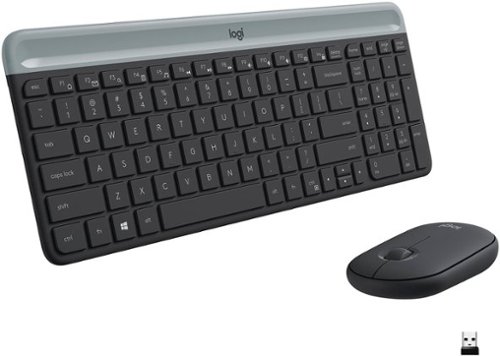
The slim profile and minimalist design transform your keyboard and mouse into a visual statement that elevates your desk setup. A slim profile and compact design make typing and mousing a pleasure. Low-profile keys give you that laptop-like typing experience you know and love. Whisper-quiet keys and a 90% noise-reduced mouse let you power through in near-silence. Long battery life and an easy plug-and-play 2.4GHz USB receiver ensure a reliable, hassle-free experience.
Customer Rating

4
Keyboard is a winner. Mouse, not so much.
on October 15, 2019
Posted by: TechnicallyCorrect
from Farmingdale, NY
When I first saw Logitech MK470 Slim Wireless Mouse and Keyboard Combo , I did not have high expectations. Not because Logitech does not make good products, they make many great products. It was because the price was only $50. How good could a wireless keyboard and mouse be for $50? Surprisingly, pretty good.
First, let’s talk about the keyboard. Slim line, solid and responsive. I was expecting the keyboard to be too light with a plastic, weak feel to it. Not the case with the MK470. Even being about 3/16 of inch thick, there is no flex to the keyboard. It is full size keyboard in a relatively small package, I have it connected to my LG Gram 17 inch and the keyboard is not as wide as the laptop. Typing on it is a pleasure, the keys have decent travel and are very quiet. Honestly , I cannot find anything negative to say about the keyboard. Note there are Logitech models that look similar for only $20 or so ( the K360.) They are not the same.
But that brings us to the mouse. Meh, definitely low end. It works as it should but it has a cheap plastic cover and the clicking action is not very positive. I know they were trying to go for the low profile, minimalist look like the keyboard but this is a $10 mouse. I would rather buy the keyboard without the mouse.
Even though I was not happy with the mouse, the keyboard is fantastic for an under $50 keyboard. It feels much higher quality than the price tag. The mouse is usable but I would have expected something a bit better from Logitech. It would be nice if they dumped the mouse and made the keyboard from aluminum , even at twice the price it would still be a bargain if they did that. Regardless, this is a great deal and you cannot go wrong with the keyboard at that price. Recommend.
First, let’s talk about the keyboard. Slim line, solid and responsive. I was expecting the keyboard to be too light with a plastic, weak feel to it. Not the case with the MK470. Even being about 3/16 of inch thick, there is no flex to the keyboard. It is full size keyboard in a relatively small package, I have it connected to my LG Gram 17 inch and the keyboard is not as wide as the laptop. Typing on it is a pleasure, the keys have decent travel and are very quiet. Honestly , I cannot find anything negative to say about the keyboard. Note there are Logitech models that look similar for only $20 or so ( the K360.) They are not the same.
But that brings us to the mouse. Meh, definitely low end. It works as it should but it has a cheap plastic cover and the clicking action is not very positive. I know they were trying to go for the low profile, minimalist look like the keyboard but this is a $10 mouse. I would rather buy the keyboard without the mouse.
Even though I was not happy with the mouse, the keyboard is fantastic for an under $50 keyboard. It feels much higher quality than the price tag. The mouse is usable but I would have expected something a bit better from Logitech. It would be nice if they dumped the mouse and made the keyboard from aluminum , even at twice the price it would still be a bargain if they did that. Regardless, this is a great deal and you cannot go wrong with the keyboard at that price. Recommend.
Mobile Submission: False
I would recommend this to a friend!
Share this review:


+1point
1of 1voted this as helpful.
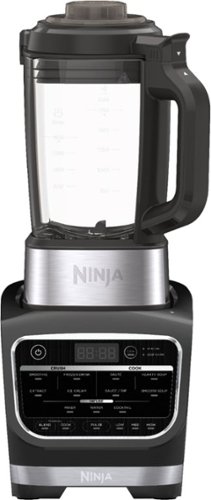
Meet the Ninja Foodi Cold & Hot Blender. Combines high-speed crushing with a precision-heat cooking blender to go beyond smoothies and frozen drinks to cook soups and sauces and create concentrates for flavored waters and cocktails.
Customer Rating

3
Great power, great value, ignore the gimmick
on October 10, 2019
Posted by: TechnicallyCorrect
from Farmingdale, NY
I’ve always like SharkNinja products. They make both the Shark vacuums and Ninja cooking products. I think their top end vacuums are great and loved their coffee makers. They do what they are supposed to at a decent price. Their Foodi Cold & Hot Blender (Model:HB152) is a mix of good and bad but you have to set the right expectations. I will go into that more in my conclusion at the end of this review.
Pros :
Good power.
It is rated at 1400 watts and that is towards the upper end of blenders. Higher watts mean better performance and a longer motor life. Keep in mind that manufactures do play with this number and some even list horsepower instead of watts. Compare motor watts to get a true indication of power.
Good quality pitcher.
Nicely sized and Ninja states it is BPA feel. To be honest, the pitcher is so solid and clear ; I thought it was made of glass. I would have not thought it was plastic until I read the specs. I just tapped on the pitcher and it even sounds like glass. Much better than the pitchers that used to be on the Ninja blenders.
Built in programmed controls .
Ninja calls it Auto-iQ®, it is 12 pre-set smart programs that allow you to just set it and forget ( thanks Ron Popeil) for making smoothies, extractions, frozen drinks, sauces, dips, soups, cocktails, water infusions, etc. You just press the button for what you want and away it goes. Now I did not try all of them but the 3 I did try worked flawlessly. I have to say, it’s pretty impressive.
Clean function
One of the negatives you will see listed in this review is this unit is not dishwasher safe and some other cleaning issues. Ninja must have realized that and built in a clean function that heats up the water and then runs in a specific sequence. It does a decent job and makes touch up cleaning afterwards later. It is not perfect but it does help.
Pros :
Good power.
It is rated at 1400 watts and that is towards the upper end of blenders. Higher watts mean better performance and a longer motor life. Keep in mind that manufactures do play with this number and some even list horsepower instead of watts. Compare motor watts to get a true indication of power.
Good quality pitcher.
Nicely sized and Ninja states it is BPA feel. To be honest, the pitcher is so solid and clear ; I thought it was made of glass. I would have not thought it was plastic until I read the specs. I just tapped on the pitcher and it even sounds like glass. Much better than the pitchers that used to be on the Ninja blenders.
Built in programmed controls .
Ninja calls it Auto-iQ®, it is 12 pre-set smart programs that allow you to just set it and forget ( thanks Ron Popeil) for making smoothies, extractions, frozen drinks, sauces, dips, soups, cocktails, water infusions, etc. You just press the button for what you want and away it goes. Now I did not try all of them but the 3 I did try worked flawlessly. I have to say, it’s pretty impressive.
Clean function
One of the negatives you will see listed in this review is this unit is not dishwasher safe and some other cleaning issues. Ninja must have realized that and built in a clean function that heats up the water and then runs in a specific sequence. It does a decent job and makes touch up cleaning afterwards later. It is not perfect but it does help.
Cons :
The Ninja Foodi Cold and & Hot Blender comes with a 1 year warranty. There are competitors that offer much better warranties in the same price range. Some even have 10 year warranties.
Base, blades and pitcher do not separate and you cannot put it in the dishwasher. Although this is common today on blenders, there are those where you can separate the blades for thorough cleaning.
The drive assembly coupling between the motor and the blade assembly is plastic. The cog that drives the blades is metal. I am not sure why they went with this design. I know in manfufacturing that designers will use two substances with one being weaker than the other to protect one component but in this case, they should be both made of metal ( with one being a softer metal.) The much more expensive competition does it. With Ninja, I would question the long term durability of this design.
Loud. This unit screams when it is running. Now I almost did not put this as negative because blenders are loud in general .
The control panels is cheap feeling and will not hold up as well as some other designs. It is basically a flat piece of plastic covering the control buttons underneath. It does make it wipe clean but I can see this wearing out.
The Ninja Foodi Cold and & Hot Blender comes with a 1 year warranty. There are competitors that offer much better warranties in the same price range. Some even have 10 year warranties.
Base, blades and pitcher do not separate and you cannot put it in the dishwasher. Although this is common today on blenders, there are those where you can separate the blades for thorough cleaning.
The drive assembly coupling between the motor and the blade assembly is plastic. The cog that drives the blades is metal. I am not sure why they went with this design. I know in manfufacturing that designers will use two substances with one being weaker than the other to protect one component but in this case, they should be both made of metal ( with one being a softer metal.) The much more expensive competition does it. With Ninja, I would question the long term durability of this design.
Loud. This unit screams when it is running. Now I almost did not put this as negative because blenders are loud in general .
The control panels is cheap feeling and will not hold up as well as some other designs. It is basically a flat piece of plastic covering the control buttons underneath. It does make it wipe clean but I can see this wearing out.
Neutral :
I really do not see the point of the heating function. In my opinion, it is more than a gimmick that just adds a level of complexity that is unnecessary. Now not everyone would agree and that is why I put it as a neutral. However, I want you to think about all the other manufacturers that do not offer this and ask yourself why? Also, how many times have you used a blender and the only thing you are using it for is the basic functions of a blender. I have a stove and microwave that does a much better job at heating with greater control.
Power draw. This unit draws 1400 watts for the motor and 800 watts when cooking. Although you are not going to be using the unit at full blend and cooking at the same time , you can pulse and cook at the same time. A standard 15A circuit at 120v is 1800 watts, you are probably getting close to or exceeding that during the operation of this blender when cooking and pulsing. Many kitchens will have dedicated 20A circuits that can handle this load but some may not or have other appliances on a circuit. If that is the case, you will trip a breaker at some point . This is more of a FYI.
Conclusion :
The blender is good, not great. It does many things but is not the best in any category. What sets it apart is that it is a great value. You would be hard pressed to find this type of power with this many features in the same price range. As I said earlier, I find the cooking feature a gimmick . At 800 watts, that heating element produces about 2700 BTU’s. Assuming a difficult 75% thermal transfer efficiency , that is only about 2000 BTU of heat to cook 56 oz of fluid ( provided you fill the pitcher all the way.) A typical stove top burner is 9000 BTUs - how long would it take to cook at only 22% of a stove top burner. A long time. Now I know I lost some of you because this is getting long but the math is the math. Don’t buy this blender for the cooking function , buy it because you get the most bang for your buck at $130. If you want something with truly a noticeable power difference , higher quality and lower sound, you are going to pay hundred of dollars more.
I really do not see the point of the heating function. In my opinion, it is more than a gimmick that just adds a level of complexity that is unnecessary. Now not everyone would agree and that is why I put it as a neutral. However, I want you to think about all the other manufacturers that do not offer this and ask yourself why? Also, how many times have you used a blender and the only thing you are using it for is the basic functions of a blender. I have a stove and microwave that does a much better job at heating with greater control.
Power draw. This unit draws 1400 watts for the motor and 800 watts when cooking. Although you are not going to be using the unit at full blend and cooking at the same time , you can pulse and cook at the same time. A standard 15A circuit at 120v is 1800 watts, you are probably getting close to or exceeding that during the operation of this blender when cooking and pulsing. Many kitchens will have dedicated 20A circuits that can handle this load but some may not or have other appliances on a circuit. If that is the case, you will trip a breaker at some point . This is more of a FYI.
Conclusion :
The blender is good, not great. It does many things but is not the best in any category. What sets it apart is that it is a great value. You would be hard pressed to find this type of power with this many features in the same price range. As I said earlier, I find the cooking feature a gimmick . At 800 watts, that heating element produces about 2700 BTU’s. Assuming a difficult 75% thermal transfer efficiency , that is only about 2000 BTU of heat to cook 56 oz of fluid ( provided you fill the pitcher all the way.) A typical stove top burner is 9000 BTUs - how long would it take to cook at only 22% of a stove top burner. A long time. Now I know I lost some of you because this is getting long but the math is the math. Don’t buy this blender for the cooking function , buy it because you get the most bang for your buck at $130. If you want something with truly a noticeable power difference , higher quality and lower sound, you are going to pay hundred of dollars more.
Mobile Submission: False
I would recommend this to a friend!
Share this review:


+6points
7of 8voted this as helpful.
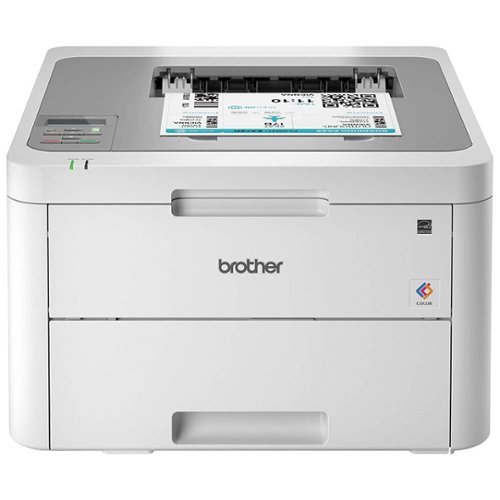
The reliable Brother HL-L3210CW compact digital color printer is a great choice for the busy home or small office. Quick print speeds of up to 19 pages per minute~ plus manual feed slot accommodates varied printing needs and can handle a variety of paper types and sizes including card stock, envelopes and more. Connect with versatile options including built-in wireless or USB interfaces and print wirelessly from mobile devices. The 250-sheet capacity adjustable paper tray helps improve efficiency with fewer refills and handles letter or legal sized paper. Brother Genuine high-yield replacement toner cartridges help lower printing costs. Comes with a 1-year limited warranty and free online, call or live chat support for the life of your product. Prints up to 19 ppm~ in black and up to 19 ppm~ in color.
Customer Rating
3
O' brother where art thou.. probably not here.
on October 6, 2019
Posted by: TechnicallyCorrect
from Farmingdale, NY
The Brother HL-L3210CW is a mix of good and bad. I really wanted to like this printer but I’m not sure who the target customer is. It’s promoted as a budget unit for a small office but it misses the mark in several areas. First thing, this is not true laser printer, the HL-L3210CW is an LED-based color printer. Not that it is a bad thing, but I wonder if that has to do with the slower print speed compared to black and white laser printers. Additionally, there are some quality differences (albeit small) between LED’s and laser printers (laser printers are just crisper in their prints and the colors are more even.) In reference to print speed, it matched the advertised speed for basic text. It was crisp, clean and uniform. However, for mix of text and graphics with color, the printer is as slow as a middle level ink jet. In my unscientific testing, it seemed to be less than half the full speed of text printing. I did a direct connection via USB and the only other option is wi-fi connection. So that begs the question, why is Brother creating a printer for an office environment with no ethernet connection? I prefer an ethernet connection for all my printers. To make things even more odd, even though this is a wifi printer, you cannot use Brother's cloud based apps ( I think all of their other printers can use that.) You can still use Apple AirPrint, Google Cloud Print and Wi-Fi Direct. So back to my initial statement in this review of who this printer is for? Yes , it prints both color and black and white but who is printing in color in a small office environment? If someone needs color , they certainly would want something higher quality than a sub $200 printer. Most office environments need a fast reliable black and white printer . For a reference point, HP has a printer that is about the same price , same foot print, has an ethernet connector and prints literally at twice the speed.
So would I recommend this printer? Unfortunately, no for most. It is a good printer - the quality is good, it is well built and prints okay. And I am still giving it 3 stars. So why the no? Because for $50 more you can get the next level printer in the Brother line up or a competitor and the upgrade will give you a faster printer with a more robust feature set. I understand that Brother is trying to keep the price down for this “budget entry” but you get so much more for a little more money or a much better black and white printer at the same cost. So in Summary, if you are on a tight budget and need low volume color printing from a good manufacturer than this might be a fit. If you can spend a little more, go for the upgrade.
So would I recommend this printer? Unfortunately, no for most. It is a good printer - the quality is good, it is well built and prints okay. And I am still giving it 3 stars. So why the no? Because for $50 more you can get the next level printer in the Brother line up or a competitor and the upgrade will give you a faster printer with a more robust feature set. I understand that Brother is trying to keep the price down for this “budget entry” but you get so much more for a little more money or a much better black and white printer at the same cost. So in Summary, if you are on a tight budget and need low volume color printing from a good manufacturer than this might be a fit. If you can spend a little more, go for the upgrade.
Mobile Submission: False
No, I would not recommend this to a friend.
Share this review:


0points
1of 2voted this as helpful.
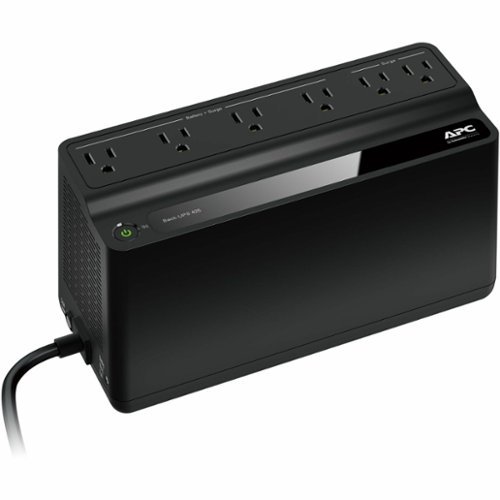
The Back-UPS battery backup offers guaranteed power and surge protection for wireless networks, computers, gaming consoles and other electronics in your home or business. Models supply battery backup during outages and unsafe voltage fluctuations, as well as provide protection from damaging surges and spikes. They're available in 'tower' or 'floor' styles, and together with a variety of standard features, they are the perfect choice to protect your data and keep you connected.
Customer Rating
4
Compact, slim & okay for basics. Watch the surge..
on September 23, 2019
Posted by: TechnicallyCorrect
from Farmingdale, NY
The APC 425 battery backup is a basic device that can be used for relatively low powered devices for short periods of time. The design is small enough that is can tuck neatly into the back of desk or similar. The 6 outlets are all surge protected and the 4 battery backup outlets are nicely spaced for transformer power supplies. The two remaining are surge suppression only and only have enough space for two standard plugs or 1 large power supply plug.
Testing :
I run a Verizon supplied modem with a secondary Nighthawk router. Because of this set up , it does draw more power than a standard one router setup. I unplugged the APC back up from the wall and left it. It lasted almost exactly 1 hour. You do get audible warnings as it is about to run out of power. There was no drop of internet so there is no discernible latency between loss of power and battery backup engagement. Not bad and about what I expected.
I run a Verizon supplied modem with a secondary Nighthawk router. Because of this set up , it does draw more power than a standard one router setup. I unplugged the APC back up from the wall and left it. It lasted almost exactly 1 hour. You do get audible warnings as it is about to run out of power. There was no drop of internet so there is no discernible latency between loss of power and battery backup engagement. Not bad and about what I expected.
What I like :
What differs from some of the UPS’s from the past is the slim horizontal form factor. I own multiple versions of this and they nicely under and behind furniture. It even has two key holes on the back if you want to mount it to a desk or wall. You do have to be careful about venting, but it is very usable.
What differs from some of the UPS’s from the past is the slim horizontal form factor. I own multiple versions of this and they nicely under and behind furniture. It even has two key holes on the back if you want to mount it to a desk or wall. You do have to be careful about venting, but it is very usable.
What I do not like:
Joules..ugh. It is only rated 180 joules. Many do not really know what a joule rating is and why it is important. A joule rating indicates how much energy the surge protector can absorb before it fails. A joule is a watts per second. Therefore, this device is rated to handle the equivalent of three 60 watt light bulbs. APC dedicated surge suppressors handle 2880 joules or more. Sounds terrible, right? Well not completely but it is not good. Take a look at APC $40 surge suppressors, they will have $250,000 equipment guarantees and the APC 425 has “only” $75,000. Therefore, APC is readily acknowledging the difference in surge protection. However, a UPS’s primary function is to be a backup and a surge suppression is an added benefit. The competition offers far higher joule ratings on similar products ( in most cases 3 to 4 times the amount) but there may be differences in testing standards. I run battery backups off of surge suppressors and have no issues. It should be noted that APC states you use a APC surge suppressor or it could void the “Equipment Protection Policy.” Here is an excerpt from APC
“Plugging any non-APC surge protector, power strip, or extension cord into the output of an APC brand UPS could void your Equipment Protection Policy (EPP). However, the standard 3 year product warranty is maintained. If, after taking into consideration this knowledge base document, you choose to use an APC brand surge protector in conjunction with your APC brand UPS, your warranty and Equipment Protection Policy will be maintained.”
It's a load of bull, if you use a high quality surge suppressor; there will be no issues. APC just wants you to buy their products. It is APC prerogative so beware and I am not suggesting to do anything that would void your warranty.
Joules..ugh. It is only rated 180 joules. Many do not really know what a joule rating is and why it is important. A joule rating indicates how much energy the surge protector can absorb before it fails. A joule is a watts per second. Therefore, this device is rated to handle the equivalent of three 60 watt light bulbs. APC dedicated surge suppressors handle 2880 joules or more. Sounds terrible, right? Well not completely but it is not good. Take a look at APC $40 surge suppressors, they will have $250,000 equipment guarantees and the APC 425 has “only” $75,000. Therefore, APC is readily acknowledging the difference in surge protection. However, a UPS’s primary function is to be a backup and a surge suppression is an added benefit. The competition offers far higher joule ratings on similar products ( in most cases 3 to 4 times the amount) but there may be differences in testing standards. I run battery backups off of surge suppressors and have no issues. It should be noted that APC states you use a APC surge suppressor or it could void the “Equipment Protection Policy.” Here is an excerpt from APC
“Plugging any non-APC surge protector, power strip, or extension cord into the output of an APC brand UPS could void your Equipment Protection Policy (EPP). However, the standard 3 year product warranty is maintained. If, after taking into consideration this knowledge base document, you choose to use an APC brand surge protector in conjunction with your APC brand UPS, your warranty and Equipment Protection Policy will be maintained.”
It's a load of bull, if you use a high quality surge suppressor; there will be no issues. APC just wants you to buy their products. It is APC prerogative so beware and I am not suggesting to do anything that would void your warranty.
Conclusion :
Like all of APC products, they do what they are supposed to and well built. I own 5 APC battery backups and they are all great. I used them to back up my routers, video cams and select LED lights . But you need to know what you are buying and what is the purpose. They are not great surge suppressors and you need to have that to protect your equipment. You should never plug a surge suppressor into a battery backup, but you can do the reverse as long as you are paying attention to the load. In other words, just because you now have 18 outlets with the surge suppressor and the battery backup combined, it does not mean to load it up. The APC UPS 425VA Battery Back-Up System BE425M is a solid, affordable piece of equipment that will maintain power to your network or any other lower power device. Now you may ask why I say “lower power” device. This is the smallest of the battery backups available from APC, they go all the way up to 900VA’s in a similar form factor. If you want more run time , look to their bigger models . If you are looking to back up a network router, this should give you more than enough time to finish a project or just prepare for a shutdown because of a power outage.
Like all of APC products, they do what they are supposed to and well built. I own 5 APC battery backups and they are all great. I used them to back up my routers, video cams and select LED lights . But you need to know what you are buying and what is the purpose. They are not great surge suppressors and you need to have that to protect your equipment. You should never plug a surge suppressor into a battery backup, but you can do the reverse as long as you are paying attention to the load. In other words, just because you now have 18 outlets with the surge suppressor and the battery backup combined, it does not mean to load it up. The APC UPS 425VA Battery Back-Up System BE425M is a solid, affordable piece of equipment that will maintain power to your network or any other lower power device. Now you may ask why I say “lower power” device. This is the smallest of the battery backups available from APC, they go all the way up to 900VA’s in a similar form factor. If you want more run time , look to their bigger models . If you are looking to back up a network router, this should give you more than enough time to finish a project or just prepare for a shutdown because of a power outage.
Mobile Submission: False
I would recommend this to a friend!
Share this review:


+1point
1of 1voted this as helpful.
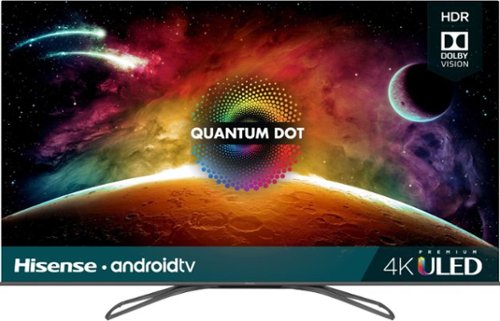
Access multiple streaming apps with this Hisense 4K smart TV. The FALD display supports HDR imaging for vivid colors and excellent brightness. Connect multiple devices simultaneously using the four HDMI ports, and access the USB 2.0 and USB 3.0 ports to support storage device access. This Hisense 4K smart TV features Wi-Fi, Bluetooth and Ethernet connectivity for increased versatility.
Customer Rating
4
One of the best you can get under $1500
on August 30, 2019
Posted by: TechnicallyCorrect
from Farmingdale, NY
I’ve quite a few 4K televisions over the years, the quality has gone up and the price has gone down. At some point over the , the proliferation of low price 4K televisions has grown exponentially. I’ve avoided all the low tier 4k televisions, they tended to offer a lot but at the expense of poor smart features, sub par picture and questionable long term durability. This is not the case now , today's low priced 4K smart TV's approach or exceed the mid to the high end TV’s of a couple years ago. The Hisense H9F Series is the perfect example of this. In review :
Build -
The TV is very minimalist with a thin bezel and thin profile form the side. The stand is very stable and gives the TV a nice, high quality look. The all plastic back of the TV is cheap feeling plastic with no cable management. For minimal cost, Hisense could use a stronger plastic and put some basic cable a management.
The TV is very minimalist with a thin bezel and thin profile form the side. The stand is very stable and gives the TV a nice, high quality look. The all plastic back of the TV is cheap feeling plastic with no cable management. For minimal cost, Hisense could use a stronger plastic and put some basic cable a management.
Controls –
First, a minor annoyance. There is no external power button or control – everything is through the remote. The remote works well and is thoughtfully laid out with quick access to Netflix, Youtube, Google Play Store and Vudu ( not sure who really uses Vudu anymore.) Like nearly other remote, it is not backlight and I find myself fumbling in the dark. There is button for directly accessing Google Assistant and it works quite well. Press the button and speak a command and the TV does it job.
First, a minor annoyance. There is no external power button or control – everything is through the remote. The remote works well and is thoughtfully laid out with quick access to Netflix, Youtube, Google Play Store and Vudu ( not sure who really uses Vudu anymore.) Like nearly other remote, it is not backlight and I find myself fumbling in the dark. There is button for directly accessing Google Assistant and it works quite well. Press the button and speak a command and the TV does it job.
Apps, Smart Features and OS system :
As I mentioned above, the Google Assistant is built in. There is a good reason for, the whole TV is based on the Android TV platform. Android TV is a pleasure; it is satisfying to have access to the easy and familiar Google play store. All the appropriate apps are there. Set up is the best I’ve ever experienced, it interfaces to your mobile devices and pulls in all the appropriate info. Also, Chrome Cast is built in for easy casting from other devices.
There are some slight deficiencies here. There is some latency in navigating between the apps and I did notice some slight hangs within apps. Nothing major but you will notice a difference from the high end TV’s with better processors. Additionally, sometimes right in the middle of using an app , the system goes to back to the home screen for all the apps. At first, I thought I hit the home button, but it did happen several times as I was looking through an app. It happened on Youtube, Hulu and Netfilx.
As I mentioned above, the Google Assistant is built in. There is a good reason for, the whole TV is based on the Android TV platform. Android TV is a pleasure; it is satisfying to have access to the easy and familiar Google play store. All the appropriate apps are there. Set up is the best I’ve ever experienced, it interfaces to your mobile devices and pulls in all the appropriate info. Also, Chrome Cast is built in for easy casting from other devices.
There are some slight deficiencies here. There is some latency in navigating between the apps and I did notice some slight hangs within apps. Nothing major but you will notice a difference from the high end TV’s with better processors. Additionally, sometimes right in the middle of using an app , the system goes to back to the home screen for all the apps. At first, I thought I hit the home button, but it did happen several times as I was looking through an app. It happened on Youtube, Hulu and Netfilx.
Sound –
At first, is not that good. It is relatively muddy across the spectrum. With a little tweaking in the settings, you can get noticeably better sound. I found setting it to “Theater “ for the Sound mode and turning on the “Total Sonics “ option dramatically improved the sound. You can change it further through the advanced setting. For the life of me, I do not why Hisense has everything set to “standard “ for the sound. While the sound is better with tweaking, you are limited by the relatively weak speakers so a soundbar is a must for those that want rich, deep sounds.
At first, is not that good. It is relatively muddy across the spectrum. With a little tweaking in the settings, you can get noticeably better sound. I found setting it to “Theater “ for the Sound mode and turning on the “Total Sonics “ option dramatically improved the sound. You can change it further through the advanced setting. For the life of me, I do not why Hisense has everything set to “standard “ for the sound. While the sound is better with tweaking, you are limited by the relatively weak speakers so a soundbar is a must for those that want rich, deep sounds.
The picture:
Overall, the picture is impressive. I ran several formal tests for the Dolby Vision and HDR, they did look stunning. In 4k from Youtube, Netflix and Amazon, it all looked quite good but did have some blooming of bright objects on black or dark backgrounds. For me, I found it more noticeable on smaller objects bt maybe this is because I have the picture settings on vivid. When compared to other TV’s in this price range or even higher, it comes out on top. When compared to high end OLED televisions, you will definitely see the difference. For standard pictures ( as in from the cable box) the Hisense H9F was about average with some colors getting muddy or washed out in brighter sections of the screen. I did see some color uniformity issues on content that had a lot of white or grey. In fact, when you first start the TV up, there is a grey screen and you can see the uniformity inconsistencies in the picture. I can say the picture is amazingly bright, brighter than anything in this class. In a normal room, you do not need anything close to max brightness.
Now I do not want to give the impression the picture is bad. I was able to make some changes that improved the picture quality. The picture overall for any television is good , for a $900 television – you will not find any better. Even for a couple hundred dollars more.
Overall, the picture is impressive. I ran several formal tests for the Dolby Vision and HDR, they did look stunning. In 4k from Youtube, Netflix and Amazon, it all looked quite good but did have some blooming of bright objects on black or dark backgrounds. For me, I found it more noticeable on smaller objects bt maybe this is because I have the picture settings on vivid. When compared to other TV’s in this price range or even higher, it comes out on top. When compared to high end OLED televisions, you will definitely see the difference. For standard pictures ( as in from the cable box) the Hisense H9F was about average with some colors getting muddy or washed out in brighter sections of the screen. I did see some color uniformity issues on content that had a lot of white or grey. In fact, when you first start the TV up, there is a grey screen and you can see the uniformity inconsistencies in the picture. I can say the picture is amazingly bright, brighter than anything in this class. In a normal room, you do not need anything close to max brightness.
Now I do not want to give the impression the picture is bad. I was able to make some changes that improved the picture quality. The picture overall for any television is good , for a $900 television – you will not find any better. Even for a couple hundred dollars more.
Odd mentions:
TV does turn off with Google Home commands but does not turn on.
TV is hot and what I mean by that is it is literally a hot TV. All TV’s produce heat but it felt noticeably hotter than my 55 inch Samsung 4k and even more than my 77 inch OLED (in spots.)
TV does turn off with Google Home commands but does not turn on.
TV is hot and what I mean by that is it is literally a hot TV. All TV’s produce heat but it felt noticeably hotter than my 55 inch Samsung 4k and even more than my 77 inch OLED (in spots.)
Conclusion:
I put this TV up against my 6 year old 9000 series 4K Samsung and a LG C9 77 inch. It held it’s own in terms of picture quality against the 6 year old Samsung, it was about the same but with a little less uniformity but a with a brighter picture. Keep in mind that the Samsung I have was about $3500 at the time. The Android TV and apps was far superior to the old Samsung . Now, compared to the LG C9, there is no comparison. And there should not be the C9 is a $7000 television and an OLED. There are a few reviews here that state the Hisense H9F is “better than OLED.” I assure you it is not. However, this is best TV value you can get with great picture and an even better feature set. Recommend for those on a budget and those who are spending under $1500.
I put this TV up against my 6 year old 9000 series 4K Samsung and a LG C9 77 inch. It held it’s own in terms of picture quality against the 6 year old Samsung, it was about the same but with a little less uniformity but a with a brighter picture. Keep in mind that the Samsung I have was about $3500 at the time. The Android TV and apps was far superior to the old Samsung . Now, compared to the LG C9, there is no comparison. And there should not be the C9 is a $7000 television and an OLED. There are a few reviews here that state the Hisense H9F is “better than OLED.” I assure you it is not. However, this is best TV value you can get with great picture and an even better feature set. Recommend for those on a budget and those who are spending under $1500.
Mobile Submission: False
I would recommend this to a friend!
Share this review:


-1point
8of 17voted this as helpful.

G815 is a new class of mechanical gaming keyboard with tactile low-profile GL switches fully customizable per-key, LIGHTSYNC RGB technology. Set LIGHTSYNC to react to in-game action, audio and even your screen color. With a sleek, impossibly-thin yet durable and sturdy design, G815 brings gamers to a higher dimension of play. Programmable G-keys let you create and execute complex actions simply and intuitively. Volume wheel and media keys give you fast, easy control over video, audio, and streaming.
Posted by: TechnicallyCorrect
from Farmingdale, NY
So I’ve been using the G815 for a week and I am impressed. The first thing you will notice is the heft of the product, it is solid and heavy weight. Personally, I like a gaming keyboard with some weight to it because it does not slip under aggressive typing - it definitely makes a difference. While the keyboard is solid, it is very thin coming at less than an inch with the keys and about half that not counting the keys. So let’s talk about the most important factor a keyboard, the actual typing. I used it in 3 scenarios, everyday typing, gaming and photo editing. In any scenario, the typing is a pleasure. Very responsive and the keys have that fulfilling positive click with that tactile response one would expect in a gaming keyboard. In some ways it reminds me of the old IBM keyboards but with a lot less travel required for a full keystroke. For gaming , the reaction is instantaneous - there was no lag whatsoever. Movement is precise and very fast. If you are a gamer , you know it is all about actions per second and with the low travel and short keys; this is about as good as it gets. The keyboard has programmable “G” keys on the left side of the board. While that is a nice feature and it can help with quick actions, it does add some width to keyboard. I did find myself shifting the keyboard over when using the mouse. It’s not the end of the world but it was noticeable. On the right side is the media controls and top notch. The volume scroll wheel is metal, smooth and precise with a very high quality feel to it.
How does it hold up to other brand? Overall, pretty well. The Logitech G815 is very similar to the Corsair K95, even down to the media center. The price is at the upper range of most of the gaming keyboards and I think at $200, it is bit overpriced when you can get a great keyboard for $70 less. You will notice that most of competition has a wrist pad that is included in the price while the G815 does not . At this price point, it should have one. Wrist pads are not expensive but I like the ones that the competition has because it is customer for the keyboard. Minor complaint but one that should not be overlooked. I am not going to go into the details of the LED lights and syncing with mouse lights. It may look good at first but who cares about that when you are in middle of the game. In summary this is nice , well built, top of the line keyboard that you will not be disappointed in ; provided you can get past the price.
How does it hold up to other brand? Overall, pretty well. The Logitech G815 is very similar to the Corsair K95, even down to the media center. The price is at the upper range of most of the gaming keyboards and I think at $200, it is bit overpriced when you can get a great keyboard for $70 less. You will notice that most of competition has a wrist pad that is included in the price while the G815 does not . At this price point, it should have one. Wrist pads are not expensive but I like the ones that the competition has because it is customer for the keyboard. Minor complaint but one that should not be overlooked. I am not going to go into the details of the LED lights and syncing with mouse lights. It may look good at first but who cares about that when you are in middle of the game. In summary this is nice , well built, top of the line keyboard that you will not be disappointed in ; provided you can get past the price.
Mobile Submission: False
I would recommend this to a friend!
Share this review:


+1point
1of 1voted this as helpful.
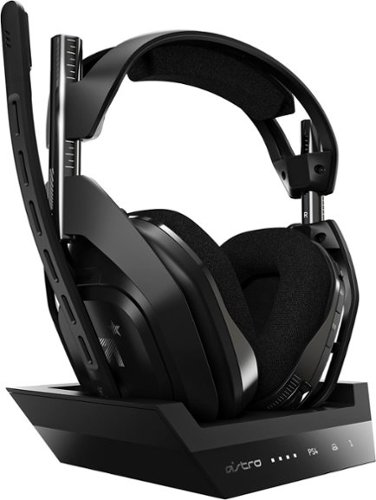
Experience legendary performance and sound of ASTRO Audio V2, with the convenience and freedom that comes without wires. The A50 Wireless + Base Station for PS5 /PS4 / PC delivers top-of-the-line acoustics, ergonomics, comfort and durability that gamers demand. The all-new Base Station provides clear, low-latency voice communication, while making headset pairing and charging simple. The ASTRO Command Center software allows gamers and streamers to tune every input and output parameter of the A50 precisely for their specific setup. Experience absolute audio immersion with the A50 Wireless + Base Station.
Customer Rating
4
Best of the best but at a price
on August 7, 2019
Posted by: TechnicallyCorrect
from Farmingdale, NY
I’ve owned prior generations of the Astro A50 and they were always good. This current generation ( the 4th) is no different. I’m not going to go too much into every nitty, gritty feature but I can tell you it checks the boxes on nearly everything you would want in a gamer headset. The sound is crisp, clear and powerful. The construction is top notch, although there are a few competitors that are a bit more streamlined. The fit is very good and comfortable and should be fine for people’s heads of all sizes. The mic design is perfect and has the nice feature of flipping up to mute, no need to fumble for buttons. It comes with a charging dock so no need to plug it into a USB port to charge. The Astro Command Center software let’s you customize to your heart’s desire . For me, I really think sometimes the myriad of customization is a bit overkill but some may love it. So what is not to like? Well, the $300 cost. At one time, Astro (owned by Logitech) was the only player to offer a premium headset of this level. But then came Turtle Beach, Razor, Sennheiser, Arctis, Hyper X and more. Now the field is blurred with a lot of great sounding headsets. Feature for feature you will be close to price with some of the competitors. However, there are some that are less than half the cost that sound just as good to me; or pretty close. I own a Turtle Beach headset and I am hard pressed to find any differences in the sound and it is a third of the price. But then I see little differences in fit, finish and quality on the less expensive headsets. I still like the Astro 50 and would still buy them over nearly any competitor, it is just a question of is it worth it to you? If you want the best of the best, the Astro is definitely the one for you.
Mobile Submission: False
I would recommend this to a friend!
Share this review:


0points
0of 0voted this as helpful.

Experience lightning-fast response rates with this Logitech gaming mouse. The programmable design lets you switch between five sensitivity modes, while the onboard memory retains set programs without the use of outside software. This Logitech gaming mouse has built-in metal springs, minimizing needed force and ensuring the right and left buttons are ready to click.
Customer Rating
4
Simple, we ll made and does it all well
on August 1, 2019
Posted by: TechnicallyCorrect
from Farmingdale, NY
I’ve owned many Logitech devices over the years with my first device going back 30 years and they have always been good. It’s not just mouse peripherals, its all their products – Astro Gaming headsets, Ultimate Ear speakers and Jaybird to name a few. So why am I mentioning the above when reviewing the Logitech - G403? Because Logitech is a company of ecosystem products that can share technologies to produce great quality and innovation, not unlike Apple. The Logitech G403 gaming mouse is an example of a great quality product from Logitech . Simple, efficient and ergonomic. I am not a big PC gamer but when I do, I want the old school wired mouse with limited buttons but razor-sharp reactions. Compare this to the some of the other gaming mice on the market that can have up to 19 buttons, 6 customizable buttons are more than adequate on the G403. The buttons are tactile, well placed and react well. The scrolling wheel spins well but not too freely. One of the things I do not like on some other gaming mice is the wheel spins way too loosely. Now to take advantage of all the capabilities you have to download and install the Logitech Hub software. I personally did not find much use for the software, so I just used the default settings from Windows. Plug it and go, just what I love about wired mice. Additionally , the G403 has an added feature where you can add a supplied 10 gram weight to give the mouse some extra heft. This can really affect your precision so do not discount trying it.
In summary, the design, features, construction, ergonomics and design are spot on and all you really need in a gaming mouse. Skip the expensive , 19 button monstrosities with thousands of LED colored lights. Keep your control lean like the G403 and your gaming experience will be even better. Recommend completely.
In summary, the design, features, construction, ergonomics and design are spot on and all you really need in a gaming mouse. Skip the expensive , 19 button monstrosities with thousands of LED colored lights. Keep your control lean like the G403 and your gaming experience will be even better. Recommend completely.
Mobile Submission: False
I would recommend this to a friend!
Share this review:


+2points
2of 2voted this as helpful.
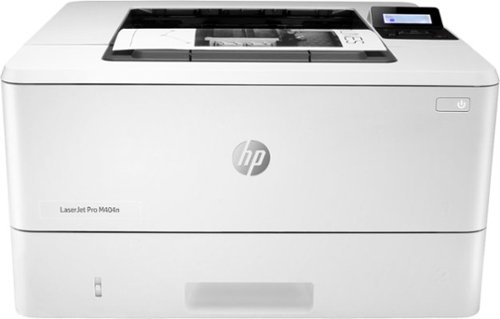
Winning in business means working smarter. This HP LaserJet Pro M404n printer is designed to let you focus your time where it's most effective, helping you grow your business and staying ahead of the competition.Prints up to 38 ISO ppm* in black
Customer Rating
4
HP Laserjets are the best. Period.
on July 22, 2019
Posted by: TechnicallyCorrect
from Farmingdale, NY
I’ve always been a big fan of HP laser printers. They are fast, have great print quality, usually dependable and easy to set up. For the most the part the HP- LaserJet Pro M404n Black-and-White Printer holds up to that HP standard. The first important thing to understand before you buy this printer is know what you are buying. This M404n is a network printer. Yes, you can install it with a USB cable but it is designed with the intent that is it going to be connected to a network via an Ethernet cable. This is not a wireless printer and I am perfectly happy with that. I am a bit old school when it comes to printers, I prefer the solid reliability and ease of installation of a hard-wired network printer. Or so I thought (more on that.)
Installation –
The initial installation went smooth. Basically, put the paper in, plug in your Ethernet cable and plug it in. From your computer download and install the software. The software instantly recognizes the printer and you are ready to go. I installed the software on the LG Gram with Windows 10 (fully updated.) Unfortunately, I just could not get it to print from any program or browser . I could print test pages no problem but it just either would not print or take forever to print. I uninstalled the printer and redid everything several times but it was always the same. To be honest, I cannot tell if it was my computer or the HP software. I really think it is something with the HP software. I do use multiple laptops so I decided to install the printer on my MacBook without the HP software. Since HP M404n was connected to the network, it was installed in a few seconds. Everything worked flawlessly. Now if you look at some other reviews, they did run into the issue of installing the printer on a windows system. The problem may lie with that you should install the software first and then install the printer. HP should really look into this .
Performance –
This is where the printer showed what it can do. The Bestbuy page states that it prints 38 pages per minute but that is for A4 size paper. For standard 8.5 X 11 paper, you can get 40 PPM . I was able to print about 8 pages in about 10 seconds, so HP is right on mark. It is fast, relatively quiet and everything a network printer should be.
Design –
I am a true network printer user. I do not care about the size of the LCD screen, I want utility. Some people did not like that the screen is small but the reality is that most people should not even use the screen once it is installed. This is not a inkjet photo printer, the M404N is designed to be a fast workhorse and it is every bit of that. Now the really nice thing is the size. This is about 15” X 15” X 9”. Very small for a printer capable of pushing 40 PPM and have a duty cycle of 80,000 pages.
Cons –
Well there are not many here. I did have that issue with set up on a Windows device but not with a Macbook. It would have been nice if they included an Ethernet cable and a USB cable. But that is only a “it would have been nice.” The real con is the cost of the replacement toner cartridge. A 3000 page toner cartridge is $106 and a 10,000 page extra large toner is a whopping $222. I get this where HP makes most of their money but it is too high. It still is far cheaper in the long run compared to inkjets .
Installation –
The initial installation went smooth. Basically, put the paper in, plug in your Ethernet cable and plug it in. From your computer download and install the software. The software instantly recognizes the printer and you are ready to go. I installed the software on the LG Gram with Windows 10 (fully updated.) Unfortunately, I just could not get it to print from any program or browser . I could print test pages no problem but it just either would not print or take forever to print. I uninstalled the printer and redid everything several times but it was always the same. To be honest, I cannot tell if it was my computer or the HP software. I really think it is something with the HP software. I do use multiple laptops so I decided to install the printer on my MacBook without the HP software. Since HP M404n was connected to the network, it was installed in a few seconds. Everything worked flawlessly. Now if you look at some other reviews, they did run into the issue of installing the printer on a windows system. The problem may lie with that you should install the software first and then install the printer. HP should really look into this .
Performance –
This is where the printer showed what it can do. The Bestbuy page states that it prints 38 pages per minute but that is for A4 size paper. For standard 8.5 X 11 paper, you can get 40 PPM . I was able to print about 8 pages in about 10 seconds, so HP is right on mark. It is fast, relatively quiet and everything a network printer should be.
Design –
I am a true network printer user. I do not care about the size of the LCD screen, I want utility. Some people did not like that the screen is small but the reality is that most people should not even use the screen once it is installed. This is not a inkjet photo printer, the M404N is designed to be a fast workhorse and it is every bit of that. Now the really nice thing is the size. This is about 15” X 15” X 9”. Very small for a printer capable of pushing 40 PPM and have a duty cycle of 80,000 pages.
Cons –
Well there are not many here. I did have that issue with set up on a Windows device but not with a Macbook. It would have been nice if they included an Ethernet cable and a USB cable. But that is only a “it would have been nice.” The real con is the cost of the replacement toner cartridge. A 3000 page toner cartridge is $106 and a 10,000 page extra large toner is a whopping $222. I get this where HP makes most of their money but it is too high. It still is far cheaper in the long run compared to inkjets .
Conclusion –
So the big question is would I recommend it? Yes. It is fast, quiet and does what it is supposed to. Barring the installation hiccup, the HP M404n hits high marks in all the important categories. Know what you are buying and you will love this printer.
So the big question is would I recommend it? Yes. It is fast, quiet and does what it is supposed to. Barring the installation hiccup, the HP M404n hits high marks in all the important categories. Know what you are buying and you will love this printer.
Mobile Submission: False
I would recommend this to a friend!
Share this review:


+5points
5of 5voted this as helpful.
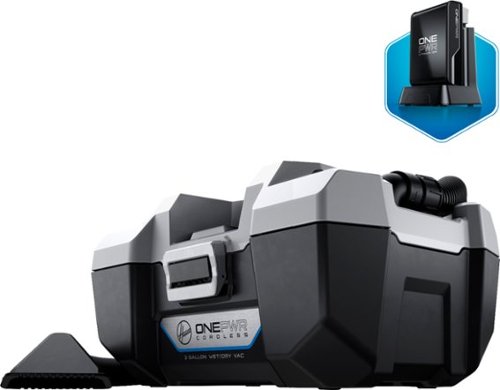
Clean messes and dust at the office with this Hoover ONEPWR wet and dry cordless vacuum. The capable motor delivers up to 45 cfm for faster cleaning, and the rechargeable 2 Ah battery facilitates cordless use. This Hoover ONEPWR wet and dry cordless vacuum includes a 3-gal. dirt tank to trap captured debris.

Posted by: TechnicallyCorrect
from Farmingdale, NY
I was excited when I first took the Hoover ONEPWR 3-Gal. Wet/Dry Vacuum out the box. A compact, battery powered shop vac – what a great idea. Too bad is sucks, and not in the way a vacuum should. When I first took this out of the box, I thought that it looked familiar. Very familiar. Actually, it looks exactly the same as the Ryobi. In fact, it is the same exact unit except a different battery system. I guess Ryobi is making it for Hoover or vice versa. So let’s look at construction of the unit first. Cheap. Its plastic injected molded bottom casing with a snap on motor lid. It’s not a bad design but definitely on the cheap side. There is not even rubber grommets on the bottom to prevent wear and sliding on the floor. The two tools it comes with (a utility nozzle and a crevice tool) snap into the sides of the casing . Unfortunately, they are not very secure and fall off. It does not come with a dusting brush so it will not pick fine dirt when vacuuming a dashboard. Definitely, not a great start. I charged up the battery for 24 hours and turned the unit on to test the power. Surprisingly, the power is decent. Not great but better than I thought and nearly comparable to budget corded vacuums. But none of this matters, what matters is the battery life. Take a look at the specs on the Hoover website or any website – there is no mention of run time. There is a reason why. I got a whopping total of minutes run time. You are reading that correctly, 7 minutes. I thought that something was wrong and let the battery charge for another 24 hours and double checked that it had a full charge. I ran it again and did light vacuuming of couch and TV. This time I put a stopwatch to make sure I got an accurate number. Yet again, 7 minutes ( and 18 seconds to be exact.) I've tested this vacuum for a week and the results are always the same. Are you kidding me? This is worthless at 7 minutes . Even worse , the unit is $149.99. I could forgive a bit if this was a $50 but a $150? C’mon. The virtually identical Ryobi is 20% less in price with battery that can be used on their hand tools. If you want a large capacity battery ( the 4.0 amp) it is $119. Ugh, who is going to do that when all the competition sells two batteries for $20 less. I am flabbergasted at the lack of run time performance but high cost for what you get. This is a hard pass, look elsewhere for bigger, better and less costly.
Mobile Submission: False
No, I would not recommend this to a friend.
Share this review:


0points
0of 0voted this as helpful.
TechnicallyCorrect's Review Comments
TechnicallyCorrect has not submitted comments on any reviews.
TechnicallyCorrect's Questions
TechnicallyCorrect has not submitted any questions.
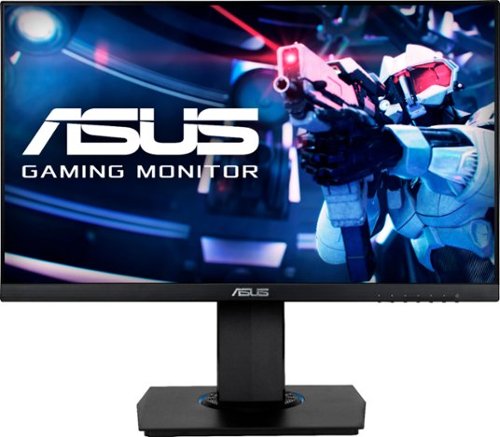
See more of the action with this Full HD ASUS gaming monitor. Quick 1 ms video response time lets you play action games in real time without lag. This ASUS gaming monitor comes with a stand for use on any flat surface.
Do I need to buy a pc box for this or dose it come with a built in pc or is it just a screen
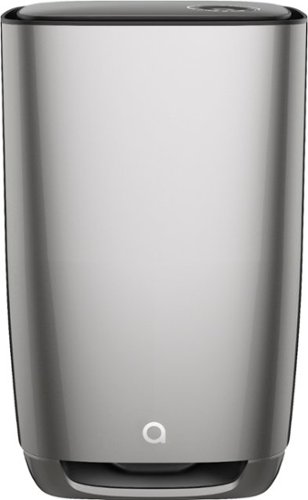
Does this specific purifier release ozone?
No, there is no active ozone generation.
5 years, 8 months ago
by
TechnicallyCorrect
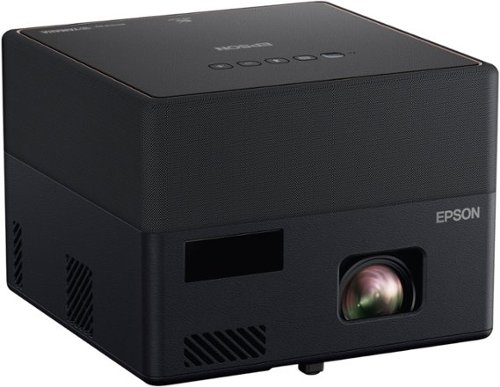
Go Epic! Enjoy an epic viewing experience with the Epson EpiqVision Mini EF12 Smart Streaming Laser Projector. Whether you~re binge-watching your favorite TV shows or hosting an outdoor movie night, the portable Epson EpiqVision EF12 Streaming Laser Projector makes it easy to stream bright images from virtually anywhere in your home, even outside. Featuring built-in Android TV and wireless connectivity, the Epson EpiqVision EF12 Streaming Laser Projector gives you seamless access to popular streaming services including Hulu, HBO and YouTube, right out of the box. Simply power on the projector and start streaming your favorite content up to an epic 150" ~ no screen required. Epson has partnered with Yamaha to create a unique audio experience unlike anything it its class. Developed exclusively for the Epson EpiqVision EF12 Streaming Laser Projector, Yamaha~s leading Acoustic Engineers designed a unique sound system to deliver a true audiophile performance. Designed within a custom 3D Acoustic Enclosure, two high-end Yamaha drivers are powered by a discrete amplifier and tuned, using Yamaha~s latest AudioEngine DSP technology to produce an impressive, wide sound stage that rivals dedicated higher-end audio systems and soundbars.
Does this support 3D videos for viewing using 3D glasses

The entire Meta Portal family is video calling designed to bring people closer. Meta Portal TV brings smart video calling to the biggest screen in your home and turns your TV into a smart video calling screen that~s perfect for group calls. It~s easy to call friends and family on their smartphones and laptops with Messenger and WhatsApp, even if they don~t have a Meta Portal. A Smart Camera pans and zooms to get the whole room in shot and automatically adjusts to keep everyone in frame as they move and talk naturally. Smart Sound makes sure you can be heard by reducing background noise and enhancing the voice of whoever is speaking. Meta Portal~s simple privacy settings mean you can easily disable the camera and microphone, or block the camera lens with a cover. All Meta Portal WhatsApp calls are end-to-end encrypted and you can choose to call individual Messenger contacts using end-to-end encryption. Meta Portal TV needs a wireless internet connection and AC power. Meta Portal voice command availability varies. Screen images simulated. User experience may vary. Requires wireless internet connection and Facebook or WhatsApp account. WhatsApp is not available on tablets. Features, functionality, and content vary and may not be available on all Meta Portal models or in all areas and languages. Some features may require a Facebook account and downloading the Portal mobile app. Additional account registration, terms and fees may apply. Meta Portal TV requires an HDMI cable (not included). Meta Portal TV comes with a remote control.
My TV is not a smart TV, will I be able to use this without a smart TV?
Yes, as long as you have an open usable HMDI port.
6 years, 11 months ago
by
TechnicallyCorrect
The entire Meta Portal family is video calling designed to bring people closer. Meta Portal TV brings smart video calling to the biggest screen in your home and turns your TV into a smart video calling screen that~s perfect for group calls. It~s easy to call friends and family on their smartphones and laptops with Messenger and WhatsApp, even if they don~t have a Meta Portal. A Smart Camera pans and zooms to get the whole room in shot and automatically adjusts to keep everyone in frame as they move and talk naturally. Smart Sound makes sure you can be heard by reducing background noise and enhancing the voice of whoever is speaking. Meta Portal~s simple privacy settings mean you can easily disable the camera and microphone, or block the camera lens with a cover. All Meta Portal WhatsApp calls are end-to-end encrypted and you can choose to call individual Messenger contacts using end-to-end encryption. Meta Portal TV needs a wireless internet connection and AC power. Meta Portal voice command availability varies. Screen images simulated. User experience may vary. Requires wireless internet connection and Facebook or WhatsApp account. WhatsApp is not available on tablets. Features, functionality, and content vary and may not be available on all Meta Portal models or in all areas and languages. Some features may require a Facebook account and downloading the Portal mobile app. Additional account registration, terms and fees may apply. Meta Portal TV requires an HDMI cable (not included). Meta Portal TV comes with a remote control.
can I watch tv and see the person I am talking too on the tv?
Maybe, but it is not a function that is built into the device. You have to connect this to a dedicated HDMI port. Theoretically, if your TV had picture in picture ; you could display two video sources.
6 years, 11 months ago
by
TechnicallyCorrect
The entire Meta Portal family is video calling designed to bring people closer. Meta Portal TV brings smart video calling to the biggest screen in your home and turns your TV into a smart video calling screen that~s perfect for group calls. It~s easy to call friends and family on their smartphones and laptops with Messenger and WhatsApp, even if they don~t have a Meta Portal. A Smart Camera pans and zooms to get the whole room in shot and automatically adjusts to keep everyone in frame as they move and talk naturally. Smart Sound makes sure you can be heard by reducing background noise and enhancing the voice of whoever is speaking. Meta Portal~s simple privacy settings mean you can easily disable the camera and microphone, or block the camera lens with a cover. All Meta Portal WhatsApp calls are end-to-end encrypted and you can choose to call individual Messenger contacts using end-to-end encryption. Meta Portal TV needs a wireless internet connection and AC power. Meta Portal voice command availability varies. Screen images simulated. User experience may vary. Requires wireless internet connection and Facebook or WhatsApp account. WhatsApp is not available on tablets. Features, functionality, and content vary and may not be available on all Meta Portal models or in all areas and languages. Some features may require a Facebook account and downloading the Portal mobile app. Additional account registration, terms and fees may apply. Meta Portal TV requires an HDMI cable (not included). Meta Portal TV comes with a remote control.
Do u need o e on both ends? Meaning I have to have one and the person I call has to have one.
No, you can communicate with anybody who has the Portal app on a device.
6 years, 11 months ago
by
TechnicallyCorrect
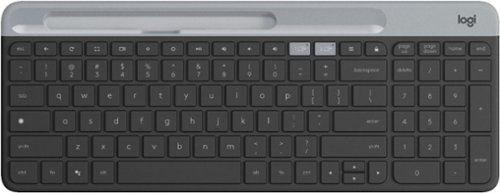
Type on your Chromebook or smartphone for effortless multitasking with this Logitech slim wireless keyboard. The built-in easy switch lets you pair and alternate multiple devices quickly, while the slim keys offer a comfortable, quiet typing experience. This Bluetooth-enabled Logitech slim wireless keyboard includes an auto-sleep feature that is activated when you're not typing to ensure long battery life.
Is this keyboard backlit at all?

Make your photos look amazing with Adobe Photoshop Elements 2020. The Adobe Sensei AI technology powers automated options to get a starting point for creative exploration, and the Guided Edits feature allows removing unwanted objects to achieve the result you want. Adobe Photoshop Elements 2020 lets you easily edit photos, make clips, and create memes to share on your favorite social websites.
Will this version read raw files from Nikon d750? Rollie
Yes,this can read uncompressed images ( RAW files) captured by any digital cameras or scanner. There is an option in the file menu "open in camera raw." It appears to be very similar to the function in other Adobe Photoshop programs.
6 years, 11 months ago
by
TechnicallyCorrect
The reliable Brother HL-L3210CW compact digital color printer is a great choice for the busy home or small office. Quick print speeds of up to 19 pages per minute~ plus manual feed slot accommodates varied printing needs and can handle a variety of paper types and sizes including card stock, envelopes and more. Connect with versatile options including built-in wireless or USB interfaces and print wirelessly from mobile devices. The 250-sheet capacity adjustable paper tray helps improve efficiency with fewer refills and handles letter or legal sized paper. Brother Genuine high-yield replacement toner cartridges help lower printing costs. Comes with a 1-year limited warranty and free online, call or live chat support for the life of your product. Prints up to 19 ppm~ in black and up to 19 ppm~ in color.
Does this printer have two trays, one letter and one legal?
1 tray that accepts Letter, Legal, Executive, A4, A5, A6 and Folio (8" x 13".) Max capacity is 250 sheets.
7 years ago
by
TechnicallyCorrect
The Back-UPS battery backup offers guaranteed power and surge protection for wireless networks, computers, gaming consoles and other electronics in your home or business. Models supply battery backup during outages and unsafe voltage fluctuations, as well as provide protection from damaging surges and spikes. They're available in 'tower' or 'floor' styles, and together with a variety of standard features, they are the perfect choice to protect your data and keep you connected.
Would this be a good choice for getting my hurricane shutters up in the event of a power outage?
In most cases, I would not recommend this product for that application. There are far too many variables in terms of power consumption and compatibility with whatever type of hurricane shutters you may have. I would recommend talking to a professional installer to get options.
7 years ago
by
TechnicallyCorrect