


SonyCameraGuy's stats
- Review count92
- Helpfulness votes338
- First reviewNovember 2, 2012
- Last reviewAugust 7, 2026
- Featured reviews0
- Average rating4
- Review comment count2
- Helpfulness votes0
- First review commentJuly 1, 2017
- Last review commentJuly 2, 2017
- Featured review comments0
Questions
- Question count0
- Helpfulness votes0
- First questionNone
- Last questionNone
- Featured questions0
- Answer count20
- Helpfulness votes45
- First answerOctober 10, 2014
- Last answerOctober 12, 2020
- Featured answers0
- Best answers3
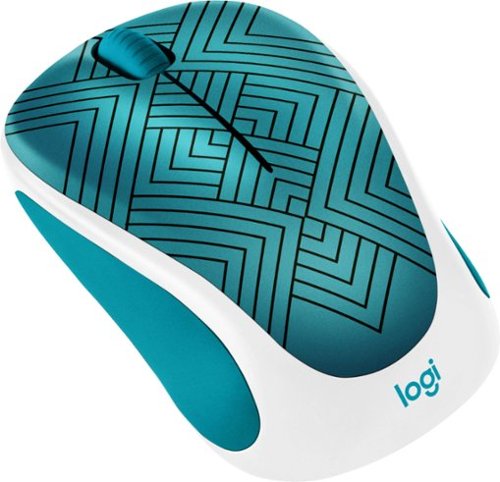
Play games, work and browse with this Logitech wireless mouse. A 1000 dpi sensor resolution offers you precise control, and Logitech Smooth Optical Tracking delivers strong performance over a variety of surfaces. This Logitech wireless mouse offers a wireless ranger over 30 feet to let you browse and scroll from a distance.
Customer Rating

3
Small and colorful, but lacks some features
on June 26, 2020
Posted by: SonyCameraGuy
from Cary, NC
Included:
The mouse came with one AA battery and a small Logitech USB Unifying Receiver.
The mouse came with one AA battery and a small Logitech USB Unifying Receiver.
Design:
There is a convenient slot inside the battery compartment for the USB receiver.
Advertised with a range of 10 meters, I confirmed it to work at a range of about 20 feet.
I have not had this mouse long enough to verify the advertised one-year of battery life of the AA battery that was included.
The mouse has a left and right button and a scroll wheel with scroll button. However, there is no back/forward button for easy navigation when using a web browser or other capable software (e.g. Windows File Browser) and the scroll wheel cannot be toggled between smooth and click scrolling.
The scroll wheel on my mouse seems to be rubbing against some surface on the inside.
There is a convenient slot inside the battery compartment for the USB receiver.
Advertised with a range of 10 meters, I confirmed it to work at a range of about 20 feet.
I have not had this mouse long enough to verify the advertised one-year of battery life of the AA battery that was included.
The mouse has a left and right button and a scroll wheel with scroll button. However, there is no back/forward button for easy navigation when using a web browser or other capable software (e.g. Windows File Browser) and the scroll wheel cannot be toggled between smooth and click scrolling.
The scroll wheel on my mouse seems to be rubbing against some surface on the inside.
Overall:
The mouse is colorful and well-suited to small hands. It has good range and good advertised battery lifetime. It lacks back/forward buttons cannot be toggled between smooth and click scrolling.
The mouse is colorful and well-suited to small hands. It has good range and good advertised battery lifetime. It lacks back/forward buttons cannot be toggled between smooth and click scrolling.
Mobile Submission: False
No, I would not recommend this to a friend.
Share this review:


0points
0of 0voted this as helpful.
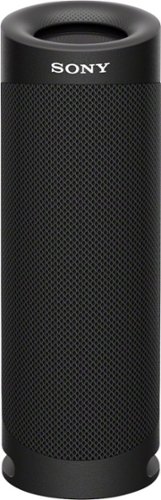
Listen to music on the go with this black Sony EXTRA BASS portable Bluetooth speaker. The shockproof, dustproof, and waterproof design allows use on rugged terrain and near pools, while the rechargeable battery offers up to 12 hours of playback on a single charge. This Sony EXTRA BASS portable Bluetooth speaker has an X-balanced speaker unit for well-balanced sound.
Customer Rating
3
Lots of bass, poor stereo separation and treble
on June 15, 2020
Posted by: SonyCameraGuy
from Cary, NC
Setup:
The speaker came with very little charged. With the short USB A to USB C cable it took about 3 hours to charge at 5V 2.5A. The Sony Music Center app recognized the speaker and allowed a minimal set of equalization options. The “ClearAudio+” setting was anything but clear sounding. I recommend turning off the “STAMINA” sound effect to allow the speaker to operate with a more balanced sound signature. The app cannot be installed on Android-based digital audio players (DAP) unless they are capable of supporting a fully functional “Google Play Store”. As a consequence, the app is limited to functioning on Apple or Android mobile phones. The speaker does seem to remember settings when switching from an app-enabled device to another Bluetooth source. The speaker can actually be connected to two devices at once. I was using my Bluetooth DAP as a music source, connected with my iPhone at the same time, and was able control the equalization from my phone while listening to music from my DAP. This allowed me to control the speaker function from an iPhone running AAC codec (250kbps) while listening music over LDAC in quality priority (990kbps). I do not know if the same is true for an Android phone and DAP both running the LDAC codec.
The speaker came with very little charged. With the short USB A to USB C cable it took about 3 hours to charge at 5V 2.5A. The Sony Music Center app recognized the speaker and allowed a minimal set of equalization options. The “ClearAudio+” setting was anything but clear sounding. I recommend turning off the “STAMINA” sound effect to allow the speaker to operate with a more balanced sound signature. The app cannot be installed on Android-based digital audio players (DAP) unless they are capable of supporting a fully functional “Google Play Store”. As a consequence, the app is limited to functioning on Apple or Android mobile phones. The speaker does seem to remember settings when switching from an app-enabled device to another Bluetooth source. The speaker can actually be connected to two devices at once. I was using my Bluetooth DAP as a music source, connected with my iPhone at the same time, and was able control the equalization from my phone while listening to music from my DAP. This allowed me to control the speaker function from an iPhone running AAC codec (250kbps) while listening music over LDAC in quality priority (990kbps). I do not know if the same is true for an Android phone and DAP both running the LDAC codec.
Design:
The speaker is intended to be used upright. This severely limits stereo presentation unless you have another compatible speaker (SRS-XB43, SRS-XB33, or second SRS-XB23). I do not have another compatible speaker and could not check synchronicity in this setup. In “stereo” mode on a single unit, the left channel appears to be at the end closest to the “Sony” logo. Placing the unit on its side provides only modest improvement in the stereo perception.
The SRS-XB23 can operate over Bluetooth 5.0 using the SBC (Subband), AAC (Advanced Audio Coding), or LDAC codec. iPhones operate using AAC while most Android phones (and DAPs) are capable of using the LDAC codec. The speaker does not, according to the product literature, support the aptX or aptX HD codec. The unit is compatible with the A2DP (advanced audio distribution), AVRCP (audio video remote control), HSP (headset), and HFP (hands-free) Bluetooth profiles.
The SRS-XB23 has a unique non-circular (“X-Balanced”) speaker design allowing for a larger low-frequency diaphragm relative to the high-frequency (circular) diaphragm. The result is the capacity for more bass (if you like that sort of thing). In order to support “rear ported” bass (and to preserve its “Waterproof, Rustproof, Dustproof” characteristics), each end of the unit has a passive, flexible diaphragm. The unit features three cutouts that allow the right/bottom passive diaphragm to function while in the upright position. The speaker is designed to fit easily into a cup-holder. The impact of the cup-holder on passive bass performance will, of course, depend on the design of your cup-holder.
Controls on the “rear” of the speaker are simple to understand and use. There is a power button, a Bluetooth button, a play/pause button, volume +/- buttons, a battery button, a “party” button, and a stereo pair button. The battery button will announce the batter level. The party button will, according to the promotional literature, enable synchronization of up to 100 additional (compatible) speakers. The stereo pair button will synchronize with one additional compatible speaker for left/right stereo separation.
The speaker is intended to be used upright. This severely limits stereo presentation unless you have another compatible speaker (SRS-XB43, SRS-XB33, or second SRS-XB23). I do not have another compatible speaker and could not check synchronicity in this setup. In “stereo” mode on a single unit, the left channel appears to be at the end closest to the “Sony” logo. Placing the unit on its side provides only modest improvement in the stereo perception.
The SRS-XB23 can operate over Bluetooth 5.0 using the SBC (Subband), AAC (Advanced Audio Coding), or LDAC codec. iPhones operate using AAC while most Android phones (and DAPs) are capable of using the LDAC codec. The speaker does not, according to the product literature, support the aptX or aptX HD codec. The unit is compatible with the A2DP (advanced audio distribution), AVRCP (audio video remote control), HSP (headset), and HFP (hands-free) Bluetooth profiles.
The SRS-XB23 has a unique non-circular (“X-Balanced”) speaker design allowing for a larger low-frequency diaphragm relative to the high-frequency (circular) diaphragm. The result is the capacity for more bass (if you like that sort of thing). In order to support “rear ported” bass (and to preserve its “Waterproof, Rustproof, Dustproof” characteristics), each end of the unit has a passive, flexible diaphragm. The unit features three cutouts that allow the right/bottom passive diaphragm to function while in the upright position. The speaker is designed to fit easily into a cup-holder. The impact of the cup-holder on passive bass performance will, of course, depend on the design of your cup-holder.
Controls on the “rear” of the speaker are simple to understand and use. There is a power button, a Bluetooth button, a play/pause button, volume +/- buttons, a battery button, a “party” button, and a stereo pair button. The battery button will announce the batter level. The party button will, according to the promotional literature, enable synchronization of up to 100 additional (compatible) speakers. The stereo pair button will synchronize with one additional compatible speaker for left/right stereo separation.
Sound:
The SRS-XB23 can generate a lot of volume. The volume control on the speaker works in tandem with a phone when connected using the app. In my tests streaming music from my DAP, the speaker volume and DAP volume are not synched and worked independently and did not alter the phone volume (through the app) when the speaker was connected to both.
Bass is very forward with “STAMINA” bass boost or “ClearAudio+” in the app. Treble suffers significantly in the process. If you like jazz or orchestral music, you will want to turn these features off. Mids suffer to some extent as well.
The 3-band equalizer on the app allows you to adjust bass, mids, and treble independently +/- 10 dB. This can overcome a lot of problems (at least IMHO) with the default sound profile in the app.
While the unit is round, the output is directional and in line with the Sony logo.
The SRS-XB23 can generate a lot of volume. The volume control on the speaker works in tandem with a phone when connected using the app. In my tests streaming music from my DAP, the speaker volume and DAP volume are not synched and worked independently and did not alter the phone volume (through the app) when the speaker was connected to both.
Bass is very forward with “STAMINA” bass boost or “ClearAudio+” in the app. Treble suffers significantly in the process. If you like jazz or orchestral music, you will want to turn these features off. Mids suffer to some extent as well.
The 3-band equalizer on the app allows you to adjust bass, mids, and treble independently +/- 10 dB. This can overcome a lot of problems (at least IMHO) with the default sound profile in the app.
While the unit is round, the output is directional and in line with the Sony logo.
Phone:
This SRS-XB23 has a built-in microphone and doubles as a speaker phone. Voices are clear and but the microphone works well (according to son on the other end of the phone). There was no apparent issue with feedback during our brief call.
This SRS-XB23 has a built-in microphone and doubles as a speaker phone. Voices are clear and but the microphone works well (according to son on the other end of the phone). There was no apparent issue with feedback during our brief call.
Battery:
The SRS-XB23 has a very capable battery. The advertised battery life is 12h without the extra bass feature enabled and 10h with extra bass. The battery is charged via a USB A to USB C cable. Charging time will depend on the amperage of the device. Sony recommends using a 1.5 A power source when charging the battery or when powering the unit during use. I use a 2.5 A source for short periods of time (e.g. 3 hours) with no problems. Battery life is fine for my needs, but I have not taken it on a weekend camp-out.
The SRS-XB23 has a very capable battery. The advertised battery life is 12h without the extra bass feature enabled and 10h with extra bass. The battery is charged via a USB A to USB C cable. Charging time will depend on the amperage of the device. Sony recommends using a 1.5 A power source when charging the battery or when powering the unit during use. I use a 2.5 A source for short periods of time (e.g. 3 hours) with no problems. Battery life is fine for my needs, but I have not taken it on a weekend camp-out.
Overall:
This is a rugged and capable speaker. The default sound signature is heavily weighted toward the bass, but equalization with the app helps if needed to suit your taste. When on its side, stereo separation is poor. When used upright (as designed), a second unit is required to get true 2.0 portable stereo. I would only recommend the SRS-XB23 in pairs (each sold separately).
This is a rugged and capable speaker. The default sound signature is heavily weighted toward the bass, but equalization with the app helps if needed to suit your taste. When on its side, stereo separation is poor. When used upright (as designed), a second unit is required to get true 2.0 portable stereo. I would only recommend the SRS-XB23 in pairs (each sold separately).
Mobile Submission: False
No, I would not recommend this to a friend.
Share this review:


-1point
3of 7voted this as helpful.
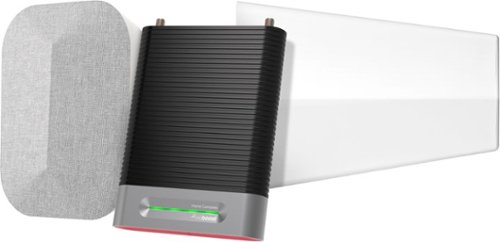
The weBoost Installed Home Complete cell signal booster is the 1st residential booster to include professional installation and provides a best-in-class solution for weak or nonexistent indoor cellular coverage. With the weBoost Installed, your home will never be out of range again. The weBoost Installed takes an existing cell signal from outside, amplifies it, then broadcasts it throughout your home. Here~s how it works: 1. After receiving your box, you~ll call to schedule your installation. This can be scheduled as soon as the following day. 2. Your professional installer will use their expertise to ensure your home receives the best cell signal coverage possible. 3. Once installed, that~s it. No subscription fees or additional payments, your home is now a place where you and your family will experience faster data speeds, fewer dropped calls, better voice quality, superior streaming capability, and more. Simultaneously, anyone using a phone or cell device inside your home will start to enjoy reliable cellular connectivity. The weBoost Installed | Home Complete works on every network and on all major U.S.carriers, including AT&T, Verizon, T-Mobile, US Cellular, and Straight Talk. When you purchase the weBoost Installed | Home Complete, you~ll benefit from knowing: 1. We are committed to solving your connectivity issues. Our installers won~t leave until you are completely satisfied with your home~s cell signal coverage 2. We have a U.S.-based customer support team in Utah dedicated to help and always a toll-free call or email away. 3. We were the first to design, build, and install cell signal boosters for home use. We are also the first to offer professional installation as part of a complete solution. 4. Our products are backed by a 30-day money-back guarantee and a 2-year warranty. 5. Our products are 5G ready and will continue to improve cell signal for the next decade and beyond in a 5G world. The weBoost Installed is your complete solution for fixing bad cell signal coverage for good. Leave dropped calls and slow internet speeds behind and look forward to always being connected.
Customer Rating

4
Good improvement in indoor cellular signal
on June 4, 2020
Posted by: SonyCameraGuy
from Cary, NC
The water tower up the street from our home needed routine maintenance and painting and the cellular antennas were removed. As a result, the cellular reception in our home dropped to 1 bar. We often had trouble hearing callers, calls were dropped, and text messaged would sometimes be delayed for hours. The antennas could not be replaced because there was a change in the building codes that required reinforcement of the footers under the water tower.
The weBoost antenna increased the 4G signal strength in our home from 1 bar to 3 bars (sufficient to enable good audio connections and drop-free calls). The technician performing the installation (included in the cost of the system) was excellent and was able to locate the best remaining cell tower near our home and amplify the signal to permit reliable cell service inside.
The system does require a small horizontal roof-top antenna, coaxial cable to the indoor booster (close to an existing power outlet), and coaxial cable to the indoor antenna. The installer can make cable runs hidden in attic, crawl space, or in-wall. The indoor antenna can be wall-mounted or placed on a table using the built-in “kick stand”.
Mobile Submission: False
I would recommend this to a friend!
Share this review:


0points
0of 0voted this as helpful.
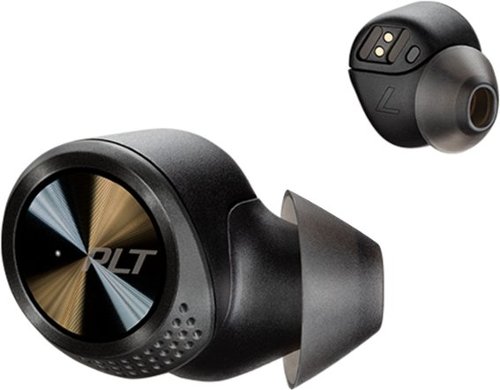
Experience powerful sound with these black Plantronics BackBeat PRO 5100 true wireless earbuds. The four noise-canceling mics and WindSmart technology let you answer calls in noisy environments by filtering background and wind noise, and the three eartip sizes offer a comfortable fit. These Plantronics BackBeat PRO 5100 true wireless earbuds feature 5.8mm drivers for high-quality sound.
Customer Rating

2
Good idea poorly implemented
on January 7, 2020
Posted by: SonyCameraGuy
from Cary, NC
Setup:
On first receiving the BackBeat PRO 5100, I removed the earphones from the case and the audio prompt said that the battery level was high. But after replacing them in the case and removing them again, the audio prompt said that the battery level was low. I suggest fully charging the case and earphones before first use.
It took several attempts to manually pair the earphones to my phone. I later learned that pairing and use are more effective if the right earpiece is removed from the charging case first before the left earpiece. If you are only getting audio from one earpiece, replace them both in the charging case and remove the right earpiece from the case before removing the left.
Note: There may be four Bluetooth devices that will appear in the list of available devices, two audio devices (“PLT BBPRO5100” and “PLT BBPRO5100_L”) and two low-energy devices (“PLTBBPRO5100BLE” and “PLTBBPRO5100BLE_L”). The audio and LE connections for the left earpiece have “_L” at the end of the device name. The LE devices require less battery and are used for data communications (e.g. volume control and firmware updates).
Once paired with your smartphone, install and open the Plantronics BackBeat app. If the app cannot connect with the earphones, try replacing both in the charging case, remove the right earpiece before removing the left earpiece and try again. Once connected to the app, there will likely be an update to the earphone firmware that needs to be installed. Firmware is updated in the right earpiece and then the left earpiece over the LE connection and may take up to 20 minutes to complete. You do not have to keep them in your ears, but the earpieces must remain in close proximity to the smartphone (I recommend no more than one foot) and cannot be placed in the charging case. Only attempt a firmware update when the earpieces are fully charged.
The earphones come with their volume level set to about 25% of their maximum. I increased them to 100% and thereafter used my source device to change the volume.
On first receiving the BackBeat PRO 5100, I removed the earphones from the case and the audio prompt said that the battery level was high. But after replacing them in the case and removing them again, the audio prompt said that the battery level was low. I suggest fully charging the case and earphones before first use.
It took several attempts to manually pair the earphones to my phone. I later learned that pairing and use are more effective if the right earpiece is removed from the charging case first before the left earpiece. If you are only getting audio from one earpiece, replace them both in the charging case and remove the right earpiece from the case before removing the left.
Note: There may be four Bluetooth devices that will appear in the list of available devices, two audio devices (“PLT BBPRO5100” and “PLT BBPRO5100_L”) and two low-energy devices (“PLTBBPRO5100BLE” and “PLTBBPRO5100BLE_L”). The audio and LE connections for the left earpiece have “_L” at the end of the device name. The LE devices require less battery and are used for data communications (e.g. volume control and firmware updates).
Once paired with your smartphone, install and open the Plantronics BackBeat app. If the app cannot connect with the earphones, try replacing both in the charging case, remove the right earpiece before removing the left earpiece and try again. Once connected to the app, there will likely be an update to the earphone firmware that needs to be installed. Firmware is updated in the right earpiece and then the left earpiece over the LE connection and may take up to 20 minutes to complete. You do not have to keep them in your ears, but the earpieces must remain in close proximity to the smartphone (I recommend no more than one foot) and cannot be placed in the charging case. Only attempt a firmware update when the earpieces are fully charged.
The earphones come with their volume level set to about 25% of their maximum. I increased them to 100% and thereafter used my source device to change the volume.
Design:
I like the completely wireless design with no cord to manage and no microphonics. The magnetic seating mechanism ensures that the contacts between the earpieces and charging case are aligned and in good contact.
I would have preferred that the earphones not be sensitive to the order in which they were removed from the case. Taking the left earpiece out first turned out to be the reason for many of my setup problems.
The separate Bluetooth connections for audio and LE communication with the left and right earpieces might prolong battery life, but the LE implementation limits the range over which control signals will work.
The status light in the case goes off when the charge is complete. I would have preferred a pattern or color change (e.g. blinking to solid or red to green) when connected to a USB power cable.
I like the completely wireless design with no cord to manage and no microphonics. The magnetic seating mechanism ensures that the contacts between the earpieces and charging case are aligned and in good contact.
I would have preferred that the earphones not be sensitive to the order in which they were removed from the case. Taking the left earpiece out first turned out to be the reason for many of my setup problems.
The separate Bluetooth connections for audio and LE communication with the left and right earpieces might prolong battery life, but the LE implementation limits the range over which control signals will work.
The status light in the case goes off when the charge is complete. I would have preferred a pattern or color change (e.g. blinking to solid or red to green) when connected to a USB power cable.
Operation:
Earphone track controls, play/pause, volume, call answer/hang-up work fine but are limited in range since they use the LE Bluetooth connection.
Earphone track controls, play/pause, volume, call answer/hang-up work fine but are limited in range since they use the LE Bluetooth connection.
Microphone:
The microphone worked well for calls and I could be clearly heard, but voices on the other end sounded tinny.
The microphone worked well for calls and I could be clearly heard, but voices on the other end sounded tinny.
Sound Quality:
The sound quality on the BackBeat PRO 5100 is anemic. The frequency response was biased toward the mid-range and bass and treble were weak by comparison. This is unusual as most consumer-oriented earphones/headphones tend to have a “V” shaped sound signature. Equalization can help.
The sound quality on the BackBeat PRO 5100 is anemic. The frequency response was biased toward the mid-range and bass and treble were weak by comparison. This is unusual as most consumer-oriented earphones/headphones tend to have a “V” shaped sound signature. Equalization can help.
Battery:
Charging is fast for both the charging case and earphones if you use a USB port with at least 2.0 amps. Battery life is very good and can be checked with the BackBeat app.
Charging is fast for both the charging case and earphones if you use a USB port with at least 2.0 amps. Battery life is very good and can be checked with the BackBeat app.
Overall:
Setup was challenging because the order in which earpieces should be removed from the case (right first) is not documented. The use of LE Bluetooth channel for control signals limits the range for these features. The frequency response is biased toward the mid-range with weak bass and treble.
Setup was challenging because the order in which earpieces should be removed from the case (right first) is not documented. The use of LE Bluetooth channel for control signals limits the range for these features. The frequency response is biased toward the mid-range with weak bass and treble.
The following albums were sampled during my review:
• 2L Test Suite
• Adam Harasiewicz: Chopin Nocturnes & Preludes
• Antoine Dufour: Back & Forth (Sides A & B)
• Bonnie Raitt: Road Tested
• Calum Graham: Phoenix Rising
• Don Ross: PS15
• Hoff Ensemble: Quiet Winter Night
• Ian Ethan Case: Running Toward The Mountains
• Joe Satriani, Flying in a Blue Dream, Unstoppable Momentum
• Laurence Juber: Guitar Noir
• Mike Dawes: What Just Happened
• Miles Davis: Kind of Blue
• Nora Jones: Come Away with Me
• Sarah Mclachlan: Fumbling Towards Ecstasy
• Yo-Yo Ma: Mendelssohn Piano Trios, Op. 49 & Op. 6
• 2L Test Suite
• Adam Harasiewicz: Chopin Nocturnes & Preludes
• Antoine Dufour: Back & Forth (Sides A & B)
• Bonnie Raitt: Road Tested
• Calum Graham: Phoenix Rising
• Don Ross: PS15
• Hoff Ensemble: Quiet Winter Night
• Ian Ethan Case: Running Toward The Mountains
• Joe Satriani, Flying in a Blue Dream, Unstoppable Momentum
• Laurence Juber: Guitar Noir
• Mike Dawes: What Just Happened
• Miles Davis: Kind of Blue
• Nora Jones: Come Away with Me
• Sarah Mclachlan: Fumbling Towards Ecstasy
• Yo-Yo Ma: Mendelssohn Piano Trios, Op. 49 & Op. 6
Mobile Submission: False
No, I would not recommend this to a friend.
Share this review:


+1point
1of 1voted this as helpful.
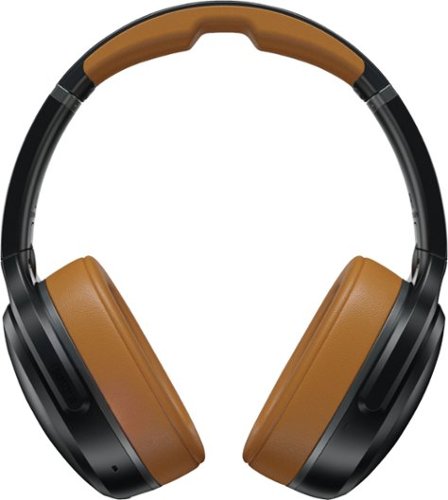
Experience high-quality sound while streaming your favorite songs and movies with these Skullcandy Crusher ANC headphones. Bluetooth technology delivers wireless connectivity to external devices, while the monitor mode effectively handles active noise cancellation for optimal sound quality. With up to 24 hours of battery life on a full charge, these Skullcandy Crusher ANC headphones unlock new dimensions of sound by successfully combining Skullcandy sensory bass, active noise cancelation, and personalized audio profiling..
Customer Rating
2
Bass-heads may like it, but not me
on October 30, 2019
Posted by: SonyCameraGuy
from Cary, NC
In the box:
The Crusher ANC comes with a sturdy, molded nylon-covered case, a USB-C charging cable, an auxiliary 3.5mm audio cable (with inline microphone), and a very brief multi-lingual instruction booklet.
The Crusher ANC comes with a sturdy, molded nylon-covered case, a USB-C charging cable, an auxiliary 3.5mm audio cable (with inline microphone), and a very brief multi-lingual instruction booklet.
Setup:
The headset came fully charged so there was no need to charge it prior to first use.
Bluetooth pairing was simple but had to be done at the time the headset was turned on (i.e. once on, a long press on the power button will not put it in pairing mode).
If you are using the Tile Tracker app, the headset must first be paired with the device on which Tile Tracker is installed.
The headset came fully charged so there was no need to charge it prior to first use.
Bluetooth pairing was simple but had to be done at the time the headset was turned on (i.e. once on, a long press on the power button will not put it in pairing mode).
If you are using the Tile Tracker app, the headset must first be paired with the device on which Tile Tracker is installed.
Design:
The case has a relatively hard shell and is molded inside to keep the headphones secure and protected.
The articulating ear pieces are sturdy and enable compact storage, but the headphones remain on when earcups are pivoted inward for storage. You need to manually turn them off to spare the battery, particularly if Bluetooth connectivity is not turned off on the source device.
The plastic headband and earcup shells generate substantial microphonics when using the touch controls or when the accidentally come in contact with anything.
The auxiliary audio cable and microphone allow use of the headset when the battery is exhausted. This cable is 4 feet long and good for mobile use. You will need a 3.5mm extension cable (TSSR) for convenient use in an office or home environment. ANC will work with the cable plugged in, but (obviously) will not work when the battery is exhausted.
There is a built-in Tile Tracker that allows you to find your headphones (within Bluetooth range) using the Tile Tracker app on an iOS or Android device. It’s a good thought, but poorly executed as the sound emitted by the headphones when trying to locate them is so weak that this feature is practically useless. I could barely hear it from 10 feet away when the headphones were in plain sight. The Tile app also wants to track your location continuously. Don’t bother…
The headset padding is comfortable, but the earcups, while designed to be worn “over-ear”, are a bit small for me and uncomfortable when used for more than 30 minutes.
The implementation of Bluetooth 5.0 in the Crusher ANC works well with the apt-X HD codex, but will not connect via the LDAC codex.
The case has a relatively hard shell and is molded inside to keep the headphones secure and protected.
The articulating ear pieces are sturdy and enable compact storage, but the headphones remain on when earcups are pivoted inward for storage. You need to manually turn them off to spare the battery, particularly if Bluetooth connectivity is not turned off on the source device.
The plastic headband and earcup shells generate substantial microphonics when using the touch controls or when the accidentally come in contact with anything.
The auxiliary audio cable and microphone allow use of the headset when the battery is exhausted. This cable is 4 feet long and good for mobile use. You will need a 3.5mm extension cable (TSSR) for convenient use in an office or home environment. ANC will work with the cable plugged in, but (obviously) will not work when the battery is exhausted.
There is a built-in Tile Tracker that allows you to find your headphones (within Bluetooth range) using the Tile Tracker app on an iOS or Android device. It’s a good thought, but poorly executed as the sound emitted by the headphones when trying to locate them is so weak that this feature is practically useless. I could barely hear it from 10 feet away when the headphones were in plain sight. The Tile app also wants to track your location continuously. Don’t bother…
The headset padding is comfortable, but the earcups, while designed to be worn “over-ear”, are a bit small for me and uncomfortable when used for more than 30 minutes.
The implementation of Bluetooth 5.0 in the Crusher ANC works well with the apt-X HD codex, but will not connect via the LDAC codex.
Operation:
Bluetooth range was good (30 feet) if the signal path is unobstructed. The range is variable and depends on the source and obstructions in the signal path.
Double-clicks on the power button enable/disable ANC. It took me several tries to get my left thumb to press the button twice within the allowed time window.
Touching outside of left earcup enables/disables “hear-through” mode when ANC is on and allows you to hear the sound around you. This is different from simply turning ANC off as it uses the headset microphones as an aid. This is an advantage since the earcups are closed-back.
Haptic bass is controlled using the slider on the left earcup. The slider button is large and operates smoothly.
Play/pause and track controls functioned as intended with my digital audio player and iOS and Android devices. The volume control worked synchronously with my iOS and Android phones, but not with my Android digital audio player. Your results may vary.
A short press on the power button is supposed to report the battery level. I could not get this feature to report the battery level audibly or on the four LEDs next to the power button.
Bluetooth range was good (30 feet) if the signal path is unobstructed. The range is variable and depends on the source and obstructions in the signal path.
Double-clicks on the power button enable/disable ANC. It took me several tries to get my left thumb to press the button twice within the allowed time window.
Touching outside of left earcup enables/disables “hear-through” mode when ANC is on and allows you to hear the sound around you. This is different from simply turning ANC off as it uses the headset microphones as an aid. This is an advantage since the earcups are closed-back.
Haptic bass is controlled using the slider on the left earcup. The slider button is large and operates smoothly.
Play/pause and track controls functioned as intended with my digital audio player and iOS and Android devices. The volume control worked synchronously with my iOS and Android phones, but not with my Android digital audio player. Your results may vary.
A short press on the power button is supposed to report the battery level. I could not get this feature to report the battery level audibly or on the four LEDs next to the power button.
Noise Canceling:
The closed-back design and thick padding on the earcups appear to be responsible for most of the sound isolation. Like many noise canceling headsets I have tried, there is an audible hiss with ANC enabled. The ANC does reduce the constant din of commuting environments and attenuates other ambient sounds, but the hiss gets tiresome with prolonged use.
The closed-back design and thick padding on the earcups appear to be responsible for most of the sound isolation. Like many noise canceling headsets I have tried, there is an audible hiss with ANC enabled. The ANC does reduce the constant din of commuting environments and attenuates other ambient sounds, but the hiss gets tiresome with prolonged use.
Telephone Headset:
When using the Crusher ANC as a headset for phone calls, others seemed to have no problem hearing me and the headset did not generate any echo in Bluetooth or wired mode. However, voices of those on the other end of the call were muted and difficult to hear. This is likely due to the U-shaped sound signature of the speakers that accentuate the low and high frequencies at the expense of those in the middle frequencies (i.e. the range of human speech).
When using the Crusher ANC as a headset for phone calls, others seemed to have no problem hearing me and the headset did not generate any echo in Bluetooth or wired mode. However, voices of those on the other end of the call were muted and difficult to hear. This is likely due to the U-shaped sound signature of the speakers that accentuate the low and high frequencies at the expense of those in the middle frequencies (i.e. the range of human speech).
Sound Quality:
The “haptic” bass is over the top. If you like the bass in your car to rattle the windows, you may like this feature. Even at its lowest setting, I find it completely annoying and unnecessary. The acoustic bass response is more than sufficient without the haptic augmentation.
All Bluetooth codex variants (even aptX-HD) are lossy and the sound quality will never be as good as a wire for high-fidelity recordings and playback equipment. The sound quality of the Crusher ANC is improved with the auxiliary cable that comes with the headset.
The frequency response on the Skullcandy Crusher ANC is U-shaped favoring the bass and treble at the expense of the midrange. Bass was forward (even without the haptic effect) (featured tracks 1, 2, & 7). Vocals were muddy and indistinct (featured tracks 3, 4, 5, 6, & 14). The headphones were capable of presenting orchestral works over a good dynamic range (soft to loud), but suffered for the lack of the middle frequencies that allow the alto and tenor instruments to shine (featured tracks 8, 9, & 10). Even Electonica suffered for lack of a balanced frequency response (featured track 11). Jazz was heavy on the bass and sibilant on the high-hat and cymbal brushes (featured tracks 12 & 13).
The “haptic” bass is over the top. If you like the bass in your car to rattle the windows, you may like this feature. Even at its lowest setting, I find it completely annoying and unnecessary. The acoustic bass response is more than sufficient without the haptic augmentation.
All Bluetooth codex variants (even aptX-HD) are lossy and the sound quality will never be as good as a wire for high-fidelity recordings and playback equipment. The sound quality of the Crusher ANC is improved with the auxiliary cable that comes with the headset.
The frequency response on the Skullcandy Crusher ANC is U-shaped favoring the bass and treble at the expense of the midrange. Bass was forward (even without the haptic effect) (featured tracks 1, 2, & 7). Vocals were muddy and indistinct (featured tracks 3, 4, 5, 6, & 14). The headphones were capable of presenting orchestral works over a good dynamic range (soft to loud), but suffered for the lack of the middle frequencies that allow the alto and tenor instruments to shine (featured tracks 8, 9, & 10). Even Electonica suffered for lack of a balanced frequency response (featured track 11). Jazz was heavy on the bass and sibilant on the high-hat and cymbal brushes (featured tracks 12 & 13).
Battery:
Battery life is good given the inherent demands of noise canceling and Bluetooth communication. I listened for several hours over the course of my review and the battery level (as indicated by the four green LEDs next to the power button) appeared to remain high. But they only illuminate when turning the headphones on or when using the power cable. There was no audible or visual indication of the battery status when using a single short press on the power button as described pictorially in the instruction booklet.
Battery life is good given the inherent demands of noise canceling and Bluetooth communication. I listened for several hours over the course of my review and the battery level (as indicated by the four green LEDs next to the power button) appeared to remain high. But they only illuminate when turning the headphones on or when using the power cable. There was no audible or visual indication of the battery status when using a single short press on the power button as described pictorially in the instruction booklet.
Overall:
The Skullcandy Crusher ANC headphones and case have a sturdy design and feel. The Tile Tracker feature is relatively useless due to the low volume of the emitted sound. The haptic bass may appeal to some, but made the U-shaped frequency response even worse. The attenuation of the mid-range makes these headphones a poor choice for telephony and unsuitable for anyone looking for a balanced frequency response when listening to music.
The Skullcandy Crusher ANC headphones and case have a sturdy design and feel. The Tile Tracker feature is relatively useless due to the low volume of the emitted sound. The haptic bass may appeal to some, but made the U-shaped frequency response even worse. The attenuation of the mid-range makes these headphones a poor choice for telephony and unsuitable for anyone looking for a balanced frequency response when listening to music.
The following albums were sampled during my review:
• 2L Test Suite
• Adam Harasiewicz: Chopin Nocturnes & Preludes
• Antoine Dufour: Back & Forth (Sides A & B)
• Antonio Pleeth: Geminiani 6 cello sonatas
• Beatles: 1
• Bill Evans: Everybody Digs Bill Evans
• Billy Mclaughlin: Fingerdance
• Bonnie Raitt: Road Tested
• Calum Graham: Phoenix Rising
• Creed: My Own Prison
• Dirks und Wirtz: Kinski Spencer Gismonti
• Don Ross: PS15
• Earl Klugh: Whispers and Promises
• Francois Sciortino: French Guitar
• Gabriela Anders: waiting
• Hoff Ensemble: Quiet Winter Night
• Ian Ethan Case: Running Toward The Mountains
• Jian Wang: The Baroque Album
• Joe Satriani, Surfing with the Alien, Crystal Planet, Flying in a Blue Dream, Unstoppable Momentum
• John Doan: A Celtic Pilgrimage
• Julian Webber: Elgar Cello Concerto - Saint-Saens Cello Concerto No.1
• Laurence Juber: Guitar Noir
• Los Angeles Guitar Quartet: Spin
• Mike Dawes: What Just Happened
• Miles Davis: Kind of Blue
• Mstislav Rostropovich: Beethoven The Cello Sonatas- Vol1&2, Chopin Cello Sotatas,
• Nora Jones: Come Away with Me
• Oslo String Quartet: The Shubert Connection
• Radiohead: Pablo Honey
• Ryan Ayers: Lanterns
• Ryan LeBlanc: Speechless
• Sarah Mclachlan: Fumbling Towards Ecstasy, Surfacing
• Spencer Elliot: Some Forgotten Color
• Stan Getz: The Song is You
• Stevie Ray Vaughan: Couldn't Stand The Weather, In Step
• Tori Amos: Crucify, Little Earthquakes
• Vladimir Horowitz: Rachmaninov Piano Concerto #3
• Yo-Yo Ma: Bach Cello Suites Nos. 1, 5 & 6, Rachmaninov Prokofiev Cello Sonatas, Mendelssohn Piano Trios, Op. 49 & Op. 6
• 2L Test Suite
• Adam Harasiewicz: Chopin Nocturnes & Preludes
• Antoine Dufour: Back & Forth (Sides A & B)
• Antonio Pleeth: Geminiani 6 cello sonatas
• Beatles: 1
• Bill Evans: Everybody Digs Bill Evans
• Billy Mclaughlin: Fingerdance
• Bonnie Raitt: Road Tested
• Calum Graham: Phoenix Rising
• Creed: My Own Prison
• Dirks und Wirtz: Kinski Spencer Gismonti
• Don Ross: PS15
• Earl Klugh: Whispers and Promises
• Francois Sciortino: French Guitar
• Gabriela Anders: waiting
• Hoff Ensemble: Quiet Winter Night
• Ian Ethan Case: Running Toward The Mountains
• Jian Wang: The Baroque Album
• Joe Satriani, Surfing with the Alien, Crystal Planet, Flying in a Blue Dream, Unstoppable Momentum
• John Doan: A Celtic Pilgrimage
• Julian Webber: Elgar Cello Concerto - Saint-Saens Cello Concerto No.1
• Laurence Juber: Guitar Noir
• Los Angeles Guitar Quartet: Spin
• Mike Dawes: What Just Happened
• Miles Davis: Kind of Blue
• Mstislav Rostropovich: Beethoven The Cello Sonatas- Vol1&2, Chopin Cello Sotatas,
• Nora Jones: Come Away with Me
• Oslo String Quartet: The Shubert Connection
• Radiohead: Pablo Honey
• Ryan Ayers: Lanterns
• Ryan LeBlanc: Speechless
• Sarah Mclachlan: Fumbling Towards Ecstasy, Surfacing
• Spencer Elliot: Some Forgotten Color
• Stan Getz: The Song is You
• Stevie Ray Vaughan: Couldn't Stand The Weather, In Step
• Tori Amos: Crucify, Little Earthquakes
• Vladimir Horowitz: Rachmaninov Piano Concerto #3
• Yo-Yo Ma: Bach Cello Suites Nos. 1, 5 & 6, Rachmaninov Prokofiev Cello Sonatas, Mendelssohn Piano Trios, Op. 49 & Op. 6
Featured tracks:
1. Laurence Juber: Guitar Noir: Blues De Luxe
2. Miles Davis: Kind of Blue: Flamenco Sketches
3. Nora Jones: Come Away with Me: Don’t Know Why I Didn’t Come
4. Hoff Ensemble: Quiet Winter Night: Dronning Fjellrose
5. Hoff Ensemble: Quiet Winter Night: Ville fjellgutt
6. Bonnie Raitt: Road Tested: Matters of the Heart
7. Joe Satriani, Surfing with the Alien: Echo
8. Julian Webber: Elgar Cello Concerto - Saint-Saens Cello Concerto No.1: Adagio Moderato
9. Vladimir Horowitz: Rachmaninov Piano Concerto #3: Finale: Alla breve
10. 2L Test Suite: Concerto Fantastico: Allegro
11. Antoine Dufour: Back & Forth (Side B): Air Ground (electronic)
12. Bill Evans: Everybody Digs Bill Evans: What Is There to Say
13. Miles Davis: Kind of Blue: Freddie Freeloader
14. Tori Amos: Crucify: Smells Like Teen Spirit
1. Laurence Juber: Guitar Noir: Blues De Luxe
2. Miles Davis: Kind of Blue: Flamenco Sketches
3. Nora Jones: Come Away with Me: Don’t Know Why I Didn’t Come
4. Hoff Ensemble: Quiet Winter Night: Dronning Fjellrose
5. Hoff Ensemble: Quiet Winter Night: Ville fjellgutt
6. Bonnie Raitt: Road Tested: Matters of the Heart
7. Joe Satriani, Surfing with the Alien: Echo
8. Julian Webber: Elgar Cello Concerto - Saint-Saens Cello Concerto No.1: Adagio Moderato
9. Vladimir Horowitz: Rachmaninov Piano Concerto #3: Finale: Alla breve
10. 2L Test Suite: Concerto Fantastico: Allegro
11. Antoine Dufour: Back & Forth (Side B): Air Ground (electronic)
12. Bill Evans: Everybody Digs Bill Evans: What Is There to Say
13. Miles Davis: Kind of Blue: Freddie Freeloader
14. Tori Amos: Crucify: Smells Like Teen Spirit
Mobile Submission: False
No, I would not recommend this to a friend.
Share this review:


+1point
1of 1voted this as helpful.
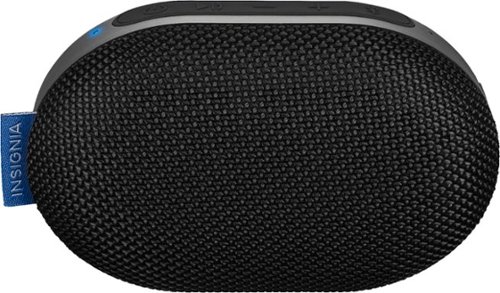
Bring your music anywhere with this water-resistant Mini Sonic portable speaker. The passive radiator speaker delivers impressively accurate audio, and Bluetooth connectivity lets you stream wireless audio from up to 33 feet away. This Mini Sonic portable speaker has a powerful battery that offers up to 23 hours of use per charge.
Customer Rating
2
OK conference call speaker, not for music
on October 11, 2019
Posted by: SonyCameraGuy
from Cary, NC
While the build quality of the housing seems robust, the designers could have focused more attention on the speaker. Because it has only one speaker, output is monophonic. This allows the unit to be compact, but output is monophonic (not stereo) and not well suited for listening to music.
Bluetooth connectivity is variable with my digital audio player (using LDAC connection-priority), but seems solid with my phone.
The sound quality on phone calls is good with no notable echo. But unless you are in a small conference call situation, a headset would be a better choice.
The sound quality on phone calls is good with no notable echo. But unless you are in a small conference call situation, a headset would be a better choice.
This speaker is not made for listening to music. The frequency response tries to be U-shaped (emphasis on bass and treble), but the speaker size and lack of stereo makes music tinny at the high end and anemic at the low end.
Overall, I would only recommend this unit as a small portable conference call speaker. Use something else for one-person calls and listening to music.
Mobile Submission: False
No, I would not recommend this to a friend.
Share this review:


-1point
1of 3voted this as helpful.
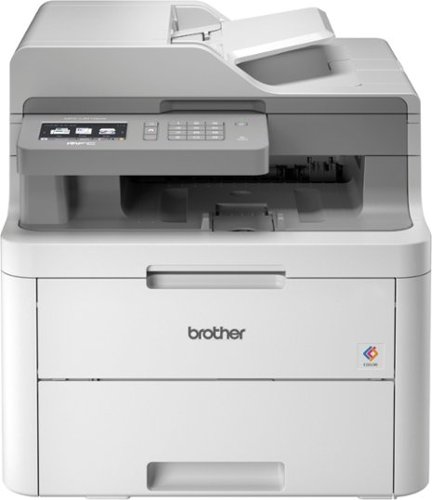
The reliable Brother MFC-L3710CW digital color all-in-one printer is an ideal choice for home and small offices looking for laser printer performance and need full functionality, print, copy, scan and fax, in a compact footprint. The up to 50-sheet automatic document feeder enables multipage copying, scanning and faxing, plus quick print speeds of up to 19 pages per minute. The manual feed slot accommodates varied printing needs and can handle a variety of paper types and sizes, including card stock, envelopes and more. The 250-sheet capacity adjustable paper tray helps improve efficiency with fewer refills and handles letter- or legal-size paper. Connect with versatile options, including built-in wireless or USB interfaces, and print wirelessly from mobile devices~. Save time by creating custom shortcuts on the 3.7" color touch screen, which also enables you to directly print from and scan to popular cloud apps, including Dropbox, Google Drive, Evernote, OneNote and more~. Brother Genuine high-yield replacement toner cartridges help lower printing costs. Comes with a 1-year limited warranty and free online, call or live chat support for the life of your product.Prints up to 19 ISO ppm*, up to 19 ppm* in color.
Customer Rating
4
Suited for very small business or home office
on October 3, 2019
Posted by: SonyCameraGuy
from Cary, NC
Setup:
The printer has a USB and Wi-Fi connections only (no RJ45 Ethernet port). In a small office environment, all computers using the printer must be within Wi-Fi range of the printer or the printer must be connected by USB to one computer and then shared with other computers on the LAN. Setup must be initiated with one or the other. Switching between USB and Wi-Fi confuses the software setup software. Also be sure that the .Net Framework software on the computer you are using to setup the printer is up-to-date. The software installer (and likely other components as well) rely on it.
The MFC-L3710CW requires about 10 inches of clearance in the back to leave enough room to use the rear output tray. More is better to allow easy access to the levers that must be manually toggled to change the paper path for stiffer stock (e.g. envelopes, labels, and card stock).
One would think that clock would be automatically set using the date/time information on the computer used for setup. It is not. The time had to be set manually using the printer’s touch-screen panel.
The printer has a USB and Wi-Fi connections only (no RJ45 Ethernet port). In a small office environment, all computers using the printer must be within Wi-Fi range of the printer or the printer must be connected by USB to one computer and then shared with other computers on the LAN. Setup must be initiated with one or the other. Switching between USB and Wi-Fi confuses the software setup software. Also be sure that the .Net Framework software on the computer you are using to setup the printer is up-to-date. The software installer (and likely other components as well) rely on it.
The MFC-L3710CW requires about 10 inches of clearance in the back to leave enough room to use the rear output tray. More is better to allow easy access to the levers that must be manually toggled to change the paper path for stiffer stock (e.g. envelopes, labels, and card stock).
One would think that clock would be automatically set using the date/time information on the computer used for setup. It is not. The time had to be set manually using the printer’s touch-screen panel.
Design:
The hardware design is good with the exception of the need to manually set two levers to divert the paper path to the rear output tray.
Printing and scanning are fast (even in color) and the printer and scanner feed mechanisms work well. The MFC-L3710CW will perform OCR and render PDFs searchable. It did a good job with the document that I used, but this capability was not tested against dedicated OCR software.
The bottom tray holds about half a ream of paper (depending on its weight). There is a manual feed slot just above the bottom tray that can be used for single sheets of paper or other stock. If the stock is relatively thin, it can cycle through the printer and go to the front output tray (below the scanner). If the stock is thick (e.g. envelope, card stock, labels, etc.) it will not be able to make the internal bend to the front output tray and the rear output tray must be used. This requires dropping the rear access panel and flipping the two gray tabs on either side. This allows the manually fed stock to take a straight path through the printer.
Even after self-calibration (setup -> toner -> calibration), the color was not very accurate. Grays were skewed toward magenta. A manual color profile had to be created in the printer options settings of each computer (red: -1; green: +2; blue: -1) to get colors to print correctly.
The menu system on the printer’s touch screen is customizable to the extent that you can add shortcuts. This is a nice feature if you have tasks that you perform regularly (e.g. scan to PDF, scan to FAX, etc.).
Wireless connectivity extends to mobile devices (tablets and phones). Pairing with Android devices is easy with the NFC capability built into the printer. iOS devices can be connected manually.
The User’s Guide contains information on five different models with similar looking model numbers and with different features and functions. It was difficult to keep track of which model number the instructions were referring to. With modern publishing methods it would have been very easy to have separate User’s Guides for each model.
The hardware design is good with the exception of the need to manually set two levers to divert the paper path to the rear output tray.
Printing and scanning are fast (even in color) and the printer and scanner feed mechanisms work well. The MFC-L3710CW will perform OCR and render PDFs searchable. It did a good job with the document that I used, but this capability was not tested against dedicated OCR software.
The bottom tray holds about half a ream of paper (depending on its weight). There is a manual feed slot just above the bottom tray that can be used for single sheets of paper or other stock. If the stock is relatively thin, it can cycle through the printer and go to the front output tray (below the scanner). If the stock is thick (e.g. envelope, card stock, labels, etc.) it will not be able to make the internal bend to the front output tray and the rear output tray must be used. This requires dropping the rear access panel and flipping the two gray tabs on either side. This allows the manually fed stock to take a straight path through the printer.
Even after self-calibration (setup -> toner -> calibration), the color was not very accurate. Grays were skewed toward magenta. A manual color profile had to be created in the printer options settings of each computer (red: -1; green: +2; blue: -1) to get colors to print correctly.
The menu system on the printer’s touch screen is customizable to the extent that you can add shortcuts. This is a nice feature if you have tasks that you perform regularly (e.g. scan to PDF, scan to FAX, etc.).
Wireless connectivity extends to mobile devices (tablets and phones). Pairing with Android devices is easy with the NFC capability built into the printer. iOS devices can be connected manually.
The User’s Guide contains information on five different models with similar looking model numbers and with different features and functions. It was difficult to keep track of which model number the instructions were referring to. With modern publishing methods it would have been very easy to have separate User’s Guides for each model.
Overall:
While the printing and scanning mechanisms are robust enough for larger environments, the MFC-L3710CW is only a good option for a small one- or two-person office environment. Wi-Fi printing is inherently limited in range and the network-shared USB setup requires that a computer always be attached to share the printer over the LAN. The manual feed slot will take only one sheet at a time and the rear output tray must be manually configured. Coordination with anyone else using the printer is required so that jobs using the different paper paths don’t collide.
While the printing and scanning mechanisms are robust enough for larger environments, the MFC-L3710CW is only a good option for a small one- or two-person office environment. Wi-Fi printing is inherently limited in range and the network-shared USB setup requires that a computer always be attached to share the printer over the LAN. The manual feed slot will take only one sheet at a time and the rear output tray must be manually configured. Coordination with anyone else using the printer is required so that jobs using the different paper paths don’t collide.
Mobile Submission: False
I would recommend this to a friend!
Share this review:


0points
0of 0voted this as helpful.
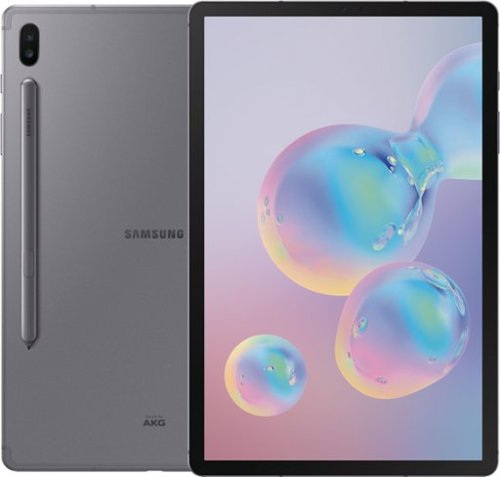
Complete tasks with ease while on the go by using this Samsung Galaxy Tab S6 tablet. The included intuitive S Pen lets you take and edit notes for a smooth work experience, while the magnetic technology makes storage and charging easy. Attach a keyboard with built-in trackpad to this Samsung Galaxy Tab S6 tablet for a seamless PC desktop experience.
Customer Rating
4
Excellent tablet but needs a case
on September 28, 2019
Posted by: SonyCameraGuy
from Cary, NC
Setup:
The unit came 75% charged, but the quick-start guide recommended that a full charge be used before setup. It took about 20min to reach 100%. Initial setup was relatively painless. Just note that all of the default options are set to allow Google and Samsung access to your personal data. If you have concerns, as I do, about the collection and (mis)use of your personal data, you will need to take the time to uncheck a lot of options during setup. Many of the Terms and Conditions and Privacy Policies that you must agree to during (and after) setup are not on the device. You must have an Internet connection to read them.
You have the option to use several different methods of signing into the Tab S6, three user entry methods (pattern, PIN, and password) and two biometric methods (facial recognition and fingerprint). The facial recognition works well, but in the end I opted to delete these data not to use facial recognition as one can never know who else out there might look enough like me to open the device.
The setup dialog and initial fingerprint registration were presented in portrait mode. When using the tablet in landscape mode the fingerprint reader was rather sensitive to the angle of my finger placement. If you plan to use the tablet mostly in landscape mode, consider registering new fingerprints (even if they are the same fingers) once the auto-rotate feature on the display is enabled.
The unit came 75% charged, but the quick-start guide recommended that a full charge be used before setup. It took about 20min to reach 100%. Initial setup was relatively painless. Just note that all of the default options are set to allow Google and Samsung access to your personal data. If you have concerns, as I do, about the collection and (mis)use of your personal data, you will need to take the time to uncheck a lot of options during setup. Many of the Terms and Conditions and Privacy Policies that you must agree to during (and after) setup are not on the device. You must have an Internet connection to read them.
You have the option to use several different methods of signing into the Tab S6, three user entry methods (pattern, PIN, and password) and two biometric methods (facial recognition and fingerprint). The facial recognition works well, but in the end I opted to delete these data not to use facial recognition as one can never know who else out there might look enough like me to open the device.
The setup dialog and initial fingerprint registration were presented in portrait mode. When using the tablet in landscape mode the fingerprint reader was rather sensitive to the angle of my finger placement. If you plan to use the tablet mostly in landscape mode, consider registering new fingerprints (even if they are the same fingers) once the auto-rotate feature on the display is enabled.
Design:
Form Factor: The Tab S6 is very thin and the screen covers all but about ¼” on each edge of the face. It is difficult to hold it without touching the screen. A case is a requirement for holding the tablet with one hand or for tilting it on any surface.
Stylus: The included “S Pen” stylus is a great feature and the magnetic stylus charging dock on the back of the Tab S6 allows you to not have to worry about battery replacement. However, the tablet will not lay flat with the stylus in the charging dock and the stylus is easily dislodged when handling the tablet. This could be a problem when traveling or commuting where a dropped stylus could be difficult locate and retrieve. If you plan to use the Tab S6 in “the wild”, a case with an easy-access cover for the stylus is a good idea. Battery life on the stylus is relatively short as it is a Bluetooth device with what must be a rather small battery. I actually like using the stylus and it is no hardship to revert to my finger while it is recharging. The S Pen comes with a tip extraction tool and two spare tips. Instructions for using the extraction tool are not provided, but can be found in the online user’s guide.
Battery: Battery life on the Tab S6 is quite good. I use mine mostly for web browsing and streaming video and recharge it every 2 to 3 days. The Tab S6 comes with a dual voltage charger (9v 1.67A & 5v 2.0A) and a USB(A)-to-USB(C) cable. The dual voltage allows for “intelligent” fast charging of the tablet. Video and network activities (Wi-Fi and Bluetooth) are the most demanding on batter life. Enabling airplane mode can significantly extend battery life when network access is not needed.
Processor: The Tab S6 has an 8-core CPU with 6GB of RAM. The tablet is very responsive and, while it got slightly warm, CPU benchmarks were quite good under stress testing. It is advertised as an alternative to a laptop, but using it as such seems a bit of a stretch with only 8 cores and 6GB of RAM.
Storage: The Tab S6 comes with 128GB of internal storage and a microSD tray capable of handling an addition 512GB card. A small stylus (not the S Pen) is provided to release the microSD tray.
Cameras: The back camera is 13MP and the front camera is 8MP. The back camera has a very short minimum focus distance (about 3 inches). The front camera will focus on objects at about 6 inches or beyond. Both have wide and narrow angle settings. The narrow angle setting allows for touch-screen AF/AE lock and an 8x digital zoom. A “Pro” mode allows you to control the ISO, white balance, and exposure. In addition to “Pro” mode, night, panorama, “live focus”, photo, video, and “hyperlapse” modes are also available.
Display: The Tab S6 will decode video files up to 8K, but the display is 2560 x 1600 (WQXGA). Nonetheless, the 10.5-inch display is brilliant, detailed, and accurate.
Audio: There is no headphone jack on the Tab S6. I recommend Bluetooth headphones or a USB(C) headphone adapter or DAC/AMP for your wired headphones. Nonetheless, the 4 small speakers at the corners of the tablet provide surprisingly good audio for casual listening (i.e. podcasts and streaming radio).
Form Factor: The Tab S6 is very thin and the screen covers all but about ¼” on each edge of the face. It is difficult to hold it without touching the screen. A case is a requirement for holding the tablet with one hand or for tilting it on any surface.
Stylus: The included “S Pen” stylus is a great feature and the magnetic stylus charging dock on the back of the Tab S6 allows you to not have to worry about battery replacement. However, the tablet will not lay flat with the stylus in the charging dock and the stylus is easily dislodged when handling the tablet. This could be a problem when traveling or commuting where a dropped stylus could be difficult locate and retrieve. If you plan to use the Tab S6 in “the wild”, a case with an easy-access cover for the stylus is a good idea. Battery life on the stylus is relatively short as it is a Bluetooth device with what must be a rather small battery. I actually like using the stylus and it is no hardship to revert to my finger while it is recharging. The S Pen comes with a tip extraction tool and two spare tips. Instructions for using the extraction tool are not provided, but can be found in the online user’s guide.
Battery: Battery life on the Tab S6 is quite good. I use mine mostly for web browsing and streaming video and recharge it every 2 to 3 days. The Tab S6 comes with a dual voltage charger (9v 1.67A & 5v 2.0A) and a USB(A)-to-USB(C) cable. The dual voltage allows for “intelligent” fast charging of the tablet. Video and network activities (Wi-Fi and Bluetooth) are the most demanding on batter life. Enabling airplane mode can significantly extend battery life when network access is not needed.
Processor: The Tab S6 has an 8-core CPU with 6GB of RAM. The tablet is very responsive and, while it got slightly warm, CPU benchmarks were quite good under stress testing. It is advertised as an alternative to a laptop, but using it as such seems a bit of a stretch with only 8 cores and 6GB of RAM.
Storage: The Tab S6 comes with 128GB of internal storage and a microSD tray capable of handling an addition 512GB card. A small stylus (not the S Pen) is provided to release the microSD tray.
Cameras: The back camera is 13MP and the front camera is 8MP. The back camera has a very short minimum focus distance (about 3 inches). The front camera will focus on objects at about 6 inches or beyond. Both have wide and narrow angle settings. The narrow angle setting allows for touch-screen AF/AE lock and an 8x digital zoom. A “Pro” mode allows you to control the ISO, white balance, and exposure. In addition to “Pro” mode, night, panorama, “live focus”, photo, video, and “hyperlapse” modes are also available.
Display: The Tab S6 will decode video files up to 8K, but the display is 2560 x 1600 (WQXGA). Nonetheless, the 10.5-inch display is brilliant, detailed, and accurate.
Audio: There is no headphone jack on the Tab S6. I recommend Bluetooth headphones or a USB(C) headphone adapter or DAC/AMP for your wired headphones. Nonetheless, the 4 small speakers at the corners of the tablet provide surprisingly good audio for casual listening (i.e. podcasts and streaming radio).
Overall: I have had five Android devices over the years (two phones, two tablets, and a high-res digital audio player). The Tab S6 is the one general purpose Android device that I enjoy using. It has a great display and is very responsive. I like the stylus, but the magnetic charging dock makes it prone to being knocked off. A case is a must for keeping the stylus in place and for using the tablet with one hand or on a desktop, lap, or airplane tray table.
Mobile Submission: False
I would recommend this to a friend!
Share this review:


+4points
4of 4voted this as helpful.
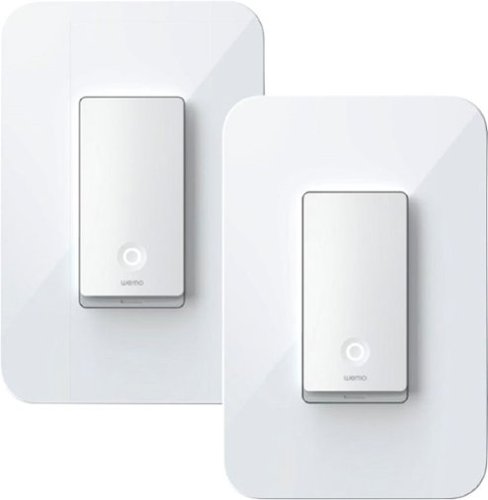
Get smart about lighting with this two-pack of Wemo smart light switches. The Wemo app offers remote operation via smartphones and makes it easy to set lighting on schedules or timers. Compatible with popular virtual assistants, these Wemo smart light switches offer convenient hands-free operation without a smart hub.
Customer Rating

5
Easy installation and setup
on September 14, 2019
Posted by: SonyCameraGuy
from Cary, NC
Installation:
Let me begin by saying that the wiring in our home was recently updated by a meticulous professional electrician. Consequently, the wiring diagrams in the Wemo installation guide were spot on and very easy to follow. I installed the switch in under 15min and it works perfectly. I can attest from installing a previous Wemo switch (before my home rewiring), this is not always the case. If you have any doubts about the wiring in your switchbox (even if it works), call a licensed electrician to help with the installation.
Let me begin by saying that the wiring in our home was recently updated by a meticulous professional electrician. Consequently, the wiring diagrams in the Wemo installation guide were spot on and very easy to follow. I installed the switch in under 15min and it works perfectly. I can attest from installing a previous Wemo switch (before my home rewiring), this is not always the case. If you have any doubts about the wiring in your switchbox (even if it works), call a licensed electrician to help with the installation.
The 3-way Wemo light switch can be used on a single-pole or 3-way circuit. If you are installing on a 3-way circuit, you only need to install the Wemo smart switch at one of the two switch locations. I replaced a single-pole switch that operates a strip under-counter LED lights.
The Wemo app was already installed on my phone and adding the new switch was incredibly easy using the QR code in the installation guide. If you have purchased a 2-pack of switches, there will be two QR codes in the guide. Be sure to select the QR code that matches the one on the back of the switch you are adding. If you have already installed the switch, there is a corresponding serial number at the front of the switch (under the switch plate). You can use this number to pick the correct QR code in the user’s guide.
Immediately after installation, the WeMo app alerted me that a firmware update was needed for my new switch. After selecting the update option, the switch was back online in 5-10 minutes without any additional intervention.
Functionality:
We are using the new WeMo switch to allow us use the under-counter lights as a nightlight. The Wemo app is vastly improved since its introduction over two years ago. You can choose specific times for the light to go on and off or (with location information) you can schedule lights to come on and go off within a selection offsets from sunset and sunrise. A random offset has not been implemented in the software (my only complaint on the app functionality).
We are using the new WeMo switch to allow us use the under-counter lights as a nightlight. The Wemo app is vastly improved since its introduction over two years ago. You can choose specific times for the light to go on and off or (with location information) you can schedule lights to come on and go off within a selection offsets from sunset and sunrise. A random offset has not been implemented in the software (my only complaint on the app functionality).
The Wemo switches can be linked with certain smart-home networks, but do not require a hub of their own. As a consequence, each switch will occupy a 2.4GHz slot on your home WiFi network. This could be an issue if your home WiFi network has a limit to the number of simultaneously connected wireless devices.
Mobile Submission: False
I would recommend this to a friend!
Share this review:


0points
0of 0voted this as helpful.
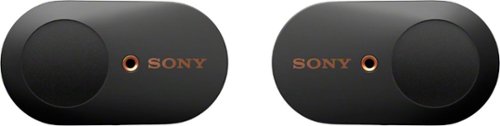
Get peace and quiet anywhere with these Sony truly wireless noise-cancelling earbuds. An advanced HD noise-cancelling processor blocks distracting background noise so you can focus in noisy environments, and Bluetooth connectivity ensures easy use with smartphones and other devices. These Sony truly wireless noise-cancelling earbuds include a convenient charging case that offers up to 24 hours of use per charge.
Customer Rating
4
Great sound & isolation, so-so microphone
on July 24, 2019
Posted by: SonyCameraGuy
from Cary, NC
Setup:
Sony recommends charging before first use. It took much less than the 3.5h stated in the “user’s guide” to fully charge the case and earphones. The first time out of the charging case, the WF-1000XM3 goes into pairing mode. If pairing with iPhone or Android phone, you may be prompted to install the Sony Headphones Connect app. The app allows you to tune the noise canceling mode, equalization, and pairing priority (stable connection or sound quality), but comes with a EULA that allows Sony to gather lots of data on your usage of the earphones and your phone (I deleted it due to privacy concerns).
Sony recommends charging before first use. It took much less than the 3.5h stated in the “user’s guide” to fully charge the case and earphones. The first time out of the charging case, the WF-1000XM3 goes into pairing mode. If pairing with iPhone or Android phone, you may be prompted to install the Sony Headphones Connect app. The app allows you to tune the noise canceling mode, equalization, and pairing priority (stable connection or sound quality), but comes with a EULA that allows Sony to gather lots of data on your usage of the earphones and your phone (I deleted it due to privacy concerns).
Design:
The completely wireless design is great. There is no cord so there are no microphonics. However, with no cable between the earphones, you can lose either one.
The lid on the charging case has a much better design than the original model. It is easy to open and with the lip in front you don’t have to guess which side of the lid the hinge is on.
The control buttons are on the back of the earpiece (rather than on the side as in the original model) making the controls easy to operate.
The magnetic lid closure and seating system makes charging case very easy to use.
My only complaint about the case is that it has a round bottom and will not stand up.
Bluetooth reception in the left and right earpieces is in parallel with the source, not in series. This minimizes delays between the left and right channels and allows more synchronous audio and no noticeable delay between video and audio when streaming.
The completely wireless design is great. There is no cord so there are no microphonics. However, with no cable between the earphones, you can lose either one.
The lid on the charging case has a much better design than the original model. It is easy to open and with the lip in front you don’t have to guess which side of the lid the hinge is on.
The control buttons are on the back of the earpiece (rather than on the side as in the original model) making the controls easy to operate.
The magnetic lid closure and seating system makes charging case very easy to use.
My only complaint about the case is that it has a round bottom and will not stand up.
Bluetooth reception in the left and right earpieces is in parallel with the source, not in series. This minimizes delays between the left and right channels and allows more synchronous audio and no noticeable delay between video and audio when streaming.
Operation:
Bluetooth pairing is very easy. Pressing the button on both earpieces for 7sec puts them into pairing mode.
Bluetooth range was exceptional. I was startled when I put the earpieces in at one end of my house and heard “your connected”. My tablet was at the other end of the house and on another floor (>35ft away through three walls).
Changing of noise canceling modes was very sensitive to the duration of the touch on the left earpiece. A very short tap is all that is required.
Bluetooth 5.0 works well with LDAC and apt-X HD codex.
The temporary disabling of noise canceling by holding a hand to your left ear is a nice feature when a flight attendant wants to get your attention. However, it took me a while to figure out that you have to actually touch (and continue to touch) the earpiece control button, not just cup your hand over your ear as pictured in the documentation.
Taking the left earphone out pauses playback. This is a nice feature to preserve battery on your digital audio player and the WF-1000XM3.
Bluetooth pairing is very easy. Pressing the button on both earpieces for 7sec puts them into pairing mode.
Bluetooth range was exceptional. I was startled when I put the earpieces in at one end of my house and heard “your connected”. My tablet was at the other end of the house and on another floor (>35ft away through three walls).
Changing of noise canceling modes was very sensitive to the duration of the touch on the left earpiece. A very short tap is all that is required.
Bluetooth 5.0 works well with LDAC and apt-X HD codex.
The temporary disabling of noise canceling by holding a hand to your left ear is a nice feature when a flight attendant wants to get your attention. However, it took me a while to figure out that you have to actually touch (and continue to touch) the earpiece control button, not just cup your hand over your ear as pictured in the documentation.
Taking the left earphone out pauses playback. This is a nice feature to preserve battery on your digital audio player and the WF-1000XM3.
Noise Canceling:
I have several pairs of noise canceling headphones/earphones and the WF-1000XM3 is clearly the best.
I have several pairs of noise canceling headphones/earphones and the WF-1000XM3 is clearly the best.
Microphone:
On calls, I am often told that my voice sounds muffled. I have found no way to increase the microphone gain.
On calls, I am often told that my voice sounds muffled. I have found no way to increase the microphone gain.
Sound Quality:
The sound quality on the WF-1000XM3 is excellent. They are great for streaming video! The synchronous Bluetooth feature makes these earphones almost as good as wired.
All Bluetooth codex variants (even LDAC & abtX-HD) are lossy and the sound quality will never be as good as set of audiophile quality headphones. However, like good audiophile earphones, bad recordings will sound worse than you might expect (the bad news) and good recordings will be amazing (the good news).
The frequency response on the WF-1000XM3 is excellent with no notable bias. Bass is full and clean without being too forward or attenuated (featured tracks 1, 2, & 6). Female vocals are clear and distinct (featured tracks 3 & 4). Orchestral works are balanced over the wide frequency and dynamic ranges (featured tracks 7, 8, & 9). Electonica was amazing (20Hz to at the highest frequency I could hear) (featured track 10). Jazz was spacious with good instrument separation and frequency response from cymbal brushes to bass (featured tracks 11 & 12).
The sound quality on the WF-1000XM3 is excellent. They are great for streaming video! The synchronous Bluetooth feature makes these earphones almost as good as wired.
All Bluetooth codex variants (even LDAC & abtX-HD) are lossy and the sound quality will never be as good as set of audiophile quality headphones. However, like good audiophile earphones, bad recordings will sound worse than you might expect (the bad news) and good recordings will be amazing (the good news).
The frequency response on the WF-1000XM3 is excellent with no notable bias. Bass is full and clean without being too forward or attenuated (featured tracks 1, 2, & 6). Female vocals are clear and distinct (featured tracks 3 & 4). Orchestral works are balanced over the wide frequency and dynamic ranges (featured tracks 7, 8, & 9). Electonica was amazing (20Hz to at the highest frequency I could hear) (featured track 10). Jazz was spacious with good instrument separation and frequency response from cymbal brushes to bass (featured tracks 11 & 12).
Battery:
Battery life is very good given the inherent demands of noise canceling and Bluetooth communication.
Battery life is very good given the inherent demands of noise canceling and Bluetooth communication.
Overall:
The WF-1000XM3 is a notable improvement over its predecessor. Sound quality is very good and the synchronous Bluetooth make them excellent for streaming video. The muted microphone makes them less suitable for phone conversations than others of my Bluetooth headsets, but with their excellent noise cancellation and unbiased frequency response, these are now my go-to wireless headphones for travel.
The WF-1000XM3 is a notable improvement over its predecessor. Sound quality is very good and the synchronous Bluetooth make them excellent for streaming video. The muted microphone makes them less suitable for phone conversations than others of my Bluetooth headsets, but with their excellent noise cancellation and unbiased frequency response, these are now my go-to wireless headphones for travel.
The following albums were sampled during my review:
• 2L Test Suite
• Adam Harasiewicz: Chopin Nocturnes & Preludes
• Antoine Dufour: Back & Forth (Sides A & B)
• Antonio Pleeth: Geminiani 6 cello sonatas
• Beatles: 1
• Bill Evans: Everybody Digs Bill Evans
• Billy Mclaughlin: Fingerdance
• Bonnie Raitt: Road Tested
• Calum Graham: Phoenix Rising
• Creed: My Own Prison
• Dirks und Wirtz: Kinski Spencer Gismonti
• Don Ross: PS15
• Francois Sciortino: French Guitar
• Giovanni Palombo: La melodia segreta, A Secret Melody
• Goran Sollscher: Eleven-String Baroque
• Hoff Ensemble: Quiet Winter Night
• Ian Ethan Case: Running Toward The Mountains
• Jian Wang: The Baroque Album
• Joe Satriani, Surfing with the Alien, Crystal Planet, Flying in a Blue Dream, Unstoppable Momentum
• John Doan: A Celtic Pilgrimage
• John Williams: The Guitarist
• Julian Webber: Elgar Cello Concerto - Saint-Saens Cello Concerto No.1
• Krzysztof Meisinger: Villa-Lobos Melodia Sentimental
• Laurence Juber: Guitar Noir
• Lawson Rollins: Elevation
• Los Angeles Guitar Quartet: Spin
• Luca Stricagnoli: What If
• Markus Segschneider: Snapshots
• Mike Dawes: What Just Happened
• Miles Davis: Kind of Blue
• Mstislav Rostropovich: Beethoven The Cello Sonatas- Vol1&2, Chopin Cello Sotatas, Schubert Schuman Debusy Cello Sonatas, The Brahms Sonatas, Vivaldi - Tartini - Boccherini Cello Concertos
• Nora Jones: Come Away with Me
• Oslo String Quartet: The Shubert Connection
• Peppino D'Agostino: Acoustic Guitar
• Peter Ciluzzi: Still Without Words
• Ryan Ayers: Lanterns
• Ryan LeBlanc: Speechless
• Sarah Mclachlan: Fumbling Towards Ecstasy, Surfacing
• Sergio & Odair Assad: Sérgio & Odair Assad Play Piazzolla
• Stevie Ray Vaughan: Couldn't Stand The Weather
• Tomasz Gaworek: Born To Be Together
• Tori Amos: Crucify, Little Earthquakes
• Vladimir Horowitz: Rachmaninov Piano Concerto #3
• Yo-Yo Ma: Bach Cello Suites Nos. 1, 5 & 6, Rachmaninov Prokofiev Cello Sonatas, Mendelssohn Piano Trios, Op. 49 & Op. 6
• 2L Test Suite
• Adam Harasiewicz: Chopin Nocturnes & Preludes
• Antoine Dufour: Back & Forth (Sides A & B)
• Antonio Pleeth: Geminiani 6 cello sonatas
• Beatles: 1
• Bill Evans: Everybody Digs Bill Evans
• Billy Mclaughlin: Fingerdance
• Bonnie Raitt: Road Tested
• Calum Graham: Phoenix Rising
• Creed: My Own Prison
• Dirks und Wirtz: Kinski Spencer Gismonti
• Don Ross: PS15
• Francois Sciortino: French Guitar
• Giovanni Palombo: La melodia segreta, A Secret Melody
• Goran Sollscher: Eleven-String Baroque
• Hoff Ensemble: Quiet Winter Night
• Ian Ethan Case: Running Toward The Mountains
• Jian Wang: The Baroque Album
• Joe Satriani, Surfing with the Alien, Crystal Planet, Flying in a Blue Dream, Unstoppable Momentum
• John Doan: A Celtic Pilgrimage
• John Williams: The Guitarist
• Julian Webber: Elgar Cello Concerto - Saint-Saens Cello Concerto No.1
• Krzysztof Meisinger: Villa-Lobos Melodia Sentimental
• Laurence Juber: Guitar Noir
• Lawson Rollins: Elevation
• Los Angeles Guitar Quartet: Spin
• Luca Stricagnoli: What If
• Markus Segschneider: Snapshots
• Mike Dawes: What Just Happened
• Miles Davis: Kind of Blue
• Mstislav Rostropovich: Beethoven The Cello Sonatas- Vol1&2, Chopin Cello Sotatas, Schubert Schuman Debusy Cello Sonatas, The Brahms Sonatas, Vivaldi - Tartini - Boccherini Cello Concertos
• Nora Jones: Come Away with Me
• Oslo String Quartet: The Shubert Connection
• Peppino D'Agostino: Acoustic Guitar
• Peter Ciluzzi: Still Without Words
• Ryan Ayers: Lanterns
• Ryan LeBlanc: Speechless
• Sarah Mclachlan: Fumbling Towards Ecstasy, Surfacing
• Sergio & Odair Assad: Sérgio & Odair Assad Play Piazzolla
• Stevie Ray Vaughan: Couldn't Stand The Weather
• Tomasz Gaworek: Born To Be Together
• Tori Amos: Crucify, Little Earthquakes
• Vladimir Horowitz: Rachmaninov Piano Concerto #3
• Yo-Yo Ma: Bach Cello Suites Nos. 1, 5 & 6, Rachmaninov Prokofiev Cello Sonatas, Mendelssohn Piano Trios, Op. 49 & Op. 6
Featured tracks:
1. Laurence Juber: Guitar Noir: Blues De Luxe
2. Miles Davis: Kind of Blue: Flamenco Sketches
3. Nora Jones: Come Away with Me: Don’t Know Why I Didn’t Come
4. Hoff Ensemble: Quiet Winter Night: Dronning Fjellrose
5. Bonnie Raitt: Road Tested: Matters of the Heart
6. Joe Satriani, Surfing with the Alien: Echo
7. Julian Webber: Elgar Cello Concerto - Saint-Saens Cello Concerto No.1: Adagio Moderato
8. Vladimir Horowitz: Rachmaninov Piano Concerto #3: Finale: Alla breve
1. Laurence Juber: Guitar Noir: Blues De Luxe
2. Miles Davis: Kind of Blue: Flamenco Sketches
3. Nora Jones: Come Away with Me: Don’t Know Why I Didn’t Come
4. Hoff Ensemble: Quiet Winter Night: Dronning Fjellrose
5. Bonnie Raitt: Road Tested: Matters of the Heart
6. Joe Satriani, Surfing with the Alien: Echo
7. Julian Webber: Elgar Cello Concerto - Saint-Saens Cello Concerto No.1: Adagio Moderato
8. Vladimir Horowitz: Rachmaninov Piano Concerto #3: Finale: Alla breve
Mobile Submission: False
I would recommend this to a friend!
Share this review:


-5points
3of 11voted this as helpful.
SonyCameraGuy's Review Comments
With 700W of power and 10 power levels, this LG LCS0712ST 0.7 cu. ft. compact microwave lets you prepare a wide variety of delicious meals. The EasyClean feature simplifies the cleaning process, and the clock keeps you notified of the time.
Overall5 out of 5
5 out of 5Great Compact Microwave
By PawX4
from Cary, NC
I had to return an older model that was damaged in shipment. This one is perfect as a shelf-top microwave. It has plenty of power. The interface is not conventional, but it is easy to use and has almost all of the features of its larger cousins. There is no temperature probe and no numeric key pad to enter time. Unless you need a larger size, there is no reason to look for anything else.
The only down side is the "tune" that it plays when starting and stopping. A simple tone would have sufficed.

SonyCameraGuy
Cary, NC
Review for the wrong microwave
July 1, 2017
The review above was for the 0.9 cubic foot LG microwave. It replaced the 0.7 cubic foot microwave that was damaged in shipment.
0points
0of 0voted this comment as helpful.
We know pets makes messes. Whether it's tracked-in mud or bathroom accidents, BISSELL~ ProHeat 2X~ Revolution~ Pet Pro Plus carpet cleaner handles those though pet messes with its exclusive Pet Pro Cleanup System. This system includes a CleanShot~ pretreater to remove spots and stains; the 2-in-1 Pet Upholstery Tool to remove pet hair, stains and odors from upholstery, a trial-size of BISSELL~ PET PRO OXY Urine Eliminator formula, and an EZ Clean Brush Roll Cover to make maintaining the machine easy. When used in MAX Clean Mode, you get powerful cleaning that outcleans the leading rental*** and leaves carpet dry in about 30 minutes with Express Clean Mode.** All of this cleaning power comes in a lightweight and maneuverable machine with a low-profile foot that gets under furniture. But this machine doesn't just pick up after pets, it helps save them, too. BISSELL~ proudly supports BISSELL Pet Foundation~ and its mission to help save homeless pets. When you buy a BISSELL product, you help save pets, too. We~re proud to design products that help make pet messes, odors and pet homelessness disappear.***Cleaning results based on ASTM F2828 using BISSELL PET PRO OXY Urine Eliminator formula in MAX clean mode against the Rug Doctor Mighty Pro X3 carpet cleaner using their top selling formula.**Express Clean Mode (reference instruction in user guide). Tested on new carpet with protectant. Results may vary.
Overall4 out of 5
4 out of 5Cleans well, but it's very noisy
By SonyCameraGuy
from Cary, NC
Disclaimer: My home is in the middle of a remodel and I have not had the opportunity to test the unit on indoor carpet.
The unit was easy to assembly. There is a handy mesh bag for storing the tools and hose. This model does not come with a hard floor attachment. And, despite the fact that one is pictured in the User’s Manual, Bissell does not yet offer a hard floor attachment for this model. There are several hard floor attachments advertised on the Bissell web site, but none are compatible with this model (1986). This was a real disappointment for me since the first task I had planned for this unit was to clean “mud” and drywall dust from the hardwood floor in our partially remodeled den.
I have had a chance to test the unit on the floor mats and cargo area of my car. The ”deep stain tool” did a great job on both areas and the cleaning solution removed some stains that I thought were permanent. Moving slowly over the wet areas will pick up more dirty water and leave the mats almost dry enough to use.
I hope to give this product a more thorough test and update this review once the protective plastic comes off my carpet.
As a caution, don’t fill the clean water reservoir while it is sitting on a counter. This will depress the release valve on the bottom of the reservoir and your counter will get wet. Also be aware that not all links to the User’s Guide on Bissell’s web site work. If you have trouble, try this one: https://bissellmedia.azureedge.net/-/media/site-us/documents/user-guides/1986/bissell_user_guide_proheat_2x_revolution_1964_1986_2007_series.pdf?la=en&modified=20170202170006&cdnv=1
If you are expecting quiet, this Bissell unit is anything but. I would seriously consider hearing protection if you intend to use it in an small enclosed area. It’s Noisy!
SonyCameraGuy
Cary, NC
5-star all the way!
July 2, 2017
After our renovation the Bissell got a real workout. The gunk that it got out of a freshly vacuumed carpet was amazing! Better than that, this Bissell was designed to be cleaned easily and completely. No more funky mess to fester in the machine between uses. They also now offer a bare floor attachment (not available at the time of my initial). Sorry for the initial 4-star rating. This machine is 5+ all the way!
0points
0of 0voted this comment as helpful.
SonyCameraGuy's Questions
SonyCameraGuy has not submitted any questions.
Enjoy a stunning LED display with this 27-inch LG monitor. The 4K UHD resolution and VESA DisplayHDR deliver vivid scenes to keep you captivated by your favorite shows and movies, and IPS technology maintains consistent colors at various viewing angles. This LG monitor's Radeon FreeSync matches your graphics card's frame rate for a stutter-free experience.
This monitor have the remote control
Enjoy a stunning LED display with this 27-inch LG monitor. The 4K UHD resolution and VESA DisplayHDR deliver vivid scenes to keep you captivated by your favorite shows and movies, and IPS technology maintains consistent colors at various viewing angles. This LG monitor's Radeon FreeSync matches your graphics card's frame rate for a stutter-free experience.
How do I connect monitor with my iPad.
You would need a Lightening to HDMI converter and you may be limited to 4:3 aspect ratio (not 16:9).
7 years, 2 months ago
by
SonyCameraGuy
Only at Best Buy Listen in comfort with these Jabra Elite 85h wireless headphones. Integrated SmartSound audio technology adapts automatically to your surroundings, while a powerful battery offers up to 36 hours of playtime. These Jabra Elite 85h wireless headphones feature eight separate mics for excellent call quality and are rain-resistant for safe use in all weather conditions.
I've heard some reviews say that these headphones have a "hands free" voice assistant, with support for Google Assistant and Siri. Do they even have a hands free assistant? If so, is there a way to turn off the always listening voice assistant (Alexa)?
The voice assistant is only activated when you push the button on the back of the right ear-cup.
7 years, 3 months ago
by
SonyCameraGuy
Film underwater scenes in 4K with this 12-megapixel GoPro HERO7 action camera. Its HyperSmooth stabilization feature lets you capture shake-free videos, and it withstands submersion up to 33 feet without a waterproof case. Stream captured videos from this rugged GoPro HERO7 action camera on Facebook Live via the companion app.
Can it be used as a dash camera
Yes. I suggest loop mode connected to a USB power source.
7 years, 10 months ago
by
SonyCameraGuy
Enjoy big-screen entertainment with this Epson 3LCD portable projector. All-digital HDMI connectivity lets you stream from a variety of devices, and 3,300 lumens of equal color and white brightness let you use it in almost any lighting condition. This Epson 3LCD projector lets you view images up to 25 times larger than those on a 60-inch TV.
does this device support sd card input
You can use USB-B input with a card reader, but there is no SD card slot in the unit.
8 years, 5 months ago
by
SonyCameraGuy
Enjoy big-screen entertainment with this Epson 3LCD portable projector. All-digital HDMI connectivity lets you stream from a variety of devices, and 3,300 lumens of equal color and white brightness let you use it in almost any lighting condition. This Epson 3LCD projector lets you view images up to 25 times larger than those on a 60-inch TV.
Is this projector High Definition? And does it have Bluetooth capabilities to hook up to a Bluetooth speaker?
No. This is 800x600 native resolution. It can be configured to 16:9 or 16:10, but it is not HD. The speaker is not Bluetooth compatible. RCA or HDMI connection is audio-capable.
8 years, 5 months ago
by
SonyCameraGuy
Bring soft illumination to your favorite nook with this white Philips Hue table lamp. It mimics natural light to help you relax and feel energized when you wake up, and it's bright enough to read by during story time. This Philips Hue table lamp connects to the Hue bridge, so you can control it remotely.
Does it do colors or just plain white?
The bulb that comes with this lamp is the white "ambiance" bulb and can be set from warm 2200K to cool 6500K. There are also plain white Hue bulbs can be dimmed but do not change color. There are also the color "ambiance" bulbs that can display any of 16 million colors
8 years, 8 months ago
by
SonyCameraGuy
We know pets makes messes. Whether it's tracked-in mud or bathroom accidents, BISSELL~ ProHeat 2X~ Revolution~ Pet Pro Plus carpet cleaner handles those though pet messes with its exclusive Pet Pro Cleanup System. This system includes a CleanShot~ pretreater to remove spots and stains; the 2-in-1 Pet Upholstery Tool to remove pet hair, stains and odors from upholstery, a trial-size of BISSELL~ PET PRO OXY Urine Eliminator formula, and an EZ Clean Brush Roll Cover to make maintaining the machine easy. When used in MAX Clean Mode, you get powerful cleaning that outcleans the leading rental*** and leaves carpet dry in about 30 minutes with Express Clean Mode.** All of this cleaning power comes in a lightweight and maneuverable machine with a low-profile foot that gets under furniture. But this machine doesn't just pick up after pets, it helps save them, too. BISSELL~ proudly supports BISSELL Pet Foundation~ and its mission to help save homeless pets. When you buy a BISSELL product, you help save pets, too. We~re proud to design products that help make pet messes, odors and pet homelessness disappear.***Cleaning results based on ASTM F2828 using BISSELL PET PRO OXY Urine Eliminator formula in MAX clean mode against the Rug Doctor Mighty Pro X3 carpet cleaner using their top selling formula.**Express Clean Mode (reference instruction in user guide). Tested on new carpet with protectant. Results may vary.
Can you use the pro heat 2x revolution pet pro upright deep cleaner-silver/purple on tile? I have ceramic, porcelain, laminate with this work on all of these types of tile?
The Bissell Model 1986 now has a bare floor attachment (part number 1606611). It works fine on floors with a smooth surface. I have not tried it on grouted tile.
9 years, 1 month ago
by
SonyCameraGuy
Sony Alpha a7R II Mirrorless Camera Body: Photos and videos bring important moments to life thanks to a 42.4-megapixel Exmor R full-frame CMOS sensor. Instantly share images via your smartphone, PC or HDTV via built-in Wi-Fi..
What language options are on the Sony A7R II ?
Do you guys know if the Sony A7R II will come with Korean as an option if I buy it in America? Thanks in advance
I am no expert in Korean characters, but the two options available are similar enough that I suspect they are Japanese and Chinese (not Korean).
10 years, 7 months ago
by
SonyCameraGuy
Cary, NC
This APC Back-UPS BE750G UPS protects your computer system and keeps it running for up to 70 minutes in the event of a power failure.
Other than computer usage
I am looking for a backup power supply for my CPAP machine. I need this for breathing when asleep. When I lose power in the middle of the night, I can't breathe. What I need to know is will this work without using the software? I have no need for the software function, but need a longer lasting backup like this for my medical equipment.
I use this product without the software and it works fine. The software provides some monitoring functionality and can gracefully shut down a computer when the backup battery is running low, but the software is not needed for the unit to provide power. Before relying on for the CPAP, please make sure that the battery can provide the current necessary to power your machine.
11 years, 10 months ago
by
SonyCameraGuy
Cary, NC