


msumulong's stats
- Review count220
- Helpfulness votes369
- First reviewApril 15, 2010
- Last reviewSeptember 17, 2026
- Featured reviews0
- Average rating4.6
- Review comment count12
- Helpfulness votes2
- First review commentJune 8, 2017
- Last review commentJune 8, 2017
- Featured review comments0
Questions
- Question count0
- Helpfulness votes0
- First questionNone
- Last questionNone
- Featured questions0
- Answer count42
- Helpfulness votes73
- First answerApril 7, 2010
- Last answerDecember 15, 2021
- Featured answers0
- Best answers6

Manage up to four electronic devices with this TERK universal rechargeable remote. A fully-backlit keypad enables easy use in the dark, while the quick-access keys let you seamlessly access your favorite apps. Compatibility with most TVs, satellite cable and streaming players offers versatility. This TERK universal rechargeable remote provides up to 6 months of operation on a full charge.
Customer Rating

5
A must if you have older devices
on July 16, 2023
Posted by: msumulong
In today’s world, a TV is no longer enough for your home entertainment needs. But not today. Nowadays, you’d usually find a dvd/blu ray/4K player, a cable box, a streaming device and even a gaming console. As such a universal remote is often very handy so that you’ll only have one device to control everything. The first wave of universal remotes often used IR technology to operate. But HDMI cables through CEC technology, has already began replacing IR based universal remotes. So, the question remains. Is there still a need for an IR base universal remote control unit? Short answer is yes if you have older technology lying around. Here comes the Terk Universal remote control.
The Terk Universal Remote 4-device model is what I am going to review here. First, the Terk remote dispenses with the batteries and is charged via a USB cable. For me that is a convenience since you no longer need batteries for the remote to operate. Then again, the batteries may fail over time sooner than a regular remote does. But arguably by that time, your devices would also be obsolete by that time. Being rechargeable, the unit does not have heft anymore. But fortunately, the unit is backlit. There is no need to explain that rc units that come with devices have no backlight. So this is a plus.
As mentioned earlier, this is a four device rc unit. the four devices it can manage are TVs, dvd players, cable boxes and streaming devices. I no longer have cable so there is no way I can evaluate this function.
Programming the remote is pretty much a straightforward process. One is to select the device and input the device rc code into the rc unit. A list of manufacturers is provided inside the box. A simpler way is to auto scan for the code in order for your device to work. Of course if this doesn’t work, then your option is to input the respective codes.
I have tried this on my Hi-sense TV and it immediately worked with my TV. Also, I have an Maganavox 4K Blu Ray player and it also worked. This is great for me since the RC unit of the Magnavox is quite small and the buttons have an unusual layout. The Terk remote control has a pretty much standard button layout and is easy. And lastly, I am having trouble connecting to my Roku Ultra. Perhaps this doesn’t work with CEC controlled devices. I have an older IR based Roku which the Ultra replaced. It may work with that.
But overall, this is a very convenient unit for all. And admittedly this device may not be for everyone like in my case my Roku can control my TV and sound bar too. But if you have older or IR based devices, then this universal remote is a must!
I would recommend this to a friend!

Share this review:


0points
0of 0voted this as helpful.
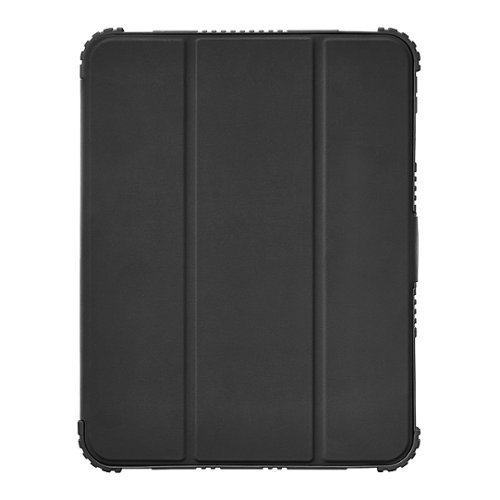
Whether you use your iPad for work or play, it is an investment. Protect that investment from falls and accidental damage with the Insignia NS-IP22109FB Folio Case for Apple iPad 10.9" (10th generation). Tough materials withstand drops, and a microfiber lining guards against scratches. It folds into a stand, adjusting your iPad for comfortable typing and hands-free viewing. Meanwhile, an integrated stylus holder keeps your Apple Pencil in place. The magnetic flap closure lengthens your battery life with an auto sleep/wake function, turning your iPad screen on when you open the cover and off when you close it. Precise camera, port and button cutouts always ensure easy access to your favorite features. Creating a modern and sleek look, this folio case has a black design with a clear back that lets the color of your iPad to show through. Get the most out of your electronics with Insignia accessories protecting them.
Posted by: msumulong
Pad cases are quite common and its really hard to differentiate one from each other. Quite often they employ the same design. But what differentiates a good one from a bad one? Well I’m here to discuss if the Insignia (Best Buy’s in house brand) 10.9 inch iPad folio case is a good one or not.
First is that it is a form fitting case with a foldable front cover quite similar to the original folio case. It has the trifold front cover that folds up to make it as a stand for the tablet.So what makes it special?
Well, not that the cat was mentioned is form fitting to the specs of the iPad 10.9”. But one would notice there is a slot where you can insert the Apple Pencil which makes it handy. Aesthetically, it has an edge over other folio cases since it has a back window providing a more elegant look. There are also ridges on the edge and the case is much thicker than most folio cases giving it as sense of providing more drop protection. Insignia however does not provide a certified drop rating. (At least I didn’t see one in the packaging.) The front flap too is a bit thicker but take note the overall thickness is not that make, And the inside of the flap has velvety texture not often found in other cases giving the the tablet screen more protection,
So in essence, this is a very basic case for your iPad . But in truth I like the overall design like the ridges, the Apple pen holder, the window at the back etc. which makes this a compelling buy if you are in the market for an iPad case. I’d highly recommend this case,
I would recommend this to a friend!


Share this review:


+1point
1of 1voted this as helpful.
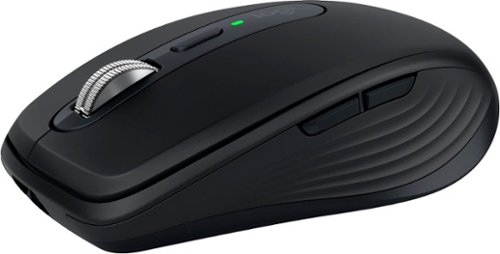
Introducing Logitech MX Anywhere 3S Mouse, a beloved compact wireless mouse with next-level precision and control ~ now with 8K DPI Any-Surface Tracking and Quiet Clicks so you can master your work anywhere.
Customer Rating
5
A hefty all around mouse!
on June 21, 2023
Posted by: msumulong
The Logitech MX Anywhere 3S is the follow up model to the highly popular MX Anywhere series. Compared the the previous MX Anywhere 3, this is a minor upgrade. But since this is a replacement model any upgrade is welcome.
First it maintains its ambidextrous design though the side buttons are only found in the left side. And like its predecessor it is still small and can be charged via USB-C of which a charging cable is included in the box. Logitech claims that like its predecessor, this mouse can be charged via a USB-C cable. No more batteries! And since Logitech claims the battery life is seventy days, I cannot verify this since I’ve had this product for only a few weeks. But honestly, having other Logitech mice can make good on this claim since Logitech mice are known to be power sippers and one AA battery can even last up to one year for certain mouse models.
The MX 3S now deals away with a dongle and is connected via bluetooth. Up to three devices can be connected to this mouse. Switching from one device is as simple as tapping on the toggle button located at the bottom of the mouse. Pressing the toggle buttons then allows you to assign a device. The mouse in general operates in Windows or Mac OS and can also be used in tablets. The one highlight for this mouse also is called Logitech Flow wherein you can use the mouse across several devices. You have to download the app though. But in my case I have to specific use for this function but it is nice to have for those who would need it.
One thing about this mouse is that it has an 8K DPI sensor meaning that it is much easier to scroll across larger screens. I have a 32” screen and adjusting the speed of this mouse definitely makes it easier for me. Like the Flow feature, it is best to adjust the settings on the app itself.
The performance of this mouse is such that it is ideal as your “one mouse to run them all”. Having the ability to connect to several devices negate the need to for several high performance mice. This product in essence is an all around performer that it can be used for business/schoolwork and even some gaming! I would highly recommend this product!
I would recommend this to a friend!


Share this review:


+1point
1of 1voted this as helpful.

Smart thermostats have never been so easy! Give your family~s comfort a smart upgrade. With the Sensi Lite smart thermostat, it~s never been easier. It all starts with a quick and simple installation~no common wire required with most systems. Our top-rated mobile app lets you manage your home~s HVAC from anywhere, anytime. Plus, your usage activity and personal data stays private. That~s the power of putting Sensi~s over 100 years of HVAC experience on your wall.
Posted by: msumulong
Thermostats have been around for decades. Now that we are in the internet stage, smart thermostats are becoming the norm. In truth the main advantage of having a smart thermostat is having controls also in your smart phone. The Emerson is one smart thermostat.
Most home HVAC systems are now much standardized and that they have a c-wire to provide power to the thermostat unit. So first things first, check if your system has a c-wire. If not you may have to purchase a separate c-wire kit and maybe even have a professional to install this thermostat. The box of the Emerson Sensi indicates that most systems may not need a c-wire in order for this to work. Luckily for me, my HVAC system at home has a c-wire which makes things simpler. Also, having a c-wire already means I really cannot validate Emerson’s claim about not having a c-wire for the thermostat to work since I am not an electrician.
Installation of the device is pretty much simple. First remove your old thermostat and remember the wiring. This is most often color coded. But for the novice like me, take a picture. After removing the mount, attach the back mount of the Sensi. The beauty of the Sensi is that it has already a built in level which makes alignment simpler. Also screws are provided in the box.
Attach the batteries and wire the new thermostat. This should be a simple process as the connectors are labelled and the wires are color coded. Then snap in the front panel to the base. After that you are ready for the setup process.
Download the app and register online. Then the app itself will guide you through the setup process. Now you are ready to go. All the standard features are now available in your smart phone. But one added feature is that this device can also be connected to Google, Alexa or Samsung’s Smart Things. But if you are Apple centric, separate device is sold separately. Once that’s done, you are good to go. The whole process including installation of the device on your wall should take around thirty minutes assuming there are no snags. It’s easy peasy. This device is a high recommend!
I would recommend this to a friend!



Share this review:


0points
0of 0voted this as helpful.
CONFIDENTIAL UNTIL 6/1/23.
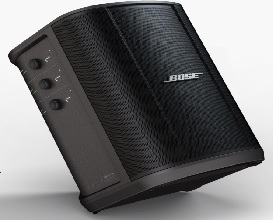
Best in category audio performance with enhanced LF port performance, Ultra-Portable Design, Integrated Wireless Receivers on Channel 1 and 2, Bluetooth connectivity on Channel 3, Tonematch on Channel 1 and 2, OLED Displays, 11hrs of battery life, Bose Music app control, Multi-position EQ (PositionEQ), Remote mixing via Bose Music.
Posted by: msumulong
The Bose S1 Pro Plus is the much awaited to the highly popular S1 Pro launched circa 2018. The S1 Pro Plus is essentially is more of an incremental upgrade rather than a major update. But still the upgrade is still worth it in my opinion.
First, the S1 Pro Plus follows the general form factor of its predecessor but with a more curvy design. It still retains the ability to position itself vertically or horizontally with the added capability to tilt so as to provide a more vibrant audio experience. And like before, Bose made sure that the logo like in the S1 Pro can be rotated in accordance to its positional orientation. Talk about branding!
The Bose S1 Pro Plus I have includes a battery and is rated to be at around eight hours of usage. This battery like the previous model is replaceable. But I do not know if this is a standard feature of the new model. I understand the previous generation S1 Pro has the bettery as being optional.
Like in the previous version, the S1 Pro Plus has two analog inputs and bluetooth> The main difference here is that the new model has an LED display rather than separate dials for the control. It still has one dial for each where you can toggle between bass, treble, volume and reverb. And do note this does not have a “manual’ equalizer but “autoequalizes” itself.
Another improvement is the addition of wireless input. There are two optional wireless modules compatible for this speaker system. One is a wireless mic transmitter and the other is an analog transmitter best suited for guitars or any other appropriate instrument. I was able to reset the wireless mic transmitter since I have a “pro” grade mic in my house. Surprsingly the volume is much louder compared to when the same mic is connected via cable. Unfortunately, I do not have a guitar or any other musical instrument in the house, so I wasn’t able to test the other transmitter.
The optional transmitters have built in batteries and from the looks of it, can be charged via USB-C but is not stated in the documentation. However, the S1 Pro Plus has two charging bays built in to the speaker. I was able to charge the transmitter and also I was notified of firmware updates on the transmitter. Given this, I was no longer to verify if the transmitter can be charged via USB-C or is actually having a USB-C port. Nonetheless, this is moot since there are charging bays already in the speaker.
As for sound quality, it has the sound signature of Bose and is quite loud. Bass is rather responsive as it is able to give a thump. Whereas, treble is fairly good but not spectacular. Obviously, I was not able to test the reverb function. And as usual, Bose does not disclose wattage of their products, but it is quite loud. Let’s get real this is a PA system and should be quite loud. Loud enough tone the accompanying speaker or used a sound monitor if you are a musician and also loud enough if you are using this as a PA system and also loud enough if you decide to use this as a karaoke system.
Also, another change to note is that unlike the previous model which connects to the Bose Connect app, the S1 Pro Plus now connects to the Bose Music app. This is a plus since it is now SimpleSync compatible but also smart compatible. I was able to group the S1 Pro Plus with my Bose Home Speaker 300 and Bose Smart Soundbar 5.1 system and the whole house is rockin’!
Normally I burn in speakers as is good practice before using it normally. After successfully burning in the S1 Pro Plus, I still noticed distortion when the speaker is mounted on a stand or displayed vertically. This for whatever reason is absent when using it horizontally. I have no idea if this is a fluke with my unit nor it is simply a design flaw. Nevertheless, it is not a big deal for me but this should be noted as well.
I would recommend this to a friend!


Share this review:


0points
0of 0voted this as helpful.

With the Razer DeathAdder V3, victory takes on a new shape. Refined and reforged with the aid of top esports pros, its iconic ergonomic form is now more than 25% lighter than its predecessor, backed by a set of cutting-edge upgrades to push the limits of competitive play.
Customer Rating

4
A fast mouse but no lights
on May 24, 2023
Posted by: msumulong
Razer’s Deathadder V3 is one of Razer’s latest gaming mouse. It’s primary selling point is that it is extremely light at 59G wherein you can barely feel it’s there. Add to it it’s superset nylon cord which Razer touts as a Speedflex cable and new ergonomic design, one can almost say you are not using a mouse at all. It also boasts of a gen 3 optical mouse switch making the use of the mouse quite a pleasure.
Upon plugging the mouse to your PC, it’s software automatically installs itself. But one thing to note is that there are no RGB lights in this mouse. And if this is your only Razer device in your gaming rig, the app will definitely be a waste of space since the app occupies roughly 500mb of space. And if you install all options, total space to be consumed is around 1GB. And like all gaming mice, buttons can be assigned.
And while the lack of RBG lights may not be enticing to all, I still find this mouse very useful. The speed of the mouse is essentially helpful since our monitors are 32 inches wide. In other words, this mouse functions as a great general use mouse. I would recommend it to others in spite of the lack of lights. But then again, some people may also want the lack of lights to be a plus. So because of that I am removing one star for thievery fast mouse since it can be really hard to call a mouse a gaming one without lights.
I would recommend this to a friend!


Share this review:


0points
0of 0voted this as helpful.
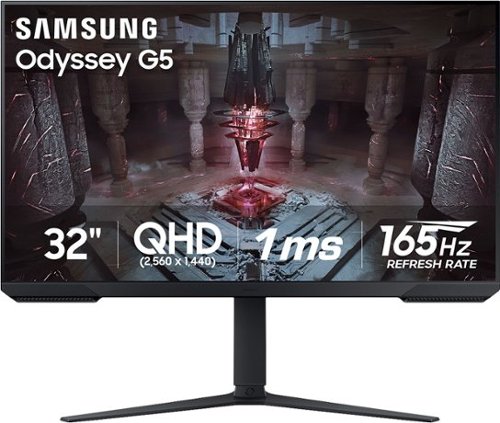
Explore Samsung~s 32" Odyssey G51C gaming monitor with 165Hz refresh rate and 1ms response time (MPRT). QHD resolution creates a gaming world more lifelike than ever before, with incredibly detailed, pin-sharp images. Experience vibrant, awe-inspiring graphics and find hidden details with HDR10. Featuring AMD FreeSync Premium and ergonomic design, the G51C is ideal for uninterrupted and beyond-comfortable gaming.
Customer Rating
5
A very promising gaming monitor
on May 17, 2023
Posted by: msumulong
The Samsung Odyssey 32” G51C is one of Samsung’s latest offerings aimed at casual to the “getting to be more serious” gamers at an affordable price level. It’s primary selling point obviously is it’s size at 32 inches. In this space, obviously one would prefer the biggest monitor one can afford both in budget and in actual physical space where to setup the monitor. And nowadays, it seems 32 inches is the norm whereas back in the day 24 inches is already huge. (And of course, there are even bigger monitors out there.)
The styling of this monitor seems to be current with the times wherein there is a thin bezel surrounding the screen area which makes it sleek to look at. Assembly of the monitor is very easy in the sense that you don’t even need the manual nor tools to set it up. Stand itself is the “V” shaped one and has and adjustable “pole” to connect your monitor. A plastic ring is provided as a decorative piece to hid where the monitor actually” connects to the stand. A cable management system is also included in the stand.
At the back of the monitor are your connection ports namely one display port, two HDMI ports and an audio out port. Personally, I do not prefer to use audio ports in the monitor as a direct connection to the PC itself provides better audio. But it there in case you have a need for it.
Below the monitor is a toggle switch to power on or off, and select which input you which to use. This design is very typical of Samsung monitors. (I have a Samsung M8 monitor and the toggle controls are similar.)
Features of the monitor screen itself includes a 165hz refresh rate which is generally good for most PC games unless you are a real hardcore gamer. The Samsung G51C’s resolution is QHD level meaning it is between 1080p and Full HD. Again, this is good for most gaming needs. It also supports Freesync. Unfortunately, the gaming rig at home has an Intel processor with an NVIDIA GTX1650 GPU. Freesync being owned by AMD is supported by Radeon GPUs or Ryzen APUs both being AMD technologies. I have read somewhere that NVIDIA cards are now support even either in use with an AMD chip or through a display port. Unfortunately, our HP Pavilion does not does not have a display port. So there is no way for me to actually test.
But if there is one feature we can appreciate is the inclusion of HDR. I have tested this monitor with my Samsung laptop with an intel integrated GPU and compared it to our HP Pavilion. And though my Samsung has an i7 whereas my HP Pavilion has only an i5, colors and sharpness seem to be better when using the HP.
Overall, this is a very decent gaming monitor selling at a decent price point meaning it is not exactly very cheap nor it is very expensive. It’s just fair value to what it promises to deliver. That said, I would recommend this monitor for gaming or general use.
I would recommend this to a friend!


Share this review:


+1point
1of 1voted this as helpful.
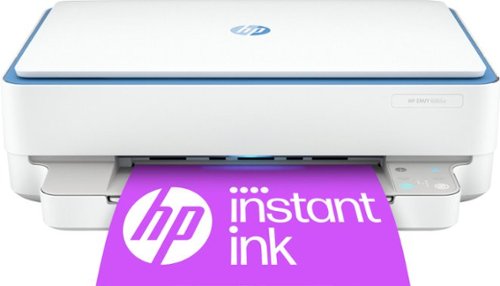
The HP ENVY 6065e makes it easy to print, scan and copy creative projects, borderless photos and homework with automatic 2-sided printing. It includes the optional HP+ Smart Printing System that keeps itself up to date and ready to print from virtually anywhere at any time~at no additional cost.
Customer Rating
5
A very capable basic printer
on May 6, 2023
Posted by: msumulong
The HP Envy 6055e is your basic inkjet printer and scanner combo which is perfect for those who do occasional printing and also comes in a small form factor. And like most basic printers, this printer can print ten pages per minutes which is the standard nowadays. It has a flatbed scanner which is fine for most uses. But if you require more robust scanning, then perhaps a printer with a document form feeder would be better. Also, do note that this is not an all-in-one printer combo which has fax capabilities. But then again, fax is a dying form form communication. It likewise uses a separate black ink cartridge and a tri-color ink cartridge. But personally I would prefer separate ink cartridges. But then again this is an entry level printer.
But what makes it stand out is that this printer is a smart printer. And it is highly recommended that you enroll in HP’s Instant Ink service in order to save money. Do note there is similar model the HP Envy 6055 which is not HP Instant Ink eligible. Also, this model AFAIK is already discontinued but here may be until still sold in the “wild”.
The HP Envy being an entry level model is bare bones in terms of physical features. Control is primarily done through the HP Smart App. This app is available for both Windows and MacOS and is also mobile compatible.
But the advantage if the HP Envy 6055e is that it is HP Instant Ink compatible meaning you subscribe to the in service. Once your ink levels are low, HP sends you replacement cartridges. Having used another HP smart printer (8030 series) for the last couple of years, I can certify that enrolling in the HP Instant Ink service does indeed save you money. But the beauty of this model is that you get a complimentary six month ink cartridge replacement service. This way you can ascertain your paper consumption and eventually select a print plan best suited for your needs. And being a smart printer, HP no longer provides a USB cable for this model though this model is also USB capable.
There’s not much more I can say about this model except for that this is perfect for the occasional user whether you use it at home or in the dormitory. It is a recommend!
I would recommend this to a friend!
Share this review:


+1point
1of 1voted this as helpful.

Intro-level price. Pro-level results. For food nerds, by food nerds. Our most compact cooker is still huge on results. This latest iteration of our entry-level sous vide circulator adds key improvements as requested by food nerds, for an even sweeter deal on perfect meals.
Posted by: msumulong
First and foremost, sous vide cooking is not for everyone. It simply takes too long. That said precision cooking is both a science and an art form. I am writing this review from the point of view of someone who is willing to take the time to cook.
The Anova Precision Cooker Nano 3.0 is one of Anova’s latest precision cookers. The main differentiator is that it is a smart sous vide. But let me discuss first how it functions as a basic or manual souse vide.
In general, the Precision Cooker Nano is generally the same as any other sous vide. You may either use an ordinary deep pot or a sous vide container. But do note that the sous vide container is not really necessary. Controls are pretty much straightforward as you can set the target temperature and timer on the touch screen panel. I did notice that there seems to be no power off button but that is not a big deal.
I have tested this unit by cooking one of the most popular recipes for sous vide cooking namely poached eggs. I have tried the so called “fast and easy” technique for cooking poached eggs on a sous vide. I set the temperature to 166F and preheated it and set the timer for 14 minutes. Needless to say the result was perfect poached eggs. Compared to the traditional way, this is way more effective albeit longer. But then again poached eggs can be stored for a day and you can make your initial preparation ahead of time.
As mentioned earlier, this is a smart device, You can download the app from either the app store both for Apple and Android. The app is simply an extension of the touch screen panel of the sous vide. But one thing to note though is that you can save your recipes in the app so that you don’t have to look for your recipes elsewhere.
Overall the Anova Precision Cooker Nano works as advertised even though souse vide cookers have been around. Fore those serious about their cooking, the Anova sous vide is a great tool for the kitchen. I would highly recommend this product.
I would recommend this to a friend!



Share this review:


+1point
1of 1voted this as helpful.

Get your first feel of racing thrills with this Thrustmaster T128 Racing Wheel for PlayStation 4/5 and PC. Optimized Force Feedback system with a lightweight wheel rim renders fun, intuitive racing sensations in different types of vehicle-oriented games. Precise T-MP magnetic paddle shifters gives you clear activation feel. Gear up for your next racing adventure with this T128 Racing Wheel!
Customer Rating
4
A good device with a little quirk
on April 28, 2023
Posted by: msumulong
The Thrustmaster T128P is an entry level steering wheel for racing games both for the Playstation and the PC hence the P designation. Compared to other streering wheels in the market, this model is quite small. Most notably with this model is that the brake and accelerator pad could hardly accommodate my size 11 feet but would be suitable for someone perhaps with a size 8. Nonetheless it is still workable.
On the steering wheel itself you can find two customizable paddles which I use for acceleration and braking. On the right side, you can see buttons specific for the PlayStation and on the left is a set of up and down arrow keys which are also customizable. There are also four customizable keys which you can use for other functions depending on the game being played such as zoom, instant replay, etc.
I have tried this steering wheels on games I use on Steam normally using a keyboard such as Copa Petrobas, RaceRoom, and Victory: The Age of Racing. So far I find the force feedback on the steering wheel is quite acceptable. Not that this model is not modular meaning you can’t change the streering wheel only like what’s found in other models but this is fairly good to me.
On the steering wheel itself you can find two customizable paddles which I use for acceleration and braking. On the right side, you can see buttons specific for the PlayStation and on the left is a set of up and down arrow keys which are also customizable. There are also four customizable keys which you can use for other functions depending on the game being played such as zoom, instant replay, etc.
I have tried this steering wheels on games I use on Steam normally using a keyboard such as Copa Petrobas, RaceRoom, and Victory: The Age of Racing. So far I find the force feedback on the steering wheel is quite acceptable. Not that this model is not modular meaning you can’t change the streering wheel only like what’s found in other models but this is fairly good to me.
Acceleration is quite satisfactory fpr me, but braking is quite tricky since so far I cannot make the brakes work in spite of customizing the brake pedals and confirming that it should work. But then again that is downside of PC ganes sometimes not being fully compatible with accessories.
Furhermore, most games I have tried from the Microsoft Store are often incompatible with this steering wheel. Perhaps AAA games for the PlayStation may be more compatible with this. But unfortunately I don’t have a PlayStation at my disposal.
Overall, I find this steering wheel quite satisfactory in spite of the quirks of the brakes. Nonetheless, I would still recommend this streering wheel for those who would want one but not necessarily break the bank.
I would recommend this to a friend!



Share this review:


+1point
1of 1voted this as helpful.

Print from your computer or smartphone with this Epson Workforce all-in-one printer. Its wireless connectivity lets you send documents to print from anywhere in your office. This Epson Workforce all-in-one printer also has scan and fax options, so you can respond to emails and send signed forms to colleagues in minutes.
Overall 1 out of 5
1 out of 5Printed well until ink needed replacing
By Macinzim
Every time I try to print or scan it tells me that I need to replace an ink cartridge to access anything on the printer. Ex: I replace the magenta and print one black and white document then it tells me I need to replace the magenta again. Epson customer service tells me "replace the ink cartridge" and nothing else. Printing one 5 page black and white document per month is costing me approximately $20 per month.

msumulong
Los Angeles
June 8, 2017
Everytime you replace a cartridge, calibration reduces ink in the other cartridges. You'd be better off with tri-color cartridges,
+2points
2of 2voted this comment as helpful.
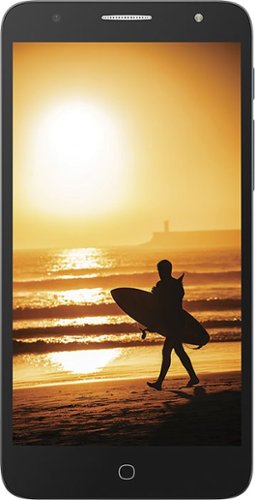
Connect with friends on this unlocked Alcatel Pop 4 smartphone. Its generous 16GB capacity stores more photos and music, and its quad-core CPU ensures speedy performance. The card slot supports a microSD, and the 8-megapixel camera has autofocus for sharper images. The loudspeaker on this Alcatel Pop 4 smartphone plays your favorite tunes.
Overall 3 out of 5
3 out of 5No AT&T Data Support
By TAaaaa
Very light, great design, cheap, good features, support AT&T calls and messaging only, no AT&T data support
msumulong
Los Angeles
June 8, 2017
You have to manually set the APN for AT&T as settings for AT&T are not pre-configured. Contact AT&T for the correct settings.
0points
0of 0voted this comment as helpful.
msumulong's Questions
msumulong has not submitted any questions.
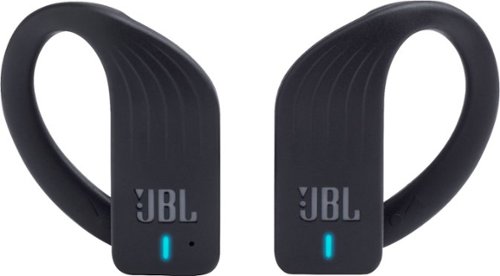
Accompany your workouts with streaming tunes from these JBL Endurance PEAK Bluetooth headphones. PowerHook technology switches them on when worn, and the TwistLock and FlexSoft features ensure a lightweight, ergonomic fit for comfortable, all-day use. Manage music playback effortlessly on these wireless JBL Endurance PEAK Bluetooth headphones via touch-enabled controls.
when you are in a call is only the right one supposed to work but with everything else, they both work?
Yes. And I am bewildered with that even if you are using both.
7 years, 5 months ago
by
msumulong
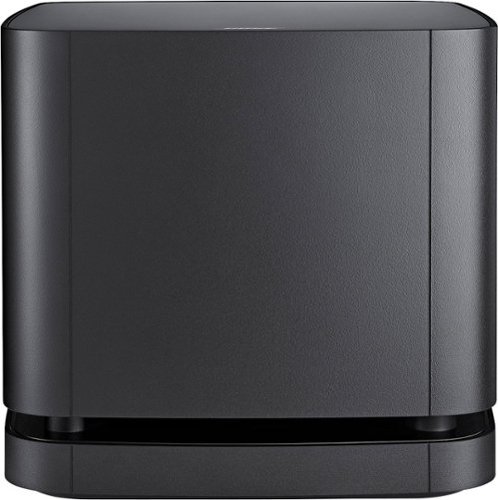
Who says you need a big box for big bass? The Bose Bass Module 500 will take your music, movies, and more to the next level. Its rich, thunderous bass in a compact, 10-inch cube makes it easy to hide and even easier to hear. Wireless connectivity allows you to place the Bose Bass Module 500 nearly anywhere. Leave it next to the TV or put it under your entertainment center - the choice is yours.
Can this be paired with the Bose SA5?
AFAIK it is only compatible only with the Bose 500, 700 and Soundtouch 300 soundbars.
7 years, 10 months ago
by
msumulong

The stylish Bose Soundbar 500 speaker is meant to be heard, not seen. Its thin profile fits discreetly under the TV screen, while its powerful acoustics fill the room with sound. And with Amazon Alexa and Google Assistant built in, all your favorite music is just an ask away, or use it as a central hub to control your existing smart home devices.
Is the 500 newer than the 300 and can you use with cinematic 15
The Bose 500 as well as the 700 were released August this year with the 700 being the replacement for the 300 as the latter does not have Alexa capabilities. All three soundbars like most soundbars have built-in ampliers. Also the three soundbars can use each others sub-woofers and share a common rear surround speaker model. But AFAIK these the 500 and the other models were not designed for the Cinemate series.
7 years, 10 months ago
by
msumulong
Connect with friends on this unlocked Alcatel Pop 4 smartphone. Its generous 16GB capacity stores more photos and music, and its quad-core CPU ensures speedy performance. The card slot supports a microSD, and the 8-megapixel camera has autofocus for sharper images. The loudspeaker on this Alcatel Pop 4 smartphone plays your favorite tunes.
Is trac phone compatible if I am trying to purchase air time?
yes but you may have to manually configure APN settings.
9 years, 3 months ago
by
msumulong
Connect with friends on this unlocked Alcatel Pop 4 smartphone. Its generous 16GB capacity stores more photos and music, and its quad-core CPU ensures speedy performance. The card slot supports a microSD, and the 8-megapixel camera has autofocus for sharper images. The loudspeaker on this Alcatel Pop 4 smartphone plays your favorite tunes.
How old is this model alcatel pop 4 ?when did it come available?
It became available 2nd qtr of 2016.
9 years, 5 months ago
by
msumulong
Connect with friends on this unlocked Alcatel Pop 4 smartphone. Its generous 16GB capacity stores more photos and music, and its quad-core CPU ensures speedy performance. The card slot supports a microSD, and the 8-megapixel camera has autofocus for sharper images. The loudspeaker on this Alcatel Pop 4 smartphone plays your favorite tunes.
Google Play store states this phone does not have an Accelerometer, so cannot be used with Google glass.
Given that it is a low end Android phone, do not expect that it will have an accelerometer nor NFC. GPS and BT are standard features though.
9 years, 5 months ago
by
msumulong
Connect with friends on this unlocked Alcatel Pop 4 smartphone. Its generous 16GB capacity stores more photos and music, and its quad-core CPU ensures speedy performance. The card slot supports a microSD, and the 8-megapixel camera has autofocus for sharper images. The loudspeaker on this Alcatel Pop 4 smartphone plays your favorite tunes.
it supports quick charging?
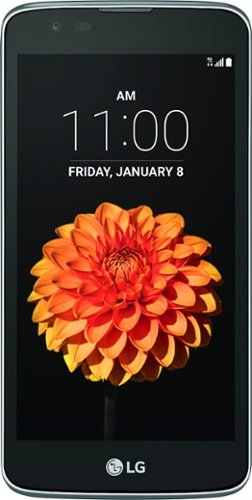
Smooth design and a powerful Snapdragon quad-core processor are yours with this T-Mobile LG K7. Android Lollipop 5.1 ensures seamless operation and keeps you on top of your game, while the large 5-inch screen delivers flawless visuals and excellent responses. A 2,045 mAh battery gives this T-Mobile LG K7 long-lasting power to keep it going throughout the day.
What phone plans can I use. I want a go phone plan. Like page plus where I can pay 6-10 cents a minute over 3- 4 months. Not a monthly plan.
You can have that option when you try to activate your SIM online.
10 years, 2 months ago
by
msumulong
Smooth design and a powerful Snapdragon quad-core processor are yours with this T-Mobile LG K7. Android Lollipop 5.1 ensures seamless operation and keeps you on top of your game, while the large 5-inch screen delivers flawless visuals and excellent responses. A 2,045 mAh battery gives this T-Mobile LG K7 long-lasting power to keep it going throughout the day.
does the LG v10 tmobile phone
does this phone accept a sim card? i already have a tmobile acct i just want a new phone, LG
Yes. I am using my current SIM card. It has a nano sim card though.
10 years, 2 months ago
by
msumulong
Smooth design and a powerful Snapdragon quad-core processor are yours with this T-Mobile LG K7. Android Lollipop 5.1 ensures seamless operation and keeps you on top of your game, while the large 5-inch screen delivers flawless visuals and excellent responses. A 2,045 mAh battery gives this T-Mobile LG K7 long-lasting power to keep it going throughout the day.