


CraigB's stats
- Review count198
- Helpfulness votes2,810
- First reviewFebruary 11, 2013
- Last reviewAugust 11, 2026
- Featured reviews0
- Average rating4.2
- Review comment count7
- Helpfulness votes6
- First review commentNovember 29, 2013
- Last review commentJanuary 31, 2017
- Featured review comments0
Questions
- Question count0
- Helpfulness votes0
- First questionNone
- Last questionNone
- Featured questions0
- Answer count43
- Helpfulness votes54
- First answerMarch 24, 2015
- Last answerNovember 6, 2021
- Featured answers0
- Best answers7
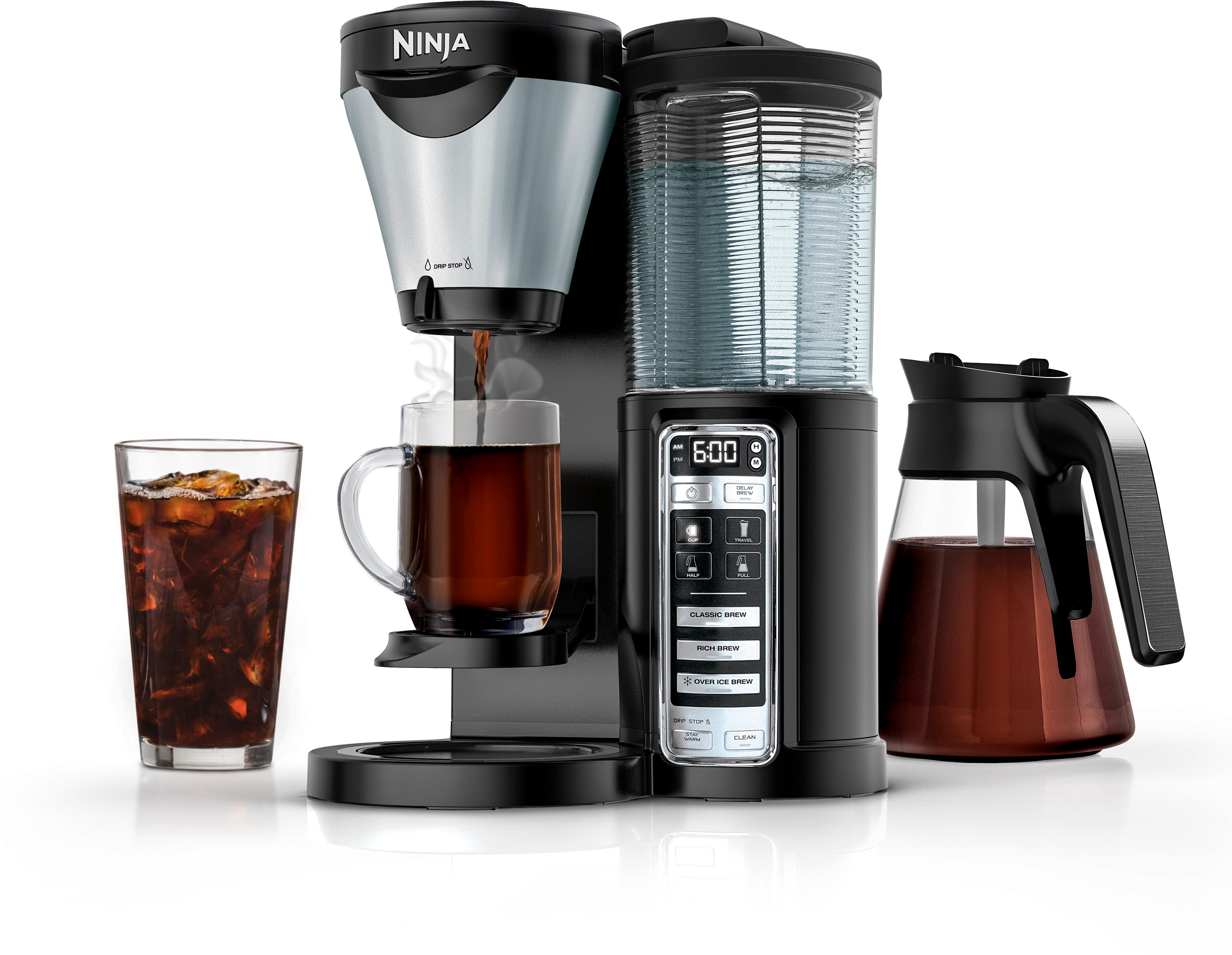
Enjoy your morning java with this Ninja coffee brewer. Its specialized extraction technology maximizes the flavor of your hot or iced brew, and its Auto-iQ One-Touch Intelligence feature lets you choose the size of your drinking vessel so it delivers the exact amount of water. This Ninja coffee brewer has a removable reservoir for easy refilling.
Customer Rating

5
I found my love for coffee again
on July 22, 2017
Posted by: CraigB
from Texas
Pros
Provides full bodied flavor
Offers multiple options from Standard, to Rich, to Iced
Iced coffee option makes sure it’s not watered down
Offers cup, thermos, half carafe, and full carafe options
Burner keeps coffee warm without burning
Includes scoop with recommendations for sizes
Twist on/off water tank feels more secure
Removal water tank eases refilling
Lever allows brew to stop for pouring
Provides full bodied flavor
Offers multiple options from Standard, to Rich, to Iced
Iced coffee option makes sure it’s not watered down
Offers cup, thermos, half carafe, and full carafe options
Burner keeps coffee warm without burning
Includes scoop with recommendations for sizes
Twist on/off water tank feels more secure
Removal water tank eases refilling
Lever allows brew to stop for pouring
Cons
Coffee can be a bit cool after a while on the warmer
Scoop doesn’t have a place to set or hang
The filter area always drips on the carafe when pulling open
Icon for full carafe looks almost half full leading to initial confusion
Coffee can be a bit cool after a while on the warmer
Scoop doesn’t have a place to set or hang
The filter area always drips on the carafe when pulling open
Icon for full carafe looks almost half full leading to initial confusion
Over the past few years the trend has been towards one serving, convenient pod or cup style coffee makers. Cost and arguably flavor was sacrificed in favor of convenience. The Ninja Coffee Brewer doesn’t follow these trends and focused on the taste of the coffee first and it looks like they have succeeded.
At first glance, the appearance of the Ninja Coffee Brewer can be a little odd compared to other coffeemakers. It is distinctly the style of Ninja products. After unboxing and putting in place the look seems to be much better and overall seems to take up less space. In fact, it took up nearly half the space of the previous pod style brewer. A scoop is included with two sizes and recommended scoops for each cup size. A place to hang the spoon would have been a nice final touch. The carafe carries the same unique design which Ninja describes is intended to keep as much coffee near the warmer as possible to keep coffee warm without burning. This task is achieved for the most part but if left long enough the coffee will get cool instead of burning and the flavor will still change. Thankfully the coffee is not ruined during this process like traditional pots. If you expect to not have another cup for more than an hour, it would be best to make a single cup or half carafe to get the best flavor.
Regarding the flavor, it seems Ninja has been able to live up to their better tasting coffee. The way it brews coffee is a little slower since it must first soak the grounds and let them sit but the slightly longer wait is worth it. In blind taste testing, the Ninja Coffee Brewer won out over pod style coffeemakers each time. The flavor was as strong or as weak as the way it was made but it always had more flavor than pod style brewers while also tasting smoother. In a group of avid coffee lovers, every one of them found themselves drinking more coffee and enjoying it more. For those who love coffee extremely dark, this coffeemaker seems capable of accommodating. If you put extra grounds and put it on rich brew it can make a cup so rich and smooth that choice coffee shops don’t seem to even compete on standard drip coffee. Overall it seems capable of pleasing both the dark and light coffee fans equally. There is a small sacrifice in convenience but a huge gain in flavor and customization of brew. If you like iced coffee this coffee pot has you covered. There is an iced coffee setting that, when used, adjusts the brewing cycle to reduce how much water is used while retaining flavor. You fill your cup full of ice, choose iced coffee, and once done the ice is almost completed melted but you don’t have watered down coffee. Add some chocolate syrup, half and half, and liquid sugar and you have a highly addictive iced coffee to help you cool down after working outside. The bonus is you spend far less than buying it at a chain coffee shop while having all the flavor, unlike the old way of pouring regular hot coffee over ice.
Convenience is the main area where the Ninja Coffee Brewer falls short but only slightly. There is of course the normal cleanup of the filter but the good thing is the filter is reusable. No trips to the store to get more filters right when you want a cup. The water reservoir conveniently twists off allow you to secure attach and remove for easy refilling. The size of the reservoir matches a full pot so there is no worry about overfilling the carafe. It’s a small but thoughtful touch. A small oddity is that the reservoir has a built in handle which held blocks the markings for pot size. If the markings were moved 90 degrees in either direction it would be more intuitive. The twist method of removing and installing the reservoir means that you know exactly if it is fully secured and working. Some other traditional coffee pot water reservoir attachment systems have a less secure mount and, if set on a timer, could lead to a pot not being brewed because the water could not come out. The Ninja had a distinct click feeling as it is secured letting you know it is installed correctly. A small negative in the convenience factor, besides cleaning, is that the filter basket leaks when moved even well after the brew is complete. The carafe can be filled and the brewer off and yet the moment you pull out the pot a few drips come out. If you pull out the filter basket, coffee will drip over the handle of the pot and in front of the coffee pot. It can be an inconvenience but thankfully there is an easy workaround. If you turn the switch on the bottom of the filter basket to closed you don’t get any drips.
Pod/cup style brewers may be what most people see today but given a chance, the Ninja Coffee Brewer would likely convert many. Coffee drinking has turned from more of a daily habit into an enjoyable experience. Our entire family has doubled the amount of coffee they drink while saving money.
My Best Buy number: 2528554201
Mobile Submission: False
I would recommend this to a friend!


Share this review:


+16points
17of 18voted this as helpful.
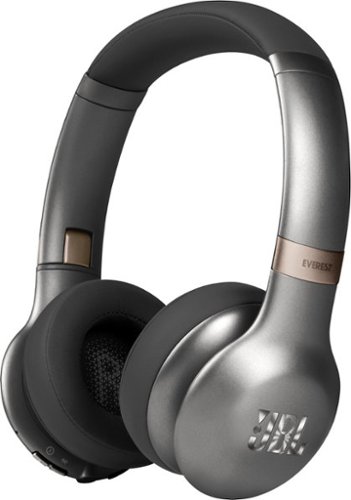
Experience clear, crisp sound with these JBL Everest wireless headphones. Their Pro Audio Sound technology provides the sound quality you'd expect in a concert hall or studio, while the echo-canceling microphone lets you make clear, hands-free calls. Enjoy your music wirelessly with the Bluetooth feature on these JBL Everest wireless headphones.
Customer Rating

3
Good, not outstanding
on July 18, 2017
Posted by: CraigB
from Texas
Pros
20-hour battery life
Foldable design
Included carrying case
Sleek design
Excessive highs without EQ adjustment
Sturdy feel
Power button slider makes use easy and distinct
Wired and wireless design
Carrying case included
20-hour battery life
Foldable design
Included carrying case
Sleek design
Excessive highs without EQ adjustment
Sturdy feel
Power button slider makes use easy and distinct
Wired and wireless design
Carrying case included
Cons
Pressure on ears for larger heads can cause fatigue
Lows are weak without EQ adjustment
Even with adjustment classic songs sound tinny because bass is missing
Volume button awkward
Right and left speaker text can be easy to miss for first time users
Battery cannot be used to boost volume when plugged into phone
Volume low when using hardwired connection to cellphone
Pressure on ears for larger heads can cause fatigue
Lows are weak without EQ adjustment
Even with adjustment classic songs sound tinny because bass is missing
Volume button awkward
Right and left speaker text can be easy to miss for first time users
Battery cannot be used to boost volume when plugged into phone
Volume low when using hardwired connection to cellphone
Most hear about brands who market their on ear, bass heavy headphones claiming they are the best around. JBL looks to be going after someone more interested in overall clarity versus heavy hitting bass.
The Everest 310 out of the box includes a carrying case, stereo cable, and charging case. The design folds to allow a nice, flat case that includes a placed to store the stereo cable and charging cable. The headband is a single, sleek band providing a simple and clean look. Just be prepared for a slightly tight feel if you have a larger head. For first time users, it might be difficult to know the left from right since the letters R and L are inside the earcups and appear to be a styling design. After the initial confusion, the letters are hard to miss and help quickly the left from right side. The power button is a slider making recognition simple and easy. Unfortunately, the volume up, play, and volume down are all one massive button with a slight bump for play. This often leads to pausing a track instead of changing volume as you try to feel around and take a best guess which button you have you finger on. Two other buttons on the front include a Bluetooth button and sharing button. The sharing button requires another set of compatible JBL headphones and you can wirelessly share what you are listening to.
If you are the type of person who likes heavy, punchy bass these headphones are not the ones you want. Sound attempts to lean towards more balanced. For classic songs or 90’s rock the Everest 310s seem to remove any semblance of bass leaving a vocal heavy, almost metallic sound. Strangely, sounds for drum cymbals sound clear but seem to be missing that makes them more impactful. It’s difficult to describe but on some other high-end headphones the sound has more depth. Although 90’s rock doesn’t have the punch of many modern genres, it does have bass. If you want to bring back the bass you are going to need an EQ. The drivers are most certainly capable of bass. What they don’t seem to be capable of is the more modern, hard hitting bass. If you listen to something like dubstep you can get the bass, but be prepared for it to feel softer than you expect and remove some of the intended impact of the song. If you are using Bluetooth, your options may be limited as not all smartphones offer an EQ over Bluetooth. The good part is you can use them hardwired to work around the issue as more smartphones offer EQ control via stereo cable. This leads to a different shortcoming. The drivers of the headphones are so large that using them hardwired leads to a dramatic reduction in volume. Smartphones just don’t provide much power to the headphone jack and as soon as you plug the Everest 310s in you will find you cannot use the battery to boost power. All power for the drivers comes straight from the cable. Unless your smartphone provides extra power via the headphone jack, hardwired listening might be best left to plugging into an amplifier.
Overall, the JBL Everest 310 headphones are a decent offering if not a standout one. If either don’t care about heavy hitting bass or like a software bass sound, after EQ adjustment, they could serve you well. If prefer very distinct highs with loud vocals they have you covered.
My Best Buy number: 2528554201
Mobile Submission: False
I would recommend this to a friend!


Share this review:


-3points
4of 11voted this as helpful.
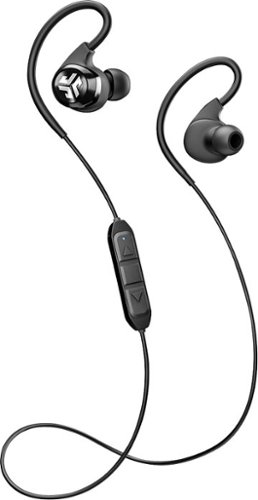
Kick your listening experience up to a whole new level with wireless JLab Audio Epic Bluetooth earbuds. The 10-hour battery life lets you enjoy your music all day, and crystal clear radical sound creates a smooth, precise and memorable listening experience. Get the most out of your music, phone calls and audio books with JLab Audio Epic Bluetooth earbuds.
Customer Rating
5
Balanced sound with long battery life
on July 10, 2017
Posted by: CraigB
from Texas
Pros
Comfortable after finding good fit
Memory wire allows it to be bent to conform
Balanced sound quality with good bass but not excessive
Long battery life
Nice fade out and fade in when changing tracks
Voice feedback that states remaining battery life
Distinct buttons make control easy
Lightweight
Splash proof and washable if done gently
Plenty of ear canal inserts including one unique
Compact for capability
Includes carrying case
Comfortable after finding good fit
Memory wire allows it to be bent to conform
Balanced sound quality with good bass but not excessive
Long battery life
Nice fade out and fade in when changing tracks
Voice feedback that states remaining battery life
Distinct buttons make control easy
Lightweight
Splash proof and washable if done gently
Plenty of ear canal inserts including one unique
Compact for capability
Includes carrying case
Cons
Antennae is weak, particularly cross body
Wire snags neck when hanging down
Antennae is significantly worse when tied up off neck
Charging port cover difficult to open
Callers report sounding distant like on speakerphone
Best reception quality requires phone to be on right side
Antennae is weak, particularly cross body
Wire snags neck when hanging down
Antennae is significantly worse when tied up off neck
Charging port cover difficult to open
Callers report sounding distant like on speakerphone
Best reception quality requires phone to be on right side
Over the ear headphones are great for active people if you can accept the weaknesses that come with the design. The JLabs Epic 2 headphones claim to have solved some of the largest weaknesses. For such compact headphones, the battery life is claimed to be 12 hours and a special antennae design is used to create skip-free sound.
In testing, the battery life is likely very close to the 12 hours. In fact, they lasted several days through several workouts where tracking the overall battery life seemed pointless. It is doubtful anyone could tolerate in ear headphones for 12 hours and charging is reasonably quick. Even if the claimed life of 12 hours isn’t true, it is unlikely anyone will run out of battery. Part of the reason is when the headphones are turned on, after announcing they are connected to your phone, the next thing they do is state the battery life. The battery life is announced as full or medium so you don’t get a percentage but it gives you a good idea if they will last through the task.
The claim of radical skip-free sound is where at least in part the promise fails. The wire that goings between the headphones and serves as the antenna can be tied up to keep it off your neck. In the instructions, it warns that signal quality will degrade and they mean it. If you want to maintain skip free audio, use an armband holder for your phone. If you keep the antenna wire hanging down you will usually have skip free sound. Where the promise starts to fail even the antenna fully extended is if you keep the phone in your left pocket and bend over or kneel. Each time you kneel and your body starts to create more signal resistance, the sound will drop in and out. Moving the phone to the right pocket improves the quality but there are still some skips. This leaves you with a choice of either wear the phone in an armband holder or deal with the antenna on your neck. If you do a lot of side to side movements with your head and work up a sweat you will likely want to use the armband as the antenna wire on the headphones sticks to sweating skin unusually well. Although this issue is not unique to over the ear headphones it is far more challenging to solve. With some adjustments, you can achieve that skip free sound everyone wants but few products seem to provide.
Over the ear headphones usually do a great job of staying out of the way but can also be much less comfortable. With some work, the Epic 2 earbuds can be very comfortable. Many tips are included from large to small. A gray set is included for people with shorter ear canals. Some tips unique to JLabs are a 3-rib design. They provide the similar benefits to the traditional design but seemed to have a little more holding power and blocked more external sound while not affecting comfort. Getting the headphones to be comfortable requires some work but is achievable. A feature that might be easily overlooked is the over the ear portion. It uses memory wire to allow it to bend and conform it to your ear. This greatly helps improve comfort and stability. To get the wire to conform requires a fair bit more of an effort and can lead one to think it isn’t working at first. The wire must be bend slightly beyond the desired position to get it to stay where intended. After becoming accustomed to this method, getting a custom fit is easy and the earbuds will stay put.
Tip: Insert the earbuds in with the memory wire on top and rotate them around your ear and into the ear canal. This provides a better fit without the need to press them too far in.
The Epic 2 earbuds claim superior sound quality due to an oversized driver for the class of headphones. For most people, this claim holds true. If you have them fitted correctly, the sound is balanced with a good range from the lows through to the highs. The bass is good without overpowering as it does on some brands. A nice sound is when you change tracks the sound fades and the next one fades in. The clarity might not be as great as audiophile headphones but considering sound is streamed over Bluetooth 4.0, it is unlikely you will hear better particularly in this price point. It will be interesting to see if the next generation includes Bluetooth 5.0 for improved sound. This sound quality doesn’t translate to great call quality. With the microphone behind the ear, expect callers to comment that it sounds like you are on speakerphone and can hear background noise. Most people looking for over the ear headphones are wanting them for active use so extended phone calls during a workout seem highly unlikely. For other times, the microphone does a passible job.
The design for active people includes one last feature in a sweatproof and splashproof design. Considering where they will be worn, the sweatproof design is a plus as some other brands start to distort at the worst possible time at the peak of a workout. Although the design doesn’t allow sweat in much to be begin with, the sweat had no effect on sound quality. Sweat also had minimal effect on the security of the earbuds during movement. A much-appreciated feature is the splashproof design. It isn’t splashproof to allow swimming. The splashproof means after a sweaty workout, you can quickly run them under the faucet to clean them so they are clean and sweat free for the next workout.
Overall, particularly considering the price point, the JLab Epic 2 headphones are a solid offering for an active lifestyle with mainly minor improvements needed for the next generation.
My Best Buy number: 2528554201
Mobile Submission: False
I would recommend this to a friend!


Share this review:


+1point
1of 1voted this as helpful.
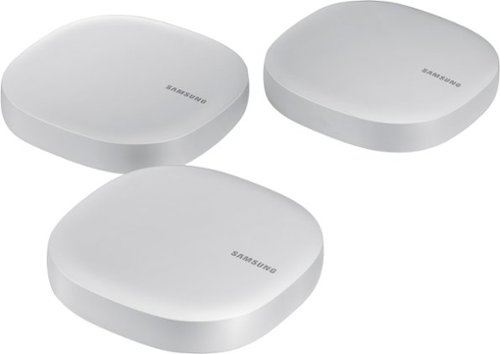
Control everything from lighting to your refrigerator in your home with this all in one Samsung Mesh WiFi Router and Smart Home Hub. Not only does it deliver an optimized Wi-Fi signal to every corner of your home, it also works as a SmartThings Hub, connecting compatible cameras, lights, voice assistants, and more to create your smart home. Now you can manage your Wi-Fi and all your smart devices from the palm of your hand with this Samsung Mesh WiFi Router and Smart Home Hub.
Customer Rating
3
Great concept in need of firmware upgrade
on June 30, 2017
Posted by: CraigB
from Texas
Pros
Mesh Wi-Fi gets signal everywhere
Compact size with clean look
Bridge ethernet port
Integrated SmartThings Hub
Can operate as only a mesh Wi-Fi using bridge mode
Built in thermal shutdown protection
Network traffic graph shows real time internet usage
Allows UPnP which some game consoles require
Mesh Wi-Fi gets signal everywhere
Compact size with clean look
Bridge ethernet port
Integrated SmartThings Hub
Can operate as only a mesh Wi-Fi using bridge mode
Built in thermal shutdown protection
Network traffic graph shows real time internet usage
Allows UPnP which some game consoles require
Cons
Slow! Max speed tops out at under 150Mpbs at ANY node
No mention of dedicated wireless backhaul. Tested speed is too slow to verify
No mention of ethernet backhaul capabilities
No migration utility for SmartThings so everything must be rebuilt
No way to manage on a computer
Smartphone administration app sometimes fails to connect
Extremely basic QoS, high priority or regular for devices
Devices with static IP set on device cannot be managed at all
Port forward is impossible if IP is statically assigned at device
LAN network is fixed at 192.168.1.x leading to possible conflicts
Some devices never show up in the device list
Most devices show up at MAC address instead of device name
No wall or ceiling mount option
Units get hot
No content filtering options
Nonexistent instructions
Node connection strength tester does nothing more than show if nodes connect
Changing DNS causes management to break until power cycling units
MTU not configurable even though some ISPs require
SmartThings setup fails if you already have an old SmartThings app installed
Enabled SmartThings corrupts your original SmartThings hub if you had one
Instructions for Z-Wave Exclusion or repairing are non-existent if your old hub is corrupted
SmartThings is not fully integrated. Advanced features require a separate app
Editing SmartThings in the Connect app deletes SmartApps in the SmartThings App.
No WPS, which is the only way some Blueray players connect
Slow! Max speed tops out at under 150Mpbs at ANY node
No mention of dedicated wireless backhaul. Tested speed is too slow to verify
No mention of ethernet backhaul capabilities
No migration utility for SmartThings so everything must be rebuilt
No way to manage on a computer
Smartphone administration app sometimes fails to connect
Extremely basic QoS, high priority or regular for devices
Devices with static IP set on device cannot be managed at all
Port forward is impossible if IP is statically assigned at device
LAN network is fixed at 192.168.1.x leading to possible conflicts
Some devices never show up in the device list
Most devices show up at MAC address instead of device name
No wall or ceiling mount option
Units get hot
No content filtering options
Nonexistent instructions
Node connection strength tester does nothing more than show if nodes connect
Changing DNS causes management to break until power cycling units
MTU not configurable even though some ISPs require
SmartThings setup fails if you already have an old SmartThings app installed
Enabled SmartThings corrupts your original SmartThings hub if you had one
Instructions for Z-Wave Exclusion or repairing are non-existent if your old hub is corrupted
SmartThings is not fully integrated. Advanced features require a separate app
Editing SmartThings in the Connect app deletes SmartApps in the SmartThings App.
No WPS, which is the only way some Blueray players connect
The Samsung Connect Home is a new mesh WiFi offering from a growing number of contenders but with one unique feature. A SmartThings hub is integrated in. The intention is to simplify your smart home setup, improve coverage, and take a lot of the complexity out of the process. For someone new to mesh WiFi or SmartThings this goal is largely achieved. You just plug in the main unit, open the app and pair, and almost all configuration is already done. Turning on SmartThings is as easy as choosing yes and pairing items. This all sounds great but it comes with a problem. People who know what SmartThings does or what the benefit of a mesh WiFi is want more. They appreciate simplicity but want at least some control and this becomes a challenge.
To start, the units are subtle enough in design that leaving one out the open is unlikely to garner any unwanted attention. This is good because a good mesh WiFi is about proper placement, which can mean placing a unit in plain sight. The downside is the units are neither wall or ceiling mountable making options limited. One feature some mesh systems have that is missing from Connect Home is a signal meter either in the app or on the unit. There is a portion during setup where it can check signal strength but it doesn’t provide any useful information to say that the unit should be placed closer for better speed. This leaves you to guess if you have a good spot. If you have an internet speed of less than 130Mbps this system should serve you just fine. The problem is that it is rated at 866Mbps. Even testing with multiple devices straight from the WiFi on the unit serving as the router within two feet of the unit the speed was the same. Better units have a dedicated channel between them called backhaul so that they can communicate without losing speed each time your signal jumps from one to the next. Unfortunately, neither documentation nor testing could determine if these units processed such a feature as the speed never reacesh its full potential regardless of location. Although it cannot be confirmed, this speed issue seems as though it is a software issue as the hardware specs show it should do much better.
Software is where these units really feel as though there is a need for growth. If you want to change QoS rules on a device, it must be connected via WiFi. Hardwired devices do not show up in the interface to set QoS. If you want to add a port forward, again the device must be connected via WiFi as hardwired devices do not show up to set any port forwards. Want to set a device, such a printer, with a static IP? You can’t set it beforehand. The device must show up in the interface first, which means WiFi only, and then you can change its address. Manually set it up in the printer and it might work but the system won’t show it at all. Do you have a NAS that you host all your music or videos on for access away from home? This currently cannot do this as pretty much any NAS will complain if you don’t manually set it static and of course, unless you it has integrated WiFi, you can’t create a port forward to it. Some ISPs have their modem set up with a fixed 192.168.1.x network and a select few refused to change those settings. Plugging in this system will cause your entire internet to stop working because the internal network is fixed at 192.168.1.x and cannot be changed. This seems to go against the attempt at simplicity. If the attempt was simplicity, it could detect your ISPs settings and verify there isn’t a conflict. Even better is if there was a step that recommended the settings to prevent a conflict but also allow you to adjust them if the need arose. If you have worked with some of the more unique mesh offerings you will know they come with robust family controls, filtering, and reporting. These units currently offer nothing more than a schedule to turn off devices that show up in the internet. Family controls are not a strong point.
The intriguing part of this package is having SmartThings built right in. No need to have a separate box, separate configuration, or even separate purchase. This is a great concept. For those who want to have the most basic smart home you can just pair devices and only use the Samsung Connect app. You can get the ability to turn things on and off and even set up some rules. The problem, at least at the time of this review, is the Connect app severely limits the number of compatible devices. Only a handful of SmartThings compatible devices work within the Connect app. This is where the separate SmartThings app comes to the rescue. If you haven’t used SmartThings before, it will require you to use or create a Samsung account. Beyond that, it becomes a fully functional SmartThings hub.
The problem comes up if you already had a hub. To start, there is no migration or backup tool. You must pair and rebuild everything from scratch. Before turning on the hub functionality, be sure to unpair your devices from your old hub as the moment you turn on the new one it gets confused if you used the same email address an unlinks your old hub. This will lead you to research how to use Z-Wave Exclusion mode and how to unpair devices and documentation is sketchy and circular in nature. Have a wall switch stuck paired to your old hub? There is a strong chance the switch instructions will instruct you to check your hub for help on resetting and the hub will suggest you check the switch instructions. These poor instructions are from very large name brands as well, not just some small outfit venturing into smart devices. If you also have a legacy SmartThings account, be sure to choose create new account. If your Samsung account is already on your phone it will automatically recognize it and allow you to select it. This is a known glitch in the setup. If you want to use Smartapps in the SmartThings app, be sure to steer clear of trying rules in the Samsung Connect as the Connect app will delete any Smartapps you install. It’s best to choose to administer with only one or other. The SmartThings app by far will be the most full featured option offering more functionality and device compatibility.
So, one could ask the question what is good about this product? Except for the units being a little warmer than normal, the hardware is solid. Reaching out to Samsung support, which is listed on their website, were some excellent and quickly available support staff on the SmartThings team. Horrible phone menus aside, wait time was short and the staff were very knowledgeable. They also confirmed, with limited detail, that the software on the devices is mainly launch software and plans are to further expand and improve functionality. With the software improvements and the speed issue solved this could be a very competitive offering. Based the current software/firmware, it is rated at 2.5 stars. If the software is upgraded as indicated, the rating could easily change to a 4 to 4.5. Samsung has been known to do this in the past and every critique of the devices was software related, again assuming the speed issue is a software issue. If you consider a SmartThings Hub, at the time of writing, goes for $99 this could be a great deal. For anyone with internet above 120Mpbs or those wanting advanced networking features patience is the best option. Give Samsung time to add the additional features and see if they fix the speed issue before you make your final decision. If you have internet speeds below 120Mbps, would love to have WiFi everywhere in your house, as well as have SmartThings without the extra cost of a hub this could be a great buy even now.
My Best Buy number: 2528554201
Mobile Submission: False
I would recommend this to a friend!


Share this review:


+17points
21of 25voted this as helpful.
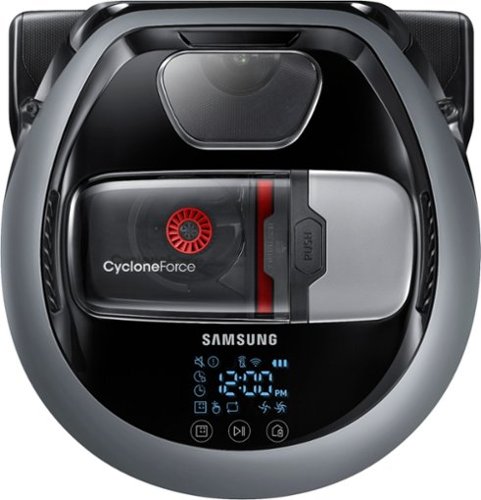
Keep your floors spotless with this Samsung POWERbot Slim robot vacuum. Its sensors and mapping system automatically adapt to the pattern of floors in the home and effectively avoid obstacles. This Alexa-compatible Samsung POWERbot Slim robot vacuum provides maximum cleaning coverage including edges and corners thanks to its sophisticated edge-cleaning technology.
Customer Rating

4
A vacuum that gets smarter with automatic updates
on June 14, 2017
Posted by: CraigB
from Texas
Pros
Short enough to get under most furniture
Edge cleaner
Very quiet on normal mode
Sound is not unpleasant even on max
Large easy to clean and washable dust bin
Washable/reusable filter
Brushes don’t tangle easily
Room mapping means more consistent vacuuming
Integrates with Smartthings
Integrates with Alexa
Capable of vacuuming higher shag carpets than most
Automatic recharging
WiFi connectivity for remote status and control
WiFi connectivity allows for automatic software upgrades and improved intellegence
Automatically recharges and continues
Mapping camera works in the dark
Doesn’t require any remote sensors
Can be set to automatically clean when you are away via SmartThings
Doesn’t easily get tangled
Doesn’t randomly bump into furniture to determine when to stop
Vacuums around items left on floor instead of trying to run over them
Short enough to get under most furniture
Edge cleaner
Very quiet on normal mode
Sound is not unpleasant even on max
Large easy to clean and washable dust bin
Washable/reusable filter
Brushes don’t tangle easily
Room mapping means more consistent vacuuming
Integrates with Smartthings
Integrates with Alexa
Capable of vacuuming higher shag carpets than most
Automatic recharging
WiFi connectivity for remote status and control
WiFi connectivity allows for automatic software upgrades and improved intellegence
Automatically recharges and continues
Mapping camera works in the dark
Doesn’t require any remote sensors
Can be set to automatically clean when you are away via SmartThings
Doesn’t easily get tangled
Doesn’t randomly bump into furniture to determine when to stop
Vacuums around items left on floor instead of trying to run over them
Cons
Low slope on front often means transitions between surfaces are awkward
Sometimes misses spots of a room or entire rooms
No sensor to report full dust bin
No dirt sensor to improve cleanup of heavier spots
Tiny secondary wheels can build up hair and are hard to clean
Cleaning brush has a bearing which can get clogged with hair and is hard to clean
Instructions are not comprehensive and are partly in book and partly online
Instructions for connecting to SmartThings at the time of review are incorrect
Limited scheduling at time of review. No unique daily options or Normal/High suction programming
Recommends an open 6-foot area for base station
Not recommended to have base station under furniture for discreet storage
Rams into black furniture
Sometimes tries to edge clean corners diagonally
Sometimes randomly loses app connection for short periods
Short run time before needing recharge
Sometimes acts as if it is avoiding obstacle that isn’t there in the middle of a room
Can miss half a room if the door is in the middle
No option for random vacuuming to bring up carpet fibers
No handle to pick up
Picking it up while charging during cleaning cancels the cleaning
Low slope on front often means transitions between surfaces are awkward
Sometimes misses spots of a room or entire rooms
No sensor to report full dust bin
No dirt sensor to improve cleanup of heavier spots
Tiny secondary wheels can build up hair and are hard to clean
Cleaning brush has a bearing which can get clogged with hair and is hard to clean
Instructions are not comprehensive and are partly in book and partly online
Instructions for connecting to SmartThings at the time of review are incorrect
Limited scheduling at time of review. No unique daily options or Normal/High suction programming
Recommends an open 6-foot area for base station
Not recommended to have base station under furniture for discreet storage
Rams into black furniture
Sometimes tries to edge clean corners diagonally
Sometimes randomly loses app connection for short periods
Short run time before needing recharge
Sometimes acts as if it is avoiding obstacle that isn’t there in the middle of a room
Can miss half a room if the door is in the middle
No option for random vacuuming to bring up carpet fibers
No handle to pick up
Picking it up while charging during cleaning cancels the cleaning
Robotic vacuums have been around for many years now and each year they seem to get even closer to replacing the need to manually vacuum. The Samsung Powerbot R7040 is a long way towards that goal. It doesn’t require any special remote sensors or excessive rearrangement of a room to function, although a light pickup of items on the floor wouldn’t hurt. It has a cleaning roller that, although not self-cleaning, requires little cleaning. There are no regular maintenance parts to replace as the filter is washable. The one issue with maintenance is there are some rollers that don’t come apart that hair tends to get stuck in.
The Powerbot R7040 uses multiple sensors to navigate your house and has a base station to return to when it is time to charge. Vacuuming only has the options of S pattern or spot clean spiral. There is no option, at least at the time of the review, for a random pattern to help with your carpet getting matted. Where it stands out is with the included edge cleaner. When the it detects an edge, it can extend a brush to help get more out of the crease. This really helped in getting dust at the joint of the baseboard and floor.
It offers a remote like many others as well as app connectivity as more do but it also includes SmartThings and Alexa integration. Unfortunately, at the time of writing this review the instructions for connecting to SmartThings were incorrect as it instructs you to press a button on your remote which does not exist. Once this issue is corrected you should be able to leave your house and SmartThings will automatically tell the Powerbot to clean your house. Until then, you can just open the Smart Home app and say goodbye. Alexa integration instructions were not included but possible. Connecting to Alexa does not function through the app or any modern browser. In fact, the connection only worked when performed using the Alexa app website and Internet Explorer. The Samsung pairing website failed to function on other browsers tested including Edge and Chrome. This does not appear to be an isolated incident as the overall rating for the Smarthome App for Alexa is 2 stars with multiple complaints about pairing devices and browser support. Once connected to Alexa, you just tell it to turn on the Robot Vacuum and off it goes.
Strangely, when activating via Alexa the Powerbot only cleaned one room. Hopefully, with an automatic internet updates this could be corrected in a future update. In fact, some issues have already been resolved since the vacuum was first installed. Initially, the vacuum would only run for one single strip and the moment it tuned around the brushes would continue but the vacuum turned off. After leaving fully charged overnight to update, the next day the Powerbot got some smarts and could navigate and vacuum correctly. It has taken a lot of the day to day pickup out of the to-do list and is quiet enough to run while in the house. It is best to keep in mind that just like other robotic vacuums, there will be oddities of randomly missed spots and small amounts of debris sometimes missed. Typically, the next time the vacuum runs it seems to find those missed spots.
If you have black furniture or other black items you may run into some issues. Normally the Powerbot senses furniture and gently comes up and cleans near it without bumping it. In testing, it would come full speed to black furniture and ram into it. It also ran on top of a black floor scale and became stuck. This can be prevented in most cases by using the boundary marker that is unfortunately not included.
The Powerbot takes a lot of the small cleanup out of the daily routine. A standard vacuum would still be a good idea for periodic heavy cleanup. Although capable, the Powerbot doesn’t have the brush strength of suction power of a manual upright to get the deep cleaning. Even though it can automatically adjust suction power depending on surface it does not have a dirt sensor so generally expect a single pass over dirt no matter how thick. Using turbo mode can help pick up more but be prepared for it to spend more time charging than vacuuming. What it does do is allow you to extend the time between deep cleanings and enjoy an overall cleaner house day to day. This is especially helpful where small bits of dirt on a tile, laminate, or wood floor can make for an unpleased barefoot experience. It is also nice to see carpet less matted down between regular vacuuming.
Hopefully Samsung will leverage the automatic WiFi updates to further improve the intelligence of this smart vacuum in the future. If you are in the market for a relatively affordable smart vacuum and features such as SmartThings integration, low maintenance, and automatic cleaning based on what you do then this might be the one for you. Assuming Samsung continues improving the software, which they usually do, this rating could be a 4.5 stars considering the price versus features. Just be sure to give it a night or two on the charger to update before passing judgement as it seems the shipping software has some bugs but the updated software is much better.
My Best Buy number: 2528554201
I would recommend this to a friend!


Share this review:


+52points
60of 68voted this as helpful.
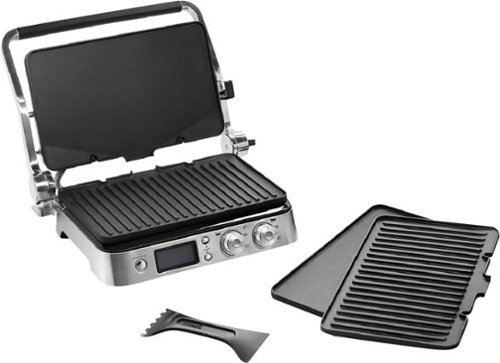
Prepare a wide variety of foods with this nonstick DeLonghi Livenza digital grill. It includes grill and griddle plates that can be switched out depending on the type of food being cooked. This 14.5-inch DeLonghi Livenza digital grill has a hinged top so you can make delicious panini, and it pairs with a digital cookbook app.
Customer Rating
4
Large, sturdy multipurpose grill
on June 12, 2017
Posted by: CraigB
from Texas
Pros
Plenty of grilling space
Includes flat and griddle cooking surfaces
Can make waffles with optional accessory
Versatile
Easy to read digital screen
Includes timer function
Easy dishwasher cleanup
Top and bottom cook surfaces are controlled separately
Includes companion app
Premium appearance
Plenty of grilling space
Includes flat and griddle cooking surfaces
Can make waffles with optional accessory
Versatile
Easy to read digital screen
Includes timer function
Easy dishwasher cleanup
Top and bottom cook surfaces are controlled separately
Includes companion app
Premium appearance
Cons
Actual temperature does not match set temperature
Heating is very uneven
Dials didn’t feel smooth for such an expensive product
Steep slope on for drippings causes items such as eggs to run
Drip tray removal is in back
Massive size limits kitchen placement in normal kitchens
Only includes temperature settings and no Low/Medium/High
High amp draw might require using a separate circuit
Actual temperature does not match set temperature
Heating is very uneven
Dials didn’t feel smooth for such an expensive product
Steep slope on for drippings causes items such as eggs to run
Drip tray removal is in back
Massive size limits kitchen placement in normal kitchens
Only includes temperature settings and no Low/Medium/High
High amp draw might require using a separate circuit
The Delonghi Livenza is a very large multipurpose grill. The grill surfaces have an integrated heating element. The claim is by offering direct heating of the cooking surface you get even distribution of heat. With the included flat grill and griddle and optional waffle plates you have the option to cook nearly anything without the need of a stove or oven. In fact, the Livenza can even serve as an open broiler. A timer and sear function are also included to round out the package. There are only temperature settings and no options for Low, Medium, and High so some knowledge of cooking temperatures or using the companion app are recommended. Cleanup should be easy since the plates are dishwasher safe and the drip tray catches everything else. The front display has a slight angle meaning food will likely need to be cleaned off the front but the task is not difficult. Strangely, the drip tray must be removed via a back slot. With such a large grill, a side or front removal of the tray would be preferred.
If you intend to purchase the Livenza, keep in mind this is a very large grill. You could be forgiven for mistaking this for a commercial grade restaurant grill it is that large. It looks and feels the part in every way. It feels very sturdy as if it was intended for frequent use. Digging deeper into the grill, the commercial type nature continues where each heating surface is controlled separately and a bright, easy to read display shows the set temperature of each heating surface. Unfortunately, the temperature set cannot be trusted but more on that later. The knobs feel sturdy except that turning them feels rough, almost as if there is sand stuck behind the knob. This takes away from the premium feel a bit. After continued use the rough feeling lessoned. One can only hope this is because they are tight from the factory for extended use and require a breaking in period. Carrying on with the more commercial theme, with this grill open you have as much surface area as most residential cooktops except nearly all is useable. When cooking large amounts of greasy food, such as bacon, enough bacon grease is vaporized where you may want to consider using it under your vent hoot if you don’t have tall ceilings. Because of the size of the grill, if you intend to use both surfaces at the same time while having another appliance running, such as a small toaster oven, you will need more than a 15-amp circuit.
Probably the boldest claim is that the Livenza solves the largest problem every cooking surface or grill and that’s uneven heat. Unfortunately, during testing it could not live up to this claim. Temperatures were verified with a thermal gun to very as much as 80 degrees Fahrenheit from one area of the plate to another. This can the difference between overly runny eggs and dry eggs. Not only are surface temperatures inconsistent, they are regularly higher than set. When the temperature was set to 400 degrees, a check with a thermal fun verified temps of 436-448. A setting of 350 yielded 398 degrees. This does not prevent the Livenza from being a competent cooking tool, only less than accurate or consistent.
If you are in the market for a very large multipurpose grill for larger meals and value a sturdy build quality and commercial look this grill may be for you. Just be ready for temperature inconsistencies.
My Best Buy number: 2528554201
I would recommend this to a friend!


Share this review:


+2points
3of 4voted this as helpful.
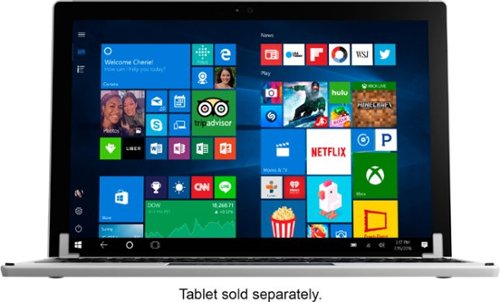
Replace the keyboard of your Microsoft Surface Pro 7, 6, 5 or 4 with this silver Brydge keyboard. It conveniently lets you open the screen at your preferred viewing angle without a kickstand, and its backlit keys increase visibility in low light working environments. This Brydge keyboard is lightweight, so it doesn't add extra bulk to your device.
Customer Rating
3
Solid construction but with quirks
on May 20, 2017
Posted by: CraigB
from Texas
Pros
Solid all metal construction
Similar design qualities to Surface Pro 3 and 4
Good keyboard size
Includes trackpad
Changeable pads for Pro 3 and 4 tablet
Backlit keys
Long battery life
Automatic Sleep/Wake function
Can open to nearly 180 degrees
Stays confidently at the set angle
Charges via micro USB
Automatically installs and configures on pairing
Solid all metal construction
Similar design qualities to Surface Pro 3 and 4
Good keyboard size
Includes trackpad
Changeable pads for Pro 3 and 4 tablet
Backlit keys
Long battery life
Automatic Sleep/Wake function
Can open to nearly 180 degrees
Stays confidently at the set angle
Charges via micro USB
Automatically installs and configures on pairing
Cons
Color isn’t an exact match
Shape makes it look more like another Surface instead of a base
Inserts for Pro 3 do not stay in place as well as Pro 4
Keyboard requires excessive force
Trackpad not configurable
Keyboard sometimes takes a while to work resuming from hibernation
Bottom bumpers have a sharp edge increasing chances of snagging
Finger slot of opening too small making opening awkward
Hinge resistance excessive for easy opening
Color isn’t an exact match
Shape makes it look more like another Surface instead of a base
Inserts for Pro 3 do not stay in place as well as Pro 4
Keyboard requires excessive force
Trackpad not configurable
Keyboard sometimes takes a while to work resuming from hibernation
Bottom bumpers have a sharp edge increasing chances of snagging
Finger slot of opening too small making opening awkward
Hinge resistance excessive for easy opening
The Brydge 12.3 keyboard answers a request some Surface Pro owners have been asking for since the beginning, a solid keyboard option. It is compatible with the Surface Pro 3 and 4. It comes with rubber inserts for the Pro 4 and if you have the Pro 3 you need to switch out for the slightly thinner ones since the Pro 3 is just slightly thicker. You could possible leave in the Pro 4 spacers it is not advisable as it puts excessive pressure on the bezel as it holds the tablet and makes insertion and removal difficult. The design attempts to mimic the angular design and metal construction of the tablet and it mostly succeeds. The Brydge feels solid and well built, almost stronger than the tablet itself.
While the Brydge attempts to compliment the Surface design and mostly succeeds, the attempt does have some flaws. First, the base uses the same angle as the tablet instead of being straight. Regular laptops have the base design different to make a distinction between base and screen making knowing which side is top or bottom immediately apparent. With Brydge, you must pause and look for clues if you have it oriented correctly. The easiest clues are the large, almost clunky, rubber feet on the bottom. Of course, laptops often have rubber feet on them but, with Brydge looking create a more elegant design they missed a key element of higher end laptops. Normally, the rubber feet are slightly recessed into the base to create a smooth transition. Some even use sleek bumper strips that look more like styling lines. With Brydge, the feet literally feel like they are just stuck to the bottom. Although the adhesive feels solid, this often creates a problem over time as that distinct line of the rubber catches bags and other materials and either is torn or ripped off. Along the lines of complimenting the Surface design, Brydge attempted to mimic the color and texture of the tablet. Overall, the finish is very nice and high quality but fails at mimicking the Surface color and texture. The Brydge uses a slightly darker gray color instead of the light gray/silver color of the Surface. This of course is a small item and does not affect the functionality of the device in any way. However; if you are looking for an exact match and want it to look like it was made by the Surface team it’s not quite there. Most people wouldn’t even notice and be perfectly happy but for those wanting a perfect match it’s not there. The brackets that hold the tablet in place, understandably, stand out. If you are looking to purchase this, functionality is more important than a perfectly sleek compliment. Brydge has done a commendable job as a third-party manufacturer.
Aesthetics aside, the most important aspect of the Brydge is functionality. This is where some shortcomings can hinder and overall decent experience. If you have a Surface Pro 3, you will have to change the rubber inserts that hold the tablet. This on it’s own would be ok. The problem is the smaller inserts just didn’t hold in the bracket quite as well. Insertion and removal the tablet required more carful effort as the edges of the rubber would often catch the tablet and try to curl in as the tablet is inserted. Removal also attempts to pull the rubber insert out slightly. The instructions say when changing inserts, adhesive still on the bracket does not affect the replacement but it seems this may not be the case. The brackets also serve as the hinges. The hinges are very strong and hold the tablet confidently at the angle you set. Tension is tighter than traditional laptops. Although this means the combination holds the angle you set confidently it presents a problem. The tension is so great that, combined with the extremely small finger insert, opening the hybrid laptop is difficult. Those with fingernails might have an easier time but opening takes more effort than it should.
A nice feature of the Brydge is sleep/wake support. When you close the combination of Brydge and Surface, the keyboard detects the tablet shutting off and goes to sleep as well. Opening also wakes the keyboard. This means no fussing with a power button but you can also conserve battery life. Battery life is estimated to last and average of 3 months, depending on backlight usage, before needing a recharge. The backlight keyboard has three levels of brightness to suite your needs. The keys are space well and even for larger hands don’t feel as cramped as one would think. The keys have a large space between them so you can detect each key distinctly. Key travel is medium compared to other modern laptops but sensitivity is poor. Typing is imprecise requiring very hard presses to register a keypress. If you are a fast typist with a light touch, be prepared to press a lot harder. All but the hardest typist will find the amount of required force excessive and possibly even tiresome. If you are happy with the force required to type on the fabric keyboard of the Surface, you will find the Brydge a test of strength. Hopefully, Brydge will improve this in the future as typing force varied between keys. The I, O, and E key presses were often the ones missed even with strong force. The Brydge also includes a touchpad just like a traditional laptop. On pairing, the keyboard worked almost immediately. Strangely, the mouse took approximately 20 minutes to show up even though the Brydge was said to be fully installed. If you are the type who likes to customize the touchpad tracking speed or you like the speed and sensitivity of the stock fabric keyboard, you are out of luck. Although the touchpad does an acceptable job it not as smooth, fast, or precise as the OEM touchpad.
The Brydge 12.3 is a strong effort at providing an option of a hard keyboard and laptop type experience to the Surface Pro 3 and 4 family. If you are happy with your currently Surface fabric keyboard or are just curious about a hard keyboard, you are best sticking with the OEM fabric one. The good thing is that the keyboard doesn’t cost much more than the stock keyboard so if you don’t mind spending the money or just must have a solid base for your Surface, Brydge can be a viable alternative. Just be prepared to strengthen your hands and possibly slow down your typing.
My Best Buy number: 2528554201
I would recommend this to a friend!


Share this review:


+1point
6of 11voted this as helpful.
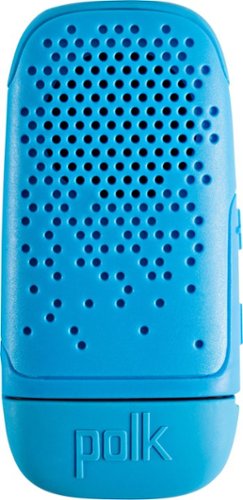
Experience high-quality sound anywhere with this Polk Audio BOOM Bit wearable Bluetooth speaker. Its steel spring clip attaches it securely to your clothing, providing great audio without blocking out noise from the surroundings. The 3-hour battery life of this compact Polk Audio BOOM Bit wearable Bluetooth speaker keeps the tunes coming on any adventure.
Customer Rating
3
Tiny speaker for a specific type of person
on May 2, 2017
Posted by: CraigB
from Texas
Pros
Very compact
Reasonable sound quality for size
Secure clothing clip
Water resistance
Convenient USB charging
Very compact
Reasonable sound quality for size
Secure clothing clip
Water resistance
Convenient USB charging
Cons
Only has a clip option for securing
Status beeps are confusing
No indications of multiple button functions
3-hour battery life
Only has a clip option for securing
Status beeps are confusing
No indications of multiple button functions
3-hour battery life
The Polk Bit is an interesting portable Bluetooth speaker. Not like your normal Bluetooth speaker that you leave sitting on a table. This speaker is much smaller than most and intended to be worn. The Polk Bit is not much bigger than a pack of gum. It is water resistant, not waterproof. It would likely handle any moisture short of swimming. It uses standard usb for charging. The port is covered by a thick rubber cover which, once put on, can be difficult to take back off. This prevents the cover from casually falling off at the expense of a little more time to open for charging. The only option to wear the speaker is via a clip. It can be worn on a belt or shirt but it does have a warning that the material cannot be too thick.
The only buttons are a volume up and down which serve to turn the speaker on, off, answer a call, and of course change volume. It does not tell you anywhere on the unit which combination is of button presses turns the unit on an off or activates Bluetooth pairing but after a few uses it is not hard to remember. What is a little more confusing is feedback for turning on, Bluetooth pairing, turning off, and low battery all are just a series of tones. The only way to know what the tones mean is keep trying and once you figure it out to memorize them. Even then, they are similar. Voice feedback would have been more intuitive to understand the speaker mode. There is a Bluetooth status light, which uses flashes to indicate Bluetooth mode. Voice feedback again would be preferred and would have negated the need for a light. Battery life averaged about 3 hours. Near the end of battery life, the speaker would make another tone every few minutes. Without knowing what the tone means, it is difficult to tell if it is a notification tone or some other tone until the speaker finally dies.
Sound quality is decent with no real discernable bass. Primarily it excels at mid tones leading to an overall acceptable sound quality for music in this size range. Often smaller devices do well at high tones leading to a more unpleasant sound. Call quality was generally acceptable but callers reported volume was low if the speaker was more than approximately 12 inches away. Overall volume is louder than the average cell phone but less than regular desktop Bluetooth speakers.
For such a small device, the main question would be who the intended customer is. You can get larger, cheaper Bluetooth speakers that pump out louder sound with longer battery life. The price point at the time of review is a little higher than competitors and should be taken into consideration. The best use for this speaker is for people who are on the go and either cannot or will not use headphones. Possible uses include a warehouse worker wanting to enjoy music with more quality than off their phone speaker but cannot wear headphones because other sounds must be hear. Another would be possibly doing gardening outside. If the speaker were made slightly larger to improve battery life to near 8-9 hours, it would be used for a full workday improving usefulness. A lanyard or carabineer clip would also be nice to improve options for securing to clothing. Overall, if you need a compact Bluetooth speaker for on the go, this might be the one for you as long as expectations of battery life and sound quality are kept in check.
I would recommend this to a friend!


Share this review:


-2points
0of 2voted this as helpful.

Head from hardwood to carpet for quick-and-easy full-house cleanups with this Dyson V7 Motorhead vacuum in hand. The direct-drive cleaner head dives deep into your rugs, getting up dirt from even hard-to-reach spaces. Disconnect the handle of this Dyson V7 Motorhead vacuum, and you've got a cordless handheld vac for simple sweep-ups of spills.
Customer Rating
5
Powerhouse in a small package
on March 29, 2017
Posted by: CraigB
from Texas
Pros
Light for the amount of power
Turbo mode nearly as strong as upright
Large brush works well on deep pile
Convenient docking station
Switch instead of button for turbo mode
Quieter
Longer run time
Direct drive brush means no belt to replace
Washable, lifetime HEPA filter
Durable mesh screen
Emptying is easy
Switching tools is quick and easy
Docking station uses same mounting holes as older models
Light for the amount of power
Turbo mode nearly as strong as upright
Large brush works well on deep pile
Convenient docking station
Switch instead of button for turbo mode
Quieter
Longer run time
Direct drive brush means no belt to replace
Washable, lifetime HEPA filter
Durable mesh screen
Emptying is easy
Switching tools is quick and easy
Docking station uses same mounting holes as older models
Cons
Roller depth not adjustable
Brushes on combination tool a little too long for power
Feels heavy for extended use and can hurt hand
Hard surface cleanup could be better
Emptying dust bin can be messy
Roller depth not adjustable
Brushes on combination tool a little too long for power
Feels heavy for extended use and can hurt hand
Hard surface cleanup could be better
Emptying dust bin can be messy
The Dyson V7 Motorhead is the latest iteration in their line of stick vacuums. They target people who want a smaller, easier to handle vacuum that doesn’t need a cord. Each vacuum in the series share similar traits in design but the higher up you get a larger floor brush, more powerful suction, more runtime, and more accessories. If you are interested in Dyson, you already expect them to be targeted at a more premium focused customer so price shouldn’t be a primary focus. That said, the features that the V7 Motorhead provides in such a small package are comparable to its price.
The V7 Motorhead has a number of subtle changes that add up to an overall nice design. If you are looking to upgrade from their Slim stick vacuum, you will notice the brush is quite a bit larger meaning it can handle deeper pile carpets much better. At first glance it might be hard to notice but the casing is slightly larger than the Slim. The docking station and accessories from your Dyson slim stick vacuum will not work. If you are simply replacing your older Motorhead, it might work fine but I did not have one to compare. The good news is if you can’t reuse your docking station, the new one uses the same screw holes. There is no need to go making extra holes in your wall to accommodate.
Comparing to the V6 Motorhead, Dyson has increase the runtime 50% from 20 minutes to 30 while reducing the sound levels. In fact, during initial testing it was quiet enough to warrant thinking it is weaker. Nothing could be further from the truth. On low, the brushes could be felt beating the carpet. On high, it could lift a high pile throw rug. With such a powerful unit, a manually adjustable height would be helpful to prevent it from grabbing the carpet. If you want to use turbo mode on high pile, it is best to only pull the vacuum towards you because even if you could push it the suction would cause the motor protection to stop the roller. Overall, carpets are where this unit shines. Although very capable on hard surfaces and handy for quick cleanups, some debris would hit the roller and simply fly to another part of the room. It’s a common problem with multi surface vacuums and is not unique. Often, a second pass often was able to pick up the offending piece. It does highlight that the V7 Motorhead is better for carpet than hard surfaces.
The V7 Motorhead comes with a combination tool and crevice tool. Both work well at their respective jobs. The combination tool has such long brushes that you will likely find yourself using turbo mode or the suction is not strong enough to reach the length of the bristles. The system for change accessories is very easy to use and quick. Whether cleaning the floor, your couch, or the hidden corners of your house just grab the accessory for the job and with a quick click you are ready to go. The quick release buttons are big and easy to press.
Cleanup is easy. The unit includes a washable HEPA filter to make sure that last bit of dust doesn’t end up back in the air. It isn’t primary way dirt and grime are trapped so you will rarely need to clean it. The dirt bin is large enough to accommodate 2 or 3 moderately dirty rooms before needing to be emptied. The clear container has a full line so you know when to stop but pet hair might make this difficult to read as it sticks up high in the container. Emptying is very easy but best achieved in an empty bag. When you pull the lever and the bottom falls out, the debris comes falling out as well and can create a dust cloud. This method is an area where Dyson should continue working on new innovations. If your trash bag is too full and you attempt this, you might end up with dust all around your trash can. The first few times the release lever is used, it might feel a bit tight and make a sound giving you the impression you are breaking it. After several uses, the lever loosens up to feel more natural. A nice feature is that the filter screen pulls up when emptying as the debris falls out of the bottom. The reason this is nice is because, particularly if you have pets, the screen gets clogged with pet hair. As the mesh is pulled up, it widens the gap between the mesh and container allowing any debris trapped on the mesh to simply fall. If anything else remains, the mesh is easily accessible to clean.
Overall the V7 Motorhead is a capable, well thought out, cordless vacuum. Understandably, it is not as powerful as its upright counterparts. With the power of the V7 Motorhead, t he question is if you need more. In testing, the V7 Motorhead could pick up nearly anything except items too larger for the roller to pick up. If maximum cleaning power and suction are most important, look towards the Dyson upright models. If want something for quick spot cleanups or overall house cleanup without the hassle of a cord, this will work well. Bear in mind, if you wish to test the 30-minute runtime of the unit you likely will find the initially light 5.45 pounds starts to make your hand sore. Having such a capable cordless makes cleanup easier, excuse free, and almost fun.
My Best Buy number: 2528554201
I would recommend this to a friend!


Share this review:


+16points
27of 38voted this as helpful.
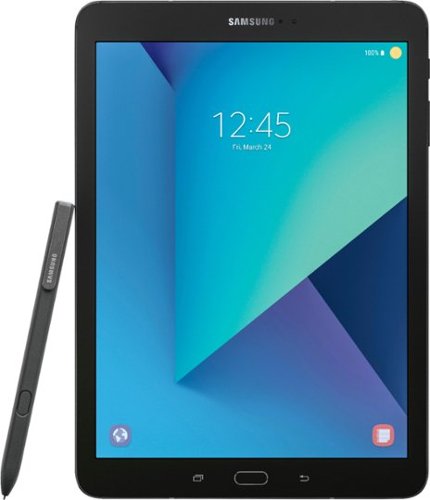
Work, play and communicate with this Samsung Galaxy Tab S3 featuring a 2.15 GHz + 1.6 GHz quad core processor. This versatile tablet has an ultra-clear Super AMOLED display, so you can watch HD movies on the go. Capture and share your world with the 13MP camera in this Samsung Galaxy Tab S3~s, which features an integrated flash for great results in low light.
Customer Rating
4
The tablet Android fans have been waiting for
on March 17, 2017
Posted by: CraigB
from Texas
Pros
Beautiful, vibrant screen
Excellent daylight reading
High quality build
Rounded metal edges are comfortable to hold for long periods
Four excellent speakers that are loud without distorting
With four speakers you still have sound regardless of how it is held
Glass build prevents speakers from vibrating tablet at loud volume
Includes stylus giving it many of the features of the Note line
Stylus is smooth and responsive
Storage doubled to 32GB from previous generations
Noticeable faster than previous generations and very smooth
Includes Blue Light filter mode to make nighttime viewing better
Good battery life
Rear facing camera has a flash
Photos are good quality for a tablet in good lighting
Split screen functionality for better multitasking
USB-C
MicroSD card slot for storage expansion
Includes an LTE model
Fast charging
Includes plenty of extra stylus tips
More capable as a 2-in-1 than other Android tablets
Weight feels very good
Very thin
Beautiful, vibrant screen
Excellent daylight reading
High quality build
Rounded metal edges are comfortable to hold for long periods
Four excellent speakers that are loud without distorting
With four speakers you still have sound regardless of how it is held
Glass build prevents speakers from vibrating tablet at loud volume
Includes stylus giving it many of the features of the Note line
Stylus is smooth and responsive
Storage doubled to 32GB from previous generations
Noticeable faster than previous generations and very smooth
Includes Blue Light filter mode to make nighttime viewing better
Good battery life
Rear facing camera has a flash
Photos are good quality for a tablet in good lighting
Split screen functionality for better multitasking
USB-C
MicroSD card slot for storage expansion
Includes an LTE model
Fast charging
Includes plenty of extra stylus tips
More capable as a 2-in-1 than other Android tablets
Weight feels very good
Very thin
Cons
Launch price is expensive
Glass back is likely more fragile
Glass back is a fingerprint magnet
Glass back makes the tablet feel more slippery
32GB is low for the price point
Not waterproof or water resistant
Stylus cannot be stored internally
Stylus pressure sensitivity inconsistent with stock note app
Fingerprint scanner use still not reliable
Cameras poor quality in anything but good light
Looks like a boring slate even though it is high quality
Launch price is expensive
Glass back is likely more fragile
Glass back is a fingerprint magnet
Glass back makes the tablet feel more slippery
32GB is low for the price point
Not waterproof or water resistant
Stylus cannot be stored internally
Stylus pressure sensitivity inconsistent with stock note app
Fingerprint scanner use still not reliable
Cameras poor quality in anything but good light
Looks like a boring slate even though it is high quality
For a long time Android slates have looked fairly similar. They have been overall good quality but not quite the premium feel of competitors. Samsung in their Galaxy tablets improved build quality and used more premium materials but they did not have stylus functionality. The Note tablets could use a stylus but possessed a lower end processor and screen. The Galaxy Tab S3 is set to merge the two lines into one and expand the overall functionality to more of a 2-in-1 device like what most people are looking for today.
The Tab S3 uses the exact same dimensions as it’s predecessor with a 9.7 inch screen but now it has a glass and metal build reminiscent the Galaxy smartphones. This gives the Tab S3 a very premium feel. The metal edges are rounded enough to prevent cutting the hand but still provide good grip. The same cannot be said of the back glass. It feels nice in the hand and looks premium but the back glass is more slippery, more likely to be damaged, and is a fingerprint magnet. Some of this could be alleviated by use of a case. In fact if you are accident prone that is the first accessory you should get. The design, although premium, is also very understated to the point of looking a bit boring. There is a definite upside to the glass back and that’s when it comes to sound. Most tables with metal backs cause a reverberation in the metal causing sound to degrade and distort with volume. With the Tab S3, the glass seems to temper this vibration. Combine this with the new four speaker setup and you get very loud, clean sound in a small package. This is quite possible the best sound quality of any tablet. With four speakers, the added bonus is no matter how you hold it you are unlikely to cover all four meaning you still get good sound. The Tab S3 sports the traditional hardware button saddled by two capacitive buttons. The hardware button does have a fingerprint reader that just requires a tap, not a swipe like the first generation Tab S. Unfortunately during testing, use was still unreliable. Sensitivity was excellent so hopefully this just requires a software fix.
As with nearly any Samsung product what stands out is the screen. The Tab S3 seems to have bumped up the game quite a bit. The screen is the first thing that strikes you and maybe it’s a good thing the tablet design is somewhat boring because it allows you to fully appreciate this screen. This is the first tablet, other than one with an e-ink screen, that has been readable in the sun. In fact it can get so bright that you could easily use the screen as a flashlight in a dark room. This is also useful because, unless you spend most of your time outside, the screen rarely needs to ramp up the brightness past roughly 30%. The screen ratio does mean you will have black bars on the top and bottom for watching movies but it also means it is comfortable in both landscape and portrait orientation. It does seem Samsung intends most usage to be in portrait as the buttons are configured for portrait use.
A welcomed addition to the Galaxy Tab line is the inclusion of an S-Pen. The old Note tablets were nice but lacked a high resolution screen and of course the old Galaxy Tab line lacked stylus support. It seems Samsung decided to simplify and merge the line to the benefit of fans. In fact, they have simplified things so far as to have only one tablet in the series. I suspect this is because if you want more, Samsung wants you to upgrade to their new Galaxy Book line. Otherwise, you essentially have a Note tablet with the high resolution screen and higher specs of a Galaxy Tab. Functionality is very similar to the Note line of phones although not identical. The S-Pen is very responsive and has almost no lag. It is light in the hand and has a nice amount resistance across the screen. Just like other S-Pens, no battery is required. Pressure sensitivity and tilt are included but pressure sensitivity was a bit inconsistent in the stock apps. Unfortunately unlike the Note phones you won’t find an S-Pen slot in the tablet so you are going to have to find a way to carry it, such as a case with a pen slot or loop. Overall, the S-Pen experience is very solid for a new product.
The Tab S3 is a solid performer with a Snapdragon 820 and 4GB of ram. It might not have the latest processor or the most memory but they definitely didn’t skimp on power. Unfortunately, the storage is only 32GB. Although it doubled previous models and includes expandable MicroSD card storage, a lot of apps refuse to install to the card. This means you have more breathing room but power users will still have to watch their storage usage. Overall, the processor and memory combination leads to a much more fluid experience than existed on previous Galaxy tablets. Even with mild multitasking this tablet doesn’t see to lag at all. Animations are very smooth and fast giving the Tab S3 a fluidity that is rare in Android tablets.
If you are an Android fan who has looked at tablet or 2-in-1 offerings and wished that Android had something comparable, this might finally be the one. Although it still leans towards content consumption, it definitely improves things in the productivity front as well. In fact, if there were an option, the Tab S3 would be rated 4.5 stars. If there is any major sticking point, it would be the price. The issue is that even though the specs have been upgraded and S-Pen functionality is now included, the price point puts it right in line with some regular 2-in-1 PC devices which offer greater functionality and similar premium build. Reports have surfaced that Samsung has been including the keyboard case in preorders which definitely sweetens the deal. The suggested retail price at time of launch makes it a little hard to recommend compared to other offerings unless you are a hardcore Android fan wanting a premium Android tablet now. The good thing is Samsung has a track record of running sales and specials shortly after launch. If history holds true, Samsung will make the Tab S3 look even more attractive not very long after launch. Wait for a promotion if you can. If you can’t wait, you will likely still be very happy with your purchase.
This entire review was written and posted solely using the Tab S3 with the keyboard case.
My Best Buy number: 2528554201
I would recommend this to a friend!


Share this review:


+116points
138of 160voted this as helpful.
CraigB's Review Comments
Watch your favorite movies, TV shows and sporting events in crisp 1080p resolution with this Samsung UN65FH6001FXZA HDTV, which features Clear Motion Rate 240 to preserve picture detail during fast-action sequences.
Overall5 out of 5
5 out of 5This is an awesome TV for the cost
By Korom
from Raleigh, NC
First, this is a fantastic monitor. If you have a receiver for your HDMI switching and watch TV with the sound through that receiver then this is the PERFECT TV for you. I use it with my Denon e300 receiver, all my HDMI inputs go into the receiver with one HDMI cable going to the TV. Minimal fuss and muss. The picture quality is truly incredible for a LCD TV, the blacks are very very good, almost as good as my Panasonic Plasma but its understandable that its not that good as LCD cannot show true black like a plasma can. I checked 3 bars for the sound quality but honestly I never used the internal speakers. I gave this 5 stars and would have given it 6 stars if I could have (on a 5 star scale) because the picture quality is just that good.
Bottom line: Fantastic TV for the price.

CraigB
Texas
An LED TV is a type of LCD TV
November 29, 2013
Folks. For those of you telling this reviewer that he is talking about the wrong TV because he calls it an LCD, it is an LCD. LED TV's are still LCD TV's. The difference is the backlight behind the LCD is LED's instead of CCFL(fluorescent). Both still have and LCD screen that you actually look at up front.
+2points
2of 2voted this comment as helpful.
Microsoft Band 2 (Large): Keep track of your health and fitness goals throughout the day by monitoring your heart rate, steps taken, calories burned, sleep quality, hours slept and other helpful metrics. Just pair with your Windows Phone, Apple iOS or Android device via Bluetooth to receive alerts at a glance.Discover how the technology of Microsoft Band 2 can assist you in a healthy, productive lifestyle. Learn more ~
Overall5 out of 5
5 out of 5Best fitness tracker for the money
By CraigB
from Texas
When choosing high end fitness bands, my choices went back and forth between the Microsoft Band 2 and the Fitbit Surge. Fitbit has been in the business for fitness wearables for longer but I chose the Band 2 for what I felt was better value for my money. I purchased during a $50 off sale making it even more attractive and $50 less than the Surge. My main phone for this review is a Lumia 1520 with Windows 10 Mobile. I assume others will write reviews of the phone for other platforms and that is where this review starts. This fitness wearable is by far the most compatible. It supports iOS, Android, and Windows Phone/Mobile. Fitbit does as well but support for Windows Mobile is more limited. Comparing it to the Surge, it has more customizability, color screen, and a partially metal build. It feels more premium than the Surge. The metal does have 2 downsides. The first is that the finish used shows scratches extremely easily. See included picture. The second is that sweat and soap cause a foul smell very quickly requiring regular cleaning.
The Band 2 can be worn in two positions. The first is with the screen facing outwards like a watch. I tried this but it felt uncomfortable and viewing the screen was awkward particularly considering the screen doesn’t have a vertical view. This leads me to my preferred position which is with the screen facing inwards. It is much more natural to view and operate. It also feels more comfortable and is in fact the recommended way to wear the device. If there was any concern it is that wearing it inward the screen is always contacting surfaces when you lay your arms down. It uses gorilla glass but it still concerns me that I might scratch the screen. Every fitness wearable wasn’t completely comfortable to wear for one reason or another but this one starts to feel about like a watch after an adjustment period. Before you get the size right you might put it a place that binds you wrist or hits a nerve. I also learned it can get the heart rate just fine without tightening it down so far you hit nerves. Just like a watch it will take some fiddling to find your perfect tightness. Fortunately, the latching mechanism feels strong and has more adjustments than a tradition watch as well giving you more flexibility. Just make sure you use the sizing guide on the size of the box to choose the correct size. It shows wrists sizes with the wrist sideways.
Now the big question is how it works for tracking vitals. I haven’t worked with VO2 Max so I can’t comment on that but after getting the fit correct, the heart rate seems pretty close. Checking manual it was usually within about 10BPM or less from actual. Tracking steps seems a little different. It is difficult to verify but it seems to be a little high on the number of steps sometimes compared to my old hip worn pedometer. It just seems like I can reach 5,000 steps fairly easily. I am not a runner so I have not tested the GPS but I have read that some units have come from the factory with a bad GPS. What’s really nice is with all the vitals it gathers, more than just heart rate, it should be a fairly accurate color estimate. It has guided workouts you can add but I used the generic color tracking and added my own workout types to track. You can add things like HIT and weight training for your own purposes but it uses all the sensors to estimate the color burn instead of estimating based on the workout type. I feel this is more accurate but cannot verify. When you start workout mode, by default the screen stays on showing your workout time and heart rate. I suspect it is not as accurate as a chest band but it seems pretty good. After your workout is done you can see the entire workout on your phone or the website with your heart rate the entire time and your max marked. If there was any gripe it would be that you can’t have it vibrate when you hit your target or max heart rate. That would have been a great feature but, who knows. Maybe they will add it in the future. You can even use the website to compare your vitals to others in your height, weight, and age category. It’s all anonymous and very informative.
When not working out it still tracks your heart rate all the time but the other useful time to check is when you are sleeping. It can detect your sleep but if it gets it wrong you can only delete the time, not edit. You are better off starting your sleep tracking yourself. While sleeping, it will monitor you and in when you wake up you can see what your resting heart rate was overnight to get an even better picture of your health. It also has a smart alarm you can activate. If you want to wake up at a set time, just set the alarm and it will vibrate to wake you up. What I really like is if you activate the smart alarm and set it for 7:30am it will wake you up somewhere between 7:00am and 8:00am when you are most awake. That means you don’t wake up to an alarm feeling like you haven’t rested. You can even set the strength of the vibration.
Since this is a little bit of a smart watch you can add some apps. Since the phone doesn’t have any memory though, expect to only have them work when around your phone. It can control music on your phone and even use voice recognition with Cortana. I am running a prerelease build of the phone software so on occasion the connection dropped but it wasn’t hard to get back. I have found the notifications actually quite nice. I can leave the phone in one place in the house and still get notifications and respond to basic texts. I can also connect my phone to the stereo and change tracks and turn the volume up or down. It’s a standard feature for a smart watch but this is a fitness wearable and much cheaper than a smart watch. There are even some extra apps you can add and some third part utilizes to customize it further but if you want a smart watch more you might want to go that route. If you want a smart fitness tracker, this thing is hard to beat.
Pros
Solid (premium) build quality. It often gets looks and people asking what it is
Tracks more vitals than any other fitness wearable
Comfortable after figuring out your preferred fitment
Bright, sharp screen with auto brightness
Smart Alarm
Customizable workouts
Workout coaches
Customizable with smart watch type features
Solid latching mechanism
Good battery life for its functionality (2 days with no GPS and auto on screen)
Fast charge time (30 minutes to 80%)
Gorilla glass screen
Works on iOS, Android, Windows Mobile, and Web. The web is the most feature rich
Integrates with Health Vault
Constant heart rate
Portal to compare health
Rich sleep stats including restful sleep, times awake, resting heartrate, and recovery
Solid (premium) build quality. It often gets looks and people asking what it is
Tracks more vitals than any other fitness wearable
Comfortable after figuring out your preferred fitment
Bright, sharp screen with auto brightness
Smart Alarm
Customizable workouts
Workout coaches
Customizable with smart watch type features
Solid latching mechanism
Good battery life for its functionality (2 days with no GPS and auto on screen)
Fast charge time (30 minutes to 80%)
Gorilla glass screen
Works on iOS, Android, Windows Mobile, and Web. The web is the most feature rich
Integrates with Health Vault
Constant heart rate
Portal to compare health
Rich sleep stats including restful sleep, times awake, resting heartrate, and recovery
Cons
Cannot change band because electronics are built in
Metal area is a trap for sweat and soap requiring regular cleaning to prevent odor
Cannot change screen orientation
Awkward wearing screen outward
Metal finish is easy to scratch
No build in memory to bring music and store GPS while leaving phone behind for a time
Water resistant instead of waterproof
Possible to scratch screen with it facing downward
Sync is a bit slow
Cannot change band because electronics are built in
Metal area is a trap for sweat and soap requiring regular cleaning to prevent odor
Cannot change screen orientation
Awkward wearing screen outward
Metal finish is easy to scratch
No build in memory to bring music and store GPS while leaving phone behind for a time
Water resistant instead of waterproof
Possible to scratch screen with it facing downward
Sync is a bit slow
CraigB
Texas
Additional Findings
January 9, 2016
I just wanted to add an extra observations to my original review.
For those of you who want to view the display outside in sunlight, it doesn't seem to get that bright. For me that is not a big deal because outside exercises are typically the type where I don't use real time tracking but if you are the type who needs to read the display in direct sunlight, you might find it difficult. I will be checking further and report back if I find anything because indoors it is so bright that I wonder if I have done something wrong in the setup. Even with this finding I still feel it is the best for the money.
Also, if you happen to swap between phones or get a new phone you will have to factor reset the band. I periodically switch phones and discovered this. The system is designed to easily replace your band while using the same phone but if you move the band to any phone, even one that was restored from a backup of your original you will have to factory reset the band and set it back up. Not a huge deal because little is actually stored on the phone.
One other huge bonus for Windows Phone/Mobile users. If for some reason you either forget or choose not to wear your band and have a Lumia that is capable you can use it to augment your Band. Sometimes for different reasons I don't want to wear my band and only need to track steps. If I just keep my Lumia 950 in my pocket, it will track my steps and add them to what the band couldn't track. That particular feature is one I really love. The only caveat to that is while it updates the steps on the app and portal, the extra steps from your phone don't get transferred back to your band. This means if you took 2,000 steps with your band and phone and an additional 5,000 with only your Lumia the app will report 7,000 steps total which is correct but your band will continue to report 2,000 steps. Minor quibble though for a great additional feature for Windows Phone fans.
0points
0of 0voted this comment as helpful.
ecobee ecobee3 Programmable Touch-Screen Wi-Fi Thermostat: Maintain a comfortable home with this programmable thermostat, which is Apple~ HomeKit-enabled, so you can control the temperature remotely using your compatible device. Home IQ helps you conserve energy.
Overall 1 out of 5
1 out of 5cant set custom temps..sensors are glitchy
By annaj
i was trying to get this thermostat to set 4 or 5 different temps automaticly per day. an ecobee tech couldnt help me get this done on my web portal account . the sensors dont read the occupancy after being in the room for hours like being in a bedroom all night when u wake up the sensor will read unoccupied or sitting in the living room all day the same thing will happen after a few hours. a regular programable thermostat would have been a better choice.
CraigB
Texas
Did you try IFTTT
February 7, 2016
I was just wondering if you have looked into IFTTT to set those custom automatic temps. I haven't tried your exact scenario but the Ecobee3 can be connected to an IFTTT account to extend it's functionality.
0points
0of 0voted this comment as helpful.
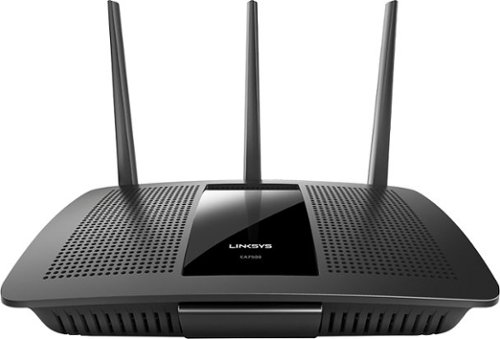
Your household wants to play, stream and work online all at once. With this Linksys router, you can do it all without buffering or other interruptions. Use the Smart Wi-Fi app to get started, control, and monitor your home network from anywhere.
Overall5 out of 5
5 out of 5Solid router with good range and speed
By CraigB
from Texas
I am posting this review after about a week of use. If I find anything more significant after posting I will add it as a reply to my original post. Be sure to check there for additions.
I needed to upgrade my WiFi because the internet service in my area was about to be upgraded to exceed the capacity of my current wireless N solution. This router seems as if it was marketed towards moderate power users as well as people with less technical skills who need an upgrade. Packaging is minimal the same as most routers today. It comes with a CD for documentation but it is not used for setup. This is a good thing because as an AC router most people upgrading to this would have newer devices, few of which have an optical drive.
I needed to upgrade my WiFi because the internet service in my area was about to be upgraded to exceed the capacity of my current wireless N solution. This router seems as if it was marketed towards moderate power users as well as people with less technical skills who need an upgrade. Packaging is minimal the same as most routers today. It comes with a CD for documentation but it is not used for setup. This is a good thing because as an AC router most people upgrading to this would have newer devices, few of which have an optical drive.
For the non-technical
This is not very hard to set up. You plug power into the only spot it fits. There are three antennas that screw into very noticeable spots on the back. And the internet plug is clearly labeled. The instructions tell you what to do in a few steps to get the device to take care of the rest. It also has the wireless already set up if you are afraid to do it and even comes with a sticker with the information so you will know what the password is to get on the WiFi. It already has a guest WiFi too but there is a separate login so someone can’t just borrow your internet without you giving them the password. If you feel more comfortable there are apps for iPhones and Android phones to control the device. Speed and range are very good but if you can it is always recommended to install it as close to the center of your house and avoid metal. The router can pretty much take care of itself after that and it shouldn’t require any further work.
This is not very hard to set up. You plug power into the only spot it fits. There are three antennas that screw into very noticeable spots on the back. And the internet plug is clearly labeled. The instructions tell you what to do in a few steps to get the device to take care of the rest. It also has the wireless already set up if you are afraid to do it and even comes with a sticker with the information so you will know what the password is to get on the WiFi. It already has a guest WiFi too but there is a separate login so someone can’t just borrow your internet without you giving them the password. If you feel more comfortable there are apps for iPhones and Android phones to control the device. Speed and range are very good but if you can it is always recommended to install it as close to the center of your house and avoid metal. The router can pretty much take care of itself after that and it shouldn’t require any further work.
For the technical people
If you are looking for a device with tons of granular settings, this might not be the device. Of course the power users I am referring to would probably be better suited sticking with the WRT series. I doubt this device will ever see an aftermarket firmware. It attempts to have a clean interface but that means it will feel slower than a power user router for some settings changes as transitions and animations run their course. Setting changes that require a reboot happen nearly as fast as the fastest routers out there. Although the stock firmware attempts to look fancy and simple it still has a decent amount of settings for all but the most extreme power users. The antennas use a standard connection so if you wanted to upgrade to larger ones later that is possible. Hardwired speed has been very good. I’m just a casual gamer but this hasn’t slowed me down at all and I cannot tell the different hardwired from my old gaming router. Wireless speed is actually very good as well although I was never able to achieve the 1300Mbps link speed advertised even right next to the unit. I maxed out at 900Mbps and it is possible that is related to my AC devices. My old router would drop down to the 39Mpbs on the opposite side of my house whereas this one can maintain at least 177Mpbs and often more.
If you are looking for a device with tons of granular settings, this might not be the device. Of course the power users I am referring to would probably be better suited sticking with the WRT series. I doubt this device will ever see an aftermarket firmware. It attempts to have a clean interface but that means it will feel slower than a power user router for some settings changes as transitions and animations run their course. Setting changes that require a reboot happen nearly as fast as the fastest routers out there. Although the stock firmware attempts to look fancy and simple it still has a decent amount of settings for all but the most extreme power users. The antennas use a standard connection so if you wanted to upgrade to larger ones later that is possible. Hardwired speed has been very good. I’m just a casual gamer but this hasn’t slowed me down at all and I cannot tell the different hardwired from my old gaming router. Wireless speed is actually very good as well although I was never able to achieve the 1300Mbps link speed advertised even right next to the unit. I maxed out at 900Mbps and it is possible that is related to my AC devices. My old router would drop down to the 39Mpbs on the opposite side of my house whereas this one can maintain at least 177Mpbs and often more.
So far during my ownership the stability of this device has reminded me of the old Linksys routers how even the cheap ones never locked up. I’m hoping it stays this way. If you want to change settings, you can do so the standard way most technical people do via the IP address or it has a built in URL. Thankfully it doesn’t require some odd application for initial setup. Unlike standard routers, this one is cloud connected when you choose so meaning remote access is passed via the cloud. It does support some dynamic DNS options but they seem more to push you towards connection via their cloud. Fortunately, this is optional except if you want to take advantage of the built in USB ports and access files remotely. I don’t have a spare drive to test right now so unfortunately I could not test the NAS performance. It does have a very basic QoS which allows you to set up to 3 services or devices as high priority but that’s pretty much it. It has some newer options but then oddly has more old services, such as Real Player and Rhapsody.
Pros
Large, replaceable antennas
Great Range
Reliable
Gigabit Ports
Fast Processor
Status lights can be turned off
Decent amount of features for all but the heavy power users
Doesn’t require a special application for setup or CD
Has USB ports for attaching a hard drive
Offers automatic firmware upgrades to keep security up. Good for keeping non power users safe (Can be turned off)
Documentation is thorough if you need help. You just click help on the top bar
Major changes that require a restart are almost unnoticeable to users as it restarts fast
Has WiFi secured by default and requires a password to be configured during setup. This is good if you are buying one for family and just want it secure without needing to help them. It even has a handy sticker with device specific WiFi passwords so someone can’t just look up a default WiFi password for the unit and borrow internet.
Large, replaceable antennas
Great Range
Reliable
Gigabit Ports
Fast Processor
Status lights can be turned off
Decent amount of features for all but the heavy power users
Doesn’t require a special application for setup or CD
Has USB ports for attaching a hard drive
Offers automatic firmware upgrades to keep security up. Good for keeping non power users safe (Can be turned off)
Documentation is thorough if you need help. You just click help on the top bar
Major changes that require a restart are almost unnoticeable to users as it restarts fast
Has WiFi secured by default and requires a password to be configured during setup. This is good if you are buying one for family and just want it secure without needing to help them. It even has a handy sticker with device specific WiFi passwords so someone can’t just look up a default WiFi password for the unit and borrow internet.
Cons
Interface tries too hard to be attractive slowing it down with animations
Only supports 2 Dynamic DNS providers.
QoS settings seem to cater to power users but offer little customization
QoS rule changes require moving service or devices boxes around and the interface jumps quickly between sections. This often causes you to accidentally move something you didn’t intend to.
Included “Apps” are of limited usefulness and only work on iOS and Android which leaves out anything Windows (No Windows 10 Universal Apps) and no Mac. No configuring your router with touch, like via a Surface, using a Windows App.
Interface tries too hard to be attractive slowing it down with animations
Only supports 2 Dynamic DNS providers.
QoS settings seem to cater to power users but offer little customization
QoS rule changes require moving service or devices boxes around and the interface jumps quickly between sections. This often causes you to accidentally move something you didn’t intend to.
Included “Apps” are of limited usefulness and only work on iOS and Android which leaves out anything Windows (No Windows 10 Universal Apps) and no Mac. No configuring your router with touch, like via a Surface, using a Windows App.
Final Notes
Higher end units near this price point I have owned have had large aluminum heatsinks to dissipate heat. This one has one very small heatsink. I suspect heat stress will be higher on this unit and might be why this case has such a large open cavity you can easily see straight through the vent holes. I suspect longevity will be lower but only time will tell. So the unit has not felt very warm so fingers crossed.
Higher end units near this price point I have owned have had large aluminum heatsinks to dissipate heat. This one has one very small heatsink. I suspect heat stress will be higher on this unit and might be why this case has such a large open cavity you can easily see straight through the vent holes. I suspect longevity will be lower but only time will tell. So the unit has not felt very warm so fingers crossed.
CraigB
Texas
Longer term observations
February 22, 2016
Adding to my original review I have found some new observations to add to this router. I switched to using it as an access point, which takes a little digging, and found out that once you do so you lose a lot of features that should still work but are removed. For example, as an access point you get no guest networks. You can only have 1 2.5GHz WiFi and 1 5GHz. All features such as WMM and QoS are completely gone. Remote administration is turned off. I have also experienced an odd condition where my Xbox One cannot connect using the exact same key as my old router that my Xbox was connected to. I have also experienced 1 lockup where the unit just completely stopped responding and had to be power cycled. Over all it's still a good router but it feels like it could use a little more firmware refinement.
0points
0of 0voted this comment as helpful.
Microsoft Band 2 (Large): Keep track of your health and fitness goals throughout the day by monitoring your heart rate, steps taken, calories burned, sleep quality, hours slept and other helpful metrics. Just pair with your Windows Phone, Apple iOS or Android device via Bluetooth to receive alerts at a glance.Discover how the technology of Microsoft Band 2 can assist you in a healthy, productive lifestyle. Learn more ~
Overall5 out of 5
5 out of 5Best fitness tracker for the money
By CraigB
from Texas
When choosing high end fitness bands, my choices went back and forth between the Microsoft Band 2 and the Fitbit Surge. Fitbit has been in the business for fitness wearables for longer but I chose the Band 2 for what I felt was better value for my money. I purchased during a $50 off sale making it even more attractive and $50 less than the Surge. My main phone for this review is a Lumia 1520 with Windows 10 Mobile. I assume others will write reviews of the phone for other platforms and that is where this review starts. This fitness wearable is by far the most compatible. It supports iOS, Android, and Windows Phone/Mobile. Fitbit does as well but support for Windows Mobile is more limited. Comparing it to the Surge, it has more customizability, color screen, and a partially metal build. It feels more premium than the Surge. The metal does have 2 downsides. The first is that the finish used shows scratches extremely easily. See included picture. The second is that sweat and soap cause a foul smell very quickly requiring regular cleaning.
The Band 2 can be worn in two positions. The first is with the screen facing outwards like a watch. I tried this but it felt uncomfortable and viewing the screen was awkward particularly considering the screen doesn’t have a vertical view. This leads me to my preferred position which is with the screen facing inwards. It is much more natural to view and operate. It also feels more comfortable and is in fact the recommended way to wear the device. If there was any concern it is that wearing it inward the screen is always contacting surfaces when you lay your arms down. It uses gorilla glass but it still concerns me that I might scratch the screen. Every fitness wearable wasn’t completely comfortable to wear for one reason or another but this one starts to feel about like a watch after an adjustment period. Before you get the size right you might put it a place that binds you wrist or hits a nerve. I also learned it can get the heart rate just fine without tightening it down so far you hit nerves. Just like a watch it will take some fiddling to find your perfect tightness. Fortunately, the latching mechanism feels strong and has more adjustments than a tradition watch as well giving you more flexibility. Just make sure you use the sizing guide on the size of the box to choose the correct size. It shows wrists sizes with the wrist sideways.
Now the big question is how it works for tracking vitals. I haven’t worked with VO2 Max so I can’t comment on that but after getting the fit correct, the heart rate seems pretty close. Checking manual it was usually within about 10BPM or less from actual. Tracking steps seems a little different. It is difficult to verify but it seems to be a little high on the number of steps sometimes compared to my old hip worn pedometer. It just seems like I can reach 5,000 steps fairly easily. I am not a runner so I have not tested the GPS but I have read that some units have come from the factory with a bad GPS. What’s really nice is with all the vitals it gathers, more than just heart rate, it should be a fairly accurate color estimate. It has guided workouts you can add but I used the generic color tracking and added my own workout types to track. You can add things like HIT and weight training for your own purposes but it uses all the sensors to estimate the color burn instead of estimating based on the workout type. I feel this is more accurate but cannot verify. When you start workout mode, by default the screen stays on showing your workout time and heart rate. I suspect it is not as accurate as a chest band but it seems pretty good. After your workout is done you can see the entire workout on your phone or the website with your heart rate the entire time and your max marked. If there was any gripe it would be that you can’t have it vibrate when you hit your target or max heart rate. That would have been a great feature but, who knows. Maybe they will add it in the future. You can even use the website to compare your vitals to others in your height, weight, and age category. It’s all anonymous and very informative.
When not working out it still tracks your heart rate all the time but the other useful time to check is when you are sleeping. It can detect your sleep but if it gets it wrong you can only delete the time, not edit. You are better off starting your sleep tracking yourself. While sleeping, it will monitor you and in when you wake up you can see what your resting heart rate was overnight to get an even better picture of your health. It also has a smart alarm you can activate. If you want to wake up at a set time, just set the alarm and it will vibrate to wake you up. What I really like is if you activate the smart alarm and set it for 7:30am it will wake you up somewhere between 7:00am and 8:00am when you are most awake. That means you don’t wake up to an alarm feeling like you haven’t rested. You can even set the strength of the vibration.
Since this is a little bit of a smart watch you can add some apps. Since the phone doesn’t have any memory though, expect to only have them work when around your phone. It can control music on your phone and even use voice recognition with Cortana. I am running a prerelease build of the phone software so on occasion the connection dropped but it wasn’t hard to get back. I have found the notifications actually quite nice. I can leave the phone in one place in the house and still get notifications and respond to basic texts. I can also connect my phone to the stereo and change tracks and turn the volume up or down. It’s a standard feature for a smart watch but this is a fitness wearable and much cheaper than a smart watch. There are even some extra apps you can add and some third part utilizes to customize it further but if you want a smart watch more you might want to go that route. If you want a smart fitness tracker, this thing is hard to beat.
Pros
Solid (premium) build quality. It often gets looks and people asking what it is
Tracks more vitals than any other fitness wearable
Comfortable after figuring out your preferred fitment
Bright, sharp screen with auto brightness
Smart Alarm
Customizable workouts
Workout coaches
Customizable with smart watch type features
Solid latching mechanism
Good battery life for its functionality (2 days with no GPS and auto on screen)
Fast charge time (30 minutes to 80%)
Gorilla glass screen
Works on iOS, Android, Windows Mobile, and Web. The web is the most feature rich
Integrates with Health Vault
Constant heart rate
Portal to compare health
Rich sleep stats including restful sleep, times awake, resting heartrate, and recovery
Solid (premium) build quality. It often gets looks and people asking what it is
Tracks more vitals than any other fitness wearable
Comfortable after figuring out your preferred fitment
Bright, sharp screen with auto brightness
Smart Alarm
Customizable workouts
Workout coaches
Customizable with smart watch type features
Solid latching mechanism
Good battery life for its functionality (2 days with no GPS and auto on screen)
Fast charge time (30 minutes to 80%)
Gorilla glass screen
Works on iOS, Android, Windows Mobile, and Web. The web is the most feature rich
Integrates with Health Vault
Constant heart rate
Portal to compare health
Rich sleep stats including restful sleep, times awake, resting heartrate, and recovery
Cons
Cannot change band because electronics are built in
Metal area is a trap for sweat and soap requiring regular cleaning to prevent odor
Cannot change screen orientation
Awkward wearing screen outward
Metal finish is easy to scratch
No build in memory to bring music and store GPS while leaving phone behind for a time
Water resistant instead of waterproof
Possible to scratch screen with it facing downward
Sync is a bit slow
Cannot change band because electronics are built in
Metal area is a trap for sweat and soap requiring regular cleaning to prevent odor
Cannot change screen orientation
Awkward wearing screen outward
Metal finish is easy to scratch
No build in memory to bring music and store GPS while leaving phone behind for a time
Water resistant instead of waterproof
Possible to scratch screen with it facing downward
Sync is a bit slow
CraigB
Texas
Band split after serveral months
May 23, 2016
As others who have discovered after owning the Band 2 for a while, the band itself tends to split. Even if you are gentle the rubberized material just doesn't seem to hold up. The good news in my case is I leave reasonably close to a Microsoft Store. I brought it to them and as always they took great care of me. The assistant store manager was the one who assisted me and he said that Microsoft is aware of the problem and is already working to fix the issue. I had the same problem with the first generation Type Cover for the Surface. Back then they took care of me and ultimately Microsoft corrected the issue. It's unfortunate this kind of thing gets through but at least it doesn't seem to be a hassle to get it resolved.
0points
0of 0voted this comment as helpful.
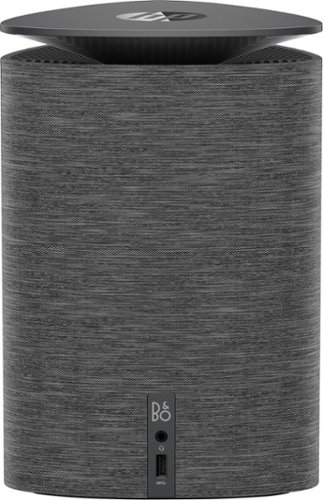
Enjoy powerful performance with this compact HP Pavilion Wave computer. The Intel i3 processor provides fast data handling, while the 1TB hard drive lets you store plenty of files. This HP Pavilion Wave computer has 8GB of RAM to run the latest applications and four USB ports for connecting multiple accessories.
Overall3 out of 5
3 out of 5Still can't get the speaker/microphone to work.
By Murphdad013
from New York , ny
The HP help line is terrible and Best Buy was no help at all. In fact I spoke directly ....finally...with someone at HP who said that my Paviliion Wave needed an external microphone headset for montonaccess Cortona. WRONG!!!!
CraigB
Texas
It has a built in microphone
January 16, 2017
I own this unit and it has a built in microphone. I use it for Cortana regularly. Sounds like the support person got it wrong.
0points
0of 0voted this comment as helpful.
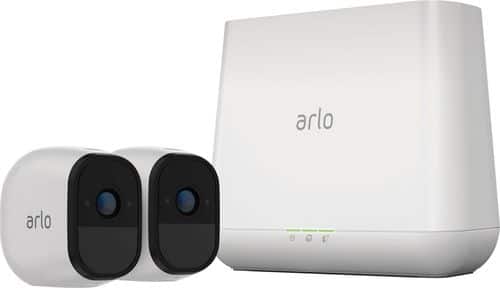
Arlo Pro takes the worrying out of life with the 100% Wire-Free indoor/outdoor home monitoring system. Arlo Pro includes rechargeable batteries, motion and sound-activated alerts, 2-way audio, a 100+ decibel siren, and 7 days of free cloud HD video recordings. Arlo covers every angle to help keep you safe and protected.
Overall4 out of 5
4 out of 5Good system with lots of potential
By CraigB
from Texas
Pros
Extremely Quick setup (A 2 camera system takes roughly 30 minutes)
Very easy set up. It comes with basic instructions but the app nicely walks you through each step
No need to run wires
Compact
Discreet cameras easily blend in with lighter color homes
Good daytime video quality for the price
Includes microphone and speaker
Flexible mounting options. Included option is easy but other fixed mounts can be used
Large rechargeable batteries
Motion trigger is supposed to get an update to determine if the motion is by a person
All devices get regular security updates. Even the cameras get updated wirelessly. Nice considering cameras are a new target for hackers.
Inanimate objects don’t seem to cause false motion triggers
Standard external hard drive can be used for local storage
Basic plan included for free
Easily expandable
Extremely Quick setup (A 2 camera system takes roughly 30 minutes)
Very easy set up. It comes with basic instructions but the app nicely walks you through each step
No need to run wires
Compact
Discreet cameras easily blend in with lighter color homes
Good daytime video quality for the price
Includes microphone and speaker
Flexible mounting options. Included option is easy but other fixed mounts can be used
Large rechargeable batteries
Motion trigger is supposed to get an update to determine if the motion is by a person
All devices get regular security updates. Even the cameras get updated wirelessly. Nice considering cameras are a new target for hackers.
Inanimate objects don’t seem to cause false motion triggers
Standard external hard drive can be used for local storage
Basic plan included for free
Easily expandable
Cons
Support for Windows is poor for the new touchscreen devices.
No Windows app for Windows 8 and 10 devices of any size.
Video quality, mainly night time, is probably not good enough for legal purposes.
Night video quality makes recognition near impossible past approximately 10 feet
Easy to steal or move regardless of mounting
Camera speaker is not very loud
Provided screws use too fine of a thread and the metal head strips out easy
All videos are public if someone can intercept your emails on the way to your inbox. (Email delivery by design is not encrypted so if someone intercepts your emails on the way they can see any of your videos with audio)
Recording time is fixed so even if motion or sound is still occurring you can miss recording
Web interface has some bugs such as freezing on zoom, Live play button disappears, and touch doesn’t work.
Sound recording doesn’t occur until a few seconds after video recording
At least one camera exhibited a noticeable “ticking clock” sound when recording audio
Connecting them hardwired defeats the weatherproofing
Instructions do not give tutorial about advanced features but rather let you discover them
No organizer for hard drive recordings
Dependent on good upload internet speeds. The more cameras you have, the faster the upload speed you need. This can be a limiting factor for some.
Long lag time to start live viewing even with very fast connection
Support for Windows is poor for the new touchscreen devices.
No Windows app for Windows 8 and 10 devices of any size.
Video quality, mainly night time, is probably not good enough for legal purposes.
Night video quality makes recognition near impossible past approximately 10 feet
Easy to steal or move regardless of mounting
Camera speaker is not very loud
Provided screws use too fine of a thread and the metal head strips out easy
All videos are public if someone can intercept your emails on the way to your inbox. (Email delivery by design is not encrypted so if someone intercepts your emails on the way they can see any of your videos with audio)
Recording time is fixed so even if motion or sound is still occurring you can miss recording
Web interface has some bugs such as freezing on zoom, Live play button disappears, and touch doesn’t work.
Sound recording doesn’t occur until a few seconds after video recording
At least one camera exhibited a noticeable “ticking clock” sound when recording audio
Connecting them hardwired defeats the weatherproofing
Instructions do not give tutorial about advanced features but rather let you discover them
No organizer for hard drive recordings
Dependent on good upload internet speeds. The more cameras you have, the faster the upload speed you need. This can be a limiting factor for some.
Long lag time to start live viewing even with very fast connection
Setup was very easy, particularly for a security camera system. The entire process is achieved by following the steps one by one as the app tells you. Install the app, set up your Arlo account, plug in the base unit to power and internet, sync the cameras, hang the cameras, and you’re done. A two camera system only took approximately 30 minutes. The kit includes metal bases, screws, and wall anchors but the screws are small and easy to strip. The metal bases work with a strong magnet included inside the camera. Although convenient, the metal bases allow someone to easily steal or move these expensive cameras so placement is important. Netgear offers screw in mounts for a more rigid and secure mounting. The entire hardware and software process has had a lot of thought put into making it easy. There are no complicated router changes needed to be made at all or complicated programming. Oddly some features, like changing the recording quality, must be done on a regular computer for which there is no app.
There is one strange feature omission from Netgear. This system has a Pro designation and yet support for regular, more modern computers, is limited. Businesses by and large use Windows computers and the most popular type of Windows computers selling today are Windows 2-in-1 convertibles with touchscreens this trend is forecasted to increase and yet this system is barely even useable by any touchscreen Windows device. This is also odd because what better way to check out a security video than on a large screen. You are forced to use a browser to view videos which the experience varies based on browser. Simple things like moving a slider don’t work because the website doesn’t work with touch. Browser administration has other bugs, such as the Live Video button disappearing. If this was an app you wouldn’t have to worry about how the end user’s choice of browser affects the experience. Not having a Universal Windows app is a missed opportunity. I have seen a large increase in clients that are buying Windows 2-in-1 systems instead of desktops or Android/iOS tablets for their primary system. A Windows Universal app they could support such systems, or any other form factor of Windows for that matter. Imagine if the app was on Xbox One in your living room and you want to check on things outside. Just say “Hey Cortana, open Arlo” and you could see your video feed or videos quickly and easily from the convenience of your couch on a big screen. That would be great. If you have smaller Windows devices, the website is unusable. It tries to get you to use an app that doesn’t exist. Oddly enough if you have a link to a shared video the same website will serve you the video in a mobile optimized format. Smaller Windows devices and Windows Mobile devices are left unsupported. Future updates and app releases could easily alleviate this but for now Windows support is poor.
The base unit comes with a Sync/Siren button, network port, and two USB ports for storage. The siren is loud and sounds like newer smoke alarms. It can be trigger locally, by the app, or via configurable rules such as motion or audio sensing. You can switch the base unit to modes for recording for motion and/or audio, no recording, or armed or disarmed based using Geofencing. You can also define your own custom modes allowing specific cameras and audio for each to be on or off. Due to battery restrictions, there is no continuous recording. Recording time from motion is a default of 5 seconds regardless of if the motion continues. Cameras include built in IR for night vision, motion sensor, microphone, and speaker and are weatherproof assuming the charging plug cover is on. One large difference with the Pro version is the inclusion of large rechargeable batteries which should last quite a long time between charging. When video is recorded, it is uploaded via your internet connection to your account meaning a good upload internet speed is important. Videos are stored in a calendar format and can be viewed, shared, or deleted from the interface.
Overall performance when factoring in the price for features was good. Shuddering and lag was minimal with surprisingly good wireless range. Remote viewing of live video is reasonably quick although it still took several seconds and is highly dependent on your internet upload speed. Audio took about 2 seconds to start every time after a motion trigger recording or manual live viewing and had a slightly audible tick-tock sound. The built-in speaker is barely audible at max volume. As with all security systems, there is a loss of some detail to do recording compression. Daytime recordings show signs of video compression but subjects are still reasonably recognizable at approximately 25 feet. Nighttime viewing brings recognition down to approximately 10-15 feet before subjects hard to recognize. Although not official, friends in law enforcement said it is not good for legal purposes as they must have a definitive, recognizable face to use the video. Motion detection was generally good but people moving fast could often elude the recording. Due to the fixed recording time, the system could also miss recording an event if it ran past the configured time.
A big concern is the video sharing feature. Arlo by default emails you anytime it records. It conveniently sends you a screenshot of what it recorded. However; the email sends a direct link to the video that can be viewed without logging in. This would be even more concerning if you had cameras in your house. By definition, is sent unsecured between providers. Although the industry is trying to improve that, you should always assume your emails have no encryption when sent to you. This means that it is possible and relatively easy for criminals to eavesdrop and see your videos with audio without ever knowing your account info. The good thing is that is easy to remedy turning off the feature that emails you when it records a video. That way the link to the video won’t be sent out on the web unsecured and your videos are still stored in the cloud without being shared openly. Hopefully, Netgear will remedy this in the future.
Overall, it is a nice system for the price point when compared to the competition. Compared to legacy DVR and NVR security camera systems this makes the whole process a lot more accessible for the average consumer. As long as you keep your expectations in line it is a nice system. All security camera systems, particularly ones costing less than $2,500 have limitations.
Overall, it is a nice system for the price point when compared to the competition. Compared to legacy DVR and NVR security camera systems this makes the whole process a lot more accessible for the average consumer. As long as you keep your expectations in line it is a nice system. All security camera systems, particularly ones costing less than $2,500 have limitations.
A standout feature, even comparing to high end systems, is this system will automatically get updates for security. Anyone who watched the news in late 2016 saw that the biggest hack was perpetrated using devices, such as camera systems, that weren’t updated. That is something still lacking in the “professional” security camera world. You also won’t have to hire someone to come pull wiring through your house or small business. Cameras can be placed wherever you can mount a base. If for some reason, such as poor signal, the place doesn’t work they are easy to move. It not be a real high definition security camera system but it also costs nowhere near as much. Just be sure you can accept the Cons before buying. The overall system is well thought out and with continued improvement of the listed cons this could be the best system for nearly any price.
CraigB
Texas
New developments after extended use
January 31, 2017
I have discovered some new elements to the system with more use.
The first is that I did find a way to adjust video quality via the app and not just the website. It turns out the way it is displayed is as one of 3 choices instead of a slider.
Next is that the cameras only work with Netgear's proprietary charger. Even though it uses USB both the manual an other say it only works with the Netgear one.
Finally I discovered that the motion detection does sometimes act strange. I purchase one additional camera and for some reason no matter the sensitivity of the motion it records a motion even every 30 seconds at night. I have observed that it seems to happen more if my neighbor has a light on but even that is not consistent.
+4points
4of 4voted this comment as helpful.
CraigB's Questions
CraigB has not submitted any questions.
This SanDisk Ultra Plus 16GB microSDHC memory card features a Class 10 UHS-1 speed rating to ensure quality video recording performance, while the rugged construction protects your media from damage due to temperature, X-rays, shock and water.
Will this work on a vita?
No it will not. Sony uses a proprietary memory card for the Vita. It needs to be a Vita memory card unfortunately.
11 years, 5 months ago
by
CraigB
Texas
Easily capture 4K Ultra HD video footage with your enabled smartphone, tablet or camera with this SanDisk Extreme Pro microSDXC memory card, which features a 64GB capacity, read speeds up to 95 MB/sec. and write speeds up to 90 MB/sec.
Will this card work in the Samsung galaxy note 4?
If you are talking about from a technical standpoint, yes. Your device can support up to a 128GB microSD. This card should be fast enough to support 4K recording. It records 4K reliably for my phone. Unfortunately, I cannot comment if there might be any unknown incompatibility issues. Even though it technically should work, sometimes one phone just doesn't work with one brand, make, and model of card that it should. That said, this card in my personal experience has been rock solid stable.
11 years, 5 months ago
by
CraigB
Texas
Easily capture 4K Ultra HD video footage with your enabled smartphone, tablet or camera with this SanDisk Extreme Pro microSDXC memory card, which features a 64GB capacity, read speeds up to 95 MB/sec. and write speeds up to 90 MB/sec.
Very costly
How can Best Buys ask $299, when the same card is available on Amazon for $80?
It's not a big deal in the end. I purchased one using Best Buy's Price Match Guarantee. They were shocked themselves at the difference as several employees checked the screen to compare the price. They told me that Amazon's sale price was $150 below their ACTUAL cost but they honored the Price Match Guarantee anyway and I got my rewards. If you buy one, just get them to match the price and after enough lost revenue they will go back to negotiate a better price on their end.
11 years, 5 months ago
by
CraigB
Texas