


CraigB's stats
- Review count198
- Helpfulness votes2,810
- First reviewFebruary 11, 2013
- Last reviewAugust 11, 2026
- Featured reviews0
- Average rating4.2
- Review comment count7
- Helpfulness votes6
- First review commentNovember 29, 2013
- Last review commentJanuary 31, 2017
- Featured review comments0
Questions
- Question count0
- Helpfulness votes0
- First questionNone
- Last questionNone
- Featured questions0
- Answer count43
- Helpfulness votes54
- First answerMarch 24, 2015
- Last answerNovember 6, 2021
- Featured answers0
- Best answers7

Meet Bose's premium soundbar that~s here to pull you deep into the heart of all your favorite content. Bose Smart Ultra Soundbar with Dolby Atmos and Bose TrueSpace technology separates music, dialogue, and effects, and places them in different parts of a room for a truly immersive spatial audio experience like you~ve never heard it before. Having a hard time hearing what your favorite characters are saying? A.I. Dialogue Mode automatically balances voice and surround sound for ultra-crisp vocal clarity. Plus, two upward firing dipole speakers work with Bose technologies to make it feel like your space is filled with sound from every direction ~ even overhead. Available in Black and Arctic White.
Customer Rating

5
Immersive with clear dialog
on August 26, 2023
Posted by: CraigB
Pros
Neutral sound profile
Dialog easier to hear in movies
Good amount of bass for the size
Placement of objects with Atmos more distinct
Doesn’t require a lot of setup
Can be expanded to surrounds and subwoofer
Neutral sound profile
Dialog easier to hear in movies
Good amount of bass for the size
Placement of objects with Atmos more distinct
Doesn’t require a lot of setup
Can be expanded to surrounds and subwoofer
Cons
Limited equalizer adjustment
Requires manual tuning
No instructions on pairing soundbar to app at time of writing
Wall mount brackets not included
Limited equalizer adjustment
Requires manual tuning
No instructions on pairing soundbar to app at time of writing
Wall mount brackets not included
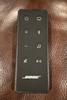
The Bose Smart Ultra Soundbar could easily be mistaken for the previous Soundbar 900. Externally the appearance is identical with a metal speaker grate and glass top. While not a new design it keeps things simple making it easier to blend into your décor. Bose is known for making products that are simple and easy to use. The Smart Ultra Soundbar is no different. In the box you will find the soundbar, remote, power cord, AdaptiQ tuning headset, HDMI cable, and subwoofer cable. The subwoofer cable is only compatible with specific Bose subwoofers which they call bass modules. If you wish it can connect to the bass module wirelessly. Input connections are limited to a single HMDI Arc input and an optical digital input. This soundbar keeps its role to strictly that of a soundbar and does not serve as an HDMI switch.
Setup and Performance
The basic setup is straightforward. You simply plug included HDMI cable into the port on the soundbar and matching HDMI port on your TV. If you want to take advantage of music streaming and the sound tuning, you are doing to need to connect the soundbar to the Bose Music app. This is where things got a little bit confusing. At the time of writing this review there were no instructions in the box or in the app on how to connect the soundbar to the app or WiFi. The instruction manual makes it seem like you just press connect in the app and it finds the soundbar and connects. Hopefully this will be added but you need to use the remote to activate pairing mode on the soundbar. Through trial and error, it was discovered the procedure is the same as the 300 series soundbar. After getting connected setup was much easier and the firmware could be updated. The AdaptiQ tuning process is different than other sound equipment. While some using a small microphone you place in listening locations others have a continuous tuning process with microphones in the speakers. Bose chose to use the manual process, but the process uses a headband that you wear and sit where the 5 main locations someone would be sitting when using the soundbar. At first it seems odd, but it makes sense. Instead of trying to hold the microphone where you would sit, you just wear the microphone and sit in your normal place. There is no need to guess on placement. Of course, since this is a manual process, you are going to have to keep track of the headband and run calibration again if anything changes.
The basic setup is straightforward. You simply plug included HDMI cable into the port on the soundbar and matching HDMI port on your TV. If you want to take advantage of music streaming and the sound tuning, you are doing to need to connect the soundbar to the Bose Music app. This is where things got a little bit confusing. At the time of writing this review there were no instructions in the box or in the app on how to connect the soundbar to the app or WiFi. The instruction manual makes it seem like you just press connect in the app and it finds the soundbar and connects. Hopefully this will be added but you need to use the remote to activate pairing mode on the soundbar. Through trial and error, it was discovered the procedure is the same as the 300 series soundbar. After getting connected setup was much easier and the firmware could be updated. The AdaptiQ tuning process is different than other sound equipment. While some using a small microphone you place in listening locations others have a continuous tuning process with microphones in the speakers. Bose chose to use the manual process, but the process uses a headband that you wear and sit where the 5 main locations someone would be sitting when using the soundbar. At first it seems odd, but it makes sense. Instead of trying to hold the microphone where you would sit, you just wear the microphone and sit in your normal place. There is no need to guess on placement. Of course, since this is a manual process, you are going to have to keep track of the headband and run calibration again if anything changes.
This might seem a bit old fashioned to the new style dynamic tuning, but it seems to work quite well. Since it knows exactly where your head is normally it can tune it to suite you. While it is uncertain how well it works for guest of different heights it works quite well for the family. Positional audio seemed more distinct than usual. For example, in Aquaman there is a fight scene with the queen is fighting. While the weapon sounds were too fast to get exact direction. The height of the blasts was not very distinct. Placement of voices was very distinct and would come where you would expect. When the camera panned left to follow the action, you could hear speaking to your back right. When the camera panned back to the right the person that was heard was exactly where they were expected. In the movie Blade Runner 2049 where he is flying to the orphanage and gets fired at you can hear the bullets pass from left to right and front to back. Also, as the canopy rattles you can hear metal rattling above you to the front left and right. Finally, when the harpoon hits his flying car can hear the specific place it hits. The latest iteration of Dune is where Atmos is the most noticeable. In the scene where Paul encounters his first sand worm you can hear the sand grains floating around the room but also voices. There are points where you can hear things all around, including above and specifically to the right side.
The TrueSpace processing confused the processing of trying out the Smart Ultra Soundbar at first. The TrueSpace processing takes non Atmos sources and attempts to replicate a more immersive experience. While it isn’t as specific to locations like a movie created using Atmos where sounds are placed deliberately, TrueSpace did give a sense of depth to movies. In movies that didn’t have Atmos or it wasn’t turned on it was adjusting the sounds to spread them out more. Essentially, if a movie did not have Atmos it would make it sound like sounds were coming from something much larger than just a soundbar. Dialog was less concentrated and sounded larger and more natural. Sound effects sounded like they were coming in front of you when needed without sounding like they came from only directly in front. While still not as immersive as true Atmos content it still noticeably improved the experience without seeming overdone.
Probably the only effect that could be considered overdone is the Ai Dialog mode. This is the first time our family has been able to understand dialog in some of our favorite movies. The effect isn’t just boosting the treble. It is hard to describe but whatever Bose did with the effect it did make even the hardest dialog intelligible. Going back to the overdone aspect, that is more of a necessary side effect. Because it is adjusting voices slightly you might notice that some actor sound different but in a way you can’t quite place. Their voices can sound just slightly different but not in a strange way. While you might initially notice it, it doesn’t take long to forget about and enjoy understanding what they are saying. If for any reason it just doesn’t suite your taste it can be disabled.
Where the Smart Ultra Soundbar might fall a bit short is the same area of any subwoofer and that is impactful bass. While the soundbar can produce a surprising amount of bass, it won’t hit hard such as during an explosion. For those who don’t care to have tons of bass and are planning to use this in a small to medium sized room, the Smart Ultra Soundbar might be enough all on its own. If you like to have a wider frequency range, like more modern music with more dynamic bass, or want to use the soundbar in a larger room then one of the two bass modules can help fill the space better. When you add the bass module to the mix the soundbar offloads some of the frequencies to the bass module allowing the soundbar to focus more on the frequencies it handles best. It doesn’t just add bass, it makes the sound richer.
While adding the bass module makes movies even more immersive, the unexpected benefit is how it improves acoustical music and some vocals. The addition of the bass module makes the sound of a bass guitar richer or even some singers. A surprise was listening to Hello by Adele. While the soundbar did a respectable job reproducing the song with an overall neutral tone, the addition of the bass module brought more richness to her voice. Trying it out on The Gambler by Kenny Rogers it made the crackling of his voice richer. Even listening to Metallica S&M it sounded reasonable full without the bass module, but adding to the mix gave the orchestra more depth. If music as Daft Punk, DeadMau5, or Marshmallow are more your speed then the bass module becomes more of a necessity. Regardless of if you decide to add the bass module one thing the Smart Ultra Soundbar does a nice job of is expanding the soundstage. Like movies, when playing music, it sounds like the music is coming from a much larger arear than just the small soundbar. It gives more a sense of size.
Final Thoughts
The Bose Smart Ultra Soundbar is a well rounded soundbar that does a good job of keeping things simple while trying to address common complaints of soundbars over the years. If you are looking for a compact soundbar and prefer a more neutral sound or want better positional audio in movies, then then this soundbar could be a good fit for you. Just keep in mind if you have a larger room or overall like more dynamic and impactful bass you are going to want to add one of their bass modules as well to complete the package.
The Bose Smart Ultra Soundbar is a well rounded soundbar that does a good job of keeping things simple while trying to address common complaints of soundbars over the years. If you are looking for a compact soundbar and prefer a more neutral sound or want better positional audio in movies, then then this soundbar could be a good fit for you. Just keep in mind if you have a larger room or overall like more dynamic and impactful bass you are going to want to add one of their bass modules as well to complete the package.
I would recommend this to a friend!





Share this review:


+5points
5of 5voted this as helpful.
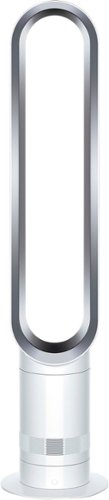
Dyson Cool Tower Fan amplifies airflow to cool you. Air Mulitplier technology amplifies the surrounding air, providing an uninterrupted stream of smooth airflow. Effective cooling all year round. Recommended for rooms upto 800 Sq Ft.
Customer Rating

4
Simple to use and powerful
on August 20, 2023
Posted by: CraigB
Pros
Sleek design
Tons of airflow
Simple to operate
No visible fan blades to get damaged
Near silent at slower speeds
Precise speed control with 10 levels
Magnetic remote storage
No annoying sounds on high, just the sound of wind
Small intake grating catches most dust and hair for easy cleanup
Sleek design
Tons of airflow
Simple to operate
No visible fan blades to get damaged
Near silent at slower speeds
Precise speed control with 10 levels
Magnetic remote storage
No annoying sounds on high, just the sound of wind
Small intake grating catches most dust and hair for easy cleanup
Cons
Air multiplier portion feels like cheap plastic
Unit is so light it wobbles from airflow if placed near anything
Sensor for remote too low to ground
Controls are limited if remote is lost or damaged
No smart functions for what is a high end fan
Cleaning inside of base would be difficult
Air multiplier portion feels like cheap plastic
Unit is so light it wobbles from airflow if placed near anything
Sensor for remote too low to ground
Controls are limited if remote is lost or damaged
No smart functions for what is a high end fan
Cleaning inside of base would be difficult
The Dyson Cool Tower Fan is probably Dyson’s simplest appliance. It contains no fancy features, no filtering, and no smart controls. It is simply a tower fan but made the Dyson way. While not truly bladeless, the blades are hidden in the base which contains the blower fan. It is much lighter than their Pure Cool fans which is likely why it has a base plate is to improve stability. In the box it is separated into the base plate, motor unit, and air multiplier. The bulk of the fan is the motor unit, and the air multiplier is very tall and extremely light. In fact, it almost feels cheaply light as the plastic is easy to deform. Also included is a small coin cell operated remote which stays in place magnetically on the top of the air multiplier portion. While some functions can be controlled from the base, you need the remote to have access to all functions. You can control speed, oscillation, and sleep timer. There is no smart functionality or app control included.
Setup and Performance
Setup is easy. The base, power unit, and air multiplier have stickers that indicate where you connect them. Once inserted you turn it slightly until it clicks, and you are done. The remote is ready to go out of the box. The fan offers 10 levels of speed control giving you far more control than most fans. The oscillation control is a bit different than most. On most fans when you press the oscillate button it stops the fan with the first press and reverses it with a second press. This way if you are trying to point the fan you can use the button to find tune where it is pointing. With the Dyson Cool Tower, the button only works to stop and start oscillation. If you miss the spot you wanted to point the fan you have to wait for it to go through the entire cycle again and try to aim again.
Setup is easy. The base, power unit, and air multiplier have stickers that indicate where you connect them. Once inserted you turn it slightly until it clicks, and you are done. The remote is ready to go out of the box. The fan offers 10 levels of speed control giving you far more control than most fans. The oscillation control is a bit different than most. On most fans when you press the oscillate button it stops the fan with the first press and reverses it with a second press. This way if you are trying to point the fan you can use the button to find tune where it is pointing. With the Dyson Cool Tower, the button only works to stop and start oscillation. If you miss the spot you wanted to point the fan you have to wait for it to go through the entire cycle again and try to aim again.
When it comes to cooling performance, this fan puts out a lot of air for its size. While it can get noisy at high speed, the sound emitted is just the sound of air moving. No unpleasant fan blade sounds or motor whining. Another bonus is since the fan blades are not exposed you don’t have to worry about seeing dust covered fan blades and how to clean them. The blades in the base also seem less likely to build up dust and hair because the intake grating at the bottom is small enough to where a lot of dust collects on the outside making cleanup quick and easy. While overall it feels well made, it does have some qualities that make it feel slightly less premium. The first is just how light the air multiplier portion is. Besides the flimsy feeling mentioned previously the unit is so light that if used near other items, such as a wall or furniture, the fan will wobble and shake. While any fan can do this it just seems out of place for what is intended as a premium fan. In any case the wobble doesn’t make any noise or affect operation and is more of nitpicking.
Final Thoughts
Overall, the Dyson Cool Tower Fan is a very nice fan. If you are a fan of Dyson product and need a fan the choice is easy. For everyone else, if you like the idea of a fan with no visible blades to worry about, like a sleeker simple design, or want more than the normal amount speed control then this fan could be a great fit for you.
Overall, the Dyson Cool Tower Fan is a very nice fan. If you are a fan of Dyson product and need a fan the choice is easy. For everyone else, if you like the idea of a fan with no visible blades to worry about, like a sleeker simple design, or want more than the normal amount speed control then this fan could be a great fit for you.
I would recommend this to a friend!






Share this review:


0points
0of 0voted this as helpful.
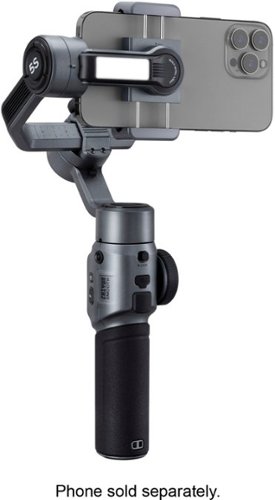
Upgraded with a powerful built-in fill light and embodying the spirit of Make-It-Real, SMOOTH 5S offers an integrated yet simplified way of filmmaking for everyone. With the classic 3-axis design, you can create inspiring content with no angle limitations. SMOOTH 5S makes your one-man crew.
Customer Rating
4
Solid Gimble, Unrefined App
on July 29, 2023
Posted by: CraigB
Pros
Sturdy Build
Long battery life
Bright fill light
Well defused fill light
Fill light is rated over 90 CRI
Continuous Vortex Mode
Smooth zoom
Can charge your phone
Strong motors
Includes tripod
Fast AI tracking
Sturdy Build
Long battery life
Bright fill light
Well defused fill light
Fill light is rated over 90 CRI
Continuous Vortex Mode
Smooth zoom
Can charge your phone
Strong motors
Includes tripod
Fast AI tracking
Cons
Might be heavy for some
Screen unreadable in sunlight
Requires turning off and recalibrating to vertical mode
Apps aren’t fully translated
Apps aren’t very refined
Confusing to have 2 apps
Record button is audible in recordings
Can’t change framing of AI tracking
Might be heavy for some
Screen unreadable in sunlight
Requires turning off and recalibrating to vertical mode
Apps aren’t fully translated
Apps aren’t very refined
Confusing to have 2 apps
Record button is audible in recordings
Can’t change framing of AI tracking
The Zhiyun Smooth 5S is modest upgrade from the previous Smooth 5. The motors have been upgraded to stronger versions and a fill light was added. For a smartphone gimble it is on the heavy side, but the weight comes from the solid construction, large battery, and upgraded motors. The motors are strong enough to where it almost feels like it could hold a small camera. The included battery is large enough to charge your phone as well. It includes a USB-C port where the phone mounts. The phone mount can accommodate larger phones, such as the iPhone 14 Pro Max, but it fits tight with a slim case. A larger case might cause problems.
On setup the first thing you will notice is that the instructions in the app don’t seem to be fully translated. While you can understand what needs to be done, sections of the app are still in Chinese as well as occasionally poorly worded English. The next part those more privacy conscious will notice is how much information and permissions the app wants from you. Of course, you can use your own photo app but you lose some functionality. At minimum the app requires access to all your photos as well as your GPS location while in use. It is understandable it needs this access because it takes the place of your photo app, but some might find it concerning the app will not function at all without access. It displays a message asking for access until you allow it. The apps are usable but beyond language issues they could use further refinement. The menus are transparent and overlaying the picture to where when outdoors menu items can be hard to impossible to read. Maybe it would be beneficial to instead have one app and focus all attention on making one solid app instead of two decent but quirky ones. Speaking of seeing the menu, there is a thin screen on the gimble itself to show modes. It shows the modes in small dim text that the moment there is a decent amount of light it becomes unreadable. An easy workaround would be to also mirror the mode selection on the onscreen menus. If it is currently showing it isn’t very pronounced onscreen. The ZY Cami app is the more beginner one which you would think would be more about guiding you through the process of using the gimble. While it does offer tutorial videos they are displayed as landscape videos stuck in portrait mode. There is a full screen button but all it does is make the video player take up the entire screen while still showing the video on a small portion of the screen making watching the videos challenging. There are other examples of the lack of refinement in the app but hopefully this provides some reference of what to expect. Its workable but you may want to consider editing videos with another app.
The good thing is the hardware is a different story. The gimble feels slightly heavy but solidly built. It isn’t as compact as some but feels strong. In fact, in the first use balancing wasn’t performed and the gimble was still able to move the phone around without problems. Using the gimble felt comfortable with the main challenge of learning how fast it can respond. If you go too fast the gimble tends to freak out and starts moving erratically. The good thing is it doesn’t take long to get the hang of it. Using the zoom function felt natural and the affect was smooth. At first it seemed like the fill light would be a gimmick, but it turns out it’s surprisingly bright for its size and it is properly defused, so it doesn’t create a spotlight effect. The AI tracking was good most of the time but could use some further improvement. You choose a subject with a single click, and it will start tracking it. It doesn’t even have to be a person. You can even set it on the tripod and have it track a subject like an AI cameraman. The gimble will follow the person as they walk around assuming they don’t move too fast or move behind something. The main downside of this feature is you don’t have the option to set the headspace of the subject. The whole process is very easy. Once you get the hang of things the quirky software seems less of an issue because the hardware does the job very well. It would be nice if you could switch between portrait and landscape quickly. As it stands you must rotate the phone in the hold and perform another calibration before using it. While not a dealbreaker, the feature has become more commonplace recently with more vertical videos. Beyond that, the largest oversight is that the record button clicks so loud you can hear a solid click sound at the end of any recording.
Final Thoughts
Software polish aside, the Smooth 5S is a very nice gimble. If you are wanting a gimble for your smartphone and your primary focus is a strong, well built gimble that has a fill light then the Smooth 5S might be a good fit for you.
Software polish aside, the Smooth 5S is a very nice gimble. If you are wanting a gimble for your smartphone and your primary focus is a strong, well built gimble that has a fill light then the Smooth 5S might be a good fit for you.
I would recommend this to a friend!






Share this review:


+1point
1of 1voted this as helpful.

Introducing the world's first 49" OLED monitor, the Odyssey OLED G95SC. The 49" curved monitor with Dual QHD resolution and 110 PPI delivers maximum space to take in all the pin-sharp details. Neo Quantum Processor brings brighter whites, deeper blacks and near infinite color contrast. Its curved screen wraps around your field of view for truly engrossing gameplay in up to 32:9 aspect ratio. With a hair-raising 0.03ms(GtG)* on the 240Hz refresh rate screen, you can react to your opponent~s every move quicker than ever before. DisplayHDR True Black 400 allows you to see true black and dark colors on screen without pixel light bleed for supreme color and depth expression in every game. G-Sync compatibility keeps the GPU and panel synced up to eliminate choppiness, screen-lag and image tears. Fast-action and complex game scenes are stable and stutter-free with AMD FreeSync Premium Pro for your competitive edge.
Posted by: CraigB
Pros
Insanely fast
240Hz refresh rate
Perfect blacks
Colors seem very accurate
Can reproduce reds faithfully
Gets extremely bright in small areas
Overall bright for an OLED monitor
Works with FreeSync and G-Sync
Offers virtual aim point
Bias light improves immersion
Tons of features
Integrated cloud gaming
Integrated SmartThings HUB
Offers split screen
Very light for its size using separate power adapter
Extremely wide angle for supported games
Decent speakers built in
Insanely fast
240Hz refresh rate
Perfect blacks
Colors seem very accurate
Can reproduce reds faithfully
Gets extremely bright in small areas
Overall bright for an OLED monitor
Works with FreeSync and G-Sync
Offers virtual aim point
Bias light improves immersion
Tons of features
Integrated cloud gaming
Integrated SmartThings HUB
Offers split screen
Very light for its size using separate power adapter
Extremely wide angle for supported games
Decent speakers built in
Cons
Limited game support
Unsupported games can have a fisheye effect
Menu layout feels clunky at times
Blacks and turn dark gray in bright room
Not as well suited for bright areas overall
Speakers sometimes distort
Menu system needs refinement
Remote needs extra buttons
Odd placement of mini HDMI port
USB-C ports tight lighting cable options
Monitor doesn’t seem to wake automatically
Compatibility problems with systems that have iGPU and dGPU
Only 1 year warranty
Warranty doesn’t cover burn in
Massive power adapter
ClearType can’t adjust for pixel arrangement
Limited game support
Unsupported games can have a fisheye effect
Menu layout feels clunky at times
Blacks and turn dark gray in bright room
Not as well suited for bright areas overall
Speakers sometimes distort
Menu system needs refinement
Remote needs extra buttons
Odd placement of mini HDMI port
USB-C ports tight lighting cable options
Monitor doesn’t seem to wake automatically
Compatibility problems with systems that have iGPU and dGPU
Only 1 year warranty
Warranty doesn’t cover burn in
Massive power adapter
ClearType can’t adjust for pixel arrangement
Design and Features
The Odyssey G95SC is in a very small niche of super ultra-wide monitors. While it can be used for production it is targeted at gaming and content consumption. For a gaming monitor the design is still relatively clean with a single piece stand that is comprised of a plastic shell painted silver but most likely has some metal inside for strength. It attaches to the monitor with a push lock system and the base attaches to the vertical section via two captured wingnuts. In the box is a VESA mount adapter. Also provided is a remote, which is needed to control it as there are no external buttons. There is a bias lighting ring on the back where the stand attaches which can be set to a static color or reproduce the most prevalent color on the screen. For the affect to work the screen would have to be close enough to a wall to reflect. There are no software settings or drivers require to adjust this. It reads the video signal and changes color based on the signal. The power cable includes an extremely large power brick as the monitor can use up to 220 Watts. The downside is finding somewhere to place the power brick. The advantage is with a separate power supply the monitor is much lighter and easier to handle. A DisplayPort cable, mini HMDI to HDMI cable, and USB-C to USB-A adapter are included in the box. A strange omission is the lack of DisplayPort over USB-C support or at the very least an adapter cable. Many gamers now have gaming laptops where the dGPU is accessed via DisplayPort over USB-C. Some reports state it has support for DisplayPort over USB-C but in testing using certified cable it did not work. The inclusion of a mini-HDMI port also seems a bit odd as well as the placement of the port outside the main port facing directly backwards instead of sideways like the rest. This limits placement slightly if your cable is more rigid. Both the HDMI port and mini-HDMI port are HDMI 2.1 and the DisplayPort is version 1.4. The spec sheet states the maximum brightness is 250 nits but that it is HDR 400 certified. This should mean a maximum brightness of at least 400. Checking in Windows it reports a peak brightness of 400 nits.
The Odyssey G95SC is in a very small niche of super ultra-wide monitors. While it can be used for production it is targeted at gaming and content consumption. For a gaming monitor the design is still relatively clean with a single piece stand that is comprised of a plastic shell painted silver but most likely has some metal inside for strength. It attaches to the monitor with a push lock system and the base attaches to the vertical section via two captured wingnuts. In the box is a VESA mount adapter. Also provided is a remote, which is needed to control it as there are no external buttons. There is a bias lighting ring on the back where the stand attaches which can be set to a static color or reproduce the most prevalent color on the screen. For the affect to work the screen would have to be close enough to a wall to reflect. There are no software settings or drivers require to adjust this. It reads the video signal and changes color based on the signal. The power cable includes an extremely large power brick as the monitor can use up to 220 Watts. The downside is finding somewhere to place the power brick. The advantage is with a separate power supply the monitor is much lighter and easier to handle. A DisplayPort cable, mini HMDI to HDMI cable, and USB-C to USB-A adapter are included in the box. A strange omission is the lack of DisplayPort over USB-C support or at the very least an adapter cable. Many gamers now have gaming laptops where the dGPU is accessed via DisplayPort over USB-C. Some reports state it has support for DisplayPort over USB-C but in testing using certified cable it did not work. The inclusion of a mini-HDMI port also seems a bit odd as well as the placement of the port outside the main port facing directly backwards instead of sideways like the rest. This limits placement slightly if your cable is more rigid. Both the HDMI port and mini-HDMI port are HDMI 2.1 and the DisplayPort is version 1.4. The spec sheet states the maximum brightness is 250 nits but that it is HDR 400 certified. This should mean a maximum brightness of at least 400. Checking in Windows it reports a peak brightness of 400 nits.
The monitor has 1GB of onboard storage to accommodate installing apps such as YouTube, Netflix, or Tubi TV. While not stated in the specs, in the menu it seems to have be able to function as a SmartThings HUB with Matter support. Even if you don’t set that up it can still access any SmartThings devices and can be added as a SmartThings device itself to control. The monitor can display an app with an input source in split screen. This means you could watch something like Tubi TV on one side and display your computer on the other half. The monitor is limited to one app and one input source or two input sources. You cannot use split screen with two apps.
Setup and Performance
Unlike a regular monitor, the G95C has a setup wizard for connecting to Wi-Fi and setting up apps. Before a firmware update the monitor had issues connecting to 5G Wi-Fi. The update fixed it but occasionally the monitor sometimes forget Wi-Fi settings when turned off. Connecting a laptop another issue was encountered. The first laptop had a Ryzen GPU. Even with the MUX switch enabled the most the HDMI port could work with was 1080P. It is rated at HDMI 2.0b so it should have gone to at least 4K60. After purchasing a USB-C to DisplayPort cable worked without a problem. The next laptop has an RTX 3070 with an HDMI 2.1 port. The system recognized the monitor and adjusted resolution properly but then would never display an image. No adjustments were successful in getting the monitor to work. The issue seemed to stem from the autodetect mode on the monitor. When the laptop changed modes and adjusted to the correctly resolution. The monitor would display that is detecting the connection. As soon as this came up the laptop would show disconnected and reset. The easiest system to work with was a gaming desktop with an RTX 3070. It worked without issues using HDMI and DisplayPort. In the end, the laptop issues didn’t seem to be based on the type of GPU but how display signals were handled between the iGPU and gGPU. If your gaming system has both, it would be best to be prepared for some troubleshooting.
Unlike a regular monitor, the G95C has a setup wizard for connecting to Wi-Fi and setting up apps. Before a firmware update the monitor had issues connecting to 5G Wi-Fi. The update fixed it but occasionally the monitor sometimes forget Wi-Fi settings when turned off. Connecting a laptop another issue was encountered. The first laptop had a Ryzen GPU. Even with the MUX switch enabled the most the HDMI port could work with was 1080P. It is rated at HDMI 2.0b so it should have gone to at least 4K60. After purchasing a USB-C to DisplayPort cable worked without a problem. The next laptop has an RTX 3070 with an HDMI 2.1 port. The system recognized the monitor and adjusted resolution properly but then would never display an image. No adjustments were successful in getting the monitor to work. The issue seemed to stem from the autodetect mode on the monitor. When the laptop changed modes and adjusted to the correctly resolution. The monitor would display that is detecting the connection. As soon as this came up the laptop would show disconnected and reset. The easiest system to work with was a gaming desktop with an RTX 3070. It worked without issues using HDMI and DisplayPort. In the end, the laptop issues didn’t seem to be based on the type of GPU but how display signals were handled between the iGPU and gGPU. If your gaming system has both, it would be best to be prepared for some troubleshooting.
After connecting to the laptop with the Ryzen GPU with the adapter cable the resolution defaulted to a lower resolution but showed the correct recommended resolution which is a bit unusual. After changing to the recommended resolution, it defaulted to 120Hz instead of 240 from reason. Selecting 240 worked without any issues. Overall, the connection process just seemed more finicky than normal.
Once everything was up and running the fun starts. First things to know is the subpixel arrangement isn’t well suited to productivity work. While ClearType attempts to improve things Windows just doesn’t natively understand Quantum Dot properly so black text on a white background isn’t ideal. It could work for short stints but of course it is primarily a gaming and content consumption monitor, and it shows. While it works ok in bright rooms your blacks turn gray and the monitor but turn down the lights and this monitor really shines. The blacks become completely black, and colors can really stand out. The monitor might be rated at 400 nits, but it sure seems like it can boost locally to higher. Scenes with spotlights or gun flashes could be so bright the screen was hard to look at.
While we didn’t have any way to verify screen response times it wouldn’t have mattered because no one in our family was able to sense any type of lag. We thought we had good gaming monitors until seeing just how things could be with the G95SC. One specific example was in Doom Eternal. Our family has a specific game save on Nightmare that has not moved in over a year. After switching to the G95SC not only did the super ultrawide help but it also showcased the hurdle was just as much our previous monitor. After the switch it only took 2 attempts to finish. The best way to describe the feeling is CRT type responsiveness. In Halo Infinite the amount of field of view almost feels like cheating. In COD games the virtual aim point comes in handy. With so many gray and green tones it is hard to see the crosshairs, but you can add a virtual one that glows on top of the game making it almost too easy to see where you are aiming. In Forza Horizon 5 the field of view means not only can you see out the front window almost the entire driver side and some of the passenger side. The exception was Minecraft. At first it seemed like maxing out the field of view to 110 degrees would make for an immersive combo. While the resolution was correct, it turned out that increasing the field of view only increased the fisheye effect. Distortion seemed best somewhere between 70 and 90 degrees. This is where you will find the one weakness of this monitor. If a game doesn’t support the 32:9 ratio, then you either lose screen real estate or you end up with a fisheye view. Even when you lose screen real estate because the OLED could be completely black so it wouldn’t distract. The other option is you can opt to play a video on the other half of the screen.
Final Thoughts
There is just too much to cover in a relatively short review. The monitor has a ton more features, some more refined than others. Connectivity requires tweaking and some aspects of the menus are a clunky in traditional Samsung fashion but where it really counts, in performance it’s hard to beat. If love to game and play games that can take advantage of a 32:9 aspect and are looking for the best monitor available for immersive gameplay it’s had to beat the Samsung Odyssey G95SC monitor.
There is just too much to cover in a relatively short review. The monitor has a ton more features, some more refined than others. Connectivity requires tweaking and some aspects of the menus are a clunky in traditional Samsung fashion but where it really counts, in performance it’s hard to beat. If love to game and play games that can take advantage of a 32:9 aspect and are looking for the best monitor available for immersive gameplay it’s had to beat the Samsung Odyssey G95SC monitor.
I would recommend this to a friend!






Share this review:


+1point
1of 1voted this as helpful.
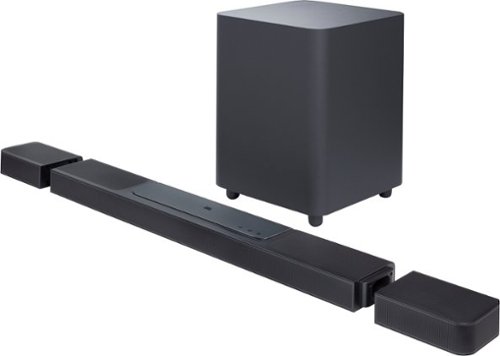
The ultimate 3D surround experience that will blow you away. You~ve never heard anything like the JBL BAR 1300X~in your living room or anywhere else. More than just a great soundbar, it~s a full sound system. It features MultiBeam and six up-firing drivers~four in the bar and two in the detachable battery-powered surround speakers~that deliver massive Dolby Atmos and DTS:X 3D surround sound, centering you in your music, movies, and games. 1170W of total output power and thrilling bass from a 12~ subwoofer is more than enough to make the room shake. Though, you~ll never miss a word with due to our PureVoice technology, which makes sure the dialogue is clear even when other sounds are at their loudest. When you want to enjoy your favorite tunes choose streaming via either AirPlay, Alexa Multiroom Music (MRM), or Chromecast built-in that give you over 300 music streaming options. But that~s not all. Your choices are as unlimited as you are because you can also pair the soundbar to your Bluetooth device. You can even take one of the detachable speakers (or both for powerful stereo sound) out to your kitchen or patio and enjoy listening to your favorite music or podcast there.
Customer Rating
4
Nice sound needs more adjustment options
on July 11, 2023
Posted by: CraigB
Pros
Plenty of bass
Clear dialog
Satellites dock cleanly when not needed
Satellites can be used independently
Satellites have long battery life
Wireless for satellites and sub very stable
Adjustable EQ
Fast startup
Plenty of inputs
Includes ethernet connectivity for best stability
Plenty of bass
Clear dialog
Satellites dock cleanly when not needed
Satellites can be used independently
Satellites have long battery life
Wireless for satellites and sub very stable
Adjustable EQ
Fast startup
Plenty of inputs
Includes ethernet connectivity for best stability
Cons
Limited EQ adjustments
Limited sound range of satellites
Satellites don’t include power adapter
HDMI inputs are 2.0b so no VRR and nothing over 4K60
HDMI ports face directly back limiting placement close to wall
Limited EQ adjustments
Limited sound range of satellites
Satellites don’t include power adapter
HDMI inputs are 2.0b so no VRR and nothing over 4K60
HDMI ports face directly back limiting placement close to wall
Design and Features
The JBL Bar 1300X is the top of the line in the series by JBL and the upgraded version of the original 1300. The overall design is understated in black plastic and a metal grill. The subwoofer feels to be made entirely of plastic. The satellites and subwoofer connect to the soundbar wirelessly. Included in the box are wall mounting brackets for the soundbar and satellites, an HDMI cable, power cables for the soundbar and sub. No power adapters are included for the satellites. They charge off the soundbar but can be powered independently via USB-C power adapter. The satellites attach to the soundbar magnetically. When the satellites are removed from the soundbar there are endcaps that can be attached to the soundbar to cover the ends.
The JBL Bar 1300X is the top of the line in the series by JBL and the upgraded version of the original 1300. The overall design is understated in black plastic and a metal grill. The subwoofer feels to be made entirely of plastic. The satellites and subwoofer connect to the soundbar wirelessly. Included in the box are wall mounting brackets for the soundbar and satellites, an HDMI cable, power cables for the soundbar and sub. No power adapters are included for the satellites. They charge off the soundbar but can be powered independently via USB-C power adapter. The satellites attach to the soundbar magnetically. When the satellites are removed from the soundbar there are endcaps that can be attached to the soundbar to cover the ends.
The back of the soundbar has plenty of connections with 3 passthrough HDMI ports and an optical connection. You can also hardwire it with a built in ethernet connection. One thing to note is the ports all face directly back so placing the bar close to a wall may require right angle cables. If you are thinking of connecting your gaming console or gaming PC through the soundbar you may want to think twice. The HDMI input ports are HDMI 2.0b so nothing over 4K60 and no VRR.
Setup and Performance
Basic setup is straightforward. If you are just connecting it to your TV then all you need to do is plug it into your TV using the HDMI eArc port and you are good to go. The satellites and subwoofer are paired from the factory. You can keep the satellites connected to the soundbar and still get some surround sound effect. If you undock them and put them behind, you they recommend you perform a calibration. This also applies if you move them. While it isn’t a huge deal it would have been nice if they could continuously adjust automatically like most modern soundbars. There also is no height adjustment for the effect after calibration. The satellites may be rated at up to 12 hours, but the overall time is highly dependent on volume. So far, the satellites have lasted two nights with the TV on at low volume for 8 hours and they still have battery life left. Of course, if you connect them to power this wouldn’t even be an issue. It is somewhat strange that USB-C power adapters weren’t included in the box if you want the satellites continuously powered. If you want to use the streaming services, you will want to set up the soundbar in the app. The app also allows you to adjust the EQ with adjustments for bass, mid, and treble. Regardless of the settings the highs will still sound very present, and the lows are still very strong.
Basic setup is straightforward. If you are just connecting it to your TV then all you need to do is plug it into your TV using the HDMI eArc port and you are good to go. The satellites and subwoofer are paired from the factory. You can keep the satellites connected to the soundbar and still get some surround sound effect. If you undock them and put them behind, you they recommend you perform a calibration. This also applies if you move them. While it isn’t a huge deal it would have been nice if they could continuously adjust automatically like most modern soundbars. There also is no height adjustment for the effect after calibration. The satellites may be rated at up to 12 hours, but the overall time is highly dependent on volume. So far, the satellites have lasted two nights with the TV on at low volume for 8 hours and they still have battery life left. Of course, if you connect them to power this wouldn’t even be an issue. It is somewhat strange that USB-C power adapters weren’t included in the box if you want the satellites continuously powered. If you want to use the streaming services, you will want to set up the soundbar in the app. The app also allows you to adjust the EQ with adjustments for bass, mid, and treble. Regardless of the settings the highs will still sound very present, and the lows are still very strong.
Startup is probably the fastest of any smart soundbar our family has tried. From the moment you cast music until the soundbar is on and playing music is usually less than 5 seconds. This is also casting wirelessly which is typically slower. When connected to the TV instead of turning on the TV and waiting a few seconds before you start hearing the audio the audio starts nearly at the same time as the TV is ready. Still not quite as fast as the built in speaker but close and of course with much better sound quality.
For music, the overall sound quality sounds a bit bright, but not uncomfortably so. It makes vocal tracks feel livelier but the way in which it is tuned not for everyone. Personally, our family enjoys the factory EQ settings for music. Adjusting the EQ doesn’t do much to reduce this effect. The bass comes in strong and generally anything over level 3 out of 7 becomes excessive and overpowering. It would be nice of the subwoofer offered more than 7 levels of adjustments because level 2 seems too low and 3 seems slightly too high. Overall, bass is smooth and can fill the room but on occasion can have a tone that can be best described as a rattle. It doesn’t actually rattle but something about the cabinet just occasionally resonates in such a way where the bass doesn’t sound as clean as it could. Thankfully this doesn’t happen often and is usually brief and subtle. There is also another aspect of music listening that can be divisive. It seems JBL is attempting to make music feel more immersive with the extra speakers. It tries to make the feel like the music is coming from all around you. Sometimes it works but other times it gives the music a hollow feeling. If you are the type of person who prefers music as neutral as possible this technique might be off-putting.
For videos JBL seems to be trying to tackle a common complaint with movies, problems understanding dialog. They call the solution PureVoice Dialog Enhancement Technology. At first it seems like it is simply boosting some of the mid and highs, but after further use it seems to mainly effect voices. At lower volumes speech is easier to understand and when the volume is turned up in action scenes speech still seems much easier to understand. It is nice because when watching videos late at night you don’t need to crank the volume up to understand what people are saying. Also during loud movies you don’t have to worry as much about the action scenes overpowering what is being said. In most cases it works great. However, occasionally when watching a movie, you can have the volume just where you like it and an action scene comes up and voices become raised. All of the sudden those voices that were comfortable volume become extremely loud. Of course, regular soundbars have a similar issue. The main difference is with PureVoice this happens less often. While on paper the subwoofer might not go as low as some, in usage it doesn’t feel like you are missing out. It can easily pressurize a 350 square foot room and add impact to action scenes in movies. Things like explosions can be felt as much as heard. Occasionally it does feel a bit overbearing but most of the time it seems balance at level 3.
Watching movies with Dolby Atmos movies you start to notice why it is listed as an 11.1.4 system. When you are sitting in the listening area of the speakers you can distinctly hear sounds coming from all directions regardless of if there is a speaker there. The one aspect we have had less success with is hearing sounds at specific heights. It might be that the effect is very subtle. Regardless of what is going on, movies feel very immersive. It’s also worth noting that there doesn’t seem to be a height adjustment. Our other Atmos system can adjust the Atmos effect up or down to match the seating position. The Bar 1300X doesn’t seem to have an Atmos height adjustment. Regardless, the overall effect is in most cases you just hear the movie from the speakers but from around you.
Final Thoughts
The Bar 1300X is overall a nice soundbar package. Most people would be very happy with it out of the box as it addresses a lot of the gripes most people have with soundbars without any tweaking required. For those who like to tweak things more you will find that, at least with the current firmware, adjustments are limited. If you are the type of person who wants a soundbar that makes dialog easier to understand, enjoys a system which has ample bass to suit most music and movie preferences, and someone who doesn’t care to make lots of adjustments the JBL Bar 1300X is worth considering.
The Bar 1300X is overall a nice soundbar package. Most people would be very happy with it out of the box as it addresses a lot of the gripes most people have with soundbars without any tweaking required. For those who like to tweak things more you will find that, at least with the current firmware, adjustments are limited. If you are the type of person who wants a soundbar that makes dialog easier to understand, enjoys a system which has ample bass to suit most music and movie preferences, and someone who doesn’t care to make lots of adjustments the JBL Bar 1300X is worth considering.
I would recommend this to a friend!






Share this review:


+6points
6of 6voted this as helpful.

Design meets function in the most powerful, premium cordless stick vacuum with auto empty. Bespoke Jet AI Cordless Stick Vacuum includes our most powerful HexaJet 2.0 motor, and delivers up to 100 minutes of runtime in a single charge. AI Cleaning Mode automatically senses floor type and optimizes suction whether on carpet or hard floor for efficient cleaning performance on any surface. Innovative design combines with the All-in-One Clean Station which auto-empties, charges, and stores your vacuum, for one show-stopping solution.
Posted by: CraigB
Pros
Self-emptying
Quieter than expected
Automatically adjusts to surface
Swappable battery
Adjustable length
Doesn’t clog easy with hair
Dual rollers prevent dirt from being thrown out
Washable filter
Floor cleaner includes light to help highlight debris
Can do both carpet and hard surfaces with one head
Auto empty dock keeps things clean and dust free
Self-emptying
Quieter than expected
Automatically adjusts to surface
Swappable battery
Adjustable length
Doesn’t clog easy with hair
Dual rollers prevent dirt from being thrown out
Washable filter
Floor cleaner includes light to help highlight debris
Can do both carpet and hard surfaces with one head
Auto empty dock keeps things clean and dust free
Cons
Rattles on carpet
Unbalance weight
Hair usually gets stuck in dust bin door when emptying
AI mode doesn’t clean very deep
Only about 25 minutes of runtime on carpet
Long charge time
Front soft roller isn’t powered
No storage for accessories
Base station requires purchasing dust bags
Rattles on carpet
Unbalance weight
Hair usually gets stuck in dust bin door when emptying
AI mode doesn’t clean very deep
Only about 25 minutes of runtime on carpet
Long charge time
Front soft roller isn’t powered
No storage for accessories
Base station requires purchasing dust bags
Design and Features
The Samsung Bespoke Jet Ai Cordless Stick Vacuum is the update version of the same name with the addition of Ai. The Ai function is only supported by the primary powerhead. It is supposed to be more powerful and smarter than its predecessor. The overall design is clean and simplistic mostly consisting of black plastic with silver accents. Included accessories are an adjustable telescopic tube, power head, pet powerhead, adjustable crevice tool, and brush tool. Each accessory can get used with or without the telescopic tube. The dock functions as storage for the vacuum, telescopic tube, and main powerhead. Strangely there is no storage for the other accessories. The main powerhead does not specify if it has any hair detangle function. The soft front roller is unpowered. There is also a white headlight on the front. While the vacuum contains a washable and reusable filter, the auto empty dock has paper filters.
The Samsung Bespoke Jet Ai Cordless Stick Vacuum is the update version of the same name with the addition of Ai. The Ai function is only supported by the primary powerhead. It is supposed to be more powerful and smarter than its predecessor. The overall design is clean and simplistic mostly consisting of black plastic with silver accents. Included accessories are an adjustable telescopic tube, power head, pet powerhead, adjustable crevice tool, and brush tool. Each accessory can get used with or without the telescopic tube. The dock functions as storage for the vacuum, telescopic tube, and main powerhead. Strangely there is no storage for the other accessories. The main powerhead does not specify if it has any hair detangle function. The soft front roller is unpowered. There is also a white headlight on the front. While the vacuum contains a washable and reusable filter, the auto empty dock has paper filters.
Usage and Performance
Out box setup is straightforward. Just place the vacuum on the dock to charge. Everything is assembled. One thing not well documented is that the vacuum supports SmartThings. There is a QR code on the base of the dock that you can scan to set it up. That said, functionality is very limited so if you don’t set it up you aren’t missing much. Within SmartThings you can only trigger an empty of the vacuum, see the diagnostics status of the vacuum, and set the default vacuum mode. Unlike previous generations of the vacuum, the dock now opens the dustbin and closes it after emptying. Previous generations would not close the dustbin. While it is a small change it is appreciated as it keeps dust. Of all the features the auto empty dustbin is probably the standout. Unlike other stick vacuums, the Bespoke Jet empties the vacuum for you in a sealed environment. About the only glitch is when hair is emptied from the dustbin it tends to get caught and hangs out of the seal of the vacuum. The only slight downside is that the dock uses paper filters but considering the alternative would be to dump a dustbin into a trashcan and make a mess using a paper filter makes sense. Overall, the dock is handy with the exception being that putting the vacuum on the dock from the back is slightly awkward.
Out box setup is straightforward. Just place the vacuum on the dock to charge. Everything is assembled. One thing not well documented is that the vacuum supports SmartThings. There is a QR code on the base of the dock that you can scan to set it up. That said, functionality is very limited so if you don’t set it up you aren’t missing much. Within SmartThings you can only trigger an empty of the vacuum, see the diagnostics status of the vacuum, and set the default vacuum mode. Unlike previous generations of the vacuum, the dock now opens the dustbin and closes it after emptying. Previous generations would not close the dustbin. While it is a small change it is appreciated as it keeps dust. Of all the features the auto empty dustbin is probably the standout. Unlike other stick vacuums, the Bespoke Jet empties the vacuum for you in a sealed environment. About the only glitch is when hair is emptied from the dustbin it tends to get caught and hangs out of the seal of the vacuum. The only slight downside is that the dock uses paper filters but considering the alternative would be to dump a dustbin into a trashcan and make a mess using a paper filter makes sense. Overall, the dock is handy with the exception being that putting the vacuum on the dock from the back is slightly awkward.
Using the vacuum is a simple two step process. Turn on the vacuum and choose the power level. The settings using the main powerhead are Low, AI, Mid, Max, and Jet. One the main powerhead it starts at AI and the other tools start at medium. When using Ai there is a brief delay before the vacuum realizes the switch between surfaces and changes speed. Calling the auto mode Ai seems a bit of a stretch. During usage it only seems to have two modes. Hard surfaces on Ai defaults to what sounds like low and carpeted surfaces it switches what sounds like Mid. At no point did Ai ever automatically switch to anything above Mid regardless of surface or how dirty it was. If you were thinking could vacuum carpets for the full 100 minutes shown in the specs, you are out of luck. That time is the maximum runtime which you can achieve using one of the smaller attachments on low. On hard surfaces using low it can last about 60 minutes and carpet about 30 minutes. On Jet using the main power head runtime drops to 13 minutes. Charging takes about 4 hours unless you want to purchase another battery to swap out.
For regular cleanup the Ai mode works reasonably well and picks up most things on the first past. Anything like embedded hair or loose dirt will either take multiple passes or manually switching to a manually to a higher mode. Loose dirt on hard floors is also where the Bespoke Jet Ai could do much better. While the soft front roller does an excellent job of preventing small particles from being throw away while from the main roller while cleaning hard floors, a powered front roller would have made it far more effective. As it stands it often takes two passes to pick up certain types of dirt from hard floors or carpet. The front light comes in handy for this as it helps make any leftover particles more visible as their shadow is visible. With that said, it is still nice to have one powerhead that works well on both carpet and hard floors. The vacuum was also relatively quiet for all modes compared to how loud stick vacuums typically are.
The telescopic tube has 4 length adjustments, although you can only dock it in the shortest. In our family everyone preferred to use the maximum length. On shorter lengths the angle seemed too steep when holding it and it felt difficult to push the vacuum against carpet. Regardless of length, the vacuum would have an odd rattle only on carpet. It sounded like loose plastic and seemed as if it was the telescopic tube that was rattling. Regardless of where the sound came from, the rattling sound and shaking did make the vacuum feel a little less premium. The crevice too also has two length adjustments which is unusual but also appreciated to help get behind furniture. The pet tool uses a rubberized wheel instead of brush wheel to clean up. While the main powerhead doesn’t seem to collect much pet hair, the pet tool doesn’t seem to collect any and does a good job of removing hair quickly and other debris for small spot cleanups.
Final Thoughts
With so many options in stick vacuums it is becoming harder to stand out. While the Bespoke Jet Ai Cordless Vacuum has some quirks and possibly gimmicky features it does a respectable job of cleaning up. The auto empty dock is what really makes the difference. If you are looking for a cordless stick vacuum and like the idea of not emptying a dustbin only to make a mess doing so, the Samsung Bespoke Jet Ai Cordless Stick Vacuum might be a good fit.
With so many options in stick vacuums it is becoming harder to stand out. While the Bespoke Jet Ai Cordless Vacuum has some quirks and possibly gimmicky features it does a respectable job of cleaning up. The auto empty dock is what really makes the difference. If you are looking for a cordless stick vacuum and like the idea of not emptying a dustbin only to make a mess doing so, the Samsung Bespoke Jet Ai Cordless Stick Vacuum might be a good fit.
I would recommend this to a friend!






Share this review:


+1point
1of 1voted this as helpful.
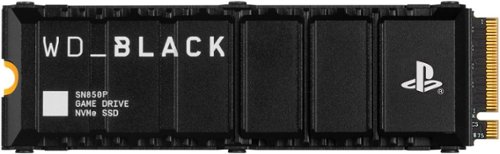
Officially licensed for the PlayStation5 console, the WD_BLACK SN850P NVMe SSD for PS5 consoles allows you to store more titles with worry free installation. Instantly add up to 4TB of storage to hold more of your favorite games. With an optimized heatsink built specifically for the PS5 M.2 slot, you won~t need to worry about compatibility. Experience uninterrupted gameplay as your WD_BLACK drive runs cool with quality you can trust. The WD_BLACK SN850P NVMe SSD for PS5 consoles is certified and tested for PlayStation 5 consoles so you can store more, play more, fast.
Customer Rating
5
Solid storage upgrade for PS5
on June 21, 2023
Posted by: CraigB
Pros
Large built in heatsink
Certified for PS5
Fits in PS5 SSD slot with heatsink installed
Feels as fast as internal storage
Can also be used as a PC drive
Large built in heatsink
Certified for PS5
Fits in PS5 SSD slot with heatsink installed
Feels as fast as internal storage
Can also be used as a PC drive
Cons
Doesn’t achieve read/write rates
Doesn’t achieve read/write rates
The Western Digital SN850P is the latest iteration of an NVME originally intended for PCs that worked out well for the PS5. In fact, the SN850P works perfectly fine in a regular PC. There is no indication of any change from its siblings the SN850 or SN850X, but the specs are listed the same. Most importantly, this edition is certified for use in the PS5 meaning it is certified to work as well as the built in storage. Unlike a basic NVME, this edition has a hefty heatsink installed. In fact, most of the thickness of the NVME is the heatsink. That said, the NVME fits in the PS5 under the EMF shield without any issues.
Installing the SSD first in a PC to test the maximum throughput reveals that, while the drive is rated at 7,300MBs read, it clocks in just above 6900MBs or just a little over 94% of the stated rate. Maybe that is why WD lists it as up to 7300MBs, but in testing it never achieved close to that speed. While it would be nice if it was closer to the stated spec, the difference is unlikely to ever be noticed. Speeds stayed consistent over repeated runs suggesting the heatsink is doing a good job of removing heat from the memory. If for any reason you need a new SSD in your PC more than in your PS5, the SN850P can handle the job well.
Moving the drive over to the PS5 the hardest part of the installation is getting the angle just right to pop off the outer cover. On first startup the PS5 prompts you to format the drive and warns you that any data on the drive will be lost. After formatting a read test is performed and while reports say the PS5 seems to understate the performance of each drive, the SN850 benchmarked at just over 6200MBs. Now we are down to less than 85% of the drive’s stated speed. It is still workable, but if the benchmark is correct it is possible in some cases this would be a noticeable difference in performance between the WD drive and the factory internal drive. That said, overall performance was fast. Transferring Jedi: Fallen Order from the internal drive to the WD drive took less than 50 seconds for nearly 52GB. Starting up the game it was hard to notice any difference in speed. During a stretch of over 2 hours of gameplay there was no noticeable difference in speed. Smaller games no one could tell any difference regardless of if the game was installed on the internal drive or the WD drive. It felt seamless. The only difference we could notice was having over double the storage we started with.
Final Thoughts
While the WD SN850P might miss the spec sheet by a little bit, the difference isn’t noticeable during use in the PS5 but the solid reliability with the large heatsink is. If you are in the market for upgraded storage for your PS5 and value a drive that is fully certified for use in the PS5, it’s hard to go wrong with the WD SN850P.
While the WD SN850P might miss the spec sheet by a little bit, the difference isn’t noticeable during use in the PS5 but the solid reliability with the large heatsink is. If you are in the market for upgraded storage for your PS5 and value a drive that is fully certified for use in the PS5, it’s hard to go wrong with the WD SN850P.
I would recommend this to a friend!




Share this review:


0points
0of 0voted this as helpful.
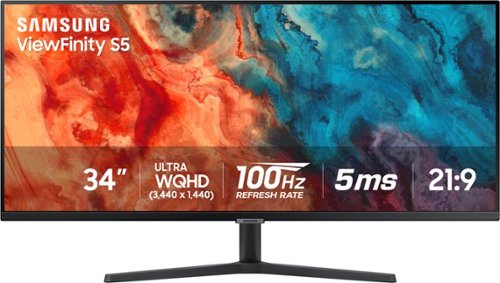
Samsung's 34" ViewFinity S50GC offers a wider workspace featuring a 21:9 ratio and lifelike detail with Ultra-WQHD resolution. AMD FreeSync and 100Hz refresh rate allow an ultra-smooth user experience. Avoid eyestrain with TUV-certified Intelligent Eye Care that automatically adjusts brightness. With HDR10 that displays over 1 billion colors compared to 16.7 million for typical SDR technology, dark colors are darker and the brightest are even brighter.
Customer Rating
5
Well balance budget widescreen monitor
on June 10, 2023
Posted by: CraigB
Pros
Tons of room for work with extra width
Anti-glare coating helps for bright rooms
Bright enough for most spaces
110PPI Density makes for sharp screen
Lower resolution than 4K works with lower end GPU
Offers wider field of view for games
100MHz good for most gaming
5ms good for most gamers
Includes AMD Freesync support
Automatic brightness control
HDR 10 support
Good black levels for a non-OLED panel
VESA mount option
Decent off angle viewing
Small bezels
Tons of room for work with extra width
Anti-glare coating helps for bright rooms
Bright enough for most spaces
110PPI Density makes for sharp screen
Lower resolution than 4K works with lower end GPU
Offers wider field of view for games
100MHz good for most gaming
5ms good for most gamers
Includes AMD Freesync support
Automatic brightness control
HDR 10 support
Good black levels for a non-OLED panel
VESA mount option
Decent off angle viewing
Small bezels
Cons
Control buttons are finicky
Some confusing menu options
Awkward cable management strap
Auto brightness not doing much
Limited maximum brightness
Control buttons are finicky
Some confusing menu options
Awkward cable management strap
Auto brightness not doing much
Limited maximum brightness
Design and Features
The Samsung S50GC is an ultrawide monitor that seems to be targeting those who are looking for a budget friendly versatile productivity and gaming monitor. The monitor is very light but feels well built. Most of the weight is in the stand, which is optional as the back also offers a VESA mount. The bezels are very thin and almost unnoticeable. The power connection, headphone jack, two HDMI ports, and DisplayPort are housed in a cutout section in back with all ports facing down allowing for a flusher mount if you prefer. The stand is tilt adjustable and has a single cable organizing strap which does not hide the wires, nor does it hold them well. All controls are housed on the bottom of the monitor directly in the center. While the specs say it only has HDMI 2.0, it also says it supports 100Hz at maximum resolution for both HDMI and DisplayPort. It states the native resolution is 60Hz with 100 being the maximum which suggest that setting is overdriving it.
The Samsung S50GC is an ultrawide monitor that seems to be targeting those who are looking for a budget friendly versatile productivity and gaming monitor. The monitor is very light but feels well built. Most of the weight is in the stand, which is optional as the back also offers a VESA mount. The bezels are very thin and almost unnoticeable. The power connection, headphone jack, two HDMI ports, and DisplayPort are housed in a cutout section in back with all ports facing down allowing for a flusher mount if you prefer. The stand is tilt adjustable and has a single cable organizing strap which does not hide the wires, nor does it hold them well. All controls are housed on the bottom of the monitor directly in the center. While the specs say it only has HDMI 2.0, it also says it supports 100Hz at maximum resolution for both HDMI and DisplayPort. It states the native resolution is 60Hz with 100 being the maximum which suggest that setting is overdriving it.
Setup and Performance
Out of the box setup is straightforward. The stand attaches to the back with two screws, and you are done. The automatic setup is Windows defaults to HDR off and the panel set to 60Hz so to use it to the fullest you will need to manually override the setting. Strangely automatic brightness is turned off by default, but in the end, it isn’t very noticeable if it is even working at all. Going from a dark room to all lights on and shining a flashlight on the monitor there was no observed change in brightness on auto. That said, it was very readable in both situations and the difference between minimum and maximum brightness is only 50 nits so maybe that is expecting too much. Overall, maximum brightness was very good when combined with the anti-glare, but a brighter panel would be appreciated.
Out of the box setup is straightforward. The stand attaches to the back with two screws, and you are done. The automatic setup is Windows defaults to HDR off and the panel set to 60Hz so to use it to the fullest you will need to manually override the setting. Strangely automatic brightness is turned off by default, but in the end, it isn’t very noticeable if it is even working at all. Going from a dark room to all lights on and shining a flashlight on the monitor there was no observed change in brightness on auto. That said, it was very readable in both situations and the difference between minimum and maximum brightness is only 50 nits so maybe that is expecting too much. Overall, maximum brightness was very good when combined with the anti-glare, but a brighter panel would be appreciated.
Samsung seems to have made a good choice using a VA panel. It likely won’t do well for any color accurate work but for a work/play monitor it has just enough of both feature sets to suit the task. There are no glaring color issues and HDR video looks good. Of course, with the limited brightness it won’t be as impressive as higher end panels, but it is still good. The VA panel gets surprisingly dark blacks with no visible blooming. While blacks aren’t OLED dark, they are impressive nonetheless for a budget friendly monitor. Backlight uniformity is good with no visible bleed. No motion blur or ghosting was visible, but above 60Hz text appeared jittery. It is uncertain if it was an issue with the video because testing during gaming the same stuttering wasn’t visible. In daily usage this didn’t seem to show up as a problem.
Picture in picture is a feature that might come in handy considering how wide this monitor is. Through the monitor controls you can choose to have an extra input displayed side by side with the primary in split screen. It’s like having two screens side by side with no bezels. The other option is to put the secondary input in one of the corners. It’s a handy feature to have even though the placement of the buttons makes controls feel a bit awkward. The buttons have a soft activation and being under the monitor you must flip your hand upside down to feel them and try to figure out if you have pressed the button or not. The joystick interface used on some Samsung displays seems like it would have done better in this situation.
The screen menu has options for volume control but unfortunately the vague descriptions in the manual simply say that it adjusts volume. This leads you to believe that the monitor might have built in speakers except it doesn’t. It took a bit of fiddling around to discover the reason for the volume control. It is for the headphone jack on the back. When plugged into HDMI the system can send audio via HDMI to the monitor and you can connect headphones, or maybe speakers, directly to the monitor. This might be handy for some, but it also causes a small quirk if you connect and disconnect a laptop frequently. For some reason even if you plug speakers directly into the laptop the moment you connect the monitor it defaults all audio the monitor. It is uncertain if this is a Windows quirk or something with the monitor but regardless of the order in which things are connected system sounds are defaulted to the monitor even if nothing is connected. This happened regardless of what laptop was connected. Wherever the problem stems it is worth noting so you can remember to change the default speaker when you connect back to the monitor.
Final Thoughts
While the S50GC isn’t going to wow anyone with amazing specs, it does seem to have a nice balance of quality versus value. The main question is if you can find the ultra-widescreen format useful to you. If the answer is yes and you need a budget friendly option that can handle both work and play tasks reasonably well then, the Viewfinity S50GC monitor might be worth a look.
While the S50GC isn’t going to wow anyone with amazing specs, it does seem to have a nice balance of quality versus value. The main question is if you can find the ultra-widescreen format useful to you. If the answer is yes and you need a budget friendly option that can handle both work and play tasks reasonably well then, the Viewfinity S50GC monitor might be worth a look.
I would recommend this to a friend!






Share this review:


+4points
6of 8voted this as helpful.
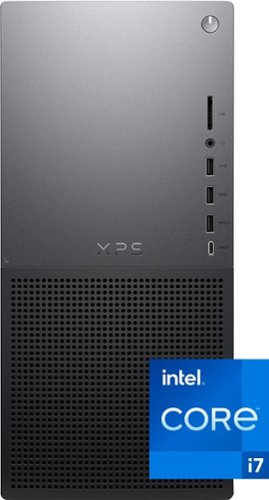
Achieve outstanding performance and expandability with the new Dell XPS 8960 Desktop. Built with powerful processors, memory and graphics, this desktop acheives maximum performance to support your tasks.
Customer Rating
4
Nice system limited by cooling
on June 5, 2023
Posted by: CraigB
Pros
USB-C on front and back
SD Card reader
2 hard drive cages
Prewired for accessories
Clean wiring
Most service is toolless
Extra NVME slot
Fast Processor
Subdued chassis design
Quiet most of the time
USB-C on front and back
SD Card reader
2 hard drive cages
Prewired for accessories
Clean wiring
Most service is toolless
Extra NVME slot
Fast Processor
Subdued chassis design
Quiet most of the time
Cons
Only 2 USB-C ports
No thunderbolt
Anemic CPU fan
Undersized CPU Heatsink
Fan profile prefers throttling over better cooling
Proprietary Power supply
No extra capacity on power supply
Proprietary motherboard power connection
Proprietary CPU cooler mount
No option to upgrade to an optical drive
Only 2 USB-C ports
No thunderbolt
Anemic CPU fan
Undersized CPU Heatsink
Fan profile prefers throttling over better cooling
Proprietary Power supply
No extra capacity on power supply
Proprietary motherboard power connection
Proprietary CPU cooler mount
No option to upgrade to an optical drive
Design and Features
The XPS 8960 is the latest version of the 8900 series of desktops. The most notable change is the upgrade from 12th generation Intel CPUS to 13th Generation. The remaining changes are minor. A keyboard and mouse are included in the box which do the job but if your budget allows these should be upgraded immediately. Included on the front of the system are 3 USB-A 3.0 ports. one USB-C, a stereo jack, and a full-sized SD card slot. Around back you have 2 USB-A 3.0 ports, 2 USB-A 2.0 ports, 1 USB-C, Ethernet, and jacks for 7.1 surround sound. There are no thunderbolt ports. The board does have a DisplayPort port which might come in handy if you ever need to use the system without the discrete GPU. Internally there are two 3.5-inch drive bays with one available to add an additional drive. Both are pre-wired with power and SATA connections as well and include the toolless hard drive adapter. The motherboard is a proprietary design with part of the board jutting out of the front of the case for the ports on the front. The board has two ram slots, both filled, so memory upgrades would require removing existing memory. The good thing is 16GB is good for most use cases. The board has two NVME slots with one available to add an extra SSD. The included Intel Killer Wi-Fi 6E adapter is upgradable as it is installed in an M2 slot with standardized antenna connections routed to outside the case to reduce interference. With a Wi-Fi 6E 2x2 and a max theoretical speed of 2.4Gbps it is unlikely you need to upgrade anytime soon. There is plenty of room to upgrade to a newer GPU in the future including a factory rail to add a GPU support for larger GPUs if you purchase the bracket that mounts to it. Unfortunately, you would likely need to upgrade the power supply to do this because it is rated only for a max of 460W. The power supply is also a proprietary design leaving you to only upgrade with a larger Dell power supply. Thankfully the chassis has up to a 1000W power supply available if you can get it as spare parts later. The power supply seems to be the newer ATX 3.0 standard as all power connections go to the motherboard and the motherboard supplies power directly to accessories such as hard drives. Most parts don’t require tools for removal or if they do it is just 1 or 2 screws. There is plenty of room for airflow with a large grill up front and back, but you won’t find any sort of dust filtering to keep things clean. A nice touch to see is the voltage regulators for the CPU have reasonably large passive heatsinks. The same cannot be said for the CPU. The heatsink and fan for the CPU cooler are undersized. The fan curve is also set to favor silence. The fans included can get very loud so it is understandable why they might wish to do this but there is also no way to change the fan curve if you prefer performance over silence.
The XPS 8960 is the latest version of the 8900 series of desktops. The most notable change is the upgrade from 12th generation Intel CPUS to 13th Generation. The remaining changes are minor. A keyboard and mouse are included in the box which do the job but if your budget allows these should be upgraded immediately. Included on the front of the system are 3 USB-A 3.0 ports. one USB-C, a stereo jack, and a full-sized SD card slot. Around back you have 2 USB-A 3.0 ports, 2 USB-A 2.0 ports, 1 USB-C, Ethernet, and jacks for 7.1 surround sound. There are no thunderbolt ports. The board does have a DisplayPort port which might come in handy if you ever need to use the system without the discrete GPU. Internally there are two 3.5-inch drive bays with one available to add an additional drive. Both are pre-wired with power and SATA connections as well and include the toolless hard drive adapter. The motherboard is a proprietary design with part of the board jutting out of the front of the case for the ports on the front. The board has two ram slots, both filled, so memory upgrades would require removing existing memory. The good thing is 16GB is good for most use cases. The board has two NVME slots with one available to add an extra SSD. The included Intel Killer Wi-Fi 6E adapter is upgradable as it is installed in an M2 slot with standardized antenna connections routed to outside the case to reduce interference. With a Wi-Fi 6E 2x2 and a max theoretical speed of 2.4Gbps it is unlikely you need to upgrade anytime soon. There is plenty of room to upgrade to a newer GPU in the future including a factory rail to add a GPU support for larger GPUs if you purchase the bracket that mounts to it. Unfortunately, you would likely need to upgrade the power supply to do this because it is rated only for a max of 460W. The power supply is also a proprietary design leaving you to only upgrade with a larger Dell power supply. Thankfully the chassis has up to a 1000W power supply available if you can get it as spare parts later. The power supply seems to be the newer ATX 3.0 standard as all power connections go to the motherboard and the motherboard supplies power directly to accessories such as hard drives. Most parts don’t require tools for removal or if they do it is just 1 or 2 screws. There is plenty of room for airflow with a large grill up front and back, but you won’t find any sort of dust filtering to keep things clean. A nice touch to see is the voltage regulators for the CPU have reasonably large passive heatsinks. The same cannot be said for the CPU. The heatsink and fan for the CPU cooler are undersized. The fan curve is also set to favor silence. The fans included can get very loud so it is understandable why they might wish to do this but there is also no way to change the fan curve if you prefer performance over silence.
Setup and Performance
Setup is straightforward with the only extra software installed is a 1-year subscription to McAfee Antivirus. There are no other special utilities beyond Dell Update which handles things like Firmware updates. Performance is snappy for light to moderate use with no discernable weakness in the configuration. CrystalDiskMark returned a respectable 7000MB/s read and 5000MB/s write on average and remained stable throughout usage suggesting it isn’t throttling due to heat. The same cannot be said of the CPU. During the start of any benchmark test the fans would ramp up in speed for a short time getting loud and performance would increase, but then slow down. Next you could see CPU core frequencies drop. While running Cinebench, the test would start off strong but as soon temps rose above 72 degrees the system would opt to throttle the CPU instead of allowing fan noise for maximum performance. This meant that while the system is capable of boosting to 5.2GHz, it averaged between 2.7 and 3.5GHz. It is above base clock speed but leaves a fair bit of performance in the table. While this works fine for basic workloads it would be nice to override this setting and choose maximum performance over noise. Currently, there is no such setting. Dell could have also improved this by putting one of their higher performance coolers such as the tower cooler or water block which is included on higher end models. This would have allowed the system to take advantage of the processor better while keeping noise low. Of course, that is assuming that the system would remain stable pushing to max with the 460-Watt power supply. That said, if you want to try to squeeze out extra performance it looks like the board can work even with the Dell water cooler as it has the pins to control the water block. The other option could be to install a third-party cooler but the mounting system for the heatsink is not standard and would require some DIY work. In any case, if you are interested in the maximum performance the system has to offer you are going to need to do some modifications.
Setup is straightforward with the only extra software installed is a 1-year subscription to McAfee Antivirus. There are no other special utilities beyond Dell Update which handles things like Firmware updates. Performance is snappy for light to moderate use with no discernable weakness in the configuration. CrystalDiskMark returned a respectable 7000MB/s read and 5000MB/s write on average and remained stable throughout usage suggesting it isn’t throttling due to heat. The same cannot be said of the CPU. During the start of any benchmark test the fans would ramp up in speed for a short time getting loud and performance would increase, but then slow down. Next you could see CPU core frequencies drop. While running Cinebench, the test would start off strong but as soon temps rose above 72 degrees the system would opt to throttle the CPU instead of allowing fan noise for maximum performance. This meant that while the system is capable of boosting to 5.2GHz, it averaged between 2.7 and 3.5GHz. It is above base clock speed but leaves a fair bit of performance in the table. While this works fine for basic workloads it would be nice to override this setting and choose maximum performance over noise. Currently, there is no such setting. Dell could have also improved this by putting one of their higher performance coolers such as the tower cooler or water block which is included on higher end models. This would have allowed the system to take advantage of the processor better while keeping noise low. Of course, that is assuming that the system would remain stable pushing to max with the 460-Watt power supply. That said, if you want to try to squeeze out extra performance it looks like the board can work even with the Dell water cooler as it has the pins to control the water block. The other option could be to install a third-party cooler but the mounting system for the heatsink is not standard and would require some DIY work. In any case, if you are interested in the maximum performance the system has to offer you are going to need to do some modifications.
For reference, the installed core i7-13700 returned a score of 14,720 in 3DMark Timespy which is below the average of 20,000-22,000 for this processor. For contrast Geekbench turned in a respectable 2572 for single-core and 15494 for multi-core since it finishes well before heat buildup occurs. For the GPU it’s a little harder to test against a standard as it is a Dell specific card, but for reference it returned a Time Spy score of 5557 compared to the average of 6191 for an RTX 3050. In Geekbench, the installed RTX3050 scored 61244 versus the average of 62911. While the Geekbench scores shows GPU performance near average, the Time Spy score suggest there might be a small amount of GPU thermal throttling going on.
Final Thoughts
Overall performance is decent but not standout. The question is if that matters to you. The system may not perform at its maximum potential, but it performs well and quietly. It doesn’t support as many upgrades as a custom-built system, but the most often upgraded parts can be upgraded very easily with either Dell parts or third party. If your main concern is maximum performance and upgradability, this system might not be for you. If your focus is good performance, easy service, easy upgrades, and support from a single company then the XPS 8960 is worth considering.
Overall performance is decent but not standout. The question is if that matters to you. The system may not perform at its maximum potential, but it performs well and quietly. It doesn’t support as many upgrades as a custom-built system, but the most often upgraded parts can be upgraded very easily with either Dell parts or third party. If your main concern is maximum performance and upgradability, this system might not be for you. If your focus is good performance, easy service, easy upgrades, and support from a single company then the XPS 8960 is worth considering.
I would recommend this to a friend!






Share this review:


+11points
11of 11voted this as helpful.
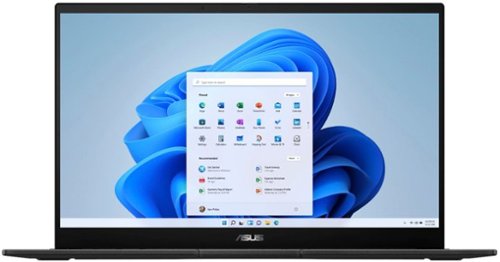
The versatile and powerful ASUS Pro 15 OLED is an Intel certified laptop that~s designed for those who want to do more. Its 13th Gen Intel Core processor deliver outstanding multitasking and creative power, with ASUS IceCool Plus thermal technology for maximum performance. The 60 Hz OLED NanoEdge Dolby Vision has a cinema-grade 100% DCI-P3 gamut, and is PANTONE Validated with DisplayHDR True Black 500 certification. It~s also T~V Rheinland-certified for eye care. The Harman Kardon-certified quad-speaker Dolby Atmos audio system adds to the cinematic experience with ultra-realistic multi-dimensional sound. For fast face login there~s an FHD camera, and a color sensor allows automatic control of screen brightness and color temperature.
Customer Rating
5
Versatile budget laptop for creators
on May 21, 2023
Posted by: CraigB
Pros
OLED inky blacks
Bright screen
Auto backlight brightness
Webcam physical cover
Good keyboard
Smooth/ large trackpad
Strong chassis for thickness
RTX 3050 discrete graphics
Thunderbolt 4
Full sized ethernet jack
Full sized SD card slot
Runs quiet
Ram, SSD, and Wi-Fi upgradable
810H rate for durability
Good quality webcam for the series
OLED inky blacks
Bright screen
Auto backlight brightness
Webcam physical cover
Good keyboard
Smooth/ large trackpad
Strong chassis for thickness
RTX 3050 discrete graphics
Thunderbolt 4
Full sized ethernet jack
Full sized SD card slot
Runs quiet
Ram, SSD, and Wi-Fi upgradable
810H rate for durability
Good quality webcam for the series
Cons
Slight screen flicker at low brightness
Highly reflective screen
Fingerprint magnet
Average battery life
Too many ports are on right side
Upgradeable parts are complicated to change
Slight screen flicker at low brightness
Highly reflective screen
Fingerprint magnet
Average battery life
Too many ports are on right side
Upgradeable parts are complicated to change
The Asus Laptop Creator Q is a versatile laptop. While it certainly doesn’t win any competition in specs, it is reasonably well balanced for targeting startup content creators. The design is sleek and understated so it can blend in well for work tasks or gaming alike. It has a matt black finish with a metal lid and the rest is plastic. While it looks very nice, the finish is a fingerprint magnet. It has a good balance of ports with USB-A, USB-C, Thunderbolt 4, HMDI, ethernet jack, combo headphone jack, and a full-sized SD card reader. Strangely, over half the ports are located on the right and that’s not even including the power port. The overall design seems to be a blend of the VivoBook and ProArt series. It is built to the 810H standard for durability so it can handle day to day use reliably. The chassis has minimal flex for its weight. The screen can achieve over 600 nits of brightness allowing you to work in much brighter areas. Included is a 150W charger with a barrel type connector. It allows you to use the system at full power. It can charge via USB-C/ Thunderbolt, but you won’t be able to take full advantage of the CPU and GPU due to power limitations. The keyboard backlight and screen have auto brightness. The speakers are on the bottom at the front left and right but facing out at an angle to prevent them from being blocked on softer surfaces.
Opening the case you will find the Wi-Fi card, NVME, and RAM are upgradable. However, the process isn’t as straightforward. The bottom shell is held on by Torx screws, but you will still need a spudger and some delicate persuasion to release the plastic clips on the shell. Once inside the Wi-Fi card is simple, but you will find the memory and NVME underneath two overlapping brackets and with heat spreaders. Once you remove those both are what appear to be EMF shields covering them further that clip into tiny retaining clips. At first it looks like they are soldered to the main board, but they are tiny clips that are a challenge to line back up during reinstall. In short, if you haven’t changed parts on many computers, you may find the process a bit intimidating.
Usage and Performance
While the Creator Q is certainly able to be used for gaming with its RTX 3050. Performance settings are adjusted via the ProArt Creator Hub versus Armory Crate on the gaming series. Instead of overclocking features you find features for calibrating your screen for maximum accuracy. There is no MUX switch but instead the system decides when to use the iGPU or the dGPU for you. You can manually specify per app which one to use if needed. During stress testing on maximum performance the cooling fans, while audible, were still very quiet. While maximum clock boost was never observed the system was able to maintain a steady 3.26GHz at 100% utilization while keeping temps stable. That said, the chassis can get noticeably warm in heavy usage with a max temperature of 133 degrees Fahrenheit measured in the center near the back. During lighter tasks the system stays at most slightly warm to the touch and the fans rarely kick on and performance is snappy.
While the Creator Q is certainly able to be used for gaming with its RTX 3050. Performance settings are adjusted via the ProArt Creator Hub versus Armory Crate on the gaming series. Instead of overclocking features you find features for calibrating your screen for maximum accuracy. There is no MUX switch but instead the system decides when to use the iGPU or the dGPU for you. You can manually specify per app which one to use if needed. During stress testing on maximum performance the cooling fans, while audible, were still very quiet. While maximum clock boost was never observed the system was able to maintain a steady 3.26GHz at 100% utilization while keeping temps stable. That said, the chassis can get noticeably warm in heavy usage with a max temperature of 133 degrees Fahrenheit measured in the center near the back. During lighter tasks the system stays at most slightly warm to the touch and the fans rarely kick on and performance is snappy.
You might think that having a 1080P screen in a laptop of this size makes it feel low end, but it doesn’t. The OLED panel gives a sense of a higher resolution screen without the battery hit that would come from an OLED panel of this size on a laptop. The tradeoff feels right because while the lower resolution doesn’t seem perceptible at the normal working distance, the inky blacks and sharp contrast of the OLED make an impact for the better. The only tradeoffs are flicker and the extremely reflective screen. You are going to have to find the perfect angle to reduce glare. The system does indicate that it has a type of anti-flicker technology but the typical OLED flicker at low brightness can still be seen. It isn’t enough to be bothersome and the advantages make it well worth it. Combine that with the color accuracy of the screen and it makes for a very enjoyable experience whether creating or consuming content.
Adding to that is the pleasant typing experience on the keyboard. There is a good amount of travel with a distinct activation point and soft bump at the bottom. For the value-based creator laptop the keyboard is very good. The same can be said for the trackpad. While a smooth glass trackpad feels nicer, the one included is large, smooth, and consistent with good palm rejection.
The speakers are a bit of a surprise. While they won’t have the range of higher end laptops or the presence of separate speakers, they are actually very good for a budget system. Even though they are downward firing they are angled slightly outward so that they are less likely to get muffled by soft surfaces. When sitting centered on the laptop the speakers have a surround effect makes them feel more spread out and larger than they are. They get very loud, and even louder with volume boost if you are willing to sacrifice some low end. That said, unless you really need more volume it’s best to leave volume boost off to keep the little bit of low end you do have.
The same is also true for the webcam. The 1080P video is reasonably well exposed with minimal noise. Add something like a key light and you have a usable video for someone creating video a budget. The colors are bit on the cool side but not obnoxiously so. This could be easily improved by adjusting the color temperature of your lights making an overall decent budget steaming setup or even just a business webcam.
If there is one place where the compromises fall a bit short, it would be battery life. Even when set to the Best Power Efficiency mode working on simple tasks like typing or browsing the web battery life averaged near the 5-hour mark. While not bad, it feels like the largest compromise of the whole package. This is just for light workloads. Battery life drops to 1-2 hours on heavy loads but that is to be expected and most of the time those workloads you would be plugged in for maximum performance.
Final Thoughts
Overall, Asus did an excellent job balancing features for a budget-oriented creator laptop. Even though it might be targeted more for early creators, it doesn’t feel like you are missing out. If you are in the market for a budget-oriented creator laptop or just an overall versatile laptop that can easily handle both work and play, then the Asus Creator Laptop Q is worth serious consideration.
Overall, Asus did an excellent job balancing features for a budget-oriented creator laptop. Even though it might be targeted more for early creators, it doesn’t feel like you are missing out. If you are in the market for a budget-oriented creator laptop or just an overall versatile laptop that can easily handle both work and play, then the Asus Creator Laptop Q is worth serious consideration.
I would recommend this to a friend!






Share this review:


+17points
17of 17voted this as helpful.
CraigB's Review Comments
Watch your favorite movies, TV shows and sporting events in crisp 1080p resolution with this Samsung UN65FH6001FXZA HDTV, which features Clear Motion Rate 240 to preserve picture detail during fast-action sequences.
Overall5 out of 5
5 out of 5This is an awesome TV for the cost
By Korom
from Raleigh, NC
First, this is a fantastic monitor. If you have a receiver for your HDMI switching and watch TV with the sound through that receiver then this is the PERFECT TV for you. I use it with my Denon e300 receiver, all my HDMI inputs go into the receiver with one HDMI cable going to the TV. Minimal fuss and muss. The picture quality is truly incredible for a LCD TV, the blacks are very very good, almost as good as my Panasonic Plasma but its understandable that its not that good as LCD cannot show true black like a plasma can. I checked 3 bars for the sound quality but honestly I never used the internal speakers. I gave this 5 stars and would have given it 6 stars if I could have (on a 5 star scale) because the picture quality is just that good.
Bottom line: Fantastic TV for the price.

CraigB
Texas
An LED TV is a type of LCD TV
November 29, 2013
Folks. For those of you telling this reviewer that he is talking about the wrong TV because he calls it an LCD, it is an LCD. LED TV's are still LCD TV's. The difference is the backlight behind the LCD is LED's instead of CCFL(fluorescent). Both still have and LCD screen that you actually look at up front.
+2points
2of 2voted this comment as helpful.

Microsoft Band 2 (Large): Keep track of your health and fitness goals throughout the day by monitoring your heart rate, steps taken, calories burned, sleep quality, hours slept and other helpful metrics. Just pair with your Windows Phone, Apple iOS or Android device via Bluetooth to receive alerts at a glance.Discover how the technology of Microsoft Band 2 can assist you in a healthy, productive lifestyle. Learn more ~
Overall5 out of 5
5 out of 5Best fitness tracker for the money
By CraigB
from Texas
When choosing high end fitness bands, my choices went back and forth between the Microsoft Band 2 and the Fitbit Surge. Fitbit has been in the business for fitness wearables for longer but I chose the Band 2 for what I felt was better value for my money. I purchased during a $50 off sale making it even more attractive and $50 less than the Surge. My main phone for this review is a Lumia 1520 with Windows 10 Mobile. I assume others will write reviews of the phone for other platforms and that is where this review starts. This fitness wearable is by far the most compatible. It supports iOS, Android, and Windows Phone/Mobile. Fitbit does as well but support for Windows Mobile is more limited. Comparing it to the Surge, it has more customizability, color screen, and a partially metal build. It feels more premium than the Surge. The metal does have 2 downsides. The first is that the finish used shows scratches extremely easily. See included picture. The second is that sweat and soap cause a foul smell very quickly requiring regular cleaning.
The Band 2 can be worn in two positions. The first is with the screen facing outwards like a watch. I tried this but it felt uncomfortable and viewing the screen was awkward particularly considering the screen doesn’t have a vertical view. This leads me to my preferred position which is with the screen facing inwards. It is much more natural to view and operate. It also feels more comfortable and is in fact the recommended way to wear the device. If there was any concern it is that wearing it inward the screen is always contacting surfaces when you lay your arms down. It uses gorilla glass but it still concerns me that I might scratch the screen. Every fitness wearable wasn’t completely comfortable to wear for one reason or another but this one starts to feel about like a watch after an adjustment period. Before you get the size right you might put it a place that binds you wrist or hits a nerve. I also learned it can get the heart rate just fine without tightening it down so far you hit nerves. Just like a watch it will take some fiddling to find your perfect tightness. Fortunately, the latching mechanism feels strong and has more adjustments than a tradition watch as well giving you more flexibility. Just make sure you use the sizing guide on the size of the box to choose the correct size. It shows wrists sizes with the wrist sideways.
Now the big question is how it works for tracking vitals. I haven’t worked with VO2 Max so I can’t comment on that but after getting the fit correct, the heart rate seems pretty close. Checking manual it was usually within about 10BPM or less from actual. Tracking steps seems a little different. It is difficult to verify but it seems to be a little high on the number of steps sometimes compared to my old hip worn pedometer. It just seems like I can reach 5,000 steps fairly easily. I am not a runner so I have not tested the GPS but I have read that some units have come from the factory with a bad GPS. What’s really nice is with all the vitals it gathers, more than just heart rate, it should be a fairly accurate color estimate. It has guided workouts you can add but I used the generic color tracking and added my own workout types to track. You can add things like HIT and weight training for your own purposes but it uses all the sensors to estimate the color burn instead of estimating based on the workout type. I feel this is more accurate but cannot verify. When you start workout mode, by default the screen stays on showing your workout time and heart rate. I suspect it is not as accurate as a chest band but it seems pretty good. After your workout is done you can see the entire workout on your phone or the website with your heart rate the entire time and your max marked. If there was any gripe it would be that you can’t have it vibrate when you hit your target or max heart rate. That would have been a great feature but, who knows. Maybe they will add it in the future. You can even use the website to compare your vitals to others in your height, weight, and age category. It’s all anonymous and very informative.
When not working out it still tracks your heart rate all the time but the other useful time to check is when you are sleeping. It can detect your sleep but if it gets it wrong you can only delete the time, not edit. You are better off starting your sleep tracking yourself. While sleeping, it will monitor you and in when you wake up you can see what your resting heart rate was overnight to get an even better picture of your health. It also has a smart alarm you can activate. If you want to wake up at a set time, just set the alarm and it will vibrate to wake you up. What I really like is if you activate the smart alarm and set it for 7:30am it will wake you up somewhere between 7:00am and 8:00am when you are most awake. That means you don’t wake up to an alarm feeling like you haven’t rested. You can even set the strength of the vibration.
Since this is a little bit of a smart watch you can add some apps. Since the phone doesn’t have any memory though, expect to only have them work when around your phone. It can control music on your phone and even use voice recognition with Cortana. I am running a prerelease build of the phone software so on occasion the connection dropped but it wasn’t hard to get back. I have found the notifications actually quite nice. I can leave the phone in one place in the house and still get notifications and respond to basic texts. I can also connect my phone to the stereo and change tracks and turn the volume up or down. It’s a standard feature for a smart watch but this is a fitness wearable and much cheaper than a smart watch. There are even some extra apps you can add and some third part utilizes to customize it further but if you want a smart watch more you might want to go that route. If you want a smart fitness tracker, this thing is hard to beat.
Pros
Solid (premium) build quality. It often gets looks and people asking what it is
Tracks more vitals than any other fitness wearable
Comfortable after figuring out your preferred fitment
Bright, sharp screen with auto brightness
Smart Alarm
Customizable workouts
Workout coaches
Customizable with smart watch type features
Solid latching mechanism
Good battery life for its functionality (2 days with no GPS and auto on screen)
Fast charge time (30 minutes to 80%)
Gorilla glass screen
Works on iOS, Android, Windows Mobile, and Web. The web is the most feature rich
Integrates with Health Vault
Constant heart rate
Portal to compare health
Rich sleep stats including restful sleep, times awake, resting heartrate, and recovery
Solid (premium) build quality. It often gets looks and people asking what it is
Tracks more vitals than any other fitness wearable
Comfortable after figuring out your preferred fitment
Bright, sharp screen with auto brightness
Smart Alarm
Customizable workouts
Workout coaches
Customizable with smart watch type features
Solid latching mechanism
Good battery life for its functionality (2 days with no GPS and auto on screen)
Fast charge time (30 minutes to 80%)
Gorilla glass screen
Works on iOS, Android, Windows Mobile, and Web. The web is the most feature rich
Integrates with Health Vault
Constant heart rate
Portal to compare health
Rich sleep stats including restful sleep, times awake, resting heartrate, and recovery
Cons
Cannot change band because electronics are built in
Metal area is a trap for sweat and soap requiring regular cleaning to prevent odor
Cannot change screen orientation
Awkward wearing screen outward
Metal finish is easy to scratch
No build in memory to bring music and store GPS while leaving phone behind for a time
Water resistant instead of waterproof
Possible to scratch screen with it facing downward
Sync is a bit slow
Cannot change band because electronics are built in
Metal area is a trap for sweat and soap requiring regular cleaning to prevent odor
Cannot change screen orientation
Awkward wearing screen outward
Metal finish is easy to scratch
No build in memory to bring music and store GPS while leaving phone behind for a time
Water resistant instead of waterproof
Possible to scratch screen with it facing downward
Sync is a bit slow
CraigB
Texas
Additional Findings
January 9, 2016
I just wanted to add an extra observations to my original review.
For those of you who want to view the display outside in sunlight, it doesn't seem to get that bright. For me that is not a big deal because outside exercises are typically the type where I don't use real time tracking but if you are the type who needs to read the display in direct sunlight, you might find it difficult. I will be checking further and report back if I find anything because indoors it is so bright that I wonder if I have done something wrong in the setup. Even with this finding I still feel it is the best for the money.
Also, if you happen to swap between phones or get a new phone you will have to factor reset the band. I periodically switch phones and discovered this. The system is designed to easily replace your band while using the same phone but if you move the band to any phone, even one that was restored from a backup of your original you will have to factory reset the band and set it back up. Not a huge deal because little is actually stored on the phone.
One other huge bonus for Windows Phone/Mobile users. If for some reason you either forget or choose not to wear your band and have a Lumia that is capable you can use it to augment your Band. Sometimes for different reasons I don't want to wear my band and only need to track steps. If I just keep my Lumia 950 in my pocket, it will track my steps and add them to what the band couldn't track. That particular feature is one I really love. The only caveat to that is while it updates the steps on the app and portal, the extra steps from your phone don't get transferred back to your band. This means if you took 2,000 steps with your band and phone and an additional 5,000 with only your Lumia the app will report 7,000 steps total which is correct but your band will continue to report 2,000 steps. Minor quibble though for a great additional feature for Windows Phone fans.
0points
0of 0voted this comment as helpful.
ecobee ecobee3 Programmable Touch-Screen Wi-Fi Thermostat: Maintain a comfortable home with this programmable thermostat, which is Apple~ HomeKit-enabled, so you can control the temperature remotely using your compatible device. Home IQ helps you conserve energy.
Overall 1 out of 5
1 out of 5cant set custom temps..sensors are glitchy
By annaj
i was trying to get this thermostat to set 4 or 5 different temps automaticly per day. an ecobee tech couldnt help me get this done on my web portal account . the sensors dont read the occupancy after being in the room for hours like being in a bedroom all night when u wake up the sensor will read unoccupied or sitting in the living room all day the same thing will happen after a few hours. a regular programable thermostat would have been a better choice.
CraigB
Texas
Did you try IFTTT
February 7, 2016
I was just wondering if you have looked into IFTTT to set those custom automatic temps. I haven't tried your exact scenario but the Ecobee3 can be connected to an IFTTT account to extend it's functionality.
0points
0of 0voted this comment as helpful.
Your household wants to play, stream and work online all at once. With this Linksys router, you can do it all without buffering or other interruptions. Use the Smart Wi-Fi app to get started, control, and monitor your home network from anywhere.
Overall5 out of 5
5 out of 5Solid router with good range and speed
By CraigB
from Texas
I am posting this review after about a week of use. If I find anything more significant after posting I will add it as a reply to my original post. Be sure to check there for additions.
I needed to upgrade my WiFi because the internet service in my area was about to be upgraded to exceed the capacity of my current wireless N solution. This router seems as if it was marketed towards moderate power users as well as people with less technical skills who need an upgrade. Packaging is minimal the same as most routers today. It comes with a CD for documentation but it is not used for setup. This is a good thing because as an AC router most people upgrading to this would have newer devices, few of which have an optical drive.
I needed to upgrade my WiFi because the internet service in my area was about to be upgraded to exceed the capacity of my current wireless N solution. This router seems as if it was marketed towards moderate power users as well as people with less technical skills who need an upgrade. Packaging is minimal the same as most routers today. It comes with a CD for documentation but it is not used for setup. This is a good thing because as an AC router most people upgrading to this would have newer devices, few of which have an optical drive.
For the non-technical
This is not very hard to set up. You plug power into the only spot it fits. There are three antennas that screw into very noticeable spots on the back. And the internet plug is clearly labeled. The instructions tell you what to do in a few steps to get the device to take care of the rest. It also has the wireless already set up if you are afraid to do it and even comes with a sticker with the information so you will know what the password is to get on the WiFi. It already has a guest WiFi too but there is a separate login so someone can’t just borrow your internet without you giving them the password. If you feel more comfortable there are apps for iPhones and Android phones to control the device. Speed and range are very good but if you can it is always recommended to install it as close to the center of your house and avoid metal. The router can pretty much take care of itself after that and it shouldn’t require any further work.
This is not very hard to set up. You plug power into the only spot it fits. There are three antennas that screw into very noticeable spots on the back. And the internet plug is clearly labeled. The instructions tell you what to do in a few steps to get the device to take care of the rest. It also has the wireless already set up if you are afraid to do it and even comes with a sticker with the information so you will know what the password is to get on the WiFi. It already has a guest WiFi too but there is a separate login so someone can’t just borrow your internet without you giving them the password. If you feel more comfortable there are apps for iPhones and Android phones to control the device. Speed and range are very good but if you can it is always recommended to install it as close to the center of your house and avoid metal. The router can pretty much take care of itself after that and it shouldn’t require any further work.
For the technical people
If you are looking for a device with tons of granular settings, this might not be the device. Of course the power users I am referring to would probably be better suited sticking with the WRT series. I doubt this device will ever see an aftermarket firmware. It attempts to have a clean interface but that means it will feel slower than a power user router for some settings changes as transitions and animations run their course. Setting changes that require a reboot happen nearly as fast as the fastest routers out there. Although the stock firmware attempts to look fancy and simple it still has a decent amount of settings for all but the most extreme power users. The antennas use a standard connection so if you wanted to upgrade to larger ones later that is possible. Hardwired speed has been very good. I’m just a casual gamer but this hasn’t slowed me down at all and I cannot tell the different hardwired from my old gaming router. Wireless speed is actually very good as well although I was never able to achieve the 1300Mbps link speed advertised even right next to the unit. I maxed out at 900Mbps and it is possible that is related to my AC devices. My old router would drop down to the 39Mpbs on the opposite side of my house whereas this one can maintain at least 177Mpbs and often more.
If you are looking for a device with tons of granular settings, this might not be the device. Of course the power users I am referring to would probably be better suited sticking with the WRT series. I doubt this device will ever see an aftermarket firmware. It attempts to have a clean interface but that means it will feel slower than a power user router for some settings changes as transitions and animations run their course. Setting changes that require a reboot happen nearly as fast as the fastest routers out there. Although the stock firmware attempts to look fancy and simple it still has a decent amount of settings for all but the most extreme power users. The antennas use a standard connection so if you wanted to upgrade to larger ones later that is possible. Hardwired speed has been very good. I’m just a casual gamer but this hasn’t slowed me down at all and I cannot tell the different hardwired from my old gaming router. Wireless speed is actually very good as well although I was never able to achieve the 1300Mbps link speed advertised even right next to the unit. I maxed out at 900Mbps and it is possible that is related to my AC devices. My old router would drop down to the 39Mpbs on the opposite side of my house whereas this one can maintain at least 177Mpbs and often more.
So far during my ownership the stability of this device has reminded me of the old Linksys routers how even the cheap ones never locked up. I’m hoping it stays this way. If you want to change settings, you can do so the standard way most technical people do via the IP address or it has a built in URL. Thankfully it doesn’t require some odd application for initial setup. Unlike standard routers, this one is cloud connected when you choose so meaning remote access is passed via the cloud. It does support some dynamic DNS options but they seem more to push you towards connection via their cloud. Fortunately, this is optional except if you want to take advantage of the built in USB ports and access files remotely. I don’t have a spare drive to test right now so unfortunately I could not test the NAS performance. It does have a very basic QoS which allows you to set up to 3 services or devices as high priority but that’s pretty much it. It has some newer options but then oddly has more old services, such as Real Player and Rhapsody.
Pros
Large, replaceable antennas
Great Range
Reliable
Gigabit Ports
Fast Processor
Status lights can be turned off
Decent amount of features for all but the heavy power users
Doesn’t require a special application for setup or CD
Has USB ports for attaching a hard drive
Offers automatic firmware upgrades to keep security up. Good for keeping non power users safe (Can be turned off)
Documentation is thorough if you need help. You just click help on the top bar
Major changes that require a restart are almost unnoticeable to users as it restarts fast
Has WiFi secured by default and requires a password to be configured during setup. This is good if you are buying one for family and just want it secure without needing to help them. It even has a handy sticker with device specific WiFi passwords so someone can’t just look up a default WiFi password for the unit and borrow internet.
Large, replaceable antennas
Great Range
Reliable
Gigabit Ports
Fast Processor
Status lights can be turned off
Decent amount of features for all but the heavy power users
Doesn’t require a special application for setup or CD
Has USB ports for attaching a hard drive
Offers automatic firmware upgrades to keep security up. Good for keeping non power users safe (Can be turned off)
Documentation is thorough if you need help. You just click help on the top bar
Major changes that require a restart are almost unnoticeable to users as it restarts fast
Has WiFi secured by default and requires a password to be configured during setup. This is good if you are buying one for family and just want it secure without needing to help them. It even has a handy sticker with device specific WiFi passwords so someone can’t just look up a default WiFi password for the unit and borrow internet.
Cons
Interface tries too hard to be attractive slowing it down with animations
Only supports 2 Dynamic DNS providers.
QoS settings seem to cater to power users but offer little customization
QoS rule changes require moving service or devices boxes around and the interface jumps quickly between sections. This often causes you to accidentally move something you didn’t intend to.
Included “Apps” are of limited usefulness and only work on iOS and Android which leaves out anything Windows (No Windows 10 Universal Apps) and no Mac. No configuring your router with touch, like via a Surface, using a Windows App.
Interface tries too hard to be attractive slowing it down with animations
Only supports 2 Dynamic DNS providers.
QoS settings seem to cater to power users but offer little customization
QoS rule changes require moving service or devices boxes around and the interface jumps quickly between sections. This often causes you to accidentally move something you didn’t intend to.
Included “Apps” are of limited usefulness and only work on iOS and Android which leaves out anything Windows (No Windows 10 Universal Apps) and no Mac. No configuring your router with touch, like via a Surface, using a Windows App.
Final Notes
Higher end units near this price point I have owned have had large aluminum heatsinks to dissipate heat. This one has one very small heatsink. I suspect heat stress will be higher on this unit and might be why this case has such a large open cavity you can easily see straight through the vent holes. I suspect longevity will be lower but only time will tell. So the unit has not felt very warm so fingers crossed.
Higher end units near this price point I have owned have had large aluminum heatsinks to dissipate heat. This one has one very small heatsink. I suspect heat stress will be higher on this unit and might be why this case has such a large open cavity you can easily see straight through the vent holes. I suspect longevity will be lower but only time will tell. So the unit has not felt very warm so fingers crossed.
CraigB
Texas
Longer term observations
February 22, 2016
Adding to my original review I have found some new observations to add to this router. I switched to using it as an access point, which takes a little digging, and found out that once you do so you lose a lot of features that should still work but are removed. For example, as an access point you get no guest networks. You can only have 1 2.5GHz WiFi and 1 5GHz. All features such as WMM and QoS are completely gone. Remote administration is turned off. I have also experienced an odd condition where my Xbox One cannot connect using the exact same key as my old router that my Xbox was connected to. I have also experienced 1 lockup where the unit just completely stopped responding and had to be power cycled. Over all it's still a good router but it feels like it could use a little more firmware refinement.
0points
0of 0voted this comment as helpful.
Microsoft Band 2 (Large): Keep track of your health and fitness goals throughout the day by monitoring your heart rate, steps taken, calories burned, sleep quality, hours slept and other helpful metrics. Just pair with your Windows Phone, Apple iOS or Android device via Bluetooth to receive alerts at a glance.Discover how the technology of Microsoft Band 2 can assist you in a healthy, productive lifestyle. Learn more ~
Overall5 out of 5
5 out of 5Best fitness tracker for the money
By CraigB
from Texas
When choosing high end fitness bands, my choices went back and forth between the Microsoft Band 2 and the Fitbit Surge. Fitbit has been in the business for fitness wearables for longer but I chose the Band 2 for what I felt was better value for my money. I purchased during a $50 off sale making it even more attractive and $50 less than the Surge. My main phone for this review is a Lumia 1520 with Windows 10 Mobile. I assume others will write reviews of the phone for other platforms and that is where this review starts. This fitness wearable is by far the most compatible. It supports iOS, Android, and Windows Phone/Mobile. Fitbit does as well but support for Windows Mobile is more limited. Comparing it to the Surge, it has more customizability, color screen, and a partially metal build. It feels more premium than the Surge. The metal does have 2 downsides. The first is that the finish used shows scratches extremely easily. See included picture. The second is that sweat and soap cause a foul smell very quickly requiring regular cleaning.
The Band 2 can be worn in two positions. The first is with the screen facing outwards like a watch. I tried this but it felt uncomfortable and viewing the screen was awkward particularly considering the screen doesn’t have a vertical view. This leads me to my preferred position which is with the screen facing inwards. It is much more natural to view and operate. It also feels more comfortable and is in fact the recommended way to wear the device. If there was any concern it is that wearing it inward the screen is always contacting surfaces when you lay your arms down. It uses gorilla glass but it still concerns me that I might scratch the screen. Every fitness wearable wasn’t completely comfortable to wear for one reason or another but this one starts to feel about like a watch after an adjustment period. Before you get the size right you might put it a place that binds you wrist or hits a nerve. I also learned it can get the heart rate just fine without tightening it down so far you hit nerves. Just like a watch it will take some fiddling to find your perfect tightness. Fortunately, the latching mechanism feels strong and has more adjustments than a tradition watch as well giving you more flexibility. Just make sure you use the sizing guide on the size of the box to choose the correct size. It shows wrists sizes with the wrist sideways.
Now the big question is how it works for tracking vitals. I haven’t worked with VO2 Max so I can’t comment on that but after getting the fit correct, the heart rate seems pretty close. Checking manual it was usually within about 10BPM or less from actual. Tracking steps seems a little different. It is difficult to verify but it seems to be a little high on the number of steps sometimes compared to my old hip worn pedometer. It just seems like I can reach 5,000 steps fairly easily. I am not a runner so I have not tested the GPS but I have read that some units have come from the factory with a bad GPS. What’s really nice is with all the vitals it gathers, more than just heart rate, it should be a fairly accurate color estimate. It has guided workouts you can add but I used the generic color tracking and added my own workout types to track. You can add things like HIT and weight training for your own purposes but it uses all the sensors to estimate the color burn instead of estimating based on the workout type. I feel this is more accurate but cannot verify. When you start workout mode, by default the screen stays on showing your workout time and heart rate. I suspect it is not as accurate as a chest band but it seems pretty good. After your workout is done you can see the entire workout on your phone or the website with your heart rate the entire time and your max marked. If there was any gripe it would be that you can’t have it vibrate when you hit your target or max heart rate. That would have been a great feature but, who knows. Maybe they will add it in the future. You can even use the website to compare your vitals to others in your height, weight, and age category. It’s all anonymous and very informative.
When not working out it still tracks your heart rate all the time but the other useful time to check is when you are sleeping. It can detect your sleep but if it gets it wrong you can only delete the time, not edit. You are better off starting your sleep tracking yourself. While sleeping, it will monitor you and in when you wake up you can see what your resting heart rate was overnight to get an even better picture of your health. It also has a smart alarm you can activate. If you want to wake up at a set time, just set the alarm and it will vibrate to wake you up. What I really like is if you activate the smart alarm and set it for 7:30am it will wake you up somewhere between 7:00am and 8:00am when you are most awake. That means you don’t wake up to an alarm feeling like you haven’t rested. You can even set the strength of the vibration.
Since this is a little bit of a smart watch you can add some apps. Since the phone doesn’t have any memory though, expect to only have them work when around your phone. It can control music on your phone and even use voice recognition with Cortana. I am running a prerelease build of the phone software so on occasion the connection dropped but it wasn’t hard to get back. I have found the notifications actually quite nice. I can leave the phone in one place in the house and still get notifications and respond to basic texts. I can also connect my phone to the stereo and change tracks and turn the volume up or down. It’s a standard feature for a smart watch but this is a fitness wearable and much cheaper than a smart watch. There are even some extra apps you can add and some third part utilizes to customize it further but if you want a smart watch more you might want to go that route. If you want a smart fitness tracker, this thing is hard to beat.
Pros
Solid (premium) build quality. It often gets looks and people asking what it is
Tracks more vitals than any other fitness wearable
Comfortable after figuring out your preferred fitment
Bright, sharp screen with auto brightness
Smart Alarm
Customizable workouts
Workout coaches
Customizable with smart watch type features
Solid latching mechanism
Good battery life for its functionality (2 days with no GPS and auto on screen)
Fast charge time (30 minutes to 80%)
Gorilla glass screen
Works on iOS, Android, Windows Mobile, and Web. The web is the most feature rich
Integrates with Health Vault
Constant heart rate
Portal to compare health
Rich sleep stats including restful sleep, times awake, resting heartrate, and recovery
Solid (premium) build quality. It often gets looks and people asking what it is
Tracks more vitals than any other fitness wearable
Comfortable after figuring out your preferred fitment
Bright, sharp screen with auto brightness
Smart Alarm
Customizable workouts
Workout coaches
Customizable with smart watch type features
Solid latching mechanism
Good battery life for its functionality (2 days with no GPS and auto on screen)
Fast charge time (30 minutes to 80%)
Gorilla glass screen
Works on iOS, Android, Windows Mobile, and Web. The web is the most feature rich
Integrates with Health Vault
Constant heart rate
Portal to compare health
Rich sleep stats including restful sleep, times awake, resting heartrate, and recovery
Cons
Cannot change band because electronics are built in
Metal area is a trap for sweat and soap requiring regular cleaning to prevent odor
Cannot change screen orientation
Awkward wearing screen outward
Metal finish is easy to scratch
No build in memory to bring music and store GPS while leaving phone behind for a time
Water resistant instead of waterproof
Possible to scratch screen with it facing downward
Sync is a bit slow
Cannot change band because electronics are built in
Metal area is a trap for sweat and soap requiring regular cleaning to prevent odor
Cannot change screen orientation
Awkward wearing screen outward
Metal finish is easy to scratch
No build in memory to bring music and store GPS while leaving phone behind for a time
Water resistant instead of waterproof
Possible to scratch screen with it facing downward
Sync is a bit slow
CraigB
Texas
Band split after serveral months
May 23, 2016
As others who have discovered after owning the Band 2 for a while, the band itself tends to split. Even if you are gentle the rubberized material just doesn't seem to hold up. The good news in my case is I leave reasonably close to a Microsoft Store. I brought it to them and as always they took great care of me. The assistant store manager was the one who assisted me and he said that Microsoft is aware of the problem and is already working to fix the issue. I had the same problem with the first generation Type Cover for the Surface. Back then they took care of me and ultimately Microsoft corrected the issue. It's unfortunate this kind of thing gets through but at least it doesn't seem to be a hassle to get it resolved.
0points
0of 0voted this comment as helpful.
Enjoy powerful performance with this compact HP Pavilion Wave computer. The Intel i3 processor provides fast data handling, while the 1TB hard drive lets you store plenty of files. This HP Pavilion Wave computer has 8GB of RAM to run the latest applications and four USB ports for connecting multiple accessories.
Overall 3 out of 5
3 out of 5Still can't get the speaker/microphone to work.
By Murphdad013
from New York , ny
The HP help line is terrible and Best Buy was no help at all. In fact I spoke directly ....finally...with someone at HP who said that my Paviliion Wave needed an external microphone headset for montonaccess Cortona. WRONG!!!!
CraigB
Texas
It has a built in microphone
January 16, 2017
I own this unit and it has a built in microphone. I use it for Cortana regularly. Sounds like the support person got it wrong.
0points
0of 0voted this comment as helpful.
Arlo Pro takes the worrying out of life with the 100% Wire-Free indoor/outdoor home monitoring system. Arlo Pro includes rechargeable batteries, motion and sound-activated alerts, 2-way audio, a 100+ decibel siren, and 7 days of free cloud HD video recordings. Arlo covers every angle to help keep you safe and protected.
Overall4 out of 5
4 out of 5Good system with lots of potential
By CraigB
from Texas
Pros
Extremely Quick setup (A 2 camera system takes roughly 30 minutes)
Very easy set up. It comes with basic instructions but the app nicely walks you through each step
No need to run wires
Compact
Discreet cameras easily blend in with lighter color homes
Good daytime video quality for the price
Includes microphone and speaker
Flexible mounting options. Included option is easy but other fixed mounts can be used
Large rechargeable batteries
Motion trigger is supposed to get an update to determine if the motion is by a person
All devices get regular security updates. Even the cameras get updated wirelessly. Nice considering cameras are a new target for hackers.
Inanimate objects don’t seem to cause false motion triggers
Standard external hard drive can be used for local storage
Basic plan included for free
Easily expandable
Extremely Quick setup (A 2 camera system takes roughly 30 minutes)
Very easy set up. It comes with basic instructions but the app nicely walks you through each step
No need to run wires
Compact
Discreet cameras easily blend in with lighter color homes
Good daytime video quality for the price
Includes microphone and speaker
Flexible mounting options. Included option is easy but other fixed mounts can be used
Large rechargeable batteries
Motion trigger is supposed to get an update to determine if the motion is by a person
All devices get regular security updates. Even the cameras get updated wirelessly. Nice considering cameras are a new target for hackers.
Inanimate objects don’t seem to cause false motion triggers
Standard external hard drive can be used for local storage
Basic plan included for free
Easily expandable
Cons
Support for Windows is poor for the new touchscreen devices.
No Windows app for Windows 8 and 10 devices of any size.
Video quality, mainly night time, is probably not good enough for legal purposes.
Night video quality makes recognition near impossible past approximately 10 feet
Easy to steal or move regardless of mounting
Camera speaker is not very loud
Provided screws use too fine of a thread and the metal head strips out easy
All videos are public if someone can intercept your emails on the way to your inbox. (Email delivery by design is not encrypted so if someone intercepts your emails on the way they can see any of your videos with audio)
Recording time is fixed so even if motion or sound is still occurring you can miss recording
Web interface has some bugs such as freezing on zoom, Live play button disappears, and touch doesn’t work.
Sound recording doesn’t occur until a few seconds after video recording
At least one camera exhibited a noticeable “ticking clock” sound when recording audio
Connecting them hardwired defeats the weatherproofing
Instructions do not give tutorial about advanced features but rather let you discover them
No organizer for hard drive recordings
Dependent on good upload internet speeds. The more cameras you have, the faster the upload speed you need. This can be a limiting factor for some.
Long lag time to start live viewing even with very fast connection
Support for Windows is poor for the new touchscreen devices.
No Windows app for Windows 8 and 10 devices of any size.
Video quality, mainly night time, is probably not good enough for legal purposes.
Night video quality makes recognition near impossible past approximately 10 feet
Easy to steal or move regardless of mounting
Camera speaker is not very loud
Provided screws use too fine of a thread and the metal head strips out easy
All videos are public if someone can intercept your emails on the way to your inbox. (Email delivery by design is not encrypted so if someone intercepts your emails on the way they can see any of your videos with audio)
Recording time is fixed so even if motion or sound is still occurring you can miss recording
Web interface has some bugs such as freezing on zoom, Live play button disappears, and touch doesn’t work.
Sound recording doesn’t occur until a few seconds after video recording
At least one camera exhibited a noticeable “ticking clock” sound when recording audio
Connecting them hardwired defeats the weatherproofing
Instructions do not give tutorial about advanced features but rather let you discover them
No organizer for hard drive recordings
Dependent on good upload internet speeds. The more cameras you have, the faster the upload speed you need. This can be a limiting factor for some.
Long lag time to start live viewing even with very fast connection
Setup was very easy, particularly for a security camera system. The entire process is achieved by following the steps one by one as the app tells you. Install the app, set up your Arlo account, plug in the base unit to power and internet, sync the cameras, hang the cameras, and you’re done. A two camera system only took approximately 30 minutes. The kit includes metal bases, screws, and wall anchors but the screws are small and easy to strip. The metal bases work with a strong magnet included inside the camera. Although convenient, the metal bases allow someone to easily steal or move these expensive cameras so placement is important. Netgear offers screw in mounts for a more rigid and secure mounting. The entire hardware and software process has had a lot of thought put into making it easy. There are no complicated router changes needed to be made at all or complicated programming. Oddly some features, like changing the recording quality, must be done on a regular computer for which there is no app.
There is one strange feature omission from Netgear. This system has a Pro designation and yet support for regular, more modern computers, is limited. Businesses by and large use Windows computers and the most popular type of Windows computers selling today are Windows 2-in-1 convertibles with touchscreens this trend is forecasted to increase and yet this system is barely even useable by any touchscreen Windows device. This is also odd because what better way to check out a security video than on a large screen. You are forced to use a browser to view videos which the experience varies based on browser. Simple things like moving a slider don’t work because the website doesn’t work with touch. Browser administration has other bugs, such as the Live Video button disappearing. If this was an app you wouldn’t have to worry about how the end user’s choice of browser affects the experience. Not having a Universal Windows app is a missed opportunity. I have seen a large increase in clients that are buying Windows 2-in-1 systems instead of desktops or Android/iOS tablets for their primary system. A Windows Universal app they could support such systems, or any other form factor of Windows for that matter. Imagine if the app was on Xbox One in your living room and you want to check on things outside. Just say “Hey Cortana, open Arlo” and you could see your video feed or videos quickly and easily from the convenience of your couch on a big screen. That would be great. If you have smaller Windows devices, the website is unusable. It tries to get you to use an app that doesn’t exist. Oddly enough if you have a link to a shared video the same website will serve you the video in a mobile optimized format. Smaller Windows devices and Windows Mobile devices are left unsupported. Future updates and app releases could easily alleviate this but for now Windows support is poor.
The base unit comes with a Sync/Siren button, network port, and two USB ports for storage. The siren is loud and sounds like newer smoke alarms. It can be trigger locally, by the app, or via configurable rules such as motion or audio sensing. You can switch the base unit to modes for recording for motion and/or audio, no recording, or armed or disarmed based using Geofencing. You can also define your own custom modes allowing specific cameras and audio for each to be on or off. Due to battery restrictions, there is no continuous recording. Recording time from motion is a default of 5 seconds regardless of if the motion continues. Cameras include built in IR for night vision, motion sensor, microphone, and speaker and are weatherproof assuming the charging plug cover is on. One large difference with the Pro version is the inclusion of large rechargeable batteries which should last quite a long time between charging. When video is recorded, it is uploaded via your internet connection to your account meaning a good upload internet speed is important. Videos are stored in a calendar format and can be viewed, shared, or deleted from the interface.
Overall performance when factoring in the price for features was good. Shuddering and lag was minimal with surprisingly good wireless range. Remote viewing of live video is reasonably quick although it still took several seconds and is highly dependent on your internet upload speed. Audio took about 2 seconds to start every time after a motion trigger recording or manual live viewing and had a slightly audible tick-tock sound. The built-in speaker is barely audible at max volume. As with all security systems, there is a loss of some detail to do recording compression. Daytime recordings show signs of video compression but subjects are still reasonably recognizable at approximately 25 feet. Nighttime viewing brings recognition down to approximately 10-15 feet before subjects hard to recognize. Although not official, friends in law enforcement said it is not good for legal purposes as they must have a definitive, recognizable face to use the video. Motion detection was generally good but people moving fast could often elude the recording. Due to the fixed recording time, the system could also miss recording an event if it ran past the configured time.
A big concern is the video sharing feature. Arlo by default emails you anytime it records. It conveniently sends you a screenshot of what it recorded. However; the email sends a direct link to the video that can be viewed without logging in. This would be even more concerning if you had cameras in your house. By definition, is sent unsecured between providers. Although the industry is trying to improve that, you should always assume your emails have no encryption when sent to you. This means that it is possible and relatively easy for criminals to eavesdrop and see your videos with audio without ever knowing your account info. The good thing is that is easy to remedy turning off the feature that emails you when it records a video. That way the link to the video won’t be sent out on the web unsecured and your videos are still stored in the cloud without being shared openly. Hopefully, Netgear will remedy this in the future.
Overall, it is a nice system for the price point when compared to the competition. Compared to legacy DVR and NVR security camera systems this makes the whole process a lot more accessible for the average consumer. As long as you keep your expectations in line it is a nice system. All security camera systems, particularly ones costing less than $2,500 have limitations.
Overall, it is a nice system for the price point when compared to the competition. Compared to legacy DVR and NVR security camera systems this makes the whole process a lot more accessible for the average consumer. As long as you keep your expectations in line it is a nice system. All security camera systems, particularly ones costing less than $2,500 have limitations.
A standout feature, even comparing to high end systems, is this system will automatically get updates for security. Anyone who watched the news in late 2016 saw that the biggest hack was perpetrated using devices, such as camera systems, that weren’t updated. That is something still lacking in the “professional” security camera world. You also won’t have to hire someone to come pull wiring through your house or small business. Cameras can be placed wherever you can mount a base. If for some reason, such as poor signal, the place doesn’t work they are easy to move. It not be a real high definition security camera system but it also costs nowhere near as much. Just be sure you can accept the Cons before buying. The overall system is well thought out and with continued improvement of the listed cons this could be the best system for nearly any price.
CraigB
Texas
New developments after extended use
January 31, 2017
I have discovered some new elements to the system with more use.
The first is that I did find a way to adjust video quality via the app and not just the website. It turns out the way it is displayed is as one of 3 choices instead of a slider.
Next is that the cameras only work with Netgear's proprietary charger. Even though it uses USB both the manual an other say it only works with the Netgear one.
Finally I discovered that the motion detection does sometimes act strange. I purchase one additional camera and for some reason no matter the sensitivity of the motion it records a motion even every 30 seconds at night. I have observed that it seems to happen more if my neighbor has a light on but even that is not consistent.
+4points
4of 4voted this comment as helpful.
CraigB's Questions
CraigB has not submitted any questions.
Play games or program tech solutions on the wide 23-inch screen of this HP LED HD monitor. The antiglare flatscreen offers views from any angle, and the 1920 x 1080 display offers super-sharp images. This HP LED HD monitor has HDMI and VGA inputs, letting you connect a variety of peripherals and devices.
Wanting to purchase 3 of these. Join them for iracing online is that possible and what's easiest way?

That will be a challenge because the back of the monitor has no VESA mount and the stand is proprietary.
9 years, 8 months ago
by
CraigB
Play games or program tech solutions on the wide 23-inch screen of this HP LED HD monitor. The antiglare flatscreen offers views from any angle, and the 1920 x 1080 display offers super-sharp images. This HP LED HD monitor has HDMI and VGA inputs, letting you connect a variety of peripherals and devices.
Can the monitor orientation rotate to a portrait view and can an adapter allow it to be compatible with an iPad?
No it cannot. The stand only includes the ability to tilt.
9 years, 8 months ago
by
CraigB
Play games or program tech solutions on the wide 23-inch screen of this HP LED HD monitor. The antiglare flatscreen offers views from any angle, and the 1920 x 1080 display offers super-sharp images. This HP LED HD monitor has HDMI and VGA inputs, letting you connect a variety of peripherals and devices.
I have a window xp will this montier work
Windows XP would not be an issue. It would be what monitor plug(s) your computer has. It does include an older style VGA plug so I suspect you would be ok. If you want to be sure, take a picture of the back of your computer and bring it to the store and the staff could verify what you have to be safe.
9 years, 8 months ago
by
CraigB
Dell Inspiron 3650 Desktop: Multitask without sacrificing speed with this computer's high-speed wireless connectivity and 12GB memory for fast computing. Store plenty of music, videos and games with the expansive 1TB hard drive.
Will this desktop support this graphic card? https://m.newegg.com/Product/index?sdtid=9141847&SID=4cf74706860511e691e4e6dd8bcd7d810INT&AID=10440897&PID=1225267&nm_mc=AFC-C8Junction&cm_mmc=AFC-C8Junction-_-cables-_-na-_-na&itemnumber=N82E16814126100
Doubtful. The included power brick is 150 Watts and the one with a custom Radeon card uses a 180 Watt power brick. You would have to somehow modd the card to fit in the space which isn't a traditional slot and also purchase the 180 Watt brick and finally verify the card uses a maximum of 30 Watts. Overall I wouldn't recommend it.
9 years, 10 months ago
by
CraigB
Dell Inspiron 3650 Desktop: Multitask without sacrificing speed with this computer's high-speed wireless connectivity and 12GB memory for fast computing. Store plenty of music, videos and games with the expansive 1TB hard drive.
Can I use an expansion slot to use dedicated video card to bypass the integrated video card ? Thanks
Dell Inspiron 3650 Desktop: Multitask without sacrificing speed with this computer's high-speed wireless connectivity and 12GB memory for fast computing. Store plenty of music, videos and games with the expansive 1TB hard drive.
Can this be upgraded to Windows 10 Professional?
Yes. It's costs $99 and be purchase directly in Windows without reinstalling.
9 years, 10 months ago
by
CraigB
Dell Inspiron 3650 Desktop: Multitask without sacrificing speed with this computer's high-speed wireless connectivity and 12GB memory for fast computing. Store plenty of music, videos and games with the expansive 1TB hard drive.
Can I add 2nd hard drive to this unit?
Only if you swapped out the original with a smaller 2.5". The factory base model comes with a 3.5" which takes up the whole space whereas the higher end model has 2 of the 2.5" drives.
9 years, 10 months ago
by
CraigB
Dell Inspiron 3650 Desktop: Multitask without sacrificing speed with this computer's high-speed wireless connectivity and 12GB memory for fast computing. Store plenty of music, videos and games with the expansive 1TB hard drive.
how big is the power supply is it at least 400 watts are over
150 Watts for the base model and 180 Watts for the model with the SSD and Radeon card. It's a separate power brick. This is not a case for mods really.
9 years, 10 months ago
by
CraigB
Dell Inspiron 3650 Desktop: Multitask without sacrificing speed with this computer's high-speed wireless connectivity and 12GB memory for fast computing. Store plenty of music, videos and games with the expansive 1TB hard drive.
Can I transfer my existing MS Word/Excel or does it require MS 365?
It depends on your exact licensing. An OEM license that might have come with your old computer won't transfer. However; a retail copy can.
9 years, 10 months ago
by
CraigB
ecobee ecobee3 Programmable Touch-Screen Wi-Fi Thermostat: Maintain a comfortable home with this programmable thermostat, which is Apple~ HomeKit-enabled, so you can control the temperature remotely using your compatible device. Home IQ helps you conserve energy.
Does this device work with Samsung Smartthings?
I checked the Smartthings website and while they have a long list of compatible products, this one isn't on the list so I would like to know for sure before purchasing it.
Not directly but you can through adding the additional programming via the Smartthings Lab I believe it is called. I was looking into it myself and a company/person has made an addon module to support Ecobee3 but claims that since the development is ongoing and complex they ask for a minimum $15 contribution to get his/her code. https://github.com/yracine/device-type.myecobee The other option is to connect the two via IFTTT but that won't allow you to directly control your Ecobee via Smartthings but rather trigger actions based on events. If you want direct control via the app the only thing I found is to pony up the $15 for the code. I'm thinking about doing that myself.
10 years, 6 months ago
by
CraigB