


CraigB's stats
- Review count198
- Helpfulness votes2,810
- First reviewFebruary 11, 2013
- Last reviewAugust 11, 2026
- Featured reviews0
- Average rating4.2
- Review comment count7
- Helpfulness votes6
- First review commentNovember 29, 2013
- Last review commentJanuary 31, 2017
- Featured review comments0
Questions
- Question count0
- Helpfulness votes0
- First questionNone
- Last questionNone
- Featured questions0
- Answer count43
- Helpfulness votes54
- First answerMarch 24, 2015
- Last answerNovember 6, 2021
- Featured answers0
- Best answers7
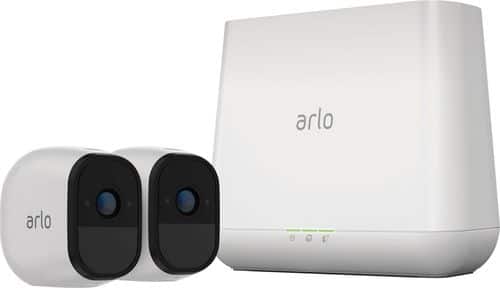
Arlo Pro takes the worrying out of life with the 100% Wire-Free indoor/outdoor home monitoring system. Arlo Pro includes rechargeable batteries, motion and sound-activated alerts, 2-way audio, a 100+ decibel siren, and 7 days of free cloud HD video recordings. Arlo covers every angle to help keep you safe and protected.
Customer Rating

4
Good system with lots of potential
on January 21, 2017
Posted by: CraigB
from Texas
Pros
Extremely Quick setup (A 2 camera system takes roughly 30 minutes)
Very easy set up. It comes with basic instructions but the app nicely walks you through each step
No need to run wires
Compact
Discreet cameras easily blend in with lighter color homes
Good daytime video quality for the price
Includes microphone and speaker
Flexible mounting options. Included option is easy but other fixed mounts can be used
Large rechargeable batteries
Motion trigger is supposed to get an update to determine if the motion is by a person
All devices get regular security updates. Even the cameras get updated wirelessly. Nice considering cameras are a new target for hackers.
Inanimate objects don’t seem to cause false motion triggers
Standard external hard drive can be used for local storage
Basic plan included for free
Easily expandable
Extremely Quick setup (A 2 camera system takes roughly 30 minutes)
Very easy set up. It comes with basic instructions but the app nicely walks you through each step
No need to run wires
Compact
Discreet cameras easily blend in with lighter color homes
Good daytime video quality for the price
Includes microphone and speaker
Flexible mounting options. Included option is easy but other fixed mounts can be used
Large rechargeable batteries
Motion trigger is supposed to get an update to determine if the motion is by a person
All devices get regular security updates. Even the cameras get updated wirelessly. Nice considering cameras are a new target for hackers.
Inanimate objects don’t seem to cause false motion triggers
Standard external hard drive can be used for local storage
Basic plan included for free
Easily expandable
Cons
Support for Windows is poor for the new touchscreen devices.
No Windows app for Windows 8 and 10 devices of any size.
Video quality, mainly night time, is probably not good enough for legal purposes.
Night video quality makes recognition near impossible past approximately 10 feet
Easy to steal or move regardless of mounting
Camera speaker is not very loud
Provided screws use too fine of a thread and the metal head strips out easy
All videos are public if someone can intercept your emails on the way to your inbox. (Email delivery by design is not encrypted so if someone intercepts your emails on the way they can see any of your videos with audio)
Recording time is fixed so even if motion or sound is still occurring you can miss recording
Web interface has some bugs such as freezing on zoom, Live play button disappears, and touch doesn’t work.
Sound recording doesn’t occur until a few seconds after video recording
At least one camera exhibited a noticeable “ticking clock” sound when recording audio
Connecting them hardwired defeats the weatherproofing
Instructions do not give tutorial about advanced features but rather let you discover them
No organizer for hard drive recordings
Dependent on good upload internet speeds. The more cameras you have, the faster the upload speed you need. This can be a limiting factor for some.
Long lag time to start live viewing even with very fast connection
Support for Windows is poor for the new touchscreen devices.
No Windows app for Windows 8 and 10 devices of any size.
Video quality, mainly night time, is probably not good enough for legal purposes.
Night video quality makes recognition near impossible past approximately 10 feet
Easy to steal or move regardless of mounting
Camera speaker is not very loud
Provided screws use too fine of a thread and the metal head strips out easy
All videos are public if someone can intercept your emails on the way to your inbox. (Email delivery by design is not encrypted so if someone intercepts your emails on the way they can see any of your videos with audio)
Recording time is fixed so even if motion or sound is still occurring you can miss recording
Web interface has some bugs such as freezing on zoom, Live play button disappears, and touch doesn’t work.
Sound recording doesn’t occur until a few seconds after video recording
At least one camera exhibited a noticeable “ticking clock” sound when recording audio
Connecting them hardwired defeats the weatherproofing
Instructions do not give tutorial about advanced features but rather let you discover them
No organizer for hard drive recordings
Dependent on good upload internet speeds. The more cameras you have, the faster the upload speed you need. This can be a limiting factor for some.
Long lag time to start live viewing even with very fast connection
Setup was very easy, particularly for a security camera system. The entire process is achieved by following the steps one by one as the app tells you. Install the app, set up your Arlo account, plug in the base unit to power and internet, sync the cameras, hang the cameras, and you’re done. A two camera system only took approximately 30 minutes. The kit includes metal bases, screws, and wall anchors but the screws are small and easy to strip. The metal bases work with a strong magnet included inside the camera. Although convenient, the metal bases allow someone to easily steal or move these expensive cameras so placement is important. Netgear offers screw in mounts for a more rigid and secure mounting. The entire hardware and software process has had a lot of thought put into making it easy. There are no complicated router changes needed to be made at all or complicated programming. Oddly some features, like changing the recording quality, must be done on a regular computer for which there is no app.
There is one strange feature omission from Netgear. This system has a Pro designation and yet support for regular, more modern computers, is limited. Businesses by and large use Windows computers and the most popular type of Windows computers selling today are Windows 2-in-1 convertibles with touchscreens this trend is forecasted to increase and yet this system is barely even useable by any touchscreen Windows device. This is also odd because what better way to check out a security video than on a large screen. You are forced to use a browser to view videos which the experience varies based on browser. Simple things like moving a slider don’t work because the website doesn’t work with touch. Browser administration has other bugs, such as the Live Video button disappearing. If this was an app you wouldn’t have to worry about how the end user’s choice of browser affects the experience. Not having a Universal Windows app is a missed opportunity. I have seen a large increase in clients that are buying Windows 2-in-1 systems instead of desktops or Android/iOS tablets for their primary system. A Windows Universal app they could support such systems, or any other form factor of Windows for that matter. Imagine if the app was on Xbox One in your living room and you want to check on things outside. Just say “Hey Cortana, open Arlo” and you could see your video feed or videos quickly and easily from the convenience of your couch on a big screen. That would be great. If you have smaller Windows devices, the website is unusable. It tries to get you to use an app that doesn’t exist. Oddly enough if you have a link to a shared video the same website will serve you the video in a mobile optimized format. Smaller Windows devices and Windows Mobile devices are left unsupported. Future updates and app releases could easily alleviate this but for now Windows support is poor.
The base unit comes with a Sync/Siren button, network port, and two USB ports for storage. The siren is loud and sounds like newer smoke alarms. It can be trigger locally, by the app, or via configurable rules such as motion or audio sensing. You can switch the base unit to modes for recording for motion and/or audio, no recording, or armed or disarmed based using Geofencing. You can also define your own custom modes allowing specific cameras and audio for each to be on or off. Due to battery restrictions, there is no continuous recording. Recording time from motion is a default of 5 seconds regardless of if the motion continues. Cameras include built in IR for night vision, motion sensor, microphone, and speaker and are weatherproof assuming the charging plug cover is on. One large difference with the Pro version is the inclusion of large rechargeable batteries which should last quite a long time between charging. When video is recorded, it is uploaded via your internet connection to your account meaning a good upload internet speed is important. Videos are stored in a calendar format and can be viewed, shared, or deleted from the interface.
Overall performance when factoring in the price for features was good. Shuddering and lag was minimal with surprisingly good wireless range. Remote viewing of live video is reasonably quick although it still took several seconds and is highly dependent on your internet upload speed. Audio took about 2 seconds to start every time after a motion trigger recording or manual live viewing and had a slightly audible tick-tock sound. The built-in speaker is barely audible at max volume. As with all security systems, there is a loss of some detail to do recording compression. Daytime recordings show signs of video compression but subjects are still reasonably recognizable at approximately 25 feet. Nighttime viewing brings recognition down to approximately 10-15 feet before subjects hard to recognize. Although not official, friends in law enforcement said it is not good for legal purposes as they must have a definitive, recognizable face to use the video. Motion detection was generally good but people moving fast could often elude the recording. Due to the fixed recording time, the system could also miss recording an event if it ran past the configured time.
A big concern is the video sharing feature. Arlo by default emails you anytime it records. It conveniently sends you a screenshot of what it recorded. However; the email sends a direct link to the video that can be viewed without logging in. This would be even more concerning if you had cameras in your house. By definition, is sent unsecured between providers. Although the industry is trying to improve that, you should always assume your emails have no encryption when sent to you. This means that it is possible and relatively easy for criminals to eavesdrop and see your videos with audio without ever knowing your account info. The good thing is that is easy to remedy turning off the feature that emails you when it records a video. That way the link to the video won’t be sent out on the web unsecured and your videos are still stored in the cloud without being shared openly. Hopefully, Netgear will remedy this in the future.
Overall, it is a nice system for the price point when compared to the competition. Compared to legacy DVR and NVR security camera systems this makes the whole process a lot more accessible for the average consumer. As long as you keep your expectations in line it is a nice system. All security camera systems, particularly ones costing less than $2,500 have limitations.
Overall, it is a nice system for the price point when compared to the competition. Compared to legacy DVR and NVR security camera systems this makes the whole process a lot more accessible for the average consumer. As long as you keep your expectations in line it is a nice system. All security camera systems, particularly ones costing less than $2,500 have limitations.
A standout feature, even comparing to high end systems, is this system will automatically get updates for security. Anyone who watched the news in late 2016 saw that the biggest hack was perpetrated using devices, such as camera systems, that weren’t updated. That is something still lacking in the “professional” security camera world. You also won’t have to hire someone to come pull wiring through your house or small business. Cameras can be placed wherever you can mount a base. If for some reason, such as poor signal, the place doesn’t work they are easy to move. It not be a real high definition security camera system but it also costs nowhere near as much. Just be sure you can accept the Cons before buying. The overall system is well thought out and with continued improvement of the listed cons this could be the best system for nearly any price.
My Best Buy number: 2528554201
I would recommend this to a friend!


Share this review:


+24points
36of 48voted this as helpful.
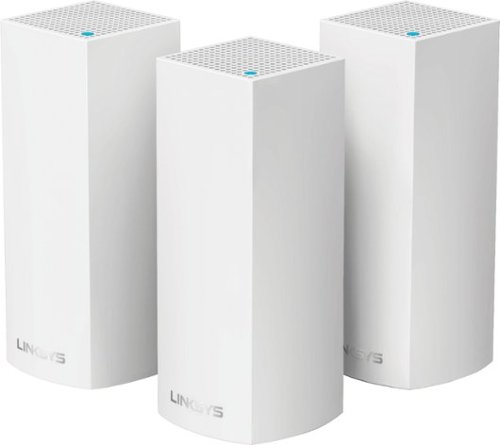
Make your home an internet haven with this versatile Linksys Velop wireless Wi-Fi system. Three identical tri-band dual-stream AC2200 routers, each equipped with a quad-core ARM Cortex-A7 processor, deliver lightning-fast internet. Equipped with Bluetooth 4.0/LE, this Linksys Velop wireless Wi-Fi system is simple to set up and pairs easily with computers, tablets and smart devices.
Customer Rating

3
Consumer mesh Wi-Fi needing a big software update
on January 16, 2017
Posted by: CraigB
from Texas
Pros
________
Compact
Easily blends into any part of the house allowing placement based on need instead of aesthetics
Offers true mesh technology with automatic routing
Separate backhaul channel to help keep speed between nodes higher
Ports are universal so you don’t need to understand wan versus LAN or uplink versus bridge
________
Compact
Easily blends into any part of the house allowing placement based on need instead of aesthetics
Offers true mesh technology with automatic routing
Separate backhaul channel to help keep speed between nodes higher
Ports are universal so you don’t need to understand wan versus LAN or uplink versus bridge
Cons
________
Device Prioritization (very basic QoS) has issues with higher internet speeds.
Built in speed test can’t achieve the speed resulting in a low number. Subscribed speed cannot be manually entered to compensate
No way to configure via a Windows computer of any sort. No website or app.
Antennas seem weak as speed between nodes was not consistent.
Only offers two ports per node
Configuring via the app is slow. Between 12-15 minutes per node
Limited advanced functionality (Port forwarding is offered but only device based prioritization)
Antiquated, extremely basic, parental controls. You must manually enter URLs per device.
No category based internet filtering. You are the parental controls
No log to see what sites your kids are accessing to block easily
No way to name the 2.4GHz and 5GHz bands differently for legacy compatibility
DHCP cannot be configured in any way or even turned off.
Valid DHCP range not showing without using less than official means.
LAN network address IP configuration is not adjustable without calling support. Stuck as 192.168.1.x.
No option for reserving static IPs on the network
Nodes cannot hardwired to allow faster speed and redundancy like a corporate mesh system.
________
________
Device Prioritization (very basic QoS) has issues with higher internet speeds.
Built in speed test can’t achieve the speed resulting in a low number. Subscribed speed cannot be manually entered to compensate
No way to configure via a Windows computer of any sort. No website or app.
Antennas seem weak as speed between nodes was not consistent.
Only offers two ports per node
Configuring via the app is slow. Between 12-15 minutes per node
Limited advanced functionality (Port forwarding is offered but only device based prioritization)
Antiquated, extremely basic, parental controls. You must manually enter URLs per device.
No category based internet filtering. You are the parental controls
No log to see what sites your kids are accessing to block easily
No way to name the 2.4GHz and 5GHz bands differently for legacy compatibility
DHCP cannot be configured in any way or even turned off.
Valid DHCP range not showing without using less than official means.
LAN network address IP configuration is not adjustable without calling support. Stuck as 192.168.1.x.
No option for reserving static IPs on the network
Nodes cannot hardwired to allow faster speed and redundancy like a corporate mesh system.
________
Unlike regular mesh Wi-Fi, Velop cannot be used as just Wi-Fi while still being a mesh. This means in my case I have one unit sitting in closet in a less than ideal location. Corporate mesh Wi-Fi has an access point mode allow you to place the access points where they are needed most.
The Linksys Velop system is intended to address one of the biggest problems old fashioned Wi-Fi systems encountered as internet speeds have increased and people start doing more online streaming. In a conventional system, Wi-Fi speed and strength drops the further you get away from the place where your internet comes into the house. By having multiple of what Linksys calls nodes spread throughout your house that work together the signal can be evenly spread everywhere allowing full strength and speed. This is a concept that has been around in the business sector for many years but was far too expensive and complicated for home use and the Velop intends to address this. Make no mistake, any consumer mesh Wi-Fi system today is going to be around $300 and up so you if you want good coverage and speed, regardless of manufacturer, you are going to have to spend more money. The best place for Wi-Fi is also out in the open so a traditional box with ugly antennas and wires won’t be tolerated. Just like many other solutions these nodes are designed to be placed in the open with minimal wiring and a more attractive design.
Starting with setup things are different. You get three nodes that come with just a power cord. You get one Ethernet cable for your main node but that is it. If you need a local connection the bottom of each unit comes with two multi-purpose ports. They are not specifically designated and the system seems to know whether you are connecting the port to the internet, your network, or local device. It’s very convenient. If you have a fair number of wired devices you will need to purchase switches. In order configure your network, the process has been simplified. You install an app and just let it walk you through configuring and labeling each node. It will allow you to define where you put them, if the placement is ideal for signal, and then make sure the software is up to date on the node. There is one name for both 2.4GHz and 5GHz networks and you can also define a guest network. Oddly, there no way to configure a separate name for the different bands so those of you with older Apple devices might run into trouble.
The app is available for iOS and Android. Strangely, there is no way to configure this with a Windows computer. This is strange because devices such as Velop are often offered by computer consulting companies to small to medium business as a cheaper alternative to more expensive corporate equipment. These companies also typically do not want staff to have client information on their personal devices so not having a way to configure via their work computer is quite odd. This also leaves out anyone who opts either to have a different smartphone or has no smart phone. Not all hope is lost though as Linksys is open to customer feedback and I already asked to be added to the list of people asking for a Windows universal app. I can even imagine if they offered a Windows Universal app playing on the Xbox One and just telling Cortana to have Velop prioritize my Xbox One or even shut down access to all other devices so my gaming is not affected by anyone else. So many unique possibilities not being utilized. For now, this a glaring omission and my Xbox One and my Surface Pro have been rendered useless for this. It is software so maybe Linksys could think more outside the box and see the potential.
Instead of traditional QoS (Quality of Service) this has what is called Device Prioritization. You can choose a device on your list and give it high priority but that is it. There are no options for prioritizing based on service or port. To activate device prioritization, you must run the integrated speed test which brings up a bug in the administration. If you have a higher internet speed, mine is at least 400Mbps, the speed test will not be able to give a full read of your internet speed. This means if you turn on the device prioritization it will artificially cut your speed down. In my case, it took my 400Mbps connection, read it multiple times as 150Mbps and limited my max speed to 150Mbps for any device. Turning off prioritization caused my speed to jump up to 315Mbps but node to node speed was inconsistent leading to tests showing speeds from 180Mbps to 330Mpbs. This replaced a competing mesh product that just came out recently, placed in the same area, that always produced consistent node to node speeds up near 400Mbps. Velop was unable to achieve full speed even with device prioritization off. Linksys Support is aware of the device prioritization issue and hopefully in the coming weeks and months a solution for this will be put in place. Ideally the speed test system should be upgraded but it would be even better if you could manually enter your internet speed for times like this when the integrated system just can’t keep up. I have already received a callback so Linksys is very keen on improving this.
Normally with any Wi-Fi, including corporate mesh systems, you can configure your Wi-Fi as either the control for everything or just serve only as a mesh Wi-Fi access system. In the case of the Velop, it’s all or nothing. If you want to use Velop, you are going to have to make this your one and only system. There are no options to turn DHCP on or off or configure any static IPs. In fact, even under the advanced settings it doesn’t have anything about switching the address range used on your internal network. This presents a problem since many modern ISPs have their modem configured to use range 192.168.1.x, just like Velop. This causes routing problems as well as a security threat as the system has no way to know what is inside or outside your network. A call to support uncovered a less than official way to do this but the point is I shouldn’t have to. They are also aware of this and hopefully future updates will change the setup.
If you are a gamer, looking for a mesh Wi-Fi add-on, want to have comprehensive parental controls, want QoS controls, need to have a different internal network besides 192.168.1.x, run internal static systems such as servers or NAS, or want to have a way to configure and administer the system via your computer then you are best to look elsewhere. It is an odd combination trying to cater to people who don’t want to mess with their Wi-Fi and want max speed and yet the people most likely to spend the money on the high-speed internet packages will most likely want much more control. Of course, this is a new system and these adjustments and abilities could be added in later versions of the software but currently, about the only thing this system offers is broad Wi-Fi coverage in an attractive package.
Advanced users, gamers, and power users might want to look elsewhere or check back after future updates. It has A LOT of potential but the software is still extremely basic even when compared to basic routers.
Who is this system most suited? If you mainly use Wi-Fi, want a system to cover your entire house regardless of size, and don’t care that there are almost no controls of any sort then this might be for you. Setup is about as simple and basic as it can get and for such people I recommend this product.
My Best Buy number: 2528554201
I would recommend this to a friend!


Share this review:


+21points
26of 31voted this as helpful.

The Shark Genius Steam Pocket Mop System is our most advanced floor cleaning system ever. Featuring both a Steam Mop and a Spray Pocket mop, the Genius system is the right solution for all your cleaning needs. Harness the power of steam to sanitize 99.9% of household bacteria*. (Sanitization studies were conducted under controlled test conditions. Household conditions and results may vary.)
Customer Rating
4
Good way to avoid chemicals if you are patient
on January 8, 2017
Posted by: CraigB
from Texas
Pros
Doesn’t require anything but water
Sturdy design
Flexible head means easy access to nearly any area
Included fill cup stores conveniently on wand
Cleaning solution has easy access holder on wand
Includes touchup wand for times when you don’t need a full steam clean
Doesn’t require anything but water
Sturdy design
Flexible head means easy access to nearly any area
Included fill cup stores conveniently on wand
Cleaning solution has easy access holder on wand
Includes touchup wand for times when you don’t need a full steam clean
Cons
Does not stand up requiring it to be propped up
Wall storage is awkward and includes no hardware
Doesn’t have multiple steam settings
Steam burst option is of limited use
Sanitize function requires a large number of passes
Does not stand up requiring it to be propped up
Wall storage is awkward and includes no hardware
Doesn’t have multiple steam settings
Steam burst option is of limited use
Sanitize function requires a large number of passes
The Shark Genius Pocket Steam Mop promises to clean and even sanitize your floors without the need for harsh chemicals. In fact, it recommends against using any chemicals with the steamer. Of course, no solution can clean up every bit of dirt and grime from your floors on the first pass but skipping the chemicals makes the process a bit longer. There is a feature to flip over the mop and use a burst of steam to loosen really stuck on grime, which is nice, but in practice doesn’t do much. If you have a clump of mud stuck on tile the steam burst will loosen it up a bit but still be prepared to make several passes. A built-in scraper to take off those particularly nasty bits could have helped alleviate some of this. If you want to use the steam burst, you must flip over the mop head each time. Not the end of the world but if you have a lot of small spots you will find yourself flipping the mop back and forth regularly. In most cases, the plenty long and can handle reaching all corners of a medium sized room without a problem. Controls are very simple. You only have a power/pause button. Just fill it up with the conveniently provided fill cup and wait for it to heat up and you are ready to go. If your intention is sanitizing your entire floor without using chemicals you will need to be extremely patient. The manual recommends at least 15 passes over the same spot for full sanitization. Because of this, I suspect most people will only use this for sanitizing on a spot.
The kit includes a spot cleanup mop and has an included cleaning solution. This is helpful for quick cleanups. There is nothing to plug it. The mop has an included holder for the spray bottle so you can have this ready to go any time you need to do a quick spot clean or even a quick touchup of the entire floor. Keep in mind that the steamer and cleanup mop share the same cleaning head. Unless you purchase an extra head, you will need to transplant the head from one to the other.
One thing both the steamer and mop have in common is awkward storage. The cleaning head is very flexible and does not provide any support to allow the unit to stand free. If you are in the process of cleaning, you will need to find a corner to prop it up or it will fall straight to the floor. Storage while not in use is a similar challenge. Neither wand includes a storage system or even a hook to hang. About the only way to hang it would be by the very large hand loop meaning you would have to have an equally large wall hook to accommodate. Because of this design, the most common storage method will likely be propping it up in a corner.
This brings up the question of who this is best suited. If you are the type of person who likes to avoid using chemicals for personal or health reasons and you are willing to trade some extra time, this is for you. Storage issues aside, it gets the job done and does so with just plain old water. Of course, the touchup mop does have a cleaning solution but there using the mop is not dependent on it.
My Best Buy number: 2528554201
I would recommend this to a friend!


Share this review:


-1point
1of 3voted this as helpful.
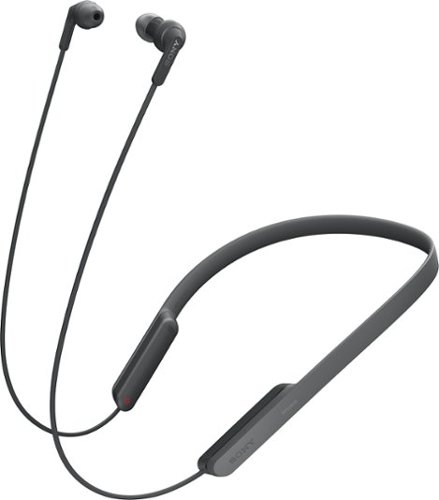
Listen to music on the go with these Sony wireless headphones. Their Bluetooth connectivity lets you stream music and take calls from compatible devices, and the built-in battery provides up to 9 hours of playback time on a single charge. Jam to your favorite tunes in comfort with the foldable, around-the-neck design of these Sony wireless headphones.
Customer Rating

5
Thoughtfully designed
on December 1, 2016
Posted by: CraigB
from Texas
Pros
Just as comfortable as a necklace with flexible band around neck
Multiple earpieces
Earpieces stay in place well without discomfort
Good battery life
Simple voice announcements for status
Universal Micro USB charging port
Stays in place well using cord clasp
Mids tones are very good
NFC charging is extremely easy
Just as comfortable as a necklace with flexible band around neck
Multiple earpieces
Earpieces stay in place well without discomfort
Good battery life
Simple voice announcements for status
Universal Micro USB charging port
Stays in place well using cord clasp
Mids tones are very good
NFC charging is extremely easy
Cons
Bass tones are too strong
Highs tones are too weak
Control buttons are poorly differentiated using touch
Clasp to hold around your neck could be easier to use
Bass tones are too strong
Highs tones are too weak
Control buttons are poorly differentiated using touch
Clasp to hold around your neck could be easier to use
For years, I have stuck with traditional headphones because the wireless headphones I have seen have either had rigid parts that hang around your neck or the overall music quality just didn’t justify the change. I just dealt with the cords getting tangled and regularly snagged on clothing as I moved around. About twice a year I would have to get a new set as they would usually get destroyed by those shortcomings.
I finally decided to take the plunge and go wireless with the Sony XB70BT headphones and couldn’t be happier. I have quickly forgotten how often my cord would get snagged or tangled and I just enjoy using them. They have a soft, flexible rubber band that goes around your neck and conforms much like a necklace except without the cold shock of metal. In fact, sometimes I have forgotten I was wearing them for a short period.
If you want headphones for exercise but don’t like the kind that use the extra piece to grab onto your earlobe to stay in place these might be for you. I wouldn’t do gymnastics with them but they should work great for most regular exercises. To make sure they stay in place, there is a small slotted piece on the wire of one earbud that you push the other earbud wire in. This allows it to wrap around your neck and stay in place much like a tight necklace. It does a good job of staying in place but a slight redesign would be helpful as pushing a flexible wire into the tight slot can be a test in patience. Once in, it works well and keeps things secure. A small addition that would be helpful is if there was a way to store the earbuds when not in use but the headset was still around your neck. The buttons can be used without looking. It might take a little time to adjust as the tiny raised sections on each are a bit difficult to tell apart.
The first time you pair the headset with your phone you will get to take advantage of an easily overlooked but extremely helpful feature. If your phone supports NFC, just tap the side of the headphones with the NFC logo. You phone will simply ask if you want to pair, you tap Yes, and you are done. No codes or any other work. Very simple. If you need to switch devices, just press and hold the power button until it says “Bluetooth Pairing” and tap the logo with your phone or NFC capable device you are done.
Headphones that speak might sound a little strange but this one is done thoughtfully. When you turn them on, off, activate pairing, or certain other options the headphones will say in plain English what they are doing. If you are from England you would say it speaks in “proper English” I suppose. The voice is only used for operations where more information is helpful. Regular changes in volume and track skips are either a tone or just the action. You’ll only here speech when something more than a tone is helpful. Overall, it’s a nice touch that just makes them feel a bit more refined.
The big question is how do they sound. For speech, everyone I have spoken to has not even noticed that I am using a headset. The microphone seems to work just as well as the one built into my phone. When listening to music I wouldn’t say these are top of the line but considering you can spend over $100 on corded headphones expectations must be kept in line. They sound is very good for most music. An equalizer would be great but phones don’t general offer an equalizer for Bluetooth devices. Considering sound quality for music, each person of course has their own sound preferences but I would describe the sound as a slightly muddy but not unpleasant. With weak highs, the bass seems a bit too heavy. Midtones are excellent. Of course, this is all very subjective and this may suit you just perfectly. Keep in mind we are talking about compressed Bluetooth audio anyway. Don’t expect to hear every nuance of your favorite classical music through this set. Hopefully my description will help you decide if the sound properties suit you.
Overall I have been extremely happy with my foray into wireless headphones to the point I am not sure I will ever go back for regular use. I will probably always have a set of wired for at home when sitting still but for all other uses, the Sony XB70BT headphones do a respectable job for the money.
My Best Buy number: 2528554201
I would recommend this to a friend!


Share this review:


+16points
16of 16voted this as helpful.
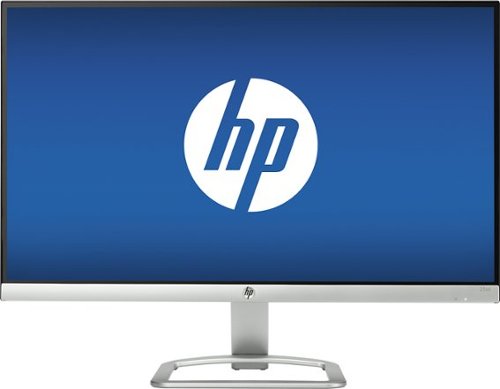
Play games or program tech solutions on the wide 23-inch screen of this HP LED HD monitor. The antiglare flatscreen offers views from any angle, and the 1920 x 1080 display offers super-sharp images. This HP LED HD monitor has HDMI and VGA inputs, letting you connect a variety of peripherals and devices.
Customer Rating
5
Great monitor for the class
on December 1, 2016
Posted by: CraigB
from Texas
Pros
Bright and Crisp
Attractive design front and back with almost no bezels.
Sleek Stand
Good color accuracy for the price
Light and thin. Doesn’t take up much space on a desk
Affordable for a good IPS panel
Bright and Crisp
Attractive design front and back with almost no bezels.
Sleek Stand
Good color accuracy for the price
Light and thin. Doesn’t take up much space on a desk
Affordable for a good IPS panel
Cons
No height adjustability
Stand doesn’t rotate
Has a lot of glare (See Photo)
Only has HDMI and VGA. No DVI or DisplayPort
Thin stand means allows monitor to wobble easily from vibration
Proprietary power adapter
Proprietary means no desk stands or wall mounts
No height adjustability
Stand doesn’t rotate
Has a lot of glare (See Photo)
Only has HDMI and VGA. No DVI or DisplayPort
Thin stand means allows monitor to wobble easily from vibration
Proprietary power adapter
Proprietary means no desk stands or wall mounts
For the many years, I have been changing computers and upgrading while sticking with my tried and true old 17” square LCD. It did the job but more and more seeing newer, more sleek monitors that had larger screens in smaller cases made me want more. My old monitor was dim and just made work hard on the eyes.
I saw this HP monitor and my first thought was honestly, “HP makes monitors?” I was curious because the monitor looked very sleek so I gave it a shot. It isn’t feature laden with a fancy stand, lots of ports, and spot on color accuracy. Instead of using a bright low glare screen, they use a cheaper bright screen that has high glare. All things considered, what they offer is a just enough ports to get the job done, a tilt stand, color accuracy for all but the most demanding users, speed for even experienced gamers, enough brightness for most conditions, and an IPS panel all for a price you typically pay for poor monitors in this size.
I am a person who typically tries to save money but always gets disappointed by some glaring flaw of more affordable products. This is probably the first time in a long time I have found myself content with a more budget device. Of course, I would like a higher end monitor but unlike other times, I feel content with a “lower end” unit. Surprisingly, for a monitor in this class it includes color calibration profiles out of the box. I adjusted the monitor myself as I felt the default monitor settings left things a bit too washed out but overall I feel HP hit just the right checkboxes to make this a great value. As you can see from my pros and cons this is not a perfect monitor but knowing how much more monitors can cost at this size, the cons are very easy to overlook.
Unless there is some big feature listed in the cons you just must have, for most people this monitor will make you very happy you spent the money.
My Best Buy number: 2528554201
I would recommend this to a friend!


Share this review:


+3points
3of 3voted this as helpful.
![Finding Dory [Includes Digital Copy] [Blu-ray/DVD] [2016]](https://pisces.bbystatic.com/prescaled/500/500/image2/BestBuy_US/images/products/124d759d-2056-4470-a5a6-dca69bdb364c.jpg)
Customer Rating
5
Enjoyable sequel to Finding Neamo
on November 28, 2016
Posted by: CraigB
from Texas
Let's be honest. Sequels will always reuse some of the storyline from the first movie but some do it better than others. Of course the main characters from Finding Nemo are in Finding Dory but having the story focus on Dory instead is a nice change. It made the story much more enjoyable and even added some new, funny characters. If you liked Finding Nemo, you will probably like Finding Dory.
My Best Buy number: 2528554201
I would recommend this to a friend!
Share this review:


0points
0of 0voted this as helpful.

Keep unwanted hair to a minimum with this Philips grooming tool. The waterproof design lets you use it in the shower, and eight attachments make this trimmer perfect for grooming different sections of the face. This Philips grooming tool has a turbo setting to increase cutting speed, and it charges in just one hour to reduce wait time.
Customer Rating
3
Decent trimmer with some glaring flaws
on November 23, 2016
Posted by: CraigB
from Texas
Pros
Large number of trimming attachments
Improved hair trimmer means no more cuts
Quieter and more solid than previous model
Lithium ion battery lasts a long time
Self-Sharpening
Works in the shower
Large number of trimming attachments
Improved hair trimmer means no more cuts
Quieter and more solid than previous model
Lithium ion battery lasts a long time
Self-Sharpening
Works in the shower
Cons
Different attachments are not sealed meaning trimmer hair gets inside with no way to clean unless you also remove the lubricant
Attachments don’t have any indication of which way to put them on leading to some fiddling
Guard for trimming beards can inadvertently cut at different lengths depending on angle
Guard for trimming beards doesn’t lift hair first meaning if you have fine hair the lengths are uneven no matter the direction you trim
Cannot run via power cord so if battery is dead you cannot trim
Shaver does a poor job of catching finer, software hairs
No stand included
No cleaning brush
Different attachments are not sealed meaning trimmer hair gets inside with no way to clean unless you also remove the lubricant
Attachments don’t have any indication of which way to put them on leading to some fiddling
Guard for trimming beards can inadvertently cut at different lengths depending on angle
Guard for trimming beards doesn’t lift hair first meaning if you have fine hair the lengths are uneven no matter the direction you trim
Cannot run via power cord so if battery is dead you cannot trim
Shaver does a poor job of catching finer, software hairs
No stand included
No cleaning brush
I own the previous version of this model and although I liked it, there were some flaws I had hoped had been addressed in the latest update. The first thing a trimmer should do, of course, is trim. I have fine, soft hair which is more of a challenge. Unfortunately, the results turned out to be mixed.
First is the general trimmer head. It can be used with the different guards to shape larger areas or without to detail trimming if you like. I preferred using it for details over the detail trimmer as it seemed to be more thorough. The new, more rounded tips, of the latest design don’t cut the back of your neck like the old design. They also seem to do quite a good job for that purpose. The issue is when you are using the facial hair trimmer. It has been redesigned to remove the combs and depth guard in front of the blades. This means that if you don’t keep the trimmer exactly parallel you will trim unevenly very easily. It did so poorly when I was trimming I ended up changing the beard style to hide the problem.
Although I don’t normally use a nose hair trimmer, sometimes a little touchup for a formal event where more attention to detail is needed. The new nose hair trimmer does what the old version seemed to struggle with and that’s trimming hair. It does occasionally have a little trouble but the original version was not even useful. If you are a person who require regular trimming of nose or ear hair this should work well.
Included in the kit is a traditional foil razor. I didn’t expect much out of this as I usually don’t have much success with my hair type using foil razors. As suspected, this attachment was near useless for me. Repeated attempts at shaving resulted in an irritate neck more than a trimmed one. I can’t completely fault the trimmer as it seems my hair type is a challenge for all trimmers. However; I can say if you have fine or soft facial hair this trimmer won’t help much.
It is nice for this to include wet or dry functionality. I might use it to trim my beard some day in the shower if I can ever get a mirror that doesn’t fog up. Until then, the main possible use would be bodily trimmer. I would like to use this feature but I just have one issue. It doesn’t seem hygienic to use the same trimmer head for the rest of your body as you would your face so of course I didn’t try to use it to trim body hair. It would be nice if there were a head just for face and another of the same for just the rest of your body.
The kit includes a travel bag. If you travel a lot this will come in handy but I suspect a lot of potential customers such as myself already have a travel shaving bag or maybe several. What we don’t have is a stand for holding the trimmer and the attachments at home. A bag can also be purchased cheaply and will work find but you can’t go out and buy a trimmer stand anywhere. I hope in a future version the bag is changed in favor a stand. The fact that it comes with no stand brings up another issue. If you want to charge it, you don’t have a place to put it except just awkwardly sitting on your counter. If you ever forget to charge it like me since it doesn’t have a neat way to sit on the counter, you will run into another limitation. Although it has a lithium ion battery, which is great for runtime and power, it cannot be run directly off the cord. If you take the trimmer out of the bag and battery is dead or it dies abruptly while trimmer you must wait about 30 minutes for it to be of any use. I was really hoping to see this addressed from the previous generation.
I personally like to keep my trimmer clean. I don’t like hair stuck in all parts when I put it away because inevitably the trimmings end up in my clothes or elsewhere. This is another area where the Phillips trimmer falls short. Most attachments are open inside and allow trimmed hair to fall inside and right into the white grease that lubricates it. No brush is provided in the kit to clean up. Even if you do have a brush, you still have a problem. You can’t effectively clean out the hair without removing the grease. This means your best option is to leave the hairs to collect insides the heads. Overall the design forces you to deal with the mess.
For all the cons, I still like the trimmer as it gets the job done and offers a lot for the price. I only wish that Phillips has made some adjustments that could have made this unit much better.
My Best Buy number: 2528554201
I would recommend this to a friend!


Share this review:


+1point
1of 1voted this as helpful.

Save time when you batch-edit photographs with Adobe Photoshop Elements 15. Sort photos automatically with the software~s enhanced smart tagging feature and find pictures via geotags or visual similarity. Specialized tools within the program let you fix frowns, remove camera shake and remove red-eye, making Adobe Photoshop Elements 15 an invaluable addition to your photography needs.
Customer Rating
5
Featured packed affordable photo tool
on November 20, 2016
Posted by: CraigB
from Texas
Pros
Powerful photo tool for the price point
Contains many of the more advanced features and filters of the full Photoshop
Large number of options allows you to restore or correct even challenging photos
eLive section in the organizer provides a ton of helpful tutorials
Comprehensive online help
Includes photo organizer which can help organize pictures by folder, people, and places
Wizards and auto modes are included to ease the complexity
Powerful photo tool for the price point
Contains many of the more advanced features and filters of the full Photoshop
Large number of options allows you to restore or correct even challenging photos
eLive section in the organizer provides a ton of helpful tutorials
Comprehensive online help
Includes photo organizer which can help organize pictures by folder, people, and places
Wizards and auto modes are included to ease the complexity
Cons
Can be complicated for people not familiar with the full version of Photoshop
Many adjustments have no manual mode and are limited to auto or a few selections
Interface has a dated feel
No touch interface for newer Windows devices
Requires a separate Adobe account to activate instead of just offering from the Windows Store
No way to merge two photos. At least none that I could find. Copy and paste is disabled
Online help is somewhat confusing as searching return results for all products. You have to manually choose Elements.
Can be complicated for people not familiar with the full version of Photoshop
Many adjustments have no manual mode and are limited to auto or a few selections
Interface has a dated feel
No touch interface for newer Windows devices
Requires a separate Adobe account to activate instead of just offering from the Windows Store
No way to merge two photos. At least none that I could find. Copy and paste is disabled
Online help is somewhat confusing as searching return results for all products. You have to manually choose Elements.
Photoshop Elements has been around for quite some time now. Years ago, nearly the only option you had if you had for advance photo editing was Elements big brother, Photoshop. It was far too complicated and expensive for the average consumer or prosumer. Thankfully Adobe created Elements at a far more affordable price with most options needed for almost everyone but professionals. Early on, Elements was very different from Photoshop which meant someone familiar with Photoshop at work was not familiar with Elements at home. By making Elements a truly simplified version of Photoshop it means more options for assistance and better familiarity for people using the full version at work. That’s a definite plus in my book.
There are two parts included in this software. The organizer and the editor.
The organizer helps people with large numbers of photos keep them organized. You specify locations where the organizer can find photos and it will search and display them in the folders they contain. Built into the organizer is a facial recognition tool to further assist in keeping your photos organized. When the software is open, it scans your photos in the background to categorize people and then you can add names to the faces making quick access to photos of a person quick and easy once done. If your photos contain location information the organize is also able to extract the information and show the photos based on the location on the map where they were taken which can be very useful for those times when you just can’t remember where you were when you took the photo. You can also name the locations on the map. If you want your photos fully organized, you can even go as far as defining the event a group of photos are taken. If that is not enough you can even add tags to photos so you can search by keywords later. Much of this information is specific to Elements and not in the photos so when it asks you to back up your settings, it would be a wise choice so if something goes wrong you don’t lose all your organizing work. Once you are done organizing and want to share your photos, the organizer can help with options for Facebook, Twitter, Vimeo, as well as other traditional options such as DVD.
The editor handles all the basic tasks of photo editing and then goes further. Just like every other photo touchup tool, you have automatic options if you don’t wish to get hands on. It does a nice job in most situations. If you are looking for an editor with an array of manual options, you may be served better by the full version of Photoshop. An example is you can choose to automatically set levels or choose from a few thumbnails of options but if you want to manually compress the levels to optimized photos to the fullest you will be disappointed. A decent compromise is that you do have the option to remove a color cast. For most, including a good number of prosumers, this should be more than adequate with an attractive price. There are an array of affects(filters), textures, and frames to give you plenty of options to tweak your photos to your liking. A few new options, at least to me, are haze removal and shake reduction. I have a lot of older photos that were taking with a digital point and choose with a very average dynamic range. Photos outdoors often produced a washed out, hazy look. With haze reduction, I can adjust them to bring some vibrancy and make them a more attractive. I am sure this has been around for a while but, for me, this was a treat to discover.
For the future, I would love to see Adobe modernize the style of their interface. I would also like to see this ported to a UWP version for Windows with full touch capability. A few more manual controls, including levels, and the ability to copy and paste between photos would go a long way. Some navigation buttons, such as switching between photos in organizer, would also be better if a little larger.
Photoshop Elements 15 is a great product for the price. If the most you ever do is click auto adjust, this is likely overkill. If you are a professional that uses Photoshop at work and want something more affordable at home, then this could also work out great. The core groups that I feel Elements is a great fit for are power users, prosumer photographers, or aspiring professional photographers with a tight budget. There is also a Premier version as well as version with Video Editing if you need extra functionality. As a bonus, the techniques and skills learned in Elements will give you nearly everything you need while helping your comfort level and knowledge if you ever upgrade to the full Professional version.
My Best Buy number: 2528554201
I would recommend this to a friend!


Share this review:


0points
0of 0voted this as helpful.
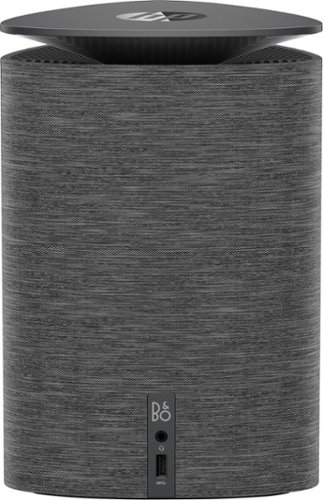
Enjoy powerful performance with this compact HP Pavilion Wave computer. The Intel i3 processor provides fast data handling, while the 1TB hard drive lets you store plenty of files. This HP Pavilion Wave computer has 8GB of RAM to run the latest applications and four USB ports for connecting multiple accessories.
Customer Rating
4
Attractive, good performance, with minor misteps
on October 24, 2016
Posted by: CraigB
from Texas
Pros
Appealing design
Very clean setup with minimal wires
Nicely balance built-in speaker
Compact size
Capable Core i series desktop processor
Enough memory for all but the most demanding tasks
HDMI and Displayport
Dual monitor capable
USB-C for the future
Includes wireless keyboard and mouse
Multiple microphones for Cortana
Appealing design
Very clean setup with minimal wires
Nicely balance built-in speaker
Compact size
Capable Core i series desktop processor
Enough memory for all but the most demanding tasks
HDMI and Displayport
Dual monitor capable
USB-C for the future
Includes wireless keyboard and mouse
Multiple microphones for Cortana
Cons
Traditional hard drive
Massive power brick with proprietary plug
Difficult to upgrade hardware
Doesn’t fully take advantage of new technology in Windows 10
Keyboard can miss keys with faster typing speeds
Keyboard is a bit cramped
Mouse feels sticky and clicks require too much effort
Hard drive and fan can be a bit noisy for some
Traditional hard drive
Massive power brick with proprietary plug
Difficult to upgrade hardware
Doesn’t fully take advantage of new technology in Windows 10
Keyboard can miss keys with faster typing speeds
Keyboard is a bit cramped
Mouse feels sticky and clicks require too much effort
Hard drive and fan can be a bit noisy for some
With regular box PCs becoming less popular, many companies are looking to change the definition of computer. HP is looking to take the standard drab looking computer case and turn it into something attractive you don’t mind having on a desk and it looks like they have succeeded. A nice feature for those looking to reduce clutter is the using HDMI and DisplayPort for monitors means smaller cords. Combine that with a built-in speaker and included wireless mouse and keyboard and the clutter is almost nonexistent. Just be prepared to find a place to fput the extremely large power brick.
I have enjoyed having a much neater desk, and more space. The built is speaker has a good range for a computer in this price level. It is listed as a 360-degree speaker but you will still notice exactly where the sound comes from. Keeping the sleekness in mind, the other option would have been monitor speakers which don’t have the range of the one in the tower. A built-in tower speaker is a good compromise. Of course, it doesn’t have tonal range or bass for audiophiles but for most people it has a pleasing range. If you want separate speakers, you would either use the front stereo jack, an HDMI audio extractor, or USB sound card. However; this does seem defeat the purpose of this design. Another possible problem with separate speakers could be the extra microphones tuned for use with Cortana. They work very well to understand commands given combined with the built-in speaker, but I suspect separate speakers would defeat this tuning. I can walk in the office and call Cortana without touching the computer to start up music, get the weather, or get the news. The experience has been more enjoyable than expected.
The included keyboard and mouse are adequate. If you have a lower typing speed you will likely find it works just fine. If you type faster, you might notice this keyboard will tend to miss keystrokes unless you bang on them hard. The mouse is adequate for this price point. It is ambidextrous and neutral. It feels a little sticky on a mousepad and the buttons require a more firm click than a higher end unit, but for the package deal it is appropriate. The wheel on the mouse is surprisingly good.
This Wave, being the lower end model, comes only with integrated graphics. It works good for regular tasks and casual gaming. If you need more horsepower, there is an upgraded model with a separate graphics card. Neither is intended for hardcore gamers or people who like to customize.
The one thing that surprised me about this design is that it a modern design with good specs in most places but includes an Achilles heel. With such a modern design, it has a standard hard drive. Hybrid drives are not that much more expensive and SSDs have come down in price significantly. It seems odd that this modern system uses an old school hard drive. This could be a blazing fast system with an SSD but the traditional hard drive crunching comes up often sounding like an old computer. Installing an HP printer on other modern computers takes no more than about 8 minutes. This system took 45 minutes to install one and 25 to install the other. In modern times, this feels like an eternity. The higher end model that includes an SSD likely doesn’t exhibit this issue but it is surprising they didn’t address this across the board.
This system is intended to be displayed and out in the open, likely on the desk. This is where the choice of a traditional hard drive is also quite odd. Old hard drives make a distinct sound that sound somewhat like crunching. When you place this computer out for display on a desk or shelf, it amplifies that sound taking away from the overall experience. Another noise of note is the case fan can be heard as what can be best described as a faint purring sound. The fan can get very loud at initial startup. So far, even during heavy usage it has not needed to run at full speed. Overall, the regular sounds are not overly intrusive but do take away from what could be a more refined experience. I am extremely picky about sound so the vast majority of people will never notice. For those like me, you will still be ok but you know what to expect.
If you have owned other HP computers, you will know that they usually come preloaded with software of questionable use. Although this system is no exception, the software is easily removed. Oddly what seems to be missing and would be useful is a hardware diagnostics. Other HP systems I have had included robust diagnostics to check everything in the event strange things started occurring with the computer. I have searched everywhere, including on startup, and can find none. Another small misstep is that HP didn’t take advantage of the advanced technology of Windows 10. Instead of promoting the games included in the store that work quite well, they preinstalled WildTangent games which are full of advertisements and require managing a separate account. The system applications, while updated in style, are still traditional applications meaning you must manually update them and address them as well. It is a shame they weren’t redesigned as apps that could be automatically maintained by Windows and updated without fuss. On a more advanced note, it would have been nice to see HP take advantage of a new technology in Windows which would have allowed the system to be restored via the web if needed. Currently, the only way to reinstall Windows is via the information on the hard drive. Windows 10 has a new recovery system that HP could have used in the event of failure, for whatever reason, the system could be restored via an automatic download from HP very easily. This could have further enhanced the customer experience but it was nowhere to be found.
Overall, the HP Wave is a very nice system with a modern design. With some minor adjustments, such as using an SSD in all models and modernizing the apps, this could have been a near perfect system. It most certainly feels like an HP system, but it feels like they have improved the design while keeping prices manageable. The system is designed well overall and can be a nice upgrade for someone needing a new system. It would be nice to see HP will make some minor tweaks with the next generation of what is already a very nice new design. Until then, the current HP Wave a very capable and elegantly designed desktop computer.
My Best Buy number: 2528554201
I would recommend this to a friend!


Share this review:


+8points
8of 8voted this as helpful.
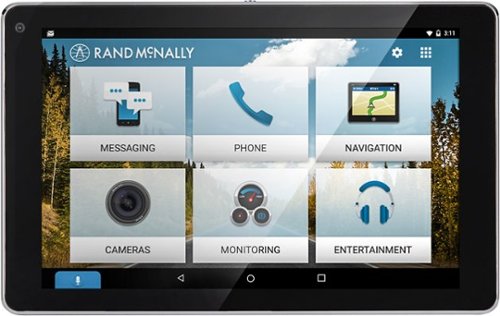
Make driving routines more enjoyable with this OverDryve car system. Its voice assistant capabilities let you read and send text messages by command and also play music in your car without taking your hands off the wheel. The built-in dash cam of this OverDryve car system lets you record trips and capture every moment on the road.
Customer Rating

2
Decent hardware needing a software update
on September 29, 2016
Posted by: CraigB
from Texas
Summary
Decent hardware needing a software update
Decent hardware needing a software update
Pros
• Large screen visible under most conditions
• Navigation is very good
• Includes traditional atlas in digital form
• Includes trip planner including defining waypoints and stops
• Adds hands free calling to older cars
• Includes mount
• Magnetic mounting base is secure and convenient for connecting and removing the tablet
• Includes screen protector
• Third party app stores can be added
• Map updates are included
• Lane guidance is included on major roads
• Traffic information is provided if you have internet
• Has built in speaker and commercial GPS
• Tablet can actually be used outside of vehicle as a tablet
• Provides multiple options for outputting sound to your vehicle’s stereo
• Large screen visible under most conditions
• Navigation is very good
• Includes traditional atlas in digital form
• Includes trip planner including defining waypoints and stops
• Adds hands free calling to older cars
• Includes mount
• Magnetic mounting base is secure and convenient for connecting and removing the tablet
• Includes screen protector
• Third party app stores can be added
• Map updates are included
• Lane guidance is included on major roads
• Traffic information is provided if you have internet
• Has built in speaker and commercial GPS
• Tablet can actually be used outside of vehicle as a tablet
• Provides multiple options for outputting sound to your vehicle’s stereo
Cons
• Screen with mounting bracket is very large and likely will only work in larger vehicles
• Stays connected to phone at all times in range, even when not in the vehicle potentially missing calls and texts in your house while the tablet is in your car in the garage.
• Tones for navigation and warnings are not customizable
• Bracket can block camera
• Connecting via stereo jack causes background high pitched sound regardless of vehicle
• Collision warning app is too slow to be effective
• Dash camera function has choppy video and is very poor quality at night
• Speakerphone seems too quiet
• Compass sometimes orients in wrong direction
• Others reported microphone very quiet and I sounded far away
• Update system removed from Android presenting possible security risk
• Lags from time to time
• Navigation movement can jump in sections instead of smoothly moving vehicle on road
• Requires phone internet tethering to be fully affective
• Voice commands too limited. Nearly every function requires looking and tapping on the screen creating distractions. You cannot do things like control navigation. You must manually enter address
• Voice command button is too small
• Voice commands inconsistently use build in or phone recognition sometimes requiring phone internet or just causing commands to be run on phone instead of tablet. Telling the table to navigate to a location instead causes phone to navigate
• Screen with mounting bracket is very large and likely will only work in larger vehicles
• Stays connected to phone at all times in range, even when not in the vehicle potentially missing calls and texts in your house while the tablet is in your car in the garage.
• Tones for navigation and warnings are not customizable
• Bracket can block camera
• Connecting via stereo jack causes background high pitched sound regardless of vehicle
• Collision warning app is too slow to be effective
• Dash camera function has choppy video and is very poor quality at night
• Speakerphone seems too quiet
• Compass sometimes orients in wrong direction
• Others reported microphone very quiet and I sounded far away
• Update system removed from Android presenting possible security risk
• Lags from time to time
• Navigation movement can jump in sections instead of smoothly moving vehicle on road
• Requires phone internet tethering to be fully affective
• Voice commands too limited. Nearly every function requires looking and tapping on the screen creating distractions. You cannot do things like control navigation. You must manually enter address
• Voice command button is too small
• Voice commands inconsistently use build in or phone recognition sometimes requiring phone internet or just causing commands to be run on phone instead of tablet. Telling the table to navigate to a location instead causes phone to navigate
Full Review
The Rand McNally Overdryve is intended to be targeted at car owners who want the features of a modern car in an older car. To start, the screen is 7 inches wide which puts it squarely in the territory of modern built in stereos with large screens. I have experienced no problems with screen brightness except if the vehicle is getting a lot of sun from the side causing glare. It does include an anti-reflective screen protector but I haven’t used it because of bubbling problems. The screen is capacitive touch, which is nice. It is as sensitive as any modern smartphone.
The Rand McNally Overdryve is intended to be targeted at car owners who want the features of a modern car in an older car. To start, the screen is 7 inches wide which puts it squarely in the territory of modern built in stereos with large screens. I have experienced no problems with screen brightness except if the vehicle is getting a lot of sun from the side causing glare. It does include an anti-reflective screen protector but I haven’t used it because of bubbling problems. The screen is capacitive touch, which is nice. It is as sensitive as any modern smartphone.
The OverDryve has the ability to connect to your phone via Bluetooth and act as a speakerphone and music control. This seems nice as first but uncovers where the software is the weak part of this device. This tablet doesn’t know when you turn your car on and off. Pushing the power button only turns off the screen. This means that when you get home as long as the tablet is in range of your phone all sounds go the tablet. You either have to turn the tablet off each time or manually disconnect via Bluetooth each time if the tablet will be in range. It’s that or expect to miss a lot of calls and texts at home.
Continuing with Bluetooth, for me, uncovered another problem. The tablet is supposed to be able to play your phone music over your car stereo. The problem is none of my phones would reliably see the OverDryve as a valid Bluetooth streaming device. This meant most of the time it would just play the songs on the speaker the phone I tried. Once in a blue moon it would connect correctly and all would be well.
Phone calls fared better as all of my phones would consistently see the OverDryve as a valid phone connection but even here the software issues crop up. Voice dialing would not work unless I could successfully launch the voice dialer directly on my phone. Otherwise you would have to look at the tablet and browse contacts there. I found this particularly distracting. Also, when talking to people over the tablet people kept saying I sounded far away. They could understand me but even speaking loudly didn’t seem to fix the issue.
Phone calls fared better as all of my phones would consistently see the OverDryve as a valid phone connection but even here the software issues crop up. Voice dialing would not work unless I could successfully launch the voice dialer directly on my phone. Otherwise you would have to look at the tablet and browse contacts there. I found this particularly distracting. Also, when talking to people over the tablet people kept saying I sounded far away. They could understand me but even speaking loudly didn’t seem to fix the issue.
OverDryve touts is voice controls but this is another area where the software needs further refinement. For basic tasks such as making phone calls you can have the OverDryve pass the call request on for your phone to handle. For other tasks, such as navigation, the OverDryve wants a constant internet connection. It might have offline maps but to use your voice to set a destination would require tethering, which I don’t have. It just took away from a possible great experience. The lesson here is don’t expect to depend on the voice controls.
Other apps such as collision avoidance or dash cam feel far from complete. I could come up full steam to a car at a stop light without so much as a peep but would often get false collision alerts while sitting still or when I was in a curve with cars in the opposing lane. Even when it correctly detected a possible collision the response was so slow it was too late. It also has a non-customizable warning that literally says “warning” in a rather dated double toned voice with double red “warning” text. The dash cam suffers the same lag making me wonder if the jittering video and slow response is slow hardware or poor optimization. Depending on your exact mounting choice you might also find the stand prevents proper use of these utilities. In any case, I would not recommend relying on them at the current time.
Maps and here they don’t disappoint. There is an atlas app that you can browse the old style maps. There is even a route planner where you can set POIs and via points so you can, say for instance, plan your router to pass through a town you always wanted to visit. Instructions so far have not let me down although I would prefer speech over a tone for when it is time to turn. There are options for real time traffic updates, that require tethering, or predictive traffic based on history. I don’t have tethering. I connected it via the recommended stereo jack for navigation. On every vehicle that I used the stereo jack option, the OverDryve would have this constant background whine which would become quite annoying if the tablet was not saying anything or playing music. I also experienced were GPS lag and more often incorrect compass orientation.
Overall I would say this is an interesting device that can be great but in some ways is oddly placed. It really is hard to fully utilize it without an internet connection, which then likely means you have a smartphone. If you have a smartphone, larger ones are not much smaller in size and can do all of the same things and possibly do them faster. Better yet, there are not app enabled stereos that you can buy for a similar price that seamlessly mirror your smartphone without the feeling of jumping between phone and tablet.
If you are comfortable installing your own aftermarket stereo or are willing to pay an installer then getting a newer “app enabled” car stereo would be a sleeker, more integrated way to get these features.
So this begs the question. Who exactly is this tablet for? If you are a person with larger vehicle that has a feature phone with tethering and who wants modern car features, this is for you. If you are person with a smartphone with tethering or just don’t care about voice recognition and really just want to have a large screen for your navigation and phone features in your larger vehicle this is also for you. If they fix the software issues this device would be much more desirable.
So this begs the question. Who exactly is this tablet for? If you are a person with larger vehicle that has a feature phone with tethering and who wants modern car features, this is for you. If you are person with a smartphone with tethering or just don’t care about voice recognition and really just want to have a large screen for your navigation and phone features in your larger vehicle this is also for you. If they fix the software issues this device would be much more desirable.
My Best Buy number: 2528554201
No, I would not recommend this to a friend.


Share this review:


+12points
14of 16voted this as helpful.
CraigB's Review Comments
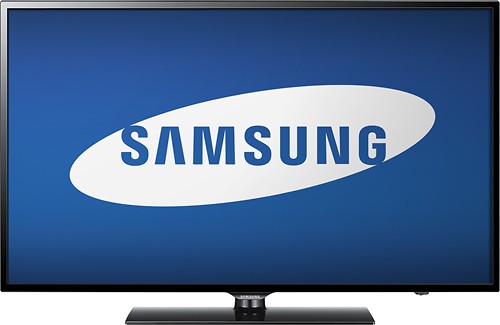
Watch your favorite movies, TV shows and sporting events in crisp 1080p resolution with this Samsung UN65FH6001FXZA HDTV, which features Clear Motion Rate 240 to preserve picture detail during fast-action sequences.
Overall5 out of 5
5 out of 5This is an awesome TV for the cost
By Korom
from Raleigh, NC
First, this is a fantastic monitor. If you have a receiver for your HDMI switching and watch TV with the sound through that receiver then this is the PERFECT TV for you. I use it with my Denon e300 receiver, all my HDMI inputs go into the receiver with one HDMI cable going to the TV. Minimal fuss and muss. The picture quality is truly incredible for a LCD TV, the blacks are very very good, almost as good as my Panasonic Plasma but its understandable that its not that good as LCD cannot show true black like a plasma can. I checked 3 bars for the sound quality but honestly I never used the internal speakers. I gave this 5 stars and would have given it 6 stars if I could have (on a 5 star scale) because the picture quality is just that good.
Bottom line: Fantastic TV for the price.

CraigB
Texas
An LED TV is a type of LCD TV
November 29, 2013
Folks. For those of you telling this reviewer that he is talking about the wrong TV because he calls it an LCD, it is an LCD. LED TV's are still LCD TV's. The difference is the backlight behind the LCD is LED's instead of CCFL(fluorescent). Both still have and LCD screen that you actually look at up front.
+2points
2of 2voted this comment as helpful.
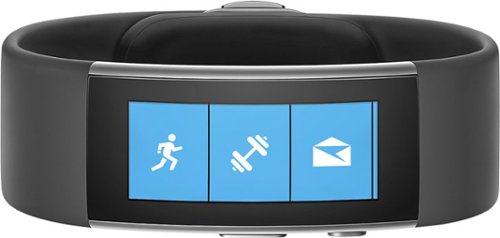
Microsoft Band 2 (Large): Keep track of your health and fitness goals throughout the day by monitoring your heart rate, steps taken, calories burned, sleep quality, hours slept and other helpful metrics. Just pair with your Windows Phone, Apple iOS or Android device via Bluetooth to receive alerts at a glance.Discover how the technology of Microsoft Band 2 can assist you in a healthy, productive lifestyle. Learn more ~
Overall5 out of 5
5 out of 5Best fitness tracker for the money
By CraigB
from Texas
When choosing high end fitness bands, my choices went back and forth between the Microsoft Band 2 and the Fitbit Surge. Fitbit has been in the business for fitness wearables for longer but I chose the Band 2 for what I felt was better value for my money. I purchased during a $50 off sale making it even more attractive and $50 less than the Surge. My main phone for this review is a Lumia 1520 with Windows 10 Mobile. I assume others will write reviews of the phone for other platforms and that is where this review starts. This fitness wearable is by far the most compatible. It supports iOS, Android, and Windows Phone/Mobile. Fitbit does as well but support for Windows Mobile is more limited. Comparing it to the Surge, it has more customizability, color screen, and a partially metal build. It feels more premium than the Surge. The metal does have 2 downsides. The first is that the finish used shows scratches extremely easily. See included picture. The second is that sweat and soap cause a foul smell very quickly requiring regular cleaning.
The Band 2 can be worn in two positions. The first is with the screen facing outwards like a watch. I tried this but it felt uncomfortable and viewing the screen was awkward particularly considering the screen doesn’t have a vertical view. This leads me to my preferred position which is with the screen facing inwards. It is much more natural to view and operate. It also feels more comfortable and is in fact the recommended way to wear the device. If there was any concern it is that wearing it inward the screen is always contacting surfaces when you lay your arms down. It uses gorilla glass but it still concerns me that I might scratch the screen. Every fitness wearable wasn’t completely comfortable to wear for one reason or another but this one starts to feel about like a watch after an adjustment period. Before you get the size right you might put it a place that binds you wrist or hits a nerve. I also learned it can get the heart rate just fine without tightening it down so far you hit nerves. Just like a watch it will take some fiddling to find your perfect tightness. Fortunately, the latching mechanism feels strong and has more adjustments than a tradition watch as well giving you more flexibility. Just make sure you use the sizing guide on the size of the box to choose the correct size. It shows wrists sizes with the wrist sideways.
Now the big question is how it works for tracking vitals. I haven’t worked with VO2 Max so I can’t comment on that but after getting the fit correct, the heart rate seems pretty close. Checking manual it was usually within about 10BPM or less from actual. Tracking steps seems a little different. It is difficult to verify but it seems to be a little high on the number of steps sometimes compared to my old hip worn pedometer. It just seems like I can reach 5,000 steps fairly easily. I am not a runner so I have not tested the GPS but I have read that some units have come from the factory with a bad GPS. What’s really nice is with all the vitals it gathers, more than just heart rate, it should be a fairly accurate color estimate. It has guided workouts you can add but I used the generic color tracking and added my own workout types to track. You can add things like HIT and weight training for your own purposes but it uses all the sensors to estimate the color burn instead of estimating based on the workout type. I feel this is more accurate but cannot verify. When you start workout mode, by default the screen stays on showing your workout time and heart rate. I suspect it is not as accurate as a chest band but it seems pretty good. After your workout is done you can see the entire workout on your phone or the website with your heart rate the entire time and your max marked. If there was any gripe it would be that you can’t have it vibrate when you hit your target or max heart rate. That would have been a great feature but, who knows. Maybe they will add it in the future. You can even use the website to compare your vitals to others in your height, weight, and age category. It’s all anonymous and very informative.
When not working out it still tracks your heart rate all the time but the other useful time to check is when you are sleeping. It can detect your sleep but if it gets it wrong you can only delete the time, not edit. You are better off starting your sleep tracking yourself. While sleeping, it will monitor you and in when you wake up you can see what your resting heart rate was overnight to get an even better picture of your health. It also has a smart alarm you can activate. If you want to wake up at a set time, just set the alarm and it will vibrate to wake you up. What I really like is if you activate the smart alarm and set it for 7:30am it will wake you up somewhere between 7:00am and 8:00am when you are most awake. That means you don’t wake up to an alarm feeling like you haven’t rested. You can even set the strength of the vibration.
Since this is a little bit of a smart watch you can add some apps. Since the phone doesn’t have any memory though, expect to only have them work when around your phone. It can control music on your phone and even use voice recognition with Cortana. I am running a prerelease build of the phone software so on occasion the connection dropped but it wasn’t hard to get back. I have found the notifications actually quite nice. I can leave the phone in one place in the house and still get notifications and respond to basic texts. I can also connect my phone to the stereo and change tracks and turn the volume up or down. It’s a standard feature for a smart watch but this is a fitness wearable and much cheaper than a smart watch. There are even some extra apps you can add and some third part utilizes to customize it further but if you want a smart watch more you might want to go that route. If you want a smart fitness tracker, this thing is hard to beat.
Pros
Solid (premium) build quality. It often gets looks and people asking what it is
Tracks more vitals than any other fitness wearable
Comfortable after figuring out your preferred fitment
Bright, sharp screen with auto brightness
Smart Alarm
Customizable workouts
Workout coaches
Customizable with smart watch type features
Solid latching mechanism
Good battery life for its functionality (2 days with no GPS and auto on screen)
Fast charge time (30 minutes to 80%)
Gorilla glass screen
Works on iOS, Android, Windows Mobile, and Web. The web is the most feature rich
Integrates with Health Vault
Constant heart rate
Portal to compare health
Rich sleep stats including restful sleep, times awake, resting heartrate, and recovery
Solid (premium) build quality. It often gets looks and people asking what it is
Tracks more vitals than any other fitness wearable
Comfortable after figuring out your preferred fitment
Bright, sharp screen with auto brightness
Smart Alarm
Customizable workouts
Workout coaches
Customizable with smart watch type features
Solid latching mechanism
Good battery life for its functionality (2 days with no GPS and auto on screen)
Fast charge time (30 minutes to 80%)
Gorilla glass screen
Works on iOS, Android, Windows Mobile, and Web. The web is the most feature rich
Integrates with Health Vault
Constant heart rate
Portal to compare health
Rich sleep stats including restful sleep, times awake, resting heartrate, and recovery
Cons
Cannot change band because electronics are built in
Metal area is a trap for sweat and soap requiring regular cleaning to prevent odor
Cannot change screen orientation
Awkward wearing screen outward
Metal finish is easy to scratch
No build in memory to bring music and store GPS while leaving phone behind for a time
Water resistant instead of waterproof
Possible to scratch screen with it facing downward
Sync is a bit slow
Cannot change band because electronics are built in
Metal area is a trap for sweat and soap requiring regular cleaning to prevent odor
Cannot change screen orientation
Awkward wearing screen outward
Metal finish is easy to scratch
No build in memory to bring music and store GPS while leaving phone behind for a time
Water resistant instead of waterproof
Possible to scratch screen with it facing downward
Sync is a bit slow
CraigB
Texas
Additional Findings
January 9, 2016
I just wanted to add an extra observations to my original review.
For those of you who want to view the display outside in sunlight, it doesn't seem to get that bright. For me that is not a big deal because outside exercises are typically the type where I don't use real time tracking but if you are the type who needs to read the display in direct sunlight, you might find it difficult. I will be checking further and report back if I find anything because indoors it is so bright that I wonder if I have done something wrong in the setup. Even with this finding I still feel it is the best for the money.
Also, if you happen to swap between phones or get a new phone you will have to factor reset the band. I periodically switch phones and discovered this. The system is designed to easily replace your band while using the same phone but if you move the band to any phone, even one that was restored from a backup of your original you will have to factory reset the band and set it back up. Not a huge deal because little is actually stored on the phone.
One other huge bonus for Windows Phone/Mobile users. If for some reason you either forget or choose not to wear your band and have a Lumia that is capable you can use it to augment your Band. Sometimes for different reasons I don't want to wear my band and only need to track steps. If I just keep my Lumia 950 in my pocket, it will track my steps and add them to what the band couldn't track. That particular feature is one I really love. The only caveat to that is while it updates the steps on the app and portal, the extra steps from your phone don't get transferred back to your band. This means if you took 2,000 steps with your band and phone and an additional 5,000 with only your Lumia the app will report 7,000 steps total which is correct but your band will continue to report 2,000 steps. Minor quibble though for a great additional feature for Windows Phone fans.
0points
0of 0voted this comment as helpful.

ecobee ecobee3 Programmable Touch-Screen Wi-Fi Thermostat: Maintain a comfortable home with this programmable thermostat, which is Apple~ HomeKit-enabled, so you can control the temperature remotely using your compatible device. Home IQ helps you conserve energy.
Overall 1 out of 5
1 out of 5cant set custom temps..sensors are glitchy
By annaj
i was trying to get this thermostat to set 4 or 5 different temps automaticly per day. an ecobee tech couldnt help me get this done on my web portal account . the sensors dont read the occupancy after being in the room for hours like being in a bedroom all night when u wake up the sensor will read unoccupied or sitting in the living room all day the same thing will happen after a few hours. a regular programable thermostat would have been a better choice.
CraigB
Texas
Did you try IFTTT
February 7, 2016
I was just wondering if you have looked into IFTTT to set those custom automatic temps. I haven't tried your exact scenario but the Ecobee3 can be connected to an IFTTT account to extend it's functionality.
0points
0of 0voted this comment as helpful.
Your household wants to play, stream and work online all at once. With this Linksys router, you can do it all without buffering or other interruptions. Use the Smart Wi-Fi app to get started, control, and monitor your home network from anywhere.
Overall5 out of 5
5 out of 5Solid router with good range and speed
By CraigB
from Texas
I am posting this review after about a week of use. If I find anything more significant after posting I will add it as a reply to my original post. Be sure to check there for additions.
I needed to upgrade my WiFi because the internet service in my area was about to be upgraded to exceed the capacity of my current wireless N solution. This router seems as if it was marketed towards moderate power users as well as people with less technical skills who need an upgrade. Packaging is minimal the same as most routers today. It comes with a CD for documentation but it is not used for setup. This is a good thing because as an AC router most people upgrading to this would have newer devices, few of which have an optical drive.
I needed to upgrade my WiFi because the internet service in my area was about to be upgraded to exceed the capacity of my current wireless N solution. This router seems as if it was marketed towards moderate power users as well as people with less technical skills who need an upgrade. Packaging is minimal the same as most routers today. It comes with a CD for documentation but it is not used for setup. This is a good thing because as an AC router most people upgrading to this would have newer devices, few of which have an optical drive.
For the non-technical
This is not very hard to set up. You plug power into the only spot it fits. There are three antennas that screw into very noticeable spots on the back. And the internet plug is clearly labeled. The instructions tell you what to do in a few steps to get the device to take care of the rest. It also has the wireless already set up if you are afraid to do it and even comes with a sticker with the information so you will know what the password is to get on the WiFi. It already has a guest WiFi too but there is a separate login so someone can’t just borrow your internet without you giving them the password. If you feel more comfortable there are apps for iPhones and Android phones to control the device. Speed and range are very good but if you can it is always recommended to install it as close to the center of your house and avoid metal. The router can pretty much take care of itself after that and it shouldn’t require any further work.
This is not very hard to set up. You plug power into the only spot it fits. There are three antennas that screw into very noticeable spots on the back. And the internet plug is clearly labeled. The instructions tell you what to do in a few steps to get the device to take care of the rest. It also has the wireless already set up if you are afraid to do it and even comes with a sticker with the information so you will know what the password is to get on the WiFi. It already has a guest WiFi too but there is a separate login so someone can’t just borrow your internet without you giving them the password. If you feel more comfortable there are apps for iPhones and Android phones to control the device. Speed and range are very good but if you can it is always recommended to install it as close to the center of your house and avoid metal. The router can pretty much take care of itself after that and it shouldn’t require any further work.
For the technical people
If you are looking for a device with tons of granular settings, this might not be the device. Of course the power users I am referring to would probably be better suited sticking with the WRT series. I doubt this device will ever see an aftermarket firmware. It attempts to have a clean interface but that means it will feel slower than a power user router for some settings changes as transitions and animations run their course. Setting changes that require a reboot happen nearly as fast as the fastest routers out there. Although the stock firmware attempts to look fancy and simple it still has a decent amount of settings for all but the most extreme power users. The antennas use a standard connection so if you wanted to upgrade to larger ones later that is possible. Hardwired speed has been very good. I’m just a casual gamer but this hasn’t slowed me down at all and I cannot tell the different hardwired from my old gaming router. Wireless speed is actually very good as well although I was never able to achieve the 1300Mbps link speed advertised even right next to the unit. I maxed out at 900Mbps and it is possible that is related to my AC devices. My old router would drop down to the 39Mpbs on the opposite side of my house whereas this one can maintain at least 177Mpbs and often more.
If you are looking for a device with tons of granular settings, this might not be the device. Of course the power users I am referring to would probably be better suited sticking with the WRT series. I doubt this device will ever see an aftermarket firmware. It attempts to have a clean interface but that means it will feel slower than a power user router for some settings changes as transitions and animations run their course. Setting changes that require a reboot happen nearly as fast as the fastest routers out there. Although the stock firmware attempts to look fancy and simple it still has a decent amount of settings for all but the most extreme power users. The antennas use a standard connection so if you wanted to upgrade to larger ones later that is possible. Hardwired speed has been very good. I’m just a casual gamer but this hasn’t slowed me down at all and I cannot tell the different hardwired from my old gaming router. Wireless speed is actually very good as well although I was never able to achieve the 1300Mbps link speed advertised even right next to the unit. I maxed out at 900Mbps and it is possible that is related to my AC devices. My old router would drop down to the 39Mpbs on the opposite side of my house whereas this one can maintain at least 177Mpbs and often more.
So far during my ownership the stability of this device has reminded me of the old Linksys routers how even the cheap ones never locked up. I’m hoping it stays this way. If you want to change settings, you can do so the standard way most technical people do via the IP address or it has a built in URL. Thankfully it doesn’t require some odd application for initial setup. Unlike standard routers, this one is cloud connected when you choose so meaning remote access is passed via the cloud. It does support some dynamic DNS options but they seem more to push you towards connection via their cloud. Fortunately, this is optional except if you want to take advantage of the built in USB ports and access files remotely. I don’t have a spare drive to test right now so unfortunately I could not test the NAS performance. It does have a very basic QoS which allows you to set up to 3 services or devices as high priority but that’s pretty much it. It has some newer options but then oddly has more old services, such as Real Player and Rhapsody.
Pros
Large, replaceable antennas
Great Range
Reliable
Gigabit Ports
Fast Processor
Status lights can be turned off
Decent amount of features for all but the heavy power users
Doesn’t require a special application for setup or CD
Has USB ports for attaching a hard drive
Offers automatic firmware upgrades to keep security up. Good for keeping non power users safe (Can be turned off)
Documentation is thorough if you need help. You just click help on the top bar
Major changes that require a restart are almost unnoticeable to users as it restarts fast
Has WiFi secured by default and requires a password to be configured during setup. This is good if you are buying one for family and just want it secure without needing to help them. It even has a handy sticker with device specific WiFi passwords so someone can’t just look up a default WiFi password for the unit and borrow internet.
Large, replaceable antennas
Great Range
Reliable
Gigabit Ports
Fast Processor
Status lights can be turned off
Decent amount of features for all but the heavy power users
Doesn’t require a special application for setup or CD
Has USB ports for attaching a hard drive
Offers automatic firmware upgrades to keep security up. Good for keeping non power users safe (Can be turned off)
Documentation is thorough if you need help. You just click help on the top bar
Major changes that require a restart are almost unnoticeable to users as it restarts fast
Has WiFi secured by default and requires a password to be configured during setup. This is good if you are buying one for family and just want it secure without needing to help them. It even has a handy sticker with device specific WiFi passwords so someone can’t just look up a default WiFi password for the unit and borrow internet.
Cons
Interface tries too hard to be attractive slowing it down with animations
Only supports 2 Dynamic DNS providers.
QoS settings seem to cater to power users but offer little customization
QoS rule changes require moving service or devices boxes around and the interface jumps quickly between sections. This often causes you to accidentally move something you didn’t intend to.
Included “Apps” are of limited usefulness and only work on iOS and Android which leaves out anything Windows (No Windows 10 Universal Apps) and no Mac. No configuring your router with touch, like via a Surface, using a Windows App.
Interface tries too hard to be attractive slowing it down with animations
Only supports 2 Dynamic DNS providers.
QoS settings seem to cater to power users but offer little customization
QoS rule changes require moving service or devices boxes around and the interface jumps quickly between sections. This often causes you to accidentally move something you didn’t intend to.
Included “Apps” are of limited usefulness and only work on iOS and Android which leaves out anything Windows (No Windows 10 Universal Apps) and no Mac. No configuring your router with touch, like via a Surface, using a Windows App.
Final Notes
Higher end units near this price point I have owned have had large aluminum heatsinks to dissipate heat. This one has one very small heatsink. I suspect heat stress will be higher on this unit and might be why this case has such a large open cavity you can easily see straight through the vent holes. I suspect longevity will be lower but only time will tell. So the unit has not felt very warm so fingers crossed.
Higher end units near this price point I have owned have had large aluminum heatsinks to dissipate heat. This one has one very small heatsink. I suspect heat stress will be higher on this unit and might be why this case has such a large open cavity you can easily see straight through the vent holes. I suspect longevity will be lower but only time will tell. So the unit has not felt very warm so fingers crossed.
CraigB
Texas
Longer term observations
February 22, 2016
Adding to my original review I have found some new observations to add to this router. I switched to using it as an access point, which takes a little digging, and found out that once you do so you lose a lot of features that should still work but are removed. For example, as an access point you get no guest networks. You can only have 1 2.5GHz WiFi and 1 5GHz. All features such as WMM and QoS are completely gone. Remote administration is turned off. I have also experienced an odd condition where my Xbox One cannot connect using the exact same key as my old router that my Xbox was connected to. I have also experienced 1 lockup where the unit just completely stopped responding and had to be power cycled. Over all it's still a good router but it feels like it could use a little more firmware refinement.
0points
0of 0voted this comment as helpful.
Microsoft Band 2 (Large): Keep track of your health and fitness goals throughout the day by monitoring your heart rate, steps taken, calories burned, sleep quality, hours slept and other helpful metrics. Just pair with your Windows Phone, Apple iOS or Android device via Bluetooth to receive alerts at a glance.Discover how the technology of Microsoft Band 2 can assist you in a healthy, productive lifestyle. Learn more ~
Overall5 out of 5
5 out of 5Best fitness tracker for the money
By CraigB
from Texas
When choosing high end fitness bands, my choices went back and forth between the Microsoft Band 2 and the Fitbit Surge. Fitbit has been in the business for fitness wearables for longer but I chose the Band 2 for what I felt was better value for my money. I purchased during a $50 off sale making it even more attractive and $50 less than the Surge. My main phone for this review is a Lumia 1520 with Windows 10 Mobile. I assume others will write reviews of the phone for other platforms and that is where this review starts. This fitness wearable is by far the most compatible. It supports iOS, Android, and Windows Phone/Mobile. Fitbit does as well but support for Windows Mobile is more limited. Comparing it to the Surge, it has more customizability, color screen, and a partially metal build. It feels more premium than the Surge. The metal does have 2 downsides. The first is that the finish used shows scratches extremely easily. See included picture. The second is that sweat and soap cause a foul smell very quickly requiring regular cleaning.
The Band 2 can be worn in two positions. The first is with the screen facing outwards like a watch. I tried this but it felt uncomfortable and viewing the screen was awkward particularly considering the screen doesn’t have a vertical view. This leads me to my preferred position which is with the screen facing inwards. It is much more natural to view and operate. It also feels more comfortable and is in fact the recommended way to wear the device. If there was any concern it is that wearing it inward the screen is always contacting surfaces when you lay your arms down. It uses gorilla glass but it still concerns me that I might scratch the screen. Every fitness wearable wasn’t completely comfortable to wear for one reason or another but this one starts to feel about like a watch after an adjustment period. Before you get the size right you might put it a place that binds you wrist or hits a nerve. I also learned it can get the heart rate just fine without tightening it down so far you hit nerves. Just like a watch it will take some fiddling to find your perfect tightness. Fortunately, the latching mechanism feels strong and has more adjustments than a tradition watch as well giving you more flexibility. Just make sure you use the sizing guide on the size of the box to choose the correct size. It shows wrists sizes with the wrist sideways.
Now the big question is how it works for tracking vitals. I haven’t worked with VO2 Max so I can’t comment on that but after getting the fit correct, the heart rate seems pretty close. Checking manual it was usually within about 10BPM or less from actual. Tracking steps seems a little different. It is difficult to verify but it seems to be a little high on the number of steps sometimes compared to my old hip worn pedometer. It just seems like I can reach 5,000 steps fairly easily. I am not a runner so I have not tested the GPS but I have read that some units have come from the factory with a bad GPS. What’s really nice is with all the vitals it gathers, more than just heart rate, it should be a fairly accurate color estimate. It has guided workouts you can add but I used the generic color tracking and added my own workout types to track. You can add things like HIT and weight training for your own purposes but it uses all the sensors to estimate the color burn instead of estimating based on the workout type. I feel this is more accurate but cannot verify. When you start workout mode, by default the screen stays on showing your workout time and heart rate. I suspect it is not as accurate as a chest band but it seems pretty good. After your workout is done you can see the entire workout on your phone or the website with your heart rate the entire time and your max marked. If there was any gripe it would be that you can’t have it vibrate when you hit your target or max heart rate. That would have been a great feature but, who knows. Maybe they will add it in the future. You can even use the website to compare your vitals to others in your height, weight, and age category. It’s all anonymous and very informative.
When not working out it still tracks your heart rate all the time but the other useful time to check is when you are sleeping. It can detect your sleep but if it gets it wrong you can only delete the time, not edit. You are better off starting your sleep tracking yourself. While sleeping, it will monitor you and in when you wake up you can see what your resting heart rate was overnight to get an even better picture of your health. It also has a smart alarm you can activate. If you want to wake up at a set time, just set the alarm and it will vibrate to wake you up. What I really like is if you activate the smart alarm and set it for 7:30am it will wake you up somewhere between 7:00am and 8:00am when you are most awake. That means you don’t wake up to an alarm feeling like you haven’t rested. You can even set the strength of the vibration.
Since this is a little bit of a smart watch you can add some apps. Since the phone doesn’t have any memory though, expect to only have them work when around your phone. It can control music on your phone and even use voice recognition with Cortana. I am running a prerelease build of the phone software so on occasion the connection dropped but it wasn’t hard to get back. I have found the notifications actually quite nice. I can leave the phone in one place in the house and still get notifications and respond to basic texts. I can also connect my phone to the stereo and change tracks and turn the volume up or down. It’s a standard feature for a smart watch but this is a fitness wearable and much cheaper than a smart watch. There are even some extra apps you can add and some third part utilizes to customize it further but if you want a smart watch more you might want to go that route. If you want a smart fitness tracker, this thing is hard to beat.
Pros
Solid (premium) build quality. It often gets looks and people asking what it is
Tracks more vitals than any other fitness wearable
Comfortable after figuring out your preferred fitment
Bright, sharp screen with auto brightness
Smart Alarm
Customizable workouts
Workout coaches
Customizable with smart watch type features
Solid latching mechanism
Good battery life for its functionality (2 days with no GPS and auto on screen)
Fast charge time (30 minutes to 80%)
Gorilla glass screen
Works on iOS, Android, Windows Mobile, and Web. The web is the most feature rich
Integrates with Health Vault
Constant heart rate
Portal to compare health
Rich sleep stats including restful sleep, times awake, resting heartrate, and recovery
Solid (premium) build quality. It often gets looks and people asking what it is
Tracks more vitals than any other fitness wearable
Comfortable after figuring out your preferred fitment
Bright, sharp screen with auto brightness
Smart Alarm
Customizable workouts
Workout coaches
Customizable with smart watch type features
Solid latching mechanism
Good battery life for its functionality (2 days with no GPS and auto on screen)
Fast charge time (30 minutes to 80%)
Gorilla glass screen
Works on iOS, Android, Windows Mobile, and Web. The web is the most feature rich
Integrates with Health Vault
Constant heart rate
Portal to compare health
Rich sleep stats including restful sleep, times awake, resting heartrate, and recovery
Cons
Cannot change band because electronics are built in
Metal area is a trap for sweat and soap requiring regular cleaning to prevent odor
Cannot change screen orientation
Awkward wearing screen outward
Metal finish is easy to scratch
No build in memory to bring music and store GPS while leaving phone behind for a time
Water resistant instead of waterproof
Possible to scratch screen with it facing downward
Sync is a bit slow
Cannot change band because electronics are built in
Metal area is a trap for sweat and soap requiring regular cleaning to prevent odor
Cannot change screen orientation
Awkward wearing screen outward
Metal finish is easy to scratch
No build in memory to bring music and store GPS while leaving phone behind for a time
Water resistant instead of waterproof
Possible to scratch screen with it facing downward
Sync is a bit slow
CraigB
Texas
Band split after serveral months
May 23, 2016
As others who have discovered after owning the Band 2 for a while, the band itself tends to split. Even if you are gentle the rubberized material just doesn't seem to hold up. The good news in my case is I leave reasonably close to a Microsoft Store. I brought it to them and as always they took great care of me. The assistant store manager was the one who assisted me and he said that Microsoft is aware of the problem and is already working to fix the issue. I had the same problem with the first generation Type Cover for the Surface. Back then they took care of me and ultimately Microsoft corrected the issue. It's unfortunate this kind of thing gets through but at least it doesn't seem to be a hassle to get it resolved.
0points
0of 0voted this comment as helpful.
Enjoy powerful performance with this compact HP Pavilion Wave computer. The Intel i3 processor provides fast data handling, while the 1TB hard drive lets you store plenty of files. This HP Pavilion Wave computer has 8GB of RAM to run the latest applications and four USB ports for connecting multiple accessories.
Overall3 out of 5
3 out of 5Still can't get the speaker/microphone to work.
By Murphdad013
from New York , ny
The HP help line is terrible and Best Buy was no help at all. In fact I spoke directly ....finally...with someone at HP who said that my Paviliion Wave needed an external microphone headset for montonaccess Cortona. WRONG!!!!
CraigB
Texas
It has a built in microphone
January 16, 2017
I own this unit and it has a built in microphone. I use it for Cortana regularly. Sounds like the support person got it wrong.
0points
0of 0voted this comment as helpful.
Arlo Pro takes the worrying out of life with the 100% Wire-Free indoor/outdoor home monitoring system. Arlo Pro includes rechargeable batteries, motion and sound-activated alerts, 2-way audio, a 100+ decibel siren, and 7 days of free cloud HD video recordings. Arlo covers every angle to help keep you safe and protected.
Overall4 out of 5
4 out of 5Good system with lots of potential
By CraigB
from Texas
Pros
Extremely Quick setup (A 2 camera system takes roughly 30 minutes)
Very easy set up. It comes with basic instructions but the app nicely walks you through each step
No need to run wires
Compact
Discreet cameras easily blend in with lighter color homes
Good daytime video quality for the price
Includes microphone and speaker
Flexible mounting options. Included option is easy but other fixed mounts can be used
Large rechargeable batteries
Motion trigger is supposed to get an update to determine if the motion is by a person
All devices get regular security updates. Even the cameras get updated wirelessly. Nice considering cameras are a new target for hackers.
Inanimate objects don’t seem to cause false motion triggers
Standard external hard drive can be used for local storage
Basic plan included for free
Easily expandable
Extremely Quick setup (A 2 camera system takes roughly 30 minutes)
Very easy set up. It comes with basic instructions but the app nicely walks you through each step
No need to run wires
Compact
Discreet cameras easily blend in with lighter color homes
Good daytime video quality for the price
Includes microphone and speaker
Flexible mounting options. Included option is easy but other fixed mounts can be used
Large rechargeable batteries
Motion trigger is supposed to get an update to determine if the motion is by a person
All devices get regular security updates. Even the cameras get updated wirelessly. Nice considering cameras are a new target for hackers.
Inanimate objects don’t seem to cause false motion triggers
Standard external hard drive can be used for local storage
Basic plan included for free
Easily expandable
Cons
Support for Windows is poor for the new touchscreen devices.
No Windows app for Windows 8 and 10 devices of any size.
Video quality, mainly night time, is probably not good enough for legal purposes.
Night video quality makes recognition near impossible past approximately 10 feet
Easy to steal or move regardless of mounting
Camera speaker is not very loud
Provided screws use too fine of a thread and the metal head strips out easy
All videos are public if someone can intercept your emails on the way to your inbox. (Email delivery by design is not encrypted so if someone intercepts your emails on the way they can see any of your videos with audio)
Recording time is fixed so even if motion or sound is still occurring you can miss recording
Web interface has some bugs such as freezing on zoom, Live play button disappears, and touch doesn’t work.
Sound recording doesn’t occur until a few seconds after video recording
At least one camera exhibited a noticeable “ticking clock” sound when recording audio
Connecting them hardwired defeats the weatherproofing
Instructions do not give tutorial about advanced features but rather let you discover them
No organizer for hard drive recordings
Dependent on good upload internet speeds. The more cameras you have, the faster the upload speed you need. This can be a limiting factor for some.
Long lag time to start live viewing even with very fast connection
Support for Windows is poor for the new touchscreen devices.
No Windows app for Windows 8 and 10 devices of any size.
Video quality, mainly night time, is probably not good enough for legal purposes.
Night video quality makes recognition near impossible past approximately 10 feet
Easy to steal or move regardless of mounting
Camera speaker is not very loud
Provided screws use too fine of a thread and the metal head strips out easy
All videos are public if someone can intercept your emails on the way to your inbox. (Email delivery by design is not encrypted so if someone intercepts your emails on the way they can see any of your videos with audio)
Recording time is fixed so even if motion or sound is still occurring you can miss recording
Web interface has some bugs such as freezing on zoom, Live play button disappears, and touch doesn’t work.
Sound recording doesn’t occur until a few seconds after video recording
At least one camera exhibited a noticeable “ticking clock” sound when recording audio
Connecting them hardwired defeats the weatherproofing
Instructions do not give tutorial about advanced features but rather let you discover them
No organizer for hard drive recordings
Dependent on good upload internet speeds. The more cameras you have, the faster the upload speed you need. This can be a limiting factor for some.
Long lag time to start live viewing even with very fast connection
Setup was very easy, particularly for a security camera system. The entire process is achieved by following the steps one by one as the app tells you. Install the app, set up your Arlo account, plug in the base unit to power and internet, sync the cameras, hang the cameras, and you’re done. A two camera system only took approximately 30 minutes. The kit includes metal bases, screws, and wall anchors but the screws are small and easy to strip. The metal bases work with a strong magnet included inside the camera. Although convenient, the metal bases allow someone to easily steal or move these expensive cameras so placement is important. Netgear offers screw in mounts for a more rigid and secure mounting. The entire hardware and software process has had a lot of thought put into making it easy. There are no complicated router changes needed to be made at all or complicated programming. Oddly some features, like changing the recording quality, must be done on a regular computer for which there is no app.
There is one strange feature omission from Netgear. This system has a Pro designation and yet support for regular, more modern computers, is limited. Businesses by and large use Windows computers and the most popular type of Windows computers selling today are Windows 2-in-1 convertibles with touchscreens this trend is forecasted to increase and yet this system is barely even useable by any touchscreen Windows device. This is also odd because what better way to check out a security video than on a large screen. You are forced to use a browser to view videos which the experience varies based on browser. Simple things like moving a slider don’t work because the website doesn’t work with touch. Browser administration has other bugs, such as the Live Video button disappearing. If this was an app you wouldn’t have to worry about how the end user’s choice of browser affects the experience. Not having a Universal Windows app is a missed opportunity. I have seen a large increase in clients that are buying Windows 2-in-1 systems instead of desktops or Android/iOS tablets for their primary system. A Windows Universal app they could support such systems, or any other form factor of Windows for that matter. Imagine if the app was on Xbox One in your living room and you want to check on things outside. Just say “Hey Cortana, open Arlo” and you could see your video feed or videos quickly and easily from the convenience of your couch on a big screen. That would be great. If you have smaller Windows devices, the website is unusable. It tries to get you to use an app that doesn’t exist. Oddly enough if you have a link to a shared video the same website will serve you the video in a mobile optimized format. Smaller Windows devices and Windows Mobile devices are left unsupported. Future updates and app releases could easily alleviate this but for now Windows support is poor.
The base unit comes with a Sync/Siren button, network port, and two USB ports for storage. The siren is loud and sounds like newer smoke alarms. It can be trigger locally, by the app, or via configurable rules such as motion or audio sensing. You can switch the base unit to modes for recording for motion and/or audio, no recording, or armed or disarmed based using Geofencing. You can also define your own custom modes allowing specific cameras and audio for each to be on or off. Due to battery restrictions, there is no continuous recording. Recording time from motion is a default of 5 seconds regardless of if the motion continues. Cameras include built in IR for night vision, motion sensor, microphone, and speaker and are weatherproof assuming the charging plug cover is on. One large difference with the Pro version is the inclusion of large rechargeable batteries which should last quite a long time between charging. When video is recorded, it is uploaded via your internet connection to your account meaning a good upload internet speed is important. Videos are stored in a calendar format and can be viewed, shared, or deleted from the interface.
Overall performance when factoring in the price for features was good. Shuddering and lag was minimal with surprisingly good wireless range. Remote viewing of live video is reasonably quick although it still took several seconds and is highly dependent on your internet upload speed. Audio took about 2 seconds to start every time after a motion trigger recording or manual live viewing and had a slightly audible tick-tock sound. The built-in speaker is barely audible at max volume. As with all security systems, there is a loss of some detail to do recording compression. Daytime recordings show signs of video compression but subjects are still reasonably recognizable at approximately 25 feet. Nighttime viewing brings recognition down to approximately 10-15 feet before subjects hard to recognize. Although not official, friends in law enforcement said it is not good for legal purposes as they must have a definitive, recognizable face to use the video. Motion detection was generally good but people moving fast could often elude the recording. Due to the fixed recording time, the system could also miss recording an event if it ran past the configured time.
A big concern is the video sharing feature. Arlo by default emails you anytime it records. It conveniently sends you a screenshot of what it recorded. However; the email sends a direct link to the video that can be viewed without logging in. This would be even more concerning if you had cameras in your house. By definition, is sent unsecured between providers. Although the industry is trying to improve that, you should always assume your emails have no encryption when sent to you. This means that it is possible and relatively easy for criminals to eavesdrop and see your videos with audio without ever knowing your account info. The good thing is that is easy to remedy turning off the feature that emails you when it records a video. That way the link to the video won’t be sent out on the web unsecured and your videos are still stored in the cloud without being shared openly. Hopefully, Netgear will remedy this in the future.
Overall, it is a nice system for the price point when compared to the competition. Compared to legacy DVR and NVR security camera systems this makes the whole process a lot more accessible for the average consumer. As long as you keep your expectations in line it is a nice system. All security camera systems, particularly ones costing less than $2,500 have limitations.
Overall, it is a nice system for the price point when compared to the competition. Compared to legacy DVR and NVR security camera systems this makes the whole process a lot more accessible for the average consumer. As long as you keep your expectations in line it is a nice system. All security camera systems, particularly ones costing less than $2,500 have limitations.
A standout feature, even comparing to high end systems, is this system will automatically get updates for security. Anyone who watched the news in late 2016 saw that the biggest hack was perpetrated using devices, such as camera systems, that weren’t updated. That is something still lacking in the “professional” security camera world. You also won’t have to hire someone to come pull wiring through your house or small business. Cameras can be placed wherever you can mount a base. If for some reason, such as poor signal, the place doesn’t work they are easy to move. It not be a real high definition security camera system but it also costs nowhere near as much. Just be sure you can accept the Cons before buying. The overall system is well thought out and with continued improvement of the listed cons this could be the best system for nearly any price.
CraigB
Texas
New developments after extended use
January 31, 2017
I have discovered some new elements to the system with more use.
The first is that I did find a way to adjust video quality via the app and not just the website. It turns out the way it is displayed is as one of 3 choices instead of a slider.
Next is that the cameras only work with Netgear's proprietary charger. Even though it uses USB both the manual an other say it only works with the Netgear one.
Finally I discovered that the motion detection does sometimes act strange. I purchase one additional camera and for some reason no matter the sensitivity of the motion it records a motion even every 30 seconds at night. I have observed that it seems to happen more if my neighbor has a light on but even that is not consistent.
+4points
4of 4voted this comment as helpful.
CraigB's Questions
CraigB has not submitted any questions.
Play games or program tech solutions on the wide 23-inch screen of this HP LED HD monitor. The antiglare flatscreen offers views from any angle, and the 1920 x 1080 display offers super-sharp images. This HP LED HD monitor has HDMI and VGA inputs, letting you connect a variety of peripherals and devices.
Wanting to purchase 3 of these. Join them for iracing online is that possible and what's easiest way?

That will be a challenge because the back of the monitor has no VESA mount and the stand is proprietary.
9 years, 8 months ago
by
CraigB
Play games or program tech solutions on the wide 23-inch screen of this HP LED HD monitor. The antiglare flatscreen offers views from any angle, and the 1920 x 1080 display offers super-sharp images. This HP LED HD monitor has HDMI and VGA inputs, letting you connect a variety of peripherals and devices.
Can the monitor orientation rotate to a portrait view and can an adapter allow it to be compatible with an iPad?
No it cannot. The stand only includes the ability to tilt.
9 years, 8 months ago
by
CraigB
Play games or program tech solutions on the wide 23-inch screen of this HP LED HD monitor. The antiglare flatscreen offers views from any angle, and the 1920 x 1080 display offers super-sharp images. This HP LED HD monitor has HDMI and VGA inputs, letting you connect a variety of peripherals and devices.
I have a window xp will this montier work
Windows XP would not be an issue. It would be what monitor plug(s) your computer has. It does include an older style VGA plug so I suspect you would be ok. If you want to be sure, take a picture of the back of your computer and bring it to the store and the staff could verify what you have to be safe.
9 years, 8 months ago
by
CraigB
Dell Inspiron 3650 Desktop: Multitask without sacrificing speed with this computer's high-speed wireless connectivity and 12GB memory for fast computing. Store plenty of music, videos and games with the expansive 1TB hard drive.
Will this desktop support this graphic card? https://m.newegg.com/Product/index?sdtid=9141847&SID=4cf74706860511e691e4e6dd8bcd7d810INT&AID=10440897&PID=1225267&nm_mc=AFC-C8Junction&cm_mmc=AFC-C8Junction-_-cables-_-na-_-na&itemnumber=N82E16814126100
Doubtful. The included power brick is 150 Watts and the one with a custom Radeon card uses a 180 Watt power brick. You would have to somehow modd the card to fit in the space which isn't a traditional slot and also purchase the 180 Watt brick and finally verify the card uses a maximum of 30 Watts. Overall I wouldn't recommend it.
9 years, 10 months ago
by
CraigB
Dell Inspiron 3650 Desktop: Multitask without sacrificing speed with this computer's high-speed wireless connectivity and 12GB memory for fast computing. Store plenty of music, videos and games with the expansive 1TB hard drive.
Can I use an expansion slot to use dedicated video card to bypass the integrated video card ? Thanks
Dell Inspiron 3650 Desktop: Multitask without sacrificing speed with this computer's high-speed wireless connectivity and 12GB memory for fast computing. Store plenty of music, videos and games with the expansive 1TB hard drive.
Can this be upgraded to Windows 10 Professional?
Yes. It's costs $99 and be purchase directly in Windows without reinstalling.
9 years, 10 months ago
by
CraigB
Dell Inspiron 3650 Desktop: Multitask without sacrificing speed with this computer's high-speed wireless connectivity and 12GB memory for fast computing. Store plenty of music, videos and games with the expansive 1TB hard drive.
Can I add 2nd hard drive to this unit?
Only if you swapped out the original with a smaller 2.5". The factory base model comes with a 3.5" which takes up the whole space whereas the higher end model has 2 of the 2.5" drives.
9 years, 10 months ago
by
CraigB
Dell Inspiron 3650 Desktop: Multitask without sacrificing speed with this computer's high-speed wireless connectivity and 12GB memory for fast computing. Store plenty of music, videos and games with the expansive 1TB hard drive.
how big is the power supply is it at least 400 watts are over
150 Watts for the base model and 180 Watts for the model with the SSD and Radeon card. It's a separate power brick. This is not a case for mods really.
9 years, 10 months ago
by
CraigB
Dell Inspiron 3650 Desktop: Multitask without sacrificing speed with this computer's high-speed wireless connectivity and 12GB memory for fast computing. Store plenty of music, videos and games with the expansive 1TB hard drive.
Can I transfer my existing MS Word/Excel or does it require MS 365?
It depends on your exact licensing. An OEM license that might have come with your old computer won't transfer. However; a retail copy can.
9 years, 10 months ago
by
CraigB
ecobee ecobee3 Programmable Touch-Screen Wi-Fi Thermostat: Maintain a comfortable home with this programmable thermostat, which is Apple~ HomeKit-enabled, so you can control the temperature remotely using your compatible device. Home IQ helps you conserve energy.
Does this device work with Samsung Smartthings?
I checked the Smartthings website and while they have a long list of compatible products, this one isn't on the list so I would like to know for sure before purchasing it.
Not directly but you can through adding the additional programming via the Smartthings Lab I believe it is called. I was looking into it myself and a company/person has made an addon module to support Ecobee3 but claims that since the development is ongoing and complex they ask for a minimum $15 contribution to get his/her code. https://github.com/yracine/device-type.myecobee The other option is to connect the two via IFTTT but that won't allow you to directly control your Ecobee via Smartthings but rather trigger actions based on events. If you want direct control via the app the only thing I found is to pony up the $15 for the code. I'm thinking about doing that myself.
10 years, 6 months ago
by
CraigB