


vrs99's stats
- Review count220
- Helpfulness votes1,302
- First reviewJanuary 3, 2014
- Last reviewAugust 7, 2026
- Featured reviews0
- Average rating4.6
- Review comment count5
- Helpfulness votes6
- First review commentJuly 11, 2015
- Last review commentJuly 18, 2017
- Featured review comments0
Questions
- Question count0
- Helpfulness votes0
- First questionNone
- Last questionNone
- Featured questions0
- Answer count45
- Helpfulness votes47
- First answerDecember 31, 2013
- Last answerJanuary 17, 2022
- Featured answers0
- Best answers1

Future-proofs your smart home with blazing-fast tri-band connectivity up to 14000 Mbps with Multi-Link Operation and 4096-QAM.
Customer Rating

5
ASUS - Key to Speed, Cyper Security & reliability
on January 21, 2025
Posted by: vrs99
The new ASUS ZenWifi BE14000 is a welcome addition to my network to play a critical role in our system, that being the capacity to manage security throughout our complex network. Comes with Tri-Band Wi-Fi 7 Mesh system, a seriously compelling system pushing Wi-Fi speed up to 14,000 Mbps, 8850 sq ft coverage, and latest Multi-Link Operation (MLO).
The next welcoming feature is the style of the devices, which fit nicely with the décor throughout our home. Compared to my Asus ROG Rapture GT-AX11000 PRO Gaming router the ASUS ZenWifi style is elegant and arrives with network and Wi-Fi punch.
The fact is I am replacing another advanced model Router Mesh system with the ASUS ZenWifi BE14000. Discovered when I received the other router that you must pay $99.99 a year to use the Firewall, which is built in. Subscriptions have become a de facto business model.
An exception being ASUS, which has for many years included a Commercial Level Firewall “AiProtection Pro powered by Trend Micro” and “Triple-Level Protection Network Security” that are included in their router. In today’s world you need the defenses of effective firewalls to protect you and your family from cyber threats. ASUS has long history of Reliable and Robust Network security.
One seamless capability of the ASUS ZenWifi BE14000 is the support of IoT device(s) isolation to a separate Wi-Fi network (SSID), this is a key feature for increasing security. On the Asus ZenWiFi BE14000 It is as easy as setting up a Guest Network on your system, it takes just a few minutes. This helps prevent potential security threats by placing IoT devices on an IoT Wi-Fi network isolated from your main network. This is one of the main reasons I am all in on the ASUS ZenWifi BE14000. Other approaches to isolating IoTs are quite technical and costly, such as Subnets and VLANS.
Adding the ASUS ZenWifi BE14000 to my existing system was as simple as connecting ethernet cable to my system and setting up through the Web Interface. Set up and managing ZenWifi BE14000 can be handled both through the ASUS Router APP or with their Web Interface, both are at the top of their game and offer the best of both worlds
The ASUS Router app offers the convenience of quick and easy setup, as well as remote management. It is an amazingly simple setup, one that anyone can clearly use to set up the MESH system quickly and effectively. The APP and the Web Interface provide a thorough set of management options and tools readily available to fine-tune your system to your requirements.
ASUS’s Router APP and Web Interface management tools are a Win Win for everyone.
My MESH setup has backhauled ethernet cabling from main office node (router) to the next node in middle of my home at the living room entertainment center. The third node connects to Wi-Fi and is located on the far side of the house in the master bedroom.
Throughput speed:
- Office 2.9Gbps wired
- Living room 1.9Gbps - 2.5Gbps wired
- Bedroom 1.4Gbps Wi-Fi
- Office 2.9Gbps wired
- Living room 1.9Gbps - 2.5Gbps wired
- Bedroom 1.4Gbps Wi-Fi
The ASUS - ZenWifi BE14000 is a “Key” addition to my network, a real game-changer, it has simply solved project of isolating IoT devices on my network. Isolating IoT devices is a challenge, and I spent a fair amount of time looking for a solution. Protecting your family's online activity is crucial today and the risks have never been greater, I sleep easier now.
The ASUS ZenWifi BE14000 is a winner and checks all the boxes for our online activity, and I love the stable and fast wireless bandwidth in my bedroom for evening gaming sessions!
I would recommend this to a friend!






Share this review:


0points
0of 0voted this as helpful.

Push performance to the next level with the blazing speed and massive bandwidth of Crucial DDR5 Pro OC Gaming Memory. With support for next-gen multi-core CPUs and the ~sweet spot~ speed of 6,400MT/s, our gaming memory harnesses the power of low latency so you can beat the clock and focus on outplaying your opponent instead of worrying about performance bottlenecks. This powerful, flexible memory supports next-gen multi-core CPUs and stable overclocking with Intel XMP 3.0 and AMD EXPO. Available in black or white in a 16GB density with a unique, origami-inspired aluminum heat spreader for a winning aesthetic. Unlock a new world of gaming performance with Crucial DDR5 Pro Gaming Memory.
Customer Rating
5
Milliseconds - Serious Business - Wins the Day
on January 3, 2025
Posted by: vrs99
The Crucial - Pro OC Gaming 32GB (2x16GB) DDR5 6400MHz C38 UDIMM Intel XMP 3.0 & AMD EXPO Desktop Memory (long name) is the step up DDR5 memory you want if you are stepping up your game up!
Requires either:
- Intel Core 12th to 14th Gen
- AMD Ryzen 7000 Series
- Intel Core 12th to 14th Gen
- AMD Ryzen 7000 Series
I have recently been running a very quick DDR5 6000 MT/s dual channel 32GB set of memory, which is stupid fast, and then the Crucial - Pro OC Gaming 32GB showed up on my desk. I’ll cut to the chase, the Crucial is faster and rock solid.
Pro’s:
- Crucial Pro OC Gaming DDR5 is ‘both’ Intel XMP 3.0 and AMD EXPO Ready
- 6400 MT/s 38-40-40-85 - Low Latency
- Good Price Point
- From Micron who has a long history of cutting-edge memory development and solid components.
- Crucial Pro OC Gaming DDR5 is ‘both’ Intel XMP 3.0 and AMD EXPO Ready
- 6400 MT/s 38-40-40-85 - Low Latency
- Good Price Point
- From Micron who has a long history of cutting-edge memory development and solid components.
Ran XMP OC up to XMP Tweak testing on latest Asus TUF Gaming Z890-Plus WIFI Motherboard with excellent results, nudging out the 6000 MT/s memory. Keeping in mind that millisecond response times is serious business on gaming grid.
What did I find? The is Crucial Pro OC Gaming DDR5 6400 MT/s is fast, fastest memory I have ran on my machine.
Fast Wins the Day
I would recommend this to a friend!

Share this review:


0points
0of 0voted this as helpful.
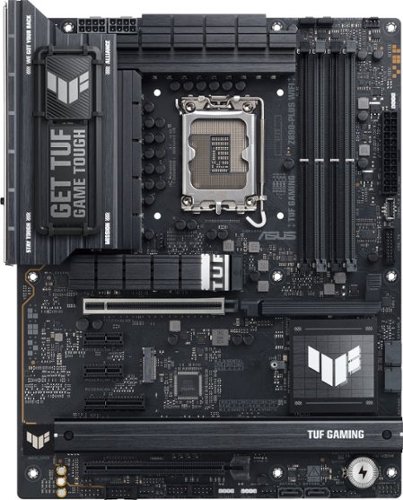
TUF GAMING Z890-PRO WIFI ATX motherboard, Advanced AI PC-ready, 16+1+2+1 80A DrMOS power stages,~DDR5 slots, PCIe 5.0, DisplayPort, HDMI, two Thunderbolt 4 USB Type-C ports, front panel USB 20Gbps Type-C port, 4 x M.2 slots, Wi-Fi 7 with Q-Antenna, Intel 2.5 Gb Ethernet, M.2 Q-Release, PCIe Q-Release Slim, Pre-mounted I/O shield, BIOS FlashBack botton, Aura Sync
Customer Rating
5
"In Search of Incredible" It's Here Now
on December 6, 2024
Posted by: vrs99
With many years of experience working with motherboards dating back to Atari 800 forward, I today have on my bench the Asus TUF GAMING Z890-PLUS WIFI, first response was – Wow! The stats and specs are just amazing and topflight all around and trust me I do not amaze easily.
ASUS’s Tuf Gaming Z890-Plus WIFI is their latest entry in the marketplace of high tech/bleeding edge machines that are “In Search of Incredible!” I dare say, they have hit their target right on the mark. This motherboard is by far the most incredible display of power, advanced connectivity, and sheer fun of working on that I have ever had in my office lab.
Lovely black on gray board with all the goodies you have dreamt of for your Gaming Rig, or an incredibly fast daily driver. Video Content Developers will discover the power to run the most demanding video editing and rendering jobs quickly, imagine rendering with 192GB of DDR5 memory at 6000MHz+.
The ASUS TUF Gaming MB provides support for all the top end specs, including PCIe 5.0. Besides installing Corsair DDR5 6000MHz memory I elected to install the MP700 Elite Gen5 NVMe m.2 SSD, which is stupid fast. These drives are ranked up to 10000MB’s Sequential Read and up to 8400MB/s Sequential Write. On the ASUS TUF Gaming board the drive performed above those numbers, please see CrystalDiskMark results in pictures.
The ASUS TUF Gaming ATX motherboard is built around Intel’s just released Z890 chipset supporting the LGA 1851 socket and the latest Intel Core Ultra Processors (series 2.) I opted for the Intel Core Ultra 7 (series 2) which is a solid performer, which pushed my testing to new levels.
When stress testing and benchmarking I pushed the board hard, for lengthy periods. During stress testing and benchmarking CPU never rose over 33 degrees, much of this must be attested to the extreme cooling system I installed. Oversized heatsinks on the VRMs show that this board is built for overclocking.
The BIOS in ASUS’s gaming board have always been top notch. This BIOS does not fail to disappoint as this board’s Bios is more refined and builds upon previous versions. EZ Bios allows for easy access to many key settings: AI Overclocker, XMP modes, Intel RST, and Q Fan control. A CPU temp graph is also displayed in the EZ Bios: a nice touch for quickly verifying the effectiveness of a new CPU cooler on a new build. Advanced Bios is familiar for ASUS gaming board owners and offers granular control for overclocking and more.
Pros:
- 2.5Gb Ethernet – 2.5Gb the sweet spot - 2.5 switches are now affordable
- DDR5 memory – supports up to 9066+ MT/s (OC) – 4 Dimm slots
- PCIe 5.0
- PCI-E 5.0 x16 for GPU
- Storage 4 x M.2 slots with PCIe 5.0 and 4.0 support
- Wi-Fi 7 169 MHz - Speeds up to 2.9Gbps
- Bluetooth 5.4
- USB – 8 ports – including USB C 20Gbps and Thunderbolt 4
- Serious VRM Heatsinks (voltage regulator module)
- New and improved Advanced UEFI BIOS - new users to advanced gaming
- Complete Owner’s Manual & Quick Start Guide (download owner manual)
- Advanced AI solutions for networking and cooling
- “Military-grade components”
- Advanced AI solutions – NPU can be overclocked in BIOS Tweaker with one click
- 2.5Gb Ethernet – 2.5Gb the sweet spot - 2.5 switches are now affordable
- DDR5 memory – supports up to 9066+ MT/s (OC) – 4 Dimm slots
- PCIe 5.0
- PCI-E 5.0 x16 for GPU
- Storage 4 x M.2 slots with PCIe 5.0 and 4.0 support
- Wi-Fi 7 169 MHz - Speeds up to 2.9Gbps
- Bluetooth 5.4
- USB – 8 ports – including USB C 20Gbps and Thunderbolt 4
- Serious VRM Heatsinks (voltage regulator module)
- New and improved Advanced UEFI BIOS - new users to advanced gaming
- Complete Owner’s Manual & Quick Start Guide (download owner manual)
- Advanced AI solutions for networking and cooling
- “Military-grade components”
- Advanced AI solutions – NPU can be overclocked in BIOS Tweaker with one click
Little things I like that make a difference:
- Mouse works in UEFI Bios
- Large GPU release latch
- Wi-Fi antenna – great range
- ‘Quality enhancements for PCIe .m2 slots include the ability to secure your .m2 drives without using the tiny little screws to secure .m2 the motherboard. The new Q-Slide the Q-Latch are the ticket – one click and SSD is secured.
- Solid .m2 heatsink, serious cooling with machined “TUF” on diagonally facing edge, stunning.
- Mouse works in UEFI Bios
- Large GPU release latch
- Wi-Fi antenna – great range
- ‘Quality enhancements for PCIe .m2 slots include the ability to secure your .m2 drives without using the tiny little screws to secure .m2 the motherboard. The new Q-Slide the Q-Latch are the ticket – one click and SSD is secured.
- Solid .m2 heatsink, serious cooling with machined “TUF” on diagonally facing edge, stunning.
If you are looking for equipment that cuts no corners and developed with rock-solid stability to handle your most demanding gaming…
Looking for the computer that hits all the right notes with leading technology throughout the system…
There are few choices that can match the Asus TUF GAMING Z890-PLUS WIFI.
I would recommend this to a friend!




Share this review:


+4points
4of 4voted this as helpful.

Stay on top of your game with impressively powerful, noise cancelling AZ80 wireless earbuds with reference-quality sound. Discover legendary recorded music as you've never heard it before with Technics' highest-resolution audio, giving you the feel of the arena, an exclusive club, or in-studio magic; hear all the incredible details, from the warm timbre of a singer's voice to the thrill of the beat drop. Like you, these bluetooth earbuds work as hard as they play, with state-of-the-art noise cancellation so you can focus on your critical business. A must-have for high-priority business calls, AZ80 earbuds ensure you voice comes through seamlessly on every call, with enhanced JustMyVoice technology using 8 MEMS microphones and an advanced noise-reducing algorithm to minimize outside interference. Now you can connect to more than two devices at the same time ~ Technics~ Multipoint technology allows you to connect to three Bluetooth devices simultaneously, keeping you connected to your computer, tablet and phone at once and giving you the ability to multitask with flow, whether you're on a plane or on the golf green. Charge wirelessly (Qi compatible) to keep your workspace and bedside table neat; supports wireless hi-res audio using state-of-the-art Bluetooth with LDAC compatibility. Noise cancellation, EQ, and more are customizable through the Technics audio app so you can always have sound just as you want it.
Customer Rating
5
Comfort all Day Tunes - Gaming - Cell - The Best
on November 3, 2024
Posted by: vrs99
Having had the pleasure of experiencing many wireless earbuds over the years, the common thread between new generations has continued to be that they constantly focus on making leaps forward in technology and most importantly the listening experience and comfort.
First impressions of the new Technics – Premium HiFi Wireless Earbuds is that from fast and furious Gaming to the broad spectrum of music genres Technics delivers, from heart pounding game intensity to laid back tunes. The Fit and finish resonates with the finish of our high-end Technics’ receiver, amp and turntable, fabulously smooth machined look.
Technics, an iconic name in the Premium Sound industry since 1965 when they released their first speakers. Technics continue to demonstrate their leading-edge sound technology today with the Technics Premium HiFi earbuds.
I was excited to receive the new earbuds, recognizing that I am going to experience a new dimension of sound in personal earbuds, I was right. The earbuds are light, really light at 0.01pounds, that is 4.5 grams, the absolute lightest I have worn.
Comfort, besides the lightness, the buds arrive with eight pairs of tips to fit comfortably in anyone’s ear regardless of size or age. They are perfectly comfortable, expanding within the ear to seal.
Audio – why we are all here. The sound is dynamic, impressive with a wide range from 20hz to 40kHz. Music and sounds remain crisp and clear even when cranked up to the max. Instrument and voice separation is exceptional, sitting in front row at concert. VR gaming is incredibly immersive. Bass pounds the lows out while flowing flawlessly with hi and midrange along with the singer’s voices.
Touch gestures are smooth and intuitive, from phone calls too operating techniques while listening to music and gaming. Luckly Technics had the foresight to provide a 41-page PDF manual for download. Covers all the bases simply and straightforward.
Pros:
- Ergonomic earbud design – great fit for all day wear
- Sound Clarity - very good noise canceling
- Extraordinary Music Reproduction
- 7-hour battery life
- Water resistant
- Connect to three Bluetooth devices simultaneously
- Earbuds can be used independently
- LDAC Bluetooth codec – allows for up to three times the data streaming over typical Bluetooth codecs
- EQ modes can be created in the app to suit your listening
- Ergonomic earbud design – great fit for all day wear
- Sound Clarity - very good noise canceling
- Extraordinary Music Reproduction
- 7-hour battery life
- Water resistant
- Connect to three Bluetooth devices simultaneously
- Earbuds can be used independently
- LDAC Bluetooth codec – allows for up to three times the data streaming over typical Bluetooth codecs
- EQ modes can be created in the app to suit your listening
Technics Premium HiFi earbuds bring a lot to the table at a good price point in a high performing State of the Art personal sound system. Highly comfortable for all day use and equally easy to operate in both a high paced environment or when kicking back with favorite tunes.
I would recommend this to a friend!


Share this review:


0points
0of 0voted this as helpful.
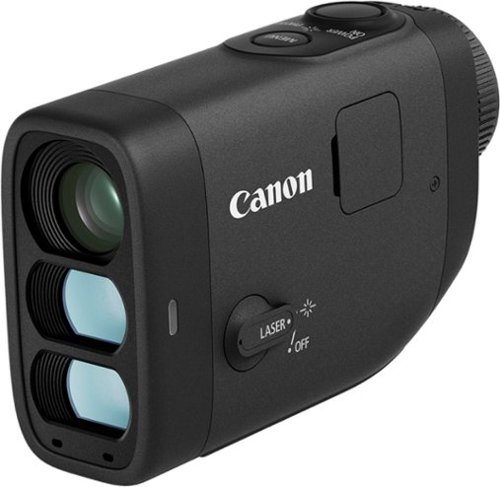
It~s time to lower your golf score! Introducing the PowerShot GOLF Digital Laser Rangefinder from Canon. Able to quickly measure distance and slope to the pin, you~ll now have the tools you need right in the palm of your hand to improve your game. The PowerShot GOLF is small, lightweight and water resistant, making it perfect to easily carry around the course, even in a little sprinkle. Plus, you can take photos and record video to review after the game to keep learning and improving even off the course.
Posted by: vrs99
When attempting to improve my golf shots on the course with a rangefinder there are two absolutes I look for, Clarity and how fast the rangefinder can Lock onto a Range Solution.
Golf may appear to be a calm leisurely sport pursuit, which most of the time is true. Then there are the moments when the course plays slowly with carts and players sitting closely behind waiting. And there are the days when your shots have a mind of their own, and you press on gathering your thoughts and looking for “the shot”.
When it is grind-time you want a rangefinder that locks on simply and quickly, and the view must be clear. No time for fumbling with switches and buttons, that just does not play when your thoughts are what club you want from the bag.
That is when the Canon - PowerShot GOLF Digital Laser Rangefinder Shines!
The Canon PowerShot Golf’s Stabilizer and Electronic View Finder provide spot on yardage accuracy to the pin that you can rely upon, quickly reliably. Clarity of the pin view is sharp with excellent color, just what you would expect from Canon!
The image can be brought closer with the 6x optical zoom and further enhanced with 12x digital zoom.
The fun side is taking pictures and videos on the course, and those can be fun moments around the course and in the clubhouse. Great for the amazing moments of lost balls or the Hole-in-One. Ideal for videoing a swing as well, when trying to work out your swing. Pictures and videos come out great, high resolution and motion.
Pros:
- Excellent stabilization for a steady view – beats my recent device hands down
- Electronic View Finder – true colors
- Slope correction
- Build quality, design, materials are First-rate
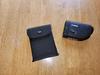
- Xtra nice storage bag with strongest Velcro strap I’ve seen closes with magnet - nice
- Good Price Point
- Waterproof
- Highly Accurate Yardages
- Smooth Operation
- Fits nicely into hand
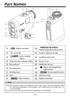
- Superb Manual – covers all aspects of the device and usage – like that
- Menus – clear easy management
- 9” durable USB-C cable Small for on course storage and quick clubhouse charging
- Excellent stabilization for a steady view – beats my recent device hands down
- Electronic View Finder – true colors
- Slope correction
- Build quality, design, materials are First-rate
- Xtra nice storage bag with strongest Velcro strap I’ve seen closes with magnet - nice
- Good Price Point
- Waterproof
- Highly Accurate Yardages
- Smooth Operation
- Fits nicely into hand
- Superb Manual – covers all aspects of the device and usage – like that
- Menus – clear easy management
- 9” durable USB-C cable Small for on course storage and quick clubhouse charging
Cons:
- No charger
- No strap for carrying rangefinder – tho there is a Strap-mount
- No charger
- No strap for carrying rangefinder – tho there is a Strap-mount
Having been on the courses and ranges for decades, HS Team Coach and raised a son on the golf course have a bit of a feel for the game. We have worked on and trained others on the course and ranges on growth, improving one’s game and maintaining that game.
During that time, we have had the opportunity to use different devices for shot accuracy and I can tell the Canon’s newest entry into the rangefinder market is a brilliant rangefinder that I am sure will last years and line you up for that One Shot – The Hole in One!
I would recommend this to a friend!

Share this review:


0points
0of 0voted this as helpful.
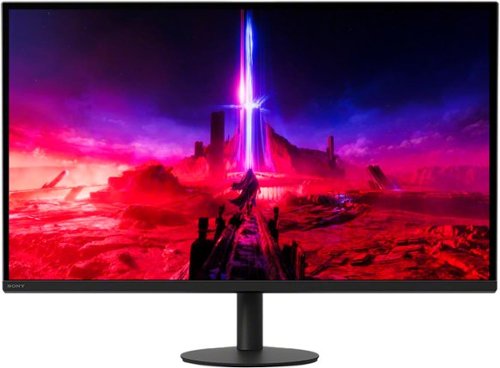
Discover a more immersive gaming experience with deep blacks and higher brightness, through Full Array Local Dimming display. 4K resolution,* coupled with a 160Hz refresh rate and backlight scanning technology, delivers smooth detailed visuals to ensure every moment is accurately reproduced in stunning detail.
Customer Rating
5
Gaming - The Need for Speed - It's INZONE!
on October 25, 2024
Posted by: vrs99
The Sony - 27” INZONE M9 II and accessories arrived in excellent shape, included in the box were a 6” DisplayPort cable and power adapter along with Setup Guide and Operating Instructions which includes wall mounting guide.
The INZONE monitor and accessories were easily unpacked and sorted. Assembly is intuitive and quick with the stand locking into place on the monitor, the base is secured by attached key. No tools necessary, completed install within 30 minutes. Stand is sturdy with small footprint and effortlessly swivels left to right. Rotates complete 360 degrees! Height adjustment is smooth and adjustable by 5”, allows for 45 degrees of tilt. Monitor is 1.5” thick at center.
Nipple Controllers are located at the right rear for on-screen display (OSD) to manage display, inputs, and gaming-specific settings that are accessible through the OSD. Monitor has 1 DisplayPort 2.1 and 2 HDMI 2.1 ports, as well as 2 USB-A, 1 USB-B, and a USB-A. The addition of extra USB ports is convenient when using flash drives and connecting peripherals.
The monitor’s 3840 x 2160 resolution ISP panel sports remarkably wide horizontal and vertical viewing angles of 178 degrees with no ghosting evident. During the game a 1 ms Response Time keeps you on the “Winning” edge.
Notes and Highlights”
- Blur Busters TestUFO – Perfect results
- Full array local dimming – nice
- DisplayHDR 600 with Peak brightness of 600 nits
- 160hz refresh rate keeps the action moving with no noticeable blurring
- Nvidia Gsync - buttery-smooth gaming experience
- Backlight scanning technology
- Full array local dimming – nice
- DisplayHDR 600 with Peak brightness of 600 nits
- 160hz refresh rate keeps the action moving with no noticeable blurring
- Nvidia Gsync - buttery-smooth gaming experience
- Backlight scanning technology
The Sony - 27” INZONE has it going on, on so many levels, enhancing deep blacks, super blur and screen tearing reduction, Extreme Gaming support that keeps you moving, in a no-nonsense monitor with all the essentials for silky smooth, fast-paced gaming through the whole color spectrum.
HP has checked all the boxes in the INZONE . I can tell; son keeps looking in wondering if I’ll be needing the INZONE for long. Game on
I would recommend this to a friend!






Share this review:


0points
0of 0voted this as helpful.

Go above and beyond with a Next Gen AI Copilot+ PC that seamlessly blends power, mobility and style. Bring your creations to life in an ultra-thin flip design. The latest AI accelerating Intel technology redefines power efficiency so you get more performance while looking and sounding your best with AI-enhanced video and audio tools.
Customer Rating

4
Further Leaps forward in Innovation
on October 21, 2024
Posted by: vrs99
Superb. Guess that was a Spoiler Alert. Truth is, I don’t often get excited over new equipment, often. Though sometimes I do, and this is one of those times.
Early takes, stylish case and really like the keyboard and key placement. Suits my hands quite well for efficient error free typing. The setup was smooth and well done. The only issue I had was MacAfee antivirus was pre-installed and hosed down my first installation after installing my security suite not realizing MacAfee was installed.
The HP OmniBook Ultra Flip - Copilot+ over the weekend quickly found a spot in my home office lab, on top of my desk. It is unique in ways I find topflight and leaves me asking why no one thought of the ideas previously.
The OmniBook Ultra is following a “very” recent trend of moving away from older connectors and provides only USB-C, two Thunderbolt and one standard USB-C. This is my second laptop with this approach, found that it makes sense in that systems need to move the technology forward. It was not a difficult move forward for me as having a USB-C dongle with USB-A and Display Port capability.
The OmniBook Intel Core Ultra 7 Series 2 Evo Edition CPU has AI NPU (neural processing units) baked into the CPU chip. The inclusion of NPU technology is a significant trend, I believe that soon all computers/cell phones will have NPU, along with the Co-Pilot key. For a wider understanding of AI NPU read Best Buy’s “Features” section for the OmniBook Ultra product listing.
My first impression of AI, many months ago, was not exciting, though as Co-Pilot matured as it is designed, I found the technology quite useful. Often will go to the AI key when looking for information.
One new unique adaptation on the laptop was the position of the USB connecters; the one USB-C is located to the left rear corner diagonally. The two USB-C Thunderbolts are located to the right rear, one diagonally and the other flush along the side. Convenient knowing which tech is located which side. The placement in innovative.
Using a Bamboo pen that pairs nicely with the pc, which assists in note taking and organizing studies. Though I don’t believe the use of stylus pen was mentioned in doc’s I found that the right side of the pc has a magnetic point for securing a pen.
Notes & Likes:
- Fast Silky Smooth operation
- Wi-Fi 7 Speeds of 5.8 Gbps in office and 3.8 Gbps across the house from Wi-Fi -7 router
- Facing camera has touch security shutter - simply swipe finger to close or open
- 2.8K OLED is brilliant
- “Eyesafe Certified display” Certified low blue light display
- Touchscreen, Touchpad and Pen operations precise and smooth
- SSD: Micron 2400 MTFDKBA1T0QFM - PCIe 4.0 x4 NVMe SSD - fast - good brand
- Intel Core Ultra 7 Series 2 Evo Edition 256V
- The system is designed with Focus on Security
- “Built for AI. Engineered to Do It All.” The OmniBook is built for Leading Edge AI
- Fast Silky Smooth operation
- Wi-Fi 7 Speeds of 5.8 Gbps in office and 3.8 Gbps across the house from Wi-Fi -7 router
- Facing camera has touch security shutter - simply swipe finger to close or open
- 2.8K OLED is brilliant
- “Eyesafe Certified display” Certified low blue light display
- Touchscreen, Touchpad and Pen operations precise and smooth
- SSD: Micron 2400 MTFDKBA1T0QFM - PCIe 4.0 x4 NVMe SSD - fast - good brand
- Intel Core Ultra 7 Series 2 Evo Edition 256V
- The system is designed with Focus on Security
- “Built for AI. Engineered to Do It All.” The OmniBook is built for Leading Edge AI
This is a short list of the OmniBook Ultra’s technology and capabilities – in short, The OmniBook hits all the right notes. Fact is the list of all the specs would take pages, please visit Best Buy’s website for the whole story. It is a story with a Happy Ending
I have stacks of laptops and PC’s in my home lab and the OmniBook Ultra has made a great impression on me. Take a close look at The OmniBook Ultra, it’s well worth your time.
I would recommend this to a friend!






Share this review:


+2points
2of 2voted this as helpful.

Get a close, comfortable shave any where with the Philips Norelco Portable Shaver. With 18 self-sharpening ComfortCut blades made from stainless steel and 37,000 cutting actions per minute, each hair is comfortably cut right above the skin for a smooth, even finish. 3D Floating Heads move in 3 different directions, following your facial contours for a clean shave, even in difficult-to-reach areas. It lets you quickly freshen up anytime, whether it's a sudden meeting, an unplanned outing, or a quick touch-up while traveling, saving time in your busy schedule. Adapt your shaving routine to your needs - choose a comfortable dry or a refreshing wet shave. You can shave with gel or foam, even under the shower. This portable electric shaver is water resistant so you can easily clean it under the tap. The IPX7 rating means that the shaver can be submerged in up to 3 feet of water for up to 30 minutes. Travel with peace of mind with its durable battery - you get 2 months of shaving with one charge~. Keep the shaver safe with the convenient deluxe travel case. Home or away, you're always ready to go. The built-in travel lock prevents the shaver from turning on while on the go. Enjoy convenient charging with a USB-A charging cable. (wall adapter not included) ~ assuming an average shaving time is about 1 minute per day.
Customer Rating

3
Great for Travelling Kit - Quick afternoon shave
on August 29, 2024
Posted by: vrs99
First impressions, feels comfortable in the hand, ergonomically speaking with convenient power button.
Small, stores away well in overnight kit and good for quick later afternoon shave.
Fast charge, USB cable included - not standard USB plug on shaver. Charge has held well for my trims. Shower safe.
Have a light beard which regulates most of my shaving to neck and facial cheek areas for cleanup. The compact shaver will do the job on the neck cheek, though it is not it is not a quick shaver and requires effort accomplish the job.
It is handy in light trimming strands of hairs that stick out from beard and moustache and smoothing back the top layer. Though has a tendency of jerking individual hairs out when smoothing the moustache.
It’s a mixed bag, of convenience, particularly for travel and quick cleanup shaves, though not the fastest shave.
The shaver is quiet yet seems underpowered for the job.
That said, people differ in facial hair makeup and believe when my son, who has lighter facial hair, comes in this weekend for Labor Day he may spirit the shaver away to school.
No, I would not recommend this to a friend.




Share this review:


0points
0of 0voted this as helpful.
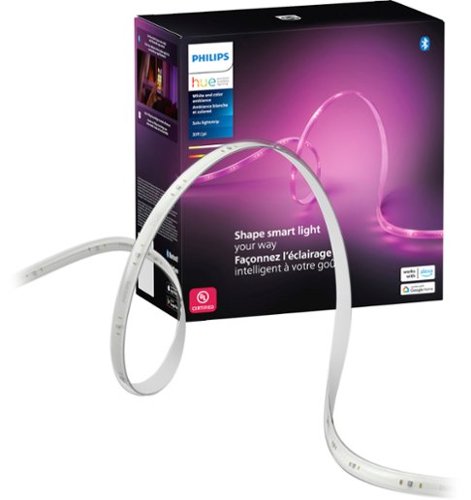
Enjoy a seamless blend of multiple colors of light at the same time in a single LED strip. The colors flow naturally together while casting a diffused rainbow of light to enhance your ambiance and room decor.
Customer Rating
5
Trip the Light Fantastic
on August 7, 2024
Posted by: vrs99
Another marvelous lighting system from Phillips Hue. My family has been enjoying Hue lighting for years, from the lighting ambiance and mood settings to the simplicity of managing our home lights. Appreciate the ability to manage our home lighting from anywhere in the world. Comes in handy on vacations. My son enjoys changing the lighting when he is away – a very funny guy!
The Hue Solo Lightstrip installation is a breeze, you can simply download the Hue App to get started straight away in minutes. The App Hue Scene Gallery has many, many preset lighting routines to choose from, you will find something to your liking and mood.
I added the Hue Solo Lightstrip to our Hue Bridge system which joins all our Hue lights into their Ecosystem – which I typically control with Alexa. Lighting made easy and fun, as well as convenient when moving from room to room.
The Hue Solo Lightstrip is adaptive and versatile – “Ultimate Flexibility” easily installed in virtually any place you like, indirect lighting, ceiling, gaming room, the list goes on. High intensity party lighting to laid back moonlight on the bay – it’s your choice.
My Catch-22 is the whole family has unique ideas about whose room we should install the Hue Solo Lighstrand. An easy solution for me, ordering two more online at Best Buy.
I would recommend this to a friend!






Share this review:


0points
0of 0voted this as helpful.
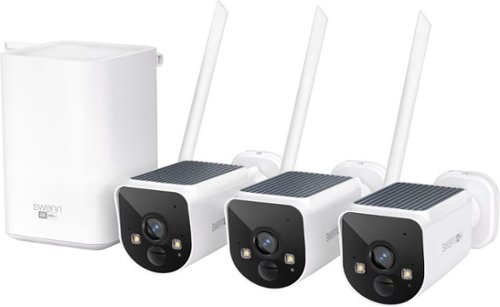
Swann~s MaxRanger4K offers the longest, strongest and most reliable wireless security (camara de seguridad wifi inalambricas).New wifi camera technology travels longer with 20x the coverage of other Wi-Fi surveillance & security cameras systems, allowing the wireless camera to be mounted up to 650ft (typical use) or 2000ft (in the open air) away from the Hub, on fences, trees, perimeters, sheds, barns and more. The signal is also stronger and more reliable, avoiding ~drop outs~ and more easily passing through obstacles like walls, ceilings and floors, and is perfect for homes (c~~maras de seguridad para casa)with brick walls, long halls, big yards and large garages. The solar camera outdoor wireless and Hub are pre-paired for set up in minutes, and the Cameras have built-in solar panels meaning you never have to worry about re-charging. Their best-in-class Sony STARVIS sensors provide rich 4K color, day and night.Mount them anywhere as they~re designed for use all year round. The included Hub has a pre-installed 64GB SD Card for long local recording, cloud backup and no monthly fee security camera. There~s a rechargeable battery inside so that if your mains power goes down the wireless security camera system will continue recording for up to 5 hours.With True Detect+, heat, motion, people and vehicles can trigger mobile alerts and recording. Actively prevent crime with sensor lights, sirens, 2-way talk and more, all viewable and controllable using the Swann Security app.
Customer Rating
5
Swann Complete Security Solutions - Cost Effective
on July 13, 2024
Posted by: vrs99
Spoiler alert! I am going to tell you up front what think of the Swann’s latest entry into the crowded Home/Business Camera Security market. Simply, I love the system. It is fantastic, brilliantly designed and implemented.
You may have the impression that I “really” like Swann security cameras. The truth is, I do not get excited about security systems, I use them in business and home protection. At present there are fifteen cameras in use on my property to secure approximately four acres of yard around my home and garage as well along my woods that surround our home.
Told my wife two months ago that I would ‘really’ like a solar powered wireless camera system that would work with our existing system security. Didn’t give it further thought until a couple weeks ago when the Swann MaxRanger4K Solar system was released. Truth is, then I did get excited!
The release of Swann’s new solar powered cameras resolved an issue I have been going over for quite some time without a solution. The ability to mount the solar wireless cameras high up on the west side of our house, where we do not have electricity, solved my dilemma. Had considered wiring that side of the house many times, which would be a major project. Thank you, Swann.
The icing on the cake is that my existing home camera security system is Swann and has been for some time. Previously to get the coverage I needed I had used a mix of different products. After years of experience with several systems I settled on Swann as being the best fit for my home and business, and I take my family’s safety seriously.
Was pleased to see that both my Swann systems, the DVR 8 Channel and the new MaxRanger4K NVR based system technology are both manageable with the same Swann App. Having the ability to manage and monitor the NVR and DVR systems and cameras is a Big Selling point to me after having to manage different systems separately, no fun.
Setup, in other past reviews I have mentioned that setups were straight forward simple and easy. I take most of that back after installing the new Swann MaxRanger4K Solar. There is not one system I have used previously that comes close to the simplicity, hassle-free, and basically automatic installation, as well as system and manageability. Amazed me when I simply turned the MaxRanger4K camera on the first time and it automatically paired with the NVR hub! Swann hit a Homerun.
Notes and Likes:
- Best Cameras I have ever used – solid and built for the long haul
- Solid App
- Subscription Free - great option for managing your own data
- Extra Protection Security Plans are excellent and more flexible the others
- Night Vision 130 ft – Very nice
- Battery Power Backup
- Camera Resolution 3840 x 2160
- Wide field of view – 120 degrees
- 8 Channels – for cameras
- 2-way audio – greet people from within the home
- MicroSD card storage – comes with 64GB – not clear on maximum storage
- Mounting kits for both wall face and an innovative solid mount for rain gutters
- Super resolution and vison day or night
- Never having to climb a ladder again to recharge a camera
- Solid App
- Subscription Free - great option for managing your own data
- Extra Protection Security Plans are excellent and more flexible the others
- Night Vision 130 ft – Very nice
- Battery Power Backup
- Camera Resolution 3840 x 2160
- Wide field of view – 120 degrees
- 8 Channels – for cameras
- 2-way audio – greet people from within the home
- MicroSD card storage – comes with 64GB – not clear on maximum storage
- Mounting kits for both wall face and an innovative solid mount for rain gutters
- Super resolution and vison day or night
- Never having to climb a ladder again to recharge a camera
Swann has been engineering and developing cost effective security for decades, in my book they provide top of the line systems that are dependable – and that is my bottom-line in-home protection.
I would recommend this to a friend!




Share this review:


+2points
2of 2voted this as helpful.
vrs99's Review Comments

Upgrade your laptop's storage with this Samsung 850 PRO MZ-7KE512BW internal SATA III solid state drive, which offers a generous 512GB capacity for digital data. SED (Self-Encrypting Drive) technology controls access to private information.
Overall 1 out of 5
1 out of 5Crashed and Burned after 44 Days - Good Luck
By vrs99
Fast SSD - and Extra Fast to Crash in just 44 days. Of course it was on a Friday evening and cannot speak to Samsung until Monday. Cannot Chat with them as they do not offer Chat for SSD's.
Luckily it crashed two weeks after the 30 day return period to Best Buy. Guess it is a good thing they offer 10 year warranty? But have heard they will return a refurbished unit, which will not be good on 44 day old product. Must be living on the bleeding edge, should have stuck with the Toshiba, which I can't see a real life difference in speed.

vrs99
TN
After a Day of Wrestling with the SSD
July 11, 2015
After pulling every rabbit out of my hat I finally got the SSD going again. Have to completely reload OS, etc. starting at Windows 8. Not fun.
But I am "somewhat" happy that I was able to get the drive working. Not sure what happen to the drive, but have some suspicion of a setting in Magician (software system for the 850 Pro) which boosts speed?
+2points
2of 2voted this comment as helpful.
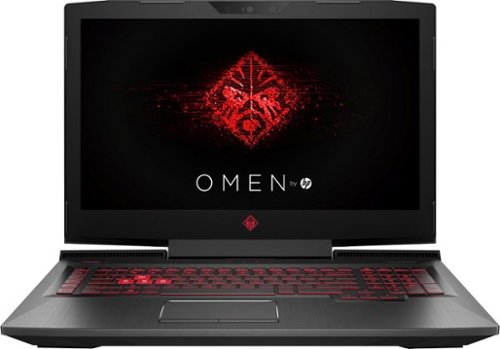
Only at Best BuyUpdate your portable technology kit with this HP Omen 17-inch laptop. Ideal for gaming, this machine combines a 7th generation Intel Core i7 processor with 12GB of DDR4 RAM for ultra-fast performance on the go. An island-style backlit keyboard equipped with dedicated macro keys makes this HP Omen 17-inch laptop easy to use in the dark.
Overall5 out of 5
5 out of 5Hp omen gaming laptop
By Martinezjorge7
I recently bought the 16 omen laptop and I was able to return mine and be able to upgrade the the newest one it has a better graphic card and an new design with a better cooling vent with a 1 tb hard drive
vrs99
TN
NO DVD
July 12, 2017
There is no DVD built, you would have to use external.
0points
0of 0voted this comment as helpful.

HP OMEN by HP Laptop: Power through the virtual landscape with this versatile HP Omen 15-inch laptop. Ideal for gaming, this machine packs a 7th generation Intel Core i7 processor and an NVIDIA GeForce GTX video card for superior graphics performance. The 1TB hard drive inside this HP Omen 15-inch laptop provides plenty for space for gaming profiles and other multimedia files.
Overall4 out of 5
4 out of 5Excellent laptop, but not the best value
By Xephyroth
from Colorado Springs, CO
This HP Omen is the 3rd gaming laptop I've ever owned, and it's undoubtedly the best one I've had the pleasure of using. However, this product isn't perfect out of the box.
FIRST IMPRESSION / UNBOXING:
Out of the box, the first thing that I noticed is that this laptop has impressive build quality. The sand-blasted brushing brings a pleasant aesthetic while also bringing solid weight and durability. It's not incredibly flashy, so it doesn't scream "gamer" like a lot of other laptops, but it definitely brings a touch of the "gamer" aesthetic without being overzealous. The notebook is also much thinner than I expected, as I've been used to much thicker gaming laptops, but I suppose the lack of an optical drive attributes to that. The power brick is fairly small and compact for a machine that's capable of entry/mid-level gaming.
Out of the box, the first thing that I noticed is that this laptop has impressive build quality. The sand-blasted brushing brings a pleasant aesthetic while also bringing solid weight and durability. It's not incredibly flashy, so it doesn't scream "gamer" like a lot of other laptops, but it definitely brings a touch of the "gamer" aesthetic without being overzealous. The notebook is also much thinner than I expected, as I've been used to much thicker gaming laptops, but I suppose the lack of an optical drive attributes to that. The power brick is fairly small and compact for a machine that's capable of entry/mid-level gaming.
DISPLAY:
Turning the display on, the 1080p IPS matte display is nice and bright, and viewing angles are decent without too much color shifting. Bezels aren't too large, and it's not something I noticed until just now while writing this review. While I'm used to Quad-HD and 4K resolutions, I was not displeased with this display in any fashion. The webcam is above the display and can record at 720p/30fps. Not the best, but not the worst webcam I've seen.
Turning the display on, the 1080p IPS matte display is nice and bright, and viewing angles are decent without too much color shifting. Bezels aren't too large, and it's not something I noticed until just now while writing this review. While I'm used to Quad-HD and 4K resolutions, I was not displeased with this display in any fashion. The webcam is above the display and can record at 720p/30fps. Not the best, but not the worst webcam I've seen.
KEYBOARD:
Typing on the keyboard is pleasant with the chiclet-style keys. It didn't take me too long to get used to the keyboard, having come from mechanical keyboards and MacBook Pro keyboards. The addition of the num-pad is certainly nice, as well. The keyboard is backlit red (as you'd expect with the Omen), but settings are very simplistic compared to other gaming laptops. The backlighting has 3 states: fully on, WASD on, or fully off. No, there are no fancy effects, and I wouldn't expect any at this price. I do find it a little bit surprising that you can't dim the backlighting, but I rarely dim the backlight on my keyboards, anyway, so it'd be a useless feature for me.
Typing on the keyboard is pleasant with the chiclet-style keys. It didn't take me too long to get used to the keyboard, having come from mechanical keyboards and MacBook Pro keyboards. The addition of the num-pad is certainly nice, as well. The keyboard is backlit red (as you'd expect with the Omen), but settings are very simplistic compared to other gaming laptops. The backlighting has 3 states: fully on, WASD on, or fully off. No, there are no fancy effects, and I wouldn't expect any at this price. I do find it a little bit surprising that you can't dim the backlighting, but I rarely dim the backlight on my keyboards, anyway, so it'd be a useless feature for me.
TRACKPAD:
Out of the box, the trackpad sensitivity was incredibly low for my personal taste. After making some adjustments to the Touchpad Settings in Windows 10, I found a sensitivity that worked well for me. The touchpad does not physically click, but there are left/right trackpad buttons. Initially, I did find the buttons to be awkwardly placed, but I actually got used to them fairly quickly. While the touchpad isn't the best I've ever used, it is pretty good, in my opinion. 2 and 3 finger gestures work, as well.
Out of the box, the trackpad sensitivity was incredibly low for my personal taste. After making some adjustments to the Touchpad Settings in Windows 10, I found a sensitivity that worked well for me. The touchpad does not physically click, but there are left/right trackpad buttons. Initially, I did find the buttons to be awkwardly placed, but I actually got used to them fairly quickly. While the touchpad isn't the best I've ever used, it is pretty good, in my opinion. 2 and 3 finger gestures work, as well.
SOUND:
The Bang & Olufsen speakers surprised me. They have good volume and a pleasant sound signature. However, they're bottom-firing, so when you put the laptop on your lap, the frequencies dampen and you lose a bit of treble/mid-range impact. Keep in mind, this is with the "B & O Play Experience" toggled on from the "Omen Audio" application. You'll definitely want to leave that on if you're using the speakers, or else the bass will disappear and will sound really anemic. I did notice some clipping at max volume when bass-heavy music was involved. Headphone jack works well as you'd expect, but doesn't promise anything fancy, so don't bother trying to drive headphones with high impedance. The built-in microphone array is good for video/voice chat session, but don't expect it to compete with a USB desktop microphone in terms of sound quality. For all casual purposes, it does just fine.
The Bang & Olufsen speakers surprised me. They have good volume and a pleasant sound signature. However, they're bottom-firing, so when you put the laptop on your lap, the frequencies dampen and you lose a bit of treble/mid-range impact. Keep in mind, this is with the "B & O Play Experience" toggled on from the "Omen Audio" application. You'll definitely want to leave that on if you're using the speakers, or else the bass will disappear and will sound really anemic. I did notice some clipping at max volume when bass-heavy music was involved. Headphone jack works well as you'd expect, but doesn't promise anything fancy, so don't bother trying to drive headphones with high impedance. The built-in microphone array is good for video/voice chat session, but don't expect it to compete with a USB desktop microphone in terms of sound quality. For all casual purposes, it does just fine.
PERFORMANCE:
This laptop comes with a 4-core / 8-thread Intel Core i7 processor. For most basic tasks, this is actually overkill. But for gamers, this is great, as more games are utilizing more threads. The GTX 1050 can play any older game at very high settings, and can still play many modern titles at medium / high settings at 1080p. 8GB of RAM is enough for most people, but individuals who multi-task with a lot of resource-intensive chrome tabs and extensions may find themselves wanting more. While the 1TB hard drive is rated for 7200RPM, I still find it unacceptable to not have the operating system installed on a Solid State Drive (SSD) for a machine at this price point. You will not be unlocking the full potential of this machine while your OS runs on a slow drive like this. Thankfully, the upgrade process is fairly simple. After consulting the service manual found on HP's support website, I unscrewed the 10 screws from the bottom of the laptop and removed the bottom panel by starting with the side closest to the display hinge. From there, you'll have access to the SATA drive bay, the M.2 SSD slot (unoccupied, but does support NVMe drives), and 2 RAM slots (with only 1 occupied). I suspect that each RAM slot supports up to 8GB, but I could not find any confirmation in any of the documents available on HP's support website.
This laptop comes with a 4-core / 8-thread Intel Core i7 processor. For most basic tasks, this is actually overkill. But for gamers, this is great, as more games are utilizing more threads. The GTX 1050 can play any older game at very high settings, and can still play many modern titles at medium / high settings at 1080p. 8GB of RAM is enough for most people, but individuals who multi-task with a lot of resource-intensive chrome tabs and extensions may find themselves wanting more. While the 1TB hard drive is rated for 7200RPM, I still find it unacceptable to not have the operating system installed on a Solid State Drive (SSD) for a machine at this price point. You will not be unlocking the full potential of this machine while your OS runs on a slow drive like this. Thankfully, the upgrade process is fairly simple. After consulting the service manual found on HP's support website, I unscrewed the 10 screws from the bottom of the laptop and removed the bottom panel by starting with the side closest to the display hinge. From there, you'll have access to the SATA drive bay, the M.2 SSD slot (unoccupied, but does support NVMe drives), and 2 RAM slots (with only 1 occupied). I suspect that each RAM slot supports up to 8GB, but I could not find any confirmation in any of the documents available on HP's support website.
I happened to have an unused SATA-based SSD, so I swapped that with the 1TB HDD and used the software that came with my SSD to transfer the OS from the HDD to the SSD. After this process, my HP Omen was substantially faster with booting the OS and running applications—a night & day difference.
BATTERY:
I haven't tested the battery life to an enormous extent, but enabling a battery estimation feature in the BIOS allows Windows 10 to report the estimated time (not just %) on battery. Depending on your brightness, power profile and workload, HP estimates 9 hours of mixed usage, and almost 7 hours of video playback. So far, I think that claim is accurate.
I haven't tested the battery life to an enormous extent, but enabling a battery estimation feature in the BIOS allows Windows 10 to report the estimated time (not just %) on battery. Depending on your brightness, power profile and workload, HP estimates 9 hours of mixed usage, and almost 7 hours of video playback. So far, I think that claim is accurate.
I/O:
The HP Omen doesn't support Thunderbolt 3, but all the USB ports support USB 3.1 (1 Type-C, 3 Type-A. There's also a gigabit ethernet jack, HDMI (HDCP 2.2, 4k@60Hz), and Mini DisplayPort. It also supports a full-size SD card which can be fully inserted into the laptop without sticking out. As mentioned before, it also sports a headphone and microphone jack.
The HP Omen doesn't support Thunderbolt 3, but all the USB ports support USB 3.1 (1 Type-C, 3 Type-A. There's also a gigabit ethernet jack, HDMI (HDCP 2.2, 4k@60Hz), and Mini DisplayPort. It also supports a full-size SD card which can be fully inserted into the laptop without sticking out. As mentioned before, it also sports a headphone and microphone jack.
CONCLUSION:
The HP Omen is a great laptop. It provides great features while also having room for a few upgrade. However, I do feel that an SSD should be included at this price—even a cheaper SATA-based M.2 or 2.5" drive would be fine. For a performance-oriented machine like this, skimping on the SSD is a poor decision on HP's part—especially at this price-point. I have seen competitor's laptops with the i7-7700HQ, GTX 1060, 16GB RAM, and 256GB SSD go on sale for cheaper. So in that regard, I do feel the HP Omen isn't providing as good a value, but it is objectively a good laptop—perhaps, just not as good a value when compared to other options around the same price.
The HP Omen is a great laptop. It provides great features while also having room for a few upgrade. However, I do feel that an SSD should be included at this price—even a cheaper SATA-based M.2 or 2.5" drive would be fine. For a performance-oriented machine like this, skimping on the SSD is a poor decision on HP's part—especially at this price-point. I have seen competitor's laptops with the i7-7700HQ, GTX 1060, 16GB RAM, and 256GB SSD go on sale for cheaper. So in that regard, I do feel the HP Omen isn't providing as good a value, but it is objectively a good laptop—perhaps, just not as good a value when compared to other options around the same price.
vrs99
TN
Support Manual web site?
July 14, 2017
Do you have the link to the HP Support Site that has the Support Manual?
Have been looking and must be in the wrong place - Thanks
0points
0of 0voted this comment as helpful.
HP OMEN by HP Laptop: Power through the virtual landscape with this versatile HP Omen 15-inch laptop. Ideal for gaming, this machine packs a 7th generation Intel Core i7 processor and an NVIDIA GeForce GTX video card for superior graphics performance. The 1TB hard drive inside this HP Omen 15-inch laptop provides plenty for space for gaming profiles and other multimedia files.
Overall5 out of 5
5 out of 5Zoom Zoom Zoom – Game On
By vrs99
from TN
This machine looks like it is going fast sitting on the desktop. The exhaust system vents on the back edges of the laptop brings to mind the tailpipes a supercar might be sporting. When it is cranking through benchmarking the cooling system and exhaust ports are doing a job, pushing volumes of hot air away from the machine.
The HP Omen is the most bang for the buck that I have ever seen in a laptop, this box is loaded with edgy technology. Not going through a list of specs, those are easy enough to find, what is impressive is that all techs are up to date, not last year’s stuff. Too many times have seen corners cut to save a dollar. Not here. Not one USB 2.0 in sight, which is surprising seeing that we just built beast of a desktop a month ago with the latest Z270 Kaby Lake i7 7700K, USB 2.0 ports still in use on an advanced motherboard. Kudos to HP.
Take a close look at the specs, you will find 802.11ac with a solid 866.7 Mbps connection. “Dual Force functionality splits traffic across two data streams, sending gaming traffic over the fastest connection available (typically wired), and all other traffic over WiFi.”
Other ports of interest (not a complete listing check the spec sheet):
1 USB 3.1 Type C
3 USB 3.1
Mini DisplayPort
3 USB 3.1
Mini DisplayPort
What I love is the fact you can purchase a HDD Omen model and then add your M.2 NVMe drive of choice, that is cool. If you are not yet familiar with M.2 NVMe you should take a look. In a word (or more) they are fast, about seven times that of a standard SSD.
What is interesting is that with the HDD the system boots up in 9 seconds, that is fully populated with my programs/anti-virus and all my files. Impressive. Being spoiled by SSD’s I must tip my hat to HP; this machine runs tremendously smooth with the 7200 RPM Hitachi HDD.
The Nvidia GeForce GTX 1050 (4 GB GDDR5 dedicated memory) discrete GPU ran through the Unigine Heaven Benchmark smoothly turning good numbers while the cooling system kept the GPU at a respectable 68 degrees. Notable, that with all the heavy iron under the hood the system manages the temp easily.
Ran my favorite game, Civilization VI through its paces today set on the highest graphic settings and it ran like a champ.
Looks, it has the looks, brushed aluminum case with an excellent finish. Nice touches all-around.
Know it is a way cool machine as my kid, the gamer in the house is explaining all the great and subtle reasons why it would be better for him to hang onto the machine. Yeah right!
What I am getting use to is the keyboard offset, a bit to the left to make room for the full size numeric pad, which is a nice touch. Keyboard is fine and well suited for heavy accurate work, or gaming for that matter.
Want a blistering rig in your hands at an excellent price point, one that can kick it at games and can be easily expanded, check out The Omen.
vrs99
TN
Maintenance and Service - Upgrade Manual
July 15, 2017
If you purchase the Omen and wish to upgrade memory or add M.2 SSD you can find the manual here:
http://h10032.www1.hp.com/ctg/Manual/c05533785
+3points
3of 3voted this comment as helpful.
HP OMEN by HP Laptop: Power through the virtual landscape with this versatile HP Omen 15-inch laptop. Ideal for gaming, this machine packs a 7th generation Intel Core i7 processor and an NVIDIA GeForce GTX video card for superior graphics performance. The 1TB hard drive inside this HP Omen 15-inch laptop provides plenty for space for gaming profiles and other multimedia files.
Overall5 out of 5
5 out of 5Zoom Zoom Zoom – Game On
By vrs99
from TN
This machine looks like it is going fast sitting on the desktop. The exhaust system vents on the back edges of the laptop brings to mind the tailpipes a supercar might be sporting. When it is cranking through benchmarking the cooling system and exhaust ports are doing a job, pushing volumes of hot air away from the machine.
The HP Omen is the most bang for the buck that I have ever seen in a laptop, this box is loaded with edgy technology. Not going through a list of specs, those are easy enough to find, what is impressive is that all techs are up to date, not last year’s stuff. Too many times have seen corners cut to save a dollar. Not here. Not one USB 2.0 in sight, which is surprising seeing that we just built beast of a desktop a month ago with the latest Z270 Kaby Lake i7 7700K, USB 2.0 ports still in use on an advanced motherboard. Kudos to HP.
Take a close look at the specs, you will find 802.11ac with a solid 866.7 Mbps connection. “Dual Force functionality splits traffic across two data streams, sending gaming traffic over the fastest connection available (typically wired), and all other traffic over WiFi.”
Other ports of interest (not a complete listing check the spec sheet):
1 USB 3.1 Type C
3 USB 3.1
Mini DisplayPort
3 USB 3.1
Mini DisplayPort
What I love is the fact you can purchase a HDD Omen model and then add your M.2 NVMe drive of choice, that is cool. If you are not yet familiar with M.2 NVMe you should take a look. In a word (or more) they are fast, about seven times that of a standard SSD.
What is interesting is that with the HDD the system boots up in 9 seconds, that is fully populated with my programs/anti-virus and all my files. Impressive. Being spoiled by SSD’s I must tip my hat to HP; this machine runs tremendously smooth with the 7200 RPM Hitachi HDD.
The Nvidia GeForce GTX 1050 (4 GB GDDR5 dedicated memory) discrete GPU ran through the Unigine Heaven Benchmark smoothly turning good numbers while the cooling system kept the GPU at a respectable 68 degrees. Notable, that with all the heavy iron under the hood the system manages the temp easily.
Ran my favorite game, Civilization VI through its paces today set on the highest graphic settings and it ran like a champ.
Looks, it has the looks, brushed aluminum case with an excellent finish. Nice touches all-around.
Know it is a way cool machine as my kid, the gamer in the house is explaining all the great and subtle reasons why it would be better for him to hang onto the machine. Yeah right!
What I am getting use to is the keyboard offset, a bit to the left to make room for the full size numeric pad, which is a nice touch. Keyboard is fine and well suited for heavy accurate work, or gaming for that matter.
Want a blistering rig in your hands at an excellent price point, one that can kick it at games and can be easily expanded, check out The Omen.
vrs99
TN
Adding M.2 SSD
July 18, 2017
Added a M.2 SSD to the Omen and nuked all the partitions on the HDD and added it back to the system. Day and Night performance. That is one aspect I like about this model is that it does not come with an installed M.2 drive, you can pick your own SSD ads capacity.
Screams with the new M.2 and have an additionally terabyte of storage on the HDD, whcih I use to sync my files to frequently before syncing with the NAS.
Great machine.
+1point
1of 1voted this comment as helpful.
vrs99's Questions
vrs99 has not submitted any questions.
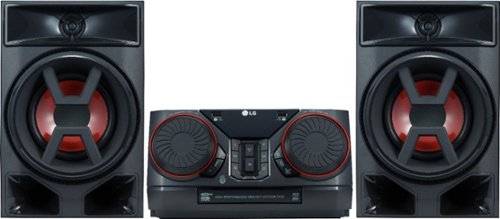
Enjoy room-filling audio in any living space with this LG Hi-Fi shelf system. Its two 150W speakers produce loud, detailed sound, and it streams music via Bluetooth when you pair it with an Android device. This LG Hi-Fi shelf system has an EQ function that optimizes the audio based on the music you're listening to.
how many cds does is play?
Enjoy room-filling audio in any living space with this LG Hi-Fi shelf system. Its two 150W speakers produce loud, detailed sound, and it streams music via Bluetooth when you pair it with an Android device. This LG Hi-Fi shelf system has an EQ function that optimizes the audio based on the music you're listening to.
Can this be connected to tv
It does connect with my LG TV via the LG Sound Sync/Bluetooth easily.
Would think that it would sync with any Bluetooth enabled TV but might need up to date version of Bluetooth.
If it does not remember Best Buy has generous return policy.
Would think that it would sync with any Bluetooth enabled TV but might need up to date version of Bluetooth.
If it does not remember Best Buy has generous return policy.
8 years, 1 month ago
by
vrs99
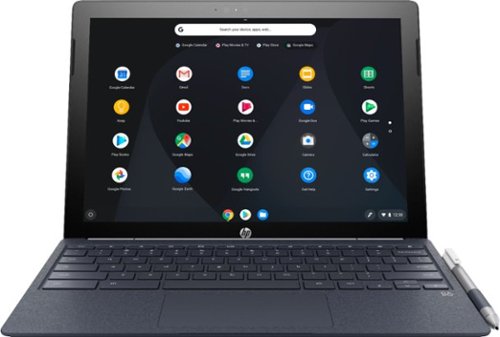
Run programs on this 12.3-inch HP Chromebook convertible laptop. Its detachable touch-screen display lets you enjoy brilliant 2K content, and you can write and draw on it with the included Active Pen. This HP Chromebook convertible laptop has 32GB of storage, and its Intel Core m3 processor and 4GB of RAM provide smooth performance.
I read in the specs "Built-in media reader for simple photo transfer. Supports select memory card formats." Does anyone know what formats are supported or not supported?
Run programs on this 12.3-inch HP Chromebook convertible laptop. Its detachable touch-screen display lets you enjoy brilliant 2K content, and you can write and draw on it with the included Active Pen. This HP Chromebook convertible laptop has 32GB of storage, and its Intel Core m3 processor and 4GB of RAM provide smooth performance.
Any info on this show stopper for me? (86) Access to the Google Play Store and related apps will be provided as part of a regular OS update. This feature might not be available at time of purchase;..
Your question is not clear. The Google Play Store is available with the first release of the unit.
8 years, 3 months ago
by
vrs99
Run programs on this 12.3-inch HP Chromebook convertible laptop. Its detachable touch-screen display lets you enjoy brilliant 2K content, and you can write and draw on it with the included Active Pen. This HP Chromebook convertible laptop has 32GB of storage, and its Intel Core m3 processor and 4GB of RAM provide smooth performance.
Does this computer have a camera in which I can use Skype?
Has both front and rear facing cameras, not positive but would bet that the camera will work with Skype.
If you cannot find an exact answer you could always take one and try it out. BB has a generous return policy.
If you cannot find an exact answer you could always take one and try it out. BB has a generous return policy.
8 years, 3 months ago
by
vrs99
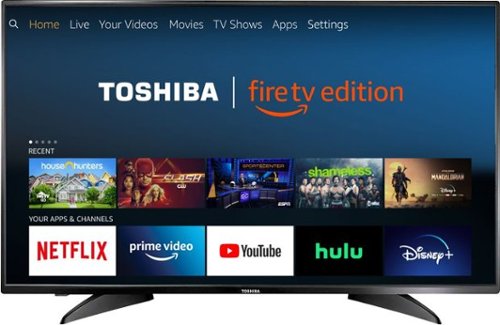
Toshiba 4K UHD Fire TV Edition is a new generation of smart TVs featuring the Fire TV experience built-in and including a Voice Remote with Alexa. With true-to-life 4K Ultra HD picture quality and access to all the movies and TV shows you love, Toshiba Fire TV Edition delivers a superior TV experience that gets smarter every day. The Voice Remote with Alexa lets you do everything you'd expect from a remote~plus, easily launch apps, search for TV shows, play music, switch inputs, control smart home devices and more, using just your voice.
Will you be able to download Amazon Apps ? Like Silk browser,and downloader ?
Toshiba 4K UHD Fire TV Edition is a new generation of smart TVs featuring the Fire TV experience built-in and including a Voice Remote with Alexa. With true-to-life 4K Ultra HD picture quality and access to all the movies and TV shows you love, Toshiba Fire TV Edition delivers a superior TV experience that gets smarter every day. The Voice Remote with Alexa lets you do everything you'd expect from a remote~plus, easily launch apps, search for TV shows, play music, switch inputs, control smart home devices and more, using just your voice.
will there be a need to use a firestick or is it built into the tv already? is it wifi or ethernet?
Fire TV is built in.
Wi-Fi and Ethernet are both included.
Wi-Fi and Ethernet are both included.
8 years, 3 months ago
by
vrs99
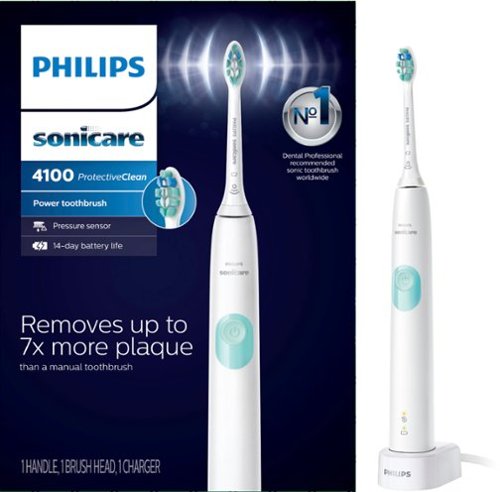
Philips Sonicare ProtectiveClean 4100 Plaque Control, Rechargeable electric toothbrush with pressure sensor, White Mint HX6817/01
is this item stocked in local stores
It is in stock at our Best Buy. Check their web-site it will tell you if they have it available for pickup.
8 years, 6 months ago
by
vrs99
Only at Best BuyUpdate your portable technology kit with this HP Omen 17-inch laptop. Ideal for gaming, this machine combines a 7th generation Intel Core i7 processor with 12GB of DDR4 RAM for ultra-fast performance on the go. An island-style backlit keyboard equipped with dedicated macro keys makes this HP Omen 17-inch laptop easy to use in the dark.
Does this laptop have an M.2 socket that supports an NVMe SSD? Also, is there an empty socket for ram expansion?
Here is the link to the spec sheet - will answer many of your questions.
http://www8.hp.com/us/en/images/OMEN_Laptop_17_an013dx_tcm245_2468782_tcm245_2469233_tcm245-2468782.pdf
The answers I am quite sure are yes as noted by the specs.
http://www8.hp.com/us/en/images/OMEN_Laptop_17_an013dx_tcm245_2468782_tcm245_2469233_tcm245-2468782.pdf
The answers I am quite sure are yes as noted by the specs.
9 years, 2 months ago
by
vrs99
Only at Best BuyUpdate your portable technology kit with this HP Omen 17-inch laptop. Ideal for gaming, this machine combines a 7th generation Intel Core i7 processor with 12GB of DDR4 RAM for ultra-fast performance on the go. An island-style backlit keyboard equipped with dedicated macro keys makes this HP Omen 17-inch laptop easy to use in the dark.
recently pre ordered this laptop I was so excited about it that after I put my order for it I didn't realize it didn't have a Solid state drive I'm very concerned that my laptop won't operate at it's best is there a way I can upgrade it by adding a SSD
Here is the link to the spec sheet - will answer many of your questions.
http://www8.hp.com/us/en/images/OMEN_Laptop_17_an013dx_tcm245_2468782_tcm245_2469233_tcm245-2468782.pdf
From what I understand the answer is yes and it is noted,
http://www8.hp.com/us/en/images/OMEN_Laptop_17_an013dx_tcm245_2468782_tcm245_2469233_tcm245-2468782.pdf
From what I understand the answer is yes and it is noted,
9 years, 2 months ago
by
vrs99