


vrs99's stats
- Review count220
- Helpfulness votes1,302
- First reviewJanuary 3, 2014
- Last reviewAugust 7, 2026
- Featured reviews0
- Average rating4.6
- Review comment count5
- Helpfulness votes6
- First review commentJuly 11, 2015
- Last review commentJuly 18, 2017
- Featured review comments0
Questions
- Question count0
- Helpfulness votes0
- First questionNone
- Last questionNone
- Featured questions0
- Answer count45
- Helpfulness votes47
- First answerDecember 31, 2013
- Last answerJanuary 17, 2022
- Featured answers0
- Best answers1
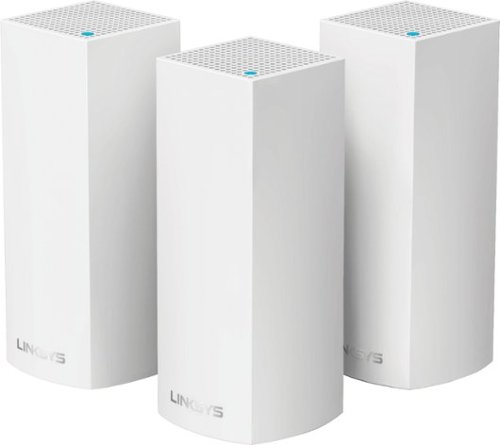
Make your home an internet haven with this versatile Linksys Velop wireless Wi-Fi system. Three identical tri-band dual-stream AC2200 routers, each equipped with a quad-core ARM Cortex-A7 processor, deliver lightning-fast internet. Equipped with Bluetooth 4.0/LE, this Linksys Velop wireless Wi-Fi system is simple to set up and pairs easily with computers, tablets and smart devices.
Customer Rating

4
Wi-Fi POWER with STYLE
on January 24, 2017
Posted by: vrs99
from TN
Tough to pick a start pointing on the review, so will start with my first impression, which was the packaging!
The Linksys Velop came packaged unlike any tech product I have ever opened, it was impressive. You can see in the packaging how serious Linksys is about delivering a State of the Art Chic (elegantly and stylishly fashionable) Network system.
On style, it hit the spot immediately when I set the Network Nodes on my dining room table. As the adage goes, it was just what the doctor ordered. Had been using a Linksys WRT 3200ACS router in Bridge mode in my kitchen from my EA9500 base router to expand the Wi-Fi, which was doing a terrific job.
The WRT 3200ACS was just a bit out of place in the kitchen, not what you can call Art-Deco.
The design, style of Velop in fact thrilled me, which may sound comical when speaking of tech equipment. That was a first. The point is, the Velop is close to a work of art with a touch of High Tech. Excellent.
The Linksys Velop came packaged unlike any tech product I have ever opened, it was impressive. You can see in the packaging how serious Linksys is about delivering a State of the Art Chic (elegantly and stylishly fashionable) Network system.
On style, it hit the spot immediately when I set the Network Nodes on my dining room table. As the adage goes, it was just what the doctor ordered. Had been using a Linksys WRT 3200ACS router in Bridge mode in my kitchen from my EA9500 base router to expand the Wi-Fi, which was doing a terrific job.
The WRT 3200ACS was just a bit out of place in the kitchen, not what you can call Art-Deco.
The design, style of Velop in fact thrilled me, which may sound comical when speaking of tech equipment. That was a first. The point is, the Velop is close to a work of art with a touch of High Tech. Excellent.
My setup includes three nodes, one in the Office, the Kitchen and one located in the Detached Garage.
The base Velop node in the office is wired to an AT&T router providing 50 Mbps.
The base Velop node has a Linksys 8-port Switch connected to the second RJ-45 jack which hardwires a Livingroom Linksys 4-port Switch for the Entertainment Center as well as two Weather Station Systems stationed in our front and back yard.
The base Velop node has a Linksys 8-port Switch connected to the second RJ-45 jack which hardwires a Livingroom Linksys 4-port Switch for the Entertainment Center as well as two Weather Station Systems stationed in our front and back yard.
The first jump from office base node to kitchen node, which is connected on Wi-Fi, is approximately 48 ft. through three walls and two rooms in between. The tested Wi-Fi speed was 48.52 Mbps download and 5.71 Mbps upload in the Kitchen. You would never see speed from a repeater anywhere near that mark.
The Velop node in the Detached Garage, which is approximately 90-100 ft. and much farther from the base node in the office and travels through three walls. The tested speed in the Garage was 24.88 Mbps download and 5.51 Mbps download.
Have walked to the end of my drive way with my mobile (which does receive as well as a laptop) and still had usable signal.
Have walked to the end of my drive way with my mobile (which does receive as well as a laptop) and still had usable signal.
Those are Excellent Wi-Fi Speeds and Performance for those Distances and Obstacles.
The system comes with a simple 3 step setup, which will get you running.
There is further documentation on their web-site under Support.
What the system truly needs is the ability to put the Velop in Bridge Mode, turn off the DHCP, and set the IP address allowing the Velop system to run on Sub-Nets. Have read that some people have set the Velop in Bridge Mode with the DHCP turned off, but I was advised by Linksys Support not to attempt putting the Velop into Bridge mode. It has not been tested by Linksys. Add the expanded capabilities and it is a Strong Five-Star. Hopefully in the future updates.
Do I like the Velop, YES! It is a Great System with immense potential and a Leap Forward in Networking.
Most importantly the whole family is happy with smooth steady Wi-Fi throughout the home and beyond.
My Best Buy number: 2002595546
I would recommend this to a friend!


Share this review:


+1point
1of 1voted this as helpful.

Whip up healthy drinks with the Nutri Ninja BlendMax blender. Its Total Crushing blade technology and 1600W of power grind vegetables and frozen fruits, letting you create luscious smoothies, purees and fresh juices. The Nutri Ninja BlendMax blender comes with two interchangeable pitchers, letting you mix up to 88 oz. of ingredients or extract nutritious vitamins.
Customer Rating

5
Stylish Powerful Beast of a Blender
on January 8, 2017
Posted by: vrs99
from TN
First impression was, WOW. The Ninja BlendMax Duo was not like any other blender I had ever seen, it is High Tech Stylish Beast of a blender.
After reading through the instruction manual and Recipe Inspiration Guide we got right into our first production, Cherry Snow Cones as suggested by a young family member. So, with the weather at a balmy 20 degrees we whipped up our first concoction.
Do read the Instructions carefully as you are dealing with a powerful bladed appliance. When washing the blades the instructions suggest washing with a brush rather than by hand, highly recommended.
So, after washing and drying we began.
Filled the large container, The Total Crushing Pitcher which holds up to 88oz. There are also two smaller Tritan Ninja Cups which hold 24oz and 18oz respectively which work with the Pro Extractor Blades.
Hands full of ice cubes went into the pitcher, followed the instructions and in a few punches of buttons the Beast wound up and in moments turned our pile of ice cubes into some mighty fine snow cone ice. Topped with cherry juice, delicious. Plus, easy to clean by simply rinsing the ice out and drying.
Next up was a lovely soup from the recipe book, which is delicious as well as healthy. Again, after prep it was a whiz to blend the ingredients.
Next up was a lovely soup from the recipe book, which is delicious as well as healthy. Again, after prep it was a whiz to blend the ingredients.
If you are looking for a blender that does it all, and has the “Power” to get the job done take a serious look at the Ninja.
My Best Buy number: 2002595546
I would recommend this to a friend!


Share this review:


0points
0of 0voted this as helpful.

Keep unwanted hair to a minimum with this Philips grooming tool. The waterproof design lets you use it in the shower, and eight attachments make this trimmer perfect for grooming different sections of the face. This Philips grooming tool has a turbo setting to increase cutting speed, and it charges in just one hour to reduce wait time.
Customer Rating
4
Excellent for Hair Removal
on December 14, 2016
Posted by: vrs99
from TN
Have been using the Norelco 7400 very several weeks now and after a lukewarm first reaction to the product have found that I indeed like this product and use it frequently.
My first take was it was not efficient but once I got the hang of find the it works remarkably well in keeping facial hair at bay.
Do not have a moustache or beard and my main use is for nose and ear hair removal, which if you trim on a regular basis is quite quick. Point being if you allow the hair to grow you will take a bit more time cleaning up.
Personally, I get hair growth in the external auditory area, the outer part of the ear canal opening, and not sure if it is recommended for use in this area. I do clear the hair there but leaves my ears with a bit of buzz from the high pitch hum of the device, though clears quickly.
The Turbo mode comes in very handy as it makes quick work of your trimming.
Like the design, easy to handle and looks good on my sink counter next to electric shaver, if you are in to aesthetics.
My first take was it was not efficient but once I got the hang of find the it works remarkably well in keeping facial hair at bay.
Do not have a moustache or beard and my main use is for nose and ear hair removal, which if you trim on a regular basis is quite quick. Point being if you allow the hair to grow you will take a bit more time cleaning up.
Personally, I get hair growth in the external auditory area, the outer part of the ear canal opening, and not sure if it is recommended for use in this area. I do clear the hair there but leaves my ears with a bit of buzz from the high pitch hum of the device, though clears quickly.
The Turbo mode comes in very handy as it makes quick work of your trimming.
Like the design, easy to handle and looks good on my sink counter next to electric shaver, if you are in to aesthetics.
My Best Buy number: 2002595546
I would recommend this to a friend!
Share this review:


0points
0of 0voted this as helpful.
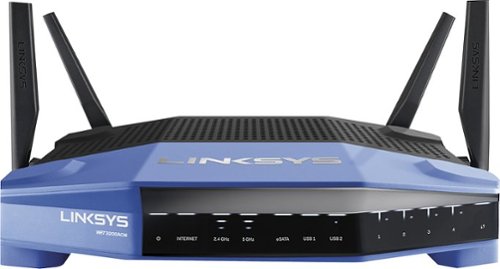
Connect your external wireless devices to the internet with this Linksys dual-band router. Two 5Ghz bands support both high-end gaming and low-end applications without compromising speed, and remote management lets you make adjustments from any location. This Linksys dual-band router has a sleek design that integrates easily into most workspaces.
Customer Rating
5
Excellent
on November 28, 2016
Posted by: vrs99
from TN
What do I like about the WRT 3200 ACS? Easy answer, Everything.
Have had both the original WRT 1900AC and the upgraded model WRT 1900ACs, both are solid performers. What is great about the Updated WRT 3200ACS, faster processor, MU-MIMO Technology, the ability to operate on OpenWRT, and blazing fast Wi-Fi. Read the specs, it is loaded for its price range.
Have been reconfiguring my network system more intensely the last few years due to the huge ramping up of Wi-Fi usage, it has been an uphill battle. You should be aware that the Wi-Fi Bandwidth usage is just not within your home, but is all Wi-Fi systems that are in range of your network. Just like the freeway at rush hour there is only so much space on the Wi-Fi band for the data traffic.
For one, I do not like going slow on the network or Internet.
My network is highly used with over 20 devices that are directly connected either through wire or Wi-Fi (page one of my Network picture is attached) with a network backbone of three Routers, two switches and a repeater (for the garage.)
For one, I do not like going slow on the network or Internet.
My network is highly used with over 20 devices that are directly connected either through wire or Wi-Fi (page one of my Network picture is attached) with a network backbone of three Routers, two switches and a repeater (for the garage.)
The WRT 3200ACS has been setup in wired Bridge Mode to expand the wired as well as the Wi-Fi on my network. This provides me with four more wired connections on the far side of my home and Killer High Speed Wi-Fi throughout.
What do I like, it is giving me rock steady maximum 2.4 and 5 Ghz throughput on my Wi-Fi. Attaching two pictures, one before and one after of my laptop connection speed. Before my 5 Ghz connection would be choked down to 520-585 Mbps now it remains steady at 867 Mbps, where my Wi-Fi adapter tops out.
Since the addition of the WRT 3200ACS to the network I have “Finally” become a Happy Camper.
My Best Buy number: 2002595546
I would recommend this to a friend!


Share this review:


+1point
1of 1voted this as helpful.
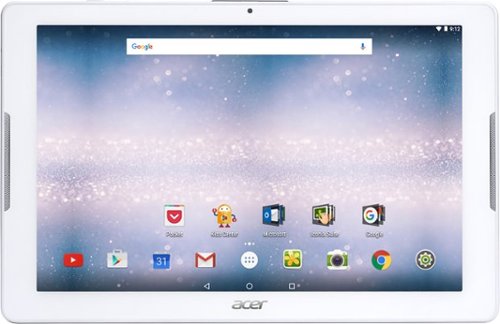
Browse the internet or play your favorite apps on this Acer tablet. It runs on an Android operating system and is powered by a quad-core 64-bit processor for full functionality. Google Mobile Services and Microsoft Office Suite are preloaded on this Acer tablet for out-of-the-box work or play capabilities, and DTS-HD Premium Sound lets you enjoy videos.
Customer Rating
4
Solid Tablet at Great Price Point
on October 24, 2016
Posted by: vrs99
from TN
What do I like about this Tablet? It is an inexpensive very capable tablet with a quite nice feature set.
My experience with Android (this tablet sports Version 6.0 Marshmallow) is that it is a slow booting system and that holds true with this tablet. After booting though the Acer Iconia One 10 (B3-A30) is nicely responsive and quick, it moves smoothly from one task to the next. Powered by the quad-core 1.3 GHz MediaTek MT8163 processor, has 1GB of DDR3 RAM with 32GB storage and microSD card support up to 128GB.
My experience with Android (this tablet sports Version 6.0 Marshmallow) is that it is a slow booting system and that holds true with this tablet. After booting though the Acer Iconia One 10 (B3-A30) is nicely responsive and quick, it moves smoothly from one task to the next. Powered by the quad-core 1.3 GHz MediaTek MT8163 processor, has 1GB of DDR3 RAM with 32GB storage and microSD card support up to 128GB.
The screen is HD 1280 x 800 which looks good in games, apps and pictures are sharp.
Wi-Fi is 802.11n Dual Band, would like to see 802.11ac but for the price point it works. On our VERY busy home network the data flow is smooth with no hiccups, no complaints. Like the fact that Acer did include the Dual Band support.
Additional features include Bluetooth 4.0, and a micro-USB 2.0 port for connectivity. It also has front stereo speakers, along with a 2MP front camera, and a 5MP rear camera.
Camera takes good pictures and the sound is fine, my wife speaks with her friends and family across the globe daily and loves the sound.
One item I am not thrilled with is the plastic cover at the top of the tablet which covers the Micro USB and microSD. Hoping it is stronger than it appears.
For a inexpensive everyday workhorse, this tablet gets the job done.
My Best Buy number: 2002595546
I would recommend this to a friend!
Share this review:


0points
0of 0voted this as helpful.
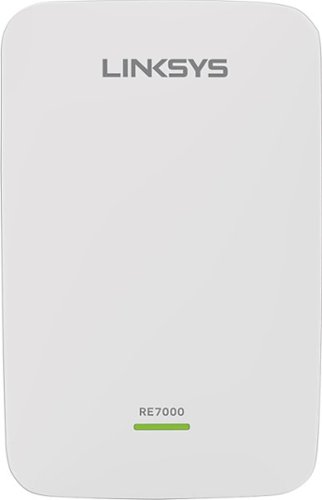
Prevent dead zones around your home with the help of this Linksys Wi-Fi range extender. It works with all types of Wi-Fi routers, and it uses multi-user MIMO for speed and efficiency. This Linksys Wi-Fi range extender can be used to create a different access point or to extend the field of the router~s connection.
Customer Rating
5
Blends in well with my Network
on May 21, 2016
Posted by: vrs99
First of all, I have setup the RE7000 Range Extender as a Wired Access Point on the opposite end of my home from a Linksys EA9500 via gigabit.
The setup was extremely simple using a laptop and connecting to the RE7000, simply follow the instruction in the quick start guide. I did a manual installation rather than using the WPS and utilized the Spot Finder in placement, which was spot on in the optimum range.
The setup was extremely simple using a laptop and connecting to the RE7000, simply follow the instruction in the quick start guide. I did a manual installation rather than using the WPS and utilized the Spot Finder in placement, which was spot on in the optimum range.
Ran some speed test by connecting to the RE7000 and alternately directly to the EA9500 router with my mobile phone in the room with the RE7000. After half a dozen test the RE7000 Extender came in at 26.37 download and 4.41 upload speeds, where the EA9500 router came in at 23.58 download and 4.37 upload speeds.
Not a great variance, but we are looking at the power of the EA9500 router which is a beast, but there was obvious improvement on the other side of the home with the RE7000.
Note: It should be clear that the speed test above would not be so close in speed if it was being testing from the room with the EA9500 router. The RE7000 simply does not have the power of a EA9500 Eight Antenna cutting edge router.
Have switched several of my devices to link to the RE7000, such as mobile and tablet devices, load balance my Wi-Fi networking.
One feature I certainly like is the ability to control access to the device, that is a big plus.
Another benefit I have found is the ability to switch my laptop over from the router to the extender when my family is wearing the network out. One evening my laptop had noticeably slowed and when I checked my download speed was being hammered. A quick flick of the wrist to move to the RE7000 brought my network speed back to norm.
The RE7000 has the future built in supporting Next Generation Multi User MIMO, Crossband and Beamforming technology, all of which will keep your network ahead of the bandwidth game.
The RE7000 has the future built in supporting Next Generation Multi User MIMO, Crossband and Beamforming technology, all of which will keep your network ahead of the bandwidth game.
Certainly the most advanced Range Extender I have used and if you need the range you should be well pleased with the unit.
I am part of a Best Buy review group and provided the RE7000 for an honest review on my part. It is a good and reliable unit and has not missed a beat in over a week of testing.
My Best Buy number: 2002595546
I would recommend this to a friend!
Share this review:


0points
0of 0voted this as helpful.
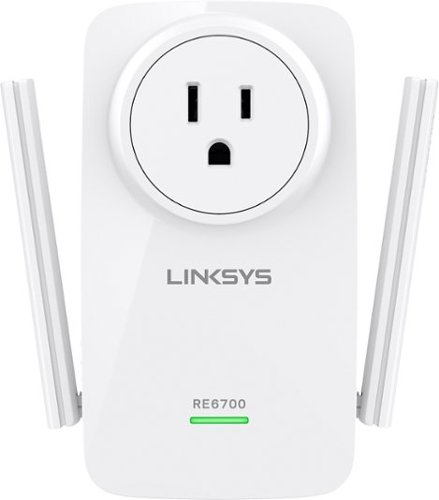
Easily boost Wi-Fi strength and coverage with this Linksys RE6700 wireless range extender, which features Spot Finder technology and 2.4/5.0GHz dual-band operation and works with 802.11a/b/g/n/ac networks.
Customer Rating
5
Amazing Stuff
on May 19, 2016
Posted by: vrs99
from TN
Amazed at the performance of the RE6700. This is my first go at a Range Extender and had heard from friends that they did not have much luck in the past with the extenders.
My RE6700 is installed in my detached garage and is 88’ (tape measured) from the router at the far end of my home. The signal must pass through two exterior walls as well as an interior, not to mention the gaggle of boxes and such in the garage.
Before when using my phone and Bluetooth speaker to listen to music in the garage I had the best luck opening the garage doors and setting my phone on boxes close to the open door. Even that was flaky at best.
Installed the RE6700, which was quite simple and straight forward and was up and running in minutes.
Results: Even though the setup software suggested I move the RE6700 closer to the router, which was not happening unless I wire in a new electrical outlet, the RE6700 was cranking out both 5Ghz and 2.4Ghz at a solid Five Bars.
Installed the RE6700, which was quite simple and straight forward and was up and running in minutes.
Results: Even though the setup software suggested I move the RE6700 closer to the router, which was not happening unless I wire in a new electrical outlet, the RE6700 was cranking out both 5Ghz and 2.4Ghz at a solid Five Bars.
Doors closed, in all sorts of weather I am getting a steady solid 5Ghz and loving my music in the shop.
I was truly amazed that picking up a one to two bar status from the router it would pump it up to Five Bars.
I am part of a review group for Linksys and provided the equipment for an honest review of the product.
I can honestly tell you I love this small gadget; I am no longer listening to the local junk radio stations but streaming good music. An excellent solution in the real world.
Do like the electric socket pass-through as the RE6700 covers my outlet.
My Best Buy number: 2002595546
I would recommend this to a friend!


Share this review:


-1point
0of 1voted this as helpful.
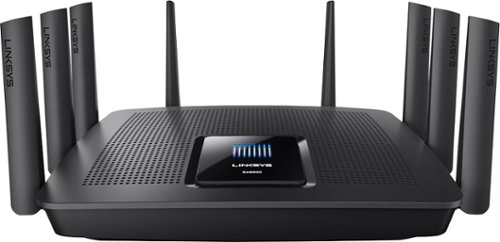
Your household is busy streaming media, working online, and playing games every day. This Linksys Wi-Fi Router will expand your network coverage, send signals directly to your devices, and deliver a lag-free connection, even when you~re all online at the same time.
Customer Rating
5
A Beast - Excellent
on May 15, 2016
Posted by: vrs99
Our home network handles upwards of twenty devices. A mixture of 5GHz, 2.4GHz, and wired gigabit devices ranging from phones, tablets, PC’s, streaming, game consoles, printers, NAS and so on. To say the least, it is an extremely active environment, with heavy loading of movies streaming from the Internet and streaming services in the evening.
Have continued to look for technical solutions to provide more smooth bandwidth to our home and garage devices in the Wi-Fi jungle, that continues to grow. When I speak of the Wi-Fi Jungle I am not so much speaking of our home but all the neighboring usage, it is truly a jungle out there and it throttles back the bandwidth. There is only so much pie to go around.
Over the last two years have used two WRT 1900ac(s) routers that perform extremely well, but was not a complete solution for our needs.
When I first read about the EA9500 advancements I knew I had found what I was looking for, dual 5GHz bands along with a strong 2.4GHz band. Tri-Band Quad Stream Wi-Fi with speeds up to 5.3 Gbps, Beamforming technology providing focused directed Wi-Fi to your mobile devices. This Beast Packs a Tremendous amount of Punch.
The EA9500 provides for further Wi-Fi performance with the MU-MIMO technology, I cannot take advantage of this yet (my devices do not have the tech) as this will be rolling out in newer device products coming to market. I will of course have my eye on adding the MU-MIMO tech to my network mix, always room for improvement, plus my kid loves seeing the Wi-Fi Scanner showing the strength of our Wi-Fi in the neighborhood/Jungle.
Setup: If you are familiar with Linksys’s Smart Wi-Fi interface you will feel very much at home and the setup should be a breeze. Personally I manually setup my routers but they do have the Smart Setup Wizard which will walk you quickly through the setup.
My plan for switching from my network WRT 1900ACS router to the EA9500 was simply Snipping screen shots of all the setup screens and creating a short document to use in setup. Simple and fast.
My thoughts on the EA9500 can be summed up in one word, Wow! Never has our network worked so smoothly (especially at night when we have dueling movie streaming).
The signals are very strong and covers my entire home, and the router placement is in a corner room office. The banding of the two 5GHz streams is fantastic, though you can separate them and manage two separate streams if you need.
Important point for me was the expanding of the Ethernet Ports to Eight, I now (at the moment) no longer need an additional switch for wired connections at the router, though there are two Linksys switches at the entertainment center and at the kid’s desk. There is a separate Internet connection port making the Ethernet port total nine all running at gigabit.
Looks great and professional on the office desk, on the corner of course as this is no small router, it has a significant footprint.
Additionally, we have a detached garage that sits 88’ (actually measured with tape) from the router in the house to the workbench in the garage. The signal must travel through two house walls, deck structure, garage walls and obstacles in the garage, benches, stacked storage boxes, etc.
There is a decent signal in the garage from the EA9500 which I have picked up with a Linksys Range Extender (I am presently testing a RE6700 and RE700 extenders in the garage and both are slamming out five bars)! Great for streaming music to my Bluetooth speaker, keeping the phone connected to Wi-Fi or laptop connection.
Have not gone into all the technical info, it is there to read and it is exciting stuff. Can tell you I spent decades in IT managing systems supporting up to six thousand users, given all the equipment I have worked with this box has me excited. It is good stuff and fills my home with Five Bars of Wi-Fi.
User Manual: is rather simple, where I would enjoy more detailed documentation. The Help System within the router does provide more detail than you will find in the User’s Manual.
Have been running the router several days and it is rock solid managing our network. Plus, it looks cool.
Highly recommended if you have the need to run a large network environment, or just enjoy being the fastest kid on the block.
My Best Buy number: 2002595546
I would recommend this to a friend!


Share this review:


+4points
4of 4voted this as helpful.
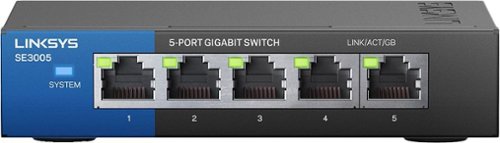
Expand your network and add network devices with this Linksys five-port gigabit switch, letting you transfer 10 times faster than Fast Ethernet. Five ports offer 5X Ethernet so you can plug and play without missing a beat. Power is reduced to unused ports on this Linksys five-port gigabit switch, saving you money by reducing energy costs.
Customer Rating
5
Excellent Small Footprint Switch
on April 13, 2016
Posted by: vrs99
from TN
An excellent 5 port switch with strong feature set. First off I like the retro Blue on Black look that matches up with our main WRT 1900acs router and Linksys SE4008 WRT 8-Port. Like that the switch uses IEEE 802.3az technology that allows for less power consumption during periods of low data activity.
The switch has a good hefty feel to it due to metal construction, this I am sure will help manage heat. And what I find Great about the Solid Feel is it does not move around on the desktop like lighter switches.
Easy to setup? Yes it is a switch, plug in your Network connection and wired deices and you are good to go.
Nice touches are the included mounting hardware if you want to mount to a wall or mount behind a desk. Also comes with peel and stick rubber feet pads for use on the desk. The foot pads could use some attention as two of ours lost their adhesive when we peeled them off. Easy fix with a touch of superglue.
We replaced an older E4200 router on my son's desk with the switch, much easier to use, no setup, far more efficient networking (fast), uses far less space and looks cooler. Have an older small footprint 5 port Linksys switch which we use with the home entertainment system, have been using it for years with no issues, but I far prefer the new edition.
Highly Recommended.
Note: I received a free sample of the SE3005 Switch from Linksys in exchange for my honest feedback.
My Best Buy number: 2002595546
I would recommend this to a friend!

Share this review:


0points
2of 4voted this as helpful.

Quickly burn your favorite movies and music to disc with this LG SP60NB50 double-layer DVD~RW/CD-RW drive, which features an overall maximum DVD write speed of 8x for rapid data replication. The slim design makes the drive easy to transport.

Posted by: vrs99
from TN
Bought to use with hybrid computer. Worked fine, though seemed a bit flimsy from the thin design. Returned after deciding to just map a drive to my desktop DVD.
What's great about it: Thin
No, I would not recommend this to a friend.
Features

4
Share this review:


-1point
0of 1voted this as helpful.
vrs99's Review Comments

Upgrade your laptop's storage with this Samsung 850 PRO MZ-7KE512BW internal SATA III solid state drive, which offers a generous 512GB capacity for digital data. SED (Self-Encrypting Drive) technology controls access to private information.
Overall 1 out of 5
1 out of 5Crashed and Burned after 44 Days - Good Luck
By vrs99
Fast SSD - and Extra Fast to Crash in just 44 days. Of course it was on a Friday evening and cannot speak to Samsung until Monday. Cannot Chat with them as they do not offer Chat for SSD's.
Luckily it crashed two weeks after the 30 day return period to Best Buy. Guess it is a good thing they offer 10 year warranty? But have heard they will return a refurbished unit, which will not be good on 44 day old product. Must be living on the bleeding edge, should have stuck with the Toshiba, which I can't see a real life difference in speed.

vrs99
TN
After a Day of Wrestling with the SSD
July 11, 2015
After pulling every rabbit out of my hat I finally got the SSD going again. Have to completely reload OS, etc. starting at Windows 8. Not fun.
But I am "somewhat" happy that I was able to get the drive working. Not sure what happen to the drive, but have some suspicion of a setting in Magician (software system for the 850 Pro) which boosts speed?
+2points
2of 2voted this comment as helpful.
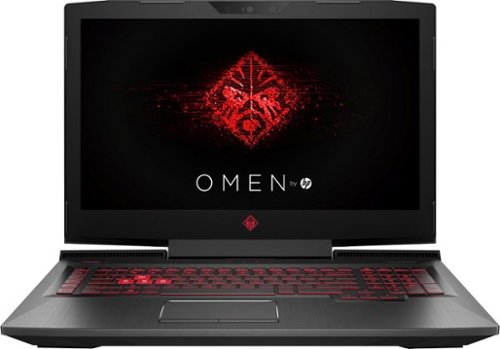
Only at Best BuyUpdate your portable technology kit with this HP Omen 17-inch laptop. Ideal for gaming, this machine combines a 7th generation Intel Core i7 processor with 12GB of DDR4 RAM for ultra-fast performance on the go. An island-style backlit keyboard equipped with dedicated macro keys makes this HP Omen 17-inch laptop easy to use in the dark.
Overall5 out of 5
5 out of 5Hp omen gaming laptop
By Martinezjorge7
I recently bought the 16 omen laptop and I was able to return mine and be able to upgrade the the newest one it has a better graphic card and an new design with a better cooling vent with a 1 tb hard drive
vrs99
TN
NO DVD
July 12, 2017
There is no DVD built, you would have to use external.
0points
0of 0voted this comment as helpful.

HP OMEN by HP Laptop: Power through the virtual landscape with this versatile HP Omen 15-inch laptop. Ideal for gaming, this machine packs a 7th generation Intel Core i7 processor and an NVIDIA GeForce GTX video card for superior graphics performance. The 1TB hard drive inside this HP Omen 15-inch laptop provides plenty for space for gaming profiles and other multimedia files.
Overall4 out of 5
4 out of 5Excellent laptop, but not the best value
By Xephyroth
from Colorado Springs, CO
This HP Omen is the 3rd gaming laptop I've ever owned, and it's undoubtedly the best one I've had the pleasure of using. However, this product isn't perfect out of the box.
FIRST IMPRESSION / UNBOXING:
Out of the box, the first thing that I noticed is that this laptop has impressive build quality. The sand-blasted brushing brings a pleasant aesthetic while also bringing solid weight and durability. It's not incredibly flashy, so it doesn't scream "gamer" like a lot of other laptops, but it definitely brings a touch of the "gamer" aesthetic without being overzealous. The notebook is also much thinner than I expected, as I've been used to much thicker gaming laptops, but I suppose the lack of an optical drive attributes to that. The power brick is fairly small and compact for a machine that's capable of entry/mid-level gaming.
Out of the box, the first thing that I noticed is that this laptop has impressive build quality. The sand-blasted brushing brings a pleasant aesthetic while also bringing solid weight and durability. It's not incredibly flashy, so it doesn't scream "gamer" like a lot of other laptops, but it definitely brings a touch of the "gamer" aesthetic without being overzealous. The notebook is also much thinner than I expected, as I've been used to much thicker gaming laptops, but I suppose the lack of an optical drive attributes to that. The power brick is fairly small and compact for a machine that's capable of entry/mid-level gaming.
DISPLAY:
Turning the display on, the 1080p IPS matte display is nice and bright, and viewing angles are decent without too much color shifting. Bezels aren't too large, and it's not something I noticed until just now while writing this review. While I'm used to Quad-HD and 4K resolutions, I was not displeased with this display in any fashion. The webcam is above the display and can record at 720p/30fps. Not the best, but not the worst webcam I've seen.
Turning the display on, the 1080p IPS matte display is nice and bright, and viewing angles are decent without too much color shifting. Bezels aren't too large, and it's not something I noticed until just now while writing this review. While I'm used to Quad-HD and 4K resolutions, I was not displeased with this display in any fashion. The webcam is above the display and can record at 720p/30fps. Not the best, but not the worst webcam I've seen.
KEYBOARD:
Typing on the keyboard is pleasant with the chiclet-style keys. It didn't take me too long to get used to the keyboard, having come from mechanical keyboards and MacBook Pro keyboards. The addition of the num-pad is certainly nice, as well. The keyboard is backlit red (as you'd expect with the Omen), but settings are very simplistic compared to other gaming laptops. The backlighting has 3 states: fully on, WASD on, or fully off. No, there are no fancy effects, and I wouldn't expect any at this price. I do find it a little bit surprising that you can't dim the backlighting, but I rarely dim the backlight on my keyboards, anyway, so it'd be a useless feature for me.
Typing on the keyboard is pleasant with the chiclet-style keys. It didn't take me too long to get used to the keyboard, having come from mechanical keyboards and MacBook Pro keyboards. The addition of the num-pad is certainly nice, as well. The keyboard is backlit red (as you'd expect with the Omen), but settings are very simplistic compared to other gaming laptops. The backlighting has 3 states: fully on, WASD on, or fully off. No, there are no fancy effects, and I wouldn't expect any at this price. I do find it a little bit surprising that you can't dim the backlighting, but I rarely dim the backlight on my keyboards, anyway, so it'd be a useless feature for me.
TRACKPAD:
Out of the box, the trackpad sensitivity was incredibly low for my personal taste. After making some adjustments to the Touchpad Settings in Windows 10, I found a sensitivity that worked well for me. The touchpad does not physically click, but there are left/right trackpad buttons. Initially, I did find the buttons to be awkwardly placed, but I actually got used to them fairly quickly. While the touchpad isn't the best I've ever used, it is pretty good, in my opinion. 2 and 3 finger gestures work, as well.
Out of the box, the trackpad sensitivity was incredibly low for my personal taste. After making some adjustments to the Touchpad Settings in Windows 10, I found a sensitivity that worked well for me. The touchpad does not physically click, but there are left/right trackpad buttons. Initially, I did find the buttons to be awkwardly placed, but I actually got used to them fairly quickly. While the touchpad isn't the best I've ever used, it is pretty good, in my opinion. 2 and 3 finger gestures work, as well.
SOUND:
The Bang & Olufsen speakers surprised me. They have good volume and a pleasant sound signature. However, they're bottom-firing, so when you put the laptop on your lap, the frequencies dampen and you lose a bit of treble/mid-range impact. Keep in mind, this is with the "B & O Play Experience" toggled on from the "Omen Audio" application. You'll definitely want to leave that on if you're using the speakers, or else the bass will disappear and will sound really anemic. I did notice some clipping at max volume when bass-heavy music was involved. Headphone jack works well as you'd expect, but doesn't promise anything fancy, so don't bother trying to drive headphones with high impedance. The built-in microphone array is good for video/voice chat session, but don't expect it to compete with a USB desktop microphone in terms of sound quality. For all casual purposes, it does just fine.
The Bang & Olufsen speakers surprised me. They have good volume and a pleasant sound signature. However, they're bottom-firing, so when you put the laptop on your lap, the frequencies dampen and you lose a bit of treble/mid-range impact. Keep in mind, this is with the "B & O Play Experience" toggled on from the "Omen Audio" application. You'll definitely want to leave that on if you're using the speakers, or else the bass will disappear and will sound really anemic. I did notice some clipping at max volume when bass-heavy music was involved. Headphone jack works well as you'd expect, but doesn't promise anything fancy, so don't bother trying to drive headphones with high impedance. The built-in microphone array is good for video/voice chat session, but don't expect it to compete with a USB desktop microphone in terms of sound quality. For all casual purposes, it does just fine.
PERFORMANCE:
This laptop comes with a 4-core / 8-thread Intel Core i7 processor. For most basic tasks, this is actually overkill. But for gamers, this is great, as more games are utilizing more threads. The GTX 1050 can play any older game at very high settings, and can still play many modern titles at medium / high settings at 1080p. 8GB of RAM is enough for most people, but individuals who multi-task with a lot of resource-intensive chrome tabs and extensions may find themselves wanting more. While the 1TB hard drive is rated for 7200RPM, I still find it unacceptable to not have the operating system installed on a Solid State Drive (SSD) for a machine at this price point. You will not be unlocking the full potential of this machine while your OS runs on a slow drive like this. Thankfully, the upgrade process is fairly simple. After consulting the service manual found on HP's support website, I unscrewed the 10 screws from the bottom of the laptop and removed the bottom panel by starting with the side closest to the display hinge. From there, you'll have access to the SATA drive bay, the M.2 SSD slot (unoccupied, but does support NVMe drives), and 2 RAM slots (with only 1 occupied). I suspect that each RAM slot supports up to 8GB, but I could not find any confirmation in any of the documents available on HP's support website.
This laptop comes with a 4-core / 8-thread Intel Core i7 processor. For most basic tasks, this is actually overkill. But for gamers, this is great, as more games are utilizing more threads. The GTX 1050 can play any older game at very high settings, and can still play many modern titles at medium / high settings at 1080p. 8GB of RAM is enough for most people, but individuals who multi-task with a lot of resource-intensive chrome tabs and extensions may find themselves wanting more. While the 1TB hard drive is rated for 7200RPM, I still find it unacceptable to not have the operating system installed on a Solid State Drive (SSD) for a machine at this price point. You will not be unlocking the full potential of this machine while your OS runs on a slow drive like this. Thankfully, the upgrade process is fairly simple. After consulting the service manual found on HP's support website, I unscrewed the 10 screws from the bottom of the laptop and removed the bottom panel by starting with the side closest to the display hinge. From there, you'll have access to the SATA drive bay, the M.2 SSD slot (unoccupied, but does support NVMe drives), and 2 RAM slots (with only 1 occupied). I suspect that each RAM slot supports up to 8GB, but I could not find any confirmation in any of the documents available on HP's support website.
I happened to have an unused SATA-based SSD, so I swapped that with the 1TB HDD and used the software that came with my SSD to transfer the OS from the HDD to the SSD. After this process, my HP Omen was substantially faster with booting the OS and running applications—a night & day difference.
BATTERY:
I haven't tested the battery life to an enormous extent, but enabling a battery estimation feature in the BIOS allows Windows 10 to report the estimated time (not just %) on battery. Depending on your brightness, power profile and workload, HP estimates 9 hours of mixed usage, and almost 7 hours of video playback. So far, I think that claim is accurate.
I haven't tested the battery life to an enormous extent, but enabling a battery estimation feature in the BIOS allows Windows 10 to report the estimated time (not just %) on battery. Depending on your brightness, power profile and workload, HP estimates 9 hours of mixed usage, and almost 7 hours of video playback. So far, I think that claim is accurate.
I/O:
The HP Omen doesn't support Thunderbolt 3, but all the USB ports support USB 3.1 (1 Type-C, 3 Type-A. There's also a gigabit ethernet jack, HDMI (HDCP 2.2, 4k@60Hz), and Mini DisplayPort. It also supports a full-size SD card which can be fully inserted into the laptop without sticking out. As mentioned before, it also sports a headphone and microphone jack.
The HP Omen doesn't support Thunderbolt 3, but all the USB ports support USB 3.1 (1 Type-C, 3 Type-A. There's also a gigabit ethernet jack, HDMI (HDCP 2.2, 4k@60Hz), and Mini DisplayPort. It also supports a full-size SD card which can be fully inserted into the laptop without sticking out. As mentioned before, it also sports a headphone and microphone jack.
CONCLUSION:
The HP Omen is a great laptop. It provides great features while also having room for a few upgrade. However, I do feel that an SSD should be included at this price—even a cheaper SATA-based M.2 or 2.5" drive would be fine. For a performance-oriented machine like this, skimping on the SSD is a poor decision on HP's part—especially at this price-point. I have seen competitor's laptops with the i7-7700HQ, GTX 1060, 16GB RAM, and 256GB SSD go on sale for cheaper. So in that regard, I do feel the HP Omen isn't providing as good a value, but it is objectively a good laptop—perhaps, just not as good a value when compared to other options around the same price.
The HP Omen is a great laptop. It provides great features while also having room for a few upgrade. However, I do feel that an SSD should be included at this price—even a cheaper SATA-based M.2 or 2.5" drive would be fine. For a performance-oriented machine like this, skimping on the SSD is a poor decision on HP's part—especially at this price-point. I have seen competitor's laptops with the i7-7700HQ, GTX 1060, 16GB RAM, and 256GB SSD go on sale for cheaper. So in that regard, I do feel the HP Omen isn't providing as good a value, but it is objectively a good laptop—perhaps, just not as good a value when compared to other options around the same price.
vrs99
TN
Support Manual web site?
July 14, 2017
Do you have the link to the HP Support Site that has the Support Manual?
Have been looking and must be in the wrong place - Thanks
0points
0of 0voted this comment as helpful.
HP OMEN by HP Laptop: Power through the virtual landscape with this versatile HP Omen 15-inch laptop. Ideal for gaming, this machine packs a 7th generation Intel Core i7 processor and an NVIDIA GeForce GTX video card for superior graphics performance. The 1TB hard drive inside this HP Omen 15-inch laptop provides plenty for space for gaming profiles and other multimedia files.
Overall5 out of 5
5 out of 5Zoom Zoom Zoom – Game On
By vrs99
from TN
This machine looks like it is going fast sitting on the desktop. The exhaust system vents on the back edges of the laptop brings to mind the tailpipes a supercar might be sporting. When it is cranking through benchmarking the cooling system and exhaust ports are doing a job, pushing volumes of hot air away from the machine.
The HP Omen is the most bang for the buck that I have ever seen in a laptop, this box is loaded with edgy technology. Not going through a list of specs, those are easy enough to find, what is impressive is that all techs are up to date, not last year’s stuff. Too many times have seen corners cut to save a dollar. Not here. Not one USB 2.0 in sight, which is surprising seeing that we just built beast of a desktop a month ago with the latest Z270 Kaby Lake i7 7700K, USB 2.0 ports still in use on an advanced motherboard. Kudos to HP.
Take a close look at the specs, you will find 802.11ac with a solid 866.7 Mbps connection. “Dual Force functionality splits traffic across two data streams, sending gaming traffic over the fastest connection available (typically wired), and all other traffic over WiFi.”
Other ports of interest (not a complete listing check the spec sheet):
1 USB 3.1 Type C
3 USB 3.1
Mini DisplayPort
3 USB 3.1
Mini DisplayPort
What I love is the fact you can purchase a HDD Omen model and then add your M.2 NVMe drive of choice, that is cool. If you are not yet familiar with M.2 NVMe you should take a look. In a word (or more) they are fast, about seven times that of a standard SSD.
What is interesting is that with the HDD the system boots up in 9 seconds, that is fully populated with my programs/anti-virus and all my files. Impressive. Being spoiled by SSD’s I must tip my hat to HP; this machine runs tremendously smooth with the 7200 RPM Hitachi HDD.
The Nvidia GeForce GTX 1050 (4 GB GDDR5 dedicated memory) discrete GPU ran through the Unigine Heaven Benchmark smoothly turning good numbers while the cooling system kept the GPU at a respectable 68 degrees. Notable, that with all the heavy iron under the hood the system manages the temp easily.
Ran my favorite game, Civilization VI through its paces today set on the highest graphic settings and it ran like a champ.
Looks, it has the looks, brushed aluminum case with an excellent finish. Nice touches all-around.
Know it is a way cool machine as my kid, the gamer in the house is explaining all the great and subtle reasons why it would be better for him to hang onto the machine. Yeah right!
What I am getting use to is the keyboard offset, a bit to the left to make room for the full size numeric pad, which is a nice touch. Keyboard is fine and well suited for heavy accurate work, or gaming for that matter.
Want a blistering rig in your hands at an excellent price point, one that can kick it at games and can be easily expanded, check out The Omen.
vrs99
TN
Maintenance and Service - Upgrade Manual
July 15, 2017
If you purchase the Omen and wish to upgrade memory or add M.2 SSD you can find the manual here:
http://h10032.www1.hp.com/ctg/Manual/c05533785
+3points
3of 3voted this comment as helpful.
HP OMEN by HP Laptop: Power through the virtual landscape with this versatile HP Omen 15-inch laptop. Ideal for gaming, this machine packs a 7th generation Intel Core i7 processor and an NVIDIA GeForce GTX video card for superior graphics performance. The 1TB hard drive inside this HP Omen 15-inch laptop provides plenty for space for gaming profiles and other multimedia files.
Overall5 out of 5
5 out of 5Zoom Zoom Zoom – Game On
By vrs99
from TN
This machine looks like it is going fast sitting on the desktop. The exhaust system vents on the back edges of the laptop brings to mind the tailpipes a supercar might be sporting. When it is cranking through benchmarking the cooling system and exhaust ports are doing a job, pushing volumes of hot air away from the machine.
The HP Omen is the most bang for the buck that I have ever seen in a laptop, this box is loaded with edgy technology. Not going through a list of specs, those are easy enough to find, what is impressive is that all techs are up to date, not last year’s stuff. Too many times have seen corners cut to save a dollar. Not here. Not one USB 2.0 in sight, which is surprising seeing that we just built beast of a desktop a month ago with the latest Z270 Kaby Lake i7 7700K, USB 2.0 ports still in use on an advanced motherboard. Kudos to HP.
Take a close look at the specs, you will find 802.11ac with a solid 866.7 Mbps connection. “Dual Force functionality splits traffic across two data streams, sending gaming traffic over the fastest connection available (typically wired), and all other traffic over WiFi.”
Other ports of interest (not a complete listing check the spec sheet):
1 USB 3.1 Type C
3 USB 3.1
Mini DisplayPort
3 USB 3.1
Mini DisplayPort
What I love is the fact you can purchase a HDD Omen model and then add your M.2 NVMe drive of choice, that is cool. If you are not yet familiar with M.2 NVMe you should take a look. In a word (or more) they are fast, about seven times that of a standard SSD.
What is interesting is that with the HDD the system boots up in 9 seconds, that is fully populated with my programs/anti-virus and all my files. Impressive. Being spoiled by SSD’s I must tip my hat to HP; this machine runs tremendously smooth with the 7200 RPM Hitachi HDD.
The Nvidia GeForce GTX 1050 (4 GB GDDR5 dedicated memory) discrete GPU ran through the Unigine Heaven Benchmark smoothly turning good numbers while the cooling system kept the GPU at a respectable 68 degrees. Notable, that with all the heavy iron under the hood the system manages the temp easily.
Ran my favorite game, Civilization VI through its paces today set on the highest graphic settings and it ran like a champ.
Looks, it has the looks, brushed aluminum case with an excellent finish. Nice touches all-around.
Know it is a way cool machine as my kid, the gamer in the house is explaining all the great and subtle reasons why it would be better for him to hang onto the machine. Yeah right!
What I am getting use to is the keyboard offset, a bit to the left to make room for the full size numeric pad, which is a nice touch. Keyboard is fine and well suited for heavy accurate work, or gaming for that matter.
Want a blistering rig in your hands at an excellent price point, one that can kick it at games and can be easily expanded, check out The Omen.
vrs99
TN
Adding M.2 SSD
July 18, 2017
Added a M.2 SSD to the Omen and nuked all the partitions on the HDD and added it back to the system. Day and Night performance. That is one aspect I like about this model is that it does not come with an installed M.2 drive, you can pick your own SSD ads capacity.
Screams with the new M.2 and have an additionally terabyte of storage on the HDD, whcih I use to sync my files to frequently before syncing with the NAS.
Great machine.
+1point
1of 1voted this comment as helpful.
vrs99's Questions
vrs99 has not submitted any questions.
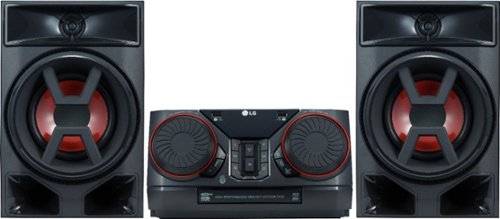
Enjoy room-filling audio in any living space with this LG Hi-Fi shelf system. Its two 150W speakers produce loud, detailed sound, and it streams music via Bluetooth when you pair it with an Android device. This LG Hi-Fi shelf system has an EQ function that optimizes the audio based on the music you're listening to.
how many cds does is play?
Enjoy room-filling audio in any living space with this LG Hi-Fi shelf system. Its two 150W speakers produce loud, detailed sound, and it streams music via Bluetooth when you pair it with an Android device. This LG Hi-Fi shelf system has an EQ function that optimizes the audio based on the music you're listening to.
Can this be connected to tv
It does connect with my LG TV via the LG Sound Sync/Bluetooth easily.
Would think that it would sync with any Bluetooth enabled TV but might need up to date version of Bluetooth.
If it does not remember Best Buy has generous return policy.
Would think that it would sync with any Bluetooth enabled TV but might need up to date version of Bluetooth.
If it does not remember Best Buy has generous return policy.
8 years, 1 month ago
by
vrs99
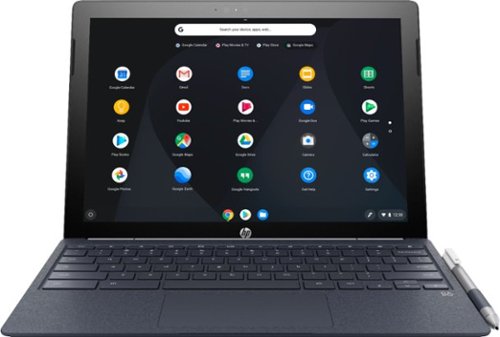
Run programs on this 12.3-inch HP Chromebook convertible laptop. Its detachable touch-screen display lets you enjoy brilliant 2K content, and you can write and draw on it with the included Active Pen. This HP Chromebook convertible laptop has 32GB of storage, and its Intel Core m3 processor and 4GB of RAM provide smooth performance.
I read in the specs "Built-in media reader for simple photo transfer. Supports select memory card formats." Does anyone know what formats are supported or not supported?
Run programs on this 12.3-inch HP Chromebook convertible laptop. Its detachable touch-screen display lets you enjoy brilliant 2K content, and you can write and draw on it with the included Active Pen. This HP Chromebook convertible laptop has 32GB of storage, and its Intel Core m3 processor and 4GB of RAM provide smooth performance.
Any info on this show stopper for me? (86) Access to the Google Play Store and related apps will be provided as part of a regular OS update. This feature might not be available at time of purchase;..
Your question is not clear. The Google Play Store is available with the first release of the unit.
8 years, 3 months ago
by
vrs99
Run programs on this 12.3-inch HP Chromebook convertible laptop. Its detachable touch-screen display lets you enjoy brilliant 2K content, and you can write and draw on it with the included Active Pen. This HP Chromebook convertible laptop has 32GB of storage, and its Intel Core m3 processor and 4GB of RAM provide smooth performance.
Does this computer have a camera in which I can use Skype?
Has both front and rear facing cameras, not positive but would bet that the camera will work with Skype.
If you cannot find an exact answer you could always take one and try it out. BB has a generous return policy.
If you cannot find an exact answer you could always take one and try it out. BB has a generous return policy.
8 years, 3 months ago
by
vrs99
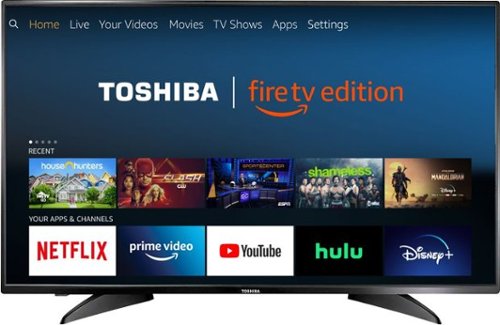
Toshiba 4K UHD Fire TV Edition is a new generation of smart TVs featuring the Fire TV experience built-in and including a Voice Remote with Alexa. With true-to-life 4K Ultra HD picture quality and access to all the movies and TV shows you love, Toshiba Fire TV Edition delivers a superior TV experience that gets smarter every day. The Voice Remote with Alexa lets you do everything you'd expect from a remote~plus, easily launch apps, search for TV shows, play music, switch inputs, control smart home devices and more, using just your voice.
Will you be able to download Amazon Apps ? Like Silk browser,and downloader ?
Toshiba 4K UHD Fire TV Edition is a new generation of smart TVs featuring the Fire TV experience built-in and including a Voice Remote with Alexa. With true-to-life 4K Ultra HD picture quality and access to all the movies and TV shows you love, Toshiba Fire TV Edition delivers a superior TV experience that gets smarter every day. The Voice Remote with Alexa lets you do everything you'd expect from a remote~plus, easily launch apps, search for TV shows, play music, switch inputs, control smart home devices and more, using just your voice.
will there be a need to use a firestick or is it built into the tv already? is it wifi or ethernet?
Fire TV is built in.
Wi-Fi and Ethernet are both included.
Wi-Fi and Ethernet are both included.
8 years, 3 months ago
by
vrs99
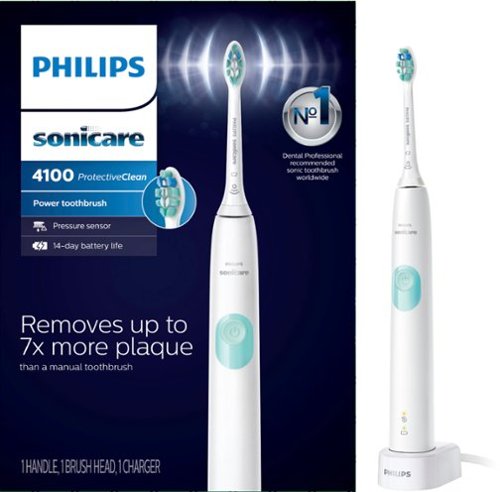
Philips Sonicare ProtectiveClean 4100 Plaque Control, Rechargeable electric toothbrush with pressure sensor, White Mint HX6817/01
is this item stocked in local stores
It is in stock at our Best Buy. Check their web-site it will tell you if they have it available for pickup.
8 years, 6 months ago
by
vrs99
Only at Best BuyUpdate your portable technology kit with this HP Omen 17-inch laptop. Ideal for gaming, this machine combines a 7th generation Intel Core i7 processor with 12GB of DDR4 RAM for ultra-fast performance on the go. An island-style backlit keyboard equipped with dedicated macro keys makes this HP Omen 17-inch laptop easy to use in the dark.
Does this laptop have an M.2 socket that supports an NVMe SSD? Also, is there an empty socket for ram expansion?
Here is the link to the spec sheet - will answer many of your questions.
http://www8.hp.com/us/en/images/OMEN_Laptop_17_an013dx_tcm245_2468782_tcm245_2469233_tcm245-2468782.pdf
The answers I am quite sure are yes as noted by the specs.
http://www8.hp.com/us/en/images/OMEN_Laptop_17_an013dx_tcm245_2468782_tcm245_2469233_tcm245-2468782.pdf
The answers I am quite sure are yes as noted by the specs.
9 years, 2 months ago
by
vrs99
Only at Best BuyUpdate your portable technology kit with this HP Omen 17-inch laptop. Ideal for gaming, this machine combines a 7th generation Intel Core i7 processor with 12GB of DDR4 RAM for ultra-fast performance on the go. An island-style backlit keyboard equipped with dedicated macro keys makes this HP Omen 17-inch laptop easy to use in the dark.
recently pre ordered this laptop I was so excited about it that after I put my order for it I didn't realize it didn't have a Solid state drive I'm very concerned that my laptop won't operate at it's best is there a way I can upgrade it by adding a SSD
Here is the link to the spec sheet - will answer many of your questions.
http://www8.hp.com/us/en/images/OMEN_Laptop_17_an013dx_tcm245_2468782_tcm245_2469233_tcm245-2468782.pdf
From what I understand the answer is yes and it is noted,
http://www8.hp.com/us/en/images/OMEN_Laptop_17_an013dx_tcm245_2468782_tcm245_2469233_tcm245-2468782.pdf
From what I understand the answer is yes and it is noted,
9 years, 2 months ago
by
vrs99