


vrs99's stats
- Review count220
- Helpfulness votes1,302
- First reviewJanuary 3, 2014
- Last reviewAugust 7, 2026
- Featured reviews0
- Average rating4.6
- Review comment count5
- Helpfulness votes6
- First review commentJuly 11, 2015
- Last review commentJuly 18, 2017
- Featured review comments0
Questions
- Question count0
- Helpfulness votes0
- First questionNone
- Last questionNone
- Featured questions0
- Answer count45
- Helpfulness votes47
- First answerDecember 31, 2013
- Last answerJanuary 17, 2022
- Featured answers0
- Best answers1
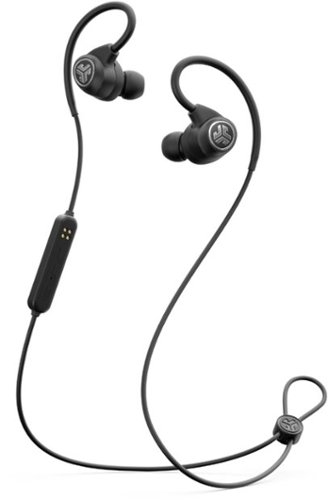
Amp up your workouts with these JLab Epic Sport wireless earbuds. Memory Wire ear hooks keep them securely in place during activity, and their six tip options and interchangeable Cush Fins let you make custom adjustments for an ideal fit. These JLab Epic Sport wireless earbuds have a 12-hour battery life for uninterrupted listening during long training sessions.
Customer Rating

4
Rocking Earbuds
on April 16, 2018
Posted by: vrs99
from TN
The Jay-lab Epic Sport Wireless fitness earbuds offers crystal clear sound with deep bass. With one of the longest battery life on the market these earbuds will keep you rockin’ along all day. These earbuds are sweat-proof, moisture resistant, and stay firm in your ears so you can play tough.
You can also customize your sound without an App! Bluetooth 4.2. In-line controls make changing the volume, playing, pausing, and skipping tracks a breeze. 8mm sound drivers deliver lowest lows and highest highs.
Rock On.
My Best Buy number: 2002595546
Mobile Submission: False
I would recommend this to a friend!
Share this review:


0points
0of 0voted this as helpful.
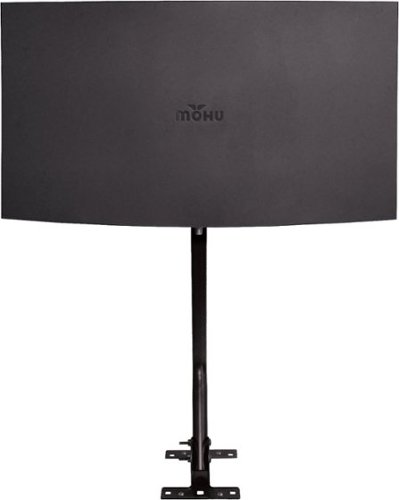
Pick up over-the-air HD channels with this Mohu Sail antenna. It has everything you need to install it in your attic or on your roof. With a range of 75-miles, the antenna lets you enjoy free entertainment without a cable subscription. The modern curved aesthetic blends in with home decor for a seamless appearance. This Mohu Sail antenna has a FirstStage amplifier located right at the antenna, where the signal is at its best to help deliver a crisp, clear picture.
Customer Rating

5
Brilliant Hi-Def Antenna!
on April 7, 2018
Posted by: vrs99
from TN
MOHU Sail arrived today, had the Kid bring it in the house and asked him to unbox the antenna. About fifteen minutes later when I went to look at the Sail found the Kid over halve way finished with installing the hardware. Moral, could not be simpler to hookup the gear.
Took the Sail into my office to hook up, simply plugged the supplied adaptor into the TV USB (power) and the coax to the antenna connection on the TV. Scanned for TV/antenna channels on the TV and started watching Hi-Def TV over the air.
Tried an over the air Digital HD antenna years ago indoors and was far from impressed – That Changed Today.
The Sail delivers excellent 1080 HD over the air broadcasts inside my home office from the station that is 60 miles away with many hills and trees in between. Can’t wait to get the Sail mounted outside, expecting higher performance and more than the six channels I am picking up from inside the house.
One of the reasons I am pumped about this antenna is that I have satellite TV service which during storms goes on the blink. During strong storms that is not a warm and fuzzy feeling. Now we will continue to be online with Storm News Broadcasting, that is a Warm and Fuzzy Feeling.
Brilliant TV picture from a solidly engineered product. Love it.
My Best Buy number: 2002595546
Mobile Submission: False
I would recommend this to a friend!
Share this review:


+6points
7of 8voted this as helpful.
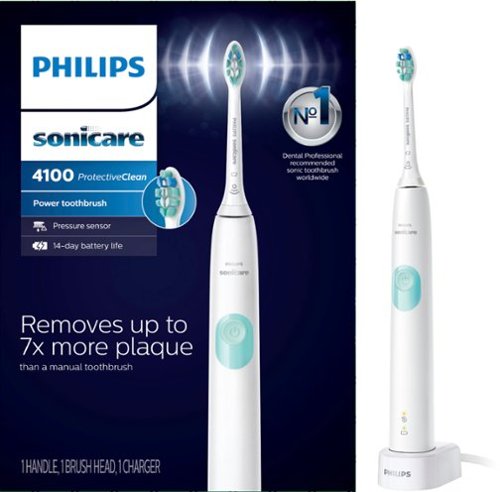
Philips Sonicare ProtectiveClean 4100 Plaque Control, Rechargeable electric toothbrush with pressure sensor, White Mint HX6817/01
Customer Rating
5
Brilliant Toothbrush
on March 21, 2018
Posted by: vrs99
from TN
What you first discover if you have been brushing your teeth with a manual toothbrush, after the first use of the Sonicare 4100 you will notice that your teeth feel much smoother – they are in fact cleaner. My family and I have all noticed this the first time using Sonicare products. As they say the proof is in the pudding.
Sonicare has been in the electric toothbrush industry for a long time and their technologies have advanced brilliantly over the years.
A few Features:
EasyStart which comes activated and gently increases the power over the first 14 brushings.
Reminds you when to replace your brush head.
Pressure sensor which protects your teeth from excessive pressure.
EasyStart which comes activated and gently increases the power over the first 14 brushings.
Reminds you when to replace your brush head.
Pressure sensor which protects your teeth from excessive pressure.
A feature that I love over the older models are the new handles, they have an excellent feel to them, svelte with an elegant look – looks good on the counter.
Bottom-line, if you want clean teeth with proven technology give the Sonicare 4100 a look.
My Best Buy number: 2002595546
Mobile Submission: False
I would recommend this to a friend!

Share this review:


+8points
8of 8voted this as helpful.
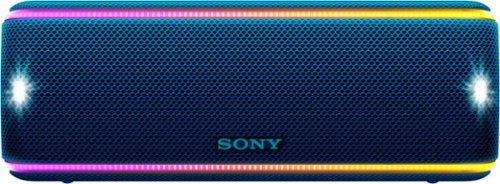
Dance the night away with this Sony portable wireless speaker. Its interactive Party Booster sound effects and multicolor lights bring another dimension to the music, and its Party Chain technology lets you wirelessly connect up to 100 speakers. This Sony portable wireless speaker is resistant to rust, dust and waterproof for reliable use outdoors.
Customer Rating
5
Simply The Best!!!
on March 17, 2018
Posted by: vrs99
from TN
Hands Down my favorite Bluetooth Speaker in the collection. When I opened the box, knew I was looking at something Special, spoke Quality and Good Vibrations before it was ever powered up. The speaker simply looks magnificent.
Am a bit of an Audiophile with a keen ear. Simply put, the Sony SRS-XB31 hits all the Notes.
When the Sony arrived was fiddling around in my garage enjoying the Spring weather. Speaker went straight from the box to my bench, mobile in hand flipped on Pandora. Wow – immediate musical immersion of the loveliest tunes. The Highs Are, the Extra Bass Booms, and Mid-range clearly striking up the band as the speaker lights pulse the night away.
When I first turned the speaker on I was getting ready to go back into the house. Stayed for hours in Man Cave enjoying evening sunset with the Sony Rockn’ my Favorite Tunes.
Highlights:
Lighting for the Party
Wireless Chaining of speakers up to a hundred!
Water/Dust Proof
Very Long Battery life – up to 24hrs
NFC
Control and input/outputs layout are first-rate
Check on-line specs for the full story.
Lighting for the Party
Wireless Chaining of speakers up to a hundred!
Water/Dust Proof
Very Long Battery life – up to 24hrs
NFC
Control and input/outputs layout are first-rate
Check on-line specs for the full story.
If I have not said this clear enough, let me.
“Go Listen, Hold and Enjoy the Sony SRS-XB31.”
It will make you a believer.
My Best Buy number: 2002595546
Mobile Submission: False
I would recommend this to a friend!


Share this review:


0points
0of 0voted this as helpful.
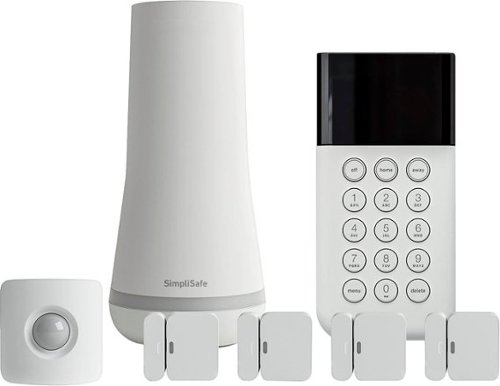
Only at Best Buy Defend your home from intruders with this SimpliSafe security system. Its wireless design provides reliable, multilayer protection and avoids interruptions from cut phone lines and power outages, and it connects to an app for remote operation. This SimpliSafe security system is easy to install and customizable to homes of any size for flexible use.
Customer Rating
4
Innovative Home Security
on March 16, 2018
Posted by: vrs99
Simply what I like is the feeling of enhanced safety for my family and home.
The system name is appropriate, it is a very simple system to take out of the box and have up and running in a short time. On the box it states “Open box, Plug it in, Protect Home."
My young son and I were able to review the included user’s manual, install motion and entry sensors, base station, keypad, add to our Mesh Wi-Fi, and complete all custom settings in a little over an hour with our system operating perfectly.
Detached Garage entry sensor is located 42’ away from our home and about 75’ from the base station, operates flawlessly. The garage sensor is connected to our Mesh Wi-Fi router in the garage as well as the built in SimpliSafe cellular.
Wi-Fi – The system comes with cellular. The manual states that by setting your system up on W-Fi the system will update faster and be more secure.
Setup options allow naming of all sensors throughout your system and setting up additional User Codes which do not have admin rights.
After installing our system last night I have already ordered additional sensors, keypad (for garage), FOB and a panic button. The system is highly customizable and covers all the bases in home security for us.
You have the option of running a standalone home security system without monitoring, 24/7 Alarm Monitoring for $14.99/mo, or the 24/7mo Alarm Monitoring + for $24.99 which adds APP support for your mobile. Both monthly monitoring agreements are quite competitive. The mobile app does not work in standalone, app is very limited in the $14.99 monitoring (cannot mange or turn on or off the system). The app as I understand it (have not tested) is fully functional under the $24.99 monitoring program.
Bottom-Line. This is a highly innovative system which is easy to install, can easily be adapted to growing needs and can teach to a young child in minutes how to use properly. Looks good in the home, blends in nicely. Like the blue hue light around the bottom of the base when you are home and secured, nice soft decorative comforting glow.
As I mentioned above it feels good knowing I have added an additional layer of security to my family and home.
My Best Buy number: 2002595546
Mobile Submission: False
I would recommend this to a friend!
Share this review:


+4points
6of 8voted this as helpful.
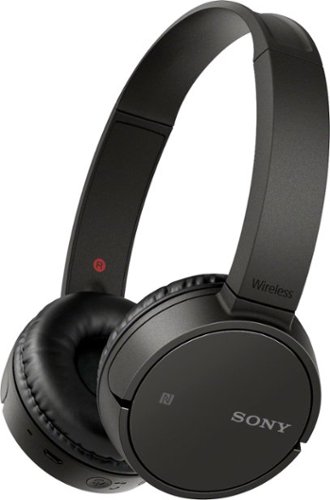
Enjoy an individualized listening experience with these Sony wireless on-ear headphones. Their built-in Bluetooth lets you stream playlists with a paired compatible device, and they last for 20 hours on a single charge for nonstop entertainment all day. These Sony wireless on-ear headphones have a built-in microphone for answering calls hands-free.
Customer Rating
4
Good Everyday Walk Abouts
on March 9, 2018
Posted by: vrs99
from TN
Right off I like the comfortable light weight fit, the controls are well placed and easily accessible (a pet peeve of mine with other headphones/buds). The headphones remain connected to my office computer, which is in a far corner of home, as I move about the house. Gets sketchy at the extreme far side of the house. Excellent range.
Could see myself (maybe) vacuuming working around the house or in my garage/shop. Or for that matter hitting some golf balls in the front yard or trips to the gym.
- Bluetooth 4.2
- Up to 20 hours
- NFC connectivity
- Hands Free Calls and Voice Assistant
- 20 Hz–20,000 Hz (44.1 kHz Sampling)
- Up to 20 hours
- NFC connectivity
- Hands Free Calls and Voice Assistant
- 20 Hz–20,000 Hz (44.1 kHz Sampling)
Not a big fan of earbuds so the Sony Headset is a nice alternative for me.
Sound Quality. Have listened to a wide range of music genres and find that the set performs better with some genres over others, could possibly be my ears and taste. Jazz sounded fuller than say an older rock song.
Sound is clear, bass not on the heavy side and again had better response with various music types. There was a hint of midrange distortions at different sound levels.
Bottom-Line, for a lightweight headset they preform good and if like me you are not a great fan of earbuds you may find what you are looking for.
My Best Buy number: 2002595546
Mobile Submission: False
I would recommend this to a friend!
Share this review:


+1point
1of 1voted this as helpful.
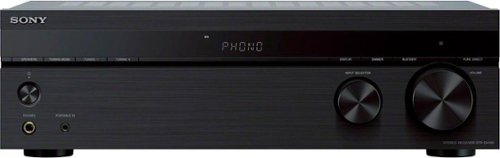
Bring together your analog and digital music collection with this 2-channel Sony receiver. Its phono input lets you hook up a record player directly, and its Bluetooth capability allows convenient wireless streaming from compatible devices. This Sony receiver has a built-in power amplifier for clear, distortion-free sound, and the rigid chassis minimizes vibration.
Customer Rating
5
Excellent Two Channel Receiver
on February 21, 2018
Posted by: vrs99
from TN
First things first, what’s cool. Loving that the remote can control Pandora on my PC. Pause, move to next track, no more bringing up the program and grabbing the mouse. Remote has nice layout with every control you need. Excellent.
This is a niche receiver and fills that roll nicely. For me that niche is my home office with a pair of shelf speakers driving music on the Bluetooth connection from my PC. Can see this receiver in many applications, bedroom, dorm room, man’s cave, game console, kitchen, etc.
As turntables and plastic has started returning to the stage for audiophiles who are enthusiastic about high-fidelity sound the receiver includes a phono connection. The first I have seen in a long time. Kudos Sony.
Listening to the Phantom of the Opera now as I write my review. The music is crisp, clear full bodied. Even on the shelve speakers it delivers brilliant sound. An exceptional listening experience.
Setup was beyond simple, pair of speaker wires connected, plug in FM antenna, batteries in remote, connect your device wired or Bluetooth and power up to your favorite tunes.
A few specs for those who may be considering a receiver of this class:
It is a stereo unit - supports two sets of speakers (A/B)
Five Audio input – one audio input is also coupled with an Audio output
Phono In with signal ground
Front - Portable In jack and headphones
20 Hz – 20,000 Hz
90 watts per channel
No more than 0.09% total harmonic distortion
FM Tuner
Bluetooth
Five Audio input – one audio input is also coupled with an Audio output
Phono In with signal ground
Front - Portable In jack and headphones
20 Hz – 20,000 Hz
90 watts per channel
No more than 0.09% total harmonic distortion
FM Tuner
Bluetooth
Nice front panel aesthetics. Another good touch is the dimmable front panel, can be set to bright, dim or off.
If you are considering a receiver along these lines I would give this Sony a look.
My Best Buy number: 2002595546
Mobile Submission: False
I would recommend this to a friend!

Share this review:


+1point
26of 51voted this as helpful.
Keep your computer and information safe with Malwarebytes software. It provides protection against multiple attack types, including ransomware that hijacks your computer and demands payment and traditional spyware, and offers fast scanning so your device isn't tied up. Malwarebytes software detects fake websites and prevents you from accessing them or downloading infected programs.
Customer Rating
4
Great Malware System
on January 25, 2018
Posted by: vrs99
from TN
Installed Malwarebytes on my computer which has a major Internet Security Suite installed and layers of security and ran the first Malwarebytes scan.
The scan checked 350,000 files on my computer in 22 seconds, it is fast.
Interestingly Malwarebytes detected 36 PUP.Optional.Spigot.Genric (see pictures below) and marked for quarantine. A PUP is a “Potentially Unwanted Program” which has been installed without your knowledge or a program you installed yourself.
PUP’s from my view are a mixed bag which Malwarebytes goes after aggressively, and I like that as there typically many that I do not want. If you run the scan and detect PUPs I would suggest checking what the programs are before hitting the nuke (quarantine) button.
Scanned the quarantine list and did not see anything that concerned me, so quarantined all 36 and have had no bad side effects. If you do have an issue you can restore the program from quarantine.
Have been running Malwarebytes along side my Internet Security Suite for over a week now and have not noticed any noticeable speed hits, like that.
After the first scan over a week ago have not detected any further PUPs loaded onto my computer.
Just ran Malwarebytes a few minutes ago for my review and found that the system needed updating. That was bit surprising as the computer had been running for about three hours. Not sure if did not check for an update (which it should if it is running in the background) or if there had been a new update released since it last checked?
I like Malwarebytes and the extra protection, it brings to our system, it is a Very Spooky world out there and protection is a Good thing. Malwarebytes appears to be a tightly programmed system which leaves small footprints (usage) on your computer, it is fast and not noticeable running in the background.
The Reports are easily accessed and will report when Malwarebytes has Blocked Websites (another very good thing), scan results, etc. The reports are easily understandable. Has an excellent range of settings for managing the system and customizing to your needs.
If you are like me and want to plug the holes to your system give Malwarebytes a spot on your computer. Thumbs Up.
My Best Buy number: 2002595546
Mobile Submission: False
I would recommend this to a friend!


Share this review:


+7points
7of 7voted this as helpful.
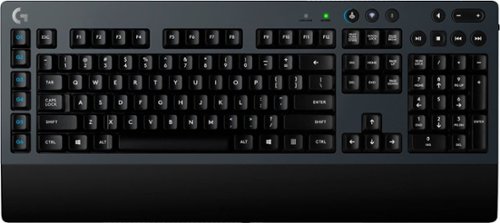
Get absolute precision with this Logitech wireless mechanical gaming keyboard. Place it anywhere you like thanks to the long-lasting battery and the efficient Bluetooth connection, and enjoy the feel of a mechanical connection that provides the perfect resistance. The full-size layout ensures this Logitech wireless mechanical gaming keyboard makes your games easy to control.
Customer Rating
5
Fast & Furious Gaming without the Wires!
on January 14, 2018
Posted by: vrs99
from TN
When you first take the G613 Gaming Keyboard out of the box you can feel that this is a substantially built keyboard. It has heft which tells me that in the heat of the battle it is not going to slide off the desk nor give up on you!
First impression, it is a well-built keyboard and that it is made for speed and accuracy. The key layout is excellent with well-spaced and raised keys. When typing on the G613 you can tell right away that this the G613 is well-engineered and key build is solid as a rock. My thought is this is one keyboard that will give Many years of solid use.
There are six programmable keys along the left for slamming forward in the heat of the battle.
The keyboard is spec’d to run for 18 months on two AA batteries, excellent.
For anyone wanting a major upgrade over the dinky keyboards that come with computers for everyday use you will find that the G613 is built for far more than just gaming. It is an excellent everyday keyboard; my wife uses it often for her work.
Nice thing about the G613 it does not have to be tethered to just one PC, it is grab-and-go. Using either Bluetooth or Lightspeed to connect to any computer.
The mechanical keys do not have a strong tactile feel, the tactile feel is just right in feedback.
One feature I like, a lot, is the palm rest that Logitech uses on this keyboard, use the identical palm rest on one of our other Logitech gaming keyboards and it just fits.
Response time is there for fast moving games with the Lightspeed technology with 1 ms report rate.
If you demand Fast and Furious Action in your game with no Wires holding you back, then fire one up and get to it.
If you are looking for a great replacement for everyday use, give it a look.
Our young gamer in the house gives the G613 Two Thumbs up.
My Best Buy number: 2002595546
Mobile Submission: False
I would recommend this to a friend!

Share this review:


+2points
6of 10voted this as helpful.
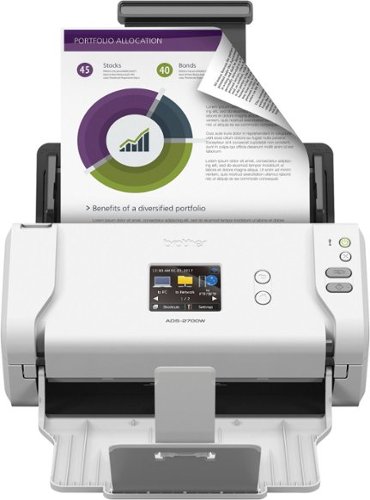
Store documents and photos digitally with this Brother wireless scanner. Its duplex setting copies both sides of the page in a single pass to save time, and its image optimizing feature improves the quality of the scan. The 2.8-inch touch screen on this Brother wireless scanner lets you configure its settings to your preferences.
Customer Rating
5
Fast, Compact, Flexible - Highly Capable Scanner!
on January 14, 2018
Posted by: vrs99
from TN
All notes in my review are based on Windows 10 PC.
Basic setup is a breeze and takes about ten minutes. Settings can be managed at either the scanner or remotely from the PC in the Brothers Setup/Management package that you need to download from Brother.
Basic setup is a breeze and takes about ten minutes. Settings can be managed at either the scanner or remotely from the PC in the Brothers Setup/Management package that you need to download from Brother.
Things I like right off the bat about the ADS-2700W:
It’s size. A great choice for a cluttered desktop or for a student’s workspace.
Wide range of networking from Wi-Fi, wired, USB to server based configurations. The network side is robust.
The range of documents that can be scanned to include plastic coated cards, business card, photos as well as a long list of standard office sizes through its 50-page auto document feeder. Again, a robust list of supported documents.
Scan to choices include File, USB flash memory drive, Image, Network, OCR, Email, FTP, Mobile Devices.
Scanning formats include; JPEG, PDF, Secure PDF, Signed PDF, PDFA, And TIFF.
Has crisp scanning resolutions of 600 dpi and interpolated 1200 dpi.
Adding shortcuts to your mostly frequently used scanning destinations and configurations.
LCD control panel is easy to use and setup logically. Have found that I must use firm pressure to engage a selection.
It’s size. A great choice for a cluttered desktop or for a student’s workspace.
Wide range of networking from Wi-Fi, wired, USB to server based configurations. The network side is robust.
The range of documents that can be scanned to include plastic coated cards, business card, photos as well as a long list of standard office sizes through its 50-page auto document feeder. Again, a robust list of supported documents.
Scan to choices include File, USB flash memory drive, Image, Network, OCR, Email, FTP, Mobile Devices.
Scanning formats include; JPEG, PDF, Secure PDF, Signed PDF, PDFA, And TIFF.
Has crisp scanning resolutions of 600 dpi and interpolated 1200 dpi.
Adding shortcuts to your mostly frequently used scanning destinations and configurations.
LCD control panel is easy to use and setup logically. Have found that I must use firm pressure to engage a selection.
Overall the Brother ADS-2700W is easy to use and compact for everyday use.
Works well wired to a one computer, to small homegroup networks to use in server groups. ONE Great option for Group use is that Documents can be scanned directly to a Network Location/Folder or into Email. Highly flexible unit.
If space is at premium and you need a highly flexible scanner check out the Brother ADS-2700W.
Forgot to mention, this scanner is fast!
My Best Buy number: 2002595546
Mobile Submission: False
I would recommend this to a friend!


Share this review:


+14points
14of 14voted this as helpful.
vrs99's Review Comments

Upgrade your laptop's storage with this Samsung 850 PRO MZ-7KE512BW internal SATA III solid state drive, which offers a generous 512GB capacity for digital data. SED (Self-Encrypting Drive) technology controls access to private information.
Overall 1 out of 5
1 out of 5Crashed and Burned after 44 Days - Good Luck
By vrs99
Fast SSD - and Extra Fast to Crash in just 44 days. Of course it was on a Friday evening and cannot speak to Samsung until Monday. Cannot Chat with them as they do not offer Chat for SSD's.
Luckily it crashed two weeks after the 30 day return period to Best Buy. Guess it is a good thing they offer 10 year warranty? But have heard they will return a refurbished unit, which will not be good on 44 day old product. Must be living on the bleeding edge, should have stuck with the Toshiba, which I can't see a real life difference in speed.

vrs99
TN
After a Day of Wrestling with the SSD
July 11, 2015
After pulling every rabbit out of my hat I finally got the SSD going again. Have to completely reload OS, etc. starting at Windows 8. Not fun.
But I am "somewhat" happy that I was able to get the drive working. Not sure what happen to the drive, but have some suspicion of a setting in Magician (software system for the 850 Pro) which boosts speed?
+2points
2of 2voted this comment as helpful.
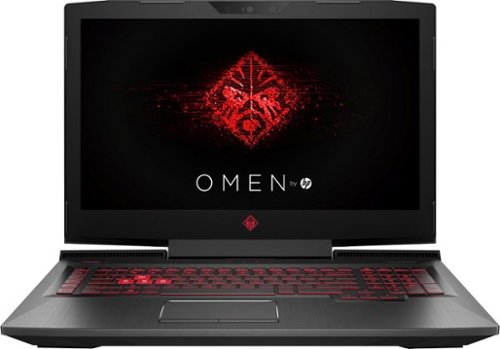
Only at Best BuyUpdate your portable technology kit with this HP Omen 17-inch laptop. Ideal for gaming, this machine combines a 7th generation Intel Core i7 processor with 12GB of DDR4 RAM for ultra-fast performance on the go. An island-style backlit keyboard equipped with dedicated macro keys makes this HP Omen 17-inch laptop easy to use in the dark.
Overall5 out of 5
5 out of 5Hp omen gaming laptop
By Martinezjorge7
I recently bought the 16 omen laptop and I was able to return mine and be able to upgrade the the newest one it has a better graphic card and an new design with a better cooling vent with a 1 tb hard drive
vrs99
TN
NO DVD
July 12, 2017
There is no DVD built, you would have to use external.
0points
0of 0voted this comment as helpful.
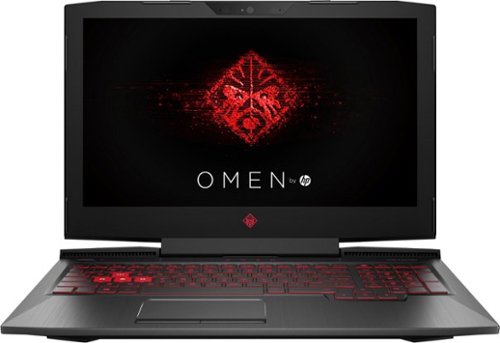
HP OMEN by HP Laptop: Power through the virtual landscape with this versatile HP Omen 15-inch laptop. Ideal for gaming, this machine packs a 7th generation Intel Core i7 processor and an NVIDIA GeForce GTX video card for superior graphics performance. The 1TB hard drive inside this HP Omen 15-inch laptop provides plenty for space for gaming profiles and other multimedia files.
Overall4 out of 5
4 out of 5Excellent laptop, but not the best value
By Xephyroth
from Colorado Springs, CO
This HP Omen is the 3rd gaming laptop I've ever owned, and it's undoubtedly the best one I've had the pleasure of using. However, this product isn't perfect out of the box.
FIRST IMPRESSION / UNBOXING:
Out of the box, the first thing that I noticed is that this laptop has impressive build quality. The sand-blasted brushing brings a pleasant aesthetic while also bringing solid weight and durability. It's not incredibly flashy, so it doesn't scream "gamer" like a lot of other laptops, but it definitely brings a touch of the "gamer" aesthetic without being overzealous. The notebook is also much thinner than I expected, as I've been used to much thicker gaming laptops, but I suppose the lack of an optical drive attributes to that. The power brick is fairly small and compact for a machine that's capable of entry/mid-level gaming.
Out of the box, the first thing that I noticed is that this laptop has impressive build quality. The sand-blasted brushing brings a pleasant aesthetic while also bringing solid weight and durability. It's not incredibly flashy, so it doesn't scream "gamer" like a lot of other laptops, but it definitely brings a touch of the "gamer" aesthetic without being overzealous. The notebook is also much thinner than I expected, as I've been used to much thicker gaming laptops, but I suppose the lack of an optical drive attributes to that. The power brick is fairly small and compact for a machine that's capable of entry/mid-level gaming.
DISPLAY:
Turning the display on, the 1080p IPS matte display is nice and bright, and viewing angles are decent without too much color shifting. Bezels aren't too large, and it's not something I noticed until just now while writing this review. While I'm used to Quad-HD and 4K resolutions, I was not displeased with this display in any fashion. The webcam is above the display and can record at 720p/30fps. Not the best, but not the worst webcam I've seen.
Turning the display on, the 1080p IPS matte display is nice and bright, and viewing angles are decent without too much color shifting. Bezels aren't too large, and it's not something I noticed until just now while writing this review. While I'm used to Quad-HD and 4K resolutions, I was not displeased with this display in any fashion. The webcam is above the display and can record at 720p/30fps. Not the best, but not the worst webcam I've seen.
KEYBOARD:
Typing on the keyboard is pleasant with the chiclet-style keys. It didn't take me too long to get used to the keyboard, having come from mechanical keyboards and MacBook Pro keyboards. The addition of the num-pad is certainly nice, as well. The keyboard is backlit red (as you'd expect with the Omen), but settings are very simplistic compared to other gaming laptops. The backlighting has 3 states: fully on, WASD on, or fully off. No, there are no fancy effects, and I wouldn't expect any at this price. I do find it a little bit surprising that you can't dim the backlighting, but I rarely dim the backlight on my keyboards, anyway, so it'd be a useless feature for me.
Typing on the keyboard is pleasant with the chiclet-style keys. It didn't take me too long to get used to the keyboard, having come from mechanical keyboards and MacBook Pro keyboards. The addition of the num-pad is certainly nice, as well. The keyboard is backlit red (as you'd expect with the Omen), but settings are very simplistic compared to other gaming laptops. The backlighting has 3 states: fully on, WASD on, or fully off. No, there are no fancy effects, and I wouldn't expect any at this price. I do find it a little bit surprising that you can't dim the backlighting, but I rarely dim the backlight on my keyboards, anyway, so it'd be a useless feature for me.
TRACKPAD:
Out of the box, the trackpad sensitivity was incredibly low for my personal taste. After making some adjustments to the Touchpad Settings in Windows 10, I found a sensitivity that worked well for me. The touchpad does not physically click, but there are left/right trackpad buttons. Initially, I did find the buttons to be awkwardly placed, but I actually got used to them fairly quickly. While the touchpad isn't the best I've ever used, it is pretty good, in my opinion. 2 and 3 finger gestures work, as well.
Out of the box, the trackpad sensitivity was incredibly low for my personal taste. After making some adjustments to the Touchpad Settings in Windows 10, I found a sensitivity that worked well for me. The touchpad does not physically click, but there are left/right trackpad buttons. Initially, I did find the buttons to be awkwardly placed, but I actually got used to them fairly quickly. While the touchpad isn't the best I've ever used, it is pretty good, in my opinion. 2 and 3 finger gestures work, as well.
SOUND:
The Bang & Olufsen speakers surprised me. They have good volume and a pleasant sound signature. However, they're bottom-firing, so when you put the laptop on your lap, the frequencies dampen and you lose a bit of treble/mid-range impact. Keep in mind, this is with the "B & O Play Experience" toggled on from the "Omen Audio" application. You'll definitely want to leave that on if you're using the speakers, or else the bass will disappear and will sound really anemic. I did notice some clipping at max volume when bass-heavy music was involved. Headphone jack works well as you'd expect, but doesn't promise anything fancy, so don't bother trying to drive headphones with high impedance. The built-in microphone array is good for video/voice chat session, but don't expect it to compete with a USB desktop microphone in terms of sound quality. For all casual purposes, it does just fine.
The Bang & Olufsen speakers surprised me. They have good volume and a pleasant sound signature. However, they're bottom-firing, so when you put the laptop on your lap, the frequencies dampen and you lose a bit of treble/mid-range impact. Keep in mind, this is with the "B & O Play Experience" toggled on from the "Omen Audio" application. You'll definitely want to leave that on if you're using the speakers, or else the bass will disappear and will sound really anemic. I did notice some clipping at max volume when bass-heavy music was involved. Headphone jack works well as you'd expect, but doesn't promise anything fancy, so don't bother trying to drive headphones with high impedance. The built-in microphone array is good for video/voice chat session, but don't expect it to compete with a USB desktop microphone in terms of sound quality. For all casual purposes, it does just fine.
PERFORMANCE:
This laptop comes with a 4-core / 8-thread Intel Core i7 processor. For most basic tasks, this is actually overkill. But for gamers, this is great, as more games are utilizing more threads. The GTX 1050 can play any older game at very high settings, and can still play many modern titles at medium / high settings at 1080p. 8GB of RAM is enough for most people, but individuals who multi-task with a lot of resource-intensive chrome tabs and extensions may find themselves wanting more. While the 1TB hard drive is rated for 7200RPM, I still find it unacceptable to not have the operating system installed on a Solid State Drive (SSD) for a machine at this price point. You will not be unlocking the full potential of this machine while your OS runs on a slow drive like this. Thankfully, the upgrade process is fairly simple. After consulting the service manual found on HP's support website, I unscrewed the 10 screws from the bottom of the laptop and removed the bottom panel by starting with the side closest to the display hinge. From there, you'll have access to the SATA drive bay, the M.2 SSD slot (unoccupied, but does support NVMe drives), and 2 RAM slots (with only 1 occupied). I suspect that each RAM slot supports up to 8GB, but I could not find any confirmation in any of the documents available on HP's support website.
This laptop comes with a 4-core / 8-thread Intel Core i7 processor. For most basic tasks, this is actually overkill. But for gamers, this is great, as more games are utilizing more threads. The GTX 1050 can play any older game at very high settings, and can still play many modern titles at medium / high settings at 1080p. 8GB of RAM is enough for most people, but individuals who multi-task with a lot of resource-intensive chrome tabs and extensions may find themselves wanting more. While the 1TB hard drive is rated for 7200RPM, I still find it unacceptable to not have the operating system installed on a Solid State Drive (SSD) for a machine at this price point. You will not be unlocking the full potential of this machine while your OS runs on a slow drive like this. Thankfully, the upgrade process is fairly simple. After consulting the service manual found on HP's support website, I unscrewed the 10 screws from the bottom of the laptop and removed the bottom panel by starting with the side closest to the display hinge. From there, you'll have access to the SATA drive bay, the M.2 SSD slot (unoccupied, but does support NVMe drives), and 2 RAM slots (with only 1 occupied). I suspect that each RAM slot supports up to 8GB, but I could not find any confirmation in any of the documents available on HP's support website.
I happened to have an unused SATA-based SSD, so I swapped that with the 1TB HDD and used the software that came with my SSD to transfer the OS from the HDD to the SSD. After this process, my HP Omen was substantially faster with booting the OS and running applications—a night & day difference.
BATTERY:
I haven't tested the battery life to an enormous extent, but enabling a battery estimation feature in the BIOS allows Windows 10 to report the estimated time (not just %) on battery. Depending on your brightness, power profile and workload, HP estimates 9 hours of mixed usage, and almost 7 hours of video playback. So far, I think that claim is accurate.
I haven't tested the battery life to an enormous extent, but enabling a battery estimation feature in the BIOS allows Windows 10 to report the estimated time (not just %) on battery. Depending on your brightness, power profile and workload, HP estimates 9 hours of mixed usage, and almost 7 hours of video playback. So far, I think that claim is accurate.
I/O:
The HP Omen doesn't support Thunderbolt 3, but all the USB ports support USB 3.1 (1 Type-C, 3 Type-A. There's also a gigabit ethernet jack, HDMI (HDCP 2.2, 4k@60Hz), and Mini DisplayPort. It also supports a full-size SD card which can be fully inserted into the laptop without sticking out. As mentioned before, it also sports a headphone and microphone jack.
The HP Omen doesn't support Thunderbolt 3, but all the USB ports support USB 3.1 (1 Type-C, 3 Type-A. There's also a gigabit ethernet jack, HDMI (HDCP 2.2, 4k@60Hz), and Mini DisplayPort. It also supports a full-size SD card which can be fully inserted into the laptop without sticking out. As mentioned before, it also sports a headphone and microphone jack.
CONCLUSION:
The HP Omen is a great laptop. It provides great features while also having room for a few upgrade. However, I do feel that an SSD should be included at this price—even a cheaper SATA-based M.2 or 2.5" drive would be fine. For a performance-oriented machine like this, skimping on the SSD is a poor decision on HP's part—especially at this price-point. I have seen competitor's laptops with the i7-7700HQ, GTX 1060, 16GB RAM, and 256GB SSD go on sale for cheaper. So in that regard, I do feel the HP Omen isn't providing as good a value, but it is objectively a good laptop—perhaps, just not as good a value when compared to other options around the same price.
The HP Omen is a great laptop. It provides great features while also having room for a few upgrade. However, I do feel that an SSD should be included at this price—even a cheaper SATA-based M.2 or 2.5" drive would be fine. For a performance-oriented machine like this, skimping on the SSD is a poor decision on HP's part—especially at this price-point. I have seen competitor's laptops with the i7-7700HQ, GTX 1060, 16GB RAM, and 256GB SSD go on sale for cheaper. So in that regard, I do feel the HP Omen isn't providing as good a value, but it is objectively a good laptop—perhaps, just not as good a value when compared to other options around the same price.
vrs99
TN
Support Manual web site?
July 14, 2017
Do you have the link to the HP Support Site that has the Support Manual?
Have been looking and must be in the wrong place - Thanks
0points
0of 0voted this comment as helpful.
HP OMEN by HP Laptop: Power through the virtual landscape with this versatile HP Omen 15-inch laptop. Ideal for gaming, this machine packs a 7th generation Intel Core i7 processor and an NVIDIA GeForce GTX video card for superior graphics performance. The 1TB hard drive inside this HP Omen 15-inch laptop provides plenty for space for gaming profiles and other multimedia files.
Overall5 out of 5
5 out of 5Zoom Zoom Zoom – Game On
By vrs99
from TN
This machine looks like it is going fast sitting on the desktop. The exhaust system vents on the back edges of the laptop brings to mind the tailpipes a supercar might be sporting. When it is cranking through benchmarking the cooling system and exhaust ports are doing a job, pushing volumes of hot air away from the machine.
The HP Omen is the most bang for the buck that I have ever seen in a laptop, this box is loaded with edgy technology. Not going through a list of specs, those are easy enough to find, what is impressive is that all techs are up to date, not last year’s stuff. Too many times have seen corners cut to save a dollar. Not here. Not one USB 2.0 in sight, which is surprising seeing that we just built beast of a desktop a month ago with the latest Z270 Kaby Lake i7 7700K, USB 2.0 ports still in use on an advanced motherboard. Kudos to HP.
Take a close look at the specs, you will find 802.11ac with a solid 866.7 Mbps connection. “Dual Force functionality splits traffic across two data streams, sending gaming traffic over the fastest connection available (typically wired), and all other traffic over WiFi.”
Other ports of interest (not a complete listing check the spec sheet):
1 USB 3.1 Type C
3 USB 3.1
Mini DisplayPort
3 USB 3.1
Mini DisplayPort
What I love is the fact you can purchase a HDD Omen model and then add your M.2 NVMe drive of choice, that is cool. If you are not yet familiar with M.2 NVMe you should take a look. In a word (or more) they are fast, about seven times that of a standard SSD.
What is interesting is that with the HDD the system boots up in 9 seconds, that is fully populated with my programs/anti-virus and all my files. Impressive. Being spoiled by SSD’s I must tip my hat to HP; this machine runs tremendously smooth with the 7200 RPM Hitachi HDD.
The Nvidia GeForce GTX 1050 (4 GB GDDR5 dedicated memory) discrete GPU ran through the Unigine Heaven Benchmark smoothly turning good numbers while the cooling system kept the GPU at a respectable 68 degrees. Notable, that with all the heavy iron under the hood the system manages the temp easily.
Ran my favorite game, Civilization VI through its paces today set on the highest graphic settings and it ran like a champ.
Looks, it has the looks, brushed aluminum case with an excellent finish. Nice touches all-around.
Know it is a way cool machine as my kid, the gamer in the house is explaining all the great and subtle reasons why it would be better for him to hang onto the machine. Yeah right!
What I am getting use to is the keyboard offset, a bit to the left to make room for the full size numeric pad, which is a nice touch. Keyboard is fine and well suited for heavy accurate work, or gaming for that matter.
Want a blistering rig in your hands at an excellent price point, one that can kick it at games and can be easily expanded, check out The Omen.
vrs99
TN
Maintenance and Service - Upgrade Manual
July 15, 2017
If you purchase the Omen and wish to upgrade memory or add M.2 SSD you can find the manual here:
http://h10032.www1.hp.com/ctg/Manual/c05533785
+3points
3of 3voted this comment as helpful.
HP OMEN by HP Laptop: Power through the virtual landscape with this versatile HP Omen 15-inch laptop. Ideal for gaming, this machine packs a 7th generation Intel Core i7 processor and an NVIDIA GeForce GTX video card for superior graphics performance. The 1TB hard drive inside this HP Omen 15-inch laptop provides plenty for space for gaming profiles and other multimedia files.
Overall5 out of 5
5 out of 5Zoom Zoom Zoom – Game On
By vrs99
from TN
This machine looks like it is going fast sitting on the desktop. The exhaust system vents on the back edges of the laptop brings to mind the tailpipes a supercar might be sporting. When it is cranking through benchmarking the cooling system and exhaust ports are doing a job, pushing volumes of hot air away from the machine.
The HP Omen is the most bang for the buck that I have ever seen in a laptop, this box is loaded with edgy technology. Not going through a list of specs, those are easy enough to find, what is impressive is that all techs are up to date, not last year’s stuff. Too many times have seen corners cut to save a dollar. Not here. Not one USB 2.0 in sight, which is surprising seeing that we just built beast of a desktop a month ago with the latest Z270 Kaby Lake i7 7700K, USB 2.0 ports still in use on an advanced motherboard. Kudos to HP.
Take a close look at the specs, you will find 802.11ac with a solid 866.7 Mbps connection. “Dual Force functionality splits traffic across two data streams, sending gaming traffic over the fastest connection available (typically wired), and all other traffic over WiFi.”
Other ports of interest (not a complete listing check the spec sheet):
1 USB 3.1 Type C
3 USB 3.1
Mini DisplayPort
3 USB 3.1
Mini DisplayPort
What I love is the fact you can purchase a HDD Omen model and then add your M.2 NVMe drive of choice, that is cool. If you are not yet familiar with M.2 NVMe you should take a look. In a word (or more) they are fast, about seven times that of a standard SSD.
What is interesting is that with the HDD the system boots up in 9 seconds, that is fully populated with my programs/anti-virus and all my files. Impressive. Being spoiled by SSD’s I must tip my hat to HP; this machine runs tremendously smooth with the 7200 RPM Hitachi HDD.
The Nvidia GeForce GTX 1050 (4 GB GDDR5 dedicated memory) discrete GPU ran through the Unigine Heaven Benchmark smoothly turning good numbers while the cooling system kept the GPU at a respectable 68 degrees. Notable, that with all the heavy iron under the hood the system manages the temp easily.
Ran my favorite game, Civilization VI through its paces today set on the highest graphic settings and it ran like a champ.
Looks, it has the looks, brushed aluminum case with an excellent finish. Nice touches all-around.
Know it is a way cool machine as my kid, the gamer in the house is explaining all the great and subtle reasons why it would be better for him to hang onto the machine. Yeah right!
What I am getting use to is the keyboard offset, a bit to the left to make room for the full size numeric pad, which is a nice touch. Keyboard is fine and well suited for heavy accurate work, or gaming for that matter.
Want a blistering rig in your hands at an excellent price point, one that can kick it at games and can be easily expanded, check out The Omen.
vrs99
TN
Adding M.2 SSD
July 18, 2017
Added a M.2 SSD to the Omen and nuked all the partitions on the HDD and added it back to the system. Day and Night performance. That is one aspect I like about this model is that it does not come with an installed M.2 drive, you can pick your own SSD ads capacity.
Screams with the new M.2 and have an additionally terabyte of storage on the HDD, whcih I use to sync my files to frequently before syncing with the NAS.
Great machine.
+1point
1of 1voted this comment as helpful.
vrs99's Questions
vrs99 has not submitted any questions.
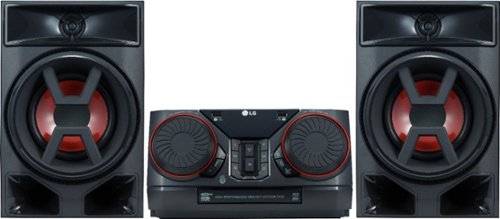
Enjoy room-filling audio in any living space with this LG Hi-Fi shelf system. Its two 150W speakers produce loud, detailed sound, and it streams music via Bluetooth when you pair it with an Android device. This LG Hi-Fi shelf system has an EQ function that optimizes the audio based on the music you're listening to.
how many cds does is play?
Enjoy room-filling audio in any living space with this LG Hi-Fi shelf system. Its two 150W speakers produce loud, detailed sound, and it streams music via Bluetooth when you pair it with an Android device. This LG Hi-Fi shelf system has an EQ function that optimizes the audio based on the music you're listening to.
Can this be connected to tv
It does connect with my LG TV via the LG Sound Sync/Bluetooth easily.
Would think that it would sync with any Bluetooth enabled TV but might need up to date version of Bluetooth.
If it does not remember Best Buy has generous return policy.
Would think that it would sync with any Bluetooth enabled TV but might need up to date version of Bluetooth.
If it does not remember Best Buy has generous return policy.
8 years, 1 month ago
by
vrs99
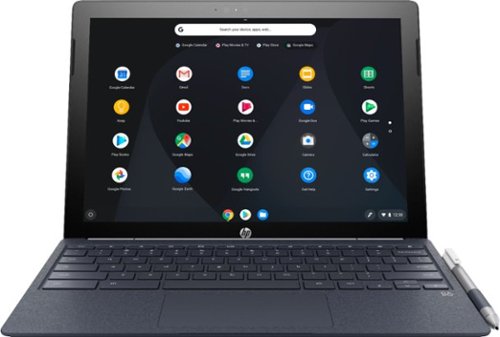
Run programs on this 12.3-inch HP Chromebook convertible laptop. Its detachable touch-screen display lets you enjoy brilliant 2K content, and you can write and draw on it with the included Active Pen. This HP Chromebook convertible laptop has 32GB of storage, and its Intel Core m3 processor and 4GB of RAM provide smooth performance.
I read in the specs "Built-in media reader for simple photo transfer. Supports select memory card formats." Does anyone know what formats are supported or not supported?
Run programs on this 12.3-inch HP Chromebook convertible laptop. Its detachable touch-screen display lets you enjoy brilliant 2K content, and you can write and draw on it with the included Active Pen. This HP Chromebook convertible laptop has 32GB of storage, and its Intel Core m3 processor and 4GB of RAM provide smooth performance.
Any info on this show stopper for me? (86) Access to the Google Play Store and related apps will be provided as part of a regular OS update. This feature might not be available at time of purchase;..
Your question is not clear. The Google Play Store is available with the first release of the unit.
8 years, 3 months ago
by
vrs99
Run programs on this 12.3-inch HP Chromebook convertible laptop. Its detachable touch-screen display lets you enjoy brilliant 2K content, and you can write and draw on it with the included Active Pen. This HP Chromebook convertible laptop has 32GB of storage, and its Intel Core m3 processor and 4GB of RAM provide smooth performance.
Does this computer have a camera in which I can use Skype?
Has both front and rear facing cameras, not positive but would bet that the camera will work with Skype.
If you cannot find an exact answer you could always take one and try it out. BB has a generous return policy.
If you cannot find an exact answer you could always take one and try it out. BB has a generous return policy.
8 years, 3 months ago
by
vrs99
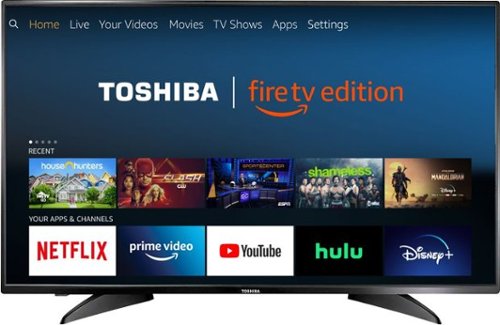
Toshiba 4K UHD Fire TV Edition is a new generation of smart TVs featuring the Fire TV experience built-in and including a Voice Remote with Alexa. With true-to-life 4K Ultra HD picture quality and access to all the movies and TV shows you love, Toshiba Fire TV Edition delivers a superior TV experience that gets smarter every day. The Voice Remote with Alexa lets you do everything you'd expect from a remote~plus, easily launch apps, search for TV shows, play music, switch inputs, control smart home devices and more, using just your voice.
Will you be able to download Amazon Apps ? Like Silk browser,and downloader ?
Toshiba 4K UHD Fire TV Edition is a new generation of smart TVs featuring the Fire TV experience built-in and including a Voice Remote with Alexa. With true-to-life 4K Ultra HD picture quality and access to all the movies and TV shows you love, Toshiba Fire TV Edition delivers a superior TV experience that gets smarter every day. The Voice Remote with Alexa lets you do everything you'd expect from a remote~plus, easily launch apps, search for TV shows, play music, switch inputs, control smart home devices and more, using just your voice.
will there be a need to use a firestick or is it built into the tv already? is it wifi or ethernet?
Fire TV is built in.
Wi-Fi and Ethernet are both included.
Wi-Fi and Ethernet are both included.
8 years, 3 months ago
by
vrs99
Philips Sonicare ProtectiveClean 4100 Plaque Control, Rechargeable electric toothbrush with pressure sensor, White Mint HX6817/01
is this item stocked in local stores
It is in stock at our Best Buy. Check their web-site it will tell you if they have it available for pickup.
8 years, 6 months ago
by
vrs99
Only at Best BuyUpdate your portable technology kit with this HP Omen 17-inch laptop. Ideal for gaming, this machine combines a 7th generation Intel Core i7 processor with 12GB of DDR4 RAM for ultra-fast performance on the go. An island-style backlit keyboard equipped with dedicated macro keys makes this HP Omen 17-inch laptop easy to use in the dark.
Does this laptop have an M.2 socket that supports an NVMe SSD? Also, is there an empty socket for ram expansion?
Here is the link to the spec sheet - will answer many of your questions.
http://www8.hp.com/us/en/images/OMEN_Laptop_17_an013dx_tcm245_2468782_tcm245_2469233_tcm245-2468782.pdf
The answers I am quite sure are yes as noted by the specs.
http://www8.hp.com/us/en/images/OMEN_Laptop_17_an013dx_tcm245_2468782_tcm245_2469233_tcm245-2468782.pdf
The answers I am quite sure are yes as noted by the specs.
9 years, 2 months ago
by
vrs99
Only at Best BuyUpdate your portable technology kit with this HP Omen 17-inch laptop. Ideal for gaming, this machine combines a 7th generation Intel Core i7 processor with 12GB of DDR4 RAM for ultra-fast performance on the go. An island-style backlit keyboard equipped with dedicated macro keys makes this HP Omen 17-inch laptop easy to use in the dark.
recently pre ordered this laptop I was so excited about it that after I put my order for it I didn't realize it didn't have a Solid state drive I'm very concerned that my laptop won't operate at it's best is there a way I can upgrade it by adding a SSD
Here is the link to the spec sheet - will answer many of your questions.
http://www8.hp.com/us/en/images/OMEN_Laptop_17_an013dx_tcm245_2468782_tcm245_2469233_tcm245-2468782.pdf
From what I understand the answer is yes and it is noted,
http://www8.hp.com/us/en/images/OMEN_Laptop_17_an013dx_tcm245_2468782_tcm245_2469233_tcm245-2468782.pdf
From what I understand the answer is yes and it is noted,
9 years, 2 months ago
by
vrs99