


Wraith's stats
- Review count245
- Helpfulness votes2,148
- First reviewAugust 18, 2014
- Last reviewSeptember 23, 2026
- Featured reviews0
- Average rating4.6
- Review comment count1
- Helpfulness votes0
- First review commentSeptember 25, 2016
- Last review commentSeptember 25, 2016
- Featured review comments0
Questions
- Question count0
- Helpfulness votes0
- First questionNone
- Last questionNone
- Featured questions0
- Answer count27
- Helpfulness votes28
- First answerAugust 18, 2014
- Last answerDecember 13, 2021
- Featured answers0
- Best answers3
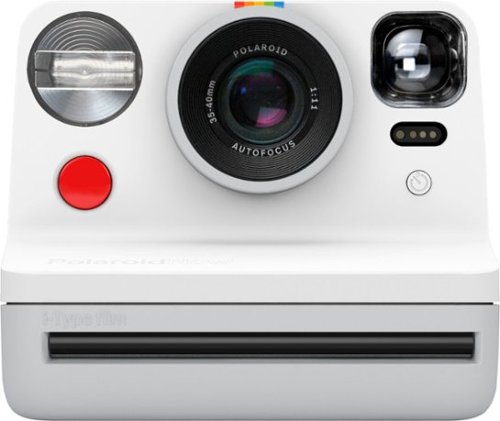
Capture stunning photos with this Polaroid Now i-Type instant camera. Autofocus lets you adjust the lenses to take sharp images, while the self-timer mode is ideal for selfies with your friends or family shots. This Polaroid Now i-Type instant camera features double exposure to combine two images into one for an enhanced look.
Customer Rating

1
Tons of Nostalgia and Just as Many Problems
on May 2, 2020
Posted by: Wraith
from Rochester Hills, MI
A Polaroid camera was the first camera I ever owned back in the mid-80's. I loved that thing, and even though it only took mediocre pictures, they were like gold to me. Fast forward a few decades and I have used every type of camera from 35mm film and actually processed it in a darkroom, to fledgling digital, all the way to state-of-the-art full frames with professional lenses. I was a semi-professional photographer for about 10 years (it wasn't my primary job, but I sold my photos to magazines and in galleries). So I know how to take a good photo.
On a lark, I got this Polaroid Now for the nostalgia and the 'fun' of instant photography. While I have to say, they did a great job building this thing and it has quite a few more bells and whistles than my first Polaroid (auto-focus, self-timer, rechargeable), the photo quality has not developed at all (pun intended). I blasted through a pack of Polaroid brand Color i-Type Film, which contains 8 instant photos and all of them were a disappointment. Now this isn't a comparison between my high resolution digital shots and the Polaroid ones, this is actually a comparison between these current ones and ones I still have from the 80's! I have shots from back then that look better than these ones from the 2020's! Most of those old shots have faded but there were a few that I preserved a bit better than others and they have better color accuracy and focus than the new ones.
All of the 8 photos I took with this Polaroid now were in full sunlight with static subjects, about as ideal as you can ask for a relatively 'slow' film like Polaroid. Color balance was completely off (very yellowish/red) and focus was quite poor throughout the lot. Now perhaps I had a bad batch of film or perhaps the camera is faulty. I won't know until I load up another pack of film, but as of now I don't think I can recommend the Polaroid Now, even for nostalgia sake, unless you only want it for display!
Mobile Submission: False
No, I would not recommend this to a friend.
Share this review:


+1point
1of 1voted this as helpful.
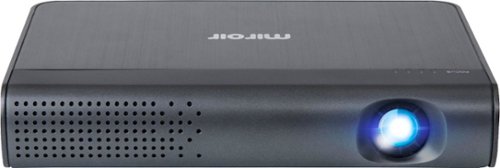
Produce clear pictures and sound with this Miroir Full HD pico projector. The 7000 mAh lithium-polymer battery offers up to 2 hours of viewing time, while the pair of 2W speakers deliver high-quality sound for an all-around multimedia experience. This Miroir Full HD pico projector has HDMI and USB Type-C ports for secure connection to a variety of input devices.
Customer Rating

5
Outstanding Projector For A Small Meetings/Travel!
on January 3, 2020
Posted by: Wraith
from Rochester Hills, MI
TLDR: The Miroir - HD Pro Projector surprised me with how well built it is, its ease of use, and its size. Miroir recommends the HD Pro for small meetings of 5-10 and 10 really is probably the max size of a group you want to use this with, otherwise the room is probably going to be too big to present where everyone can see the screen well. While you can make the projection up to 100", it had better be pitch black if you do, otherwise I would say 50" is perfect for a moderately lit room. The Miroir HD Pro is a solid, well-built machine, and is perfect for small presentations and travel.
Full Review:
OK, so my wife was complaining that the meeting room she has at work is huge and has what is probably a 15 year old monster of a projector built into the ceiling. On top of that, the projector bulb is probably about 5 years past its prime and so it really kind of sucks all around for usefulness. My wife has a small team that she brings together every other week or so to keep the up to date on what the higher ups are doing and what is coming down the line. Being a 4'11" soft-spoken dynamo that she is, she prefers a smaller space to hold meetings but the room she likes has nothing more than a table and dozen chairs. The company she works for also will not spring for a projector for her. I won't say they are cheap, but they are frugal to the point that it hurts. So that is the set-up for why my wife was really wishing for a small projector that she could use to make life a little easer for her and her team. When I saw the the Miroir HD Pro, I thought we might just have a winner, so I got it.
OK, so my wife was complaining that the meeting room she has at work is huge and has what is probably a 15 year old monster of a projector built into the ceiling. On top of that, the projector bulb is probably about 5 years past its prime and so it really kind of sucks all around for usefulness. My wife has a small team that she brings together every other week or so to keep the up to date on what the higher ups are doing and what is coming down the line. Being a 4'11" soft-spoken dynamo that she is, she prefers a smaller space to hold meetings but the room she likes has nothing more than a table and dozen chairs. The company she works for also will not spring for a projector for her. I won't say they are cheap, but they are frugal to the point that it hurts. So that is the set-up for why my wife was really wishing for a small projector that she could use to make life a little easer for her and her team. When I saw the the Miroir HD Pro, I thought we might just have a winner, so I got it.
When the projector arrived I was flabbergasted at how compact this thing really is. I knew it was going to be small but I guess I didn't really look at the dimensions in the description to see just how small it is. That being said, this could have the feel of a toy but instead has the feel of a nicely built machine. It is a solid little device without being too heavy. For $450, it had better be a solid, well-built machine and it is.
The HD Pro is also dead easy to use, which is great because while my wife is not a complete luddite, she is not incredibly tech savvy. Sometimes I think she only married me for constant on-call tech support! I know that's why my parents had me (at least it feels like it every time I go to visit them). The plugs are easy to get to and are well-labelled. On top of that there are only three buttons, a focus wheel, a kickstand, and a little nub to slide open the lens cover. The button with the circle on it switches back and forth between the two inputs (HDMI and USB-C) and that is it. The other two buttons are your volume up and down. The projector is turned on by sliding the lens cover over. Pressing the other buttons though with the lens cover closed will show you how much juice is available in the battery. I kind of also thought that maybe this would be how you would use it as a 7000 mAh external battery for an iDevice but the projector only seems to output power through the USB-A port when it is fully up and running, which I'm sure cuts down on the run time of the projector off of AC power. If you have an iPad Pro with the USB-C plug, it might be able to project and power the iPad at the same time but I was unable to check since mine still has the Lightning port. That being said, if you have the AV dongle for the iPad, you can connect your iPad to this using the included HDMI cable (which is about 2' long), and then use a USB-A to Lightning cable to keep the device powered up since the dongle has both ports for just such a reason.
Don't let the lack of controls worry you. The Miroir HD Pro does an outstanding job correcting for the keystone image you get from projecting at an angle. It also does a fairly good job of auto-focus but you can always dial that in a little better with the focus wheel. NOTE: Your focus is going to be highly dependent on the quality of your 'screen', whether that is a real projection screen, or a wall, or a bedsheet that has been hung up. The walls in the small conference room where my wife has her meetings have the orange peel texture on them and that really throws off the sharpness of the image. We solved that with two sheets from a huge post-it-note easel pad - et voilà cheap projection screen!
Oh, and while the box the projector comes in says that the HD Pro has two 3W speakers, both the Best Buy site and the Miroir site say 2W and I'm fairly sure that in-fact the case. While the built in speakers are good for a small meeting, you will not be hosting any dance party with them.
The only other thing that the HD Pro comes with in the box is a nice compact AC brick that is a lot like a black Apple laptop adaptor with flip up plugs. It is also really pretty light. I would have liked to see perhaps some kind of slip case for this considering the price but since it will be mostly just sitting in my wife's office cabinet when she is not using it, I guess it is not going to get banged around too much.
That being said, my wife and I did take it with us on an overnight trip for New Years. The hotel is really nice but hasn't yet jumped on the bandwagon of some of the big chains that are now installing systems that let you sign into the streaming services through the TV in the room. We packed the HD Pro and one of our Amazon Fire TV sticks and it worked beautifully! We got to watch some shows while we waited for the party to kick off that evening. We are definitely going to do this when we travel back home to see our folks because both sets are still living circa early 2000's or so.
I only have one little quibble when it comes to the HD Pro and this may only be with my device. Some little thermal pad or something got caught in the seam between what should be two tightly fitting parts so it kind of spoils the fit and finish of that little section. Other than that, this thing was built to some fairly tight tolerances. Really, that is the only thing I could find to complain about on this thing but I felt that I had to find something. Back when I was in the military, if the only thing they could gig you on during inspection was something like a single piece of fuzz on your uniform or your boot laces not being even, you knew you had your stuff together. This is a bit like that.
If you are in need of a compact, well-built, projector that is easy to use, look no further than the Miroir HD Pro M289. It is pricy but is worth it in my opinion.
Mobile Submission: False
I would recommend this to a friend!
Share this review:


+4points
4of 4voted this as helpful.
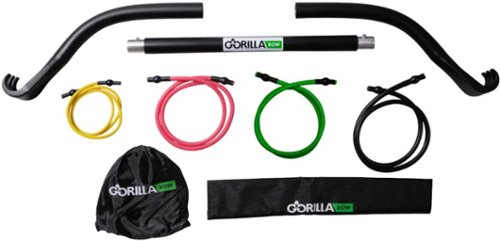
Build your muscles anywhere at any time with this lightweight Gorilla Bow travel resistance trainer. The compact, lightweight design ensures easy portability, and compatibility with a huge range of exercises helps tone muscle groups across your body. This Gorilla Bow travel trainer includes free video tutorials to get you started.
Customer Rating

4
For Exercise: 5 Stars / For Travel: 3 Stars
on November 16, 2019
Posted by: Wraith
from Rochester Hills, MI
It just so happens that my Gorilla Bow arrived the day before flying out Ohio. I had already packed a duffle bag with what I would need but decided to try out the 'Travel' part of the kit and moved everything to a hard side roller carry-on. I was able to nestle the end pieces of the bow into the little valleys created by the handle mechanism that I would normally stuff with underwear, socks, and such. The middle piece had to go diagonally across the suitcase to fit (and this was with the larger of my two carry-on roller bags). All of the pieces fit and I was able to pack a few of the bands and the rest of my clothes on top and around. The next day I headed off to the airport. I have TSA pre-check which normally lets me blast through security but not this time. I was flagged for a baggage search and since the Gorilla bow pieces were all at the bottom of my bag, the TSA agent had to pull everything out. They weren't sure what it was. It could have been an actual bow for arrows or could have been two crowbars and a bludgeon. Either way, I was stuck at TSA screening for longer than I would like. It also happened both ways on my trip, so I was not happy with that.
Also, for it being a 'travel' kit, shouldn't it be a tad bit more compact? I mean it breaks up into three pieces but the pieces are still pretty big and won't just go into a backpack. I'm sure that some of the reason for the wide diameter of the bow is for tensile strength since I'm sure they were primarily concerned about weight for this version. And if it is for travel, shouldn't it have maybe come with a bag? They sell one on their website for $40, perhaps bump up the price a bit and include it? That would make it nicer to pack if I am driving to my destination, which from now on is the only way I'm going to travel with this thing.
As for its primary purpose as an exercise device, it is awesome. I have been a fan of resistance training for a long time, since I have had to do it repeatedly as a part of physical therapy for multiple injuries I have inflicted upon myself. All the physical terrorists (ahem, sorry, physical therapists - dang autocorrect), I have known have also recommended resistance band training to me many times in the past.
It is super easy to switch out bands, and one of the best exercise series I like to do is to put a few different 'weight' bands on the bar and then I can step on different/multiple ones to change out the resistance quickly either up or down. Worked beautifully and the bow is nice and sturdy with a great texture on it so it doesn't slip.
Do not forget to go to the Gorilla Bow website to get ideas and training routines that will save you a bunch of time trying to figure out all the ways you can use this thing. It really is a great portable gym, I just don't know how much I would use the 'travel' moniker.
Mobile Submission: False
I would recommend this to a friend!

Share this review:


+5points
7of 9voted this as helpful.
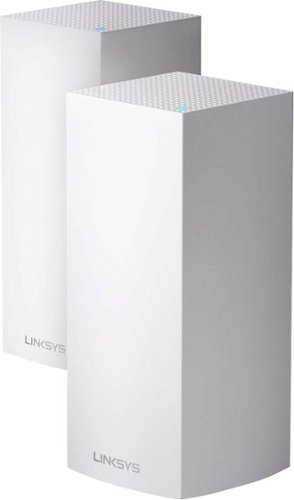
The Linksys Velop MX10 whole-home Wi-Fi 6 system gives you more speed, coverage, and capacity than it ever has before. Wi-Fi 6 combined with Velop's Intelligent Mesh~ technology delivers true Gigabit Wi-Fi speeds, up to 5.3 Gbps, to every corner of your home, even the backyard and outdoor smart home devices. Wi-Fi 6 also sends and receives multiple streams of data simultaneously and reduces latency, providing up to 4x more capacity compared to Wi-Fi 5 technology. So, it can handle the demands of up to 50 devices and more, from laptops and gaming consoles to smart home devices and 4K TVs, all competing for the same bandwidth. You'll also always have a more efficient Wi-Fi experience with OFDMA that enables more data to and from your devices in a more streamlined manner. And, with BSS technology, congestion is also minimized eliminating interference from nearby wireless networks to deliver a strong, clear Wi-Fi signal to your home, so you won't have to worry about your neighbor's Wi-Fi interfering with yours again. You'll even have 7x more battery life with Target Wake Time that reduces network interference, allowing your devices to remain in sleep mode longer. The MX10 whole-home Wi-Fi 6 system is a part of Velop's modular system, so if you need more coverage, just add more nodes. Plus, setup is fast with the Linksys app, so you can enjoy the next evolution of Wi-Fi in minutes.
Customer Rating
4
Easy Set-Up, Solid Wi-Fi, App Kinda Frustrating
on November 9, 2019
Posted by: Wraith
from Rochester Hills, MI
TLDR: If you are just getting into setting up a mesh network for your home or even upgrading an early mesh network, the Velop AX5300 is a solid choice and should be future-proof for quite some time. Set-up was very easy, but it does take a day or two for the system to optimize itself. Also, don't pay too much attention to the app because it caused me more frustration than it was worth.
Review: So, I have had a mesh network system for about 4 years now, which was really when they started taking off. Prior to that I had a beast of a router but you had to switch yourself between the two bands to maximize your signal. The beauty of the mesh network is that you have one network and the routers maximize the signal to your device for you. My previous system was running just fine but I was getting the feeling that I had kind of maxed it out. I recently got rid of cable in my home and upgraded my internet to a 500/500mbps connection. I also switched my TV to all streaming for three TVs and a bunch of handheld devices, plus a security network, a smart home system, and an ever expanding number of everyday appliances that now connect to the internet. I think my previous mesh network was good but I was maxing out the number of devices and maybe the bandwidth as well.
When I saw the Linksys - Velop AX5300 system, I figured that this one, with wi-fi 6 and the ability to handle over 50 devices at a time, would be more than enough to last me well into the future. I worried a little bit about switching devices and manufacturers especially since I have so many devices linked in now and the security devices are a bit of a pain to set up, but then I had an epiphany and realized, why don't I just give it the same SSID and password? DUH! I realized in my smart home I am now probably the dumbest thing. I'm sure others had figured that out already but I've never done that before.
Set-up of the Velop system was super easy. My previous system had two base units and so does this one and so I just pulled the other two and placed these two towers in their place. I thought that I might even be able to use the same power but I noticed that the Velop system pulls a bit more juice than my previous one and I didn't want to handicap it even though the plugs were the same. So two plugs, and a swapping of LAN cables which took all of five minutes and I was ready to rock. I fired up the app on my phone, hit the sync button on the main base station and the app found it right away. It asked to do a firmware update which was the longest part of the entire process and even that was only about ten minutes. The app then asked me to go upstairs to the second 'node' and link up, again this went super smooth and the main node even took care of doing the firmware update for this node. I set everything up with my old SSID name and password and everything linked back up immediately. With that, I thought I was pretty much done. I was wrong.
Later in the day I went to go plug in my car in the garage and noticed that the ChargePoint device was flashing that it lost it's internet connection. My Ring network extender was also flashing that it had no signal. I thought this was weird because in the past some of my best signal strength was in the garage because the second node is right above the garage. I whipped out the app to check the signal strength on the connected devices and noticed that the second node was off-line and the primary node was doing a pretty cruddy job connecting to anything beyond the office where it is placed. I took care of the secondary hub first and found that it had completely taken itself off of the network and I had to reinitialize it again, though I did not have to do another firmware update. I did have to name it something else because it said that 'Loft' was already taken by another device but it wasn't on the network. Once I got it up and running again, it has stayed solid and the garage devices and a few of the other security devices picked up much better signal.
After using the app to figure out what device was on which channel/band and how much signal it was receiving I began to make myself crazy trying to figure out why the upstairs streaming device was pulling the long-range and lower-bandwidth signal from the downstairs node even though the upstairs node was like three feet away and should be feeding it the firehose strength signal. Tons of device connections were not making any sense. I have a pretty new house and it is primarily stucco on the outside so the mesh that surrounds my house does create a kind of Faraday cage but that usually just give me a terrible cell signal in my house and usually doesn't interfere with the interior wi-fi. This time it seemed if I put a single wall between me and one of the nodes, I lost all signal. I thought this was really weird because one of the prime reasons I wanted the Velop AX5300 system is because it specifically said that it has the power to blast the signal through your house and it was doing anything but. By then it was pretty late in the day and I was going to test out some things in the morning and if things couldn't get straightened out, I was going to call tech support, and if that didn't work, I was going to go back to my old system. Fortunately, the next morning they system seems to have figured itself out. I know the system says that it has Target Wake Time and some other features that are supposed to maximize signal and reduce battery drain on devices, so I wondered if the system just needed some time to figure everything out and then it optimized the system from there. Whatever it did, everything was running solid. Even though the app still showed some strange connections, for all I know it was taking into account what all was connected where and what each device needed and was giving it the optimized signal/bandwidth. Like I said, I was getting the feeling that I was now the dumbest thing in my house!
So that was a lot to tell you that the Linksys Velop AX5300 is a solid system that just needs a good 24-36 hours of a shakedown cruise to get up and running beautifully. While it is a bit pricey of a system, you are pretty much taking care of everything you will probably ever need for many years to come. It definitely deserves a solid look when considering your mesh-network options. The star rating should really be about 4.5 stars and that is just because of the frustration of the app and some of the initial befuddlement.
Mobile Submission: False
I would recommend this to a friend!
Share this review:


+1point
6of 11voted this as helpful.
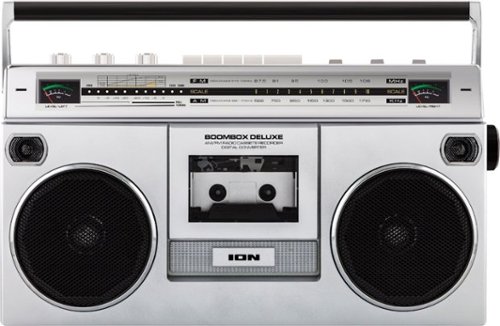
Revel in immersive audio with this retro-style Ion Boombox Deluxe portable stereo. Dual full-range speakers deliver impressive sound reproduction, while Bluetooth technology, USB playback, an AM FM radio and a built-in cassette player offer vast entertainment options. This Ion Boombox Deluxe portable stereo comes with a long-lasting rechargeable battery for convenience.
Customer Rating
5
Totally Awesome! I Mean Like... Totally!
on October 10, 2019
Posted by: Wraith
from Rochester Hills, MI
TLDR Review: Is this the best Bluetooth stereo out there? No, not by a long shot. Is this the most RAD Bluetooth stereo to rock out your 80's playlist while sportin' your Member's Only jacket and breakdancing (or in my case, probably breaking my hip or my neck)? Yes, yes it is.
I love music and I collect music players of all sorts and I have really loved the advent of either retrofitting old devices with new tech or styling the devices like their older counterparts. I have originals like a 1919 standing Victrola that works beautifully and I have a bluetooth radio build into an old early '60s Zenith clock radio, among a lot of others. When I saw the ION Audio Boombox Deluxe I knew I had to add it to the collection since I had a boombox pretty close to this in the 80's. There were many evenings at the youth center practicing my non-existent breakdancing moves on cardboard in the common room. The music was awesome but my talent was about what you would expect from a nerdy 10 year old white kid with all the rhythm of Steve Martin from 'The Jerk'. (WOW, did I just feel old right then).
While this is not the best bluetooth radio, it has the benefit of being a cool reproduction, getting EXTREMELY loud - almost booming if you will, and it can can play music from the radio, bluetooth, tape, micro-sd card, and USB sticks. The Boombox Deluxe pretty much has you covered. On top of that you can also record to tape from those other sources or to the SD-card or USB if you want! Here comes the mix-tape/SD-card combo pack!
The battery life is pretty good. At first I was a bit disappointed that I did not get the rated 10 hours that ION claims but it turns out that I did not properly top off the charge when I got it. I did plug it in when I received it but the charging light did not come on. Looking in the users guide, it said that the light is off when fully charged so I assumed it was already at 100% and I unplugged it right away. I ended up getting 7 hours and 45 minutes out of it before it died. I went to plug it in to recharge it and the light still didn't come on. Couldn't find anything in the users guide about charging other than 'plug it in', so I went online and found that not only do you have to plug it in, you must also flip the switch on the back of the Boombox to activate AC use. This needs to be done if you are listening to it while plugged in AND also to get it to charge the built in battery! Would have been nice to know. The only thing it says about that power switch is on pg. 7 and that it is there to turn the device on or off. I'm still not sure what all that switch is for since the 'MODE' switch on the top turns it on regardless of which that way that On/Off switch is set. I think it must be more for directing current from the AC cord or if you want to power it from D-Cell batteries (which you can also do).
My only other grumble about the Boombox Deluxe is the fact that the level meters (both the analog needles and the lights) don't really work unless you have it on radio or tape and have the volume up to ear-splitting levels. Would have been nice if they were a bit more sensitive to actually work at reasonable volume levels. For that and the whole power issue, I would knock of 1/2 a star if I could but since I can't, and I'm so geeked by the nostalgia factor, I'll give it the full 5-stars. Now if you'll excuse me I have to go grab my Members Only jacket (yes, I do, in fact have one - they are still made believe it or not) and a few my old tapes the I dug out of storage (REM 'Green' and Madonna 'Like a Prayer', which BTW STILL smells like pachouli) and go blast this thing to bug all the old people!
Mobile Submission: False
I would recommend this to a friend!


Share this review:


+17points
27of 37voted this as helpful.
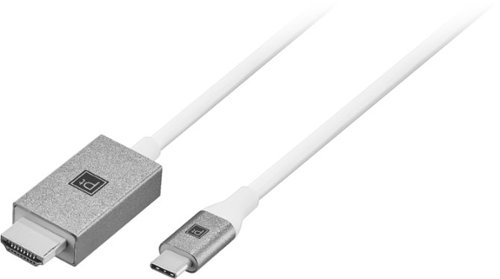
Connect a MacBook, Chromebook or laptop with a USB-C port to a TV, monitor, projector or other display with the Platinum USB-C-to-HDMI Cable. The cable is easy to connect, supports resolutions up to 4K and is 6ft long. The anodized aluminum housing ensures durability while providing a sophisticated appearance.
Customer Rating
5
Just What I Need For Presentations w/New Laptop!
on October 6, 2019
Posted by: Wraith
from Rochester Hills, MI
Unfortunately we are in the 'in-between' time for standard ports on laptops and peripheral devices. Once again I find myself with a laptop with one type of port (USB-C) and a projector with a completely different type of port (HDMI). I went through the same thing with VGA and HDMI as well as wireless protocols back in the day. Some times it is really hard to be a road-warrior giving presentations all around the country without dragging an entire electronics store with you! Fortunately, Platinum has exactly what I need for my new laptop and one year old projector (that I begged the higher ups to get me since the other one was a back-breaker). They also had me covered with a compact USB-C power supply as well!
There isn't much to say about this since it is really just a cord, but it is extremely well built and a very usable length at 8 feet. My projector is a short throw projector so I'm usually not to far from it and the screen, so 8 feet is great for my needs. The connectors are SOLID and both ends have outstanding stress relief, so I don't anticipate any wear or breakage there at all. Heck, I'll probably break first before these this thing, or at least the projector probably will!
I am really impressed with the quality of the materials and build specs of the Platinum brand. For an in-house brand of Best Buy, they have put a lot of thought and engineering into making quality gear. The Platinum stuff is just as good, if not better, than a lot of first-party makers. If you are looking for a cord to connect your USB-C device with an HDMI device, you don't have to look any further than the Platinum cable. I'll be able to use this for my projector in big conference rooms or TVs in the smaller conference rooms. I'm back to being a road-warrior again!
Mobile Submission: False
I would recommend this to a friend!
Share this review:


+2points
2of 2voted this as helpful.
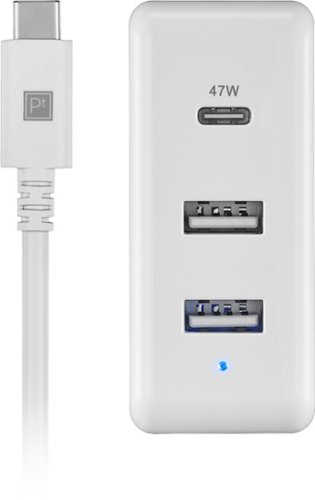
Charge a MacBook, Chromebook or laptop with a USB-C port with the Platinum 65W 8~ USB-C 3-Port Wall Charger with 47W USB-C Power Delivery for MacBook, iPad, iPhone, Chromebook or USB-C Laptops . Equipped with fast-charging Power Delivery, the charger provides 65 total watts, comes with an 8-foot USB-C cable and has two standard USB ports to charge smartphones, tablets and more.
Customer Rating
5
Perfect Replacement For 'Brick' That Came w/Laptop
on October 6, 2019
Posted by: Wraith
from Rochester Hills, MI
I hate the fact that you can buy a nice portable laptop to take out and about and the company makes the laptop itself stylish and compact but then they give you a power adaptor that is the size of a small brick and has massive cords at both ends! Seriously, some of these companies need to put as much thought into their power supply as they have into the computer itself. It has gotten a bit better over the last few years, especially with the advent of USB-C power delivery, but some still haven't gotten the memo. That would include the maker of my current laptop. I knew it didn't have a compact brick when I bought it, but it had features I needed so I got it anyway hoping that I would be able to find a good replacement power supply.
I found better than a 'good' power supply, I found a PERFECT power supply. Compact, powerful, well-built, and a great cord. It is a lot like an Apple power supply but with the benefit of two additional USB ports to power your other devices. The Platinum 65W USB-C wall charger is pretty much the only charger I will need for travel, along with a few other cables for my other devices. Speaking of cables, the 8-foot cable that comes with this charger is a beast! Well-insulated and sturdy, the cable seems to weigh almost as much as the power adapter itself! The team at Platinum aren't skimping on the cord with this thing.
One thing to be aware of though, is that while it is a 65W charger, that power is divided between the USB-C and USB-A ports. The USB-C puts out 47W of power, which is perfect for me since my laptop only pulls 45W. If your device requires more, it will most likely still charge, but it will take longer. This setup is perfect for me since I can have my laptop powered/charging at full speed while also charging my phone at full speed as well. Actually, it charges faster with the Platinum power supply than it does with the power adapter my phone came with since the USB-A ports on the Platinum are more powerful.
All in all, this is a great power supply. It is well-built, elegant, and compact. The other great thing is that when I end up selling this laptop in a few years to replace it with what ever is new a cosmic at the time, I get to keep this power supply for my next laptop!
Mobile Submission: False
I would recommend this to a friend!
Share this review:


+3points
3of 3voted this as helpful.
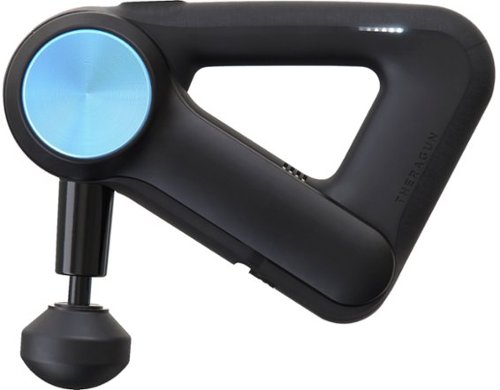
Get quick relief from sore muscles with this Theragun G3PRO massager. The stroke length has been scientifically calibrated, making it ideal for improving blood flow circulation and enhancing overall health. This Theragun G3PRO massager is ergonomically designed with a handle that's easy on the hand for longer use and is 50 percent quieter compared to previous models.
Customer Rating
4
Don't Have To Be A Pro To Benefit From This
on September 11, 2019
Posted by: Wraith
from Rochester Hills, MI
I am not a pro athlete at all. I only run when something big and scary is chasing me or there is an ice cream truck down the street! The Air Force killed any desire in me to run ever again. That being said, I do still try to keep in shape mostly via hiking and cycling. That combined with being on the down-side of my 40's leaves me with some aches and pains.
Both my wife and I have regular appointments with a massage therapist (her - 30mins every other week, me - 60min every month). I was looking for something that maybe would help out for the in between times when she and I are both thinking 'should we call for an extra appointment?' When you are looking for something to replace an extra $50-$60 a month charge (or more), the rather steep price of the Theragun G3Pro doesn't seem as bad. It would only take a few months of doubling up therapy sessions to pay for the G3Pro.
The Theragun is an impressive piece of equipment and you can tell that right upon opening the box. It is a solid piece of machinery and everything has a 'professional' feel to it, which is good because it is a professional device. I've seen these and other devices like it both in our massage place and physical terrorist (*ahem*, sorry) THERAPIST offices.
Ok, I'm sure you really just want to know how well it works and whether it is worth your time or not. The answer to the first part is that it works awesome, once you get the hang of it. It will take some time to get good at this, I'm still not great at it despite having it for a week now and having a PT colleague of my wife show us how to use it best. I was VERY disappointed the first time I tried it and the gun went from painfully jabbing me, to feeling pretty good, to jackhammering off of my bones and setting my teeth rattling. The art to this device is knowing where you put pressure on and where you let the device 'float'. You also need to stick to muscle groups and ALWAYS avoid places were it is mostly bone (spine and such) because that is where you will get the jackhammering and some nice bruises (not kidding on that). Also, I highly encourage you to download the Theragun app for your phone and pay attention to what it shows for each are and follow their advice.
You will not be using this for half an hour on your shoulders or wherever, you will be using it for a few minutes at most in each area and you might go over an area again after doing some rounds in other spots. This is NOT one of those inexpensive shiatsu massage devices you get by the checkout counter of some stores. It is designed to break up muscle tension and to activate muscles to start to recover from exercise.
The answer to the second question above 'is it worth it?', is dependent on whether you are willing to learn how to use it properly. If you want something you can just absentmindedly use, get one of those $50 massage devices and call it a day or better yet, buy one of those $2000 chairs. If you just want someone else to do it with ethereal music and scented oils involved, just pay a masseuse. I would rather be able to knock out the pain and tightness on my own time and not worry about whether they have an opening or not and not have to spend the extra money if I don't have to. So for me, the Theragun G3Pro is worth its price.
I knocked off one start only because I think they could use a little more instruction on how best for everyday bums like me to work it and I really wish it had an additional setting at the lower end. The lowest setting out of the two is ok for me but WAY too powerful for my wife who is a tiny 4'11'' thing. She does not like using the Theragun and will be getting extra massages when she needs them (so I guess I will only be saving money on my extra massages). As for the highest level, I don't even bother with that. I think that has to be for a pro to use on you so that they can best target it and control it.
Mobile Submission: False
I would recommend this to a friend!


Share this review:


+11points
11of 11voted this as helpful.
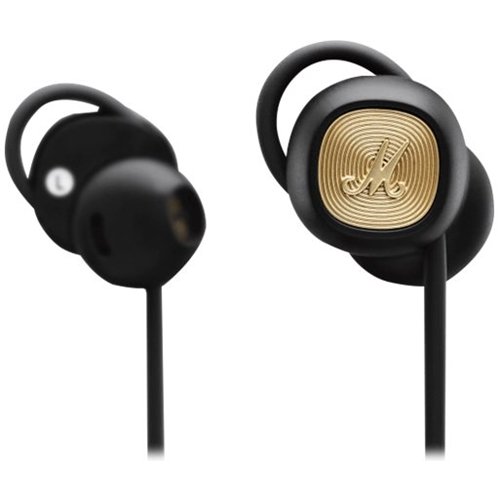
Immerse yourself in detailed audio with these Marshall Minor II black Bluetooth earbuds. An in-line microphone and an intuitive control knob let you take hands-free calls and change songs without your phone. These Marshall Minor II black Bluetooth earbuds have 14.2mm drivers that produce clear, accurate audio and soft ear tips that ensure lasting comfort.
Customer Rating

3
Great Battery Life, Poor Fit & Sound
on August 27, 2019
Posted by: Wraith
from Rochester Hills, MI
I love me some Marshall sound gear. I have both the Stanmore and the Acton II speakers and they are phenomenal sounding and get compliments anytime anyone sees them. Marshall has been doing a great job with their Bluetooth speakers and headphones and I was really hoping that they were bringing that to the Minors. Sadly they have not.
I have had another brand of Bluetooth earbuds that a lot of people have been sporting for the last few years, and my biggest disappointment with them was always the battery life. Though they have a nice little charging case, I listen to music A LOT and would burn through almost an entire case worth of juice a day! Now they don't even have the three hours they used to have and I was hoping that Marshall Minor II would solve my problem since they have a very similar earpiece to my other headphones but have the added benefit of the ear loops to help lock them in to place, because the other problem I had with my other earbuds was that they came out relatively easy. Surprisingly, my current headphones have a decent amount of bass despite the non-sealing fit but the Marshalls can't seem to manage the same OMMPH behind them despite a solid backing, and similar earpiece design.
So after a week with the Marshall Minor IIs, I would have to give them 3.5 stars for the following reasons:
Fit:
Despite the adjustable ear loops, I was unable to get them to properly 'lock' into place in my ear, primarily my right ear. I spent an hour trying everything from having the loop flush with the earpiece to ridiculously big and looped into the outermost fold of my ear and I could not get the right one to stay in. Now that is probably more an issue with my ear than it is the loop mechanism, but I don't have remarkably weird ears (at least I don't think I do). I'm sure many of you reading this are like, why don't you just use earbuds that have an earpiece that goes into your ear canal and stays in place better and gives better bass? Well, I HATE those type of earbuds because it doesn't take long for them to hurt, and with most of the new wireless earbuds also integrating controls right into the earbud, you are often forced to push the earbud even further into your ear to move to the next track or change the volume, making them even more uncomfortable. That is one of the reasons I was really looking forward to the Minor IIs since they also have the controls on the external controller. Unfortunately, having the controls on the external controller and not being able to get a secure fit with the right ear bud, made for lots of times of it falling out and dangling on the cord from my left ear (but hey, at least it didn't fall into the toilet or down the drain!).
Despite the adjustable ear loops, I was unable to get them to properly 'lock' into place in my ear, primarily my right ear. I spent an hour trying everything from having the loop flush with the earpiece to ridiculously big and looped into the outermost fold of my ear and I could not get the right one to stay in. Now that is probably more an issue with my ear than it is the loop mechanism, but I don't have remarkably weird ears (at least I don't think I do). I'm sure many of you reading this are like, why don't you just use earbuds that have an earpiece that goes into your ear canal and stays in place better and gives better bass? Well, I HATE those type of earbuds because it doesn't take long for them to hurt, and with most of the new wireless earbuds also integrating controls right into the earbud, you are often forced to push the earbud even further into your ear to move to the next track or change the volume, making them even more uncomfortable. That is one of the reasons I was really looking forward to the Minor IIs since they also have the controls on the external controller. Unfortunately, having the controls on the external controller and not being able to get a secure fit with the right ear bud, made for lots of times of it falling out and dangling on the cord from my left ear (but hey, at least it didn't fall into the toilet or down the drain!).
My other problem with the loops is that it can be a bit like pushing a string, actually it is a lot like pushing a string, and it can sometimes be difficult to expand the loop if it is flush with the earpiece. Surprisingly, Marshall has built a ton of strain-relief into the charging cable (making it one of the best micro-USB cables I have), it is unable to do anything similar to make it easier to push up the loop so that you can grab it and pull it to the proper loop length. You would hope that once you set it, that would be it, but it's not. With the cable between the earpieces being part of the loop mechanism, it doesn't take much for the loop to be pull down to where you need to push/pull it out again. Nothing has happened in a week of use but I can see this being a real weak spot and may cause some serious wear and tear to the cable.
Sound:
Lackluster and without enough bass. Surprising since most earphone/headphone makers tune their equipment to be bass heavy due to the predominant tastes in sound and music (not mine, but hey, I'm old). Even with my preference for a more neutral bass signature, the Minor IIs can not bring enough punch to the lows for my taste. Marshall has acoustics working against them, but other earbuds with similar non-sealing fits have done better in this realm. In addition, when music isn't playing, there is a rather loud background hiss/static despite only being at 40-50% volume. Surprising that that comes through but not enough bass.
Lackluster and without enough bass. Surprising since most earphone/headphone makers tune their equipment to be bass heavy due to the predominant tastes in sound and music (not mine, but hey, I'm old). Even with my preference for a more neutral bass signature, the Minor IIs can not bring enough punch to the lows for my taste. Marshall has acoustics working against them, but other earbuds with similar non-sealing fits have done better in this realm. In addition, when music isn't playing, there is a rather loud background hiss/static despite only being at 40-50% volume. Surprising that that comes through but not enough bass.
Battery:
This is where the Marshall Minor IIs shine, in that they easily beat the twelve hours they quote on the box. I get more than a day's worth of listening out of them from each charge. Too bad they don't fit/sound as well and I don't listen to them all day.
This is where the Marshall Minor IIs shine, in that they easily beat the twelve hours they quote on the box. I get more than a day's worth of listening out of them from each charge. Too bad they don't fit/sound as well and I don't listen to them all day.
Controls:
While I appreciate having the variety of controls on the inline box, it can sometimes be difficult for you to properly execute a command with the little control stick, especially without pulling on your earpiece. Perhaps if you can get a better fit than I could, this may be a moot point for you, but for me, made the Minor IIs, less useful than I would like. I am forced to fish out my phone to make changes rather than the controller.
While I appreciate having the variety of controls on the inline box, it can sometimes be difficult for you to properly execute a command with the little control stick, especially without pulling on your earpiece. Perhaps if you can get a better fit than I could, this may be a moot point for you, but for me, made the Minor IIs, less useful than I would like. I am forced to fish out my phone to make changes rather than the controller.
Pairing:
Easy and painless. I did have to charge Minor IIs right out of the box before I could set them up, which is surprising because these just launched and usually come with at least SOME charge out of the box.
Easy and painless. I did have to charge Minor IIs right out of the box before I could set them up, which is surprising because these just launched and usually come with at least SOME charge out of the box.
Conclusion:
All-in-all, the Minor IIs are a disappointment to me. I had really high hopes though and so, while I may be disappointed in them perhaps you can get a better fit and will have more luck with the controls and sound.
All-in-all, the Minor IIs are a disappointment to me. I had really high hopes though and so, while I may be disappointed in them perhaps you can get a better fit and will have more luck with the controls and sound.
Mobile Submission: False
No, I would not recommend this to a friend.
Share this review:


-2points
2of 6voted this as helpful.
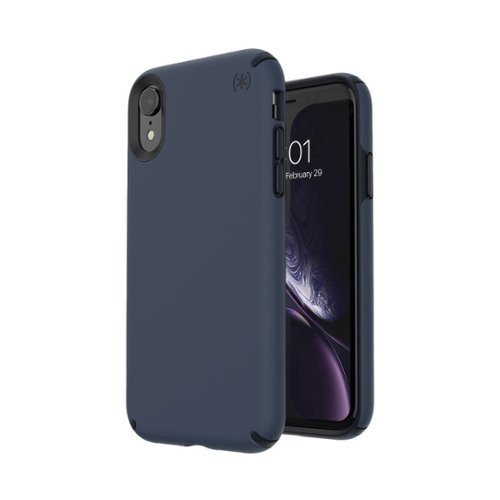
Hold your iPhone XR confidently with this Speck Presidio Pro case. It has antimicrobial treatment to prevent bacteria from accumulating, and its slim two-layer design doesn't interfere with wireless charging. This blue and black Speck Presidio Pro case prevents device damage from 10-foot-high drops thanks to its IMPACTIUM shock barrier.
Customer Rating
5
Great Case Just Wish BB Caried The Red Color!
on August 20, 2019
Posted by: Wraith
from Rochester Hills, MI
I bought the iPhone XR for several reasons: Cost, Size, and Color. The last one I realize is probably the least important in the real world, but I love having the Product Red color on my phone. Up until now I have been using Apple's own clear case to show off the color but I have grown to really hate the smooth feel and the unfortunate camera bump that is not 'smoothed out' by the case and so it wobbles on the desk.
I have always liked Speck cases and have owned probably 10 different cases over the years for my phones, iPads, and MacBooks. Not a single one has let me down and I don't think the Presidio Pro will either. The reason I didn't get one right away for my XR was that there wasn't anything else out at the time the XR just came out and I really wanted to show off the red color since all my other phones have been black or silver.
While this Carbon Black/Eclipse Blue is the best out of the color choices that were available at Best Buy, I would have loved it if they had the black and red (or heart rate red/vermillion red as they call it on their website). If I could have gotten that color, I would be a very happy man because I love the tactile and grippy feel of the Presidio Pro and the lack of any camera bump wobble since the back of the case is flat.
All-in-all this is a great case and it will do a great job protecting my investment in my iPhone because at the price these things are going for nowadays, I'm going to be holding on to this one for a while.
Mobile Submission: False
I would recommend this to a friend!


Share this review:


0points
0of 0voted this as helpful.
Wraith's Review Comments
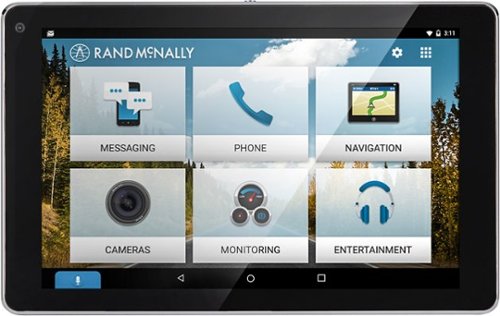
Make driving routines more enjoyable with this OverDryve car system. Its voice assistant capabilities let you read and send text messages by command and also play music in your car without taking your hands off the wheel. The built-in dash cam of this OverDryve car system lets you record trips and capture every moment on the road.
Overall5 out of 5
5 out of 5No-Brainer If You Want A Great All-In-One System
By Wraith
I wondered about creating a GPS system nowadays with so many people having their smartphones with their own GPS functionality or with most cars coming with some kind of infotainment system, but after using the OverDryve 7 for the last two weeks, I think it is a great system and is a no-brainer for anyone looking to add GPS functionality to their car.
First off, my favorite thing about this device is the mounting bracket. I kid you not. One of the things I always hated about car GPS systems was having to lock it in place and reconnect the power and such. In the process of doing that I would invariably mess with my carefully set up positioning and would have to do it all over again. The Overdryve has an awesome bracket that you keep set up in your car and plugged in to everything and the Overdryve unit itself links via magnets and the connections are made through little contacts on the back. Easy-peasy. On top of that, the basestation also has an additional GPS antenna to improve location accuracy. Now I have rarely had problems with previous GPS devices and but the additional antenna could probably help when you are in the 'canyons' of the city, though I haven't gone downtown to try it yet.
The GPS system is great. While my car has one built in, it acts a bit too much like my mother and won't let me input anything if I am not at a complete stop. My wife can't even do it from the passenger seat because if we are moving at all it completely locks out the GPS controls. I understand why, but it would be nice for some kind of override. With the Overdryve, we don't have to worry about that. She just plucks the device from the mount, types in the destination and clicks it back into place. The guidance voice is kind of grating but so is my wife yelling directions at me from her phone!
I played around with the handsfree and entertainment applications and they are fine, but my car handles that pretty seamlessly, so I don't think I will be using that function of the Overdryve. The voice commands are much more responsive than those for my car system so I will give it that. The other thing I don't have to worry about is the backup camera or tire pressure monitor, because my car already has that, but if your car doesn't, this is a really cool feature. While each of those systems is an add-on, they are both only about $150 each and I guarantee I paid more for that functionality from the auto maker.
As for the Overdryve also being an Android tablet, and can be used off the mount like any other tablet, it is true that it can do so, but it is a little bulky for that and it is an Android tablet with all that entails. Sorry, I have an iPad and I can't really see myself ever using this as just a regular tablet, but perhaps if you forgot yours and you have a fussy kid in the back and want to send it to the back seat to quiet them down, this could be a lifesaver.
Now for my few quibbles with the device. I had a little trouble syncing it to my phone for the first few tries but after I did a phone restart I didn't have a problem and it had maintained the sync no problem, so it could have been my phone and not the Overdryve. My only other problem is the name. Seriously, Overdryve?! I realize that Overdrive was probably taken but I kind of feel like some hipster should be on TV telling me how 'swaggy' this thing is. Every time I have had to type Overdryve into this review, I have had to roll my eyes and they are getting tired.
In summary, if you want a great functioning GPS system, and that is all, this is a phenomenal GPS and it costs about the same as other 7-inch GPS systems. If you need the functionality of an infotainment system, and want the ability to add safety features like a back-up camera and tire pressure monitoring, this is a no-brainer because you get all of that for the price of a basic 7" GPS. On top of all that, you get a fully functional Android tablet! I really can't see why anyone would buy any other standalone car GPS system now that this is out. Even if you don't need the other functions, they are nice to have and Rand McNally has created the best GPS device I have ever used, for the same price as other systems. Seriously, this is the unit to get.

Wraith
Rochester Hills, MI
Dash Cam!
September 25, 2016
I totally forgot about the dash cam function of this. Yet another feature that makes this a no-brainer. I have not had much experience with dash cams but this one works well. Now let's just hope I don't end up on one of those dash cam compilation videos on YouTube!
0points
0of 0voted this comment as helpful.
Wraith's Questions
Wraith has not submitted any questions.
Revel in immersive audio with this retro-style Ion Boombox Deluxe portable stereo. Dual full-range speakers deliver impressive sound reproduction, while Bluetooth technology, USB playback, an AM FM radio and a built-in cassette player offer vast entertainment options. This Ion Boombox Deluxe portable stereo comes with a long-lasting rechargeable battery for convenience.
What are the dimensions of this product?
16.73"W x 5.9"D x 9.6"H according to the users guide.
6 years, 11 months ago
by
Wraith
Revel in immersive audio with this retro-style Ion Boombox Deluxe portable stereo. Dual full-range speakers deliver impressive sound reproduction, while Bluetooth technology, USB playback, an AM FM radio and a built-in cassette player offer vast entertainment options. This Ion Boombox Deluxe portable stereo comes with a long-lasting rechargeable battery for convenience.
How many watts is this radio ?
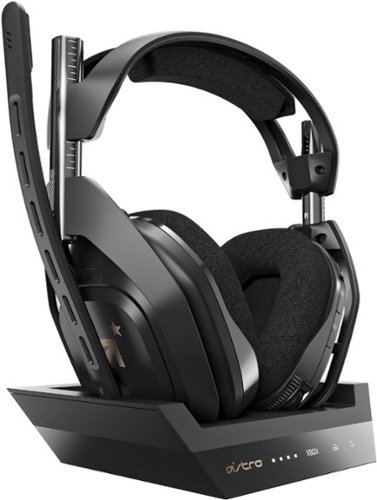
Experience legendary performance and sound of ASTRO Audio V2, with the convenience and freedom that comes without wires. The A50 Wireless + Base Station for Xbox One/PC delivers premium acoustics, ergonomics, comfort and durability that gamers demand. The all-new Base Station provides clear, low-latency voice communication, while making headset pairing and charging simple. The ASTRO Command Center software allows Pros and Live streamers to tune every input and output parameter of the A50 precisely for their specific setup. Experience absolute audio immersion with the A50 Wireless + Base Station.
Can it connect to any xbox one even the xbox Scarlett that's coming soon?
It should since its connection to the Xbox is primarily the optical cable which I'm 100% sure Microsoft will have available on the next console as well.
7 years, 1 month ago
by
Wraith

Acer Nitro 5 Laptop: Lose yourself in the absorbing multimedia experience delivered by this Acer Nitro 5 gaming laptop. The Intel Core i5 processor ensures a lag-free performance, and the NVIDIA GeForce GTX 1050 graphics card delivers immersive visuals on the 15.6-inch Full HD display. This Acer Nitro 5 gaming laptop has 8GB of RAM for seamless multitasking.
Does this support hdmi 1.4
Mine is showing HDMI 2.0b, so should be backwards compatible with 1.4.
7 years, 3 months ago
by
Wraith
Acer Nitro 5 Laptop: Lose yourself in the absorbing multimedia experience delivered by this Acer Nitro 5 gaming laptop. The Intel Core i5 processor ensures a lag-free performance, and the NVIDIA GeForce GTX 1050 graphics card delivers immersive visuals on the 15.6-inch Full HD display. This Acer Nitro 5 gaming laptop has 8GB of RAM for seamless multitasking.
Does this have the 144 Hz panel?
It does have a nice 144 Hz panel. Even though it is only a regular HD panel, I have to say it looks great.
7 years, 3 months ago
by
Wraith

Take your playlist with you by using these noise-cancelling Sony headphones. Their 40mm drivers with liquid crystal polymer diaphragms fill your ears with booming audio to immerse you in songs, and they're ergonomically designed to provide comfort during extended listening sessions. These Sony headphones have a proprietary noise-cancelling processor, so you can immerse yourself in the music.Industry Leading Noise Cancellation. *As of August 30, 2018. According to research by Sony Corporation measured using JEITA-compliant guidelines. In headband-style of wireless noise-canceling headphones market.
Will these work while on an airplane watching their movies.
If you bring along the cord, then yes, they will work beautifully. They changed the case on the XM3s and it is much easier to bring that cord, the airline adapter (which I haven't used in over a decade), and the charge cable. They all fit nicely between the ear cups.
8 years ago
by
Wraith
Take your playlist with you by using these noise-cancelling Sony headphones. Their 40mm drivers with liquid crystal polymer diaphragms fill your ears with booming audio to immerse you in songs, and they're ergonomically designed to provide comfort during extended listening sessions. These Sony headphones have a proprietary noise-cancelling processor, so you can immerse yourself in the music.Industry Leading Noise Cancellation. *As of August 30, 2018. According to research by Sony Corporation measured using JEITA-compliant guidelines. In headband-style of wireless noise-canceling headphones market.
I have the Sony brand, WH-CH700N, which I am very pleased with. Are there any differences between these two models when it comes to the headband or they the same. To me the pictures and the descriptions look the same.
These are better in virtually every single way than the WH-CH700Ns. I've used both and the sound quality, the noise cancelling, and the comfort are better in the XM3, and that is why that cost a bit more. The 700s are really good, the WX3s are the best NC headphones on the market.
8 years ago
by
Wraith
Take your playlist with you by using these noise-cancelling Sony headphones. Their 40mm drivers with liquid crystal polymer diaphragms fill your ears with booming audio to immerse you in songs, and they're ergonomically designed to provide comfort during extended listening sessions. These Sony headphones have a proprietary noise-cancelling processor, so you can immerse yourself in the music.Industry Leading Noise Cancellation. *As of August 30, 2018. According to research by Sony Corporation measured using JEITA-compliant guidelines. In headband-style of wireless noise-canceling headphones market.
Can someone tell me about the “California Proposition 65” warning when buying on Amazon?
Darn near everything gets the Proposition 65 warning that states the potential for some chemical that is in the thing can cause cancer... in mice.... at doses no human would ever experience. They want to put a Prop 65 warning on coffee for Pete's sake! Disregard it and enjoy your headphones. Buy them from Best Buy anyway, you are already here.
8 years ago
by
Wraith
Take your playlist with you by using these noise-cancelling Sony headphones. Their 40mm drivers with liquid crystal polymer diaphragms fill your ears with booming audio to immerse you in songs, and they're ergonomically designed to provide comfort during extended listening sessions. These Sony headphones have a proprietary noise-cancelling processor, so you can immerse yourself in the music.Industry Leading Noise Cancellation. *As of August 30, 2018. According to research by Sony Corporation measured using JEITA-compliant guidelines. In headband-style of wireless noise-canceling headphones market.
How many watts does the adapter need to be to allow for quick charging?
I don't think it is a matter of wattage, it is just the way the Li-Ion batteries work. They are much easier to fill up when they are empty then they are when they are above 80%. I have an electric car and I can get the first 150 miles on in just a few hours but it takes a lot more time to tack on the final 100. It is almost like you need more pressure to shove in those remaining electrons in all the empty spaces.
8 years ago
by
Wraith
Take your playlist with you by using these noise-cancelling Sony headphones. Their 40mm drivers with liquid crystal polymer diaphragms fill your ears with booming audio to immerse you in songs, and they're ergonomically designed to provide comfort during extended listening sessions. These Sony headphones have a proprietary noise-cancelling processor, so you can immerse yourself in the music.Industry Leading Noise Cancellation. *As of August 30, 2018. According to research by Sony Corporation measured using JEITA-compliant guidelines. In headband-style of wireless noise-canceling headphones market.
Are they louder than the xm2?
Not that I have noticed. They can get plenty loud though. I usually have my music player set at about the 40-50% level and then adjust from there with the headphones, and I can blow my eardrums out if I want.
8 years ago
by
Wraith