


Batlacit's stats
- Review count272
- Helpfulness votes935
- First reviewFebruary 13, 2016
- Last reviewSeptember 29, 2026
- Featured reviews0
- Average rating4.5
Reviews comments
- Review comment count0
- Helpfulness votes0
- First review commentNone
- Last review commentNone
- Featured review comments0
Questions
- Question count0
- Helpfulness votes0
- First questionNone
- Last questionNone
- Featured questions0
- Answer count55
- Helpfulness votes101
- First answerSeptember 21, 2016
- Last answerJanuary 21, 2022
- Featured answers0
- Best answers11
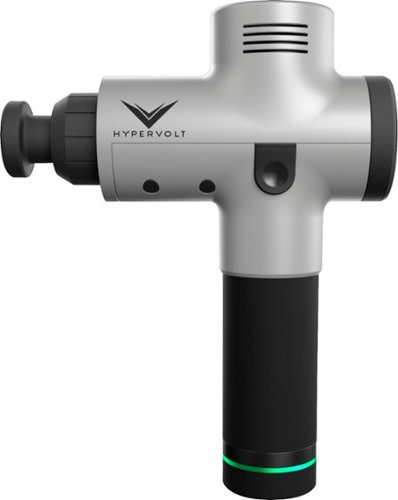
Relax stiff muscles with this HyperIce Hypervolt cordless vibration massager. Quiet Glide technology keeps the rotating heads moving smoothly across your skin, and the lightweight ergonomic design makes it easy to use for myofascial release. Improve your range of motion and promote good circulation with this HyperIce Hypervolt cordless vibration massager.
Customer Rating

4
More "percussive" than "vibrating" massage.
on December 18, 2018
Posted by: Batlacit
from Madison, WI
I've tried a LOT of different massage tools, as well as an abundance of stretches and a few painkillers, to try and sort out the mess that is my neck and shoulders. And unfortunately I've never really had the greatest luck with any of them. That said, I'd also never tried one that looked like a piece of construction equipment, so I figured maybe adding some extra horsepower would do the trick.
You can imagine my astonishment when this thing's staccato pummeling of the back of the neck introduced me to a brand new sensation: a complete lack of muscle pain!
Now, before you immediately rush out and buy one, it didn't last. After doing a little more research to see what had actually just happened, I discovered that this thing basically works on a principle called "gate theory." Basically, it deliberately overstimulates the nerves in the area you apply it to, making you numb to pain. The idea being that while you can't feel the pain, it will be easier for your muscles to relax.
After using it fairly regularly for about a week, I have to say that there might indeed be something to this theory. My neck is certainly not fixed, but being able to have an hour or two of relief every day does seem to be making it a bit better. And it's very effective for the primary use it was made for - namely keeping your muscles from cramping up after intense activity. I've been trying my best to prepare for a hike, and I have to say my legs have never felt better for using this a bit before and after each workout.
That said, there are definitely a few things that keep it from earning a full five stars. To start - this thing comes with an abundance of different attachments and tips, plus more than enough power to shake your fillings loose. It looks like something you should have a license to use in most states. And yet, there's virtually no instructions on the proper use (or what the various attachments are for) included with the device. There are a few youtube videos (which I had to find myself) which will get you started, but some help from the manufacturer would have been nice. Another thing you'll want to keep in mind is that while it advertises it's great for hikers and the like, the thing is frankly far too big and heavy for me to consider throwing in a pack. Maybe this is wishful thinking, but it really seems more like a device you keep at home than anything else.
I personally don't find these to be dealbreakers, but it's something to keep in mind if you're thinking about buying one. It's definitely not the kind of product I'd recommend to just anyone, in fact I know more than one person who would probably seriously hurt themselves with it, but if you're the kind of person who frequently deals with muscle soreness due to working out or engaging in other outdoor adventures it might be worth giving this thing a look.
Also, as a word of warning: I'm only half kidding about this thing shaking your fillings loose. Don't do what I did - start somewhere further away from your head until you know what kind of kick it has.
Mobile Submission: False
I would recommend this to a friend!
Share this review:


+29points
33of 37voted this as helpful.

Use the Google Smart Light Starter Kit to control the lights using just your voice. Set up in a snap: just plug in Google Home Mini, screw in the GE C-Life smart light bulb, and download the Google Home app to get started. Then just say "Hey Google" to dim, brighten, turn on and turn off the lights."
Customer Rating

5
Great way to test the waters of smart lighting
on November 30, 2018
Posted by: Batlacit
from Madison, WI
Smart lights and smart speakers have been becoming increasingly popular as of late - allowing all of us to live out the fantasy of living on board the starship Enterprise and being able to boss our home around. But, oddly enough, you don't see much by the way of combination packs yet. This kit seeks to change that.
There's nothing particularly notable about the contents - the provided bulb is fairly basic and incapable of doing much more than dimming, and the Google Home Mini is the most compact and basic device in the Home lineup. Sufficed to say there's a lot you don't get if you're planning to convert every room to smart lighting. But it's the perfect sampler configuration to let you work out if smart lighting is something that's actually worth investing more money in.
Google has gone out of their way to make the process as painless as possible as well. The mini comes out of the box ready to pair with the bulb, and the excellent Home app will guide you through setup without any kind of fuss. It only takes a few minutes to get everything up and running, and from there controlling the light is as easy as telling the Mini what you want. If you do decide to take the plunge afterwards, the bulb they provided is one of the more affordable options for smart lighting and performs very well. There are definitely better systems for those willing to pay an extra premium, but if you're used to standard bulbs I don't think you'll have any complaints about this.
Best part is that even if you do decide that smart lighting isn't worth investing in, a Google Home Mini is a pretty awesome device to have. it's a halfway decent speaker, a really good alarm clock, and a white noise machine among other things. As such I have no difficulty recommending it to anyone who's curious about setting up their own smart home.
Mobile Submission: False
I would recommend this to a friend!
Share this review:


0points
0of 0voted this as helpful.
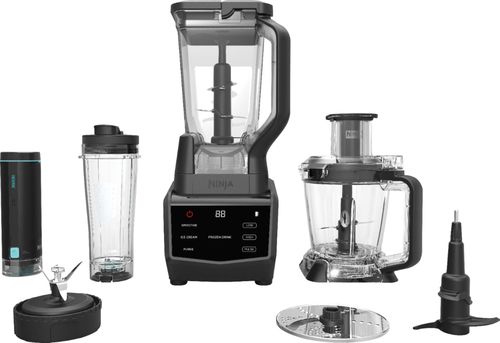
Prepare shakes and complete blending tasks with this Ninja smart screen kitchen system. It uses FreshVac technology to preserve the vitamins, flavors and appearance of natural ingredients, and with 1400 watts of power the stacked blades help the processor puree and chop with maximum precision. The touch screen display of this Ninja smart screen kitchen system offers easy access to various functions.
Customer Rating
5
Genuinely smart blender with a pump.
on November 29, 2018
Posted by: Batlacit
from Madison, WI
The first time I’d ever heard of vacuum blending was when I saw this device. I wasn’t entirely sure what to make of the addition of a vacuum pump, but having had very good luck with Ninja appliances in the past and being in need of both a food processor and a better blender I was eager to try it out.
After using it for a couple of weeks and drinking many, many smoothies I’m honestly still not entirely sure what to make of the FreshVac attachment, but the rest of the package has impressed me so much that I’m extremely satisfied regardless!
First, I want to talk about build quality. Frequently devices like this which seek to fulfill multiple functions suffer from a variety of problems with parts being more fragile, complicated, or difficult to clean than what you’d get with a purpose built unit. I’m happy to say this is an exception to that rule. Everything you get is very sturdy, dishwasher safe, and built with an eye towards ease of use. The only thing I’m remotely worried about is the vacuum pump itself, as I’m not really sure how I’d go about cleaning it out if it ever sucked up some milk or other perishable liquid. The safety system built into it seems pretty good at preventing that, but it’s definitely had a couple of close calls that made me wonder if some of the maximum fill markings are a little too generous.
Second, the features. While the FreshVac pump takes front stage here I actually found myself much more taken by the intelligent blending system. Whenever you insert one of the three vessels, the system automatically detects what it’s working with and presents you with a set of preset modes that do a better job than I can with manual settings. The smoothie function, for instance, starts things out with a series of short bursts that help mix the ingredients together and work free anything that might be stuck to the side or above the blades before gradually increasing speed to blend it all together. It works fantastically well, and thanks to the fact that the blending vessel has a locking lid you don’t even need to supervise it while it works.
The FreshVac feature itself is a little harder to judge. The box promises brighter colors, more powerful tastes, and smoothies you can let sit in the fridge overnight. I can really only corroborate two of those claims. The colors are indeed a bit more vibrant when you use the pump – but not quite so much as the box would have you believe. And leaving the vacuum-pumped smoothies in the fridge for a few hours worked fine – but as you might expect didn’t do much to actually keep them from starting to separate. As for flavor… perhaps I just didn’t choose the right recipes, but the difference was so slight that I’m hesitant to rule out the placebo effect. It seemed to have more of an impact on texture than it did the taste. As you might expect, anything blended with the FreshVac is going to be a bit less frothy at the end of it for not having all that air being whipped into the food but I’m not sure how much of a difference that’s really going to make. I was also a little nervous about just how powerful the pump is when using it with the larger blender vessel – the sides of which visibly bowed inwards and let out an occasional creak as the pump pulled a vacuum.
So, as I said at the start, I’m mixed there. There definitely is a difference between using the pump and not, but if you’re not a good enough cook/blender devotee to really understand when it is and is not called for I doubt it’s going to blow your mind. Overall, it’s still a fantastic appliance that I’m glad to have in my kitchen.
Mobile Submission: True
I would recommend this to a friend!
Share this review:


+4points
4of 4voted this as helpful.

The Shark Rocket Self-Cleaning Brushroll Corded Stick VacuumShark has created a self-cleaning brushroll that delivers nonstop hair removal. Add that to an ultra-lightweight vacuum with floor-to-ceiling versatility and an XL dust cup, and you~ve got the Shark Rocket Self-Cleaning Brushroll Corded Stick Vacuum.
Posted by: Batlacit
from Madison, WI
Lately it seems like there's an abundance of mini vacuums like this which occupy the space between a dust buster and a full upright. Ever since getting a robot vacuum I've been kind of interested in them since while the robot isn't quite thorough enough to eliminate the need for an upright vacuum, it always seems like a huge waste to drag such a huge machine out for detail work and the occasional dog related mess that's more than the robot can handle. The Rocket in particular drew me thanks to the self cleaning brush head which promised to keep hair and fur from jamming the mechanism.
After using it for about a week, I've sadly come to the conclusion that it's not quite the compact powerhouse I'd hoped for that will finally let me get rid of my upright. But it's also a lot better than the oversized dust buster I'd worried it could turn out to be.
The brush does a decent job of picking dust and fur out of carpets and hardwood floors, and the lightweight design makes it easily the most nimble vacuum I've used when it comes to getting around corners and into hard to reach spots. And while the anti-tangle system isn't perfect, it was a noticeable improvement over both the robot and the upright when it came to tackling the metric ton of cat hair that can materialize overnight. I also was very pleased at how easy it was to dump out the dust cup over the garbage - a process that at first looked like it was going to be much more complicated than it needed to be
Unfortunately, its compact size is also its downfall when compared to the upright. When I used it in rooms where the robot can't reach, it managed to pull an impressive amount of dust and dirt and left things looking great. But in the living room, which receives a daily automated cleaning, it barely seemed to pick up anything while the upright (run right after the Rocket) managed to fill about a quarter of its bin with stuff it had coaxed out of the carpet.
I'd like to emphasize that the Rocket didn't do a bad job at cleaning - in fact you'd probably be hard pressed to see the difference. But as someone with dust allergies, that last bit of difference is potentially a big deal for me.
I'd definitely recommend this thing for college students or anyone who just doesn't have the space for a big vacuum. And it could easily replace a robot to do quick day-day sweeps though heavily trafficked areas. But I don't think we're quite to the point where a unit like this can replace a traditional upright yet.
Mobile Submission: True
I would recommend this to a friend!
Share this review:


+2points
2of 2voted this as helpful.
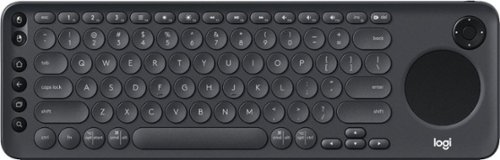
Enjoy smart TV navigation with this Logitech K600 TV keyboard. Its precision touch pad makes browsing the web and searching for your favorite movies more user-friendly. This Logitech K600 TV keyboard connects wirelessly to smart TVs from up to 15m away, so you can relax comfortably in your recliner while selecting shows.
Customer Rating

3
Logging into anything with a remote is horrible.
on October 18, 2018
Posted by: Batlacit
from Madison, WI
I suspect anyone who’s made extensive use of a smart TV has felt the sentiments in the title for this review – particularly if like me you have an e-mail address you picked before you ever had to consider trying to log in to Netflix with it on a device without a full keyboard. And as TVs start to incorporate more and more complex apps and even full web browsers, the need for more user friendly input options has only gotten stronger. The K600 is an attempt to address that – and I really wish I could be more excited about it than I am.
So, to start, there are a lot of positives here. The keyboard’s deck is solid, with a lot more heft than you’d expect from a product aimed primarily at smart TVs. And the keys feel very much like something you could get from a mid-to-high range laptop keyboard. The rounded keycaps are stylish, which is a plus for something that will presumably be sitting in your living room. It’s got multiple options for connectivity – using either Bluetooth or an included unified receiver which can be safely stored in the battery compartment when you’re not using it. And the inclusion of dedicated buttons for android navigation and a d-pad for navigating menus helps sell the idea of this thing as an oversized remote.
Unfortunately, as impressed as I am by the keyboard overall, it ultimately seems redundant. Because when it comes right down to it, as annoying as it is to enter your login credentials, it’s something you do once and then virtually never even think about again. So really, the only time that this is going to be used is if you regularly make use of the smart TV’s built in browser (which I’ve yet to see anyone do) or when you need to search for something. And the fact is that this keyboard is made to work with newer TVs featuring Android based software – most of which have very good voice search options which are faster and more convenient than typing anyway. And that’s a fact the developers of all the apps for Smart TVs are very much aware of, meaning this is less effective than you’d think.
I tried just about all big streaming apps (Hulu, Netflix, Prime, HBO, etc.) on the Fire TV I had hooked this keyboard up to in addition to slightly less polished apps like Funimation, STARZ, and a youTube alternative. And it was quite interesting to note how the experience of using the keyboard to navigate them was radically different for each one. I saw three different ways of handling the enter key, four ways of dealing with mouse input, and several instances where you could navigate through menus with the keyboard and nothing else. Not even the select button on the D-Pad could reliably be counted on to work – meaning that if you’re thinking of the keyboard serving as a replacement for the remote control you’re likely to end up very disappointed. And as much as I hate to admit it, I can’t really fault the developers for the inconsistent and at times infuriating user experience. Keyboards are not something that most Smart TVs are assumed to have, and as such there is no agreed upon standard for how to process input from them. And without that standard, a lot of people just aren’t even going to bother including it. And as features like voice search and app-based remotes become more widely accepted as baseline features, I suspect that this problem is only going to get worse.
Now, lest you think I’m trying too hard to convince you to spend your money on something else, there are other ways this can be used which might be worth considering. To start, it works just fine with other Android based equipment too – like cell phones, tablets, or micro-consoles. And you’re really going to struggle to find something built specifically for those which rivals this for quality and can also be used to search for foreign films whose titles you don’t know how to pronounce on Netflix. And if you are one of the few people who regularly uses your TV’s web browser, you’ll probably wish that something like this had come in the box with the TV. But I just can’t see myself recommending anyone to invest in a keyboard this good for what would probably be just occasional use with a Smart TV.
Mobile Submission: True
No, I would not recommend this to a friend.
Share this review:


0points
0of 0voted this as helpful.
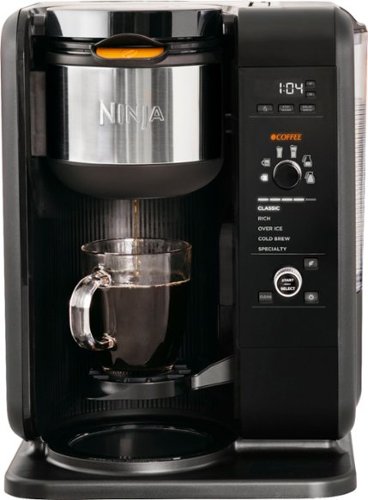
Go beyond the coffeehouse with the Ninja Hot and Cold Brew System. This brewing system gives you the ability to brew hot, flavorful cups of coffee and tea or over-ice beverages, all powered by Advanced Thermal Flavor Extraction Technology with Auto-iQ. Enjoy Coffee and Tea Choose between smooth, naturally sweet Cold Brew coffee or tea and vivid, authentic flavored iced coffee or tea that's never diluted.
Posted by: Batlacit
from Madison, WI
My kitchen has been slowly being taken over by Ninja appliances ever since I first tried out one of their coffee bars a few years ago. Their products tend to be fairly traditional designs augmented with an abundance of tech to help out those of us who don't have the experience needed to use it to full effect.
So, when I saw that their latest version of that coffee bar had been augmented to be even smarter and handle tea as well as coffee, I was more than intrigued. And this thing does not disappoint.
As one would expect with a Ninja product, all the parts are sturdy and of high quality. The stainless steel thermal carafe is large and easy to clean, the moving parts are all firm and well protected from accidental bumps, and the new reservoir design is easy to pop on and off when it needs to be filled. Not only that, they've improved on the previous model with standard gold filters for both coffee and tea, and added a setting for cold brew.
Operation is dead simple. The filter you insert will tell the machine what drink you're trying to make. You select brew strength and serving size with a pair of knobs, and if you happen to be using tea you also tell it what kind. Then you just hit start and in a few minutes you've got a fantastic brew ready to go, and it really is some of the tastiest stuff I've ever seen come out of a machine. Even better, the machine will automatically seal the nozzle to prevent any drips from leaving stains on the machine once you've removed your cup or the carafe. It's even got a clock so that you can wake up to the fresh beverage of your choice.
I could probably go on about all the different kinds of things you can do with this, but frankly if I haven't convinced you yet that this is one of the best coffee makers on the market I don't think I'm going to. I'd highly recommend trying one out for yourself and seeing what I mean.
Mobile Submission: False
I would recommend this to a friend!
Share this review:


0points
0of 0voted this as helpful.
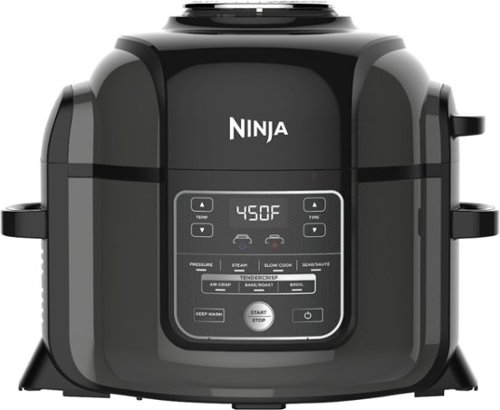
Ninja Foodi's TenderCrisp pressure cooker allows you to achieve all the quick cooking and tenderizing wonders that you love about pressure cookers. The Foodi's Crisping Lid allows you to air fry, bake/roast, and broil. That means you can give your tender, juicy pressure-cooked meals a golden, crispy finish. The secret is TenderCrisp Technology, which produces the perfect combination of heat, fan velocity, and air circulation to give your food even crisping from top to bottom.
Posted by: Batlacit
from Madison, WI
Pressure cookers have been growing increasingly popular in recent years, particularly self-contained electric ones which allow you to prepare an entire meal within a single pot. They’re fast, easy to clean, and capable of making some usually very complex recipes simple enough for an amateur to pull off. But there are some notable trade-offs all the same. One of the biggest has always been that pressure cooked food usually only has one of two textures: liquid or mush.
At least, that was the case before the Foodi came along.
I’ll admit, when I first saw Ninja’s claims that they had solved this problem I largely dismissed it. I expected the feature to produce stuff that was largely more of the same with just a thin layer of crispiness (or dehydrated) food on the outside, and focused more on the pressure cooker part. But man, was I wrong. This thing works, and what’s more it works extremely well. What they’ve done is essentially grafted the lid of an air-fryer on top of the pressure cooker, which not only lets you easily (and very effectively) crisp pressure-cooked food, but also means this thing can serve as a decent convection oven in a pinch.
The Foodi is an absolute pleasure to use. Build quality is fantastic throughout, with some extremely good non-stick coating on the pot and fry basket which make cleanup a matter of minutes and barely more complex than rinsing them off. The included recipe book has some very interesting appetizers, entrees, and deserts as well as a “choose your own adventure” section which can be used to produce over a hundred different dinners. And the controls are all very easy to operate. Best of all, it’s similar enough to other cookers that you can use any of the many instant pot recipes available online for this with little to no modification required.
There are a few caveats you should keep in mind though. First, the non-stick coating does need to be taken care of if you want it to last. None of it can go in the dishwasher, not even on the top rack, and you need to take some care in the kind of utensils you use. Second, this version of the Foodi comes with minimal cookware. You’ve got a fryer basket, a small metal grille which can serve as either an upper rack or a trivet, and the pressure cooker pot itself. A lot of the recipes the cooker comes with will make reference to some of the additional accessories you might want – such as a crisping tray, a loaf plan, a multi-purpose pan, and a springform. Depending on how ambitious you get you might also find a set of roasting lifters to be an essential component. All these are available either as upgrades or in a “deluxe” package. Second, at 6.5 quarts this might be a little small for some people. It’s still enough to squeeze most chickens into, but anyone who regularly cooks for very large groups might want to consider getting the 8.5 quart model.
Overall, I’m extremely happy with this cooker, and would recommend it to anyone curious to try out pressure cooking for themselves.
Mobile Submission: False
I would recommend this to a friend!

Share this review:


+27points
39of 51voted this as helpful.
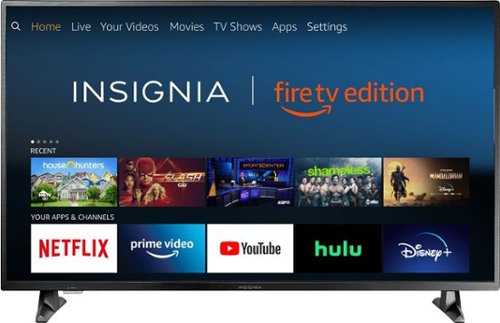
Insignia 4K UHD Fire TV Edition is a new generation of smart TVs featuring the Fire TV experience built-in and including a Voice Remote with Alexa. With true-to-life 4K Ultra HD picture quality and access to all the movies and TV shows you love, Insignia Fire TV Edition delivers a superior TV experience that gets smarter every day. The Voice Remote with Alexa lets you do everything you'd expect from a remote~plus, easily launch apps, search for TV shows, play music, switch inputs, control smart home devices and more, using just your voice.
Customer Rating
4
4K with no frills and a few surprises
on October 3, 2018
Posted by: Batlacit
from Madison, WI
This may be the single most affordable 50” 4K TV I’ve seen yet. Generally, you’d expect this to come with a whole list of compromises that were made to reduce costs. But after spending a few days with it, I have to say I’ve been very surprised by how few of these I’ve found. While you may not get all the features you’d get with another 4K set, I’m rather impressed by the implementation of the ones they did opt for.
First up: the display. This is probably the weakest element of the unit unfortunately. It’s only 60hz, and the 4000:1 contrast ratio isn’t capable of the kind of range you need for true HDR support. Colors tend to skew slightly towards the warmer end of the spectrum, and motion can be just a little bit fuzzy at times.
BUT… it is still a 4K display. Details are razor-sharp. And unlike many displays with faster panels, there is no motion smoothing to produce the soap opera effect that many find unsettling. Unless you’re used to having an OLED set with full HDR support, I doubt it’s a feature you’ll ever miss.
Then there’s the sound. It’s very rare to find a TV with good built-in speakers, and this one isn’t likely to change any minds. They’re plenty loud and have good treble response, but suffer with bass tones.
BUT… even if these speakers aren’t great, they sound better than a lot of the ones I’ve seen on higher-end displays. And the reason is simple: most high-end TVs prioritize being thin over everything else. And this, while by no means thick, isn’t trying to so hard to produce a thin profile. Having an extra centimeter or so for the speakers makes a big difference, and I suspect they’d be perfectly fine for most non-audiophiles.
Finally, we have the TV’s smart functionality. And this time, there is no but. Most mid-to-low end Smart TVs skimp here and don’t include the necessary processing power to drive the apps and OS for smart functionality. But there is no sign of any corners being cut here. The Fire TV software is amazingly fast and responsive, the Alexa features are very well integrated, and the WiFi is more than up to the task of streaming 4K content. It’s probably the first SmartTV I’ve seen that delivers performance that’s on par if not better than what you’d get from a dedicated streaming box. And the fact that you can control the entire thing from an Echo only makes it better.
Overall, I’d recommend this to anyone looking for a path to UHD content that won’t break the bank or a cheaper second set for a bedroom or den. It may not wow anyone with the color accuracy or perfectly smooth motion, but it’s still a rock-solid performer and a great value for the money.
Mobile Submission: False
I would recommend this to a friend!
Share this review:


+225points
241of 257voted this as helpful.
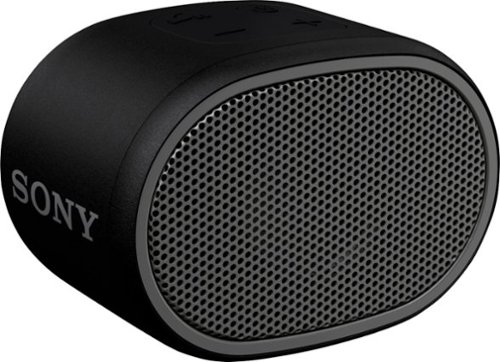
Keep the music going at your next party or backyard barbecue with this Sony portable Bluetooth speaker, which features a six-hour battery life. The compact size fits neatly on a desk or table, while the splash-proof design makes this speaker perfect beach adventures. Use the on-speaker buttons to start your tunes or turn up the volume. This Sony portable Bluetooth speaker comes with EXTRA BASS sound to bring out the best in your playlists.
Customer Rating
4
All About That Bass.
on September 19, 2018
Posted by: Batlacit
from Madison, WI
The package for the XB01 makes no secret about where its priorities lie with a big "Extra Bass" label on the front. And after using it for a few days, I have to complement them on the accurate labeling.
For such a small speaker (easily tiny enough to slip into a pocket) it's got quite a distinctive voice. It's got plenty of volume, decent treble response, decently clear audio over Bluetooth, and low range response powerful enough for you to feel it.
As you might imagine with a frequency response like that it's unlikely to win over any audiophiles looking for the best possible listening experience. But as a rugged little speaker to bring along on a hike or a boating trip so you can play some music off your cell phone, this is a pretty good pick made only better by the long battery life and water resistant design.
Mobile Submission: True
I would recommend this to a friend!
Share this review:


0points
0of 0voted this as helpful.
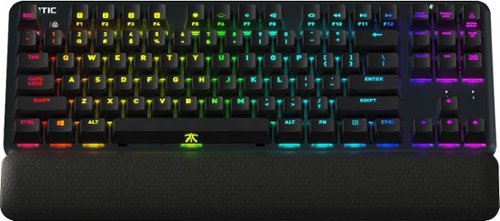
Pair this Fnatic miniStreak Professional e-sports keyboard with your gaming setup for quick response in fast-paced games. Ideal for FPS and multiplayer gaming, this tenkeyless mechanical keyboard makes the most of your space, while Cherry Brown MXRGB switches provide tactile reaction and satisfying speed. Complete with a detachable leather wrist rest, this Fnatic miniStreak Professional e-sports keyboard is ideal for tournament play.
Customer Rating
5
Extremely solid keyboard
on September 1, 2018
Posted by: Batlacit
from Madison, WI
It's always difficult to recommend a keyboard to someone because of how much individual preferences come into play with them. That goes double for mechanical keyboards, given that if someone's looking at buying one it's a pretty good bet that they're an enthusiast with an abundance of very particular opinions regarding them. But after spending a few weeks with it, there's very little I can find with this keyboard that I think even an enthusiast would find off-putting.
The keyboard's deck is rock-solid, with no perceptible flex and a somewhat austere powder-coat finish. The keys are well made with a clear legend that makes it equally viable to use it with or without the integrated lighting effects. It's also got onboard storage for user profiles and settings, allowing you to set it up how you like and bring it to another machine without needing to install the Fnatic software to get it. And the keyboard is just as responsive and clicky as one would expect being built with Cherry-MX Brown switches.
As one would expect, there's also quite a few gamer-centric features that have been baked in alongside the Cherry switches and RGB lighting. To start, they've provided mute buttons for both the speakers and microphone on the keyboard - a rather useful addition for anyone who's routinely making use of online voice chat. They've also added a dedicated competition mode which will immediately put the keyboard into a mode best suited for use in tournament environments where you can expect somewhat low lighting and probably don't want the RGB effects set to their most attention-grabbing. And finally, they've added a removable illuminated nameplate on the front which they say should eventually be swappable with custom made ones they plan to sell on their site. While it remains to be seen how expensive this will be or how long people will have to wait for this to become available, the design is simple enough that someone with a 3D printer could probably DIY themselves one of their own if they want to add that extra personalized touch.
The only things I have to take issue with are all very minor. The volume keys, for instance, are mapped to the Function keys rather than having their own dedicated controls on the keyboard. This can be a bit frustrating during games, when I frequently want to have access to both, but only rarely has it been a problem. The RGB effects are also a bit less programmable than some other mechanical keyboards I've seen. There's no option for individually addressing the keys, and you're limited to only a few pre-programmed effects. The software also doesn't offer any integration (so far) with other lighting controllers, so anyone looking to synchronize this with the rest of their rig might be disappointed. And finally, I was rather disappointed to see that there isn't any kind of USB pass-through built in to the keyboard. Normally this wouldn't bother me that much, but since this is the first keyboard I've seen to actually make use of a USB-C connection it strikes me as a bit of a missed opportunity. With the amount of bandwidth that USB-C provides, you could build a very powerful hub into a device like this without much difficulty. As it is, there just isn't that much added utility with using USB-C except for future-proofing.
Despite these complaints, I have to say that overall I'm extremely happy with this keyboard. It's probably something you'll want to try out in person in you can just to make sure the feel is right, and anyone who doesn't plan to use it for typing a good deal of the time might want to consider the model using the less tactile Cherry MX Red linear switches over this. But I personally expect this to be my daily driver for a very long time.
Mobile Submission: False
I would recommend this to a friend!
Share this review:


+2points
2of 2voted this as helpful.
Batlacit's Review Comments
Batlacit has not submitted comments on any reviews.
Batlacit's Questions
Batlacit has not submitted any questions.
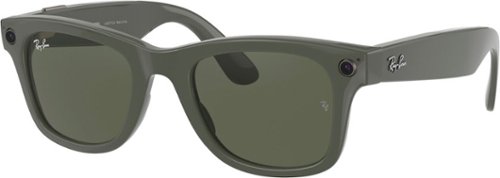
From the rock revolution of the ~60s, to the art scene of the ~80s, to the forefront of hip-hop culture ~ Wayfarer has become an enduring icon across endlessly shifting horizons. Now the journey continues with the latest in wearable tech. Ray-Ban Stories Wayfarer integrates the best of your phone with the timeless frame, bringing you a new way to capture and share your adventures.
I'm unable to find a phone compatibility list, does anyone know if this works with android phones too?
Yes, it works just fine on Android. No idea why they don't advertise it on the box.
4 years, 8 months ago
by
Batlacit

This Element 27" frameless gaming monitor provides everything you need for premium gameplay or everyday tasks. This 1440P resolution monitor is equipped with FreeSync Technology for avoiding tearing and reducing stuttering. With easy set-up for multiple screens, you're able to expand your view and get more done. The 16:9 widescreen resolution partnered with a 1ms response time and 165hz refresh rate allows a vivid, realistic picture so you can be immersed in your gaming world. Built-in speakers and a sleek, frameless screen enable the monitor to blend with your decor for a clean aesthetic.
Is this monitor good for an Xbox one s gaming? I'm new to monitors and this one would be my first one
The integrated audio is pretty bad even by monitor standards, but apart from that it should work fine for console gaming. It's not going to deliver an exceptional experience, but it should be able to beat most TVs as far as latency goes.
4 years, 8 months ago
by
Batlacit
This Element 27" frameless gaming monitor provides everything you need for premium gameplay or everyday tasks. This 1440P resolution monitor is equipped with FreeSync Technology for avoiding tearing and reducing stuttering. With easy set-up for multiple screens, you're able to expand your view and get more done. The 16:9 widescreen resolution partnered with a 1ms response time and 165hz refresh rate allows a vivid, realistic picture so you can be immersed in your gaming world. Built-in speakers and a sleek, frameless screen enable the monitor to blend with your decor for a clean aesthetic.
Is this a good monitor for competitive gaming on the ps5 ???
This Element 27" frameless gaming monitor provides everything you need for premium gameplay or everyday tasks. This 1440P resolution monitor is equipped with FreeSync Technology for avoiding tearing and reducing stuttering. With easy set-up for multiple screens, you're able to expand your view and get more done. The 16:9 widescreen resolution partnered with a 1ms response time and 165hz refresh rate allows a vivid, realistic picture so you can be immersed in your gaming world. Built-in speakers and a sleek, frameless screen enable the monitor to blend with your decor for a clean aesthetic.
Does it have a hdmi?
Yes, it has two HDMI ports and does come with both an HDMI and DP cable.
4 years, 8 months ago
by
Batlacit
This Element 27" frameless gaming monitor provides everything you need for premium gameplay or everyday tasks. This 1440P resolution monitor is equipped with FreeSync Technology for avoiding tearing and reducing stuttering. With easy set-up for multiple screens, you're able to expand your view and get more done. The 16:9 widescreen resolution partnered with a 1ms response time and 165hz refresh rate allows a vivid, realistic picture so you can be immersed in your gaming world. Built-in speakers and a sleek, frameless screen enable the monitor to blend with your decor for a clean aesthetic.
Does it have integrated speakers?
Yes. But they sound horrible and require you to go through two menu layers to change the volume. I wouldn't consider them as a selling point.
4 years, 8 months ago
by
Batlacit
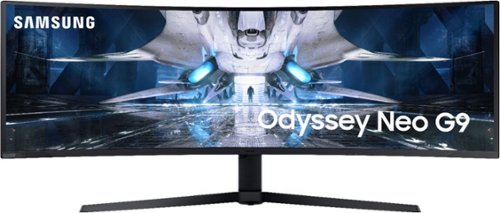
An industry defining 49~ 1000R curved screen, equipped with a cutting edge Quantum Matrix HDR2000 panel, 240hz refresh rate, G-Sync and FreeSync Premium Pro support, 1ms GTG response rates, and fully customizable Odyssey Infinity Core lighting.
DP 2.0?
No, it's still using 1.4. Getting DP 2.0 certified is turning out to be a lot trickier than it was initially expected, most are saying we probably wont' see them hitting the market until 2022.
4 years, 9 months ago
by
Batlacit
An industry defining 49~ 1000R curved screen, equipped with a cutting edge Quantum Matrix HDR2000 panel, 240hz refresh rate, G-Sync and FreeSync Premium Pro support, 1ms GTG response rates, and fully customizable Odyssey Infinity Core lighting.
My new g9 arrived in the box for the old g9. Even though the box has a sticker that says "Neo G9 Odyssey" sticked on it, the box itself is for the old model. Does anyone else have the same issue? Why is that the case?
They're just using up the old boxes and foam. The shape and size of the product hasn't really changed, I don't think it's anything you need to worry about so long as the monitor itself has the right model number.
4 years, 9 months ago
by
Batlacit
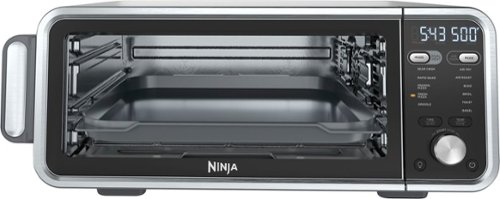
The Ninja Foodi Dual Heat Air Fry Oven gives you versatility in the kitchen with 11-in-1 functionality from Air Fry and Sear Crisp to Rapid Bake and Toast. With Dual Heat Technology, unlock up to 500~F cyclonic air and a directly heated SearPlate, which allow for fast cooking and restaurant-worthy results. Cook up your favorites and then flip the oven up and away to reclaim your counter space.
Can both trays be used at once?
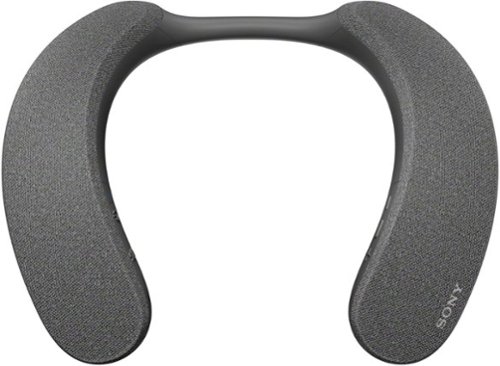
Explore a new world of personalized home theater audio. The SRS-NS7 Wireless Neckband Speaker uses Sony~s 360 Spatial Sound Personalizer technology to envelop you in the rich audio of your favorite shows and movies, while being unobtrusive to others in your home.
Do these have 3.5mm jack or do they only connect via bluetooth?
They will only work with bluetooth or optical connections.
4 years, 11 months ago
by
Batlacit
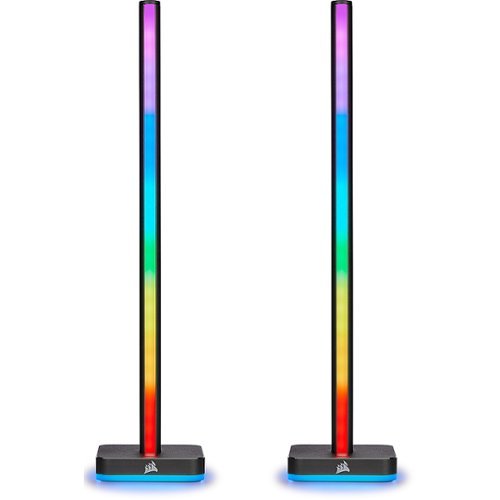
Extend your PC~s RGB lighting with the CORSAIR iCUE LT100 Smart Lighting Towers Starter Kit, part of the iCUE Smart Lighting Ecosystem. 92 RGB LEDs light up your room with ambient lighting that dynamically integrates with your games and media for a truly immersive experience. Cycle through 11 lighting profiles out of the box with push-button control or connect to CORSAIR iCUE software to synchronize your RGB lighting effects across all compatible CORSAIR devices in your system and all external iCUE Smart Lighting devices. The Starter Kit includes two lighting towers with 46 customizable LEDs each, housed in light-diffusing casing that softens and blends light. With an included removable headset holder, LT100 Smart Lighting Towers add convenient, versatile, and stunning RGB lighting to any setup.
how tall are they
Per the spec sheet, 422mm. The headphone holder adds another 2mm or so.
4 years, 11 months ago
by
Batlacit