


Batlacit's stats
- Review count272
- Helpfulness votes935
- First reviewFebruary 13, 2016
- Last reviewSeptember 29, 2026
- Featured reviews0
- Average rating4.5
Reviews comments
- Review comment count0
- Helpfulness votes0
- First review commentNone
- Last review commentNone
- Featured review comments0
Questions
- Question count0
- Helpfulness votes0
- First questionNone
- Last questionNone
- Featured questions0
- Answer count55
- Helpfulness votes101
- First answerSeptember 21, 2016
- Last answerJanuary 21, 2022
- Featured answers0
- Best answers11
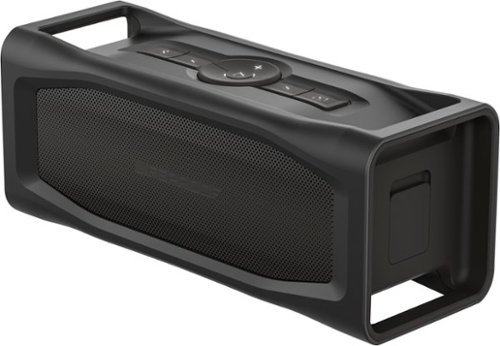
Toss this waterproof LifeProof AQUAPHONICS speaker in the pool and watch it float. The crisp audio doesn't stop for snow, dirt or ice, and this Bluetooth-enabled speaker can withstand a drop from 1.2m. The battery of this LifeProof AQUAPHONICS speaker keeps going for 15 hours, and it charges your phone while it's playing.
Customer Rating

5
Built tough without compromising on audio quality
on June 26, 2017
Posted by: Batlacit
from Madison, WI
I’ve tried a few different waterproof speaker offerings in the past, and for the most part while they’ve been pretty good when it comes to being water proof I’ve been somewhat less impressed by their sound quality and ease of use. This speaker, which is quite probably the most rugged example I’ve seen so far, has impressed me most by being a surprisingly good Bluetooth speaker first that just happens to also be built like the offspring of a tank and a submarine.
As far as features go, this thing isn't going to impress anyone with an abundance of bells and whistles, going instead for minor quality of life details. You’ve got the standard features you’d expect: 15 hour estimated battery life, volume and playback controls, integrated speakerphone capabilities (which at this point seem to be standard for any Bluetooth device) and Bluetooth 4.2 compatibility are all there. But on top of that you have a pair of USB and 3.5mm inputs to allow you to forgo the Bluetooth connection entirely and charge your phone up from the massive battery within at the same time. One of the sets is even located inside the dry box, so that you can protect your phone from shocks or unexpected swims at the same time.
The build quality is also very nice on this unit. Seams are tight and the seals around the dry box are just about as sturdy as anything I’ve seen, with a lock added for extra security. The buttons are all protected by thick rubber caps which help maintain the waterproofing and the sole moving part, the button lock switch on the side, is firm and very sturdy. The sound produced is just a little heavy on the bass tones using it inside, but taking it outside where low tones are more easily lost in ambient noise you get very nice audio response.
Really, there are only a few issues I found with the speaker. The speakerphone functionality seemed fine with my phone but was annoyingly inconsistent with my other devices, for instance. I’m also a bit annoyed that the dry box is just a hair too small to let you fit the wall charger inside for travel and storage. But I’m more than willing to put up with them in exchange for having a single speaker that I can listen to music on at home and then throw in my backpack to take camping!
As far as features go, this thing isn't going to impress anyone with an abundance of bells and whistles, going instead for minor quality of life details. You’ve got the standard features you’d expect: 15 hour estimated battery life, volume and playback controls, integrated speakerphone capabilities (which at this point seem to be standard for any Bluetooth device) and Bluetooth 4.2 compatibility are all there. But on top of that you have a pair of USB and 3.5mm inputs to allow you to forgo the Bluetooth connection entirely and charge your phone up from the massive battery within at the same time. One of the sets is even located inside the dry box, so that you can protect your phone from shocks or unexpected swims at the same time.
The build quality is also very nice on this unit. Seams are tight and the seals around the dry box are just about as sturdy as anything I’ve seen, with a lock added for extra security. The buttons are all protected by thick rubber caps which help maintain the waterproofing and the sole moving part, the button lock switch on the side, is firm and very sturdy. The sound produced is just a little heavy on the bass tones using it inside, but taking it outside where low tones are more easily lost in ambient noise you get very nice audio response.
Really, there are only a few issues I found with the speaker. The speakerphone functionality seemed fine with my phone but was annoyingly inconsistent with my other devices, for instance. I’m also a bit annoyed that the dry box is just a hair too small to let you fit the wall charger inside for travel and storage. But I’m more than willing to put up with them in exchange for having a single speaker that I can listen to music on at home and then throw in my backpack to take camping!
My Best Buy number: 2187428738
Mobile Submission: False
I would recommend this to a friend!
Share this review:


+1point
2of 3voted this as helpful.

Concoct a variety of coffee-based beverages with this combination DeLonghi coffee maker and espresso machine. Its cappuccino system easily prepares perfectly frothed coffee, and its 24-hour programmable timer lets you make up to 10 cups of brew on your schedule. This DeLonghi coffee maker and espresso machine also makes lattes and hot chocolate.
Customer Rating

4
A coffee machine for enthusiasts
on June 15, 2017
Posted by: Batlacit
from Madison, WI
The first thing I noticed about the DeLonghi 10-Cup Coffeemaker was the instructions. They're somewhat sparse, filled with lots of tiny text, and a few simple illustrations. They're not bad, per se, but they're definitely written with the expectation that you have a basic understanding of what you're doing. And that's pretty much my impression of this machine. If you know what you're doing, it's probably going to be your favorite thing ever. If you've never pulled an espresso shot before, you'll likely be a little intimidated. But this is actually a pretty good machine to learn on.
As far as the hardware itself goes, this is basically two separate appliances melded together. The drip coffee maker on the right is large and well provisioned - with a gold plated coffee permanent coffee filter, a replaceable chlorine flavor filter, and a programmable timer so you can wake up in the morning to a full carafe. It's definitely on the high end of such machines, but there's really nothing particularly remarkable about it. The real focus is on the espresso maker on the left hand side.
This is where it's most obvious that the machine is straddling the divide between a product for experts and one for the average consumer. The build quality is definitely not up to what you'd expect from a professional metal espresso maker, but it's much better than your average plastic appliance too. There's a port to allow you to install a hard water filter in the espresso reservoir. The filter handle is sturdy and almost all metal. The steam wand, on the other hand, is a mix of plastic and metal, and definitely substantially less powerful than what you'd expect on a higher end unit. And that's not entirely a bad thing. I managed to give myself a small burn the first time I tried to make a cappuccino with the unit - the fact that the pressure and output of the wand was lower than others is probably the only thing that kept it from being a large one.
And that really sums up this machine. It's just enough for you to do most of the things you'd like to do, and just shy of enough to let you mess up too badly. It's a tricky target to aim for, but they seem to have found it here.
My Best Buy number: 2187428738
I would recommend this to a friend!
Share this review:


+6points
6of 6voted this as helpful.
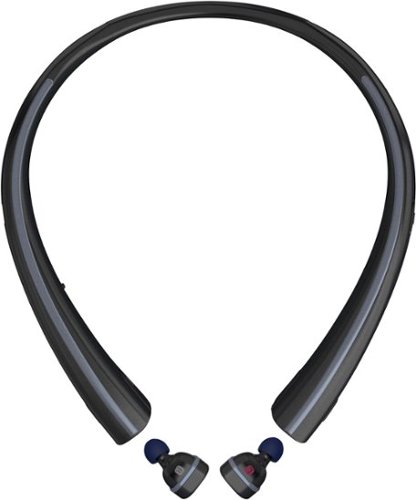
Listen to music hands-free with this LG wireless headset. It lets you answer or ignore a call with voice commands, and the wireless earbuds charge when they're resting inside the neckband, ensuring they're ready for use. The neckband of this LG wireless headset provides vibration alerts for incoming calls and texts, so you'll never miss a message.
Customer Rating
4
My first bluetooth headphones
on May 21, 2017
Posted by: Batlacit
from Madison, WI
I've long liked the idea of cordless devices for most things, save one. For whatever reason, I've never really felt that I needed wireless headphones. I don't know why, honestly. Most headphones I've owned have died because the cord is easily tangled, fragile, and prone to getting caught on things. But it just never seemed worth the added expense.
This particular set, which is a combination of earbuds, a smart watch, and a hands free earpiece, does appeal to my love of gadgets with way more features than they really need. And I have to say they're now my go-to headphones for everyday use. But I have to say that I think there are still some bugs that need to be addressed here.
So first off, the actual headphones are really just two little nubs that pop out of the collar. At first I thought this would be a big problem for me, as I always tend to lose tiny things, but I'm actually rather impressed so far. The headphones do stick in your ears, and with how small they are there isn't much argument from gravity. When they're not in use, two latches on the collar hold them firmly in place while keeping them charged.
BUT... if I follow the fitting instructions in the box, the things are solid as a rock and have great bass response but are physically painful to wear. They can tightly nestle into the shape of your ear, but I think mine might be just a little smaller than whatever baseline they were using to design them. I just can't do it for more than a few minutes. Adjusting it slightly gives me a more comfortable fit, but at the expense of creating a slight gap which makes them less secure and cuts down their ability to deliver any bass. I feel like they could have easily fixed this just by including a larger option for the rubber ear plugs, which makes me somewhat annoyed.
This particular set, which is a combination of earbuds, a smart watch, and a hands free earpiece, does appeal to my love of gadgets with way more features than they really need. And I have to say they're now my go-to headphones for everyday use. But I have to say that I think there are still some bugs that need to be addressed here.
So first off, the actual headphones are really just two little nubs that pop out of the collar. At first I thought this would be a big problem for me, as I always tend to lose tiny things, but I'm actually rather impressed so far. The headphones do stick in your ears, and with how small they are there isn't much argument from gravity. When they're not in use, two latches on the collar hold them firmly in place while keeping them charged.
BUT... if I follow the fitting instructions in the box, the things are solid as a rock and have great bass response but are physically painful to wear. They can tightly nestle into the shape of your ear, but I think mine might be just a little smaller than whatever baseline they were using to design them. I just can't do it for more than a few minutes. Adjusting it slightly gives me a more comfortable fit, but at the expense of creating a slight gap which makes them less secure and cuts down their ability to deliver any bass. I feel like they could have easily fixed this just by including a larger option for the rubber ear plugs, which makes me somewhat annoyed.
As for the collar, that provides the option for both notifications and a bit of extra battery power. The earbuds on their own are rated for about 3 hours use (which my tests confirmed to be broadly accurate, though it seemed that the left earbud died faster) and the collar contains additional power to charge them up for 7.5 hours (my tests confirmed 7.) Pairing it up with an app on your phone allows the collar to vibrate when you've got a notification and read out notification texts on the earbuds if they're in use. It's also just the right size and shape to slip under a shirt collar, which is definitely a plus given that wearing this is not the most flattering look.
BUT... I don't know why they thought that it was a good idea to deliver messages through this big vibrating collar. Again, it works, but it's just not comfortable. The place it tends to sit is very sensitive, and the vibration is just harsh enough to make it unpleasant. I turned this feature off after the first barrage of messages made me pull the collar off, and I plan to keep it that way. Likewise, the app that you use is a somewhat clumsy design that ensures easy access to the legalese within the EULA but is rather feature poor beyond that. There are controls to turn notifications on and off, an instruction manual, and a "voice memo" feature that I've yet to find a good reason to use.
BUT... I don't know why they thought that it was a good idea to deliver messages through this big vibrating collar. Again, it works, but it's just not comfortable. The place it tends to sit is very sensitive, and the vibration is just harsh enough to make it unpleasant. I turned this feature off after the first barrage of messages made me pull the collar off, and I plan to keep it that way. Likewise, the app that you use is a somewhat clumsy design that ensures easy access to the legalese within the EULA but is rather feature poor beyond that. There are controls to turn notifications on and off, an instruction manual, and a "voice memo" feature that I've yet to find a good reason to use.
In the end, these issues aren't enough to make me dislike the headphones. For convenience alone they're worth dealing with the rough edges, and once you pair them the things work just about perfectly, automatically turning themselves on, connecting, and setting up controls for their multifunction buttons. And the collar design is, in my opinion, a far better option for a storage case/charging pod than the usual pill box designs that I've seen for this form factor. But the lack of polish does stop me from giving the product full stars, and if you're an audiophile who really cares about completely faithful sound they might not be for you.
My Best Buy number: 2187428738
I would recommend this to a friend!
Share this review:


+1point
1of 1voted this as helpful.

Replace the keyboard of your Microsoft Surface Pro 7, 6, 5 or 4 with this silver Brydge keyboard. It conveniently lets you open the screen at your preferred viewing angle without a kickstand, and its backlit keys increase visibility in low light working environments. This Brydge keyboard is lightweight, so it doesn't add extra bulk to your device.
Customer Rating
5
Best surface keyboard I've used, hands down!
on May 21, 2017
Posted by: Batlacit
from Madison, WI
Much of the review could be summed up with one sentence: "This thing is absolutely awesome."
I have been using Surface and Surface-like form factors as my primary portable computer for about five years now. And I've been very happy with the experience for the most part. The first one I got was motivated more by the fact that it was the best one to use with a pen than anything else, and while I was satisfied with the snap-on keyboard and kickstand support, "satisfied' is really about as far as I would go with it. As anyone who has used a kickstand based machine on a train or airplane can attest, it's often a pain to work with. The shallow travel of the keys isn't particularly satisfying to use, and the less said about the knuckle-punishing fabric keyboards that came with the first generation surface the better. And there are just an abundance of places where there isn't a good place to use the kickstand.
Well, this keyboard pretty much fixes all of that. I hadn't realized just how much I had missed being able to just set my computer on my actual lap and type anywhere until I stuck my computer into this wonderful little accessory and started working. The thing improved my productivity simply because I no longer have a lingering reluctance to pull out the computer when I don't have an optimal surface to set it up on.
Well, this keyboard pretty much fixes all of that. I hadn't realized just how much I had missed being able to just set my computer on my actual lap and type anywhere until I stuck my computer into this wonderful little accessory and started working. The thing improved my productivity simply because I no longer have a lingering reluctance to pull out the computer when I don't have an optimal surface to set it up on.
Looking beyond the concept, the product itself is just as impressive. It's got a bit of heft to it that makes it just a little heavier than the Surface itself, much of which goes to an oversized battery they advertise will work for 3 months of heavy use. Usually I feel compelled to stress test battery life claims to see what they actually are, but in this one case I'm willing to let that number stand simply for logistical reasons. The milled aluminum case is sturdy and pleasant to work with, the glass touchpad is wonderfully smooth and responsive, and the keyboard itself has great action on all the keys. It's also got plenty of nice extras including illuminated keys, dedicated function buttons, multi-touch support, and a button to quickly check that massive never-ending battery.
Now that said, there are a couple of things that could count as downsides. For a start, the fact that this thing needs an internal battery. Unlike the official Surface keyboards, this thing works on a bluetooth connection. I'm not entirely sure that's a bad thing in all cases, since it does mean you can use the keyboard in a non-laptop configuration and even with other Surface-like tablets if you want (which I confirmed do work, though they look amazingly silly.) But the downside is that you do get all the problems that typically come with bluetooth keyboards, like a slight amount of input lag at higher typing speeds (so long as you stay under 100wpm you're probably fine.) The version with an integrated SSD also has a somewhat awkward workaround for this lack of a direct connection in the form of a dangling USB cable running from the Surface USB port to the keyboard. You might also find it takes a little practice before you're able to get the thing correctly lined up with the clips that grip the Surface. And of course there's the fact that this does double the weight of the Surface, but that's pretty much a necessity in creating a stable product. I can't say that I really feel these detract from the experience for me, but they were deal breakers for a few of the other Surface users who checked out the keyboard. But if you're like me and want the traditional laptop option but don't want to spring for a Surface Book, I'd say this is probably the keyboard for you regardless of the trade-offs.
My Best Buy number: 2187428738
I would recommend this to a friend!


Share this review:


+13points
14of 15voted this as helpful.
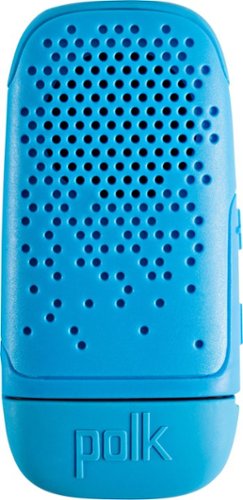
Experience high-quality sound anywhere with this Polk Audio BOOM Bit wearable Bluetooth speaker. Its steel spring clip attaches it securely to your clothing, providing great audio without blocking out noise from the surroundings. The 3-hour battery life of this compact Polk Audio BOOM Bit wearable Bluetooth speaker keeps the tunes coming on any adventure.
Customer Rating

3
Definitely a niche item.
on April 29, 2017
Posted by: Batlacit
from Madison, WI
I've tried a few different bluetooth speakers/speakerphones over the years, and I've gotten used to the various tradeoffs you usually need to make with them. This one is a pretty thoroughly middle of the road one in terms of performance, though it does have a few nice features to help it stand out.
So, to start with those features, this speaker forgoes a charging port in order to just stick a full USB drive on the bottom, covered by a protective cap. As such there are no cables to worry about when it comes to charging. And the speaker does seem to be fairly waterproof based on what happened when I got unexpectedly caught in a rain storm wearing it. I'm not sure how much I'd recommend you put that to the test, but for the intended use taking it outdoors on bike rides and hikes it should be rugged enough. It also does seem to genuinely get close to 3 hours of battery life as advertised.
So, to start with those features, this speaker forgoes a charging port in order to just stick a full USB drive on the bottom, covered by a protective cap. As such there are no cables to worry about when it comes to charging. And the speaker does seem to be fairly waterproof based on what happened when I got unexpectedly caught in a rain storm wearing it. I'm not sure how much I'd recommend you put that to the test, but for the intended use taking it outdoors on bike rides and hikes it should be rugged enough. It also does seem to genuinely get close to 3 hours of battery life as advertised.
Beyond that though... There isn't much to say about this. The volume is good, but not that much better than what you can get on most phones with the volume turned up. The audio itself is definitely weighted towards giving you more bass, and this can cause some sound to be lost out in the world. And the controls are all centered around the volume buttons, meaning it's rather difficult to remember all the specific combinations of long and short presses you need to run through all the different functions. This led to some awkward moments when I thought I'd turned it off, only to have a private call suddenly broadcast to everyone in my vicinity at maximum volume.
All in all, I'd still say you're probably better off just going with a single earbud than you are a wearable speaker for listening on the go. But if that won't work for you, this is a workable compromise.
My Best Buy number: 2187428738
No, I would not recommend this to a friend.
Share this review:


0points
1of 2voted this as helpful.
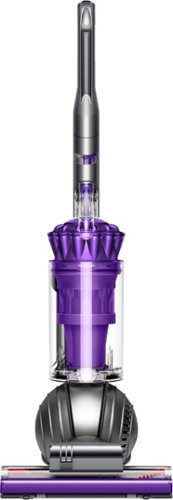
Clean carpets, couches and stairs easily with this adaptable Dyson Ball Animal vacuum. Various attachments, including a tangle-free turbine tool, a multi-angle brush and a stair tool make pet hair removal quick and simple. The Dyson Ball Animal vacuum comes with a generous 35-foot cord, making it ideal for larger homes.
Customer Rating
4
Powerful Vacuum with just a few Weak Links
on March 28, 2017
Posted by: Batlacit
from Madison, WI
So like pretty much everyone, I've heard that Dysons were good vacuums. I'd heard that they were powerful. I'd heard that they were well built. But I'd never actually tried one until this.
So when it arrived I assembled all of the parts, pulled out the cleaning wand, and turned it on.
The suction created was powerful enough to immediately collapse the extended tube leading to the wand, almost pulling the Dyson over in the process. And make no mistake - had it not quite obviously been designed to keep this from happening, it would have yanked the entire vacuum straight across the room.
The power that this thing can produce cannot be understated. And while there are plenty of other great features, that's the one I keep coming back to.
So, on those other features, the cleaning head, wand, and accessories are all very well thought out, highly modular, and in many cases built in clear plastic so that if something goes wrong, you can immediately spot where it is. The cleaning bin is very cleverly designed, with a drop out bottom that lets you simply hold it over a trash can and press a button to dump everything straight into the can. and most of the accessories are stored nearly seamlessly in the vacuum cleaner itself. Most will collapse down into more compact forms as well, and are built with 2 latches so that they can be locked in place either in their storage or use position. Even the little stabilizer wheels to keep the ball base from falling over when it's being used as a cannister vac or being stored seamlessly fold up and out of the way when you pull back on the handle, and snap back into place when you bring it back upright. At times, it kind of feels like someone took a Transformer toy and made a working version, which I'll admit does make it an unusually fun thing to use.
That said, this similarity is also where I did find a few downsides to the unit as well. They're fairly minor things that wouldn't affect normal use, but does make me worry a bit about long-term durability. Namely, just about all of these moving parts are made of plastic, and some of them seem worryingly light duty. The button which opens up the bottom of the bin, for instance, is basically a long, thin plastic plunger that will bend ominously whenever you don't press it just right. Given that this is going to be one of the most heavily worn parts not in the engine, I'm really astonished they didn't go with something more robust or, failing that, at least install some guides to keep the bending from happening. More worrying is the fact that this button also serves dual duty in keeping the bin attached to the rest of the vacuum. If the rod snapped and it just kept you from being able to open the bottom of the bin quite so cleanly, that would be annoying but not much of a problem. But I do find myself concerned at the prospect that damage to it could also potentially make it impossible to keep the bin in place.
Another thing that I found somewhat annoying is the fact that there is no place to stick one of the key accessories that makes this an Animal rated vacuum - a small tangle-free brush-head for removing fur and hair referred to as the mini turbine tool - does not have a storage space on the vacuum itself. This seems to be because apart from some internal differences, it's mostly just a standard Dyson design cast in a different color of plastic. It would have been very nice to be able to keep all the accessories in one place, particularly since the turbine tool is small, expensive, and the kind of thing one could easily lose for a prolonged period.
That said, these misgivings really only keep me from giving this thing a perfect score. The cleaning performance of the thing is fantastic - it was able to pick up a full bin of dust even on floors that are vacuumed daily. Long hair, animal fur, mud, even some wet messes didn't so much as slow it down. It's an expensive tool to be sure, but it's also one of the best.
So when it arrived I assembled all of the parts, pulled out the cleaning wand, and turned it on.
The suction created was powerful enough to immediately collapse the extended tube leading to the wand, almost pulling the Dyson over in the process. And make no mistake - had it not quite obviously been designed to keep this from happening, it would have yanked the entire vacuum straight across the room.
The power that this thing can produce cannot be understated. And while there are plenty of other great features, that's the one I keep coming back to.
So, on those other features, the cleaning head, wand, and accessories are all very well thought out, highly modular, and in many cases built in clear plastic so that if something goes wrong, you can immediately spot where it is. The cleaning bin is very cleverly designed, with a drop out bottom that lets you simply hold it over a trash can and press a button to dump everything straight into the can. and most of the accessories are stored nearly seamlessly in the vacuum cleaner itself. Most will collapse down into more compact forms as well, and are built with 2 latches so that they can be locked in place either in their storage or use position. Even the little stabilizer wheels to keep the ball base from falling over when it's being used as a cannister vac or being stored seamlessly fold up and out of the way when you pull back on the handle, and snap back into place when you bring it back upright. At times, it kind of feels like someone took a Transformer toy and made a working version, which I'll admit does make it an unusually fun thing to use.
That said, this similarity is also where I did find a few downsides to the unit as well. They're fairly minor things that wouldn't affect normal use, but does make me worry a bit about long-term durability. Namely, just about all of these moving parts are made of plastic, and some of them seem worryingly light duty. The button which opens up the bottom of the bin, for instance, is basically a long, thin plastic plunger that will bend ominously whenever you don't press it just right. Given that this is going to be one of the most heavily worn parts not in the engine, I'm really astonished they didn't go with something more robust or, failing that, at least install some guides to keep the bending from happening. More worrying is the fact that this button also serves dual duty in keeping the bin attached to the rest of the vacuum. If the rod snapped and it just kept you from being able to open the bottom of the bin quite so cleanly, that would be annoying but not much of a problem. But I do find myself concerned at the prospect that damage to it could also potentially make it impossible to keep the bin in place.
Another thing that I found somewhat annoying is the fact that there is no place to stick one of the key accessories that makes this an Animal rated vacuum - a small tangle-free brush-head for removing fur and hair referred to as the mini turbine tool - does not have a storage space on the vacuum itself. This seems to be because apart from some internal differences, it's mostly just a standard Dyson design cast in a different color of plastic. It would have been very nice to be able to keep all the accessories in one place, particularly since the turbine tool is small, expensive, and the kind of thing one could easily lose for a prolonged period.
That said, these misgivings really only keep me from giving this thing a perfect score. The cleaning performance of the thing is fantastic - it was able to pick up a full bin of dust even on floors that are vacuumed daily. Long hair, animal fur, mud, even some wet messes didn't so much as slow it down. It's an expensive tool to be sure, but it's also one of the best.
My Best Buy number: 2187428738
I would recommend this to a friend!
Share this review:


0points
0of 0voted this as helpful.
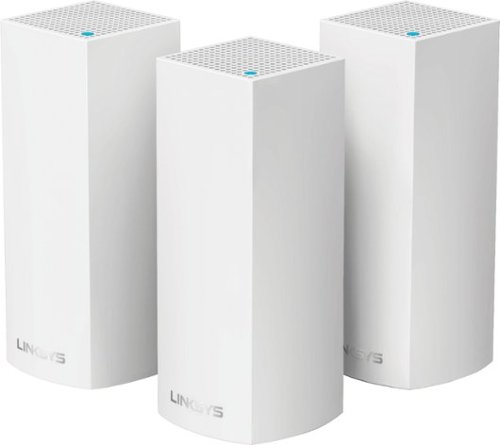
Make your home an internet haven with this versatile Linksys Velop wireless Wi-Fi system. Three identical tri-band dual-stream AC2200 routers, each equipped with a quad-core ARM Cortex-A7 processor, deliver lightning-fast internet. Equipped with Bluetooth 4.0/LE, this Linksys Velop wireless Wi-Fi system is simple to set up and pairs easily with computers, tablets and smart devices.
Customer Rating
4
Flexible and powerful if you need it
on January 12, 2017
Posted by: Batlacit
from Madison, WI
So first thing you need to understand is that this is very different from most consumer routers. It's an example of a mesh wi-fi setup, which for most people who don't have very large homes is complete overkill in terms of coverage. The box advertises up to 6000 square feet with some caveats. I wasn't able to really figure out what the upper limit might be in a real world setup, but I do feel pretty confident that you could probably at least hit around 5000 without too much difficulty.
But assuming that you do have that much space you absolutely need to cover with high speed Wi-Fi, this is probably one of the more user friendly systems I've seen. A big part of that is that unlike a lot of similar systems where you have a base station hooked up to your modem and a variety of satellites, this one has gone for a more generalized design. Each node contains everything it needs to serve as either a satellite or a base router. In fact I'm pretty sure you could just set these up as 3 independent routers without any difficulty. Not only does this mean you don't need to worry about sorting out which is which when you're setting it up, but it also might help with the longevity of the system as a whole. One of the biggest issues with these that I've always seen is that if you were to invest heavily in a system only to have the router break, your only option would pretty much be to buy the starter kit again or, even worse, scrap all the functional satellites and buy the latest version. As far as I can see, you wouldn't have that issue here, and it strikes me that the system might be more capable of being combined with newer node designs as a result.
As for the nodes themselves, they're attractively built pillars with good ventilation and only a single small LED at the top to illustrate status. If you're looking to determine the status of your network at a glance this isn't going to help, but for a home user the design work is quite unobtrusive while still looking suitably like something that came out of Star Trek. This is helped by a pretty good little rubber clip at one corner to help manage cables, making it very easy to hide the more technical necessities.
Speaking of those, the system is rated at AC6600, basically meaning that the system's total rated throughput is 6.6gbps. If that sounds too good to be true... well, it is. Typically the speeds for these multi-band systems is arrived at by taking the sum of the maximum speed for all 3 of the wireless transceivers supported by the router (2 5ghz and 1 2.4 ghz.) In this case, the fact that the system is actually 3 separate routers has allowed them to multiply that sum by 3, so really what you're getting is 3 nodes capable of 2200mpbs. That's still fast enough to place this in one of the higher performance tiers for AC routers, but it's still on the low end of the scale there unless your traffic is physically spread out in your environment. I don't think most users will ever actually have enough Wi-Fi devices running simultaneously to create serious network congestion with something this fast and distributed, but if you're one of those rare people who can bring a router to its knees it might be worth keeping in mind that there are a lot of added factors that go into determining just how fast this system actually is.
Going a step further in the technical details, this router takes a somewhat different approach to configuring it. Rather than requiring you to plug directly into it with a computer, as many routers do, this one handles all the setup through the Linksys app available for both iOS and Android. To provide a bit of extra security, each node comes equipped with a Bluetooth connection that the instructions encourage you to make use of. Given that the nodes are capable of independent use and designed to throw the Wi-Fi signal as far as possible, that's probably a good call. The App makes the setup process extremely user friendly. Once it's done, the Linksys app itself is actually very comprehensive, and the router has most of the advanced configuration features that you'd expect for something in this range.
Unfortunately, at this point I do need to get into a few of the things that I didn't like much about the Velop, and the biggest one actually has to do with that app. It is compulsory at this point to use the app to setup the router and administrate it. While this isn't as onerous as it once might have been these days with smartphones being nearly ubiquitous, the lack of a traditional web-based interface is very annoying, and something that I can only hope is remedied in future updates. The other issue I have with these is that in trying to make the individuals nodes small, they've only left space for 2 wired ports in each of them. This is both a blessing and a curse. A curse for anyone who set their router and modem up right at the core of a bunch of wired devices, as it pretty much requires you to either get a much less photogenic switch to plug into or place 2 nodes right next to each other just to get 3 of them tied in. And a blessing in that it does allow you to spread your wired devices out all around the house without having to worry about it. There are no USB ports for network storage or printers to be found either. These two, ultimately, are what kept me from giving the system 5 stars. While these may make things very easy for the average consumer to deal with, more advanced users may well find themselves frustrated with the lack of features that they're used to taking for granted.
All in all though, despite my issues with it, I do think the Velop might be my favorite one of these systems to work with. There are a few features that I wasn't able to test, most notably advertized integration with Amazon's Alexa AI assistant, but what I did see was a very clean, very polished product.
My Best Buy number: 2187428738
I would recommend this to a friend!
Share this review:


+1point
1of 1voted this as helpful.

Enhance footage and create professional-looking video montages with Adobe Premiere Elements 15. Access the software~s de-haze feature on your traditional computer or touchscreen device to reduce mist and fog for a bright, clear result. Features like enhanced search, which help you sort and label videos appropriately, make Adobe Premiere Elements 15 an essential for any budding videographer.
Customer Rating
5
Good Midrange Software for Hobbyists
on November 7, 2016
Posted by: Batlacit
from Madison, WI
These days, just about every computer you can get will come with a video editing package capable of handling basic cuts, transitions, and filters. If that's all you're looking for, you probably don't need to invest in anything more advanced.
But if you're looking to do something a bit more ambitious, but can't justify the high cost of a subscription to get access to the full professional versions of Adobe's products, the Elements version of Premiere is probably what you want to aim for.
There are several drag-and drop guided editing modes available which are all pretty much what you'd expect from a standard video editor, just with a little bit of added Adobe flair thrown in for good measure. They're quite serviceable, but honestly that's not really what makes this product stand out. For that, you want to switch to the Expert mode, where you suddenly get access to fine control over various effects, chroma keying, and several other effects.
You definitely don't have everything that you might get with a full professional level video package. But if all you're looking to do is make a really impressive video for youTube, a wedding, a fanfilm, or just for fun, this will probably meet your needs.
But if you're looking to do something a bit more ambitious, but can't justify the high cost of a subscription to get access to the full professional versions of Adobe's products, the Elements version of Premiere is probably what you want to aim for.
There are several drag-and drop guided editing modes available which are all pretty much what you'd expect from a standard video editor, just with a little bit of added Adobe flair thrown in for good measure. They're quite serviceable, but honestly that's not really what makes this product stand out. For that, you want to switch to the Expert mode, where you suddenly get access to fine control over various effects, chroma keying, and several other effects.
You definitely don't have everything that you might get with a full professional level video package. But if all you're looking to do is make a really impressive video for youTube, a wedding, a fanfilm, or just for fun, this will probably meet your needs.
My Best Buy number: 2187428738
I would recommend this to a friend!
Share this review:


0points
0of 0voted this as helpful.
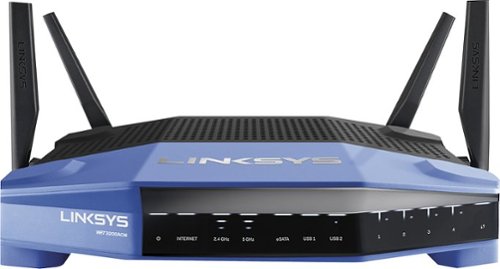
Connect your external wireless devices to the internet with this Linksys dual-band router. Two 5Ghz bands support both high-end gaming and low-end applications without compromising speed, and remote management lets you make adjustments from any location. This Linksys dual-band router has a sleek design that integrates easily into most workspaces.
Customer Rating
3
Powerful equipment with a learning curve.
on November 7, 2016
Posted by: Batlacit
from Madison, WI
So first, I should mention that I have a fair degree of experience working with enterprise grade networking hardware thanks to work. I've also set up many, many consumer routers. So the idea of this particular router, which is basically being presented as a midpoint between the fully customizable professional grade equipment and the cheaper and more user friendly consumer products, was interesting to me.
Unfortunately, the conclusion I drew after spending a day struggling with the basic setup was that they've managed to bring a lot of additional complexity to the product along with the improved specs. This router was not at all easy to get running the way I needed it to. Getting it operational required a ton of tinkering, a manual firmware downgrade, and a LOT of working around the bugs that kept popping up. Fortunately I knew how to do all of this - and the fact that it's designed to be a bit more accessible than most to tinkerers helped. But when it comes right down to it, this is more aimed at consumers than it is at pros, and for a consumer product that's very worrying.
The thing is, once I did get it working, the router performed brilliantly. It's extremely fast, has good range, and has a host of features that I find very useful in managing my home network. It's got good prioritization, fine control over the guest network, and the option to merge the 2.4ghz and 5ghz bands into a single SSID. Not only that, but the way the 5ghz band is setup does indeed seem to result in an overall increase in speeds with compatible devices (though it's not quite the 3x boost advertised on the box - this kind of equipment never actually reaches its theoretical capacity.) But in the end, these are features that consumers can find elsewhere.
So yeah. If you're a hobbyist or need a cheap option to set up an extremely complicated environment, this router is a great choice. But if you're not particularly experienced in working with open-source networking equipment, I can't say that the added cost of this router will necessarily be worth it.
Unfortunately, the conclusion I drew after spending a day struggling with the basic setup was that they've managed to bring a lot of additional complexity to the product along with the improved specs. This router was not at all easy to get running the way I needed it to. Getting it operational required a ton of tinkering, a manual firmware downgrade, and a LOT of working around the bugs that kept popping up. Fortunately I knew how to do all of this - and the fact that it's designed to be a bit more accessible than most to tinkerers helped. But when it comes right down to it, this is more aimed at consumers than it is at pros, and for a consumer product that's very worrying.
The thing is, once I did get it working, the router performed brilliantly. It's extremely fast, has good range, and has a host of features that I find very useful in managing my home network. It's got good prioritization, fine control over the guest network, and the option to merge the 2.4ghz and 5ghz bands into a single SSID. Not only that, but the way the 5ghz band is setup does indeed seem to result in an overall increase in speeds with compatible devices (though it's not quite the 3x boost advertised on the box - this kind of equipment never actually reaches its theoretical capacity.) But in the end, these are features that consumers can find elsewhere.
So yeah. If you're a hobbyist or need a cheap option to set up an extremely complicated environment, this router is a great choice. But if you're not particularly experienced in working with open-source networking equipment, I can't say that the added cost of this router will necessarily be worth it.
My Best Buy number: 2187428738
I would recommend this to a friend!
Share this review:


+1point
1of 1voted this as helpful.
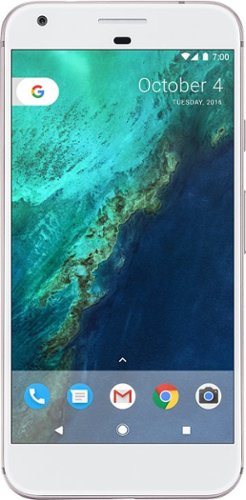
Add high-end performance to your everyday life with the Google Pixel XL. A quad-core processor, a 5.5-inch LED screen and 32GB of memory ensure this phone is able to handle daily life, and Corning Gorilla Glass 4 protects the screen. Easy cloud storage ensures you never run out of space on the Google Pixel XL.
Customer Rating
4
Good Hardware, Fantastic Software
on October 20, 2016
Posted by: Batlacit
from Madison, WI
The Pixel is the first time that Google has tried to create it's own phone rather than just providing the software. And, frankly, it shows. The hardware on this phone is a bit of a mixed bag that I'd say overall is rather average as flagships go. But that doesn't particularly matter - it's the software that sets this thing apart from every other Android device I've used.
If you've never had a chance to try stock Android, you probably have no idea just how much faster it is than the modified versions that phone manufacturers tend to use. And the Pixel, running the latest version of Nougat (yet to be released anywhere else) is a step above that already high bar. The phone is amazingly responsive and quick to work, not to mention a lot more stable than most. It's also got some really impressive optimizations when it comes to power. The battery isn't particularly big by modern standards, but you'd never know that from how long it lasts. Even after a full day of use, it still had 40% power left when I got home. Adding to this performance is the rather hefty fast charger, that can very quickly top you up and uses the latest USB-C standard.
The build quality is also excellent. It just feels good in your hand - owing to a very subtle taper to the design and careful machining on the aluminum body. There are no gaps or issues with balance. And the antennas are perhaps the most comprehensive I've ever seen on a phone - making it possible for you to use this thing on pretty much anything you want anywhere in the world barring a few exceptions. That alone might make this worth picking up if you frequently travel out of the country.
If you're looking at the cameras, I think you will also be pleasantly surprised. The camera is amazingly sharp for only being 12MP - in fact it's much better than the 16MP cameras I've seen on the market. The autofocus is instant, the color balance pretty decent under most light, and it supports a wide range of specialized features such as slow motion, photospheres, and filters.
That said, there are a few lingering issues that keep me from giving this phone full marks. Biggest is the fact that Google has neglected to include any options for removable storage, opting instead for a cloud based solution that will offload videos and photos. That's fine in theory, but if you're going to be spending a lot of time away from WiFi it could chip into your data plan pretty quickly. Also, it seems to me that this misses the fact that most android users end up eating up more space with apps than they do media, and there's no way to move those into cloud storage. With Android having so many options for expandable storage, the lack of a microSD slot seems to be a glaring omission.
Another issue I noticed is heat. Under most circumstances, the phone's quad core processor runs in low power mode. And when that happens, it's actually very cool. But if you start taxing it, the metal body begins pumping heat straight into your hand at a rather startling rate. It quickly became uncomfortable when I was transferring large amounts of data, I can only imagine that sustained use could be difficult without a case.
The last main feature of the phone - it's integration of the Daydream VR technology also by Google - is unfortunately not something that I could test for this review. I suspect it's very good given the high resolution of the screen, but suspect is all I can do.
Overall, I rate the Pixel very high, but not quite at the top of the pile. There's no question it's got the best software on the market. But the hardware very much feels like a first attempt no matter how I look at it. It's a very good first attempt, but still no doubt room for improvement. I think almost everyone would be happy with the phone as it is, and if the standout features are what you're looking for, then it'll probably be fantastic. But if you're holding out for expandable storage, a more compact design, or some of the more ambitious features Google has been prototyping, you may want to wait for the second generation. If this one is any indication, I anticipate great things.
If you've never had a chance to try stock Android, you probably have no idea just how much faster it is than the modified versions that phone manufacturers tend to use. And the Pixel, running the latest version of Nougat (yet to be released anywhere else) is a step above that already high bar. The phone is amazingly responsive and quick to work, not to mention a lot more stable than most. It's also got some really impressive optimizations when it comes to power. The battery isn't particularly big by modern standards, but you'd never know that from how long it lasts. Even after a full day of use, it still had 40% power left when I got home. Adding to this performance is the rather hefty fast charger, that can very quickly top you up and uses the latest USB-C standard.
The build quality is also excellent. It just feels good in your hand - owing to a very subtle taper to the design and careful machining on the aluminum body. There are no gaps or issues with balance. And the antennas are perhaps the most comprehensive I've ever seen on a phone - making it possible for you to use this thing on pretty much anything you want anywhere in the world barring a few exceptions. That alone might make this worth picking up if you frequently travel out of the country.
If you're looking at the cameras, I think you will also be pleasantly surprised. The camera is amazingly sharp for only being 12MP - in fact it's much better than the 16MP cameras I've seen on the market. The autofocus is instant, the color balance pretty decent under most light, and it supports a wide range of specialized features such as slow motion, photospheres, and filters.
That said, there are a few lingering issues that keep me from giving this phone full marks. Biggest is the fact that Google has neglected to include any options for removable storage, opting instead for a cloud based solution that will offload videos and photos. That's fine in theory, but if you're going to be spending a lot of time away from WiFi it could chip into your data plan pretty quickly. Also, it seems to me that this misses the fact that most android users end up eating up more space with apps than they do media, and there's no way to move those into cloud storage. With Android having so many options for expandable storage, the lack of a microSD slot seems to be a glaring omission.
Another issue I noticed is heat. Under most circumstances, the phone's quad core processor runs in low power mode. And when that happens, it's actually very cool. But if you start taxing it, the metal body begins pumping heat straight into your hand at a rather startling rate. It quickly became uncomfortable when I was transferring large amounts of data, I can only imagine that sustained use could be difficult without a case.
The last main feature of the phone - it's integration of the Daydream VR technology also by Google - is unfortunately not something that I could test for this review. I suspect it's very good given the high resolution of the screen, but suspect is all I can do.
Overall, I rate the Pixel very high, but not quite at the top of the pile. There's no question it's got the best software on the market. But the hardware very much feels like a first attempt no matter how I look at it. It's a very good first attempt, but still no doubt room for improvement. I think almost everyone would be happy with the phone as it is, and if the standout features are what you're looking for, then it'll probably be fantastic. But if you're holding out for expandable storage, a more compact design, or some of the more ambitious features Google has been prototyping, you may want to wait for the second generation. If this one is any indication, I anticipate great things.
My Best Buy number: 2187428738
I would recommend this to a friend!
Share this review:


+2points
2of 2voted this as helpful.
Batlacit's Review Comments
Batlacit has not submitted comments on any reviews.
Batlacit's Questions
Batlacit has not submitted any questions.
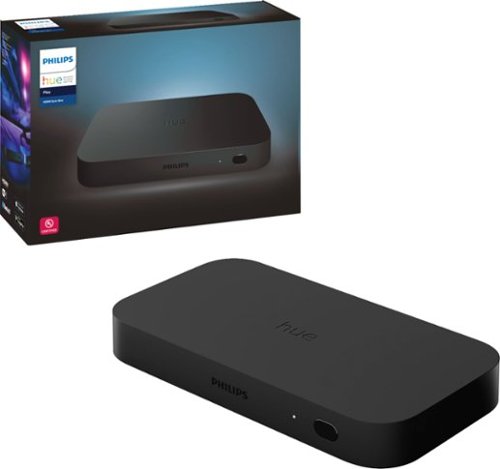
The Philips Hue HDMI Sync box adds premium surround lighting to your home theater by syncing your Hue smart lights with movies, music and video games. Watch, listen and play with more wonder and excitement as your lights dance, flash, dim and brighten with your screen. Requires Hue color capable lights and a Hue Bridge (sold separately).
I just bought the hdmi sync box but have a smart tv where Netflix and so on all apps are built in or downloaded to my tv. I only have a sound bar form the acr running. How or can I use the lights with out hdmi cable
You can't. You'll need to get a separate streaming device and use that instead of your Smart TV's built in apps. There's no way to make your TV output video to an external device over HDMI.
6 years, 9 months ago
by
Batlacit
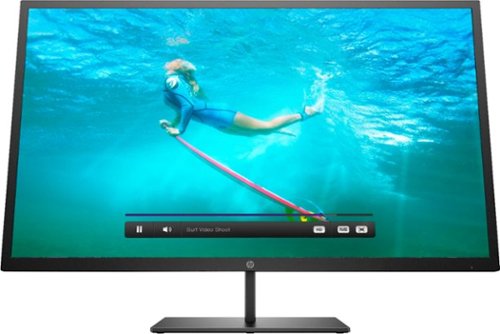
Multitask comfortably using this HP Pavilion 32-inch monitor. The QHD resolution provides immersive visuals for gaming and a spacious work space. Enjoy consistent clarity and color from multiple positions thanks to the 178-degree viewing angle. This HP Pavilion 32-inch monitor features an anti-glare panel for better visibility in bright conditions, while the Low Blue Light mode reduces eyestrain.
Wall mountable - yes How can this be wall mounted? Please suggest a wall mount for this monitor.
The monitor ships with a bracket that can be bolted onto the stem that the stand connects to. The bracket contains a standard VESA mounting plate, though given the design it should be noted that it'll stand about 3 inches proud of whatever you attach it to.
Any standard VESA compatible mount rated to support the weight of a 32" display should be fine - though if you're looking to attach it to a mount you've already got it's worth pointing out that the mounting plate is going to be almost flush with the bottom of the monitor rather than centered like most are.
Any standard VESA compatible mount rated to support the weight of a 32" display should be fine - though if you're looking to attach it to a mount you've already got it's worth pointing out that the mounting plate is going to be almost flush with the bottom of the monitor rather than centered like most are.
7 years, 3 months ago
by
Batlacit

Acer Nitro 5 Laptop: Lose yourself in the absorbing multimedia experience delivered by this Acer Nitro 5 gaming laptop. The Intel Core i5 processor ensures a lag-free performance, and the NVIDIA GeForce GTX 1050 graphics card delivers immersive visuals on the 15.6-inch Full HD display. This Acer Nitro 5 gaming laptop has 8GB of RAM for seamless multitasking.
Do you know the average fps on high setting on high quality games.
Depends on which games. I ran benchmarks for Rise and Shadow of the Tomb Raider. Rise averaged about 45.4fps, Shadow only only did 19.2.
7 years, 3 months ago
by
Batlacit
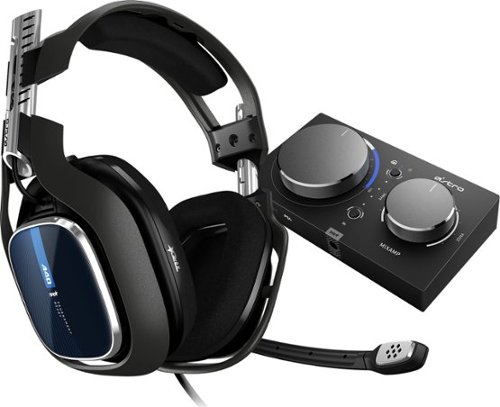
The ASTRO A40 TR Headset + MixAmp Pro TR for PS5, PS4, PC and Mac is the premier audio solution for esports athletes, content creators and streamers. It meets esports athletes~ rigorous standards for audio fidelity, comfort and durability. The MixAmp Pro TR features Dolby Audio processing and enables lag and interference-free delivery of game sound and voice communication. The A40 TR arrives as an open-back headset featuring a swappable precision mic and customizable Speaker Tags.
I have started recording and upload my video games on PC but can not control how loud I am in the recording, will I be able to control that with this mic
Yes, this is one of the functions the amp offers.
7 years, 3 months ago
by
Batlacit
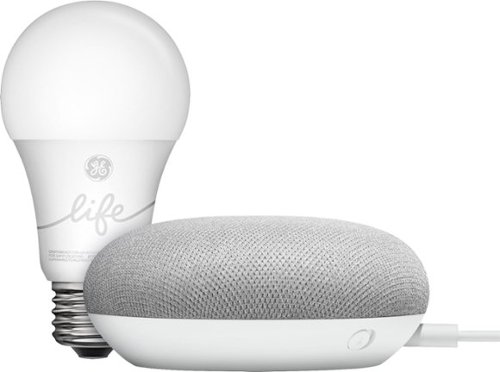
Use the Google Smart Light Starter Kit to control the lights using just your voice. Set up in a snap: just plug in Google Home Mini, screw in the GE C-Life smart light bulb, and download the Google Home app to get started. Then just say "Hey Google" to dim, brighten, turn on and turn off the lights."
Do I need the hub with the Life bulb & Google Home?
These bulbs do not require a hub to function. Everything's controlled through the Google Home system.
7 years, 10 months ago
by
Batlacit
Use the Google Smart Light Starter Kit to control the lights using just your voice. Set up in a snap: just plug in Google Home Mini, screw in the GE C-Life smart light bulb, and download the Google Home app to get started. Then just say "Hey Google" to dim, brighten, turn on and turn off the lights."
Does this light bulb do multiple colors?
No - it's a white bulb with a built in dimmer function only. Getting a bulb capable of changing color is going to cost extra.
7 years, 10 months ago
by
Batlacit
Use the Google Smart Light Starter Kit to control the lights using just your voice. Set up in a snap: just plug in Google Home Mini, screw in the GE C-Life smart light bulb, and download the Google Home app to get started. Then just say "Hey Google" to dim, brighten, turn on and turn off the lights."
Can I use this to turn off my lights while I am away from home? Also, do I get the starter kit and then multiple bulbs or do I need to get a box thing for each room? Thanks so much
You get only one bulb, but you can buy more bulbs individually without having to pay for the extra Google Home Mini. The system is also compatible with any number of other smart lighting products from Lutron, Phillips, or LiFX, so you can really build it out however you want.
7 years, 10 months ago
by
Batlacit
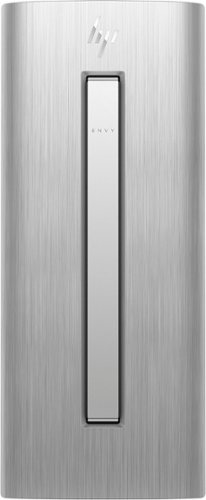
HP ENVY Desktop: Accomplish tasks efficiently with this HP desktop computer. Its Intel Core i7 processor supplies plenty of power for video editing and gaming, and the 16GB of RAM lets you run multiple programs at the same time without performance lag. This HP desktop computer has a large 1TB hard drive for storing files and the Intel Optane Memory is a smart system accelerator that adapts to your everyday computing activities.
Can I add a solid state drive to the internal works of my HP 750-624
Shouldn't be a problem so long as you haven't used the available power and SATA hookups for anything else yet.
8 years, 7 months ago
by
Batlacit
HP ENVY Desktop: Accomplish tasks efficiently with this HP desktop computer. Its Intel Core i7 processor supplies plenty of power for video editing and gaming, and the 16GB of RAM lets you run multiple programs at the same time without performance lag. This HP desktop computer has a large 1TB hard drive for storing files and the Intel Optane Memory is a smart system accelerator that adapts to your everyday computing activities.
What happens when the Optane konks out? Sounds like new tech down to materials. Wonder if it’s reliable.
The Optane memory is a supplement to the hard drive and system memory, essentially offloading the page file from the hard disk into a solid state memory module. If it fails, all you'd need to do is remove the module and the machine would continue to operate as any conventional setup.
8 years, 7 months ago
by
Batlacit
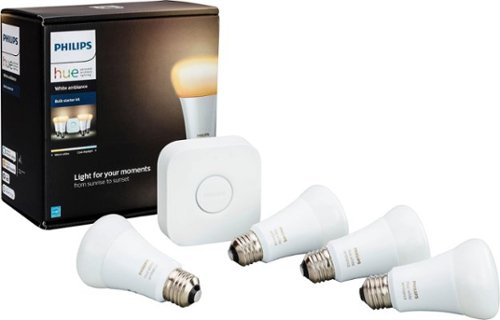
Make your home a more welcoming hub with this Philips Hue white ambiance A19 starter kit. Whether you desire a warm natural glow or energizing color tones, customize it just the way you like with the accompanying app. For parties, easily sync your lights to music with this Philips Hue white ambiance A19 starter kit.
Do I need this with Echo Plus? I bought it, or something similar for $149 but I’m thinking this includes a “hub” which isn’t needed with the plus model
That depends. The Echo Plus hub can interface with the latest generation of bulbs directly to control them, but only in a limited capacity. It can turn them on and off and adjust the dimming, but it can't coordinate and store complex scenes, make use of geolocation data and timers to control the lights, or apply over-the-air updates to the hardware. You do need the Hue Bridge for that.
8 years, 9 months ago
by
Batlacit