


Batlacit's stats
- Review count272
- Helpfulness votes935
- First reviewFebruary 13, 2016
- Last reviewSeptember 29, 2026
- Featured reviews0
- Average rating4.5
Reviews comments
- Review comment count0
- Helpfulness votes0
- First review commentNone
- Last review commentNone
- Featured review comments0
Questions
- Question count0
- Helpfulness votes0
- First questionNone
- Last questionNone
- Featured questions0
- Answer count55
- Helpfulness votes101
- First answerSeptember 21, 2016
- Last answerJanuary 21, 2022
- Featured answers0
- Best answers11
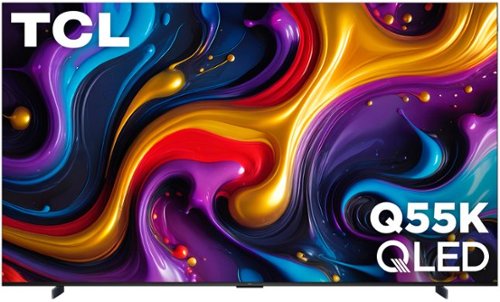
TCL Q55K Class Smart TVs combine premium picture technology with outstanding value for endless entertainment. QLED Quantum Dot technology and HDR10 with Dolby Vision you can enjoy enhanced contrast, accurate colors and fine details utilizing all advanced HDR formats with 120Hz Refresh Rate (144Hz Variable Refresh Rate) and Motion Rate 240 with MEMC frame insertion for exceptional motion clarity. TCL~s High Brightness+ Direct LED Backlight produces brighter images for an enhanced viewing experience for all your favorite movies and TV shows. Now featuring the TCL AIPQ PRO Processor that optimizes each scene for an unrivaled cinematic experience. Beyond movies and TV shows, you can get in the game with Game Accelerator 288 together with Auto Game Mode for the lowest latency for a more responsive gameplay without lag, designed to keep you at the top of any leaderboard. Including Dolby Atmos, DTS Virtual:X, and a new Enhanced Dialogue Mode, TCL Q55K TVs provide a complete audio package. TCL Q Class Smart TVs: Compelling Color and Choice.
Posted by: Batlacit
If you know many home theater nerds, you probably know that many have a very love-hate relationship with projectors. Getting a good picture often demands expensive screens, extensive light control, or both. Ongoing maintenance can be costly and annoying. And there are very few ways to deal with the noise generated by their cooling systems. But they put up with it regardless since there have been essentially no alternatives for anyone looking to recreate the cinematic experience at home. The Q55K aims to change that, providing a compelling (if at times flawed) alternative to projectors that I think many are likely to find extremely attractive, and at a price point that's finally comparable with the more mature home projector offerings.
Setup was, understandably, a bit of a bear. My TV arrived right in the middle of the holiday season on a day I was absolutely not prepared to install it, requiring me to stash it in my garage until after Christmas. It barely fit through my garage door, and once I was ready getting it moved, unpacked, and then finally mounted required the help of two more adults. We were all fairly experienced when it came to such things, but I do think that most who can figure out how to find a stud and work a level could probably get it up on the wall without too much difficulty. That said this is definitely one of the rare cases where I would suggest considering professional installation if you have concerns. The TV is fairly well built but with a frame this large there's no getting around the fact that leverage is going to be working against you if something goes wrong. I do not think it would take all that much going wrong to crack the screen getting it up on the wall.
And let me tell you, that would be a massive shame. The QLED panel on this thing is jaw droppingly gorgeous. I'll admit that at first I wasn't sure if 4K would actually be enough pixels to look good blown up to this scale, but I am pleased to say the concern was unwarranted. Images are wonderfully crisp, colors are vibrant, and I was surprised at how much the massive screen helped when it came to emphasizing fine details that I'd been missing even with a 65" panel. And compared to the home theater projector it was replacing, it only took a few seconds to know there was no going back. Even with had the specialized screen, the light control, the ideal mounting, and precise focusing, basically everything you need to get the best possible image, the TV blew it away.
That said... there are a few things that keep me from being able to give it a full five stars. To start with: the built in upscaling. Usually the first thing I do after getting a new TV is spend a few minutes either disabling or dialing down all the post processing tricks they use to try and "improve" the image because it bothers me, but I can generally tolerate it if a mode switch suddenly brings it all back. I could not do that with this TV. Its attempt to upscale lower resolution content, particularly animated content, rendered it almost unwatchable. Colors were needlessly smeared together, wiping out a lot of fine detail completely rather than accentuating it. Text was twisted into bizarre shapes, which might have been tolerable if not for the fact that it couldn't settle on what that shape should be, making it look like you were viewing it through some kind of rippling water effect. And artificial film grain would come and go at random, almost making it look like there were buffering errors despite the fact that I was watching a DVD. Normally I'd be willing to overlook the fact that a feature I don't like and rarely ever use is broken, but going back to my earlier point about the size bringing out detail this is probably the one TV where I'd have been willing to make an exception. There's no way not to see the pixels in older content shot for 720 (or, worse, 480) lines of resolution when it's blown up to the size of a wall. So if you watch a lot of that, I think you may need to just plan to get a player/streaming appliance that can do that stuff on its own.
One other issue I ran into has to do with the initial setup process for the TV. Google TV is my streaming OS of choice these days, so I've gotten pretty familiar with getting TVs running them configured. For whatever reason this one proved to be the exception. The automated setup failed three times before we went through and started setting thing up manually, and it took about half an hour to get it to properly talk with the receiver running the home theater's speakers. Good news is that once I did get through all of it, that seemed to be it. A couple months later and I haven't had to touch it again. It has gotten at least one software update since then, so hopefully some of this stuff has already been fixed, but nonetheless, it's probably best to have the manuals close by for anything you might be planning to hook up to the TV. And you do want to hook some stuff up to the TV. Despite its massive size I can assure you the built in speakers are not going to make anyone particularly happy.
Despite those issues though, this remains an easy recommendation for me. Because as much as a hassle as it was to get in place and running, it still beat the setup time for my last projector by at least an hour. I think a lot of home theater setups are about to get significantly more impressive.
I would recommend this to a friend!
Share this review:


0points
0of 0voted this as helpful.
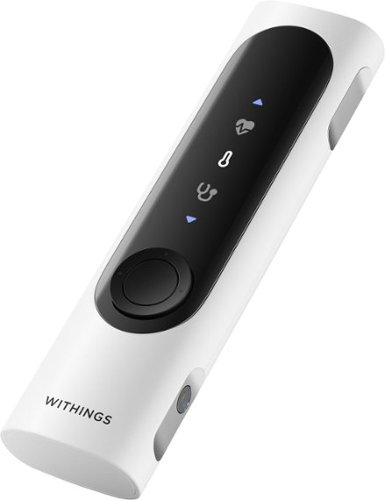
A 360~ health view for real-life impact. Your health moves with you~now your check-ups can too. In one minute, BeamO provides a full view of your heart, lungs, & temperature at home or on the go. Tracking key health indicators, like these, can potentially help address various health needs.
Customer Rating

5
Intriguing supplement to a health tracker
on February 4, 2026
Posted by: Batlacit
I've been aware of Withings and their generally low-profile health tracking devices for a few years now, but this was my first time actually using one. And I have to say it's been an interesting on-ramp. The BeamO is an interesting, if somewhat finnicky diagnostic aid that seeks to expand the range of what you can detect at home, and in doing so it immediately sets itself apart. You see while most health trackers try to gather data constantly, the BeamO seems much more like the thing you only bust out when things are really going wrong.
First, I'd like to highlight some of the ways in which the device impressed me. There are actually four different tools contained in the BeamO: A stethoscope, a contactless thermometer, a pulse oximeter, and an ECG. All are tied together by an admittedly very well designed and easy to use app, which offers you guidance for using each of the tools, displays your results in an easy to access format with a few basic pointers on when you might want to be worried, and offers a variety of ways for you to send them off to a healthcare professional to get an expert opinion either via their own telehealth platform or your doctor's office preferred alternative. It's frankly hard not to think of a medical tricorder when you're scanning someone with the thermometer, though admittedly I imagine it would be a lot less fun if it didn't show that I was generally healthy. The thermometer seemed accurate, the stethoscope was good enough to pick up some noises in my lungs I've known to expect for a few years now, and while I don't really know how to interpret anything else the sampling quality seemed pretty good overall... though that was almost a problem. And as a bonus it integrated very well with my non-Withings smart watch, allowing the app to pull in a host of data from my non-Withings watch which included useful details such as sleep quality and activity level.
One thing I did learn very quickly about the BeamO though is that it's amazingly sensitive, which does concern me a little bit. The first time I tried to take samples they came out very rough because it was picking up the sound of a TV playing in the next room, which muddled some of the recordings. To their credit they're doing stuff to try and counter that, such as providing warnings before taking a reading to make sure you're in a quiet room or not even allowing you access to the ECG feature until a professional has looked a sample over to make sure the thing's working right, but nonetheless I feel like it's something you may want to get some practice with before relying on it during a telehealth visit or to decide on if it's time to schedule a trip to your doctor. And as someone with no serious chronic conditions (at least so far) I'm not entirely sure I'm going to be getting that practice any time soon. So overall, if I were to recommend it to a friend it would probably be contingent on if they had some of long term issue that they wanted to do more regular monitoring on.
I would recommend this to a friend!
Share this review:


0points
0of 0voted this as helpful.
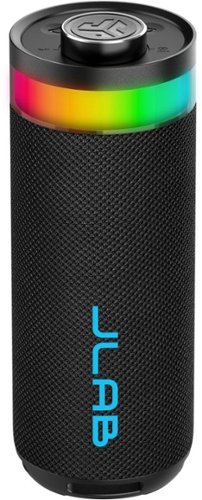
Delivering impressive audio from dual 2" full-range drivers and dual 2" passive woofers, this 10-watt portable powerhouse produces rich, deep bass and crystal-clear highs (80 Hz - 18 kHz). Customize both audio and lighting effects through the intuitive JLab app, setting the perfect vibe for any gathering. Don't let a splash dampen the celebration, with IP56 waterproofing, this speaker keeps the party going. Take your festivities to the next level with LabSync mode and sync up to 100 speakers for the ultimate block party.
Customer Rating

4
Flashy little party speaker
on January 6, 2026
Posted by: Batlacit
JLab audio gear generally strives to offer consumers the best bang for their buck, and the Go Party Speaker continues that trend.
The design and build quality of the speaker both receive top marks from me. It's simple and somewhat understated, but still looks reasonably classy. And the decision to opt for an actual volume knob rather than the buttons so many designs prefer these days wins a lot of points, as it significantly easier to adjust in environments where the lighting may not be ideal and just feels nicer in some undefinable way. The RGB effects are also surprisingly well realized, with a pretty broad range of colors available and a diffusion layer that does a great job blending more complex effects together. It's not particularly bright, you could certainly get into scenarios where they're overwhelmed in direct sunlight, but for most of the environments where I imagine this will be used it's more than sufficient. And battery life is downright fantastic. The box claims sixteen hours, which in my testing seemed like it might actually be a bit conservative. Since historically I pretty much never remember to recharge my portable audio devices until they've run out on me it's good to have one that's got enough endurance for multiple outings, and I imagine that many looking for a good option to bring camping or anywhere else that charging may not be feasible will find this to be a major selling point.
Unfortunately I did find myself a bit more mixed in regards to audio quality. It's not bad, exactly, but it's not great either. It can get plenty loud but regardless of settings the audio feels somewhat flat, much like what you'd get just playing music on your phone. Bass heavy content definitely suffers the most, but even with spoken word content I could just tell something wasn't quite there, and no amount of fiddling with the app was enough to dial it in. If you do just need loud music though it's going to do the job, particularly if you make use of the sync feature to pair multiple JBL speakers together.
I would recommend this to a friend!
Share this review:


0points
0of 0voted this as helpful.
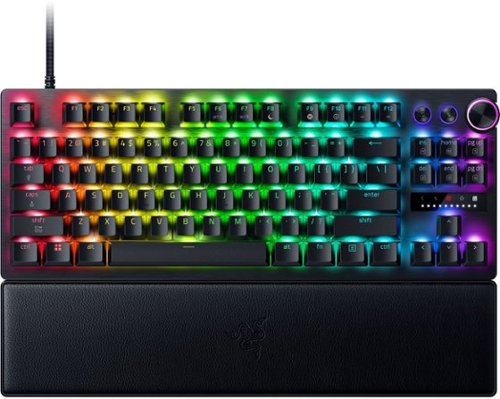
Blitz through the competition with our fastest, most responsive analog optical keyboard~designed with and made for pros. Supercharged with 8000 Hz HyperPolling, Razer~ Snap Tap, Rapid Trigger Mode, and adjustable actuation, play like the world~s best with hardware that meets their highest demands.
Customer Rating
5
As twitchy as you want it to be
on December 24, 2025
Posted by: Batlacit
Razer keyboards can admittedly be an acquired taste. Their almost pathological levels of gratuitous RGB and configurability requires a lot more setup time than your typical plug and play device, giving even the most mundane peripheral a learning curve most are not going to be used to. And I don't think there are many products in their lineup that embody that design philosophy quite so completely as the latest Huntsman - a keyboard that goes a step beyond the typical custom light show approach to customization and lets you actually adjust the responsiveness of the keys.
Build quality is excellent. The keyboard's metal deck means there is zero flex, it's got enough heft to stay where you put it, and the sturdy feet offer three different options for inclination. The included wrist rest uses a firm leatherette material which doesn't offer much padding but does seem to be much more durable than the materials they've used on past models, something that I can certainly appreciate given how poorly some of those old wrist rests have held up over the years. The keycaps are all double shot molded, producing sharp lighting effects and enough durability to handle even the roughest of typists. Typing on it feels surprisingly good. You don't get a physical bump for feedback - which is typical of analog and likely wouldn't really work with an adjustable actuation point anyway - but there's nonetheless a distinctive solid clack when the key bottoms out and the switches are just a little heavier than most analog switches I've tried. As someone with a fondness for highly tactile, clicky keyboards this made it a lot easier to adjust to than a lot of the other smooth switch designs I've tried and definitely feels like a step up from the first generation Huntsman.
Customization is handled through the Razer Synapse app that handles most of their peripherals. Anyone who's made extensive use of Razer hardware can tell you it's fairly crunchy, which can be admittedly overwhelming at first, but once you get past that you'll find one of the most capable utilities on the market when it comes to making adjustments, setting profiles, and programming elaborate lighting effects. It also plays pretty well with other lighting ecosystems, so no matter what your vision may be it's likely the app will not be a major hindrance to seeing it realized. And with those analog switches there are quite a lot of unique concepts on the table too - with options like using a button for a variable throttle that are literally not possible with any other tech.
So, at the end of the day, should you get one? My answer is... maybe. It is a fantastically capable, high quality keyboard. But it's also fulfilling a very specific niche. This is a keyboard made to appeal to the most detail-obsessed tech heads, the ones who can spend an hour comparing the actuation points of switches and has opinions about single or multiple contact points. If that's you, you're probably already looking up where you can get one. If it's not... well, it is still an excellent keyboard. But you might want to at least get a demo of it before making a final decision.
I would recommend this to a friend!
Share this review:


0points
0of 0voted this as helpful.
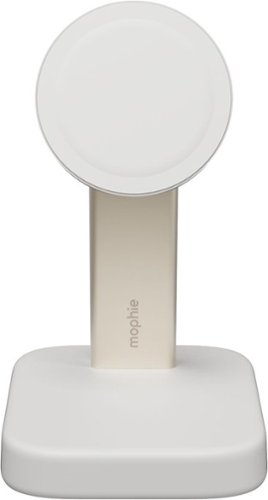
Place your phone on the magnetic Mophie Wireless Charging Stand and charging starts on contact. This compact, space-saving device fits neatly on your nightstand and provides up to 15W of fast-flowing power.
Customer Rating
4
Attractive option for bedside charging
on December 10, 2025
Posted by: Batlacit
Historically, I've been pretty unimpressed by wireless charging. While the tech is very convenient in theory, in practice I've found it a bit too fiddly. The need to make sure the charging coils are properly aligned makes it all too easy to think you're charging your phone up for a few hours, only to grab it and discover that it's barely picked up any charge at all. The addition of strong magnets to effectively force the phone into the proper position has been a major game changer though, and I decided to head into the review with an open mind to see if the tech can wow me now that it's a bit less likely to slip out of position. And I have to say - I like what I see.
Inside the box you'll find the stand, some documentation, and nothing else. So you should probably plan to get a high wattage phone charger if you don't already have one. The stand itself is pleasantly sturdy, which is good since my own phone is a pretty heavy foldable with an equally heavy case (the magnets being an aftermarket addition.) Even with that, the stand was able to hold its balance and worked surprisingly well as a replacement for a bedside alarm clock. Charging speeds are quite good too. Still can't quite match what you get with a cable, but it's definitely close enough. Only complaint is that it did get a little wobbly when I unfolded my phone, but to be fair that's really on me for buying such an unusual form factor.
There are a few downsides, though. To start: the magnets do not let go particularly easily, so it's not quite as simple as just grabbing the phone off the charging pad. Second, I've noticed that the rubber pad on the contact surface seems to be quite good at picking up scuff marks. Sometime during the first day, in fact, a large black smudge appeared in the upper left hand side, and so far I haven't been able to figure out anything that can clean it. If I had to guess the source, I'd say it's probably my black phone case, so do with that what you will. Normally I wouldn't mind much... but as mentioned, I was using this on my bedside and the looks do matter to me a bit.
It's still an easy recommendation for me, but I think I might recommend a slightly darker color if it's an option.
I would recommend this to a friend!
Share this review:


0points
0of 0voted this as helpful.

With Shark FlexStyle, you can easily transform between a powerful, fast, hair dryer, and an ultra-versatile multi-styler with no-heat-damage. One twist is all it takes to flex from one to the other. Attach different stylers and unlock the ability to curl, volumize, smooth, and dry~the choice is yours. Lightweight & powerful, FlexStyle is the answer to fast, easy styling.
Customer Rating
5
Simple enough that even I can use it
on November 30, 2025
Posted by: Batlacit
It's somewhat odd how the Shark hair dryers can look more like a lightsaber than the typical bathroom appliance I grew up with, and yet still somehow make more intuitive sense to me than any other hair styling tools I've tried.
I've had many SharkNinja products over the years and found them to occupy an interesting middle ground between meme-worthy fluff and solid engineering. The FlexStyle stands apart in leaning a bit more towards the latter than the former. Rather than including every possible tool and option you might need they opt for an almost minimalist loadout of a hairdryer, oval brush, and curling set. More accessories are available if you want them, of course, but for most I imagine this will be more than enough. All three do their jobs very well and, thanks to the power of the hair dryer, very quickly. And unlike the last hairdryer I had, I didn't actually need to consult any guides on how to work them either. Everything from the settings to the behavior of the different attachments is intuitive enough to get good results with maybe five minutes of study, specifically on which parts of the tools are actually safe to touch when you're using them, and it does a great job of drying even thick hair without risking heat damage.
I would recommend this to a friend!
Share this review:


0points
0of 0voted this as helpful.

Take command of every battle with a 32" 4K UHD (3840 x 2160) glossy OLED display engineered for gamers who demand more. Experience the ultimate balance of clarity and speed with Dual-Mode refresh rates~crisp 4K UHD at 165Hz for immersive story-driven play, or Full HD at an electrifying 330Hz~ when every millisecond counts. With an ultra-fast 0.03ms response time, you~ll react instantly, keeping gameplay sharp and responsive. VESA DisplayHDR True Black 400 and up to 98.5% DCI-P3 color coverage reveal stunning contrast, deep blacks, and vivid detail that bring worlds to life. NVIDIA G-SYNC compatablity and AMD FreeSync Premium Pro keeps frames smooth and tear-free. Complete with a tilt, swivel, height, and pivot adjustable stand, this UltraGear OLED monitor adapts to your perfect setup. Built for performance, precision, and comfort~it~s everything you need to stay ahead of the competition.
Customer Rating
5
Another Excellent OLED from LG
on November 29, 2025
Posted by: Batlacit
I don't think anyone really needs to be told at this point how much of an edge OLED has over LCDs when it comes to color accuracy or overall image quality. Nonetheless there is one area where LCDs have been able to maintain their lead over the years, and that's in refresh rate. LG's Dual Mode monitor hopes to change that with a rather unusual party trick: a button that can quickly reduce the resolution of the display to a quarter of what it generally runs at, allowing the pixels to share the load and run at refresh rates high enough to beat even most gaming LCDs. And I can tell you that they have succeeded admirably in their goal.
Running in UHD mode (which I would assume most consider to be the default) the monitor offers an excellent experience. The color and sharp black levels are as good as you're going to find anywhere, and the glossy screen really makes it pop in all light levels. And running as it does at 165Hz it's honestly pretty great for most games too, assuming of course your GPU can handle it. The monitor coems with all the cabling you should need too and a stand that offers plenty of adjustment for your space and some decent cable management (though, admittedly, I found the cable cover to be finnicky to the point of being almost useless.)
Switching to FHD mode is a very different experience though. I won't lie, the decrease in image quality is hard to ignore. FHD does not look great on a 32" screen and likely never will. But even though the image is clearly pixelated, you really can't beat how smooth the motion becomes. Even the twitchiest gamer will likely be satisfied running at over 300Hz, and the monitor handles the mode switch very gracefully, saving any settings you may have tweaked for each mode so as to make the swap as painless as possible. I'll admit that for most games I probably am not going to be switching - once you've had a taste of UHD on a good OLED it's really quite hard to go back - but it is very nice having the option for the rare times that I'm feeling particularly competitive. That makes this an easy recommendation for any gamer looking to try out an OLED for their home setup, but doesn't want to have to settle in the process.
I would recommend this to a friend!
Share this review:


+2points
2of 2voted this as helpful.

Welcome to the PowerShot V1, a powerful video-first camera with all the features you are looking for content creation, in an all-in-one design. This new sleek design features an ultra-wide-angle zoom lens, advanced autofocus, a built-in cooling fan, and impressive stabilization. The PowerShot V1 will let you focus on your creativity without worrying about time limits getting in the way of your videos.
Customer Rating
4
Great camera, does need some accessories
on November 28, 2025
Posted by: Batlacit
With a design that brings to mind a mirrorless SLR and a feature set that seems to be aimed at vlogging, the Powershot V1 straddles the line between what has traditionally been two separate product categories. In the week I've spent with it so far I've found it to be a surprisingly capable little all-rounder, though I'm still a little unsure what the best use case for it really is.
To start with the camera's strengths: it really does produce gorgeous content. Colors are vibrant, motion is smooth, and you've got a wide range of options for adjusting your shots. Image stabilization is also surprisingly good, which in my opinion is quite important for something this light. As someone with a decent (albeit not entirely practiced) background in photography and how to use high-end cameras I found most of the controls to be relatively easy to get a handle on with a bit of experimentation, and the range of the options available to be very good. In the hands of someone who knows what they're doing there is no question that this camera can produce fantastic images and videos. But then one of the more appealing features is that it can produce pretty good images even if you don't know what you're doing too. The camera features an expanded suite of automatic modes for various types of shooting and while I didn't always exactly agree with how they adjusted for different environments, I also wasn't displeased with any of the results either. Effectively using these modes does require a bit of knowledge for what you're looking for, so not quite point-and-shoot easy, but it's a pretty good middle ground for someone who wants to step up from a typical smartphone camera but isn't quite ready to learn the ins and outs of f-stop settings.
Unfortunately, there are some things that keep me from giving it my full throated endorsement. And most have to do with the lens selection. While the styling could allow one to mistake it for an SLR at first glance the zoom lens is permanently fixed to the camera, and is definitely the thing I liked the least about the camera. To be clear, it's a fine lens. But it is just fine. You aren't going to be able to add so much as a filter to it. I also feel if you want to really get the most out of it you almost have to be willing to invest in some added accessories. The built in mic, for example, really can't match what you'd get with a proper shotgun mic or lav and as such feels like it lets the video down. The rotating screen is also fine for shooting video, particularly if you've got a handle or other mount, but can't quite compare to a more traditional viewfinder for still photography. Finally, I really don't get the decision not to add some kind of lens cap here. For something that you're presumably going to be carting around with you on various adventures the mechanical dust protector it's got is not sufficient protection for the lens, and with it being permanently affixed anything that damages it is basically going to mean the end for the whole camera. I'd definitely recommend a sturdy case or third party protector of some kind before taking it anywhere too rugged.
I would recommend this to a friend!
Share this review:


0points
0of 0voted this as helpful.
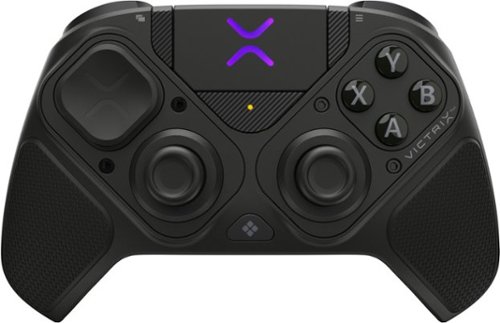
The Victrix Pro BFG Reloaded PC Controller is built for high performance on Windows 10/11 and Steam Deck. It features drift-free Hall-Effect modules, customizable with eleven interchangeable components including thumbsticks, D-pads, and gates. A precision trackpad, mappable back buttons with keyboard and mouse emulation, and patented audio controls offers unique features only included with this controller. Patented 5-Stop Hall-Effect Clutch Triggers with Hair-Trigger mode enhances your response giving you the edge for victory. With both wired and wireless (up to 30 feet) options, and a premium build, the Pro BFG Reloaded delivers top-tier accuracy, control, and versatility for competitive gaming.
Customer Rating
5
A PC Gamer's Best Friend
on November 12, 2025
Posted by: Batlacit
Modularity has become a pretty common feature in game controllers with swappable buttons, joysticks, and triggers. I have not, however, seen many commit to it quite as thoroughly as the Victrix, which allows you to break out a screwdriver and mix and match primary control elements. After spending a week with it I've come to the conclusion that while it may not exactly be the perfect controller, it is one of the better options for PC gamers.
First up, let's talk about the modular bits. Out of the box the controller comes in a fairly standard PS configuration, with the two analog sticks at the bottom. I've spent a lot more time with the competitor's controller though, so one of the first things I did was swap the left stick and DPad around to match my preferences. This took me about a minute. The controller comes with a case that includes a screwdriver as well as storage for all the various parts (something that I really wish other modular controller companies would make standard) and required no additional software configuration. The right side is keyed to only go in one way, but apparently there are some other modules the company makes for fighting games and the like for those looking to branch out further. So it gains top marks in this area for me - I really don't think I've seen someone do this concept better yet.
Of course modularity means very little if the controller doesn't work well. I'll admit that this is an area where there are probably going to be some conflicting opinions. I've been able to try quite a few different controllers recently and one thing I couldn't help notice was just how light the Victus was compared to many of them. I think this mostly comes down to material choices. Metal parts seem to be in vogue right now, but the Victus sticks with tried and true plastic and rubber finishes. While I don't think this should count against it, I can imagine that some could be disappointed by its relative lack of heft. Fortunately, that doesn't mean it can't get the job done. The Hall Effect joysticks do take a little getting used to if you're used to more traditional potentiometer based ones. Since they don't have quite the same feedback most of us are used to they can feel a bit jumpy and imprecise at first. However once you get used to it it's very hard to go back. You can achieve a surprising amount of precision with these and pretty much never need to worry about stick drift. And as an added bonus - it features a touchpad for controlling your PC mouse. I tried a variety of different games on steam and they all did quite well. As an experiment I also tried sticking the receiver into the USB port on my Android based streaming box and was surprised to see that it immediately recognized the controller and made for a pretty great little option for gaming via the Steam Link app. So, again, I came away very impressed.
For me, at least, the touchpad alone makes the Victrix worth a look for PC gamers. If you can get to a store and try one out to see if the feel and general balance is good for you, I'd highly recommend it.
I would recommend this to a friend!
Share this review:


0points
0of 0voted this as helpful.

Portability meets versatility on a 14-inch 2-in-1 with multiple modes, built with the latest AMD Ryzen 8000 Series processors and DDR5 memory
Customer Rating
4
Good, minimalist work machine
on November 6, 2025
Posted by: Batlacit
Dell isn't really in the business of making exciting computers - they'd rather focus on more practical, business minded offerings. The Inspiron line is the posterchild for this approach, and while it does offer a few added perks it doesn't do that much to deviate from it.
Build quality is good, though slightly unrefined. The case is solid enough and the keyboard feels good to type on. The screen works well in either configuration, though I'll admit I'm a little nervous swapping it from Laptop to Tablet mode. The hinges that drive the transformation are very stiff and require a fair bit of torque to work, more than I feel entirely comfortable with, though it does seem to be loosening up a little over time so hopefully it just needs to be broken in. There's also no kind of magnetic or physical catch to help keep the screen flat against the main body of the laptop in its tablet configuration, which can make the screen feel a little floppy when you're tapping it.
Performance wise, the laptop does a bit better. The Ryzen chip is fast, relatively cool, and doesn't drain the battery all that fast doing normal work activities. It'll easily last you most of the day unless you have reason to make heavy use of the GPU or ae doing some serious number crunching. And if you are, the USB-C charging means you can top up your battery just about everywhere. The screen is sharp and easy to read, albeit the colors are a bit muted.
I would recommend this to a friend!
Share this review:


0points
0of 0voted this as helpful.
Batlacit's Review Comments
Batlacit has not submitted comments on any reviews.
Batlacit's Questions
Batlacit has not submitted any questions.

Explore realistic 3D audio with sound precisely projected from above, in front, behind and to the side of you with the latest acoustic technologies.
I am interested in this product to go with a new Samsung - 50" Class QN90A Neo QLED 4K UHD Smart Tizen TV however the TV is going to be on a swivel bracket from the wall. Is there any way to attached the sound-bar to the bottom of the TV?
Yes. It's got a pretty standard wall mount system, and there are VESA compatible brackets you can get to let you attach it to the TV instead. That said it does need a bit of clearance between the soundbar and the bottom of the TV set to make sure you don't block the upward firing speakers at all and the case is pretty deep compared to most sound bars, so you might want to keep in mind that it's not likely to be a very clean looking setup compared to some other options that are available.
5 years, 3 months ago
by
Batlacit
Explore realistic 3D audio with sound precisely projected from above, in front, behind and to the side of you with the latest acoustic technologies.
Do you have to use the rear speakers when purchasing this item, and will it effect the system with the rear speakers Not in use
The rear speakers are completely optional. If you don't pair anything with them, it just reports itself as a 3.1.2 channel soundbar.
5 years, 3 months ago
by
Batlacit
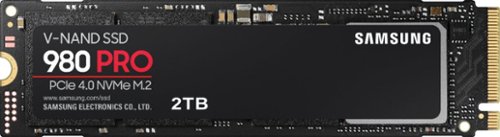
Unleash the power of the Samsung 980 PRO PCIe 4.0 NVMe Gen4 SSD for next-level computing. 980 PRO delivers 2x the data transfer rate of PCIe 3.0, while maintaining compatibility with PCIe 3.0.~ ~The NVM Express~ design mark is a registered trademark of NVM Express, Inc.* Results are based on a comparison with Samsung PCIe 3.0 NVMe SSDs and SATA SSDs. PS5 compatible with heatsink as recommended by Sony; heatsink sold separately.
How about adding the endurance specification to your descriptions?
Endurance is rated at 1200tbw for the 2tb model, 600 for the 1tb, and 300 for the 500gb. All of them are warrantied for 5 years.
5 years, 3 months ago
by
Batlacit
Unleash the power of the Samsung 980 PRO PCIe 4.0 NVMe Gen4 SSD for next-level computing. 980 PRO delivers 2x the data transfer rate of PCIe 3.0, while maintaining compatibility with PCIe 3.0.~ ~The NVM Express~ design mark is a registered trademark of NVM Express, Inc.* Results are based on a comparison with Samsung PCIe 3.0 NVMe SSDs and SATA SSDs. PS5 compatible with heatsink as recommended by Sony; heatsink sold separately.
Has anyone noticed it being hot? Not quite sure if it would be ok for my laptop.
Operating temps never even hit 70°c in the ASUS gaming ultrabook I tried it in, and that's not exactly a cool machine to begin with. I think it'd do fine in most laptops provided they have decent cooling, particularly since there's some onboard thermal management to help keep it from burning itself out.
5 years, 3 months ago
by
Batlacit

BISSELL SpinWave wet and dry robotic vacuum provides two ways to clean in a single revolutionary robot. The two tank system actively mops or powerfully vacuums with smart, structured cleaning paths. Use it in dry vacuuming mode to collect pet hair, dirt and other debris on carpet, area rugs and hard floors. When used in wet mopping mode, the mop pads and BISSELL cleaning solution work together to scrub floors clean. And, with the Soft Surface Avoidance Sensor, there's no need to worry about the robot going up on area rugs or carpets when in wet mopping mode. Plus, this product doesn't just clean up after pets, it helps save them, too. BISSELL proudly supports BISSELL Pet Foundation and its mission to help save homeless pets. When you buy a BISSELL product, you help save pets, too. We're proud to design products that help make pet messes, odors and pet homelessness disappear.
Hi, does this cleaner spray water and mop the floor?
It's not spraying water so much as it's excreting it, but yes. It's got one of the most effective mopping systems I've tried in a robot.
5 years, 6 months ago
by
Batlacit
BISSELL SpinWave wet and dry robotic vacuum provides two ways to clean in a single revolutionary robot. The two tank system actively mops or powerfully vacuums with smart, structured cleaning paths. Use it in dry vacuuming mode to collect pet hair, dirt and other debris on carpet, area rugs and hard floors. When used in wet mopping mode, the mop pads and BISSELL cleaning solution work together to scrub floors clean. And, with the Soft Surface Avoidance Sensor, there's no need to worry about the robot going up on area rugs or carpets when in wet mopping mode. Plus, this product doesn't just clean up after pets, it helps save them, too. BISSELL proudly supports BISSELL Pet Foundation and its mission to help save homeless pets. When you buy a BISSELL product, you help save pets, too. We're proud to design products that help make pet messes, odors and pet homelessness disappear.
Can you make a map for the robot in the app?
No. The robot really doesn't seem to have any awareness of the geometry of a room, it just follows a set pattern from its starting point until it hits something. It's less random than the old bumper vacuums which means it gets further on a charge, but it's also easier for it to miss spots.
5 years, 6 months ago
by
Batlacit
BISSELL SpinWave wet and dry robotic vacuum provides two ways to clean in a single revolutionary robot. The two tank system actively mops or powerfully vacuums with smart, structured cleaning paths. Use it in dry vacuuming mode to collect pet hair, dirt and other debris on carpet, area rugs and hard floors. When used in wet mopping mode, the mop pads and BISSELL cleaning solution work together to scrub floors clean. And, with the Soft Surface Avoidance Sensor, there's no need to worry about the robot going up on area rugs or carpets when in wet mopping mode. Plus, this product doesn't just clean up after pets, it helps save them, too. BISSELL proudly supports BISSELL Pet Foundation and its mission to help save homeless pets. When you buy a BISSELL product, you help save pets, too. We're proud to design products that help make pet messes, odors and pet homelessness disappear.
Does this Vacuum and mop at the same time? Or first vacuum, then mop?
In mop mode it can do a little vacuuming as the vacuum head still runs and there's a tiny (unfiltered) dustbin to hold any debris it sweeps up, but I'm pretty sure it's not going to do much to trap dust. And it can't do both carpet and hard flooring in one go, you need to swap out a module for the different floor types.
5 years, 6 months ago
by
Batlacit
BISSELL SpinWave wet and dry robotic vacuum provides two ways to clean in a single revolutionary robot. The two tank system actively mops or powerfully vacuums with smart, structured cleaning paths. Use it in dry vacuuming mode to collect pet hair, dirt and other debris on carpet, area rugs and hard floors. When used in wet mopping mode, the mop pads and BISSELL cleaning solution work together to scrub floors clean. And, with the Soft Surface Avoidance Sensor, there's no need to worry about the robot going up on area rugs or carpets when in wet mopping mode. Plus, this product doesn't just clean up after pets, it helps save them, too. BISSELL proudly supports BISSELL Pet Foundation and its mission to help save homeless pets. When you buy a BISSELL product, you help save pets, too. We're proud to design products that help make pet messes, odors and pet homelessness disappear.
I have tile and carpet throughout home. Will it mop tile then switch to vacuum carpet? Or do I have to tell it what to do? .
It can't do both simultaneously. You need to switch modes by swapping out the standard dustbin for a motorized mophead containing a tank for cleaning fluid. In this mode it will not run if it detects that it's on carpeting.
5 years, 6 months ago
by
Batlacit
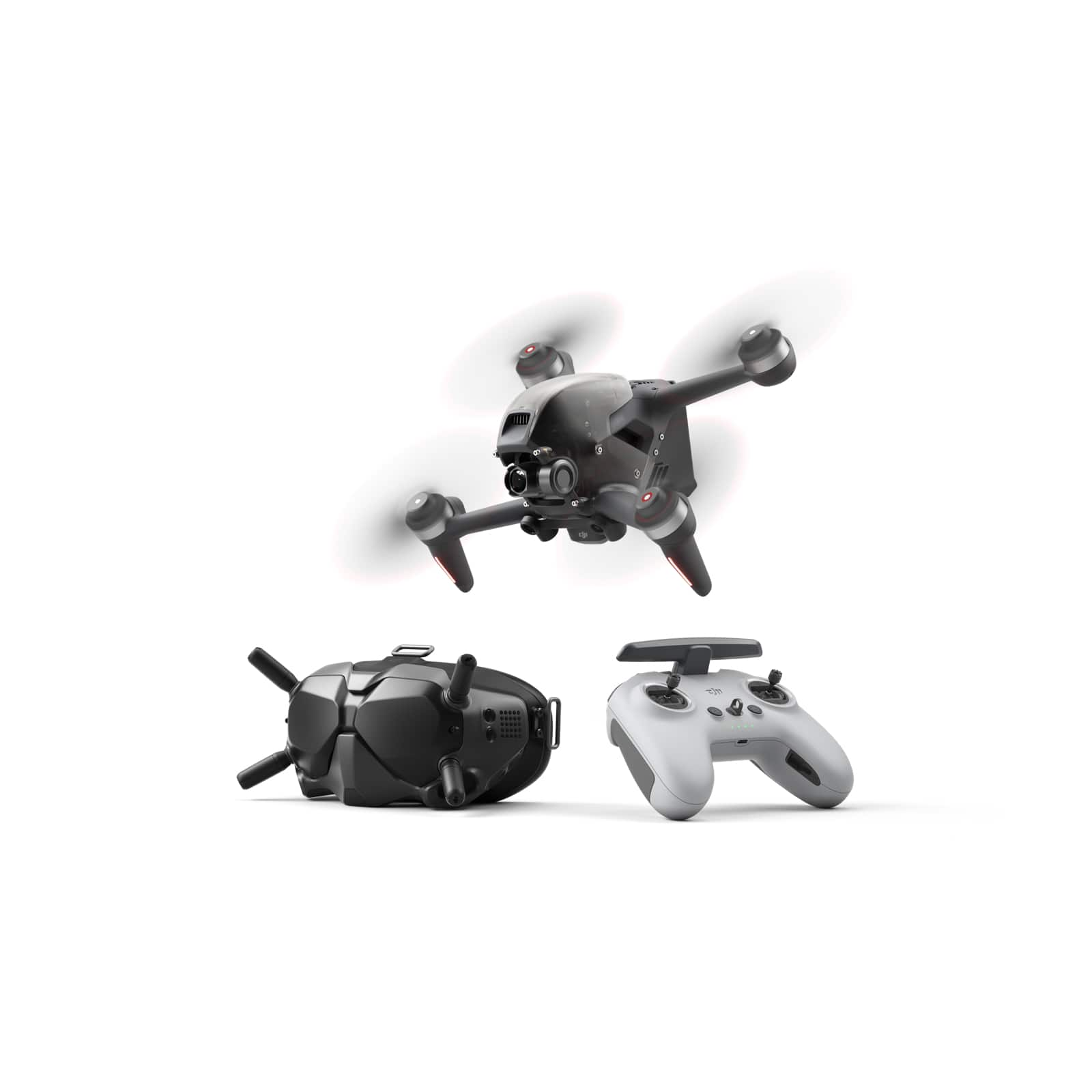
Fly through the sky in ways that seem impossible. We never lost our passion for flying, and with DJI FPV, those passions have turned imagination into reality. With this immersive and intuitive aerial platform, get ready to go into the beyond. Sleek and aerodynamic, the DJI FPV aircraft delivers powerful propulsion, battery life, and wind resistance, making this system as capable as it is visually stunning.
Will this drone and all it's features work well with my Samsung Galaxy Note 10+?
The DJI Fly app will run fine on a Note 10, but it should be noted that it doesn't actually need to use the phone for nearly as much as some other drones DJI has released. Most of the vital functions are handled in the included FPV goggles.
5 years, 6 months ago
by
Batlacit
Fly through the sky in ways that seem impossible. We never lost our passion for flying, and with DJI FPV, those passions have turned imagination into reality. With this immersive and intuitive aerial platform, get ready to go into the beyond. Sleek and aerodynamic, the DJI FPV aircraft delivers powerful propulsion, battery life, and wind resistance, making this system as capable as it is visually stunning.
Does this fly more combo come with more than 1 battery?
This SKU is not for the fly more combo, and it does not come with extra batteries. The one that's included runs for about 15-20 minutes in N mode, and requires a little less than an hour to charge.
5 years, 6 months ago
by
Batlacit