


Batlacit's stats
- Review count272
- Helpfulness votes935
- First reviewFebruary 13, 2016
- Last reviewSeptember 29, 2026
- Featured reviews0
- Average rating4.5
Reviews comments
- Review comment count0
- Helpfulness votes0
- First review commentNone
- Last review commentNone
- Featured review comments0
Questions
- Question count0
- Helpfulness votes0
- First questionNone
- Last questionNone
- Featured questions0
- Answer count55
- Helpfulness votes101
- First answerSeptember 21, 2016
- Last answerJanuary 21, 2022
- Featured answers0
- Best answers11
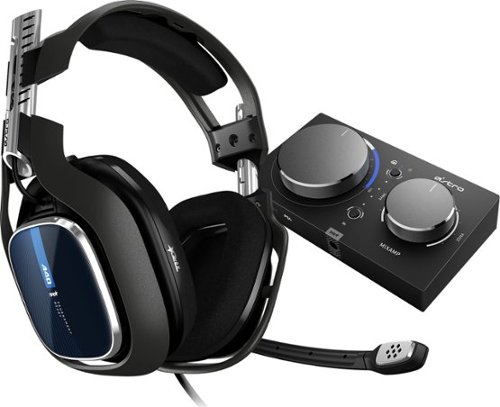
The ASTRO A40 TR Headset + MixAmp Pro TR for PS5, PS4, PC and Mac is the premier audio solution for esports athletes, content creators and streamers. It meets esports athletes~ rigorous standards for audio fidelity, comfort and durability. The MixAmp Pro TR features Dolby Audio processing and enables lag and interference-free delivery of game sound and voice communication. The A40 TR arrives as an open-back headset featuring a swappable precision mic and customizable Speaker Tags.
Customer Rating

4
Great sound, not as great portability.
on June 8, 2019
Posted by: Batlacit
from Madison, WI
It’s rare to find a piece of “gaming” gear that can’t be described as overkill in one way or another. Even by those standards, the Astro A40 and its amp stand out for their excess. The headset is not only built like a tank, but configurable into about four different kinds of tank. The boom mic can be attached on either side or removed altogether if you like. Magnetically attached panels (part of their modkit system) can let you quickly switch between closed or open backed drivers depending on how much noise isolation you need. Even the padding is held on with magnets, allowing it to be quickly popped off should you ever need to clean or replace it. Were that all you got in the package it would easily be enough to make the A40 stand out. But the real star of the show may be the included USB amplifier.
While at first glance the amp doesn’t seem to be anything spectacular, there are a surprising number of features packed into a very small package. While the controls on the device itself are limited, using the optional command center software lets you exercise fine control over the equalizer and mixer settings. You can even save several user profiles to its onboard memory, meaning if you play on more than one computer you don’t need to install multiple copies of the software. It’s also got quite a few features built with professional streamers in mind, including aux inputs and the ability to chain multiple amps together.
When all the pieces are working together, the audio is about as close to flawless as you can get without spending considerably more on studio-grade equipment. That said, that also brings up perhaps the biggest flaw of this setup: its complexity.
When I first tried adjusting the settings in the command center, I somehow managed to set the amp to ignore all the audio from the primary source in favor of the audio from my own mic. I ended up sitting at the menu screen of my game for a good ten minutes while I tinkered with it trying to get the audio back to normal, then ended up just having to reset the whole thing back to the factory defaults and start over. There are also a LOT of small parts and cables that could potentially get lost, and apart from the box they all came in there isn’t any kind of carrying case or storage solution to help you keep track of them. It’s very easy to imagine that some of the less frequently used cables and accessories might get lost in the shuffle if you’re regularly lugging it around to LANs and tournaments. Also annoying is the fact that the headset uses a 4-pole plug which combines the input and output signals into a single connector and as far as I can tell does not have an option to split it into the usual dedicated headphone/mic pair that most computers use, so if you do want to bring these along without their included amp you'll either need to use it with a PS4 or go without the boom mic.
As such, I think I might have to disagree with the description on the box. I don’t think this is the kind of gear you’d want to be regularly bringing with you wherever you go or relying on at a major tournament where you won’t necessarily have the time or tools to troubleshoot things if it doesn’t work immediately. You’d be much better served just setting this up once and leaving it in place, and maybe just bringing the headset with you on occasion.
Mobile Submission: False
I would recommend this to a friend!
Share this review:


+1point
1of 1voted this as helpful.
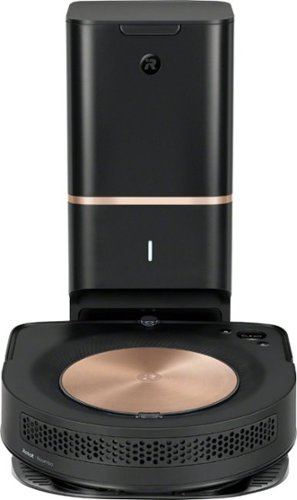
You~and your home~deserve the best. With 40X the Power-Lifting Suction*, our most powerful cleaning system, and advanced technologies, the s9+ cleans thoroughly~even into corners and along edges. It empties itself into the Clean Base Automatic Dirt Disposal that holds months of debris. Its learning never stops, as it offers up personalized cleaning recommendations that work around your life, pollen seasons, and peak pet-shedding times~so that it~s always one step ahead of the mess.
Posted by: Batlacit
from Madison, WI
It’s been almost 17 years now since the first Roomba was introduced. In some ways they’ve changed quite a lot, but in others things have mostly stayed the same. They still mostly rely on virtual walls to stay out of dangerous areas. They still look like oversized hockey pucks. And you still need to clean the brushes daily if you’ve got pets with long fur unless you feel you’re overburdened with money.
But apparently now that the Roomba is almost old enough to vote, iRobot has decided that the time has come for some changes. The S9+ has abandoned just about all the classic Roomba design cues in the name of producing a robot vacuum that is far more capable than any model I’ve seen in just about every way. And I love every bit of it.
To begin, the new design. The hockey puck look has been completely abandoned for a U-shaped design that more and more devices have been adopting as of late, and I’m very pleased to see it. The circular body design was effective at stopping the Roomba from getting stuck, but you paid for it in terms of coverage. With the brushes placed right between the wheels they could never get any closer than about 2 inches to baseboards, furniture, or doors. Rotating edge brushes set ahead of the wheels attempted to fix this by directing debris towards the center, but as anyone who used Roombas regularly could tell you it was far from a perfect solution. With the S9’s squared off front it can go places an older Roomba never could. They’ve also been able to make the brushes bigger and better protected against the dangers of cat hair wrapping itself around the bearings or cutting through the brushes. I’ve still been clearing them about every other day out of habit, but outside of shedding season I think you could probably let it go for a week and not run into any serious problems. Roombas were already just about the best thing you could imagine when it came to managing pet hair, but I think this is the first one I can believe won’t eventually be killed by it.
Now, generally, you’d expect the addition of corners to mean the Roomba is less maneuverable than its cylindrical brethren. And that might have been the case if not for the improved navigation system, which verges on magical. While it did spend the first couple of days unsuccessfully stumbling around my apartment and getting itself into trouble, at the end of each attempt it presented me with a basic overview of what it had learned about the shape of my home. By the third day this had turned into a rudimentary map – complete with dividing lines indicating where it thought the transitions were between the different rooms. Some manual tweaking was still required to get it right – but I have to say it got a lot closer than I expected it could, even spotting the barely-there transition between my living room and dining room. And all of this was manageable from iRobot’s excellent app for the vacuum, which provides you with all the statistics you could ever need as well as notifications on what the thing is doing, an advanced scheduling feature, and even an option to set how loud the vacuum’s motor is allowed to get and how many passes it should make over a single area. Once the system knows the topography it’s working with there really is no need for virtual walls, and no worries about the tracking grid from your VR setup inadvertently turning the entire living room into a No-Robot zone (as happened with my previous Roomba.) Watching the system gradually learn how not to get stuck was surprisingly entertaining too – though for those of you who are less amused by such things may just want to make use of the training mode which just has the Roomba drive through the house for a few hours without trying to clean anything until it’s got a good sense for the layout.
The final feature is, of course, the fact that this is the second self-cleaning Roomba. When the Roomba returns to the charging base, there’s a port on the underside leading directly to a sealed off compartment within the dust bin that forms a seal with a matching port on the base. Within the base is another, more powerful vacuum that sucks all the dust and debris straight out of the bin and into a small disposable bag that they claim holds about 30 bins worth. I’d say based on my experience after a week of cleaning up after both a cat and a dog that this looks slightly optimistic – but your mileage may vary. And speaking as someone who often would forget to empty the bin for several days, it’s a nice thing to have.
Now, having gushed about just how awesome this thing is, I do have to admit there are a couple of downsides. To start – the machine vision system that the Roomba uses doesn’t work well in the dark. In fact it really doesn’t seem to work at all in the dark. This was a bit disappointing as I generally prefer to let it do its thing in the wee hours of the morning before the sun’s up and the animals are too tired to try riding on it. Of course I probably wouldn’t be doing that with this anyway thanks to the other downside. “Quiet” is not a word I’d use to describe this thing. Even operating in low power mode it would be hard to sleep through a 5AM cleaning cycle, and even if you could learn to live with that the base is even louder sucking all the dirt out once its done. It’s also a pretty talented climber – the first time I tried to run it I missed one of my dog’s chew toys while cleaning the floor. It had absolutely no trouble climbing up over the hard nylon bone and getting it caught within the brushes. No damage was done, but it’s certainly got some blind spots which you’ll want to be aware of if you’ve got pets and/or small children in the house.
Despite these few nitpicks, overall I have to say I’m extremely happy with the performance of the S9+, and look forward to many years of not having to think about cleaning to come.
Mobile Submission: False
I would recommend this to a friend!

Share this review:


+21points
35of 49voted this as helpful.
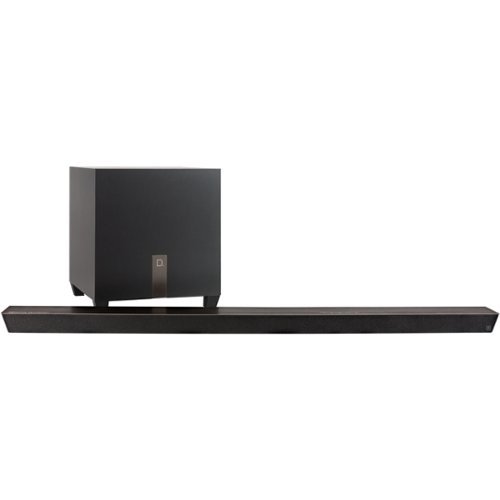
Watch TV with theater-style sound or enjoy high-quality music with this 3.1-channel Definitive Technology soundbar. It's only 1.75 inches thick so it blends discreetly into your home environment, and the 8-inch wireless subwoofer adds tight bass to extend the system's audio frequency range. This Definitive Technology sound bar includes Chromecast for streaming music or video over Wi-Fi.
Customer Rating

5
"Everything about this is just very pleasant."
on May 27, 2019
Posted by: Batlacit
from Madison, WI
The title of this review is a quote from my roommate after the first night living with Definitive's Studio Slim soundbar - and after about a week I've still yet to come up with a better summation. I'll confess, I'm not really what anyone could call an audiophile. I certainly appreciate a good set of speakers, and I can absolutely spot a bad one, but in the past I've always been more than happy to settle for "good enough." Already, I'm starting to worry that this thing has just flat out ruined "good enough" for me.
As the name would suggest the sound bar is indeed quite slim. I'm not sure it's the main thing I'd buy it for, as I've definitely seen high end sound bars that were smaller and easier to hide than this, but it was definitely an improvement from the soundbar it replaced. Furthermore, the brushed metal finish and tasteful geometric styling looks sleek enough that completely hiding it away would be something of a shame. The wireless sub is decidedly more bulky of course, as you really just can't have a small sub that does a decent job, but the tasteful downward-firing design makes it a very unobtrusive addition to the corner of my living room.
Setup was mostly painless. Three cables was all it took to get everything up and running through my TV's ARC port, which provides volume and power control as well as audio. The most complicated it ever got was in setting up the built-in Chromecast (which is one of the audio-only models, in case you were wondering) through Google's Home app. And given that was mostly just tapping a few buttons to confirm which device you want and where in your home it's located, I'd call that a very good thing. Only partial complaint here is that unlike some sound bars that offer ARC support there is no option for video pass-through, so you are going to be completely giving up one of your TV's HDMI ports if you go this route. For those without a port to spare there's always optical. You might not even end up having to give up volume control, as they've pre-loaded the soundbar with the remote control codes for (according to their manual) "Many of the televisions manufactured in the last 5 years" with the option to download more via online updates. They even included little wired IR blasters you could use to build yourself a functional universal remote system - though I have to admit my experience with those setups in the past doesn't make me eager to go down that route.
Which means the only thing that's left to talk about is the sound.
As I said, I'm not really an audiophile. I don't really know most of the terms they use to analyze sound, I don't have a trained ear to pick out flaws in a speaker, and I can barely articulate why some things work and other things don't. But even I can tell that the sound this thing produces is AMAZING. From music to dialog to action scenes, I could not find anything that this system didn't just flat out excel at. I almost feel bad for not knowing the proper terms for this stuff, because it really does feel like a piece of equipment that deserves much more than than my capitalized superlatives.
And that really does bring me to the one caveat with this thing: it really is built for someone who's extremely demanding about quality. And they've done a good enough job that for most, it's probably massive overkill. As such it's definitely not a thing I'd recommend to just anyone looking to improve on their TV's built in speakers. But for those who do demand flawless performance, I refer you once again to the title of this review. It may not be in your face about it, and it might not offer all of the available bells and whistles you could get with a larger soundbar or a system with a dedicated receiver. But it's simple, straightforward, and very, very pleasant.
Mobile Submission: False
I would recommend this to a friend!
Share this review:


+4points
5of 6voted this as helpful.
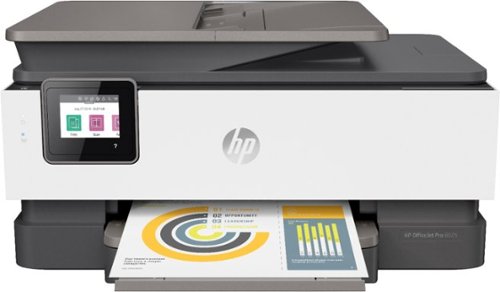
Security threats are on the rise, and they can target any networked printer. The latest generation of HP OfficeJet printers have best-in-class security built right in. And if things go wrong, they can heal themselves. The productive smart printer that doesn't just print, it produces. Help save time with Smart Tasks shortcuts, get automatic two-sided printing, and Borderless Print. Print and scan from your phone, Save up to 50% on ink with HP Instant Ink.
Customer Rating
5
Smart Printer for a Smart Office
on May 16, 2019
Posted by: Batlacit
from Madison, WI
Let’s be honest: most of us see printers as a necessary evil at the best of times. They’re not only complicated machines that can break in a multitude of different ways, they’re ones that are often essential for us to get our jobs done. Fortunately, manufacturers know this, and have been diligently working to make smarter printers that can automate the more annoying steps associated with getting them to work, while also being easier to maintain. The OfficeJet Pro 8025 is one of the latest offerings from HP seeking to make printing a pain-free process, and while I can’t say that they’ve entirely succeeded the progress they’re making is certainly encouraging.
The first thing I noticed getting the printer out of the box was how nice and clean the lines are. While it is a full multifunction device they’ve opted for a very minimalist control layout with only a single swing-out touchscreen providing controls and no visible lights or status indicators. It’s a welcome change from HP, whose aesthetic has often leaned towards a much busier look with an abundance of complex curves and physical controls. Given that my printer lives in a corner of my living room so that everyone can share it, the fact that it looks nice and doesn’t immediately draw attention to itself is a definite plus. What I like even more is the fact that all the controls and readouts you’d typically expect from a working printer are still there. Status LEDs are set behind the white front paneling of the printer, and are bright enough to shine through the material when they’re on while being completely invisible otherwise. And the touch screen, while small, is extremely accurate when it comes to resolving where you’re tapping it.
Setup was about as painless as it gets these days. Once I had it out of the box and plugged in, instructions appeared to guide me through the initial setup process and get me set up with the mobile app which I used for all the fine detail work, such as joining it to my local network and set up my trial account for the Instant Ink service, which is basically a consumer version of the sort of service contracts you might find in offices where you pay a small monthly fee based on the expected workload for your printer and ink cartridges are sent to you whenever the printer reports that it needs them. From there I was able to print from my cell phone immediately and start setting up the various apps that the printer comes loaded with. Setting it up on a PC was sadly a bit less painless. These days Windows generally tries to automatically install any new printer that appears on a LAN to spare you from having to set it up manually. It tried to do the same here, automatically configuring it to print through HP’s ePrint + JetAdvantage service. The interface worked, and it found the printer, but I couldn’t get it to successfully send a print. Fortunately it was pretty painless to install the printer manually for a direct connection, and once that was done it worked perfectly.
That said, one of the nicer features of the printer is the fact that by using its built in apps, you don’t even really need a computer. You can connect directly to your google account and print out anything on your Google Drive it can recognize directly from the front panel. The more security conscious among you (as well as anyone with kids) will also be glad to know that they thought to include a PIN requirement to make sure not just anyone can do this. The system works well, and while I can’t say I expect it to be the way I regularly print stuff there are times I expect I’ll be making use of it. And then you’ve got the SmartForms – one of the standout apps for the product. This is one of the cleverer ideas for a printer app that I’ve seen, allowing you to quickly print out a variety of useful forms and templates on demand. There are some obvious ones like a fax cover page or a weekly agenda (linked to a google calendar account) but what I found particularly appealing was the fact that it can quickly spit out graph paper, lined writing paper (in various forms even) and even games like mazes or sudoku grids. As someone who has regularly run out of graph paper in the past, I can definitely see myself using this feature on a regular basis.
There are still a few lingering issues and areas for improvement. There isn’t a native app for OneDrive to start, which is somewhat unfortunate as that’s where I store the work stuff I’d probably want to print without a computer. The interface for the apps isn’t always very clear either. It took me a while trying to print graph paper before I realized that just clicking the “print” button doesn’t do anything until you first tap the preview image it gives you to confirm how many copies you want, and there were definitely a few times in the settings menu where I felt that a slightly larger touch screen might have been nice to have. But overall I’m extremely pleased to have a printer that’ll spit out graph paper on demand and order its own ink for a change!
Mobile Submission: False
I would recommend this to a friend!

Share this review:


+87points
113of 139voted this as helpful.
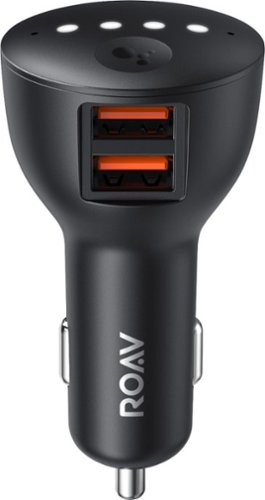
Ensure full power for your mobile devices during long drives with this Anker ROAV Bolt car charger. It~s compatible with Google Assistant for voice-controlled navigation and music streaming, and it supports versatile connectivity via Bluetooth, and auxiliary port. This Anker ROAV Bolt car charger~s compact, lightweight design offers convenient portability and storage.
Customer Rating
5
Not quite as easy as plug and play, but it's close
on April 21, 2019
Posted by: Batlacit
from Madison, WI
When my car was new, the fact that it had voice commands (activated by a button on the steering wheel) to use the navigation system and built in Bluetooth support for hands free calling was seen as the pinnacle of luxury. Ten years on, and it hasn't aged well. Yes, the voice commands work... if you're willing to learn the precise sequence of keywords necessary to coax it through each step. And the Bluetooth connection works great... so long as all you want to do is use it for phone calls as opposed to music.
A few years ago I remember going on line and looking to see if there was any way to bring these features a bit more up to date, and discovering that unless I was willing to rip out half the dashboard to install a new head unit (leaving a gaping hole in the facing in the process) I was out of luck. I remember thinking at the time how ridiculous this was - that surely someone should be able to come up with a better way to graft newer tech into older cars.
Well, it took a few years, but they got there eventually. With this charger and a decent smartphone, you've got everything you need to bring your older car into the modern era at a bargain. No messing with replacement head units that clearly don't fit in the dash, no splicing new hardware into the wiring harness, and pretty much no compromises necessary. Setup really is as simple as plugging the unit into a 12v outlet and, if you have one, running the included wire to the aux-in jack. From there you can connect to the device with your phone and be walked through customization and setup in about two minutes. Once that's done, you can talk to it like any google home device. In my testing I never had any issues with responsiveness or accuracy, which is particularly impressive when you consider that it not only has to deal with engine noise, but in my case was also located inside the closed central console of my car.
The features you get should be familiar to anyone who's used Android Auto - notifications and messages can be read out to you, you can dictate replies, and remotely control your phone entirely with voice commands. There are a few caveats though. To start, the system won't do much without a phone present to pass audio on to Google's servers, where the actual voice recognition takes place. Next, if you don't have a 12 volt adapter right next to your aux-in jack you pretty much need to either make an awkward wiring run or go without wireless music streaming - one of the best features of the device. And finally, you really need to watch the volume on your aux in. When I first plugged it in at the volume I usually need to use for a phone or MP3 player it produced so much static and other interference that I almost gave up. Once I turned it down to a more sensible level, this abated completely.
All in all, this is an extremely polished device for a first generation product. I'd highly recommend it to anyone with an older car looking for an affordable way to get full hands-free controls.
Mobile Submission: False
I would recommend this to a friend!
Share this review:


0points
0of 0voted this as helpful.
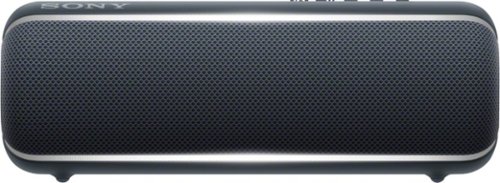
Listen to music with improved quality using this Sony XB22 portable speaker. The LIVE SOUND feature provides a three-dimensional sound experience and broadcasts music to a large area for a concert-type feel, while the EXTRA BASS boost improves low-end tones. This Sony XB22 portable speaker is convenient to use with a variety of devices with Bluetooth capabilities.
Posted by: Batlacit
from Madison, WI
The SRS-XB22, like all of Sony's Extra Bass speakers, certainly has no qualms about broadcasting what the primary selling point of the device is supposed to be. This thing has to be at least 70% woofer, and you will definitely be able to feel it as soon as it starts playing music, podcasts, or cell phone notification sounds.
Of course while audiophiles who demand perfect replication of the original sound will probably want to give it a pass because of this, if you're looking at buying a speaker that's literally named the Extra Bass 22 I'm willing to bet you have other concerns. This this is quite clearly meant to be a party speaker, and as a party speaker it's pretty easy to recommend. It's loud, durable, and very flashy in more ways than one. Prominently placed in the center of the speaker are a pair of party lights which do their best to sync up with the beat and do an okay job of it. On the back are several buttons, a wired input, and a charging port all very well hidden beneath a thick rubber waterproof cap. This is also where you can set up a pair of these to produce stereo sound, or chain up to a hundred together in a party chain for when they just aren't loud enough. The cap is VERY secure, to the point that I found it very difficult to get it opened up to charge it, so I imagine that water and dust will find it more or less impenetrable. And like most Sony devices, pairing it via bluetooth is as simple as tapping your device to the NFC point indicated on the speaker's casing.
I did find a few minor downsides in my time with the speaker. Occasionally the audio would stutter a bit when connected to my phone over Bluetooth for reasons which I was never able to determine. The rubberized surface and cloth grille are also both very good at picking up fingerprints and dust, which makes me a bit concerned about much punishment it could take before it starts looking like something you just don't want to show off in public. But these are definitely nitpicks. Overall, it seems like a pretty choice for a waterproof speaker to bring along on a picnic, tailgate party, or just to set up next to the pool. Particularly if you want to see your music make ripples in the water.
Mobile Submission: False
I would recommend this to a friend!
Share this review:


+1point
1of 1voted this as helpful.
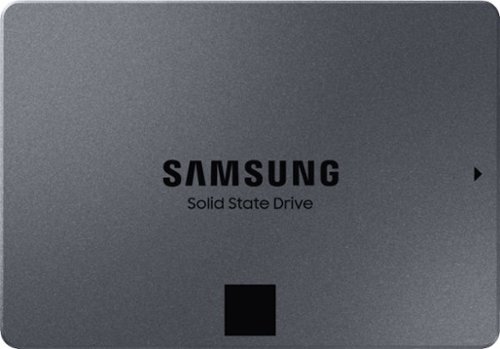
Keep your files in one place with this 2.5-inch Samsung 2TB internal solid-state drive. Boasting read speeds of up to 550MB/sec., this solid-state drive improves system performance by reducing startup and file loading times. This Samsung internal solid-state drive accommodates large numbers of files and programs with its 2TB capacity.
Customer Rating
5
Fantastic storage drive if you know how to use it
on April 10, 2019
Posted by: Batlacit
from Madison, WI
So, the first thing you should probably know when looking for an SSD is that when it comes to performance, power consumption, and noise, solid state storage is always better than what you can get with a mechanical drive. Unfortunately, another thing that you’ll quickly discover is that the reverse is true when looking at overall longevity, system compatibility, and price. Samsung’s QVO (Short for Quality Value Optimized) drives hope to fix at least one of those problems and, so long as you use it properly, I’d say they’ve done a pretty good job of doing it.
The way they’re doing this is by making use of a new type of flash memory known as QLC, which allows you to store more data within a single chip than you could with previous designs. While this type of memory is less expensive to produce and offers extremely high read speeds, it does come with a pair of very noticeable downsides: writing to it is very slow, and it’s extremely prone to burning out. While the spec sheet quotes speeds and endurance on par with other SATA SSDs on the market, which predominantly use TLC or MMC memory, that’s not really telling you the whole story. The write speed they’re quoting isn’t the actual write speed of the drive, but the write speed of a very large high-speed cache they stuck into it to store incoming data until it can be written to the actual storage. And they got around the durability issue just by making the drives very big, so that wear and tear can be spread out over as much hardware as possible. Under ideal conditions, you’ll never be able to tell the difference. But the moment you saturate the cache by trying to write hundreds of tiny little text files to a folder or start re-imaging the drive every weekend, it’s going to be clear that Samsung worked around the problems with QLC rather than removing them.
And this is where the disclaimer I included at the start of this review comes back into play. This is a case where ideal operating conditions are very achievable. This may not be the best choice if you’re looking for a boot drive or a fast photoshop scratch disk, but if all you need is a storage drive for movies or games then going with one of these should be a no-brainer. Nine times out of ten you’ll get the performance of a more expensive SSD and massive amounts of space. I’d also recommend it as a cheap way to extend the life of an aging laptop, since as mentioned earlier it’ll still beat a mechanical disk and it’s probably not worth spending twice as much on a high end SSD for a computer that’ll likely die halfway through the disk’s life.
Mobile Submission: True
I would recommend this to a friend!
Share this review:


-1point
1of 3voted this as helpful.

Stay in constant communication with other players when you wear this Logitech stereo gaming headset. The 3.5mm input works with computers, laptops and gaming consoles for added versatility, and the 50mm drivers bring big sound to your ears. With lightweight leatherette ear cups, this Logitech stereo gaming headset offers added comfort throughout extended play sessions.
Customer Rating
4
Nice headset for your desk
on March 15, 2019
Posted by: Batlacit
from Madison, WI
Gaming headsets these days are constantly adding new features and ways to differentiate themselves from the pack that, ultimately, don't actually do much to impact the experience. The G332 eschews this approach of going for flash over substance to deliver a more modest package that's nonetheless a great audio experience.
After using it as my daily driver for a week, I've got very little to complain about in regards to the audio. The sound is great for pretty much anything you might to listen to, with audio that's a bit heavily weighted towards bass tones but ultimately is consistently clear and powerful. The mic works just as well, and the fact that it automatically mutes itself every time you flip up the boom is a great feature that I wish more headsets would incorporate. It's also a very comfortable headset, with the leatherette padding never getting too warm. I also greatly appreciate the volume control mounted at the back of the left earcup, as it's a lot easier to find and operate than in-line volume controls that you find on most headsets.
That said, there are a few things that keep me from recommending it without reservation, and most of them have to do with build quality. The amount of tension you get in the swivel mounts for the ear cups is inconsistent, with one of them freely rotating while the other is very tight and tends to creak with every adjustment. The input cable is also very thin, unsheathed, and most worryingly permanently mounted to the headset. Paired with the lack of a carrying case and the headset really only seems to get bigger when you fold it up, and I have some reservations about how well the headset would stand up to regular travel.
I'd probably recommend this to someone who's looking for an accessory for a desktop gaming rig, where you aren't likely to have to worry about regular trauma being inflicted on the cord or swivel mounts. But if you're looking for something to throw in a bag with a gaming laptop and lug around to LANs or stuff into an overhead compartment, I think it might be worth spending a bit extra for something with a real carrying case and replaceable cabling.
Mobile Submission: False
I would recommend this to a friend!
Share this review:


0points
0of 0voted this as helpful.
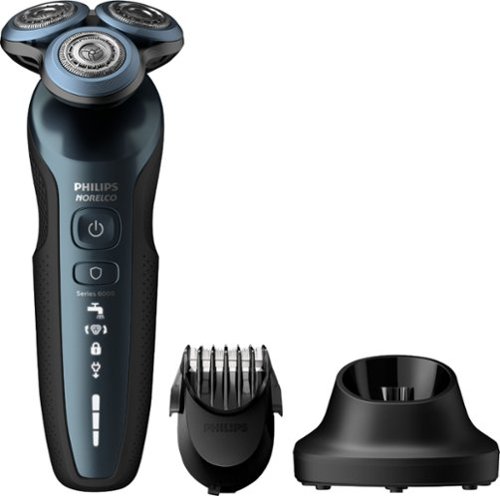
Get a faster, closer shave with this Philips Norelco shaver. Ideal for managing facial hair, this shaver features a click-on bear styler with five length settings that make it easy to maintain your look. This Philips Norelco shaver features SkinProtect blades for a cleaner shave and prevents skin irritation with its ComfortGlide rings.
Customer Rating
5
Fastest shave I've ever had
on January 7, 2019
Posted by: Batlacit
from Madison, WI
Generally speaking, I've stuck to foil designs for electric razors I've used in the past. They always seemed to work well enough, and I didn't see any reason to mess with a proven system. But recently I've noticed that my foil shaver has been disappointing me more and more, and figured it was time to give the rotary blades a shot.
And wow, I have been missing out.
This thing is fast. Ridiculously fast. You can feel the thing gathering up the stubble as you go, and you rarely need to do multiple passes to get it all. Which, admittedly, is a little less comfortable than the foil shavers but I'm more than willing to make that trade.
I've really only noticed two downsides so far. The first is that that once the stubble gets past a certain length, it struggles to get hold of it. After coming back from a week long camping trip it was missing hairs left and right, leaving me with random patches of beard along my jawline and ears. I'd definitely recommend using the included trimmer attachment to get any stubble you might have as short as possible if you ever skip a couple of days. The second is that there are a lot of places for hair to get caught, making cleaning a little bit of a chore. Hopefully, that's something I can learn to improve on with time.
Definitely recommend this razor to anyone who might have doubts about just how effective this style can be.
And wow, I have been missing out.
This thing is fast. Ridiculously fast. You can feel the thing gathering up the stubble as you go, and you rarely need to do multiple passes to get it all. Which, admittedly, is a little less comfortable than the foil shavers but I'm more than willing to make that trade.
I've really only noticed two downsides so far. The first is that that once the stubble gets past a certain length, it struggles to get hold of it. After coming back from a week long camping trip it was missing hairs left and right, leaving me with random patches of beard along my jawline and ears. I'd definitely recommend using the included trimmer attachment to get any stubble you might have as short as possible if you ever skip a couple of days. The second is that there are a lot of places for hair to get caught, making cleaning a little bit of a chore. Hopefully, that's something I can learn to improve on with time.
Definitely recommend this razor to anyone who might have doubts about just how effective this style can be.
Mobile Submission: False
I would recommend this to a friend!
Share this review:


+1point
1of 1voted this as helpful.
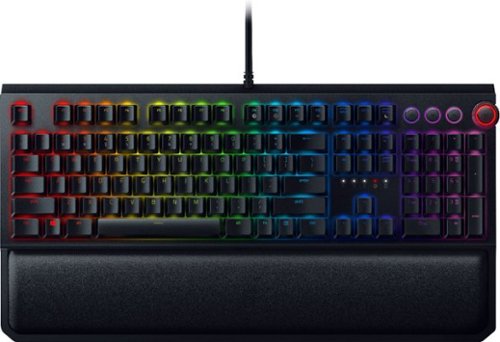
Collaborate with teammates using this Razer BlackWidow Elite mechanical gaming keyboard. An ergonomic leatherette wrist rest provides support for marathon play sessions, while the fully customizable keys let you create your own unique system for gaming. With dedicated media keys and a multifunction digital dial, this Razer BlackWidow Elite mechanical gaming keyboard offers responsive operation.
Posted by: Batlacit
from Madison, WI
There’s no getting around the fact that Razer keyboards don’t come particularly cheap, even by the standards of mechanical keyboards. When my brother-in-law heard that I was using the BlackWidow Elite at home, his first question to me was “why would you spend that much money on a keyboard?”
The answer was simple: It’s fun!
Mechanical keyboards, for those who are unfamiliar, differ from conventional membrane keyboards by using an individual mechanical switch for each key. This results in a keyboard that is substantially more durable, more responsive, and in possession of a distinctive tactile feedback that is satisfying in a way that’s hard to describe if you haven’t experienced it for yourself. There are three major manufacturers of mechanical switches and numerous different subtypes allowing you to tune the feel and performance to your preference, so finding one that’s a good fit for you can take a bit of work. This one uses Razer Green switches (made by Kaihua) which offers something of a middle ground between gaming performance and typing. The switches make an audible click with each keypress and have a minor tactile bump. Razer offers two other variants: one a pure linear switch with no tactile bump (optimized for gaming) and one with a dampener to make them a bit quieter for typists who don’t want to drive everyone around them insane.
Speaking as someone who’s usually stuck to Cherry switches before I found the razer switches a little less satisfying to use, as they’re much more lightweight and possess a slight amount of friction in the action that I never got from my typing-oriented MX Browns. It’s still a very good experience, but very much skewed towards gaming over typing (which shouldn’t be entirely surprising.) The build quality is spectacular, with a solid deck, a comfortable magnetic wrist rest, and quality molded keycaps. They’ve also included dedicated media controls, a must-have in my opinion, and a USB passthrough for a mouse or charging devices from your computer.
That said, if you’re buying a Razer keyboard just for the typing experience, I can’t help but feel that you’re doing it slightly wrong. You can get cheaper mechanical keyboards with these features from a variety of vendors – but none of them will have the build in Chroma RGB lighting that makes this keyboard quite literally shine.
This is my first experience with Chroma, but I’ve gained some familiarity with most of the other RGB ecosystems out there. Chroma is so far ahead of them that it verges on the absurd. The UI is straightforward and user friendly while still offering the most comprehensive options for customizing lighting and key bindings that I’ve ever seen. It has built-in effects integration with an abundance of major titles. And most impressive of all, it can connect to several other systems such as Philips Hue smart lighting and synchronize the RGB effects across them to produce a truly immersive lighting experience.
It is perhaps one of the most gratuitously useless features you can find, and using it is pure technophilic joy. Launching a game like Divinity II and having a red lightning storm start up in your gaming room is one of those experiences that can remind you why gaming can be so fun. And, in my mind, it justifies the premium pricing all on its own. Because, once again, this is a luxury item. The premium you pay isn’t necessarily for more utility, but for a premium user experience. And the BlackWidow Elite delivers that in abundance.
The answer was simple: It’s fun!
Mechanical keyboards, for those who are unfamiliar, differ from conventional membrane keyboards by using an individual mechanical switch for each key. This results in a keyboard that is substantially more durable, more responsive, and in possession of a distinctive tactile feedback that is satisfying in a way that’s hard to describe if you haven’t experienced it for yourself. There are three major manufacturers of mechanical switches and numerous different subtypes allowing you to tune the feel and performance to your preference, so finding one that’s a good fit for you can take a bit of work. This one uses Razer Green switches (made by Kaihua) which offers something of a middle ground between gaming performance and typing. The switches make an audible click with each keypress and have a minor tactile bump. Razer offers two other variants: one a pure linear switch with no tactile bump (optimized for gaming) and one with a dampener to make them a bit quieter for typists who don’t want to drive everyone around them insane.
Speaking as someone who’s usually stuck to Cherry switches before I found the razer switches a little less satisfying to use, as they’re much more lightweight and possess a slight amount of friction in the action that I never got from my typing-oriented MX Browns. It’s still a very good experience, but very much skewed towards gaming over typing (which shouldn’t be entirely surprising.) The build quality is spectacular, with a solid deck, a comfortable magnetic wrist rest, and quality molded keycaps. They’ve also included dedicated media controls, a must-have in my opinion, and a USB passthrough for a mouse or charging devices from your computer.
That said, if you’re buying a Razer keyboard just for the typing experience, I can’t help but feel that you’re doing it slightly wrong. You can get cheaper mechanical keyboards with these features from a variety of vendors – but none of them will have the build in Chroma RGB lighting that makes this keyboard quite literally shine.
This is my first experience with Chroma, but I’ve gained some familiarity with most of the other RGB ecosystems out there. Chroma is so far ahead of them that it verges on the absurd. The UI is straightforward and user friendly while still offering the most comprehensive options for customizing lighting and key bindings that I’ve ever seen. It has built-in effects integration with an abundance of major titles. And most impressive of all, it can connect to several other systems such as Philips Hue smart lighting and synchronize the RGB effects across them to produce a truly immersive lighting experience.
It is perhaps one of the most gratuitously useless features you can find, and using it is pure technophilic joy. Launching a game like Divinity II and having a red lightning storm start up in your gaming room is one of those experiences that can remind you why gaming can be so fun. And, in my mind, it justifies the premium pricing all on its own. Because, once again, this is a luxury item. The premium you pay isn’t necessarily for more utility, but for a premium user experience. And the BlackWidow Elite delivers that in abundance.
Mobile Submission: False
I would recommend this to a friend!
Share this review:


0points
0of 0voted this as helpful.
Batlacit's Review Comments
Batlacit has not submitted comments on any reviews.
Batlacit's Questions
Batlacit has not submitted any questions.

Explore realistic 3D audio with sound precisely projected from above, in front, behind and to the side of you with the latest acoustic technologies.
I am interested in this product to go with a new Samsung - 50" Class QN90A Neo QLED 4K UHD Smart Tizen TV however the TV is going to be on a swivel bracket from the wall. Is there any way to attached the sound-bar to the bottom of the TV?
Yes. It's got a pretty standard wall mount system, and there are VESA compatible brackets you can get to let you attach it to the TV instead. That said it does need a bit of clearance between the soundbar and the bottom of the TV set to make sure you don't block the upward firing speakers at all and the case is pretty deep compared to most sound bars, so you might want to keep in mind that it's not likely to be a very clean looking setup compared to some other options that are available.
5 years, 3 months ago
by
Batlacit
Explore realistic 3D audio with sound precisely projected from above, in front, behind and to the side of you with the latest acoustic technologies.
Do you have to use the rear speakers when purchasing this item, and will it effect the system with the rear speakers Not in use
The rear speakers are completely optional. If you don't pair anything with them, it just reports itself as a 3.1.2 channel soundbar.
5 years, 3 months ago
by
Batlacit
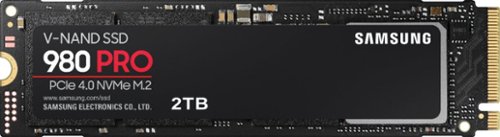
Unleash the power of the Samsung 980 PRO PCIe 4.0 NVMe Gen4 SSD for next-level computing. 980 PRO delivers 2x the data transfer rate of PCIe 3.0, while maintaining compatibility with PCIe 3.0.~ ~The NVM Express~ design mark is a registered trademark of NVM Express, Inc.* Results are based on a comparison with Samsung PCIe 3.0 NVMe SSDs and SATA SSDs. PS5 compatible with heatsink as recommended by Sony; heatsink sold separately.
How about adding the endurance specification to your descriptions?
Endurance is rated at 1200tbw for the 2tb model, 600 for the 1tb, and 300 for the 500gb. All of them are warrantied for 5 years.
5 years, 3 months ago
by
Batlacit
Unleash the power of the Samsung 980 PRO PCIe 4.0 NVMe Gen4 SSD for next-level computing. 980 PRO delivers 2x the data transfer rate of PCIe 3.0, while maintaining compatibility with PCIe 3.0.~ ~The NVM Express~ design mark is a registered trademark of NVM Express, Inc.* Results are based on a comparison with Samsung PCIe 3.0 NVMe SSDs and SATA SSDs. PS5 compatible with heatsink as recommended by Sony; heatsink sold separately.
Has anyone noticed it being hot? Not quite sure if it would be ok for my laptop.
Operating temps never even hit 70°c in the ASUS gaming ultrabook I tried it in, and that's not exactly a cool machine to begin with. I think it'd do fine in most laptops provided they have decent cooling, particularly since there's some onboard thermal management to help keep it from burning itself out.
5 years, 3 months ago
by
Batlacit

BISSELL SpinWave wet and dry robotic vacuum provides two ways to clean in a single revolutionary robot. The two tank system actively mops or powerfully vacuums with smart, structured cleaning paths. Use it in dry vacuuming mode to collect pet hair, dirt and other debris on carpet, area rugs and hard floors. When used in wet mopping mode, the mop pads and BISSELL cleaning solution work together to scrub floors clean. And, with the Soft Surface Avoidance Sensor, there's no need to worry about the robot going up on area rugs or carpets when in wet mopping mode. Plus, this product doesn't just clean up after pets, it helps save them, too. BISSELL proudly supports BISSELL Pet Foundation and its mission to help save homeless pets. When you buy a BISSELL product, you help save pets, too. We're proud to design products that help make pet messes, odors and pet homelessness disappear.
Hi, does this cleaner spray water and mop the floor?
It's not spraying water so much as it's excreting it, but yes. It's got one of the most effective mopping systems I've tried in a robot.
5 years, 6 months ago
by
Batlacit
BISSELL SpinWave wet and dry robotic vacuum provides two ways to clean in a single revolutionary robot. The two tank system actively mops or powerfully vacuums with smart, structured cleaning paths. Use it in dry vacuuming mode to collect pet hair, dirt and other debris on carpet, area rugs and hard floors. When used in wet mopping mode, the mop pads and BISSELL cleaning solution work together to scrub floors clean. And, with the Soft Surface Avoidance Sensor, there's no need to worry about the robot going up on area rugs or carpets when in wet mopping mode. Plus, this product doesn't just clean up after pets, it helps save them, too. BISSELL proudly supports BISSELL Pet Foundation and its mission to help save homeless pets. When you buy a BISSELL product, you help save pets, too. We're proud to design products that help make pet messes, odors and pet homelessness disappear.
Can you make a map for the robot in the app?
No. The robot really doesn't seem to have any awareness of the geometry of a room, it just follows a set pattern from its starting point until it hits something. It's less random than the old bumper vacuums which means it gets further on a charge, but it's also easier for it to miss spots.
5 years, 6 months ago
by
Batlacit
BISSELL SpinWave wet and dry robotic vacuum provides two ways to clean in a single revolutionary robot. The two tank system actively mops or powerfully vacuums with smart, structured cleaning paths. Use it in dry vacuuming mode to collect pet hair, dirt and other debris on carpet, area rugs and hard floors. When used in wet mopping mode, the mop pads and BISSELL cleaning solution work together to scrub floors clean. And, with the Soft Surface Avoidance Sensor, there's no need to worry about the robot going up on area rugs or carpets when in wet mopping mode. Plus, this product doesn't just clean up after pets, it helps save them, too. BISSELL proudly supports BISSELL Pet Foundation and its mission to help save homeless pets. When you buy a BISSELL product, you help save pets, too. We're proud to design products that help make pet messes, odors and pet homelessness disappear.
Does this Vacuum and mop at the same time? Or first vacuum, then mop?
In mop mode it can do a little vacuuming as the vacuum head still runs and there's a tiny (unfiltered) dustbin to hold any debris it sweeps up, but I'm pretty sure it's not going to do much to trap dust. And it can't do both carpet and hard flooring in one go, you need to swap out a module for the different floor types.
5 years, 6 months ago
by
Batlacit
BISSELL SpinWave wet and dry robotic vacuum provides two ways to clean in a single revolutionary robot. The two tank system actively mops or powerfully vacuums with smart, structured cleaning paths. Use it in dry vacuuming mode to collect pet hair, dirt and other debris on carpet, area rugs and hard floors. When used in wet mopping mode, the mop pads and BISSELL cleaning solution work together to scrub floors clean. And, with the Soft Surface Avoidance Sensor, there's no need to worry about the robot going up on area rugs or carpets when in wet mopping mode. Plus, this product doesn't just clean up after pets, it helps save them, too. BISSELL proudly supports BISSELL Pet Foundation and its mission to help save homeless pets. When you buy a BISSELL product, you help save pets, too. We're proud to design products that help make pet messes, odors and pet homelessness disappear.
I have tile and carpet throughout home. Will it mop tile then switch to vacuum carpet? Or do I have to tell it what to do? .
It can't do both simultaneously. You need to switch modes by swapping out the standard dustbin for a motorized mophead containing a tank for cleaning fluid. In this mode it will not run if it detects that it's on carpeting.
5 years, 6 months ago
by
Batlacit
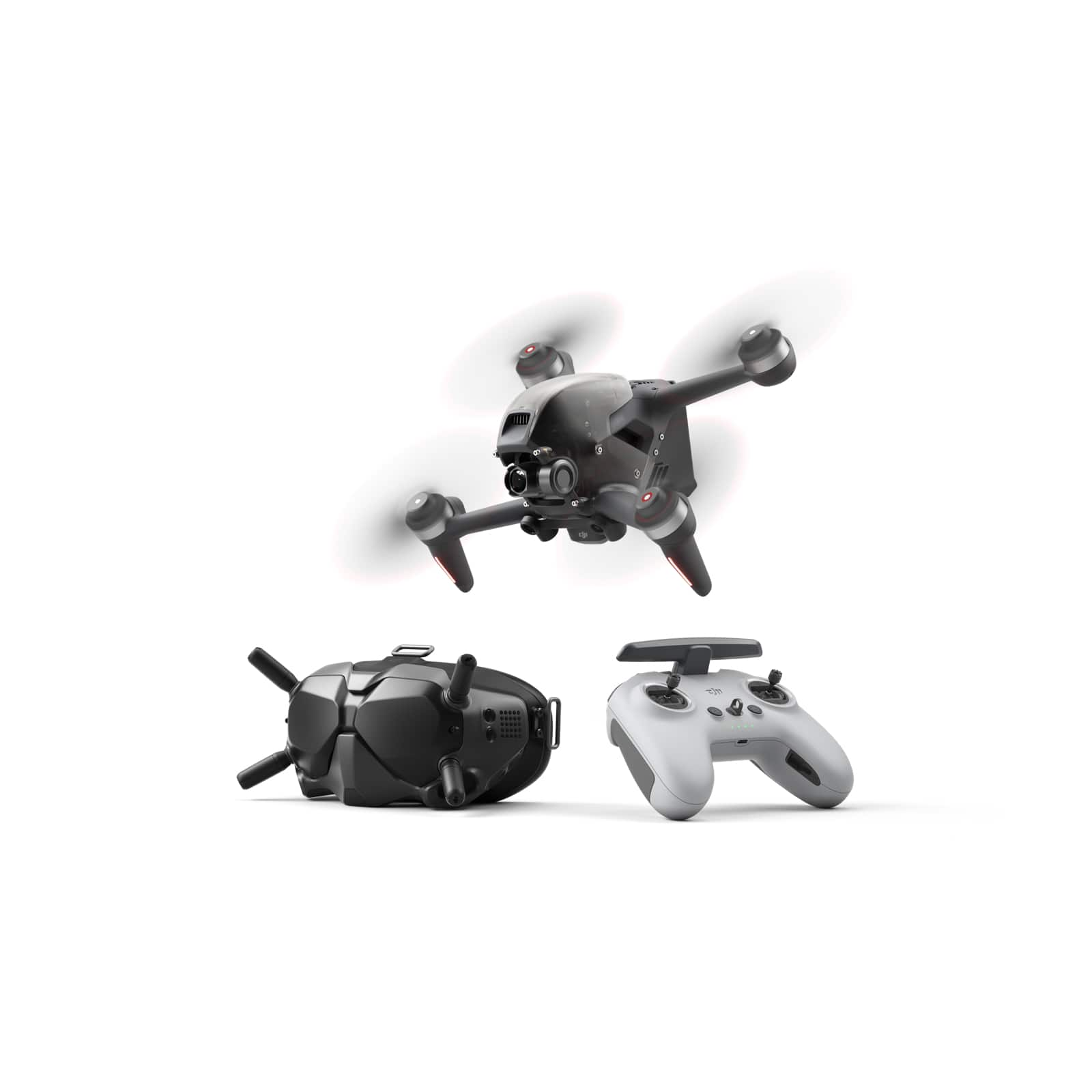
Fly through the sky in ways that seem impossible. We never lost our passion for flying, and with DJI FPV, those passions have turned imagination into reality. With this immersive and intuitive aerial platform, get ready to go into the beyond. Sleek and aerodynamic, the DJI FPV aircraft delivers powerful propulsion, battery life, and wind resistance, making this system as capable as it is visually stunning.
Will this drone and all it's features work well with my Samsung Galaxy Note 10+?
The DJI Fly app will run fine on a Note 10, but it should be noted that it doesn't actually need to use the phone for nearly as much as some other drones DJI has released. Most of the vital functions are handled in the included FPV goggles.
5 years, 6 months ago
by
Batlacit
Fly through the sky in ways that seem impossible. We never lost our passion for flying, and with DJI FPV, those passions have turned imagination into reality. With this immersive and intuitive aerial platform, get ready to go into the beyond. Sleek and aerodynamic, the DJI FPV aircraft delivers powerful propulsion, battery life, and wind resistance, making this system as capable as it is visually stunning.
Does this fly more combo come with more than 1 battery?
This SKU is not for the fly more combo, and it does not come with extra batteries. The one that's included runs for about 15-20 minutes in N mode, and requires a little less than an hour to charge.
5 years, 6 months ago
by
Batlacit