


explore42's stats
- Review count222
- Helpfulness votes626
- First reviewFebruary 26, 2016
- Last reviewOctober 11, 2026
- Featured reviews0
- Average rating4.3
Reviews comments
- Review comment count0
- Helpfulness votes0
- First review commentNone
- Last review commentNone
- Featured review comments0
Questions
- Question count0
- Helpfulness votes0
- First questionNone
- Last questionNone
- Featured questions0
- Answer count23
- Helpfulness votes237
- First answerFebruary 26, 2016
- Last answerDecember 23, 2021
- Featured answers0
- Best answers8

Get total crushing power for all your favorite smoothies and frozen drinks in a pitcher for large batches and in single serve blending cups for on-the-go convenience. Plus, this Ninja has Vacuum-iQ and an Advanced Filtration System to remove air for light and refreshing, but never foamy, juice like a juicer.
Posted by: explore42
from Cincinnati Ohio
This Ninja vacuum blender is a very well built, sturdy blender. Once you place it on the counter the little vacuum feet lock it down and no matter what we blend the unit sits rock solid. I have made several things from pureeing vegetables and fruits to making icy margaritas and this blender never bogs down or has any problem performing the task due to its high capacity motor. The vacuum feature is new to me and it definitely keeps juices from frothing over when you blend them. This blender also includes a micro juice filter that limits the pulp in the juice. The high speed blades in combination with the filter delivers a silky smooth juice that is extremely well blended. It’s also great at turning ice cubes into very smooth slushie style drinks, there aren’t any chips left over its that good at crushing the ice. The best feature of this blender in my opinion are the seven IQ buttons. These are preprogrammed settings for extract, puree, smoothie, frozen drink, ice cream, juice and dressing. I have used most of them and they work wonderfully by automatically pausing and blending over a predetermined time depending on the button pushed. No more having to figure out how long to push what button, you just load in the ingredients and push the IQ button for fantastic results. They also include a personal sized blender cup which is very convenient for creating a juice, smoothie or a chocolate malt in a single serving size. There are a few downsides to this blender but they aren’t major issues. The power cord is very short which means you have to be close to an outlet. The main pitcher is huge, it holds 72 ounces but the downside is that it doesn’t fit under our cabinet for storage because of its combined height with the base. The vacuum is a really nice feature when making juices. It removes the air from the pitcher prior to the blending process but it can be loud when it runs. I assume for safety reasons the main pitcher is a single piece, the main pitcher has the blades built into its base however this makes cleaning slightly more difficult. My old pitcher was a two piece system where the base with the blades could be easily unscrewed from the pitcher for thorough cleaning but this not the case with this blender. Ninja supplies an adequate manual, quick guide and a limited recipe book. They are good enough to get you started but no where near extensive enough to help you unlock all the capabilities this blender has to offer. Overall I am very happy with the blender and its performance.
Mobile Submission: False
I would recommend this to a friend!
Share this review:


+2points
2of 2voted this as helpful.
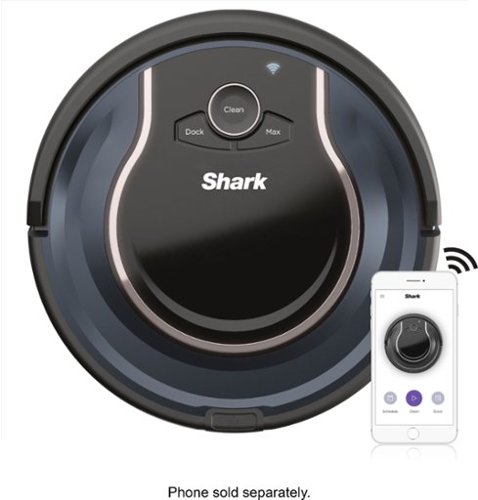
Shark - ION Robot RV761, Wi-Fi Connected, Robot Vacuum with Multi-Surface Cleaning - Black/Navy Blue
The Shark ION Robot is designed with a Tri-Brush System, combining side brushes, channel brushes, and a multi-surface brushroll to handle debris on all surfaces, corners, and edges. Use the SharkClean app or voice control with Alexa or Google Assistant to start cleaning from anywhere.
Posted by: explore42
from Cincinnati Ohio
I rated this Shark vacuum robot four stars because of its performance to cost. There are more feature rich robot vacuums out there at a higher cost but at this price point I think this vacuum does a fairly nice job. Getting the vacuum to work using the manual buttons was easy. I unpacked the unit, attached the brushes and put it on the charger. Once it was fully charged I hit the clean button on the top and off it went bumping and bouncing around the rooms. It does a decent job vacuuming the floor in a random pattern, this is not a self-learning or programable vacuum. So far it seems to cover a room reasonably well but it tends to bump into things way more often than I would have expected. Basically there is a bumper guard on the front that tells the vacuum when it has hit something, Once this happens the vacuum will rotate a certain amount and try to move forward again. This process repeats until the vacuum has worked its way around the obstacle or until it’s turned all the way around and headed back the way it came. Because it’s using the hit and turn method the cleaning pattern is never the same two days in a row. Also because the vacuum sits low I have had it wedge itself under furniture that I would never have considered possible. After a couple of vacuum sessions I was able to identify the problem areas around my house and I fixed these either by placing something to block the vacuum or I used the magnetic strip that came with the unit. On the plus side it has no issue sensing steps and only once has it stopped half way across the step and turned on an alarm. Each day I run it around my second floor and it does a nice job vacuuming. The downside of this vacuum is in the wireless and Phone App for me. The vacuum would not register with my dual band 2.4 and 5 ghz router so I had to register it to my guest network which is a dedicated 2.4 ghz channel. Once I did that I was able to get the app and vacuum to sync with my phone. According to the App you are supposed to be able to control the vacuum just like you would with the buttons on top of the vacuum. For me this was not the case. I was able to get the vacuum to start cleaning but I could never get it to return to the Dock using the command on the phone. Luckily the vacuum does a really good job of returning to the docking station on its own when it’s getting low on battery. The App does notify you when the vacuum has an error and it also gives you a history of how long the vacuum ran each day. You can use the App to schedule a time for the vacuum to start cleaning but the session is always 60 minutes which is a limitation.
Pros:
• Reasonable job vacuuming carpet and hard wood floors.
• So far has found the docking station on its own every time
• No problem sensing the steps
Cons:
• Wireless can be difficult to set up.
• Docking command in the App would not work
• The Dust Bin Button makes emptying the Dust Bin difficult
• Because of the bumping it might be too noisy for some to use at night
Pros:
• Reasonable job vacuuming carpet and hard wood floors.
• So far has found the docking station on its own every time
• No problem sensing the steps
Cons:
• Wireless can be difficult to set up.
• Docking command in the App would not work
• The Dust Bin Button makes emptying the Dust Bin difficult
• Because of the bumping it might be too noisy for some to use at night
Mobile Submission: False
I would recommend this to a friend!
Share this review:


0points
0of 0voted this as helpful.
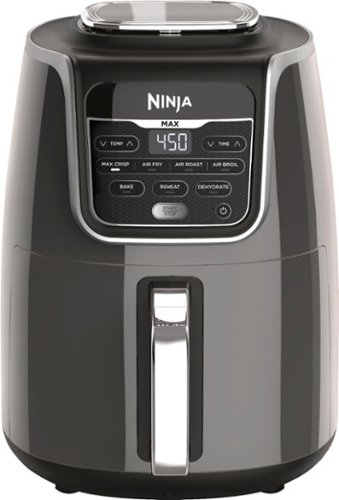
Ninja Air Fryer Max XL, a fast and easy way to cook your favorite foods. Cook and crisp 3 lbs of French fries, using little to no oil, in a family-sized XL 5.5-qt basket.
Customer Rating

5
Great for anyone with Food allergies
on September 3, 2019
Posted by: explore42
from Cincinnati Ohio
I got this air fryer for several reasons and none of them were for French fries. I thought that since this cooks so quickly with little or no added oils it would save us time, energy and be a healthy alternative. Also for anyone who has food allergies or is a vegetarian it gives you a way to cook food totally separate of other items being cooked in the kitchen. Because the unit is self-contained and easy to clean it’s a great way to make sure the food is cooked without coming into contact with any contaminants. The Ninja XL is easy to set up and operate. There are 7 cooking modes and it has a wide temperature range so there are a lot of cooking options. Pick your cooking mode – most of time we use Air Fry, set the temperature and timer and hit the start. There is an instruction book and a small cook book that comes with the Air Fryer that has general recommendations on the settings. Once you get used to how quickly this thing cooks you can better estimate what time to set on the timer. The first time we cooked some chicken breasts my wife had to get a meat thermometer to double check the temperature because she couldn’t believe they were done so quickly. You have to be vigilant as you try cooking new things because this will cook the food faster than you expect.
- The XL is wide so it cooks more but needs more counterspace
- The cooking basket is large but its easy to manipulate due to its easy to grip handle
- Lots of flexibility between the 7 cooking modes and temperature ranges
- Its reasonably quiet for having a fan inside
- Expect to spend more time checking the food than you would normally do at least until you get used to how quickly it cooks
- Dishwasher safe but it cleans up so easily in the sink we never use the dishwasher
- Provides a faster healthier way to cook your food.
- Great solution for someone with food allergies who needs to cook their food away from allergens.
- The XL is wide so it cooks more but needs more counterspace
- The cooking basket is large but its easy to manipulate due to its easy to grip handle
- Lots of flexibility between the 7 cooking modes and temperature ranges
- Its reasonably quiet for having a fan inside
- Expect to spend more time checking the food than you would normally do at least until you get used to how quickly it cooks
- Dishwasher safe but it cleans up so easily in the sink we never use the dishwasher
- Provides a faster healthier way to cook your food.
- Great solution for someone with food allergies who needs to cook their food away from allergens.
Mobile Submission: False
I would recommend this to a friend!
Share this review:


+1point
1of 1voted this as helpful.
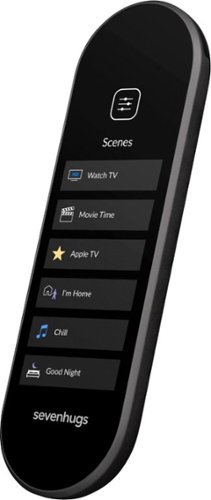
Control TVs, lights and stereos with this black Sevenhugs smart remote. The intuitive touch screen offers simplicity, and the Smart Remote companion app allows the user to customize the remote's interface for different devices. This Sevenhugs smart remote lets you connect electronics and services via Wi-Fi, Bluetooth, infrared and smart hubs for a simple installation.
Customer Rating

4
Total Control if you Customize the Remote
on September 2, 2019
Posted by: explore42
from Cincinnati Ohio
I nearly gave up on this remote because I was so frustrated with the way the stock configuration worked. I was able to download the app on my phone and get the remote paired with my phone and wireless network without any issues. I then started adding devices using the device’s model numbers which is the way I would recommend doing it. Once I got the devices added I then tried to start using the remote and this is where the issues started. I have small hands and fingers but trying to get the right function to work on the trackpad was nearly impossible. Other remotes have the physical buttons so you know the difference between the up key and the enter key. On this remote the trackpad has no buttons so it’s a guessing game to find the exact right spot. Also several of the standard configuration screens had buttons I had no interest in using or they were located in the wrong order. The buttons for the Roku for example did not mimic the position of my Roku remote which adds to the confusion. See photos. Luckily I found the Customize Screen Layout option on the phone app and this is what you need to use to make this remote really shine. Using the Customize function I was able to replace the trackpad with individual up, down, left, right and enter buttons – see photos. Now I knew exactly where to push to get the function I wanted. Next I realized I could Customize what buttons I wanted to use for each device. For example my Denon remote has 66 buttons! Out of those 66 buttons I was able to create 2 simple screens on the Sevenhugs, one for adjusting the volume and sound options and one for selecting the source. Each screen has only the necessary buttons which drastically simplifies the operation. I did the same thing for my TV, Blu-Ray player and Roku. On other high end remotes that I have I was able to combine IR commands to operate everything but I still had a zillion buttons that I never touched and even though I could program and name some of the buttons I did not have total control of the way the buttons were aligned. With the Customize Screen Layout in the phone app you can put whatever button you want where ever you want it on the remote. You basically can design your own remote with as many or as few buttons as you require in any sequence to meet your needs. Because I can now simplify the remote screen by only showing the buttons that are necessary to control the device in use makes it far more usable for anyone who is not a tech geek. Handing someone a Universal remote with 60 plus buttons and trying to explain what buttons are required for what device is insane compared to handing them this customized remote that only shows buttons they understand and need. It’s not perfect however, I still have some concerns:
1. I cannot get my TP link smart outlets to register with the app. I have been working with Sevenhugs support but so far no resolution.
2. The remote is small, too small in my opinion and difficult to use one handed. On other remotes you can rest your hand on a button without pushing it. On this remote any touch activates the function. This isn’t a show stopper and I am guessing with time I will get better at it.
3. The documentation on how to set up the remote and to customize it was not intuitive. Once I realized I could customize things I started searching for information and found it but it should be included either as a tutorial on the phone app or on paper packaged with the remote.
4. Using the phone app and customizing the remote takes some time and some thought as to what and where buttons should be shown. You cannot just drag a button to a new location, you need to delete it first, then re-add it in the new location. Because of this the set up can be tedious.
1. I cannot get my TP link smart outlets to register with the app. I have been working with Sevenhugs support but so far no resolution.
2. The remote is small, too small in my opinion and difficult to use one handed. On other remotes you can rest your hand on a button without pushing it. On this remote any touch activates the function. This isn’t a show stopper and I am guessing with time I will get better at it.
3. The documentation on how to set up the remote and to customize it was not intuitive. Once I realized I could customize things I started searching for information and found it but it should be included either as a tutorial on the phone app or on paper packaged with the remote.
4. Using the phone app and customizing the remote takes some time and some thought as to what and where buttons should be shown. You cannot just drag a button to a new location, you need to delete it first, then re-add it in the new location. Because of this the set up can be tedious.
Mobile Submission: False
I would recommend this to a friend!


Share this review:


+3points
4of 5voted this as helpful.
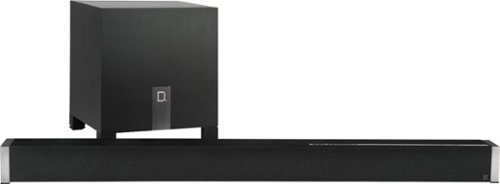
Boost your home theater's audio capabilities with this Definitive Technology Studio Advance sound bar system. The 5.1 channel system offers virtual surround sound and supports 4K and HDR content for your enjoyment. This Definitive Technology Studio Advance sound bar system has Chromecast built in to let you stream music wirelessly and control the speakers with Google Assistant voice commands.
Posted by: explore42
from Cincinnati Ohio
I am a big fan of Definitive Technology, my home theatre is built around their BP9000 series speakers, but I have some real mixed emotions about this sound bar. Bottom line is that this sound bar will outperform any stock TV speaker however it’s a mixed bag when it comes to overall audio performance. The audio quality was very good for Music and acceptable for movies. If you are looking for a spatial sound stage or distinct 5.1 sound affects you may be disappointed. I played several 5.1 movies with mixed results. The thumps and bumps were loud and crisp in the movies but the sound stage was not spatial enough for me to say that this soundbar outperforms a 3.1 soundbar.
Quick Hits
- The installation was quick and simple with easy instructions to follow.
- Using the supplied HDMI cable and HDMI ARC ports allowed me to use my TV remote for control.
- The LED indicators on the sound bar are intuitive once you understand them. The LEDs will light up in blue or green color to differentiate between DTS and Dolby.
- I was able to play the various DTS and Dolby Digital audio formats (5.1 and 7.1)
- I connected my Blu Ray player to the soundbar and was able to play 4k HDR movies through it. The extra HDMI ports on the soundbar allow you to connect extra devices if you have limited HDMI ports on your TV. I had to use a high quality HDMI 2.2 cable for this to work.
- The Subwoofer is punchy and produces good bass especially in movie mode.
- Bluetooth and Spotify both worked great and were simple to set up.
- After hours of playing neither the soundbar or power supply produced an unreasonable amount of heat. Something to consider when placing the soundbar directly below that expensive TV.
Things to Consider
- The Dolby and DTS 5.1 audio has a limited sound stage. The soundbar does provide good front and center speaker audio but has limited success at mimicking rear speakers.
- The soundbar does not support Dolby Atmos.
- You can control the volume of the center speaker and the bass but there is no EQ available beyond the movie or music setting.
- The Subwoofer’s only light is on the back so you cannot see if its operational from the front! It doesn’t have the standard Def Tech lighted “D” on the front!
- Even though my Subwoofer is about 5 ft from the sound bar it seems to lose connection which is apparent with a short lack of bass. I have verified this by turning the sub around so I could see the light flicker when the bass dropped. Not sure if this is unique to my setup or not.
- Having to use Google for the installation may be a negative for some.
- The packaging is great however the subwoofer is down firing and has no protection over the cone. You have to be careful when unpacking the sub so that you don’t put pressure on the cone when you handle it.
Quick Hits
- The installation was quick and simple with easy instructions to follow.
- Using the supplied HDMI cable and HDMI ARC ports allowed me to use my TV remote for control.
- The LED indicators on the sound bar are intuitive once you understand them. The LEDs will light up in blue or green color to differentiate between DTS and Dolby.
- I was able to play the various DTS and Dolby Digital audio formats (5.1 and 7.1)
- I connected my Blu Ray player to the soundbar and was able to play 4k HDR movies through it. The extra HDMI ports on the soundbar allow you to connect extra devices if you have limited HDMI ports on your TV. I had to use a high quality HDMI 2.2 cable for this to work.
- The Subwoofer is punchy and produces good bass especially in movie mode.
- Bluetooth and Spotify both worked great and were simple to set up.
- After hours of playing neither the soundbar or power supply produced an unreasonable amount of heat. Something to consider when placing the soundbar directly below that expensive TV.
Things to Consider
- The Dolby and DTS 5.1 audio has a limited sound stage. The soundbar does provide good front and center speaker audio but has limited success at mimicking rear speakers.
- The soundbar does not support Dolby Atmos.
- You can control the volume of the center speaker and the bass but there is no EQ available beyond the movie or music setting.
- The Subwoofer’s only light is on the back so you cannot see if its operational from the front! It doesn’t have the standard Def Tech lighted “D” on the front!
- Even though my Subwoofer is about 5 ft from the sound bar it seems to lose connection which is apparent with a short lack of bass. I have verified this by turning the sub around so I could see the light flicker when the bass dropped. Not sure if this is unique to my setup or not.
- Having to use Google for the installation may be a negative for some.
- The packaging is great however the subwoofer is down firing and has no protection over the cone. You have to be careful when unpacking the sub so that you don’t put pressure on the cone when you handle it.
Mobile Submission: False
I would recommend this to a friend!
Share this review:


+4points
4of 4voted this as helpful.
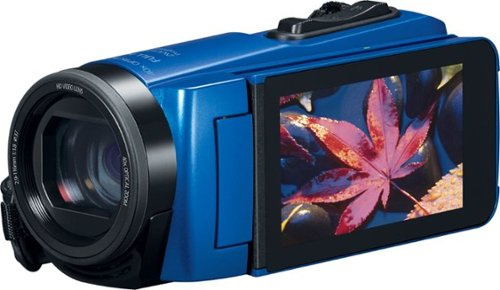
Only at Best BuyRecord important life events with this Canon VIXIA camcorder. The high-capacity battery supports up to 4.5 hours of continuous operation to capture every detail, and it's resistant to water, shock and dust for durable use in rugged outdoor environments. Full HD, dynamic zoom and image stabilization features add to the high-quality performance of this Canon VIXIA camcorder.
Customer Rating
5
Versatile Camcorder for Someone on the Go
on July 31, 2019
Posted by: explore42
from Cincinnati Ohio
Over all I am happy with the camera and its performance. If you are looking for a good camcorder that can go anywhere, provide decent images and is simple to operate this is the one to get. I chose the blue version and it really stands out due to its blue metallic body.
This camera is actually a cross between a full-sized camcorder and an action cam. It gives you the portability and weatherproof capabilities of an action cam and the optical zoom capabilities and side LCD monitor of a full size camcorder. The camcorder build feels rock solid and fits nicely in your hand. Its about half the size of my other camcorders so it’s easy to pack and go on all the family activities. It has many advanced features but also works just fine on auto for those who just want a simple point and shoot camcorder that is outdoors friendly. I like being outdoors and in the past I have had cameras ruined by sand and water. Because this camcorder is weather proof it is good to go whether you are headed to the beach or the trail.
Things I really liked:
• It’s Weather proof so it can go anywhere you go and still record good video.
• It has a nice sized LCD monitor and yet its small enough to fit in my hiking short’s pocket.
• The 40x optical zoom allows you to get up close when far away. It also has digital zoom capabilities but I found that it has limited use unless you are using a tripod.
• The image stabilization works up to about 20 x with reasonable image quality
• The camcorder has Macro capabilities like my SLR so I can get up close images
• The camcorder feels natural in your hand is easy to operate
• The lens assembly is threaded so you can add filters and lens protectors if you like.
• The side LCD monitor can be rotated so you can see the monitor while recording yourself for v-logging purposes.
• The facial recognition and auto focus worked well in and out of the water. See the photos.
Things that made me pause
• The menu system isn’t the most intuitive luckily there is a good manual on line.
• There are a lot of icons on the menu screen that indicate various functions. It took me some time to understand what they were and their functions.
• No external microphone connection
• No mini HDMI adapter or cable. If you want to play your videos on your TV you will need to purchase the cable or pull the memory card out of the unit.
• To charge the battery or access the hdmi port you have to open the “water tight” seal on the back compartment. I am not sure how reliable that seal will be over time.
• To take a photo when recording video you have to press the camera icon on the side LCD monitor. This means you have to change your focus to find the icon and use your other hand to press the screen to take the shot.
• The sound quality of just ok.
This camera is so close to being the perfect travel companion but It misses the mark in two areas. It doesn’t support 4k which is a debatable issue. I have other 4k camcorders but due to battery consumption and file size I will often shoot at a lower resolution. The highest resolution this camera supports is 1080 which is still good quality video for the typical user. The second issue is that the battery is not replaceable so when the battery runs out you have to either plug it in or use the usb cable and charge it using a power brick while on the go. Note that to power the camera you have to open the water sealed compartment so you need to be careful if you are charging it in the open.
I attached a couple of photos. The one photo is under the water in my pool and as you can see the focus and image quality are quite good. Another photo shows the camera as it is coming out of the water. The lens is still half in the water. This shows that the autofocus has already locked in above the water line because the flowers in the back ground are clear. The last photo is an up close shot of a flower. The autofocus really did a good job with that photo.
This camera is actually a cross between a full-sized camcorder and an action cam. It gives you the portability and weatherproof capabilities of an action cam and the optical zoom capabilities and side LCD monitor of a full size camcorder. The camcorder build feels rock solid and fits nicely in your hand. Its about half the size of my other camcorders so it’s easy to pack and go on all the family activities. It has many advanced features but also works just fine on auto for those who just want a simple point and shoot camcorder that is outdoors friendly. I like being outdoors and in the past I have had cameras ruined by sand and water. Because this camcorder is weather proof it is good to go whether you are headed to the beach or the trail.
Things I really liked:
• It’s Weather proof so it can go anywhere you go and still record good video.
• It has a nice sized LCD monitor and yet its small enough to fit in my hiking short’s pocket.
• The 40x optical zoom allows you to get up close when far away. It also has digital zoom capabilities but I found that it has limited use unless you are using a tripod.
• The image stabilization works up to about 20 x with reasonable image quality
• The camcorder has Macro capabilities like my SLR so I can get up close images
• The camcorder feels natural in your hand is easy to operate
• The lens assembly is threaded so you can add filters and lens protectors if you like.
• The side LCD monitor can be rotated so you can see the monitor while recording yourself for v-logging purposes.
• The facial recognition and auto focus worked well in and out of the water. See the photos.
Things that made me pause
• The menu system isn’t the most intuitive luckily there is a good manual on line.
• There are a lot of icons on the menu screen that indicate various functions. It took me some time to understand what they were and their functions.
• No external microphone connection
• No mini HDMI adapter or cable. If you want to play your videos on your TV you will need to purchase the cable or pull the memory card out of the unit.
• To charge the battery or access the hdmi port you have to open the “water tight” seal on the back compartment. I am not sure how reliable that seal will be over time.
• To take a photo when recording video you have to press the camera icon on the side LCD monitor. This means you have to change your focus to find the icon and use your other hand to press the screen to take the shot.
• The sound quality of just ok.
This camera is so close to being the perfect travel companion but It misses the mark in two areas. It doesn’t support 4k which is a debatable issue. I have other 4k camcorders but due to battery consumption and file size I will often shoot at a lower resolution. The highest resolution this camera supports is 1080 which is still good quality video for the typical user. The second issue is that the battery is not replaceable so when the battery runs out you have to either plug it in or use the usb cable and charge it using a power brick while on the go. Note that to power the camera you have to open the water sealed compartment so you need to be careful if you are charging it in the open.
I attached a couple of photos. The one photo is under the water in my pool and as you can see the focus and image quality are quite good. Another photo shows the camera as it is coming out of the water. The lens is still half in the water. This shows that the autofocus has already locked in above the water line because the flowers in the back ground are clear. The last photo is an up close shot of a flower. The autofocus really did a good job with that photo.
Mobile Submission: False
I would recommend this to a friend!


Share this review:


0points
2of 4voted this as helpful.
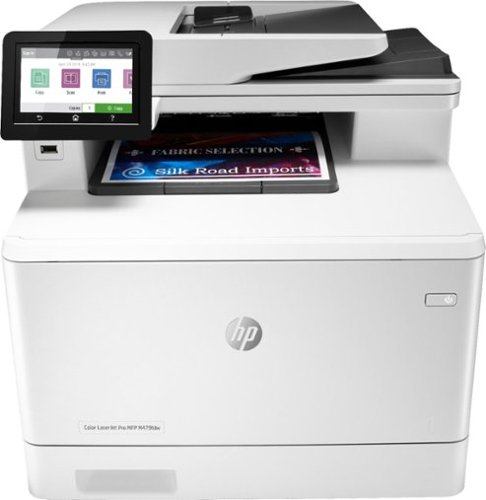
Winning in business means working smarter. This HP Color LaserJet Pro M479fdw printer is designed to let you focus your time where it's most effective - growing your business and staying ahead of the competition.Prints up to 27 ISO ppm*, up to 27 ISO ppm* in color
Customer Rating
5
Color Laser that Delivers
on July 16, 2019
Posted by: explore42
from Cincinnati Ohio
If you are considering a Color Laser this HP M479fdw should be on your list. It took me very little time to get this printer up and running on our wireless network. The wireless configuration is simple and the connectivity so far has been very reliable which is a major plus. One of the reasons I really like this printer is because it supports both 2.4 and 5 Ghz WiFi. If you have invested in a higher throughput 5ghz wireless router this printer can take advantage of it. Because this printer is replacing an existing HP printer I was able to add this printer to the Windows 10 laptops and desktops using the HP printer software already on the systems. I did have to load the HP app on the Android phones however the IPADs printed natively once the printer was found. Now anyone can print from any device they happen to be using at the time. The printer does all the standard functions like document feeding, double sided printing and copying, document scanning, and faxing quite well and is good or better than other like models that I have used. The speed that this printer wakes up, provides the print job and then goes back to sleep is impressive. It is a feature rich device and although I have not tried all the features yet those that I have tried have met expectation.
Pros:
• Reliable wireless network connectivity including 5ghz compatible
• Easy to setup and use especially if you have used HP printers before
• Prints reliably from every device anywhere on the network. We use IPADs, laptops, PCs and Android phones
• Quality print and copy image both in black in white as well as color
• Noise level while printing is typical, slightly quieter than an Inkjet nearby.
• The printer does not seem to generate much heat during use, a plus for a small office.
• The paper path is easily accessible should you ever have a paper jam.
Things to Consider
• The documentation that comes with the printer can be a little cryptic. If you want better instructions there are manuals and videos on HP.com that cover everything.
• The second paper tray is more like a by-pass door that allows you to do one off print jobs without having to remove your normal paper tray. It is not big enough to be considered a second paper tray.
• This printer is tall especially when you raise the document loader.
Pros:
• Reliable wireless network connectivity including 5ghz compatible
• Easy to setup and use especially if you have used HP printers before
• Prints reliably from every device anywhere on the network. We use IPADs, laptops, PCs and Android phones
• Quality print and copy image both in black in white as well as color
• Noise level while printing is typical, slightly quieter than an Inkjet nearby.
• The printer does not seem to generate much heat during use, a plus for a small office.
• The paper path is easily accessible should you ever have a paper jam.
Things to Consider
• The documentation that comes with the printer can be a little cryptic. If you want better instructions there are manuals and videos on HP.com that cover everything.
• The second paper tray is more like a by-pass door that allows you to do one off print jobs without having to remove your normal paper tray. It is not big enough to be considered a second paper tray.
• This printer is tall especially when you raise the document loader.
Mobile Submission: False
I would recommend this to a friend!
Share this review:


+1point
1of 1voted this as helpful.
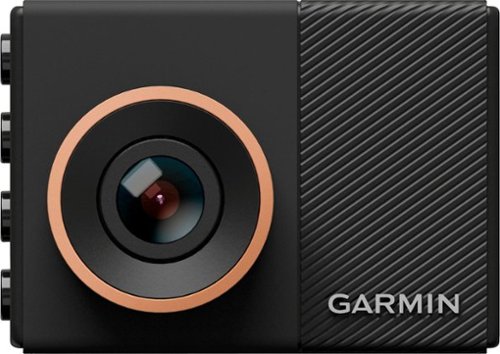
Record extra high-definition road footage with this 3.7-megapixel Garmin dash cam. Its voice command recognition provides easy operation, and it alerts you with lane departure and forward collision warnings for driving safety. This GPS-enabled Garmin dash cam includes an 8GB microSD card and lets you capture clear details in HD, Full HD or Quad HD.
Customer Rating
5
Great Dash Cam
on November 13, 2017
Posted by: explore42
from Cincinnati Ohio
Verified Purchase:Yes
The mount and set up with this Dash cam is simple. In no time at all it looked like a factory install. The alarms for lane and crash avoidance is reasonably accurate and not annoying. Overall a great buy.
My Best Buy number: 3783960400
My Best Buy number: 3783960400
Mobile Submission: False
I would recommend this to a friend!
Share this review:


+5points
5of 5voted this as helpful.
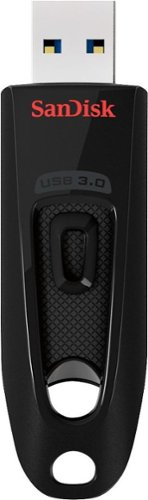
Step up to high-speed USB 3.0 and transfer your videos, photos and files up to ten times faster than standard USB 2.0 drives. SanDisk Ultra USB 3.0 Flash Drive takes the wait out of moving, sharing or backing up big files~now you can transfer a full-length movie from your laptop to your flash drive in less than a minute. Password protection lets you keep your private files private, while still being able to share generously with family and friends. And, with a sleek, sturdy SanDisk Ultra USB 3.0 Flash Drive in your pocket, you won~t need an internet connection to access those photos and videos any place or any time you want. For more than 25 years, SanDisk has been known for quality and reliability all around the world.
Customer Rating
5
Big and Fast
on March 17, 2017
Posted by: explore42
Verified Purchase:Yes
I got this to help transfer my music and help me back up my computers. I can fit everything on one drive and if anything fails I have this small usb drive that takes care of everything.
My Best Buy number: 3783960400
My Best Buy number: 3783960400
I would recommend this to a friend!
Share this review:


0points
0of 0voted this as helpful.
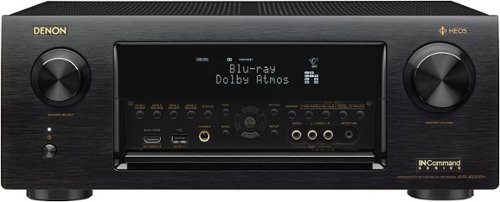
Denon - AVR 11.2-Ch. Network-Ready 4K Ultra HD and 3D Pass-Through A/V Home Theater Receiver - Black
Stream music directly from your media device with this Denon high-end AV receiver. Eight built-in HDMI ports let you connect a variety of devices, and the 11 amplified channels let you set up this receiver to run components in multiple rooms. This Denon high-end AV receiver comes with built-in streaming services. Includes HDMI 4K Ultra HD and 3D pass-through technologies for compatibility with 3D TVs, Blu-ray players and gaming consoles and 4K Ultra HD TVs.
Customer Rating
5
Great Receiver
on March 17, 2017
Posted by: explore42
Verified Purchase:Yes
I wanted a new receiver that supported Dolby Atmos to boost my home theatre to a 7.4.1. There are very few receivers out there that have 11 amps built in and the Denon offers the best bang for the buck. I used the auto set up with Audyssey and after tweeking a few things I am extremely happy with the overall playback. Ive read and seen on youtube where people have complained about hum - I have very sensitive hearing and I get no hum out of my system at any volume. I am guessing it was fixed in one of the firmware upgrades. Also I noted another reviewer complaining about the video upscaling which doesn't make much sense. I don't know why he didn't use the hdmi pass through if he didn't like the Denon's upscaling. Bottom line is I am extremely happy thus far with the Denon.
My Best Buy number: 3783960400
My Best Buy number: 3783960400
I would recommend this to a friend!
Share this review:


+12points
12of 12voted this as helpful.
explore42's Review Comments
explore42 has not submitted comments on any reviews.
explore42's Questions
explore42 has not submitted any questions.
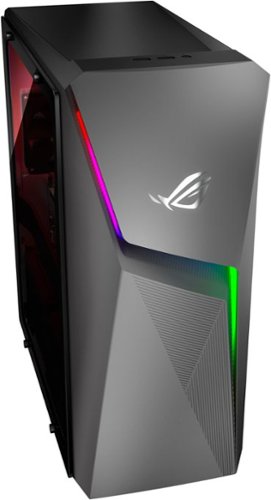
Upgrade from the last generation with the new ROG Strix G10CE, a Windows 11 gaming desktop that delivers exhilarating gaming experiences powered by an 11th Gen Intel~ Core~ i7-11700F processor and NVIDIA~ GeForce RTX~ 3060 graphics.
What size is the power supply?
500 watt Gold Plus. The photo isnt the best but if you look to right you can see the Power Supply and its Gold Plus 500 label.

4 years, 9 months ago
by
explore42
Upgrade from the last generation with the new ROG Strix G10CE, a Windows 11 gaming desktop that delivers exhilarating gaming experiences powered by an 11th Gen Intel~ Core~ i7-11700F processor and NVIDIA~ GeForce RTX~ 3060 graphics.
Is it only one stick of 16gb ram or two sticks of 8gb ram?
Only a Single Module. To use dual channel you will need to get a matching 16gb module or replace the existing module with a new matching pair of ddr4 ram modules. If you look at the photo you can see that its only a single 16 gb module.

4 years, 9 months ago
by
explore42
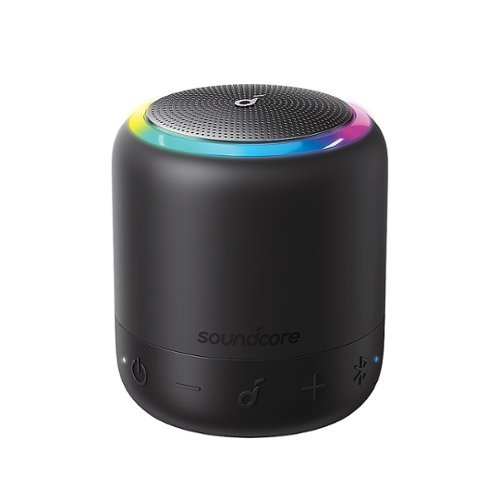
Soundcore by Anker Mini 3 Pro is a perfect pocket portable bluetooth speaker! Get 360~ of ear-dazzling audio squeezed into something smaller than a coffee cup. With a 15-hour battery life on a single charge and IPX7 waterproof, who says beach and pool parties can't get as wild as you want? It's your sound, your rules, so connect the Mini 3 to the Soundcore app to turn it on, off, adjust the volume, change the sound profile, and much more. A USB-C charging port is included for fast-charging with the latest technologies and Bluetooth 5.0 can keep your audio experience crystal clear with a strong connection.
I have the SoundCore Mini 1 and the one thing that I don't like about it is that when in bluetooth mode it turns off automatically after about 10 minutes if no audio is being streamed to it. Has this annoying power-saving feature been fixed with SC Mini 3
In the Soundcore App you can set this timer to up to 60 minutes.
5 years, 4 months ago
by
explore42
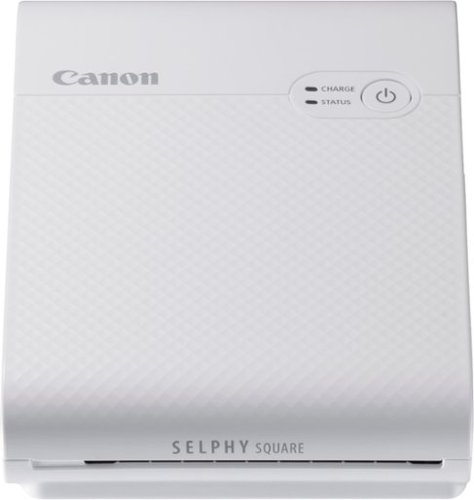
Print your memorable photos with this Canon SELPHY Square QX10 compact photo printer. The compact, lightweight design offers easy portability, while the dye-sublimation technology delivers quality quick-drying 2.7 x 2.7-inch prints that last for a long time. This Canon SELPHY Square QX10 compact photo printer has a built-in battery for cordless hassle-free printing.
Do I have to continuously refill the ink cassette or buy new ones like a regular printer?
Yes but with this printer the supplies are sold by Canon as a single item. I've been buying the Canon XS-20L which comes with 20 photo pages and a cassette that will print 20 photos.
6 years ago
by
explore42
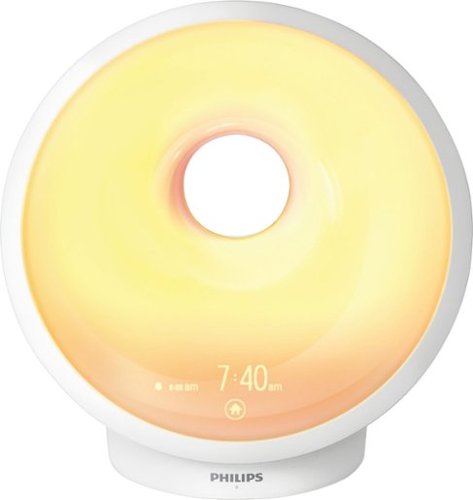
Follow a natural sleep routine with this Philips SmartSleep sleep and wake-up light. Its sunset and sunrise simulations prepare your body to sleep and rise on time, and its RelaxBreathe feature calms you into peaceful slumber. This Philips SmartSleep sleep and wake-up light plays your music, an FM station or built-in nature sounds for a gentle wake-up routine.
Can you turn the display brightness off? I am very light sensitive and even dim lights can make it difficult for me to fall asleep.
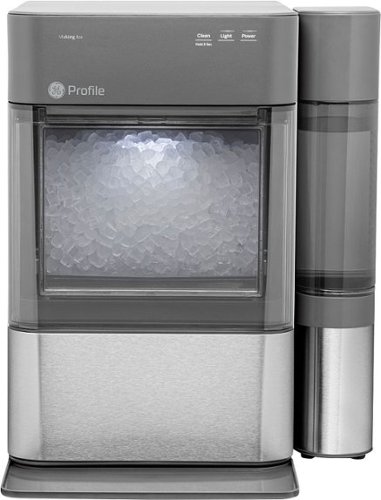
Nugget Ice. Pellet ice. Drive-in ice. Whatever you call it, you know it's "the good ice." Now that chewable ice is available from the convenience of your countertop with the Opal 2.0 Ice Maker. It is capable of producing up to 38 lbs. of ice in 24 hours and stores up to 3 lbs. of ice at one time. The Opal 2.0 Ice Maker has WiFi connection capability and comes with the side tank attachment for 3x more ice production.
I've read numerous disastrous feedback for this unit on Amazon and I'm a bit worried about the number of defective units being sold. Has anyone owned this for more than a year without incident? Has anyone used the Geek Squad extended warranty for repairs?
There are a couple of versions of the Opal out there. I just picked up the Opal 2.0 which is an improved version and seems to work quite well. One way you can differentiate the units is the 2.0 version has touch button sensors on the front for the power, light and cleaning cycle. If you are really concerned you can get the extended warranty through Best buy. Although I have not used the extended warranty on this unit I have used it on my Samsung refrigerator's ice maker and found the service to be quite good.
6 years, 3 months ago
by
explore42
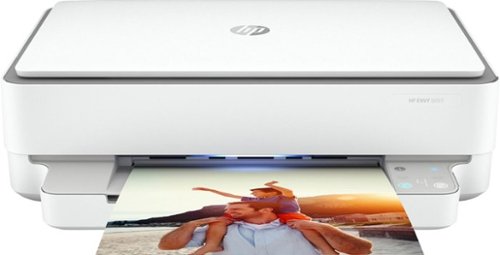
Designed to make printing easier for the whole family, the HP ENVY 6055 all-in-one printer lets everyone print, scan, and copy everyday documents, schoolwork, borderless photos and more. This wireless picture printer can order ink for you and deliver it to your door with up to 50% savings on ink using the HP Instant Ink delivery service, so you can print high-quality documents and photos when you need them (subscription required). Set up, and connect the all-in-one printer to your family's mobile devices in a few easy steps for remote scanning and sharing using the HP Smart app. And keep connected, and reduce interruptions with self-healing Wi-Fi and Bluetooth 5.0 technology. Prints up to 10 ISO ppm* in black and up to 7 ppm* in color.
fax capable
Good Question, it does not have fax capabilities built into the printer. You can send a fax if you use HP's cloud services but the printer cannot receive a fax. If faxing is a requirement I would suggest looking at a Desk Jet or Office Jet series all in one.
6 years, 3 months ago
by
explore42
Designed to make printing easier for the whole family, the HP ENVY 6055 all-in-one printer lets everyone print, scan, and copy everyday documents, schoolwork, borderless photos and more. This wireless picture printer can order ink for you and deliver it to your door with up to 50% savings on ink using the HP Instant Ink delivery service, so you can print high-quality documents and photos when you need them (subscription required). Set up, and connect the all-in-one printer to your family's mobile devices in a few easy steps for remote scanning and sharing using the HP Smart app. And keep connected, and reduce interruptions with self-healing Wi-Fi and Bluetooth 5.0 technology. Prints up to 10 ISO ppm* in black and up to 7 ppm* in color.
Can use either iPad or iPhone to print from. I do ya have a computer and use both off those a lot. But sometimes I would Have a sibling print for me and I’d like to do it on my own
I use this with my ipad and it works fine. Download the HP Smart app from the Apple store and this app allows you to control the printer. I have HP Smart running on my android phones, my ipads and my windows laptops and they all access the printer wirelessly.
6 years, 3 months ago
by
explore42
Designed to make printing easier for the whole family, the HP ENVY 6055 all-in-one printer lets everyone print, scan, and copy everyday documents, schoolwork, borderless photos and more. This wireless picture printer can order ink for you and deliver it to your door with up to 50% savings on ink using the HP Instant Ink delivery service, so you can print high-quality documents and photos when you need them (subscription required). Set up, and connect the all-in-one printer to your family's mobile devices in a few easy steps for remote scanning and sharing using the HP Smart app. And keep connected, and reduce interruptions with self-healing Wi-Fi and Bluetooth 5.0 technology. Prints up to 10 ISO ppm* in black and up to 7 ppm* in color.
does the printer do double siding printing?
The HP Envy 6055 can do double sided printing. It will print the front side of the paper and before the page fully exists the printer it pulls the sheet back into the printer to do the back side. In other words its a 2 step process but it does occur automatically without you doing anything special.
6 years, 3 months ago
by
explore42
Designed to make printing easier for the whole family, the HP ENVY 6055 all-in-one printer lets everyone print, scan, and copy everyday documents, schoolwork, borderless photos and more. This wireless picture printer can order ink for you and deliver it to your door with up to 50% savings on ink using the HP Instant Ink delivery service, so you can print high-quality documents and photos when you need them (subscription required). Set up, and connect the all-in-one printer to your family's mobile devices in a few easy steps for remote scanning and sharing using the HP Smart app. And keep connected, and reduce interruptions with self-healing Wi-Fi and Bluetooth 5.0 technology. Prints up to 10 ISO ppm* in black and up to 7 ppm* in color.
Is the printer also a copy machine? Can I place a 12 page document in the feeder and it will make a copy?
The HP Envy 6055 does not have a document loader so it cannot automatically copy a group of documents. It will copy documents but you have to load each one onto the glass manually. If you want this model with the document loader you should be looking at the HP Envy Pro 6455 or one of the HP Office Jets or Desk Jets.
6 years, 3 months ago
by
explore42