


emiliosic's stats
- Review count244
- Helpfulness votes1,329
- First reviewJune 21, 2013
- Last reviewAugust 30, 2026
- Featured reviews0
- Average rating4.6
Reviews comments
- Review comment count0
- Helpfulness votes0
- First review commentNone
- Last review commentNone
- Featured review comments0
Questions
- Question count0
- Helpfulness votes0
- First questionNone
- Last questionNone
- Featured questions0
- Answer count88
- Helpfulness votes175
- First answerJuly 8, 2016
- Last answerNovember 4, 2021
- Featured answers0
- Best answers17

Improve your dental care routine with this Philips Sonicare ProtectiveClean electric toothbrush. It has three modes for a customized brushing experience and a pressure sensor to protect your gums from over-brushing. This Philips Sonicare ProtectiveClean electric toothbrush has a built-in timer to encourage you to meet the recommended brushing time.
Customer Rating

5
Improved model
on March 25, 2018
Posted by: emiliosic
from Wakefield, MA
This is my 4th Philips Sonicare, which in average seem to last about 3 years. Other brands lasted much longer, but I much prefer Sonicare's system.
While older toothbrushes were made in either Holland or USA, this is made in China, although replacement brush heads are made in the US.
Like in other Philips personal care products, the battery is not replaceable, so be prepared to throw away the handle when the battery dies, and they make it very difficult to remove the internal battery in order to dispose of it correctly. (The instructions even illustrate how to crack it open correctly with a hammer without breaking the Li-Ion battery).
My previous toothbrush handle is the Series 2, that used for about a year (and it's still working) but I much prefer this model.
Like most other Sonicare handles, it uses an induction charger and takes about 24 hours to charge completely. With new batteries, it should last about two weeks before it needs to be charged again. The charger appears to be the same as in all my previous models, with a 110V plug but takes 110/220v (works abroad).
This model has a very useful feature that detects when one puts too much pressure while brushing and alerts by changing the vibration pattern. I tend to put too much pressure sometimes, and this might've been a contributing factor for the relatively low lifetime of the previous Sonicare handles that broke after about three years. I find it really useful.
Another new feature, is that by using 'BrushSync compatible' toothbrush heads, it detects the type of toothbrush and programmed lifetime, changing its brushing pattern and indicating when to replace it (about three months). These newer brush heads have an embedded RF chip to sync with the handle.
Note that it still works just fine with older brush heads, just without the replacement indicator. It works normally without any complains. That was a concern because I still had fresh replacement packs without the RF chip.
The toothbrush handle has two buttons: The On/Off, which also doubles to control the vibration intensity, and a brushing mode button. The intensity is shown with three white bars, and there are three modes: Clean, which is what one would use every day, that lasts two minutes, announcing every 30 seconds to switch sections to brush (Philips calls this 'QuadPacer'). The White mode lasts 2.5 minutes and ads a pulsating mode after the first 2 minutes. The last is a gum care mode that lasts 3 minutes and it has a different vibration mode.
This model also comes with a plastic traveling case that holds the handle and up to two brush heads, but not the charger.
Also note that while the brush heads are completely washable, the handle can be rinsed but doesn't seem to be completely waterproof. Never had any issues getting them clean though.
While older toothbrushes were made in either Holland or USA, this is made in China, although replacement brush heads are made in the US.
Like in other Philips personal care products, the battery is not replaceable, so be prepared to throw away the handle when the battery dies, and they make it very difficult to remove the internal battery in order to dispose of it correctly. (The instructions even illustrate how to crack it open correctly with a hammer without breaking the Li-Ion battery).
My previous toothbrush handle is the Series 2, that used for about a year (and it's still working) but I much prefer this model.
Like most other Sonicare handles, it uses an induction charger and takes about 24 hours to charge completely. With new batteries, it should last about two weeks before it needs to be charged again. The charger appears to be the same as in all my previous models, with a 110V plug but takes 110/220v (works abroad).
This model has a very useful feature that detects when one puts too much pressure while brushing and alerts by changing the vibration pattern. I tend to put too much pressure sometimes, and this might've been a contributing factor for the relatively low lifetime of the previous Sonicare handles that broke after about three years. I find it really useful.
Another new feature, is that by using 'BrushSync compatible' toothbrush heads, it detects the type of toothbrush and programmed lifetime, changing its brushing pattern and indicating when to replace it (about three months). These newer brush heads have an embedded RF chip to sync with the handle.
Note that it still works just fine with older brush heads, just without the replacement indicator. It works normally without any complains. That was a concern because I still had fresh replacement packs without the RF chip.
The toothbrush handle has two buttons: The On/Off, which also doubles to control the vibration intensity, and a brushing mode button. The intensity is shown with three white bars, and there are three modes: Clean, which is what one would use every day, that lasts two minutes, announcing every 30 seconds to switch sections to brush (Philips calls this 'QuadPacer'). The White mode lasts 2.5 minutes and ads a pulsating mode after the first 2 minutes. The last is a gum care mode that lasts 3 minutes and it has a different vibration mode.
This model also comes with a plastic traveling case that holds the handle and up to two brush heads, but not the charger.
Also note that while the brush heads are completely washable, the handle can be rinsed but doesn't seem to be completely waterproof. Never had any issues getting them clean though.
Aside from difficulties in recycling it and waste of not being able to replace the battery, it's a great and effortless brushing system and the introduction of the pressure sensor makes it a worthwhile upgrade.
My Best Buy number: 0784609086
Mobile Submission: False
I would recommend this to a friend!
Share this review:


+1point
1of 1voted this as helpful.
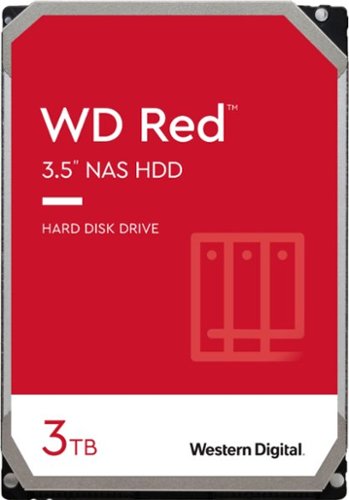
Mainstream option for SoHo (Small Office and Home Office) applications in 1 to 8-bay systems with light to moderate workloads and extended idle time (excluding ZFS). Store your data on this WD network hard drive, which features a 3TB capacity for storing media and is suitable for installation within up to eight drive bays. Data transfer rates up to 6 Gbps ensure efficient performance.
Customer Rating
5
WD30EFRX
on February 19, 2018
Posted by: emiliosic
from Wakefield, MA
Verified Purchase:Yes
This is the 'retail version' of WD30EFRX, which is the current model for 3TB NAS drive from WD. In the box there is the drive and mounting screws.
Not sure why WD30EFRX isn't displayed on the product listing. The server recognizes it as such.
While this is a new drive and time will tell, had WD NAS drives installed over two years ago with no issues.
These drives are 5400 RPM and 64MB Cache, and have firmware specific to be used in NAS/RAID configurations in smaller arrays up to 5 drives, for home and small business. It's designed to be always-on and has additional heat and vibration related designs that don't apply to desktop drives.
Note that there's a separate 'NAS PRO' line for bigger and faster arrays.
It comes with a 3-year warranty.
Used these drives with Synology NAS enclosures and connected to Linux PCs.
Not sure why WD30EFRX isn't displayed on the product listing. The server recognizes it as such.
While this is a new drive and time will tell, had WD NAS drives installed over two years ago with no issues.
These drives are 5400 RPM and 64MB Cache, and have firmware specific to be used in NAS/RAID configurations in smaller arrays up to 5 drives, for home and small business. It's designed to be always-on and has additional heat and vibration related designs that don't apply to desktop drives.
Note that there's a separate 'NAS PRO' line for bigger and faster arrays.
It comes with a 3-year warranty.
Used these drives with Synology NAS enclosures and connected to Linux PCs.
My Best Buy number: 0784609086
My Best Buy number: 0784609086
Mobile Submission: False
I would recommend this to a friend!
Share this review:


+2points
2of 2voted this as helpful.
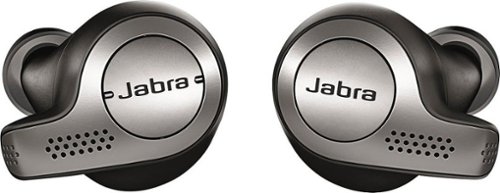
Enjoy superior sound and voice quality with these Jabra Elite wireless headphones. Integrated controls let you answer calls, adjust the volume or pause music with the touch of a button, while the included carrying case doubles as a charging station. External ambient noise keeps you aware of your surroundings, while a background noise filter delivers crisp, clear voice calls. With Bluetooth connectivity, these Jabra Elite wireless headphones are easy to pair to a mobile device.
Customer Rating
5
Excellent execution
on February 18, 2018
Posted by: emiliosic
from Wakefield, MA
Jabra's 3rd generation truly wireless earphones are excellently executed.
One of the few, and my first Bluetooth 5.0 headphones, are IP55 dust and sweat resistant. Batteries last about five hours and the case provides two extra charges. They come with four microphones (two per unit) for excellent voice calls and noise conditioning.
One of the few, and my first Bluetooth 5.0 headphones, are IP55 dust and sweat resistant. Batteries last about five hours and the case provides two extra charges. They come with four microphones (two per unit) for excellent voice calls and noise conditioning.
The earphones come with three sizes of ear tips and provide a tight but comfortable fit, with a closed design for passive noise cancellation.
The sound is very natural and detailed. Through the companion phone app, there is a five-band equalizer.
Earpieces are relatively light and stay on. I find it comfortable to wear through the day.
The sound is very natural and detailed. Through the companion phone app, there is a five-band equalizer.
Earpieces are relatively light and stay on. I find it comfortable to wear through the day.
The left earpiece has two controls for volume and tracks, the right piece has a single button for play/pause and calls.
Pairing with an iPhone was straightforward, with good range and no drops. Newer phones with BT 5.0 can have better range and power efficiency. IPhone 8 and X supports BT 5.0, but not required. Works perfectly with older phones as well. It can connect to two devices at the same time.
While the phone provides a battery indicator for the earphones, the Jabra Sound+ app provides detailed battery info, the five-band EQ, lets you select the voice assistant when pressing the multi-function button on the right earpiece: Siri or Google depending on the phone or Amazon's Alexa (Not yet enabled on iOS), and very neat features like HearThrough and Sidetone:
HearThrough: While the headphones provide passive noise cancellation, HearThrough uses the microphones to let some of the external sounds in. This is turned on or off by double-tapping the multi-function button or through the app, which lets adjust the amount of audio through.
Sidetone: When on a call, adjusts how much of your own voice is fed back through the earphones.
Audio calls work great. With the four mics, it isolates wind noise.
Then the little details is what makes these excellent earphones great. When taking the earphones off the case, they start pairing with the phone, and they turn off when back on the case.
Then when the earphones are in close proximity of each other (ie in the ears) it resumes playing music. It pauses the music if one takes one of the earpieces off, and resumes again if back within a few seconds.
The case is small enough to fit in one hand. It has an LED next to the charge port to indicate charge levels, and another indicator between the earpieces that indicates their charge.
GN/Jabra is a Danish company that has been designing professional products for as long as I can remember, and their attention to detail and quality shows in this product.
Pairing with an iPhone was straightforward, with good range and no drops. Newer phones with BT 5.0 can have better range and power efficiency. IPhone 8 and X supports BT 5.0, but not required. Works perfectly with older phones as well. It can connect to two devices at the same time.
While the phone provides a battery indicator for the earphones, the Jabra Sound+ app provides detailed battery info, the five-band EQ, lets you select the voice assistant when pressing the multi-function button on the right earpiece: Siri or Google depending on the phone or Amazon's Alexa (Not yet enabled on iOS), and very neat features like HearThrough and Sidetone:
HearThrough: While the headphones provide passive noise cancellation, HearThrough uses the microphones to let some of the external sounds in. This is turned on or off by double-tapping the multi-function button or through the app, which lets adjust the amount of audio through.
Sidetone: When on a call, adjusts how much of your own voice is fed back through the earphones.
Audio calls work great. With the four mics, it isolates wind noise.
Then the little details is what makes these excellent earphones great. When taking the earphones off the case, they start pairing with the phone, and they turn off when back on the case.
Then when the earphones are in close proximity of each other (ie in the ears) it resumes playing music. It pauses the music if one takes one of the earpieces off, and resumes again if back within a few seconds.
The case is small enough to fit in one hand. It has an LED next to the charge port to indicate charge levels, and another indicator between the earpieces that indicates their charge.
GN/Jabra is a Danish company that has been designing professional products for as long as I can remember, and their attention to detail and quality shows in this product.
My Best Buy number: 0784609086
Mobile Submission: False
I would recommend this to a friend!


Share this review:


+4points
5of 6voted this as helpful.
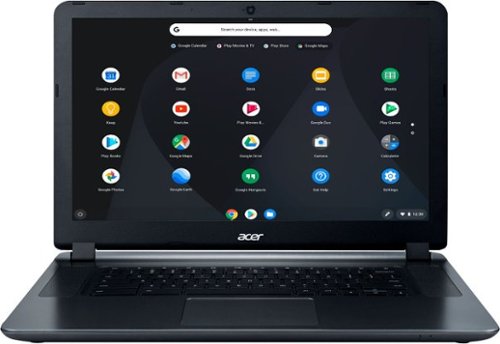
Acer 15 Chromebook: Enjoy up to 12 hours of battery life with this 15.6-inch Acer Chromebook. Its Intel Celeron processor and 4GB of RAM load webpages quickly and provide lag-free streaming, and the 16GB of internal storage holds documents and photos. This Acer Chromebook has an HDMI port for connecting to a larger display.
Customer Rating

4
Great value with a limiting screen
on February 7, 2018
Posted by: emiliosic
from Wakefield, MA
This is a great value for someone with basic requirements, including students.
The 15 in notebook is on a larger side at 15", which means a larger screen than the typical 13"laptops. It has suitable speakers, comes with a headphone jack, two USB 3.0 ports, SD card reader, a full size HDMI connector, Kensington lock slot, supports Bluetooth and has a solid Wi-Fi connection (AC standard, and works very well in the house, even picking up solid signals from neighbors). It also has a Webcam good for video chats. It has an Intel Celeron CPU, 4 GB RAM and 16 GB storage, which is fine for a Chromebook.
The keyboard is island keys and recessed like most modern laptops, good for general typing. The trackpad is relatively large and pleasantly effective.
The only and major drawback is the screen. The screen is mate, not reflective, which is good for work. The resolution is 1366 x 768, and while not the best for movies, it's OK for general purposes, but the real issue is that is that is that it's a bit washed out and after a while it can get tiring looking at it. Also keep in mind that it's not a touchscreen.
The laptop is a bit heavy at around 4.5 pounds, on the bulky side but with a battery that can go all day (Rated up to 12 hours).
It's a great student Chromebook, except for a mediocre screen. I still consider it a great value but the screen can be an issue for some.
The keyboard is island keys and recessed like most modern laptops, good for general typing. The trackpad is relatively large and pleasantly effective.
The only and major drawback is the screen. The screen is mate, not reflective, which is good for work. The resolution is 1366 x 768, and while not the best for movies, it's OK for general purposes, but the real issue is that is that is that it's a bit washed out and after a while it can get tiring looking at it. Also keep in mind that it's not a touchscreen.
The laptop is a bit heavy at around 4.5 pounds, on the bulky side but with a battery that can go all day (Rated up to 12 hours).
It's a great student Chromebook, except for a mediocre screen. I still consider it a great value but the screen can be an issue for some.
Chrome OS: While it's not for everyone, it's fine for basic uses. Chrome OS is basically a Google Chrome browser with not much else, so for someone that only needs a browser, including the plethora of Chrome extensions, this is fine. It has a bit of storage to save files locally, USB connections, etc., and can print, but only to Google connected printers. It's also ideal for classroom settings.
Android applications: After installing the latest Chrome OS, it now opens up the Android Play Store, and can run many of the Android apps like a tablet. The android apps still feel a bit foreign, and it's not quite as integrated but works well for most tasks. It's not a touchscreen, so the android apps work through the keyboard and trackpad.
Android applications: After installing the latest Chrome OS, it now opens up the Android Play Store, and can run many of the Android apps like a tablet. The android apps still feel a bit foreign, and it's not quite as integrated but works well for most tasks. It's not a touchscreen, so the android apps work through the keyboard and trackpad.
My Best Buy number: 0784609086
Mobile Submission: False
I would recommend this to a friend!


Share this review:


+6points
8of 10voted this as helpful.
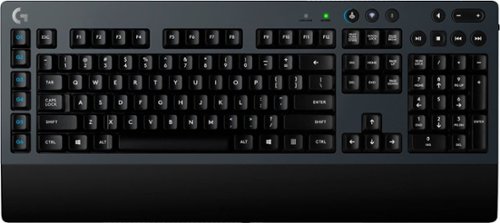
Get absolute precision with this Logitech wireless mechanical gaming keyboard. Place it anywhere you like thanks to the long-lasting battery and the efficient Bluetooth connection, and enjoy the feel of a mechanical connection that provides the perfect resistance. The full-size layout ensures this Logitech wireless mechanical gaming keyboard makes your games easy to control.
Customer Rating
5
Solid design
on January 3, 2018
Posted by: emiliosic
from Wakefield, MA
I'm not much of a gamer but I have a preference for mechanical keyboards.
The distinguishing feature about this keyboard is that is both mechanical and wireless.
The distinguishing feature about this keyboard is that is both mechanical and wireless.
The keyboard itself is quite heavy and thick (2 cm or 3/4 inch). The body of the keyboard is a thick gray matte plastic with a black base, and a black, integrated (non-removable) wrist pad. This is a matter of preference but I'd wish the wrist pad was not integrated. It's 2 1/2 in long.
The keys are full-size with traditional keycaps (Not island-style).
The top right of the keyboard has flat round media keys. I don't find the media keys particularly attractive. Looks cheap in comparison with the rest of the keyboard, but do work and are seldom used.
On the left of the keyboard there is a column of 6 macro keys, that can be customized once the Logitech gaming driver is installed, otherwise they work like the F1 to F6 keys.
The keyboard has feet on the back for either raised or flat position (There are no intermediate settings).
Keys: Most mechanical keyboards utilize one of several varieties of Cherry MX switches (Including other older Logitech mechanical switches). A few other keyboards utilize Alps switches -- Those are more akin the feel of vintage IBM or Apple keyboards, which have a distinct click feel and sound. This, like newer Logitech mechanical keyboards, use Logitech's proprietary switch which they call 'Romer-G'. These switches have a bit of weight and a muted click. While the keys allow a good amount of travel comparable to other mechanical switches, it needs little movement to register, about half way, when it gives a bit of bounce feedback. The keycaps on 'Romer-G' switches are a bit different. The switches don't have a mast but are hollow, which allows for a centered lighting on other models, but this model has no backlighting. Because of this, removing the keycaps is possible but takes a bit more effort.
Overall the feeling while typing on this keyboard is good, and comparable to Cherry MX Brown (No audible click).
Wireless: There is no way to use as a wired keyboard. It uses two AA batteries, that according to Logitech should last about 18 months. Mine arrived with generic AA batteries. There is a power off button on the right side. The keyboard uses either an USB receiver or Bluetooth. The Bluetooth connection is intended mainly for phones or tablets, where the USB receiver should be used on computers. Keys on the top of the keyboard allows switching back and forth between wireless or Bluetooth. Logitech differentiates between mainline products and gaming products (Logitech G). 'G' products don't use the 'Logitech Unifying Receiver' and instead the keyboard has to be used with its own receiver (Which can be stored on the battery compartment at the bottom of the keyboard). The advantage of this receiver is that is very low latency (Logitech claims to be equal or better than wired). Over the course of a week, never noticed any lags, even when reconnecting after a few minutes.
Software: Note that it doesn't use the same Logitech Flow or Logitech Options of other products. Because it's a 'Logitech G', it uses the (optional) Logitech gaming software, which can be very interesting, bringing profiles per application or games, and full control of the 'G' keys on the left. It also provides battery status for the keyboard and firmware updates on the keyboard itself. The software also lets configure the polling rate between 150 and 1000 / sec.
Apple Mac: My home work computer is a mac. Both they keyboard and the Logitech Gaming Software are fully supported on macOS, however the keyboard doesn't come with mac-specific keycaps, and are not available at the Logitech website.
The keyboard also came with a custom extension cable for the receiver, so it can sit closer to the keyboard if needs be (Mine is behind the monitor with no issues), and also comes with a matching phone stand, so the phone can be used with the Logitech Gaming Software, which provides a second-screen with configurable applets on certain games. It works on both Windows and macOS, with iOS or Android phones. (Search for Logitech ARX Control for more information about this).
The keys are full-size with traditional keycaps (Not island-style).
The top right of the keyboard has flat round media keys. I don't find the media keys particularly attractive. Looks cheap in comparison with the rest of the keyboard, but do work and are seldom used.
On the left of the keyboard there is a column of 6 macro keys, that can be customized once the Logitech gaming driver is installed, otherwise they work like the F1 to F6 keys.
The keyboard has feet on the back for either raised or flat position (There are no intermediate settings).
Keys: Most mechanical keyboards utilize one of several varieties of Cherry MX switches (Including other older Logitech mechanical switches). A few other keyboards utilize Alps switches -- Those are more akin the feel of vintage IBM or Apple keyboards, which have a distinct click feel and sound. This, like newer Logitech mechanical keyboards, use Logitech's proprietary switch which they call 'Romer-G'. These switches have a bit of weight and a muted click. While the keys allow a good amount of travel comparable to other mechanical switches, it needs little movement to register, about half way, when it gives a bit of bounce feedback. The keycaps on 'Romer-G' switches are a bit different. The switches don't have a mast but are hollow, which allows for a centered lighting on other models, but this model has no backlighting. Because of this, removing the keycaps is possible but takes a bit more effort.
Overall the feeling while typing on this keyboard is good, and comparable to Cherry MX Brown (No audible click).
Wireless: There is no way to use as a wired keyboard. It uses two AA batteries, that according to Logitech should last about 18 months. Mine arrived with generic AA batteries. There is a power off button on the right side. The keyboard uses either an USB receiver or Bluetooth. The Bluetooth connection is intended mainly for phones or tablets, where the USB receiver should be used on computers. Keys on the top of the keyboard allows switching back and forth between wireless or Bluetooth. Logitech differentiates between mainline products and gaming products (Logitech G). 'G' products don't use the 'Logitech Unifying Receiver' and instead the keyboard has to be used with its own receiver (Which can be stored on the battery compartment at the bottom of the keyboard). The advantage of this receiver is that is very low latency (Logitech claims to be equal or better than wired). Over the course of a week, never noticed any lags, even when reconnecting after a few minutes.
Software: Note that it doesn't use the same Logitech Flow or Logitech Options of other products. Because it's a 'Logitech G', it uses the (optional) Logitech gaming software, which can be very interesting, bringing profiles per application or games, and full control of the 'G' keys on the left. It also provides battery status for the keyboard and firmware updates on the keyboard itself. The software also lets configure the polling rate between 150 and 1000 / sec.
Apple Mac: My home work computer is a mac. Both they keyboard and the Logitech Gaming Software are fully supported on macOS, however the keyboard doesn't come with mac-specific keycaps, and are not available at the Logitech website.
The keyboard also came with a custom extension cable for the receiver, so it can sit closer to the keyboard if needs be (Mine is behind the monitor with no issues), and also comes with a matching phone stand, so the phone can be used with the Logitech Gaming Software, which provides a second-screen with configurable applets on certain games. It works on both Windows and macOS, with iOS or Android phones. (Search for Logitech ARX Control for more information about this).
Overall is a great choice for a mechanical keyboard, and the only wireless and Bluetooth, gaming, mechanical keyboard on the market today.
I would have preferred rechargeable batteries, but at least with AA batteries the keyboard will last for years. Also the built-in palm-rest could've been optional. Having support for the unifying receiver would've been convenient if the keyboard is used for more than gaming. None of this is a con but a matter of preference.
I would have preferred rechargeable batteries, but at least with AA batteries the keyboard will last for years. Also the built-in palm-rest could've been optional. Having support for the unifying receiver would've been convenient if the keyboard is used for more than gaming. None of this is a con but a matter of preference.
My Best Buy number: 0784609086
Mobile Submission: False
I would recommend this to a friend!


Share this review:


+8points
14of 20voted this as helpful.
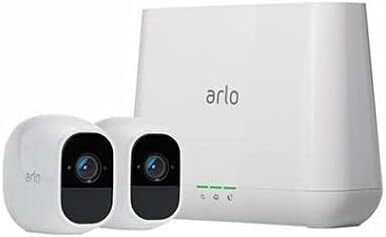
Arlo Pro 2 keeps an eye on your home while you're away, in brilliant 1080p HD quality. Put the 100% wire-free, weather-resistant camera anywhere, indoors or out. Then, power it with the included rechargeable battery or plugged it in (when indoors) to access activity zones and 24/7 Continuous Video Recording upgrades. Use 2-way audio or remotely sound a 100+ device siren while catching every moment with night vision and advanced motion detection. You'll even get motion and sound-activated alerts and 7 days of free cloud video recordings. Arlo Pro 2 works with Amazon Alexa to make your smart home security even more simple and effective.
Customer Rating
5
Improvements on an already great system
on November 17, 2017
Posted by: emiliosic
from Wakefield, MA
I have the earlier generation of Arlo Pro also, so I'll cover the differences as well.
The Arlo cameras are unique because they can run for months on batteries, no cables whatsoever.
This kit includes: One base station, two cameras with Li-Ion batteries and one charger.
This kit includes: One base station, two cameras with Li-Ion batteries and one charger.
The base station is required for the cameras to work. The cameras are paired to the base station that is basically a custom Wi-Fi router dedicated for the cameras. It also has a 100db siren built-in, so consider where you'll be placing this. Also it needs to connect to a home router via Ethernet cable (not Wi-Fi), so in most cases ends up being next to the home router. The base also has two USB ports for local storage.
The cameras are small, weather proof, have a motion detector, night vision, sound detection, speaker and mic. The batteries are replaceable and it's charged via a standard micro-USB cable. The charger supports Qualcomm Quick Charge 3 (Like some Android phones, it can recharge the batteries in minutes).
Initial setup is extremely easy. Once the base station is connected to the router, go to a web page or start an app (on the same network as the base), go through a simple registration and will show you how to pair the cameras (it's just pressing a button on the base and one on the camera).
Then the web page or app, which are very similar, lets you configure the names for the area, name of the base station, and for the cameras, motion detection and night vision settings, etc.
The cameras have a strong magnet on the rear and it comes with a metal half-sphere that can be mounted on the wall, and can optionally be mounted with a standard camera mount. Remember that unless the camera is connected via USB, you'll need to re-charge them every few months, so the magnetic mount is handy, possible.
Initial setup is extremely easy. Once the base station is connected to the router, go to a web page or start an app (on the same network as the base), go through a simple registration and will show you how to pair the cameras (it's just pressing a button on the base and one on the camera).
Then the web page or app, which are very similar, lets you configure the names for the area, name of the base station, and for the cameras, motion detection and night vision settings, etc.
The cameras have a strong magnet on the rear and it comes with a metal half-sphere that can be mounted on the wall, and can optionally be mounted with a standard camera mount. Remember that unless the camera is connected via USB, you'll need to re-charge them every few months, so the magnetic mount is handy, possible.
The cameras can be 'armed' based on a button on the app/web, a schedule, alexa, google voice, IFTTT or geo-fences.
Once a camera is 'armed', it starts recording whenever it detects movement. It sends a push notification to the phone and/or email where you can see the video, and if you want, put the camera in live mode, which shows audio and video, and has a push-to-talk mode so you can talk though the camera (it might have a delay of one or two seconds).
The app is very easy to use. There is no subscription required if, like me, are happy with one week of storage, it keeps the videos it makes for 7 day, and then it rotates (deletes) them out. Other plans seem reasonably priced, which can include continuous recording and advanced detection patterns.
The base station can also, simultaneously record to an USB memory or hard drive, and cloud storage is the primary method of accessing recordings.
There is a 'live' mode that can be triggered from the web site or apps. Note that it will stream to only one device at a time, but multiple cameras can display video.
Once a camera is 'armed', it starts recording whenever it detects movement. It sends a push notification to the phone and/or email where you can see the video, and if you want, put the camera in live mode, which shows audio and video, and has a push-to-talk mode so you can talk though the camera (it might have a delay of one or two seconds).
The app is very easy to use. There is no subscription required if, like me, are happy with one week of storage, it keeps the videos it makes for 7 day, and then it rotates (deletes) them out. Other plans seem reasonably priced, which can include continuous recording and advanced detection patterns.
The base station can also, simultaneously record to an USB memory or hard drive, and cloud storage is the primary method of accessing recordings.
There is a 'live' mode that can be triggered from the web site or apps. Note that it will stream to only one device at a time, but multiple cameras can display video.
The cameras support integration with home automation systems like wink or smartthings, and through IFTTT, integrates with Amazon Alexa and Google Assistant to arm/disarm and initiate a recording. The platform isn't open so you cannot just record from a web link like on other IP cameras.
Also note that although the cameras use Wi-Fi, they need the base and use their own Wi-Fi network with its base. The security on these cameras appears to be solid. A network scanner shows no open ports on the base, which is good, and the cameras are not directly connected to the network, they go through the base station.
The images are clear in both day and night modes.
Besides the web page, there are apps for iOS (phone/tablet), Android and Amazon fire. Also there is an app for Apple TV that works great to see recordings, arm/disarm. Fire TV and Echo Show can also show live video.
While the cameras work great with iOS and Apple TV, there is no Siri/HomeKit integration. In over a year of using a system, it's not something I really miss.
Also note that although the cameras use Wi-Fi, they need the base and use their own Wi-Fi network with its base. The security on these cameras appears to be solid. A network scanner shows no open ports on the base, which is good, and the cameras are not directly connected to the network, they go through the base station.
The images are clear in both day and night modes.
Besides the web page, there are apps for iOS (phone/tablet), Android and Amazon fire. Also there is an app for Apple TV that works great to see recordings, arm/disarm. Fire TV and Echo Show can also show live video.
While the cameras work great with iOS and Apple TV, there is no Siri/HomeKit integration. In over a year of using a system, it's not something I really miss.
Comparing to the Arlo Pro system:
- The base is the same , so if you already have an Arlo Pro base, it works the same. Having multiple bases can be useful to extend the Wi-Fi range of the cameras (Pair them to the closest base).
- Pro records at 720p, Pro 2 records at 1080p.
- Both Pro and Pro 2 are the exact same size. The only exterior difference is that the outer part of the front rim is white on the Pro 2 and black on the Pro. Mounts, sleeves and batteries are interchangeable.
- Pro 2 can record continuously (24/7), but only when plugged in and with a paid storage plan.
- When plugged in, Pro 2 is always recording, so when it detects movement, it also saves the three previous seconds.
- When plugged in, Pro 2 supports detection zones. This is very common on other cameras. From the app, drag rectangle(s) indicating which areas of the image trigger motion detection, ignoring the rest.
- The base is the same , so if you already have an Arlo Pro base, it works the same. Having multiple bases can be useful to extend the Wi-Fi range of the cameras (Pair them to the closest base).
- Pro records at 720p, Pro 2 records at 1080p.
- Both Pro and Pro 2 are the exact same size. The only exterior difference is that the outer part of the front rim is white on the Pro 2 and black on the Pro. Mounts, sleeves and batteries are interchangeable.
- Pro 2 can record continuously (24/7), but only when plugged in and with a paid storage plan.
- When plugged in, Pro 2 is always recording, so when it detects movement, it also saves the three previous seconds.
- When plugged in, Pro 2 supports detection zones. This is very common on other cameras. From the app, drag rectangle(s) indicating which areas of the image trigger motion detection, ignoring the rest.
Overall, if looking for a reliable system with no monthly fees, and the minimum amount of fuss, this a system to get. Pro 2 brings welcome improvements on an already solid system.
The free storage offers unlimited recordings for the past week and up to five cameras. Longer retention time, continuous recording or advanced detection require fees. (Detection zones, when plugged in, on Arlo 2, is free).
The free storage offers unlimited recordings for the past week and up to five cameras. Longer retention time, continuous recording or advanced detection require fees. (Detection zones, when plugged in, on Arlo 2, is free).
My Best Buy number: 0784609086
Mobile Submission: False
I would recommend this to a friend!


Share this review:


-2points
7of 16voted this as helpful.
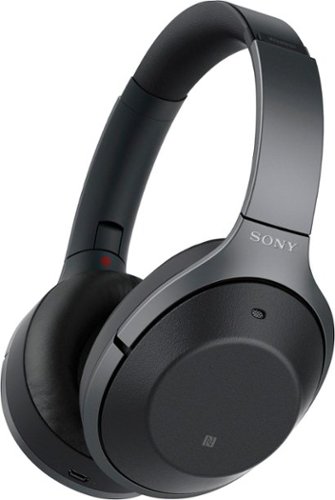
Listen to your playlist in peace with these Sony headphones. They have a 40mm dome driver to deliver the full depth of audio, and the noise cancelling feature minimizes outside disturbances for a better listening experience. These Sony headphones have a battery life of up to 30 hours for extended jam sessions.
Customer Rating
5
Among the best noise cancelling headphones
on October 27, 2017
Posted by: emiliosic
from Wakefield, MA
Like other noise-cancelling full cup headphones, these are hefty but feel very comfortable wearing them all day long.
Construction is mostly quality plastic, with the top of the headband in metal, and leather ear-cups and on the inside of the headband.
It comes with a carrying case and the headphones have an extra hinge so they can fold more compact. This is neat.
Construction is mostly quality plastic, with the top of the headband in metal, and leather ear-cups and on the inside of the headband.
It comes with a carrying case and the headphones have an extra hinge so they can fold more compact. This is neat.
Sound quality: Sound is full, crisp and clear, with or without noise cancelling. Compared with other wired and BT headphones from other brands, the sound is as good or better in these.
Battery life is excellent, with a rating of 30 to 40 hours depending on use. I managed to use them most of the week and the battery is still almost full.
Bluetooth: Can't ask more from it: Sony rates these as 'Hi-Res Audio' capable because it supports Sony's exclusive LDAC codec, that's capable of handling Hi-Res audio tracks. I tested it with a Sony STR DN-1080 receiver and works. The quality of sound of course depends on the input.
It also supports the AAC codec, which also produces quality audio, particularly from iPhones. Because it's the format used in iTunes Music, it should retain the audio quality over BT. Also supports AptX and the newer AptX HD codecs on some Android phones.
The range is among the best as well, even indoors.
It also supports NFC pairing/unpairing (For Android).
It also supports the AAC codec, which also produces quality audio, particularly from iPhones. Because it's the format used in iTunes Music, it should retain the audio quality over BT. Also supports AptX and the newer AptX HD codecs on some Android phones.
The range is among the best as well, even indoors.
It also supports NFC pairing/unpairing (For Android).
Mic: Very clear, better than many other headsets. A good way of testing it is using the memo recorder app, and compare.
All the functions of the headphones can be controlled via an app (iOS or Android):
- Battery level and BT codec in use.
- Equalizer: 5 bands plus bass control and several presets.
- DSEE HX: This appears in different Sony products and it helps in restoring heavily compressed music. I leave it on and it does sound better without creating distortion.
- Sound position control: This is a gimmicky feature that creates the illusion that sound comes from a side or behind, but disables the equalizer.
- Surround: Like on many receivers, it creates different echo/ambient effects. Nice for show but I end up leaving it off.
- Controls for noise cancelling: It has an interesting feature where the app uses sensors on the phone and GPS to guess the level of activity and adjusts the amount of ambient sound mixed within the noise cancelling, or it can be set manually.
- Battery level and BT codec in use.
- Equalizer: 5 bands plus bass control and several presets.
- DSEE HX: This appears in different Sony products and it helps in restoring heavily compressed music. I leave it on and it does sound better without creating distortion.
- Sound position control: This is a gimmicky feature that creates the illusion that sound comes from a side or behind, but disables the equalizer.
- Surround: Like on many receivers, it creates different echo/ambient effects. Nice for show but I end up leaving it off.
- Controls for noise cancelling: It has an interesting feature where the app uses sensors on the phone and GPS to guess the level of activity and adjusts the amount of ambient sound mixed within the noise cancelling, or it can be set manually.
Echo cancelling: I got the headphones after coming back from the last trip, so I couldn't tell how well it works on a plane, but in the office or around the house, the noise cancelling is brilliant, and I really like that the amount of ambient sound can be adjusted and can be set to voice priority (ambient voice through the speakers). It works very well. The headphones also measure air pressure to adjust echo cancellation levels.
The headphones also includes a headphone cable that can be used as a wired headphone without power and includes an adapter for older planes.
Controls: The best part is that covering the right ear-cup with one hand turns off echo cancellation and turns the volume very low. This is so when someone wants to talk to you, don't need to pause and remove the headphones. This works great.
The left side has a power button that's also used for pairing and another button to select the noise cancellation mode. For each action, the headphones reply with voice responses in English.
The left side has a power button that's also used for pairing and another button to select the noise cancellation mode. For each action, the headphones reply with voice responses in English.
The right ear-cup has touch-sensitive controls:
Double-tap for play/pause
Swipe up/down for volume
Swipe left/right for prev/next track
Hold with one finger for Siri/Assistant or controlling calls.
I'm not sold on the controls. First both sides of the earphones look almost the same, so except for the R/L markings it's hard to get them right.
The touch-sensitive controls work but not the best choice for me. I wish it had actual buttons. Sometimes when I thing I'm swiping up or down, end up changing the song.
The double-tap for play/pause isn't intuitive enough. Takes longer than pressing a button to react.
Not an issue, but I really wish it had this feature: It doesn't detect if I take the headphones off, the music keeps playing. It would've been nice if it paused.
Also, except for the adaptive noise cancelling using the app and sensors on the phone, when I turn the headphones on, it always goes back to noise cancelling. It doesn't remember if I set ambient sound on last time I used them.
The headphones are as good as they get if Sony can improve on the controls. I might eventually get muscle memory to use the controls with more accuracy, but so far after a week of daily use, it doesn't come naturally.
Double-tap for play/pause
Swipe up/down for volume
Swipe left/right for prev/next track
Hold with one finger for Siri/Assistant or controlling calls.
I'm not sold on the controls. First both sides of the earphones look almost the same, so except for the R/L markings it's hard to get them right.
The touch-sensitive controls work but not the best choice for me. I wish it had actual buttons. Sometimes when I thing I'm swiping up or down, end up changing the song.
The double-tap for play/pause isn't intuitive enough. Takes longer than pressing a button to react.
Not an issue, but I really wish it had this feature: It doesn't detect if I take the headphones off, the music keeps playing. It would've been nice if it paused.
Also, except for the adaptive noise cancelling using the app and sensors on the phone, when I turn the headphones on, it always goes back to noise cancelling. It doesn't remember if I set ambient sound on last time I used them.
The headphones are as good as they get if Sony can improve on the controls. I might eventually get muscle memory to use the controls with more accuracy, but so far after a week of daily use, it doesn't come naturally.
My Best Buy number: 0784609086
Mobile Submission: False
I would recommend this to a friend!
Share this review:


0points
0of 0voted this as helpful.
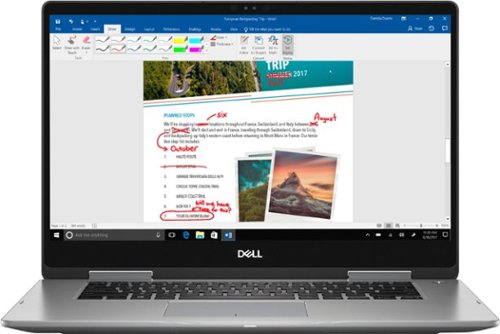
Work through the day with this Dell laptop. It includes an Intel Core i7 processor and 12GB of RAM so that tasks are accomplished quickly and easily, and a 2TB hard drive lets you store all your data even when you have no Internet connection. A powerful 42Wh battery keeps this Dell laptop working throughout the day.
Customer Rating
4
Sleek Workhorse
on October 21, 2017
Posted by: emiliosic
from Wakefield, MA
Inspiron line has been for years simple workhorse laptops for every day home/school use.
The line keeps improving and this model has plenty of welcome changes.
The whole housing is made of brushed metal, the screen is a seamless piece of glass. The touchpad is large, accepts multi-finger gestures and it's very responsive.
The screen is touchscreen and accepts active pens, although does not include one -- optional, and has 360 degrees hinges that folds as a tablet. The system works well and the screen stays in place.
The keyboard has island keys with good feedback, and good amount of travel for a laptop keyboard. The keys are lighted, with off/med/max settings. It does not have a number pad, which is actually something I prefer because the keys are centered instead of having to type on the left side because of the number pad that I'd rarely use.
On the left it has a round power plug, an USB-C port that also has DisplayPort (But doesn't seem to be able to charge the computer, which is inconvenient, since many new laptops are now using USB-C chargers), a full-size DHMI port that supports HDMI 2.0 (For 4K TVs), two USB 3.1 ports and audio jack. To the right there's a security lock port, another USB and an SD card reader.
There aren't many lights to distract on this laptop: The power button has a white light and there's a sleep/charge light in the front, but there is no charge indicator when the lid is closed, which confused me at first since I cannot tell when it finishes charging.
The screen is 1080x1920 (Full HD), and it's very clear to read.
Audio is OK for a laptop, comes from the sides on the bottom.
Something I noticed is that it's much simpler to service than other new laptops: The bottom shell can be easily removed with Philips screws, and some are captive to make it simpler. The battery can be replaced with some screws and there are two DDR4 memory slots (This model has 12 GB, so one slot is 8 GB and the other has a 4 GB module). Dell site mentions it can be upgraded up to 16 GB, the 2.5"5400 RPM Tb hard drive and has an empty slot for an M.2 SSD.
The CPU is an 8th gen i7, which is currently the best, and if you're looking for a laptop to keep for a few years, this is the type of CPU to consider.
The battery is good enough around the house, but it might not last the whole day. It could last 6 hours depending on use.
Hard drive: It has 2 TB, which is plenty and more for most users , however I should've considered a smaller SSD instead because an SSD would've been much faster, runs cooler and the battery lasts longer. Although this model comes with Windows 10 Home, it supports drive encryption, which it something I couldn't do with older Windows 10 home laptops, because this has a newer TPM (Encryption) module 2.0.
There is a front camera that supports Windows Hello login, that's part of Windows 10.
The line keeps improving and this model has plenty of welcome changes.
The whole housing is made of brushed metal, the screen is a seamless piece of glass. The touchpad is large, accepts multi-finger gestures and it's very responsive.
The screen is touchscreen and accepts active pens, although does not include one -- optional, and has 360 degrees hinges that folds as a tablet. The system works well and the screen stays in place.
The keyboard has island keys with good feedback, and good amount of travel for a laptop keyboard. The keys are lighted, with off/med/max settings. It does not have a number pad, which is actually something I prefer because the keys are centered instead of having to type on the left side because of the number pad that I'd rarely use.
On the left it has a round power plug, an USB-C port that also has DisplayPort (But doesn't seem to be able to charge the computer, which is inconvenient, since many new laptops are now using USB-C chargers), a full-size DHMI port that supports HDMI 2.0 (For 4K TVs), two USB 3.1 ports and audio jack. To the right there's a security lock port, another USB and an SD card reader.
There aren't many lights to distract on this laptop: The power button has a white light and there's a sleep/charge light in the front, but there is no charge indicator when the lid is closed, which confused me at first since I cannot tell when it finishes charging.
The screen is 1080x1920 (Full HD), and it's very clear to read.
Audio is OK for a laptop, comes from the sides on the bottom.
Something I noticed is that it's much simpler to service than other new laptops: The bottom shell can be easily removed with Philips screws, and some are captive to make it simpler. The battery can be replaced with some screws and there are two DDR4 memory slots (This model has 12 GB, so one slot is 8 GB and the other has a 4 GB module). Dell site mentions it can be upgraded up to 16 GB, the 2.5"5400 RPM Tb hard drive and has an empty slot for an M.2 SSD.
The CPU is an 8th gen i7, which is currently the best, and if you're looking for a laptop to keep for a few years, this is the type of CPU to consider.
The battery is good enough around the house, but it might not last the whole day. It could last 6 hours depending on use.
Hard drive: It has 2 TB, which is plenty and more for most users , however I should've considered a smaller SSD instead because an SSD would've been much faster, runs cooler and the battery lasts longer. Although this model comes with Windows 10 Home, it supports drive encryption, which it something I couldn't do with older Windows 10 home laptops, because this has a newer TPM (Encryption) module 2.0.
There is a front camera that supports Windows Hello login, that's part of Windows 10.
I'm very pleased with this laptop, my issues are that it doesn't charge via USB-C like many new laptops, and the battery could be larger. I would've preferred an SSD version (so consider the other Inspiron models with SSDs), but since it's very simple to expand, I can add it later. Windows 10 Home supports encryption, the screen is very nice to read on, and the keys are nice to type on. The touch screen with pen support is also nice, and it's easy to expand.
My Best Buy number: 0784609086
Mobile Submission: False
I would recommend this to a friend!


Share this review:


+12points
18of 24voted this as helpful.
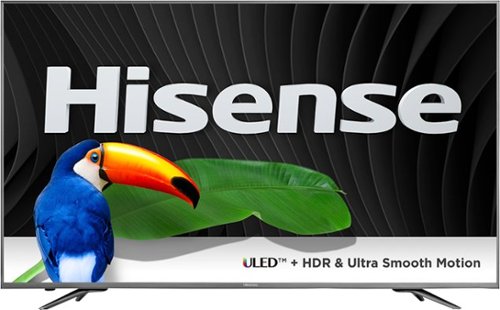
Enjoy all of your favorite shows in Ultra HD with this 55-inch Hisense smart ULED TV. Its built-in apps let you access popular on-demand programs, and its HDR technology brings out the dynamic, stunning quality of 4K content. Link multiple media sources to the four HDMI and three USB ports of this Hisense smart ULED TV.
Customer Rating
4
Good looks, mildly 'smart' TV with clear sound and
on October 19, 2017
Posted by: emiliosic
from Wakefield, MA
The TV frame looks great, with a very thin brushed metal bezel all around, and two metal legs. No plastic to be seen on the front. The rear of the TV is as thin as the screen, and most of the back is a single piece of metal covering the screen. From the center down, it has the components and connectors. The bottom widens and contains the speakers.
There isn't much to distract from the screen. The logo below the screen is very subtle and doesn't light up, thankfully. There is a small LED to one side below the frame that's also the IR receiver, and that can also be turned off completely.
Turning it on, there is an initial settings walk-through that's very good. I was able to set up Wi-Fi and inputs with few steps and no issues.
Smart TV: It runs Opera TV app store, and while it has many of the popular like Netflix, Amazon. Vudu, Youtube or Plex, doesn't have Hulu, nor TV channel apps. Wi-Fi works great, and supports DLNA, USB ports and Miracast (Hisense calls It AnyView Cast). Windows 10 detects the TV but couldn't connect to it to share the screen via Wi-Fi. In my opinion, having Roku, Amazon Fire TV or even Chromecast support would've been a better choice. There is an app 'smartTVremote' for phones that kind of works, but it's half-baked at best. The saving grace is that it can be used as a virtual keyboard within apps.
Inputs: It has 4 HDMI inputs, two on the side and two on the back. The two on the side are HDMI 2.0 (For 4K input). The first also supports MHL (To connect to some Android devices) and the second supports ARC (Audio Return Channel) to connect to a receiver or sound bar. The other two HDMI inputs on the back are HDMI 1.4 for HD inputs, but 4K players might not work on these. It also has analog inputs, Ethernet, optical audio output and headphone/line-out output. Two of the USB ports are 0.5A and one USB provides 1 Amp. There is also an antenna connector, and does have a tuner.
The remote control is solid, well organized, with large and easy to press keys but it's rather large, no backlight, IR only and doesn't control other devices.
Besides the smart TV apps, the menus on the TV are very intuitive, it's responsive, the inputs can be renamed, reorganized, system settings are very extensive, with good control over CEC functions, and very extensive audio and image controls, that can be set per-input. I was impressed on how much can be configured on this TV, audio settings with 5-band EQ, extensive color settings.
Audio: It has four speakers: two on the bottom, rear-firing and two towards the bottom. There's a setting for wall-mounting audio (because of the rear-firing speakers). Overall sounds good, better than other TVs we had before. However there is not Bluetooth for night watching. The TV itself broadcasts a Bluetooth signal (HS SmartTV) but can only be used for internet access -- The Bluetooth deal doesn't make much sense.
So, the best for last: Image. The screen is a 10-bit (HDR), 120Hz, 4K (3840x2160) panel with local dimming zones. It supports HDR10 but not Dolby Vision (Most TV's don't support it yet). Upscaling of HD and older videos looks very good to me. Watching 720p and 1080p content looks good, with no noticeable artifacts. HDR content from YouTube and Amazon Prime look very natural. It's not necessarily vibrant, but very natural and nuanced (Remember that this TV can be calibrated to each's tastes). Like on most other LCD TV's there's a small amount of blooming, and only shows in almost black scenes like closing titles, and it's not different than in other LCDs. Family is also impressed on how clear images are on this TV.
As for the 'Smart TV' limitations, like in most TVs, the 'Smart' part is somewhat gimmicky, and consider adding a 4K capable AppleTV, Amazon Fire, Roku or Chromecast Ultra.
So get this TV for how it looks on and off, which is very good, not for the 'Smart' factor.
There isn't much to distract from the screen. The logo below the screen is very subtle and doesn't light up, thankfully. There is a small LED to one side below the frame that's also the IR receiver, and that can also be turned off completely.
Turning it on, there is an initial settings walk-through that's very good. I was able to set up Wi-Fi and inputs with few steps and no issues.
Smart TV: It runs Opera TV app store, and while it has many of the popular like Netflix, Amazon. Vudu, Youtube or Plex, doesn't have Hulu, nor TV channel apps. Wi-Fi works great, and supports DLNA, USB ports and Miracast (Hisense calls It AnyView Cast). Windows 10 detects the TV but couldn't connect to it to share the screen via Wi-Fi. In my opinion, having Roku, Amazon Fire TV or even Chromecast support would've been a better choice. There is an app 'smartTVremote' for phones that kind of works, but it's half-baked at best. The saving grace is that it can be used as a virtual keyboard within apps.
Inputs: It has 4 HDMI inputs, two on the side and two on the back. The two on the side are HDMI 2.0 (For 4K input). The first also supports MHL (To connect to some Android devices) and the second supports ARC (Audio Return Channel) to connect to a receiver or sound bar. The other two HDMI inputs on the back are HDMI 1.4 for HD inputs, but 4K players might not work on these. It also has analog inputs, Ethernet, optical audio output and headphone/line-out output. Two of the USB ports are 0.5A and one USB provides 1 Amp. There is also an antenna connector, and does have a tuner.
The remote control is solid, well organized, with large and easy to press keys but it's rather large, no backlight, IR only and doesn't control other devices.
Besides the smart TV apps, the menus on the TV are very intuitive, it's responsive, the inputs can be renamed, reorganized, system settings are very extensive, with good control over CEC functions, and very extensive audio and image controls, that can be set per-input. I was impressed on how much can be configured on this TV, audio settings with 5-band EQ, extensive color settings.
Audio: It has four speakers: two on the bottom, rear-firing and two towards the bottom. There's a setting for wall-mounting audio (because of the rear-firing speakers). Overall sounds good, better than other TVs we had before. However there is not Bluetooth for night watching. The TV itself broadcasts a Bluetooth signal (HS SmartTV) but can only be used for internet access -- The Bluetooth deal doesn't make much sense.
So, the best for last: Image. The screen is a 10-bit (HDR), 120Hz, 4K (3840x2160) panel with local dimming zones. It supports HDR10 but not Dolby Vision (Most TV's don't support it yet). Upscaling of HD and older videos looks very good to me. Watching 720p and 1080p content looks good, with no noticeable artifacts. HDR content from YouTube and Amazon Prime look very natural. It's not necessarily vibrant, but very natural and nuanced (Remember that this TV can be calibrated to each's tastes). Like on most other LCD TV's there's a small amount of blooming, and only shows in almost black scenes like closing titles, and it's not different than in other LCDs. Family is also impressed on how clear images are on this TV.
As for the 'Smart TV' limitations, like in most TVs, the 'Smart' part is somewhat gimmicky, and consider adding a 4K capable AppleTV, Amazon Fire, Roku or Chromecast Ultra.
So get this TV for how it looks on and off, which is very good, not for the 'Smart' factor.
My Best Buy number: 0784609086
Mobile Submission: False
I would recommend this to a friend!


Share this review:


+2points
2of 2voted this as helpful.
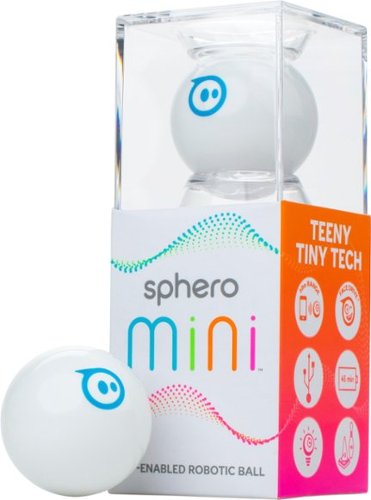
Enjoy a ton of technology in a small form with this Sphero Mini robot, which offers big robotic fun in ping-pong-ball size. Program the ball with the corresponding app, and play exciting games that test your ability to maneuver. Bowling pins and mini traffic cones help you hone your skill with this Sphero Mini robot.
Customer Rating
4
Full-size Sphero Fun
on October 10, 2017
Posted by: emiliosic
from Wakefield, MA
If you've seen other Sphero products, the Minis are very similar but much smaller, about the size of a golf ball.
The package includes a charging cable and tiny cones and other obstacles. The acrylic box it comes with is re-usable.
They connect to a phone or tablet that supports the Sphero Mini app or using the Sphero Edu apps, via Bluetooth Smart (No pairing required).
They go quite fast for the size, and the shells are strong enough to take some hits.
Unlike the Sphero (full-size balls), it's not water-proof and in order to charge them, the shell opens in two, and with the internals exposed, there's a micro-usb port.
The shells can be bought separately. We got the white and the pink. The color ones have a stripe around the shell.
The Balls light up (There's a full spectrum of colors configurable on the app), so I think the white looks better.
The Edu app is interesting particularly in technology classes or similar settings, or with curious older kids that want to create movement programs, while the Mini app is pure gaming fun.
There are various controller settings (Joystick, Slingshot, tilting, etc.), and a 'face' mode that's supposed to work by changing facial expressions, although my kids couldn't make it work.
The Mini app also has a game controller mode where there are a few skill games to choose from, and the games are controlled by holding the Mini similarly to a trackball. My 10-year old likes these games a lot.
Two issues I found that can be a concern to some:
• When trying to control more than one Mini, the app distinguishes by their factory-set code, but they cannot yet be renamed.
• Doesn't work with Amazon Fire tablets: There is no Mini app on the Amazon app store and the Edu app doesn't work with Kindle Fire tablets. It would've been great for me because my kinds use the Amazon FreeTime service.
The package includes a charging cable and tiny cones and other obstacles. The acrylic box it comes with is re-usable.
They connect to a phone or tablet that supports the Sphero Mini app or using the Sphero Edu apps, via Bluetooth Smart (No pairing required).
They go quite fast for the size, and the shells are strong enough to take some hits.
Unlike the Sphero (full-size balls), it's not water-proof and in order to charge them, the shell opens in two, and with the internals exposed, there's a micro-usb port.
The shells can be bought separately. We got the white and the pink. The color ones have a stripe around the shell.
The Balls light up (There's a full spectrum of colors configurable on the app), so I think the white looks better.
The Edu app is interesting particularly in technology classes or similar settings, or with curious older kids that want to create movement programs, while the Mini app is pure gaming fun.
There are various controller settings (Joystick, Slingshot, tilting, etc.), and a 'face' mode that's supposed to work by changing facial expressions, although my kids couldn't make it work.
The Mini app also has a game controller mode where there are a few skill games to choose from, and the games are controlled by holding the Mini similarly to a trackball. My 10-year old likes these games a lot.
Two issues I found that can be a concern to some:
• When trying to control more than one Mini, the app distinguishes by their factory-set code, but they cannot yet be renamed.
• Doesn't work with Amazon Fire tablets: There is no Mini app on the Amazon app store and the Edu app doesn't work with Kindle Fire tablets. It would've been great for me because my kinds use the Amazon FreeTime service.
My Best Buy number: 0784609086
Mobile Submission: False
I would recommend this to a friend!

Share this review:


0points
0of 0voted this as helpful.
emiliosic's Review Comments
emiliosic has not submitted comments on any reviews.
emiliosic's Questions
emiliosic has not submitted any questions.
Work through the day with this Dell laptop. It includes an Intel Core i7 processor and 12GB of RAM so that tasks are accomplished quickly and easily, and a 2TB hard drive lets you store all your data even when you have no Internet connection. A powerful 42Wh battery keeps this Dell laptop working throughout the day.
It doesn't say if there's a headphone jack, is there? I don't suppose u can get it cusromized in silver, maybe a 4k display, or that rainbow backlit keyboard gaming laptops have?
Yes, it has a headphone jack, which also supports mics, like mobile phones. There are no color nor display options
8 years, 10 months ago
by
emiliosic
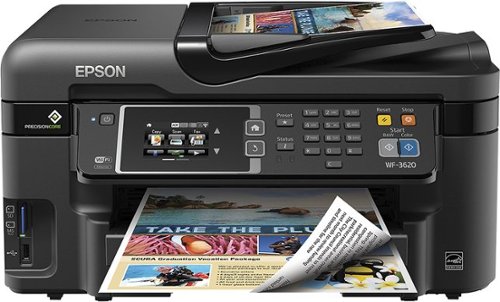
Epson WorkForce WF-3620 All-In-One Printer: Create lasting memories with this all-in-one printer, which allows you to produce borderless photos in the comfort of your home. You can also print, copy, scan and fax important documents. Just connect your computer or mobile device to the printer via built-in Wi-Fi.
I am trying to remove the memory on my workforce 3640 as I am giving it away. How do I do that?
Remove memory cards if any on the side of the printer, and from its screen do a factory reset:
Press Home -> select Setup -> System Administration -> Restore Default Settings -> Clear All Data and Settings -> Select Yes
Press Home -> select Setup -> System Administration -> Restore Default Settings -> Clear All Data and Settings -> Select Yes
9 years, 1 month ago
by
emiliosic
Epson WorkForce WF-3620 All-In-One Printer: Create lasting memories with this all-in-one printer, which allows you to produce borderless photos in the comfort of your home. You can also print, copy, scan and fax important documents. Just connect your computer or mobile device to the printer via built-in Wi-Fi.
Will this printer feed A6 paper size (4.1" x 5.8") from main tray?
It doesn't specifically mention A6 (postcards) but it specifically mentions that 4 × 6 inches (102 × 152 mm), 5 × 7 inches (127 × 178 mm) photo papers can be loaded on the cassette
9 years, 1 month ago
by
emiliosic
Epson WorkForce WF-3620 All-In-One Printer: Create lasting memories with this all-in-one printer, which allows you to produce borderless photos in the comfort of your home. You can also print, copy, scan and fax important documents. Just connect your computer or mobile device to the printer via built-in Wi-Fi.
Can I print from my IPAD
Yes, it supports AirPrint. It should just work if the iPad is on the same network.
9 years, 1 month ago
by
emiliosic
Epson WorkForce WF-3620 All-In-One Printer: Create lasting memories with this all-in-one printer, which allows you to produce borderless photos in the comfort of your home. You can also print, copy, scan and fax important documents. Just connect your computer or mobile device to the printer via built-in Wi-Fi.
I'm upgrading from a Epson Artisan 835. Can I print directly onto a CD or DVD with the WF-3620? Which Printer would you recommend?
Epson WorkForce WF-3620 All-In-One Printer: Create lasting memories with this all-in-one printer, which allows you to produce borderless photos in the comfort of your home. You can also print, copy, scan and fax important documents. Just connect your computer or mobile device to the printer via built-in Wi-Fi.
is wf-3620 cartridge free?, how much would it cost me in kenya shillings?, and does it operate in all the required printing colours?
It uses one black ink and 3 color ink cartridges. It uses cartridges model Epson-252 or Epson-252XL.
There are other epson printers that don't use cartridges, but are initially more expensive. This one uses cartridges, and it's intended for low-volume applications.
There are other epson printers that don't use cartridges, but are initially more expensive. This one uses cartridges, and it's intended for low-volume applications.
9 years, 1 month ago
by
emiliosic
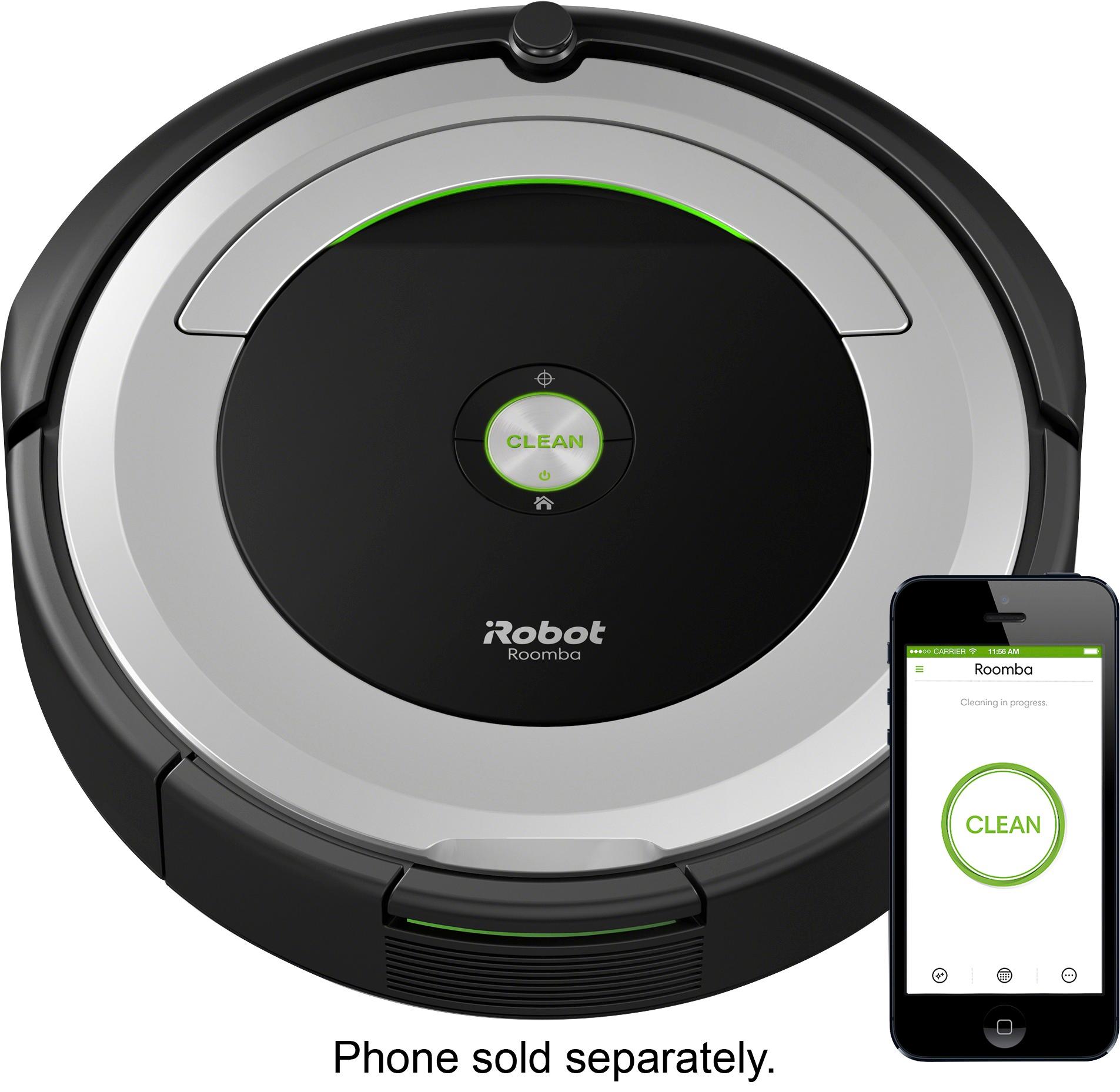
Clean your carpets efficiently with this iRobot Roomba vacuum. It lets you set a schedule for automated vacuuming, and the sensors help it navigate under furniture and around objects on the floor for a more thorough cleaning job. This iRobot Roomba vacuum has internal brushes, agitators and suction to handle debris and pet hair.
Does anyone who owns this model find that it is sort of loud?? The part that is the loudest is not the vacuum part but the part that makes it move I guess. Just wondering if anyone else found it loud or is there something wrong with mine?
Yes, I think it's a bit loud, but the point is to trust the machine and let it work while you're away or elsewhere in the house
9 years, 1 month ago
by
emiliosic
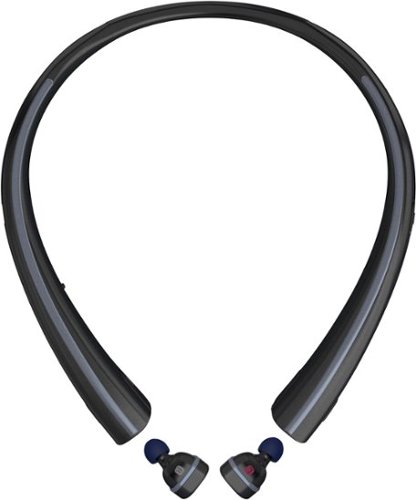
Listen to music hands-free with this LG wireless headset. It lets you answer or ignore a call with voice commands, and the wireless earbuds charge when they're resting inside the neckband, ensuring they're ready for use. The neckband of this LG wireless headset provides vibration alerts for incoming calls and texts, so you'll never miss a message.
How do I pair this thing?
It goes into pairing mode right away when nothing else is connected to them, Otherwise,, hold the button on the left earpiece (the one with the red label) for five seconds and will go into pairing mode
9 years, 3 months ago
by
emiliosic
Listen to music hands-free with this LG wireless headset. It lets you answer or ignore a call with voice commands, and the wireless earbuds charge when they're resting inside the neckband, ensuring they're ready for use. The neckband of this LG wireless headset provides vibration alerts for incoming calls and texts, so you'll never miss a message.
Does the tone free have a pass through audio feature? (Hear outside noise around you even though the ear buds are in your ear.)
No, but keep in mind it's not a noise-cancelling headphones, so can still hear some noises while wearing them.
9 years, 3 months ago
by
emiliosic
Listen to music hands-free with this LG wireless headset. It lets you answer or ignore a call with voice commands, and the wireless earbuds charge when they're resting inside the neckband, ensuring they're ready for use. The neckband of this LG wireless headset provides vibration alerts for incoming calls and texts, so you'll never miss a message.
Can I answer the phone with the earbud only, with the neckpiece?
Yes, only the left earpiece is necessary for phone calls. The neckband serves as a charging station and vibrates on incoming calls but is not required. You can get the optional charging cradle instead of the neckband.
9 years, 3 months ago
by
emiliosic