
Customer reviews from epson.com
Epson - 100" EpiqVision Ultra LS500 Short Throw Laser Projection TV (screen included) 4K PRO-UHD, HDR, 4000 lumens
Average customer rating

4.7
(27 Reviews)

Rating breakdown 27 reviews
5 Stars
22
4 Stars
4
3 Stars
0
2 Stars
0
1 Star
1
92%of customers recommend this product.
(
22 out of
24)
Customer Reviews for Epson - 100" EpiqVision Ultra LS500 Short Throw Laser Projection TV (screen included) 4K PRO-UHD, HDR, 4000 lumens
Customer Rating

5
Best replacement for traditional TV
on February 14, 2021
Posted by: api_inam
from Dallas,Tx
One of the best addon to your livein room. The good part with this one compared to 5040 is that you hardly find a difference compared to a 4K TV. Crisp images, Works just out of the box and to add a 4K google TV dongle along with a 120" projector screen inclusive which are top class.
I would recommend this to a friend!
Quality

5
Value
5
Written by a customer while visiting epson.com

Customer Rating
5
WOW - amazing projector and screen
on June 28, 2021
Posted by: Benbr
from Los Angeles
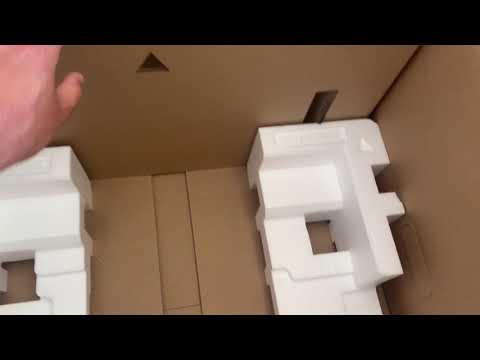
I've had many home theater systems over the years, and this one beats them all. It came in a large box which included the projector, accessories and the 100" screen. The screen was relatively easy to install and looked very professional, and would likely work well in homes, offices or production studios alike. The projector itself is virtually wire free and makes setting up the theater system easier than any I've had to date.
What really sold me was the combination of short throw projector technology and ambient light rejection. To be able to place the projector at the front of the room on a console, still look elegant and not need all of the wires and more complex installation is ideal for most users. The ambient light rejection screen really makes for a stunning picture and brings out the best in this projector. The multiple HDMI ports , including HDMI2 (Arc) on the back allow one to plug in computers for work purposes if desired and other home theater components/accessories. Android TV is a great feature that will keep this system current for quite a while as it enables use of most of the major streaming platforms and access to many more apps and features.
I feel very fortunate to have this system after not being able to go to a movie theater for so long. I love going, but honestly, thanks to this projector, I'm not sure I'll feel the need to out of the house to see a film in the near future.
I would recommend this to a friend!
Quality
5
Value
5
(click to see the video)

Written by a customer while visiting epson.com
Customer Rating

4
Great picture, could use better sound.
on June 30, 2021
Posted by: Chompsslat
I’m new to Short throw projectors, but had the opportunity to test and review the Epson 100” LS 500 Ultra Short Throw projector. For reference, in my household we have a long throw projector in a movie/game room, a 70 in. TV in the living room and 3 other TVs’ range from 40-60 inches throughout the house. The 70 in in the living has a sound bar and the long throw is hooked into surround sound. My thought on the Epson LS500 was to either a) replace the 70 in TV in the living room with a 100” projection or my wife was wanting larger than 50 inch in our bedroom because of how long the room is. After just over a week, here’s what I currently have experienced and think about the product.
First, I don’t know about you, but I want to hook things up as fast as possible and just see what it does. We decided to start with solving the Master bedroom TV challenge by testing and installing the LS 500 in there. At first I just unboxed the projector, installed the android tv, plugged it in and set it on my dresser to see what’d it do. I did the adjustments to get the picture best I could. The toughest/oddest part of the picture and size is that my dresser had to be moved back from the wall for the picture to be large (greater than 50 inches). I can see this being a long term “ugh” as part of the projector. After seeing the general menu and getting it setup, I installed the YouTube TV app, linked into my account and luckily an action movie (Armageddon) was on. The picture was great out of the box just thrown onto a textured wall. The sounds leaves a lot to be desired. I spent some time really trying to compare the sound from the projector to other TVs in the house and do believe it’s not up to snuff. This is easily “corrected” with a sound bar system, but that is more money. I would have expected better sound for the price.
After using it this way for a couple days it was time to tackle the screen and enjoy the best picture quality of the device. The instructions were pretty straight forward and not too complicated. The warnings around the screen installation/care/etc are pretty material and based on the warnings I do have long term concerns about the durability of the screen. One thing we did to make things smoother with install and adjustments was to start with 3M/command hooks and tape to give us flexibility for positioning/alterations, etc. Once up the picture quality was better than expected and oh so clear. It’s only been a couple days, but my wife’s skepticism of the product and keeping it in the bedroom is gone. She’s now asking when we might get a sound bar, lol.
Overall great product. The highlight is the picture quality and picture size you can get vs. a traditional LCD/TV. The biggest hurdle is the distance from the wall required to get the fully 100” view. The lower quality sound is something I’d like to see them focus on, but is remedied fairly easily with a sound bar. All in all, great projector (better than our long throw 3D Epson).
“This is a review for the Epson 100” EpiqVision Ultra LS500 Short Throw Laser Projection TV that I received free of charge to do a beta test and review.”
I would recommend this to a friend!
Quality

4
Value
4
Written by a customer while visiting epson.com
Customer Rating
5
Simply Amazing. Bye-Bye Flat Panel
on July 7, 2021
Posted by: sharrison
from Kansas City
Once the screen and projector setup was completed the short throw LS500 with the 120” screen is indeed impressive. My wife was initial skeptical of replacing our flat panel TV, but she was a believer once she watched a movie on the installed system. The projected image was quite bright and combined with the screen provided a high contrast image with the blackest blacks even in a living room environment with significant ambient light during the day. Bottom line the 4K 120” projected image delivers a true cinematic big screen experience that even an 80” flat panel just never achieves.
A few notes about the setup of the screen and projector system. The LS500 projector doesn’t really have any vertical adjustment to the height of the image so depending on how high on the wall you want to place your screen it is critical to determine the height of the stand to place the projector upon. In a low ceiling environment, like a basement, the projector needs to be at height lower than a typical TV stand. Definitely determining the height of the projected image and what stand you need to place the projector on should be determined before your begin the screen installation. In setting up the screen we didn’t find the enclosed cardboard fixture all that helpful to determine the placement of the projector and determining where to place the brackets for the screen. We found it more useful to project a screen capture of the image of the wall bracket guide PDF Epson provides in their SUPPORT section that depicts the locations where to place your brackets to hang the screen. We put the image into a PowerPoint slide and put PowerPoint into presentation mode so the dimensions of the image is maximized. We measured on the wall the width of the image (108.75”) and adjusted the placement of the projector until the projected image matches up to the measured dimensions on the wall.
The only negative to be noted regarding the projector is that the audio quality out of the built-in speaker was noticeably lower quality than that found in a high-end flat panel TV. Would have expected audio to at least match that of a typical flat panel. That being said we use a soundbar system which delivers significantly better quality out of any built-in speakers so the speaker quality wasn’t a big issue for us. Overall though we can definitely recommend the Epson Epiq 120” system with the LS500 short throw projector. This is a review for the Epson 120 EpiqVision Ultra LS500 Short Throw Laser Projection TV that I received free of charge to do a beta test and review.
I would recommend this to a friend!
Quality
5
Value
5
Written by a customer while visiting epson.com
Customer Rating
5
Huge Bright Beautiful Picture in Nearly Any Room
on July 10, 2021
Posted by: Ardent
from Ft Lauderdale
Overview: The Epson LS500 is an impressive Home Cinema Projector that brings a huge, high quality image to your living room or bedroom in a way that few people could ever have experienced before. The set up is a bit of a challenge, but for the effort that it takes to assemble a piece of furniture, you can wow friends and family with an image that is 4 times the size of most TVs.
Unboxing and Assembly
We received our LS500 and immediately took out the projector to see how it performed without the included screen and to decide the best placement for the product. We are putting it in the master bedroom and this product turned out to be ideal because the picture in beautiful in a dark room, but can also handle a good amount of ambient light and our bedroom is reasonably bright during the day.
The projector itself is very easy to get started. It comes with a streaming stick and has built in speakers so you can be up and running with the projector itself in a couple of minutes. Right out of the box, the picture is bright and beautiful. The projector has a number of picture settings. I tend to like the Dynamic setting. It is the brightest and most vibrant color setting. The image is a bit over saturated in that mode, but it really pops. We could tell already that we were going to love the projector.
Screen and Projector Set Up
Next, we opened the screen. The box was big and a bit intimidating at first, but in actuality, it only had a few parts to assemble. If you know where you are placing the projector, have an open spot to assemble the screen and have two people, you can get this knock this out fast.
1. First, you need to find a large open space where no kids or pets are going to wander for about 45 minutes.
2. Next, you just need to take 10 minutes to assemble the 4 frame pieces. This part is incredibly straight forward.
3. Once you had the frame assembled, you simple move the frame away for a moment and roll out the screen material face down.
4. Center the frame on top of the screen material and attach the fabric to the frame with the included springs. Two pieces of advice. Make sure that the screen ins centered on the frame AND don’t forget to use the included hook to attached the springs. This will save your hands and tremendous amount of time!
5. Next you need to hang the brackets. We found that you really only needed the top two brackets. To ensure that we got the brackets in the right place, we simply projected the image and marked the top center of the screen. Then found the studs in the wall on either side of the center and measured 3 and 1/4 “ from the top of the screen and use a standard wall screw to mount the two brackets. We used a level to make sure the two brackets were exactly level. This is important because the projector is very sensitive to any angle. The screen came with two bottom brackets, but we found that we did not need those.
6. We hung the screen and made a few small adjustments to the image to ensure it fit perfectly in the frame. The projector is a bit sensitive to misalignment but it does have keystone correction and some limited leg adjustment for small changes in height.
We received our LS500 and immediately took out the projector to see how it performed without the included screen and to decide the best placement for the product. We are putting it in the master bedroom and this product turned out to be ideal because the picture in beautiful in a dark room, but can also handle a good amount of ambient light and our bedroom is reasonably bright during the day.
The projector itself is very easy to get started. It comes with a streaming stick and has built in speakers so you can be up and running with the projector itself in a couple of minutes. Right out of the box, the picture is bright and beautiful. The projector has a number of picture settings. I tend to like the Dynamic setting. It is the brightest and most vibrant color setting. The image is a bit over saturated in that mode, but it really pops. We could tell already that we were going to love the projector.
Screen and Projector Set Up
Next, we opened the screen. The box was big and a bit intimidating at first, but in actuality, it only had a few parts to assemble. If you know where you are placing the projector, have an open spot to assemble the screen and have two people, you can get this knock this out fast.
1. First, you need to find a large open space where no kids or pets are going to wander for about 45 minutes.
2. Next, you just need to take 10 minutes to assemble the 4 frame pieces. This part is incredibly straight forward.
3. Once you had the frame assembled, you simple move the frame away for a moment and roll out the screen material face down.
4. Center the frame on top of the screen material and attach the fabric to the frame with the included springs. Two pieces of advice. Make sure that the screen ins centered on the frame AND don’t forget to use the included hook to attached the springs. This will save your hands and tremendous amount of time!
5. Next you need to hang the brackets. We found that you really only needed the top two brackets. To ensure that we got the brackets in the right place, we simply projected the image and marked the top center of the screen. Then found the studs in the wall on either side of the center and measured 3 and 1/4 “ from the top of the screen and use a standard wall screw to mount the two brackets. We used a level to make sure the two brackets were exactly level. This is important because the projector is very sensitive to any angle. The screen came with two bottom brackets, but we found that we did not need those.
6. We hung the screen and made a few small adjustments to the image to ensure it fit perfectly in the frame. The projector is a bit sensitive to misalignment but it does have keystone correction and some limited leg adjustment for small changes in height.
Picture and Sound Quality
The picture with the screen and projector together really popped. It was bright and the colors were rich. With direct light, the darker scenes can look a bit light, but I found that my old flat panel TV suffered from reflection with direct light so this was affair trade off for an image that was sooo much bigger. It is worth going into some of the advanced picture settings to get the image the way you want it. Epson offers a good amount of adjustments to meet your personal taste. The speaker is loud enough and offers a good sound with virtually no set up at all.
The picture with the screen and projector together really popped. It was bright and the colors were rich. With direct light, the darker scenes can look a bit light, but I found that my old flat panel TV suffered from reflection with direct light so this was affair trade off for an image that was sooo much bigger. It is worth going into some of the advanced picture settings to get the image the way you want it. Epson offers a good amount of adjustments to meet your personal taste. The speaker is loud enough and offers a good sound with virtually no set up at all.
Laser Engine
One thing worth noting for people that are used to projectors, is that I found that the projector was quick to turn on and was not particularly loud. It felt more like a TV than the front projectors I have used in the past.
One thing worth noting for people that are used to projectors, is that I found that the projector was quick to turn on and was not particularly loud. It felt more like a TV than the front projectors I have used in the past.
Overall:
If you are looking for a big image and a cool new technology, the LS500 is an ideal fit.
“This is a review for the Epson 100” EpiqVision Ultra LS500 Short Throw Laser Projection TV that I received free of charge to do a beta test and review.”
If you are looking for a big image and a cool new technology, the LS500 is an ideal fit.
“This is a review for the Epson 100” EpiqVision Ultra LS500 Short Throw Laser Projection TV that I received free of charge to do a beta test and review.”
I would recommend this to a friend!
Quality
5
Value
5
Written by a customer while visiting epson.com
Customer Rating
5
Best Projector for a Home
on July 14, 2021
Posted by: tecoallard
from Los Angeles, CA
The Epson LS500W is one of the best products I’ve had the chance to put my hands on. Disclaimer: I was fascinated with an Epson regular throw projector that I was using before the LS500, so I was able to compare. Using a traditional projector for the past 2 years has been amazing. During the start of the pandemic it was a lifesaver, considering that there was no chance of going to an actual movie theater. Once the LS500 arrived I was curious to see if it could be better than the last one.
My original projector was a traditional long throw projector with 2500 lumens. It was on the opposite side of the room projecting against a big white wall we have available. It wasn’t ideal since it was placed in front of a window but it worked very nicely at night. One of the main problems was that we were forced to make our space as dark as possible to really get the full experience. We had a 145-inch picture projected on the wall. I was hesitant about the smaller picture size of the LS500 when contacted about reviewing it.
The box is huge, but surprisingly the contents still fit in the apartment building elevator, although it took some effort to get it up here. The big box holds the boxes of the projector itself and the screen. The screen is what makes the box so long, but once you take it apart, you realize that it’s not that carrying the items inside is really easy.
I was so excited that I set up the projector without the screen first, and projected on the same wall I have been using all this time. From the get go it was amazing. Deeper colors, more light and sharper than what I was used to. I believe that the extra 1500 lumens in brightness is what makes the difference
Building the screen took about two hours and I had a little help from my friends. We used a template posted on Epson's website and projected it on the wall with the projector, and that helped us calculate precisely where to drill. After setting up the frame of the screen we easily managed to get the screen material attached to it. Bottom line is that you definitely need help so you don’t ruin anything in the process. The screen isn’t heavy but two people are required to get it done.
Once the screen is installed, the magic begins. After setting up the screen a friend (who wasn’t part of the process) entered the room and immediately said: How is that TV so big? And that’s the main point. With the screen attached to the wall it truly feels like a giant TV. The brightness and depth of color makes it feel like an actual 120 inch tv screen.
I’ve had the unit for two entire weeks. And at first I’ll confess that the screen size difference between what I had before was a concern. But once I actually started using it on a daily basis, it’s been a complete transformation. We can watch tv during the day, before this we had to either use a computer to watch tv or actually turn on our "tiny" 55"tv in our bedroom. The alternative to achieve a larger size was the regular throw projector, but the living room needed total darkness to actually be able to enjoy what was on. The LS500W changed all that. It is definitely brighter to start with, and the special short throw screen allows us to watch, immersively, anything at any time of the day.
Watching movies is a delight, the 4K is truly awesome. It is very sharp; watching both new or old movies feels amazing. This has definitely elevated our own personal movie theater at home experience. . The screen gives the entire experience a more premium feeling to it. I simply could not go back to a regular TV nor to a washed out picture.
Playing video games on it is something outstanding. Playing on the PS5 in 4K at 60fps in high demanding frame rates works beautifully. Playing online requires the image to be as fast as possible to be competitive in the game and it works. Between the quality of the projector and the advancement in video game quality it sometimes feels like you're watching outside through a window.
I was prepared to have a list of cons about the product, but it turns out that the benefits totally compensate for any drawback.. If you have limited space and want to have a premium experience, this is your product. Just inches away from your wall you can get a 120 monster image. And the thing is, that once you plug this thing on and start watching, you’ll simply won’t be able to go back. We recently went back to a commercial theater, and this is a quote from my wife: ‘’why does the movie screen feel so small?’’ It’s because you’re now used to the giant one we have back home.
You will find cheaper options around, traditional projectors that you have to place in the back of the room and point to a screen and a wall, but the truth is that you won’t find one with this power in lumens/Brightness. You’ll get used to turning it on even in broad daylight and watching anything, it is definitely an everyday system. You can even leave it on with screensavers during the day and it feels like a framed painting.
This is a review for the Epson 120” EpiqVision Ultra LS500 Short Throw Laser Projection TV that I received free of charge to do a beta test and review.
I would recommend this to a friend!
Quality
5
Value
5
Written by a customer while visiting epson.com
Customer Rating
5
Awesome projector!
on October 21, 2021
Posted by: HeavyT
from Louisville KY
I bought this for my home theater abs it exceeded my expectation by a long shot! The features, the brilliant image in daylight or darkness is superb!
I would recommend this to a friend!
Quality
5
Value
5
Written by a customer while visiting epson.com
Posted by: PSNN
Verified Purchase:Yes
Amazing Product
I would recommend this to a friend!
Written by a customer while visiting epson.com
Ratings-Only Reviews
Based on the average of (3) ratings-only reviews
Overall Customer Rating
5