
Customer reviews from https://www.asus.com
ASUS - ExpertBook P1 P1503CVA-XS74 Notebook - Misty Gray
Average customer rating

4.3
(3 Reviews)

Rating breakdown 3 reviews
5 Stars
2
4 Stars
0
3 Stars
1
2 Stars
0
1 Star
0
Customer Reviews for ASUS - ExpertBook P1 P1503CVA-XS74 Notebook - Misty Gray
Customer Rating

3
Not good, software & hardware compatibility issues
on August 13, 2025
Posted by: Tester008
Frequency of use:Daily
Verified Purchase:Yes
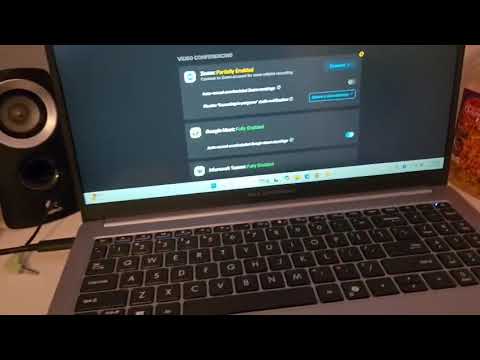
I have had several issues with the laptop getting stuck, and the processor suddenly runs fast and the fan speed increases and the laptop freezes, I try to restart it, but have to hold the power for more than 30 seconds. This is the first time this happened to me with a new laptop. I had issues twice with charging. the laptop would show as charging without getting connected to a power source and it would completely drain the battery. And after that it goes dead and i couldn't recharge it with the original charger. I had to leave it for a night and tried again with another charger and after a few hours, it started charging again. I connected it to a docking station and it suddenly lost the connection, i tried with another laptop and it worked fine. So, i feel that there is some sync issues with Windows 11 and the hardware. This is not that great of a product, I feel.
(click to see the video)

Response from https://www.asus.comBy CLM, August 14, 2025
Dear Tester008,
Thank you for your comment.
We do understand your disappointment and the inconvenience this may have caused if you are experiencing system freeze, stability and power on issues .with this laptop.
Issues you are having during the initial WINDOWS setup and while installing all cumulative and featured WINDOWS Update is typical since lots of system resources is being utilized installing and applying updates in the System Registry. Once the initial setup and WINDOWS Update installation are completed and drivers are updated, system speed or performance will be optimized. Keeping this laptop updated will maintain optimum system stability and performance. Additionally, while accessing web applications, ensure this laptop has access to an established router and internet service is working properly since poor and unstable internet connection will definitely affect system speed and performance. If these steps were performed to no avail, please try to run a diagnostics or optimization test using the "My ASUS" utility software or application. If this is not pre-installed on the laptop, please download the application at the Microsoft Store. For details on how to use "My ASUS", please go to: https://www.asus.com/support/FAQ/1041686/. Normally, while this laptop is running in battery mode only, the battery drained completely, and this laptop auto-shutdown, connecting the AC adapter will not allow it to power on or boot up. You need to wait until the battery is charged before powering on.
If you need further assistance with the product, please email me at cl-rodel@asus.com and I would be more than happy to help. Or, you are most welcome to call Product Support Hotline at: 1(888) 678-3688. Also, you can chat with an ASUS live support agent from the link: https://www.asus.com/us/support/article/1135/.
Thank you for choosing an ASUS product.
Regards,
Rodel
ASUS Customer Loyalty
Thank you for your comment.
We do understand your disappointment and the inconvenience this may have caused if you are experiencing system freeze, stability and power on issues .with this laptop.
Issues you are having during the initial WINDOWS setup and while installing all cumulative and featured WINDOWS Update is typical since lots of system resources is being utilized installing and applying updates in the System Registry. Once the initial setup and WINDOWS Update installation are completed and drivers are updated, system speed or performance will be optimized. Keeping this laptop updated will maintain optimum system stability and performance. Additionally, while accessing web applications, ensure this laptop has access to an established router and internet service is working properly since poor and unstable internet connection will definitely affect system speed and performance. If these steps were performed to no avail, please try to run a diagnostics or optimization test using the "My ASUS" utility software or application. If this is not pre-installed on the laptop, please download the application at the Microsoft Store. For details on how to use "My ASUS", please go to: https://www.asus.com/support/FAQ/1041686/. Normally, while this laptop is running in battery mode only, the battery drained completely, and this laptop auto-shutdown, connecting the AC adapter will not allow it to power on or boot up. You need to wait until the battery is charged before powering on.
If you need further assistance with the product, please email me at cl-rodel@asus.com and I would be more than happy to help. Or, you are most welcome to call Product Support Hotline at: 1(888) 678-3688. Also, you can chat with an ASUS live support agent from the link: https://www.asus.com/us/support/article/1135/.
Thank you for choosing an ASUS product.
Regards,
Rodel
ASUS Customer Loyalty
Written by a customer while visiting https://www.asus.com


Posted by: CRistinaALves
Frequency of use:Daily
Verified Purchase:Yes
ExpertBook P1 (P1503)- excellent work, very fast, big screen, i loved it
Written by a customer while visiting https://www.asus.com
Posted by: Zyarah
Frequency of use:Daily
Verified Purchase:Yes
I would prefer that the screen didn't open all the way back, but everything else is perfect.
Written by a customer while visiting https://www.asus.com