
Customer reviews from Western Digital
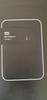
Western Digital - WD 2TB My Passport Portable Storage External Hard Drive USB-C (WDBWML0020BGY-WESN) - Silicon Grey
Average customer rating

2.1
(15 Reviews)

Rating breakdown 15 reviews
5 Stars
4
4 Stars
0
3 Stars
0
2 Stars
0
1 Star
11
40%of customers recommend this product.
(
4 out of
10)
Customer Reviews for Western Digital - WD 2TB My Passport Portable Storage External Hard Drive USB-C (WDBWML0020BGY-WESN) - Silicon Grey
Customer Rating

5
Incredibly easy to setup and has Need For Speed
on October 10, 2024
Posted by: King Arthur
Absolutely Magnificent WD My Passport 5TB drives I have many of them including the WD My Passport Wireless 2TB Model E2B still working Absolutely Magnificent 💯
I would recommend this to a friend!
Written by a customer while visiting Western Digital
Customer Rating

1
Do not buy
on October 8, 2024
Posted by: Matt V
Stopped working within months. Ordering a replacement (warranty) but we'll see
No, I would not recommend this to a friend.
Response from Western DigitalBy SM OLS, October 8, 2024
Hello Matt V,
Please accept my sincere apologies for the experience that you had to go through. We take customer feedback seriously and strive to provide reliable solutions. Your satisfaction is important to us.
If you have any specific concerns or require technical support, Please feel free to contact us directly at www.westerndigital.com/support the customer support team get back to you in a earliest possible time.
Please accept my sincere apologies for the experience that you had to go through. We take customer feedback seriously and strive to provide reliable solutions. Your satisfaction is important to us.
If you have any specific concerns or require technical support, Please feel free to contact us directly at www.westerndigital.com/support the customer support team get back to you in a earliest possible time.
Written by a customer while visiting Western Digital
Customer Rating
1
dont work
on August 31, 2024
Posted by: avast
vant use it. havent got a driver. how to get it started
Response from Western DigitalBy SM OLS, September 4, 2024
Hello, We are sorry for the inconvenience caused to you. Please be informed that it is a Plug-and-Play Drive that requires no software for setup or installation. You can download the user manual of the drive online using below mentioned link: https://www.westerndigital.com/en-in/products/portable-drives/wd-my-passport-usb-3-0-hdd?sku=WDBYVG0010BBK-WESN
If you have any specific concerns or require technical support, Please feel free to contact us directly at www.westerndigital.com/support the customer support team get back to you in a earliest possible time.
If you have any specific concerns or require technical support, Please feel free to contact us directly at www.westerndigital.com/support the customer support team get back to you in a earliest possible time.
Written by a customer while visiting Western Digital
Customer Rating
1
Brick of a product
on July 20, 2024
Posted by: Leon21
My mom bought this for her macbook. Apparently it is no longer compatible with the newest MacOS update, but even with my Windows Computer, the hard drive won't show up when connected to my computer.
No, I would not recommend this to a friend.
Response from Western DigitalBy SM OLS, July 23, 2024
Hi Leon21,
We are sorry to hear about your experience with WD My Passport Portable External Hard Drive. Please let us confirm that WD My Passport is a plug and play device which comes preformatted in the NTFS file system for Windows operating system. If you are using a Mac computer then the drive needs to be formatted in the HFS+J file system for operation. Please refer the below link in order to reformat the drive for MacOS.
Critical: The process is Data Destructive and cannot be undone. ALL THE DATA ON THE DRIVE WILL BE LOST!
"How to Partition and Format a WD Drive on Windows and macOS":
https://support-en.wd.com/app/answers/detail/a_id/8200
If the issue persists then you can open a support ticket at https://support-en.wd.com/app/askweb the customer support team will contact you as soon as possible.
We are sorry to hear about your experience with WD My Passport Portable External Hard Drive. Please let us confirm that WD My Passport is a plug and play device which comes preformatted in the NTFS file system for Windows operating system. If you are using a Mac computer then the drive needs to be formatted in the HFS+J file system for operation. Please refer the below link in order to reformat the drive for MacOS.
Critical: The process is Data Destructive and cannot be undone. ALL THE DATA ON THE DRIVE WILL BE LOST!
"How to Partition and Format a WD Drive on Windows and macOS":
https://support-en.wd.com/app/answers/detail/a_id/8200
If the issue persists then you can open a support ticket at https://support-en.wd.com/app/askweb the customer support team will contact you as soon as possible.
Written by a customer while visiting Western Digital
Customer Rating
1
Do not purchase
on June 27, 2024
Posted by: Anzy
Very frustrated with this HD. I am a teacher, set up the hard drive following all of the directions, used it once to transfer files from my macbook and it no longer will let me in. I have never changed the passed and have the correct password written down but it wont let me in. So now my only option is to reset it losing everything I had transferred to it because there is no recovery process to get into it.
No, I would not recommend this to a friend.
Response from Western DigitalBy SM OLS, June 28, 2024
Hello Anzy,
We are sorry for the inconvenience caused to you. If you are getting the incorrect password error then there is no way to reset the password and to use the drive again, you may need to format the drive. All the data on the drive will be lost cannot be undone. Please follow the steps mentioned on the following link to erase the drive:
https://support-en.wd.com/app/answers/detailweb/a_id/4677/~/invalid-password-or-forgotten-password-message-on-wd-security
If you need any assistance then please open a support ticket at https://support-en.wd.com/app/ask/session/ the customer support team get back to you in a earliest possible time.
We are sorry for the inconvenience caused to you. If you are getting the incorrect password error then there is no way to reset the password and to use the drive again, you may need to format the drive. All the data on the drive will be lost cannot be undone. Please follow the steps mentioned on the following link to erase the drive:
https://support-en.wd.com/app/answers/detailweb/a_id/4677/~/invalid-password-or-forgotten-password-message-on-wd-security
If you need any assistance then please open a support ticket at https://support-en.wd.com/app/ask/session/ the customer support team get back to you in a earliest possible time.
Written by a customer while visiting Western Digital
Customer Rating
1
HORRIBLE Product!!
on April 28, 2024
Posted by: JRW_smmoth
This product SUCKS! I purchased it 1 year ago this month and it started to malfunction months ago. I purchased it to serve as a backup to my iMac mini using Time Machine. It worked for a few months and then it didn't. Not sure what happened but I began receiving notice from Time Machine that it was not available. I checked and the data is not there. I would NEVER buy another WD drive!!!
No, I would not recommend this to a friend.
Response from Western DigitalBy SM OLS, April 30, 2024
Hello,
We are sorry for the inconvenience caused to you.
Please let us confirm that there can be multiple factors that may work with or against the drive and we would like to have the opportunity to address your concerns directly as we think there were greater underlying causes that needed to be investigated with care resulting to a positive outcome.
You can open a support ticket at https://support-en.wd.com/app/askweb with a brief query and possible error screenshots, the customer support team will contact you as soon as possible.
We are sorry for the inconvenience caused to you.
Please let us confirm that there can be multiple factors that may work with or against the drive and we would like to have the opportunity to address your concerns directly as we think there were greater underlying causes that needed to be investigated with care resulting to a positive outcome.
You can open a support ticket at https://support-en.wd.com/app/askweb with a brief query and possible error screenshots, the customer support team will contact you as soon as possible.
Written by a customer while visiting Western Digital
Customer Rating
1
Bad Purchase, certainly would not purchase again.
on April 17, 2024
Posted by: Larry K.
The hard drive has failed in just under one year of use.
Response from Western DigitalBy SM OLS, April 21, 2024
Hello Larry K.,
We're sorry to hear about your experience with WD My Passport External Hard Drive and appreciate your time for providing the review.
There can a few causes due to which the drive has stopped working. Such causes include the faulty USB port of the drive or the computer, faulty USB cable of the drive or the drive itself may not be getting enough power to spin up and register on the computer to show up. Unsafe ejection of the drive during any read or write operation can also result in the corruption of the drive's partition.
Best practice is to run diagnostics with WD Drive Utilities when a drive does not perform as expected or is behaving abnormally. We recommend avoiding USB hubs for external hard drives and therefore connect the drive directly to a USB 3.0 port on the computer. We have placed a few helpful links below providing more information for your convenience.
"Setting up and using WD Security and WD Drive Utilities":
https://support-en.wd.com/app/answers/detail/a_id/13880
"Windows or macOS Cannot Find My Drive":
https://support-en.wd.com/app/answers/detail/a_id/12455
If the test is unfortunately inconclusive and you just purchased the drive then you should be able to return it to the place of purchase. However, if you are past their return policy, you can create an RMA through WD and replace the drive under warranty.
"How to Get an RMA to Replace a Defective Product, Obtain a Power Supply, or USB Cable for a WD Product":
https://support-en.wd.com/app/answers/detail/a_id/10336
You may also get in touch with our support team directly to elaborate on the issue along with error screenshots. You can open a support ticket at (https://support-en.wd.com/app/askweb). the customer support team get back to you in a earliest possible time.
We're sorry to hear about your experience with WD My Passport External Hard Drive and appreciate your time for providing the review.
There can a few causes due to which the drive has stopped working. Such causes include the faulty USB port of the drive or the computer, faulty USB cable of the drive or the drive itself may not be getting enough power to spin up and register on the computer to show up. Unsafe ejection of the drive during any read or write operation can also result in the corruption of the drive's partition.
Best practice is to run diagnostics with WD Drive Utilities when a drive does not perform as expected or is behaving abnormally. We recommend avoiding USB hubs for external hard drives and therefore connect the drive directly to a USB 3.0 port on the computer. We have placed a few helpful links below providing more information for your convenience.
"Setting up and using WD Security and WD Drive Utilities":
https://support-en.wd.com/app/answers/detail/a_id/13880
"Windows or macOS Cannot Find My Drive":
https://support-en.wd.com/app/answers/detail/a_id/12455
If the test is unfortunately inconclusive and you just purchased the drive then you should be able to return it to the place of purchase. However, if you are past their return policy, you can create an RMA through WD and replace the drive under warranty.
"How to Get an RMA to Replace a Defective Product, Obtain a Power Supply, or USB Cable for a WD Product":
https://support-en.wd.com/app/answers/detail/a_id/10336
You may also get in touch with our support team directly to elaborate on the issue along with error screenshots. You can open a support ticket at (https://support-en.wd.com/app/askweb). the customer support team get back to you in a earliest possible time.
Written by a customer while visiting Western Digital