
Customer reviews from Western Digital
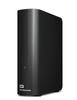
Western Digital - WD Elements 8TB USB 3.0 Desktop External Hard Drive WDBWLG0080HBK-NESN - Black
Average customer rating

3.9
(22 Reviews)

Rating breakdown 22 reviews
5 Stars
13
4 Stars
2
3 Stars
3
2 Stars
0
1 Star
4
60%of customers recommend this product.
(
6 out of
10)
Customer Reviews for Western Digital - WD Elements 8TB USB 3.0 Desktop External Hard Drive WDBWLG0080HBK-NESN - Black
Customer Rating

5
Couldn't be happier with it.
on February 23, 2026
Posted by: JuanGuapo
This review is for the WD 8TB Elements Desktop (WDBWLG0080HBK-NESN)
I bought this drive as a replacement for another 8TB desktop drive that just didn’t work out for me. The difference has been noticeable in all the right ways.
The biggest thing I appreciate is how quiet this drive is. In my home office setup, it’s essentially silent during normal operation. Even during larger backups, there’s no constant mechanical chatter or grinding sounds — just smooth, steady performance. If you work near your equipment, that alone makes a huge difference.
The vertical design is another plus. It has a small footprint and doesn’t take up unnecessary desk space. It looks clean and unobtrusive, which I appreciate since it sits in view all day.
Setup was straightforward. It arrived well packaged and included everything needed to get started. It ships formatted for Windows, but reformatting it for macOS and configuring it for Time Machine took less than a minute. After that, it’s been completely reliable — backups run automatically and quietly in the background without any drama.
Performance has been consistent and stable. Transfers are smooth, and the drive feels solid and dependable. That’s really what you want in a backup device: something you don’t have to think about once it’s running.
My only minor complaint is the front LED indicator — it’s fairly bright in a dim room. Not a functional issue at all, but if you’re sensitive to bright LEDs, you may want to dim or cover it.
My only minor complaint is the front LED indicator — it’s fairly bright in a dim room. Not a functional issue at all, but if you’re sensitive to bright LEDs, you may want to dim or cover it.
Overall, this has been a very positive experience so far. It’s quiet, compact, easy to set up, and feels built for long-term use. Exactly what I was hoping for in a desktop backup drive.
I would recommend this to a friend!
Written by a customer while visiting Western Digital
Customer Rating

1
dead
on January 7, 2026
Posted by: marco psalm51
worked. Until it didn't. I haven't even used the HDD since 12/2024. When I moved I put it on my shelf at the new place and just plugged it all back in today. Disc seems to not be spinning up properly, complete waste of money and all the data lost. DON'T BUY THIS, unless you get a 10 year warranty on it.
No, I would not recommend this to a friend.
Response from Western DigitalBy SM OLS Team, January 8, 2026
Hi, We are sorry for the inconvenience caused to you. We recommend you to please let us know the entire problem in detail along with the error screenshot, so that the technical team can help troubleshoot and resolve the concern. You can open a support ticket at https://support-en.wd.com/app/askweb, the customer support team will contact you as soon as possible.
Written by a customer while visiting Western Digital
Posted by: MssW
Verified Purchase:Yes
Device was very easy to use. The price was very good for the number of TB.
I would recommend this to a friend!
Written by a customer while visiting Western Digital
Customer Rating
1
Waste of money
on June 22, 2025
Posted by: matthasapoopywddrive
Unit died just after one year. Drive fails to recognize any devices.
No, I would not recommend this to a friend.
Response from Western DigitalBy SM OLS Team, July 31, 2025
Hi, We apologize for the inconvenience caused to you. We recommend that you try connecting the drive to another computer using a different cable and USB ports. If drive creates same issue with another computer then open a ticket with the error screenshots if any at https://support-en.wd.com/app/askweb our technical team will contact you as soon as possible and resolve your issue.
Written by a customer while visiting Western Digital
Posted by: Juan Alberto
Verified Purchase:Yes
I use it for video editing back up. It works perfect I didn’ have any problem si far.
I would recommend this to a friend!
Written by a customer while visiting Western Digital
Posted by: David B.
Verified Purchase:Yes
Great quality and capacity. Excellent price point. What more can I say?
I would recommend this to a friend!
Written by a customer while visiting Western Digital
Customer Rating

3
Bought 2, one is much slower than the other. Not t
on December 25, 2023
Posted by: Larry Aaron
Verified Purchase:Yes
Bought 2, one is much slower than the other. Not thrilled!
No, I would not recommend this to a friend.
Response from Western DigitalBy SM OLS, December 29, 2023
Hello Larry Aaron,
We regret to learn that your WD Elements Desktop External Hard drive is not performing as expected. Slow performance can be caused due to several factors like computer configuration, multiple applications running on the computer while trying to access or backup the data, fragmented disk which may also result in slow computer disk read capability, the total amount of data on a disk and the relative size of each file, encrypted backup or scanning of each file by anti-virus installed in the computer or USB port of the computer with which the drive is connected etc.
Stopping applications and software that use CPU and memory, keeping all the files in a single directory instead spreading them in multiple directories, connecting the drive directly to the USB 3.0 port of the computer and avoiding the USB hub while using the drive, etc. are the recommended steps to enhance the performance of the drive.
As a troubleshooting step, please ensure that the Hard Drive is connected directly on the USB 3.0 port of the computer and the files which you are attempting to copy are not in use by any other program of the computer.
Furthermore, you can also refer to the link suggested below and check for the Theoretical USB Interface Speeds to find out the theoretical speed given by different USB port types.
"Theoretical USB Interface Speeds":
https://support-en.wd.com/app/answers/detail/a_id/5043
If you need any assistance then you could raise a concern ticket on the given link, the customer support team get back to you in a earliest possible time .Please refer to the link mentioned: https://support-en.wd.com/app/ask/session/
All our products must pass our stringent quality standards before leaving our factory to be free from defects in materials and craftsmanship. We stand behind our products throughout the device's factory warranty period. Please contact us via the phone with reference to the review to ensure an overall good experience with Western Digital.
Need Help? Please see our "'Contact Us" page for information.
We regret to learn that your WD Elements Desktop External Hard drive is not performing as expected. Slow performance can be caused due to several factors like computer configuration, multiple applications running on the computer while trying to access or backup the data, fragmented disk which may also result in slow computer disk read capability, the total amount of data on a disk and the relative size of each file, encrypted backup or scanning of each file by anti-virus installed in the computer or USB port of the computer with which the drive is connected etc.
Stopping applications and software that use CPU and memory, keeping all the files in a single directory instead spreading them in multiple directories, connecting the drive directly to the USB 3.0 port of the computer and avoiding the USB hub while using the drive, etc. are the recommended steps to enhance the performance of the drive.
As a troubleshooting step, please ensure that the Hard Drive is connected directly on the USB 3.0 port of the computer and the files which you are attempting to copy are not in use by any other program of the computer.
Furthermore, you can also refer to the link suggested below and check for the Theoretical USB Interface Speeds to find out the theoretical speed given by different USB port types.
"Theoretical USB Interface Speeds":
https://support-en.wd.com/app/answers/detail/a_id/5043
If you need any assistance then you could raise a concern ticket on the given link, the customer support team get back to you in a earliest possible time .Please refer to the link mentioned: https://support-en.wd.com/app/ask/session/
All our products must pass our stringent quality standards before leaving our factory to be free from defects in materials and craftsmanship. We stand behind our products throughout the device's factory warranty period. Please contact us via the phone with reference to the review to ensure an overall good experience with Western Digital.
Need Help? Please see our "'Contact Us" page for information.
Written by a customer while visiting Western Digital
Posted by: Macfan1950
Verified Purchase:Yes
I am using this hard drive as Time Machine backup for my MacBook Pro. I bought it as an update to the WD Elements 6TB version that has been performing flawlessly for over 4 years. I purchased this 8TB version because I needed more space. I have trusted Western Digital hard drives as backup drives for my MacBooks for over 10 years now and never had a failure. Great quality and value. Highly recommended!
I would recommend this to a friend!
Written by a customer while visiting Western Digital