
Customer reviews from Western Digital
Western Digital - WD 2TB My Passport Portable Storage External Hard Drive USB-C (WDBWML0020BGY-WESN) - Silicon Grey
Average customer rating

2.1
(15 Reviews)

Rating breakdown 15 reviews
5 Stars
4
4 Stars
0
3 Stars
0
2 Stars
0
1 Star
11
40%of customers recommend this product.
(
4 out of
10)
Customer Reviews for Western Digital - WD 2TB My Passport Portable Storage External Hard Drive USB-C (WDBWML0020BGY-WESN) - Silicon Grey
Posted by: seadog1001
Verified Purchase:Yes
This external HD created more space on my laptop. It does the job efficiently.
I would recommend this to a friend!
Written by a customer while visiting Western Digital
Customer Rating

1
Low Quality Unreliable Junk. - DO NOT BUY
on May 9, 2025
Posted by: Bob21
This product has issues from day one. After a couple of months is stopped working completely. It was returned for a replacement and the second one was DoA.
Low quality unreliable junk. do not buy.
Response from Western DigitalBy SM OLS Team, August 5, 2025
Hi, We are sorry to hear about your experience. This is not the quality we strive for. We recommend contacting our customer support directly at https://support-en.wd.com/app/askweb with your product details so we can assist you with a replacement or further troubleshooting. We appreciate your feedback and are here to help resolve the issue.
Written by a customer while visiting Western Digital
Customer Rating

5
Amazing
on April 24, 2025
Posted by: James Bond
Amazing WD external drive with ultra speed
Recommend it
Recommend it
I would recommend this to a friend!
Written by a customer while visiting Western Digital
Customer Rating
1
useless
on April 13, 2025
Posted by: wayne 1940
Would not connect to MacBookPro out of the box - do not purchase
Response from Western DigitalBy SM OLS Team, August 1, 2025
Hello Wayne 1940, We are sorry for the inconvenience caused to you. Please note that WD My Passport External drive comes preformatted in NTFS format for Windows OS. To use the drive for MacOS you can reformat the drive with macOS supported HFS+J file system using this link: https://support-en.wd.com/app/answers/detailweb/a_id/8200/ Please be informed that reformatting is a data destructive process, please backup data from the drive before reformatting it.
If you are facing any issue, please open a support ticket at https://support-en.wd.com/app/ask/session, the customer support team will contact you as soon as possible.
If you are facing any issue, please open a support ticket at https://support-en.wd.com/app/ask/session, the customer support team will contact you as soon as possible.
Written by a customer while visiting Western Digital
Customer Rating
1
dont buy
on January 14, 2025
Posted by: GLENI
dont buy wd or sandisk. what a waste of money because windows isnt updating the drivers
No, I would not recommend this to a friend.
Response from Western DigitalBy SM OLS Team, August 8, 2025
Hi, Please accept our sincere apologies for the inconvenience caused to you. To help us assist you better, we kindly request that you open a support ticket at https://support-en.wd.com/app/askweb and provide more details about the issue with possible error screenshots, our support team will reach out to you as soon as possible.
Written by a customer while visiting Western Digital
Customer Rating
1
Failed after five months... useless warranty
on December 17, 2024
Posted by: DeeDee
Failed after five months. Can't erase the data so too risky to send back. WD had me jump through dozens of hoops, with letters and screenshots and more, and they still won't honor the warranty.
Response from Western DigitalBy SM OLS, March 3, 2025
Hi, We apologize for the trouble and would like to investigate the case. We also apologize for the delayed response. We kindly ask you to reply to the existing support case or share the current support case number and your email address via direct message to our social media support handles @westerndigital or @westerndigicare. This will enable us to review the concern.
Written by a customer while visiting Western Digital
Customer Rating
1
Awful!
on November 19, 2024
Posted by: Designer283
Absolutely awful product. Incredibly difficult to install, no support. Avoid.
No, I would not recommend this to a friend.
Response from Western DigitalBy SM OLS, November 21, 2024
Hi, Please note that the WD My Passport drive is a plug 'n' play device tested and designed for Windows and Mac computers. You can simply copy and paste data into the drive. If you need any technical support please open a ticket at https://support-en.wd.com/app/ask/session/. To know more about the drive, refer to the link: http://products.wdc.com/library/AAG/ENG/4078-705155.pdf
Written by a customer while visiting Western Digital
Customer Rating
5
A Name You Can Trust
on November 17, 2024
Posted by: Lil' Ol' Me
My second "Passport". Been using them as a backup for my PCs and notebook since 2016. Reliable.
I would recommend this to a friend!
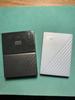
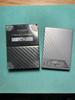
Written by a customer while visiting Western Digital